

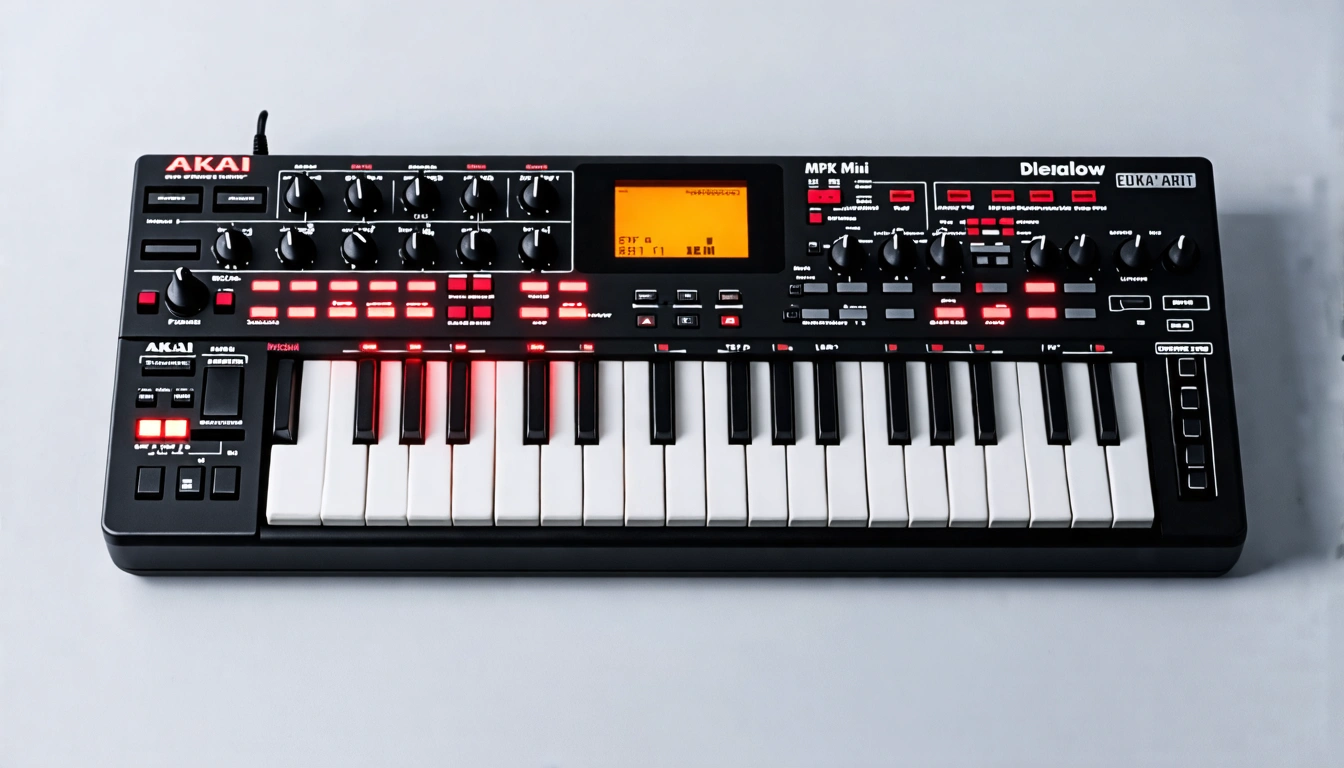
The Quick Verdict: Skip the "Standalone" Dream
If you are weighing the Akai MPK Mini vs MPK Mini Play, choose the standard Akai MPK Mini MK3. The $30 to $40 price bump for the Play model promises an untethered, all-in-one production rig, but delivers a compromised experience without an onboard sequencer or modern synth engine.
Unless you strictly need a battery-powered unit to run finger exercises through an internal speaker, the standard MPK Mini remains the best budget MIDI keyboard for beginners. It gives you tighter assignable encoders, superior DAW integration, and zero gimmick tax.
Every week on Reddit's r/synthesizers and Gearspace, emerging beatmakers post the exact same question: "Can I produce complete beats on the road with the Akai MPK Mini Play without touching a computer?" Akai's promotional videos make it look effortless. In real studio and travel conditions, you hit a creative wall within twenty minutes.
The "Standalone" Illusion: What Akai Left Out of the Spec Sheet
On paper, our hands-on Akai MPK Mini Play standalone review shows an enticing feature set: 25 velocity-sensitive mini keys, 8 responsive MPC pads, battery power, an internal speaker, and 128 built-in sounds. It claims to solve cable management for travel-minded producers.
Yet, labeling the Play a is misleading marketing. In practice, the device suffers from three workflow bottlenecks:
- Zero Onboard Sequencer or Looper: You cannot lay down a 4-bar drum loop, record a bassline, and solo over it. The second your fingers leave the keys or pads, the sound cuts out. To build an actual arrangement, you still need an external looper or a connected computer.
- Dated General MIDI (GM) Sound Bank: The 128 internal presets sound straight out of a 1998 soundcard. The acoustic pianos are thin, the synth leads lack harmonic richness, and the drum kits lack the punch needed for modern hip-hop, electronic, or pop production.
- Underpowered 1W Speaker: The tiny onboard speaker clips and rattles at moderate output levels. More critically, it produces zero usable bass response below 160 Hz, making it impossible to evaluate kick drums or 808 sub-bass without high-grade headphones.
Akai MPK Mini vs MPK Mini Play: Head-to-Head Comparison
To evaluate whether the upgrade is justified, let's contrast the core technical specifications:
| Specification | Akai MPK Mini MK3 | Akai MPK Mini Play MK3 |
|---|---|---|
| MSRP (USD) | $99 | $139 |
| Core Workflow | Dedicated USB-MIDI Controller | Hybrid Controller / Standalone GM Keyboard |
| Keybed Hardware | Gen 2 Dynamic Keybed (Snappy velocity curve) | Gen 2 Dynamic Keybed |
| Rotary Encoders | 8 Endless 360° Assignable Knobs | 4 Physical Knobs (Bank-switched for EQ/FX) |
| Internal Sound Engine | None (Harnesses VSTs / AU Plugins) | 128 General MIDI Instruments + 10 Drum Kits |
| Sequencer / Looper | No | No (Real-time live performance only) |
| Power Source | USB Bus Powered (Plug-and-play) | USB Bus Powered or 4x AA Batteries |
| Display Interface | OLED Screen (Crisp parameter & CC feedback) | Segmented LED Display |
Real-World Testing: Studio Desk vs. Mobile Production
1. Akai MPK Mini DAW Workflow Integration
Inside Ableton Live, FL Studio, or Logic Pro, the standard MPK Mini MK3 is an absolute workhorse. The 8 continuous rotary encoders map instantly to third-party synth cutoffs, mixer sends, and automation parameters.
On the MPK Mini Play, half of your physical control knobs are sacrificed to make room for sound-category buttons and volume dials. When mapped into a modern DAW, having only 4 physical knobs forces awkward bank-switching mid-performance, ruining your tracking flow.
2. Designing a Real Portable Beatmaking Setup Without Laptop
Producers evaluating is the MPK Mini Play worth it usually want a compact rig for hotel rooms, tour buses, or coffee shops. But because the Play cannot capture stems or record sequences, it fails as a solo workstation.
If you want true untethered hardware, look at dedicated grooveboxes like the Novation Circuit Tracks or Roland MC-101. These feature multi-track step sequencers, onboard sample slicing, and clean dual-engine polyphony.
Pro Tip for Mobile Creators:
Do not buy the Play just to make beats on the couch. Connect a standard Akai MPK Mini MK3 to an iPad via a Lightning-to-USB or USB-C adapter running Koala Sampler or Logic Pro for iPad. You get studio-grade virtual synths, multitrack audio recording, and visual sample slicing at zero battery latency.
The Modern Hybrid Production Stack: Overcoming Hardware Limits
Modern producers no longer bottleneck their creativity with hardware constraints. Instead of settling for muddy internal sounds, combine tactile hardware control with intelligent web-based audio systems.
1. Generating High-Fidelity Harmonic Stems
Rather than starting from a blank piano roll or thin General MIDI presets, generate high-definition reference tracks and chord progressions using the AI Music Generator. You can specify genre, tempo, instrumentation density, and emotional timbre to create a foundation, then use your MPK Mini keys to track live leads and basslines over top.
Tested Production Prompt Template
Genre: 90s Boom Bap / Lo-Fi Hip Hop
Tempo: 86 BPM
Instrumentation Balance: Rhodes electric piano (35%), warm filtered upright bass (30%), dusty analog drum break (25%), vinyl static & tape flutter (10%)
Harmonic Mood: Reflective, minor 9th jazz voicings, slight swing feel, late-night tape saturation
2. Slicing Custom Samples for Your 8 MPC Pads
The 8 velocity-sensitive pads on the Akai MPK Mini excel at finger drumming and triggering isolated chops. Instead of recycling saturated sample packs, use the Stem Splitter to extract pristine acapellas, drum tracks, and melodies from any reference recording.
Multilingual Vocal Chop Engineering:
When isolating and assigning foreign-language vocal chops to your pads, respect their unique phonetic transients:
- Spanish Vocal Slices: Trigger chops right on hard occlusive consonants (p, t, k, b). Due to Spanish syllable-timed rhythm, slicing strictly before the stressed tonic vowel maintains natural bounce in reggaeton and Latin trap grooves.
- Japanese Vocal Slices: Avoid slicing solely at amplitude peaks. Japanese cadence relies on mora (isochronous time units). Slice whole vowel-consonant clusters (e.g., ka, shi, te) to prevent unnatural truncation during pad playback.
3. Elevating Rough Audio to Streaming Standards
When working in mobile environments or capturing live audio through budget hardware interfaces, your tracks often suffer from uneven dynamics and harsh mid-range resonance. Run your finished stereo bounces through the AI Mastering Tool to balance frequency spectrums, enhance stereo width, and hit target streaming loudness (-14 LUFS) with clean headroom.
Final Buying Advice: Akai MPK Mini vs MPK Mini Play
Before spending your production budget, match your purchase to your real-world setup:
- Get the Akai MPK Mini MK3 if: You produce with a laptop, desktop, or iPad. You want 8 assignable macro knobs, a bright OLED display, excellent pad sensitivity, and full VST automation for under $100.
- Get the Akai MPK Mini Play only if: You are looking for a standalone practice keyboard for acoustic scales without needing a DAW, or you want a battery-powered musical scratchpad for quick melody checks.
Clear Your Beats for Commercial Distribution
Whether you lay down drum loops on an Akai MPK Mini or compose with digital production tools, protect your music. Secure full commercial streaming clearance, synchronization rights, and YouTube monetization through our verified licenses.
Explore Commercial Pricing & Licensing


