

What BPM Means and Why It Matters
You already know what a beat feels like. Place your hand on your chest and count the steady thump of your heartbeat. That rhythm, roughly 60 to 100 pulses every minute, is your body's own tempo. Music works the same way. Every song has a pulse, and the speed of that pulse is measured in beats per minute, or BPM.
Think about the pace of a casual walk. Most people stroll at around 100 to 120 steps per minute, which is why so many pop songs in that range feel natural and easy to move to. Speed up to a jog and you are closer to 140 to 160 steps per minute, the territory of high-energy dance tracks. Slow down to a gentle sway and you land around 60 to 80, where ballads and ambient music live. BPM is simply the number that captures this feeling as a concrete value.
BPM Explained in Simple Terms
BPM (beats per minute) is the number of evenly spaced rhythmic beats that occur in one minute of music, and it determines whether a song feels slow, moderate, or fast.
That single number carries a lot of weight. A track at 60 BPM delivers one beat per second, creating a calm, unhurried atmosphere. Double it to 120 BPM and you get two beats per second, the sweet spot for dance floors and cardio playlists. The higher the BPM, the more energy and urgency a song tends to carry. When you ask "what is the BPM for this song," you are really asking how fast its musical heartbeat is ticking.
You do not need to read sheet music or understand time signatures to use BPM. A quick lookup in a bpm finder or a song finder database like Tunebat can give you the number in seconds. Even a simple key finder tool will often display tempo alongside other track data. The concept is beginner-friendly by design, and it functions as a kind of note detector for a song's rhythmic speed rather than its pitch.
Why People Search for a Song's BPM
People land on this question for very different reasons. Some are curious, others have a specific task in mind. Here are the four most common groups:
- Casual listeners who want to understand why a particular track feels energizing or mellow. Knowing the BPM puts a number to that gut feeling and helps you discover similar songs, whether you are exploring a playlist or looking up something like the hot to go bpm to match a vibe.
- Fitness enthusiasts building running or workout playlists. Matching music tempo to your target cadence, say 150 BPM for a fast run, keeps your pace consistent and your motivation high.
- DJs preparing sets who need exact tempo data to beatmatch two tracks seamlessly. Even a few BPM off can make a transition sound rough.
- Music producers setting a project tempo before recording, aligning samples, or syncing MIDI instruments. Getting the BPM right at the start saves hours of editing later.
Regardless of which group you fall into, the path forward is the same: figure out the tempo, then put it to work. The real question is not just what BPM means, but which method gives you the most accurate reading for any track you throw at it.
Common BPM Ranges for Every Music Genre
A BPM number means a lot more when you can place it inside a genre. Knowing a track sits at 125 BPM is useful, but knowing that 125 BPM lands squarely in house music territory tells you something about its groove, its energy, and where it belongs in a playlist or a DJ set. So what is tempo in music if not the invisible thread connecting a genre's identity to the way it makes you feel?
The table below consolidates typical BPM ranges across major genres, ordered from slowest to fastest. These figures draw on Spotify API data spanning roughly 9 million tracks, so they reflect where real recordings actually land rather than textbook ideals. Bookmark this as your quick-reference the next time you need to confirm whether a song's tempo fits a particular style.
Genre-by-Genre BPM Reference Table
| Genre | Typical BPM Range | Common Use Cases |
|---|---|---|
| Ambient / Downtempo | 60 - 115 | Study sessions, meditation, chill playlists, background soundscapes |
| Lo-fi Hip-Hop | 60 - 90 | Focus playlists, relaxed beats for studying or unwinding |
| Hip-Hop & Boom Bap | 85 - 115 | Classic rap, freestyle, laid-back grooves |
| R&B / Neo Soul | 80 - 130 | Smooth vocal tracks, evening playlists, slow jams |
| Reggae / Dancehall | 80 - 130 | Island vibes, summer playlists, relaxed dance |
| Pop | 100 - 130 | Radio hits, sing-alongs, general-purpose playlists |
| Country / Folk | 82 - 160 | Storytelling tracks, acoustic sets, road-trip playlists |
| House / Disco | 115 - 130 | Dance floors, DJ sets, moderate-intensity workouts |
| Techno | 124 - 150 | Club sets, warehouse raves, high-energy cardio |
| Trance | 124 - 150 | Festival main stages, euphoric builds, long-distance running |
| Trap / Drill | 130 - 145 (half-time feel) | Modern rap production, bass-heavy playlists, bmp tuning for hard-hitting drops |
| Dubstep | 135 - 145 (half-time feel) | Bass music events, intense workout segments |
| Drum & Bass / Jungle | 160 - 180 | High-energy DJ sets, sprint intervals, fast-paced gaming soundtracks |
A few things stand out. Pop clusters tightly around 100 to 130 BPM, which is why most radio hits feel comfortable at a walking or light-jogging pace. House and disco share a narrow lane between 115 and 130, making them natural partners on any dance-floor playlist. Trap and dubstep both hover near 140 BPM on paper, yet their half-time drum patterns make the groove feel closer to 70, a detail that trips up many people using a tap tempo tool for the first time. If you tap BPM along to the snare hits in a trap song, you will likely land around 70 rather than 140, and both readings are technically correct.
Electronic music holds the widest spread of any family. A mellow ambient piece from an artist on a platform like lndr might drift around 68 BPM, while a drum and bass track from the same producer could blast past 175. Tools like Tune Bat and other auto key databases display genre tags alongside BPM, which helps you cross-check whether a reading makes sense for the style you are hearing.
How BPM Shapes a Song's Energy
Numbers on a chart only matter if you understand what they feel like in practice. Imagine tapping your foot to a 70 BPM ballad. The pace is unhurried, almost meditative, giving each note room to breathe. Bump that up to 120 BPM and your body naturally wants to nod along or step in time. Push past 140 BPM and the pulse becomes urgent, almost demanding movement.
This is not just perception. Tempo directly influences heart rate, breathing, and even mood. Researchers have long noted that faster music tends to increase physiological arousal, which is exactly why fitness instructors pick tracks above 130 BPM for high-intensity intervals and why lo-fi producers keep things below 90 for a calm, focused atmosphere.
The relationship is not perfectly linear, though. A 120 BPM bossa nova and a 120 BPM reggaeton track share the same tempo on paper, yet they exist in completely different sonic worlds. Rhythm, syncopation, and instrumentation all shape perceived energy alongside raw speed. That is why experienced DJs and producers never rely on BPM alone. They pair it with key data, energy ratings, and their own ears to judge how a track truly feels.
With a clear picture of where each genre sits on the tempo spectrum, the next logical step is figuring out how to get an accurate BPM reading for any specific track, whether it lives in a streaming library, an MP3 folder, or the speakers at a live event.
Every Method to Find the BPM of a Song
Some songs wear their tempo on their sleeve. Others make you work for it. Whether you are trying to confirm the BPM of a well-known pop hit or pin down the tempo of an obscure remix you heard at a friend's party, there is a method that fits your situation. The trick is knowing which one to reach for first.
Most guides cover one or two approaches and call it a day. Here, you get all five, ranked from the quickest lookup to the most hands-on technique, so you can find the BPM of any song regardless of where or how you are hearing it.
Five Ways to Find Any Song's BPM
- Search an online BPM database. Type the song title and artist into a dedicated beat finder site like SongBPM or Tunebat and get instant results. This works best for commercially released tracks already in the catalog. Many of these platforms double as a bpm key finder, displaying musical key and energy data alongside tempo.
- Check streaming platform metadata. Services like Spotify store detailed audio analysis data, including BPM, for every track in their library. Third-party tools and even Spotify's own desktop features can surface this information without you leaving the app. Ideal when you are already listening and want a quick answer.
- Upload an audio file to a BPM detection tool. If you have an MP3, WAV, or FLAC sitting on your hard drive, upload it to an analyzer like Tunebat's upload feature or a dedicated DJ tool. The software scans the waveform and returns a precise tempo reading, usually within seconds. This is your go-to for unreleased tracks, personal recordings, or any file that will not appear in a public database. Think of it as a sample finder for tempo: drop in any audio and get the number back.
- Use a bpm tapper or tap-tempo tool. Open a free online tap tempo page, listen to the track, and tap your spacebar or screen in time with the beat. After 15 to 30 steady taps, the tool averages your input and displays the BPM. This method works with any audio source, including live music, radio, video, or even a song stuck in your head. Artists from Ellie Eilish to underground producers all make music that you can tap along to just as easily.
- Count beats manually. The old-school approach. Start a stopwatch, count every beat you hear for 30 seconds, then multiply by two. Veteran DJs used this method in the vinyl era, jotting results on record sleeves. It is the least precise option, but it requires zero tools beyond a timer and your ears.
Each method has a sweet spot. Database lookups are fastest for known songs. File uploads handle anything on your computer. Tap tempo covers everything else. Manual counting is the fallback when nothing digital is available. The real question is which path gets you to an accurate reading with the least friction.
Which Method Should You Use?
Your starting point depends on what you have in front of you. Use this quick decision tree to skip straight to the right approach:
- You know the song title and artist — Start with an online BPM database search. It takes seconds and covers millions of tracks. If the song is not in the catalog, move to the next option.
- You are streaming the song right now — Check the platform's built-in metadata or connect a third-party tool that reads streaming data. Spotify and Apple Music both store tempo information under the hood.
- You have an audio file (MP3, WAV, FLAC) — Upload it to a BPM detection tool. This handles demos, bootlegs, live recordings, and anything else that lives outside commercial databases.
- You are hearing the song live or on the radio — Open a tap-tempo tool and tap along to the beat. Aim for at least 20 taps to get a stable average.
- You have no internet and no apps — Count beats manually with a stopwatch. Thirty seconds of counting, multiplied by two, gives you a workable estimate.
In practice, experienced DJs and producers often cross-reference two methods to confirm a reading. A database lookup paired with a quick tap-tempo check, for example, catches errors that either method might miss on its own. Even a brief search on a platform like soog e can surface crowd-sourced tempo data worth comparing against your primary result.
Knowing the methods is half the equation. The other half is understanding how the tools behind them actually differ, because not every BPM finder works the same way or delivers the same level of accuracy.
Best BPM Finder Tools Compared
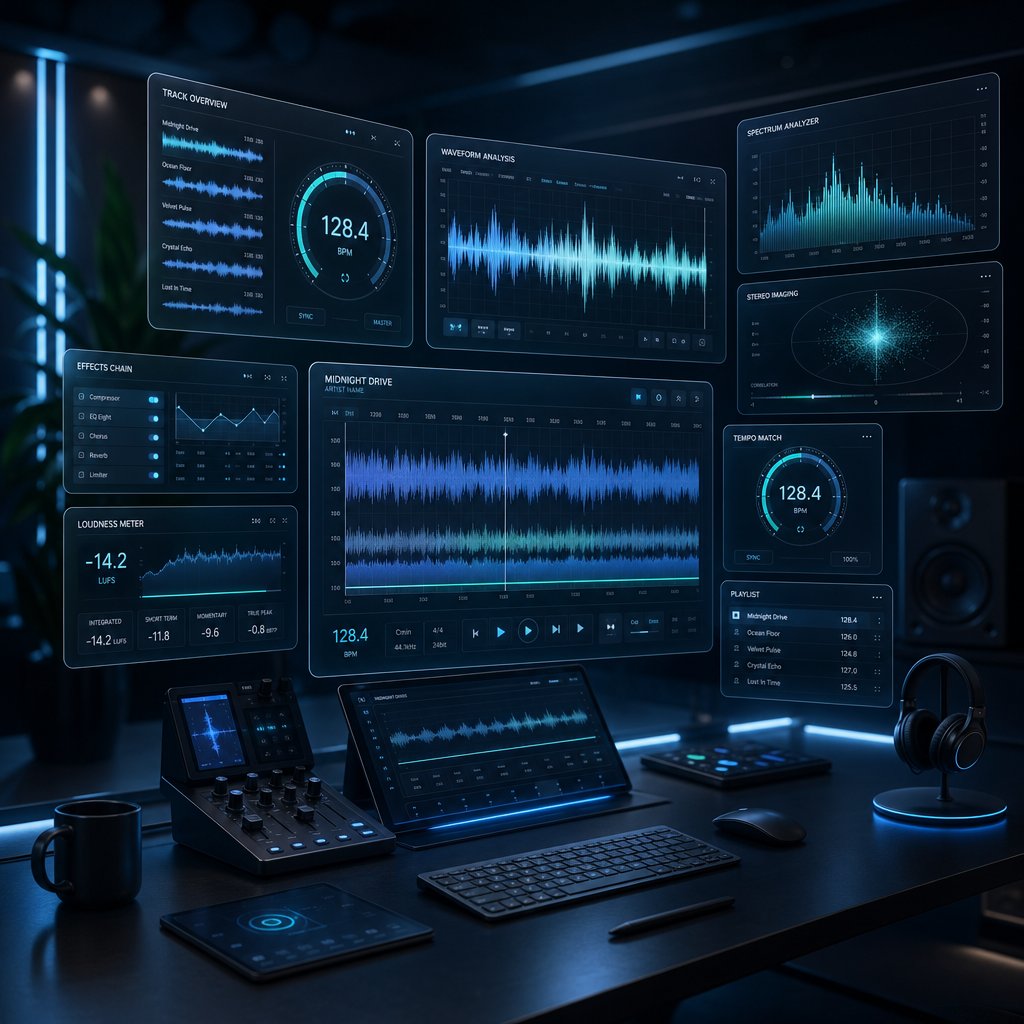
Every BPM finder promises fast, accurate results. In practice, the tools vary quite a bit in how they get those results, what extra data they surface, and where they fall short. Some pull pre-analyzed metadata from massive song databases. Others run real-time audio analysis on files you upload. A few do both. Picking the right one depends on what you are trying to do and what you have to work with.
Rather than testing each tool in isolation, the comparison below evaluates them side by side on the criteria that actually matter: input method, key detection, handling of tempo changes, and cost. If you have ever wondered why two tools return slightly different numbers for the same track, this section explains why and helps you decide which song identifier to trust.
Top BPM Finder Tools at a Glance
| Tool Name | Input Method | Key Detection Included | Handles Tempo Changes | Additional Data | Free Tier Available |
|---|---|---|---|---|---|
| Tunebat | Song search + file upload | Yes | Limited (reports dominant tempo) | Energy, danceability, happiness, loudness | Yes (search free; upload with limits) |
| SongBPM | Song search only | Yes | No (single BPM value) | Key, genre tags | Yes (fully free) |
| GetSongBPM | Song search only | Yes | No (single BPM value) | Key, artist info, related songs | Yes (fully free) |
| AudioKeychain | File upload + URL paste | Yes | Partial (averages across track) | Key only | Yes (basic analysis free) |
| Mixed In Key | File upload (desktop software) | Yes (advanced) | Yes (detects shifts) | Energy level, cue points, phrase analysis | Free trial; paid license |
A few patterns jump out. Tunebat is the most versatile free option because it handles both search and upload while surfacing rich metadata like energy and danceability scores. SongBPM and GetSongBPM are fast, no-frills lookup tools that work well when you just need a quick bpm key reading for a known track. AudioKeychain stands out for accepting SoundCloud and YouTube URLs directly, which is handy when you do not have a downloaded file. Mixed In Key sits in a different category entirely: it is a paid desktop application built for DJs who need batch analysis of entire music libraries, complete with harmonic mixing recommendations and tempo-change detection.
No single tool covers every scenario perfectly. Database-only tools like SongBPM cannot help with unreleased demos or personal recordings. Upload-based tools like AudioKeychain struggle with tracks that have complex polyrhythms or gradual tempo shifts. And even the best key detector algorithms occasionally confuse relative major and minor keys, a limitation rooted in how the underlying math works rather than any flaw in a specific product.
Database Search vs. Audio Upload Tools
Understanding what is a tempo music lookup versus a real-time analysis clears up most of the confusion around conflicting BPM readings.
Database search tools like SongBPM and GetSongBPM pull their data from pre-analyzed catalogs, often sourced from streaming platform APIs. When you type a song title into one of these tools, you are not triggering any new analysis. You are retrieving a stored result that was calculated once, usually by the platform that hosts the track. The upside is speed and consistency: the same query returns the same number every time. The downside is coverage. If a song is not in the catalog, you get nothing. Independent releases, live recordings, and remixes often fall through the cracks.
Audio upload tools like AudioKeychain and Tunebat's upload feature take a fundamentally different approach. You provide the actual audio, and the tool runs a fresh analysis using onset detection and beat-tracking algorithms. As one developer breakdown explains, these algorithms scan the audio signal for sudden bursts of energy, like kick drums and snare hits, then calculate the statistical distance between those peaks to estimate a steady BPM. This means upload tools can handle any audio you throw at them, from a garage-band demo to a field recording. The tradeoff is that accuracy depends on the clarity of the rhythmic pattern. A four-on-the-floor house track will return a rock-solid reading. A jazz piece with rubato phrasing might confuse the algorithm entirely.
For most people asking what is the bpm for this song, a database search is the fastest path. Type the title, grab the number, and move on. But if you are working with files that live outside commercial catalogs, or if you want to double-check a database result, an upload analyzer gives you an independent second opinion. Pairing a bpm tap tempo check with either tool type adds a third layer of confidence, especially for tracks where the groove is ambiguous or the tempo shifts mid-song.
The tools get you a number. The real skill is knowing whether that number is accurate, and what to do when two tools disagree.
How to Find BPM Without Extra Software
Dedicated BPM finder tools are great, but you might not need one at all. The streaming platforms and devices you already use store tempo data behind the scenes. Pulling it up takes seconds, and you never have to install a thing.
Finding BPM Inside Streaming Platforms
Most major music services analyze every track in their catalog the moment it is ingested. That analysis includes BPM, musical key, energy ratings, and more. The data is there. You just need to know where to look.
- Spotify (desktop app). Spotify runs audio analysis on every track and stores detailed metadata including tempo and key. While the app does not display BPM directly in the player, third-party tools like Tunebat and Spotify-connected bpm and key finder utilities pull this data through the platform's API. You search the song, and the stored analysis appears instantly. This is also a quick way to learn how to know what key a song is in without any music theory background, since the key is reported right alongside the tempo.
- Apple Music. Apple's ecosystem does not surface BPM in its standard interface either, but the underlying metadata exists. DJ software like djay and rekordbox can connect directly to an Apple Music library and display tempo information automatically for every synced track. If you already use one of these apps, your entire library is pre-analyzed the moment you link it.
- YouTube and SoundCloud. Neither platform exposes tempo data natively, but upload-based tools like AudioKeychain accept direct URLs from both services. Paste a link, and the tool runs its analysis without requiring you to download the file first. It is the closest thing to a built-in finder tempo feature for platforms that were not designed with musicians in mind.
- DJ-oriented apps. Apps like rekordbox, Serato, and Traktor analyze BPM and key the moment you load a track into your library. If your streaming subscription is linked, these apps function as a full-featured song key finder across your entire collection, no manual lookups required. They also work as a songs similar finder of sorts, since you can sort and filter your library by tempo to discover tracks that sit in the same BPM range.
The common thread is that tempo metadata already exists for nearly every commercially released song. You rarely need to generate it from scratch. The question is simply which doorway you use to access it.
Using Tap Tempo as a Universal Fallback
Streaming metadata covers millions of songs, but it cannot help with a live band at a venue, a track playing on the radio with no title displayed, or an unreleased demo a friend just sent you. That is where tap tempo steps in. It works with any audio source, anywhere, every time.
The concept is simple: you tap a button in rhythm with the music, and a tool calculates the average interval between your taps to determine BPM. Here is how to get a reliable reading:
- Listen for the downbeat. Focus on the strongest, most consistent pulse in the track. In most pop and electronic music, that is the kick drum landing on beats one and three, or the snare on two and four. Pick whichever hit feels most natural to tap along with.
- Open any free tap tempo tool. Browser-based options like TapTempoBPM.com work on phones and desktops alike. No downloads, no sign-ups.
- Tap steadily for 15 to 30 seconds. The more taps you provide, the more accurate the average becomes. Aim for at least 20 taps to smooth out any slight timing inconsistencies in your rhythm.
- Read the averaged BPM. Most tap tempo tools update the reading in real time, so you can watch the number stabilize as you tap. Once it stops fluctuating, you have your answer.
A few tips sharpen accuracy. Tap with your dominant hand or foot. Avoid tapping to syncopated elements like hi-hats or vocal rhythms, since those often fall between the main beats and will skew your result. If the number seems off, try tapping to a different rhythmic element. And if you land on a value that is exactly half or double what you expected, you are likely tapping to the backbeat or double-time, both musically valid readings.
Tap tempo is also a practical way to figure out how to tell what key a song is in when paired with a pitch reference. Some tap tools display key estimation alongside BPM, giving you two data points from a single listening session.
Between streaming metadata and the tap-tempo technique, you can find the BPM of virtually any song without downloading specialized software. But what happens when two methods return different numbers for the same track? That discrepancy is more common than you might think, and understanding why it happens is the key to trusting your results.
Why BPM Tools Sometimes Give Different Results
You run a song through one tempo and key finder and get 140 BPM. You check a second tool and it says 70. A third splits the difference at 139. All three claim to be accurate. So which one is right?
This is one of the most common frustrations people hit when searching for a song's tempo, and almost no guide bothers to explain it. The short answer: all three readings might be correct, depending on how each tool interprets the rhythm. The longer answer involves understanding what these tools actually do under the hood and where their logic can reasonably diverge.
How BPM Detection Actually Works
BPM detection algorithms listen for repeating spikes of audio energy, like kick drums and snare hits, then measure the time interval between those spikes to estimate how many beats occur per minute.
Imagine you are standing outside a room and can only hear a muffled thump through the wall every half second. You would naturally count those thumps and conclude the music inside is running at about 120 BPM. That is essentially what an algorithm does, just with math instead of intuition.
The technical process, as outlined in a developer breakdown of browser-based BPM detection, follows a few core steps. First, the algorithm analyzes changes in the frequency spectrum over time, a technique called spectral flux. Sudden increases in energy across multiple frequency bands usually indicate a beat. Next, it performs onset detection to pinpoint the exact moments when new sounds begin. Then it uses autocorrelation to find repeating patterns among those onsets, identifying the strongest periodicity as the most likely tempo. Finally, peak picking selects the best candidate from several possible tempo readings.
Think of it like a key identifier for rhythm rather than pitch. The algorithm is not listening to melody or harmony. It is scanning raw energy patterns and making a statistical bet on which interval repeats most consistently. That bet is usually right, but certain musical situations make the math genuinely ambiguous.
Common Reasons BPM Readings Disagree
When two tools return different numbers for the same track, the cause almost always falls into one of these categories:
- Half-time and double-time confusion. This is the single most frequent culprit. A trap song with a snare hitting on every other beat might register as 70 BPM in one tool and 140 BPM in another. Both are mathematically valid. The first tool locked onto the snare pattern, the second onto the hi-hat or kick subdivision. Genres like trap, dubstep, and drill are especially prone to this because their grooves deliberately blur the line between half-time and full-time feels.
- Gradual tempo changes. Not every song holds a rigid tempo from start to finish. Live recordings, classical pieces, and some indie tracks speed up or slow down organically, a technique called rubato. An algorithm analyzing the first 30 seconds might land on 118 BPM while another scanning the full track averages out to 122. Neither is wrong. They are just measuring different slices of a moving target.
- Complex polyrhythms and syncopation. West African-influenced genres, progressive rock, and experimental electronic music often layer multiple rhythmic patterns on top of each other. When a track has competing pulse layers, the algorithm has to pick one, and different tools may pick differently. A song with a 6/8 feel over a 4/4 kick pattern can confuse even sophisticated analysis engines.
- Database metadata vs. real-time analysis. A search-based tool like SongBPM pulls a stored value that was calculated once, possibly years ago, using whatever algorithm the source platform ran at the time. An upload-based tool like AudioKeychain runs a fresh analysis with its own algorithm. Different math, different moment of analysis, potentially different result. Even a one or two BPM gap is normal between these approaches.
- Audio quality and encoding artifacts. Heavily compressed MP3 files, low-bitrate streams, or tracks with excessive reverb can smear the transient peaks that algorithms rely on. A clean WAV file of the same song will often produce a more confident, stable reading than a 128 kbps MP3 rip.
An online pitch detector faces a similar challenge when identifying notes in a dense mix. Just as pitch detection can stumble on overlapping harmonics, BPM detection can stumble on overlapping rhythmic layers. The underlying problem is the same: the algorithm must isolate one signal from a complex blend.
How to Verify a BPM Reading
Conflicting results do not mean the tools are broken. They mean you need a quick verification step. Here is a practical checklist that takes under a minute:
- Cross-reference with a second tool. Run the same song through a different BPM finder, ideally one that uses a different method. If a database lookup says 128 and an upload analyzer says 127 or 128, you can be confident in that range. If they disagree by a wide margin, move to the next step.
- Tap along manually. Open a tap tempo tool and tap to the beat for 20 to 30 seconds. Your ears and body are surprisingly good at locking onto the dominant pulse, especially for music you are familiar with. If your tap result aligns with one of the tool readings, trust that number.
- Check for half-time or double-time. If one tool says 70 and another says 140, you are almost certainly looking at the same tempo interpreted at two different metric levels. Both are correct. Pick the one that matches how the song actually feels. If the groove is laid-back and spacious, 70 BPM better describes the vibe. If it feels driving and energetic, 140 is the more useful label.
- Consider the genre context. Refer back to the genre BPM table from earlier in this article. If a tool reports a house track at 62 BPM, it has almost certainly locked onto the half-time pulse. House lives between 115 and 130. A quick genre sanity check catches these errors instantly.
Producers working in a DAW have an extra advantage. Most digital audio workstations, whether a full-featured suite or an fl studio free alternative, let you import a track and visually align a tempo grid to the waveform. If the grid snaps cleanly to the transients, you have confirmed the BPM with your eyes as well as your ears. A scale finder in the same software can then help you identify the harmonic content, giving you both tempo and key from a single session.
The takeaway is straightforward: a single BPM reading is an estimate, not a decree. Two matching readings from different sources give you confidence. Three matching readings, especially when one of them is your own tap-tempo check, give you certainty. With that certainty in hand, the real payoff begins: putting the number to work in fitness routines, DJ sets, production sessions, and everyday listening.
Practical Ways to Use a Song's BPM
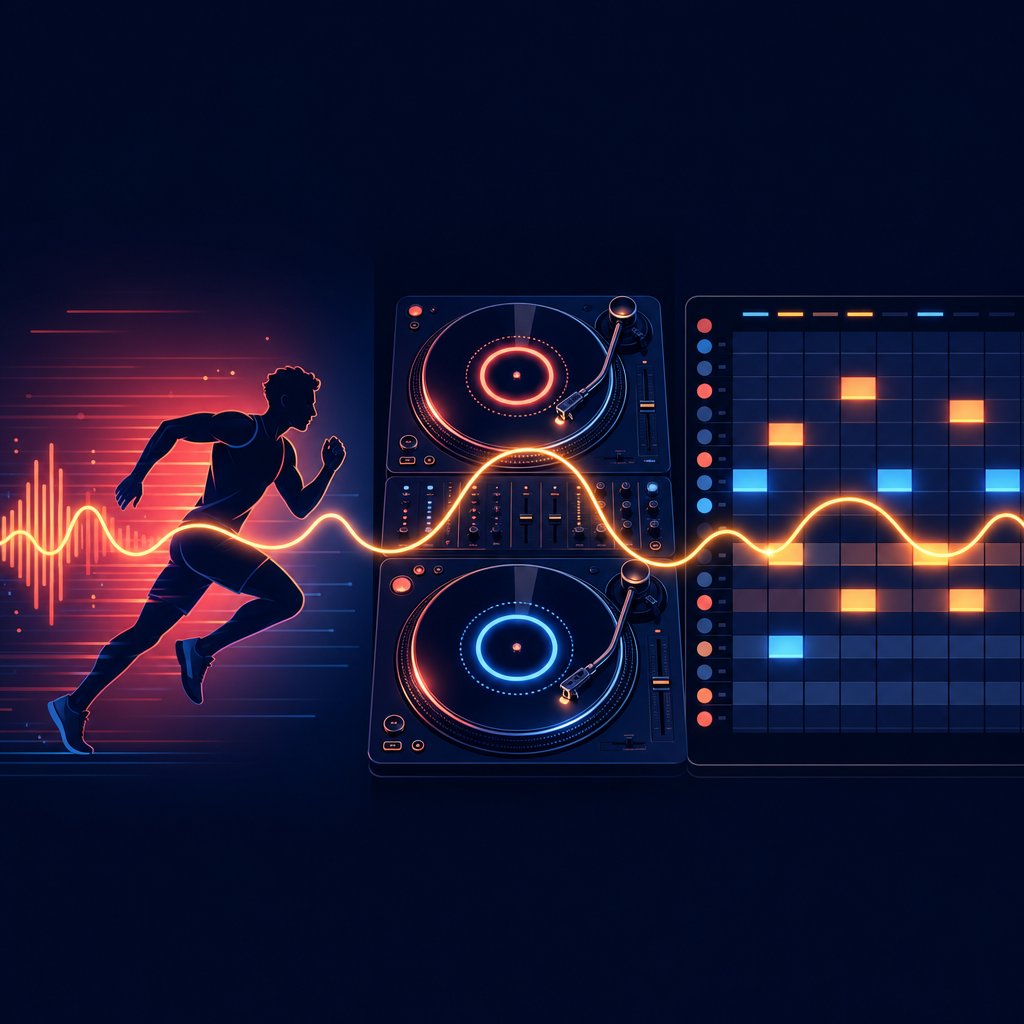
A verified BPM reading is only as valuable as what you do with it. Whether you use a tempo finder to prep a workout playlist or a bpm checker to lock down a project tempo before a recording session, the number itself is just the starting point. The real payoff comes when you apply it to a specific goal. Here is how four very different groups turn a simple song bpm value into a practical advantage.
BPM for Fitness and Running Playlists
Matching music tempo to your movement pace is one of the most research-backed performance hacks available to runners and gym-goers. A multilevel meta-analysis of 139 studies found that music produced meaningful improvements in physical performance and significant reductions in perceived exertion across a range of exercise types. The effect is not random. Tempo is the key variable.
The mechanism is straightforward. Your brain processes a limited number of competing inputs at any given moment. When a strong rhythmic beat occupies the same attentional channels as fatigue signals, some of those effort signals get crowded out. The run feels measurably easier even though your physiology is identical. Research by Karageorghis and Priest found that music can reduce ratings of perceived exertion by roughly 10% during physical tasks, a meaningful buffer on a long run where fatigue compounds over an hour or two.
The sweet spot depends on the activity. Here is a quick reference to help you find tempo ranges that match common workout types:
| Activity Type | Recommended BPM Range | Example Genres |
|---|---|---|
| Walking / warm-up | 100 - 120 BPM | Pop, indie folk, R&B |
| Moderate cardio / jogging | 120 - 135 BPM | House, disco, upbeat pop |
| Steady-state running | 125 - 140 BPM | EDM, hip-hop, trance |
| High-intensity intervals (HIIT) | 140 - 170 BPM | Drum & bass, techno, trap |
| Cooldown / stretching | 60 - 100 BPM | Ambient, lo-fi, acoustic |
Notice how 120 bpm sits right at the crossover between walking and moderate cardio. That is not a coincidence. Most people's natural walking cadence falls near 100 to 120 steps per minute, and music in that range feels instinctively comfortable to move to. Bump up to 140 and your body wants to push harder without you consciously deciding to.
Runners get an extra benefit from tempo-matched music: auditory-motor synchronization. Research published in PLOS ONE found that runners lasted significantly longer and maintained more consistent cadence when running to beat-matched music compared to silence. Your brain naturally locks your footstrikes to the beat, reducing mechanical variability in your stride and improving running economy. A 2022 study in the European Journal of Sport Science even showed that runners who trained with music set 7.5 to 10% above their natural cadence increased their step rate over four weeks without being told to change anything about their form.
The practical takeaway: use a bpm checker to audit your current workout playlist. If your high-intensity tracks are dipping below 130 or your cooldown songs are pushing past 110, a few swaps can make a noticeable difference in how your sessions feel.
BPM for DJs and Beatmatching
For DJs, knowing the exact BPM of every track in a set is not optional. It is the foundation of the craft. Beatmatching, the technique of syncing two tracks so their tempos and rhythms align, depends entirely on having accurate tempo data for both songs. Even a two or three BPM mismatch creates audible drift within seconds, and a dancefloor notices that drift before the DJ does.
The process, as Point Blank Music School outlines, follows a clear sequence: identify the BPM of both tracks, adjust the pitch fader to bring them into alignment, cue the incoming track to its first downbeat, then nudge the jog wheel or platter to lock the beats in phase. Once the tempos match and the beats land together, you blend using EQ, volume faders, and crossfading to create a seamless transition.
Modern DJ software like Serato, Rekordbox, and Traktor can display BPM automatically and even offer sync buttons that do the math for you. But experienced DJs still learn to beatmatch by ear for good reason. Sync functions rely on the software's BPM analysis, which can be thrown off by the same half-time and double-time issues covered earlier. A track tagged at 70 BPM in the software might actually groove at 140, and hitting sync in that scenario creates chaos rather than cohesion. Training your ear to recognize the true pulse, and verifying it with a quick tap-tempo check, gives you a safety net that no algorithm can replace.
Harmonic mixing takes this a step further by combining key and bpm data to ensure that two tracks not only share the same tempo but also sit in compatible musical keys. A smooth BPM transition that clashes harmonically still sounds jarring. Tools like Mixed In Key analyze both dimensions at once, letting DJs plan transitions that flow in tempo and tonality. If you want to определить бпм and key for an entire library before a gig, batch-analysis software handles hundreds of tracks in minutes.
BPM for Music Production and Songwriting
Producers interact with BPM differently than listeners or DJs. For them, tempo is not something you discover after the fact. It is a creative decision you make before a single note is recorded.
Every digital audio workstation opens with a default project tempo, usually 120 BPM. That default is a starting point, not a suggestion. Changing it to 85 BPM shifts the entire feel of a session toward a laid-back hip-hop groove. Pushing it to 150 sets the stage for a driving techno track. The tempo you choose shapes the spacing between every kick, snare, hi-hat, and melodic phrase in the project, so getting it right early saves hours of editing and re-quantizing later.
Beyond setting the initial tempo, producers rely on accurate BPM data for several core tasks:
- Tempo-matching samples and loops. Dropping a drum loop recorded at 95 BPM into a project running at 100 BPM creates an immediate timing conflict. Most DAWs can time-stretch audio to fit, but the result sounds cleaner when the original and target tempos are close. Knowing the exact song bpm of a sample before importing it lets you decide whether to stretch, pitch-shift, or find a better-fitting alternative.
- Syncing MIDI instruments and effects. Delay times, arpeggiator speeds, and sidechain compression rates are all tempo-dependent. A quarter-note delay at 120 BPM lasts 500 milliseconds. At 140 BPM, it lasts about 428 milliseconds. If your project tempo is wrong, every time-synced effect in the session will feel slightly off, even if you cannot immediately pinpoint why.
- Collaborating with other musicians. Sharing a project file or stem pack with a collaborator only works smoothly when both parties agree on the tempo. Embedding the correct BPM in the file metadata, something most DAWs do automatically, prevents the kind of misalignment that turns a collaboration into a troubleshooting session.
- Referencing existing tracks. Many producers start a session by analyzing a reference track they admire. They find tempo, key, and energy data for that track, then use those values as a blueprint for their own production. This is not copying. It is using data to aim for a specific emotional target before the creative work begins.
Songwriters benefit from the same awareness even without a DAW open. Understanding that a ballad typically breathes at 60 to 80 BPM while an uptempo anthem pushes past 120 helps you set the right feel when sketching ideas on guitar or piano. You do not need to be staring at a metronome to internalize these ranges. Just knowing where your song sits on the tempo spectrum gives you a vocabulary for communicating with bandmates, producers, and engineers.
Fitness playlists, DJ sets, production sessions, casual listening: the applications are different, but the underlying need is the same. An accurate BPM reading turns a vague sense of a song's energy into a number you can act on. And once you are comfortable acting on that number, a natural question follows: what if you could create music at exactly the tempo you want, from scratch?
How to Create Music at Your Ideal BPM
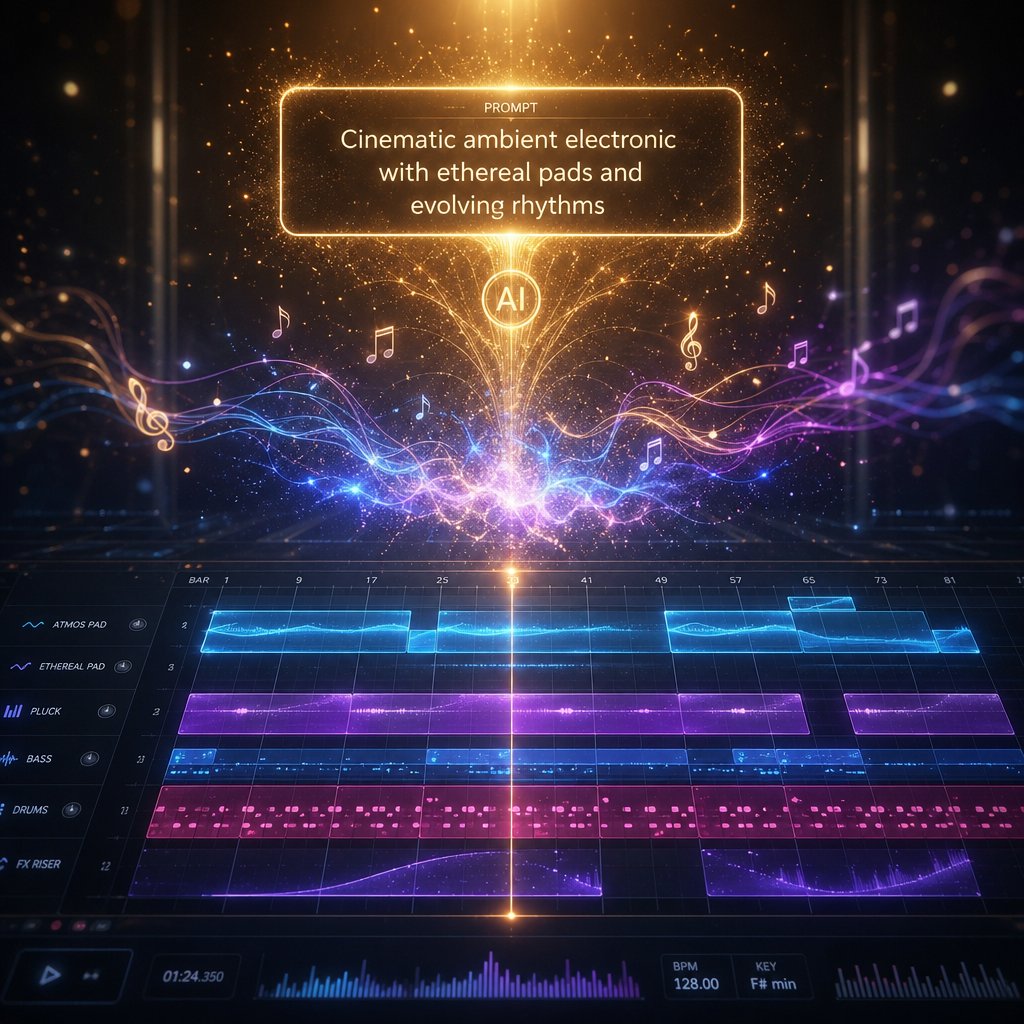
Analyzing tempo is one skill. Building a track at exactly the tempo you want is another. For years, that second skill required a DAW, a library of samples, and enough production knowledge to stitch everything together. That barrier has dropped significantly. AI-powered music generators now let you specify a target BPM, describe a style, and receive a fully produced track in return, no manual sequencing required.
From BPM Knowledge to Music Creation
Think about the journey so far. You can find bpm for any song using databases, upload tools, or tap tempo. You understand how 90 BPM creates a different emotional gravity than 150 BPM. You know which genres cluster around which tempos. That knowledge is not just analytical. It is a creative compass.
Content creators building video soundtracks need background music locked to a specific pace. Fitness instructors want custom tracks at exactly 140 BPM for a HIIT class. Game developers scoring beat saber songs or rhythm-based levels need precise tempo control so gameplay mechanics sync to the audio. DJs want quick demo ideas at a target BPM before committing to a full production. In every case, the creator already knows the tempo they need. The bottleneck was always the production step itself.
AI music generators remove that bottleneck. Instead of loading a DAW, hunting for loops, and manually aligning everything to a grid, you describe what you want in plain language and the tool handles composition, arrangement, and mixing. You can even change pitch of a song or regenerate variations until the output matches your vision. It is closer to directing than engineering, which opens the door for people who understand music intuitively but have never touched a sequencer.
Using AI Tools to Generate Music at Any Tempo
NiEW's AI Music Generator is built around this prompt-based workflow. You tell it what you need, including tempo, genre, mood, and instrumentation, and it produces original, royalty-free audio that matches those parameters. For anyone who has spent time with a tempo detector or a tunebeat-style lookup tool to study how songs are constructed, NiEW turns that analysis into action.
Here is what the tool offers in practice:
- Exact BPM control. Set a precise tempo, whether that is 85 BPM for a lo-fi hip-hop beat or 174 BPM for a drum and bass instrumental. The output locks to your target rather than defaulting to a generic range.
- Genre and mood selection. Describe the style you are after, from cinematic ambient to upbeat pop to dark techno, and the AI shapes its composition accordingly. This works like a note finder in reverse: instead of identifying what is in a track, you define what should be.
- Royalty-free output. Every generated track is cleared for commercial use, which matters for YouTubers, podcasters, advertisers, and app developers who need music without licensing headaches.
- Fast iteration. Not happy with the first result? Adjust your prompt, tweak the BPM, shift the mood, and regenerate. The feedback loop takes seconds rather than the hours a traditional production session demands.
The practical value is clearest for creators who already think in terms of tempo. If you know your video needs a 110 BPM indie-pop feel or your podcast intro should sit at a relaxed 80 BPM, you can go from idea to finished audio in minutes. Producers use tools like this for rapid prototyping, generating starter ideas at a specific tempo and key before refining them in a full DAW session.
Understanding BPM has always been about control: control over playlists, over DJ transitions, over production sessions. Generating music at a chosen tempo is simply the next layer of that same control, one that is now accessible to anyone with a clear idea of the sound they want.
Start Finding and Making Music at the Right Tempo
Every section of this guide pointed toward the same idea: once you can answer "what is the bpm for this song," you stop guessing and start making informed decisions. Whether you looked up a track in a database, uploaded a file to a bpm detector, or tapped along with your spacebar, you now have a reliable number and the context to use it. That is a bigger deal than it sounds. Tempo is the invisible framework behind every playlist you build, every mix you blend, and every track you produce.
Understanding what tempo in music actually controls, from the laid-back sway of a 70 BPM ballad to the relentless drive of a 174 BPM drum and bass roller, gives you a vocabulary for describing energy that goes beyond "fast" or "slow." It turns a gut feeling into something measurable, repeatable, and actionable. A pitch finder tells you about a song's tonal center. A bpm detector tells you about its rhythmic heartbeat. Together, they form the two coordinates you need to map any piece of music.
Key Takeaways
- BPM is the foundational metric of tempo. It measures the number of beats per minute in a song and directly shapes whether a track feels relaxed, moderate, or high-energy. If you can find key and tempo for a track, you understand its musical DNA.
- Multiple methods exist, and combining two is better than trusting one. Database lookups are fastest for known songs. Upload analyzers handle anything on your hard drive. Tap tempo works everywhere, including live events and radio. Cross-referencing a database result with a quick tap check catches half-time errors and metadata quirks that a single tool might miss.
- Context turns a number into a tool. A BPM reading is only useful when you connect it to a goal: syncing your running cadence, beatmatching a DJ transition, setting a project tempo, or simply understanding why a song makes you feel a certain way. The genre reference table and fitness BPM chart from earlier in this article give you that context at a glance.
- BPM knowledge is creative, not just analytical. Knowing how tempo works is the first step toward making music at exactly the pace you want, whether through a DAW, a note identifier tool, or an AI music generator that lets you specify BPM, genre, and mood in a single prompt.
Your Next Step
Pick a song you have been listening to this week. Look it up in a free BPM database like Tunebat or GetSongBPM, then open a tap-tempo tool and tap along to verify the result. That two-step check takes under a minute and builds the kind of hearing damage bpm finder tools cannot replicate: an intuitive sense of tempo that stays with you even when no screen is in front of you.
And if the process sparks a creative itch, if you find yourself thinking "I want to make something that feels exactly like this," that impulse is worth following. Tools like NiEW's AI Music Generator let you set an exact BPM, describe a style, and generate royalty-free music in minutes. It is the shortest path from analyzing a song's tempo to creating your own.
Tempo is where every musical decision begins. You now know how to read it, verify it, and use it. The only thing left is to press play.
