


What a Layers Music App Actually Does and Why It Matters
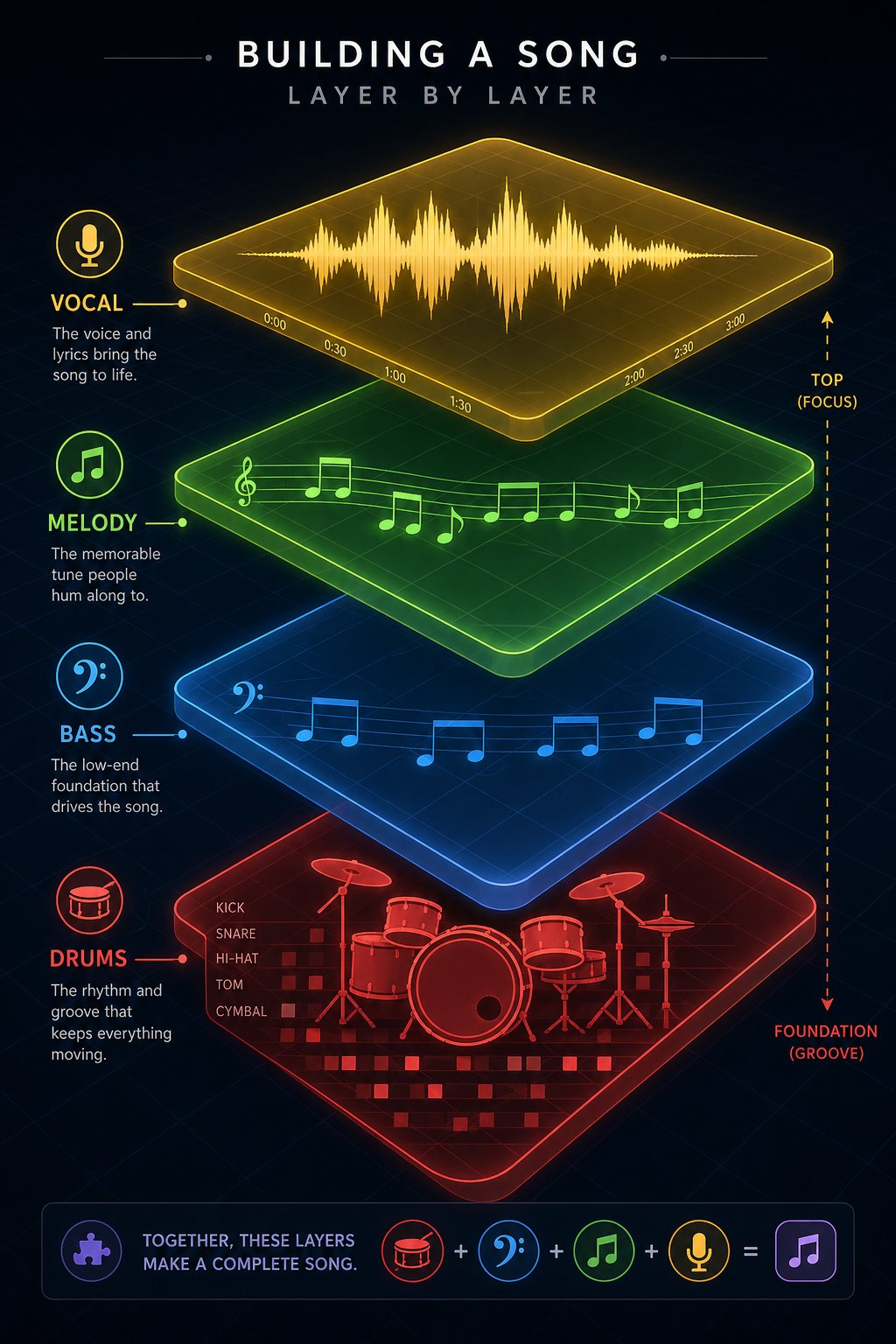
Imagine building a song the way you'd build a painting: one element at a time. A rhythm here, a bass line there, a vocal on top. That's the core idea behind a layers music app.
A layers music app is a mobile or browser-based tool that lets musicians record and stack multiple audio tracks — loops, vocals, instruments — on top of each other to build a complete composition from the ground up.
Simple concept, surprisingly confusing search results. The term doesn't point to one single product. It covers a range of apps and workflows, from dedicated loop stackers to lightweight multi-track recorders, each with its own spin on the same idea. That's exactly why this article exists: to cut through the noise, compare the leading options, and help you land on the right tool for how you actually make music.
What Exactly Is a Layers Music App
At its core, any music layering app revolves around three concepts. Multi-track recording lets you capture individual sounds on separate tracks. Loop stacking means you can record a short musical phrase and repeat it while you add new parts over the top. And overdubbing allows you to layer additional performances onto what you've already recorded without erasing anything.
Think of each track as a transparent sheet. One holds your drum pattern, another your bass, a third your melody. Stack them together and you hear the full picture. Pull one out and everything else stays intact. That independence is what separates a layering workflow from hitting record on a voice memo and hoping for the best.
Why Layered Music Production Is Worth Exploring
The creative possibilities open up fast once you start working this way. You can build a song one instrument at a time, even if you're a solo musician who plays everything yourself. You can experiment with arrangements — mute the guitar, swap in a synth, see what happens — without committing to anything permanent. And because many apps for layering music support exporting and sharing, collaborating remotely with other musicians becomes a realistic option, not just a nice idea.
Whether you're sketching ideas on a lunch break or drafting a full arrangement on your couch, the barrier to entry has never been lower. The real question isn't whether layered production is worth trying — it's which tool fits the way you work. And that starts with understanding what's actually happening under the hood.
Understanding How Music Layering Works for Beginners
Under the hood, every app for layering music relies on the same handful of building blocks. The terminology can feel intimidating at first glance — tracks, channels, loops, overdubs, mixdown — but each concept maps to something intuitive once you see how the pieces connect.
Tracks, Loops, and Overdubs Explained
Picture a stack of clear acetate sheets on an overhead projector. Each sheet holds one drawing — a background, a character, a foreground object. Viewed individually, they're incomplete. Stacked together, they form a full scene. Music layering works the same way.
A track is one of those sheets. It holds a single audio element — a drum pattern, a guitar riff, a vocal line. A channel is the control strip attached to that track, where you adjust volume, panning, and effects. Most music layering apps for beginners present these as vertical or horizontal lanes you can see on screen, each one representing a different sound.
A loop is a short musical phrase set to repeat continuously. You record four bars of a beat, the app cycles it, and you hear that rhythm playing back while you add the next part on a fresh track. This is the engine behind real-time layering — you build momentum by stacking one element at a time without stopping playback.
An overdub takes this further. As iZotope's production guide explains, overdubbing is the act of recording something over an existing piece of audio. It's not just for fixing mistakes — if your band has ever recorded a song instrument by instrument rather than playing live all at once, that is overdubbing. You might lay down a rhythm guitar, then overdub a lead part, then overdub a vocal harmony, each performance captured on its own track.
Finally, the mixdown is where all those individual layers merge into a single stereo file — the finished song you can export and share.
How Multi-Track Workflows Differ From Simple Recording
When you tap record on a voice memo, everything gets captured to one file. The dog barking, the guitar, your voice — all fused together. Want to turn down the guitar without affecting the vocal? You can't. That single-file approach is fast, but it gives you zero control after the fact.
A multi-track workflow flips that equation. Each instrument lives on its own track with independent volume, panning, and effects. You can mute the bass to hear how the melody sits against the drums. You can add reverb to the vocal without drenching the guitar. You can delete a part entirely and re-record it while everything else stays untouched.
This is also where the difference between destructive and non-destructive editing matters. Destructive editing permanently rewrites your original audio file every time you apply a change — once saved, the previous version is gone. Non-destructive editing, the approach used by most modern layering apps and DAWs, keeps your original recordings untouched and stores edits as a separate set of instructions processed in real time. You can undo a reverb you added three weeks ago without affecting anything else in the project. For experimentation — the whole point of layering music — non-destructive workflows are essential.
So how does a typical session actually unfold? Here's what the process looks like when you're learning how to layer music on an app:
- Record a beat. Start with a drum pattern or percussion loop to establish the tempo and groove.
- Add a bass line. Drop in a low-end foundation on a new track, locking it to the rhythm.
- Layer a melody. Record a melodic instrument or synth line on a third track, building harmonic interest.
- Stack vocals. Overdub a lead vocal, then add harmonies or ad-libs on additional tracks.
- Mix down. Adjust volume, panning, and effects across all tracks, then export the final stereo file.
Each step adds depth without erasing what came before. That's the real power of this workflow — every layer is an independent decision you can revisit, revise, or remove at any point. The question that naturally follows: what specific features should you look for in an app to make this process feel smooth rather than frustrating?
Key Features to Look for in a Music Layering App
Not every app that lets you record audio qualifies as a capable layering tool. A basic voice recorder captures sound. A proper multi track layering app for musicians gives you independent control over every element in your project — and the difference shows up fast once you start stacking more than two or three parts. The music layering app features that actually matter fall into a few clear categories: format support, export flexibility, latency performance, track capacity, and built-in effects.
Audio Format Support and Export Options
Format flexibility might sound like a boring spec, but it directly affects what you can do with your music after you make it. The two formats you'll encounter most often are WAV and MP3. WAV files are uncompressed and lossless — they preserve every detail of your recording, which is why studios and professional producers rely on them. MP3 files are compressed, smaller, and easier to share, but they sacrifice audio fidelity in the process. If you're bouncing a rough idea to a bandmate over text, MP3 is fine. If you're exporting stems to mix in a desktop DAW later, you want WAV.
Not every app offers both. Some mobile tools only export compressed formats, which limits your options downstream. Others go further. BandLab's help documentation, for example, shows that its web version supports importing MIDI, MP3, MP4, WAV, M4A, AAC, and OGG files, while exporting individual tracks as MIDI or WAV and mixdowns as M4A or 16-bit WAV. That kind of range matters when you're moving projects between devices or collaborating with someone using different software.
MIDI support is another feature worth checking before you commit. MIDI doesn't carry audio — it carries performance data: which notes were played, how hard, how long. If an app supports MIDI import and export, you can sketch a melody on your phone, send the MIDI file to your laptop, and re-assign it to any virtual instrument you want. It's a bridge between mobile sketching and serious production, and not every layering app includes it.
Latency, Track Count, and Effects That Matter
Latency is the delay between when you play a note and when you hear it back through the app. Even a small gap — 20 or 30 milliseconds — can throw off your timing when you're overdubbing a part against existing tracks. For live layering and real-time recording, low latency isn't a nice-to-have. It's a dealbreaker. Apps that use optimized audio drivers or support external audio interfaces tend to handle this better than ones relying solely on a phone's built-in processing.
Track count determines how complex your arrangements can get. Two or four tracks might be enough for a simple loop sketch, but if you're building a full song with drums, bass, keys, multiple guitar parts, and layered vocals, you'll burn through those quickly. The best app for layering music gives you enough headroom — typically eight tracks or more — so you're not forced to bounce and flatten layers prematurely just to free up space.
Then there are built-in effects. Three stand out as especially useful for layered production:
- EQ (equalization) lets you carve out frequency space for each track so instruments don't compete with each other. A muddy mix is usually an EQ problem.
- Reverb adds a sense of space and depth, helping individual layers feel like they belong in the same room rather than sounding pasted together.
- Compression evens out volume differences within a track, keeping a vocal or guitar from jumping out too loud in one phrase and disappearing in the next.
Some apps bundle additional tools like delay, chorus, or distortion, but EQ, reverb, and compression form the core trio you'll reach for on nearly every project. If an app lacks these, you'll hit a ceiling quickly.
Before you download anything, run through this checklist of features that separate a genuinely useful layering tool from a glorified recorder:
- Supports at least WAV and MP3 import and export
- Offers MIDI import/export for transferring musical ideas between tools
- Provides low-latency monitoring suitable for real-time overdubbing
- Allows eight or more independent tracks
- Includes built-in EQ, reverb, and compression
- Lets you adjust volume, panning, and effects per track independently
- Supports non-destructive editing so you can undo changes freely
- Exports at a quality level appropriate for your goals — lossless for production, compressed for sharing
Checking these boxes won't guarantee the best music layering app for your workflow — personal preference, platform, and budget all play a role. But it will filter out the tools that look promising in a screenshot and fall short the moment you try to build something real. The next step is seeing how the apps that do check these boxes actually stack up against each other.
Layers Capture vs Beat Layers
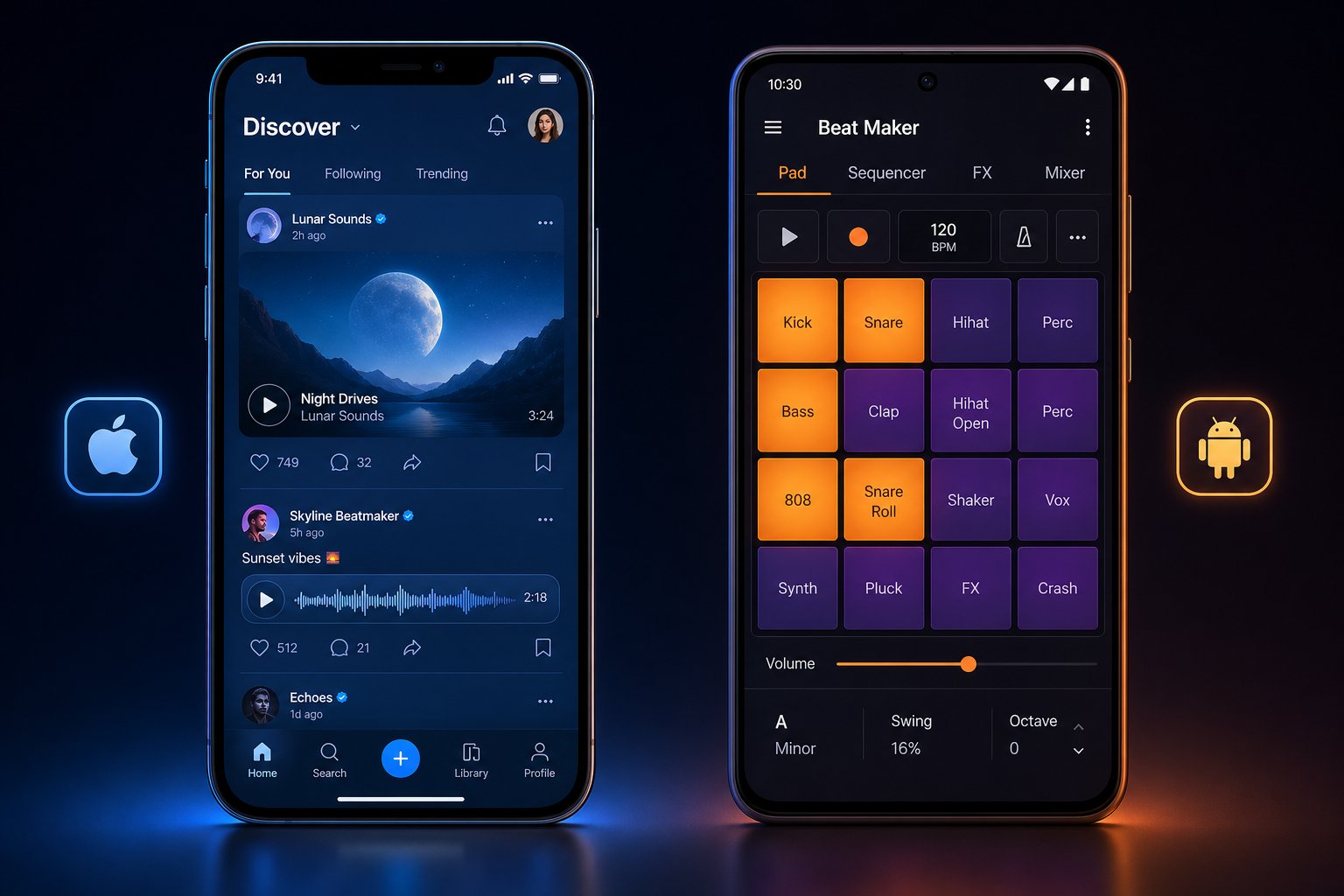
Two apps carry the "layers" name, yet they serve different audiences on different platforms. If you've searched for music layering apps and landed on either Layers Capture or Beat Layers, you've probably noticed they don't do the same thing. Here's what each store listing actually tells us — and where the gaps are.
Layers Capture on iOS — What the App Store Listing Reveals
Layers Capture, developed by Layers Media, LLC, is a free iOS app categorized under Music on the App Store. It carries a 4.5-star rating, though that score comes from just 8 ratings — a small sample that makes it hard to draw broad conclusions. The app weighs in at 37.6 MB, supports iPhone, iPad, iPod touch, and Apple Vision, and requires iOS 12.0 or later.
Here's where it gets interesting. Layers Capture isn't a traditional multi-track recorder. Its description positions it as a social and capture tool for music makers. You can browse a feed of musical sketches from other musicians, download high-quality audio and video stems, and create your own "flips" to share back to the community. The Capture mode connects your phone's camera to your DAW — specifically Ableton Live — to film auto-synced video of your creative process. A companion tool called Layers Edit lets you splice footage and add visual effects.
The catch? Capture mode requires the Layers Record VST plugin, meaning it's designed as a companion to a desktop DAW rather than a standalone layering environment. Editorial reviews of the app are scarce, and one user review from late 2023 flagged connectivity issues with the VST. The app's most recent update landed in October 2024, which suggests active — if infrequent — development.
Beat Layers on Android — A Mobile Studio Approach
Beat Layers takes a different angle entirely. Available on the Google Play Store and developed by Katerina Melnikava, this music layering app for Android positions itself as a beat maker and mobile studio. It carries a 4.3-star rating backed by over 6,630 reviews and has crossed 500,000 downloads — a significantly larger user base than Layers Capture.
The app is free to download but includes ads and in-app purchases, a common monetization model for Android music tools. Its Play Store listing is notably detailed — roughly 2,843 words of description — suggesting a feature-rich product with plenty to explain. The content rating is "Everyone," making it accessible to users of all ages.
Where Layers Capture leans into social sharing and DAW integration, Beat Layers appears to function as a more self-contained creative environment. Android users looking for a dedicated beat-making and layering tool on their device will find it's one of the more established options in the Play Store's music category.
How They Compare at a Glance
The table below summarizes what each store listing reveals. Keep in mind that pricing details, granular feature specs, and real-world performance should always be verified directly on the App Store or Play Store before you commit.
| Criteria | Layers Capture | Beat Layers |
|---|---|---|
| Platform | iOS (iPhone, iPad, iPod touch, Apple Vision) | Android |
| App Category | Music | Music, Beat Maker |
| Price | Free | Free (ads and in-app purchases) |
| User Rating | 4.5 stars (8 ratings) | 4.3 stars (6,630+ reviews) |
| Downloads | Not publicly disclosed | 500,000+ |
| Listing Detail Level | Moderate (~1,211 words) | Extensive (~2,843 words) |
| Target User | Musicians using Ableton Live who want social sharing and video capture | Android users seeking a self-contained beat-making and layering studio |
| Requires External Software | Yes (Ableton Live + Layers Record VST for Capture mode) | No |
A few things stand out. Layers Capture is more of a companion tool than a standalone layers music app — it shines when paired with Ableton Live and a community-driven workflow. Beat Layers, by contrast, aims to be the whole studio in your pocket, which explains its broader appeal and larger download numbers on Android.
Neither app tells the full story of what's available for layered music production, though. Both live within a much larger ecosystem of tools — some free, some paid, some far more powerful — that approach multi-track creation from completely different angles.
How Layers Apps Compare to GarageBand and Other DAWs
That larger ecosystem includes names you've almost certainly heard before — GarageBand, BandLab, FL Studio Mobile — plus a few niche tools that punch above their weight. The real question when weighing a layers music app vs GarageBand or any full mobile DAW isn't which is "better." It's which approach matches the way you actually work.
Dedicated Layering Apps vs Full Mobile DAWs
A dedicated layering music app is built around one idea: record, stack, and go. You open the app, lay down a loop, add another part on top, and keep building. The interface stays minimal. The learning curve stays short. You're making music in minutes, not spending an hour figuring out where the reverb knob lives.
A full mobile DAW flips those priorities. Tools like GarageBand and FL Studio Mobile give you timeline-based editing, plugin ecosystems, MIDI programming, automation lanes, and mixing consoles with per-channel EQ and compression. You can produce a polished, release-ready track without ever touching a desktop. The trade-off? Complexity. More menus, more options, more decisions before you hear a single note.
When does each approach make sense? If you're capturing a melodic idea on the train or building a live-looping performance one part at a time, a streamlined layering app keeps you in the creative zone. If you're arranging a full song with precise edits, mixing multiple bus channels, and exporting stems for mastering, a mobile DAW earns its complexity. Many musicians use both — sketch fast in a layering tool, then import those recordings into a DAW to refine.
Where GarageBand, BandLab, and FL Studio Mobile Fit In
Each of the major alternatives occupies its own lane. Some overlap with what a dedicated layering app does; others go far beyond it. Here's how they break down:
- GarageBand — iOS and Mac only. Apple's free DAW includes a Live Loops grid for triggering samples, an AI-powered Drummer track with 33+ virtual musicians, and studio-quality instruments derived from Logic Pro's library. Best for iOS beginners who want high-fidelity sounds and a clear upgrade path to Logic Pro.
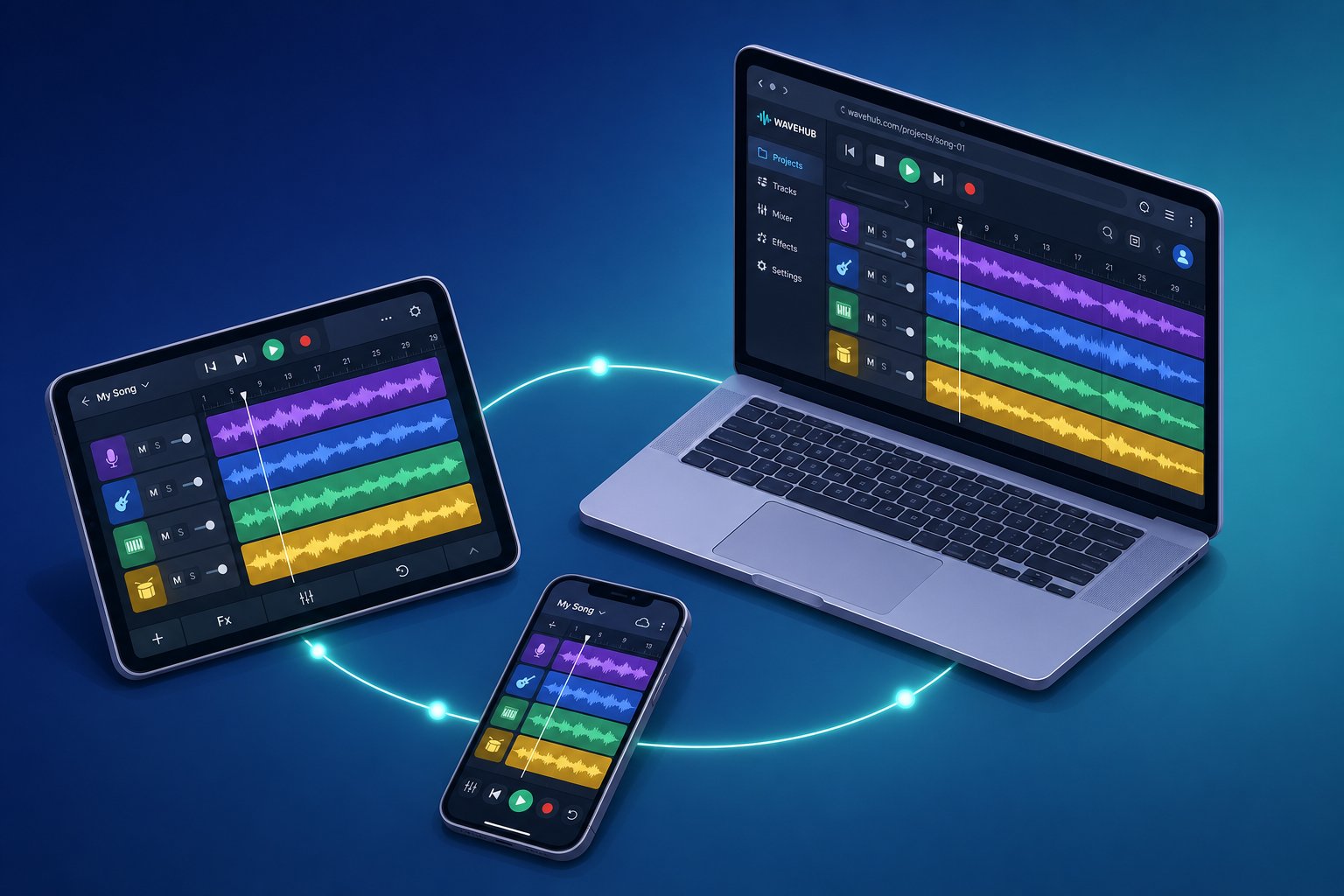
- BandLab — Free on iOS, Android, and any web browser. A cloud-first platform with built-in collaboration, Auto-Tune pitch correction, and over 100 MIDI instruments. Its real strength is cross-platform flexibility: start a project on your phone, finish it on a Chromebook, and invite a collaborator to edit in real time. The best app for layering music tracks when you're working with other people.
- FL Studio Mobile — Available on iOS and Android. Supports multi-track sequencing, a mixer with multiple buses and EQ bands, automation controls, and exports to WAV, MP3, and MIDI. Pattern-based production is its sweet spot, making it a natural fit for beat makers and producers who think in loops and sequences rather than linear timelines. If you've ever searched for free apps for layering music with a Fruity Loops-style workflow, this is the mobile version of that legacy.
- Koala Sampler — iOS and Android. A sampling-focused tool rated 4.8/5 that emphasizes speed and flow-state creativity. It features AI-powered stem separation, a resampling workflow for infinite sonic layering, and direct export to Ableton Live Sets. At a $4.99 entry price, it's built for producers who want to chop, flip, and layer samples without the overhead of a full DAW.
- Caustic — iOS and Android. A modular music creation app that lets you load up to 14 machines per project, including drum synthesizers, modular synths, and samplers. Its effect suite covers reverb, compressor, parametric EQ, and distortion. Best for synth-heavy, electronic production where you want deep sound design without desktop software.
No single tool covers every scenario. GarageBand delivers the best stock instrument quality but locks you into Apple hardware. BandLab runs everywhere and nails collaboration but can't load third-party plugins. FL Studio Mobile offers the deepest pattern-based workflow on mobile but carries a learning curve. Koala Sampler is unmatched for sampling speed yet lacks a linear arrangement view. Caustic gives you a modular synth playground but exports only to WAV.
The practical takeaway? Your platform, your budget, and your creative goals narrow the field fast. And for musicians who don't want to install anything at all — or who switch between iOS, Android, and desktop throughout the week — the question shifts from which app to download to whether a native app is even necessary.
Platform Availability
That question — whether a native app is even necessary — comes down to where you make music and how often you switch devices. A guitarist might sketch riffs on an iPhone during a commute, then refine them on a Windows laptop at home. A vocalist could record layers on an Android tablet at a friend's place, then need access from a library Chromebook the next day. Cross-platform availability isn't a luxury anymore. It's how modern musicians actually work.
The good news? Layering tools exist across every major platform. The less good news? They're unevenly distributed, and knowing where to look saves you from downloading three mediocre apps before finding one that fits.
iOS and Android Options at a Glance
iOS has historically attracted more polished music apps, partly because Apple's audio framework (Core Audio) gives developers tighter control over latency and performance. If you're on an iPhone or iPad, your options include:
- Layers Capture — A social capture and sharing tool that pairs with Ableton Live for video-synced recording. Best as a companion to a desktop DAW rather than a standalone layering environment.
- GarageBand — Apple's free DAW with Live Loops, virtual instruments, and a direct upgrade path to Logic Pro. The most feature-complete free music layering app on iOS.
- Koala Sampler — A sampling-first tool with AI stem separation and resampling workflows, ideal for chopping and stacking audio quickly.
Android users have fewer headline names but still have solid ground to work with:
- Beat Layers — A self-contained beat maker and mobile studio with over 500,000 downloads. One of the more established music layering apps on Android.
- BandLab — Free, with unlimited cloud storage and real-time collaboration. As MusicTech's guide to free mobile music apps notes, BandLab doubles as a social platform where you can share tracks, remix other users' projects, and connect with a community of over 16 million musicians.
- Caustic — A modular synth playground supporting up to 14 machines per project, suited for electronic and synth-heavy layering.
You'll notice the overlap. BandLab and Caustic run on both platforms, which makes them natural picks if you share gear with someone on the other operating system or plan to switch phones down the road. FL Studio Mobile also spans iOS and Android, though it leans more toward pattern-based production than quick loop stacking.
Browser-Based Alternatives for Quick Layering
What if you don't want to install anything at all? Browser-based music tools have matured significantly. They run directly in Chrome, Firefox, or Edge — no download, no storage commitment, no app store account required. You open a tab and start creating.
This matters for a few reasons. Maybe you're on a shared computer. Maybe your phone's storage is full. Maybe you just want to test a concept before committing to a full app. A free music layering app online removes every friction point between "I have an idea" and "I'm recording it."
Several browser-based platforms now offer genuine multi-track capability. Musitechnic's 2026 roundup of free online music tools highlights options like Soundtrap (cloud-based DAW with real-time collaboration), Soundation (drag-and-drop beat creation with built-in effects), and Audiotool (a full modular studio running entirely in your browser with over 250,000 samples). Each handles layering differently, but all three let you stack tracks, apply effects, and export — without ever leaving your browser window.
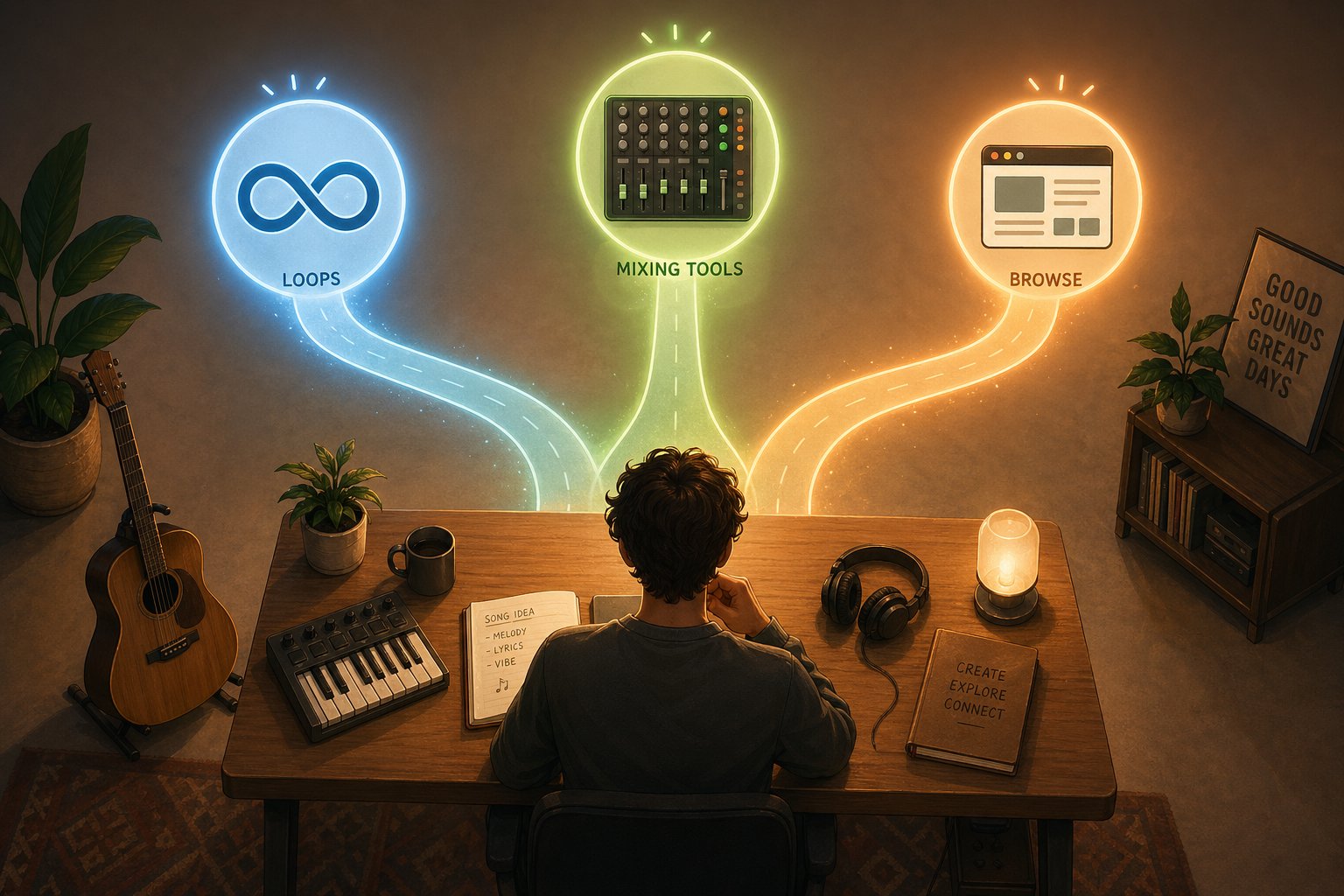
If you'd rather explore multiple browser-based utilities in one place instead of hunting them down individually, MakeBestMusic's Online Tools curates a collection of web-based music production resources. It's a practical starting point for musicians who want to browse what's available — from layering and looping tools to mixing utilities — without committing to any single platform upfront.
Here's a quick breakdown of where layering tools live, organized by platform:
- iOS — Layers Capture, GarageBand, Koala Sampler, FL Studio Mobile, BandLab
- Android — Beat Layers, BandLab, Caustic, FL Studio Mobile, Roland Zenbeats
- Browser (any device) — Soundtrap, Soundation, Audiotool, Amped Studio, BandLab (web version)
- Desktop DAWs — Ableton Live, Logic Pro, FL Studio, Reaper (for musicians ready to move beyond mobile and browser tools)
The platform you're on narrows the field, but it no longer locks you out. Between native apps and browser-based alternatives, a music layering app — free or paid — is accessible on virtually any device you own. The bigger variable is how you plan to use it: a quick idea capture on the bus, a live performance onstage, or a full songwriting session at your desk.
Practical Workflows for Musicians Using Layering Apps
Knowing which platform to use is one thing. Knowing what to actually do with it once you open the app is where the real value kicks in. A layering tool doesn't exist in a vacuum — it fits into the way you already make music, filling gaps that a desktop DAW or a live instrument can't always cover on its own. The musicians getting the most out of these apps aren't treating them as replacements for a full studio. They're using them as creative accelerators woven into a larger process.
Here's how that looks across a few common scenarios.
Songwriting and Idea Sketching on the Go
You're on the subway. A melody pops into your head — a vocal hook, maybe a chord progression you've been turning over all morning. By the time you get home and boot up your laptop, it's gone. Every songwriter knows this feeling.
A music layering app for songwriting solves this by collapsing the distance between idea and recording to almost nothing. Hum the melody into track one. Tap out a rough rhythm on track two. Layer a simple harmony on track three. In under two minutes, you've captured the skeleton of a song that would have evaporated otherwise.
This isn't hypothetical. Splice's SVP of Content, Kenny Ochoa, put it plainly when discussing the platform's mobile recording update: "The phone is already a huge part of music making." Splice reports that roughly 1 million users have created more than 28 million stacks using its mobile app, and the addition of vocal recording over those stacks lets songwriters and producers experiment with lyrics, melodies, and genre directions before ever stepping into a studio. Artist and producer Leland echoed the point: "Before we even get to the studio, we can sketch out melodies and even hooks. This is so valuable to our community."
The pattern is the same regardless of which app you use. Record a loop, stack a few parts, export the rough sketch as stems or a mixdown, and refine it later in a full DAW. The phone becomes a net for catching ideas at the exact moment they arrive — not a replacement for the studio, but a direct pipeline into it.
Live Looping and Performance Use Cases
Songwriting sketches happen in private. Live looping happens in front of people, which changes everything.
If you've ever watched a solo performer build a song from scratch on stage — laying down a beat, adding a bass line, stacking vocal harmonies one at a time — you've seen a live looping app for musicians in action. The audience hears the composition assemble in real time, which turns the creative process itself into the performance. Each layer is both a musical decision and a moment of theater.
Some layering apps support this workflow natively with features like quantized loop recording (so layers snap to the beat grid automatically), foot-pedal or MIDI controller integration, and low-latency monitoring that keeps overdubs tight against existing tracks. Others, like Ableton Move, approach it from the hardware side. As MusicRadar's revisit of Ableton Move noted, the device's greatest asset is the simplicity of transferring sounds and ideas to a full DAW — you capture raw loops and motifs quickly, then develop them further in Ableton Live.
Beyond music, the same layering logic applies to podcasters stacking intro music under voice tracks, beatboxers building complex arrangements from nothing but a microphone, and producers drafting beat ideas on a phone before committing hours to a desktop session. The use case shifts, but the workflow stays consistent: record a foundation, stack elements on top, adjust the balance, and either perform it live or export it for further work.
Treat a layering app as a creative sketchpad, not a final production environment — capture ideas fast, stack them loose, and save the polish for a tool built to finish the job.
That mindset — sketchpad first, studio second — is what separates musicians who get frustrated with mobile limitations from those who find these tools genuinely freeing. The app doesn't need to do everything. It needs to do the right thing at the right moment: catch the idea, stack the parts, and get out of the way so you can keep creating. The real decision isn't how to use a music layering app — it's which one matches your skill level, your platform, and the kind of music you want to make.
Choosing the Best Layers Music App for Your Needs
Skill level, platform, and creative goals — those three variables do most of the filtering for you. The trick is being honest about where you are right now rather than where you hope to be in six months. A tool that matches your current workflow keeps you making music. One that overshoots it keeps you watching tutorials.
Matching Your Skill Level to the Right Tool
Which music layering app should I use? It depends on how deep you want to go today, not someday.
If you're a complete beginner, start where the friction is lowest. GarageBand on iOS gives you multi-track recording, Live Loops, and quality instruments for free — no account required, no paywall hiding the good stuff. On Android or any other device, BandLab's web version offers a similar zero-cost entry point with real-time collaboration baked in. Browser-based tools work too, especially if you want to test the waters without installing anything at all.
If you're an intermediate musician who already understands tracks, loops, and basic mixing, dedicated layering apps start to make more sense. Explore options like Layers Capture if you're already working in Ableton Live and want a social capture workflow, or Beat Layers on Android if you need a self-contained mobile studio. FL Studio Mobile and Koala Sampler also sit comfortably in this tier — powerful enough to produce real ideas, focused enough to stay out of your way.
If you're an advanced producer, you probably already own a desktop DAW. The best layers music app for beginners isn't what you need — but a lightweight mobile layering tool still earns its place as a sketchpad. Use it to capture ideas on the move, then import stems into Logic Pro, Ableton Live, or Cubase for the heavy lifting. The layering app supplements your main rig rather than competing with it.
Free and Low-Cost Ways to Start Layering Music Today
Budget shouldn't be the thing that stops you. GarageBand is free. BandLab is free. Waveform Free gives you unlimited tracks on desktop without spending a dollar. Even on the browser side, platforms like Soundtrap and Audiotool let you stack tracks and export results at no cost. If you're looking for a free app for layering music tracks, you genuinely have options on every platform.
For anyone who wants to browse what's available before committing, MakeBestMusic's Online Tools collects browser-based music utilities in one place — layering tools, mixing helpers, production resources — so you can experiment immediately without downloading or signing up for anything. It's a zero-friction way to see what clicks.
Here's a simple action plan to get moving right now:
- Identify your platform. Are you on iOS, Android, desktop, or browser-only? This single answer eliminates half the options and surfaces the ones that actually run on your device.
- Try a free option first. Pick one tool — GarageBand, BandLab, a browser-based app from MakeBestMusic's curated list — and spend a week building simple layered sketches. Don't overthink it. Record a loop, stack a part, export.
- Upgrade only when you hit a real limitation. If you run out of tracks, need better effects, or want MIDI export, that's your signal to move up. Not before.
The layers music app comparison guide above covers the trade-offs — simplicity vs. depth, mobile vs. browser, free vs. paid — but the only comparison that truly matters is the one between making music and not making music. Pick a tool, open it, and record something. The rest sorts itself out once you start stacking layers.
