

Can AI Actually Mix and Master Your Music
Can AI mix and master music? Yes, it can. But the honest answer lives somewhere on a spectrum. On one end, you'll find results that are perfectly fine for demos and streaming singles on a tight budget. On the other end, certain AI tools now produce masters that compete with professional engineers in specific contexts. Where your track lands on that spectrum depends on four things: the tool you choose, the genre you're working in, the quality of your source material, and what you actually expect from the final product.
This article breaks down both AI mixing and AI mastering with equal weight, giving you an unbiased look at what works, what doesn't, and where the technology genuinely falls short. No hype, no fear-mongering, just practical information you can act on.
The Short Answer for Musicians
AI mastering is a relatively mature technology. Services like LANDR have been processing tracks since 2014, and the results have improved steadily over a decade of refinement. For many independent releases heading to Spotify or Apple Music, AI mastering delivers loudness, tonal balance, and clarity that listeners won't distinguish from a human-mastered track on consumer playback systems.
AI mixing is a different story. It's newer, less predictable, and significantly harder to automate well. Mixing involves balancing dozens of individual stems, making relational decisions about how a kick drum shares space with a bass line or how vocals sit above a dense arrangement. These interconnected choices are far more complex than the stereo-file optimization that mastering requires. Tools for AI mixing and mastering exist on a wide spectrum of reliability, and results vary considerably from one platform to the next.
AI mastering is ready for real releases in many cases. AI mixing can provide a solid starting point, but it rarely delivers the nuance and cohesion of an experienced engineer working with your specific tracks.
Why This Question Matters Now
The landscape has shifted quickly. A bedroom producer uploading stems at midnight can now get a mix and master back before morning. Indie artists who once faced a hard choice between spending hundreds on an engineer or releasing unpolished music now have a genuine middle option. And professionals are finding that AI-assisted plugins speed up repetitive tasks like gain staging and initial EQ decisions, freeing them to focus on creative choices.
Whether you're exploring vocal mixing AI free tools to polish a rough demo, or you're a working producer wondering if AI could handle the grunt work in your workflow, this guide is built for you. We'll cover how the technology works, which genres suit it best, how to prepare your tracks for optimal results, and when it makes sense to skip AI entirely and invest in a human ear.
The real question isn't just whether AI can mix and master your music. It's whether the results match what your specific project actually needs.
How AI Mixing and Mastering Technology Works
So what's actually happening when you upload a track to an AI mastering system or feed stems into an AI song mixing tool? It's not magic, and it's not guessing. These platforms run your audio through a series of analytical steps, compare what they find against a massive database of professionally produced music, and apply corrections based on patterns in that data.
Think of it like this: imagine studying thousands of photographs taken by professional photographers, learning the patterns of lighting, composition, and color grading that make them work, and then applying those patterns to adjust a new photo automatically. AI audio mixing and automated mastering do something similar, but with sound.
How AI Analyzes Your Audio
When you upload a file, the AI doesn't just "listen" the way you do. It measures. The algorithm scans your audio across several dimensions simultaneously, building a detailed profile of what your track looks like from a technical standpoint. It then compares that profile against reference data drawn from commercially released, professionally processed music in your genre.
Here are the key parameters an AI mastering system evaluates during processing:
- Frequency spectrum - How energy is distributed across lows, mids, and highs. Is the bass overwhelming? Are the high frequencies too dull or too harsh compared to genre norms?
- Dynamic range - The difference between the quietest and loudest moments. Is the track too compressed or too inconsistent in volume?
- Loudness (LUFS) - The overall perceived volume, measured against platform-specific targets like Spotify's -14 LUFS standard.
- Stereo image - How wide or narrow the mix sounds, and whether the stereo field is balanced or lopsided.
- Peak levels - Whether any part of the audio clips or hits the digital ceiling, causing distortion.
- Spectral balance over time - How the tonal character shifts throughout the track, from verse to chorus to bridge.
This analysis happens in seconds. The AI compares your track's profile to genre-appropriate targets, identifies where your audio deviates from those targets, and applies processing to close the gap. Some platforms let you upload a specific reference track, a commercially released song you want your master to resemble sonically, which gives the algorithm a more precise target to aim for rather than relying on broad genre presets.
The Difference Between AI Mixing and AI Mastering Processes
Here's where the distinction matters most. AI mastering and AI mixing tackle fundamentally different problems, even though both fall under the umbrella of automated audio processing.
AI mastering works on a single stereo file, your finished mix. It's asking a relatively contained question: how do I make this existing stereo track louder, more balanced, and ready for streaming platforms? The processing chain typically involves EQ adjustments to correct tonal imbalances, multiband compression to control dynamics across different frequency ranges, stereo enhancement to widen the image, and a limiter to bring the track to your loudness target without clipping. This is a constrained optimization problem, and it's why automated mastering has matured faster and delivers more consistent results.
AI mixing is a fundamentally harder challenge. It takes multiple individual stems, your drums, bass, vocals, guitars, synths, and makes relational decisions about how those elements interact. How loud should each element sit relative to everything else? Where does each instrument belong in the stereo field? How much compression does the vocal need to stay present above a dense arrangement? These are context-dependent decisions that change from section to section within the same song. Research in deep learning-based automatic multitrack mixing shows that modern systems use transformer architectures and temporal modeling to learn inter-channel relationships, essentially teaching the AI how instruments affect each other rather than processing each track in isolation.
The machine learning training process behind both approaches follows a similar pattern. Developers feed these systems thousands of professionally mixed and mastered tracks. The AI learns statistical patterns: what frequency distributions are common in well-mastered pop songs, how much compression professional engineers typically apply to rock drums, what stereo width sounds natural for acoustic recordings. It develops pattern recognition for what "sounds good" within specific genres. This is why the technology works well for music that fits established templates and struggles with anything that deliberately breaks conventions.
The gap between the two processes explains why you'll find plenty of reliable automated mastering options but far fewer AI mixing tools that deliver consistent, professional-quality results. Mastering is editing a finished photograph. Mixing is composing one from individual elements, and that creative assembly requires a level of contextual understanding that AI is still developing.
Fully Automated vs AI-Assisted Tools
Not all AI mixing tools work the same way. Some handle everything for you, while others sit inside your DAW and nudge you in the right direction. The difference between these approaches shapes your experience more than almost any other factor when deciding how to use AI in your production workflow.
Picture two ends of a spectrum. On one side, you upload a file to a web platform and receive a processed track back in minutes, no decisions required. On the other side, you insert a studio mastering plugin or AI mixer into your session that analyzes your audio and offers suggestions you can accept, modify, or ignore entirely. Most tools land somewhere between these extremes, and understanding where each one sits helps you pick the right approach for your situation.
Fully Automated AI Services
Fully automated services follow a simple workflow: upload your audio, wait a few minutes, download the result. Platforms like LANDR, Masterchannel, and BandLab Mastering operate this way for stereo mastering. For multi-track mixing, services like RoEx's Automix and Cryo Mix accept individual stems and return a balanced mix without requiring you to touch a single fader.
The appeal is obvious. You don't need to know what a compressor ratio does or how to carve space in the midrange with an EQ. The AI handles those decisions based on its training data, genre recognition, and reference targets. You get speed, consistency, and a result that's typically louder, cleaner, and more polished than your raw upload.
The tradeoff? You're trusting the algorithm's taste. If its interpretation of your track doesn't match your creative vision, your options for adjustment are limited. Some services offer preset selections or intensity sliders, but you're working within the boundaries the system sets. As the Berlin School of Sound describes it, these are "black box" systems where you hear the result but can't see or modify the underlying process.
AI-Assisted Plugins and Hybrid Tools
AI-assisted plugins take the opposite approach. Instead of replacing your workflow, they augment it. Think of tools like iZotope's Neutron, which analyzes a track and suggests EQ curves, compression settings, and gain levels, all displayed transparently for you to tweak. These plugins function as a knowledgeable assistant sitting beside you, offering starting points that you refine with your own ears and judgment.
This category also includes mastering software that provides AI-generated processing chains you can override parameter by parameter. eMastered, for example, applies an initial AI pass but then gives you manual sliders for compression intensity, EQ balance, stereo width, and overall strength. You're not locked into the algorithm's first take.
For producers already comfortable with signal processing, these tools collapse the time between opening a session and reaching a solid rough mix. Automated gain staging gets your levels in the right ballpark. Smart EQ suggestions identify problem frequencies you might have missed. Intelligent compression recommendations give you a starting threshold and ratio that you can adjust to taste. The AI handles the analytical grunt work while you retain creative control over the final sound.
Many producers exploring a free ai mixing plugin for the first time discover that these assistive tools teach as much as they help. When an AI suggests cutting 3dB at 400Hz on your vocal, you start learning what boxiness sounds like and where to look for it. Transparent AI tools make their reasoning visible, building your skills while accelerating your workflow.
Hybrid tools blur the line further. Some platforms generate a fully automated result first, then let you drill into individual parameters and adjust. This gives beginners a polished starting point while giving experienced users the control they expect from professional mastering software.
Choosing the Right Approach for Your Skill Level
Your experience level and goals determine which end of this spectrum serves you best. Here's how to think about the decision:
| Dimension | Fully Automated Services | AI-Assisted Plugins |
|---|---|---|
| Control over results | Minimal to moderate (presets, sliders) | High (full parameter access) |
| Speed | Minutes from upload to download | Faster starting point, but requires manual refinement |
| Skill required | None, suitable for complete beginners | Basic to intermediate audio knowledge |
| Typical cost | Free tiers available; $10-$25/month subscriptions | One-time plugin purchase ($50-$250) or subscription |
| Learning value | Low, process is hidden | High, decisions are visible and adjustable |
| Best for | Quick releases, demos, tight budgets | Producers building skills, detailed creative work |
If you're a bedroom producer who just finished a track at 2 AM and wants to hear it mastered before bed, fully automated services deliver that instant gratification. If you're an indie artist releasing consistently and want to improve your production chops over time, AI-assisted plugins teach you why certain moves work while saving you hours of trial and error. And if you're a working professional, hybrid tools and assistive plugins can handle repetitive setup tasks so you spend more time on the creative decisions that actually define a mix.
You might also find that a free ai mixing plugin is the perfect entry point for experimenting with assistive AI before committing to a paid subscription or a full automated service. Many developers offer free tiers or trial versions specifically so you can hear how AI interprets your music before you invest.
The key insight is that this isn't a binary choice. Many producers use both approaches at different stages. They might run stems through an automated AI mixer to get a quick rough balance, then pull that result into their DAW and use AI-assisted plugins to fine-tune problem areas. The spectrum exists so you can land wherever your skills, timeline, and budget place you.
Of course, how well any of these tools performs depends heavily on what you're feeding them. Genre, arrangement complexity, and source material quality all influence whether AI delivers a release-ready result or something that needs significant human intervention.
Which Music Genres Work Best With AI Mixing and Mastering
Genre is the single biggest predictor of whether AI will nail your track or miss the mark entirely. That's not a flaw in the technology. It's a direct consequence of how AI mixing music systems learn. These algorithms train on thousands of professionally produced recordings, building statistical models of what "well-mixed" and "well-mastered" sound like within specific styles. When your track fits neatly into a well-represented category, AI has a rich library of patterns to match against. When it doesn't, the system is essentially guessing.
Imagine asking someone who studied only pop radio hits to mix a free jazz recording. They'd know where the vocal should sit and how to shape a kick drum, but they'd have no framework for interpreting a seven-minute saxophone improvisation with shifting dynamics. AI faces the same problem, and understanding which side of that line your music falls on saves you time, money, and frustration.
Genres Where AI Excels
AI music mixing software and mastering platforms consistently deliver strong results for genres that share a few common traits: predictable arrangements, consistent loudness profiles, well-defined frequency separation between elements, and a large catalog of professional reference material for the algorithm to learn from.
- Electronic music (EDM, house, techno) - Clean, synthesized sounds with minimal bleed between elements. Dynamics are typically controlled during production, and the genre follows well-established loudness and tonal targets. AI has massive training datasets for these styles and can match commercial references closely.
- Pop - Structured arrangements with clear vocal priority, predictable dynamic range, and polished production standards. Pop tracks tend to follow consistent frequency balance templates that AI recognizes immediately. According to Chartlex's comparison of AI mastering services, pop and commercial genres are rated "excellent" across all major platforms.
- Hip-hop and trap - Typically built from samples and synthesized elements with controlled dynamics, heavy low-end emphasis, and straightforward arrangements. The beat-vocal relationship follows patterns that AI handles confidently, especially when stems are well-separated.
- Lo-fi and ambient - These styles prioritize mood and texture over precision, and their sonic templates are consistent enough for AI to approximate. The tolerance for imperfection in lo-fi actually works in AI's favor since minor processing decisions are less noticeable.
- R&B and modern soul - Clean production with emphasis on vocal clarity and low-end warmth. AI platforms, particularly eMastered, have developed strong genre-specific tuning for these styles due to their popularity among independent artists.
The common thread? These genres have well-established sonic blueprints. When a pop song needs the vocal at -6dB relative to the instrumental with a slight high-shelf boost for presence, that's a pattern the AI has seen thousands of times. It can replicate the move confidently because the "right answer" is statistically consistent across the training data.
Genres Where AI Falls Short
The pattern breaks down for music that relies on dynamic subtlety, unconventional structure, complex spatial imaging, or intentional rule-breaking. As Sonarworks notes, AI plugins remain dependent on their training data and struggle with niche or emerging genres that weren't well-represented during development.
- Jazz - Wide dynamic range is a defining feature, not a problem to solve. A jazz mix breathes. The volume difference between a whispered brushed snare and an explosive horn swell is intentional, and AI compression algorithms often flatten this dynamic storytelling. Live room interaction between players is also critical, and AI tends to treat room ambience as something to manage rather than preserve.
- Orchestral and classical - Complex spatial requirements with dozens of instruments occupying specific positions in a three-dimensional soundstage. The dynamic range can exceed 40dB within a single movement. AI mastering services generally rate this genre as "not recommended" or "average" because the processing tends to collapse the natural depth and width that defines the listening experience.
- Heavily layered rock and metal - Dense guitar walls, competing frequency content between distorted instruments, and the need for careful separation between kick drum, bass guitar, and downtuned guitars in the low-mids. This requires surgical EQ decisions that account for how multiple elements mask each other, a relational problem that AI mixing handles inconsistently.
- Experimental and avant-garde - By definition, these styles break the conventions that AI learned from. If your track uses feedback, dissonance, or unconventional structure as artistic choices, AI may "correct" them toward commercial norms, interpreting intentional chaos as problems to fix.
- Acoustic and folk with live recordings - Natural room tone, mic bleed between instruments, and the raw character of a live performance require mixing decisions that honor imperfection rather than eliminate it. AI can make these recordings sound overly processed or sterile.
- Fusion genres - Music that blends multiple styles presents a paradox for pattern-matching systems. A track combining jazz harmony with electronic production and hip-hop drums doesn't map cleanly to any single training category, leading to compromised results that don't fully serve any of its influences.
The underlying limitation is straightforward. AI works from pattern matching. Anything that falls outside the patterns it trained on produces unreliable results, and the further outside those patterns your music sits, the less useful AI processing becomes.
Evaluating Your Own Music for AI Suitability
Not sure where your tracks fall? Here's a practical framework for deciding whether AI is likely to serve your music well or whether you'd be better off with human intervention.
Ask yourself these questions about your track:
- Does your arrangement follow genre conventions? If your song structure, instrumentation, and sonic palette align with commercially released music in a well-defined genre, AI will have strong reference data to work from. The more conventional, the better the results.
- How wide is your dynamic range? If your track sits at a relatively consistent volume level throughout, AI handles it easily. If it swings dramatically between quiet and loud passages, AI compression may flatten the intentional contrast.
- Are your stems clean and well-separated? Tracks produced entirely in-the-box with synthesized or sampled instruments typically give AI cleaner input to work with. Live recordings with mic bleed and room noise add variables that complicate automated processing.
- Would you describe your sound as deliberately unconventional? If your artistic identity comes from breaking production norms, distortion as texture, noise as an element, non-standard panning, AI will likely misinterpret your creative choices as errors.
- How critical is this specific release? A quick single for streaming or a demo for pitching to collaborators? AI is well-suited. A debut album or a track with significant promotion budget behind it? The best ai music mastering result still may not match what a human engineer brings to a high-stakes release.
A useful test: run your track through a free trial on any AI mastering platform. Listen critically to the result. If it sounds 80-90% right with maybe minor issues, you're in territory where AI works well for your style. If the result fundamentally misrepresents your music, that's a clear signal that your genre or production approach falls outside what current AI handles reliably.
The best ai music mixer for your situation isn't always the most expensive or the most feature-rich. It's the one trained on music that sounds like yours. Some platforms lean toward electronic and pop. Others handle acoustic material more naturally. Matching the tool to your genre is as important as the quality of your source file, and getting that match right makes the difference between a release-ready result and wasted time.
Genre suitability is one half of the equation. The other half? What you feed into the algorithm. Even within genres where AI excels, the quality of your source material determines whether the output sounds polished or problematic.
How to Prepare Your Tracks for AI Processing
Your source material is the raw ingredient. No matter how sophisticated the algorithm, feeding it a poorly prepared file produces a poorly processed result. Garbage in, garbage out applies just as strongly to AI audio mixing tools as it does to a human engineer sitting behind a console. The good news? A few minutes of preparation can dramatically improve what you get back.
Whether you're learning how to master songs using automated platforms or sending 50 stems through an AI-powered mix process, these steps ensure the algorithm has the cleanest, most workable input possible.
File Formats and Technical Requirements
Start with your export format. This seems basic, but it makes a real difference. Always upload WAV or AIFF files rather than MP3. Lossy formats like MP3 strip out frequency information during compression, and that missing data can't be recovered. When AI analyzes your spectral balance, it's working with an incomplete picture if you've uploaded a compressed file.
For sample rate, export at whatever rate you recorded in. If your session runs at 44.1kHz, bounce at 44.1kHz. If you tracked at 48kHz or 96kHz, keep that native rate. Don't upsample a 44.1kHz session to 96kHz thinking it improves quality. It doesn't, it just adds file size. As LANDR's preparation guide recommends, choose 24-bit or 32-bit depth for your bounce. If your DAW offers 32-bit float, use it. For anything below 32-bit, enable dither in your export dialog to avoid quantization noise.
Gain Staging and Headroom Basics
Headroom is the space between your loudest peaks and 0 dBFS, the digital ceiling where clipping occurs. Audio mastering tools, whether AI or human-operated, need this breathing room to apply EQ, compression, and limiting without immediately running into distortion. If your file peaks at -0.5 dB, the algorithm has almost nothing to work with before hitting the wall.
Aim for peaks landing around -6 dBFS with average levels near -18 dBFS. This gives the AI 3-6dB of headroom to shape your track's dynamics and tonal balance. You'll notice that most audio mastering tools recommend exactly this range in their upload guidelines.
Gain staging matters at the individual track level too. Before bouncing your mix or exporting stems, make sure no single channel is clipping. Check your busses. If the drum bus or vocal bus is hitting red, pull those faders down. A clipped input signal carries distortion into the AI's processing chain, and no amount of algorithmic intelligence can remove distortion that's baked into the waveform.
One critical step: remove limiters and aggressive compression from your master bus before exporting. Light character compression or subtle saturation is fine, but a limiter that's already squashing your peaks to -1 dB defeats the purpose. You're essentially pre-mastering the track, leaving the AI no dynamic range to optimize. As LANDR advises, avoid any master bus plugins that affect overall gain and headroom.
Preparing Stems vs Stereo Mixes
The type of file you upload depends on what you're asking the AI to do. For mastering, you'll upload a single stereo mixdown, your finished mix bounced to one WAV file. For AI mixing, you'll export individual stems: separate files for drums, bass, vocals, guitars, synths, and any other elements.
When preparing stems for AI audio mixing tools that process multiple tracks, organization directly impacts results. Label your files clearly ("kick.wav" not "Audio_Track_14_bounce_v3.wav"). Group related elements logically. Trim silence from the beginning and end of each stem, but make sure all files start at the same timecode so they align when the AI reassembles them.
Here's a complete preparation checklist before you upload anything:
- Export as WAV or AIFF at your session's native sample rate (don't upsample).
- Choose 24-bit or 32-bit float depth, and enable dither if exporting below 32-bit.
- Verify that no individual tracks or busses are clipping in your session.
- Remove limiters and heavy compression from your master bus.
- Ensure your stereo mix peaks at -6 dBFS or lower, giving 3-6dB of headroom.
- For stem exports, label each file descriptively and confirm all stems share the same start time.
- Clean up tracks: remove empty regions, cut background noise during silent passages, and apply short 5-10ms fades at clip boundaries to avoid pops or clicks.
- Listen back to your export in full before uploading, checking for artifacts, glitches, or unintended noise.
That last step catches more problems than you'd expect. A quick playthrough on headphones reveals stray clicks, forgotten muted tracks that got accidentally included, or a low-level hum that becomes obvious once it's isolated from your monitoring environment.
Spending five to ten minutes on this checklist consistently produces better AI results than skipping straight to upload. The algorithm can only optimize what you give it, so a clean, well-staged file with proper headroom gives it the best possible foundation. From there, the question becomes how to evaluate what the AI sends back, and knowing when the result is good enough versus when it needs another pass or a different approach entirely.
Top AI Mixing and Mastering Tools Compared
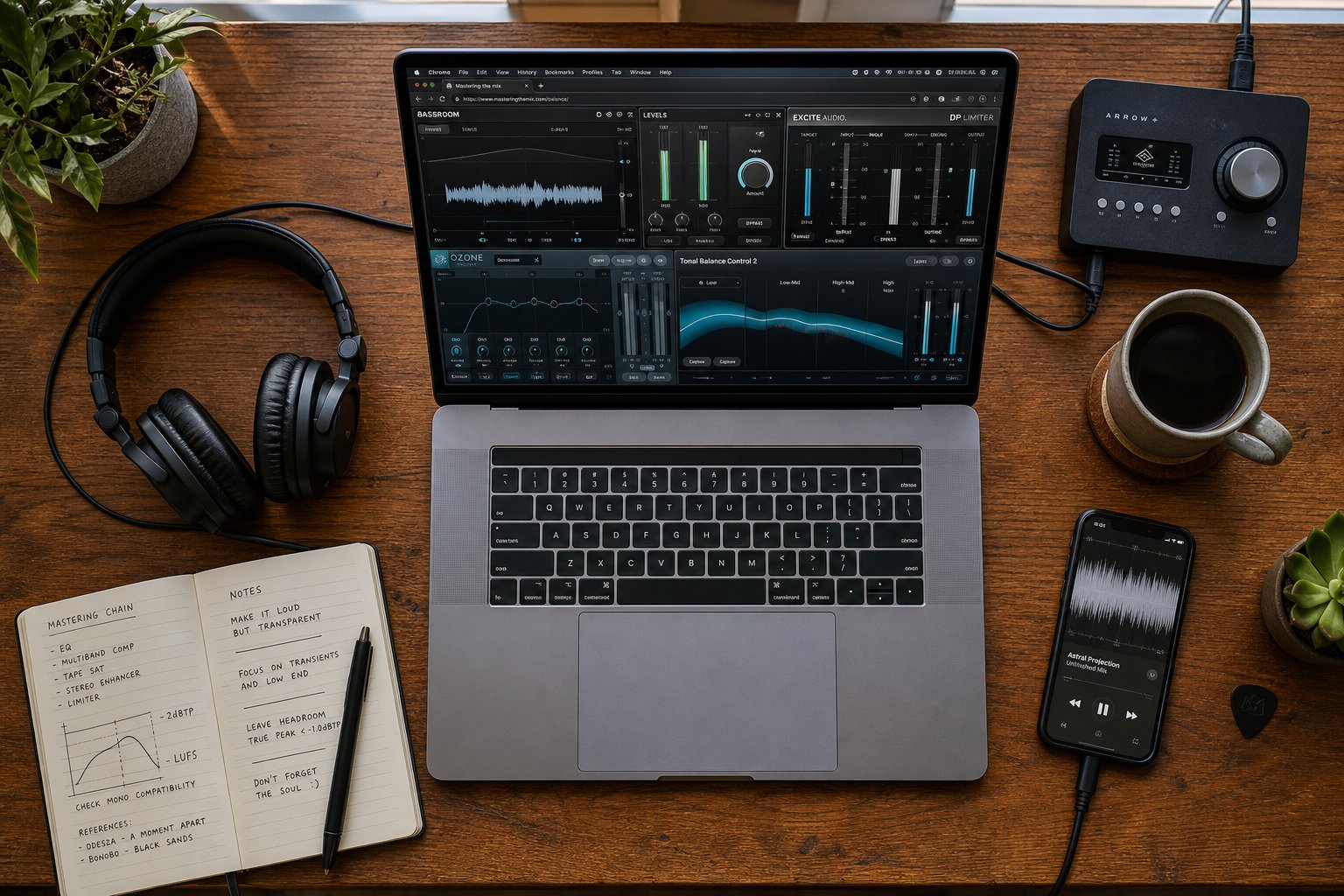
With your tracks properly prepared, the next decision is where to send them. The AI mastering market has matured into a crowded space, and each platform takes a slightly different approach to the same core problem. Some bundle distribution and sample libraries alongside mastering. Others focus exclusively on audio quality. Pricing ranges from completely free to monthly subscriptions that still cost a fraction of what a human engineer charges per track.
We've compared the most established platforms side by side, looking at what each actually delivers, where it falls short, and who it serves best. The goal isn't to crown a single winner. It's to help you match the right tool to your workflow, genre, and budget.
Top AI Mastering Services Compared
Here's how the leading platforms stack up across the dimensions that matter most to independent musicians and producers:
| Platform | Best For | Key Features | Starting Price | Distribution Included |
|---|---|---|---|---|
| MakeBestMusic AI Mastering | Fast, release-ready masters without complexity | Streamlined interface, quick turnaround, production polish and loudness optimization | Free tier available | No |
| LANDR | Artists who need mastering + distribution in one place | Reference mastering, style presets, DAW plugin, sample marketplace, distribution to 150+ platforms | ~$4/month | Yes |
| eMastered | Warmth-dependent genres (R&B, acoustic, jazz) | Manual controls for compression, EQ, stereo width, volume; reference track matching | $14/month (annual) | No |
| BandLab Mastering | Beginners and mobile-first creators | Four preset chains (Universal, Fire, Clarity, Tape), built into free cloud DAW | Free | Paid tier only |
| CloudBounce (via FL Studio) | FL Studio users only | Reference matching, EQ controls, warmth adjustment | Included with FL Studio license | No |
MakeBestMusic AI Mastering is designed for musicians and producers who need a faster way to polish tracks and prepare music for release without a traditional mastering engineer. It strips away the ecosystem bloat that some platforms carry and focuses on getting your audio release-ready quickly. With users across 100+ countries, it's become a go-to option for artists who want clean results without navigating complex feature sets or bundled services they don't need.
LANDR remains the biggest name in landr ai mastering, having processed tracks since 2014. The platform has evolved into a full ecosystem: mastering is now bundled with distribution, a plugin marketplace, royalty-free samples, and educational courses. The landr mastering plugin pro option lets you run the mastering engine directly inside your DAW session, which is useful for checking how your mix translates in real-time during production. If you're releasing music frequently and want online mastering LANDR provides alongside distribution to Spotify, Apple Music, and 150+ other platforms, the bundle math works out. The bundled plans run roughly $100-190 per year for the full studio tier.
eMastered differentiates itself through hands-on controls. Developed by Grammy-winning engineers, it gives you sliders for compression intensity, EQ balance, stereo width, and overall mastering strength after the AI applies its initial processing. This makes it the strongest choice for genres where warmth and dynamic preservation matter more than raw loudness.
BandLab ai mastering serves a different audience entirely. It's genuinely free with unlimited masters on the basic tier, built into a cloud-based DAW with over 100 million users. The quality ceiling is noticeably lower than paid alternatives, but for demos, social content, and early-stage learning, it removes every financial barrier. The presets aren't tailored to your specific track the way analysis-driven services work. They apply fixed processing profiles, which means results can feel generic on material that doesn't fit the preset's assumptions.
CloudBounce deserves mention for historical context. It pioneered AI mastering back in 2015 and processed over two million tracks, but the standalone service shut down in June 2025. The technology now lives exclusively inside FL Studio as a built-in feature. If you're already in that ecosystem, you have access to it. Otherwise, it's no longer an independent option to consider.
One note on landr free mastering: LANDR's free tier lets you preview mastered tracks but locks WAV downloads behind a subscription. BandLab and MakeBestMusic both offer genuinely free options where you can actually download the processed file. Read the fine print on any "free" tier, because preview-only access isn't the same as a usable master.
Pricing and Value at Different Budget Tiers
Context matters when evaluating cost. Human mastering engineers typically charge $50 to $300 per track for professional work. A five-track EP can easily run $250-$1,500. AI platforms operate at a fundamentally different price point, and even premium tiers rarely exceed what you'd pay for a single human-mastered track.
Here's how to think about value at different budget levels:
- $0/month (free tiers) - BandLab gives you unlimited preset-based masters. MakeBestMusic offers a free entry point for quick, release-ready results. LANDR provides previews only. Best for demos, social content, and testing whether AI mastering suits your music before committing money.
- $4-$15/month - LANDR's entry tiers and eMastered's annual plan land here. You get higher-quality processing, WAV downloads, and features like reference track matching. Worthwhile if you're releasing at least one track per month, since the per-track cost drops well below any human alternative.
- $15-$40/month - Premium tiers across platforms unlock unlimited masters, advanced controls, and in LANDR's case, full distribution. At this price, you're getting landr audio mastering with distribution, or eMastered with full adjustment capabilities. The value proposition is strong for artists releasing consistently.
- $50-$300+ per track (human engineer) - Professional mastering with creative input, mix problem detection, album coherence, and artistic judgment. Reserved for high-stakes releases where sonic nuance and critical listening justify the investment.
The honest math: if you release four or more tracks per year, even the cheapest AI subscription undercuts a single session with a professional engineer. The question isn't whether AI is cheaper. It's whether the results at that price point meet the standard your release requires. For landr online mastering, eMastered, and MakeBestMusic alike, the answer increasingly depends less on the tool's capability and more on how well the source material was prepared and whether the genre fits within the algorithm's strengths.
Price alone doesn't determine the right choice. A free tool that sounds great on your specific music beats a premium subscription that misinterprets your genre. Start with free tiers, run the same track through multiple platforms, and let your ears make the final call. The comparison table above narrows the field, but the only reliable test is hearing how each service handles your actual recordings.
When to Use AI vs Hire a Human Engineer
Running the same track through multiple platforms gives you data. But data alone doesn't answer the deeper question: is the AI result good enough for what this release actually needs? That answer changes depending on where the music is going, who's going to hear it, and what's riding on the outcome.
The decision isn't really about whether AI sounds "good." It's about whether the result matches the context. A perfectly competent AI master headed to Spotify has different requirements than an album destined for vinyl or a track being pitched for a TV sync placement. Let's break this down by real scenarios so you can place your own situation on the map.
Scenarios Where AI Is the Right Choice
AI mixing and mastering earns its place in plenty of legitimate release contexts. These aren't compromises or settling for less. They're situations where the technology genuinely delivers what the moment requires.
- Streaming singles on a budget under $50 - You've finished a track, it sounds solid, and you want it on Spotify and Apple Music by next week. Loudness, clarity, and tonal balance are the priorities. AI mastering hits those targets reliably for genres like pop, electronic, hip-hop, and R&B. The result will sound polished on earbuds, car speakers, and smart speakers where most streaming consumption happens.
- Consistent content releases - If you're putting out music weekly or biweekly for audience building, the math favors AI heavily. Spending $200 per track on human mastering for a catalog of 40 songs per year isn't sustainable for most independent artists. The best ai mixing and mastering platforms let you maintain quality at volume without draining your budget.
- Demos and pitching rough ideas - Sending a track to a collaborator, label A&R, or playlist curator? A quick AI master makes the demo sound intentional without investing in a full professional session for something that might change significantly before its final version.
- Social media and short-form content - Platform compression on TikTok, Instagram Reels, and YouTube Shorts degrades audio quality regardless of how it was mastered. AI processing gets your track loud and clear enough that the platform's encoding doesn't destroy it, which is all that context demands.
- Learning and experimentation - Producers exploring mixing ai free tools and affordable mastering platforms build their ears faster when they can hear processed results immediately and compare them against their raw mixes. The feedback loop is instant rather than waiting days for a human engineer to return files.
In these scenarios, AI isn't a compromise. It's the proportional response. Spending $300 on human mastering for a SoundCloud loosie or a TikTok teaser clip is like hiring a professional photographer for a text message selfie. The tool should match the stakes.
When to Invest in a Human Engineer
There's a threshold where AI stops being adequate and a trained human ear becomes worth every dollar. That threshold lives at the intersection of artistic intent, commercial stakes, and sonic complexity.
- Album projects and vinyl releases - An album needs cohesion across tracks. Songs should feel like they belong together in sequence, with consistent loudness, tonal character, and dynamic flow. Human engineers listen to an entire album as a body of work and make decisions that serve the arc, not just individual tracks in isolation. Vinyl pressing adds another layer: a mastering engineer experienced with the format understands the physical constraints of the medium and adjusts low-end content, stereo width, and dynamics accordingly.
- Major label submissions and sync licensing - Quality standards here are non-negotiable. Music supervisors and A&R teams listen critically, and a track that sounds slightly over-compressed, tonally generic, or dynamically flat gets passed over. As mastering engineer Adrian Milea notes, AI mastering produces results based on statistical pattern matching rather than musical listening, which means it cannot make the judgment calls that distinguish a competitive submission from a forgettable one.
- Tracks with dynamic storytelling - If your song relies on the contrast between a whispered verse and an explosive chorus, or builds tension through a long crescendo, a human engineer protects that emotional architecture. AI algorithms tend to flatten dynamic contrast toward a target loudness curve, which can kill the very thing that makes a song feel alive.
- Complex or genre-blending productions - When your track crosses genre boundaries or layers dense arrangements with competing frequency content, AI has no clean reference category to work from. A human ai sound engineer, or rather a human who does what an ai sound engineer attempts, understands context and intent in ways pattern-matching cannot replicate.
- When something sounds wrong and you can't identify why - If listeners consistently mention that your track sounds muddy, harsh, thin, or fatiguing after AI processing, that's a signal the algorithm is misreading your source material. A human engineer diagnoses the specific problem rather than applying generalized corrections.
The investment in a human ai mixing engineer, meaning a professional who brings the judgment that AI approximates, pays dividends when the release carries weight. Think of it as matching the tool to what's at stake.
The Hybrid Approach
Here's what experienced producers are actually doing in practice: they're not choosing one side exclusively. The hybrid workflow combines AI's speed with human precision, using each where it contributes most.
The pattern looks like this. You run your mix through an AI mastering service to generate a quick reference. That AI master tells you how the track might sound at competitive loudness and reveals balance issues you didn't catch in your mixing environment. You use it as a diagnostic tool during the production phase, not as your final deliverable.
When the track is finished and the release date is set, you send the polished mix to a human engineer for the final master. Some artists even send the AI-processed version alongside the raw mix so the engineer can hear what the algorithm chose and decide what to keep, what to override, and what to push further. RoEx describes this as "assistive AI": technology that handles analysis and technical setup while humans handle the rest.
Another hybrid approach works at the mixing stage. Artists use AI vocal mixing free tools or automated stem balancing to get a rough mix quickly, then hand that starting point to a human mixer who refines the creative decisions. The AI collapses the time between a blank session and a workable rough balance. The human adds the taste, character, and emotional sensitivity that separates a functional mix from a compelling one.
The best free ai mixing and mastering tools become even more powerful when you stop thinking of them as replacements and start treating them as the first pass in a multi-stage process. AI handles the 80% that's technical and repeatable. A human handles the 20% that's artistic and contextual. Together, they produce results faster and often better than either approach alone, because the engineer isn't spending billable hours on gain staging and basic EQ cleanup. They're jumping straight into the decisions that require a trained ear and musical judgment.
The real skill isn't choosing between AI and human. It's knowing which parts of your specific project demand human attention and which parts are perfectly served by an algorithm. That judgment, ironically, is itself a human skill that no AI can make for you.
Evaluating and Iterating on AI Mastered Results
Knowing when to use AI versus a human is one decision. Knowing whether the AI actually delivered what your track needs is another entirely. You've uploaded your file, waited a minute or two, and downloaded the processed version. What now? The temptation is to hit play, think "sounds louder and brighter," and call it done. That instinct leads to publishing tracks with problems you could have caught in five minutes of focused listening.
Treating the AI output as a draft rather than a finished product consistently produces better final results. Here's how to evaluate what you got back, identify common problems, iterate toward something release-worthy, and confirm you still own everything.
Quality Checking Your AI-Processed Track
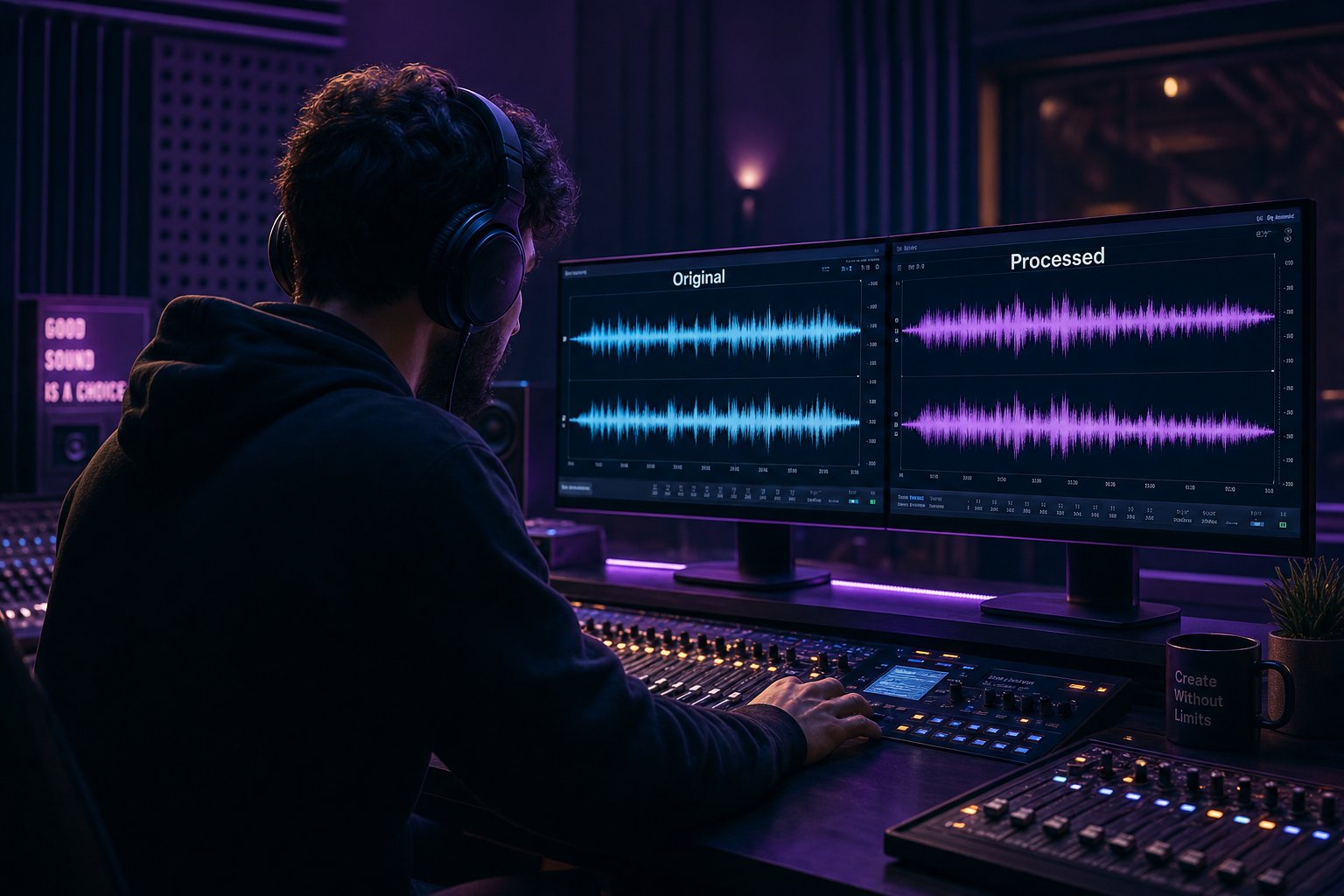
The most reliable way to evaluate an ai mastered track is A/B comparison against your original mix, but with one non-negotiable condition: you must level-match before you listen. Human hearing is biased toward louder signals. A track that's even 1-2 dB louder will sound "better" to your ears regardless of whether the processing actually improved anything. As mixing research confirms, when one signal is slightly louder, listeners reliably describe it as clearer, deeper, or more exciting, even when only level changed.
Here's how to set up a fair comparison:
- Import both files into your DAW - Place your original mix and the AI-processed version on separate tracks, aligned to the same start point.
- Match perceived loudness using LUFS metering - Use a loudness meter plugin to measure the short-term LUFS of both files during the loudest section (usually the chorus). Trim the louder file down until both read the same integrated loudness value.
- Toggle between tracks without pausing - Instant switching reveals differences your memory would smooth over if you had to stop, seek, and restart.
- Listen in mono - Collapsing to mono removes stereo flattery and exposes vocal presence, frequency balance issues, and masking problems more clearly.
- Check on multiple playback systems - Your studio monitors reveal one picture. Earbuds, a car stereo, and a phone speaker reveal how the AI's decisions translate to real-world listening environments.
Focus your listening on specific elements rather than overall impression. How does the vocal sit compared to the original? Did the low end gain clarity or lose weight? Are transients (drum hits, guitar picks, percussive consonants in vocals) sharper or dulled? Has the stereo image widened naturally or does it feel artificially stretched? Targeted listening gives you actionable feedback rather than a vague "sounds different."
Common Issues and How to Fix Them
AI processing introduces a predictable set of problems. Once you know what to listen for, you'll catch them quickly and know whether a second pass with different settings can solve them or whether the track needs human intervention.
- Over-compression killing dynamics - The most common issue with ai audio master processing. Your quiet verse now sits at nearly the same volume as the chorus. The breath between phrases feels squeezed. Drum transients that once punched through the mix now sound rounded and soft. This happens because the algorithm targets competitive loudness, and squashing dynamics is the fastest path there. Mastering engineer Alexander Wright identifies overcompression as the most misused tool in mastering, noting that when dynamics are crushed, the emotional peaks and valleys disappear entirely. The fix: select a lower intensity setting, choose a more dynamic preset if available, or find a platform that offers manual compression control.
- Excessive brightness or harshness in high frequencies - AI often adds a high-shelf boost to match the perceived clarity of commercial references. On tracks with already-bright source material, sibilant vocals, or crispy hi-hats, this push tips into harshness. You'll notice it as fatigue after 30 seconds of listening or a sharpness on S sounds and cymbal hits that wasn't there before. Try re-running with a different reference track that has a warmer tonal profile, or reduce the overall processing intensity.
- Lost low-end detail - Some AI mastering services apply high-pass filtering or low-frequency compression that thins out sub-bass content. Your 808 loses its chest-rattling weight. Your bass guitar sounds present but no longer feels full. Compare the low end directly against your original using quality headphones that extend below 40Hz, or reference on a system with a subwoofer.
- Stereo image problems - The AI may widen the stereo field beyond what your mix supports, creating a diffuse, unfocused sound where the center (typically vocals and kick) loses punch. Alternatively, a track that was intentionally narrow might get spread in ways that create phase issues on mono playback. Check mono compatibility by summing to mono and listening for elements that disappear or shift in volume.
- Generic tonal character - Your track sounds "mastered" but no longer sounds like your track. The individual character, whether that's a warm analog quality, a deliberately dark tone, or raw energy, got smoothed into something more generic. This is the pattern-matching system pulling your music toward the statistical center of its training data. The further your intentional sound sits from commercial norms, the more the AI normalizes it.
Each of these issues has a decision point. If the problem is subtle, a second AI pass with adjusted settings or a different reference often resolves it. If the problem is fundamental, the misinterpretation reveals that your track or genre doesn't suit that particular algorithm, and no amount of re-running will fix a mismatch between your music and the system's training data.
Ownership and Rights Considerations
Beyond sonic quality, there's a practical question every artist should ask before uploading music to any ai.mastering service: who owns the output, and what happens to your audio after processing?
The good news is straightforward. Reputable AI mastering platforms universally confirm that you retain full ownership of both your original recordings and the processed files. AI Mastering Pro's terms state this explicitly: "You retain 100% of the rights to your original recordings and the resulting mastered files. We do not claim any ownership or royalty rights to your music." This language is standard across LANDR, eMastered, MakeBestMusic, and other established services.
The more nuanced question is whether the platform uses your uploads to train its algorithms. Some services process your audio locally in the browser without uploading it to cloud servers at all. Others upload for cloud processing but contractually promise not to use your music as training data. A few are less transparent about this distinction.
Before committing to any platform for an ai remaster audio workflow or ongoing mastering needs, check for these specifics in the terms of service:
- Processing location - Does the service process locally (browser-based) or upload to cloud servers? Local processing means your audio never leaves your machine.
- Training data usage - Does the platform explicitly state it will not use your uploads to train or improve its AI models? Look for clear language, not vague assurances.
- Data retention - How long does the service keep your uploaded files? Some delete immediately after processing. Others retain files for a period to allow re-downloads. Know the difference.
- Output ownership - Confirm explicitly that mastered files carry no licensing restrictions and that the service claims no royalty interest in your processed audio.
For most independent artists using established platforms, rights aren't a real concern. The business model is subscription revenue, not music ownership. But reading the terms once takes two minutes and eliminates any ambiguity about what you're agreeing to when you upload.
The evaluation process itself becomes faster with practice. After a few tracks through the same platform, you'll develop an intuition for what the algorithm tends to do well and where it consistently misreads your material. That pattern recognition is what separates artists who get strong results from AI tools from those who feel frustrated by inconsistent output. And it feeds directly into the larger trajectory of where this technology is headed, both for individual producers refining their workflow and for the industry as a whole.
Where AI Mixing and Mastering Is Heading
That growing intuition you develop from iterating on AI results mirrors the trajectory of the technology itself. Each cycle of feedback, adjustment, and improved output reflects what's happening at scale across the entire field. AI mastering has had over a decade to refine its pattern recognition, and the results show it. AI mixing is still in its earlier chapters, improving rapidly but not yet matching the consistency that mastering platforms deliver.
The Future of AI in Music Production
The direction is clear. Advances in machine learning architectures, larger and more diverse training datasets, and real-time stem separation are closing the gap between automated processing and human-quality results. RoEx reports that current AI tools handle up to 32 stems with consistency that was impossible just two years ago, and DAW integration now lets you export full project files with every processing decision visible and editable. The next generation, already in beta at major plugin companies, will fold in generative models that suggest arrangement edits, not just processing moves.
Yet Carnegie Mellon research confirms what working musicians already feel: human creativity remains the frontier AI hasn't crossed. As CMU professor Rich Randall puts it, "The ways humans shape pitches, not just how they combine them, but how they shape the sounds of them, how they organize them in time - it's not formulaic." AI mastering tools will keep getting better at technical optimization. Artistic interpretation, the decision to let a mix breathe in an unexpected place or push a vocal slightly too loud for emotional effect, stays human.
The practical takeaway is this: AI mixing and mastering is a legitimate, accessible part of the modern production toolkit. It works well for streaming releases, demos, and consistent content output. The best ai mastering tools handle the technical 80% with speed and reliability that didn't exist five years ago. Where you need an ai music master to go beyond pattern-matching into genuine artistic territory, human engineers remain worth the investment. For everything else, the technology delivers.
Getting Started With AI Mastering Today
If you've read this far and haven't yet run your own music through an aimastering platform, that's your next step. The fastest way to form your own opinion is to hear what these tools do with your specific tracks, in your genre, at your production level.
MakeBestMusic AI Mastering is a practical starting point for producers ready to experiment. It's designed for musicians who want to polish tracks and prepare music for release quickly without navigating complex feature sets or committing to expensive subscriptions. Upload a finished mix, hear the result, and decide for yourself whether the output meets your standard.
You can also ai mix and master free on platforms like BandLab to build a baseline comparison, then test paid options when you're ready to hear the difference. The point isn't to commit to one tool forever. It's to integrate AI into your workflow wherever it saves time without sacrificing the quality your music deserves. Start with mastering, where the technology is strongest. Use it for your next release. Let your ears be the final judge, and adjust your approach from there.
