

What Google Gemini Actually Does With Music Notes
Can Google Gemini AI detect music notes? The short answer is yes, but with enough caveats to fill a symphony hall. Gemini can process audio recordings and images of sheet music, which means it technically handles both sides of what "detecting music notes" might mean to you. Whether it does so accurately enough to be useful depends heavily on what you're asking it to do and how complex the music is.
The Short Answer About Gemini and Music Notes
Google Gemini is a multimodal AI built to handle text, audio, images, and video. That multimodal design gives it a theoretical foundation for music note detection in two distinct ways: listening to audio files and analyzing what's playing, or looking at images of written notation and identifying what's on the page.
In practice, Gemini performs these tasks with mixed results. It can describe general musical characteristics from audio, like identifying instruments, estimating tempo, and recognizing the overall mood of a piece. For image-based notation reading, it can pick out basic elements like clefs and time signatures from clear, simple scores. But precise note-by-note transcription from either modality remains inconsistent.
Gemini can analyze audio and images containing music, but its accuracy for note-level detection varies significantly between these modalities.
Think of it this way: Gemini is closer to a musically literate friend who can glance at a score or listen to a clip and give you a general sense of what's happening. It's not a trained transcriptionist sitting with perfect pitch and a pencil.
Why This Question Has Two Interpretations
When people search for whether AI can identify music notes, they usually fall into one of two camps. The first group wants audio recognition: you hum a melody, play a recording, or upload a track, and you want the AI to tell you what notes are being played. This is similar to how people use tools to ai identify this song, except they want the actual pitch content rather than just the title.
The second group is thinking visually. They have sheet music, maybe a photo from a textbook or a screenshot, and they want Gemini to read the notation like a music gpt that understands standard written music. Students learning to read music, composers reviewing scores, and developers exploring possibilities like building a google music maker all fit somewhere in this spectrum.
Both interpretations are valid, and Gemini's multimodal architecture means it can attempt both. The difference lies in how well it performs each task. Throughout this article, you'll find a breakdown of Gemini's audio analysis capabilities, its ability to read sheet music from images, practical prompts you can try right now, and an honest look at where it falls short compared to dedicated music tools.
How Gemini Processes Audio Files for Music Analysis
Gemini's audio understanding starts with a surprisingly broad intake. You can feed it a recording, a voice memo, or a full studio track, and it will attempt to parse what's happening sonically. The system was designed to handle audio as a native input type, not as a bolt-on feature, which means it processes sound with the same foundational architecture it uses for text and images.
When you upload an audio clip and ask Gemini about its musical content, it converts the audio into an internal representation at a rate of roughly 32 tokens per second. That's about 1,920 tokens per minute of audio. The model then reasons over that representation to answer your questions, whether you're asking about instruments, mood, rhythm, or tonal center.
Supported Audio Formats for Music Analysis
One of Gemini's practical strengths is format flexibility. You don't need to convert your files into a single proprietary format before uploading. The Gemini API documentation confirms support for the following audio types:
- WAV (audio/wav)
- MP3 (audio/mp3)
- AIFF (audio/aiff)
- AAC (audio/aac)
- OGG Vorbis (audio/ogg)
- FLAC (audio/flac)
The Live API extends this further with additional MIME types like audio/m4a, audio/mpeg, audio/mpga, audio/pcm, and audio/webm. For most musicians and producers, this means you can upload directly from your DAW export, phone recording, or streaming rip without worrying about compatibility. Gemini also downsamples everything to 16 Kbps resolution internally and combines multi-channel audio into a single channel, so the quality of your source file matters less than you might expect.
The maximum supported audio length in a single prompt is 9.5 hours, which is more than enough for analyzing anything from a short riff to a full album.
What Gemini Hears vs What a Transcription Tool Detects
Here's where expectations need calibrating. Gemini can listen to a clip and give you words to describe music in genuinely useful ways. It identifies instruments, estimates tempo ranges, recognizes genre characteristics, detects emotional tone in both speech and music, and describes melodic contour in general terms. If you upload a jazz piano recording and ask what's happening, it might tell you the piece is in a minor key, features a walking bass line, and has a melancholy character. That's real analytical value.
But ask it to list every note in the melody, and the results get shaky. Gemini's training objective was general multimodal understanding, not music-specific pitch detection. It wasn't built as a music identifier online in the way dedicated transcription engines are. A specialized tool like a polyphonic pitch detector runs algorithms specifically optimized to isolate frequencies and map them to note names. Gemini reasons about audio more holistically, identifying patterns and characteristics rather than performing frame-by-frame spectral analysis.
Imagine you're interested in creating piano arrangement from audio ai free. Gemini can tell you the key signature, suggest what chords might be present, and describe the overall structure. It can function as a song genre finder or mood analyzer with reasonable confidence. What it won't do reliably is hand you a note-accurate transcription you can drop into notation software and start playing from.
This distinction matters because it defines what Gemini is genuinely good at versus where you'll need a different tool. For high-level analysis, quick identification of musical elements, or conversational exploration of what's happening in a recording, Gemini performs well. For precise, note-level output that a performer or arranger can trust without verification, dedicated transcription models remain the better choice.
The gap becomes even more apparent with complex polyphonic material. A solo vocal line or single instrument melody gives Gemini its best chance at approximating individual notes. Dense arrangements with multiple instruments playing simultaneously push the model well past its reliable detection threshold.
Can Gemini Read and Interpret Sheet Music Images
Audio isn't the only way to ask about notes. Many musicians and students are working from printed scores, textbook pages, or handwritten sketches. They want to snap a photo, upload it, and have the AI tell them what's on the page. Gemini's vision capabilities make this possible in principle, and the results are genuinely interesting, if not entirely reliable.
Reading Sheet Music Through Gemini Vision
As a vision-capable model, Gemini accepts music note images directly. You can upload a photo of sheet music, a screenshot from a PDF, or even a picture of handwritten notation, and ask questions about what you see. The model processes the image and attempts to identify musical elements: clefs, key signatures, time signatures, note positions, accidentals, and rhythmic values.
For high-level identification, this works reasonably well. Independent testing by a researcher at Google DeepMind found that Gemini 3.0 Pro can correctly identify key signatures and time signatures the majority of the time, a notable improvement from 2024 when multimodal LLMs struggled with even these basics. The model can also recognize popular pieces from their notation alone. In testing, it correctly identified Clair de Lune and Howl's Moving Castle from sheet music images with the title cropped out.
Where things get interesting is individual note identification. When asked "what is the first note?" on a piece of the Harry Potter theme, Gemini answered G. The correct answer was B. For Flight of the Bumblebee, it identified the first accidental as C sharp when the answer was D sharp. Yet for Clair de Lune, a piece it had already recognized by name, Gemini correctly identified the opening notes as F and A flat. That single correct answer across multiple tests highlights the inconsistency: success seems almost random rather than systematic.
This matters for anyone exploring sheet music ai tools for study or analysis. You might get lucky on a familiar piece rendered in clean notation, but you can't count on accuracy the way you would with dedicated optical music recognition software. If you're uploading a clear image against a simple music notes background with well-spaced notation, your odds improve. Dense or cluttered pages push the model past its comfort zone quickly.
Known Limitations With Notation Recognition
The core issue is spatial precision. Sheet music stores meaning in tiny vertical relationships. Whether a notehead sits on a line or in a space, whether a stem points up or down, whether that marking is a flat or a natural, all of this depends on pixel-level differences. As the DeepMind researcher noted, "the meaning lives in tiny spatial relationships" that general-purpose vision models weren't specifically trained to decode.
Compared to the massive volume of natural images in training data, sheet music represents a tiny fraction. Music score art and notation images simply don't appear at the scale of photographs, diagrams, or screenshots that dominate multimodal training sets. This data imbalance means Gemini's visual reasoning about notation hasn't received the same optimization pressure as its ability to read text, interpret charts, or describe photographs.
The table below shows how Gemini's performance shifts based on the complexity of what you're asking it to read:
| Scenario | Gemini Performance | Reliability |
|---|---|---|
| Key signature identification | Usually correct on standard keys | High |
| Time signature identification | Consistently accurate | High |
| Recognizing popular pieces | Identifies well-known compositions | Moderate |
| Single note identification (simple melody) | Occasionally correct, often wrong | Low |
| Accidental identification | Frequently incorrect | Low |
| Full chord reading | Unreliable on multi-note stacks | Very Low |
| Dense orchestral score | Cannot parse individual voices | Very Low |
| Handwritten notation | Struggles with irregular shapes | Very Low |
Real-world use cases still exist within these constraints. A student can upload a clear image and ask about the key or time signature with reasonable confidence. Someone curious about the general structure of a piece, whether it modulates or what clef is being used, will often get helpful answers. But if you need to identify specific notes for practice or transcription, especially in complex music notation background passages with multiple voices, Gemini's ai sheet music reading falls short of what dedicated tools like Oemer or Soundslice can offer through specialized optical music recognition.
The pattern is clear: Gemini handles the macro elements of notation well but loses accuracy at the micro level where individual note detection lives. Knowing this boundary lets you use the tool effectively for what it does well while reaching for specialized alternatives when precision matters.
Prompt Examples to Test Gemini's Music Note Detection
Knowing what Gemini can and can't do with music is only half the equation. The other half is knowing how to ask. Prompt phrasing makes a measurable difference in the quality of Gemini's musical analysis. A vague request like "what's in this audio?" produces a generic description. A targeted, structured prompt pulls out specific musical information you can actually use.
The following templates are designed for copy-paste use in both the consumer Gemini app and the developer API. They're ordered from simple to complex, so you can start with basic identification and work up to full chord progression analysis.
Audio Analysis Prompt Templates
These prompts assume you've uploaded an audio file (MP3, WAV, FLAC, or any supported format) alongside your text instruction. In the Gemini app, you drag in the file and type your prompt. In Google AI Studio or the API, you attach the file programmatically and pass the prompt as text content.
- Basic key detection: "Listen to this audio clip. What key is this piece in? If you can identify the mode (major or minor), include that as well."
- Melody note identification: "What notes are being played in the main melody between 0:00 and 0:15? List them in order using standard note names (e.g., C4, D4, E4). If you're uncertain about specific notes, indicate that."
- Chord progression analysis: "Identify the chord progression in this audio. List each chord in the order it appears, using standard chord notation (e.g., Cmaj, Am7, F, G). Note any key changes or modulations you detect."
- Instrument and note layering: "Break down what each instrument is playing in this clip. For each instrument you can identify, describe its role: is it playing melody, harmony, bass notes, or rhythm? What notes or note ranges does each instrument seem to occupy?"
- Full musical transcription attempt: "Transcribe the melody of this audio clip note by note. Use the format: Note Name, Octave, Approximate Duration (e.g., C4 quarter note, E4 eighth note). Focus only on the most prominent melodic line. Flag any notes you're less confident about."
A practical tip: the simpler and more isolated the musical material, the better your results will be. A solo piano melody gives Gemini far more to work with than a full band arrangement. If you're trying to find a song from a video or identify notes in a dense mix, consider isolating the section you care about before uploading.
Sheet Music Image Prompt Templates
For image-based analysis, upload a clear photo or screenshot of the notation. Crop tightly around the section you're asking about, since excess whitespace or surrounding text can distract the model.
- Basic notation reading: "Look at this sheet music image. What key signature and time signature are shown? What clef is being used?"
- First measure identification: "Identify all the notes in the first measure of this sheet music. List each note with its name, octave, and rhythmic value (whole, half, quarter, eighth, etc.)."
- Interval recognition: "What interval exists between the first two notes shown in this image? Name the interval type (e.g., major third, perfect fifth) and the two note names."
- Chord identification from notation: "There's a chord in measure 3 of this sheet music. Identify all notes in the chord stack and name the chord (e.g., F major, Dm7, G augmented)."
- Full passage analysis: "Read this passage of sheet music and provide: (1) the key and time signature, (2) all notes in order with their rhythmic values, (3) any dynamic markings or articulations you can see, and (4) the overall melodic contour (ascending, descending, arpeggiated, etc.)."
When working with sheet music images, resolution matters more than you might think. A blurry phone photo of a textbook page produces worse results than a clean digital scan. If you're working from printed music, try to get even lighting and shoot straight-on rather than at an angle.
Tips for Getting Better Results
The difference between a useful response and a vague one often comes down to how you structure your follow-up questions. Gemini responds well to iterative refinement, so treat the conversation like a dialogue rather than a one-shot query.
Here's what consistently improves output quality:
- Specify timestamps for audio: Instead of asking about an entire track, point to a specific range. "What notes are played between 0:32 and 0:45?" beats "What notes are in this song?" every time.
- Ask for confidence levels: Adding "rate your confidence for each note on a scale of 1-5" forces the model to differentiate between what it's sure about and what it's guessing.
- Use musical vocabulary: Gemini responds better to precise terminology. "What's the tonic?" outperforms "What's the main note?" Use terms like "interval," "inversion," "voicing," and "enharmonic" when they're relevant.
- Isolate your question: One focused question per prompt consistently outperforms multi-part requests. Get the key first, then ask about the chord progression, then ask about the melody. Each answer gives Gemini context for the next question.
- Provide context the model can't hear or see: Telling Gemini "this is a jazz standard played on solo guitar" or "this is a beginner piano exercise in C major" helps it narrow possibilities and produce more accurate guesses.
For developers using the API, structured output schemas improve consistency further. You can define exactly what format you want the response in, such as JSON with note name, octave, and duration fields, which prevents the model from wandering into general descriptions when you need specific data. The Gemini API documentation shows how to enforce response schemas that keep music scripts and analysis outputs machine-readable.
One more thing worth noting: results vary session to session. If you get a poor response, regenerating with the same prompt sometimes produces a better one. The model's note detection isn't deterministic the way a dedicated algorithm would be. You might run the same audio through the same top prompts for music videos or music analysis and get slightly different note identifications each time. Treat Gemini's answers as informed estimates rather than ground truth, and verify anything critical against your own ear or a specialized tool.
Gemini Consumer App vs Developer API for Musicians
Having the right prompts is one thing. Choosing where to run them is another. Google offers two fundamentally different ways to interact with Gemini for music note detection, and the one you pick shapes what's possible. The consumer app at gemini.google.com gives you a browser-based conversation. The Gemini API gives you programmatic control. Same underlying model, different capabilities and constraints.
Using the Free Gemini App for Quick Note Identification
Imagine you're a student staring at a homework assignment full of notation you can't quite read, or you've just heard a melody and want a quick sense of what key it's in. The Gemini consumer app handles this without any setup. You open your browser, sign in with a Google account, drag in an audio file or snap a photo of your sheet music, and ask your question in plain language.
The experience feels like texting a musically knowledgeable friend. You upload a recording from your phone and type "what notes are in the melody?" Gemini responds conversationally, and you can follow up with clarifying questions like "is that in the key of G or D?" The back-and-forth refinement covered in the previous section works naturally here because the app maintains conversation context across multiple exchanges.
For casual exploration, this is genuinely useful. Students identifying intervals for ear training exercises, hobbyists figuring out chords from a song they like, or anyone curious about what's happening in a piece of music can get answers in seconds. It's a step beyond tools like Chrome Music Lab songs or a basic google song maker because you're analyzing existing music rather than creating from scratch. The app accepts the same audio formats (MP3, WAV, FLAC, AAC, OGG, AIFF) and image uploads without any file conversion.
The trade-off is limited control. You can't specify model parameters, enforce structured output formats, process files in bulk, or integrate results into another application. Each interaction is manual, one file and one question at a time.
Building With the Gemini API for Advanced Music Analysis
Developers working on music tools need something more programmable. The Gemini API, accessed through Google AI Studio, opens up automation, batch processing, and custom workflows that the consumer app can't touch.
With the API, you can write a script that processes an entire folder of audio recordings overnight, extracting key signatures, tempo estimates, and melodic descriptions from each one. You can enforce structured JSON output schemas so that every response follows the same format, making results machine-readable and easy to pipe into a database or notation application. You can build a custom interface, maybe something resembling a chrome song maker with analysis features, that lets users upload files and receive formatted musical analysis without ever seeing the raw Gemini prompt.
A practical example: a developer building an ear-training app could use the API to analyze audio clips students record, compare Gemini's note detection against known correct answers, and provide feedback. Another might build a tool that ingests a library of practice recordings and tags each one with key, tempo, and difficulty level, something impossible through manual app interactions at scale.
The API also supports the Batch API for high-volume processing, context caching for repeated analysis of the same audio, and webhook notifications for long-running jobs. For anyone building something beyond a chrome music labb experiment and into production territory, these features matter.
Here's how the two access methods compare for music-related tasks:
| Feature | Gemini Consumer App | Gemini Developer API |
|---|---|---|
| Access method | Browser at gemini.google.com | API key via Google AI Studio |
| Setup required | Google account only | API key generation + code |
| Audio length supported | Up to 9.5 hours per prompt | Up to 9.5 hours per prompt |
| Supported audio formats | MP3, WAV, FLAC, AAC, OGG, AIFF | MP3, WAV, FLAC, AAC, OGG, AIFF + more |
| Batch processing | No (one file at a time) | Yes (Batch API available) |
| Structured output control | No | Yes (JSON schema enforcement) |
| Conversation context | Yes (multi-turn chat) | Yes (managed programmatically) |
| Cost (free tier) | Free with usage limits | Free tier: 15 RPM, ~200 RPD |
| Paid tier | Google AI Pro at $19.99/month | Pay-per-token (Tier 1 and Tier 2) |
| Integration with other tools | Manual copy-paste only | Full programmatic integration |
| Customization | Prompt phrasing only | Temperature, top-p, system instructions, schemas |
One detail worth noting: these are separate quota pools. Using the consumer app doesn't eat into your API allocation, and vice versa. A developer testing prompts interactively in the app during the day can still run automated batch jobs through the API at night without either interfering with the other. The consumer app quota resets at midnight UTC while the API resets at midnight Pacific Time.
For most musicians exploring whether Gemini can help with note identification, the consumer app is the right starting point. It costs nothing, requires no technical setup, and lets you experiment with different prompts immediately. Developers who've validated that Gemini's music analysis meets their accuracy threshold can then move to the API to build something scalable, whether that's an educational app, a cataloging tool, or a custom analysis pipeline that combines Gemini's broad understanding with specialized post-processing to refine its musical output.
The real power emerges when you treat Gemini's analysis as one step in a larger chain rather than a standalone solution. That raises the natural question: where exactly does Gemini's music detection end, and where do you need something else entirely?
What Gemini Can and Cannot Do With Music Notes
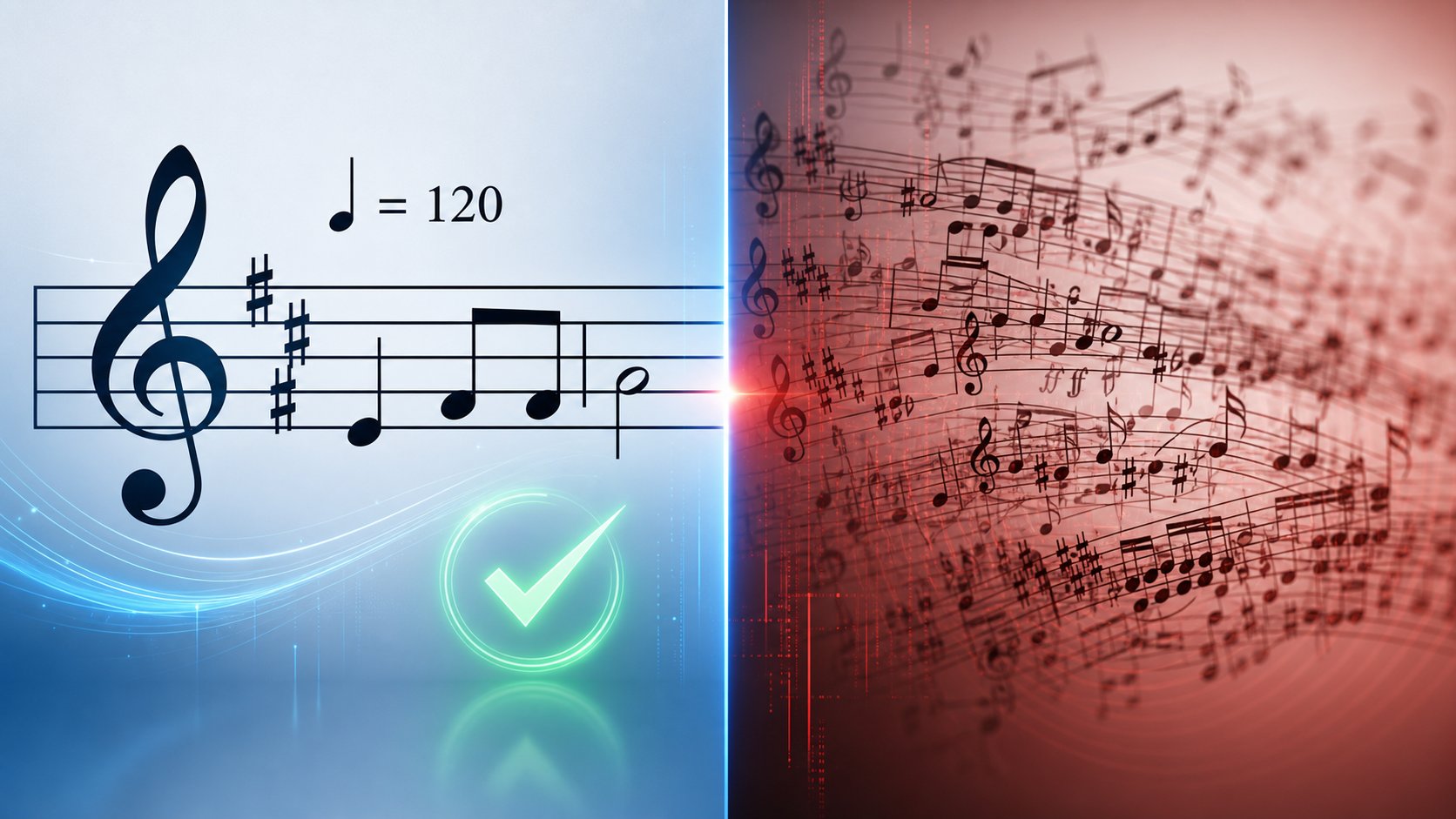
You've seen the prompts. You've seen the access options. But when you sit down with a real piece of music and real expectations, what actually works? The gap between "Gemini can process audio" and "Gemini can transcribe my song" is wider than most users expect. This section draws a clear line between the two, giving you a definitive capability matrix so you know exactly where to trust Gemini and where to reach for something else.
Confirmed Music Capabilities
Gemini performs genuinely well at tasks that require holistic musical understanding rather than granular precision. These are capabilities you can rely on for practical work:
- Key identification: Ask Gemini what key a piece is in, and it gets it right most of the time. Major versus minor, sharp keys versus flat keys, it handles standard tonal music with reasonable accuracy. Upload a recording of jazz music songs or a pop ballad, and it will typically nail the tonal center.
- Instrument recognition: Gemini reliably identifies common instruments in a mix. Piano, guitar, drums, bass, strings, brass, and woodwinds are all within its detection range. It can distinguish between acoustic and electric guitars, between a grand piano and a synth pad.
- Tempo and rhythm description: It estimates BPM ranges accurately enough to be useful and can describe rhythmic patterns in plain language. Straight versus swung rhythm, 4/4 versus 3/4 time, fast songs versus ballads, all of these fall within its reliable output.
- Genre and mood classification: Gemini functions as a solid genre of the song identifier. Feed it a track and ask what style it is, and you'll typically get an accurate genre label plus mood descriptors. It works well as a similar songs finder in terms of describing characteristics you might search for.
- Basic notation reading from clear images: Key signatures, time signatures, and clef identification work consistently from well-formatted sheet music images.
- Melodic contour description: It can tell you whether a melody moves stepwise or by leaps, whether it's ascending or descending, and where the high and low points sit within a phrase. This gives you a general map of melodic shape without committing to specific pitches.
- Structural analysis: Verse-chorus form, bridge sections, introductions, and codas are all identifiable. Gemini can map the architecture of a song and describe how sections relate to each other.
These capabilities make Gemini genuinely useful for quick reference, educational exploration, and high-level musical analysis. If you need to identify the general feel and structure of a piece, or figure out songs that are similar to something you're hearing, Gemini handles the task well.
Current Limitations and Gaps
The limitations cluster around precision. Anything requiring exact pitch identification, rhythmic notation accuracy, or detailed transcription pushes Gemini past what it can deliver reliably:
- Note-by-note transcription from audio: This is the biggest gap. Dedicated AI transcription tools achieve up to 96% pitch detection accuracy on clean solo piano under ideal conditions (MIREX 2024 benchmarks), but even those specialized systems drop to around 78% on guitar, 52% on vocals, and as low as 38% on polyphonic mixes. Gemini, as a general-purpose model without task-specific optimization for pitch extraction, sits well below these specialist numbers.
- Complex polyphonic score reading: Dense orchestral scores, multi-voice piano music, or anything with overlapping parts in notation form exceeds what Gemini's vision system can parse accurately.
- Replacing dedicated transcription software: Even the best specialized transcription tools struggle with rhythm, dynamics, and expression markings. A 2025 study in the EURASIP Journal found AI transcription accuracy drops by 20 percentage points for recordings from unfamiliar instruments and another 14 points for genre shifts. Gemini, which wasn't built for transcription at all, can't match even these imperfect benchmarks.
- Microtonal variation detection: Quarter tones, blue notes, pitch bends, and the subtle intonation differences between equal temperament and just intonation are invisible to Gemini.
- MIDI output generation: Gemini produces text responses. It cannot export MIDI files, MusicXML, or any machine-readable music format directly from audio analysis.
- Rhythmic precision: Even when pitch identification is approximately correct, rhythmic values remain unreliable. Whether a note is a quarter or an eighth, whether there's a dotted rhythm or a triplet, these distinctions require specialized processing that general-purpose AI doesn't provide.
- Performance markings and dynamics: Dynamics (pp, ff, crescendo), articulations (staccato, legato), and expression markings are not detected from audio or reliably read from notation images.
The structured comparison below makes these boundaries easier to reference:
| Task | Gemini Can Do This | Gemini Cannot Do This Reliably |
|---|---|---|
| Key detection | Identify major/minor key center from audio | Detect modulations in real-time or name every key change precisely |
| Pitch identification | Approximate the tonal range and general pitch area | Identify individual notes with consistent accuracy |
| Rhythm analysis | Describe tempo, meter, and rhythmic feel | Notate exact rhythmic values for each note |
| Instrument recognition | Name instruments in a standard ensemble | Separate overlapping parts into individual note lines |
| Genre classification | Categorize style and mood accurately | Distinguish between closely related subgenres from audio alone |
| Sheet music reading | Read key/time signatures from clear images | Identify individual noteheads reliably, especially in dense passages |
| Chord analysis | Suggest likely chord progressions in simple contexts | Voice individual chord tones or identify inversions accurately |
| Output format | Describe music in natural language | Produce MIDI, MusicXML, or any exportable notation format |
| Melodic contour | Describe shape, direction, and range of melodies | Map exact intervals between consecutive notes |
| Expression and dynamics | Describe overall energy level or mood shifts | Detect specific dynamic markings or articulation types |
How This Compares to Dedicated Music AI Tools
Context matters here. Gemini is a general-purpose multimodal AI competing against tools built exclusively for music tasks. That's like comparing a Swiss Army knife to a chef's knife: the Swiss Army knife does many things, but the chef's knife cuts better.
Dedicated automatic music transcription systems, even imperfect ones, are trained on massive datasets of paired audio and notation. Research from the NeurIPS 2025 AMT Challenge showed that even the best competing systems exhibited a consistent 25+ point F1 score drop when just two or three instruments were present. Specialized models like Rubato, a prompt-conditioned encoder-decoder designed specifically for piano transcription, outperform cascaded pipelines built from individually strong components by addressing the problem end-to-end. These tools operate in a different league from Gemini for transcription accuracy because their entire architecture targets that single task.
For pitch detection specifically, tools optimized for solo piano can reach 96% accuracy under controlled conditions. For english beat songs, pop tracks, or anything with a full production mix, even those numbers drop sharply. Gemini doesn't publish comparable benchmarks because note-level transcription isn't its design goal.
A recent evaluation tested Gemini 3.1 Pro on piano score transcription directly, prompting it to produce standard notation formats (ABC, MusicXML, Humdrum **kern) from audio. The results were telling: OMR-NED scores (a measure of notation edit distance, where lower is better) ranged from 97.6 to 98.9 across different prompting strategies. For reference, a score of 100 means zero overlap with the correct notation, and even the best prompting approach, in-context learning with multiple worked examples, barely moved the needle. The researchers noted that Gemini approaches transcription as a recognition-and-recall task rather than acoustic analysis: 72% of its reasoning traces began by trying to name the composer and piece, then attempted to emit a memorized score rather than actually transcribing what it heard.
Gemini is best understood as a music analysis assistant rather than a transcription engine. It excels at describing what music does, not at writing down exactly what notes are playing.
This framing helps you pick the right tool for the right job. Want a quick answer about what key a recording is in, what instruments are playing, or what genre something belongs to? Gemini handles that well. Need an actual note-accurate transcription you can print, perform from, or import into a DAW? You need a dedicated tool designed for that specific purpose.
The practical question becomes: what happens after detection? Even when you've identified notes through Gemini or a specialized tool, turning that information into something usable, like a MIDI file, an editable score, or a production-ready arrangement, requires a different set of capabilities entirely.
Alternative Tools for Music Note Detection and MIDI Creation
Gemini tells you what's happening in the music. It does not give you a file you can open in your DAW and start building from. That gap between analysis and action is where most musicians get stuck. You've identified the key, you've got a rough sense of the chord progression, maybe you've even coaxed a few note names out of the model. What you don't have is a MIDI file, an editable score, or anything your production software can actually work with.
Bridging that gap requires tools built specifically for the job. Some convert audio into notation or MIDI directly. Others generate MIDI from scratch based on musical parameters you define. The right choice depends on whether you're trying to capture what already exists in a recording or create something new from the musical ideas you've identified.
Dedicated Transcription Tools for Precise Note Detection
If your goal is converting audio into accurate notation or MIDI data, specialized transcription software outperforms any general-purpose AI by a wide margin. These tools are trained exclusively on paired audio-notation datasets, and their entire architecture targets pitch detection, rhythmic quantization, and voice separation.
The current landscape breaks into a few distinct categories:
- Per-instrument AI transcription: Songscription takes audio and produces notation for specific instruments, with piano being its strongest model. It exports PDF, MusicXML, and MIDI, and includes an in-platform editor for correcting mistakes without leaving the workflow. Best for users who want clean sheet music output from a solo recording.
- DAW-integrated transcription: Klangio covers a similar instrument range but adds API access and DAW plugins, making it the practical choice when you want transcription living inside your existing production environment rather than a separate web app.
- Offline desktop transcription: AnthemScore offers a one-time purchase model with no subscription, no upload requirements, and no monthly limits. The accuracy lags behind newer cloud-based models, but the pricing structure works for anyone who transcribes frequently and prefers ownership over rental.
- Assistive ear-training tools: Products like Soundslice and Songsterr don't transcribe automatically. Instead, they slow audio, loop passages, and sync notation with playback so you can transcribe by ear faster. If developing your musical ear is part of the goal, these tools serve a purpose that AI transcription skips entirely.
The realistic accuracy expectation for AI transcription tools, as documented in comparative reviews, is 80-95% of notes correct on a clean solo recording, dropping noticeably on full mixes. Plan to spend time checking and correcting the output. The tools that make correction easy, with synced audio playback and editable piano rolls, deliver more practical value than those claiming marginally higher raw accuracy.
For a beat maker pro or a producer working with complex mixes, no single transcription tool handles everything perfectly. Dense polyphonic material, unusual tunings, and heavily processed audio all push these systems past their comfort zones. That's why many producers treat transcription output as a starting draft rather than a finished product.
Bridging the Gap Between Detection and Creation
Here's the workflow problem that often goes unaddressed: even after you've detected notes, whether through Gemini's analysis, a dedicated transcription tool, or your own ear, you still need to turn those identified notes into something musically productive. Knowing that a melody starts on E4 and moves to G4 is information. Having a MIDI clip you can drop into your DAW, rearrange, and build a full track around is actionable material.
This is where AI MIDI generators enter the picture. Unlike transcription tools that work backward from audio to notation, MIDI generators work forward from musical parameters to new compositions. You provide constraints like key, tempo, genre, or even a seed melody, and the tool generates MIDI patterns you can use as creative starting points.
- MakeBestMusic's AI MIDI Generator targets producers and composers who want AI-assisted ideas for melodies, chord progressions, and arrangements. It fits naturally into the workflow gap: after you've used Gemini or a transcription tool to identify notes and musical characteristics in a reference track, you can feed those insights into a MIDI generator to develop them into full production-ready ideas. Instead of manually programming every note in a piano roll, you get MIDI output that matches your creative direction and can be refined from there.
- Lemonaide: A VST plugin that generates MIDI "seed ideas" using AI models trained in partnership with specific artists. It captures melodic tendencies and chord voicings from individual styles, making it useful for producers who want genre-specific starting points within their DAW.
- HookPad's Aria: HookTheory's songwriting app uses an AI model trained on 50,000+ MIDI transcriptions of popular songs. It analyzes your existing composition and suggests continuations, making it less of a blank-slate generator and more of an intelligent co-writer.
- AIVA: A multi-track AI MIDI DAW that generates full arrangements from parameter inputs like key signature and BPM. It produces more complete outputs than single-melody generators but requires working within its own interface rather than your existing DAW.
The distinction between these tools matters. Transcription takes existing audio and works backward to notation. MIDI generation takes musical ideas, the kind Gemini helps you identify, and works forward into new compositions. A song mashup maker or music mashup maker workflow might combine both: transcribe elements from multiple sources, identify their musical DNA through Gemini's analysis, then use an AI MIDI generator to synthesize those elements into something original.
For producers exploring vocal mixing ai free options or building tracks from scratch, the combination of Gemini's analytical strengths with a dedicated MIDI generation tool covers both sides of the creative process. Gemini helps you understand what's happening musically. The MIDI generator helps you create something new from that understanding. Neither tool replaces the other, but together they close the gap between hearing music and making it.
Building Your Music Note Detection Workflow
Understanding Gemini's strengths and knowing which specialized tools fill its gaps is useful. Putting them together into an actual workflow you can follow today is what turns that knowledge into music. The right pipeline depends on who you are and what you're trying to accomplish, so let's map out the complete path from detection to production for the three most common scenarios.
Complete Workflow From Detection to Production
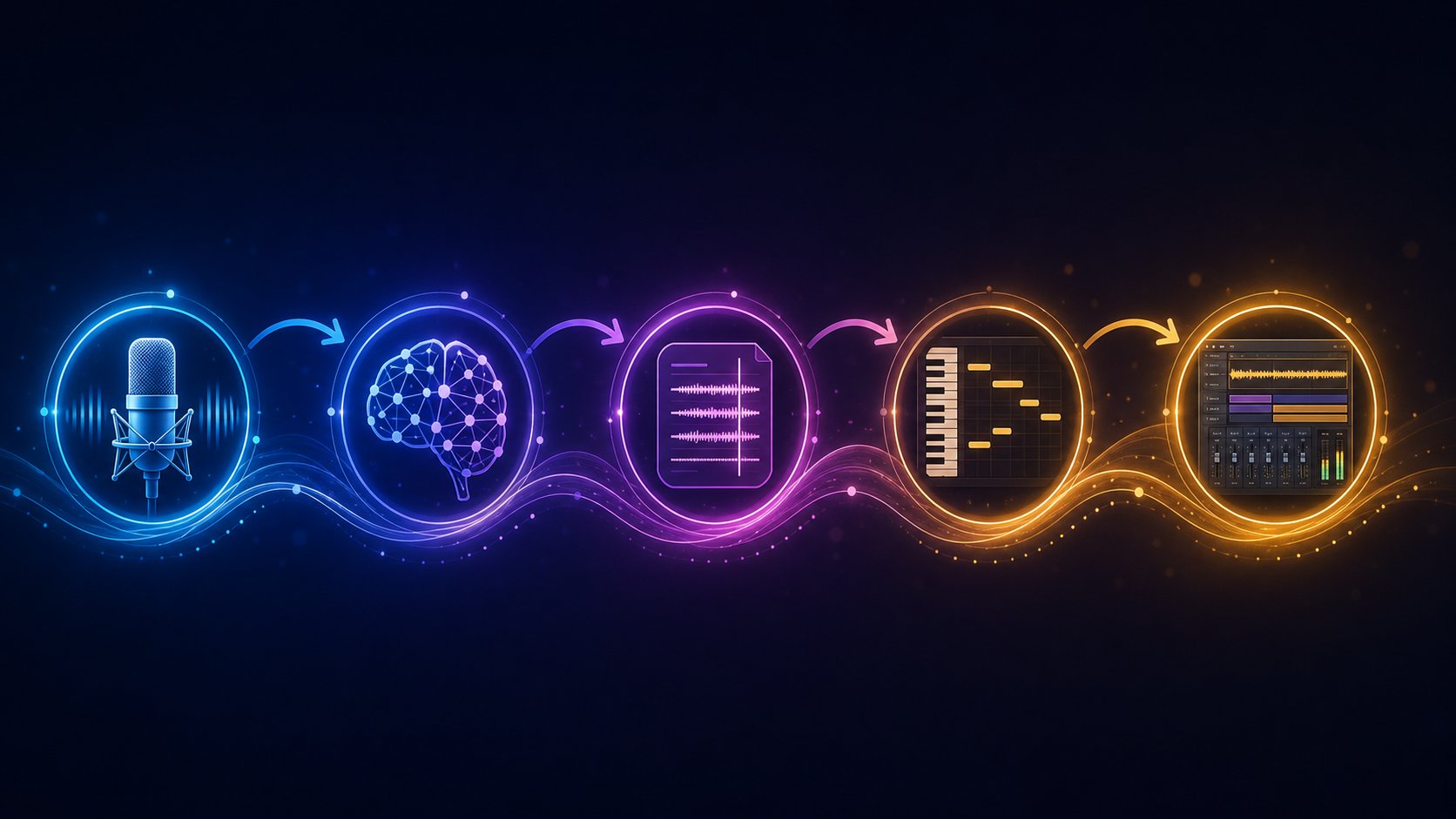
Regardless of your starting point, the process follows a consistent logic: capture audio, analyze with Gemini for high-level musical context, refine with specialized tools for precision, then create something new from what you've learned. Here's the step-by-step pipeline:
- Capture your source material. Record a voice memo of yourself humming, export an audio clip from a video, or photograph sheet music you want to decode. Get it into a format Gemini accepts (MP3, WAV, FLAC, or a clear image).
- Upload to Gemini for broad musical analysis. Ask about key, tempo, mood, instruments, and general chord movement. Use the structured prompts from earlier in this article to extract as much context as possible. This gives you the musical DNA of your source material.
- Run the audio through a dedicated transcription tool for note-level accuracy. Feed the same clip into Songscription, Klangio, or your DAW's audio-to-MIDI conversion. This step produces the actual note data that Gemini can only approximate.
- Cross-reference Gemini's analysis with the transcription output. Use Gemini's key and chord information to validate or correct what the transcription tool produced. If Gemini says the piece is in D minor and your transcription shows mostly notes from the D minor scale, you have confirmation. If they disagree, investigate the discrepancy.
- Generate new MIDI ideas based on your findings. Take the key, tempo, chord progression, and melodic characteristics you've identified and feed them into an AI MIDI generator like MakeBestMusic's AI MIDI Generator. Use those parameters as creative constraints to produce melodies, arrangements, or chord voicings that build on the original material.
- Import everything into your DAW and produce. Bring your transcribed MIDI, your generated ideas, and any original audio into a single session. Arrange, layer, mix, and shape the final result with full creative control.
This pipeline works whether you're building an ai music video soundtrack, producing an ai rap beat, or arranging a classical study piece. The tools change slightly depending on your genre and goal, but the logic stays the same: Gemini for understanding, specialized tools for precision, MIDI generation for creation, DAW for production.
Choosing the Right Approach for Your Needs
Your entry point into this workflow depends on what you're actually trying to do:
If you're a songwriter who hums melodies: Record your idea as a voice memo, upload it to Gemini to confirm the key and get a description of your melodic contour, then run it through a transcription tool to capture the actual notes as MIDI. From there, you can develop the idea further with an AI MIDI generator to build chord progressions and arrangements around your original melody. This is the fastest path from a melody in your head to a structured composition you can develop.
If you're a student analyzing music: Start with the Gemini consumer app. Upload your audio assignment or photograph your sheet music, and use Gemini's conversational interface to ask questions about key signatures, intervals, and structure. For homework that requires precise note identification, verify Gemini's answers against a dedicated notation reader or your own developing ear. The combination builds understanding faster than either approach alone.
If you're a producer building on detected ideas: Your workflow is the full pipeline. Use Gemini to quickly analyze reference tracks and identify what makes them work musically. Feed those characteristics into transcription tools for accurate MIDI data, then use that data as a creative springboard. A rap maker workflow might involve detecting the chord loop in a sample, transcribing it, then generating variations through MakeBestMusic's AI MIDI Generator to create something original that captures the same energy without directly copying the source.
The question of how do you add music to a video or how to build a complete track from a detected melody always comes back to this same principle: no single tool handles the entire chain. Gemini excels at the analytical layer. Transcription tools handle the precision layer. MIDI generators handle the creative expansion layer. Your DAW handles the production layer.
The best results come from combining general AI tools for understanding with specialized music production tools for creation, letting each handle what it does best rather than forcing any single tool to do everything.
That's the honest answer to whether Google Gemini can detect music notes. It can, partially, and with enough surrounding tools and workflow awareness, that partial capability becomes genuinely useful. The technology will keep improving. For now, the smartest approach is treating Gemini as the analytical brain in a larger creative system, one where specialized tools handle precision and generation while Gemini handles the broad musical thinking that connects everything together.
