


AI-Generated Music on YouTube and What Creators Actually Need to Know
You typed the question into a search bar, probably right after generating a track that sounded surprisingly good. Can I use AI generated music on YouTube without losing my channel, my revenue, or my sanity? The answer is yes, but the gap between "technically allowed" and "actually safe to monetize" is where most creators stumble.
Uploading an AI-generated track to YouTube is straightforward. The platform does not reject synthetic audio at the door. Earning money from it, keeping Content ID claims off your dashboard, and staying on the right side of policies that shift every few months - that is where the real complexity lives.
The Short Answer Every Creator Needs
Yes, you can use AI-generated music on YouTube. The platform explicitly allows AI content and even permits monetization, provided you hold a valid commercial license from your AI tool, disclose synthetic content where required, and add meaningful human creative value rather than uploading raw, mass-produced outputs.
Simple enough on the surface. The trouble is that four separate systems all have a say in whether your AI music youtube strategy actually works: the licensing terms attached to whatever generator you used, YouTube's own content and disclosure policies, unsettled copyright law around machine-generated works, and the Content ID matching engine that can flag your track before a single viewer ever hears it.
Why This Question Is More Complicated Than It Seems
YouTube does not ban AI-generated music. Its altered content policy treats synthetic audio as a disclosure issue, not a prohibition. But here is what catches creators off guard: multiple overlapping rule sets interact in ways that can quietly derail a channel. Copyright law currently offers limited protection for purely AI-generated works. Content ID can misidentify your track as belonging to someone else. Monetization reviews evaluate your entire channel, not just individual videos. And the platform's "inauthentic content" policy, renamed from "repetitious content" in mid-2025, specifically targets low-effort AI upload patterns.
Whether you are a vlogger looking for youtube music ai backgrounds, a producer experimenting with synthetic composition, or someone wondering whether can AI generated videos be monetized on YouTube at all, every factor above applies to you - just in different proportions. This guide breaks down each one with a creator-first, vendor-neutral approach so you can make informed decisions rather than guesses.
The policies themselves, though, deserve a closer look - because what YouTube officially permits and what its automated systems actually enforce are not always the same thing.
YouTube's Official Policies on AI-Generated Music Content
So are AI generated videos allowed on YouTube? The platform's stance is more welcoming than many creators expect. YouTube has never prohibited AI-generated content - music or otherwise. Instead, it has built a layered framework of disclosure rules, labeling systems, and quality standards that govern how synthetic content is treated once it reaches the platform. Understanding these layers is the difference between uploading with confidence and waking up to a policy strike you did not see coming.
YouTube's AI Disclosure Requirements for Uploaded Content
Every creator uploading content to YouTube encounters a decision point in YouTube Studio: the AI disclosure field. Under the "Attributes" section during the upload process, you will find an "AI use" setting that asks whether your content was generated or meaningfully altered with AI tools. YouTube's official disclosure policy requires creators to select "Yes" when their content includes realistic AI-generated material.
Here is where it gets interesting for music creators specifically. YouTube's GenAI disclosure guidelines explicitly list "AI generated music" as an example of content that requires disclosure. That means if you use any AI tool to create a music track - whether it serves as a background soundtrack for a vlog or stands as the primary audio in a visualizer video - you should be disclosing it.
The practical steps in YouTube Studio look like this:
- Open YouTube Studio and begin your upload.
- Scroll to the "Attributes" section in the video details panel.
- Under "AI use," select "Yes" if your video contains AI-generated or meaningfully AI-altered content.
- Complete the remaining video details and publish.
Once you select "Yes," YouTube applies a label to your video. For photorealistic AI content, this label appears directly on the video player. For non-photorealistic or animated content - which includes most AI music paired with visualizers or graphics - the label typically shows in the expanded description field. As of mid-2026, YouTube has moved photorealistic labels to a more prominent position and introduced automatic AI detection that can apply labels even when creators skip the disclosure step.
That automatic detection matters. If you consistently fail to disclose AI-generated music, YouTube's systems may flag the omission and apply labels on your behalf. Repeated failures to disclose can result in penalties, including content removal or suspension from the YouTube Partner Program. The platform has stated this directly in its support documentation.
A useful description text template you can adapt for your AI music uploads:
Music in this video was generated using AI tools. All tracks are used under a valid commercial license. Visual content, arrangement, and creative direction are original work by [Your Channel Name].
This kind of transparency costs you nothing but builds viewer trust and creates a paper trail if disputes arise later. Notice the distinction worth flagging here: YouTube treats music used as a soundtrack differently in practice than music serving as the primary content of a video. A travel vlog with an AI-generated background track draws far less scrutiny than a channel uploading hundreds of AI tracks with static images. The disclosure requirement applies to both, but the downstream consequences - especially around youtube ai content monetization - diverge significantly.
What YouTube's Content Quality Guidelines Say About AI
Imagine two channels. One uploads a single AI-generated lo-fi track every day with nothing but a stock wallpaper and a play button. The other uses AI music as a starting point, layers in original instrumentation, pairs it with hand-edited travel footage, and writes thoughtful descriptions for each video. YouTube's quality guidelines do not care that both channels used AI. They care about the value each delivers to viewers.
This is the core principle behind YouTube's approach: the platform evaluates whether content provides genuine value rather than policing the tools used to create it. YouTube's official AI page frames the company's goal as empowering human creativity, not replacing it. Their Community Guidelines apply equally to all content, whether it was filmed on a camera or assembled by an algorithm.
The critical distinction sits between two types of AI content. Purely AI-generated output with zero human involvement - a track generated in one click, uploaded with no editing, no arrangement changes, no visual storytelling - falls into the lowest tier of perceived value. Content where the creator adds meaningful human creative contribution occupies a much stronger position. That contribution might include editing and mixing, arranging multiple outputs into a cohesive piece, adding original visuals, or providing the creative direction that shapes the final product.
Here are the key policy points every creator working with AI music on YouTube must follow:
- Disclose AI usage honestly. Select the AI disclosure field in YouTube Studio during upload. YouTube may auto-detect and label content if you do not, and repeated non-disclosure risks penalties.
- Follow all existing Community Guidelines. AI content is not exempt from standard rules around spam, misleading metadata, or harmful content. Every policy that applies to human-made videos applies equally here.
- Avoid simulating real people without consent. Using AI to clone a specific artist's voice or likeness can trigger both policy violations and privacy removal requests. YouTube has expanded its likeness management tools, including synthetic-singing identification within Content ID.
- Add genuine creative value. Channels that mass-upload low-effort AI content risk being flagged under YouTube's content quality standards, which affects ai content youtube monetization eligibility at the channel level.
- Keep your disclosure label accurate. If YouTube's automatic detection incorrectly labels your content as AI-generated, you can update the disclosure status in YouTube Studio - but labels applied after manual review or through C2PA metadata detection cannot be removed.
One reassurance worth highlighting: YouTube has explicitly stated that a disclosure label alone does not change how a video is recommended or whether it qualifies to earn money. The label is an informational tool for viewers, not a penalty mechanism. What does affect youtube ai video monetization is the quality and originality of the overall content - a standard that applies whether you are using AI tools, stock music libraries, or a live orchestra.
Still, meeting disclosure requirements and quality standards only addresses part of the equation. The real monetization question - whether YouTube actually pays for AI-driven content and what "sufficient human input" means in practice - requires its own detailed breakdown.
Monetizing AI Music on YouTube and the Rules That Actually Matter
Here is the question most creators really want answered: does YouTube pay for AI videos? The short version is yes - but eligibility hinges on far more than just hitting subscriber and watch-hour thresholds. YouTube's monetization framework treats AI-generated music the same way it treats any other content type. It asks whether the result is valuable, original, and authentic. The tools you used to make it are secondary to what you actually delivered.
YouTube Partner Program Requirements and AI Content
Joining the YouTube Partner Program requires crossing two familiar gates: 1,000 subscribers and either 4,000 valid public watch hours in the past 12 months or 10 million valid public Shorts views in the last 90 days. These baseline metrics are tool-agnostic. YouTube does not check whether your watch hours came from AI-generated tracks or hand-recorded acoustic sessions.
The real filter kicks in during the channel review. When you apply for YPP, human reviewers evaluate your channel's main theme, most-viewed videos, newest uploads, and overall content patterns. They are checking against YouTube's channel monetization policies, which include the "inauthentic content" standard (renamed from "repetitious content" in July 2025) and the reused content policy. AI-generated content is not automatically excluded from monetization, but YouTube reserves the right to limit or deny ad revenue on content it deems low-quality, repetitive, or mass-produced - regardless of how it was made.
So can AI generated music be monetized on YouTube? Absolutely. But approval depends on demonstrating that your channel offers genuine creative value rather than operating like an automated content factory.
What "Sufficient Human Creative Input" Actually Means
This is where most guidance falls short. Creators hear "add human value" and wonder what that actually looks like in practice. YouTube's reviewers are not measuring creative input with a formula, but they are pattern-matching against signals of authenticity and effort. Think of these modifications as a spectrum - the more you stack, the stronger your monetization position becomes.
Ranked from least to most impactful for monetization eligibility:
- Selecting and curating AI outputs. Generating dozens of tracks and choosing the best ones shows editorial judgment, but on its own, it is the thinnest layer of human involvement. Reviewers can still flag a channel built on curation alone if every video looks and feels templated.
- Providing creative direction that shapes the final product. Writing detailed prompts, specifying genre blends, adjusting tempo and mood iteratively - these choices reflect artistic intent. They matter more when documented or visible in your workflow.
- Arranging multiple AI-generated clips into a cohesive composition. Stitching several outputs into a structured piece with intros, transitions, and progression demonstrates compositional thinking that pure generation lacks.
- Creating original visual content to accompany the music. Custom artwork, filmed footage, animated visualizers, or hand-edited video sequences paired with AI tracks signal that a real creator is behind the channel. YouTube's reviewers assess thumbnails, visual variety, and production quality across your catalog.
- Adding original vocals, instrumentation, or mixing. This is the highest-impact modification. Layering your own guitar, vocal performance, or even spoken-word narration over an AI-generated backing track transforms the output into something genuinely collaborative. Channels that blend AI composition with human performance rarely trigger inauthentic content flags.
The pattern is clear: the more distance you create between raw AI output and your published video, the safer your monetization standing. Can you monetize AI generated videos on YouTube by simply uploading what a tool gives you? Technically possible, but increasingly unlikely to survive review.
Monetization Risks Unique to AI Music Channels
Even creators who add real value face risks that are specific to AI-driven music channels. The most dangerous one is the "reused content" flag. YouTube's systems and human reviewers evaluate your channel holistically - not video by video. A channel uploading three AI tracks per day, each with a slightly different thumbnail but identical production patterns, reads as mass-produced regardless of individual track quality. YouTube explicitly states that channels whose content is "only slightly different from video to video" are not eligible to monetize.
Are AI videos monetized on YouTube when they follow a bulk-upload pattern? In most cases, no. An estimated 40% or more of pure AI music channels have faced YPP disqualification or monetization suspension since late 2025. YouTube's automated systems flag channels where upload cadence is abnormally high, audio fingerprints cluster tightly around the same tool and presets, and titles follow formulaic templates like "Lofi Mix #47" or "Sleep Beats Vol. 12."
The second risk is more subtle. Does YouTube monetize AI videos that individually pass quality checks but collectively erode channel trust? Yes - and channel-level review means one batch of low-effort uploads can drag down monetization for your entire catalog, including videos where you invested real creative work. Monetization approval and removal both happen at the channel level, so protecting your best content means maintaining standards across every upload.
A few practical safeguards help manage these risks:
- Pace your uploads. Quality signals matter more than volume. Two well-produced AI music videos per week outperform fourteen raw outputs in both algorithmic favor and reviewer perception.
- Vary your visual and audio presentation. If every thumbnail shares the same color palette and every track uses identical presets, reviewers see a template - not a creative catalog.
- Document your creative process. Keep records of how you modified, arranged, or enhanced each track. If your channel is flagged for review, this documentation supports your appeal.
- Monitor your monetization status proactively. YouTube Studio's monetization icon guide shows whether individual videos have limited or no ad eligibility. Catching patterns early lets you adjust before a channel-wide suspension hits.
Can you monetize AI videos on YouTube long-term? The creators who succeed treat AI as a starting point rather than a finished product. They invest in visual storytelling, maintain consistent but varied output, and build channels that look like curated creative projects instead of automated pipelines. The revenue follows the effort - not the tool.
Monetization rules, though, only govern what YouTube allows on its own platform. The deeper legal question - whether AI-generated music can be copyrighted, who actually owns the output, and what happens if training data lawsuits reshape the landscape - adds another layer of uncertainty that every creator should understand.
The Copyright and Legal Landscape Around AI Music
Monetization policies determine what YouTube allows on its platform, but copyright law determines what the legal system recognizes as yours. These are two very different things - and for creators using AI-generated music, the gap between them creates genuine uncertainty. You might have full permission from YouTube to upload and earn revenue, yet still lack the legal standing to stop someone else from copying your track or claiming it as their own.
That tension sits at the heart of every decision you make when choosing AI music for your content. Here is what the law actually says, what remains unsettled, and where your real protections come from.
Can AI-Generated Music Be Copyrighted
The straightforward answer: if a piece of music was generated entirely by AI with no meaningful human authorship, it almost certainly cannot receive copyright protection in the United States. The U.S. Copyright Office has addressed this question directly across multiple rulings, registration decisions, and its multi-part report on Copyright and Artificial Intelligence.
Part 2 of that report, published in January 2025, laid out the core principle clearly: AI-generated outputs can be protected by copyright only where a human author has contributed sufficient expressive elements. Writing a text prompt - even an elaborate, highly specific one - does not qualify as authorship. This position was reinforced by the courts in Thaler v. Perlmutter, which affirmed that copyright protection is reserved exclusively for works of human creation.
So can you copyright AI music that a tool generated from a single prompt? No. The output falls into the public domain. Anyone can use it, redistribute it, or even register a competing claim against it - and you would have limited legal recourse to fight back.
Imagine spending weeks building a YouTube channel around a signature AI-generated track, only to discover another creator has uploaded the same composition to a distributor who then files a Content ID claim against your videos. Without copyright ownership, your ability to dispute that claim rests entirely on contractual grounds with the AI tool - not on any intellectual property right you hold in the music itself.
The picture shifts, however, when human involvement goes beyond prompting. The Copyright Office has indicated that selecting, arranging, and creatively modifying AI outputs can establish the kind of human authorship that copyright requires. A creator who generates several machine learning music clips, arranges them into a structured composition, layers in original instrumentation, and mixes the final result has a far stronger case for registering that work than someone who clicked "generate" once and downloaded the file.
This distinction matters enormously for YouTube creators. The more human creative labor you invest in transforming an AI output, the closer you move toward a work that copyright law may actually protect.
The Training Data Question and Fair Use Risk
Even if your own copyright standing is clear, a deeper issue lurks beneath every AI-generated track: what was the model trained on?
Most major AI music generators - including the tools behind popular platforms - were trained on vast libraries of copyrighted recordings. Suno, one of the largest players in the space, openly acknowledged using copyrighted music in its training data. The company argued this constitutes fair use, but that defense remains legally untested in a final ruling. Meanwhile, all three major record labels - Universal, Sony, and Warner - filed coordinated lawsuits through the RIAA in June 2024, accusing AI music platforms of "mass infringement of copyrighted sound recordings on an almost unimaginable scale."
The potential consequences are staggering. Statutory damages could reach $150,000 per infringed track. By late 2025, Udio had already settled with both Warner Music and Universal Music Group under confidential terms. And the scope of litigation keeps expanding - a separate $3 billion lawsuit filed in early 2026 targeted an AI company for allegedly ingesting over 20,000 copyrighted songs during training.
Why should individual creators care about lawsuits between billion-dollar corporations? Because the legal outcomes could retroactively reshape the status of every track those models ever produced. If courts determine that AI outputs trained on unlicensed music constitute derivative works, the commercial ai music legal standing of tools like riffusion producer ai and similar platforms could shift overnight. Tracks you generated and uploaded months ago might suddenly carry new legal baggage that neither you nor the AI company anticipated.
This risk is largely borne by the AI tool providers themselves, not by individual users. But "largely" is not "entirely." Creators who built channels, playlists, or even brand identities around AI-generated music could face Content ID claims, takedowns, or licensing complications if the platforms they relied on are forced to change their terms or shut down following adverse rulings.
The regulatory environment is tightening globally, too. In March 2026, the UK government reversed course on a proposal that would have allowed AI companies to train on copyrighted material without permission. Over 10,000 consultation submissions overwhelmingly opposed the opt-out approach, with 95% arguing that AI companies should secure licenses before using copyrighted works. Governments are increasingly siding with rights holders - a trend that adds pressure on AI music generators and, by extension, the creators who depend on them.
None of this means you should avoid AI music entirely. It means you should understand that the legal ground beneath these tools is still shifting, and building your content strategy on a single AI platform without a backup plan carries real risk.
Licensing Terms Are Your Real Protection
Here is the practical reality that cuts through the legal ambiguity: regardless of whether copyright law protects your AI-generated track, the licensing agreement between you and your AI tool is what governs your actual usage rights. That contract - not the Copyright Office, not pending litigation, not YouTube's policies - is the document that determines whether you can legally use a track in a YouTube video, monetize it, or distribute it commercially.
Your right to use AI music on YouTube depends primarily on the specific tool's license terms, not on general copyright law. Read those terms before you generate a single track.
This distinction is critical. Copyright law answers the question "who owns this work?" Licensing answers the more immediate question "am I allowed to use this?" Even if a track cannot be copyrighted, the AI platform can still grant you a contractual license to use it commercially - and that license is enforceable regardless of copyright status.
What should you look for in those terms? A few key elements separate a solid license from a risky one:
- Explicit commercial use permission. The license should specifically state that you can use generated outputs in commercial projects, including YouTube videos with monetization enabled. Vague language like "personal use" or "non-commercial" disqualifies the track from ad-supported content.
- YouTube-specific allowances. Some tools distinguish between general commercial use and platform-specific rights. A license that covers podcast distribution might not cover YouTube uploads. Look for terms that explicitly name video platforms or social media distribution.
- Free-tier versus paid-tier rights. Many AI music generators offer different licensing terms depending on your subscription level. Free plans frequently restrict commercial use or require attribution. Paid plans typically expand those rights - but not always. Verify before you publish.
- Content ID registration policies. Does the tool register its outputs with YouTube's Content ID system? If so, even a valid license might not prevent automated claims against your videos. This one catches more creators off guard than any other term.
- Indemnification and liability clauses. Some platforms explicitly disclaim responsibility if their outputs infringe on third-party copyrights. Suno's own terms of service state that the company makes "no representation or warranty" that copyright will vest in any output. That disclaimer shifts the risk squarely onto you.
Tools like riffusion producer ai and other emerging platforms each carry their own licensing frameworks. A record label AI startup may offer broader commercial rights than a consumer-facing free tool, while a research-oriented platform might prohibit commercial use entirely. There is no universal standard - every tool requires its own due diligence.
The takeaway is straightforward: treat your AI tool's license the same way you would treat a contract with a stock music library. Read it, understand what it permits, save a copy for your records, and verify that the rights match your intended use before you upload anything. In a legal landscape where copyright protection is uncertain and litigation is active, that license agreement is the closest thing you have to solid ground.
Licensing protects your right to use a track. But even with the right license in hand, YouTube's Content ID system introduces a completely separate layer of risk - one that operates on audio fingerprints, not legal arguments, and can flag your video before any human ever reviews it.

Content ID Claims on AI Music and How to Handle Disputes
A valid license tells you that you are legally permitted to use a track. Content ID does not care about your license. It does not read contracts, check subscription tiers, or verify that you generated the audio yourself. It listens to audio fingerprints - and when it hears a match, it files a claim. For creators using AI-generated music on YouTube, this automated system represents the single most common source of frustration, lost revenue, and confusion.
Content ID claims are not copyright strikes. They will not get your channel terminated. But they can redirect your ad revenue to someone else, restrict your video in certain regions, or block playback entirely - all before a human being ever reviews the situation. Understanding how this system interacts with AI-generated audio is essential for anyone who wants to use synthetic music without constant firefighting.
How Content ID Works with AI-Generated Tracks
Picture a massive library containing over 100 million audio fingerprints. Rights holders - record labels, publishers, distributors, and individual creators - upload reference files to this library. YouTube's system then scans every video uploaded to the platform against that database. When the algorithm detects a match between your video's audio and an existing reference file, it triggers a Content ID claim. The rights holder who uploaded the reference file then decides what happens: they can monetize your video (redirecting ad revenue to themselves), block it in specific countries, or simply track its viewership data.
Sounds straightforward for traditional music - someone uploads a Beyonce track, Content ID catches it, the label collects revenue. But AI-generated music creates problems this system was never designed to handle.
Content ID has evolved well beyond simple waveform matching. The system now uses advanced pattern recognition that analyzes melodic contours, harmonic progressions, rhythmic structures, timbral qualities, and production characteristics simultaneously. Two tracks can trigger a match even when they sound noticeably different to human ears, as long as they share enough underlying patterns across these dimensions.
Why does this matter for beats by AI songs and other synthetic tracks? Because AI music generators produce output with shared sonic signatures. Every tool has a recognizable spectral profile, timing precision, and noise floor characteristic that appears consistently across its generations. Content ID detects these family resemblances and interprets them the same way it interprets traditional copying - as potential infringement.
Four specific triggers cause AI music to get flagged:
- Shared tool signatures. Generators like Suno and Udio produce audio with consistent spectral patterns and production qualities. Content ID's pattern matching picks up these shared characteristics across thousands of independently created tracks, even when the melodies differ.
- Similar prompts producing similar outputs. When you type "chill lo-fi beat, rainy mood, vinyl crackle" into a generator, you are entering roughly the same prompt as thousands of other creators. The acoustic overlap between these outputs is often enough to trigger a match - especially if someone else's version was registered first.
- Training data resemblance. AI models trained on copyrighted recordings inevitably reproduce melodic and harmonic fragments derived from that training data. If your AI track happens to echo a copyrighted song already in the Content ID database, you will receive a claim - even though no one intentionally copied anything. Creators who try to find the original song youtube AI flagged often discover the resemblance is subtle, buried in a chord progression or rhythmic pattern rather than an obvious melody.
- Distributor-registered AI tracks. Many creators distribute their AI-generated music through services like DistroKid, TuneCore, or CD Baby. Some of these distributors automatically register uploaded tracks with Content ID. Every registration adds another reference file to the database, increasing the probability that your independently generated track will match someone else's independently generated track.
The result is a system where the very characteristics that make AI music easy to create - shared tools, common prompts, overlapping training data - also make it uniquely vulnerable to automated claims.
What Happens When Multiple Creators Use the Same AI Track
This is the scenario that catches creators completely off guard, and it is becoming more common every month. Imagine you generate a track using a free-tier AI tool. You use it in a YouTube video. A week later, another creator generates a nearly identical track using the same tool with a similar prompt. That second creator distributes their version through a music aggregator, which registers it with Content ID. Suddenly, your video receives a claim - from someone who created their track independently, using the same technology you did.
Neither of you copied the other. Both of you generated your tracks legitimately. But Content ID does not evaluate intent or process - it evaluates audio similarity. And because AI generators produce from a finite set of patterns and styles, the overlap between independent outputs can be striking. Tools like sonoteller ai and similar analysis platforms can reveal just how structurally similar two independently generated AI tracks often are, sharing chord progressions, tempo ranges, and timbral textures that the human ear might not immediately catch but that Content ID's algorithm detects reliably.
The problem compounds at scale. Free-tier AI tools impose fewer barriers to entry, which means more creators generating more tracks from the same model. An ai music maker archive.org search reveals how rapidly the volume of publicly shared AI-generated tracks has grown - and each one that enters a distribution pipeline becomes a potential Content ID reference file.
Several real-world consequences flow from this dynamic:
- First-to-register advantage. Whoever distributes and registers their version first effectively "claims" that audio fingerprint in the Content ID database. Every subsequent creator whose output matches that fingerprint can receive a claim - regardless of independent creation.
- Multiple simultaneous claims. A single AI track in your video can match reference files from several different claimants, each of whom independently generated and registered similar output. YouTube confirms that a video can have multiple Content ID claims on it simultaneously. Resolving overlapping claims from multiple parties is significantly more complex and time-consuming than handling a single dispute.
- Revenue limbo. While a Content ID claim is active, ad revenue from your video is typically held or redirected to the claimant. During the dispute process - which can stretch 30 days or longer per claim - you earn nothing from that video, even if the claim is ultimately released.
- Registration backfire. Some creators try to solve this by registering their own AI tracks with Content ID preemptively. This usually backfires. Your registered track will claim other creators' similar outputs, they will dispute successfully by proving independent creation, and your Content ID standing deteriorates with each failed claim. Unless your track has been heavily modified to become genuinely unique, registration creates more problems than it solves.
The uncomfortable reality is that Content ID was designed for a world where identical audio implies copying. AI music generation breaks that assumption entirely, creating a scenario where identical or near-identical audio is independently produced by thousands of people who never communicated with each other. The system has not fully adapted to this reality, which means creators bear the burden of navigating its limitations.
Step-by-Step Content ID Dispute Resolution for AI Music
When a claim lands on your video - and if you use AI music regularly, it is a matter of when, not if - having a clear dispute process saves you time, stress, and revenue. YouTube provides a structured dispute pathway, but the key to winning AI music disputes is preparation that starts before you ever upload.
Follow this process from the moment you generate a track through final resolution:
- Document proof of generation immediately. Before you close your AI tool's interface, capture screenshots showing the generation timestamp, your account name, the prompt or settings you used, and any generation ID or session identifier the platform provides. Some tools offer downloadable generation histories - export those files and store them. This evidence proves independent creation and establishes your timeline, which matters when disputing a claim from someone who registered a similar track after you generated yours.
- Save your license documentation. Screenshot or download the AI tool's terms of service, paying specific attention to commercial use rights and YouTube permissions. If you are on a paid plan, save your subscription confirmation and payment receipt. These documents form the legal foundation of your dispute - they prove you had the right to use the output commercially.
- Record any human modifications. If you edited, mixed, arranged, or layered additional elements onto the AI-generated track, document each modification. Keep project files from your DAW, before-and-after audio comparisons, or screen recordings of your editing process. Human modifications strengthen your dispute by demonstrating that your final track is not a raw, unaltered AI output.
- Review the claim details in YouTube Studio. Navigate to YouTube Studio > Content > Copyright. The claim display shows which portion of your video was matched, who filed the claim, and what policy they applied (monetize, block, or track). Note whether the claimant is a record label, a distributor, or an individual creator - this affects how the dispute will likely play out.
- File the dispute through YouTube Studio. Select "Dispute" on the relevant claim. YouTube offers several dispute reasons - for AI music claims, the most applicable options are typically "I have a license or permission to use this content" or "This video uses the content at issue but is not infringing." In the explanation field, state clearly that the track was independently generated using a licensed AI tool. Include the tool name, your subscription tier, and a direct link to the platform's terms of service. Reference your generation timestamp and any generation IDs.
- Wait for the claimant's response. After you submit a dispute, the claimant has 30 days to respond. During this period, three outcomes are possible: they release the claim (your monetization settings are restored automatically), they reinstate the claim (your dispute was rejected and the claim stays on your video), or they take no action (the claim expires and is released automatically after 30 days).
- Appeal if your dispute is rejected. If the claimant reinstates their claim, you may be eligible to appeal the decision. An appeal is a more serious step - the claimant then has just 7 days to respond, and if they want to maintain the claim, they must submit a formal copyright removal request, which is a legal action that results in a copyright strike on your channel if upheld. Only escalate to an appeal when your evidence is strong and you are confident in your position.
- Consider a counter-notification as a last resort. If an appeal leads to a copyright removal request and your video is taken down, you can submit a counter-notification. At this stage, the claimant must file an actual lawsuit within 10 business days to keep your video down. This is the nuclear option - effective but serious. For most AI music disputes, resolution happens at the dispute or appeal stage without reaching this point.
A few practical tips sharpen your chances at each stage:
- Be specific in your dispute explanation. Vague statements like "I made this with AI" are weaker than "This track was generated on [date] at [time] using [Tool Name] under a [Plan Name] commercial license. My generation ID is [ID]. The tool's commercial license terms are available at [URL]."
- Dispute only claims you can substantiate. YouTube warns that repeated or malicious abuse of the dispute process can result in penalties against your video or channel. If a claim appears legitimate - for example, your AI track genuinely reproduces a recognizable copyrighted melody - disputing it carries real risk.
- Test before publishing. Upload your video as unlisted first and wait 24 to 48 hours. Check the Copyright tab in YouTube Studio. If claims appear on an unlisted video, you can address them before the video goes public - protecting both your revenue and your audience experience.
- Keep organized records. Create a dedicated folder for each AI track you generate, containing the generation screenshot, license documentation, modification notes, and the exported audio file. When a claim arrives months after upload, you will be glad you did not have to reconstruct this evidence from memory.
Content ID disputes are not enjoyable, but they are manageable when you treat documentation as part of your creative workflow rather than an afterthought. The creators who lose these disputes are almost always the ones who cannot produce evidence of their generation process or license rights. The creators who win are the ones who prepared before the claim ever arrived.
Content ID risk, though, does not affect all AI music creators equally. The type of content you build around that music - whether it serves as a background soundtrack or stands as the main attraction - fundamentally changes your exposure level and the strategies you need to stay protected.
Soundtrack Versus Primary Content and Why YouTube Treats Them Differently
Not all AI music usage carries the same risk on YouTube. A travel vlogger layering a synthetic lo-fi beat under narration and a faceless channel uploading 50 AI-generated tracks per week with static wallpapers are operating in entirely different risk categories - even if both creators used the same tool with the same license. YouTube's policies, automated systems, and human reviewers all treat these two scenarios differently, and understanding the distinction is the single most practical thing you can do to protect your channel.
AI Music as Background Soundtrack
When AI-generated music serves as a background element in creator-driven videos - vlogs, tutorials, podcasts, gaming streams, product reviews, educational content - you are in the lowest-risk category. YouTube evaluates the overall value your video delivers to viewers, and in these formats, the music is supplementary. Your original commentary, footage, gameplay, or teaching provides the human creative input the platform looks for during monetization reviews.
Think about it this way: a cooking channel using suno music on YouTube as subtle background audio is fundamentally a cooking channel. The creator's recipes, camera work, editing, and personality define the content. The AI track is seasoning, not the dish. YouTube's reviewers recognize this distinction, and so does the inauthentic content policy - because the channel's value proposition exists independent of the music.
This is why millions of creators already use AI-generated music for backgrounds without incident. The content surrounding the track absorbs the risk. Content ID claims can still occur, but your dispute position is stronger when the flagged audio is a 30-second bed under five minutes of original commentary rather than the entire reason the video exists.
AI Music as the Primary Content
Channels built entirely around AI-generated music tracks - paired with visualizers, waveform animations, or static images - face a dramatically different reality. These are the channels YouTube's inauthentic content enforcement targets first. When the music is not supporting other creative work but is the creative work, every policy filter tightens.
The numbers tell the story. Channels uploading raw AI outputs with minimal human involvement have seen disqualification rates from the YouTube Partner Program climb steeply since late 2025. YouTube's systems flag patterns that music-primary channels often exhibit: high upload frequency, tightly clustered audio fingerprints, formulaic titles, and minimal visual variety. Even if each individual track is decent, the channel reads as mass-produced - and "mass-produced" is exactly what the reused content and inauthentic content policies were designed to catch.
Does this mean music-focused AI channels are dead? Not at all. It means the bar for human creative contribution is higher when music is the main attraction. Creators who thrive in this space are doing one or more of the following:
- Creating original music videos. Filming or animating visuals that respond to the music transforms a static upload into a multimedia project. The visual storytelling becomes the human layer YouTube rewards.
- Curating playlists with genuine commentary. Adding spoken introductions, written analysis, or behind-the-scenes explanations of how each track was crafted turns a track dump into a creator-driven experience. Some of the most successful AI music channels in 2026 are commentary-first, treating each ai remix music experiment or generation session as content worth discussing.
- Blending AI music with original instrumentation. Layering live guitar, vocals, or percussion over AI-generated backing tracks creates something neither fully synthetic nor fully human - and that hybrid quality signals genuine creative effort to both reviewers and audiences.
- Using AI as a compositional starting point. Generating a rough draft with AI, then rearranging, re-mixing, and reshaping it in a DAW until the final product reflects your artistic choices rather than the algorithm's defaults. The further you push beyond the raw output, the stronger your position.
Curious whether a channel you follow falls into the safe or risky category? Ask yourself a simple question: if the AI-generated audio were replaced with royalty-free stock music, would the channel still have a reason to exist? If the answer is yes, the music is functioning as a soundtrack. If the answer is no, the music is the primary content - and the creator needs to add more human value to stay viable.
AI Voice Clones and Covers Are a Separate Risk Category
Everything discussed so far assumes you are generating original compositions - music that does not imitate a specific artist or recreate a copyrighted song. The moment you cross into voice cloning or artist imitation territory, the risk profile changes completely.
You have almost certainly encountered this content online. AI-generated tracks mimicking Drake's voice, channels uploading an ai slim shady track that sounds eerily like the real artist, or viral clips where someone uses AI to produce a carti ai timeless imitation that racks up millions of views before disappearing. Creators experimenting with carti using ai vocals or generating celebrity voice covers often see massive short-term engagement - followed by swift takedowns, copyright strikes, or permanent channel consequences.
YouTube's AI content policies explicitly prohibit artist impersonation. Creating music designed to sound like a specific real person without their consent violates both YouTube's synthetic media rules and, in many jurisdictions, the artist's right of publicity. Major labels actively monitor for AI voice clones and pursue claims aggressively - the RIAA lawsuits against AI music platforms reflect how seriously the industry treats this issue.
The same caution applies to AI-generated covers of copyrighted songs. You might wonder: is holy groove ai generated, or is that viral "let it be ai" cover actually sanctioned? In most cases, these tracks exist in legal gray zones at best and outright violation at worst. YouTube treats AI covers the same way it treats traditional unauthorized covers - the underlying composition is still protected by copyright, and generating it through AI does not create a fair use defense. Using AI to recreate a recognizable song and uploading it without a mechanical license or sync license exposes you to both Content ID claims and formal DMCA takedowns.
The principle is simple: generate original compositions, not imitations. AI excels at producing novel music in a style or genre. It fails - legally and ethically - when directed to reproduce the specific identity of a real artist or a copyrighted work. Keep your prompts generic ("upbeat indie rock with acoustic guitar" rather than "make it sound like a specific band"), and you stay on the right side of this line.
Knowing where these risk boundaries fall is essential, but choosing the right AI music tool in the first place can prevent most of these problems from arising. The licensing terms, Content ID behavior, and commercial rights vary dramatically from one platform to the next - and those differences determine how safe your workflow actually is.
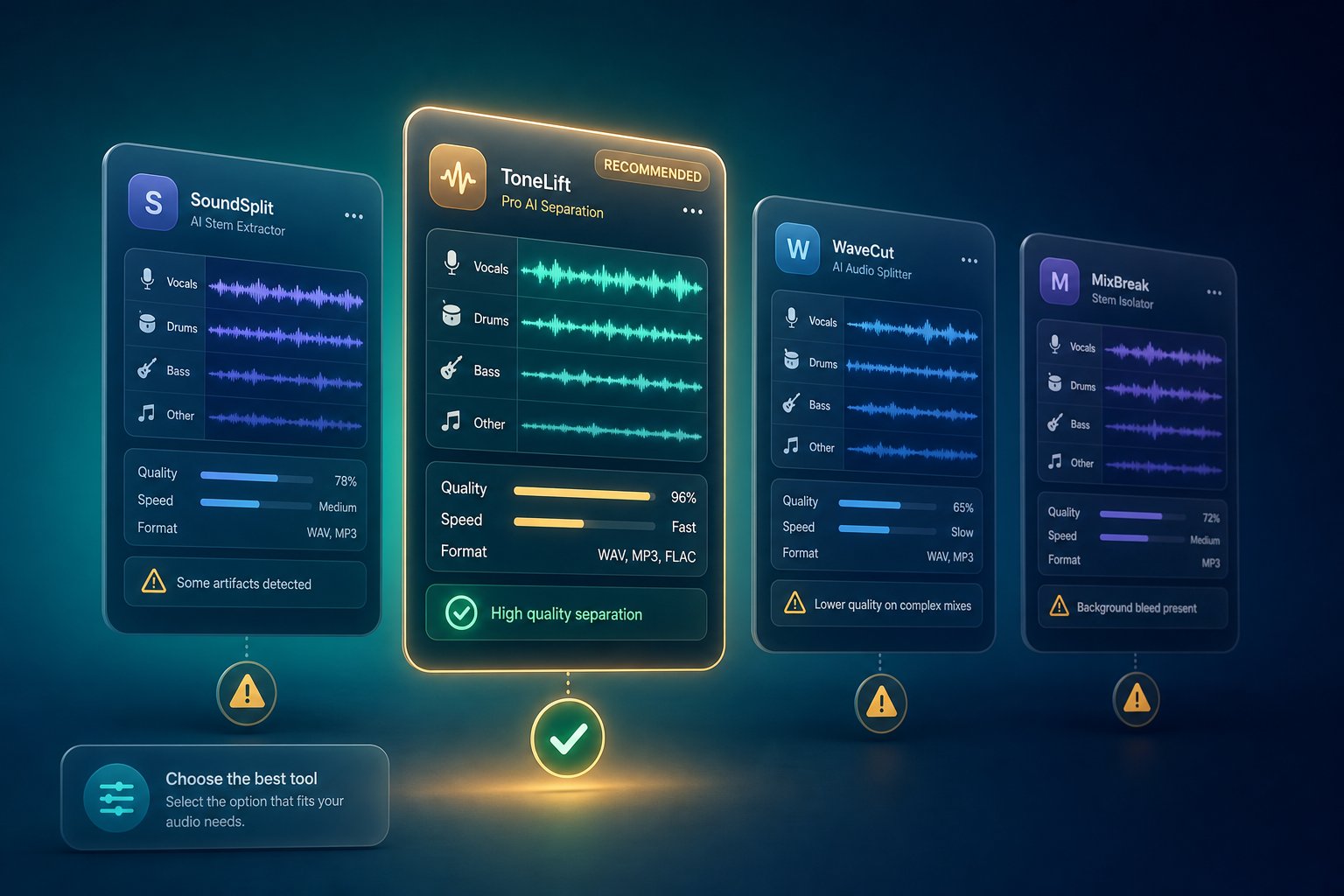
Comparing AI Music Generators That Are Safe for YouTube
Choosing an AI music tool based on audio quality alone is like choosing a car based on paint color. The feature that actually determines whether your YouTube channel stays safe is not how good the track sounds - it is how airtight the licensing is behind it. Every tool handles commercial rights, Content ID registration, and free-tier restrictions differently, and those differences can mean the gap between smooth monetization and months of dispute headaches.
What to Look for in a YouTube-Safe AI Music Generator
Before you compare any two platforms, you need to know which criteria actually matter for creators publishing on YouTube. Audio quality is table stakes - most modern generators produce tracks that sound professional enough for video backgrounds. The make-or-break factors sit in the legal and technical details that most marketing pages bury in fine print.
Four criteria should drive every decision:
- Commercial use rights on the free plan. Many generators advertise "free music" but restrict free-tier outputs to personal or non-commercial use. If you are monetizing your YouTube channel, personal-use tracks are off-limits. You need a plan - free or paid - that explicitly grants commercial rights.
- Whether the tool registers outputs with Content ID. Some platforms distribute generated tracks through music aggregators that automatically register audio fingerprints in YouTube's Content ID database. If your AI tool registers its outputs, you could receive a claim on your own video from the very platform you used to create the music. This is counterintuitive and rarely disclosed upfront.
- Explicit permission for YouTube usage. General "commercial use" language does not always cover platform-specific distribution. The safest tools name YouTube directly in their terms of service or licensing FAQ, removing any ambiguity about whether your upload is permitted.
- License clarity and accessibility. Can you find the licensing terms within two clicks? Are commercial rights spelled out in plain language, or buried in 15 pages of legalese? Clarity matters not just for your peace of mind - it matters when you need to cite those terms in a Content ID dispute.
These four factors separate tools that are genuinely YouTube-safe from those that merely sound good in a demo.
AI Music Tool Comparison for YouTube Creators
The landscape of AI music generators has expanded rapidly, with options ranging from established platforms to newer entrants like the MakeBestMusic Free Music Generator, mytunes ai music generator, topmediai ai song generator, and soundgen ai, among others. To help you navigate these choices, the table below compares major platforms across the criteria that matter most for YouTube creators.
A few notes on methodology: ratings reflect publicly available terms of service and licensing documentation as of mid-2026. "Content ID Registration Status" indicates whether the platform is known to register generated outputs in YouTube's Content ID system, either directly or through distribution partners. "License Clarity Rating" is an editorial assessment of how easy it is to find and understand commercial use terms.
| Tool Name | Free Plan Commercial Rights | Paid Plan Commercial Rights | YouTube Use Explicitly Permitted | Content ID Registration | License Clarity |
|---|---|---|---|---|---|
| MakeBestMusic | Yes - royalty-free commercial use included | Yes - full commercial rights | Yes - YouTube, social, podcasts, games | No registration of outputs | High - clear, accessible terms |
| Suno | No - non-commercial only | Yes - Pro and Premier plans | Yes (paid tiers only) | Not directly, but user distribution may trigger claims | Moderate - updated post-settlement |
| Udio | No - non-commercial only | Yes - Standard plan and above | Yes (paid tiers only) | Not directly, but user distribution may trigger claims | Moderate - revised in early 2026 |
| Ecrett Music | Limited - watermarked outputs on free tier | Yes - subscription plans include commercial license | Yes - explicitly covers video platforms | No known registration | Moderate - terms require some digging |
| Amper Music AI (Shutterstock) | No standalone free tier - bundled with Shutterstock plans | Yes - commercial rights through Shutterstock licensing | Yes - covered under Shutterstock media license | No direct registration | Moderate - layered under Shutterstock terms |
| Brev Music Generator | Limited free generations - commercial rights unclear on free tier | Yes - paid plans grant commercial use | Not explicitly stated for YouTube | Unknown | Low - terms lack platform-specific detail |
| AIVA | No - free tier restricts commercial use | Yes - Pro plan ($33/mo) includes full copyright transfer | Yes (Pro tier) | AIVA registers as composer; managed through own rights system | High - clear tier distinctions |
| Soundraw | No - preview only, no downloads | Yes - $16.99/mo with royalty-free commercial license | Yes - explicitly YouTube-safe with claim defense guarantee | No registration; offers claim defense | High - straightforward terms |
A few patterns emerge from this comparison. Most free tiers restrict commercial use, which means creators monetizing YouTube content need to either pay for a subscription or choose a tool that explicitly grants free commercial rights. MakeBestMusic's free music generator stands out in this regard - it is designed specifically for creators who need royalty-free tracks for commercial projects including YouTube videos, social content, podcasts, and games, all without upfront cost. For creators just starting out or testing whether AI music fits their workflow, that combination of free access and clear commercial licensing removes the biggest barrier to entry while minimizing licensing risk.
On the paid side, Soundraw's claim defense guarantee and AIVA's full copyright transfer on Pro plans represent the strongest legal protections available - but both require monthly subscriptions. Suno and Udio deliver arguably the best audio quality in the market, though their post-settlement licensing terms deserve careful reading given the training data litigation history discussed earlier in this article.
Tools like ecrett music and amper music ai (now integrated into Shutterstock's ecosystem) occupy a middle ground - reliable commercial licensing on paid plans, but their terms require navigating parent-company agreements that can feel opaque. The brev music generator at brev.ai shows promise but lacks the platform-specific licensing clarity that YouTube creators need. When a tool's terms do not explicitly mention YouTube or video platforms, you are making an assumption rather than relying on a guarantee - and assumptions are exactly what Content ID disputes exploit.
The "Unknown" entries in the table are honest gaps, not oversights. Several newer platforms have not published sufficient documentation to confirm their Content ID behavior or free-tier commercial rights. If you cannot verify a tool's licensing position through its own published terms, treat the output as non-commercial until you get written confirmation.
Having the right tool is half the equation. The other half is following a consistent, documented workflow every time you generate and upload a track - a process that protects you regardless of which platform you choose.
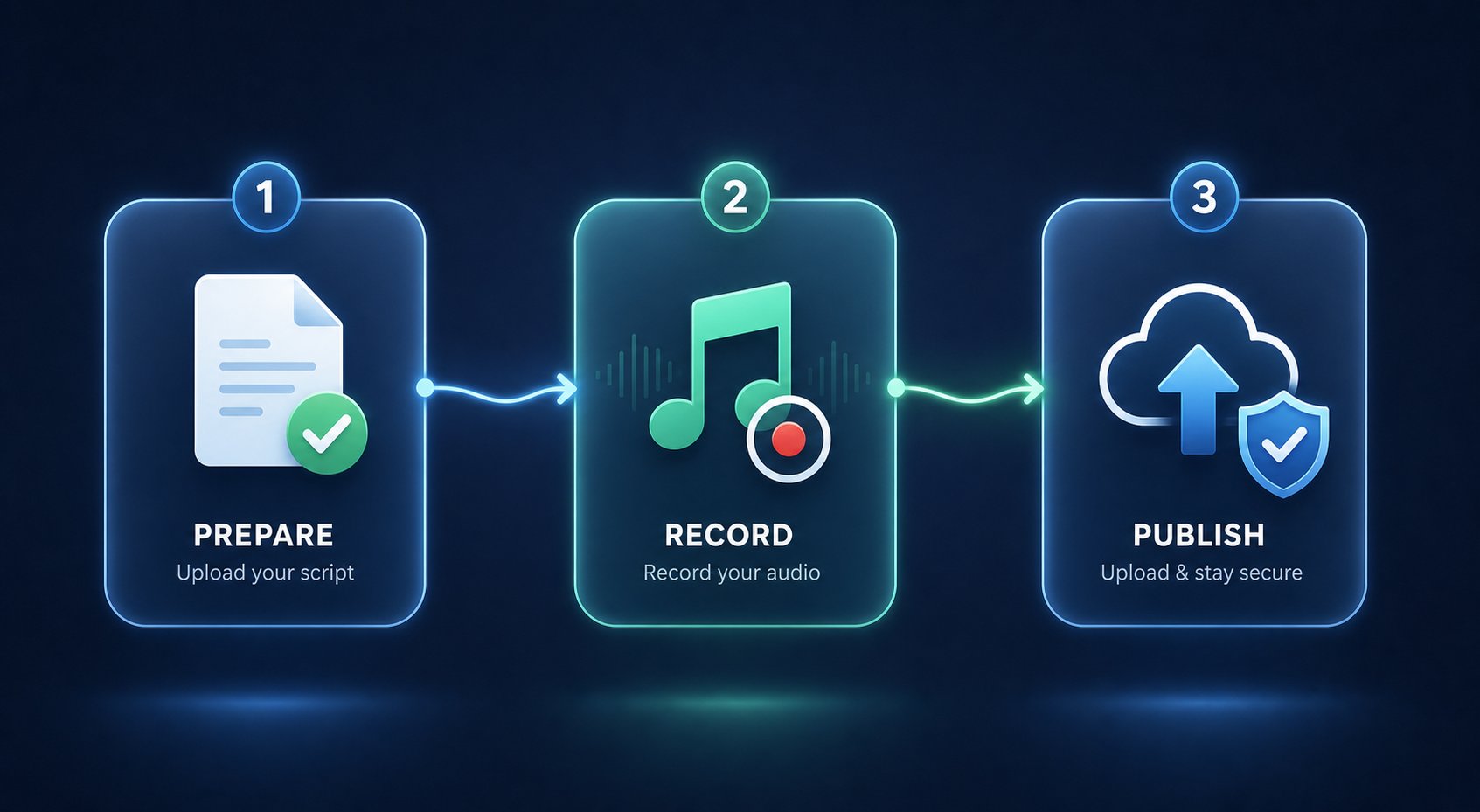
A Safe Workflow for Using AI Music in Your YouTube Videos
The right tool paired with the wrong process still leads to claims, lost revenue, and headaches you could have avoided. Whether you are using a dedicated AI for music production platform, experimenting with a chatgpt music maker for quick ideas, or feeding prompts into a specialized generator, the workflow around the music matters just as much as the music itself. Every step below applies regardless of which platform you chose from the comparison above.
Before You Generate Your Track
Preparation takes five minutes. Skipping it can cost you weeks of dispute resolution. Before you hit "generate," complete these steps:
- Verify the AI tool's commercial license explicitly covers YouTube. Open the terms of service or licensing FAQ and search for language that permits use in monetized video content. If the terms say "personal use only" or stay silent on commercial rights, treat the output as non-commercial until you get written confirmation. General phrases like "you may use outputs commercially" are acceptable - but terms that specifically name YouTube or video platforms are stronger.
- Check whether the tool registers outputs with Content ID. Some platforms distribute generated tracks through aggregators that automatically fingerprint audio in YouTube's database. If your tool does this, every track you generate could trigger a claim on your own video. Look for statements about distribution, Content ID, or rights management in the platform's FAQ or help center.
- Confirm whether free-tier outputs carry the same rights as paid-tier outputs. Most generators restrict commercial licensing to paid plans. If you are on a free tier, verify explicitly that your subscription level grants the rights you need. A paid plan's license page does not automatically apply to free-plan users - these are often governed by separate terms.
Understanding how does AI create music also helps you make smarter decisions at this stage. These tools generate audio by predicting patterns learned from training data, which means outputs from the same prompt can vary widely - or barely at all. Knowing this shapes how you approach uniqueness and modification in the next steps.
During and After Generation
The generation itself takes seconds. Your documentation should start the moment the track appears.
- Save proof of generation immediately. Screenshot the interface showing your prompt, the generation timestamp, your account name, and any generation ID or session number the platform provides. Some tools offer downloadable generation logs - export those. This evidence establishes your timeline and proves independent creation if a Content ID dispute arises months later.
- Document every human modification you make. Whether you are arranging AI clips in a DAW, layering original guitar over a synthetic backing track, adjusting EQ and compression, or using ai for songwriting by rewriting AI-suggested lyrics into something personal, record what you changed. Keep your project files from FL Studio AI workflows, Ableton sessions, or whatever editing environment you use. Before-and-after audio comparisons are especially powerful evidence during disputes. Creators who learn how to turn lyrics into a song using AI and then reshape the output through their own artistic choices are building exactly the kind of human creative contribution YouTube rewards.
- Export the final file with metadata intact. Embed your name, the creation date, and the AI tool used directly into the audio file's metadata tags. This small step creates a verifiable chain of provenance that travels with your track across platforms and backups. If you are treating artificial intelligence songwriting as part of a larger creative process - blending AI drafts with human arrangement and performance - your metadata should reflect that hybrid origin.
At Upload Time
Your track is ready, your documentation is organized, and you are about to publish. These final steps close the loop between creation and protection.
- Disclose AI-generated content through YouTube Studio's altered content panel. Navigate to the "Attributes" section during upload, find the AI use setting, and select "Yes." As covered earlier in this article, YouTube can auto-detect and label undisclosed synthetic content - and repeated non-disclosure carries penalties. Voluntary disclosure costs you nothing and builds credibility with both the platform and your audience.
- Include license information in the video description. A single line identifying the AI tool used and confirming your commercial license creates a visible record that supports any future dispute. Adapt the description template from earlier in this guide, or write your own - the key is making your rights transparent.
- Keep generation receipts and license documentation accessible. Store your screenshots, terms of service copies, subscription confirmations, and modification records in a dedicated folder for each track. Content ID claims can arrive weeks or months after upload. Reconstructing evidence from memory is unreliable - having an organized archive is not.
- Add human creative value through visuals, commentary, or original supplementary content. Even if your track is fully licensed and properly disclosed, pairing it with original footage, narration, animation, or educational context strengthens your monetization standing and reduces the chance of being flagged under the inauthentic content policy. The music is your foundation - what you build on top of it determines how YouTube evaluates your channel.
Always retain proof of generation and license rights before uploading any AI music to YouTube. Documentation is not optional - it is the only asset that protects you when automated systems challenge your content.
Some creators wonder whether tools like chat gpt for music or other general-purpose AI systems follow the same workflow principles. They do. Whether you generated a melody with a specialized music platform, used a text-based AI to draft lyrics, or combined multiple tools across different stages of production, the same logic applies: verify your license, document your process, disclose honestly, and add human value. The tool changes - the workflow should not.
With a repeatable process in place, the final question is strategic rather than technical: how do you pull all of these principles together into a plan that keeps your channel safe while the legal and policy landscape continues to evolve?
Your Action Plan for AI Music on YouTube
You have read through the policies, the legal uncertainties, the Content ID mechanics, and the tool-by-tool comparisons. The landscape is complex - but the principles that keep your channel safe are not. Everything covered in this guide distills into a handful of actionable rules that apply whether you are uploading your first AI track or managing a catalog of hundreds.
Key Principles for Using AI Music on YouTube
Bookmark this list. Return to it before every upload. These are the takeaways that separate creators who monetize AI music confidently from those who spend weeks fighting avoidable disputes.
- AI music is allowed on YouTube, but monetization depends on human creative value added. The platform does not penalize you for using AI tools. It penalizes you for uploading low-effort, mass-produced content that delivers no genuine value to viewers. The more creative labor you invest in shaping, arranging, mixing, and presenting your AI-generated tracks, the stronger your monetization position becomes.
- Licensing terms from your AI tool are your primary legal protection. Copyright law remains unsettled for purely AI-generated works. Pending litigation could reshape the landscape at any point. Your license agreement is the one document that concretely defines what you can and cannot do with a track - read it, save it, and cite it if a dispute ever arises.
- Content ID risks are real and require proactive documentation. Claims are not a matter of if but when for creators who use AI music regularly. Screenshots of your generation process, saved license terms, and records of human modifications form the evidence package that wins disputes. Start documenting before you upload, not after a claim arrives.
- Soundtrack usage is lower risk than music-as-primary-content channels. Using AI tracks as background audio in creator-driven videos - vlogs, tutorials, gaming streams, educational content - draws far less scrutiny than channels where AI music is the entire product. If music is your primary content, the bar for human creative contribution rises significantly.
- The legal landscape is still evolving, so staying informed is essential. Training data lawsuits, new government regulations, and YouTube's own policy updates can shift the rules at any time. Follow the YouTube Creator Blog, monitor copyright office guidance, and revisit your AI tool's terms of service periodically. Building a sustainable channel means adapting as conditions change rather than assuming today's rules are permanent.
Can you make money from AI generated music on YouTube? Yes - and creators are doing exactly that right now. But the ones who sustain their revenue over months and years are treating AI as a creative collaborator, not an autopilot button. Making money with ai music is entirely viable when you pair the right tools with genuine creative investment and a disciplined workflow.
Getting Started with Confidence
If you are ready to use AI music in your YouTube content, the practical first step is choosing a tool whose licensing removes ambiguity before you generate a single note. That means free commercial rights clearly stated, no Content ID registration of outputs, and explicit permission for YouTube usage.
MakeBestMusic's Free Music Generator checks each of those boxes - it provides royalty-free tracks with commercial rights for YouTube videos, social content, games, and podcasts at no cost. For creators who want to test AI music in their workflow without navigating subscription paywalls or unclear licensing terms, it offers a practical starting point with minimal risk. Whether you need a background bed for a tutorial, an upbeat intro for a weekly series, or atmospheric audio for a cinematic short, generating a licensed track takes minutes.
That said, the best ai song creator for your channel depends on your specific needs. If you are looking for the top ai for lyrics for songs alongside instrumental generation, some platforms offer integrated lyric-writing features that expand creative possibilities further. Open music ai tools and experimental platforms keep emerging, each with different strengths. The comparison table earlier in this guide gives you a framework for evaluating any tool - new or established - against the criteria that actually matter for YouTube safety.
Whichever platform you choose, the safe workflow principles outlined in this article apply universally:
- Verify your commercial license before generating.
- Document your creation process from the first prompt.
- Add meaningful human creative value to every upload.
- Disclose AI usage honestly through YouTube Studio.
- Keep organized records that can defend you in any dispute.
The creators who thrive with AI music on YouTube are not the ones who found a loophole or gamed a system. They are the ones who understood the rules, chose their tools carefully, and built channels that deliver real value to real audiences. The technology handles the composition. Your creativity, judgment, and diligence handle everything else - and that is what YouTube actually rewards.
