


Monetizing Suno AI Music on YouTube and What Every Creator Must Know
Can you monetize Suno AI music on YouTube? Yes, but the answer comes with conditions that trip up most creators. Your eligibility hinges on three factors: the Suno subscription tier you hold, how you integrate the music into your content, and whether your channel satisfies YouTube's tightening policies on AI-generated material. After YouTube renamed its "repetitious content" guideline to the broader "inauthentic content" policy in July 2025, pure AI music dumps became a fast track to demonetization. Channels that treat AI as a creative tool rather than a content factory, however, continue earning real ad revenue.
Key takeaway: AI-generated music can be monetized on YouTube, but only when paired with a paid Suno plan granting commercial rights, meaningful human creative input, and full compliance with YouTube's inauthentic content, reused content, and AI disclosure policies.
So what does it actually mean to monetize AI music, and why should you care about the fine print before uploading your first track?
What Monetizing AI Music on YouTube Actually Means
To monetize means to earn revenue from your content through the YouTube Partner Program (YPP). For music, that revenue comes from ads placed on your videos, YouTube Premium viewer watch time, and, in the case of Shorts, a revenue-sharing pool tied to music licensing. When we talk about whether can AI generated music be monetized on YouTube, we are really asking two separate questions. First, does the AI platform's license allow you to use those tracks commercially? Second, does YouTube's algorithm and review team consider your channel eligible for ad revenue? Miss either one, and you are creating content for free, or worse, building a channel that gets flagged.
Understanding how to make money with music on YouTube also means recognizing that not every format earns equally. A chatGPT commercial song or a Suno-generated lofi track might sound polished, but YouTube evaluates the entire package: visuals, structure, creative direction, and whether the channel looks like a human-curated project or an automated upload pipeline.
Three Types of Creators This Guide Covers
This guide is built around three distinct creator profiles, each facing different risks and opportunities:
- Hobbyists using AI music as background audio — You produce vlogs, tutorials, or commentary and want royalty-free background tracks without licensing headaches. Your risk level is generally low, but subscription tier matters.
- Content creators building monetized channels — You run a lofi beats stream, a sleep music channel, or a study playlist hub. You depend on ad revenue and need to pass every one of YouTube's policy layers without getting flagged.
- Aspiring music producers uploading standalone AI tracks — You want to release original AI-generated songs, visualizer videos, or lyric videos as the primary content. This category faces the highest scrutiny under current policies.
Each of these paths carries a different level of monetization risk, and YouTube treats them very differently during review. The policies governing that review process are where the real complexity lives.
YouTube's Official Monetization Policies for AI-Generated Music
YouTube does not have a blanket ban on AI-generated content. That single fact gives creators a foundation to build on, but it also hides a minefield of policy nuances that can end a channel's revenue overnight. Whether you are uploading Suno tracks as background music or releasing full AI-produced albums, your monetization status depends on how well your channel satisfies a layered set of guidelines designed long before generative AI existed, and recently tightened to address it directly.
YouTube Partner Program Rules for AI Content
Every creator looking to earn ad revenue must first qualify for the YouTube Partner Program. The baseline requirements remain unchanged: 1,000 subscribers and either 4,000 hours of public watch time over the past 12 months or 10 million Shorts views over the past 90 days. AI music channels can absolutely hit these thresholds, especially in popular niches like lofi beats, ambient soundscapes, or study playlists.
Reaching the subscriber and watch-time benchmarks, though, is only the entrance exam. Once you apply, YouTube reviewers evaluate your entire channel against its monetization policies. Their review focuses on your channel's main theme, most-viewed videos, newest uploads, biggest share of watch time, and all metadata including titles, thumbnails, and descriptions. For AI music channels, this review is where trouble often starts, because reviewers are looking for one thing above all else: authenticity.
YouTube's own language makes this explicit. Monetized content must be your "original creation," and if you borrow content from another source, you need to "change it significantly to make it your own." The platform also states that content should be "made for the enjoyment or education of viewers, rather than for the sole purpose of getting views." AI-generated music that sounds generic, repeats nearly identical patterns across dozens of uploads, or sits on a channel with no discernible creative direction will likely fail this review.
Here are the core policy criteria every AI music channel must satisfy to remain monetization-eligible:
- Original and authentic content — Reviewers must be able to tell that your content differs meaningfully from video to video. Uploading 50 AI tracks with the same structure and minimal variation signals a template-driven channel.
- No mass-produced or repetitive uploads — Under the renamed "inauthentic content" policy (effective July 15, 2025), channels producing content that is "easily replicable at scale" are explicitly ineligible for monetization.
- Compliance with reused content guidelines — Even if you generated the music yourself, YouTube's reused content policy can apply if reviewers cannot clearly tell that you personally created the material or if the content looks indistinguishable from what other channels upload.
- AI disclosure requirements — YouTube requires creators to disclose when they have created "altered or synthetic content that is realistic" using AI tools. Failing to disclose consistently can lead to content removal or suspension from YPP.
- Advertiser-friendly content standards — All monetized videos must also pass advertiser-friendly guidelines, which govern everything from metadata accuracy to audience suitability.
Repetitive and Reused Content Flags to Avoid
The biggest monetization killer for AI music creators is not copyright. It is the inauthentic content policy. YouTube updated this guideline specifically to target content that "looks like it's made with a template with little to no variation across videos, or content that's easily replicable at scale." As The Verge reported, YouTube editorial head Rene Ritchie confirmed the July 2025 update was designed to "help to better identify when content is mass-produced or repetitive," calling such content something "viewers often consider spam."
Imagine a channel that uploads a new AI-generated ambient track every day, each one paired with an identical static visualizer and a generic title like "Relaxing Piano Music Vol. 37." To a human reviewer, this looks non commercialized in terms of creative effort, essentially a production line rather than a curated channel. YouTube's policy page lists specific disqualifying examples that map directly to common AI music channel formats:
- "Songs modified to change the pitch or speed, but are otherwise identical to the original song" — relevant to creators who generate slight variations of the same prompt.
- "Similar repetitive content with low educational value, commentary, narratives, or minimal variation across videos" — the exact description of a bulk AI music upload channel.
- "Image slideshows or scrolling text with minimal or no narrative, commentary, or educational value" — this captures many visualizer and lyric video formats.
The reused content policy adds another layer. Even though your Suno tracks are technically unique files you generated, if the channel cannot demonstrate that you "participated in or produced" the content in a meaningful way, reviewers may treat it as reused. YouTube explicitly states that this policy "is not based on copyright, permission, or fair use." In other words, owning the commercial rights to your AI music does not automatically protect you from a reused content flag. You could have full permission from the AI platform and still lose monetization because the creative contribution appears too thin.
Music covers created with AI face a similar gray area. While making covers of existing songs has always required the original artist's permission song clearance, AI-generated covers add the complication that neither you nor the AI tool may hold the necessary mechanical or synchronization licenses, creating a dual risk of both copyright claims and reused content flags.
How YouTube Evaluates Creative Input in AI Music
YouTube has made it clear that using AI to "improve content" is still eligible for monetization, provided it meets all other policy requirements. The platform draws a line between AI as a tool and AI as the entire product. A creator who uses Suno to generate a custom soundtrack, then layers it into an edited video with original narration, custom visuals, and a clear creative vision sits comfortably on the safe side. A creator who pastes raw AI output into a static template and hits publish does not.
This distinction matters because it redefines what "copyright free" really means in the AI music context. Many creators search for tracks they can define copyright free and use without restriction, but YouTube's monetization standards go beyond mere licensing. A track can be 100% legally yours and still get your channel demonetized if the overall content package looks automated. The platform's reviewers are evaluating the creative wrapper around the music, not just the music itself.
YouTube's responsible AI framework reinforces this philosophy. The platform has invested heavily in identifying content where AI generates the entire product versus content where AI assists a human creator. Their stated goal is to "balance innovation and creativity" with protecting the viewer experience, which means rewarding channels that demonstrate genuine curation, editing, storytelling, or educational value layered on top of any AI-generated material.
The practical takeaway? Your subscription tier and licensing rights get you through the legal door. But surviving YouTube's monetization review requires proving that a real human shaped the final product. That proof starts with the specific commercial rights your Suno plan grants you, which vary dramatically between tiers.
Suno AI Subscription Tiers and Your Commercial Rights
Your Suno subscription tier is the single biggest factor determining whether you can legally earn money from AI-generated music on YouTube. Not every plan unlocks commercial rights, and the difference between being subscribed or not subscribed to a paid tier is the difference between building a monetizable catalog and uploading tracks you have zero legal authority to profit from. Before worrying about YouTube's content policies or Content ID disputes, you need to confirm that Suno's own licensing terms actually permit what you are trying to do.
Free Tier vs Pro vs Premier Commercial Rights
Suno currently offers three subscription levels: Basic (free), Pro, and Premier. All three let you generate music, but only two grant the commercial use rights required for YouTube monetization. Here is exactly how they compare:
| Feature | Basic (Free) | Pro ($10/mo) | Premier ($30/mo) |
|---|---|---|---|
| Price (Annual Billing) | $0 | $8/mo | $24/mo |
| Credits Per Month | 50/day | 2,500/month | 10,000/month |
| Commercial Use Rights | No | Yes | Yes |
| Ownership of Generated Tracks | Retained by Suno | Assigned to you | Assigned to you |
| YouTube Monetization Eligible | No | Yes | Yes |
| Suno Revenue Share | N/A | 0% | 0% |
| Suno Studio Access | No | No | Yes |
| Distribution to Streaming Platforms | No | Yes | Yes |
The critical dividing line sits between free and paid. Both the Suno Pro plan and Premier grant identical commercial rights. Premier's higher price tag buys you more generation volume and access to Suno Studio's advanced production tools, not broader legal permissions. For most creators asking "is Suno free enough for YouTube monetization," the answer is a firm no. The free tier restricts you to personal, non-commercial use only.
One detail worth noting: Suno takes zero percent of your earnings on paid plans. Once commercial rights are in place, every dollar of ad revenue from YouTube stays with you. You can also suno earn credits through your subscription allotment each month, and some users suno earn credits by following Suno's promotional activities, though those bonus credits still fall under whatever tier-level rights your account holds.
Who Actually Owns Your Suno-Generated Tracks
Ownership is where things get legally nuanced. Suno's Terms of Service draw a sharp line based on your plan level. If you hold a Pro or Premier subscription, Suno "assigns to you all of its right, title and interest in and to any Output owned by Suno and generated from Submissions made by you through the Service during the term of your paid-tier subscription." That language is an outright assignment of rights, not merely a license, which gives paid subscribers the strongest possible ownership position Suno can offer.
Free-tier users face the opposite reality. The ToS explicitly states that Basic users must "only use Outputs generated from Submissions made by you through the Service solely for your lawful, internal, personal and non-commercial purposes, provided that you give attribution credit to Suno in each case." Suno retains ownership of those tracks. Uploading a free-tier track to a monetized YouTube channel violates these terms and exposes you to potential takedowns or account action.
A question that comes up constantly is: are Suno songs mine if I cancel my subscription? The answer is yes, but only for tracks created while your paid plan was active. Suno's documentation confirms that commercial rights persist permanently for songs generated during your subscription period. Cancel today, and every track you made as a paying subscriber keeps its commercial status. Any new songs you create after dropping back to the free tier, however, carry no commercial rights whatsoever. This makes careful record-keeping of your subscription dates and song creation timestamps essential.
There is also a significant caveat buried in Suno's ToS that applies to every tier: "due to the nature of machine learning, Suno makes no representation or warranty to you that any copyright will vest in any Output." In practical terms, you own the commercial rights Suno can grant, but traditional copyright protection, the kind that lets you register with the U.S. Copyright Office and pursue infringement claims, may not apply to fully AI-generated works. Suno's own guidance acknowledges that music made 100% with AI likely does not qualify for copyright because writing a prompt does not constitute authoring the song.
The Duplicate Output Problem and Ownership Ambiguity
Here is a scenario most creators never consider. You type a prompt into Suno, generate a track you love, and upload it to YouTube. Meanwhile, another paid Suno user enters a similar or identical prompt and receives the same output, or something strikingly close to it. Who owns that track?
Suno's Terms of Service address this directly: "Due to the nature of artificial intelligence and machine learning, your Output may not be unique and the Service may generate the same or similar output for a third party. Other users may provide similar input to the Service and receive the same or similar output from the Service. An input that is submitted by other users is not your Submission, and an output that is requested by and generated for other users is not your Output."
This means two different paid subscribers could each hold legitimate commercial rights to nearly identical tracks. Neither one infringed on the other. Neither one copied anything. The AI model simply produced overlapping results from overlapping inputs. To define commercial use in this context, both creators can monetize their version, but neither can claim exclusive ownership or block the other from doing the same. This creates a real-world problem if both tracks end up on YouTube or get distributed through Content ID. Two identical fingerprints in the system can trigger competing claims, and resolving those disputes with no clear single owner becomes messy.
The ownership question around who owns beats and melodies generated by AI remains legally unsettled. Courts have affirmed that copyright requires human authorship, but the commercial licensing rights Suno grants through its ToS operate independently of copyright law. You hold a contractual right to use and profit from the output, even if that output cannot be copyrighted in the traditional sense. This distinction matters enormously when disputes arise, because your defense rests on your subscription agreement rather than a copyright registration.
Knowing exactly what rights your tier grants, and what gaps remain, is the foundation. The next layer of complexity emerges when you consider how YouTube itself treats these tracks differently depending on whether they serve as background music or stand alone as the primary content.
Soundtrack Use Versus Music Channel and Why It Matters
A tutorial creator layering a Suno lofi beat under a screen recording and a channel uploading non stop music compilations of AI-generated ambient tracks are both using the same AI tool. YouTube, however, treats these two use cases as entirely different animals during monetization review. Understanding where your content falls on this spectrum is the difference between steady ad revenue and a rejection email from the YouTube Partner Program.
Background Music in Videos vs. Standalone Music Uploads
When AI-generated music serves as a soundtrack beneath original commentary, tutorials, vlogs, or educational walkthroughs, the music is not the product. You are the product. Your face, your voice, your expertise, your editing decisions — these elements represent the primary value YouTube's reviewers look for. The AI track is a production enhancement, much like a stock transition or a color grade. This format carries the lowest monetization risk because the creative contribution is unmistakably human.
Standalone music uploads flip that equation entirely. Visualizer videos, lyric videos, "music for work" playlists, and ambient streams place the AI-generated audio front and center. There is no narration reframing the content, no original analysis, no personality driving repeat viewership. YouTube's inauthentic content enforcement targets exactly this pattern: channels where every upload follows the same songs-plus-static-visual formula with minimal variation. A reviewer scrolling through ten videos that look and sound interchangeable will flag the channel as mass-produced, regardless of whether you hold legitimate commercial rights to every track.
Think of it this way. If someone could swap your audio into another channel's video shell and nobody would notice, you have a format problem, not a licensing problem.
Content Formats That Reduce Monetization Risk
Not every format carries equal weight under YouTube's review process. Some structures naturally demonstrate the creative input reviewers want to see, while others raise immediate red flags. Here is how common AI music formats stack up:
Lower-risk formats (safer for monetization):
- Commentary or reaction videos with AI music as background audio
- Tutorials and educational content where music supports, not replaces, original teaching
- Vlogs and travel videos scored with custom AI-generated soundtracks
- Music production breakdowns showing how you edit songs, mix stems, and refine AI output into finished tracks
- Behind-the-scenes content documenting your prompt engineering and creative process
Higher-risk formats (prone to demonetization flags):
- Static visualizer videos paired with a single AI track and no additional content
- Compilation or playlist-style uploads recycling the same songs across multiple videos with only title changes
- Lyric videos using AI-generated text overlays with no narration or creative context
- 24/7 livestreams looping AI music for workplace or study backgrounds with zero human interaction
- Channels uploading multiple AI tracks daily with identical thumbnail layouts and naming conventions
The pattern is clear. Formats where AI music functions as music for commercial use within a larger creative project pass review far more easily than formats where the AI output is the entire video's reason to exist.
How Much Creative Input YouTube Expects From You
YouTube has never published a specific percentage of "human contribution" required to qualify for monetization. Instead, their reviewers apply a holistic judgment: does this channel look like it was built by a creator making real editorial decisions, or does it look like an automated pipeline? As TubeBuddy's demonetization analysis puts it, "AI is allowed, but human value has to be obvious."
In practical terms, this means you should be doing more than generating a track and uploading it. Consider what a remaster meaning actually implies — taking raw material and reshaping it through intentional production choices. Apply that same philosophy to your AI music workflow. Use Suno's output as a starting point, then edit songs in a DAW, adjust arrangements, layer in your own instrumentation, design original visuals, or add narration that contextualizes the music. Each of these steps adds a visible fingerprint of human creativity that reviewers recognize.
YouTube's 10-video test offers a useful self-audit. Pull up your last ten uploads side by side. If an outsider would describe them as the same video repeated with minor swaps, your channel is at risk. If each upload has a distinct visual identity, a unique angle, or a different creative treatment layered on top of the AI-generated audio, you are demonstrating the kind of originality that survives review.
The challenge intensifies once you decide to distribute your AI tracks beyond YouTube itself. Platforms like DistroKid and TuneCore introduce an entirely separate set of rules, risks, and opportunities — especially around Content ID registration and what happens when two creators distribute nearly identical AI-generated outputs.
Distributing AI Music Through DistroKid and TuneCore to YouTube
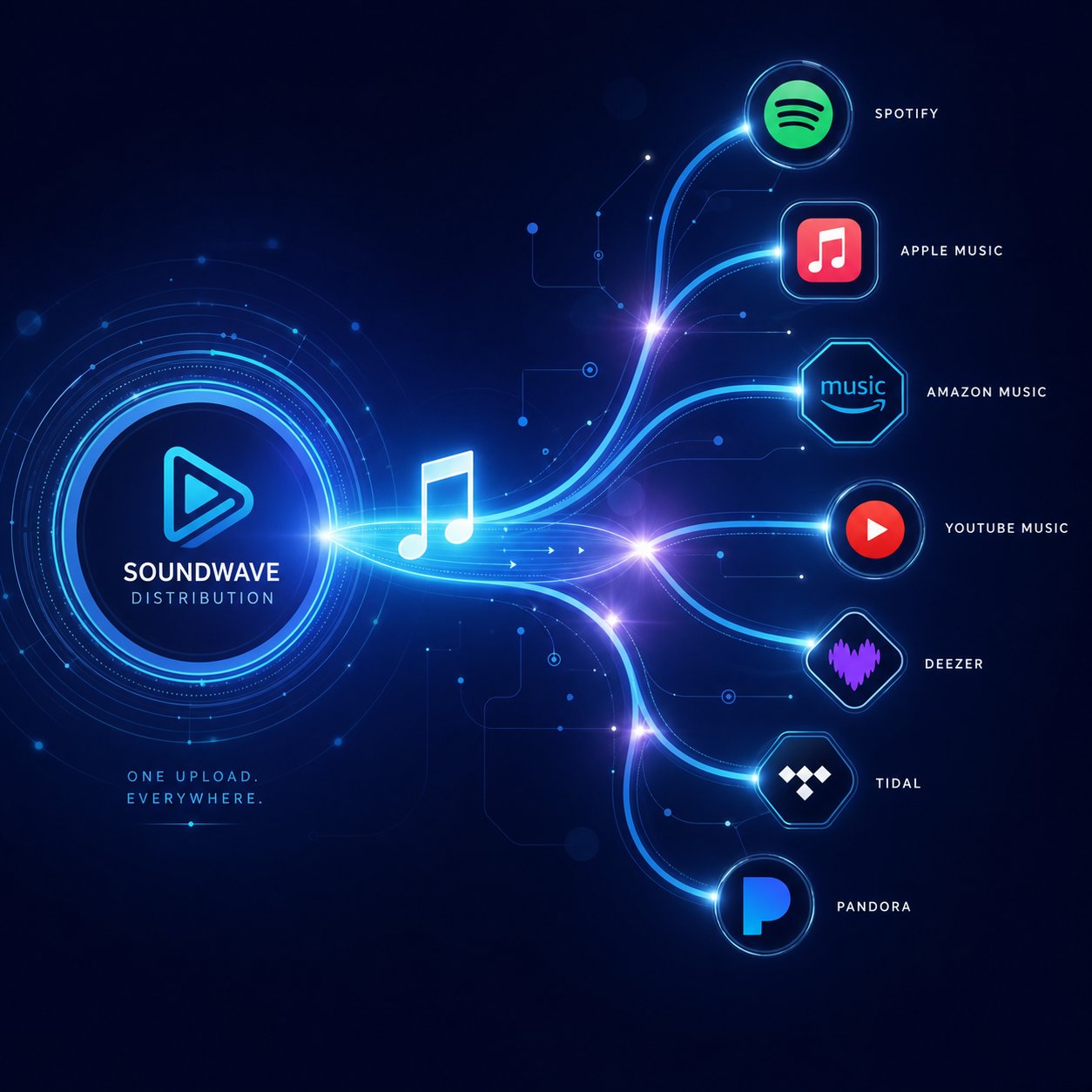
Generating a polished track in Suno is one step. Getting that track registered, distributed, and earning revenue across YouTube and streaming platforms is an entirely different process — one that introduces its own layer of rules, risks, and platform-specific policies. Music distribution services act as the bridge between your finished AI audio and platforms like Spotify, Apple Music, and YouTube's Content ID system. Choosing the wrong distributor, or misunderstanding how distribution interacts with AI-generated content, can block your monetization path before a single listener hits play.
So how do you publish a song created by AI through these services, and what should you watch out for?
How Music Distribution Services Handle AI-Generated Tracks
Distribution platforms like DistroKid, TuneCore, and CD Baby each serve the same core function: they deliver your music to streaming services and digital storefronts, register your tracks in databases like YouTube's Content ID, and handle royalty collection on your behalf. For creators looking to sell music or pursue music licensing for business purposes, these platforms are the standard pipeline. But their policies on AI-generated content vary dramatically.
DistroKid is currently the most AI-friendly major distributor. Their policy is straightforward: AI music is allowed with mandatory disclosure. During upload, you check a box confirming AI involvement, and your track enters the standard distribution pipeline alongside human-produced releases. At $22.99 per year for unlimited uploads with zero commission, DistroKid's flat-rate pricing makes it particularly cost-effective for creators producing high volumes of AI tracks.
TuneCore takes a middle-ground approach. AI music is accepted, but the transparency requirements go deeper. You must specify which aspects of the track used AI — composition, lyrics, vocals, production — and identify the tools involved. If their detection system flags undisclosed AI content, TuneCore pauses your release and requests resubmission with proper attribution rather than rejecting it outright. This resubmission model is more forgiving, though the per-release pricing ($9.99 per single annually) adds up fast for high-volume uploaders.
CD Baby stands at the opposite end of the spectrum. Fully AI-generated tracks are rejected. CD Baby only accepts content that qualifies as "AI-assisted," meaning a human led the creative process and AI served as a supplementary tool. A track generated entirely by Suno, regardless of how detailed your prompt was, does not meet their threshold. For creators whose workflow centers on AI generation, CD Baby is generally not a viable option.
Every major distributor now runs automated AI detection on incoming uploads — spectral analysis, timing pattern evaluation, metadata scanning, and C2PA manifest verification. The difference is what happens with the results. DistroKid uses detection to verify your disclosure matches the audio. TuneCore uses it to enforce transparency. CD Baby uses it to reject.
Content ID Registration and the Overlap Risk
When you distribute a track through any of these services, your song gets an ISRC (International Standard Recording Code) — a unique identifier assigned to each individual recording. This ISRC music identifier follows your track across every platform and is what YouTube's Content ID system uses to match your audio against uploaded videos. If someone else uses your distributed track in their video, Content ID detects the match and either redirects their ad revenue to you or flags the video, depending on your claim settings.
Here is where AI-generated music creates a problem that traditional recordings almost never face. Remember the duplicate output issue from Suno's Terms of Service? Two paid subscribers can generate nearly identical tracks from similar prompts. If both creators distribute their versions through separate services, both tracks get registered in Content ID with different ISRC codes. YouTube's system now contains two fingerprints that sound virtually the same, each claimed by a different rights holder.
The result is overlapping Content ID claims. A third creator who uses one version in their video might trigger a claim from the other distributor's registration. Even the original creators can trigger claims on each other's uploads. Resolving these disputes is slow, frustrating, and often requires manual review by YouTube's team — with no guarantee of a favorable outcome for either party. The ownership question around AI-generated audio on platforms like Spotify follows the same pattern, because ownership Spotify recognizes is tied to whoever distributed the ISRC-registered version first, not who typed the prompt.
This overlap risk is unique to AI music and represents one of the most underappreciated hazards of distributing Suno tracks at scale. The more generic your prompt, the higher the chance another creator generated something the Content ID algorithm considers a match.
Documentation You Need to Prove Ownership
If a Content ID dispute lands on your channel — or a distributor questions your rights — your defense depends entirely on the records you kept. AI music lacks the traditional paper trail of studio session logs, signed split sheets, and producer agreements. You need to build your own proof of provenance before uploading, not after a claim arrives.
Here is the step-by-step process for distributing AI music and protecting your monetization from day one:
- Confirm your Suno subscription tier — Screenshot your active Pro or Premier plan and save the receipt. This is your baseline proof of commercial rights. You need to getrights documentation locked down before any distribution step.
- Export your generation history — Suno logs every track you create, including the prompt, timestamp, and model version. Export or screenshot this data immediately after generating a track you plan to distribute.
- Save the original prompts you used — Your text prompts, style tags, and any custom lyrics form the creative input record. Store them in a dated document alongside the corresponding track file names.
- Choose a distributor that accepts AI music — Based on your volume and budget, select DistroKid (best for high-volume, flat pricing), TuneCore (detailed attribution, resubmission safety net), or an alternative like Ditto Music or Symphonic that permits disclosed AI content.
- Complete AI disclosure during upload — Check every required disclosure box and provide detailed attribution where the platform asks for it. Skipping disclosure to getrights through faster is a short-term gain that risks account suspension.
- Record your assigned ISRC codes — Once your distributor assigns an ISRC to each track, save these codes alongside your generation logs. They link your Suno output to your specific distribution claim.
- Monitor Content ID after distribution — Check YouTube Studio regularly for claims against your tracks. Early detection of overlapping claims gives you time to dispute before revenue is permanently redirected.
- Store everything in a single, organized archive — Subscription receipts, generation logs, prompts, ISRC codes, and distributor confirmations should live in one folder per release. If a dispute escalates, having every document ready eliminates delays.
Before uploading any AI-generated track to YouTube or a distribution service, build your ownership file first: subscription proof, generation timestamps, original prompts, and ISRC records. Disputes are won by creators who documented early, not by those who scramble after a claim hits.
Distribution unlocks revenue streams beyond YouTube alone, but it also multiplies your exposure to Content ID conflicts and platform-specific enforcement. The calculus shifts again when you move from long-form video to YouTube Shorts, where the monetization mechanics operate under an entirely different revenue model — one that can actually reward creators who use original AI music instead of licensed library tracks.
YouTube Shorts Monetization With AI-Generated Music
YouTube Shorts does not pay creators the same way long-form video does. Revenue from ads displayed between videos in the Shorts Feed gets pooled together, divided among creators based on their share of views, and then split again if any licensed music is involved. This pooling model changes the monetization math entirely — and it creates a genuine strategic advantage for creators who use original AI-generated tracks instead of pulling from YouTube's audio library.
How YouTube Shorts Revenue Sharing Affects AI Music
Here is how the system works. Ads run between videos in the Shorts Feed, not within individual Shorts. Each month, YouTube collects all that ad revenue into a single pool. A portion goes toward music licensing costs for tracks owned by YouTube's music industry partners. The remainder forms the "Creator Pool," from which monetizing creators receive 45% based on their share of total eligible views.
The critical detail? When your Short uses a licensed track from YouTube's audio library or a song claimed by a music label, the views generated by that Short get split between you and the rights holder before your share of the Creator Pool is calculated. YouTube's own documentation confirms that "when a Short features third-party content or remixed content, the views allocated to the Short will be divided between the uploader and any third-party rightsholders." Use one licensed track, and your view allocation drops to roughly 50%. Use two, and it shrinks further.
This is where AI-generated music flips the equation. A Suno track created on a paid plan is your original audio. No label owns it. No third-party rights holder sits on the other end waiting to claim a share. When YouTube's system scans your Short and finds no matched music from its licensing partners, 100% of that Short's views count toward your Creator Pool allocation — and you keep the full 45% revenue share from your slice.
Keeping More Revenue With Original AI Tracks
Imagine two creators in the same niche. Creator A uses a trending pop song in every Short. Creator B generates custom beats in Suno and uses those instead. Both get 100,000 eligible views in a month. Creator A's views are split with the song's rights holder before entering the Creator Pool calculation, effectively halving their earning power. Creator B's views go in at full value.
Over months, that difference compounds. For creators treating Shorts as a serious revenue channel — not just a discovery tool — using royalty free music for Instagram Reels and YouTube Shorts that you generated yourself eliminates the single biggest revenue leak in the Shorts monetization model.
There is another advantage most creators overlook. YouTube Premium subscription revenue for Shorts also follows the 45% split model, and a portion of Premium revenue covers music licensing costs. When your Shorts do not use licensed music, you are not contributing to that licensing deduction. Your Premium revenue share stays cleaner.
This does not mean you should never use licensed tracks. A viral sound can drive discovery in ways original audio cannot. But for creators building a sustainable Shorts income stream — especially in niches like productivity tips, cooking tutorials, or fitness content where music for business use cases are common — custom AI tracks offer a measurable financial edge.
Cross-Platform Monetization With AI Music
Short-form content rarely lives on one platform. A single vertical video often gets posted to YouTube Shorts, Instagram Reels, and TikTok simultaneously. Each platform has its own rules around audio, and using licensed instagram songs from one platform's library does not grant you rights on another. A track cleared for Reels might trigger a takedown on YouTube, and vice versa.
Original AI music sidesteps this entire headache. Because you hold commercial rights to your Suno-generated tracks (on a paid plan), you can music share the same audio across every platform without worrying about region-specific licensing restrictions or library-specific usage terms. Your track is your track everywhere. This is also why some businesses exploring options like apple music for business or similar commercial audio services are starting to evaluate AI-generated alternatives — the cross-platform flexibility and lack of per-use licensing fees make AI music appealing for any creator or brand publishing content at scale.
Here are best practices for using AI music effectively in Shorts and short-form content across platforms:
- Front-load the hook — Shorts viewers decide within the first second whether to keep watching. Generate tracks with an immediately engaging opening rather than a slow build.
- Design for loops — The best-performing Shorts play on repeat. Create AI tracks where the ending flows seamlessly back into the beginning so viewers do not notice the restart.
- Match energy to format — A 15-second tutorial needs a different beat than a 60-second storytelling Short. Use specific prompts in Suno that reference the pacing and length of your video.
- Keep vocals minimal or absent — AI-generated vocals can distract from on-screen text or voiceover. Instrumental tracks perform better as Shorts soundtracks in most niches.
- Export at consistent volume levels — Shorts play in a feed alongside other videos. If your audio is significantly louder or quieter than surrounding content, viewers scroll past. Normalize your AI tracks before uploading.
- Build a recognizable sound identity — Use similar prompts, tempos, and instrumentation across your Shorts to create an audio brand. Returning viewers start associating your sound with your content, which boosts engagement.
- Save and reuse your best prompts — When a particular Suno prompt produces a track that drives high retention, document it. Replicating successful audio formulas is far easier when you treat your prompt library like a creative asset.
Short-form content rewards creators who control their entire production stack, and original AI music is one of the few tools that lets you do exactly that across every major platform. But even with the right music, the right tier, and the right format, Content ID claims can still disrupt your revenue — sometimes from sources you never expected. Knowing how to handle those claims before they escalate is what separates creators who lose weeks of earnings from those who resolve disputes in days.

Handling Content ID Claims on Your AI-Generated Tracks
You picked the right subscription tier, added genuine creative input, chose a safe content format, and even distributed your track with full AI disclosure. Then you wake up to an email from YouTube: a Content ID claim has been filed against your video. Your ad revenue is now redirecting to someone you have never heard of, for a track you generated yourself. Sound frustrating? It is — and it happens to thousands of AI music creators every week.
A Content ID claim is not the end of your channel. It is not even a strike. But handling it incorrectly — or ignoring it entirely — can cost you weeks of revenue and, in worst-case scenarios, put your entire monetization status at risk. Here is exactly why these claims happen with AI-generated music, how to dispute them effectively, and what proactive steps keep your channel protected before a claim ever lands.
Why Content ID Claims Happen on AI-Generated Music
YouTube's Content ID system automatically scans every uploaded video against a database of over 100 million reference files. When your audio matches a registered fingerprint, a claim is generated — regardless of whether you created your track independently. For traditionally recorded music, this system works well. For AI-generated music, it creates a uniquely chaotic problem.
There are four primary reasons AI tracks trigger Content ID matches:
- Another creator distributed a similar track first. This is the most common scenario. Someone else typed a nearly identical prompt into Suno, generated a similar output, and distributed it through DistroKid or TuneCore. Their distributor registered the track in Content ID. When you upload your independently generated version, the system sees a match and sides with whoever registered first. Neither of you copied the other — but Content ID does not care about intent.
- Shared AI tool signatures. Suno and other AI generators produce tracks with recognizable spectral patterns, timing signatures, and production characteristics. Content ID's advanced pattern recognition identifies these shared signatures across thousands of independently generated tracks and treats them as potential matches. Your track does not need to match a specific reference file — it just needs to share enough of the common AI generator fingerprint.
- Training data resemblance. AI music generators are trained on massive datasets of existing music. Your Suno track might unintentionally reproduce melodic or harmonic patterns derived from a copyrighted song in the Content ID database. The resemblance is real, even though nobody intentionally copied anything. This type of claim is harder to dispute because the similarity exists at the compositional level.
- False positives from pattern matching. Content ID's AI-powered scanning has grown more aggressive in detecting similarities. False positives now account for a meaningful share of claims against AI music, especially when the system misinterprets stylistic similarity within a genre as evidence of copying. A lo-fi beat that shares common genre conventions — vinyl crackle, mellow piano chords, brushed drums — can trigger a match against dozens of registered tracks that share those same conventions.
Multiple claims on a single video are not uncommon either. Some creators report two or three simultaneous Content ID claims from different claimants, each believing the AI-generated audio matches their registered reference. Resolving stacked claims is significantly more time-consuming and requires separate disputes for each claimant.
Before uploading any AI-generated track: screenshot your paid Suno subscription, export your generation history with timestamps, save every prompt you used, and store it all in a single folder per track. Claims are won by creators who documented early, not by those who scramble after a flag appears.
Step-by-Step Guide to Disputing a Claim
First, an essential distinction. A Content ID claim and a copyright strike are two completely different things, and confusing them leads to panic-driven mistakes.
A Content ID claim is an automated action that redirects your video's ad revenue to the claimant or, in some cases, restricts the video's availability in certain regions. It does not penalize your channel. It does not count toward the three-strike threshold that triggers channel termination. It simply means someone else's registered content fingerprint matches audio in your video. You can dispute it, accept it, or remove the claimed audio.
A copyright strike, on the other hand, is a formal legal action. It results from a valid copyright removal request — not from Content ID's automated matching. Three copyright strikes within 90 days can permanently terminate your channel. Strikes are far more serious and require a formal counter-notification process that can involve legal liability.
The critical connection between the two: if you dispute a Content ID claim without a valid reason and the claimant escalates by filing a copyright removal request, that removal can convert into a strike against your channel. This is why documentation matters — you should only dispute claims you are confident you can win.
Here is the step-by-step process for disputing a Content ID claim on your AI-generated music:
- Review the claim details in YouTube Studio. Navigate to Content, then click the Copyright tab. You will see which portion of your video was matched, who filed the claim, and what action they selected (monetize, block, or track). Note the claimant's name — if it is a distributor like DistroKid or TuneCore rather than an individual, the claim likely came from another creator who distributed a similar AI-generated track.
- Assess the claim's validity before reacting. Listen to the matched segment carefully. Is the resemblance to a specific copyrighted song, or does it seem like a generic genre match? If your AI track genuinely reproduces a recognizable melody from a well-known song, the claim may be legitimate even though you did not intentionally copy anything — the AI's training data created the overlap. In that case, replacing the audio is smarter than disputing.
- Gather your evidence package. Pull together the documentation you built before uploading: your Suno Pro or Premier subscription confirmation showing commercial rights, your generation history with the exact timestamp and model version, the original text prompt and style tags you used, and any records of post-generation editing you performed. If you used a DAW to modify the track, include screenshots of your project file with a visible date.
- File the dispute through YouTube Studio. Select "Dispute" on the claim and choose the reason that best fits your situation. For AI-generated music, the two most relevant options are "This is my original content" and "I have a license to use this content." In the explanation field, write a clear, factual statement. Example: "This track was independently generated using Suno AI on [date] under a paid Pro subscription that grants full commercial use rights. I hold no connection to the claimant and did not use their content. Generation logs, subscription proof, and original prompts are available upon request."
- Wait for the claimant's response. The claimant has 30 days to review your dispute. Three outcomes are possible: they release the claim (your revenue is restored retroactively), they uphold the claim (you can then appeal), or they take no action within 30 days (the claim is automatically released). During this period, monetization on the disputed video is typically held rather than paid to either party.
- Appeal if your dispute is rejected. If the claimant upholds the claim, you get one appeal. Use this step only if your evidence is strong. Include all documentation and reiterate that the track was independently generated. The claimant then has 30 days to respond to your appeal. If they still reject it, their only remaining option is to file a formal copyright removal request — which carries legal consequences for both sides.
- Know when to walk away. If your appeal is rejected and the claimant files a removal request, you face a copyright strike. Three rejected appeals within 90 days result in escalating penalties. For a single claim on a single video, sometimes the wisest move is to release the claim, replace the audio with a freshly generated and more unique track, and move on. Protecting your channel's long-term standing outweighs winning one dispute.
One additional option worth considering: before disputing, check music for copyright matches by uploading your video as unlisted and waiting 48 hours. If claims appear on the unlisted version, you can resolve them privately before the video goes public. This pre-screening step catches most Content ID issues before they affect your revenue or audience.
Proactive Steps to Protect Your AI Music Channel
Disputing claims is reactive. The real strategy is reducing claim frequency to near zero through upstream decisions. Creators who build protective habits into their workflow spend far less time in YouTube Studio's copyright tab and far more time earning.
Many creators wonder how to copyright a song for free to protect their AI-generated tracks before uploading. The reality is that fully AI-generated music likely does not qualify for traditional copyright registration because copyright law requires human authorship. You cannot walk into the U.S. Copyright Office and copyright multiple original songs that were composed entirely by an algorithm — the creative contribution of typing a prompt is generally insufficient to establish authorship. So how do you get a song copyrighted when AI did the heavy lifting? The most defensible path is to add enough human creative input — original lyrics you wrote, manual arrangement edits, layered instrumentation you performed — that the final work qualifies as a human-authored composition with AI assistance rather than a purely AI-generated output.
Even without formal copyright registration, there are concrete steps that dramatically reduce your exposure to Content ID disputes:
- Use highly specific, detailed prompts. Generic prompts produce generic outputs that overlap with thousands of other generations. The more specific your style tags, tempo, key signature, instrumentation, and mood descriptors, the more unique your track becomes in Content ID's fingerprint database.
- Write your own lyrics. Original lyrics create a vocal layer that is fundamentally different from any other creator's output, even if the instrumental bed sounds similar. This single step eliminates a large percentage of potential matches.
- Process and modify tracks before uploading. Use a DAW to adjust EQ, add effects, shift timing, or layer additional sounds. Every modification moves your audio fingerprint further from the raw AI output that other creators might also have generated.
- Test every track with an unlisted upload first. Upload your video as unlisted and monitor the Copyright tab in YouTube Studio for 48 hours. If a claim appears, resolve it before your audience ever sees the video. This is the single most effective protective habit you can build.
- Keep your generation documentation organized from day one. Do not wait until a claim forces you to dig through months of files. Create a folder for every track containing the subscription receipt, generation timestamp, original prompt, any editing project files, and the final export. If you plan to how to copyright songs through the Copyright Office in the future — once legal standards for AI-assisted works become clearer — this documentation will also serve as your authorship evidence.
- Avoid distributing raw, unmodified AI tracks through Content ID. Registering unprocessed Suno output in Content ID frequently backfires. Your track will match other creators' independently generated audio, triggering false claims in your name. When those disputes pile up and fail, your Content ID reputation suffers. Only register tracks you have modified enough to be genuinely unique.
- Monitor your channel weekly. Content ID claims can appear days or weeks after upload, especially when new reference files enter the database. A track that was clean at launch can get claimed later when another creator distributes a similar AI-generated version. Regular monitoring catches these delayed claims early.
The creators who monetize AI music successfully over the long term are not the ones who never get claims — they are the ones who built systems to handle claims quickly and prevent most of them from occurring in the first place. Your documentation habits, prompt specificity, and post-generation editing workflow are your real insurance policy.
Content ID is just one piece of the monetization puzzle, though. The platform you use to generate your music affects everything from claim frequency to commercial licensing clarity. Not every AI music tool carries the same risk profile for YouTube creators, and choosing the right one can simplify your entire workflow.
Comparing AI Music Platforms for YouTube Monetization Rights
Suno is the tool most creators associate with AI-generated music, but it is not the only option — and it is not necessarily the best fit for every YouTube monetization strategy. Each AI music platform handles commercial licensing, ownership, and Content ID exposure differently, and those differences directly affect how safely and profitably you can earn from your tracks. Picking the wrong platform can mean unclear rights, higher claim rates, or licensing terms that silently block the monetization you assumed was guaranteed.
For creators actively evaluating which tool aligns with their YouTube goals, MakeBestMusic's Suno AI Alternatives offers a practical comparison hub covering platforms with distinct commercial licensing terms and features built specifically for generating commercial-ready music. It is a useful starting point before committing to any single tool.
AI Music Platforms Ranked for YouTube Monetization
The table below evaluates five major AI music generators through the lens that matters most for YouTube creators: can you legally earn ad revenue from what they produce, and how much risk comes with that decision?
| Platform Name | Commercial Use Rights on Paid Plans | Ownership Model | Content ID Risk Level | YouTube Monetization Suitability | Price Range |
|---|---|---|---|---|---|
| Suno AI | Yes — Pro and Premier plans grant full commercial rights | Rights assigned to user on paid tiers; Suno retains ownership on free tier | Medium-High (large user base increases duplicate output risk) | Strong for vocal tracks and full songs; higher scrutiny for standalone uploads | Free / $10/mo (Pro) / $30/mo (Premier) |
| Udio AI | Yes — commercial use permitted on paid plans; verify current ToS for sync rights | Commercial license on paid tiers; ownership terms evolving | Medium (smaller user base than Suno, but similar AI overlap potential) | Strong for high-fidelity production; excellent instrumental separation for mixing | Free / $12/mo (Standard) / $36/mo (Pro) |
| AIVA | Full copyright ownership only on Pro plan ($49/mo); Standard restricts monetization | Pro plan assigns copyright to user; lower tiers retain AIVA's ownership | Low-Medium (classical and orchestral outputs are more unique and less prone to overlap) | Best for cinematic, orchestral, and instrumental content; less suited for pop or vocal tracks | Free / $15/mo (Standard) / $49/mo (Pro) |
| Boomy | Yes — Creator and Pro plans allow commercial use and built-in distribution | License-based; Boomy retains certain rights even on paid tiers | Medium-High (built-in distribution registers many tracks in Content ID, increasing overlap claims) | Easy entry point for beginners; built-in distribution is convenient but increases Content ID congestion | Free / $14.99/mo (Creator) / $39.99/mo (Pro) |
| Soundraw | All paid tiers allow commercial use; cannot sell tracks on mainstream audio platforms | Royalty-free license; tracks are not exclusively owned by the user | Low (instrumental focus and deep customization produce more unique fingerprints) | Excellent for background music in videos; not suited for standalone music channel uploads | From ~$11/mo to $64.99/mo depending on plan |
A few patterns jump out immediately. Platforms with larger user bases — Suno and Boomy — carry higher Content ID risk simply because more creators generate similar outputs that end up registered in YouTube's fingerprint database. Platforms with deeper customization tools, like Soundraw's section-by-section editor, produce outputs that are inherently more unique and therefore less likely to trigger overlapping claims.
Which Platforms Offer the Clearest Commercial Licensing
Licensing clarity is not the same as licensing permissiveness. A platform can allow commercial use while burying critical restrictions in dense ToS language that most creators never read. When you are asking whether you can monetize AI music on YouTube, the answer depends not just on whether a platform says "yes" to commercial use, but on how unambiguously it says it.
AIVA stands out for the sharpest licensing boundary. Its Pro plan explicitly assigns full copyright to the user — not just commercial rights, but actual copyright ownership. This is the strongest legal position any AI music platform currently offers and the closest equivalent to owning a traditionally composed track. The trade-off is the $49/month price tag, which makes it the most expensive option for individual creators. The Standard plan at $15/month allows some commercial use but does not transfer copyright, making it insufficient for creators who need full control for YouTube distribution and potential Content ID disputes.
Suno's licensing is clear in what it grants — commercial use and ownership assignment on Pro and Premier — but intentionally vague on what it cannot guarantee. As covered earlier, Suno explicitly disclaims any promise that copyright will vest in your output. You own the track per Suno's terms, but you may not be able to defend it under copyright law if challenged. For most YouTube creators, this distinction only matters if a dispute escalates beyond Content ID into formal legal territory.
Udio permits commercial use on paid plans, though its terms have undergone revisions as the platform navigates ongoing legal settlements with major record labels. Creators relying on Udio should recheck its ToS periodically, as settlement outcomes could alter its commercial licensing framework. If you are looking for suno beats alternatives with comparable vocal quality, Udio is the closest competitor — but its licensing stability is less predictable in the current legal climate.
Soundraw uses particularly transparent language: all generated tracks are royalty-free for commercial use, but you cannot sell the music itself on mainstream audio platforms. This restriction matters for creators who want to distribute standalone tracks through services like DistroKid, but it is irrelevant for those simply using AI music as background audio in YouTube videos. For the background-music use case, Soundraw's terms are among the cleanest available.
Boomy blurs the line between platform and distributor by offering built-in distribution to Spotify, Apple Music, and other streaming services. This convenience comes at a cost: Boomy retains certain rights even on paid plans, and the sheer volume of tracks its users push into Content ID creates a congested fingerprint environment. Can you get the beats for Suno AI and redistribute them through Boomy instead? Technically, cross-platform workflows are possible, but mixing licensing terms from two different AI tools introduces compounding legal ambiguity that most creators should avoid. For those curious about how different platforms like SoundCloud handle AI-generated music, comparing soundcloud plans and their terms around AI content is another worthwhile exercise — especially if you want to explore distribution beyond YouTube's ecosystem.
Choosing the Right Tool for Your Creator Type
The "best" AI music platform does not exist in a vacuum. It depends entirely on how you plan to use the output on YouTube:
- Background music for commentary, tutorials, or vlogs: Soundraw or AIVA (Standard plan). Both offer clear commercial licensing for soundtrack use without the Content ID congestion of larger platforms. Soundraw's customization tools let you tailor tracks to specific video segments, and its low overlap risk keeps your channel clean.
- Full vocal songs and lyric videos: Suno AI (Pro or Premier) or Udio (paid plans). These two platforms lead the market for realistic vocal generation. If you want suno beats with polished vocal layers for standalone music content, nothing else matches their output quality. Premier gives you access to Suno Studio's advanced production tools, which help differentiate your tracks from millions of other generations.
- Orchestral or cinematic scores: AIVA (Pro plan). No competitor comes close for classical composition quality. The Pro plan's copyright assignment provides the strongest legal standing for distributing instrumental tracks through Content ID. If your channel focuses on film score-style content, AIVA's $49/month is a defensible investment.
- High-volume production with built-in distribution: Boomy (Creator or Pro) for ease of use, or Suno paired with DistroKid for more control. Boomy's all-in-one pipeline suits absolute beginners, but creators who want full authority over their distribution strategy and Content ID registration will benefit from separating generation and distribution into independent tools.
- Exploring multiple platforms before committing: Start with free tiers to test output quality and workflow fit, but remember that free-tier tracks cannot be monetized on YouTube. Once you identify the platform that best matches your content style, upgrade to the paid tier that unlocks commercial rights. For a side-by-side breakdown of features beyond what this table covers, MakeBestMusic's Suno AI Alternatives resource compares tools with a focus on commercial readiness and YouTube-specific suitability — particularly helpful if you are weighing platforms with clearer licensing terms or niche strengths that fit your channel format.
No single tool eliminates every risk. Licensing terms change, legal precedents shift, and YouTube's own policies continue tightening. The smartest approach is not picking one platform and betting everything on its current ToS — it is building a workflow that stays flexible enough to adapt when the rules inevitably evolve.
Risk Management and Best Practices for AI Music Creators
Flexibility is the right mindset, but it needs structure behind it. Knowing you can monetize AI-generated music on YouTube is only useful if you have a repeatable system for protecting that revenue stream against the policy shifts, Content ID disputes, and platform changes that are guaranteed to keep coming. Every chapter of this guide has covered a different risk layer — licensing, content format, distribution, Shorts mechanics, dispute resolution, platform selection. This final section pulls those layers into a single actionable framework you can apply before uploading your next track and revisit every time the landscape shifts.
Your Pre-Monetization Checklist
Think of this as your launch protocol. Skipping any single step introduces a vulnerability that can cost you weeks of revenue or, worse, your entire channel's monetization status. Run through this list before every batch of uploads:
- Verify your AI platform subscription grants commercial rights. Confirm you hold an active paid plan — Suno Pro, Suno Premier, AIVA Pro, or the equivalent on your chosen platform. Screenshot your subscription confirmation and payment receipt. Free-tier tracks cannot legally generate ad revenue, and the subscribed meaning here is straightforward: if your account dashboard does not explicitly show a paid commercial license, you do not have one.
- Build your ownership documentation file before generating. Create a folder for each release containing your subscription proof, generation timestamps, original prompts, style tags, and any post-generation editing project files. This file is your defense in every Content ID dispute and your proof of provenance if a distributor questions your rights.
- Add meaningful human creative input to every upload. Original visuals, narration, curated structure, timestamped chapters, DAW editing, or written commentary — include at least two distinct human layers per video. YouTube's inauthentic content policy targets channels where AI produces the entire product with no visible creative direction.
- Disclose AI involvement on every video. Toggle the "Altered or synthetic content" label in YouTube Studio without exception. Non-disclosure is treated as a standalone policy violation and can trigger demonetization independently of any other issue.
- Pre-screen every track with an unlisted upload. Upload your video as unlisted and monitor the Copyright tab in YouTube Studio for 48 hours. Resolve any Content ID claims privately before your audience — or YouTube's recommendation algorithm — ever sees the video.
- Diversify your content beyond pure AI music uploads. Channels built entirely on AI-generated tracks are the primary enforcement target under YouTube's inauthentic content policy. Mix in commentary, tutorials, behind-the-scenes production content, or genre analysis videos that demonstrate your channel is creator-driven, not pipeline-driven.
- Monitor Content ID weekly. Claims can appear days or weeks after upload as new reference files enter YouTube's database. A track that launched clean can get flagged later when another creator distributes a similar AI-generated version. Early detection gives you time to dispute before revenue is permanently redirected.
- Review platform Terms of Service quarterly. Suno, Udio, AIVA, and YouTube all update their policies regularly. A licensing term that protected you six months ago could change tomorrow. Set a calendar reminder to recheck every platform's ToS at least once per quarter.
Building a Sustainable AI Music Strategy for YouTube
Creators who commercialize AI music successfully over the long term share one trait: they treat AI as a production tool within a larger creative business, not as a content factory that runs on autopilot. The channels earning $3 to $10 RPM in premium niches like sleep, cinematic, and lofi are the ones where a human made real editorial decisions about every upload — what to generate, how to refine it, what visuals to pair it with, and how to frame it for a specific audience.
Platform diversification is equally critical. Depending entirely on one AI music tool means your entire catalog is governed by a single company's Terms of Service. If that company changes its licensing terms, raises prices, or faces a legal challenge that restricts commercial use, every track you built your channel around becomes a liability overnight. Exploring multiple generators — and understanding where each one's commercial rights are strongest — reduces that single-point-of-failure risk. For creators ready to evaluate options beyond Suno, MakeBestMusic's Suno AI Alternatives resource is a practical starting point for discovering platforms that may offer distinct advantages for commercial music generation, helping you avoid dependency on any single platform's terms.
Revenue diversification matters just as much. Ad revenue from YouTube is one income stream, but creators who also sell music through licensing platforms, offer custom AI music creation services, or build Patreon communities around their production process are far more resilient to CPM fluctuations and policy changes. If YouTube adjusts its monetization thresholds or tightens enforcement further, your business survives because it is not built on a single revenue source.
Consider how you define attributions within your workflow as well. Whether a platform requires you to credit the AI tool, whether YouTube expects you to disclose synthetic content, or whether a distributor needs you to specify which aspects of the track used AI — each of these attribution obligations must be tracked and satisfied independently. Missing one creates a compliance gap that compounds over time.
Preparing for Policy Changes Ahead
YouTube's regulatory trajectory is unmistakable: more transparency, stricter enforcement against mass-produced content, and deeper AI detection capabilities. The July 2025 rename from "repetitious content" to "inauthentic content" was not cosmetic — it broadened enforcement authority. YouTube's 2026 CEO letter explicitly stated the platform is "actively building on our established systems" to reduce "low quality, repetitive content," while simultaneously investing in AI transparency tools and supporting legislation like the NO FAKES Act. The direction is clear: AI-generated content is welcome, but only when a real human shapes it into something worth watching.
Several trends are worth preparing for right now:
- Mandatory AI watermarking. C2PA content credentials and similar metadata standards are gaining traction across platforms. Expect YouTube to eventually require embedded provenance data in AI-generated audio, making undisclosed AI content detectable at the upload level.
- Stricter distributor enforcement. As more AI-generated tracks flood Content ID databases, distributors will tighten their acceptance criteria. Creators who sell my music through distribution services should expect more detailed AI disclosure requirements and potentially higher rejection rates for unmodified AI output.
- Evolving copyright law. Courts and legislatures around the world are actively debating whether AI-generated works qualify for copyright protection and whether creators will need to pay licensing fees tied to AI training data. The question of whether Suno artists are going to have to pay royalties connected to training data remains unresolved, but legislative momentum — particularly in the EU and U.S. — suggests some form of obligation is coming. Tracks built on songs in public domain melodies or fully original prompts may carry lower legal exposure than those that closely replicate copyrighted styles.
- Platform-specific AI content tiers. YouTube could introduce differentiated monetization rules for AI-heavy versus AI-assisted content, similar to how it already distinguishes between original and reused content during YPP review. Channels that proactively demonstrate high human creative input will be best positioned if such tiers emerge.
The creators who thrive through these changes will not be the ones who found a loophole and exploited it until it closed. They will be the ones who built compliant, creative, well-documented channels from the start — channels that pass every policy layer not because they gamed the system, but because they genuinely added value.
The opportunity to monetize AI-generated music on YouTube is real, but it rewards creators who treat compliance as infrastructure, not as an afterthought. Build your documentation habits, diversify your tools and revenue sources, add genuine creative input to every upload, and stay ahead of policy changes rather than reacting to them. That is how you turn AI music into a sustainable income stream rather than a short-lived experiment.
