

What Free AI Music Generation Can Do for You
Imagine typing a sentence like "upbeat electronic track with soft piano and a driving beat at 120 BPM" and hearing a fully produced piece of music 30 seconds later. No instruments, no studio, no years of training. That is exactly what AI music generators do, and you can access them without paying a dime.
This guide is a hands-on tutorial for people who want to produce your own music using free AI tools and actually get results worth using. No fluff, no product pitch disguised as a blog post. Just a clear walkthrough of how the technology works, which free options deliver, and how to get the most out of them.
What AI Music Generation Actually Does
At its core, an AI music generator is a machine learning model trained on large datasets of recorded music. During training, the model learns statistical patterns in rhythm, harmony, instrumentation, and song structure. When you type a text prompt describing what you want, the model predicts what audio should come next based on those learned patterns and generates an original piece of audio from scratch.
You provide the creative direction: genre, mood, instruments, tempo, energy level. The AI handles the composition, arrangement, and production. The output is not a remix or a sample mashup. It is a new piece of audio that did not exist before your prompt. Think of it as a way to makesong ideas real without needing to play a single note yourself.
These tools are not magic, though. They do not "understand" music the way a trained composer does. They predict what sounds statistically likely given your description. That distinction matters because it explains both why the results can be surprisingly good and why they sometimes miss the mark.
What You Can Realistically Expect for Free
Free tiers vary across platforms, but here is what you will typically get: track lengths between 30 seconds and 3 minutes, somewhere between 5 and 50 daily generations, and output quality that ranges from demo-grade to genuinely polished depending on the tool and your prompt. Some platforms like Suno offer 50 free credits per day, while others like SongR let you generate up to 5 complete songs daily without even creating an account.
Free tiers are not crippled demos. Many creators use them to produce music for technology videos, podcast intros, and social content every single day. The limitations are on volume, not quality.
Will ai get better at helping with making music? Absolutely, and the pace of improvement is rapid. But even right now, free tools can produce tracks that sound professional enough for real-world projects. You are not settling for garbage just because you are not paying.
Who This Guide Is For
This tutorial is built for content creators who need background tracks for YouTube or TikTok, podcasters looking for original intro music, game developers who want loopable soundtracks, and hobbyists who simply enjoy making things. If you have ever wanted a personalized song for a project but lacked the budget or production skills to get one made, this is your starting point.
You do not need musical training. You do not need expensive software. You just need a browser and a clear idea of what you want your music to sound like. The rest of this guide walks you through choosing the right tool, writing prompts that produce quality output, and turning raw AI generations into something you can actually use.
Understanding the Three Types of AI Music You Can Create
Not all AI-generated audio is the same thing. A background beat for a YouTube video and a full vocal track for TikTok require completely different tools and workflows. Before you pick a platform, you need to know which category of output matches your project. Most free AI music tools fall into one of three buckets, and confusing them is the fastest way to waste your daily generations on results you cannot use.
Text-to-Instrumental Generation
This is the most common type and the one most beginners encounter first. You type a text prompt describing mood, genre, tempo, and instruments, and the AI produces a finished instrumental track with no vocals or lyrics. Think of it as an automated instrumental maker that handles composition, arrangement, and mixing in one step.
Text-to-instrumental tools excel at producing background music, beats, ambient soundscapes, and functional audio designed to support other content rather than stand on its own. The output works well for:
- Video backgrounds for YouTube, TikTok, or Instagram Reels
- Podcast intros, outros, and background beds
- Game soundtracks and loopable ambient audio
- Presentation and corporate video scoring
Platforms like SOUNDRAW focus exclusively on instrumental generation, giving you sliders and controls to adjust mood, genre, and energy without ever dealing with vocals. If you want to put Suno in instrumental mode, most song-focused platforms also offer a toggle that strips out vocals entirely and generates pure instrumentals from your prompt. This flexibility means you can use a single tool for both instrumental and vocal projects depending on what you select before generating.
Text-to-Song With AI Vocals
This category goes a step further. Instead of just producing background audio, these tools generate complete songs with AI-sung vocals, lyrics, melody, harmony, and full arrangement all created from a single text prompt. The result sounds like an actual song someone performed, not just a backing track.
The workflow typically gives you two options: write your own lyrics and let the AI compose music around them, or describe the song concept and let the AI handle both the writing and the singing. If you have been searching for the top ai for lyrics for songs, platforms like Suno and Udio combine lyric generation with vocal performance in one pipeline. You describe something like "upbeat indie pop about road trips with a female vocalist," and the system delivers a finished vocal track in under two minutes.
Vocal quality varies significantly between platforms. Some produce voices that sound impressively human, while others still carry an obvious synthetic quality. According to a 2026 comparison guide from 360IA, Suno AI and Udio AI currently lead the market for vocal song generation, combining realistic voice output with intuitive interfaces. This is also where ai rap generation lives. If you need a rap maker workflow, these same tools handle spoken-word and rhythmic vocal styles, though results tend to be strongest in pop, rock, and electronic genres.
Stem and Arrangement Tools
The third category is less about generating music from nothing and more about transforming or deconstructing existing audio. Stem tools use AI to separate a finished track into individual components: vocals, drums, bass, guitar, and other instruments. Arrangement tools help you restructure ideas, generate specific elements like drum patterns, or create a piano arrangement from audio you already have.
These tools serve a different purpose than pure generation. They are designed for people who already have musical material and want to manipulate it. Moises, for example, uses audio separation technology to isolate individual instruments from any uploaded track, letting you practice along with isolated parts or remix existing songs. Creating piano arrangement from audio ai free is possible through tools that analyze harmonic content and output MIDI or sheet music you can edit further.
Here is how each generation type maps to common use cases:
- Instrumentals - content creators needing background tracks, podcasters, game developers, anyone who needs audio that supports without competing for attention
- Full songs with vocals - social media creators, hobbyists making personalized tracks, anyone who wants a complete listening experience with lyrics and voice
- Stems and arrangement - producers remixing existing material, musicians practicing with isolated parts, composers who want AI to handle specific elements while they control the rest
Knowing which type you need before you start searching saves real time. A content creator who just needs 60 seconds of upbeat background music does not need a full song generator with vocal capabilities. A musician looking to extract a drum pattern from a reference track does not need a text-to-music tool at all. Match the category to your project first, then pick the specific platform that handles it best.
Picking the Right Free AI Music Tool for Your Needs
You know what type of AI music you need. The next question is which tool actually delivers it without charging you. The free tier landscape is surprisingly generous right now, but each platform makes different tradeoffs on track length, daily limits, genre coverage, and commercial licensing. Picking the wrong one means burning through your free generations on output you cannot legally use or that sounds wrong for your project.
Rather than guessing, here is a side-by-side breakdown of the best music creation apps offering free access. Every tool listed below lets you generate usable audio at zero cost, but the details matter.
Comparing Free AI Music Generators Side by Side
This table covers the key differences you will actually care about when choosing where to spend your time. Pay attention to commercial use rights if you plan to publish your tracks anywhere monetized.
| Tool Name | Max Track Length | Daily Free Generations | Genres Supported | Commercial Use Rights | Export Format |
|---|---|---|---|---|---|
| MakeBestMusic Free Music Generator | Up to 3 min | Multiple per day | Wide range (pop, electronic, ambient, cinematic, lo-fi, and more) | Yes, royalty-free for commercial use | MP3 |
| Suno | Up to 8 min | ~10 songs (50 credits/day) | All major genres (pop, rock, hip-hop, electronic, country, jazz) | No (free tier is non-commercial) | MP3, WAV (paid) |
| ElevenLabs Music | Full songs | Up to 7 songs/day | Multi-genre with multilingual vocals | Yes (Self-Serve plans, with some carve-outs) | MP3, WAV |
| SOUNDRAW | Up to 5 min | Preview only (export requires payment) | 15+ genres with mood/energy controls | No (paid plans only) | WAV (paid) |
| AIVA | Up to 5 min | 3 downloads/month | 250+ styles (classical, cinematic, electronic, jazz) | No (free tier is non-commercial) | MP3, MIDI |
| Udio | Up to 15 min | 10/day + 100/month | All major genres with strong electronic and hip-hop | No (free tier is non-commercial) | MP3 |
A few things jump out from this comparison. The Suno AI music maker offers the most generous daily quota for free users, giving you roughly 10 full songs per day across virtually any genre. That volume is hard to beat if you are experimenting and need lots of variations. However, Suno's free tier does not grant commercial rights, which means you cannot legally monetize content that uses those tracks.
If commercial use matters from day one, MakeBestMusic's Free Music Generator stands out because it provides royalty-free licensing on free generations without requiring a paid upgrade. You can generate free music beats, download them, and use them in YouTube videos, podcasts, games, or social content without worrying about takedowns or licensing fees. There is also no signup friction, so you can start generating immediately.
The AIVA AI music generator takes a different approach. Its free tier is limited to just 3 downloads per month, but the output quality for cinematic and classical scoring is exceptional. If you need orchestral background music for a film project or game trailer and only need a few tracks, AIVA delivers at a level other free tools cannot match in that niche.
SOUNDRAW AI lets you preview and customize generated tracks for free using real-time sliders for mood, tempo, and energy, but you will hit a paywall the moment you try to export. It is useful for auditioning ideas and understanding what AI-generated instrumentals sound like, but not for actually producing finished content on a zero budget.
Platforms like freebeat ai and remusic.ai also exist in this space, offering varying levels of free access for beat generation and song creation. The landscape shifts frequently as new tools launch and existing ones adjust their free tiers, so it is worth checking current limits before committing to a workflow.
Which Tool Fits Your Specific Use Case
The "best" tool depends entirely on what you are making and where you plan to use it. Here is how to match your situation to the right platform:
- Content creators needing quick background tracks - MakeBestMusic or ElevenLabs Music. Both offer commercial rights on free tiers, and the generation process is fast enough to produce a usable track in under a minute. You get free music beats suitable for YouTube, TikTok, and Instagram without licensing headaches.
- Podcasters needing intros and outros - Stable Audio or MakeBestMusic. Podcast intros are short (15-30 seconds), so track length limits do not matter. Focus on tools that handle ambient, electronic, or upbeat instrumental styles cleanly.
- Game developers needing loops - AIVA for cinematic and orchestral scoring, or Suno in instrumental mode for more contemporary styles. Game audio often needs to loop seamlessly, so look for tools that generate tracks with clean endings or repetitive structures you can trim.
- Musicians wanting creative starting points - Suno or Udio. Both generate full arrangements you can use as demos or inspiration. Udio's stem export on paid tiers makes it particularly useful if you plan to pull the AI-generated track into a DAW and rebuild parts of it with real instruments.
- Social media creators wanting full songs with vocals - Suno's free tier gives you the most attempts per day. Generate multiple variations, pick the best one, and use it for short-form content. Just remember the commercial rights limitation if you are monetizing.
Among the best music making apps available right now, no single tool dominates every use case. The smart approach is to use two or three platforms for different purposes: one for quick commercial-ready backgrounds, another for high-volume experimentation, and a specialized option for niche genres like classical or cinematic scoring.
The real differentiator is not which tool generates the prettiest audio on the first try. It is which tool gives you enough free attempts to iterate until the output matches your vision. That iterative process, refining prompts and regenerating until the track clicks, is where the actual skill lives.
Writing Prompts That Actually Sound Good
You have picked your tool. You are staring at a text box. What you type next determines whether you get a polished track or a generic mess. Most people write something like "make a chill beat" and wonder why the output sounds like elevator music from 2003. The difference between usable AI music and garbage comes down to prompt structure, and it is a skill you can learn in five minutes.
The Anatomy of a Great Music Prompt
AI music models interpret your text probabilistically, mapping descriptive language to learned musical patterns. According to prompt engineering research from Sonygram, the first descriptors in your prompt carry disproportionate weight because models prioritize early tokens during generation. That means word order matters as much as word choice.
A strong prompt includes 4 to 7 core elements. Fewer than that produces generic output. More than that dilutes the signal and confuses the model. Here is the formula:
Genre + Mood + Instrumentation + Key/Scale + Tempo/BPM + Arrangement + Production Style
Think of these as the words to describe music that the AI actually understands. Each element narrows the creative space, reducing randomness and giving the model clear boundaries to work within. You do not need to include every single element in every prompt, but covering at least four of them consistently produces better results than vague one-liners.
Example prompt: "Melancholic lo-fi hip-hop with dusty drums, Rhodes piano in A minor at 78 BPM, loopable 16-bar structure, warm analog saturation." This produces a cohesive, genre-accurate loop because every element gives the AI a specific constraint to follow.
Notice how that prompt specifies key and BPM explicitly. Specifying tempo anchors the rhythmic grid. Without it, the model estimates speed based on genre probability, which often leads to unstable pacing or a groove that feels slightly off. Including key signature stabilizes harmonic direction and keeps chord movement coherent throughout the track.
Concrete Prompt Examples for Different Genres
Here are five prompts you can copy, paste, and modify right now. Each one targets a common use case and demonstrates how specific language shapes the output. Consider these your song idea generator for different project types.
Upbeat corporate background music:
"Uplifting corporate pop, bright acoustic guitar and light piano, 110 BPM in G major, clean digital production, positive energy, 60-second structure with a gentle build."
This produces clean, non-distracting audio perfect as top prompts for music videos, product demos, and presentation backgrounds. The major key and moderate tempo keep it optimistic without being aggressive.
Chill lo-fi beats:
"Nostalgic lo-fi hip-hop at 75 BPM in D minor, warm dusty swing drums with vinyl crackle, Rhodes electric piano chords, muted sub bassline, seamless 16-bar loop, soft tape saturation."
The swing drums, vinyl texture, and minor key lock this into the lo-fi aesthetic. Specifying "seamless loop" tells the model to create a track that repeats cleanly.
Cinematic orchestral:
"Dark cinematic orchestral score in A minor at 90 BPM, low string ostinato intro, brass swells entering at 16 bars, timpani build, slow crescendo to dramatic climax at one minute, resolved string ending with controlled decrescendo."
Bar-based timing instructions and dynamic arc descriptions give the AI a structural roadmap. This avoids the common problem of orchestral prompts producing static, repetitive loops.
Podcast intro jingle:
"Energetic funk-pop jingle, 120 BPM in F major, punchy bass groove, bright brass stabs, claps on beats 2 and 4, 15 seconds total, clean ending with no fade-out."
Short duration and a hard ending make this immediately usable as a podcast intro without editing. The specific rhythm instructions prevent the AI from defaulting to a generic four-on-the-floor pattern.
Energetic gaming soundtrack:
"High-energy electronic at 140 BPM in E minor, aggressive synth lead, driving four-on-the-floor kick, sidechain compression pumping, 8-bar build into heavy drop, dark and intense atmosphere."
The high BPM, sidechain reference, and build-to-drop structure produce something that fits action gameplay. Specifying "dark and intense" prevents the AI from drifting toward cheerful EDM territory.
Common Prompt Mistakes That Ruin Your Results
Even with the right tool, bad prompts produce bad music. Here are the most common errors and how to fix each one:
- Being too vague - "Make a cool beat" gives the AI almost nothing to work with. Fix: add at least a genre, mood, tempo, and one instrument. Even "chill lo-fi beat, 80 BPM, piano and soft drums" is dramatically better.
- Contradicting moods - Asking for "calm aggressive dark uplifting" confuses the model because these descriptors pull in opposite directions. Fix: pick one primary mood and one supporting adjective. "Dark and tense" works. "Dark and happy and calm" does not.
- Requesting specific copyrighted artists - Typing "make it sound exactly like Drake" often produces worse results than describing the characteristics you want. Fix: describe the musical qualities instead. "Melodic rap, 808s, moody atmosphere, male vocals with auto-tune" gets you closer than a name drop.
- Overloading with too many instructions - Cramming 15 different instruments, three genre fusions, and a full arrangement map into one prompt dilutes everything. The Musci.io prompt guide confirms that 4 to 7 descriptors is the sweet spot. Fix: prioritize your must-haves and let the AI fill in the gaps creatively.
- Ignoring tempo and BPM guidance - Without a defined tempo, the model guesses based on genre probability. That guess is often wrong or unstable. Fix: always include a BPM value. Use 60-90 for slow and ambient, 90-120 for moderate grooves, and 120-180 for high-energy tracks.
One question that comes up often: can you write me a kpop song with AI? You absolutely can, but the prompt needs specificity. "K-pop" alone is too broad since the genre spans ballads, dance tracks, and hip-hop hybrids. A prompt like "energetic K-pop dance track, mixed group vocals, polished production, 128 BPM, catchy hook with a dance break" gives the AI enough direction to produce something recognizably in that style.
The same principle applies if you are wondering how do you write a song or how to write a song lyrics using AI. The quality of your input directly shapes the quality of your output. A clear, structured prompt is not just a nice-to-have. It is the single biggest factor separating tracks that sound professional from tracks that sound like random noise stitched together. Master this step, and the actual generation process becomes almost effortless.
Generating Your First AI Music Track From Scratch
Your prompt is written. The hard creative thinking is done. Everything from here is mechanical: open a tool, paste your prompt, hit generate, and listen. But knowing exactly what to expect at each step removes the guesswork and helps you move faster. Here is the full workflow from blank screen to finished audio.
Opening the Generator and Setting Up
Navigate to whichever free generator you chose from the comparison earlier. Most platforms drop you straight into a creation interface without requiring an account for basic use. You will typically see a text input field, a mode selector (instrumental vs. vocal), and sometimes optional controls for duration or genre.
Before typing anything, select your generation mode. If you need background music, choose instrumental. If you want a complete track with singing, select the vocal or song option. This single toggle changes the entire output pipeline, so getting it right upfront saves you a wasted generation. Some tools also let you set track length here. For your first attempt, keep it short, around 30 to 60 seconds, so you can iterate quickly without waiting for long renders.
Paste or type the prompt you crafted in the previous step. Double-check that your genre, mood, and BPM are all present. Then hit generate.
Generating and Previewing Your First Track
After clicking create, the AI processes your request. Typical wait times range from 10 to 60 seconds depending on the platform and track length. Mubert's beginner guide notes that most generations complete in 10 to 30 seconds for standard-length tracks, while longer or more complex requests take closer to a minute.
Most tools produce multiple variations from a single prompt, usually two to four options. This is how you make your own song without relying on a single roll of the dice. Each variation interprets your prompt slightly differently: one might emphasize the drums, another might lean harder into the melodic elements. Listen to all of them before deciding.
A practical tip: generate 3 to 4 batches from the same prompt. Even identical inputs produce different results each time because of randomness in the generation process. This gives you a wider pool to choose from and a better sense of how the AI interprets your language. Whether you are exploring how to create songs for a podcast or experimenting with an 8 bit music maker style for a retro game, volume is your friend at this stage.
Selecting the Best Variation
With several options in front of you, how can you make a song selection that actually holds up? Listening casually is not enough. You need a structured evaluation process, especially when outputs sound similar at first glance but differ in subtle ways that matter for your final project.
Run each variation through this checklist:
- Coherent structure - Does the track have a recognizable beginning, middle, and end? Or does it feel like a random loop that starts and stops arbitrarily?
- Appropriate energy arc - Does the intensity build and release in a way that fits your use case? A podcast intro needs a quick peak and settle. A gaming track needs sustained drive.
- Clean transitions - Listen for awkward jumps between sections. Smooth transitions between verse and chorus or between intro and main body signal a higher-quality generation.
- Mood accuracy - Does the emotional tone match what you asked for? If you prompted "melancholic" and got something bouncy, the track fails regardless of how polished it sounds.
- Instrument clarity - Can you hear each element distinctly, or does everything blur into a muddy wall of sound? Well-separated instruments indicate better basic song production from a scratch track ai output.
If none of your variations pass all five checks, do not settle. Regenerate with the same prompt or make a small adjustment. How do you make a song that sounds good with AI? The same way you would in any creative process: generate, evaluate, and repeat until the result matches your intent. The first output is rarely the final one, and that is completely normal.
Refining Your Results Until the Track Sounds Right
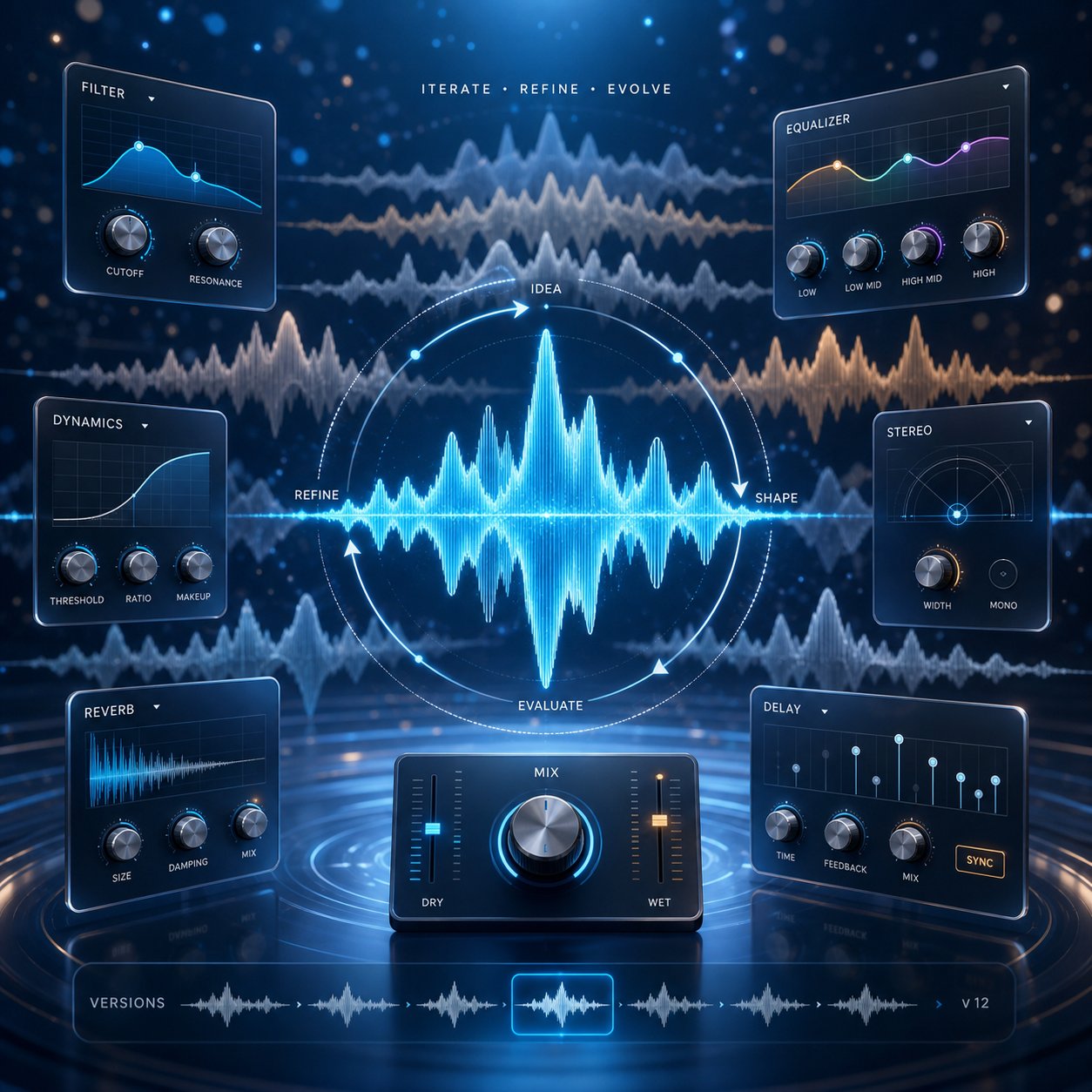
Your first generation passed some checks but not all of them. Maybe the mood is close but the tempo drags, or the instruments are right but the energy peaks too early. This is normal. AI music generation is inherently iterative, and the refinement stage is where decent tracks become genuinely usable ones. The trick is knowing what to change, how much to change it, and when to stop tweaking.
Tweaking Your Prompt Based on Results
Resist the urge to rewrite your entire prompt after a near-miss. Small, targeted adjustments produce more predictable improvements than starting from scratch. As MusicSmith's prompt guide puts it, treat prompting like producing: listen, tweak, re-run. Even one-word changes can shift the output dramatically.
Here is how to diagnose common problems and apply surgical fixes:
Track is too fast:
Before: "Energetic electronic track, driving beat, synth lead, dark atmosphere"
After: "Energetic electronic track, driving beat, synth lead, dark atmosphere, 105 BPM"
Adding an explicit BPM anchors the tempo. Without it, "energetic" and "driving" push the model toward 130+ BPM by default. Dropping to 105 keeps the energy while slowing the pace.
Mood feels wrong:
Before: "Cinematic orchestral, emotional, strings and piano, slow build"
After: "Cinematic orchestral, melancholic and reflective, strings and piano, slow build, minor key"
Swapping "emotional" for "melancholic and reflective" and adding "minor key" gives the AI a much tighter emotional target. Vague mood words like "emotional" or "beautiful" can pull in any direction.
Instruments clash or sound muddy:
Before: "Jazz funk fusion, saxophone, electric guitar, synth bass, organ, brass section, drum kit, congas"
After: "Jazz funk, saxophone and electric guitar, tight drum groove, 100 BPM"
Fewer instruments means cleaner separation. When you overload the prompt with six or seven instruments, the AI tries to fit them all in and the mix collapses. Strip back to two or three core elements and let the model fill gaps naturally.
The pattern is consistent: identify the single biggest problem, change one or two descriptors that address it, and regenerate. If you change five things at once, you cannot tell which adjustment fixed the issue and which ones introduced new problems.
Using Built-In Editing Features
Regenerating is not your only option. Many free AI music tools include post-generation editing that lets you adjust a track without starting over. The available features vary by platform, but here is what you can typically access without paying:
- Trimming and cropping - Cut the track to a specific length, remove a weak intro, or isolate just the section that works. Most platforms offer basic timeline trimming on free tiers.
- Extending sections - Some tools let you add more bars to a track that ended too soon. Soundverse's Extend Music feature, for example, generates new material that matches the style and tempo of your existing audio, supporting extensions from 15 seconds to 3 minutes per pass.
- Regenerating specific parts - A few platforms offer inpainting or section-specific regeneration, where you highlight a portion of the track and ask the AI to rewrite just that segment while keeping everything else intact.
- Tempo and pitch adjustment - Basic speed changes and pitch shifting are sometimes available for free, functioning like a simple slow and reverb generator or speed-up tool without needing external software.
The line between free and paid editing features is worth understanding. Free tiers typically give you trimming, basic regeneration, and preview-level adjustments. Paid tiers unlock higher-quality exports, stem separation, advanced arrangement controls, and the ability to extend tracks multiple times. Tools like a free ai music finalizer that polishes and masters your output usually sit behind a paywall, though some platforms include basic loudness normalization on free exports.
If your tool's free editing is too limited, you can always download the raw generation and use free external editors like Audacity or the browser-based AudioMass to trim, fade, or loop your track manually. This hybrid approach, generating with AI and editing with traditional tools, gives you more control without spending anything.
Knowing When a Track Is Good Enough
Here is where most beginners get stuck. They generate a track that is 85% right, then spend an hour chasing the last 15% through endless regenerations. Perfectionism is the enemy of actually finishing projects.
AI-generated music is a starting point, not a final master. Minor imperfections that bother you during focused listening will disappear under dialogue, gameplay, or video content. If the mood, tempo, and energy match your project, the track is good enough to use.
Ask yourself these three questions to decide whether to accept a track or keep iterating:
- Does it serve the project? Background music for a YouTube video does not need to be a standalone masterpiece. It needs to support the content without distracting. If it does that, ship it.
- Is the flaw audible in context? A slightly awkward transition at the 45-second mark does not matter if your video cuts to a new scene at that point anyway. Test the track inside your actual project before deciding it needs more work.
- Have you exceeded 5 regenerations on the same concept? If you have generated the same prompt five or more times without getting closer to what you want, the problem is the prompt, not bad luck. Step back, rethink your approach entirely, and try a fundamentally different description rather than making micro-adjustments to a broken concept.
Sometimes the best move is abandoning a direction completely. If vocal mixing ai free tools are not giving you clean results on a particular style, switch to instrumental-only and layer a voiceover manually. If a song mashup maker approach is producing incoherent blends, simplify to a single genre instead of fusing two. Flexibility beats stubbornness in iterative creative work.
The refinement process has a natural endpoint: the track works for its intended purpose. Everything beyond that is polish you can add later with external tools if the project demands it. For most creators working with free AI generators, getting 90% of the way there with smart prompting and one or two regenerations is the practical sweet spot.
Exporting and Using Your AI Music in Real Projects
You have a track that sounds right. It matches your project's mood, the structure holds together, and you are ready to move past the generation phase. But generating audio is only half the job. The other half is getting that audio out of the tool, understanding what you are legally allowed to do with it, and actually integrating it into your video, podcast, or game. This is where most tutorials stop and most creators get confused.
Downloading and Export Options
When you hit download on a free AI music generator, you will typically get an MP3 file at 128 to 320 kbps. Some platforms offer WAV exports, but those are usually locked behind paid tiers. For most use cases, a 320 kbps MP3 is perfectly adequate. YouTube compresses audio during upload anyway, podcast hosting platforms apply their own encoding, and social media apps downsample everything to fit their streaming specs.
Here is what to watch for when exporting from free tiers:
- Audio watermarks - A few platforms embed audible watermarks (beeps, voice tags, or volume dips) on free exports. Always preview the downloaded file before using it. If you hear artifacts that were not in the preview, the tool is watermarking free downloads.
- Quality caps - Some tools export at lower bitrates on free plans (128 kbps instead of 320 kbps). This is noticeable on headphones but rarely matters for background music in video content.
- Metadata tags - Downloaded files sometimes include embedded metadata identifying the generation platform. This does not affect playback but is worth knowing if you plan to distribute the track on streaming services.
- Format limitations - If you need a WAV file for professional video editing or game development, and your tool only exports MP3 for free, you can convert using free tools like Audacity. The quality loss from MP3-to-WAV conversion is minimal for AI-generated tracks that were already rendered at high quality internally.
If you are looking for a relaxing backtrack mp3 download or an energetic opener for a video, the export process is usually one click. Most generators place a download button directly below the preview player. Save the file with a descriptive name that includes the mood and BPM so you can find it later when your project folder fills up with dozens of generated tracks.
Understanding Royalty-Free Licensing for AI Music
Licensing is where free AI music gets confusing fast. The term "royalty-free" does not mean "free" or "no rights attached." It means you pay once (or in this case, nothing on free tiers that grant it) and then owe no ongoing royalties each time the music is played or distributed. You still need to check whether the specific tool grants you the right to use the output commercially.
Here is how the three main licensing models differ:
| License Type | What It Means | Can You Monetize? | Attribution Required? |
|---|---|---|---|
| Royalty-Free | No per-use fees after initial access. You can use the track repeatedly across projects. | Yes, if the platform's terms allow commercial use | Depends on platform |
| Copyright-Free / Public Domain | No copyright holder exists. Anyone can use the work for any purpose. | Yes, unrestricted | No |
| Creative Commons | Creator retains copyright but grants specific permissions via a standardized license (CC-BY, CC-NC, etc.) | Only if the specific CC license permits it (no NC restriction) | Usually yes |
The critical distinction for creators who want to make money: royalty-free music for podcasts, YouTube videos, or client work requires that the platform explicitly grants commercial use rights on its free tier. Many tools, including Suno and Udio on their free plans, restrict output to personal or non-commercial use only. Using those tracks in a monetized YouTube video technically violates their terms of service.
MakeBestMusic's Free Music Generator handles this cleanly by granting royalty-free commercial use rights on free generations without requiring attribution. That means you can download a track, drop it into a monetized video or a client podcast, and owe nothing further. No credit line in your description, no licensing fee down the road, no risk of a takedown. For creators producing business background music or commercial jingles who need hassle-free licensing from day one, this removes the legal ambiguity entirely.
Platforms like YouTube and Spotify have their own policies on AI-generated content. YouTube currently allows AI music in videos and does not restrict monetization based solely on the music being AI-generated, provided you have proper usage rights. Spotify permits AI-generated tracks on the platform but has guidelines around disclosure and prohibits tracks designed to artificially inflate streams. The legal landscape around AI music copyright is still evolving, with courts generally holding that copyright protection requires demonstrable human creative input. Documenting your prompt-writing process and creative decisions strengthens your position if ownership questions arise.
Using Your AI Music in Videos, Podcasts, and Games
You have the file downloaded and you understand your rights. Here is how to actually put it to work across common project types:
- YouTube videos - Import the MP3 into your video editor (Premiere Pro, DaVinci Resolve, CapCut, or even iMovie). Place it on a separate audio track below your dialogue. Lower the music volume to -15 to -20 dB so it sits beneath speech without competing. For intros and outros, you can keep it louder since no one is talking over it.
- Podcast intros and transitions - Royalty free podcast intro music works best at 15 to 30 seconds. Trim your generated track to the right length, add a fade-out at the end, and export. Drop it into your podcast editor (Audacity, GarageBand, Descript, or Hindenburg) at the start of each episode for consistent branding. Use the same track every episode to build audio recognition with your audience.
- Game development - Game audio needs to loop seamlessly. If your AI track does not loop cleanly, trim it to a musically logical loop point (usually at the end of a 4 or 8-bar phrase) and use your game engine's built-in loop settings. Unity and Unreal both support seamless audio looping natively. For adaptive music, generate multiple tracks at different energy levels and crossfade between them based on gameplay state.
- Social media content - TikTok, Instagram Reels, and YouTube Shorts all support custom audio uploads. Export your track, upload it as the audio source for your clip, and sync your cuts to the beat. Short-form content benefits from tracks with a strong rhythmic hook in the first 3 seconds to grab attention immediately.
- Presentations and corporate video - Business background music should be unobtrusive. Generate something in a major key at moderate tempo (100-115 BPM) with soft dynamics. Add a background of a music performance on ai-generated audio by layering it beneath your slides or product demo footage at low volume.
- Client work and freelance projects - If you are producing content for clients, confirm that your chosen tool's license covers third-party commercial use, not just personal projects. Some royalty-free licenses restrict usage to the account holder's own content. Read the terms carefully before delivering work that includes AI-generated audio.
One practical workflow that saves time: batch-generate a library of 10 to 15 tracks across different moods and tempos, then pull from that library as projects come up. This way you are not generating fresh audio under deadline pressure. You already have podcast intro music, background beds, and energetic openers ready to drop in whenever you need them. Treat your AI generations like a personal stock music library that grows over time.
The download-to-deployment pipeline is straightforward once you understand the licensing boundaries. Where things get tricky is when your generated track almost works but has a specific flaw: muddy output, wrong genre interpretation, or a structure that loops without going anywhere. Those problems have solutions too, and they start with understanding what went wrong in the generation itself.
Fixing Common Problems With AI-Generated Music
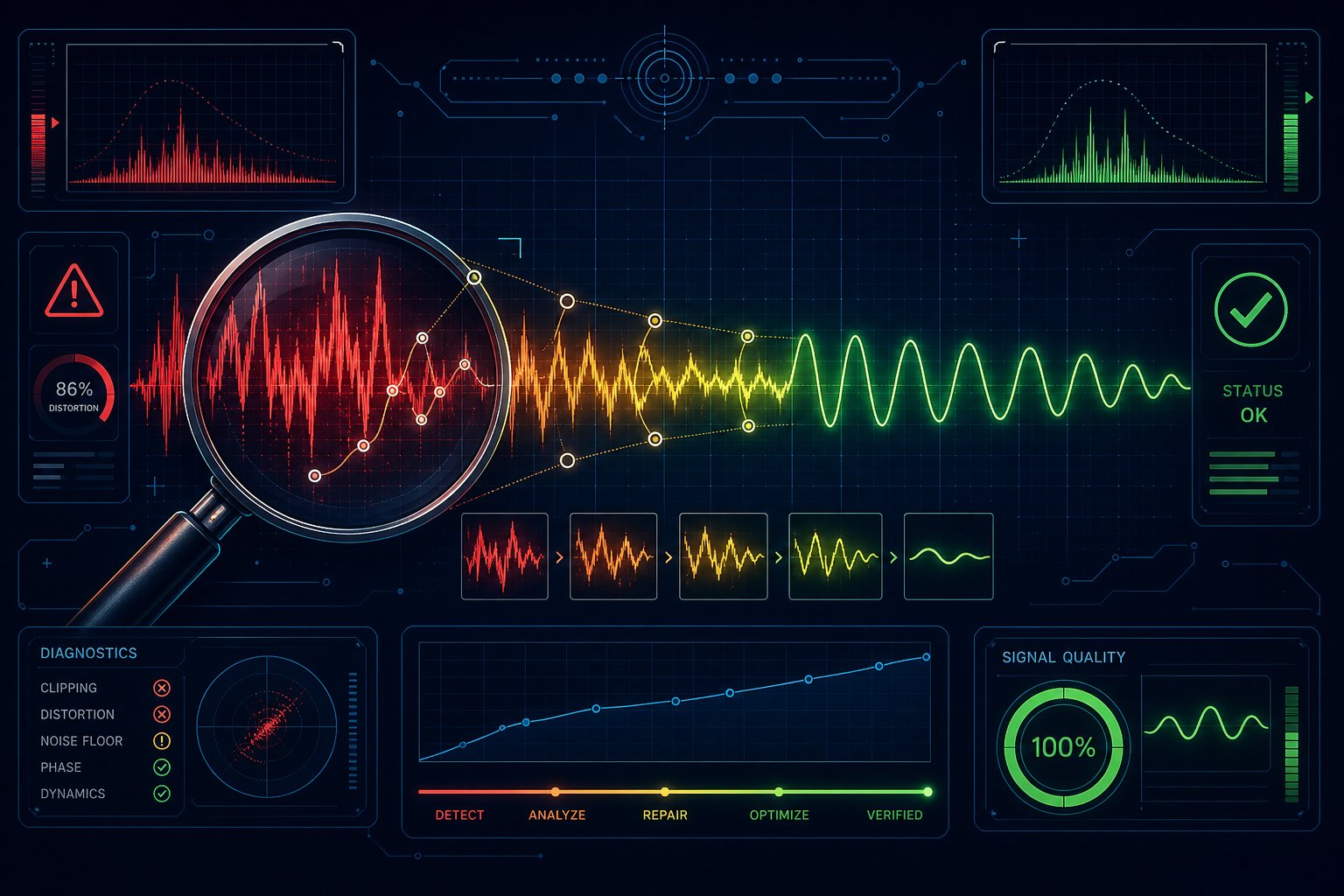
Something sounds off. Maybe the track came out muddy and compressed, or the AI delivered a country ballad when you asked for ambient electronic. Maybe the whole thing loops in circles without ever building toward anything. These problems are not random bad luck. They have specific causes, and once you understand what triggers them, the fixes are surprisingly simple.
Most beginners assume the tool is broken when they get bad output. In reality, the issue almost always traces back to how the prompt was written, which genre was requested, or how the model interprets conflicting instructions. Here is how to diagnose and fix the three most common failures.
Fixing Low-Quality or Muddy Output
When your generated track sounds like everything is fighting for space in the same frequency range, the problem is usually prompt overload. You asked for too many instruments, layered too many genre descriptors, or requested a style the model was not trained heavily on. According to Soundverse's research on AI music quality issues, sound synthesis problems occur when models attempt to emulate too many timbres simultaneously, producing metallic or unnatural textures that blur together.
The fix is subtraction, not addition:
- Simplify your instrumentation - Cut your instrument list to three or four core elements. "Piano, soft drums, and bass" produces cleaner output than "piano, guitar, strings, synth pad, bass, drums, and percussion."
- Stick to well-supported genres - Pop, electronic, lo-fi, cinematic orchestral, and rock are genres every major model handles well. Niche styles like Balkan brass or Tuvan throat singing have less training data, which means lower fidelity output.
- Remove conflicting production descriptors - Asking for "warm analog" and "crisp digital" in the same prompt creates confusion. Pick one production aesthetic and commit to it.
- Try a different tool for different styles - No single generator excels at everything. If one platform produces muddy jazz but clean electronic, use it for electronic and switch tools for jazz. A song genre finder mindset helps here: identify exactly what style you want, then match it to the tool that handles that genre best.
If you have already generated a track and it sounds compressed or flat, the issue may also be export quality. Some free tiers export at 128 kbps MP3, which strips high-frequency detail and makes everything sound slightly muffled. Check whether a higher-quality export option exists before blaming the generation itself.
Getting the Wrong Genre or Mood
You prompted "chill ambient" and got something that sounds like a video game boss fight. Why? AI models interpret descriptive language probabilistically, and vague terms map to broad distributions of possible outputs. The word "chill" alone could mean lo-fi hip-hop, ambient drone, soft jazz, or acoustic folk depending on what other context the model picks up from your prompt.
The solution is specificity through reference descriptors. Instead of relying on a single adjective, describe the characteristics of the genre you want:
- Instead of "chill music" try "slow ambient electronic, soft pads, no drums, reverb-heavy, 65 BPM"
- Instead of "energetic rock" try "driving indie rock, distorted guitars, tight snare, 135 BPM in E minor"
- Instead of "happy background" try "uplifting acoustic pop, bright strumming, major key, 110 BPM, light and airy production"
Think of it as genre finder logic applied to your creative process. Before writing your prompt, ask yourself: what does this genre actually sound like in terms of tempo, instruments, key, and production style? If you cannot articulate those specifics, use a music identifier online to analyze a reference track you like. Tools that can ai identify this song characteristics, such as Musicstax or Tunebat, will tell you the BPM, key, and energy level of any existing track. Feed those concrete values into your prompt instead of relying on subjective mood words.
Another common cause of genre mismatch: contradictory descriptors buried in your prompt. If you write "relaxing lo-fi with an intense drop," the model has to choose between two incompatible directions. It usually picks one and ignores the other, or worse, produces an incoherent hybrid. Keep your mood descriptors aligned. Songs that are similar to what you want share consistent emotional direction throughout, and your prompts should mirror that consistency.
Dealing With Repetitive or Unstructured Tracks
This is the most common complaint about AI-generated music: the track starts a loop and never goes anywhere. It repeats the same 8 bars indefinitely without building, resolving, or introducing new elements. The result feels static and obviously machine-made.
The root cause is that many AI models default to loop-based generation unless you explicitly request structural progression. MusicSmith's prompt research confirms that structure cues in your prompt directly influence whether the model produces a dynamic arrangement or a flat loop. Without those cues, the path of least resistance is repetition.
Add structural language to your prompts to force progression:
- "Starts with a sparse intro, builds to a full arrangement by 30 seconds"
- "Verse-chorus-verse structure with a bridge before the final chorus"
- "Gradual crescendo from soft opening to dramatic climax"
- "8-bar intro, 16-bar main section, 8-bar breakdown, return to full energy"
- "Build-up and drop at the one-minute mark"
If you are generating short tracks (under 60 seconds), repetition is harder to avoid because the model has less time to develop ideas. In that case, request a clear energy arc within the short duration: "15-second soft intro building to full energy by 20 seconds, sustain through end."
When a track still comes out flat despite structural prompts, use this troubleshooting flowchart:
- Identify the specific problem - Is the track looping the same phrase? Is it missing transitions? Does it peak too early and flatline? Name the exact issue before changing anything.
- Adjust one structural element in your prompt - Add a build instruction, specify a section change at a timestamp, or request a dynamic arc (crescendo, decrescendo, build-and-drop).
- Regenerate and compare directly - Listen to the new output back-to-back with the previous version. Did the structural change improve progression, or did it introduce a different problem?
- If two attempts fail, change your approach entirely - Switch to a different genre that naturally has more structural movement (electronic with drops, orchestral with dynamic swells) or try a different tool that handles arrangement better. Some generators are simply better at long-form structure than others.
A similar songs finder approach can help here too. If you have a reference track with the structure you want, describe that structure explicitly in your prompt rather than hoping the AI infers it from genre alone. "Structured like a pop song with distinct verse, pre-chorus, chorus, and bridge sections" gives the model a clear architectural blueprint to follow.
Most generation problems come down to the same underlying principle: the AI does exactly what you tell it, interpreted through statistical probability. Vague instructions produce generic output. Contradictory instructions produce confused output. Overly complex instructions produce muddy output. The fix is always the same: be clear, be specific, and be consistent. When you treat your prompt as a precise creative brief rather than a wishful suggestion, the quality gap between AI-generated music and professional production shrinks dramatically.
