

Yes AI Can Create Music and Here Is How to Use It
The Short Answer to Whether AI Can Make Music
Is there an AI that can create music? Yes, and it is no longer a single experimental project buried in a research lab. Multiple platforms can now generate full songs, complete with vocals, instrumentation, and structured arrangements, from nothing more than a short text prompt you type in plain English. The landscape spans major players like Google's Lyria 3 Pro, which creates tracks up to three minutes long with intros, verses, and choruses, to independent platforms like Suno (approaching 100 million users) and AIVA, which specializes in orchestral composition. Whether you need a full pop song with realistic vocals or a lo-fi background loop for a podcast, there is an AI song writing tool built for that exact purpose.
The technology behind these tools varies, from transformer models similar to a music GPT trained on audio patterns, to diffusion-based systems that shape sound from noise, but the result for you as a user is the same: describe what you want, and the AI delivers a listenable track in under two minutes.
AI music generation has moved from experimental novelty to production-ready creative tool.
A recent survey of 1,200 music creators found that 87% of artists have incorporated AI into at least one part of their process, from songwriting and production to promotion. Platforms like Deezer report over 20,000 AI-generated tracks uploaded daily. This is not a future trend. It is a present reality reshaping how people think about composition, and the best music making apps now include AI generation as a core feature rather than an afterthought.
What You Will Learn in This Guide
This guide is an objective, use-case-driven walkthrough, not a product page. You will learn how the underlying technology works, how to pick the right tool for your specific goal, how to write prompts that produce better results, and how to generate, refine, and export a finished track you can actually use. Think of it as a start-to-finish path from zero musical experience to a completed AI-generated song.
Will AI get better at helping with making music? Absolutely, and fast. Google is already rolling out structural awareness in Lyria 3 Pro so you can prompt for specific song sections. Open-source models like ACE-Step are enabling fine-tuning on personal style. The tools are evolving month over month. But you do not need to wait for the next breakthrough. What is available right now, from a simple google music maker integration to full-featured independent platforms, is more than enough to produce tracks that sound polished and professional. The key is knowing which tool to use and how to use it well, and that is exactly what the steps ahead will cover.
Step 1 Understand How AI Music Generation Actually Works
You type a sentence, click generate, and thirty seconds later a full song plays back. It feels like magic, but there is a logical pipeline underneath. Understanding what happens between your prompt and the finished audio helps you write better prompts, pick the right platform, and set realistic expectations for output quality. You do not need a degree in computer science to grasp the basics, just a few solid analogies.
The core challenge is data density. CD-quality audio contains 44,100 data points per second, roughly 15,000 times more information than text at the same duration. Feeding raw audio directly into a neural network would drown the model before it learned a single melody. So every AI music system starts by compressing sound into a manageable format, then generating new compositions in that compressed space, and finally decoding everything back into a waveform you can listen to. The difference between platforms comes down to how they handle that middle generation step.
Transformer Models and How They Learn Musical Patterns
Imagine you are listening to a friend improvise on piano. At each moment, they remember every note they have played so far and choose the next one that keeps the melody coherent. Transformer-based AI music models work the same way, predicting the next chunk of audio based on everything that came before it.
These systems borrow their architecture from large language models like GPT, but instead of predicting the next word in a sentence, they predict the next audio token in a sequence. An audio token is a compressed snippet of sound, typically created by a neural codec like Meta's EnCodec or Google's SoundStream. These codecs squeeze roughly 44,100 raw samples per second down to about 50 tokens per second, a nearly 1,000x reduction that preserves musical quality while making the data manageable for a neural network.
Once training is complete on tens of thousands of hours of music, the transformer learns that jazz progressions resolve differently than pop progressions, that a dance track build-up leads to a drop, and that a verse typically transitions into a chorus. Meta's MusicGen is a well-known example of this approach. Its strength is musical coherence over time: melodies that make sense, structures that feel intentional, and transitions that land. If you have ever tried basic song production from a scratch track ai workflow and gotten something that sounded like a real arrangement, a transformer model was likely doing the heavy lifting.
Text-to-Music vs Stem-Based Approaches Explained
The generation architecture is only half the picture. How you interact with the model, and what it gives you back, varies significantly across platforms. There are three distinct workflow types available to creators right now:
- Text-to-music generation: You write a natural-language prompt describing genre, mood, instrumentation, and tempo. The AI returns a fully mixed, mastered track as a single audio file. This is the fastest path from idea to finished output and requires zero production knowledge. Most composer music tools aimed at beginners use this approach.
- Prompt-based generation with style controls: Beyond a text prompt, you get sliders or menus for BPM, key signature, energy level, and duration. Think of it as text-to-music with guardrails. Some platforms also let you upload a reference melody or hum a tune, and the model orchestrates around it, similar to creating piano arrangement from audio ai free tools that expand a simple input into a full production.
- Stem-based customizable output: Instead of a single mixed file, the AI outputs individual stems like drums, bass, melody, and vocals as separate tracks. You can mute, swap, or edit each layer independently. This approach appeals to producers who want AI as a collaborator rather than a finished-product machine, and it integrates cleanly into traditional DAW workflows.
Some platforms blend these categories. You might start with a text-to-music generation and then break the result into stems for fine-tuning. The key takeaway: the more control a workflow offers, the more musical knowledge it assumes you have.
What Determines Output Quality
Two songs generated from the same prompt on different platforms can sound dramatically different. Several factors explain why:
Training data scale and diversity. Models trained on larger, more varied libraries produce more convincing results across genres. Stability AI's Stable Audio, for example, trained on over 800,000 audio clips totaling 19,500 hours. Google's MusicLM drew from approximately 280,000 hours. More data means the model has heard more stylistic variations and can generalize better to unusual prompts.
Generation architecture. Transformer models tend to excel at long-range coherence, keeping a song structurally sensible from intro to outro. Diffusion models, which generate audio by gradually removing noise from a random signal until a realistic spectrogram emerges, often produce richer timbral quality and more detailed textures. As one audio ML researcher explains, diffusion models learn to bring random noise into a recognizable sound region, producing outputs that share characteristics with training data but are never exact copies. Hybrid systems that combine both architectures, using a transformer to sketch the coarse structure and a diffusion model to refine audio fidelity, represent the cutting edge.
Conditioning precision. How well the model interprets your text prompt depends on its text encoder. Systems using pretrained language models like T5 or CLAP embeddings can parse nuanced descriptions more accurately, translating phrases like "nostalgic 1980s synth-pop with breathy female vocals" into specific sonic parameters rather than vague approximations.
The practical implication: when you encounter a platform marketed as an ai music generator melodycraft or any similar tool, the output quality you experience is shaped by these three variables working together. A model with massive training data, a hybrid architecture, and a strong text encoder will consistently outperform one lacking in any of those areas, regardless of how polished the user interface looks.
With a working understanding of what is happening under the hood, the next question becomes practical: which of these tools should you actually use? That depends entirely on what you are trying to create.
Step 2 Pick the Right AI Music Tool for Your Goal
Knowing how the technology works is useful, but what actually matters is matching a platform to the thing you want to create. A YouTuber hunting for a two-minute background loop has completely different needs than an indie game developer building a dynamic soundtrack. The best music creation apps in this space are not universally "best" — they are best for specific workflows. Picking the wrong one means fighting the tool instead of creating with it.
Match Your Use Case to the Right Platform
Think about your end goal before you sign up for anything. Are you trying to produce a full song with vocals and lyrics, or do you need a subtle instrumental bed that sits behind narration? Here is how common use cases map to the current landscape:
- Full songs with vocals and lyrics: You need a platform that handles text-to-song generation end to end. MakeBestMusic is particularly strong here, letting you turn a prompt, lyrics, or style idea into a complete track without any production knowledge. The Suno AI music maker also excels at vocal generation, with its v5 model producing some of the most natural-sounding AI vocals available.
- Background music for videos: Speed and commercial licensing matter more than vocal realism. Soundraw AI and Mubert both focus on instrumental output designed to sit underneath dialogue or visuals.
- Podcast intros and transitions: Short-form generation with precise duration control is key. Look for platforms that let you set exact length, like 15 or 30 seconds, and export clean loops.
- Instrumental loops and beats: Beat-making tools like Loudly or platforms offering stem-based output give you drag-and-drop components to build around. If you have worked with producer.ai style workflows, you will feel at home here.
- Game and app soundtracks: The AIVA AI music generator stands out for orchestral and cinematic scoring, with full MIDI and sheet music export so you can integrate compositions directly into a game engine. Mubert offers an API for real-time, non-repeating audio streams, which is ideal for adaptive game audio.
Some platforms blur these lines. Suno canvas, for example, gives you a workspace where you can extend, rearrange, and layer sections of a generated track, bridging the gap between one-click generation and hands-on editing. Tools like remusic.ai also target multi-use workflows. The point is to start from your goal and work backward to the right tool, not the other way around.
AI Music Tool Comparison Table
Below is a side-by-side breakdown based on hands-on testing across platforms. Each tool earns its place for a specific reason, and the honest trade-offs are listed alongside the strengths.
| Platform | Best For | Input Method | Free Tier | Output Quality Focus | Licensing |
|---|---|---|---|---|---|
| MakeBestMusic | Prompt-to-full-song (vocals + lyrics) | Text prompt, lyrics, style selection | Yes | Complete songs, radio-ready mix | Commercial on paid plans |
| Suno | Best overall vocal quality | Text prompt, lyrics | 50 credits/month (~10 songs) | Natural vocals, wide genre range | Commercial on Pro ($10/mo) |
| AIVA | Orchestral and cinematic scoring | Style presets, notation editor | Yes (AIVA retains copyright) | Classical, film score depth | Full ownership on Pro ($59/mo) |
| Soundraw | Customizable background music | Mood/genre sliders, section editing | Preview only | Clean instrumentals, adjustable energy | Commercial on Creator ($16.99/mo) |
| Mubert | Developers, streaming, game audio | API, text prompt | Yes (personal use) | Infinite non-repeating streams | Commercial on Creator ($14/mo) |
| Udio | Audiophile-grade fidelity | Text prompt | 10 songs/month | 48kHz/24-bit, superior mastering | Commercial on Standard ($12/mo) |
A few notes on the table. MakeBestMusic earns the top spot for readers who want the simplest path from idea to finished song: you describe what you want, optionally paste lyrics, and the platform handles arrangement, mixing, and vocals in one pass. Suno matches or exceeds it on raw vocal realism but offers less structural control. AIVA is overkill for a quick podcast intro but unmatched if you need a 90-piece orchestral mockup exported as MIDI. Soundraw shines for iterative editing, where you drag sections around until the energy curve matches your video timeline.
Free vs Paid Capabilities Across Platforms
Every platform listed above offers some form of free access, but the limitations vary enough to matter. Suno gives you roughly ten full songs per month at no cost, enough to experiment but not enough for regular content production. AIVA lets you generate for free but retains copyright on those outputs, meaning you cannot use them commercially without upgrading. Mubert and MakeBestMusic both offer usable free tiers with commercial rights reserved for paid subscribers.
The pattern across the industry is consistent: free tiers let you test quality and workflow, paid tiers unlock commercial licensing and higher generation volume. If you are evaluating these tools for a professional project, plan on spending between eight and thirty dollars per month depending on how many tracks you need and how much creative control you require. For casual experimentation or personal projects, free tiers on most platforms are generous enough to produce real results without pulling out a credit card.
Choosing a platform is the strategic decision. The tactical skill that makes any of these tools perform better is prompt writing, and that is where small changes in how you describe your music produce outsized differences in output quality.
Step 3 Write Prompts That Produce Better Results
The difference between a generic AI track and one that sounds like it was made for your project usually comes down to a single variable: how you write the prompt. This is not guesswork or artistic talent. It is a learnable skill, and a surprisingly straightforward one once you understand what the model is actually listening for in your words.
An analysis of over 123,000 AI-generated songs on Neume found one of the clearest signals in the entire dataset: the longer and more detailed a prompt was, the more likes and plays the resulting songs received. Every word you add that carries musical information narrows the AI's creative freedom in your favor. Vague prompts do not fail. They just produce something unpredictable, like asking a stranger to play you a "chill song" without knowing whether they listen to lo-fi beats, ambient synths, or slow R&B.
The Anatomy of an Effective Music Prompt
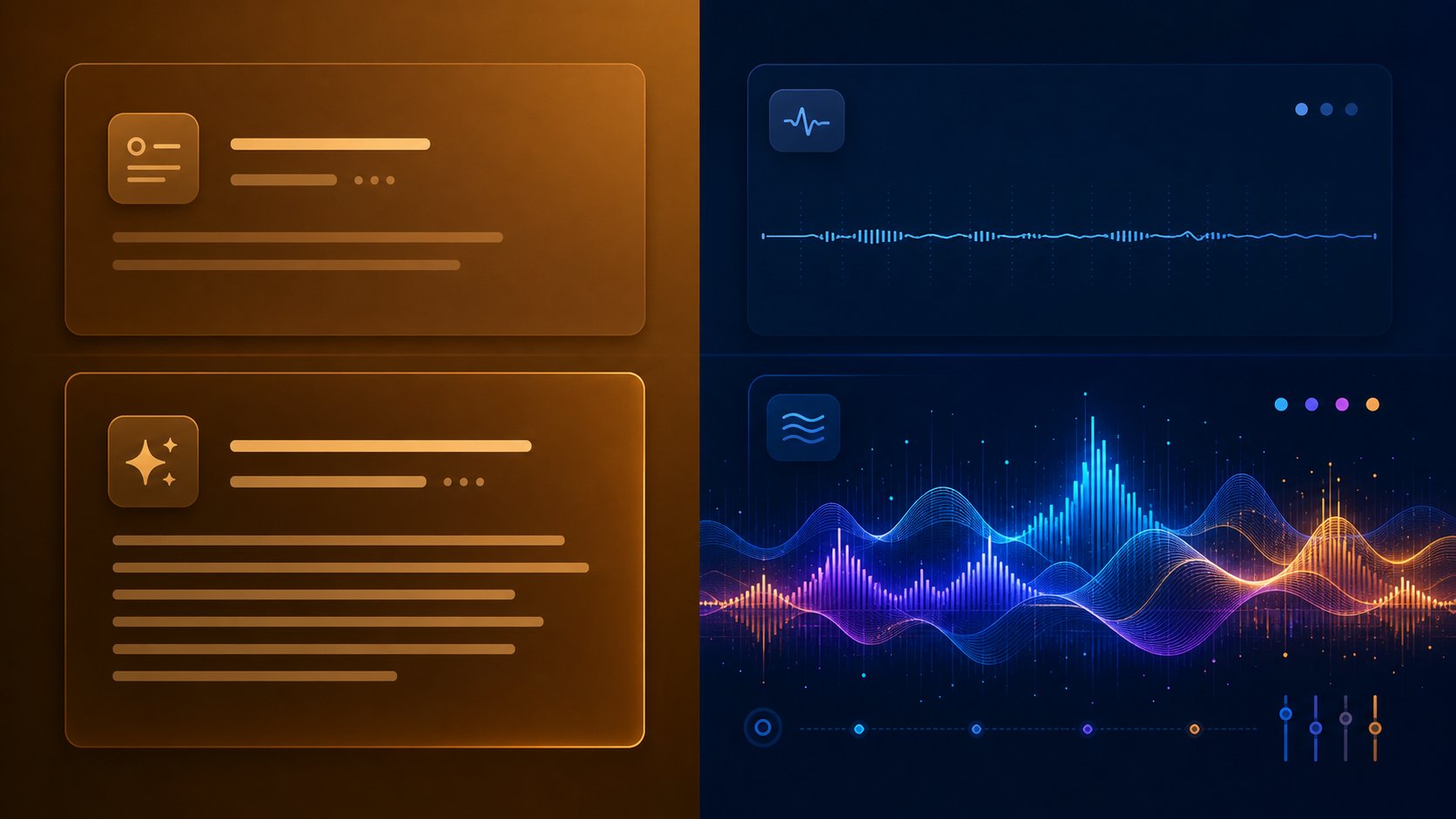
Think of your prompt as a creative brief you would hand to a session musician. The more dimensions you fill in, the closer the output lands to what you actually hear in your head. Here are the six key elements of a strong music prompt, listed in priority order:
- Genre and style: Anchor the musical identity first. "Dark trap" or "acoustic folk" immediately narrows the output space more than any other descriptor.
- Mood and emotion: Tell the AI how listeners should feel. Nostalgic, triumphant, melancholic, restless. These are your words to describe music in a way the model can act on.
- Instrumentation: Name specific instruments or textures. "Analog synths and brushed drums" is a completely different track than "electric guitar and stomping percussion."
- Tempo and energy: Specify a BPM range (90-100 for laid-back, 120-130 for energetic) or use feel-based descriptors like "slow burn" or "driving pulse."
- Song structure: Mention whether you want a verse-chorus-verse format, a gradual build to a climax, or a looping ambient piece. Structure shapes how the track unfolds over time.
- Vocal style: If your track has vocals, describe the gender, tone, and delivery. "Breathy female vocals, intimate delivery" gives the AI far more to work with than just "female singer."
You do not need to fill every dimension for every prompt. But genre plus mood alone outperforms a vague description almost every time. If you are stuck on what to write about, a song topic generator or song idea generator can help you land on a subject, but the sonic description is what shapes how the final track actually sounds.
Before and After Prompt Examples
Seeing the contrast between weak and strong prompts makes the principle concrete. Notice how the specific versions are not longer for the sake of length. Every added word carries musical information.
| Vague Prompt | Specific Prompt | Why It Works Better |
|---|---|---|
| "Sad love song" | "Bittersweet love ballad, slow tempo, soft piano and strings, male vocals with a warm raspy tone, intimate verse building to an emotional chorus" | Defines mood, instrumentation, vocal character, energy arc, and structure |
| "Rock song about freedom" | "Driving rock, electric guitars, open highway energy, raspy male vocals, anthemic chorus, 120 BPM, inspired by classic 70s arena rock" | Adds tempo, era reference, vocal texture, and emotional imagery |
| "Chill beat" | "Lo-fi chill hop, vinyl crackle texture, muted jazz piano chords, soft boom-bap drums, no vocals, late-night study session mood, 85 BPM" | Specifies subgenre, textures, instrumental palette, use case, and tempo |
The pattern is clear. If you want to learn how to write a song lyrics prompt or a purely instrumental prompt, the principle is identical: stack specific descriptors that each narrow the output toward your vision. When exploring the top AI for lyrics for songs, the same specificity applies to lyrical content. Telling the AI "write lyrics about heartbreak" gives you a cliche. Telling it "write lyrics about leaving a small town after a breakup, conversational tone, vivid imagery of empty highways" gives you something with actual personality.
Late-night jazz, smoky club atmosphere, smooth male vocals, saxophone solo, upright bass, brushed drums, intimate and moody, slow tempo, 70 BPM, verse-chorus structure with an instrumental bridge.
That prompt above demonstrates all six elements working together. It specifies genre (jazz), mood (intimate and moody), instrumentation (saxophone, upright bass, brushed drums), tempo (70 BPM), structure (verse-chorus with bridge), and vocal style (smooth male). A model receiving this has almost no room to drift off in the wrong direction.
Describing Mood and Instrumentation Without Musical Jargon
You do not need to know time signatures, chord progressions, or music theory to write effective prompts. AI models in this space are trained to interpret descriptive language rooted in feeling and imagery just as well as technical terminology.
Instead of saying "4/4 time in Bb minor," describe what the song should feel like: "midnight rooftop, city lights below, introspective." Instead of naming a chord type, describe its emotional color: "wide open chords that feel like breathing room" or "minor-leaning tension that never fully resolves." These phrases translate into tonal and structural cues that the model can act on.
A few approaches that work well for non-musicians:
- Use visual imagery: "Crimson sunset-inspired" or "foggy morning" tells the AI about warmth, color, and pacing.
- Reference eras, not artists: "80s dancefloor energy" or "early 2000s R&B smoothness" gives stylistic direction without copyright issues. You are guiding the model toward a sonic palette, not asking it to copy someone.
- Describe the setting: "Coffee shop on a rainy afternoon" or "packed stadium, final encore" communicates energy level, intimacy, and scale.
- Stack synonyms for emphasis: If you want calm music, write "calm, peaceful, serene, gentle, soothing" rather than saying "calm" once. This semantic clustering reinforces the concept from multiple angles, making it much harder for the AI to drift.
Is Google AI Studio good at lyrics for songs? It can help brainstorm lyrical concepts and rhyme schemes, functioning as a capable ai rhyme finder, but dedicated music generation platforms interpret these sonic descriptors far more accurately when it comes to audio output. The ideal workflow often combines a general-purpose language model for drafting perfect song lyrics with a specialized music AI that turns your sonic description into sound.
The skill here compounds. Each generation teaches you something about how the model interprets your language, and your prompts sharpen with every iteration. Think of it as a creative dialogue, not a vending machine. Your first attempt might land at 70% of your vision. A small tweak to the prompt, maybe adding "no drums" or changing "energetic" to "restless," closes the remaining gap without starting over.
With a well-crafted prompt in hand, the next step is feeding it into a platform and walking through the actual generation process, where small decisions about settings and parameters shape the final result just as much as the words you chose.
Step 4 Generate Your First AI Song From Scratch
A polished prompt means nothing until you actually feed it into a platform and press the button. The generation process itself is where most first-timers hesitate, unsure which settings to choose, how long to wait, or what to do if the output misses the mark. The good news: how to make a song with AI follows a remarkably consistent workflow regardless of which platform you choose. The steps below use MakeBestMusic's AI Music Generator as the concrete example, but the same logic applies whether you are using a Suno AI song creator workflow, Udio, or any other text-to-song tool.
Entering Your Prompt and Setting Parameters
Every platform starts with the same core input: your creative brief. On MakeBestMusic, this means pasting your prompt or full lyrics into the main text field. If you wrote lyrics with verse and chorus labels, paste them exactly as structured. If you are working from a descriptive prompt instead, enter your genre, mood, instrumentation, and tempo details in the prompt box.
After the text input, you will typically see secondary controls. These vary by platform but usually include:
- Genre or style preset: A dropdown or tag selector that anchors the musical direction. Picking "indie pop" versus "cinematic orchestral" pre-loads different instrument palettes and arrangement tendencies.
- Song length: Most platforms default to 2-3 minutes. Shorten this for intros or social clips, extend it for full compositions.
- Vocal options: Choose between male, female, or instrumental-only output. Some tools let you specify vocal tone or delivery style.
- Additional style cues: Mood sliders, energy level selectors, or era references that supplement your text prompt.
If your platform supports it, you can also upload song and AI will make a drum beat or full arrangement around your existing audio. This reference-based workflow is available on some platforms and gives the AI a tonal anchor to build from. For a first generation, though, a text prompt with a genre preset selected is all you need to produce something usable.
Walkthrough of Generating a Complete Song
Here is how the process unfolds on MakeBestMusic from start to finish. Imagine you want to create a mellow indie track with female vocals about starting over:
- Paste your prompt or lyrics. Enter something like: "Warm indie folk, acoustic guitar and soft piano, female vocals with a hopeful tone, verse-chorus structure, 100 BPM, theme of new beginnings."
- Select a style. Choose the genre closest to your prompt. This helps the model weight its generation toward the right sonic space.
- Set duration. Pick your target length. For a first test, two minutes is ideal. Long enough for structure, short enough for quick iteration.
- Hit generate. The platform queues your request. Generation typically takes 30 seconds to two minutes depending on the tool and server load. MakeBestMusic trends toward the faster end of that range.
- Preview the result. Once generation finishes, an audio player appears with your track. Listen through the entire piece before making any judgment. First impressions can shift once you hear how the chorus resolves or how the bridge transitions.
The output arrives as a fully mixed and mastered audio file, typically in MP3 format for preview with WAV available for download. You are not getting a rough sketch. You are getting a finished track with mixed vocals, arranged instrumentation, and mastered loudness levels. That is the leap from how to make your own song the traditional way, which requires recording gear, mixing skills, and hours of production time, to how you can make a song with AI in under two minutes.
Evaluating Your First Output and Deciding Next Steps
Your first generation will rarely be perfect, and that is completely normal. Quality analysis across platforms shows that approximately 85% of AI-generated tracks are commercially usable, but "usable" and "exactly what you envisioned" are different bars. Here is a quick evaluation framework:
- Does the genre feel right? If the AI drifted into the wrong style entirely, your genre description needs sharpening. Regenerate with a more specific style tag.
- Is the mood correct? If the energy is too high or too low, adjust your mood descriptors or BPM setting.
- Do the vocals work? If the delivery feels wrong but the instrumentation is solid, try tweaking only the vocal style description.
- Is the structure engaging? Listen for transitions between sections. Smooth builds into the chorus and natural bridges indicate the prompt's structure cues landed well.
The iteration rule that experienced creators follow: change one or two elements per regeneration, not the entire prompt. If the instrumentation is great but the vocals feel flat, keep everything else and adjust only the vocal description. Rewriting the whole prompt each time makes it impossible to isolate what is working. Think of each generation as a data point that tells you something specific about how the model interprets your language.
When should you regenerate entirely versus tweak? If the output is within 70-80% of your vision, adjust the prompt and generate again. If the output missed your intent completely, a different genre tag or a restructured prompt is faster than incremental edits. Most platforms let you generate multiple variations from the same prompt, which is useful when you want to hear different interpretations of the same creative direction and pick the strongest one.
How do you make a song that sounds truly finished rather than "good for AI"? That comes down to what you do after generation. Refinement tools, stem editing, and post-production decisions shape the gap between a solid first output and a track you would confidently put on a playlist or under a client video.
Step 5 Refine and Customize Your Generated Track
A generated track that lands at 80% of your vision is not a failure. It is a starting point. The real question is whether to accept the output as-is, tweak it inside the AI platform, or pull it into dedicated production software for deeper editing. The answer depends on your use case, your timeline, and how close the genre of the song aligns with what AI handles well on the first pass.
Most platforms offer a refinement spectrum. On one end, you can regenerate the entire track with an adjusted prompt. On the other, you can isolate individual elements and sculpt them independently. Understanding where to intervene, and where to leave the AI's output alone, separates casual experimenters from people who consistently produce polished results.
Editing Stems and Regenerating Sections
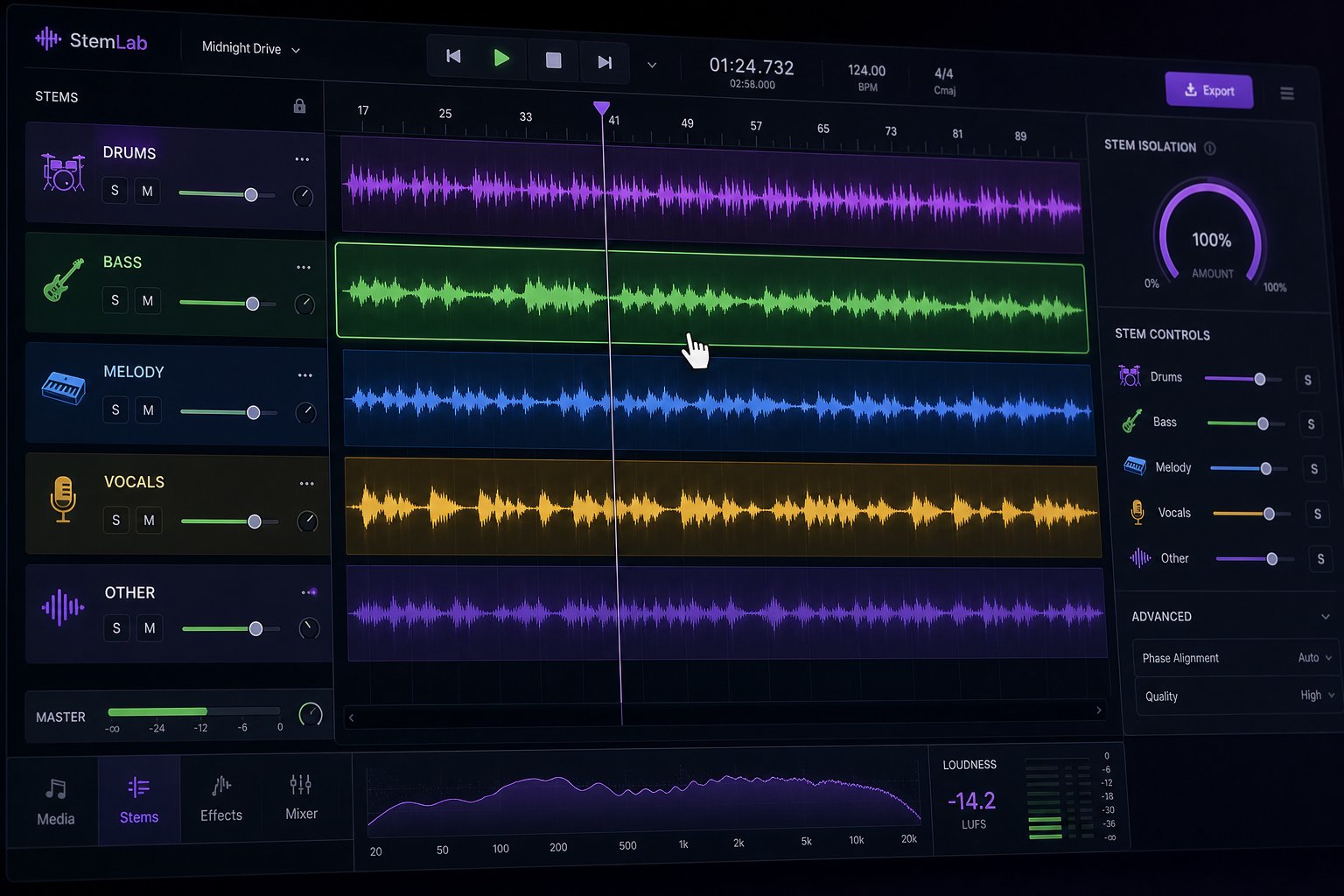
Many AI music tools now export or expose individual stems: vocals, drums, bass, melody, and accompaniment as separate layers. This is where refinement gets surgical. Instead of re-rolling the entire generation because one element feels off, you can target just the problem layer.
Here is what platform-level refinement typically looks like:
- Regenerate a single section: Dislike the bridge but love the chorus? Some platforms let you select a time range and regenerate only that segment while preserving everything else. This is faster than crafting an entirely new prompt.
- Mute or swap stems: If the AI-generated bass line clashes with the melody, mute it and regenerate just that stem, or replace it with a different generation layered in. Tools offering AI stem separation can break a mixed output into editable components even when the original platform does not export stems natively.
- Extend or shorten the track: Need a 15-second intro from a two-minute song? Trim it. Need a looping background that runs four minutes for a video essay? Extend the generation or loop a clean section.
- Adjust tempo post-generation: Some platforms allow BPM changes after the fact, time-stretching the output without re-generating. Quality holds up well within a 10-15% tempo shift. Beyond that, artifacts creep in.
- Layer multiple generations: A powerful technique for song mashup maker style workflows: generate two or three variations of the same prompt, then combine the best drums from one, the best melody from another, and the best vocals from a third. This works especially well when the platform exports stems or when you run the mixed output through a separation tool.
Vocal mixing AI free tools have also improved dramatically. If you love the instrumental bed but the vocal sits too loud or too dry, a free vocal mixing plugin can rebalance levels, add reverb, or compress peaks without requiring a full DAW session. These lightweight solutions bridge the gap between "raw AI output" and "release-ready track" for creators who do not want to learn professional mixing from scratch.
When to Use a DAW for Final Touches
For many use cases, platform-level editing is enough. Background music for a YouTube video, a podcast intro, or a social media clip rarely needs professional post-production. If the AI output sounds good on playback, export it and move on.
Pull the track into a DAW like Ableton, Logic, or even free options like GarageBand or Audacity when:
- You need precise timing edits, like cutting a beat exactly on a transient or crossfading two sections seamlessly.
- The mix balance is close but not quite right. A quick EQ cut on muddy low-mids or a gentle limiter on the master bus can elevate a good track to a great one.
- You want to combine AI-generated elements with live-recorded parts, layering a real guitar performance over AI-produced drums and bass.
- You are producing ai rap tracks and need to replace the AI vocal with your own recorded verse while keeping the beat intact.
- The track needs sound design touches, risers, transitions, or effects that sit outside what the generator provides.
A DAW is the best music composition software environment for this kind of detail work, but it is not mandatory. The modern AI music workflow gives you permission to skip post-production entirely when the generated output meets your quality bar. Treat the DAW as a precision tool you reach for selectively, not a required step in every project.
One practical middle ground: use a free AI music finalizer to apply light mastering, loudness normalization, and format conversion without opening a full DAW. These tools accept your exported file and return a polished version optimized for streaming or video platforms in under a minute.
What Sounds Great vs Where AI Still Struggles
Not all genres respond equally well to AI generation. Setting realistic expectations saves you from frustration and helps you decide upfront whether AI output alone will be sufficient or whether human intervention is part of the plan.
Based on genre-level quality analysis and hands-on testing, here are genres ranked by how well current AI models handle them, from strongest to weakest:
- Electronic and EDM: AI's strongest territory. Structured repetition, tonal layering, and loop-based composition align perfectly with how models generate audio. Results are often indistinguishable from human-produced tracks.
- Lo-fi and chillhop: Textural simplicity and mood-driven repetition play to AI strengths. The vinyl crackle, muted chords, and soft percussion that define lo-fi are well-represented in training data.
- Pop: Strong vocal generation, predictable verse-chorus structures, and polished production are all within current model capabilities. Pop is the second-most reliable genre for complete, release-ready output.
- Hip-hop and trap: Beat production is excellent. Hard-hitting 808s, hi-hat rolls, and rhythmic precision land well. AI rap vocals have improved significantly, though delivery nuance still trails behind real performers in complex flows.
- Rock: Structural intensity and energy translate well, but organic guitar distortion and live-room ambience still sound slightly synthetic. Best for backing tracks or demos rather than final releases.
- Classical and orchestral: Harmonic logic and instrument layering are handled competently for film scoring and background use. Nuanced dynamics, expressive phrasing, and the spatial depth of a real orchestra remain out of reach.
- Country and folk: Chord progressions land accurately, but the subtle interplay between acoustic instruments and the human warmth in vocal delivery feel approximated rather than authentic.
- Jazz: The hardest genre for AI. Improvisation, swing timing, syncopation, and call-and-response phrasing require real-time musical intelligence that current models approximate but do not master. Useful for background scoring, less convincing as a standalone listen.
The practical takeaway: if the genre of the song you are creating falls in the top half of that list, AI output will likely need minimal refinement. If it falls in the bottom half, plan on using the AI generation as a foundation and adding human touches through stem editing, DAW adjustments, or layering live-recorded elements on top.
Refinement gets your track sounding right. But sounding right is only half the equation when you plan to use AI-generated music commercially. The next layer of decisions involves who actually owns the track, what you can legally do with it, and how licensing terms differ wildly depending on which platform created it.
Step 6 Navigate Licensing and Commercial Usage Rights
You have a finished track that sounds great. Can you actually use it? This is where most creators get tripped up, and where threads on Reddit asking for a music ai creator without copyright restrictions fill up with conflicting advice. The licensing landscape for AI-generated music is genuinely more favorable than traditional music licensing, but it is not a free-for-all. The rules depend on which platform generated the track, what tier you are on, and what jurisdiction you operate in.
Who Owns Your AI-Generated Music
Here is the core legal reality: in most major jurisdictions, copyright protection requires human authorship. The U.S. Copyright Office has maintained a consistent position since 2023 that works created entirely by AI without meaningful human creative input are not eligible for copyright registration. Their Part 2 report on copyrightability, published in January 2025, reinforces this stance while acknowledging that AI-assisted works where humans make substantial creative choices may qualify for protection.
What does this mean for you practically? If you type a one-line prompt and accept whatever the AI produces, your copyright claim over that output is weak to nonexistent under current interpretations. But here is the flip side: nobody else holds copyright over it either. The AI company does not own the output. No third party can claim it against you. The track exists in something closer to a copyright vacuum than a traditional ownership structure.
The picture shifts when you add meaningful creative input. Crafting detailed lyrics, curating from dozens of generations, editing stems, layering your own recorded vocals over AI-produced instrumentation, or arranging sections into a custom song structure all strengthen your authorship claim. The more human creative judgment you exercise, the stronger your position. If you are building a personalized song that combines AI-generated backing with your own vocal performance or hand-written lyrics, your creative contribution to those elements is separately protectable.
This is an evolving area. Courts in both the U.S. and EU are actively testing boundaries. The safe operating principle: treat AI as a tool that assists your creative process rather than a machine that creates finished works on your behalf, and document your creative decisions along the way.
Licensing Terms Compared Across Platforms
Legal theory aside, what actually governs your usage rights is the platform's terms of service. This is where the real risk lives for creators. Two platforms can use identical AI technology and grant completely different rights. Some give full commercial use on free tiers. Others restrict commercial rights to paid subscribers. A few retain ownership of free-tier outputs entirely.
The critical distinction most people miss: royalty-free is not the same as copyright-free. Royalty-free means you pay once (or nothing, if it is included in your tier) and can use the track without recurring per-use fees. Copyright-free means no one holds copyright at all. Most AI music platforms grant royalty-free licenses rather than declaring outputs copyright-free, which means the platform's terms still govern what you can and cannot do.
Here is how major platforms compare on the details that matter for commercial projects like a commercial jingle, business background music, or song stock for content libraries:
| Platform | Commercial Use on Free Tier | Commercial Use on Paid Tier | Exclusivity | Content ID Registration |
|---|---|---|---|---|
| MakeBestMusic | Personal use only | Full commercial rights | Non-exclusive | Not registered by platform |
| Suno | No (non-commercial only) | Full commercial rights on Pro+ | Non-exclusive | Not registered by platform |
| AIVA | No (AIVA retains copyright) | Full ownership on Pro ($59/mo) | Exclusive on Pro tier | Not registered by platform |
| Udio | No (non-commercial only) | Full commercial rights on Standard+ | Non-exclusive | Not registered by platform |
| Soundraw | Preview only, no download | Full commercial rights on Creator | Non-exclusive | Not registered by platform |
| Mubert | Personal use, credit required | Full commercial rights on Creator | Non-exclusive | Not registered by platform |
A few things to notice in this table. AIVA is the only platform that explicitly retains copyright on free-tier outputs, meaning you legally cannot use those tracks commercially even if no one is likely to catch you. Suno and Udio both restrict free-tier usage to non-commercial purposes, which means monetized YouTube videos and paid client work require an upgrade. If you need royalty free jazz music or any genre for a business project, check your tier's terms before publishing.
Content ID registration is another practical concern. If a platform registers generated outputs into YouTube's Content ID database, other users generating similar tracks could trigger a claim against your video. Currently, major AI music platforms do not register outputs in Content ID systems, but this could change as business models evolve. The safest approach: generate directly on the platform rather than downloading AI music from third-party sources where provenance is unclear.
The Ethical Landscape and Training Data Concerns
Licensing covers your rights as a user. But there is a broader question: did the AI platform have the right to train on copyrighted music in the first place? This is where the industry's biggest legal battles are playing out.
In 2024, the RIAA filed copyright infringement lawsuits against both Suno and Udio on behalf of major labels including Sony, Universal, and Warner, alleging these companies trained their models on copyrighted recordings without licensing them. As of mid-2026, Udio reached a settlement with Warner Music Group that included undisclosed licensing terms. Suno's case remains ongoing. The U.S. Copyright Office released Part 3 of its AI report in May 2025, specifically addressing generative AI training and the legal frameworks around it.
The Incorporated Society of Musicians (ISM) advocates for consent, credit, and remuneration as core principles, calling for an opt-in model where musicians explicitly permit their work to be used in training rather than bearing the burden of opting out. The EU AI Act, which took effect across 2025-2026, now includes transparency requirements around training data disclosure.
What does this mean for you as a creator using these tools? The training-data lawsuits do not directly affect whether you can use the output of a platform commercially. Your rights as a user are governed by the terms of service, not by the platform's legal disputes with record labels. However, these cases create indirect risk: a platform that loses a major lawsuit could shut down, change its model, or pass licensing costs onto users through higher pricing. Choosing platforms that have already resolved their training-data questions, through licensing deals or settlements, reduces this long-term uncertainty.
The ethical dimension is personal. Some creators are comfortable using any platform that grants clean commercial rights. Others prefer tools that train exclusively on licensed or public-domain music. Both positions are valid. What matters is making an informed choice rather than assuming the question does not apply to you.
With licensing understood and your rights clearly defined, the remaining practical question is format: how do you export your track correctly for its intended destination, whether that is a video timeline, a podcast feed, or a streaming platform with its own rules about AI-generated content?
Step 7 Export and Use AI Music in Your Projects
Your track sounds right, the licensing is sorted, and you are ready to put it to work. The final step is deceptively simple but easy to get wrong: exporting in the correct format for where the music will actually live. A file that sounds flawless on your laptop can distort on YouTube, clip in a podcast feed, or sync poorly in a video timeline if the export settings do not match the destination's requirements.
Choosing the Right Export Format for Your Use Case
The format debate boils down to WAV versus MP3, and the answer depends entirely on what happens to the file next. WAV is uncompressed audio that preserves every detail of the mix. MP3 is compressed, discarding some information to shrink the file size. If more processing is coming, like importing into a video editor or layering under dialogue, start with WAV. If you just need a quick file to share or preview, MP3 at 256-320 kbps keeps quality high enough for casual listening while transferring instantly.
A few technical details worth knowing: export WAV files at 24-bit depth to retain headroom and avoid clipping during downstream editing. For music-first projects headed to streaming platforms, 44.1 kHz sample rate is the standard. For anything destined for a video timeline, switch to 48 kHz so the audio syncs cleanly with footage. Target around -1 dB true peak on your master so platforms like YouTube and Spotify do not introduce distortion during their own re-encoding process.
Stems, the separated layers of your track like drums, bass, melody, and vocals, should always be exported as WAV. Compression artifacts in MP3 stems compound when layers stack together, creating a muddy mix. Keep stems lossless so anyone downstream can EQ, compress, and automate without fighting format limitations.
Using AI Music in Videos and Podcasts
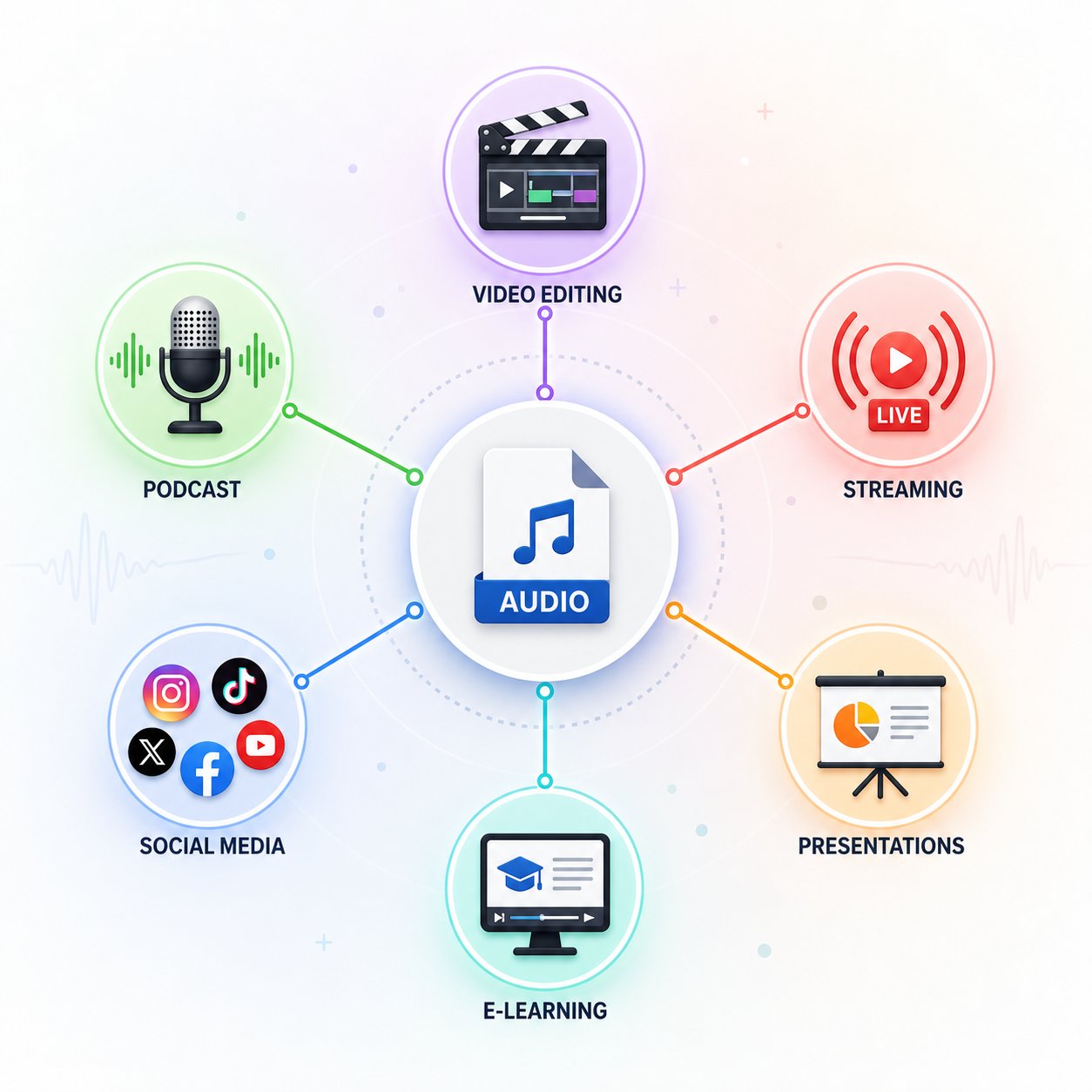
Video and podcast integration account for the majority of AI music use cases. Whether you are creating an ai music video, producing a free ai music video generator project, or scoring a corporate presentation, the workflow follows the same logic: match your export to the medium's technical requirements and content needs.
Here are the five most common use cases with recommended export settings for each:
- YouTube background music: Export as WAV at 48 kHz / 24-bit. YouTube re-encodes everything to AAC, so starting with lossless gives the algorithm the best source material. Keep loudness around -14 LUFS integrated, which matches YouTube's normalization target. If you are wondering how do you add music to a video, most editors like Premiere Pro, DaVinci Resolve, or Final Cut accept WAV and MP3 natively on the timeline.
- Podcast intros and transitions: Export royalty free podcast intro music as MP3 at 320 kbps or WAV at 44.1 kHz / 16-bit. Podcasts are distributed as compressed audio, so the difference between WAV and high-bitrate MP3 is inaudible to listeners. Keep intro music 10-15 seconds and ensure it fades cleanly so the host voice entry is smooth.
- Social media clips (TikTok, Instagram Reels, Shorts): MP3 at 320 kbps is fine here. These platforms heavily compress audio on upload anyway. Prioritize short duration, usually 15-30 seconds, and a strong opening hook within the first two seconds.
- Commercial jingles and ads: Export as WAV at 48 kHz / 24-bit, plus separate stems. Clients and agencies will need stems to adjust levels, swap elements, or create alternate mixes for different ad lengths. Include a 15-second, 30-second, and 60-second version when possible.
- Canva projects and presentations: If you are figuring out how to add music in Canva, the platform accepts MP3 and M4A uploads directly into its editor. Export your track as MP3 at 256 kbps or higher. Canva music integration allows you to trim and fade the audio within the editor, so a slightly longer export gives you trimming flexibility without needing to regenerate at a precise length.
For anyone looking to download song for YouTube use, always verify your licensing tier permits monetized video usage before publishing. A Content ID claim on a monetized channel is far easier to prevent than to dispute after the fact.
Distribution to Streaming Platforms and Commercial Projects
Releasing an AI-generated track on Spotify, Apple Music, or other streaming services is technically straightforward but comes with policy considerations. You still upload through standard distributors like DistroKid, CD Baby, or TuneCore. The file requirements are the same as any other release: WAV at 44.1 kHz / 16-bit or 24-bit, with artwork and metadata.
The complication is disclosure. Spotify now categorizes uploads into three types: human-created, AI-assisted, and fully AI-generated. Each category has documentation requirements. For fully AI-generated tracks, creators must disclose whether training data included copyrighted audio and confirm consent from rights-holders. Uploads originating from unauthorized datasets are rejected. Metadata labeling, specifying tags like "AI-generated instrumental" or "AI-assisted mix," is now part of the upload process to prevent confusion between human and machine authorship.
The practical advice: if your track combines AI-generated backing with your own recorded vocals or heavily edited stems, it falls into the AI-assisted category, which faces fewer restrictions than fully generated content. The more human creative input you layer in, the smoother the distribution process becomes. Platforms are not trying to ban AI music outright. They are building transparency frameworks so listeners and rights-holders understand what they are hearing.
For commercial projects like business background music, product videos, or in-store audio, distribution to streaming platforms is often unnecessary. Export the final WAV, deliver it to your client or upload it to your hosting platform, and confirm that your licensing tier covers the intended use. Most paid plans on AI music platforms grant broad commercial rights that cover these scenarios without additional fees or per-use royalties.
The entire pipeline, from typing a prompt to a finished file sitting inside your video editor, podcast host, or streaming distributor, can happen in under ten minutes. The technology answers the original question definitively: AI can create music, and now you know exactly how to turn that capability into something you can actually ship.
