


Why Mac Is the Go-To Platform for Music Production
When you sit down to record a vocal take, sketch out a beat, or mix a full arrangement, one piece of software ties it all together. Before comparing any music production programs for Mac, it helps to understand the tool at the center of every modern studio.
What Is a DAW and Why Does It Matter
A Digital Audio Workstation (DAW) is software that allows you to record, edit, and produce audio. It serves as the central hub of your studio setup, where you can layer instruments, manipulate sounds, and mix tracks into a finished piece of music.
Think of a DAW as your creative command center. It handles everything from capturing raw recordings and sequencing MIDI instruments to applying effects, automating volume changes, and exporting a polished final mix. Whether you are producing electronic beats, tracking a live band, or scoring a short film, the DAW is where every element comes together. Choosing the right one shapes how you work, how fast you move, and ultimately how your music sounds.
Why macOS Is a Natural Fit for Music Production
There is a reason so many studios, bedroom producers, and touring artists rely on Macs. It goes deeper than brand preference. At the core of the macOS audio experience is Core Audio, Apple's built-in low-latency audio engine. Core Audio sits between your software and your hardware, handling audio routing at the system level. That means the moment you plug in an audio interface or a MIDI controller, macOS recognizes it and routes audio with minimal delay, no third-party driver installation required.
On Windows, producers typically rely on ASIO drivers to achieve comparable latency performance. ASIO works well, but it requires separate downloads, occasional troubleshooting, and usually locks audio to a single application at a time. Core Audio sidesteps all of that. It supports multiple apps addressing the same device simultaneously and keeps things stable even during long sessions with heavy track counts. For anyone who has searched for something as simple as a fruity loops free trial or used a camel price tracker to monitor DAW discounts, the appeal of a platform that removes technical friction is immediately clear.
The Mac ecosystem also offers a uniquely wide range of production software. Every Mac ships with GarageBand at no extra cost, giving complete beginners a real DAW from day one. From there, the options scale all the way up to industry-standard programs like Logic Pro, Ableton Live, and FL Studio, each optimized for Apple Silicon. Some producers even pair desktop sessions with portable tools like the Ableton Move for capturing ideas on the go. This guide focuses specifically on that Mac landscape, breaking down which programs fit different workflows, budgets, and experience levels so you can spend less time researching and more time creating.
The GarageBand-to-Logic Pro Pipeline
Most platforms force you to pick a lane early. You either start with a free tool that hits a ceiling fast, or you invest in professional software before you even know what half the features do. Mac flips that dynamic entirely. Apple built a graduated pathway from GarageBand to Logic Pro that lets you grow into professional production without ever losing your work or relearning a new interface. No other ecosystem offers anything quite like it.
Starting With GarageBand for Free
Every Mac ships with GarageBand preinstalled, and it is far more capable than most people expect from a free app. You get software instruments, a Drummer track that generates realistic rhythm patterns, audio recording for vocals and live instruments, Apple Loops sorted by genre and mood, and a clean timeline-based interface for arranging full songs. For anyone wondering how to learn music production without spending a dollar, this is the answer.
GarageBand covers the fundamentals that matter most when you are starting out: recording ideas, layering tracks, adjusting levels, and experimenting with built-in effects. It works with any class-compliant audio card or USB microphone right out of the box, thanks to macOS Core Audio handling the driver side. You can even use it as a simple digital audio player to audition loops and samples before committing them to a project. The interface is intentionally streamlined, which keeps the focus on creating rather than navigating menus. For hobbyists, singer-songwriters, and podcasters, GarageBand alone may be all you ever need.
When and Why to Upgrade to Logic Pro
At some point, you will hit a wall. Maybe you want to fine-tune a vocal pitch note by note, or you need more than one effect on a single channel, or your project has grown complex enough that organizing 30 tracks feels chaotic. That is the natural moment to look at Logic Pro.
The transition is remarkably smooth. According to Apple's own documentation, GarageBand projects from Mac, iPhone, or iPad open in Logic Pro exactly as you left them. Tracks, effects, arrangements, and instrument settings all carry over with no conversion step and no data loss. You simply go to File, choose Open, select your .band file, and everything appears in Logic's expanded workspace. As Knuckleduster Music puts it, "you probably already know more than you think" because the core building blocks, including the Library, Smart Controls, and Apple Loops, work the same way in both apps.
Logic Pro is available as a one-time purchase from the Mac App Store, with no ongoing subscription required. That pricing model is a significant draw compared to alternatives like the Reaper DAW, which uses a discounted evaluation license, or subscription-based options from other developers. Apple also offers a free trial so you can test the full feature set before committing.
What the Upgrade Unlocks for Serious Producers
Stepping into Logic Pro is like walking from a well-equipped home kitchen into a professional one. The ingredients are the same, but the tools let you do far more with them. Here is what opens up:
- Full Mixer window - A dedicated console view where you can load and chain multiple effects per channel, adjust sends and buses, and see every level and pan at a glance. GarageBand limits you to adjusting tracks one at a time.
- Flex Time and Flex Pitch - Manipulate the timing and pitch of recorded audio directly in the timeline. Tighten a loose guitar performance or correct a vocal note without any third-party plugins.
- Advanced MIDI editing - A full tool palette with pencil, scissors, eraser, and automation curve tools gives you precise control over every note and parameter.
- Session Players - Logic expands beyond the Drummer track to include AI-driven bassist and keyboardist players that follow your chord progressions and groove, a huge time-saver for solo musicians.
- Track Stacks - Group related tracks, like background vocals or a drum kit recorded across multiple mics, into collapsible folders with shared processing. This keeps large sessions manageable.
- Expanded sound library - Logic Pro includes everything in GarageBand's library plus a massive collection of additional instruments, loops, and samples. Alchemy alone ships with a 14 GB sound library and deep synthesis controls.
- Professional mixing and mastering tools - Studio-grade EQ, compression, limiter, and reverb plugins like ChromaVerb give you the silicon mix of processing power and sound quality needed to produce release-ready tracks.
Logic also lets you enable features gradually. A setting called "Enable Complete Features" under Logic Pro's Advanced preferences unlocks the full DAW functionality. You can leave it off at first and turn it on when you are ready, which means the complexity scales with your confidence rather than hitting you all at once.
This graduated pathway, free entry through GarageBand, seamless project migration, and a professional destination in Logic Pro, is something unique to the Mac platform. It removes the anxiety of choosing the wrong tool too early and lets your software grow alongside your skills. But Logic Pro is only one option in a much larger landscape. How does it stack up against Ableton Live, FL Studio, and the other major players available on Mac?
Top Music Production Programs for Mac Compared
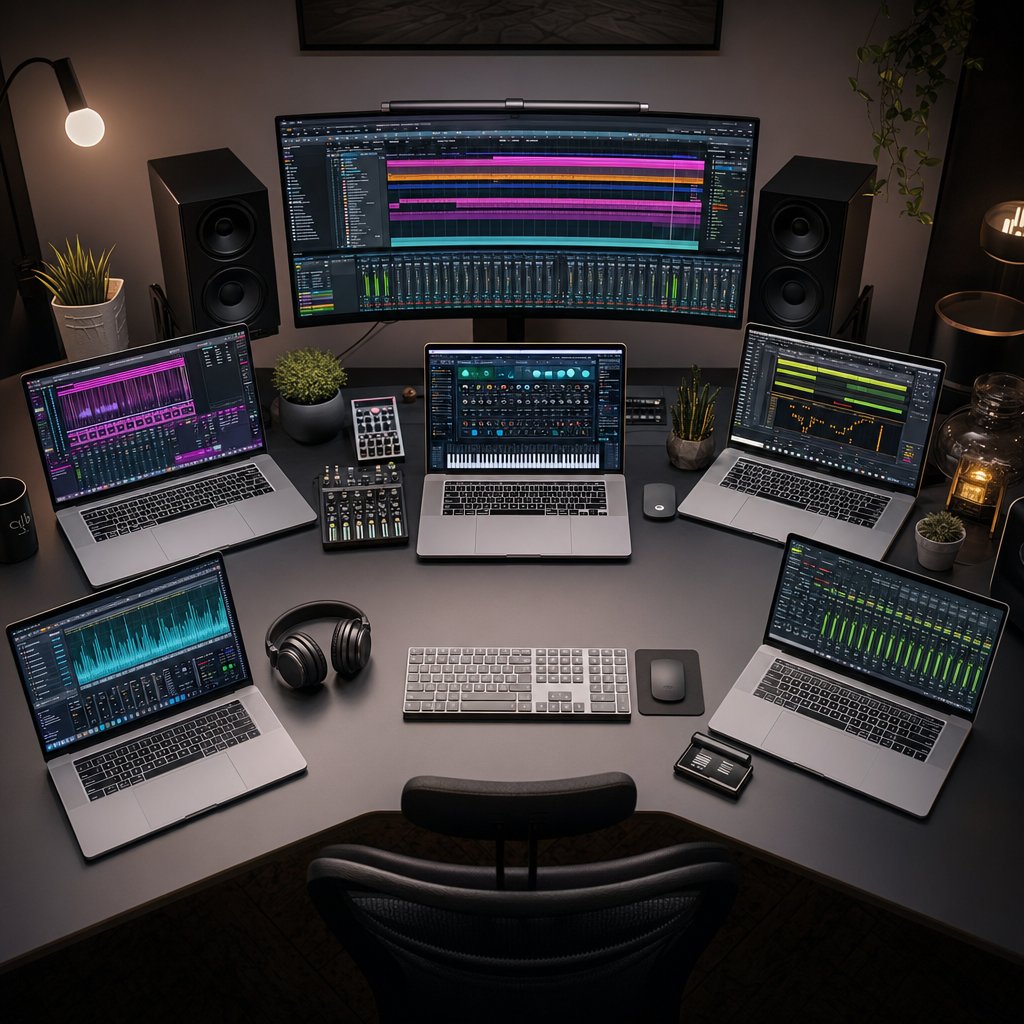
Each major DAW on Mac is built around a distinct creative philosophy. Some are designed for producers who think in loops and patterns. Others cater to linear recording, orchestral composition, or modular sound design. The differences go well beyond feature checklists. They shape how you interact with your ideas from the first sketch to the final mix.
How Each Program Approaches Music Production
Logic Pro is Apple's flagship DAW and the natural next step from GarageBand. Logic Pro X introduced a mature, timeline-driven workflow built around recording, arranging, and mixing in a single window. It ships with a massive sound library, the Alchemy synthesizer, Session Players, and Dolby Atmos support, all for a one-time $199 purchase. If you are a singer-songwriter, pop producer, or hip-hop beatmaker on Mac, Logic delivers professional results without a subscription hanging over your head.
Ableton Live approaches production from a completely different angle. Its Session View lets you trigger clips, loop ideas, and build arrangements in real time rather than working left to right on a timeline. That non-linear workflow is why Ableton dominates electronic music, live performance, and any genre where improvisation drives the creative process. Three tiers are available: Intro ($99), Standard ($449), and Suite ($749). Most serious producers land on Suite for its Max for Live integration and expanded instrument library.
FL Studio built its reputation in hip-hop and beat-making. Its pattern-based Channel Rack and best-in-class piano roll make it incredibly fast for sketching beats, whether you are programming a d chord piano riff or layering 90 x 3 drum patterns across a trap arrangement. FL Studio also offers lifetime free updates after purchase, a policy no other major DAW matches. Editions range from Fruity ($99) to All Plugins ($499), with the Producer edition ($199) being the sweet spot for most creators.
Reaper is the budget-conscious producer's secret weapon. At just $60 for a personal license, it packs near-unlimited customizability, efficient performance on modest hardware, and broad plugin support. The trade-off is a steeper learning curve and a utilitarian interface that requires setup time before it feels like home.
Bitwig Studio is built for sound designers and experimental producers. Its standout feature, The Grid, is a modular synthesis environment embedded directly in the DAW. Bitwig's hybrid clip-and-arrangement workflow borrows ideas from Ableton but pushes further into modular routing and per-note expression. Pricing ranges from $99 to $399 depending on the edition.
Reason takes a unique visual approach, modeling its interface after a physical rack of hardware synthesizers and effects. You can literally flip the rack around to see virtual cable routing on the back panel. Reason works both as a standalone DAW and as a plugin inside other DAWs, giving it a flexible role in many setups. It is available through a subscription model or a one-time purchase, depending on the version.
Choosing between these programs is not about which one is objectively "best." It is about which workflow matches how your brain organizes musical ideas. A producer wondering is it ok to sample songs from other artists will care about a DAW's sampling and time-stretching tools. Someone configuring peripherals through software like Logi Options Plus for their studio setup will appreciate a DAW that plays well with external controllers. The right fit depends on your genre, your process, and where you are in your production journey.
Side-by-Side Feature and Pricing Comparison
Scanning individual product pages for pricing and compatibility details is tedious. The table below consolidates the key decision factors for every major Mac DAW into one view, so you can compare without opening six browser tabs.
| Program | License Type | Price Range | Strengths | Best For | Apple Silicon Native |
|---|---|---|---|---|---|
| Logic Pro | One-time purchase | $199 | Massive sound library, Alchemy synth, Dolby Atmos, Session Players | Singer-songwriters, pop and hip-hop producers, Mac-only users | Yes |
| Ableton Live | One-time purchase (tiered) | $99 - $749 | Session View, real-time warping, Max for Live, live performance tools | Electronic producers, DJs, live performers | Yes |
| FL Studio | One-time purchase + lifetime updates | $99 - $499 | Piano roll, pattern-based workflow, lifetime free updates | Beat-makers, hip-hop and EDM producers | Yes |
| Reaper | Perpetual license (discounted personal tier) | $60 - $225 | Extreme customizability, lightweight, broad plugin support | Budget-conscious producers, podcasters, film scorers | Yes |
| Bitwig Studio | One-time purchase (tiered) | $99 - $399 | The Grid modular environment, per-note expression, flexible routing | Sound designers, experimental and modular producers | Yes |
| Reason | Subscription or one-time purchase | $9.99/mo or $499 | Virtual rack interface, works as standalone or plugin, visual cable routing | Hardware-minded producers, rack-based workflow fans | Yes (via Rosetta 2 for some components) |
Prices reflect publicly listed rates and may shift during seasonal promotions. You will not find DAW discounts on a bass pro black friday ad 2025, but most developers run their own sales around major holidays and product launches, so it is worth checking official sites before purchasing.
A comparison table tells you what each program offers on paper. What it cannot tell you is how each one feels when you are actually building a track. That experience changes depending on whether you are opening a DAW for the first time or you have been producing for years, which is exactly why matching software to your skill level matters just as much as matching it to your genre.
Best Picks for Every Skill Level
Specs and pricing only get you so far. Two producers can look at the same feature table and walk away with completely different picks because their experience, goals, and creative habits are not the same. The best daw for beginners is rarely the best daw for someone mixing a full album. Matching software to where you actually are as a producer saves money, avoids frustration, and keeps the learning curve from killing your momentum.
Programs for Beginners and Hobbyists
If you have never opened a DAW before, the goal is simple: start making sounds without getting buried in menus. These three options keep the barrier low while still teaching you real production fundamentals.
- GarageBand - Already on your Mac, completely free, and surprisingly deep. It covers recording, MIDI sequencing, loops, and basic mixing in an interface clean enough that you can figure out the party in the usa chords on a software piano and have a rough arrangement built within an hour. The direct upgrade path to Logic Pro means nothing you create here goes to waste.
- BandLab - Runs entirely in your browser with no installation required. It is 100% free, syncs across devices, and includes built-in collaboration tools so you can share projects with friends in real time. The trade-off is no third-party plugin support, but for pure idea capture and social music-making, nothing is faster.
- Reaper - At $60 for a personal license and a fully functional evaluation period, Reaper gives you a professional-grade DAW at a fraction of the cost. It does not ship with a large instrument library, so budget for some third-party sounds, but the recording and mixing engine punches well above its price.
Mid-Level Tools for Growing Producers
You have finished a few tracks, you understand signal flow, and you are ready to invest in a tool that will not limit you for years. These programs reward commitment with deep feature sets and polished workflows.
- Logic Pro - A one-time $199 purchase that includes everything: instruments, effects, a massive loop library, and Dolby Atmos mixing. For Mac users, the value per dollar is hard to beat. If you started in GarageBand, the transition is seamless.
- FL Studio Producer Edition - The $199 tier unlocks audio recording alongside FL Studio's legendary piano roll and pattern workflow. Lifetime free updates mean you pay once and receive every future version at no extra cost, a policy that pays for itself over time.
- Ableton Live Standard - Priced at $449, Standard opens up Ableton's full arrangement and session workflows without the premium Suite instruments. If you lean toward electronic production or live performance, this is where the creative payoff starts to feel significant. You might even pick one up through a best buy Apple Music bundle or education discount to soften the cost.
Industry-Standard DAWs for Professionals
At this level, the DAW is not just a tool. It is the environment where you spend hours every day, and small workflow advantages compound into real productivity gains over weeks and months. Think of it less like buying software and more like choosing the groove life wallet of your studio setup: something durable, personal, and built to handle daily use without wearing out.
- Ableton Live Suite - The $749 tier adds Max for Live, which lets you build custom instruments, effects, and MIDI tools inside the DAW. It also includes the full instrument collection and an expanded sound library. For electronic producers and sound designers, Suite is the ceiling most people never outgrow.
- Bitwig Studio - The Grid modular environment, per-note expression support, and flexible clip-to-arrangement workflow make Bitwig the choice for producers who want deep sound design baked into their DAW rather than bolted on through plugins.
- Logic Pro with advanced workflows - Logic at the professional tier is not a different product. It is the same $199 application with its Advanced preferences fully enabled, Track Stacks managing complex sessions, and Flex Time and Flex Pitch replacing the need for separate editing tools. Paired with the Session Players and Stem Splitter, it handles everything from songwriting to final mastering.
Switching From Windows to Mac
If you have been producing on a PC and recently moved to Mac, a few platform differences are worth knowing upfront so you are not caught off guard 90 days after today wondering why things feel different.
- No ASIO driver needed. macOS Core Audio handles low-latency audio natively. You can plug in your interface and start recording immediately without downloading a separate driver package.
- AU plugins alongside VST3. Mac DAWs support Audio Units (AU), Apple's native plugin format, in addition to VST3. Logic Pro exclusively uses AU, while Ableton Live and FL Studio accept both. If you own VST3 plugins from your Windows setup, most will work on Mac, but check that your developers offer AU versions too, especially for Logic.
- Different keyboard shortcuts. Command replaces Ctrl for most actions, and Option replaces Alt. Muscle memory adjusts within a week or two, but it helps to print a shortcut cheat sheet for your specific DAW during the transition. Some producers even remap keys to match their old Windows layout using macOS system preferences.
- Tens unit pads and other USB peripherals. Most class-compliant USB devices, including MIDI controllers, audio interfaces, and control surfaces, work on Mac without extra drivers. If a device worked over USB on Windows, it will almost certainly work on macOS through Core Audio and Core MIDI.
The adjustment period is short. Most producers who switch report feeling comfortable within a few weeks, and the long-term payoff of driver-free audio and tight hardware-software integration makes the transition worthwhile.
Choosing the right program for your skill level is one half of the equation. The other half is making sure your Mac hardware can actually keep up with the demands of your sessions, which is where Apple Silicon and macOS-specific performance advantages come into play.
Apple Silicon and macOS Performance Advantages
Your DAW choice shapes how you create. Your hardware determines how much you can create before the system pushes back. Apple's M-series chips have rewritten the rules on what a daw for mac can handle, and understanding those gains helps you pick the right machine for your workflow.
Apple Silicon Native Support Across Major DAWs
Every major music production program on Mac now runs natively on Apple Silicon. Logic Pro, Ableton Live, FL Studio, and Bitwig Studio all ship with native ARM builds, meaning they take full advantage of the M-series architecture without relying on Rosetta 2 translation. That distinction matters. Native apps communicate directly with the chip's performance and efficiency cores, while Rosetta 2 adds a translation layer that costs a small amount of CPU overhead.
Logic Pro holds a unique edge here. Because Apple builds both the hardware and the software, its audio engineers optimize Logic's processing directly for the M-series chip architecture. Audeobox's testing found that Logic Pro can push 150+ tracks with stock plugins on a base M3 chip, compared to roughly 100+ for Ableton Live and around 80+ each for FL Studio and Bitwig. Logic is also the only DAW that taps into the Neural Engine for AI-driven features like Session Players and Stem Splitter.
Ableton Live and FL Studio both deliver excellent native performance for typical sessions. FL Studio's one-license-covers-both-platforms policy means you can produce on a MacBook and a Windows desktop interchangeably, though a handful of legacy FL plugins still require Rosetta 2 on Mac. Bitwig's native build runs stably, and its plugin sandboxing feature is a practical bonus: if a third-party AU plugin crashes, it does not take the entire session down with it.
How macOS Features Benefit Music Production
Apple Silicon gets the headlines, but macOS itself contributes features that every DAW on the platform benefits from, whether or not the developer is Apple.
- Core Audio - The system-level audio engine delivers low-latency performance without third-party drivers. Plug in the best audio interface you can afford, and macOS recognizes it instantly. No ASIO configuration, no exclusive-mode headaches. Core Audio also allows multiple applications to access the same audio device simultaneously, so you can run a DAW alongside a reference track in your browser without routing conflicts.
- Unified Memory Architecture - Traditional computers shuttle data between separate CPU and GPU memory pools. M-series chips share a single pool of high-bandwidth memory, which means audio samples, plugin states, and UI rendering all draw from the same fast reservoir. The practical result is smoother performance when sessions get heavy, with less time spent waiting on data transfers.
- Metal GPU Acceleration - DAWs that leverage Apple's Metal API offload visual rendering tasks, like drawing waveforms, meters, and plugin interfaces, to the GPU. This frees CPU headroom for what actually matters: processing audio. Even the base M4 chip scores over 50,000 on Geekbench Metal benchmarks, which is more than enough GPU power for any studio workflow.
- Optimized Power Management - Efficiency cores handle lightweight background tasks while performance cores engage for audio processing. On a MacBook Pro, this translates to longer battery life during production sessions, a real advantage if you sketch ideas away from your studio. Logic Pro benefits most here due to first-party tuning, but all native DAWs see improved battery efficiency compared to their Intel-era performance.
Choosing the Right Mac Hardware for Your Workflow
If someone new to production asks what is a daw and what computer they need to run one, the honest answer is simpler than it used to be. Even entry-level M-series Macs handle real production work. But "handles it" and "handles it comfortably" are different things, and the gap widens as sessions grow.
Production Expert's testing showed that an M4 Mac mini running a Pro Tools session with 1,100 tracks, 1,500 voices, and extensive plugin use hit only 45% CPU usage. The M4 Pro Mac mini pushed even further, handling 262 tracks in a stress test before the DAW reached its processing limit, compared to 185 on the base M4. At 96kHz sessions, the M4 Pro actually outperformed the older M1 Ultra Mac Studio by six tracks, suggesting the newer chip architecture is optimized for higher sample rates.
Here is a practical breakdown by workflow complexity:
| Workflow Type | Recommended Chip | Minimum RAM | Storage Guidance |
|---|---|---|---|
| Beat-making, songwriting, podcasting | M4 (base) | 16 GB | 256 GB (external drive for samples) |
| Full arrangements, moderate plugin use | M4 or M4 Pro | 24 GB | 512 GB |
| Heavy mixing, orchestral templates, Dolby Atmos | M4 Pro or M4 Max | 36 - 48 GB | 1 TB+ |
| Post-production, film scoring, 96kHz+ sessions | M4 Max or higher | 48 - 64 GB | 2 TB+ |
RAM deserves special attention. Logic Pro's full sound library alone is around 80 GB, and sample-heavy instruments like Alchemy or third-party orchestral libraries load directly into memory for instant playback. If your workflow involves layering multiple virtual instruments across a dense arrangement, 24 GB is the practical floor. Production Expert recommends bumping the base Mac mini to 24 GB and a 512 GB SSD, which brings the price to $999 and represents strong value for a capable studio machine.
Storage fills up faster than most new producers expect. Between DAW installations, sound libraries, project files, and audio recordings, 512 GB can feel tight within a few months. An external Thunderbolt drive solves this affordably, and the high-bandwidth ports on M4 Macs keep transfer speeds fast enough that running sample libraries from an external drive is entirely viable.
The right hardware gives your DAW room to breathe. But raw power only tells part of the story. The plugins you load into that DAW, and the formats they use, determine whether your favorite instruments and effects actually work with your chosen software.
Plugin Formats Every Mac Producer Should Know
You have picked a DAW, your Mac has the horsepower, and you are ready to expand your sound palette with third-party instruments and effects. Then you hit a checkout page that asks you to choose between AU, VST3, and AAX. If those abbreviations mean nothing to you, you are not alone. Plugin formats are one of those behind-the-scenes details that rarely come up until they block you from using a tool you just paid for. Understanding the three formats Mac producers encounter saves you from compatibility headaches and helps you make smarter decisions about both plugins and DAWs.
AU, VST3, and AAX Explained
Think of a plugin format as a language your DAW speaks. The plugin itself, whether it is a synthesizer, a compressor, or a reverb, needs to communicate with the DAW in a format the host software understands. On Mac, three formats dominate the conversation.
AU (Audio Units) is Apple's proprietary plugin standard, built directly into macOS as part of Core Audio. Because AU lives at the operating system level, it benefits from low latency and tight system integration. Most DAWs developed for macOS support Audio Units due to that stability and faster processing. If you have ever wondered what is Logic at its core, it is a DAW built entirely around the AU ecosystem. Logic Pro exclusively uses Audio Units and does not load any other format.
VST3 (Virtual Studio Technology 3) is the cross-platform standard originally introduced by Steinberg in 1996 alongside Cubase. VST has since evolved through multiple versions, and VST3 is the current iteration. It is the most widely supported format across the industry, running on both macOS and Windows. If you produce on multiple platforms or collaborate with Windows users, VST3 plugins travel with you. On Mac, VST3 files install to Library/Audio/Plug-ins/VST3 and are recognized by most DAWs except Logic Pro.
AAX (Avid Audio eXtension) is the plugin format created by Avid specifically for Pro Tools. AAX replaced the older RTAS and TDM formats when Pro Tools moved to 64-bit processing. It comes in two variations: AAX Native, which runs on any Pro Tools system, and AAX DSP, which requires dedicated Avid HDX hardware for accelerated processing. If Pro Tools is not part of your workflow, you can largely ignore AAX. But for anyone working in professional studios where Pro Tools sessions are the standard exchange format, AAX compatibility is non-negotiable.
Which DAWs Support Which Formats
Not every DAW speaks every language, and this is where format awareness becomes practical. The table below maps each major Mac DAW to the plugin formats it supports, so you can check compatibility before purchasing anything.
| DAW | AU | VST3 | AAX |
|---|---|---|---|
| Logic Pro | ✓ | ✗ | ✗ |
| Ableton Live | ✓ | ✓ | ✗ |
| FL Studio | ✓ | ✓ | ✗ |
| Reaper | ✓ | ✓ | ✗ |
| Bitwig Studio | ✓ | ✓ | ✗ |
| Pro Tools | ✗ | ✗ | ✓ |
| Cubase | ✓ | ✓ | ✗ |
| Studio One | ✓ | ✓ | ✗ |
A few things stand out immediately. Logic Pro is the only major DAW that locks you into a single format. If a plugin developer only ships a VST3 version, it will not load in Logic. On the other end, Pro Tools is equally exclusive but in the opposite direction, accepting only AAX. Every other DAW on the list supports both AU and VST3, giving you the widest range of plugin options.
When you are learning how to make beats or building your first dj studio setup, this might seem like a minor detail. It is not. Your plugin library grows over time, and switching DAWs later means verifying that every instrument and effect you rely on is available in the new format. Checking compatibility upfront avoids that problem entirely.
How Plugin Compatibility Affects Your Choice
Imagine you have been producing in Ableton Live using a collection of VST3 synths and effects. You hear great things about Logic Pro and decide to try it. Every one of those VST3 plugins is invisible to Logic. You would need AU versions of each one to make the switch, and while most major developers like Native Instruments, FabFilter, and Waves release their plugins in all three formats, smaller or niche developers sometimes ship only VST3. That boutique granular synth or that indie tape emulation you love might not have an AU build at all.
The fl studio price includes lifetime updates and supports both AU and VST3 on Mac, which means your plugin library stays fully accessible regardless of which format a developer provides. Ableton, Reaper, Bitwig, and Cubase offer the same dual-format flexibility. This is a genuine advantage if you experiment with plugins from smaller studios or open-source developers who may not invest in building multiple format versions.
For producers who split time between a home studio and commercial facilities running Pro Tools, the calculation shifts. You will need plugins available in AAX for those sessions and AU or VST3 for your personal DAW. Most professional-grade plugins cover all three, but it is worth confirming before you buy, especially for anything with a higher price tag like an air sculpture cost or a premium channel strip emulation.
A practical rule of thumb: if you are all-in on Logic Pro, verify AU support before every plugin purchase. If you use any other Mac DAW, you are covered by either AU or VST3 for nearly everything on the market. And if Pro Tools enters your workflow, budget for AAX versions of your essential tools.
Plugin formats determine what your DAW can load. But a growing category of tools is changing what your DAW can do on its own, without any third-party plugins at all. AI-powered features built directly into Mac DAWs are reshaping how producers write, arrange, and mix, and the capabilities vary widely from one program to the next.
AI-Powered Production Features on Mac
AI in music production is not a future concept. It is already embedded in the DAWs running on your Mac right now, quietly handling tasks that used to eat hours of studio time. The difference between programs is how deeply each one integrates these tools and how much creative control you retain while using them. Here is an honest look at what each major DAW offers, what standalone tools fill the gaps, and where the technology still falls short.
AI Features Built Into Mac DAWs
Logic Pro leads the pack by a wide margin. Apple's Session Players are the most ambitious AI feature built into any DAW on Mac. The original Drummer debuted over a decade ago as one of the world's first generative musicians, and it has since expanded into a full AI-driven backing band. Bass Player, trained in collaboration with professional session musicians using advanced AI and sampling technologies, lets you choose from eight different virtual bassists and shape their performance with controls for complexity, intensity, slides, mutes, and dead notes. Keyboard Player offers four distinct styles and can play everything from simple block chords to extended harmony voicings with nearly endless variations. Both follow your Chord Track automatically, so they adapt in real time as your song's progression changes.
Then there is Stem Splitter. Imagine you captured a magical take while recording at studio sessions, or you dug up an old demo from a Voice Memo. Stem Splitter separates that mixed audio into four distinct parts: Drums, Bass, Vocals, and Other instruments, all processed directly on your Mac. Powered by M-series Apple Silicon, the separation is fast and accurate enough to let you apply effects to individual elements, remix arrangements, or isolate a vocal for sampling. Logic also includes ChromaGlow, which uses AI to model the saturation characteristics of classic studio hardware, giving you five different warmth styles without needing outboard gear.
Ableton Live takes a different approach. Rather than shipping dedicated AI performers, Ableton leans into generative tools and probability-based sequencing. Its Follow Actions let you set up clip chains that evolve unpredictably, and MIDI effects like Random and Probability create variations on patterns that would take ages to program manually. Max for Live, available in the Suite edition, opens the door to community-built generative devices that range from algorithmic melody generators to AI-driven mixing assistants. The philosophy is less "AI plays for you" and more "AI introduces controlled randomness into your process."
FL Studio and Bitwig Studio integrate AI more subtly. FL Studio's audio-to-MIDI detection and intelligent slicing tools speed up sample-based workflows, which is a real time-saver when you are chopping loops for beat-making. Bitwig's modular Grid environment is not marketed as AI, but its ability to build self-evolving patches through logic gates, probability modules, and feedback routing produces results that feel generative in practice. For producers who want their daw work to include experimental sound design, Bitwig's approach rewards curiosity.
Standalone AI Music Tools Worth Exploring
Not every AI capability needs to live inside your DAW. A growing ecosystem of standalone tools handles specialized tasks that complement traditional production software. These run alongside your primary program and often work across platforms, so even if you are on a free daw for windows at your second workstation, the same tools apply.
- iZotope Neutron 5 - Its Mix Assistant 2.0 analyzes your tracks and recommends EQ, compression, and balance adjustments. The Unmask module identifies frequency conflicts between instruments and suggests fixes, which is especially useful during dense mixes where elements compete for space.
- LALAL.AI - A dedicated stem separation tool that uses deep learning to extract vocals, drums, bass, and other instruments from full mixes. It runs as both a web app and a DAW plugin, with batch processing for large-scale projects.
- Masterchannel - Automated mastering with EQ balancing and loudness optimization tailored for streaming platforms. It handles the final polish step that many bedroom producers struggle with, though it works best as a starting point rather than a replacement for a skilled mastering engineer.
- Sonible smart:EQ 3 - Analyzes audio in real time and applies corrective equalization based on genre-specific profiles. Its cross-channel processing can balance multiple tracks against each other, reducing the tedious back-and-forth of manual EQ adjustments.
- iZotope RX 10 - The industry standard for audio repair. Spectral Repair, Voice De-noise, and Music Rebalance use machine learning to clean up recordings, remove background noise, and isolate elements in stereo mixes. If you have ever tried to salvage a vocal recorded on a laptop mic or through basic mac screen and audio recording software, RX is the tool that makes it possible.
These tools share a common thread: they handle the analytical, repetitive side of production so you can focus on creative decisions. A bass recorder part buried under room noise becomes usable after a pass through RX. A rough mix gets a solid starting balance from Neutron before you fine-tune by ear. The AI does the heavy lifting on technical problems while you stay in the creative driver's seat.
Where AI Helps and Where It Falls Short
AI tools shine brightest in specific, well-defined tasks. Stem separation, noise removal, intelligent EQ suggestions, and generative accompaniment all work reliably because the problem space is narrow enough for machine learning models to handle well. For electronic producers, AI-driven generative sequencing can spark ideas that break you out of creative ruts. For songwriters, Session Players in Logic Pro provide realistic rhythm and bass accompaniment that lets you hear a full arrangement without hiring musicians for a demo. Beat-makers benefit from faster sample processing and intelligent slicing that turns a two-minute loop into a dozen usable chops in seconds.
The limitations are equally real. AI-generated parts tend to sound competent but rarely surprising. A Session Player bassist will follow your chords perfectly and never play a wrong note, but it also will not deliver the kind of unexpected phrasing that makes a human performance memorable. Stem separation has improved dramatically, but isolated tracks still carry artifacts, especially in dense mixes where instruments share frequency ranges. And automated mastering tools optimize for loudness and tonal balance without understanding the emotional arc of your track.
The most productive way to think about AI in music production is as a collaborator that handles the predictable parts of your workflow. It is excellent at text features anchor chart-style organization, sorting, categorizing, and structuring audio data. It is less effective at the messy, intuitive leaps that define great music. Use it to accelerate the 80% of production that is technical, and spend your own creative energy on the 20% that makes a track yours.
AI tools expand what you can accomplish inside a DAW, but they assume you already have one installed. For producers who want to experiment before committing to a full software setup, or who need lightweight tools for quick creative sessions, a different category of options removes the installation step entirely.
Free and Browser-Based Alternatives Worth Trying
Not everyone is ready to spend $199 on Logic Pro or commit to a full DAW installation. Maybe you are testing the waters, working on a borrowed MacBook with the keyboard wearing out, or you just want a zero-friction way to sketch ideas between sessions. The good news is that several capable options cost nothing at all, and some do not even require a download.
Best Free DAWs for Mac
GarageBand remains the most obvious starting point. It ships with every Mac, supports up to 255 tracks per project, includes a solid library of instruments and loops, and accepts AU plugins for expansion. For a free app, the depth is remarkable. Multiple commercially released songs were produced entirely in GarageBand, which says more about its capability than any feature list. If you eventually decide the logic pro cost is worth it, your GarageBand projects open directly in Logic with no conversion needed.
Reaper offers a fully functional evaluation period with no feature restrictions. The personal license is $60, but the evaluation lets you use the complete DAW while you decide. It supports AU, VST3, and virtually every workflow you can imagine thanks to deep customization options. Reaper is especially popular among podcasters, film scorers, and producers who want professional-grade recording and mixing without the premium price tag.
BandLab runs entirely in your browser. No installation, no account fees, no storage limits on projects. According to Bedroom Producers Blog, BandLab is one of the best free DAWs for beginners thanks to its real-time collaboration features, which let multiple users work on the same project remotely. The trade-off is that it requires an internet connection and does not support third-party plugins, but for quick idea capture and social music-making, nothing matches its accessibility.
Other free options worth a look include Waveform Free, which offers unlimited tracks and full plugin support across platforms, and Serato Studio's free mode, which is tailored for sample-driven beatmaking and feels right at home for anyone coming from a dj in studio background.
Browser-Based Music Tools That Need No Installation
Full DAWs handle complete productions. But sometimes you just want to play with an online synthesizer, program a quick drum pattern, or explore sound design without opening a heavyweight application. Browser-based music utilities fill that gap perfectly, and they run on any Mac regardless of specs, even an older iPad Pro 10.5 with light bleed on the display can handle them through Safari.
- MakeBestMusic's Online Tools - A curated collection of browser-based music utilities that let you explore synthesizers, sequencers, drum machines, and audio tools directly in your browser. It is a practical complement to desktop DAWs for quick experimentation, learning synthesis basics, or discovering new creative tools without installing anything.
- Audiotool - A modular rack-style production environment that runs in the browser. It emulates classic drum machines and lets you connect virtual devices with cables, making it a hands-on way to learn signal routing and electronic production concepts.
- PatternSketch - Inspired by the Roland TR-808 and TR-909, this HTML5 sequencer lets you create, save, and export drum loops in WAV, OGG, or MP3. It is fast, focused, and ideal for sketching rhythm ideas.
- Chrome Music Lab - A set of experimental tools from Google that make music fundamentals visual and interactive. It is designed for education but surprisingly useful for sparking melodic ideas through its Song Maker and Melody Maker modules.
- BeepBox - A chiptune-style sequencer for sketching melodies and sharing them via URL. It even offers an offline version, so you can keep creating when your connection drops.
These browser tools are not replacements for a full DAW. They are creative on-ramps. A five-minute session with an online synthesizer can produce a melodic idea that becomes the foundation of a full track once you bring it into GarageBand or Logic. Think of them the way a runner thinks about the Nike Flex Experience Run 12: lightweight, low-commitment, and designed to keep you moving without friction.
Free software and browser tools remove the financial barrier to making music. But as your productions grow more serious, the gear surrounding your DAW starts to matter just as much as the software itself.
Building Your Complete Mac Music Studio
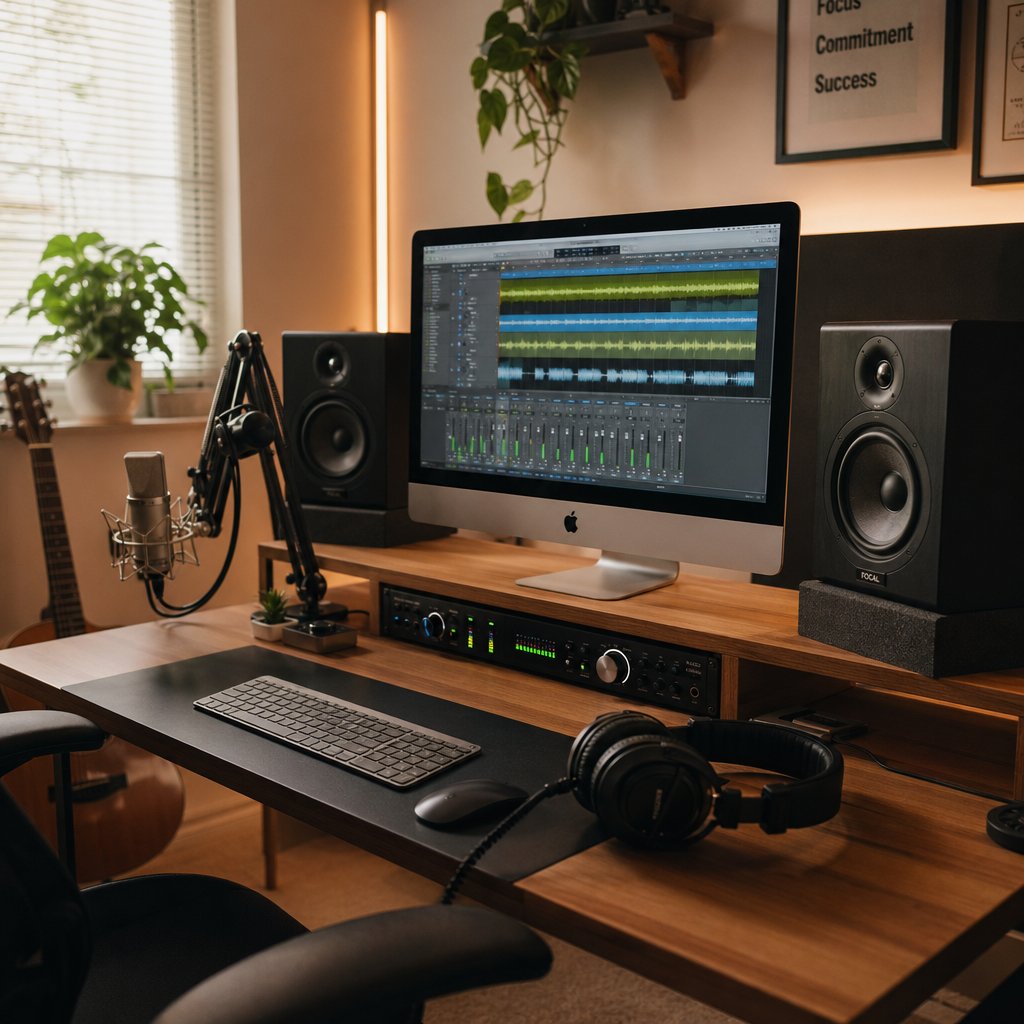
Software gives you the creative engine. Hardware gives you the physical connection to your music. A digital audio workstation mac setup only reaches its full potential when the gear around it matches the ambition of your projects. The good news is that you do not need to buy everything at once. Your Mac's built-in audio hardware is genuinely capable enough to get started, and you can add dedicated gear piece by piece as your productions demand more.
Essential Hardware for Your Home Studio
Every Mac includes a headphone jack and a built-in microphone. For casual beat-making, sketching melodies, or learning the basics of a DAW, that is enough. But the moment you want to record vocals with clarity, monitor mixes accurately, or play virtual instruments with real expression, dedicated hardware makes a noticeable difference.
Audio interfaces sit at the top of the priority list. An interface converts analog signals from microphones and instruments into digital audio your DAW can record, while also providing clean output to your monitors or headphones. According to MusicTech's expert testing, the Focusrite Scarlett 2i2 remains one of the strongest entry points, offering two input channels, Auto Gain for setting levels, and Clip Safe to prevent distortion, all at an affordable price. For producers who want onboard DSP processing, the Universal Audio Apollo Twin X adds real-time plugin processing through its Unison preamps. Budget-conscious creators can start with the Audient Evo 4, which delivers transparent preamps and Smartgain for automatic level setting at under $100.
MIDI controllers add hands-on control that a mouse and keyboard simply cannot replicate. A 25- or 49-key controller lets you play virtual instruments expressively, trigger drum pads, and shape sounds in real time. Many controllers now include software like Logi Tune-style configuration apps that let you customize knobs and faders to match your DAW's workflow. Even a basic pad controller can transform how you interact with magic tracks and drum patterns, turning programming into performance.
Studio monitors and headphones are where mixing accuracy lives. Your Mac's built-in speakers color the sound in ways that hide problems. A pair of entry-level studio monitors, positioned in an equilateral triangle with your listening position, reveals frequency imbalances, stereo width issues, and dynamic problems you would never catch otherwise. Closed-back headphones are essential for tracking, preventing mic bleed during vocal recordings. Open-back headphones work well for mixing when monitors are not an option, like late-night sessions in an apartment.
Microphones complete the recording chain. A large-diaphragm condenser handles vocals and acoustic instruments with detail and warmth. A dynamic mic like the Shure SM57 covers guitar amps, drums, and louder sources without distortion. You do not need both on day one. Pick the one that matches what you record most and expand later.
A practical starter setup, an audio interface, a condenser mic, and a pair of headphones, can cost as little as $200 to $300 and will carry you through months of serious production before you feel the need to upgrade. Think of it like packing a camel pack for a long hike: bring the essentials, keep the weight manageable, and add gear only when the terrain demands it.
Extending Your Workflow to iPad and iPhone
One of the most underappreciated advantages of producing on Mac is how seamlessly the workflow extends to Apple's mobile devices. Logic Pro for iPad is not a stripped-down companion app. It is a full-featured DAW that runs natively on iPad, complete with the same instruments, effects, and Session Players found in the desktop version. Projects created on your Mac open on iPad with all tracks, plugins, and automation intact, and changes sync back through iCloud.
According to Apple Support, GarageBand projects from iPhone or iPad open directly in Logic Pro for iPad with a single tap. If you started a song idea in GarageBand on your iPhone during a commute, you can pick it up in Logic Pro on your iPad at a coffee shop, then finish the mix in Logic Pro on your Mac at home. That cross-device continuity is unique to the Apple ecosystem and eliminates the friction of exporting, converting, or rebuilding projects between devices.
GarageBand for iOS also serves as a lightweight capture tool. Its Touch Instruments let you play drums, keyboards, and guitars directly on the screen, which is useful for recording melodic ideas when you are away from your studio. The pro x pro workflow of starting ideas on mobile and finishing them on desktop keeps creative momentum alive regardless of where you are.
For producers who already own an iPad, this integration effectively gives you a portable extension of your studio at no additional cost beyond the logic pro price of $199 for the Mac version and $49.99 for the iPad version. Even without Logic, GarageBand on iOS is free and feeds directly into the same project pipeline.
Choosing Your Starting Point
The sheer number of options covered in this guide can feel overwhelming. Six major DAWs, multiple plugin formats, AI features, hardware recommendations, and free alternatives all competing for your attention. Here is the simplest truth about music production: the best starting point is the one that gets you creating today, not the one you spend another week researching.
If you already have a Mac, you already have GarageBand. Open it. Record something. That single action teaches you more about production than any comparison table. If you want to explore synthesis, sequencing, or sound design without even launching a desktop app, browser-based utilities like those at MakeBestMusic's Online Tools let you experiment in seconds with zero setup.
From there, the path forward reveals itself naturally. You will know when GarageBand's limits start to pinch and Logic Pro's $199 upgrade makes sense. You will know when your built-in mic is not cutting it and an audio interface becomes a priority. You will know when a MIDI controller would speed up your workflow because you will feel the friction of clicking notes one by one in a piano roll. Some producers even watch for seasonal deals, though you will not find a bass pro shop promo code that covers DAW software. Instead, check developer sites directly around holidays for discounts, or look for bundles like a free apple music best buy promotion that occasionally includes trial subscriptions to creative apps.
Music production on Mac is not about having the perfect setup from day one. It is about starting with what you have, learning what you need, and building a studio that fits how you actually create. The tools are ready. The only missing piece is you.
