

What a Playlist Maker Actually Is and Why It Matters
You have hundreds of songs you love, but dumping them into a single list rarely feels right. That gap between a pile of tracks and a cohesive listening experience is exactly where a playlist maker comes in.
What Exactly Is a Playlist Maker
A playlist maker is any tool, feature, or method that helps you organize songs into a purposeful sequence. It can be a standalone app powered by artificial intelligence, a built-in feature inside your streaming service, or simply your own ears and instincts doing the work. The term covers a surprisingly wide range of approaches, and understanding the differences helps you pick the right one for the moment, whether you are figuring out how to create a birthday playlist or assembling cool workout songs for the gym.
Most playlist makers fall into three distinct categories:
- AI-powered tools - Standalone apps and integrations that analyze listening data, mood inputs, or text prompts to generate track lists automatically. Think of them as a random song generator with taste.
- Platform-native features - Built-in playlist builders inside services like Spotify, Apple Music, and YouTube Music. These let you search, drag, and arrange songs directly within the app where you already listen, making it easy to build a youtube music playlist or a quick queue on any device.
- Manual curation - The hands-on approach where personal music knowledge, mood awareness, and creative instinct guide every track choice and its placement in the sequence.
AI Tools vs Platform Features vs Manual Curation
Each category solves a different problem. AI tools excel at speed and discovery, surfacing tracks you might never find on your own. Platform features offer convenience, keeping everything inside one ecosystem so you can go from playlist ideas to a finished workout playlist in minutes. Manual curation, on the other hand, brings emotional intelligence that no algorithm fully replicates. Research into music discovery shows that human curators consistently outperform algorithms at recognizing emotional context and spotting emerging talent with lasting appeal.
The best playlists blend algorithmic discovery with human taste, using AI to widen the net and personal judgment to make the final call.
In practice, most people get the best results by combining all three. Let an AI surface fresh tracks, use your platform's built-in tools to organize them, then apply your own ear to shape the flow. That hybrid approach is the thread running through everything ahead, starting with the practical steps for building playlists on every major streaming service.
How to Make a Playlist on Every Major Platform
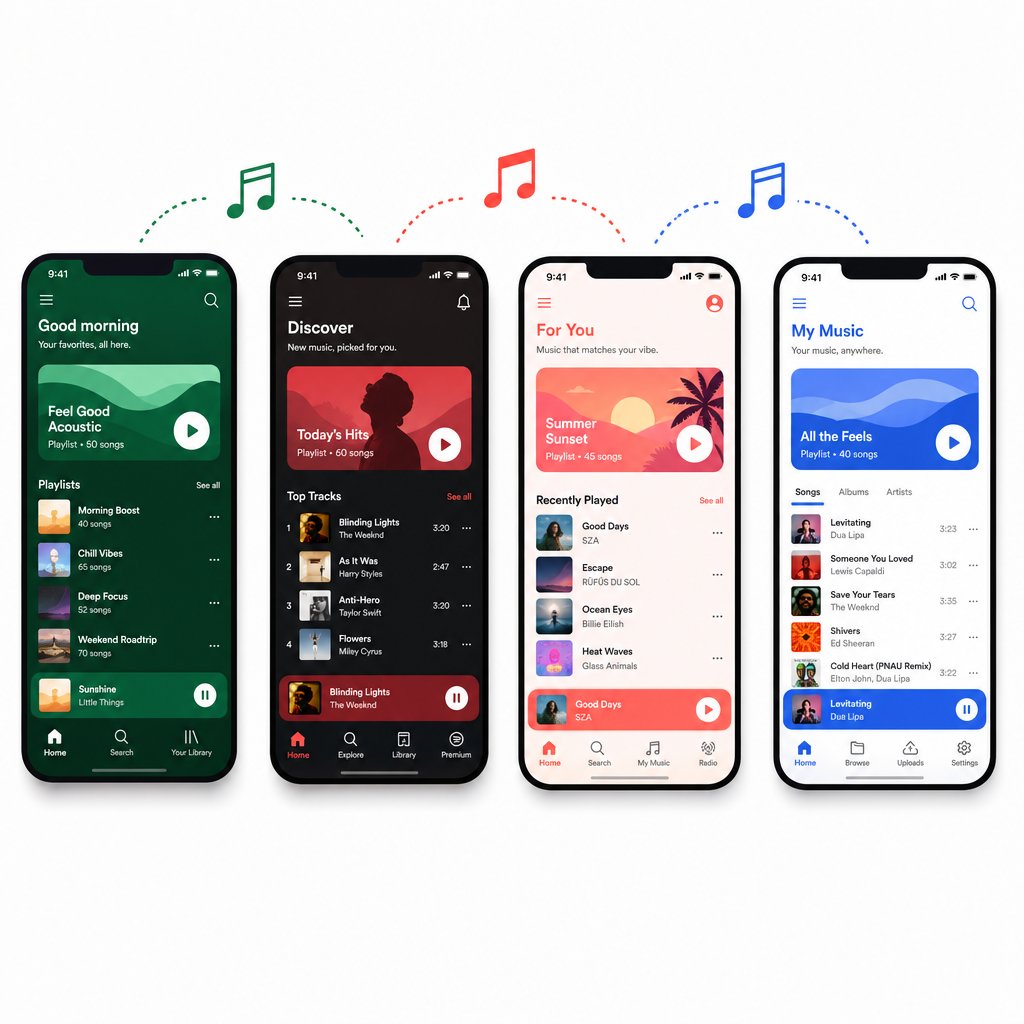
Knowing the types of playlist tools is one thing. Actually building your first list inside a streaming app is where the real fun starts. Every major platform handles the process a little differently, so here is a quick walkthrough for each one, no guesswork required.
How to Create a Playlist on Spotify
Spotify keeps things straightforward whether you are on your phone or at your desk. Here is the flow:
- Open the app and tap Your Library.
- Tap the + (plus) icon at the top, then select Playlist.
- Give it a name. Good playlist names are specific, like "Sunday Morning Slowcore" rather than just "Chill."
- Use the search bar to find tracks, then tap Add next to each song.
- Drag songs up or down to reorder them once you have a handful in place.
If you want to skip the manual search entirely, Spotify Premium subscribers can try the Prompted Playlist feature. Head to Your Library, tap Create, choose Prompted Playlist, and type a description of what you want to hear. Spotify then curates a list based on your listening patterns and keeps it fresh on a daily or weekly refresh schedule. It works almost like a song name generator for entire playlists, turning a short text prompt into a full tracklist. So if you have ever searched how to create a playlist on Spotify without spending an hour browsing, this is the shortcut.
Making Playlists on YouTube Music and YouTube
YouTube Music and standard YouTube both support playlists, but they serve different purposes. On YouTube Music, the process mirrors most streaming apps: go to Library, tap New Playlist, name it, and start adding songs through search. Your list syncs across devices and lives alongside your liked songs.
Standard YouTube playlists, on the other hand, are built around videos. Click Save beneath any video, choose an existing playlist or create a new one, and you are set. This is ideal for collecting live performances, music videos, or acoustic sessions that audio-only platforms cannot offer. Think of it as a visual layer on top of your fresh tunes. Just keep in mind that a YouTube video playlist and a YouTube Music audio playlist are separate collections, even though they share the same account.
Building Playlists on Apple Music and Amazon Music
On iPhone or iPad, open Apple Music, go to Library > Playlists, and tap New Playlist. Name it, add a description if you like, then tap Add Music to search the catalog. On Mac, the same flow lives in the sidebar of the Music app. Apple Music also supports playlist folders, which is a lifesaver once your collection grows past a dozen lists.
Amazon Music follows a similar pattern. Search for a song, tap the three-dot menu, and select Add to Playlist. You can create a new one on the spot or drop it into an existing list. The experience is leaner than Spotify or Apple Music, but it gets the job done, especially for Prime members who already have access to a large catalog.
Wondering how these platforms actually stack up side by side? Here is a quick comparison:
| Platform | Free Tier Playlist Support | AI Features | Max Songs Per Playlist | Cross-Device Sync |
|---|---|---|---|---|
| Spotify | Yes | Prompted Playlists, AI Playlist (Premium) | 10,000 | Yes |
| YouTube Music | Yes | Auto-generated mixes | 5,000 | Yes |
| Apple Music | No (subscription required) | Personalized stations | No published limit | Yes (via iCloud) |
| Amazon Music | Yes (Prime/Free tier) | Alexa voice prompts | No published limit | Yes |
Each platform has its strengths. Spotify leads in AI-driven creation and social sharing. YouTube Music wins when you want video content mixed in. Apple Music rewards users who live inside the Apple ecosystem, and Amazon Music offers a low-friction entry point for Prime subscribers. Some listeners even use a random music genre generator to pick a starting genre, then build a playlist around whatever style it lands on, a fun way to break out of listening ruts regardless of which app you choose.
Getting songs into a list is the easy part, though. The real difference between a forgettable queue and a playlist people actually finish comes down to how you arrange those tracks, and that is an entirely different skill.
The Art of Manual Playlist Curation
Dragging songs into a list takes seconds. Arranging them so a listener stays locked in from the first track to the last? That is where curation becomes a craft. The difference between a forgettable queue and a magic playlist almost always comes down to sequencing, the invisible architecture that shapes how every song feels in context.
Song Sequencing and Energy Flow
Imagine walking into a party where the DJ opens with the biggest banger of the night, then plays a slow ballad, then jumps to thrash metal. Jarring, right? Music psychology research confirms that listeners respond more deeply to playlists with intentional sequencing, and that track order can alter perception just as much as song choice itself. Professional curators, from Spotify editorial teams to veteran DJs, treat every playlist like a story with a beginning, a climax, and a resolution.
The concept behind this is the energy arc. Great playlists build momentum, create peaks and valleys, and close with intention rather than just running out of songs. A DJ-focused guide on energy organization breaks dancefloor energy into distinct levels, from ambient warm-ups to peak-hour bangers to late-night cool-downs. You do not need to be a DJ to borrow this thinking. Even a 30-song free spotify playlist benefits from the same principle: guide the listener through a deliberate emotional journey instead of tossing tracks in at random.
Here is a simple five-step framework you can apply to any playlist, whether you are using a similar tracks finder to source songs or pulling from your own spotify listening history:
- Choose an anchor mood. Decide the core feeling: melancholy, euphoric, focused, nostalgic. Everything else orbits this center.
- Pick a strong opener. The first track sets expectations. It should represent the playlist's vibe clearly without peaking too early.
- Build energy gradually. Let tempo, intensity, or emotional weight increase across the first half. Small jumps feel natural; giant leaps cause whiplash.
- Place your peak tracks at the 60-70% mark. This is the emotional climax. Your hardest-hitting or most emotionally charged songs belong here, not at the top.
- Wind down intentionally. Close with tracks that resolve the energy rather than just stopping. Think of it as a cool-down that leaves the listener satisfied, not stranded.
Song sequence matters as much as song selection. A perfectly chosen track in the wrong position can break the spell an entire playlist has been building.
One practical tip: listen through your playlist end-to-end before sharing it. Tools that function as a spotify helper can visualize audio features like tempo and energy across your tracklist, but nothing replaces the simple act of pressing play and paying attention to how each transition feels in real time.
Naming Your Playlist for Maximum Appeal
A playlist with great sequencing still needs a name that earns the click. This matters even more if you share lists publicly, since playlist naming research shows that names and descriptions are the most important metadata for search algorithms on platforms like Spotify. Playlists now account for roughly 31% of how listeners discover new music, so a vague title is a missed opportunity.
A few naming principles that consistently work:
- Be specific over generic. "Rainy Tuesday Indie Folk" outperforms "Chill Music" because it paints a scene. Specificity attracts the right listener and filters out the wrong one.
- Use mood or activity descriptors. Names that blend a feeling with a context, like "Late Night Coding: Ambient Electronics," instantly communicate what the playlist is for. Think of it like an artist name generator for your collection: the title should capture identity in a few words.
- Keep it concise. Overly long titles get truncated on mobile screens. Aim for three to five words that carry clear meaning.
- Front-load searchable terms. If someone might search for "90s hip-hop," put that phrase near the beginning of the title rather than burying it after a clever pun.
Good naming is not just about discoverability, though. It also helps you stay organized as your personal library grows. When you have dozens of playlists, descriptive titles save you from opening five lists just to find the right one for a morning commute.
Sequencing and naming give your playlist its skeleton and its first impression. But what happens when you hand the creative reins to an algorithm instead of relying on your own instincts? That is where AI-powered generators enter the picture, and understanding how they actually work under the hood changes the way you use them.

How AI Playlist Makers Actually Work
You type a few words into a prompt box, hit enter, and thirty songs appear that somehow feel like they were picked by a friend who knows your taste inside out. It almost feels like magic, but there is real engineering behind it. Understanding how these tools think helps you use them better and spot where they fall short.
How AI Playlist Generators Analyze Your Taste
Most AI playlist tools rely on three core techniques, often layered on top of each other. Each one looks at music from a different angle, and the combination is what makes modern recommendations feel eerily accurate.
The first is collaborative filtering. This is the "people like you also liked" approach. The algorithm looks at millions of user-created playlists and listening histories, finds patterns of overlap, and predicts what you might enjoy based on what similar listeners gravitate toward. Spotify, for example, processes almost half a trillion data events daily to power this kind of analysis. If your favorite tracks keep showing up on playlists alongside a song you have never heard, that song becomes a strong candidate. Think of it as a songs similar finder that works by mapping taste across an entire user base rather than comparing audio files.
The second technique is content-based audio analysis. Here, the AI actually "listens" to the music itself using neural networks that break tracks down into measurable features: tempo, key, energy, danceability, acousticness, and instrumentalness. This is what lets a tool recommend a brand-new indie track you have never encountered simply because it sounds like something already in your library. It also solves the cold-start problem, where a fresh release has no listening data yet but can still be matched by its sonic fingerprint.
The third is natural language processing (NLP). When you type a prompt like "upbeat road trip anthems from the 2010s," NLP models interpret the mood, activity, era, and genre cues in your words. These same models also scan blogs, reviews, and social media to understand how people describe music in everyday language, building what researchers call "cultural vectors" that connect adjectives like "dreamy" or "gritty" to specific tracks and artists. This is the layer that turns a genre song finder from a rigid category lookup into something that actually understands context and feeling.
Platforms that combine all three approaches, like Spotify's recommendation engine, build what amounts to a multi-dimensional taste profile for each listener. Collaborative filtering captures social context, audio analysis captures sonic context, and NLP captures cultural context. The result is far more nuanced than any single method could deliver on its own.
Comparing Popular AI Playlist Tools
Several tools now offer AI-driven playlist generation, each with a different entry point and set of strengths. Some let you analyze spotify playlist data to refine suggestions, while others start from scratch with a text prompt or a seed song. Here is how the most well-known options compare:
| Tool Name | Platform Integration | Input Method | Free Tier Available | Unique Strength |
|---|---|---|---|---|
| Spotify AI Playlist | Spotify (Premium only) | Text prompt | No | Deep personalization from years of listening data; refreshes on a schedule |
| PlaylistAI | Spotify, Apple Music | Prompt, image, or seed song | Yes (limited) | Multi-platform support and creative input options like image-based generation |
| Amazon Music Maestro | Amazon Music | Text prompt | Yes (with Prime) | Voice-based creation through Alexa integration |
| Chosic | Spotify | Mood, genre, seed song | Yes | Granular filtering by audio features like BPM, energy, and valence |
| Random Song Picker tools | Various / standalone | Genre or random selection | Yes | Useful for breaking out of listening bubbles; works like a random album generator for discovery |
Spotify's built-in option has the deepest well of personal data to draw from, which gives it an edge in relevance. PlaylistAI stands out for cross-platform flexibility and creative inputs. Amazon's Maestro launched shortly after Spotify's version and leans heavily on voice interaction. Standalone tools like Chosic appeal to listeners who want fine-grained control over audio attributes, and random song picker utilities serve a different purpose entirely: pure serendipity, no algorithm required.
AI works best as a starting point that you then refine manually. Let the algorithm handle discovery, then trust your own ear to shape the final playlist.
No tool gets it perfect on the first pass. Even Spotify's AI, backed by over 678 million users' worth of behavioral data, occasionally drops in a track that breaks the flow or misses the mood entirely. The real value is in the raw material these tools generate: a batch of playlist name ideas, a pile of tracks you would never have found browsing on your own, and a foundation you can sculpt into something personal.
That sculpting process, turning a raw AI output into a playlist that actually holds together, starts with knowing how to write a better prompt in the first place.
Writing Better Prompts for AI Playlist Generators
A powerful AI tool with a lazy prompt is like a sports car stuck in first gear. The technology can do remarkable things, but only if you give it something meaningful to work with. Most people type two or three generic words and wonder why the results feel flat. The fix is simpler than you think: treat your prompt like a mini creative brief.
What Makes an Effective AI Playlist Prompt
Every strong prompt shares the same DNA. It combines four elements that give the AI enough context to narrow millions of possible tracks down to a focused, coherent set:
- Mood descriptor - The emotional core. Words like "melancholy," "euphoric," "brooding," or "carefree" do far more work than "happy" or "sad."
- Activity context - What you are doing while listening. A playlist for a late-night coding session sounds nothing like one for a beach cookout, even if both are "chill."
- Tempo or energy preference - Slow burn, high energy, or a gradual build? This steers the AI toward the right BPM range and intensity.
- Era or genre hint - Telling the AI "mostly 2010s indie" or "classic soul with modern R&B" prevents it from casting too wide a net.
The difference between a vague prompt and a specific one is dramatic. "Happy music" might return a grab bag of pop hits from five decades. "Upbeat indie pop for a sunny morning run, mostly from the last five years" gives the AI a scene to work with, and as prompt testing across major AI models confirms, describing a scenario consistently outperforms naming a genre. You are painting a picture, not filing a search query.
Here are five prompt formulas you can copy and adapt right now:
- "[Mood] [genre] for [activity], mostly from [era]" — Example: Dreamy shoegaze for a rainy afternoon reading session, mostly from the 90s and 2000s
- "Good workout songs that match [workout type] at [intensity level], genres like [preference]" — Example: Good workout songs that match a HIIT session at peak intensity, genres like electronic and hip-hop
- "Songs that sound like [artist] meets [artist], but less well-known" — Example: Songs that sound like Khruangbin meets Toro y Moi, but less well-known
- "A playlist for [specific scenario] with [vocal preference]" — Example: A playlist for driving through the desert at sunset with mostly instrumental tracks
- "[Number] tracks for [event], mixing [genre] and [genre], crowd ages [range]" — Example: 25 tracks for a backyard birthday party, mixing funk and modern pop, crowd ages 25-40
Notice how each formula stacks multiple layers of context. The more specific you get, the less editing you will need to do afterward. Even spotify playlist names can benefit from this thinking: if your prompt is vivid enough, the AI often suggests a title that captures the vibe perfectly, saving you from settling for something generic when you could have one of the best playlist names in your library.
Refining AI Results With Follow-Up Edits
Even the sharpest prompt rarely produces a flawless playlist on the first try. Think of the AI output as a rough draft, not a finished product. The real curation happens in the editing pass.
Start by listening through the generated list from top to bottom. Pay attention to three things: tracks that break the mood, energy jumps that feel jarring, and songs you have already heard too many times. Remove anything that pulls you out of the flow. Then layer in personal favorites, the workout songs you always come back to, the deep cuts only you know about, the tracks that carry a specific memory. This is where your taste transforms an algorithm's guess into something that actually feels like yours.
Reordering matters just as much as adding or removing. Apply the energy arc principles from manual curation: ease in, build gradually, peak around the two-thirds mark, and resolve intentionally. A playlist that an AI sequenced alphabetically by artist or randomly by selection order almost always improves with a manual reorder.
Beyond built-in platform tools, connecting external AI to your streaming account opens up another layer of prompt-based creation. Spotify's integration with ChatGPT, which launched in late 2025 and has since expanded to multiple languages, lets you weave music requests into broader conversations. Planning a road trip in ChatGPT? Ask it to build a soundtrack and Spotify surfaces personalized picks right in the chat. Premium users get fully custom track selections from elaborate prompts, while free users can pull from existing curated playlists like Discover Weekly. The experience is still evolving, and not every request lands perfectly yet, but it hints at a future where playlist creation lives wherever your conversations happen, not just inside a music app.
Platforms like Tidal are also investing in creator-facing tools through initiatives like Tidal for Artists, giving musicians direct insight into how their tracks perform on playlists, which in turn shapes the recommendation data that AI tools rely on. The ecosystem feeds itself: better artist data leads to smarter suggestions leads to better playlists.
Prompts and editing get you a polished playlist for one moment. But different moments demand fundamentally different approaches, and a prompt that nails a study session will completely miss the mark for a high-energy gym set. Matching your strategy to the specific use case is where things get really practical.

Building Playlists for Workouts, Study Sessions, and Every Occasion
A prompt that produces the perfect study playlist will completely fall apart if you try to squat to it. Every listening scenario has its own rules around tempo, energy, and song selection, and ignoring them is the fastest way to kill a vibe. Tailoring your approach to the specific activity is what separates a playlist people actually use from one that collects dust.
Workout and Fitness Playlists That Keep You Moving
When you are mid-rep or pushing through the last kilometer, the right BPM can feel like a second wind. Research covered by CNET confirms that high-tempo music can reduce your perception of fatigue, help you sprint faster, and even make exercise feel easier overall. The key is matching the beat to the movement.
Here are general BPM targets by workout type:
- Running and cycling: 150-170 BPM. Fast enough to lock into a cadence without feeling frantic.
- Weightlifting and powerlifting: 130-150 BPM. Steady intensity that fuels effort without rushing your form.
- HIIT and CrossFit: 140-180+ BPM. Match the intervals: high BPM for work sets, moderate for rest.
- Yoga and stretching: 60-90 BPM. Slow, spacious tracks that let you breathe into each pose.
Consistent energy matters more than individual song preference during exercise. A single slow track dropped into a high-intensity set breaks your rhythm and your focus. If you are wondering how do i create a playlist on youtube for gym sessions, the same BPM logic applies: build a video playlist of live performances or music videos that hold a steady tempo range, and use a youtube playlist randomizer only for warm-up or cool-down segments where energy shifts are welcome.
Study Sessions, Road Trips, and Celebrations
Study playlists follow a completely different logic. A large-scale study published in Scientific Reports analyzed over 170,000 tracks from Spotify study playlists and found they share striking similarities with sleep music: low energy, high instrumentalness, and minimal vocal content. The takeaway? Your brain wants a pleasant auditory backdrop that does not compete for attention. Stick to instrumental tracks, steady tempos, and minimal lyrical content. Lo-fi, ambient, classical, and soundtrack genres dominate study playlists for good reason.
Road trip playlists demand the opposite of consistency. Long drives need variety, singalongs, and deliberate energy shifts to keep everyone alert. Touring musicians recommend matching song energy to the scenery and time of day: upbeat tracks for daytime highway stretches, mellow electronic or acoustic sets for late-night driving. Throw in a few crowd-pleasers that the whole car knows, and you have a playlist that fights road fatigue better than caffeine.
Party and birthday playlists are all about reading the room. A crowd-pleasing mix leans on familiar tracks across genres, with energy that builds as the night goes on. Good playlist names for these tend to be specific to the occasion, like "Jess Turns 30: Dance Floor Essentials," rather than something generic. If you are short on ideas, a playlist title generator or a music finder genre tool can spark a starting point, but the final tracklist should reflect the people in the room, not just an algorithm's guess. For Portuguese-speaking readers exploring como criar playlist no spotify for a celebration, the same principles apply regardless of language: anchor the list in crowd favorites, build energy gradually, and close strong.
When sourcing tracks for any of these scenarios, platforms like MakeBestMusic's Music page offer a genre-and-mood browsing environment that can surface fresh picks you would not stumble across in your usual streaming rotation. Pairing that kind of discovery with your platform's native tools gives you both breadth and convenience.
Here is a quick reference for dialing in the right settings by use case:
| Use Case | Ideal BPM Range | Recommended Length | Key Characteristics |
|---|---|---|---|
| Running / Cycling | 150-170 | 30-60 min | Steady high energy, minimal tempo drops |
| Weightlifting | 130-150 | 45-75 min | Aggressive tone, strong bass, consistent drive |
| Yoga / Stretching | 60-90 | 30-60 min | Spacious, ambient, mostly instrumental |
| Studying | 60-120 | 90-120 min | Low vocals, stable tempo, non-distracting |
| Road Trip | 90-150 (varied) | 3-6 hours | Genre variety, singalongs, energy shifts |
| Party / Birthday | 110-140 | 2-4 hours | Crowd favorites, building energy arc, danceable |
Matching your playlist to the moment is half the battle. The other half is avoiding the mistakes that quietly sabotage even well-planned lists, the kind of errors you do not notice until someone else hits skip.
Common Playlist Mistakes That Kill the Vibe
You have picked great songs, nailed the prompt, and matched the BPM to the activity. So why does the playlist still feel off? More often than not, the problem is not the tracks themselves but a handful of subtle mistakes that creep in during the building process. These are the errors that turn a promising mix into a skip-fest, and most people make them without realizing it.
Inconsistent Energy and Mood Whiplash
This is the single most common playlist killer. You drop a brooding slowcore ballad right after a high-energy dance track, and suddenly the listener feels like they got shoved out of a moving car. Jumping between wildly different tempos or genres without any transition creates what DJs call "mood whiplash," and experienced curators point out that flat, one-dimensional programming or erratic energy shifts both drain a crowd's enthusiasm fast. A strong set moves: it builds peaks of excitement and dips into calm, keeping attention from start to finish.
The fix is straightforward. Before you share any playlist, listen through it end-to-end. Not on shuffle, not skipping around, but in order, start to finish. You will catch jarring transitions your eyes missed while dragging tracks around. If you want a more data-driven approach, playlist analyzer tools like Chosic can visualize audio features such as energy, danceability, and tempo across your entire tracklist. Seeing a sharp spike or drop on a chart makes it obvious where the flow breaks. Even a quick glance at a genre finder column in the analysis results can reveal that one oddball track throwing off the whole mood.
Too Many Tracks and No Clear Theme
There is a temptation to keep adding songs until a playlist becomes a sprawling archive of everything you have ever liked. The problem? Music listeners and curators alike note that oversized playlists make it harder to determine which songs truly belong and which were added on a whim and get skipped every time. When a playlist balloons past a certain point, listeners lose the thread. They start skipping constantly, and the playlist stops feeling curated and starts feeling like a dumping ground.
For most use cases, 25 to 50 tracks hits the sweet spot. That is enough variety to avoid staleness while keeping a clear identity. The exception is background music libraries, ambient work playlists or workout music tracks collections where length serves a functional purpose. Even then, a loose thematic thread should tie things together. "Instrumental jazz recorded after 2015" is a theme. "Songs I like" is not. Without that thread, you are just building a shuffled catalog, and no song name finder or best ai music generator can fix a playlist that lacks a reason to exist.
Here are the five most common mistakes in one place:
- No energy arc. Tracks are arranged randomly instead of following a deliberate build and release pattern.
- Too many songs. The playlist loses focus and becomes a skip-heavy archive rather than a curated experience.
- Generic naming. Titles like "My Playlist #3" tell the listener nothing and get buried in search results. Even a simple playlist name ai tool can suggest something more descriptive.
- Never updating. A playlist frozen in time gets stale fast. Tracks you loved six months ago might feel overplayed today.
- Ignoring transitions between tracks. Two individually great songs can clash if their keys, tempos, or moods collide at the handoff point.
Spotting these mistakes is the easy part. The harder question is what happens after you fix them: how do you keep a playlist alive over weeks and months, organize a growing library without losing track of what you have built, and make sure your favorite mixes do not quietly go stale?
How to Organize and Keep Your Playlists Fresh
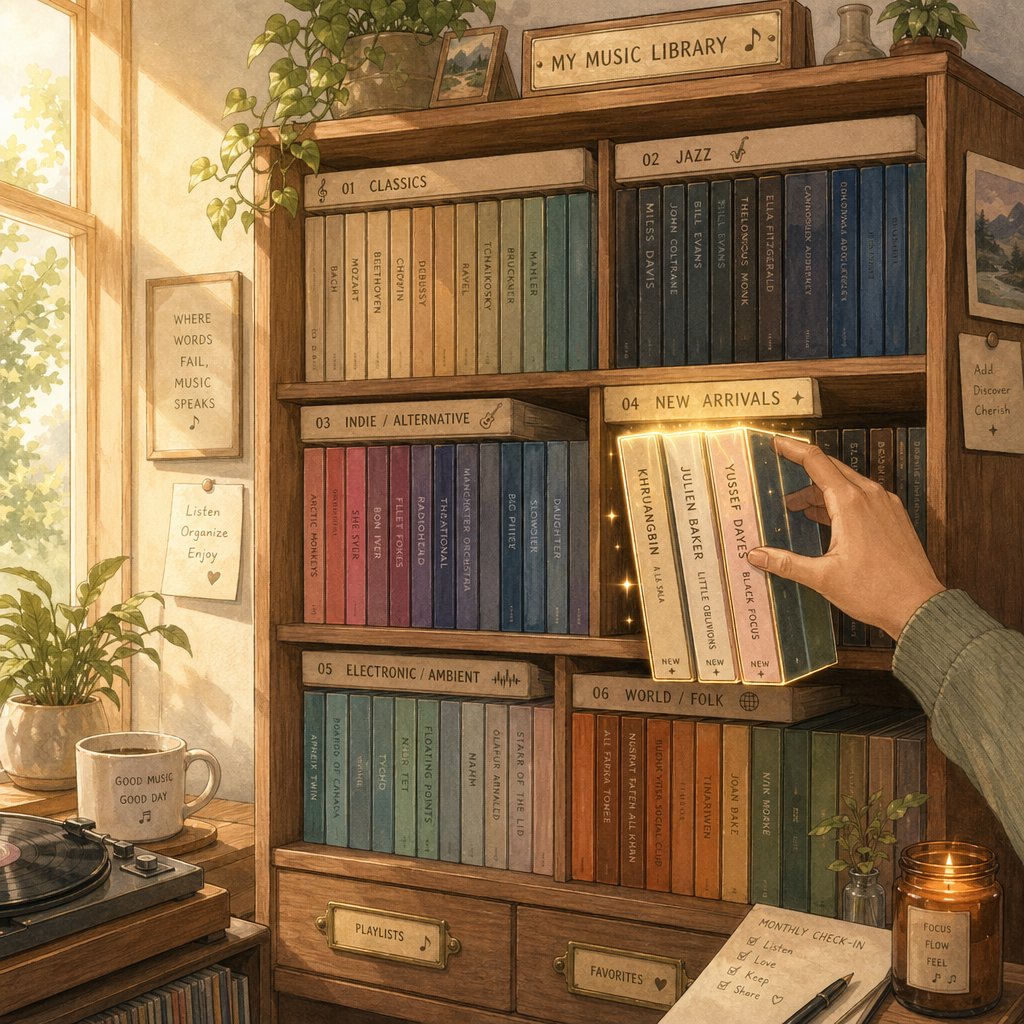
Building a great playlist is a creative act. Maintaining it? That is a habit, and one most people skip entirely. A playlist you poured effort into three months ago can quietly go stale if you never revisit it. Tracks get overplayed, your taste shifts, and what once felt like the perfect mix starts collecting dust in your library. The good news is that a few simple systems keep everything organized and evolving without turning playlist management into a chore.
Organizing Your Playlist Library for the Long Run
If you have been making playlists for more than a few months, you probably have a growing pile of them with no real structure. Scrolling past twenty or thirty lists just to find the right one for a morning commute gets old fast. A little upfront organization saves you that friction every single day.
Start with naming conventions. Consistent, descriptive titles make your library scannable at a glance. Prefixing by category works well: "Workout: HIIT Bangers," "Focus: Ambient Piano," "Party: 90s Throwbacks." When every playlist follows the same pattern, you stop guessing and start finding. If you are exploring playlist names spotify users tend to search for, this kind of specificity also helps with discoverability when you share lists publicly.
Beyond naming, Spotify's desktop app supports playlist folders, which let you group related lists under a single expandable heading. You can create a folder by clicking the plus icon next to Your Library, selecting "Create a playlist folder," and then dragging playlists into it or right-clicking a playlist and choosing "Move to folder." Think of folders like drawers in a filing cabinet: one for workout mixes, one for seasonal collections, one for collaborative lists with friends. The folders sync to your mobile app, so the organization you set up on desktop carries everywhere.
A few more strategies that keep a large library manageable:
- Archive seasonal playlists. That summer road trip mix from last year does not need to sit alongside your daily rotation. Move it into a "Seasonal Archive" folder so it is still accessible but out of the way.
- Create a rotation system. Keep three to five "active" playlists that you update regularly, and let the rest live in folders. This prevents decision fatigue when you open the app.
- Audit with listening data. Most platforms track your listening history. Check which playlists you actually return to versus the ones you have not touched in months. If a list has not earned a play in 90 days, it is either due for a refresh or ready for the archive.
Organization is not glamorous, but it is the difference between a library you enjoy browsing and one you dread opening. And once the structure is in place, the real ongoing work is keeping the content inside those playlists alive.
Keeping Playlists Fresh With New Discoveries
A playlist is not a time capsule. The tracks that defined your mood in January might feel completely played out by April. Regularly cycling in new songs and retiring overplayed ones is what separates good spotify playlists from abandoned ones. Think of it like tending a garden: a little attention each week keeps things thriving.
Discovery is the fuel for freshness, and you have more sources than you might realize:
- Algorithmic recommendations. Spotify's Discover Weekly and Release Radar, Apple Music's New Music Mix, and YouTube Music's auto-generated mixes all surface tracks tailored to your habits. Skim these weekly and pull standouts into your active playlists.
- Genre exploration. A song genre finder or genre-specific browsing on any platform can push you outside your usual lanes. If every playlist you own leans indie rock, spending ten minutes in an electronic or jazz section often turns up unexpected gems.
- Random song generators. Tools that serve up completely random tracks strip away algorithmic bias entirely. You will skip most of what surfaces, but the occasional find is something no recommendation engine would have suggested.
- Dedicated discovery platforms. Sites like MakeBestMusic's Music page offer a mood-and-genre browsing environment designed for exploration. Pairing this kind of open-ended discovery with your streaming app's native tools gives you both serendipity and convenience when refreshing a playlist.
- Community sources. Music discovery research shows that human-curated recommendations, whether from Reddit communities like r/listentothis, college radio, or editorial playlists, consistently surface tracks that algorithms overlook. Nearly 70% of college radio DJs under 25 cite personal recommendations as their primary discovery method.
A practical rhythm: every week or two, swap out three to five tracks that feel overplayed and replace them with recent discoveries. This keeps the playlist familiar enough to feel like yours but fresh enough that you never hit skip out of boredom. Over time, you will notice how to make a playlist that evolves with your taste rather than freezing a single moment in it.
A playlist is a living thing that improves with regular attention. The best ones are never truly finished.
One last piece of the puzzle: your playlists should not be trapped on a single platform. If you built the perfect collection on Spotify but want to try Apple Music or YouTube Music, cross-platform transfer tools make the switch painless. YouTube Music supports direct playlist imports from Apple Music, and third-party services like Soundiiz and TuneMyMusic handle transfers between Spotify, Amazon Music, and other platforms. The process can take a few hours for large libraries, and not every track will match perfectly across catalogs, but it means your curation work is portable. You are not locked into one ecosystem just because that is where you started. For anyone wondering how do you make a playlist in spotify and then move it elsewhere, these tools close the gap.
Whether you rely on a dedicated playlist maker, an AI prompt, or pure manual instinct, the playlists that people actually come back to share one trait: someone cared enough to keep them alive. Build the structure, feed it new music, and let it grow alongside your taste. That is the real secret to a mix that never kills the vibe.
