What Is AI Vocal Removal and Why It Matters
Imagine having a favorite song and wanting just the instrumental — no lead vocals, no harmonies, just the pure backing track. A few years ago, pulling that off required access to the original studio session files or knowing someone who had them. AI vocal removal changed that entirely. These tools use deep neural networks to isolate or strip vocal tracks from fully mixed audio, producing separate instrumental and vocal outputs without ever needing the original stems.
The best AI vocal remover doesn't simply mute a frequency range or silence the center channel. It analyzes patterns in the audio, identifies what a human voice sounds like within a dense mix, and reconstructs the remaining instrumental as a brand-new audio file. The result? A usable backing track generated from nothing more than a standard MP3 or WAV.
This article exists because the vocal remover software landscape is crowded, confusing, and full of marketing claims that rarely hold up under real testing. You'll find genuine testing insights here — including where these tools break down across different music genres — along with technical explanations, honest limitations, and practical workflows to help you choose the right tool for your specific needs.
What AI Vocal Removal Actually Means
Traditional vocal removal relied on a technique called phase cancellation. It worked by inverting one stereo channel and combining it with the other, which canceled out anything panned to the center — typically the lead vocal. The problem? It also wiped out bass, snare, and any other center-panned element, leaving a hollow, unusable result on most tracks.
Modern AI-driven source separation takes a fundamentally different approach. Instead of guessing based on stereo positioning, these models learn what a vocal sounds like by training on thousands of songs where both the mixed track and isolated stems are available. As Antares Audio Technologies explains, AI-based separation identifies the spectral and temporal patterns associated with vocals versus instruments, producing usable results even on complex mixes where phase cancellation fails entirely. That said, quality varies dramatically between tools — some vocal removal software delivers clean, professional-grade output, while others introduce distracting artifacts that make the result unusable.
Who Benefits Most from Vocal Removal Technology
The appeal of this technology stretches far beyond a single audience. Whether you're a weekend hobbyist or a working professional, there's likely a use case that fits your workflow. The best vocal isolator for you depends entirely on what you're trying to accomplish:
- Karaoke creators — Generate instrumental versions of any song to build sing-along libraries without licensing individual backing tracks.
- Remixers and producers — Extract isolated vocals or instrument stems to sample, flip, or rebuild tracks from scratch.
- Music students and practice musicians — Remove vocals to play along with the instrumental, or isolate a specific part to learn it by ear.
- Podcast editors and dialogue specialists — Use vocal isolation (the reverse process) to clean up speech or extract voice from noisy recordings.
- Content creators — Pull backing tracks for video projects, social media content, or presentations where licensed instrumentals aren't available.
Each of these groups has different priorities — speed versus quality, free access versus professional features, simple two-stem output versus full multi-stem separation. Throughout this article, you'll find coverage of the underlying technology, a comprehensive comparison of the best vocal remover tools available, genre-specific performance breakdowns that most reviews ignore, and honest assessments of where every tool falls short. The goal is to give you enough technical understanding and practical insight to make a confident choice — without the usual marketing spin.
Of course, making that choice starts with understanding what's actually happening inside these tools when they process your audio.
How AI Source Separation Technology Works Under the Hood
When you drop a song into a vocal remover, something far more sophisticated than simple filtering takes place. The AI doesn't hunt for the singer's voice and erase it. Instead, it builds a prediction of what each element of the mix sounds like independently — then reconstructs those predictions as separate audio files. Understanding how this process works helps explain why some tools function as a genuinely advanced music splitter while others produce muddy, artifact-ridden output.
From Spectrograms to Separated Stems
Picture a song's audio waveform — that jagged, oscillating line you see in any audio editor. It contains every instrument, every vocal note, and every percussive hit layered together. A neural network can't easily make sense of raw waveforms, so the first step is converting audio into a visual representation called a spectrogram. A spectrogram displays frequency on one axis, time on the other, and uses color or brightness to indicate how much energy exists at each point. In this visual format, a soprano vocal line and a bass guitar occupy distinctly different regions, giving the AI a map it can actually read.
Training is where the magic happens. Developers feed the model thousands of paired examples: full mixed songs alongside their isolated stems — vocals in one file, drums in another, bass in a third. The MUSDB18-HQ dataset, for instance, provides 150 professionally mixed tracks with individual source stems that serve as ground truth for many leading models. By comparing a mixed spectrogram against the known vocal-only spectrogram thousands of times, the network learns which spectral patterns belong to the human voice and which belong to instruments. Techniques like pitch shifting, tempo stretching, and even remixing stems from different songs further expand the training data, helping the model generalize to music it has never heard before.
AI vocal removal doesn't delete vocals — it predicts what the instrumental would sound like without them, then reconstructs that prediction as a new audio file.
This prediction-based approach is exactly why results vary so much. The model isn't surgically cutting anything out. It's guessing — with extraordinary sophistication, but guessing nonetheless — what each source should sound like on its own.
Key Architectures Behind Modern Separation
Not all AI models are built the same way, and the architecture behind a tool directly shapes its output quality, processing speed, and the frequency ranges it handles cleanly. Three model families dominate the landscape today:
- U-Net-based architectures — The backbone of many separation tools. A U-Net works as an encoder-decoder network: the encoder compresses the audio into a compact internal representation, and the decoder expands it back into separated stems. Meta's Demucs, one of the most respected open-source models, evolved from this foundation. Its latest version — Hybrid Transformer Demucs (v4) — runs dual U-Nets in parallel, one processing raw waveforms in the time domain and another working on spectrograms in the frequency domain. On the MUSDB HQ benchmark, this architecture achieves a Signal-to-Distortion Ratio (SDR) of up to 9.20 dB, a standard metric where higher values indicate cleaner separation.
- MDX-Net variants — Developed through community-driven competitions, the mdx23c family and its derivatives (including specialized configurations like mdx23c-instvoc hq) focus heavily on optimizing vocal-versus-instrumental separation. These models power much of the uvr stem separation ecosystem, where users can swap between different model weights to find the best match for a particular track. MDX-Net architectures tend to excel at preserving high-frequency instrument detail — cymbals, acoustic guitar harmonics, string overtones — that U-Net models sometimes smear.
- Transformer-based approaches — Borrowed from the same technology behind large language models, transformers use self-attention mechanisms to capture long-range relationships in audio. Instead of analyzing only a narrow window of sound, a transformer can consider how a vocal phrase evolves over several seconds. Demucs v4 integrates transformer encoder layers at its core, using cross-attention between its time-domain and frequency-domain branches. This cross-domain design gives it a notably wider contextual window — up to 12.2 seconds of audio during training — compared to older convolutional-only models.
These architectural differences explain real-world quirks you'll encounter. A tool built on MDX-Net might handle a sparse acoustic ballad beautifully but stumble on a dense hip-hop mix, while a Demucs-powered option could separate bass-heavy tracks with more confidence but introduce subtle artifacts on high-pitched synths. The model isn't just a black box — it's a design choice that determines which songs get clean results and which ones don't.
Knowing these technical foundations gives you a critical advantage when comparing tools. The question shifts from "which one is best?" to "which architecture handles my music best?" — and answering that requires looking at the specific tools available today.
Top AI Vocal Remover Tools Compared
Architecture matters, but at some point you need to pick a tool and press upload. The vocal remover market has expanded rapidly — dozens of options span browser platforms, desktop applications, and open-source projects. Most comparison guides cover only a handful. The table below brings together 12 tools across all three categories, so you can quickly identify which ones match your workflow, budget, and quality expectations.
| Tool Name | Type | Stem Outputs | Free Tier | Best Use Case |
|---|---|---|---|---|
| MakeBestMusic Vocal Remover | Online | Vocals + Instrumental (2-stem) | Yes | Quick vocal removal without software install |
| LALAL.AI | Online / Desktop | Multi-stem (vocals, drums, bass, guitar, synth, etc.) | Preview only (Starter) | Heavy users needing multi-stem exports |
| PhonicMind | Online | 4-stem (vocals, drums, bass, other) | Preview only | One-off paid stem exports |
| AudioStrip | Online | Vocals + Instrumental (2-stem) | Yes | Low-friction first attempts |
| VocalRemover.org | Online | Vocals + Instrumental (2-stem) | Yes (with limits) | Casual karaoke, quick experiments |
| iZotope RX | Desktop (DAW Plugin) | 4 balance sliders (vocals, bass, percussion, other) | No (paid license) | Professional post-production and dialogue repair |
| Deezer Spleeter / Meta Demucs | Open-Source (CLI) | 2-stem or 4-stem (Spleeter); up to 6-stem (Demucs) | Fully free | Developers and command-line users |
| Ultimate Vocal Remover (UVR) | Open-Source (Desktop GUI) | Multi-stem (model dependent) | Fully free | Technical users wanting maximum control |
| EaseUS Vocal Remover | Online / Desktop | Vocals + Instrumental (2-stem) | Yes (10 min / 100 MB limit) | Beginners on Windows |
| MVSEP | Online | 2-4 stems (model dependent) | Yes (registered users) | A/B testing separation models |
| SongDonkey | Online | Multi-stem (vocals, drums, bass, other) | Limited free tier | Quick multi-stem splits |
| Moises | Online / Mobile App | Up to 5 stems | Yes (capped length and exports) | Musicians practicing on mobile |
You'll notice the spread immediately — some tools are laser-focused on two-stem vocal removal, while others try to separate every instrument in the mix. The right choice depends less on star ratings and more on what you actually plan to do with the output.
Browser-Based AI Vocal Removers
If you want results in under five minutes with zero installation, browser-based tools are your starting point. MakeBestMusic Vocal Remover stands out here as a versatile option for musicians, remixers, karaoke creators, students, and content editors who need quick vocal removal and clean instrumental creation right from the browser. There's no software to download and no account setup required to get started — just upload your track and let the AI handle separation. For beginners and intermediate users looking for a reliable, hassle-free entry point, it's the recommended place to begin.
The LALAL.AI vocal remover occupies a different niche. Its sixth-generation Andromeda engine supports a wide array of stem types — vocals, drums, bass, guitars, piano, synth, strings, and more — along with direct video input for MP4 and MOV files. That breadth makes it a strong pick for creators who regularly need multi-stem exports, though the pricing model charges per-stem minutes that can add up quickly. The Starter tier provides previews but not full downloads, an important distinction to understand before committing.
PhonicMind has been around for years and offers a straightforward four-stem split: vocals, drums, bass, and everything else. It's consistent on well-mastered commercial tracks, though independent testing suggests it's less flexible with noisier or more complex source material. The pay-per-song model works for occasional use, but per-song costs of roughly $4-5 make it expensive relative to newer competitors.
AudioStrip keeps things minimal — no signup prompt, no overwhelming options. You get a simple vocal and instrumental split. In practice, the output produces a usable practice instrumental with faint ghost vocals on compressed audio, which is perfectly acceptable for casual purposes. Think of it as a low-friction starting point rather than a production-grade solution.
Sites like vocalremover.com and similar free browser tools serve the casual end of the market. Quality is noticeably lower than paid options — expect audible bleed and some watery texture on dense mixes — but for a quick karaoke track or a rough idea of how separation will work on your song, they do the job without asking for a credit card.
Desktop and Professional-Grade Solutions
When browser convenience isn't enough and you need surgical precision, desktop tools offer deeper control. iZotope RX is the gold standard for professional audio repair. Its Music Rebalance module doesn't produce separate stem files in the traditional sense — instead, it gives you four balance sliders (vocals, bass, percussion, other) that let you attenuate or boost each element within a mix. Inside a DAW, the artifacts stay remarkably low, but results depend heavily on operator skill. iZotope RX is a paid license product with Elements, Standard, and Advanced tiers, so it represents a real investment. It's the right tool if audio repair and dialogue cleanup are part of your daily workflow; it's overkill if you just want a karaoke track.
Deezer's Spleeter deserves mention as one of the earliest open-source separation tools that brought AI stem splitting to a broader audience. Meta's Demucs has since surpassed it in quality — particularly the Hybrid Transformer variant (htdemucs) — and can separate into up to six stems including guitar and piano. Both require command-line usage or Python knowledge, making them better suited for developers or technically comfortable users. EaseUS Vocal Remover offers a more polished desktop experience on Windows, with a clear free limit of 10 minutes or 100 MB per file and a straightforward upload-preview-download flow that works well for beginners.
Newer and Niche Entrants
The vocal remover space evolves fast, and several newer platforms are worth watching. SongDonkey provides quick multi-stem separation through a clean browser interface, positioning itself as a middle ground between free tools and premium subscriptions. It's a solid option for users who want drums, bass, vocals, and other instruments separated without diving into open-source software.
MVSEP takes a different approach entirely. Rather than locking you into a single AI engine, it offers a catalog of academic and community-driven models — including various Demucs configurations, MDX-Net variants, and newer architectures. Registered users can run free separations and export lossless files, making it invaluable for anyone who wants to find the best model for a specific track. If you're the type who enjoys A/B testing, MVSEP is where you'll spend your time finding the best model for your source material.
Platforms like dango.ai and Fadr have also entered the landscape with creative remixing workflows that bundle BPM detection, key identification, and loop slicing alongside basic stem separation. These tools appeal more to DJs and remix-oriented creators than to users who simply want a clean instrumental. The sheer number of new entrants confirms something important: the technology powering these tools is maturing, but no single platform has claimed a decisive quality advantage. The differences increasingly come down to workflow, pricing, and which edge cases each tool handles best.
That variety also means your choice shouldn't be driven by marketing claims alone. Several powerful options exist outside the commercial landscape entirely — free, community-driven projects that rival or exceed many paid tools in raw separation quality.
Open-Source Vocal Removers Worth Exploring
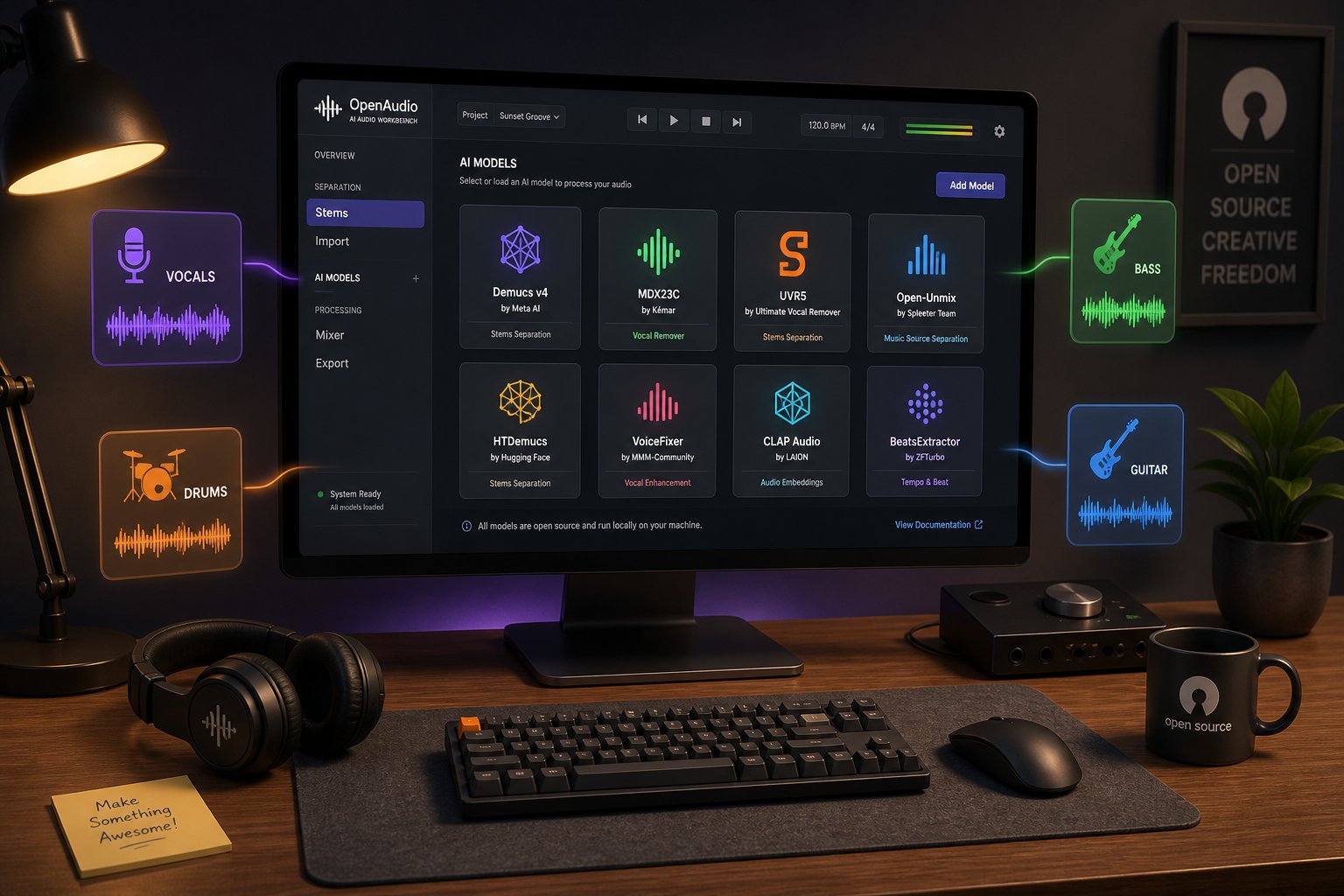
Free, community-driven projects don't just compete with commercial vocal removers — in many cases, they set the quality benchmark that paid tools are chasing. The open-source ecosystem offers unlimited processing, full privacy, and a depth of control that no browser-based platform can match. The trade-off? You'll need to roll up your sleeves a bit. For budget-conscious creators and anyone who values ownership of their workflow, these tools are worth every minute of setup time.
Ultimate Vocal Remover (UVR) Deep Dive
If there's one tool the vocal removal community rallies behind, it's Ultimate Vocal Remover — commonly known as UVR. This open-source desktop application has earned a devoted following for a simple reason: it puts the same AI models used by many online platforms directly on your machine, with far more control over how they run.
What makes the UVR vocal remover unique is its model selection system. Instead of locking you into a single AI engine, UVR lets you download and swap between entirely different model architectures depending on the audio you're processing. The three main families available are:
- VR Architecture — The original separation engine, still effective for straightforward vocal-instrumental splits on cleanly mixed pop and rock recordings.
- MDX-Net — Community-developed models including variants like UVR-MDX-NET Inst HQ 1, which handle high-frequency preservation more gracefully and tend to produce cleaner instrumental outputs on modern productions.
- Demucs — Meta's Hybrid Transformer models (htdemucs and htdemucs_ft), which currently deliver some of the highest-quality multi-stem separation available in any open-source tool.
This flexibility matters because no single model excels on every track. A sparse acoustic ballad might sound pristine through one MDX-Net configuration, while a dense hip-hop mix responds better to a Demucs variant. Experienced users routinely test two or three ultimate vocal remover models on the same song and pick whichever output has the fewest artifacts — a workflow that's simply impossible on most commercial platforms.
Beyond model selection, UVR supports GPU acceleration through NVIDIA CUDA, which dramatically cuts processing time. A four-minute track that takes 90 seconds on a CPU can finish in roughly 20 seconds with a modern GPU. The application also handles batch processing, so you can queue up an entire album and walk away while it works through every file. The latest stable release, v5.6.0, runs on Windows, macOS, and Linux, and supports MP3, WAV, FLAC, OGG, and other FFmpeg-compatible formats.
The catch is setup friction. Installing UVR isn't difficult for anyone comfortable downloading software, but choosing the right models, enabling GPU support, and fine-tuning ensemble settings can feel overwhelming the first time. As one Reddit user put it, the tool is "holy s**t level good" — but getting there requires patience that casual users may not want to invest.
Spleeter and Demucs as Command-Line Alternatives
Two other open-source projects deserve serious attention, even though they demand more technical comfort than UVR's graphical interface.
Deezer's Spleeter holds a special place in this space as one of the earliest open-source separation tools. Released in 2019, it introduced accessible AI stem splitting to a wide audience using a U-Net convolutional neural network trained on Deezer's proprietary dataset. Spleeter offers pretrained models for 2-stem (vocals and accompaniment), 4-stem (vocals, drums, bass, other), and 5-stem (adding piano) configurations. It's fast — processing a four-minute song in roughly 15 seconds on a modern CPU — and its MIT license makes it freely usable in commercial projects. However, Deezer hasn't meaningfully updated the model since its initial release, and comparative testing by StemSplit shows Spleeter averaging around 81.6% artifact-free vocal isolation compared to Demucs's 91.2% across 50 songs spanning multiple genres. It produces noticeably more "watery" artifacts on vocals and more bass bleed between stems than its newer rival.
Meta's Demucs is currently the quality leader in the open-source world. Its latest iteration — Hybrid Transformer Demucs (htdemucs) — uses a dual-path architecture combining waveform processing with spectrogram analysis, and a fine-tuned variant (htdemucs_ft) pushes quality even further at the cost of longer processing times. Demucs separates into four standard stems (vocals, drums, bass, other) and offers a 6-stem mode that adds guitar and piano. The results speak for themselves: cleaner vocal isolation, better bass definition, and less of the shimmer artifacts that plague older models.
Both tools require Python installation and command-line usage. For Spleeter, the basic workflow is as simple as pip install spleeter followed by spleeter separate -p spleeter:4stems -o output audio.mp3. Demucs follows a similar pattern: pip install demucs then demucs --two-stems=vocals audio.mp3. Neither is intimidating for developers or anyone comfortable with a terminal interface, but these tools clearly aren't designed for someone who just wants to drag-and-drop a song and grab the instrumental.
Choosing Between Open-Source and Online Tools
The decision between vocal remover freeware and commercial online platforms comes down to a handful of clear trade-offs. Here's how they stack up in practice:
- Cost and usage limits — Open-source tools like UVR, Spleeter, and Demucs are completely free with no per-file caps, no subscription tiers, and no preview-only exports. Online tools offer convenience but frequently impose file size limits, song length restrictions, or usage quotas that push you toward paid plans.
- Processing control — UVR's model-swapping system and Demucs's configurable parameters (like
--shifts=5for higher-quality averaging) give you granular control over output quality. Most online tools offer a single upload button and no way to adjust how the AI processes your track. - Privacy and local processing — Every file processed through an open-source desktop tool stays on your computer. Nothing is uploaded, stored, or accessible to a third party. This matters significantly if you're working with unreleased material, copyrighted recordings, or client sessions where data handling policies apply. Online platforms process your audio on remote servers, and their data retention policies vary.
- Setup and accessibility — Online tools win decisively here. Upload a file, wait, download the result. Open-source options require software installation, potential dependency management, and — for Spleeter and Demucs — familiarity with the command line. UVR softens this with its GUI, but configuring models and enabling GPU acceleration still involves a learning curve.
- Hardware requirements — Demucs's htdemucs_ft model needs at least 8 GB of RAM and benefits substantially from a modern NVIDIA GPU with CUDA support. Running it on CPU alone is viable but significantly slower. Online tools offload all processing to cloud servers, so your local hardware doesn't matter.
For users who process tracks regularly — whether that's building a karaoke catalog, extracting samples for production, or isolating stems for music education — the ultimatevocalremover ecosystem pays for itself quickly in saved subscription fees alone. For occasional use, a browser-based platform is usually the faster path to a finished file.
Whichever route you choose, you'll run into one question almost immediately: do you actually need full stem separation, or is a simple vocal-and-instrumental split enough for your project? The answer shapes which tools and settings make sense — and it's a distinction that most reviews gloss over entirely.
Vocal Removal vs Full Stem Separation Explained
You've seen tools advertise "vocal removal" and "stem separation" almost interchangeably — but they're not the same thing. Confusing the two leads to wasted time testing the wrong software and disappointment with results that don't match your creative goal. The distinction is straightforward once you see it clearly, and understanding it before you commit to a tool saves real frustration down the line.
Vocal Removal as a Two-Stem Process
Basic vocal removal produces exactly two outputs: an isolated vocal track and an instrumental track. The AI draws a single boundary — voice on one side, everything else on the other. That's it. No drum isolation, no separated bass line, no individual guitar track. Just vocals and "not vocals."
For a surprising number of use cases, this is all you need. Karaoke creators want a clean instrumental to sing over. Practice musicians want to remove the lead vocal so they can play along with the full band. Content editors need a backing track for a video. Vocal extraction software operating in two-stem mode handles these jobs efficiently because the AI only has to make one distinction. Fewer boundaries mean fewer opportunities for artifacts, which is why two-stem outputs are generally cleaner than multi-stem results from the same model.
Most free online tools — including browser-based options and lightweight vocal removers — default to this mode. If your project starts and ends with "give me the instrumental," a two-stem tool is the faster, simpler, and often higher-quality path.
Full Stem Separation and When You Need It
Advanced stem separation goes further, splitting audio into four or more individual tracks: vocals, drums, bass, and other instruments. Some tools push even further — the best AI music splitter options like Demucs's 6-stem mode add guitar and piano as separate outputs, and platforms like the LALAL.AI instrumental remover offer even more granular categories including synth, strings, and wind instruments.
This level of separation unlocks creative workflows that two-stem removal simply can't touch. A remixer isolating a drum break from a classic funk record needs the drums alone, not the entire instrumental. A producer sampling a specific bass line doesn't want guitar and keyboard layered on top of it. A DJ building a live mashup might need an acapella vocal from one track blended over the drums from another — and a harmony splitter that can isolate backing vocals from the lead adds yet another layer of creative possibility.
The trade-off is real, though. Every additional stem the AI produces means another boundary where separation errors can occur. When the model splits audio into four parts instead of two, each output carries a higher risk of bleed and artifacts. A drum stem might pick up bass guitar transients. A bass stem might include a faint kick drum shadow. The "other" catch-all stem often sounds muddier than a clean two-stem instrumental because it's the leftover — whatever the AI couldn't confidently assign elsewhere.
The table below puts these differences side by side so you can quickly identify which approach fits your project:
| Aspect | Vocal Removal (2-Stem) | Full Stem Separation (4+ Stems) |
|---|---|---|
| Outputs | Isolated vocals + instrumental | Vocals, drums, bass, other (and sometimes guitar, piano) |
| Primary Use Cases | Karaoke tracks, sing-along practice, background music for content | Remixing, sampling individual instruments, DJ mashups, arrangement study |
| Typical Tools | MakeBestMusic, AudioStrip, VocalRemover.org, Spleeter (2-stem mode) | LALAL.AI, Demucs (4/6-stem), UVR with MDX-Net or Demucs models, PhonicMind |
| Artifact Risk | Lower — only one separation boundary | Higher — more boundaries increase bleed between stems |
| Processing Speed | Faster — less computation required | Slower — model must predict more outputs simultaneously |
| Best Source Quality | Works acceptably even on compressed MP3s | Benefits significantly from lossless (WAV/FLAC) input |
Here's the honest self-assessment: if you don't specifically need isolated drums, bass, or individual instruments, you don't need multi-stem separation. Choosing a four-stem tool when a two-stem output would suffice means accepting more artifacts for capabilities you won't use. Start with what your project actually demands. A karaoke creator gains nothing from a separated drum track. A remixer gains everything from one.
Whichever mode you choose, though, there's a variable that affects output quality far more than most users realize — and it has nothing to do with the tool itself. The genre of music you're processing creates performance differences so dramatic that the same tool can sound flawless on one track and barely usable on the next.
How Different Music Genres Affect Separation Quality
You've picked your tool, chosen between two-stem and multi-stem output, and uploaded your first track. The result sounds incredible — clean instrumental, barely a trace of the vocal left behind. So you try another song. This time, the output is a mess: warbling guitars, ghostly vocal remnants, bass that sounds like it's underwater. Same tool, same settings, completely different result. What happened?
The song's genre happened. And this is the single most overlooked factor in every vocal removal review online. If you've ever searched for software to take vocals out of songs and been disappointed by the results, there's a strong chance the issue wasn't the tool — it was the source material.
Why Genre Matters More Than Most Reviews Admit
Every AI separation model learns from training data, and that training data isn't evenly distributed across musical styles. Datasets like MUSDB18-HQ lean heavily toward Western pop, rock, and singer-songwriter recordings with conventional arrangements: a lead vocal sitting clearly above instruments, moderate reverb, standard stereo mixing. The AI gets thousands of examples of this kind of music and becomes extraordinarily good at separating it.
Feed it something outside that comfort zone, and performance drops — sometimes dramatically. Dense hip-hop productions with layered ad-libs, pitched vocal samples used as melodic hooks, and booming 808 sub-bass create a spectral nightmare for separation models. The vocal-like frequencies in a pitched sample overlap with actual vocals, so the AI can't tell where the singer ends and the sample begins. Those 808s bleed energy across low and sub-low frequencies that the model may confuse with bass instruments, smearing the instrumental output.
Electronic music presents a different challenge entirely. Heavily synthesized productions often use vocoders, talkboxes, and processed vocal chops as integral textural elements. To the AI, a vocoded synth pad looks like a human voice in the spectrogram — because it literally carries vocal characteristics. The model pulls it into the vocal stem, gutting the instrumental of elements the producer intended as instruments.
This isn't a flaw in any specific tool. As DubSmart's research on separation challenges explains, overlapping frequencies between vocals and certain instruments pose a fundamental obstacle for AI systems — when audio components share similar frequency bands, distinguishing them without introducing artifacts becomes inherently complex. The limitation is baked into how source separation works at a mathematical level.
Performance Patterns Across Music Styles
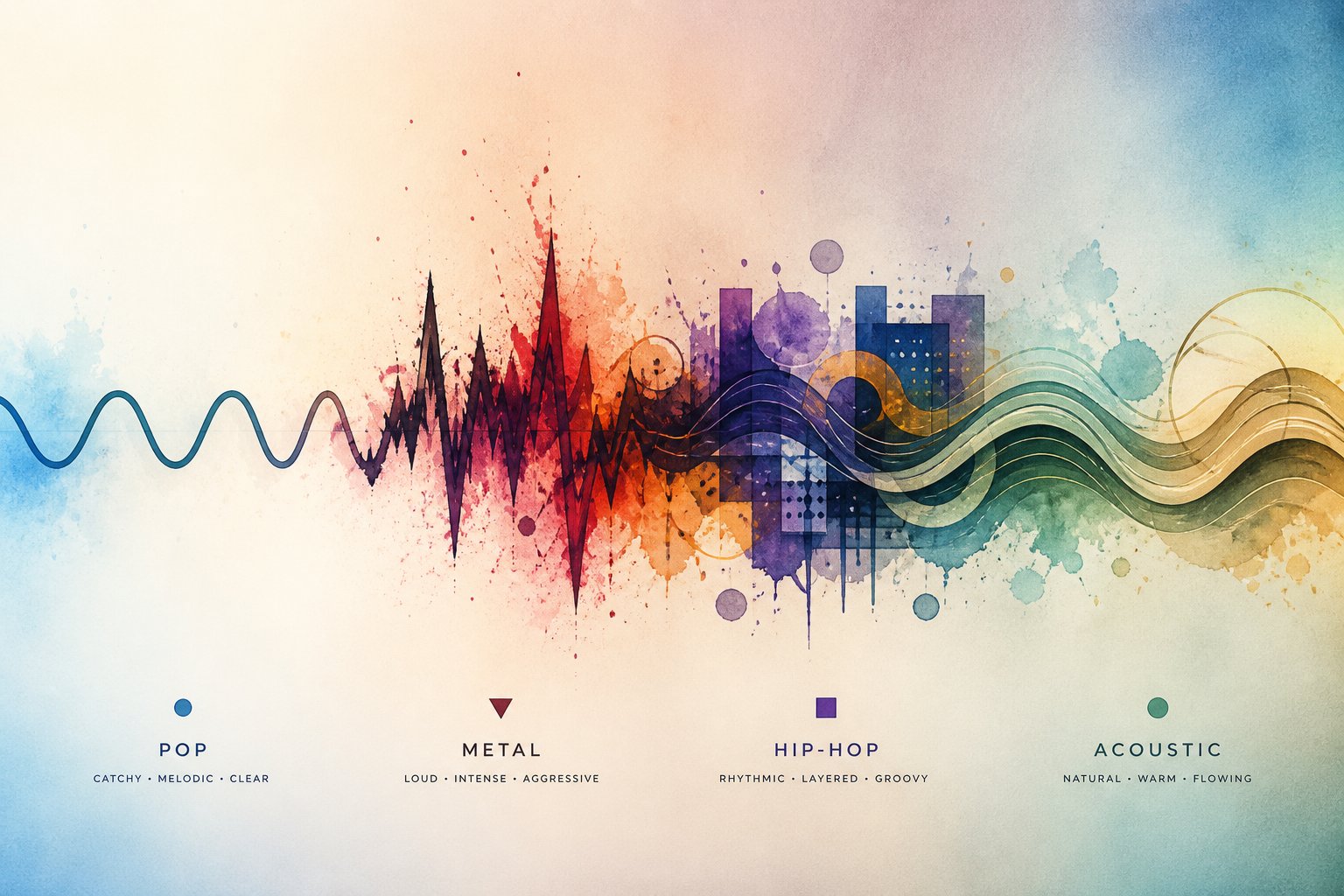
To give you a practical reference point, here's how separation quality typically breaks down by genre. These patterns hold true across most vocal track remover software — whether you're using a browser-based tool, a desktop application, or an open-source model. Individual tools may perform slightly better or worse within each category, but the overall trends are remarkably consistent.
| Genre | Typical Separation Quality | Common Issues |
|---|---|---|
| Pop | High | Minimal — clean center-panned vocals separate easily; occasional bleed on heavily stacked backing vocals in choruses |
| Acoustic / Singer-Songwriter | High | Sparse arrangements make separation straightforward; fingerpicked guitar harmonics occasionally bleed into the vocal stem |
| R&B / Soul | Medium-High | Generally clean on modern productions; dense vocal harmonies and melismatic runs can smear at phrase boundaries |
| Rock | Medium-High | Solid on standard mixes; distorted power chords in the same frequency range as vocals cause mild bleed during heavy sections |
| Hip-Hop / Rap | Medium | Pitched vocal samples treated as vocals; ad-libs and doubles partially removed from instrumental; 808 sub-bass smearing |
| Electronic / EDM | Medium-Low | Vocoded synths mistaken for vocals; heavily processed vocal chops stripped from the instrumental; sidechain pumping artifacts |
| Heavy Metal | Low-Medium | Distorted guitars share frequency ranges with screamed and growled vocals; cymbals and high-gain harmonics bleed into vocal stem |
| Classical with Vocals (Opera, Choral) | Variable | Depends heavily on recording clarity; orchestral strings and woodwinds overlap with vocal formants; large reverberant halls create bleed |
You'll notice a clear pattern: the more clearly the vocal sits apart from the instrumentation — in frequency, in stereo position, in dynamic range — the better the separation. A solo acoustic guitar accompanying a clear soprano voice is about as easy as it gets. A seven-piece metal band with a screaming vocalist buried under three distorted guitar tracks and blast-beat drums is close to the worst case.
Real-world testing across genres confirms this hierarchy. Pop and hip-hop sources produce the cleanest commercial results, while metal and complex orchestral arrangements consistently fall at the bottom — and this limitation isn't specific to any particular AI model. It's fundamental to how source separation works when frequency overlap becomes severe.
If your source material lands in the bottom half of that table, adjusting your expectations before you start will save frustration. You might still get a usable result — but "usable" will mean something different than it does for a cleanly mixed pop ballad.
Heavily Processed Vocals and Edge Cases
Genre is only part of the story. Production choices within any genre can push separation quality off a cliff, regardless of how good the tool is. Even someone searching for the best highest quality vocal stem remover, even for background vocals, will hit a wall with certain types of processing.
Auto-Tune and pitch correction sit in a gray area. Light pitch correction — the kind used on virtually every modern pop and country vocal — doesn't typically cause problems. The vocal still sounds human enough for the model to identify it. Heavy, stylistic Auto-Tune (the T-Pain or Travis Scott effect) is trickier. The extreme pitch quantization makes the vocal sound more synthetic, and the hard pitch transitions can confuse models that rely on natural vocal vibrato and formant patterns as identification cues.
Heavy reverb and delay create one of the most persistent headaches. The AI pulls the dry vocal cleanly, but the reverb tail extends past the vocal phrase and bleeds into the instrumental layer. The result is a choppy, gated-sounding artifact where reverb tails appear and disappear unpredictably. This is especially problematic on shoegaze, dream pop, and ambient recordings where reverb isn't just an effect — it's a structural element of the mix.
Vocal chops used as instruments represent a true edge case. When a producer slices a vocal recording into tiny pieces and rearranges them as a melodic or rhythmic element — common in future bass, tropical house, and experimental pop — the AI faces an impossible decision. Those chops carry every spectral signature of a human voice, yet they're functioning as instruments in the arrangement. Most models pull them into the vocal stem, leaving gaps in the instrumental that sound like missing puzzle pieces.
Backing harmonies and choir sections remain a challenge for virtually all tools. A lead vocal panned center separates predictably. Three-part harmonies panned across the stereo field? The model must decide which voices are "the vocal" and which are "other." Wide harmonies often get partially left in the instrumental, and the portion that does get removed can take neighboring instrument energy with it. Dense choral arrangements — gospel, musical theater, large ensemble recordings — push this problem to the extreme, where the AI essentially can't distinguish between a choir and a string section sharing the same register.
None of this means you shouldn't try. It means you should try strategically. Knowing which characteristics make separation harder lets you predict results before you upload, choose the right tool for the job, and avoid blaming the software when the limitation is actually in the source material itself.
These genre and production realities lead to a bigger, more uncomfortable question that most tool reviews never address: what, exactly, should you expect from AI vocal removal — and where does every tool, without exception, fall short?
Limitations and Honest Expectations for AI Vocal Removal
Every tool review tells you what works. Almost none tell you what doesn't. That's a problem — because if you've ever downloaded a separated instrumental and wondered why it sounds like the singer is whispering through a wall, you deserve an honest answer rather than another five-star rating. The truth is that every piece of software that removes vocals from songs introduces compromises, and understanding those compromises upfront is the difference between productive workflows and wasted hours chasing perfection that doesn't exist.
Common Artifacts and Quality Issues to Expect
When AI separation works well, you barely notice the processing. When it doesn't, the artifacts are unmistakable. Here's what you'll encounter — not occasionally, but regularly — across virtually every tool on the market:
- Vocal bleed — A faint, ghostly trace of the singer's voice still audible in the instrumental output. It's most noticeable during choruses and sustained high notes, where the vocal energy is strongest. Picture a thin, whispery echo of the melody floating just beneath the instruments.
- Musical artifacts — Instruments that get partially removed or distorted because the AI mistakenly classified some of their frequency content as vocal. Guitar solos, brass stabs, and high-pitched synth lines are frequent casualties. You'll hear brief volume dips or tonal shifts during moments when the instrument happened to occupy the same spectral space as the voice.
- Warbling — A wobbly, unstable quality on sustained notes, caused by the AI's frame-by-frame predictions not aligning smoothly. It sounds like the audio is gently vibrating or pulsing, almost as if someone is rapidly adjusting the volume knob by tiny amounts.
- High-frequency shimmer — A metallic, sizzling texture layered over cymbals, hi-hats, and upper harmonics. This is the result of imperfect spectral reconstruction, where the AI's prediction doesn't perfectly reconstruct the original energy in the highest frequency bands. Testing by QWE AI Academy describes these as "phase artifacts" — that telltale sizzling you hear when spatial effects and reverb tails aren't cleanly split.
- Stereo narrowing — The separated instrumental sometimes sounds less wide or immersive than the original mix. When the AI removes center-panned vocal energy, it can inadvertently pull out ambient information that contributed to the stereo image, leaving a flatter, more mono-sounding result.
None of these artifacts mean the tool is broken. As CleanStems' quality guide explains, a mastered song contains overlapping sounds where vocals and instruments share many of the same frequencies at the same moment — once combined, an AI model estimates which energy belongs to each source. It can't open the original studio project. Artifacts are the visible cost of that estimation process.
Scenarios Where AI Vocal Removal Struggles
Beyond everyday artifacts, certain recording scenarios push even the best app to separate voice from music into territory where results become genuinely difficult to use. If your source material matches any of these descriptions, temper your expectations before clicking upload:
- Songs with heavy reverb on vocals — The reverb tail spreads the voice across time and stereo space until it begins to resemble room ambience or instrument sustain. The AI grabs the dry vocal cleanly but leaves reverb fragments scattered through the instrumental, creating an unnatural gated effect. Think of it like trying to separate cream from coffee after you've stirred — once the two are blended, no algorithm can fully untangle them.
- Vocal chops used as melodic instruments — When a sliced vocal serves as a synth hook or rhythmic element, the AI sees a human voice and pulls it out. It can't distinguish the producer's intent, only the spectral content. The instrumental loses melodic elements that were never meant to be removed.
- Spoken word over music — Narration, audiobook excerpts set to background music, and podcast intros with music beds challenge models trained primarily on singing. The dynamic range and cadence of speech differ from singing, and many models struggle to isolate conversational voices as cleanly as melodic ones.
- Lo-fi or poorly mastered recordings — Vintage recordings, low-budget productions, and anything with significant tape hiss or analog noise give the AI less clean data to work with. Noise occupies the same frequency ranges the model needs to analyze, muddying every prediction.
- Live recordings with audience noise — Crowd sounds, room reflections, and stage bleed between microphones all contaminate the spectral picture. The model trained on studio recordings has no framework for separating audience cheers from snare hits.
- Compressed and low-bitrate source files — MP3s below 320 kbps, YouTube rips, and files that have been through multiple rounds of lossy compression are missing frequency information that the AI needs to make clean separations. As real-world testing confirms, the models can't recover data that's already gone — they amplify existing compression artifacts rather than fixing them. Feed a tool a 128 kbps MP3 and even the highest-quality algorithm will struggle.
The common thread across all these scenarios is the same: the AI is working with an incomplete or ambiguous picture. When the source material doesn't give the model clear boundaries between voice and everything else, no amount of processing power can invent clarity that wasn't there to begin with.
Setting Realistic Quality Expectations
Marketing pages love numbers. You'll see claims like "99% vocal removal" or "studio-quality stems" across dozens of tool websites. These figures rarely come with context — what song was tested, what format, what genre, what mastering style. A tool that hits 95% removal on a dry, center-panned pop vocal might drop to 70% on a reverb-drenched shoegaze track and 50% on a live jazz recording. The number is meaningless without the source material behind it.
No AI vocal remover produces perfect results on every track. The best approach is to test your specific audio across multiple tools and choose the output with the fewest artifacts for your use case.
This isn't a cop-out — it's genuinely the most practical advice available. Real-world separation quality depends on three variables that no marketing metric captures:
- Source material quality — Higher bitrate files with clean mastering separate better. Always use the highest quality source you can find: WAV or FLAC ideally, 320 kbps MP3 at minimum.
- Recording and mixing style — Dry, center-panned vocals in sparse arrangements are the easiest target. Wet, wide, heavily layered productions are the hardest.
- Mix density — The more instruments competing for the same frequency bands, the more the AI has to guess — and the more artifacts appear in every stem.
Community forums provide a far more reliable picture of real-world performance than any product page. Threads on vocal remover Reddit communities like r/IsolatedTracks and r/StemSeparation are filled with side-by-side comparisons, model recommendations for specific genres, and candid reports of what worked and what failed spectacularly. Users share actual output files, not cherry-picked demos. If you want to know how a particular tool handles your kind of music before you spend money or time, these communities are the most honest resource available.
The bottom line is refreshingly simple: expect good results on cleanly produced, well-mastered tracks with clear vocal-instrument separation. Expect variable results on everything else. And always — always — test your specific audio before committing to a tool or a workflow. The five minutes you spend comparing outputs from two or three options will save you hours of frustration trying to salvage a bad separation after the fact.
Knowing what to listen for during that comparison, though, is a skill in itself — and it's one that most guides never bother teaching.
How to Evaluate Vocal Removal Quality Yourself
Most people upload a track, hit play on the output, and make a snap judgment: sounds good or sounds bad. That gut reaction isn't wrong — but it's incomplete. Training your ears to catch specific problems turns you from a passive user into someone who can confidently compare tools, identify the best output for a given project, and know exactly why one result sounds better than another. Whether you're figuring out how to remove vocals from a song free using an online platform or running files through a desktop application, the listening process is the same.
What Vocal Bleed Sounds Like and How to Detect It
Vocal bleed is the most common quality issue you'll encounter, and it's surprisingly easy to miss on a casual listen. It sounds like a ghostly, thinned-out remnant of the singer — not the full voice, but a faint whisper of the melody lingering underneath the instruments. You'll sometimes hear it described as a "shadow vocal" because it follows the original phrasing exactly, just at a fraction of the volume.
Here's how to catch it: put on headphones, load the separated instrumental, and skip directly to the loudest vocal sections in the original — typically the chorus or the bridge. Play those sections at full volume. Any faint singing, breathy resonance, or sibilance (listen for "s" and "t" sounds cutting through the mix) indicates bleed. Sibilants are especially telling because they occupy high-frequency bands that AI models sometimes leave behind even when they successfully remove the body of the vocal.
Don't just check one section. Vocal bleed often varies throughout a track. A verse with a soft, centered vocal might separate perfectly while the chorus — with stacked harmonies and higher intensity — leaks noticeably. Testing multiple sections gives you a realistic picture of overall quality rather than a misleadingly clean first impression.
Identifying Instrumental Artifacts
Instrumental artifacts are the flip side of vocal bleed: instead of the vocal leaking into the instrumental, instrument energy gets accidentally pulled into the vocal stem — leaving gaps, dips, or tonal changes in the backing track. These artifacts are subtler than bleed but equally damaging to a usable output.
The telltale sign is a brief "dropout" — a moment where an instrument's volume dips or its tone shifts unnaturally. Guitar solos are frequent casualties because their sustained, melodic character can mimic vocal patterns in a spectrogram. Brass sections, high-pitched synth leads, and even prominent string arrangements share enough spectral similarity with the human voice that aggressive models sometimes clip them. If you've ever tried to erase vocals from a song and noticed the guitar solo sounding thin or oddly muted afterward, you've encountered this artifact firsthand.
The detection method is straightforward: find a section of the original track that's purely instrumental — an intro, an interlude, or an outro with no vocals present. Play that same section in your separated instrumental output. Any difference in tone, volume, or timbre between the two reveals where the AI over-corrected. In a perfect separation, instrumental-only passages would sound identical to the original because there's nothing for the model to remove. In practice, you'll often hear subtle thinning or a slight loss of brightness even in these sections, because most models process the entire track uniformly rather than detecting vocal-free passages and leaving them untouched.
Users familiar with tools like vocal remover Audacity plugins or trying to figure out how to remove vocals from a song using Audacity will recognize a similar challenge — older phase-cancellation methods in Audacity's vocal reduction effect produce even more dramatic instrumental damage because they can't distinguish voice from instruments at all. AI-based tools are vastly better, but the same type of artifact still appears, just at a much lower intensity.
A Simple Self-Evaluation Process
Knowing what to listen for is only half the equation. You also need a consistent, repeatable process so your comparisons are fair and your conclusions are reliable. Rushing through a quick preview on laptop speakers won't reveal anything meaningful. Here's a practical workflow that takes about ten minutes per tool and gives you genuinely useful data:
- Choose a reference track you know intimately — Pick a song you've listened to hundreds of times. Familiarity matters because you'll immediately notice when something sounds "off" without needing to A/B against the original constantly. Ideally, choose a track that represents the type of music you'll process most often.
- Process it through the tool — Upload or import the highest quality version you have (WAV or FLAC if possible, 320 kbps MP3 at minimum). Download both the vocal and instrumental outputs.
- Listen to the instrumental at full volume with headphones during vocal-heavy sections — Focus on the chorus, any belted notes, and sections with prominent backing harmonies. Note any vocal bleed, ghostly remnants, or sibilance bleeding through.
- Listen during instrumental-only sections for tonal changes — Compare the intro, interlude, or outro of your separated file against the same moments in the original. Any volume dip, brightness loss, or stereo narrowing points to over-aggressive processing.
- Compare outputs across at least two or three tools before committing to one for your project — This is the step most people skip, and it's the most important. A tool that stumbles on your reference track might excel on a different genre, and vice versa. Running the same song through multiple options — even if it takes an extra fifteen minutes — reveals quality differences that no review or spec sheet can communicate.
This process works whether you're evaluating a free browser platform, testing open-source models in UVR, or comparing premium desktop software. The ears don't care what the tool costs — they care what the output sounds like. And once you've trained yourself to hear the difference between clean separation and artifact-laden output, you'll never again rely on a product page to tell you which tool is best for your music.
With a reliable evaluation method in hand, the remaining question shifts from "which tool sounds best?" to something more practical: which tool fits the specific creative task sitting in front of you right now?
Choosing the Right Tool for Your Specific Use Case
Every tool comparison eventually runs into the same problem: it tells you what each platform does without telling you which one solves your problem. A remixer hunting for isolated drum loops has completely different needs than a karaoke host who just wants a clean backing track by Friday night. Matching the tool to the task — rather than chasing the highest-rated option on a generic list — is how you avoid wasted time and disappointing results.
For Karaoke Creators and Sing-Along Tracks
Karaoke is the most common reason people search for software to remove vocals, and it's also the most forgiving use case. You need a clean instrumental with minimal vocal bleed — but you don't need isolated drums, separated bass, or surgical precision on every frequency band. A simple two-stem split is ideal here because fewer separation boundaries mean fewer artifacts in your backing track.
MakeBestMusic's Vocal Remover fits this workflow naturally. It runs entirely in the browser, requires no account setup or software installation, and delivers a vocal-plus-instrumental split in minutes. For karaoke creators building libraries from popular songs, that combination of speed and simplicity matters more than having twenty output stems you'll never use. Upload the track, download the instrumental, and you're ready to host. It's the recommended starting point for anyone who wants fast, hassle-free vocal removal without a learning curve.
If you need slightly more control — or you're processing dozens of songs in a batch — UVR with the htdemucs_ft_vocals model produces exceptionally clean instrumentals for free, though the setup time is significantly higher.
For Music Producers and Remixers
Producers rarely need just the instrumental. The real value lies in isolated drums for sampling, clean bass lines for flipping, or acapella vocals for mashups. This is where full multi-stem separation becomes essential, and where the best vocal remover software earns its price tag.
LALAL.AI offers granular stem types — vocals, drums, bass, guitar, synth, strings, and more — making it a strong pick for producers who need specific instrument layers. Its batch processing and API access suit high-volume workflows. UVR remains the free alternative for technically comfortable users, offering comparable quality with Demucs models when paired with a decent GPU.
A practical workflow many producers adopt: use a browser-based tool for quick previews to check whether a sample is worth pursuing, then run the final separation through a desktop solution for production-quality stems. This two-step approach saves processing time while ensuring the stems you actually commit to are as clean as possible.
For Students and Practice Musicians
Learning a guitar solo by ear becomes dramatically easier when you can mute the original guitar and play along with the rest of the band. Vocalists practicing harmony parts benefit from hearing the instrumental without the lead voice competing for their attention. This is where vocal removal transforms from a studio trick into a genuine educational tool.
MakeBestMusic's Vocal Remover serves this audience particularly well. Students don't need batch processing or multi-stem exports — they need to pull up a song, strip the vocals, and start practicing. The browser-based approach means there's nothing to install on a school computer or shared device, and the free tier lets students experiment without financial barriers. It's the best free vocal remover option for learners who want immediate results rather than configuring open-source software.
Moises adds practice-specific features like tempo adjustment, pitch shifting, and chord detection through its mobile app. If you're a musician who practices on the go — commuting, between classes, at rehearsal — it's the best voice remover app for combining stem separation with real-time playback tools. The separation quality sits a step below top-tier desktop options, but the convenience of practicing from your phone with tempo control often outweighs that gap.
For Content Editors and Podcast Producers
Content creators and podcast producers often need the reverse of what karaoke creators want: instead of removing vocals, they need to isolate and enhance them. Extracting clean dialogue from a noisy recording, separating a speaker's voice from background music in an interview, or pulling a voiceover from a mixed audio bed — these tasks use the vocal isolation output rather than the instrumental.
As AudioShake's production research highlights, podcast editors face specific challenges like overlapping voices and environmental noise that benefit from AI-driven dialogue isolation and multi-voice separation technology. Tools designed for music separation can handle simpler cases — pulling a single speaker from a music bed — but dedicated solutions like iZotope RX or AudioShake's dialogue isolation engine handle the more complex multi-speaker scenarios that music-focused tools aren't trained for.
Here's a quick-reference guide matching each use case to the tool types worth evaluating:
- Karaoke and sing-along creation — MakeBestMusic Vocal Remover for speed and simplicity; UVR for batch processing at no cost
- Remixing and sampling — LALAL.AI or UVR with Demucs models for multi-stem isolation; Demucs command-line for developer workflows
- Music practice and education — MakeBestMusic Vocal Remover for instant browser-based instrumental creation; Moises for mobile practice with tempo and pitch tools
- Podcast dialogue cleanup — iZotope RX for professional post-production; AudioShake or Descript for integrated content editing workflows
- Video and social media content — Any reliable two-stem browser tool for quick backing tracks; LALAL.AI for isolating specific instruments to score video segments
The pattern is clear: the best tool isn't the one with the most features or the highest star rating. It's the one whose capabilities align with the specific output you need, delivered in a workflow that doesn't slow you down. A karaoke creator using a professional multi-stem suite is overcomplicating the job. A remix producer using a basic two-stem browser tool is leaving creative options on the table. Match the tool to the task, and the results take care of themselves.