


Yes AI Can Edit Music and Here Is What That Actually Means
AI can absolutely edit music. Modern AI-powered tools can take your existing audio files and perform real modifications like stem separation, noise removal, pitch correction, tempo adjustment, and automated mastering without destroying the original character of your track.
That distinction matters more than most people realize. This is not about typing a prompt and getting a brand-new composition. It is about feeding AI a recording you already have and letting it transform, clean, or polish that specific piece of audio.
The Short Answer to Whether AI Can Edit Music
If you have a rough demo you want to upgrade, a song buried under background noise, or a finished mix that needs mastering, AI tools can handle these tasks right now. Source separation networks can isolate vocals from instruments. Neural networks trained on thousands of audio samples can identify and remove unwanted noise while preserving the parts you care about. Intelligent algorithms can shift pitch or tempo without introducing the robotic artifacts that older software left behind.
Whether you are trying to create a piano arrangement from audio using AI for free or simply want to clean up a live recording, these capabilities exist today and are accessible to anyone with a browser or a basic DAW setup.
Why Most Search Results Miss the Point
Search for "can AI edit music" and you will mostly find articles about AI music generators. They talk about how to make a song from scratch using text prompts. That is a completely different workflow solving a completely different problem.
AI music generation creates new audio from nothing. AI music editing modifies audio that already exists. If you want to upgrade your song rather than replace it, you need editing tools, not generators.
Epidemic Sound's CEO Oscar Hoglund captured this distinction well when discussing their AI-powered Adapt feature: "You can edit it, not replace it." That philosophy reflects what most searchers actually need. You already have audio. You want it better. The technology to do that exists, and it is improving fast.
So what is actually happening under the hood when AI processes your audio file? The answer starts with how these networks learn to hear.
How AI Music Editing Technology Actually Works
When you drop a track into an AI editing tool, the software is not randomly guessing where the vocals end and the guitar begins. It is running your audio through a neural network that has learned, through exposure to enormous amounts of music, how different sounds layer on top of each other. Think of it like a chef who can taste a finished soup and identify every ingredient, not because of a recipe, but because they have tasted thousands of soups before.
How Neural Networks Analyze Audio Files
There is a crucial difference between the AI that edits your music and the AI that generates new tracks from a text prompt. Source separation models, like the well-known DEMUCS framework, are built to deconstruct existing audio into individual components. They take your finished recording and reverse-engineer it into parts: vocals, drums, bass, and everything else. Generative models work in the opposite direction, assembling new audio from learned patterns, essentially painting onto a blank musical canvas.
Source separation networks use an encoder-decoder architecture. The encoder compresses your audio into a compact mathematical representation that captures the essential information about pitch, timbre, rhythm, and instrument presence. The decoder then uses that compressed knowledge to reconstruct separate waveforms for each source. Imagine squeezing a sponge full of mixed paint through a filter that somehow knows how to route each color to its own container.
The general workflow your audio passes through looks like this:
- Audio input - Your track is loaded as a raw waveform or converted into a spectrogram, which is a visual map of frequencies over time
- Spectral analysis - The network examines how energy is distributed across different frequencies at every moment in the recording
- Pattern recognition - Trained layers identify which frequency patterns belong to which source based on learned characteristics of instruments and voices
- Targeted modification - The network isolates, removes, or adjusts the identified elements depending on the task
- Output rendering - Processed audio is reconstructed as a clean waveform ready for playback or further editing
This pipeline is what powers the best music composition software that handles stem splitting, noise reduction, and intelligent audio repair. Each stage builds on the previous one, and the entire process typically completes in seconds or minutes rather than the hours a human engineer might need.
The Role of Training Data in Audio Processing
These networks do not arrive knowing how to separate a vocal from a snare drum. They learn that skill from training data: large collections of songs where the individual stems already exist as separate files. The original DEMUCS model, for example, trained on datasets of isolated instrument recordings paired with their combined mixes. By studying hundreds of tracks where the drums, bass, vocals, and other instruments were available both individually and blended together, the model learned how overlapping frequencies interact when sources combine.
Because collecting thousands of professionally isolated stems is difficult, researchers use data augmentation, techniques like pitch-shifting existing tracks, adjusting tempo, or even combining stems from different songs to create synthetic training mixes. These composer music datasets teach the model to handle the variety of recordings it will encounter in the real world, from lo-fi bedroom demos to polished studio productions.
This training approach differs sharply from what happens on platforms like Suno, where a generative model learns musical style and structure to paint new compositions onto its own suno canvas. Editing models are not learning how to write music. They are learning how music comes apart, which is precisely why they can work on your existing recordings without replacing what makes them yours.
Understanding these song tools at a conceptual level helps clarify something practical: the quality of AI editing depends directly on how well the model was trained for your specific type of audio. A model trained primarily on pop and rock stems will handle those genres better than experimental noise music or traditional orchestral recordings. That gap between capability and limitation is worth exploring in detail.
Specific AI Music Editing Capabilities Available Now
Knowing how the technology works under the hood is one thing. Knowing what it can actually do to your track right now is another. AI music editing is not a single feature. It is a collection of distinct capabilities, each at a different stage of maturity, and each solving a different problem. Some are reliable enough to trust with a final release. Others still need a human ear checking the output.
Here is how these capabilities rank from most dependable to most experimental:
- Noise removal and audio repair - the most mature and consistent
- Stem separation and vocal isolation - highly capable with some known limitations
- Pitch correction and tempo adjustment - strong but context-dependent
- Automated mixing and mastering - improving rapidly but still the most variable
Stem Separation and Vocal Isolation
Imagine you have a finished song and you need just the vocals, or just the drums, or everything except the bass. Stem separation tools take a single mixed audio file and split it into individual components: vocals, drums, bass, and other instruments. You can then remix these parts, create karaoke versions, isolate a guitar riff for practice, or pull out a vocal performance to add to a completely different arrangement.
The technology has improved dramatically. Tools like Ultimate Vocal Remover (UVR) with its Kim Vocals 2 model produce smooth vocal extractions with reverb tails intact, while Moises excels at isolating background vocals from dense gospel or pop arrangements. According to extensive testing across 13 songs spanning genres from K-pop to acoustic folk, UVR earned the highest overall quality score of 8.05 out of 10, with Moises close behind at 7.85.
That said, stem separation is not perfect. Dense arrangements with overlapping frequencies still cause artifacts. Bass extraction universally loses upper harmonics, leaving you with mostly sub-frequency content. And acoustic drums suffer more than electronic drums because their complex transient detail is harder for AI to reconstruct cleanly. If you want to upload a song and have AI isolate a drum beat for basic song production from a scratch track, electronic-heavy tracks will give you significantly better results than live recordings.
Noise Removal and Audio Repair
This is where AI editing is at its most reliable. Noise removal has been a staple of audio software for decades, but AI-powered approaches handle it with far less collateral damage to the audio you want to keep.
Modern restoration tools use deep learning to distinguish between "signal" and "noise" at a granular level. Rather than applying a broad filter that dulls everything, they identify specific unwanted elements: electrical hum, background hiss, clothing rustle, wind noise, clicks, pops, and even codec artifacts from Zoom or Skype recordings. Tools like iZotope RX 11 offer specialized modules for each problem type, from De-Click and De-Clip to De-Hum and De-Reverb. Meanwhile, Accentize dxRevive Pro, which won an Emmy Award at the 76th Engineering, Science & Technology Emmy Awards, can even restore absent frequency content and recover clipped audio using neural networks that run in real time.
The practical upside here is enormous. A poorly recorded interview, a live performance captured on a phone, a vinyl transfer full of clicks and pops: AI repair tools can salvage recordings that would have been unusable a few years ago. For anyone doing basic song production from a scratch track recorded in less-than-ideal conditions, noise removal is often the first and most impactful editing step.
Pitch Correction and Tempo Adjustment
Pitch correction has come a long way from the obvious, robotic sound of early auto-tune effects. AI-driven pitch tools analyze the natural characteristics of a vocal performance, including vibrato, breath transitions, and note transitions, then make corrections that preserve those human qualities rather than flattening them into mechanical perfection.
The same intelligence applies to tempo adjustment. Traditional time-stretching algorithms introduced audible artifacts when pushed beyond modest changes: warbling, metallic ringing, or loss of transient snap. AI-based tempo modification uses learned understanding of how instruments and voices behave across different speeds, maintaining natural timbral quality even with significant tempo shifts. You can slow a track down for transcription practice or speed it up for a remix without hearing the telltale signs of processing.
These capabilities are not starting from endless music scratch. They build on decades of digital signal processing research, but the AI layer adds contextual awareness that rule-based algorithms lack. The system understands that a snare hit should stay sharp when tempo changes, while a sustained vocal note can stretch more gracefully.
Automated Mixing and Mastering
Automated mastering is the most ambitious and most variable of the current AI editing capabilities. When you add a song to an AI mastering service, the system analyzes your track's frequency balance, dynamic range, stereo width, and loudness, then applies EQ adjustments, compression, stereo imaging, and loudness optimization to bring it to a release-ready standard.
The appeal is obvious, especially for independent artists looking for a free AI music finalizer or affordable alternative to studio mastering sessions. AI mastering services can process a track in minutes and deliver results that compete with basic professional mastering for straightforward productions. They excel at genre-appropriate loudness targeting, taming harsh frequencies, and ensuring your track translates well across different playback systems.
Where automated mastering still struggles is with unconventional productions, tracks that deliberately break mixing conventions, or recordings with problems that need creative rather than algorithmic solutions. A mastering engineer might decide to leave a particular frequency harshness in place because it serves the emotional arc of the song. AI does not make those judgment calls. It optimizes toward learned standards.
Still, for the majority of tracks that need polish rather than creative reimagining, AI mastering represents a genuine capability shift. It democratizes a step that previously required either expensive studio time or years of specialized ear training.
These four capabilities cover most of what musicians, producers, and content creators need when they want to modify existing audio. But a persistent confusion keeps surfacing in online discussions: people conflating these editing tools with AI music generators. The difference between the two is not just technical. It determines which tool you actually need.
AI Music Generation vs AI Music Editing Explained
The confusion is understandable. Both involve AI and both involve music. But generation and editing solve fundamentally different problems, require different inputs, and serve different people. Treating them as interchangeable is like confusing a printing press with a red pen. One creates the document. The other marks it up.
AI Generation Creates From Nothing
When you use a suno ai music maker or the aiva ai music generator, you are starting with zero audio. You type a text prompt, select a genre, maybe describe a mood, and the system composes an entirely new piece of music that did not exist before. These platforms function as a song idea generator or song topic generator for people who need original compositions but lack the musical training to write them from scratch.
Tools in this category handle ai song writing by predicting what notes, rhythms, and arrangements should come next based on patterns learned from massive music datasets. A suno ai song creator, for instance, generates full vocal tracks with lyrics, instrumentation, and structure from a few sentences of description. Similarly, people searching for the top ai for lyrics for songs are looking at the generative side of AI music, where the output is brand new content rather than a modified version of something they already recorded.
As Adobe Research's Project Music GenAI Control demonstrates, the generative approach begins with a text prompt fed into a model. A user inputs something like "powerful rock" or "sad jazz" to produce music that previously did not exist. The generated audio can then be tweaked for tempo, intensity, and length, but the starting point is always a blank slate.
AI Editing Transforms What Already Exists
AI editing takes the opposite approach. You already have audio. Maybe it is a podcast interview with distracting background noise, a live band recording where you need just the guitar riff, or a finished mix that needs mastering before release. Editing tools accept that existing file and apply targeted modifications without replacing what you created.
Consider these real scenarios:
- A podcaster uploads a guest interview recorded in a noisy cafe and uses AI noise removal to isolate the voices cleanly
- A musician drops a full band recording into a stem separator to extract an isolated bass line for a remix
- A producer sends a finished track through AI mastering to optimize loudness, EQ balance, and stereo width for streaming platforms
In every case, the input is audio that already exists, and the output is a better version of that same audio. Nothing is invented. Nothing is replaced. The original performance, composition, and creative intent stay intact.
This table breaks down the practical differences:
| Factor | AI Generation | AI Editing |
|---|---|---|
| Input | Text prompt, style reference, or musical parameters | Existing audio file, stem, or recording |
| Output | Entirely new composition | Modified version of your original audio |
| Use Case | Creating background music, demos, or song ideas from scratch | Cleaning, separating, correcting, or mastering existing tracks |
| Required Skill Level | Minimal - describe what you want in words | Minimal to moderate - upload audio and select processing type |
| Primary Users | Content creators needing original music, songwriters exploring ideas | Musicians, producers, podcasters, video editors working with recorded audio |
The legal implications differ too. AI-generated music raises complex ownership questions since, as noted in recent legal analysis of AI in audio production, works without meaningful human authorship may not qualify for copyright protection. AI-edited audio, by contrast, modifies a recording you already own and created, keeping your authorship claim intact.
Once this distinction clicks, the next question becomes practical: which specific tools handle the editing side, and how do you choose between them?
AI Tools Built for Editing Existing Music
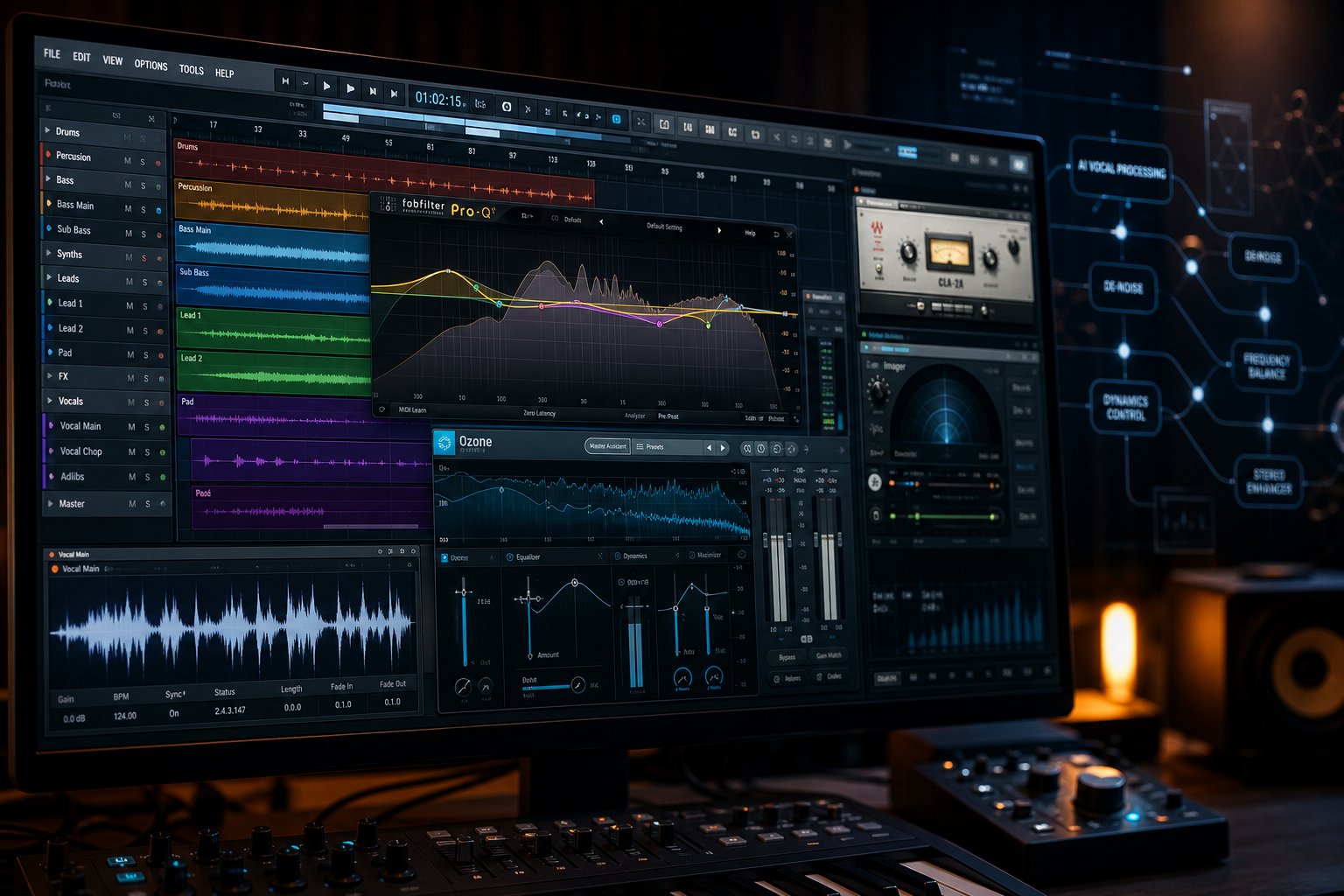
The landscape of AI editing tools has matured well beyond a few experimental apps. You can now find purpose-built solutions for nearly every editing task discussed above, ranging from browser-based platforms that require zero setup to professional plugins that slot directly into your existing production workflow. The challenge is not finding a tool. It is finding the right category of tool for what you actually need to accomplish.
AI Mastering Services for Final Polish
For many musicians and producers, mastering is the editing step that carries the most weight. It is the final process that determines how your track sounds on Spotify, Apple Music, car speakers, and earbuds. AI mastering services analyze your finished mix and apply EQ adjustments, compression, stereo imaging, and loudness optimization to bring it up to release standards.
MakeBestMusic's AI Mastering is built specifically for independent musicians and producers who want to polish tracks, adjust production quality, and prepare music for release without hiring a traditional mastering engineer. You upload your mix, and the system handles the technical processing that used to require expensive studio sessions or years of specialized ear training. For artists searching for the best music making apps to finalize their work, this kind of accessible mastering fills a critical gap between raw demos and distribution-ready tracks.
Other AI mastering platforms exist across different price points. RoEx's Automix handles both multi-track mixing and mastering from up to 32 stems, while LANDR bundles stereo mastering with distribution and sample libraries. eMastered gives you post-processing sliders to adjust compression, EQ, and width after the initial AI pass. Each serves a slightly different workflow, but all remove the traditional barriers of cost and technical expertise.
Standalone AI Editing Platforms
Dedicated platforms handle specific editing tasks without requiring any DAW knowledge. Stem separation tools like Moises and Ultimate Vocal Remover work entirely in the browser or as standalone apps, letting you isolate vocals, drums, bass, or other instruments from any mixed recording. Noise removal platforms like Adobe Podcast can clean spoken-word audio with a single click, removing background hiss and room reflections.
These platforms appeal to content creators, podcasters, and hobbyist musicians who want results without learning professional audio software. You upload a file, select the processing type, and download the result. No routing, no signal chains, no plugin management. For anyone exploring the best music creation apps or best apps for music production without prior engineering experience, standalone platforms offer the gentlest on-ramp.
AI Plugins for Traditional DAWs
If you already produce in Ableton Live, Logic Pro, FL Studio, or Pro Tools, plugin-based AI tools integrate directly into your session. This is where the editing power gets deepest.
iZotope's Neutron 5 handles AI-driven track-level mixing with intelligent EQ, compression, and masking analysis. Their Ozone 12 provides AI mastering on the master bus with reference track matching. sonible smart:EQ 4 applies adaptive equalization that listens to your audio and reshapes its frequency profile in real time. For pitch work, Auto-Tune Pro 11 and Waves Tune Real-Time both offer AI-informed vocal correction that runs at low latency during recording.
Logic Pro 11 deserves a special mention. Apple built native AI features directly into the DAW, including a Stem Splitter, Mastering Assistant, and Session Players that generate drum, bass, and keyboard parts following your song's chord changes. These ship free with the software, changing the math on which paid plugins are worth buying.
The plugin approach works best for producers who want granular control and the ability to combine AI processing with manual tweaks in the same session. Many platforms like soundraw ai focus on generation rather than editing, so when evaluating plugins, confirm that the tool modifies existing audio rather than creating new content.
Choosing the Right Tool Category
This table breaks down the main categories by use case, skill requirements, and typical pricing:
| Category | Best For | Skill Level Required | Cost Range |
|---|---|---|---|
| AI Mastering Services | Polishing finished mixes for release | Beginner to intermediate | Free previews to $25/month |
| Standalone Editing Platforms | Stem separation, noise removal, quick fixes | Beginner | Free tiers available, $5-$20/month for full access |
| AI DAW Plugins | Deep mixing, adaptive EQ, pitch correction within a production workflow | Intermediate to advanced | $129-$399 one-time or $9-$50/month subscription |
| AI Repair Suites | Restoring damaged audio, removing specific noise types, forensic cleanup | Intermediate | $199-$1,199 one-time |
With several options in each category, choosing the right fit comes down to a handful of practical questions:
- What is your input? A single stereo file needs mastering or noise removal. Separate stems need mixing. A damaged recording needs repair.
- What is your output goal? Release-ready master, isolated stems for remixing, cleaned dialogue, or a polished demo.
- What is your technical comfort level? Browser-based tools require zero setup. DAW plugins require routing knowledge and an existing production environment.
- What is your budget? Free tiers handle basic tasks. Subscriptions under $25/month cover most independent artist needs. One-time plugin purchases suit professionals who will use them daily.
- Do you need the tool once or repeatedly? Pay-per-track services like remusic.ai work for occasional use. Monthly subscriptions make sense for regular output.
The tooling exists at every price point and skill level. But tools alone do not tell the full story. A large and growing segment of people asking whether AI can edit music are not musicians at all. They are content creators, podcasters, and marketing professionals who need audio editing for entirely different reasons.
AI Music Editing for Non-Musicians and Content Creators
You do not need to know what a compressor ratio is or how to read a spectrogram. If you work with audio in any professional capacity, whether you are cutting together YouTube videos, producing a weekly podcast, or building a brand campaign, AI editing tools are built for your workflow too. In fact, this audience may benefit most from the technology because the gap between what you need and what you previously had access to was the widest.
Content Creators and Video Producers
When you are editing an ai music video or assembling footage for a client, the audio track often arrives in rough shape. Maybe the interview was captured in a room with an air conditioner running. Maybe you need to lower the business background music behind a voiceover without re-exporting the entire project. Or maybe you want to add a background to a music performance on ai-powered platforms without manually mixing audio layers yourself.
AI stem separation lets video editors pull dialogue away from background music in a single file, adjust levels independently, then recombine. Noise removal cleans up on-location recordings that would otherwise require a reshoot. For creators exploring a free ai music video generator workflow, these tools mean you can repurpose existing audio assets instead of licensing new ones every time conditions change.
Podcasters and Voice-Over Artists
Recording a podcast in a treated studio is ideal. Reality looks more like a spare bedroom with hard walls and a USB microphone. AI noise removal and room tone correction close that quality gap without requiring acoustic panels or expensive condenser mics. Tools like Adobe Podcast and Auphonic handle loudness leveling, echo reduction, and background hiss removal automatically.
For podcasters who need royalty free podcast intro music edited to fit a specific duration or energy level, AI tempo and arrangement tools trim and adjust existing tracks without introducing audible artifacts. The barrier to professional-sounding audio has dropped to uploading a file and clicking a button, no engineering degree required.
Business and Marketing Teams
Marketing departments regularly need audio customized for specific contexts: a 15-second radio cut from a 60-second track, a commercial jingle adjusted to match a new campaign tempo, or background music leveled beneath a product voiceover for a trade show presentation. These edits used to require booking studio time or hiring a freelance audio engineer for tasks that took longer to brief than to execute.
AI editing handles these routine modifications in minutes. You can add a background of a music performance on ai platforms, adjust the energy curve of a licensed track, or strip vocals from a piece to create an instrumental bed for a corporate video. The result is faster turnaround on campaigns and fewer bottlenecks waiting for specialized talent.
Here are practical scenarios where non-musicians benefit from AI audio editing every day:
- A YouTuber separating dialogue from background music to adjust levels independently in post-production
- A podcaster removing room echo and HVAC noise from a remote guest recording captured on a laptop mic
- A social media manager trimming and tempo-matching a licensed track to fit a 30-second Instagram Reel
- A corporate training team cleaning up webinar audio recorded through a conference room speakerphone
- A wedding videographer isolating ceremony vows from ambient crowd noise and wind
- An e-learning producer leveling narration volume across 40 lesson modules recorded on different days
- A brand team editing a commercial jingle to create shorter cuts for pre-roll ads without re-recording
The common thread across all of these scenarios is that the people doing the work are not audio engineers. They are professionals with a specific output deadline who need audio to sound right without becoming experts in signal processing. AI editing tools meet them exactly where they are.
Of course, meeting people where they are also means being honest about where the technology falls short. AI handles routine processing exceptionally well, but certain decisions still require a human ear and creative judgment that algorithms cannot replicate.

Current Limitations of AI Music Editing
AI editing tools are genuinely capable. They can clean, separate, correct, and polish audio in ways that save hours of manual work. But capable does not mean infallible, and treating these tools as a complete replacement for human judgment leads to results that sound technically processed but musically hollow. Knowing where the technology hits a wall helps you decide when to trust it and when to step in yourself.
Creative Judgment Remains Human Territory
Here is the core limitation: AI can hear frequencies, but it cannot hear meaning. It can identify that a vocal is slightly flat and correct the pitch. What it cannot do is decide whether that slight flatness was intentional, whether it added vulnerability to the performance, or whether correcting it strips the emotional weight from the lyric.
Every editing decision in music carries artistic consequences. Should the drums sit forward or back in the mix? Does this track need warmth or clarity? Is the reverb serving the mood or muddying the impact? These are subjective calls that depend on context, genre expectations, and what the song is trying to communicate. As mastering engineers have noted, a human professional can sense the mood of a track and make choices that serve the song emotionally, adapting their approach to the genre and the artist's unique vision in ways that algorithms cannot authentically replicate.
If you want to write the song's story through its sonic texture, that storytelling requires human ears. AI processes audio toward learned standards. It optimizes. It does not interpret. A personalized song that relies on subtle production choices to convey its message needs a person deciding what "right" sounds like in that specific creative context.
Complex Edits That Still Require Manual Work
Even within the tasks AI handles well, edge cases trip it up regularly. Stem separation is the clearest example. When instruments occupy similar frequency ranges, vocals overlapping with a distorted guitar, or a bass line sharing harmonic content with a low piano, the AI struggles to draw clean boundaries. The result is audible artifacts: warbling, phasing, or ghostly remnants of one instrument bleeding into another stem.
According to research on AI separation challenges, frequency overlap between vocals and certain instruments poses a substantial challenge for AI systems. When audio components share similar frequency bands, distinguishing them without introducing artifacts or losing quality becomes complex. Subtle cues like breath sounds and harmonies may be altered or lost during the separation process.
Dense, heavily layered recordings amplify these problems. A sparse acoustic arrangement separates cleanly. A wall-of-sound production with stacked guitars, layered synths, and doubled vocals pushes the technology past its comfort zone. Similarly, heavily distorted or clipped audio gives the AI less spectral information to work with, reducing its ability to distinguish sources.
The other hard boundary? AI cannot add what was never recorded. If the guitar player missed a note, AI cannot invent the correct one. If a section needs a harmony vocal that does not exist in the recording, no editing tool will conjure it from the existing audio. Creating a custom song arrangement with parts that were never performed still requires a musician or a generative tool, not an editor.
Quality Ceiling in Automated Processing
Will AI get better at helping with making music? Absolutely. But a quality ceiling exists today, particularly in automated mastering and mixing. AI mastering services deliver consistent, technically solid results for straightforward productions. They handle loudness optimization, basic EQ shaping, and stereo width adjustments competently. Where they plateau is on complex, genre-bending work that breaks conventions intentionally.
A human mastering engineer might leave a harsh frequency in place because it serves the emotional arc of a bridge section. They might apply different compression character to the verse and chorus because the song demands dynamic contrast that a single algorithmic pass would flatten. They understand that a lo-fi track does not need to sound "clean" and that a punk record should not be polished to pop standards. AI optimizes toward averages. It does not understand when breaking the rules is the point.
Here are specific scenarios where AI editing falls short and manual intervention remains the better path:
- Separating stems from recordings where multiple instruments share the same frequency range, particularly distorted guitars and aggressive vocals
- Preserving intentional imperfections that serve the artistic vision, like raw vocal takes, deliberate feedback, or lo-fi textures
- Making context-dependent mix decisions that differ between song sections based on emotional arc
- Mastering genre-defying productions that do not fit neatly into any trained style profile
- Repairing audio with extreme clipping, heavy codec artifacts, or multiple overlapping noise sources simultaneously
- Adjusting the balance of a personalized song where subtle production nuances carry narrative meaning
- Handling live recordings with significant bleed between microphones, where separation creates more problems than it solves
None of these limitations mean AI editing is unreliable. They mean it is a tool with boundaries, like every other tool in audio production. The practical question is not whether AI can handle your edit. It is whether your specific project falls inside or outside its comfort zone, and that decision framework is worth spelling out clearly.
When to Use AI Editing vs Manual Audio Engineering
Boundaries are only useful if they translate into actual decisions. You know what AI editing does well and where it struggles. The remaining question is simpler and more personal: given your specific project, should you hand it to an algorithm or a human?
The answer depends on four factors working together, not any single one in isolation. A high-budget project with a tight deadline might still benefit from AI. A low-stakes demo might still deserve a human touch if the creative vision is unconventional. Context determines everything.
When AI Editing Is the Right Call
AI shines when the task is routine, the timeline is short, and the budget is limited. If you are figuring out how do i make a song sound release-ready without spending weeks waiting for a mastering engineer's availability, AI handles that turnaround in minutes. Same story for noise removal on a batch of podcast episodes, basic stem separation for remix material, or loudness optimization across an album of straightforward mixes.
It also makes sense when you lack technical audio skills entirely. If you are a songwriter exploring how can you make a song demo presentable enough to share with collaborators, AI mastering and noise cleanup get you there without learning signal processing. The technology removes the prerequisite of expertise for tasks that are procedural rather than creative.
Quick turnarounds amplify the case further. A content creator who needs cleaned audio for tomorrow's upload cannot afford a three-day mastering queue. AI delivers consistent, usable results on demand.
When Manual Editing or a Professional Is Worth It
Human engineers earn their fee on projects where creative interpretation matters more than technical consistency. If you are releasing a single that represents your artistic identity, a mastering engineer offers personalized attention, feedback on your mix, and revision cycles until the result matches your vision. That collaborative process produces results AI cannot replicate because the engineer is making subjective artistic decisions alongside you.
Genre-specific nuance is another trigger. A hybrid workflow combining manual craft with AI polish works best for productions that break conventions intentionally, as production guides emphasize. When your track deliberately defies mixing norms, an algorithm trained on standard productions will push it back toward the average rather than honoring what makes it distinctive.
Projects with substantial budgets also shift the calculation. If you can afford professional mastering and have the timeline for revisions, the quality ceiling is higher with a human, especially on complex material. The cost difference between AI mastering and a professional session is typically $5-15 versus $50-200+ per track. For a flagship release, that premium buys interpretive skill and collaborative refinement that no automated system currently matches.
Use this framework to decide:
| Factor | Choose AI Editing When | Choose Manual Editing When |
|---|---|---|
| Budget | Limited funds or free-tier needs cover the task | Budget allows for professional rates and revision cycles |
| Timeline | You need results in minutes or hours, not days | You have weeks and can accommodate back-and-forth feedback |
| Project Stakes | Demos, content pieces, practice material, or internal use | Commercial releases, flagship singles, or portfolio-defining work |
| Technical Complexity | Straightforward productions in common genres | Dense arrangements, unconventional mixing, or genre-blending work |
| Creative Vision | Standard sonic goals like clarity, loudness, and balance | Subjective artistic choices that require human interpretation |
| Skill Level | You lack audio engineering knowledge and need guided results | You can articulate specific feedback to a professional engineer |
Most real-world projects do not fall cleanly into one column. A hybrid approach often works best. Use AI for the routine processing, noise removal, basic EQ balancing, loudness targeting, then bring in a human for the final creative pass on tracks that matter most. This is how many producers answer the question of how do you create your own music at a professional level without unlimited resources: automate the mechanical steps, invest human attention where it counts.
The decision framework points toward action. Once you know which category your project falls into, the next step is simply starting, and that first step is easier than most people expect.
How to Start Using AI to Edit Your Music Today
You have the context. You understand what AI editing can and cannot do, which tools handle which tasks, and when to trust the algorithm versus calling in a human. The only thing left is doing something with that knowledge. And the good news? Getting started requires less than you think.
Start With What You Already Have
You do not need a perfect recording to begin. In fact, imperfect recordings are the ideal starting point because they give you the clearest before-and-after comparison. Think about what is sitting on your hard drive right now:
- A rough demo you recorded on your phone or laptop mic that has potential buried under room noise
- A live performance capture with crowd bleed, HVAC hum, or uneven levels
- A finished mix that sounds good on your headphones but flat or quiet compared to released tracks on streaming platforms
- An old recording from a previous project that never got the final polish it deserved
Any of these works. The point is to pick something real, something you care about hearing improved, rather than testing with a random file you have no attachment to. When the result matters to you, the value of the tool becomes immediately obvious.
Most AI editing tools require zero prior audio engineering knowledge. You do not need to understand EQ curves, compression ratios, or LUFS targets. If you can upload a file and click a button, you can edit audio with AI. That accessibility is the entire point. Whether you are figuring out how to make your own song sound release-ready or just cleaning up a voice memo, the barrier to entry is your internet connection.
A Practical First Step for Any Skill Level
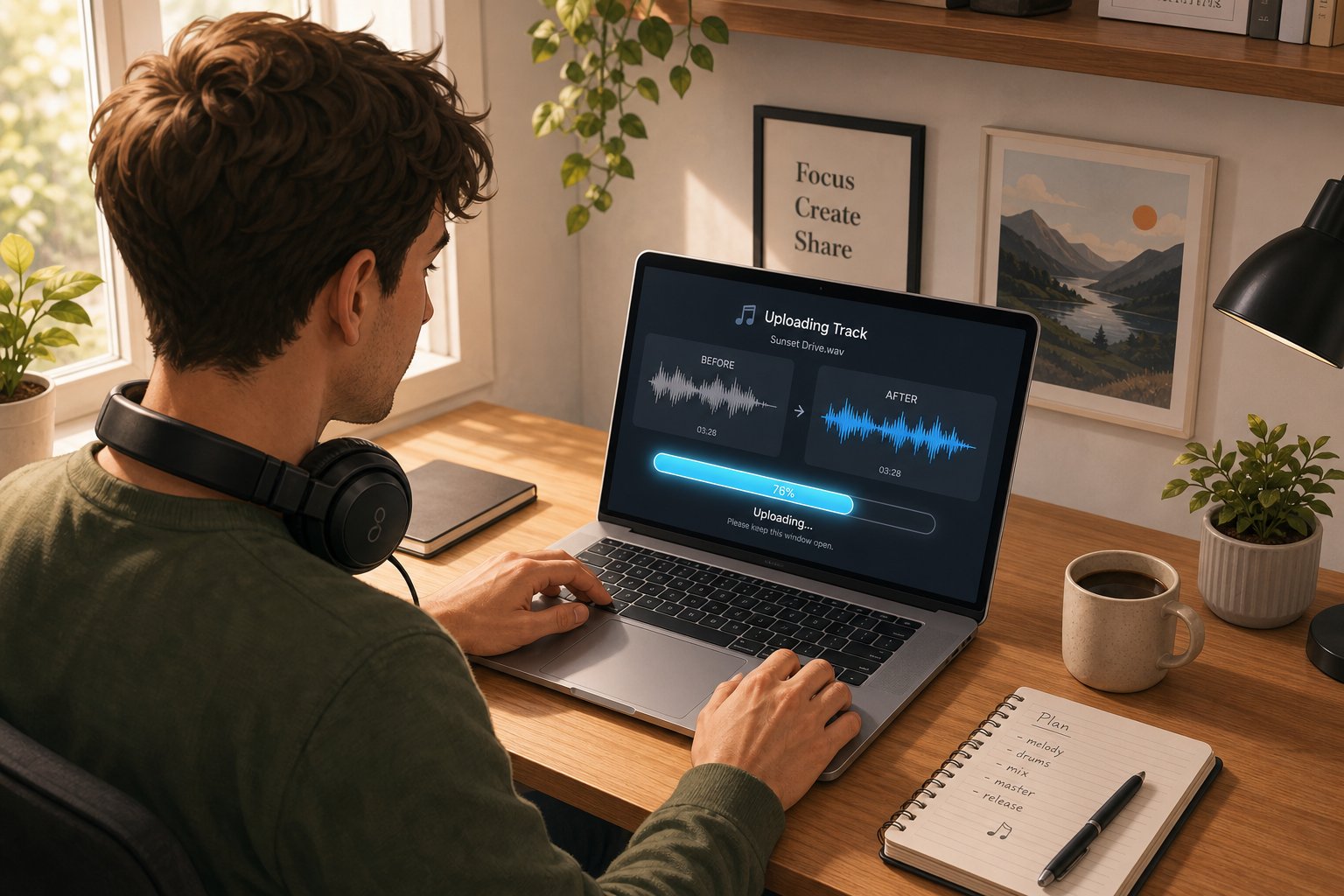
If you want one recommendation for where to begin, start with AI mastering. It is the lowest-friction entry point for a few reasons: you only need a single stereo file as input, the processing is fully automated, and the output is immediately useful. You get a louder, clearer, more balanced version of your track that you can compare directly against the original. No routing, no stem exports, no technical decisions required.
MakeBestMusic's AI Mastering is a straightforward option for this first step. Upload your mix, let the system analyze and process it, and receive a polished version ready for streaming platforms, sharing with collaborators, or simply hearing how your track sounds with professional-level loudness and tonal balance applied. For independent musicians and producers who want to learn how to create songs that sound competitive without the cost or scheduling constraints of a traditional mastering engineer, it removes the biggest friction point in the release pipeline.
As Ars Technica's deep dive into AI mastering noted, even veteran musicians who traditionally relied on analog workflows and dedicated mastering professionals found that AI mastering "has improved so much that it now sounds as good as, or in some cases better than, things we've had mastered professionally." That assessment came from a musician who would not buy a guitar made after 1975, which says something about how far the technology has come.
Once you hear what mastering does to your track, the natural next question becomes: what else can I improve? That curiosity leads you into noise removal, stem separation, pitch correction, and the rest of the editing toolkit organically. Each capability builds on the confidence you gain from that first successful result.
Here is a simple process to follow regardless of your experience level:
- Choose one track you want to improve - Pick a recording that matters to you. A demo, a live capture, a finished mix that never quite hit the mark. Specificity beats abstraction. You will learn faster working on audio you know intimately.
- Run it through AI mastering first - Upload your stereo mix to an AI mastering service and listen to the result on multiple playback systems: headphones, phone speakers, car stereo. Notice what changed. Did the bass tighten? Did the vocals gain presence? This teaches you what mastering actually does faster than any tutorial.
- Identify what the mastering did not fix - If background noise is still audible, try a noise removal tool. If you wish you could isolate a specific instrument, try stem separation. If the pitch feels off in spots, explore AI pitch correction. Each limitation you notice points you toward the next tool to try.
- Build a repeatable workflow - Once you know which tools solve your specific problems, chain them into a sequence you can apply to future projects. Clean the audio first, then master. Or separate stems, edit individually, then recombine and master. Your workflow becomes personal and efficient through practice.
The tools will keep improving. Models trained on larger datasets, faster processing, fewer artifacts, better handling of edge cases. Getting comfortable with AI editing now means you build a workflow advantage that compounds over time. When the next generation of tools arrives, you will already know how to evaluate them, where they fit in your process, and what questions to ask.
How do you make a song sound like it belongs on a playlist next to professionally produced tracks? You start with what you have, apply the right tool to the right problem, and iterate. AI editing does not replace your creative decisions. It handles the technical heavy lifting so you can focus on making music that means something to you.
