

Yes, AI for Music Exists and It Is More Capable Than You Think
Is there an AI for music? The short answer: yes, and it has moved well past the novelty stage. Today, dozens of platforms can compose, arrange, and produce full tracks from nothing more than a text prompt, a hummed melody, or a style reference. Some generate complete songs with vocals. Others build layered instrumentals you can customize beat by beat. The technology is real, widely accessible, and improving at a pace that surprises even researchers working on it.
The Short Answer to Whether AI Can Make Music
AI music generators are software tools powered by machine learning and deep learning that analyze massive collections of existing music to learn patterns in melody, rhythm, harmony, and arrangement. Once trained, they produce entirely new compositions based on your input. You might type "upbeat indie folk with acoustic guitar and female vocals," and the system delivers a finished track in under a minute. You could upload a rough piano sketch, and the AI builds a full arrangement around it. Platforms like Suno, AIVA, and Boomy have made this kind of creation available to anyone with a browser, no instrument skills or studio equipment required.
AI music generation is the use of machine learning models to compose, arrange, and produce original music from user inputs such as text descriptions, melodies, or style references, without requiring traditional musical training or manual composition.
The best ai music generators available right now span a wide range of capabilities. Some focus on quick makesong workflows where you describe what you want and get a polished result. Others give producers granular control over individual stems and instruments. The landscape includes top ai music platforms built for content creators, game developers, filmmakers, hobbyists, and professional musicians alike. Whether you need a 15-second jingle or a four-minute track with lyrics, there is likely an AI tool designed for that exact use case.
What This Guide Covers
This article is a neutral, educational walkthrough of the current state of ai tools for music. You will find a plain-language explanation of how the technology works under the hood, a side-by-side comparison of every major platform, a breakdown of different creation approaches, honest coverage of pricing and licensing, and a clear-eyed look at what these systems still cannot do well. The goal is to help you understand what is possible, match the right tool to your specific needs, and set realistic expectations before you spend time or money. Think of it as the guide you would want from a knowledgeable friend who has tested these platforms firsthand, not a product pitch dressed up as a review.
The real question is no longer whether AI can make music. It is how the technology actually produces sound from a sentence, and which platform handles it best for your particular workflow.
How AI Music Generation Technology Actually Works
Knowing that AI can produce music is one thing. Understanding how a typed sentence becomes a finished track is where things get genuinely interesting. Most ai music composition tools rely on one of two core architectures, or a hybrid of both. Neither approach uses pre-recorded loops stitched together. Instead, they generate audio from scratch, note by note or sample by sample, guided by learned patterns from enormous training datasets.
Transformer Models and Audio Token Prediction
Imagine a musician listening to a song and transcribing every fraction of a second into a shorthand code. That is essentially what an audio encoder does. It converts raw sound into discrete units called audio tokens, tiny numerical representations that capture a sliver of audio, whether it is a drum hit, a sustained violin note, or a vocal syllable. Thousands of these tokens strung together represent a full piece of music.
Transformer models, the same architecture behind ChatGPT, learn to predict what token comes next in a sequence. During training, the model analyzes millions of token sequences from real music and picks up on patterns. It learns that certain token combinations are common in jazz, others in electronic music, and others in orchestral composer music. When generating, it predicts one token at a time, building a coherent piece sequentially, much like how language models predict the next word in a sentence. Platforms like Suno and MusicGen from Meta use this transformer-based approach to produce beats by ai that feel musically coherent over time.
Diffusion-Based Audio Generation
Diffusion models take a completely different path. Picture a clear photograph slowly dissolving into pure static. A diffusion model learns that noising process, then reverses it. Starting from random noise, it removes distortion step by step until recognizable audio emerges.
The core engine is typically a U-Net architecture that compresses audio into a condensed representation, then reconstructs it at high fidelity. Because the denoising process is probabilistic, the model does not simply copy training data. It generates new audio that shares characteristics with what it learned but is not identical to any single source. This is how platforms can ai generate edm music, orchestral pieces, or ambient soundscapes that sound original rather than recycled. Research from audio ML engineers confirms that diffusion enables a form of simulated creativity, producing outputs that land within a learned style space without duplicating specific training examples.
Many modern systems combine both approaches. A transformer handles high-level structure and sequencing while a diffusion decoder refines the final audio quality. This hybrid strategy addresses a key weakness of each method alone: transformers can lose coherence over long durations, and diffusion models sometimes struggle with temporal structure.
How Text Prompts Become Sound
So how does typing "melancholic piano ballad at 70 BPM" actually steer the generation? A technique called conditioning translates your text into a numerical vector, a set of coordinates that represent the mood, genre, tempo, and instrumentation you described. This vector guides the model during generation, making it more likely to produce gentle, sustained piano tokens rather than aggressive synth patterns.
Text encoders like T5 or FLAN-T5 handle this translation, converting natural language into embeddings the audio model can use as context. The result is a system where anyone wondering how to compose a melody no longer needs years of theory training. You describe what you want, and the model interprets that description into sound. Some tools even support basic song production from a scratch track ai workflow, where you upload a rough recording and the system builds around it.
Every AI music pipeline, regardless of platform, shares the same fundamental components:
- Text encoder — converts your written prompt into a numerical representation the model understands
- Audio model — the transformer, diffusion network, or hybrid system that generates the musical content
- Vocoder or decoder — transforms the model's internal representation back into a playable audio waveform
Some platforms add extra modules for vocal synthesis, stem separation, or creating piano arrangement from audio ai free of charge on basic tiers. But the three components above form the backbone of every tool on the market.
Understanding this pipeline matters because it explains why different platforms excel at different things. A tool optimized for transformer-based token prediction might nail song structure but sound slightly compressed. A diffusion-first platform might deliver richer audio fidelity but wander structurally. The architecture shapes the output, and knowing what is under the hood helps you pick the right tool for the job.
Every Major AI Music Generator Compared
Architecture only tells part of the story. What really matters when you sit down to create is which platform turns that technology into a workflow that fits your needs. The list of ai music generators has grown significantly, and each tool makes different tradeoffs between simplicity, control, audio quality, and price. Rather than guessing which is the best ai music generator, a direct comparison of the top ai music generators helps you see exactly where each one shines.
Side-by-Side Feature Comparison
The table below covers the top ai music generators 2025 based on publicly available features. It includes generation approach, vocal support, track length, pricing, and the use case each platform handles best.
| Platform | Generation Approach | Vocals Supported | Max Track Length | Starting Price | Export Formats | Best For |
|---|---|---|---|---|---|---|
| MakeBestMusic | Text-to-music, lyrics-to-song | Yes | Full-length songs | Free tier available | MP3 | All-in-one prompt-to-finished-track creation |
| Suno | Text-to-music, lyrics-to-song | Yes | Up to 4 minutes | Free (50 daily credits); Pro from $10/mo | MP3, WAV, stems | Full DAW-style control and stem editing |
| Udio | Text-to-music, lyrics-to-song, remix | Yes | Up to 15 minutes | Free (100 monthly credits); from $10/mo | MP3, WAV | Studio-quality audio and precise section editing |
| AIVA | Style presets, MIDI-based composition | No | Up to 10 minutes | Free (non-commercial); from $11/mo | MP3, WAV, MIDI, stems | Cinematic scoring and orchestral composition |
| Boomy | Style and beat selection | Limited | Short-form tracks | Free tier; Creator from $9.99/mo | MP3, WAV | Quick social media tracks |
| Soundraw | Parameter-based (mood, genre, tempo) | No | Up to 5 minutes | From $16.99/mo | MP3, WAV, stems | Customizable instrumental background music |
| Mubert | Prompt or selection menu (80+ genres) | No | Variable | From $11.69/mo | MP3, WAV | Ambient and electronic content music |
| Google Lyria (DeepMind) | Text-to-music, audio continuation | Yes | Varies (integrated in YouTube tools) | Limited access via YouTube | Platform-dependent | YouTube creators within Google ecosystem |
What Sets Each Platform Apart
If you want the fastest path from an idea to a complete song, MakeBestMusic stands out for its streamlined prompt-to-finished-track workflow. You feed it a text description, paste lyrics, or specify a style, and it delivers a full song with vocals and arrangement without requiring you to stitch pieces together manually. For creators who want results without a learning curve, that all-in-one simplicity is hard to beat.
The Suno ai music maker takes a different angle. It pairs easy prompt-based generation with a browser-based Studio workspace where you can edit individual stems, export MIDI, and fine-tune tracks at a granular level. As a suno ai song creator, it appeals to users who want both quick generation and deeper post-production control. Its free tier offers 50 daily credits, making it generous for experimentation.
Udio prioritizes audio fidelity. Tracks render at up to 48 kHz, and its inpainting feature lets you replace specific sections of a song without regenerating the entire piece. It is slower than Suno but rewards patience with cleaner, more polished output.
The AIVA ai music generator occupies a unique niche. Rather than quick pop songs, it excels at structured cinematic compositions with recognizable intros, build-ups, and climaxes. AIVA supports MIDI export and a built-in piano roll editor, making it the strongest option for composers who want to continue editing in a traditional DAW. Its library of over 250 musical styles covers everything from orchestral film scores to jazz and electronic.
Soundraw skips text prompts entirely. You select mood, genre, instruments, and tempo from menus, then customize the generated track using a visual song structure editor. It is purely instrumental but offers stem exports and a genre-mixing feature that blends styles like jazz and EDM into hybrid tracks.
Mubert works well for ambient, electronic, and loop-friendly content music. It supports prompt input and covers over 80 genres, though post-generation editing is limited. Boomy targets casual creators who want a track in seconds by selecting a style and beat category, though customization depth is shallow compared to other platforms on this ai music generator list.
Google Lyria, developed by DeepMind, represents big tech's entry into the space. Access remains limited primarily to YouTube's creator tools, so it is less of a standalone platform and more of an ecosystem feature for creators already publishing on YouTube.
Which is the best ai music generator overall? It depends entirely on your workflow. If you value speed and simplicity for complete songs, MakeBestMusic and Suno lead. If audio quality and editing precision matter most, Udio and AIVA deserve your attention. And if you need customizable instrumentals at scale, Soundraw is purpose-built for that job.
Pricing and features only tell you so much, though. The real differentiator is often how each platform handles the creative process itself, which brings up a deeper question: what are the actual approaches to AI music creation, and which one matches the way you think about making music?
Different Approaches to AI Music Creation
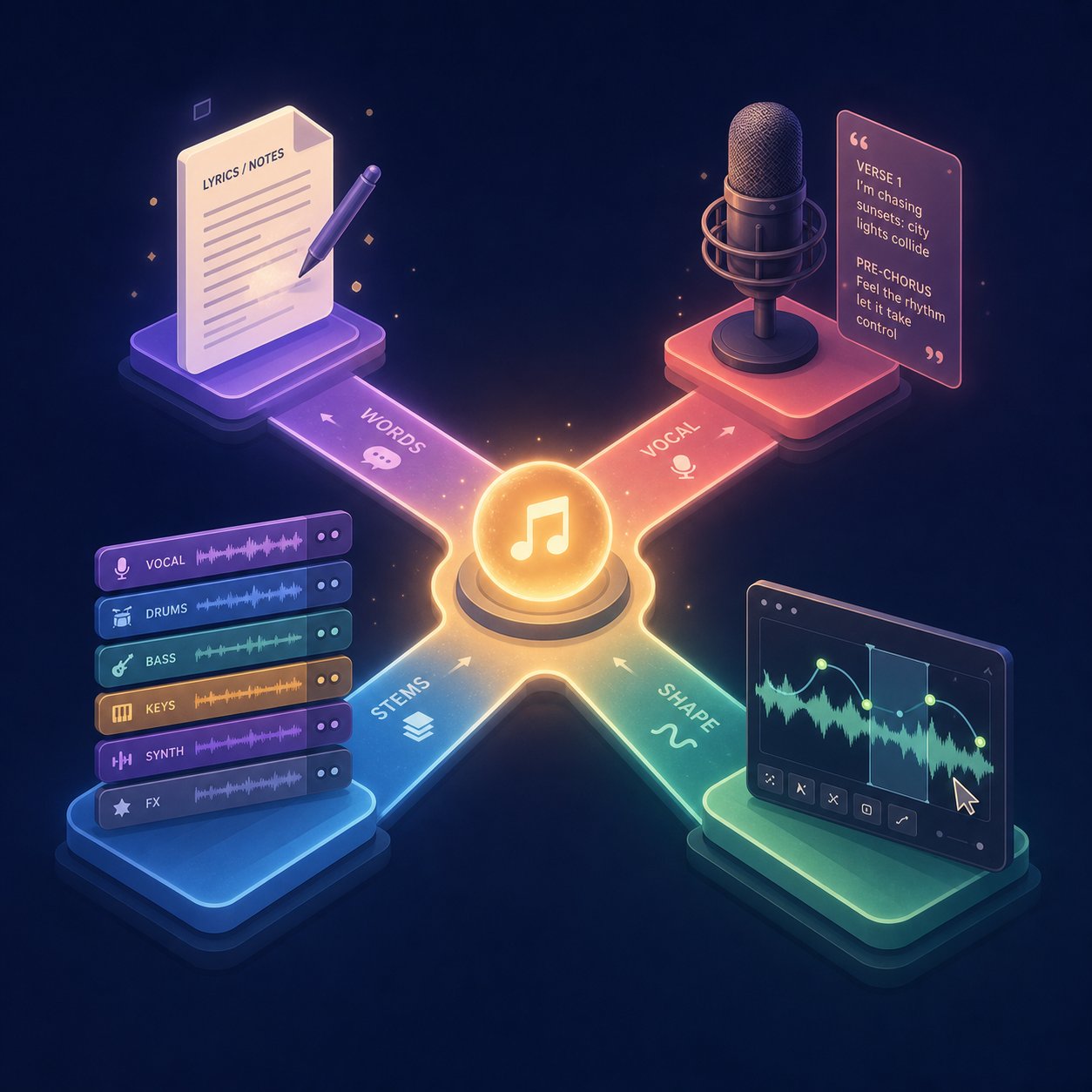
Not every AI music tool works the same way. Some want you to describe a vibe. Others want your lyrics. A few expect you to upload a reference track and let the system riff on it. Understanding these distinct approaches helps you pick the workflow that matches how you actually think about making music, whether you start with words, sounds, or just a feeling you want to capture.
Most platforms combine multiple approaches under one roof, but each leans heavily on one primary method. Here is how they break down.
Text-to-Music and Prompt-Based Generation
This is the most accessible entry point. You type a natural language description, something like "upbeat lo-fi hip hop with vinyl crackle and mellow saxophone," and the AI produces a complete track matching that description. No musical knowledge required. No lyrics needed. You are painting a picture with words, and the system translates mood, genre, tempo, and instrumentation into audio.
Text-to-music works well for background music, content soundtracks, and quick creative exploration. It is the approach most people encounter first when they try AI music generation, and it is where platforms like Mubert and Soundraw focus their energy. The quality of your output depends heavily on prompt specificity. Vague descriptions produce generic results. Detailed prompts that name instruments, reference tempos, and describe energy levels yield far more usable tracks.
For anyone wondering how do you make your own music without playing an instrument, text-to-music removes the traditional barrier entirely. You describe what you hear in your head, and the model does its best to realize it.
Lyrics-to-Song and Vocal Synthesis
Imagine writing a poem and hearing it performed as a fully produced song minutes later. That is the lyrics-to-song approach. You provide written lyrics, often with section tags like [Verse], [Chorus], and [Bridge], along with a style direction. The AI handles everything else: melody composition, vocal delivery, instrumentation, arrangement, and mixing.
This method is central to ai song writing workflows. Platforms like Suno, Udio, and MakeBestMusic treat lyrics as the creative seed. You write the words, specify a genre and vocal style, and receive a complete vocal track. Some systems even include an ai rhyme finder built into their lyric generation tools, helping you craft verses before the music generation step begins.
Vocal synthesis is the technical backbone here. Modern AI vocal pipelines model realistic timbre, breathing patterns, and pitch transitions to produce singing that sits naturally in a mix. BeatFusion 2.0 from Skytells, for example, specifically targets natural-sounding vocal delivery as a core differentiator, noting that if vocals sound synthetic, the entire track sounds synthetic. The gap between AI-generated vocals and human performance has narrowed considerably, though subtle artifacts still appear in complex passages.
This approach also powers the growing ai rap scene. An ai rapper song generator follows the same lyrics-to-song pipeline but with style conditioning tuned for hip-hop delivery, flow patterns, and beat structures. You write bars, choose a flow style, and the system produces a track with rhythmic vocal delivery over generated production.
Stem-Based and Loop-Based Composition
Some creators do not want a finished track handed to them. They want building blocks. Stem-based and loop-based tools generate individual instrument layers, drums, bass, keys, guitar, pads, that you combine and arrange yourself. Think of it as the AI providing raw ingredients while you handle the cooking.
This approach appeals to producers and musicians who already work in a DAW. You might generate a drum pattern, layer in an AI-produced bassline, add a synth pad, and arrange everything manually. It is more labor-intensive than prompt-to-song generation, but it gives you granular creative control. Tools offering stem exports, like AIVA and Soundraw, support this workflow. Some platforms function as a song mashup maker, letting you blend AI-generated stems with your own recordings.
A related workflow involves uploading a song and letting the AI generate a complementary beat or arrangement around it. This upload-and-generate approach bridges the gap between fully manual production and fully automated generation.
The audio-to-audio method takes this further. You upload a reference track, a rough demo, a voice memo, even a beatboxed rhythm, and the AI transforms it into something new. Stable Audio 2.0 from Stability AI introduced this capability, allowing users to upload audio samples and use natural language prompts to transform them into different styles or arrangements. It is style transfer applied to music: your input provides the structural skeleton, and the AI re-skins it with new instrumentation, genre characteristics, or production qualities.
Vocal mixing ai free tools also fit within this category. You upload raw vocal recordings, and the AI handles mixing, EQ, compression, and spatial placement, tasks that traditionally required an audio engineer.
Which Approach Is Most Accessible?
If you are new to AI music creation, here is how these approaches rank by ease of entry:
- Text-to-music — lowest barrier, no musical input needed, just describe what you want
- Lyrics-to-song — requires writing ability but no musical skill; top ai for lyrics for songs tools can even help generate the words
- Audio-to-audio — requires a reference file but no technical knowledge of production
- Stem and loop-based — most control but assumes familiarity with DAWs and arrangement
These categories are not rigid walls. Many platforms blend them. You might start with a text prompt, refine the output by uploading a reference for style transfer, then export stems for manual editing. The boundaries between approaches are dissolving as tools mature.
What stays constant across all of them is a practical question that determines whether any of this is actually usable: what does it cost, and what do you get at each price point?
Free vs Paid AI Music Tools and What You Get at Each Tier
Every platform listed above offers some form of free access. That sounds generous until you realize what "free" actually means in practice. The pricing structures across AI music generators follow a remarkably consistent pattern, and understanding it saves you from wasted effort, especially if you plan to use your tracks commercially.
What Free Tiers Actually Give You
Free tiers exist to let you experiment. You get a limited number of generations per day or month, typically enough to test the tool and hear what it can do. Suno's free plan, for example, provides 50 credits per day, roughly 10 songs. Udio offers limited monthly generations. Stable Audio and most other platforms follow the same model: a handful of creations with restrictions attached.
Here is what those restrictions usually look like:
- No commercial rights. You cannot use free-tier tracks in monetized content, period.
- Lower audio quality or shorter maximum track lengths
- No stem exports or advanced editing features
- Watermarks or platform branding on some tools
- Queued generation with slower processing times
The critical point most people miss: tracks created on a free tier typically cannot be retroactively licensed even if you upgrade later. Distribution research confirms that songs made under free terms remain non-commercial regardless of your future subscription status. If you create something you love on a free plan, you will need to regenerate it on a paid tier before using it commercially.
Free tools like topmediai ai music generator free options or music hero ai free plans are perfectly fine for learning and personal enjoyment. They let you explore prompt writing, test genre coverage, and decide whether a platform fits your creative style. But they are intentionally limited. As Soundraw's comparison notes, free generators often pull from smaller datasets, produce choppier results, and lack the polish that paid tiers deliver.
If you have searched for the best free ai music generator reddit threads, you will notice a recurring theme: users recommend free tiers for testing, then consistently point toward paid plans once the work becomes serious.
When Paid Plans Become Worth It
The moment you need to use a track anywhere that generates revenue, a paid plan becomes non-negotiable. That includes YouTube videos, podcasts, client projects, games, ads, and streaming distribution. Paid tiers unlock commercial licensing, higher audio fidelity, longer track lengths, stem exports, and priority generation speeds.
The economics are surprisingly accessible. Suno Pro costs $10 per month and provides roughly 500 songs with full commercial rights, working out to about $0.02 per track. Compare that to licensing a single stock music track, which often runs $15 to $50, and the value becomes obvious for anyone producing content regularly.
Here is how the typical tier structure breaks down across most platforms:
| Feature | Free Tier | Hobbyist ($8-$12/mo) | Pro ($20-$30/mo) |
|---|---|---|---|
| Monthly generations | 10-50 tracks | 200-500 tracks | 1,000-2,000+ tracks |
| Commercial rights | No | Yes | Yes |
| Audio quality | Standard (MP3) | High (WAV available) | Highest (WAV, 48 kHz) |
| Stem exports | No | Limited | Full access |
| Track length | Short (30s-2 min) | Standard (up to 4 min) | Extended (4+ min) |
| Priority processing | No | Sometimes | Yes |
| AI piano music generator and niche tools | Basic presets only | Expanded genre access | Full style library |
For hobbyists exploring the best free ai music generators 2025 landscape, the free tier is a perfectly valid starting point. You can test multiple platforms without spending anything. But if you are producing content for an audience, even a small one, the hobbyist tier at $8 to $12 per month removes the restrictions that matter most.
Understanding Commercial Licensing
Commercial licensing for AI-generated music generally follows three models:
- Subscription-based — you pay monthly, and everything you generate during your subscription carries commercial rights. Cancel, and you keep rights to tracks already made but cannot generate new commercial ones. This is how Suno and most competitors operate.
- Per-track licensing — you pay for individual tracks or credit packs. Less common in AI music but still used by some platforms targeting enterprise clients.
- Royalty-free perpetual — once generated and licensed, the track is yours to use indefinitely across unlimited projects with no recurring fees. Envato MusicGen follows this model, where every generated track includes a perpetual commercial license.
One important nuance: commercial rights do not equal copyright ownership. Most jurisdictions do not grant full copyright protection to works created entirely by AI. What you receive is a license to use, distribute, and monetize the output. That license is what matters for practical purposes, but it means someone else could theoretically generate a similar-sounding track with the same tool. For most use cases, this distinction is academic. For high-stakes branding or signature compositions, it is worth understanding.
A free ai music finalizer or mastering tool might polish your track sonically, but it cannot grant you the commercial rights you need for distribution. Rights come from the generation platform itself, tied directly to your subscription tier.
Knowing what you can afford and what rights you need narrows the field considerably. The next question is more personal: which tool actually fits the way you work and what you are trying to create?
Which AI Music Tool Fits Your Specific Use Case
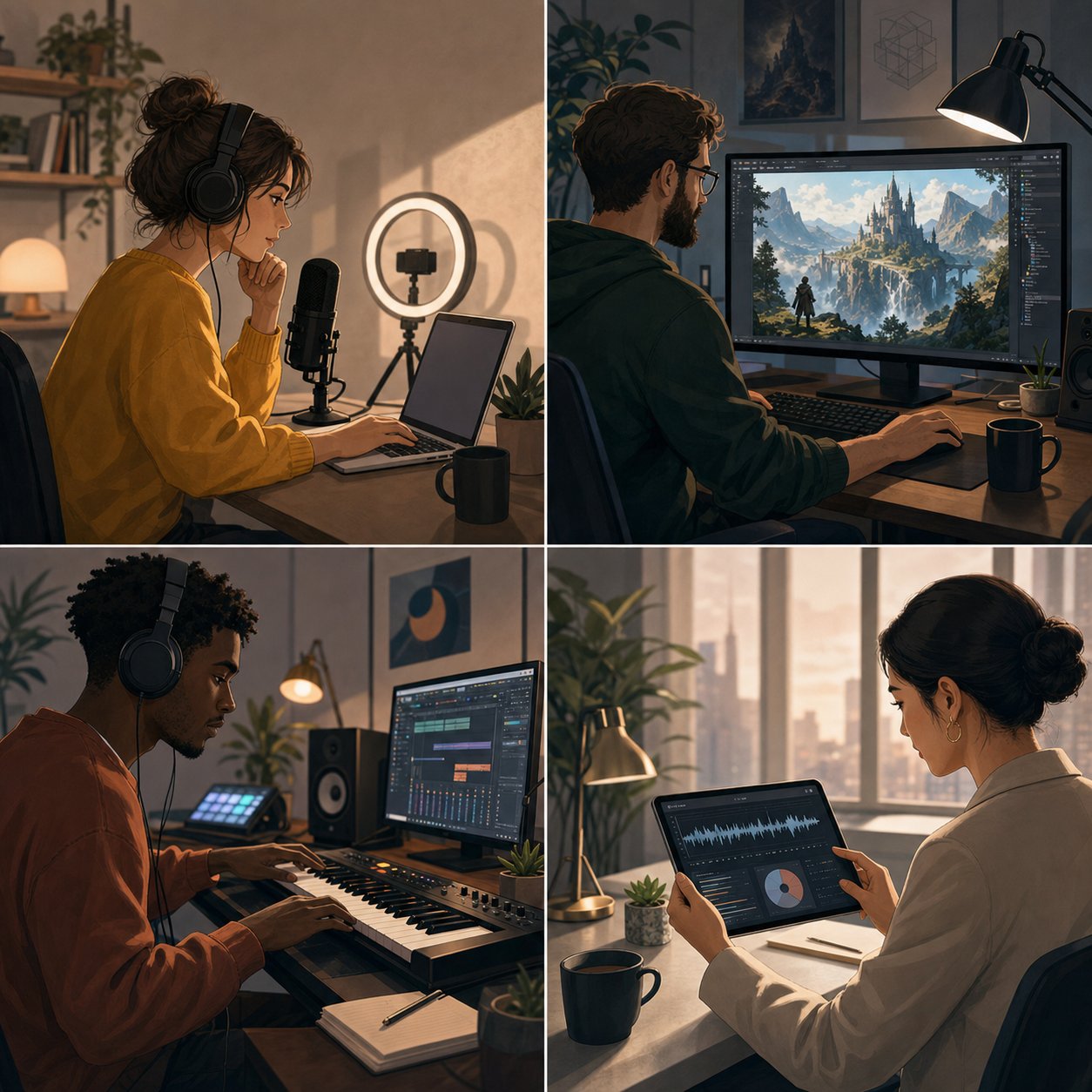
Budget and licensing tell you what you can access. But the real deciding factor is what you are actually trying to make and how you plan to use it. A podcaster looking for royalty free podcast intro music has completely different priorities than a game developer building adaptive soundscapes. The best ai for musicians is not the same tool that works best for a marketing team. Matching the platform to your workflow saves hours of trial and error.
For Content Creators and Podcasters
If you produce YouTube videos, podcasts, or social media content, your primary need is consistent, royalty-free background music that does not distract from your voice or visuals. You need tracks fast, you need commercial rights included, and you need enough variety to avoid repeating the same sound across episodes.
- Commercial licensing on every track — non-negotiable for monetized channels
- Quick generation speed — you are producing on a schedule, not spending hours tweaking
- Mood and energy control — match audio tone to your content without manual editing
- Loopable or extendable tracks — fit music to variable episode lengths
- Instrumental focus — vocals compete with spoken content, so instrumental-only output matters
Platforms like Soundraw and Mubert excel here. Their parameter-based interfaces let you dial in mood, genre, and energy level without writing complex prompts. For creators who also need custom song intros with vocals, Suno and MakeBestMusic handle that well since they can produce short, branded audio clips from a simple description.
For Game Developers and Filmmakers
Games and films demand something different: music that adapts, loops cleanly, and covers a wide emotional range within a single project. An indie developer building a fantasy RPG might need calm exploration themes, intense combat tracks, and melancholic story beats, all stylistically cohesive. Traditionally, that requires hiring a composer. AI tools now offer a viable alternative, especially for smaller studios working within tight budgets.
- Stem exports — layer or mute instruments dynamically based on gameplay states
- Seamless looping — tracks that repeat without audible seams
- Genre consistency across multiple tracks — maintain a unified sonic identity
- Longer track lengths — cinematic scenes and exploration phases need extended compositions
- Adaptive audio potential — stems that can be triggered independently in a game engine
AIVA is purpose-built for this space with its cinematic scoring presets and MIDI export capability, letting developers import compositions directly into middleware like FMOD or Wwise. Maxima Gaming Studio notes that AI-generated audio is particularly valuable for indie developers who need professional-quality adaptive soundtracks without expensive recording sessions. Udio's longer track support and section-editing tools also work well for filmmakers who need precise emotional beats timed to scene changes.
For Musicians and Producers
Working musicians approach AI music tools differently. You are not looking for a finished product. You want inspiration, rapid demo production, or specific elements to incorporate into your own arrangements. The best ai for music production in this context means tools that give you raw material you can reshape, not polished tracks you cannot deconstruct.
- MIDI export — bring AI-generated melodies and chord progressions into your DAW for editing
- High-quality stem separation — isolate elements from generated tracks to use selectively
- Style and genre depth — access to niche genres beyond mainstream pop and electronic
- Reference-based generation — upload a rough idea and get variations back
- Audio-to-audio transformation — turn sketches into produced demos quickly
AIVA and Suno both serve this persona well. AIVA's piano roll editor and MIDI output let you treat AI output as a starting point rather than a final product. Suno's stem export means you can pull a vocal melody or drum pattern from a generated track and rebuild everything else around it. For producers, these tools function as creative accelerators rather than replacements for their craft.
For Businesses and Advertisers
Brands need audio identity: a commercial jingle for a radio spot, business background music for a corporate video, or a personalized song for a product launch campaign. The requirements here center on speed, brand alignment, and bulletproof licensing. No business wants to discover six months later that their ad music has unclear rights.
- Clear commercial licensing with documentation — legal teams need written proof of usage rights
- Vocal capability — jingles and brand songs often need sung taglines
- Fast turnaround — campaign timelines do not wait for lengthy production cycles
- Consistent brand sound — generate multiple tracks that share a sonic identity
- Custom song creation from briefs — translate a brand brief into audio without a composer
An ai jingle maker workflow typically starts with a text prompt describing the brand tone, target emotion, and desired length. Platforms supporting vocals, like Suno and MakeBestMusic, can produce a custom song with a sung hook in minutes. DigitalOcean's research highlights that advertising agencies are already using AI music generators to create soundtracks for commercials, reducing both production time and licensing costs compared to traditional stock music libraries.
For businesses needing a personalized song tied to a specific campaign or event, the lyrics-to-song approach works particularly well. Write your brand message as lyrics, specify an upbeat and memorable style, and the AI delivers something ready for review within minutes rather than weeks.
Each of these personas benefits from different platform strengths, but all share one concern: knowing what the technology cannot deliver. Setting realistic expectations before committing to a workflow prevents frustration when AI output hits its current ceiling.
What AI Music Still Cannot Do Well
Every platform comparison and workflow guide paints an optimistic picture. And the technology genuinely is impressive. But if you spend any time in reddit ai music communities or test these tools beyond a few quick generations, you will hit walls. Knowing where those walls are before you commit to a workflow saves real frustration. Here is an honest look at what AI music generation still struggles with.
Current Quality Ceilings and Audio Artifacts
The best ai generated music sounds remarkably polished in short bursts. A 30-second clip can fool casual listeners. Stretch that to three or four minutes, though, and cracks appear. The longer a track runs, the more likely the AI is to lose structural coherence, repeating sections awkwardly, dropping energy at odd moments, or introducing transitions that feel random rather than intentional.
Browse any ai music generator reddit thread and you will find users reporting the same recurring issues. These are not edge cases. They are systemic limitations tied to how current models work:
- Inconsistent song structure over longer durations — models predict audio sequentially, and coherence degrades as the sequence grows. A verse-chorus-verse pattern might hold, but bridges, outros, and dynamic builds often feel disjointed.
- Difficulty with complex time signatures — 4/4 and 3/4 work reasonably well. Ask for 7/8, 5/4, or polyrhythmic patterns and most tools produce rhythmic mush or default back to common time.
- Limited emotional nuance — AI can produce "sad" or "happy" in broad strokes, but the subtle tension of a minor seventh resolving unexpectedly, or the way a human vocalist cracks on a vulnerable line, remains largely out of reach.
- Vocal artifacts — sound synthesis research confirms that AI vocals still produce metallic timbres, unnatural breathing, and pitch glitches, especially in melismatic passages or rapid syllable changes.
- Genre bias toward pop and electronic styles — training datasets skew heavily toward commercially dominant genres. Niche styles like Afrobeat, progressive metal, or traditional folk receive less representation, producing less convincing results.
- Live-instrument realism — electric guitar, acoustic drums, and bowed strings remain the hardest sounds to synthesize convincingly. The micro-dynamics of a pick scraping a string or a drummer's ghost notes involve physical interactions that statistical models approximate poorly.
Will ai get better at helping with making music? Almost certainly. Each generation of models narrows these gaps. But anyone expecting studio-quality, emotionally complex, genre-diverse output right now needs to temper expectations. The technology is a powerful starting point, not a finished replacement for human musicianship.
The Ethics and Legal Landscape of AI Music
Quality limitations are technical problems that will likely improve with time. The ethical and legal questions are thornier and may not resolve as cleanly.
The central controversy: most AI music models were trained on vast collections of existing music, and the consent of original artists is disputed. Artists including Billie Eilish and Pearl Jam have publicly criticized the practice of training AI on unlicensed music, arguing it infringes on creators' rights and floods the market with content that dilutes earnings for original artists.
On the legal front, the U.S. Copyright Office released a 108-page report addressing whether unauthorized use of copyrighted materials for AI training qualifies as fair use. The findings are nuanced but lean toward skepticism: where a model produces content that "shares the purpose of appealing to a particular audience" as the original works, the use is "at best, modestly transformative." The report also notes that making commercial use of vast troves of copyrighted works to produce competing content "goes beyond established fair use boundaries."
What this means practically for users:
- Copyright ownership is uncertain — most jurisdictions do not grant full copyright to AI-generated works, meaning your output may have weaker legal protection than human-composed music.
- Platform liability varies — some tools train on licensed or public-domain data and provide clearer rights. Others remain legally ambiguous.
- The regulatory landscape is actively shifting — the EU requires transparency about training data, the U.S. is considering disclosure mandates, and China already enforces rules requiring legal training data sourcing.
Discussions in ai generated music reddit communities frequently surface these concerns, with users debating whether AI-produced tracks are ethically usable for commercial projects. The honest answer: it depends on the platform's data sourcing practices and your jurisdiction's evolving legal standards. Choosing tools that are transparent about their training data and licensing terms reduces your risk.
These limitations, both technical and legal, are not reasons to avoid AI music tools. They are reasons to use them with clear eyes. And that clarity is exactly what helps you make a smarter choice about which platform deserves your time and money.
How to Choose the Right AI Music Generator
Knowing the limitations helps you set realistic expectations. But it does not tell you which platform to actually pick. With so many best ai music generation platforms 2025 competing for attention, the decision can feel paralyzing. A feature list alone will not solve that. What you need is a framework, a way to weigh what matters most for your specific situation and filter out the noise.
Key Evaluation Criteria for AI Music Platforms
Rather than chasing the single best ai song creator, think about which combination of strengths aligns with your workflow. Here are the criteria that matter most, ranked by how directly they affect your day-to-day experience:
- Output quality and consistency — A platform might produce one stunning track and three mediocre ones. Consistency across generations matters more than a single impressive demo. Practical testing across multiple platforms confirms that the best ai music tools are not always the ones with the strongest isolated moment but the ones that deliver reliable results repeatedly.
- Commercial rights clarity — If you plan to monetize anything, this jumps to the top. Look for platforms with explicit documentation on what your subscription tier permits. Vague terms create legal risk down the line.
- Customization depth — Can you control tempo, key, instrumentation, and song structure? Or are you limited to broad mood descriptors? The best ai music production software gives you meaningful levers without overwhelming you with options.
- Genre coverage — Some platforms excel at pop and electronic but fall apart with jazz, classical, or regional styles. If your projects span multiple genres, test each one specifically before committing.
- Export options — Stems, WAV, MP3, MIDI. What you need depends on your downstream workflow. A content creator might only need MP3. A producer working in a DAW needs stems and MIDI. Check that the platform exports in formats you will actually use.
- Ease of use — An intuitive interface reduces friction between idea and output. If you spend more time learning the tool than creating music, it is the wrong fit regardless of its capabilities.
- Community and support — Active user communities, tutorials, and responsive support teams signal a platform that is invested in its users. They also give you access to prompt tips and workarounds that improve your results.
Control vs Simplicity and Finding Your Balance
The best ai music creation tools 2025 fall along a spectrum. On one end, platforms like AIVA and Udio offer deep control: MIDI editing, section-level inpainting, stem manipulation, and granular style parameters. On the other end, tools prioritize one-click simplicity where you type a sentence and get a finished track.
Neither end is objectively better. A filmmaker scoring a scene benefits from precise control over transitions and dynamics. A podcaster who needs intro music every week benefits from speed and simplicity. The best ai tool to create music is the one that matches your tolerance for complexity and the demands of your project.
Here is a practical approach: pick two or three of the best ai music generation apps 2025 that seem promising based on the criteria above, then spend a week using each one's free tier. Generate the same type of track on each platform. Compare not just the output quality but how the process felt. Did you fight the interface? Did you get usable results within a few attempts? Could you imagine doing this regularly?
The best ai apps for making music reveal themselves through repeated use, not first impressions. A platform that feels slightly less exciting on day one but delivers predictable, usable results on day ten is almost always the smarter long-term choice.
Once you have narrowed your options, the fastest way to confirm your choice is to actually make something. And that process is simpler than most people expect.
Getting Started With Your First AI-Generated Song
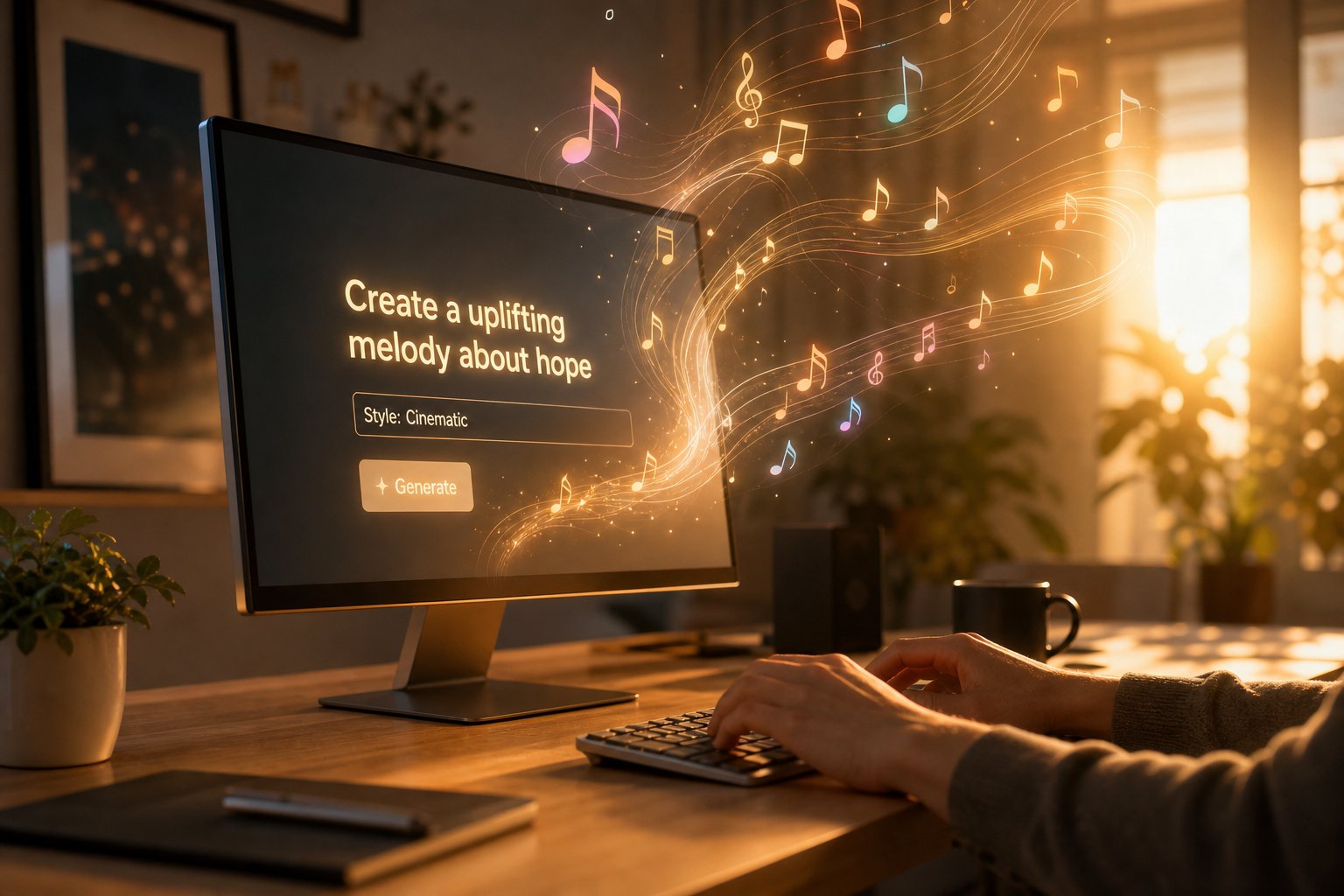
You have compared platforms, weighed pricing, and identified your use case. The only thing left is to actually make something. If you have never generated a track before, the process is far less intimidating than it looks. How do you make a song with AI? You write a short description, click generate, listen, tweak, and repeat until the result clicks. The entire cycle takes minutes, not hours.
Here is the practical workflow from blank screen to exported track.
Writing Your First Music Prompt
Your prompt is the single most important input. It is your only communication channel with the AI, so clarity matters more than length. Think of it as a creative brief to a session musician: you do not need to write a novel, but you do need to be specific about what you want.
A strong first prompt covers five elements:
- Genre and style — name the genre explicitly. "Indie folk" is better than "nice acoustic music." Sub-genres and era references sharpen results further: "90s trip-hop" or "modern cinematic orchestral."
- Mood and emotion — describe how the track should feel. "Melancholic and reflective" produces very different output than "energetic and triumphant."
- Tempo — either qualitative ("slow and spacious") or exact ("85 BPM"). Tempo anchors the energy level and prevents the AI from guessing wrong.
- Instrumentation — name two or three instruments you want featured. "Acoustic guitar, soft drums, and warm piano" gives the model concrete sonic targets.
- Vocal style — if you want vocals, specify gender, tone, and delivery. "Female vocals, breathy and intimate" steers the output far more effectively than just "with singing."
Wondering how to make your own song without any musical training? That prompt structure is genuinely all you need. You are describing a sound in plain language, and the model translates your words into audio. No scales, no chord theory, no studio equipment required.
If you want to go the lyrics-to-song route instead, write your lyrics first and label sections with tags like [Verse], [Chorus], and [Bridge]. Paste them into the platform alongside a style description, and the AI composes melody, arrangement, and vocal delivery around your words. This is how can you make a song that feels personal: your lyrics, your story, shaped into a produced track by the AI.
A good starting point for your first attempt is MakeBestMusic, which handles the prompt-to-finished-song workflow with minimal friction. You type a description or paste lyrics, choose a style direction, and receive a complete track with vocals and arrangement. There is no stitching stems together, no navigating complex menus. It is designed for the moment when you just want to hear your idea come to life quickly.
Tips for Better AI Music Results
Your first generation probably will not be perfect. That is normal and expected. Prompt engineering research confirms that even experienced users treat the process as iterative: generate, listen, adjust, regenerate. The same prompt can produce different results each time due to the probabilistic nature of the models, so running it twice or three times often yields a version you prefer without changing a single word.
When you do want to refine, here are the adjustments that make the biggest difference:
- Be specific, not long — a focused 20-word prompt outperforms a rambling 100-word one. Overloaded prompts with conflicting details confuse the model. Clarity beats complexity.
- Use exclusions — tell the AI what you do not want. "No drums," "no autotune," or "no fade out" prevents common unwanted elements from appearing.
- Adjust one variable at a time — if the tempo feels wrong, change only the tempo descriptor. Rewriting the entire prompt makes it impossible to isolate what improved the output.
- Leave creative room — specify your must-haves but let the AI surprise you on details. Over-scripting every element produces mechanical-sounding results. As Soundverse's prompt guide notes, the best prompts balance specificity with flexibility.
- Reference tempo and key when mixing matters — if you plan to layer the track with other audio, specifying BPM and musical key ensures compatibility.
How do you make your own music that actually sounds good on the first few tries? Start simple. A prompt like "upbeat indie pop with acoustic guitar and male vocals, 120 BPM, cheerful summer vibe" covers all the essentials without overcomplicating things. Listen to what comes back. If the guitar tone is right but the vocals feel too polished, add "raw vocal delivery" to your next attempt. Each iteration teaches you how the model interprets your language.
Once you have a track you are happy with, export it in the format your project needs. Most platforms offer MP3 for quick sharing and WAV for higher-fidelity use. If you plan to produce your own music further in a DAW, look for platforms that export stems so you can isolate and edit individual layers.
The entire process, from how do you write a song idea to holding a finished audio file, can happen in under ten minutes. That speed is the real shift AI brings to music creation. You are not replacing the creative decisions. You are removing the technical barriers between having an idea and hearing it realized. Whether you are exploring how to write a song lyrics for the first time or testing a song idea generator workflow for a professional project, the barrier to entry has never been lower.
Try generating three or four variations of the same concept. Compare them. Pick the best elements from each. That experimentation loop is where AI music creation stops feeling like a novelty and starts feeling like a genuine creative tool.
