

Yes, You Can Make Music With AI Even Without Musical Training
Imagine wanting to create a song but having zero experience with guitars, keyboards, or music theory. A year ago, that desire would've met a wall of expensive software, confusing DAWs, and months of practice. That wall is gone. AI music generators let you describe what you want to hear in plain language and receive a fully produced track in return. No sheet music, no instrument skills, no studio budget required.
The short answer to whether you can make music with AI is an unqualified yes. The more honest answer to "Can I make good music?" is: it depends on how clearly you communicate your vision and how willing you are to iterate. The technology handles melody, harmony, arrangement, and mixing. Your job is creative direction.
What AI Music Generation Actually Means
AI music tools use neural networks trained on audio data to generate original compositions from text prompts. You describe a genre, mood, tempo, and instrumentation, and the model produces a complete audio file. This isn't stitching together pre-made samples. The AI understands musical patterns and creates something new based on your direction.
The quality spectrum is wide. On one end, you can generate simple background loops suitable for a podcast or presentation in a single attempt. On the other end, with thoughtful prompting and a few rounds of refinement, you can produce polished tracks that hold up on streaming platforms. The benefits of ai in music extend to anyone with an idea, whether you're a content creator needing a quick underscore or a hobbyist exploring how to make a song from scratch.
AI music generation is a creative tool, not a replacement for musicianship. You bring the intent, taste, and curation. The AI brings the technical execution. Two people given the same tool will make completely different music, and that difference is artistry.
What to Expect From Your First Session
Your first session will likely take 10 to 30 minutes from opening a platform to downloading a usable track. The process looks something like this: you type a description of what you want ("upbeat indie pop with acoustic guitar, female vocals, 120 BPM"), the tool generates a few variations in seconds, and you listen through them to find the one closest to your vision. Most beginners produce something they genuinely like within their first handful of attempts.
Can ai make better music than humans? Not exactly. AI excels at producing technically competent output fast. What it lacks is the lived experience and emotional specificity that makes a song resonate on a personal level. That's where you come in. Even without musical training, your taste, your story, and your creative choices shape the result into something distinctly yours. Think of it the way a producer.ai workflow operates: you direct, the tool executes, and the final product reflects your decisions.
This guide walks you through the complete workflow, from choosing the right approach and writing effective prompts to refining output, adding human touches, understanding licensing, and deploying your tracks in real projects. Every step is designed for someone who has never played an instrument but wants to bring a musical idea to life.
Step 1: Pick the Right AI Music Approach for Your Goals
Not all AI music tools work the same way. Some want you to type a sentence. Others want you to hum a melody or paste in lyrics. Choosing the wrong approach for your skill level leads to frustration fast, so it's worth understanding what's available before you dive in.
The landscape of the best music making apps powered by AI breaks down into four distinct methods. Each one asks something different from you as a creator, and each produces a different kind of result. Think of it like choosing between a taxi, a bicycle, and a rental car. They all get you somewhere, but the experience and control level vary dramatically.
Text-to-Music vs. Melody-Based vs. Lyric-to-Song
Text-to-music is the most beginner-friendly approach. You describe what you want in plain language ("chill lo-fi hip hop with vinyl crackle and soft piano") and the AI interprets your words into a full composition. Tools built around this method, including platforms like music gpt models and remusic.ai, require zero musical knowledge. You're essentially having a conversation about sound.
Melody-based generation works differently. You hum, whistle, or upload a reference track, and the AI builds an arrangement around that melodic idea. This suits hobbyist musicians who already hear something in their head but lack the production chops to realize it fully.
Loop-based generation gives you individual stems, like drums, bass, synths, and pads, that you assemble and layer yourself. Professional producers gravitate toward this because it offers granular control without starting from a blank canvas.
Lyric-to-song is exactly what it sounds like. You provide written lyrics, select a style, and the AI delivers a complete vocal track with music underneath. This is powerful for songwriters who think in words first. Platforms like suno ai music maker and its suno canvas feature let you feed in lyrics and shape a full arrangement around them, making the jump from poem to produced song nearly instant.
Match Your Skill Level to the Right Approach
Your background determines which method will feel intuitive rather than overwhelming. A complete beginner benefits most from text-to-music because the barrier is simply describing a vibe. A content creator who needs quick turnaround on background tracks also thrives here. Meanwhile, someone with DAW experience might prefer loop-based workflows where they can mix AI stems with their own recordings.
The aiva ai music generator, for example, appeals to users interested in cinematic and orchestral composition who want control over key signature, instrumentation, and pacing. It sits in a middle ground between full automation and hands-on production. The best music creation apps give you a choice along this spectrum rather than locking you into a single workflow.
| Method | Best For | Difficulty Level | Typical Output Quality |
|---|---|---|---|
| Text-to-Music | Complete beginners, content creators needing fast results | Very Low | Good for background music; solid for polished tracks with refined prompts |
| Melody-Based | Hobbyist musicians who can hum or play a basic idea | Low to Moderate | High, since the AI builds on a human-originated melody |
| Loop/Stem-Based | Producers and DAW users who want mixing control | Moderate to High | Professional-grade when assembled with intention |
| Lyric-to-Song | Songwriters who write words first and want a full vocal track | Low | Strong vocal demos; varies by platform for release-ready quality |
Pick the row that matches where you are right now. You can always graduate to a more hands-on method later. The goal at this stage is momentum: getting a result you're excited about quickly enough to stay motivated for the next step, which is learning how to communicate with the AI through well-crafted prompts.
Step 2: Write Prompts That Actually Produce Great Results
Here's the truth most people learn the hard way: your output quality depends almost entirely on what you type into the prompt box. Typing "make a cool song" is like telling a chef "cook something good" and expecting your favorite meal. The AI needs specifics. The words to describe music you choose act as a blueprint, and every detail you include narrows the gap between what you imagine and what the tool delivers.
Think of prompt writing as creative direction in plain language. You don't need to know music theory, but you do need a vocabulary for sound. The good news? That vocabulary is intuitive once you see the pattern.
The Anatomy of a Great AI Music Prompt
AI music models interpret your prompt probabilistically, meaning the first descriptors carry disproportionate weight during generation. According to testing patterns documented by prompt engineering researchers, placing genre at the front of your description anchors the rhythmic and tonal structure before the model processes anything else. The ideal prompt contains 4 to 7 core elements, enough to give clear direction without creating conflicting signals.
Here are the key prompt components, ranked by their impact on output quality:
- Genre - This sets the rhythmic structure, instrumentation norms, and overall sonic identity. "Lo-fi hip hop" produces a fundamentally different foundation than "cinematic orchestral." Use a song genre finder if you're unsure what label fits the sound in your head.
- Mood/Emotion - Defines harmonic direction and melodic phrasing. Words like "melancholic," "euphoric," "tense," or "nostalgic" shape whether the AI leans toward minor keys or bright progressions.
- Tempo (BPM) - This single number stabilizes the entire rhythmic grid. Without it, the model guesses speed based on genre probability, which often produces an unstable groove. Even a rough range like "around 90 BPM" outperforms vague terms like "slow."
- Instrumentation - Be specific. "Rhodes piano" gives a clearer signal than "piano." "Brushed drums" is sharper than "drums." Naming two to three instruments creates a sonic identity the model can lock onto.
- Vocal style - If you want vocals, define them: male or female, breathy or powerful, clean or raspy. Leaving this undefined often results in unexpected vocal textures or misplaced chorus sections.
- Energy arc/Structure - Describing how the track evolves ("builds from quiet piano intro to full band chorus" or "steady energy throughout") prevents the output from sounding static or randomly structured.
A useful formula to remember: Mood + Genre + Instrumentation + Tempo + Vocal Style + Structure. Even filling in four of these six slots dramatically improves what you get back. If you're stuck for inspiration, a song idea generator or song topic generator can help you land on a direction before you start writing the actual prompt.
Prompt Examples for Different Genres and Moods
The difference between a prompt that produces generic filler and one that delivers something usable often comes down to specificity. Mood adjectives work best when paired with a scene or context rather than standing alone. "Melancholic, like a song about distance and longing" gives the AI a reference frame that affects phrasing and arrangement, while "sad" leaves too much open to interpretation.
Here's how weak and strong prompts compare across different intentions:
| Weak Prompt | Strong Prompt | Why the Strong Version Works |
|---|---|---|
| "Make a chill beat" | "Nostalgic lo-fi hip hop at 78 BPM with dusty swing drums, Rhodes piano chords, vinyl crackle, and a warm analog feel" | Specifies genre, tempo, exact instruments, texture, and production style. The AI locks onto a cohesive sonic direction. |
| "Happy song" | "Upbeat indie pop at 120 BPM with acoustic guitar, handclaps, bright piano, and female vocals with a carefree summer energy" | Defines tempo numerically, names four instruments, specifies vocal character, and adds emotional context the model can interpret. |
| "Epic music" | "Dark cinematic orchestral piece in A minor at 90 BPM, low string intro building to brass swells and timpani, crescendo to climax at 60 seconds" | Anchors key signature, maps the dynamic arc with timing, and layers instruments in order of entry. |
| "Create a trap instrumental" | "Hard trap beat at 140 BPM in D minor, 808 glide bass, triplet hi-hat rolls, punchy snare on beat three, 16-bar verse into 8-bar hook with a minimal synth lead" | Gives bar-level structure, rhythmic pattern specifics, and section lengths that prevent aimless looping. |
| "Jazz song" | "Smooth jazz quartet in F major at 126 BPM swing feel, walking upright bass, brushed drums, piano comping with seventh chords, expressive tenor saxophone lead" | Names the ensemble size, rhythmic feel (swing), harmonic detail (seventh chords), and lead instrument role. |
Notice the pattern? Strong prompts combine a genre finder instinct (knowing roughly what sonic territory you want) with concrete descriptors. You don't need a music degree to write them. You need observation. Listen to a track you admire and describe what you hear: the pace, the instruments, the feeling, the energy shifts. That description is essentially your prompt template.
For creators exploring top prompts for music videos, the same principles apply but with added emphasis on energy arc. Video soundtracks need dynamic variation so editors have something to cut to, so include descriptors like "quiet verse building to anthemic chorus" or "atmospheric intro, peak energy at 45 seconds, resolved ending."
One question that comes up frequently: is Google AI Studio good at lyrics for songs? While general-purpose AI tools can help brainstorm lyrical ideas or rhyme schemes, dedicated music generators interpret sonic prompts far more reliably than text-only language models handle musical output. Use lyric-focused tools for words, and music-focused tools for sound. The prompt skills covered here apply specifically to the audio generation side.
The takeaway is simple: precision reduces randomness. Every specific detail you add to a prompt removes a decision the AI would otherwise make on its own, and its guesses rarely match your vision. Spend an extra minute describing what you actually hear in your head, and the output jumps from generic background noise to something that sounds intentional.
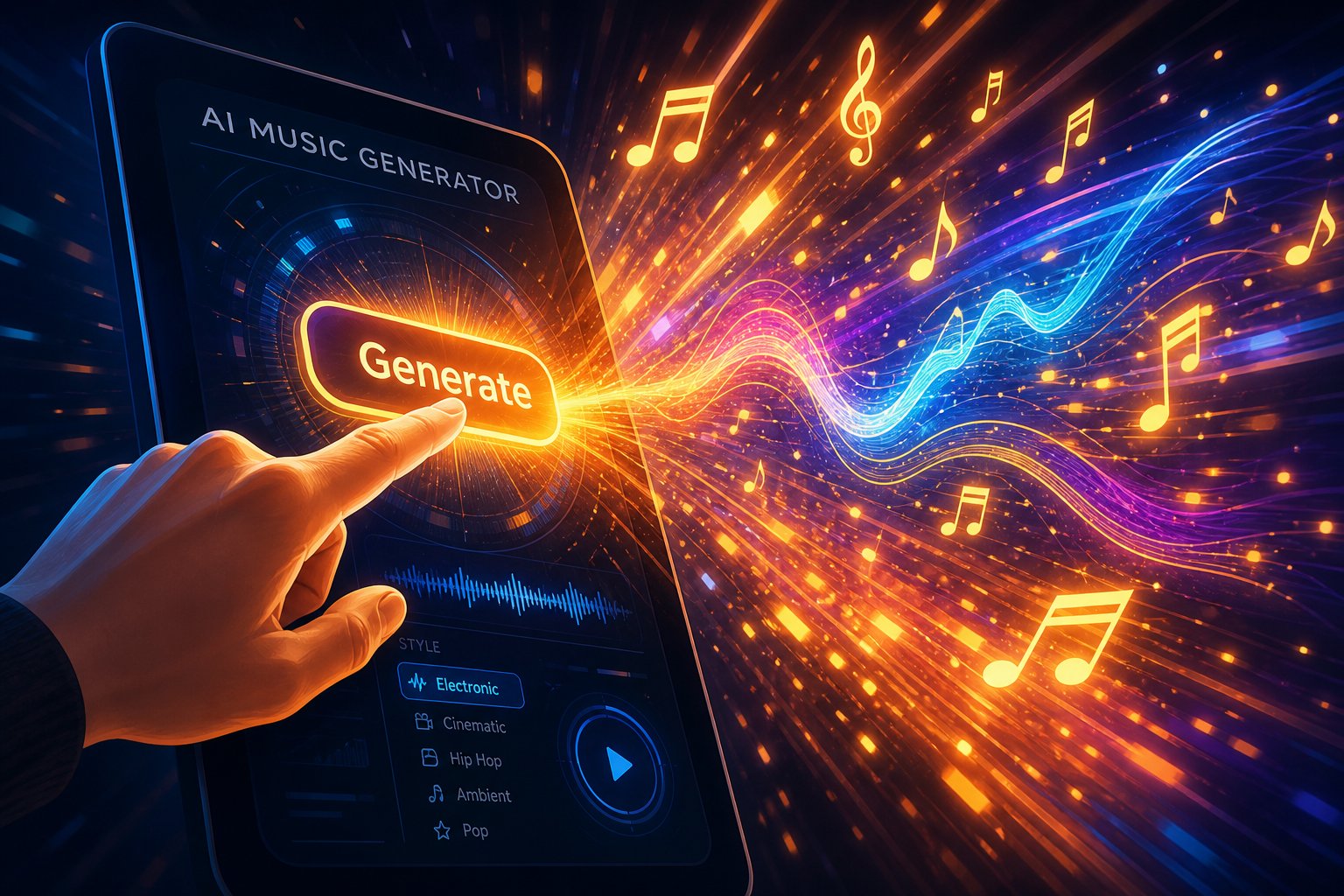
Step 3: Generate Your First AI Song From a Prompt or Lyrics
You've got your approach picked and your prompt polished. The next move is the one that actually produces sound. Generating your first AI track feels a bit like hitting "send" on a message you spent too long drafting. There's a moment of anticipation, and then, within seconds, you're listening to a piece of music that didn't exist before you typed those words.
So how do you make a song from a prompt to a playable file? The workflow is surprisingly consistent across platforms, even though interfaces vary. Whether you're focused on ai song writing or just experimenting with basic song production from a scratch track ai, the core sequence stays the same.
Generate Your First Track Step by Step
A straightforward option for beginners following this guide is MakeBestMusic's AI Music Generator, which lets you turn prompts, lyrics, and style ideas into complete songs quickly without navigating complex settings. It's built for the exact workflow covered here: type your vision, pick a style, and get a finished track.
Here's the sequence most AI music tools follow:
- Enter your prompt or lyrics. Paste the descriptive prompt you built in the previous step, or write the song lyrics directly if you're using a lyric-to-song approach. If you want to write the song from words first, many platforms accept full verses and choruses with section labels like [Verse] and [Chorus].
- Select style parameters. Most tools offer genre tags, mood selectors, or tempo sliders alongside the text box. These reinforce your prompt. If the platform lets you choose a vocal type (male, female, none), set it here rather than hoping the AI guesses correctly.
- Choose track length. Default is usually 30 to 90 seconds. For a full song, select extended generation or set a target duration. Short clips work well for testing ideas before committing to a full-length track.
- Hit generate. The tool processes your input and typically returns two to four variations within 15 to 60 seconds. Each variation interprets your prompt slightly differently, giving you options rather than a single take-it-or-leave-it result.
- Listen through all variations. Don't stop at the first one. Play each version start to finish before deciding which direction feels closest to your vision.
Some creators also want to upload song and ai will make a drim beat around it, which is a melody-based workflow where the platform builds an arrangement from your reference audio. This works well if you've hummed an idea into your phone and want full production around it. For those looking for the top ai for lyrics for songs, dedicated lyric generators can draft words you then feed into the music tool, keeping the creative pipeline flowing without writer's block stalling you out.
How to Evaluate Multiple AI Outputs
Getting four variations back can feel overwhelming. Which one is "right"? The answer depends on what you need the track for, but a simple evaluation framework keeps you from spinning in circles.
Listen for these five qualities in each variation:
- Hook strength - Does any melodic phrase grab your attention and feel worth repeating?
- Vocal fit - If vocals are present, do they match the emotion and genre you described?
- Structural movement - Does the track build, shift, or evolve, or does it loop without direction?
- Instrumental clarity - Can you hear the instruments you requested, and do they sit well together in the mix?
- Replay instinct - After one listen, do you want to hear it again? That gut response matters more than technical analysis at this stage.
A practical evaluation approach drawn from documented AI song workflows is to mark each variation with a quick note: what worked, what didn't, and what you'd change in the next generation. Even a one-line note like "great chorus melody, verse too busy" saves you from re-listening to everything later.
If you're using a suno ai song creator or a similar platform, you might generate a dozen variations before finding one that clicks. That's normal. Treat each output as a draft, not a finished product. The goal of this step isn't perfection. It's getting raw material that sparks something, a melody worth keeping, a groove that fits, or a vocal delivery that surprises you.
How to write a song lyrics that translate well into AI generation? Keep lines concise, use natural phrasing over complex metaphors, and include section markers so the model knows where your chorus begins. Dense poetry sometimes confuses the vocal model, while conversational language tends to produce more natural-sounding delivery.
The first track you generate probably won't be the final version. That's by design. What matters is that you now have something tangible to react to, something to refine, reshape, and push closer to what you originally heard in your head.
Step 4: Refine and Iterate Until the Track Fits Your Vision
That first generation sitting in your player? It's a draft. Maybe a promising one, maybe a rough sketch that only hints at what you actually want. Either way, the refinement phase is where AI music creation stops feeling like a slot machine and starts feeling like a creative process. Most creators who produce tracks they're genuinely proud of get there in three to five generations, not one.
The difference between people who give up on AI music and people who get real results comes down to iteration. You wouldn't expect a first draft of an essay to be publish-ready. The same logic applies here. Each regeneration is a conversation where you sharpen your instructions based on what the AI got right and what it missed.
Iterate on Prompts to Improve Output Quality
The key principle is simple: change one or two things at a time. If you rewrite your entire prompt after every generation, you'll never know which adjustment actually improved the output. A tested iteration approach follows this loop: generate, listen, identify the weakest element, adjust that specific descriptor, and regenerate.
Practical adjustments you can make between generations:
- Narrow the energy level - If the track feels too intense for background use, add "low energy, understated" or reduce the instrument count in your prompt.
- Shift the mood descriptor - Replace vague words like "happy" with precise ones like "carefree" or "warmly optimistic" to nudge the harmonic direction.
- Adjust tempo by 10-15 BPM - A track that feels sluggish at 85 BPM might lock in perfectly at 95. Small tempo shifts change groove feel significantly.
- Extend or shorten sections - Many platforms let you regenerate only the intro, bridge, or outro. Use this to fix pacing without losing a chorus you already love.
- Swap one instrument - If the synth pad overwhelms the mix, replace it with something softer like "ambient strings" or "warm Rhodes chords."
A useful trick: if you hear a generation that's close but not quite right, use a similar songs finder to identify tracks with the vibe you're chasing. Listen to songs that are similar to your target sound and borrow vocabulary from how you'd describe them. Those descriptors become fuel for your next prompt revision.
Common Issues and How to Fix Them With Better Descriptions
Certain problems show up repeatedly across AI music platforms. Each one has a prompt-based fix that doesn't require a free ai music finalizer or any post-production expertise.
- Repetitive loops that go nowhere - The AI defaulted to a static pattern. Fix: add structure language like "builds gradually, introduces new element every 8 bars, peaks at 75% through the track."
- Abrupt or awkward endings - The model ran out of context without a resolution cue. Fix: include "gentle fade out" or "resolves cleanly on the root chord" in your prompt.
- Mismatched or unexpected vocals - You got a male baritone when you wanted airy female harmonies. Fix: be explicit about vocal character, or specify "instrumental only" if vocals keep appearing uninvited. Those seeking vocal mixing ai free solutions can often solve the issue at the prompt level first.
- Muddy or cluttered mix - Too many instruments fighting for space. Fix: reduce your instrumentation list to two or three core elements and add "spacious mix, minimal arrangement."
- Genre drift mid-track - The song starts as jazz and wanders into smooth R&B. Fix: reinforce genre at multiple points in the prompt, like "jazz quartet throughout, no genre shifts, consistent swing feel."
- Jarring transitions between sections - The verse-to-chorus jump feels unnatural. Fix: describe the transition explicitly, like "smooth build into chorus" or "brief drum fill connects verse to hook."
If you're exploring ideas like creating piano arrangement from audio ai free or using a music mashup maker to blend elements from different generations, refinement becomes even more important. A song mashup maker approach, where you take the best chorus from one variation and the best verse from another, requires each piece to be polished individually before combining.
The real shift happens around generation three or four. By then, you've learned how your chosen tool interprets specific words, which descriptors it responds to strongly, and where its blind spots are. That knowledge compounds. Your fifth prompt will be sharper than your first, and the output will reflect it. Refinement isn't a sign that the tool failed. It's the part of the process where your taste actually shapes the music.
Step 5: Combine AI Music With Human Creative Elements
A refined AI track is already a solid piece of music. But here's what separates a track that sounds "made by a computer" from one that sounds like yours: the human layer. Even a small personal contribution, a vocal take recorded on your phone, a single guitar riff, a hand-drawn melody, transforms AI output from impressive technology into something with your fingerprint on it.
This is how to make your own song rather than just generating one. The AI handles the heavy compositional work, like arranging instruments, maintaining harmonic structure, and producing a balanced mix. You add the thing no model can replicate: your voice, your feel, your imperfections. According to current analysis of music AI tools, the strongest systems in 2026 work as co-writing and arranging assistants that keep human taste and authorship at the center, not as autonomous replacements.
Layer Your Own Vocals or Instruments Over AI Tracks
You don't need a professional studio to add a human element. A smartphone voice memo, a USB microphone, or even a built-in laptop mic is enough to record a vocal or acoustic part that sits on top of an AI instrumental. The key, as outlined in mixing guidance from Sonarworks, is treating your recorded element the same way you'd treat any track in a mix: apply gentle compression to control peaks, use EQ to carve frequency space, and share a reverb bus so everything sounds like it belongs in the same room.
Ways to blend human creativity with AI-generated music:
- Sing or rap over an AI instrumental - Generate a backing track in the style you want, then record your own vocal performance on top. This is how many creators use AI as a rap maker or vocal demo tool without needing a full band.
- Play a live instrument over AI stems - Even a simple acoustic guitar strum, a ukulele pattern, or a bass line played on a MIDI controller adds organic texture that AI alone can't replicate.
- Hum or whistle a counter-melody - Layer a melodic idea you hear in your head over the existing arrangement. This is how to create songs that feel personal even when the backing is generated.
- Add spoken word or narration - For podcast intros, storytelling tracks, or ai rap projects, your speaking voice over an AI beat creates immediate authenticity.
- Combine stems from multiple generations - Take the drums from one output, the bass from another, and a synth line from a third. Stacking your favorite pieces across generations is a form of human curation that produces results no single generation could.
Use AI Output as a Starting Point in Your DAW
For creators ready to go deeper, importing AI stems into a digital audio workstation unlocks full production control. Most platforms export WAV files that drop straight into any DAW session. From there, you can adjust individual track volumes, apply effects, rearrange sections, and layer your own recordings on top. The best apps for music production, whether that's Ableton, Logic, FL Studio, or GarageBand, all accept these files without conversion.
This hybrid workflow mirrors what professional producers already do. Production guides emphasize that AI is an extraordinary idea generator, but the final polish comes from human mixing decisions: proper EQ, spatial effects, dynamic control, and arrangement choices that reflect your artistic intent. Think of it as composer music collaboration where the AI drafts the score and you conduct the performance.
Even song writing applications and tools like an ai rhyme finder serve the same philosophy. Use them to generate raw material, then shape that material with your own decisions. The lyrics an AI suggests become truly yours once you rewrite the lines that don't fit your voice. The chord progression it proposes becomes your song once you change the bridge to something unexpected.
The result of this blending process is a track that leverages AI speed and technical competence while carrying the emotional specificity only a human can provide. And once you've shaped something you're proud of, the next consideration becomes practical: who actually owns this music, and what can you do with it?
Step 6: Understand Copyright and Licensing Before You Publish
You've shaped a track you're proud of. The instinct is to upload it everywhere immediately. But pause for a moment, because ownership of AI-generated music isn't as straightforward as owning a painting you made with your own hands. The legal landscape is evolving fast, and what you can do with your track depends heavily on which platform created it, what subscription tier you're on, and how much human creative input you contributed.
This matters whether you want to download song for youtube content, sell a custom song to a client, or just post a personalized song on social media without worrying about takedowns.
Who Owns AI-Generated Music
The core legal principle across most jurisdictions: copyright requires human authorship. The U.S. Copyright Office's 2025 guidance made this explicit, stating that outputs of generative AI can only be protected by copyright where a human author has determined sufficient expressive elements. Purely AI-generated content with zero human input falls into the public domain.
What does that mean for you? If you typed a one-line prompt and accepted the first output without modification, your legal claim to that track is weak. But if you wrote original lyrics, made deliberate creative selections from multiple outputs, edited the arrangement, or layered your own performance on top, those human contributions strengthen your ownership position significantly.
The practical takeaway: the more creative decisions you make, the stronger your copyright claim. Every edit, every selection, every lyric you write builds a defensible case that you're the author, not just a button-presser. Keep records of your prompts, creative choices, and edit history as documentation.
Commercial Use Rights and Platform-Specific Rules
Beyond the copyright question, each platform grants different usage rights through its terms of service. Some offer full commercial licenses on paid tiers while restricting free accounts to personal use only. Others operate royalty-sharing models. The differences are significant enough that choosing the wrong tier could mean your business background music technically violates the platform's terms.
| Licensing Model | What You Get | Typical Restrictions | Best For |
|---|---|---|---|
| Royalty-Free (Paid Tier) | Full commercial rights, no per-use fees, no attribution required | Usually non-transferable; cannot resell the raw track as song stock | Content creators needing royalty free podcast intro music, YouTube scores, presentations |
| Commercial License (Pro/Premium) | Ownership transfer, monetization on streaming platforms, sync rights | May exclude redistribution as standalone music files | Musicians releasing on Spotify or Apple Music, royalty free jazz music for commercial projects |
| Subscription-Based Rights | Usage rights valid while subscription is active | Rights may lapse if you cancel; generated tracks might revert to non-commercial status | Creators with ongoing content needs who maintain active accounts |
| Royalty-Sharing (Partnership Models) | Commercial distribution through label frameworks | Revenue splits with contributing artists whose work trained the model | Creators comfortable sharing revenue in exchange for clearer legal standing |
Can you monetize AI music on YouTube and streaming platforms? Generally yes, if your platform subscription grants commercial rights. Spotify, Apple Music, and YouTube all accept AI-assisted music through standard distributors. However, ongoing litigation between major labels and AI companies means the landscape could shift. Suno's own terms acknowledge they cannot guarantee copyright will vest in any output, a significant caveat for anyone building a revenue strategy around AI tracks.
Always read the specific terms of service for your chosen AI music tool before publishing or monetizing. Rights vary by platform, subscription tier, and jurisdiction. What's permitted on one service may violate another's terms entirely.
The ethical dimension adds another layer. Major music labels have filed landmark lawsuits against AI music generators over training data that allegedly included copyrighted recordings without permission. If courts rule that training constituted infringement, the downstream effects on users remain unclear. The UK government has already confirmed that copyright material cannot be used for AI training without permission, signaling a regulatory direction that favors rights holders.
Practical steps to protect yourself: use paid tiers that explicitly grant commercial rights, document your creative process thoroughly, add meaningful human elements to strengthen your authorship claim, and avoid prompts that reference specific artists by name. If you're creating tracks for professional or commercial use, treating your AI tool like any other licensed instrument in your workflow, rather than a free-for-all generator, keeps you on solid ground as the legal framework continues to solidify.
Step 7: Export and Use Your AI Music in Real Projects
Licensing is sorted. Your track sounds exactly how you imagined it. The final step is getting that audio file out of the generator and into the real-world project where it belongs, whether that's a YouTube video, a podcast intro, a client presentation, or a commercial jingle for a local business. This is where all the prompting, iterating, and refining pays off in something tangible.
The deployment step trips people up more often than you'd expect. Export the wrong format and your audio sounds crunchy on playback. Choose the wrong length and your editor is stuck awkwardly looping or fading. Match these decisions to your project from the start, and the final product sounds intentional rather than patched together.
Match Your AI Music to Specific Project Needs
Different projects demand different things from a track. A 15-second social clip needs immediate energy with no buildup. A 3-minute YouTube video essay needs dynamic variation so the music doesn't become wallpaper. A commercial jingle needs a memorable hook within the first five seconds. Tailoring your prompt strategy to the end use saves you from generating tracks that sound great in isolation but fail in context.
For creators ready to put this into practice, MakeBestMusic's AI Music Generator handles the full pipeline from prompt to export, making it a solid starting point for any of the use cases below. You can go from idea to deployed audio in a single session.
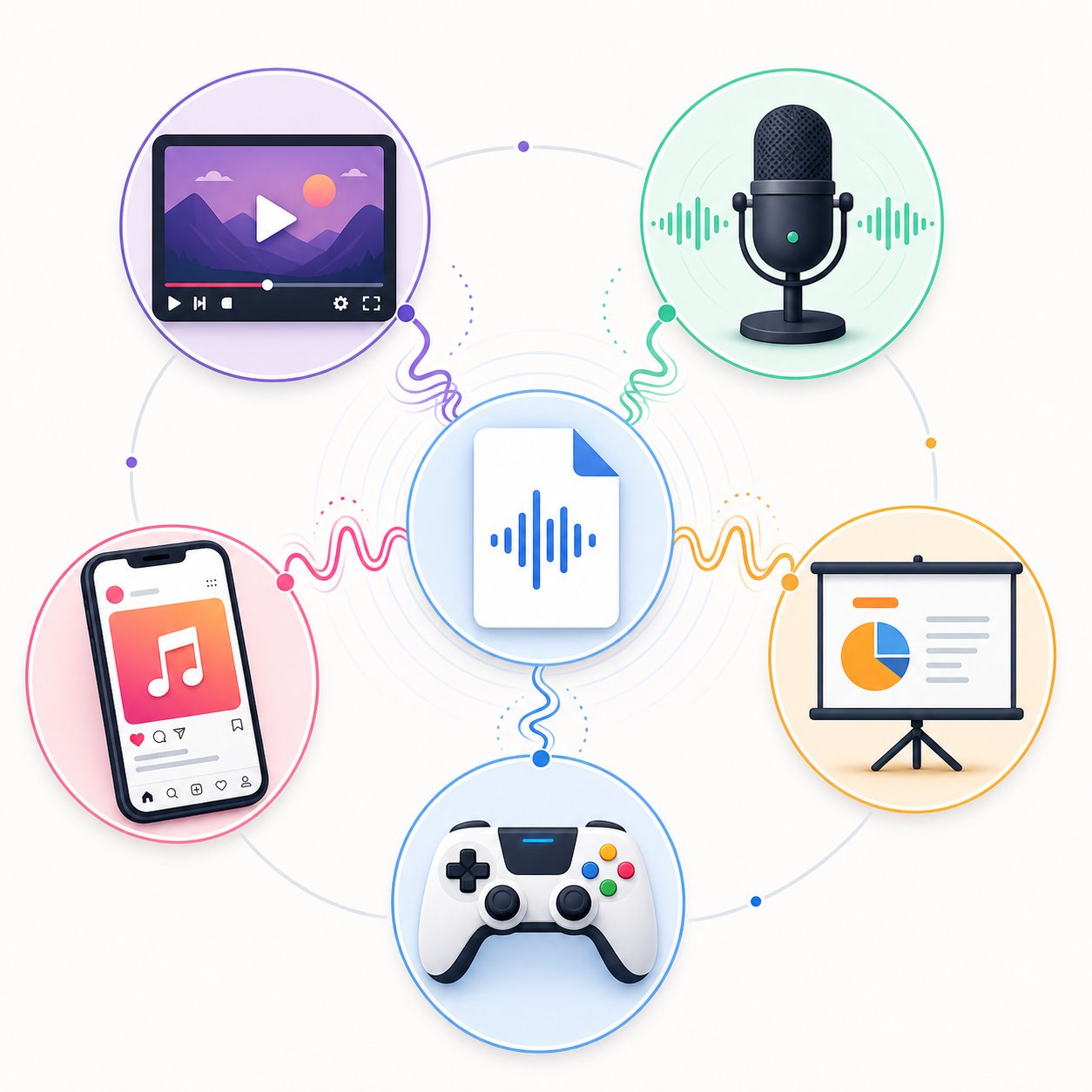
Here are the most common real-world applications with prompt strategies tailored to each:
- YouTube video scoring - Generate tracks at 48 kHz sample rate so audio syncs cleanly with video timelines. Prompt for dynamic energy shifts ("quiet intro, builds at 30 seconds, peaks at 60 seconds, gentle resolve") so you have natural edit points. An ai music video soundtrack works best when it complements the visual pacing rather than competing with narration. If you're wondering how do you add music to a video, most editors like Premiere, DaVinci Resolve, or even CapCut accept WAV and MP3 drops directly onto the timeline.
- Podcast intros and outros - Keep these between 10 and 20 seconds. Prompt for immediate energy with a clear ending rather than a fade: "upbeat, confident, punchy intro music that resolves cleanly at 15 seconds." Podcast music sets the tone for every episode, so aim for something distinctive enough to become your sonic brand without overpowering the spoken content that follows.
- Presentations and corporate backgrounds - Prompt for low-energy, non-distracting textures: "ambient corporate background, warm pads, soft piano, no drums, steady energy, 3 minutes." These tracks should never pull attention from the speaker. Keep the mix spacious and avoid vocals entirely.
- Social media clips (Reels, TikToks, Shorts) - Front-load the energy. Social algorithms reward immediate engagement, so prompt for tracks that hit hard within the first two seconds: "energetic hook immediately, 120+ BPM, 30 seconds total, punchy and catchy." Think of how to add music in canva for social graphics or quick video posts, where the canva music integration accepts standard MP3 files you can drag and drop.
- Game prototypes and interactive media - Generate loopable tracks by prompting for "seamless loop, no clear ending, 60 seconds, ambient and atmospheric." Game audio needs to repeat without the listener noticing a restart point. Export as WAV for clean looping without compression artifacts at the splice point.
- Commercial jingles - A commercial jingle lives or dies by memorability. Prompt for a short, catchy vocal hook: "bright, memorable jingle with a singable melody, upbeat at 110 BPM, 15 seconds, ends with a clean tag line pause." If you want to add a background of a music performance on ai for product videos or advertisements, generating purpose-built audio beats licensing stock tracks every time.
- Demo tracks and creative portfolios - Generate full-length songs (2-4 minutes) showcasing range. Use these as proof of concept for clients or collaborators. A free ai music video generator can even pair your audio with simple visuals if you need a shareable preview.
Export Formats and Quality Settings That Matter
The format you export determines how your track sounds in its final home. Get this wrong and you'll hear compression artifacts, volume mismatches, or sync drift in video projects. According to audio export guides from SOUNDRAW, the choice between WAV and MP3 comes down to whether more processing is coming or whether the file goes straight to an audience.
Here's the rule of thumb:
- Export WAV (24-bit, 48 kHz) when your track goes into a video editor, DAW, or any project where further processing happens. The uncompressed format preserves full audio quality through additional edits, effects, and re-encoding. Video projects specifically need 48 kHz to stay locked to standard frame rates.
- Export WAV (24-bit, 44.1 kHz) for music-only releases headed to streaming platforms or distribution services. This is the standard sample rate for music delivery.
- Export MP3 (320 kbps) for quick sharing, social media uploads, client approvals, and any situation where file size matters more than microscopic fidelity. A 320 kbps MP3 sounds nearly identical to WAV on consumer speakers and headphones.
- Keep your master at -1 dB true peak so platforms like YouTube and Spotify don't introduce distortion during their own loudness normalization. If your export sounds clean on your end but crunchy after upload, the peak level is likely too hot.
A practical habit: always export both a WAV master and an MP3 preview of every track you generate. The WAV lives in your archive for future use, re-edits, or higher-quality deployment. The MP3 is what you send in messages, upload to social, or drop into quick projects. This two-file system, recommended across professional export workflows, means you'll never be caught without the right format when a project needs it.
Track length deserves the same forethought as format. Generate to your project's exact needs rather than trimming a longer track down. A 15-second jingle prompted as a 15-second piece will have tighter structure than the first 15 seconds of a 3-minute song chopped off. Most AI tools let you specify duration before generating, so use that parameter deliberately.
You've now walked the full path: from understanding what AI music creation actually involves, through choosing an approach, writing effective prompts, generating and refining output, blending human elements, navigating licensing, and deploying finished tracks where they matter. The only step left is the one no guide can do for you: opening MakeBestMusic or your chosen tool, typing your first real prompt, and hearing what comes back. The instrument you couldn't play was never the barrier. The barrier was not knowing where to start, and that's behind you now.
