


The Real Answer to Using Suno AI Music on YouTube
You've got a Suno track that sounds great, and you're ready to drop it into your next YouTube video. But before you hit upload, one question stops you cold: can I use Suno AI music on YouTube without risking a copyright strike or losing monetization? Let's cut straight to it.
The Quick Answer for YouTube Creators
Yes, you can use Suno music on YouTube, but only if you're on a paid plan. Suno's official terms are clear: songs made while subscribed to a Pro or Premier plan are granted commercial use rights, which explicitly includes posting content to YouTube. Free-tier generations? Those are locked to personal, non-commercial use. You cannot monetize a YouTube video featuring a track made on the free plan, period.
So the short version: paid plan equals green light for using Suno music on YouTube. Free plan equals hands off any monetized content. But that's only one piece of a three-part puzzle.
Why This Question Is More Complex Than It Seems
Imagine you have the commercial license sorted. You're on Pro. Does that mean you're completely safe? Not quite. Three separate layers determine whether your suno music YouTube upload will run smoothly or land you in trouble:
- Suno's licensing terms — Your subscription tier dictates whether you hold commercial rights at all. And under Suno's 2026 terms, even paid users receive a commercial license rather than traditional copyright ownership.
- YouTube's platform policies on AI content — YouTube now requires disclosure when content is made with AI tools. Skipping this step can trigger labels, reduced visibility, or channel action.
- Copyright and Content ID risks — Because Suno's AI model is trained on existing music, your generated track can sometimes trigger a Content ID match against a copyrighted song, even if you did nothing wrong.
Each layer operates independently. You can satisfy one and still run into problems with another. That's why a simple yes-or-no answer doesn't tell the full story.
Whether you can use Suno AI music on YouTube depends on your subscription plan, your content format, and whether you plan to monetize.
This guide walks through each layer in detail, from licensing fine print to practical upload workflows, using a risk-based framework so you can match the guidance to your specific situation. Whether you're layering AI tracks behind a tutorial or building an entire music channel around generated songs, the risk profile looks very different.
Suno AI Terms of Service Explained for YouTube Creators
Most guides tell you to "check Suno's Terms of Service" and leave it at that. Not particularly helpful when you're trying to figure out whether your next upload will get flagged. Let's break down exactly what those terms say about your rights, in plain language, so you know where you stand before publishing anything.
Free Plan Limitations and What They Mean for YouTube
If you're using Suno's Basic (free) tier, the answer to "are suno songs mine?" is straightforward: no, they're not. Suno's official help documentation states it plainly — if you weren't subscribed to a paid plan when you created the song, Suno retains ownership. You receive a personal, non-commercial, non-transferable license to use those outputs.
What does "non-commercial" actually mean in practical terms? It covers more than you might think:
- You cannot upload the track to a monetized YouTube video
- You cannot use it as background music in any content that generates ad revenue
- You cannot license it to another creator or brand
- You cannot distribute it on any platform for money — not YouTube, not Spotify, nowhere
Even if your YouTube channel runs zero ads today, using a free-tier Suno track creates a problem the moment you decide to monetize later. The song was generated under non-commercial terms, and those terms don't change retroactively if you upgrade your Suno plan afterward. You'd need to regenerate the track while subscribed to a paid plan to hold commercial rights to that specific output.
Paid Plan Rights and Commercial Licensing
Suno's Pro ($10/month) and Premier ($30/month) plans change the equation entirely. According to Suno's Terms of Service (v4, 2026), paid subscribers own their generated outputs and can use them "for any purpose, including commercial purposes such as posting, selling, and streaming."
For YouTube creators, this means you can:
- Upload Suno tracks to monetized videos
- Use AI-generated music as background audio in ad-supported content
- Distribute full AI songs on your YouTube music channel
- License your Suno creations to other creators for their videos
A detail worth noting: you retain commercial rights to songs created during your subscription even if you cancel later. So if you're wondering how to cancel Suno subscription without losing rights to existing tracks, you're covered. Songs made while you were paying remain yours under those commercial terms. You just can't generate new commercial-use tracks after cancellation.
The difference between Pro and Premier for YouTube purposes comes down to volume and quality. Pro gives you 2,500 credits per month (roughly 250-500 song generations), while Premier offers 10,000 credits plus stem downloads and priority generation. If you produce content daily or need separated audio tracks for mixing, Premier pays for itself. Both tiers grant identical commercial rights for YouTube.
You can also suno earn credits by following certain platform activities and engagement, though the core generation capacity comes from your subscription tier. Those bonus credits carry the same commercial rights as your plan-based credits.
What Ownership Actually Means for AI-Generated Music
Here's where things get nuanced. Does Suno own my song if I'm on a paid plan? Contractually, no. But "ownership" in this context isn't quite what it means for a song you wrote and performed yourself.
Suno's terms grant you contractual ownership — a binding agreement between you and Suno that says they won't claim your music or prevent you from using it commercially. This is different from statutory copyright, which is what traditionally protects musical works from being copied by others.
The US Copyright Office's position is that works generated by AI without meaningful human creative control don't qualify for copyright registration. When you type a prompt like "upbeat indie rock song about road trips" and Suno produces a complete track, the resulting music likely lacks sufficient human authorship for traditional copyright protection.
What this means practically for suno copyright:
- You can use and monetize the music freely on YouTube (contractual right)
- You probably cannot register a copyright with the US Copyright Office (statutory limitation)
- If someone copies your Suno track, your legal recourse may be limited
- The more human creative input you add — original lyrics, arrangement changes, layered instrumentation — the stronger any potential copyright claim becomes
Is Suno royalty free? In a sense, yes — you pay a subscription rather than per-track royalties, and no third party collects royalties on your generated outputs. But the absence of traditional copyright means your "ownership" is a contractual shield, not a legal sword you can wield against imitators.
There's also the question of whether are suno artists going to have to pay additional fees down the road. With Universal Music Group, Sony, and Warner Music suing Suno over training data copyright infringement since June 2024, the legal landscape could shift. Suno's terms include no indemnification clause — meaning if a generated track is found to infringe on existing copyrighted music, you bear the legal risk, not Suno.
| Feature | Free (Basic) | Pro ($10/mo) | Premier ($30/mo) |
|---|---|---|---|
| YouTube Upload | Non-commercial only | Full commercial use | Full commercial use |
| YouTube Monetization | Not allowed | Allowed | Allowed |
| Output Ownership | Suno retains ownership | Assigned to you | Assigned to you |
| Monthly Credits | 50 credits/day | 2,500 credits/mo | 10,000 credits/mo |
| Rights After Cancellation | N/A | Retained for existing songs | Retained for existing songs |
| Download Formats | MP3 only | MP3 + WAV | MP3 + WAV + Stems |
| Copyright Registration | Not possible | Unlikely (AI-generated) | Unlikely (AI-generated) |
| Indemnification | None | None | None |
The licensing terms give paid creators a clear path to using Suno music on YouTube. But satisfying Suno's contractual requirements is only the first layer. YouTube itself has its own rules about AI-generated content — and those disclosure requirements operate independently from whatever license you hold.
YouTube AI Disclosure Requirements for Music Content
Having the right license from Suno doesn't automatically mean your upload is platform-compliant. YouTube maintains its own transparency rules around AI-generated content, and these operate on a completely separate track from whatever commercial rights you hold. Understanding how does Suno work in relation to these platform rules matters just as much as understanding the license itself.
Mandatory AI Disclosure Labels on YouTube
Since 2024, YouTube has required creators to disclose when their content is made with generative AI tools. As of May 2026, YouTube has gone further — rolling out automatic AI detection systems that can identify and label AI-generated content even when creators forget to disclose.
Here's where it gets specific for music creators. YouTube's official disclosure policy explicitly lists "AI generated music" as content that requires disclosure. That's a blanket requirement — not limited to vocals that mimic real artists. Whether you generated an instrumental lo-fi beat or a full vocal track, disclosure applies.
The disclosure happens during upload in YouTube Studio. Under the "Attributes" section, you'll see an "AI use" field. Select "Yes" if your content includes AI-generated audio. YouTube then applies a label — either on the video player itself for photorealistic content or in the expanded description for non-photorealistic or animated content.
One important nuance: if you're writing your own lyrics and feeding them into Suno, or if the lyrics do not meet our content guidelines and you need to rework them before generation, the resulting track still counts as AI-generated music. The human input on the text side doesn't exempt the audio output from disclosure. Similarly, learning how to create your own lyrics for Suno prompts doesn't change the AI-generated nature of the final musical output.
What Happens If You Skip the Disclosure
Skipping the label isn't a gray area — YouTube has stated the consequences clearly. Creators who consistently fail to disclose AI-generated content face escalating penalties:
- YouTube may manually apply a label to your video
- Their automatic detection systems may flag and label content independently
- Repeated non-disclosure can result in content removal
- Persistent violations may lead to suspension from the YouTube Partner Program
Worth noting: YouTube's blog post on the updated labeling system states that "a disclosure label alone does not change how a video is recommended or whether it's eligible to earn money." The label itself won't tank your reach. Failing to disclose is the problem — not the disclosure itself. Transparency costs you nothing algorithmically.
Platform Policy vs Copyright Law
This is where many creators get confused. YouTube's disclosure rules and copyright law are two entirely independent systems. Satisfying one doesn't protect you from the other.
You can properly disclose your AI music, get the label applied, and still receive a Content ID claim because the generated track shares similarities with a copyrighted song. Conversely, you can have a perfectly original AI track with zero copyright risk but face channel penalties for skipping disclosure.
Think of it this way: disclosure is about platform trust and viewer transparency. Copyright is about whether your audio infringes on someone else's intellectual property. They operate on parallel tracks that never intersect.
Here's a quick breakdown of when AI music disclosure is required versus when it's optional:
- Disclosure required:
- Disclosure optional or not required:
The dividing line is straightforward: if AI generated the music itself, disclose. If AI only assisted with peripheral production tasks, you're in the clear.
Platform compliance is the easier half of this equation — check a box, get a label, move on. The harder challenge hits when YouTube's Content ID system scans your AI-generated track and flags a similarity you never intended.
How Content ID Affects AI-Generated Music on YouTube
You've got the right Suno plan, you've checked the disclosure box, and your track sounds completely original to your ears. Then, a few hours after upload, YouTube Studio hits you with a Content ID claim from an artist or label you've never heard of. What just happened?
Content ID is YouTube's automated copyright enforcement system, and it's the single biggest source of headaches for creators using AI-generated music. Understanding how it works — and why AI tracks trigger it differently than human-composed music — is essential before you publish anything.
How Content ID Scans AI-Generated Tracks
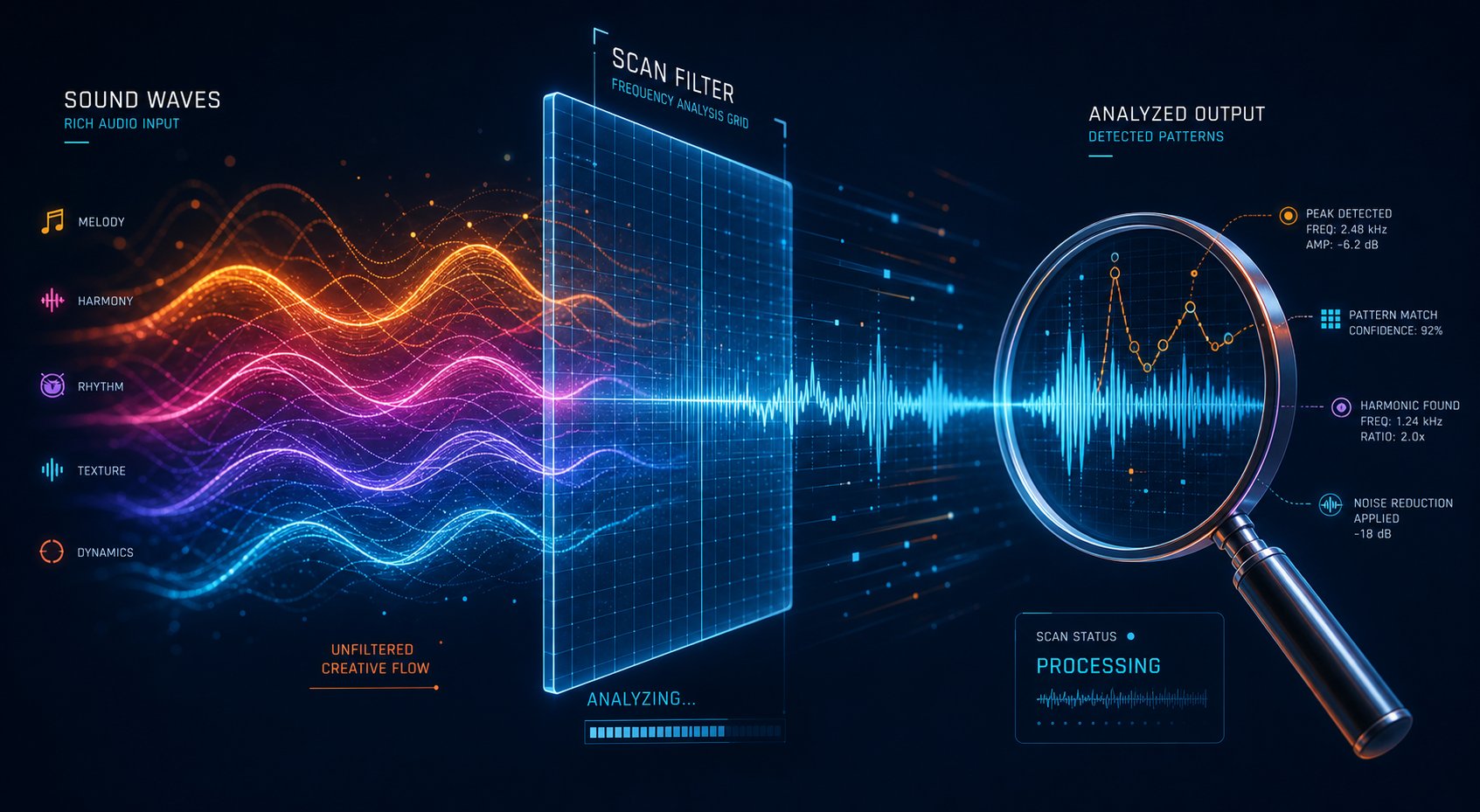
Content ID works by comparing your uploaded audio against a reference database containing over 100 million registered files from labels, distributors, publishers, and individual creators. When YouTube detects a match, the rights holder who registered that reference file can choose to monetize your video (taking your ad revenue), block it entirely, or simply track its performance.
For traditionally produced music, this system catches clear-cut copying. Someone uploads a Drake song to their video, Content ID flags it, and revenue goes to the label. Straightforward. But AI-generated music creates a fundamentally different problem.
Suno and similar tools are trained on massive datasets of existing music. The outputs carry melodic patterns, harmonic progressions, and rhythmic structures derived from that training data. Your suno beats might unintentionally share enough patterns with a registered copyrighted song to trigger a match — even though neither you nor the AI deliberately copied anything. The system doesn't distinguish between intentional copying and coincidental similarity.
There's a second, increasingly common scenario. In 2026, Content ID uses advanced AI pattern recognition that operates across multiple dimensions simultaneously — melody, harmony, timbre, timing precision, and production characteristics. Because thousands of creators use the same tool with similar prompts, their outputs share detectable sonic signatures. If another creator generated a similar track and registered it through a distributor like DistroKid or TuneCore, your independently created track can match theirs. Whether you're generating suno beats for a vlog intro or full commercial songs for a music channel, the system treats any detected similarity the same way.
This also affects creators who use AI music across platforms. If you've found a track you love for a spotify instrumental playlist and then generate something similar in Suno for YouTube, the underlying patterns might still overlap with registered reference files. The scanning is platform-agnostic — it only cares about what's in the database.
False Claims and How to Handle Them
When a Content ID claim lands on your video, here's what happens immediately:
- Revenue from your video may be redirected to the claimant or frozen entirely
- In some cases, the video may be blocked in certain countries or globally
- Your YouTube Studio will show the claim under Content > Copyright with details about the matching segment
A claim is not the same as a copyright strike. This distinction matters. A claim doesn't put your channel at risk of termination — it's an automated match, not a formal legal action. You still have options.
The dispute process works like this:
- Review the claim details. YouTube Studio shows you which portion of your audio matched, who filed the claim, and what policy they applied (monetize, block, or track).
- Gather your evidence. For AI music disputes, you need: a screenshot of your active Suno Pro or Premier subscription, your generation history showing the prompt, timestamp, and output ID, and any records of modifications you made to the track.
- File the dispute. Select "I have a license or permission" or "This is my original content." Include a clear explanation that the track was independently generated using a commercially licensed AI tool.
- Wait for the response. The claimant has 30 days to respond. If they release the claim, your monetization is restored along with any revenue earned during the dispute period. If they don't respond within 30 days, the claim expires automatically.
- Escalate if rejected. If the claimant rejects your dispute, you can appeal. At the appeal stage, the claimant has 7 days to respond. If they reject the appeal, they can file a formal copyright removal request — which would result in an actual copyright strike on your channel.
Most false claims on AI-generated music resolve in the creator's favor, especially when you can demonstrate a commercial license and independent creation. The catch? Revenue stays frozen throughout the dispute window. If your video earns most of its money in the first 48 hours and the dispute takes 30 days, you've already lost most of the earning potential even if you eventually win.
A Content ID claim doesn't mean you did anything wrong — it means the system detected a similarity that needs human review.
Reducing Your Content ID Risk
Prevention is far easier than resolution. These specific techniques lower the probability of triggering a match in the first place:
- Avoid prompts that reference specific artists or songs. Typing "sounds like Radiohead" or "in the style of Billie Eilish" dramatically increases the chance your output will share recognizable patterns with those artists' registered works. Stay descriptive about mood, tempo, and instrumentation instead.
- Use highly specific, layered prompts. Generic prompts like "chill lo-fi beat" produce outputs that overlap with thousands of other generations. A prompt like "downtempo jazz-influenced beat, Rhodes piano, brushed snare, walking bass, 78 BPM, E-flat minor" gives you something far more unique. If you're wondering can you get the beats for suno AI that won't trigger claims, specificity is your best tool.
- Generate longer compositions. Short tracks — especially anything under 30 seconds — have less unique material for Content ID to differentiate from other registered files. Longer pieces with multiple sections, key changes, or tempo shifts create a more distinctive audio fingerprint.
- Layer multiple elements. Add your own spoken intro, overlay ambient sound effects, or combine multiple Suno generations into a single piece. Every unique element you add makes the overall audio less likely to match a single reference file in the database.
- Write your own lyrics. AI-generated lyrics from Simple Mode are less unique than custom lyrics you've written yourself. Original vocal content creates a layer that differentiates your track from others who used similar musical prompts.
- Test before publishing. Upload your video as unlisted and wait 24-48 hours. Check the Copyright tab in YouTube Studio. If claims appear, you can address them before the video goes public and before your audience ever sees the issue.
- Keep generation records. Screenshot your Suno prompt, settings, and the generation timestamp. This documentation serves as evidence of independent creation if you ever need to file a dispute.
Creators who produce twitch royalty free music or YouTube background tracks often combine several of these strategies. The more you layer — specific prompts, custom lyrics, human additions, and pre-publish testing — the less likely any single point of overlap will trigger a match.
One final note on spotify instrumental tracks and Content ID: if you've distributed the same AI track to Spotify through a service like DistroKid and that distributor registered it with Content ID, be aware that uploading the same track to your own YouTube video can sometimes trigger a claim against yourself. It sounds absurd, but it's a documented scenario. The system matches your upload against your own registered reference file and doesn't realize you're the same person. If this happens, dispute via the "I own the underlying audio" path — resolution is typically fast.
Content ID risk isn't binary. It exists on a spectrum, and your exposure level depends heavily on how you're using AI music in your content. A tutorial creator layering suno beats quietly behind a voiceover faces very different odds than someone uploading standalone AI-generated songs as their primary content.
Risk Levels for Different YouTube Use Cases
Not every YouTube creator faces the same odds when it comes to AI music issues. A cooking channel that tucks a Suno track behind a recipe walkthrough lives in a completely different risk universe than a channel uploading standalone AI-generated songs five times a week. Your content format, how prominently the music features, and your monetization goals all shift the equation.
Here's a practical framework to help you gauge where your content falls.
Low Risk — AI Music as Background in Vlogs and Tutorials
If you're a vlogger, educator, podcaster, or tutorial creator using Suno tracks as ambient background audio, you're sitting in the safest zone. The music is supplementary — it supports your voice, your visuals, or your teaching. It's not the product itself.
Why does this matter? Content ID scans focus on audio prominence. When music plays quietly beneath a voiceover, the system has less signal to match against its reference database. Your spoken content adds a unique layer that differentiates the overall audio fingerprint from anything registered. Combine that with a paid Suno plan and proper disclosure, and your risk of a strike or demonetization drops to near zero.
This category also works well for creators who cross-post. If you're wondering can you post on Instagram with your own music or reuse background tracks across platforms, AI-generated music under a commercial license gives you that flexibility without worrying about per-platform licensing restrictions. The same track can sit behind your YouTube tutorial, your Instagram Reel, and your podcast intro.
Medium Risk — AI Music in YouTube Shorts and Livestreams
Shorts and livestreams introduce wrinkles that long-form background music doesn't.
YouTube Shorts have their own revenue model — earnings come from a pooled fund rather than direct ad placement on individual videos. The music in a Short takes up a much larger share of the total content since clips run 60 seconds or less. That means Content ID has a cleaner audio signal to scan, and any similarity to registered tracks becomes more detectable. Creators building a spotify playlist tiktok-style strategy — where short, catchy AI tracks drive engagement across both platforms — should expect slightly higher claim rates on music-forward Shorts compared to voiceover-heavy long-form content.
Livestreams add another challenge: real-time Content ID scanning. YouTube doesn't wait until your stream ends to check the audio. If your AI track triggers a match mid-stream, you can receive a claim while still live. There's no pre-upload testing option here. Best practice? Use tracks you've already tested in unlisted uploads, and avoid premiering brand-new Suno generations during a live broadcast.
Monetization-wise, both formats still qualify for revenue. The risk isn't eligibility — it's interruption. A claim on a Short can redirect its pooled earnings. A claim during a stream can mute your audio in real time for viewers in certain regions.
High Risk — Uploading AI Tracks as Primary Music Content
Channels where AI-generated songs are the main event face the highest scrutiny from every direction.
Think about it from YouTube's perspective: if your entire channel is Suno tracks uploaded as standalone songs — whether it's a lo-fi beats channel, an AI-generated album series, or a spotify playlist tiktok crossover strategy where you distribute the same tracks everywhere — every video is fully exposed to Content ID with no voiceover, no sound effects, and no additional audio layers to differentiate it.
The risks compound:
- Content ID exposure is maximized — the music is 100% of the audio, giving the system maximum signal to match
- YPP review becomes harder — YouTube evaluates whether channels create "original content that adds value," and bulk AI uploads without added creative elements may fail this test
- Audience trust is fragile — viewers and commenters increasingly identify AI-generated music, and transparency about your process matters for long-term channel growth
- Platform distribution questions arise — if you're also asking can you buy on iTunes and upload to YouTube Music, or debating YouTube Music or Spotify for distribution, understand that each platform has its own policies on AI-generated music content
Channels in this tier need stronger differentiation: original visual storytelling, creative commentary about the generation process, themed curation with context, or blending AI outputs with human performance elements. Without that added layer, you're uploading commodity content that thousands of other creators can replicate with similar prompts.
| Use Case | Content ID Risk | Monetization Impact | Recommended Actions |
|---|---|---|---|
| Background music in vlogs, tutorials, podcasts | Low — audio is mixed beneath voiceover | Minimal — claims rare with specific prompts | Use paid plan, disclose, test unlisted first |
| YouTube Shorts and livestreams | Medium — music is more prominent in short formats; real-time scanning during streams | Moderate — claims can redirect pooled Shorts revenue or mute live audio | Pre-test all tracks, avoid debuting new generations live, keep prompts highly specific |
| Standalone AI music as primary content | High — 100% audio exposure with no differentiating layers | Significant — higher claim rates, YPP review challenges, potential channel-level scrutiny | Add visual storytelling, blend human elements, document all generations, diversify music tools, disclose prominently |
Knowing your risk tier helps you allocate effort in the right places. A low-risk creator can follow a simple checklist and move on. A high-risk creator needs a comprehensive strategy that goes beyond Suno's licensing terms — one that accounts for YouTube's Partner Program standards and what the platform considers genuinely valuable original content.

YouTube Partner Program Rules for AI Music Channels
Your risk tier tells you how likely you are to face Content ID claims. But there's a separate gatekeeping layer that determines whether you earn anything at all: the YouTube Partner Program itself. Getting accepted into YPP is where many AI music channels hit a wall they didn't see coming.
YPP Eligibility and AI Content Channels
Let's clear up a common misconception first. AI-generated content does not automatically disqualify you from the YouTube Partner Program. YouTube has stated this explicitly. You can use Suno, Udio, or any other AI music tool and still qualify for monetization — in principle.
The catch is in the review process. When your channel applies for YPP (after hitting the 1,000 subscribers and 4,000 watch hours threshold, or 10 million Shorts views), human reviewers evaluate whether your channel produces "original content that adds value." According to YouTube's channel monetization policies, reviewers check your main theme, most viewed videos, newest uploads, biggest watch time drivers, and metadata. They're looking for content that is authentically yours — not mass-produced or easily replicable at scale.
This is where pure AI music dump channels fail. A channel that uploads 30 Suno tracks per week with generic titles like "Lofi Mix #47" and near-identical thumbnails is the textbook example of what YouTube now calls "inauthentic content" — a policy renamed from "repetitious content" in July 2025 specifically to broaden enforcement against this pattern. The policy targets content that is "mass-produced or repetitive" and "easily replicable at scale." Raw AI output channels check every box.
According to industry analysis, an estimated 40%+ of pure AI music channels have been disqualified from YPP or had monetization suspended since late 2025. The channels that survived share one common trait: they added meaningful human layers that make their content distinct from what any other creator could generate with the same tool and similar prompts.
What YouTube Considers Original and Valuable
YouTube's reviewers aren't checking whether your music was made by a human or a machine. They're checking whether your channel offers something a viewer can't get from thousands of other nearly identical uploads. The question isn't "did you compose this yourself?" — it's "did you create something genuinely worth watching?"
Channels that consistently pass YPP review with AI music content share specific characteristics. They treat the AI-generated audio as one ingredient in a larger creative product, not the finished dish.
- Visual storytelling: Original animations, custom AI visuals that match the music's mood, or filmed footage that creates a narrative layer viewers can't get from audio alone
- Creative commentary: Explaining the generation process, breaking down prompts, discussing music theory behind the outputs, or providing context about why specific tracks were curated together
- Themed curation with context: Building playlists around specific use cases (study sessions, morning routines, creative work) with written descriptions, timestamps, and explanations of how to market your music on YouTube effectively through audience-focused framing
- Human performance elements: Layering live instrumentation, original vocals, or spoken-word narration over AI-generated backing tracks
- Educational framing: Teaching viewers how to publish a song using AI tools, comparing generation techniques, or reviewing different prompt strategies
- Community interaction: Taking listener requests, creating tracks based on audience prompts, and building engagement that makes the channel feel like a living creative project rather than an automated pipeline
The pattern is clear. YouTube rewards channels where a human creator is visibly making decisions, adding context, and shaping the viewer's experience. The AI generates the raw audio — but the creator builds everything around it that makes the channel worth subscribing to.
Monetization Realities for AI Music Channels
Even after passing YPP review, the revenue picture for AI music channels requires honest expectations. These channels typically earn lower RPMs (revenue per mille) than most other content categories on YouTube.
Realistic numbers for 2026: AI music channels in premium niches like sleep, meditation, and cinematic music earn roughly $3-$8 RPM. Lofi and study beats channels land in the $3-$6 range. Generic beat compilations and saturated categories? Often below $1 RPM — barely worth the hosting bandwidth. For comparison, tech review channels and finance content regularly pull $15-$30 RPM. The gap is substantial.
Three factors drive this disparity:
- Audience geography: AI music travels well internationally, but lower-CPM regions often dominate the listener base. Channels with 80%+ US, EU, or Australian traffic earn 3-5x more than those with global audiences skewed toward developing markets.
- Watch time per session: A channel averaging 45-minute sessions earns dramatically more per viewer than one averaging 3 minutes, both from additional ad impressions and algorithmic favor.
- Niche advertiser demand: Sleep and wellness content attracts health, productivity, and B2B advertisers with premium budgets. Generic "chill beats" content pulls remnant ad inventory at rock-bottom rates.
So is it worthwhile? For creators who treat AI music as their sole revenue stream — probably not compared to other content types. Songs about making money through YouTube AI music channels sound appealing, but the math is modest. A channel earning $5 RPM with 100,000 monthly views generates about $500/month. That's real income, but it requires consistent quality output and audience growth.
Successful AI music channels diversify. They offer royalty-free licensing through their descriptions, build Patreon communities, sell stems or custom generations, and use YouTube as a discovery platform rather than their only income source. Some creators who understand soundcloud monetization and similar models apply the same multi-platform thinking — treating each platform as one revenue node in a broader network. Others upgrade to artist pro SoundCloud tiers for additional distribution and analytics, using YouTube for visibility while monetizing more aggressively elsewhere.
The channels earning consistently in 2026 share a specific mindset: they view AI music generation as a production tool within a larger creative business, not as a money printer. They invest in original visuals, build genuine audience relationships, and pick niches where advertisers pay premium rates. They understand that how to get paid on Spotify, YouTube, and other platforms simultaneously requires treating each one with its own strategy rather than dumping identical content everywhere and hoping the algorithm rewards volume.
YouTube doesn't penalize AI music for being AI-made. It penalizes channels that offer nothing beyond what a machine can produce without human creative direction.
Passing YPP review and earning meaningful revenue both come down to the same principle: add genuine value that a viewer can't replicate by typing the same prompt into Suno themselves. That's the bar. Meet it, and monetization follows. Fall short, and no amount of output volume will compensate.
Of course, Suno isn't your only option for generating commercially licensed music for YouTube. The AI music landscape has expanded rapidly, and different platforms offer different licensing terms, Content ID protections, and creative strengths. Knowing how they compare helps you pick the right tool for your specific channel strategy.
Suno vs Other AI Music Generators for YouTube Use
Suno is the most popular AI music generator, but it's far from the only one — and popularity doesn't automatically mean it's the safest or best fit for your YouTube workflow. Different platforms take fundamentally different approaches to commercial licensing, training data, and Content ID risk. If you're building a channel that depends on monetization, these differences directly affect your bottom line.
Licensing Terms Compared Across AI Music Platforms
Every major AI music tool follows the same basic pattern: free tiers restrict commercial use, paid tiers unlock it. But the specifics — what "commercial use" actually covers, whether rights survive cancellation, and how much legal protection you get — vary significantly.
Suno's Pro and Premier plans grant full commercial rights including YouTube monetization, and those rights persist for tracks created during your subscription even after you cancel. However, Suno offers no indemnification. If a generated track resembles a copyrighted song closely enough to trigger legal action, you're on your own.
ElevenLabs Music takes a different approach entirely. Built on licensed training data from launch, it provides what's arguably the cleanest commercial license in the market — no copyright litigation history, explicit commercial rights for paid subscribers, and materially lower Content ID exposure. The tradeoff? Audio quality and genre range don't yet match Suno's best output.
Udio, once Suno's closest competitor for vocal music, currently sits in a more complicated position. Following its October 2025 settlement with Universal Music Group, Udio suspended downloads entirely while transitioning to a "walled garden" model. Industry reporting indicates a new licensed platform is expected in 2026, but for now, Udio isn't a viable option for YouTube distribution.
AIVA grants full copyright ownership on its Pro tier ($49/month) — meaning you hold traditional statutory copyright, not just a contractual license. That's a meaningful distinction for creators pursuing premium music distribution or sync licensing deals. Soundraw offers royalty-free commercial music across all paid tiers but restricts selling tracks on mainstream streaming platforms directly.
For creators evaluating how does DistroKid work alongside AI music tools, or weighing tunecore vs distrokid for distributing AI-generated tracks, the licensing tier of your generation platform matters just as much as your distributor choice. A free spotify distributor won't help if your track was generated on a free plan that bars commercial use. The chain of rights has to be clean from generation through distribution — tunecore publishing requirements and similar services increasingly ask creators to confirm they hold commercial rights to AI-generated audio before accepting submissions.
Content ID Risk Profiles by Platform
Content ID risk isn't just about whether you have a license — it's about how likely your AI-generated track is to trigger a false match against registered copyrighted recordings. This varies dramatically depending on how each platform's model was trained.
Suno and Udio both trained their models on massive datasets of existing copyrighted music. In June 2024, the RIAA filed landmark lawsuits against both companies on behalf of Universal Music Group, Warner Music Group, and Sony Music Entertainment. Both reached settlements by late 2025, implementing stronger output filtering to reduce similarity to copyrighted works. The risk is lower than it was in 2024, but it hasn't disappeared. Creator forums still report occasional Content ID matches on Suno v4 outputs.
ElevenLabs built its music model using licensed and royalty-free training data from the start — a "clean-room" approach that sidesteps the training data problem entirely. The practical result: outputs are less likely to match copyrighted recordings in Content ID databases because the model never learned from those recordings in the first place.
Soundraw and AIVA carry relatively low Content ID risk for different reasons. Soundraw uses parameter-based generation rather than pure text prompts, producing structured instrumental tracks that tend toward unique combinations. AIVA's specialization in orchestral and classical composition means its outputs rarely overlap with the pop, rock, and electronic catalogs that dominate Content ID's reference database.
Boomy sits in an interesting middle ground — its built-in distribution system registers your tracks with Content ID through partner distributors. This protects you from others claiming your music but can create the self-claiming scenario discussed earlier if you upload the same track to YouTube independently. Is DistroKid free for this purpose? No — DistroKid charges an annual fee for spotify music distribution and Content ID registration, though it remains one of the more affordable options among free music distributors (relatively speaking) for getting AI tracks into the system.
Choosing the Right AI Music Tool for Your YouTube Content
The right tool depends on your use case, risk tolerance, and how much you value commercial safety versus raw audio quality. Here's a practical way to think about it:
- Maximum audio quality and vocal realism: Suno remains the leader, especially for pop, rock, and genre-diverse vocal tracks. Accept the moderate Content ID risk and keep dispute documentation ready.
- Cinematic and orchestral content: Udio (when it returns to full availability) and AIVA serve this niche best. Udio's orchestral output has depth that others can't match; AIVA offers actual copyright ownership.
- Commercial safety as the priority: ElevenLabs Music offers the cleanest licensing and lowest Content ID risk. Ideal for channels with significant ad revenue or creators doing client work where a copyright claim is unacceptable.
- Background music for video creators: Soundraw provides royalty-free instrumental tracks with straightforward licensing. Good for podcasters, vloggers, and educators who need reliable background audio without surprises.
For creators who want to evaluate multiple options side by side — especially those who need tools with clearer commercial licensing specifically for YouTube monetization — MakeBestMusic's curated list of Suno AI alternatives offers a practical starting point. It compares generation quality, licensing terms, and commercial readiness across platforms, saving you the research time of piecing together each tool's terms individually.
| Platform | Free Tier YouTube Rights | Paid Tier YouTube Rights | Content ID Risk Level | Best For |
|---|---|---|---|---|
| MakeBestMusic Recommended Alternatives | Varies by platform | Full commercial use (vetted options) | Low to Moderate (curated for commercial safety) | Creators comparing multiple AI music tools for YouTube-ready commercial output |
| Suno AI | Non-commercial only | Full commercial use ($10/mo+) | Moderate | Vocal songs, pop/rock, genre diversity |
| ElevenLabs Music | Non-commercial only | Full commercial use ($5/mo+) | Low | Commercial safety, client work, unified audio pipeline |
| AIVA | Non-commercial only | Full copyright ownership ($49/mo Pro) | Low | Orchestral, film scoring, copyright registration |
| Soundraw | Not available | Royalty-free commercial use ($19.99/mo+) | Low | Video background music, podcasts |
| Boomy | Non-commercial | Commercial + built-in distribution ($9.99/mo+) | Low-Moderate | Beginners, quick streaming distribution |
| Udio | Downloads suspended | Currently unavailable | Moderate (historically) | Cinematic/orchestral (when available) |
No single AI music generator wins across every category. The creators who protect their revenue most effectively in 2026 use multiple tools strategically — picking the safest option for monetized content and the highest-quality option for personal or non-commercial projects. That kind of diversified approach also insulates you from platform-level disruptions, as Udio's sudden download suspension proved all too clearly.
Choosing your tools is one piece of the puzzle. The final piece is pulling everything together into a repeatable workflow you can follow before every upload — a pre-flight checklist that accounts for licensing, Content ID, disclosure, and long-term channel sustainability.

Best Practices and Your AI Music Upload Workflow
Everything covered so far — licensing tiers, disclosure labels, Content ID behavior, risk levels, YPP standards, and platform comparisons — comes together in the moments before you click "Publish." The difference between a smooth upload and a monetization headache often comes down to whether you ran through a consistent pre-flight process or just winged it.
Here's the workflow that accounts for every layer, condensed into steps you can repeat before every single video.
Your Pre-Upload Checklist for AI Music on YouTube
Treat this like a pilot's checklist. Skip a step, and you might not crash — but you're flying without instruments in turbulence.
- Confirm your Suno subscription tier is active. Log into your account and verify you're on Pro or Premier before generating any track intended for monetized content. If Suno AI is down or experiencing service interruptions, wait until you can confirm your generation happened under an active paid plan rather than defaulting to the free tier.
- Generate with specific, artist-free prompts. Describe mood, tempo, instrumentation, and key — never reference specific artists, songs, or albums. The more detailed and unique your prompt, the more distinct your output.
- Listen critically for obvious similarities. Play your track back and ask: does any melody, hook, or rhythm remind me of a known song? If something feels familiar, regenerate. Trust your ear — if it reminds you of something, Content ID's algorithm will likely catch it too.
- Save your generation evidence. Screenshot your prompt, the generation timestamp, your Suno subscription status, and the output ID. Store these in a dedicated folder per video. This is your dispute ammunition if a claim arrives weeks or months later.
- Upload as unlisted and wait 24-48 hours. Check the Copyright tab in YouTube Studio. If no claims appear, you're clear to publish. If a claim does surface, you can address it privately without your audience ever knowing there was an issue.
- Toggle the AI disclosure label. In YouTube Studio's upload flow, check "Altered or synthetic content" under the AI disclosure section. This takes five seconds and prevents platform penalties that are far more damaging than any label could be.
- Add disclosure to your video description. A simple line works: "Music in this video was created using AI music generation tools." Optional but recommended: pin a comment with the same information.
- Publish with proper metadata. Include relevant tags, a descriptive title, and timestamps if your video is long-form. Metadata signals to YouTube's systems that a human curated this content thoughtfully rather than dumping it automatically.
This entire process adds roughly 30-60 minutes to your publishing workflow — mostly the unlisted waiting period, which runs passively. Compare that to the hours you'd spend disputing a claim, the weeks of frozen revenue during resolution, or the months rebuilding after a failed YPP review. The math isn't close.
If you run into a situation where Suno is down and you need to generate a track on deadline, having a backup tool ready — whether that's Soundraw for instrumentals or ElevenLabs for commercially safe outputs — keeps your publishing schedule intact without forcing you to cut corners on licensing.
Building a Sustainable AI Music Strategy for YouTube
A checklist handles individual uploads. But building a channel that earns consistently over months and years requires thinking beyond any single video or tool.
Diversification is the foundation. Creators who built entire channels around a single AI platform learned this the hard way when Udio suspended downloads overnight. Your music generation workflow should span at least two tools so that no single platform's outage, policy change, or legal settlement derails your content calendar. MakeBestMusic's comparison of AI music generators helps you identify which alternatives fit your commercial needs and YouTube workflow without testing each one from scratch.
Documentation is your insurance policy. Keep a running archive of every generation — prompts, settings, timestamps, subscription confirmations. If you distribute AI tracks beyond YouTube, note how long does DistroKid take to upload to Spotify (typically 2-5 business days) and track which tracks went where. This paper trail serves double duty: evidence for Content ID disputes and proof of originality for YPP reviews.
Stay current on policy shifts. YouTube's AI content rules have changed meaningfully every six months since 2024. Subscribe to the YouTube Creator Blog, join creator communities that track policy updates, and review your disclosure practices quarterly. What's compliant today may need adjustment by next quarter.
Think multi-platform from the start. If you're learning how to upload songs to Apple Music, figuring out how to put music on Spotify for free through promotional distributors, or exploring how do you upload tracks on SoundCloud — treat each platform as a separate node in your distribution network rather than an afterthought. Each has its own AI content policies, and what works on YouTube doesn't automatically transfer elsewhere. Understanding how do I upload music to SoundCloud or upload music to Apple Music alongside your YouTube workflow means you're building a presence that doesn't collapse if any single platform changes its rules.
Finally, invest in the human layers that make your content defensible. Original visuals, genuine audience interaction, thoughtful curation, and creative commentary aren't just YPP requirements — they're what separate a sustainable channel from a commodity output pipeline that any creator with the same subscription can replicate tomorrow.
AI music generation is a production tool, not a content strategy. The strategy is what you build around it — the curation, the storytelling, the audience relationship, and the creative decisions that no algorithm can replicate on your behalf.
The creators who thrive with AI music on YouTube in 2026 and beyond share one trait: they treat these tools as instruments in a larger creative toolkit rather than replacements for the creator themselves. Your prompt gets the track started. Everything you do after that — testing, disclosing, layering, curating, and connecting with viewers — is what turns a generated audio file into content worth watching, subscribing to, and paying for.
