

Yes, AI Can Recognize Music Notes, But It Depends on the Method
Can AI recognize music notes? The short answer is yes, but with a significant asterisk. AI systems today can identify musical pitches, rhythms, and symbols, though the accuracy and reliability vary wildly depending on which approach you use and what you feed the system. This is not a single technology with a single answer. It is two fundamentally different approaches solving two different problems, and each comes with its own strengths and blind spots.
The Short Answer to Whether AI Can Read Music
AI-powered note recognition in sheet music works through specialized algorithms trained on massive datasets of musical information. Dedicated tools like MuseScore's NoteVision engine, which uses Optical Music Recognition, report transcription quality around 95% when processing clean printed scores. That is impressive for a system handling thousands of conversions daily. But when you ask a general-purpose multimodal AI like ChatGPT or Gemini to identify specific notes from an image of sheet music, the results tell a different story. Testing by a Google DeepMind research engineer found that frontier models like Claude, GPT, and Gemini all struggled to correctly identify even the first note of well-known pieces, despite being able to recognize the piece by name.
AI can recognize music notes reliably through purpose-built tools designed for specific tasks, but general-purpose AI models remain inconsistent at reading individual notes from sheet music images, even when they can identify the piece itself.
Two Meanings Behind Note Recognition
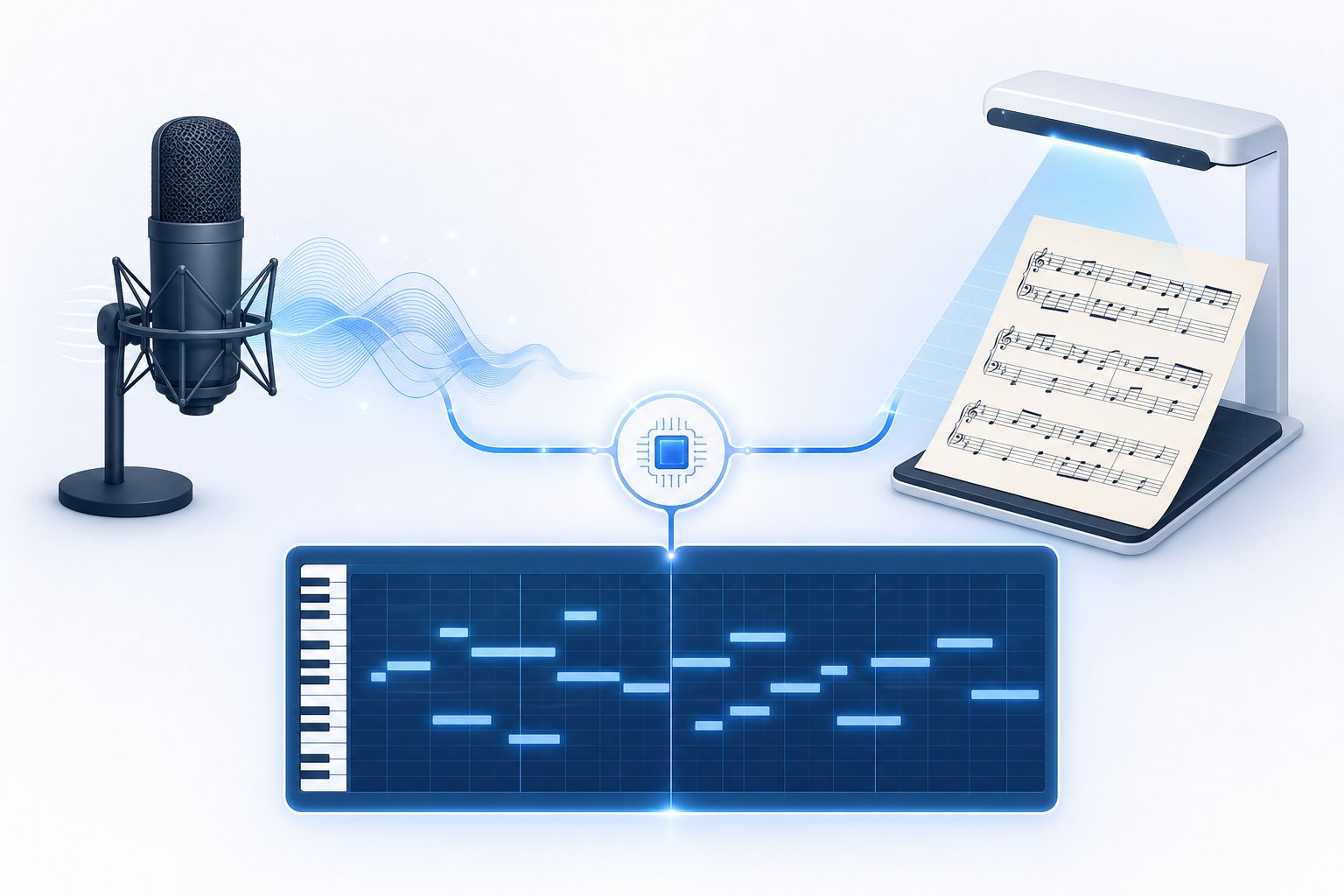
When someone searches for an AI music notes reader, they usually mean one of two things. The first is audio-based recognition: you play or record a piece of music, and AI listens to the sound waves, identifies the pitches and durations, and converts them into notation or MIDI data. Think of it like AI doing what a trained musician does when they transcribe a recording by ear.
The second meaning is visual: you have sheet music, whether printed, handwritten, or displayed as music with images on a screen, and you want AI to scan it and convert those visual symbols into an editable digital format. This is Optical Music Recognition, or OMR, and it works more like OCR for text documents. The distinction matters because each pathway uses completely different technology, accepts different inputs, and produces different types of errors.
For musicians who want to grab music notes copy paste style into a notation editor, OMR tools are the direct path. For those working from recordings or live performances, audio transcription is what you need. Understanding which problem you are actually trying to solve is the first step toward choosing the right AI sheet music tool for your workflow.
The gap between what specialized tools achieve and what general AI models deliver highlights something important: note recognition is not one monolithic capability. It is a spectrum of tasks with varying difficulty levels, and the technology that excels at one end often fails at the other. The real question is not whether AI can do this at all, but how each approach works and where exactly each one breaks down.
Two Pathways for AI Note Recognition
These two approaches, audio transcription and optical recognition, are not interchangeable variations of the same technology. They solve fundamentally different problems, accept different inputs, and rely on entirely different algorithmic foundations. Picking the wrong one is like trying to use a spell checker to fix pronunciation. Let's break each pathway down so you can match the right tool to your actual situation.
Audio-to-Note Transcription Explained
Audio-to-note transcription, sometimes called Automatic Music Transcription (AMT), takes a sound recording as input and attempts to identify every pitch, rhythm, and duration present in that audio. You feed it an MP3, WAV, or even a live microphone signal, and the system outputs a symbolic representation, typically MIDI or standard notation.
Imagine recording yourself playing a melody on guitar, then getting a readable score back without writing a single note by hand. That is what audio to sheet music conversion promises. Tools like Klangio AI and AnthemScore use deep learning models trained on thousands of hours of musical audio to detect which frequencies are active at any given moment. The AI distinguishes a C4 from a C5, identifies whether a note lasts a quarter beat or a half beat, and pieces together the rhythmic structure of what it hears.
This pathway works best when you have a recording but no written score, whether that is a practice session you want to review, a song you want to learn by ear, or a legacy tape recording you need digitized.
Optical Music Recognition and Sheet Scanning
Optical Music Recognition takes the opposite input: images rather than audio. You photograph a page, upload a PDF, or scan music from a printed book, and the system identifies noteheads, stems, beams, rests, clefs, and every other symbol on the page. It then reconstructs those visual elements into a machine-readable format like MusicXML or MIDI.
OMR is a research field that has evolved from rule-based computer vision pipelines into modern deep learning systems using CNNs, object detectors, and transformer architectures that can process full pages of complex polyphonic notation in a single pass. Tools such as Soundslice and ScanScore function as a sheet music scanner that turns static pages into editable, playable digital files. The technology handles printed scores well, though handwritten and historically degraded manuscripts remain challenging, with specialized few-shot learning approaches only recently reaching around 87% accuracy on rare symbol forms.
This pathway is ideal when you already have scanned sheet music or a photo of a score and want to convert it into something editable, transposable, or playable through software.
Choosing the Right Pathway for Your Needs
The decision comes down to what you are starting with. Here is a quick comparison to help you choose:
- Input type: Audio transcription accepts sound files (MP3, WAV, live mic). OMR accepts images (photos, PDFs, scanned pages).
- Output format: Both can produce MIDI, but OMR more readily outputs rich notation formats like MusicXML that preserve layout details such as dynamics and articulations.
- Ideal use case: Use audio transcription when you have a recording but no score. Use a music scanner when you have a physical or image-based score but need a digital editable version.
- Error profile: Audio tools struggle with polyphonic complexity and overlapping instruments. OMR tools struggle with handwriting, degraded paper, and unusual layouts.
- Speed: Both deliver results in seconds to minutes, far faster than manual transcription, though accuracy may require human review.
Many musicians end up using both pathways at different stages of their workflow. You might use a sheet music scanner online free tool to digitize your personal library, then switch to audio transcription when a student brings in a recording they want notated. Understanding the distinction keeps you from blaming the tool when the real issue is mismatched input.
Each pathway, though, relies on a sophisticated chain of processing steps under the hood. The accuracy you experience depends entirely on how well that underlying technology handles the specific musical content you throw at it.
The Technology Behind AI Music Recognition
What actually happens between the moment you feed a recording into an AI system and the moment it spits out a score? The pipeline is more intricate than most product pages let on, but understanding the basics helps you set realistic expectations for any tool that promises to turn mp3 into midi or detect chords from raw audio.
From Sound Waves to Spectrograms
When you record a musical performance, the result is a waveform: a sequence of pressure values sampled thousands of times per second (typically 16,000 to 44,100 samples per second). This raw waveform tells you amplitude over time, but it does not directly reveal which pitches are sounding at any given moment. A piano chord and a trumpet playing the same note look completely different as raw waveforms, even though they share a fundamental frequency.
To expose pitch information, AI systems apply the Fast Fourier Transform (FFT) or a variant like the Constant-Q Transform (CQT). These mathematical operations decompose a short window of audio into its constituent frequencies, much like a prism splits white light into a rainbow. Stack these frequency snapshots side by side over time and you get a spectrogram: a visual map where the horizontal axis is time, the vertical axis is frequency, and brightness indicates how loud each frequency is at each moment.
Research in Automatic Music Transcription (AMT) commonly uses mel-scaled spectrograms with 229 logarithmically-spaced frequency bins, computed with 2048-sample FFT windows. The logarithmic spacing mirrors how human hearing perceives pitch: we notice the difference between 200 Hz and 400 Hz far more easily than between 4,000 Hz and 4,200 Hz. This representation compresses irrelevant detail while preserving what matters for identifying piano key names, guitar frets, or any other pitched source.
How Neural Networks Identify Pitch and Duration
A spectrogram alone does not tell you "this is a C4 quarter note." That interpretation requires pattern recognition, and this is where neural networks come in. Different architectures handle different aspects of the problem:
- Convolutional Neural Networks (CNNs) scan the spectrogram like a 2D image, detecting local patterns such as harmonic stacks (the vertical lines of energy that indicate a single pitched note and its overtones). A CNN trained on piano spectrograms learns that a note produces energy not just at its fundamental frequency, but at integer multiples: 440 Hz, 880 Hz, 1320 Hz, and so on. This is how a music chord identifier or chord analyzer separates overlapping notes that share some overtone frequencies.
- Recurrent Neural Networks (RNNs) and their variant Long Short-Term Memory (LSTM) networks process the spectrogram frame by frame, tracking how notes evolve over time. They excel at detecting when a note starts (onset), how long it sustains, and when it ends (offset). Google Magenta's Onsets and Frames model pairs a dedicated onset detector with a frame-level activation detector, using bidirectional LSTMs with 128 units to capture temporal context in both directions.
- Transformer architectures apply self-attention mechanisms to consider the entire musical context at once rather than processing sequentially. This helps with tasks like inferring key signatures, resolving ambiguous rhythms, and grouping notes by instrument in multi-track scenarios.
Pitch detection algorithms like YIN and CREPE handle the fundamental challenge of distinguishing a note's true pitch from its overtones. When you pluck a guitar string tuned to A (440 Hz), the sound contains energy at 880 Hz, 1320 Hz, and higher harmonics. A chord identifier guitar tool must correctly attribute all that energy to a single A4 note rather than hallucinating phantom higher notes. YIN solves this through autocorrelation: it checks how similar the waveform is to shifted versions of itself, using cumulative mean normalization to avoid locking onto overtone periods. Deep learning methods like CREPE train CNNs directly on labeled audio to classify pitch without hand-crafted rules, achieving higher accuracy on complex timbres.
To define melody in music computationally, AI must combine pitch detection with temporal sequencing, identifying not just what notes sound, but the order and duration that give them musical meaning.
Converting AI Output to MIDI and Standard Notation
The neural network's raw output is a probability matrix: for each time frame (roughly every 10-24 milliseconds), it predicts the likelihood that each possible pitch is active. Converting this into usable music data requires several post-processing steps.
- Audio input: The system ingests a recording (MP3, WAV, or live audio stream) and resamples it to a standard rate, typically 16 kHz for efficiency.
- Spectrogram computation: FFT or CQT transforms the audio into a time-frequency representation with logarithmic frequency spacing.
- Neural network inference: CNNs, RNNs, or transformers process the spectrogram and output frame-level pitch activation probabilities along with onset and offset predictions.
- Thresholding and note tracking: A threshold (commonly 0.5) converts probabilities into binary note activations. Onset detection constrains when new notes can begin, reducing false activations.
- Quantization: Raw frame-level timing is snapped to a musical grid (eighth notes, sixteenths, triplets) based on estimated tempo and meter.
- MIDI encoding: Detected notes become MIDI events with pitch number, velocity, start time, and duration. This is where a key finder mp3 tool delivers its results, encoding the detected key signature alongside note data.
- Notation rendering: For tools that output standard scores, additional steps convert MIDI data into formats like MusicXML, adding beaming, stem direction, clef assignment, and enharmonic spelling. This final stage is what enables pdf to musicxml conversion in OMR pipelines as well.
Each stage introduces potential errors that compound downstream. A missed onset means a wrong note duration. A misidentified pitch propagates through quantization into a wrong note on the score. The best current systems, like those trained on the MAESTRO dataset containing over 172 hours of aligned piano audio and MIDI, achieve onset detection F1 scores above 0.96 for solo piano, but polyphonic multi-instrument scenarios remain significantly harder.
This layered pipeline explains why AI transcription quality varies so dramatically depending on the source material. A clean solo piano recording passes through every stage with minimal ambiguity, while a dense orchestral recording or a noisy live take introduces uncertainty at the very first step that no amount of downstream processing can fully recover.
What AI Gets Right and Where It Still Struggles
That layered pipeline from waveform to notation performs beautifully under ideal conditions. But real music rarely cooperates with ideal conditions. The gap between what AI achieves on controlled benchmarks and what it delivers on your actual recordings is often wider than product pages suggest. Here is an honest look at where the technology excels and where it consistently falls short.
Where AI Note Recognition Excels
AI note recognition shines brightest when the input is simple and clean. Monophonic single-instrument melodies, like a solo flute line or an unaccompanied vocal, give the algorithm one dominant frequency to track through time. With no competing pitches or overlapping harmonics, pitch detection becomes a relatively straightforward problem. MIREX 2024 benchmarks show AI reaching up to 96% pitch accuracy on clean, studio-recorded solo piano with steady tempo and simple rhythms.
Reading rhythms in straightforward passages also works well. When the tempo is consistent and the beat divisions are standard (quarter notes, eighth notes, basic sixteenth-note patterns), quantization algorithms can snap detected onsets to the correct grid positions reliably. Standard Western notation using familiar time signatures, conventional music staves with notes arranged in predictable patterns, and common key signatures all play to AI's training strengths since most models are built on datasets dominated by this kind of material.
In short, give AI a clean recording of a single instrument playing a simple melody with a steady beat, and you will get a usable draft. The problems begin the moment you move beyond that narrow sweet spot.
Known Limitations and Edge Cases
Polyphonic complexity is the single biggest challenge. When multiple voices overlap, whether that is two hands on a piano or a guitar strumming chords while picking a melody, accuracy drops fast. The same MIREX 2024 evaluation that shows 96% for solo piano reports roughly 78% for guitar, around 52% for vocals, and as low as 38% on dense polyphonic mixes. At the NeurIPS 2025 AMT Challenge, even the best competing systems showed a consistent 25+ point F1 drop when just two or three instruments were present.
Tempo detection falls apart with expressive playing. Rubato, fermatas, and gradual tempo changes confuse quantization algorithms that expect a steady grid. A 2025 study in the EURASIP Journal found that genre shifts alone can reduce transcription accuracy by 14 percentage points, with total degradation reaching up to 50 points under challenging conditions.
Beyond pitch and rhythm, AI struggles with several dimensions that trained musicians handle intuitively:
- Dynamics and articulation: Current AI tools score effectively 0% on detecting dynamics (pp, ff, crescendo) or articulation markings (staccato, legato, accents). These simply are not captured.
- Ornamentation: Trills, grace notes, mordents, and turns get misinterpreted as rapid sequences of regular notes rather than recognized as ornamental gestures.
- Music notation rests: AI frequently misjudges where silence belongs. Rests and notes in music carry structural meaning, especially in multi-voice writing where one voice rests while another moves. Most tools collapse all voices into a single layer, losing this information entirely.
- Music notation clef assignment: Testing by Music Notation Hub found that AI assigned an alto clef music note layout to a standard vocal melody, an inappropriate and confusing choice that no human transcriber would make.
- Microtonal music: Anything outside 12-tone equal temperament, including quarter-tone Arabic maqam, Hindustani slides, or experimental tuning systems, falls completely outside what current models can represent.
- Handwritten scores: While printed notation recognition has matured significantly, handwritten manuscripts and images of musical notation with degraded ink or unusual layouts remain error-prone, especially for rare symbols and non-standard spacing.
- Pickup notes: AI almost never correctly identifies anacrusis (pickup bars), which throws off the entire metric structure of the transcription from the first measure onward.
Clean Recordings vs Noisy Environments
Recording quality amplifies every limitation above. A studio recording with close microphones gives AI the cleanest possible signal. Add room reverb, background noise, audience sounds, or microphone bleed from other instruments, and accuracy degrades at the spectrogram level before the neural network even begins its work. The frequency smearing caused by reverb makes onset detection unreliable, which cascades into wrong note durations and displaced beats throughout the transcription.
Here is a practical breakdown of how different scenarios affect AI recognition performance:
| Scenario Type | AI Accuracy Level | Common Errors |
|---|---|---|
| Solo piano, studio recording, steady tempo | High (up to 96% pitch F1) | Voice merging, missing dynamics, minor rhythm quantization issues |
| Solo guitar, clean recording | Moderate (~78% pitch F1) | Chord voicing errors, string misattribution, lost sustain |
| Solo vocal melody | Low-moderate (~52% pitch F1) | Wrong music clefs assigned, missing passages, poor lyric alignment |
| Piano with rubato or tempo changes | Moderate but rhythmically unreliable | Displaced downbeats, duplet hallucinations, wrong time signatures |
| Two to three instruments together | Low (25+ point F1 drop from solo) | Phantom notes from overtone confusion, missing inner voices |
| Dense polyphonic mix (full band) | Very low (~38% pitch F1) | Missed instruments, collapsed voices, rhythmic chaos |
| Noisy or reverb-heavy recording | Very low (highly variable) | Smeared onsets, false note activations, unreliable duration tracking |
| Handwritten or degraded score (OMR) | Low to moderate | Misidentified symbols, missed accidentals, spacing errors in notation |
The pattern across all these scenarios is consistent: AI handles basic pitch detection reasonably well on clean, simple input, but everything else that makes sheet music functional for a performer, including rhythm notation, voice separation, dynamics, and correct music clefs, requires human judgment that current systems cannot replicate.
This honesty about limitations is not a dismissal of the technology. It is a practical guide for setting expectations. Knowing where AI breaks down tells you exactly when to trust the output as-is and when to budget time for manual correction, or when to skip AI altogether and work with a human transcriber from the start. The real question for most musicians is not whether AI can handle their specific material, but which tools give them the best starting point for their particular use case.
AI Music Recognition Tools Organized by Approach
Knowing where AI struggles is useful, but it does not tell you which tool to actually open when you have a recording to transcribe or a page to digitize. The landscape of AI music recognition software is broad, and each tool occupies a specific niche within those two pathways discussed earlier. Some listen, some look, and a newer category tries to do both at once with mixed results.
Audio Transcription Tools Compared
Audio-to-notation tools take your recordings and extract pitch, rhythm, and sometimes chord data directly from the sound. Here are the most established options:
- AnthemScore is a desktop application that converts MP3, WAV, and other audio formats into sheet music. It uses neural network models to produce MIDI and MusicXML output, supports piano and guitar with multi-instrument detection, and lets you edit the transcription before export. It works best with clean solo recordings and gives you visual spectrogram feedback so you can verify detections manually.
- Basic Pitch is Spotify's open-source audio-to-MIDI converter. It runs in a browser or as a Python library, accepts any audio file, and outputs MIDI. It handles polyphonic audio reasonably well for a free tool and works across instruments without requiring you to specify the source. The trade-off is minimal configuration: you get raw MIDI with no notation formatting.
- Piano2Notes (Klangio) is part of Klangio's suite that also includes Guitar2Tabs and Sing2Notes. Each tool is optimized for a specific instrument, which improves accuracy within that domain. Piano2Notes accepts audio uploads and delivers MIDI plus sheet music output through a web interface. Klangio's full feature suite covers piano, guitar, drums, and vocal melody, making it a versatile music reader for multi-instrumentalists working from recordings.
Free alternatives like Songscription also exist, offering free MIDI output from audio uploads, though with less polish and fewer editing options. For a quick piano sheet player workflow where you want to hear back what the AI detected, these tools provide instant playback of the transcription.
Sheet Music Scanning and OMR Tools
OMR tools read images of printed or PDF scores and convert them to editable digital notation. A 2024 review by Scoring Notes tested six major OMR products and grouped them into three categories: machine learning-based, mobile apps, and desktop applications. Each category showed distinct strengths.
- ScanScore Professional is a desktop application for Mac and Windows priced at $79 per year. ScanScore handles imported PDFs and scanned images, outputs MusicXML, and includes an in-app editor for post-scan corrections. Testing showed it handles grace notes well in orchestral scores, though it struggled with implied triplets and sometimes failed to group grand staff instruments correctly. Its scan score accuracy improves significantly on clean, printed material with standard notation.
- PlayScore 2 is a mobile-first app (iOS, Android, Windows) that delivers the fastest conversion times of any tool tested. You photograph a page and hear playback almost immediately. It is popular among choir vocalists for its "Split staves" feature that isolates individual voice parts. The Professional version ($6.99/month) exports MusicXML. PlayScore processes notes with high accuracy on simpler scores but does not automatically detect transposing instruments without manual configuration.
- Soundslice is a web-based notation viewer and practice tool that added machine learning OMR in late 2022. At $5/month, it offers 100 page scans monthly and produces what Scoring Notes called "the most accurate scan" on a single-part test piece. Soundslice uses a unique confidence-threshold approach, asking you to verify uncertain elements before finalizing the conversion rather than guessing silently. It exports MusicXML and supports syncing notation to audio and video for practice.
- Audiveris is a free, open-source OMR engine written in Java. It processes scanned pages and PDFs into MusicXML through a multi-step pipeline. Audiveris appeals to developers and technically inclined users who want control over the recognition process, though it lacks the polished interface of commercial alternatives.
The machine learning-based tools (Soundslice, Newzik) generally produced the most accurate partitions with minimal configuration, though they required more processing time. Mobile apps traded some accuracy for speed and convenience. Desktop tools like ScanScore offered the most editing control after recognition.
General-Purpose AI for Note Recognition
What about asking ChatGPT, Gemini, or Claude to read sheet music directly from an image? This is where expectations need the sharpest correction. Testing by a Google DeepMind research engineer in 2025 found that all three frontier models could identify popular pieces by name and mostly detect key and time signatures correctly. However, none could reliably identify individual notes.
When asked "what is the first note?" on well-known pieces the models had just correctly named, all three answered incorrectly in the majority of tests. Claude, GPT, and Gemini each hallucinated different wrong pitches with full confidence. General-purpose multimodal models treat sheet music like any other image, but the spatial precision required, where a single pixel of vertical notehead placement changes the pitch entirely, exceeds what these systems handle consistently.
Think of it this way: these models are like a person who can glance at a map and name the country but cannot tell you the exact coordinates of a specific town. They grasp the broad shape of musical content without reliably parsing its fine-grained details. For now, tools like play.ai and other generalist platforms are better suited to audio generation or conversational tasks than to precise note-level reading from images.
Here is a side-by-side comparison of the major tools across both pathways:
| Tool Name | Input Type | Output Formats | Best For | Limitations |
|---|---|---|---|---|
| AnthemScore | Audio (MP3, WAV) | MIDI, MusicXML, PDF | Solo piano/guitar transcription with manual editing | Struggles with dense polyphony; desktop only |
| Basic Pitch | Audio (any format) | MIDI | Quick polyphonic audio-to-MIDI conversion (free) | No notation output; minimal configuration |
| Piano2Notes (Klangio) | Audio upload | MIDI, sheet music PDF | Instrument-specific transcription (piano, guitar, voice) | Accuracy drops on mixed-instrument recordings |
| ScanScore | PDF, scanned images | MusicXML, MIDI | Desktop users wanting post-scan editing control | Cannot infer implied triplets; mobile app unreliable |
| PlayScore 2 | Camera photo, PDF | MusicXML, MIDI | Fast mobile scanning with instant playback | No auto-transposition in MusicXML export by default |
| Soundslice | Photo, PDF | MusicXML | High-accuracy scanning with built-in practice tools | Slower processing; scanned orchestral scores less reliable |
| Audiveris | PDF, scanned images | MusicXML | Free, open-source OMR for developers | Steep learning curve; no built-in playback |
| ChatGPT / Gemini / Claude | Image upload | Text description only | Identifying pieces, key/time signatures | Cannot reliably identify individual notes or produce notation files |
No single tool covers every scenario perfectly. The musicians getting the best results tend to pick a specialized tool matched to their input type rather than hoping a general-purpose system will handle everything. That said, raw accuracy numbers only tell part of the story. What matters equally is how that output compares to what a trained human ear and eye can achieve, and whether the time savings justify the inevitable cleanup work.
AI Accuracy vs Human Transcription Ability
A trained musician listening to a recording does something fundamentally different from an AI processing the same audio. The musician draws on years of harmonic context, stylistic knowledge, and physical playing experience to interpret ambiguous passages. They know that a slightly late note in a jazz ballad is phrasing, not a rhythm error. They understand that a cluster of fast notes before a downbeat is a grace note figure, not a sequence of thirty-second notes. AI, by contrast, works purely from statistical patterns in the signal, and the results reflect that difference clearly.
Speed vs Accuracy Tradeoffs
AI's undeniable advantage is speed. A two-minute audio file produces a MIDI draft in under sixty seconds. A professional transcriber working on the same recording might spend one to four hours producing a finished score, depending on complexity. For someone who needs a rough pitch reference quickly, or wants to check their ear against a visual representation while learning how to read sheet music, that speed gap is enormous.
But speed without accuracy creates its own cost. Internal testing by Music Notation Hub found that correcting an AI-generated transcription of a short, simple piano excerpt took 45 minutes, while transcribing the same piece from scratch by ear took only 20 minutes. The AI generated its output in under a minute, but the cleanup needed to make it usable more than doubled the total project time. That 2.25x time penalty applies to material that should be AI's best-case scenario: clean solo piano with steady tempo.
When Human Transcription Still Wins
Across the eight dimensions that matter to working musicians, pitch detection, rhythmic accuracy, dynamics, playability, chord symbols, presentation, flexibility, and speed, only speed favors AI. Humans win the other seven. That ratio tells you something important about where each approach belongs in a real workflow.
Human transcribers excel specifically in areas AI cannot currently address:
- Complex polyphony: Separating overlapping voices into readable parts with correct stem direction and logical layering.
- Rhythmic interpretation: Notating swing, rubato, fermatas, and irregular groupings that AI quantizes into rigid grids.
- Expressive details: Adding dynamics, articulations, pedal markings, and tempo indications that AI scores 0% on detecting.
- Contextual judgment: Choosing correct enharmonic spellings (G-sharp vs A-flat), assigning appropriate clefs, and formatting for sight-reading comfort.
If you are learning how to read piano score notation or studying how to read sheet music guitar tablature and need a reliable reference, a human-transcribed score gives you accurate information to learn from. An AI-generated draft may teach you the wrong rhythms or omit markings that are essential to understanding the piece.
Combining AI and Human Skills for Best Results
AI and human transcription are not competing solutions to the same problem. They are complementary tools that cover different parts of the workflow: AI for rapid pitch extraction and initial drafts, humans for musical interpretation, quality, and everything that makes a score actually performable.
The most efficient approach for many musicians is a hybrid workflow. Use AI to get a fast pitch reference or MIDI skeleton, then apply human judgment for the elements that require musical understanding. This works well for people learning how to learn sheet music by ear, where AI gives you something to compare against your own attempts, and for professionals who want a starting point rather than a blank page.
That said, the hybrid approach only saves time when the AI output is close enough to correct that editing is faster than starting fresh. For dense arrangements, complex rhythms, or anything involving multiple instruments, going straight to human transcription often remains the faster and cheaper path. Knowing which category your material falls into before you start is what separates an efficient workflow from wasted hours fixing a broken draft.
Understanding this balance between AI speed and human accuracy also clarifies where note recognition technology fits into a broader creative process. Once you have notes identified, whether by AI, by ear, or through a combination, the natural next question becomes: what can you do with that musical data beyond simply reading it back?
Practical Ways Musicians Use AI Note Recognition
Knowing what AI can and cannot do with musical data is one thing. Putting it to work inside an actual practice routine, teaching session, or production schedule is another. The real value of AI note recognition shows up not in benchmark scores, but in specific moments: the weekend you finally digitize that stack of inherited sheet music, the lesson where a student watches their own recording converted into notation in real time, or the afternoon a working arranger pulls chord structures from a reference track in minutes instead of hours.
Different musicians need different things from these tools. Here is how AI note recognition fits into real workflows across three common user profiles.
Digitizing and Archiving Sheet Music Collections
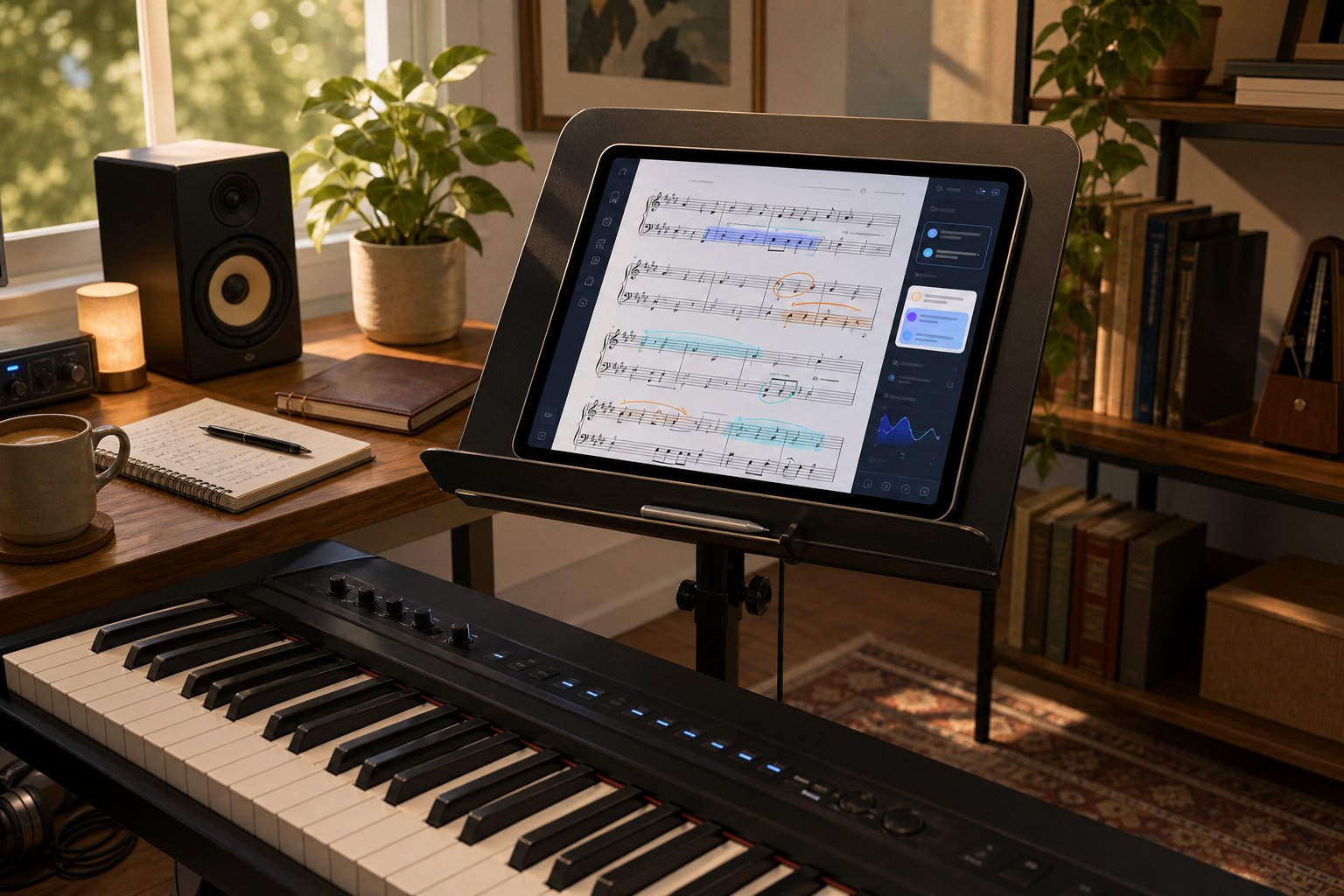
Imagine you have a filing cabinet full of printed scores, handwritten lead sheets from gigs past, or photocopied method books with pencil annotations. These documents are fragile, unsearchable, and stuck in a single physical location. AI-powered OMR tools turn that collection into electronic sheet music you can store, search, transpose, and share from any device.
The workflow is straightforward: photograph or scan each page, run it through an OMR tool like ScanScore or Soundslice, review the output for errors, and export to MusicXML or PDF. Once digitized, you can use a pdf sheet music key transposer to shift pieces into keys that suit your voice or instrument without rewriting anything by hand. You can also pull up any score on a tablet during rehearsal instead of flipping through paper binders.
For church musicians managing hymnal archives, community orchestra librarians, or private teachers who have accumulated decades of arrangements, this is hours of manual data entry eliminated. The cleanup still takes time, especially for handwritten manuscripts, but the bulk of the work happens automatically.
Piascore's MusicOCR feature, showcased at NAMM 2026, demonstrates where this is heading: converting images or PDFs of printed sheet music into structured MusicXML data that unlocks playback, transposition, and interactive engagement. Their platform turns static pages into dynamic, manipulable scores rather than just digital images of paper.
Practice and Learning Applications
Students learning how to read music notes for piano often hit a wall when they cannot connect the sounds they hear to the symbols on the page. AI transcription bridges that gap. Record yourself playing a passage, feed the audio into a transcription tool, and see exactly what the AI heard. Did you hold that half note long enough? Did that run of sixteenths come out evenly? The visual feedback is immediate and concrete.
Pianolyze's learning workflow illustrates a common approach: load a recording, view the AI-generated piano roll showing every detected note, slow playback to 25% without pitch distortion, and map each note to your keyboard visually. For beginners working through basic piano sheet music with letters annotated on the keys, this kind of visual-audio alignment accelerates the connection between written notation and physical movement.
Practice applications extend beyond beginners. Intermediate players use AI transcription to:
- Compare their own recordings against a reference performance, spotting rhythmic inconsistencies or missed notes they cannot hear in real time
- Learn pieces from recordings when no published score exists, using the AI output as a piano sheet reader that decodes audio into readable notation
- Isolate tricky passages by exporting MIDI to tools like Synthesia or MuseScore for looped, slowed-down practice with visual guides
- Build ear training skills by attempting their own transcription first, then checking against the AI's version
Music sheet piano with letters overlaid on the notation helps students who are still reading piano scores connect note names to staff positions. Several AI-powered apps now generate these annotated views automatically from scanned or transcribed scores, making piano music notes for beginners more accessible without requiring a teacher to write in every note name by hand.
Professional Transcription Workflows
Working musicians and arrangers use AI recognition differently than students. Speed matters more than pedagogical value. A session guitarist needs chord charts from a demo track before tomorrow's recording date. A cover band leader wants lead sheets from ten reference tracks for next month's setlist. A film composer needs to extract a melodic motif from a temp track to develop into a full orchestral cue.
In these contexts, AI serves as a first-draft generator. The professional knows the output will need correction, but starting from an 80% accurate MIDI file is faster than transcribing from scratch, especially for straightforward material. Songscription's workflow targets exactly this use case: upload audio, get notation and MIDI back, then use the built-in editor to fix errors without leaving the platform.
Here are specific workflow examples organized by user type:
- Students and beginners: Scan printed method book pages into playback apps for audio reference; record practice sessions and review AI-detected errors; use slowed-down AI transcriptions to learn pieces measure by measure; generate annotated scores with note names for reading piano scores more confidently
- Hobbyists and gigging musicians: Digitize personal sheet music collections for tablet-based performance; create chord charts from Spotify references for jam sessions; transpose existing scores to match vocal range using digital tools; archive handwritten arrangements before the paper deteriorates
- Professionals and educators: Batch-process student recordings for lesson feedback; produce lead sheets and arrangements from audio references at scale; convert legacy catalog scores into editable MusicXML for republication; extract MIDI data from reference tracks as starting material for new arrangements
The common thread across all these applications is that AI recognition works best as one step in a larger workflow rather than as a complete solution. You feed it input, review what comes back, correct the inevitable errors, and use the cleaned-up output downstream. The musicians who get frustrated with these tools are usually the ones expecting a finished product. The ones who find them indispensable treat them as a time-saving first pass that still requires human ears and judgment at the end.
That correction-and-refinement step is where most workflows currently end. But a growing number of musicians are asking a different question: once you have notes extracted from a recording or a score, can you use that data not just to reproduce what already exists, but to create something new?
Moving from Note Recognition to AI-Assisted Composition
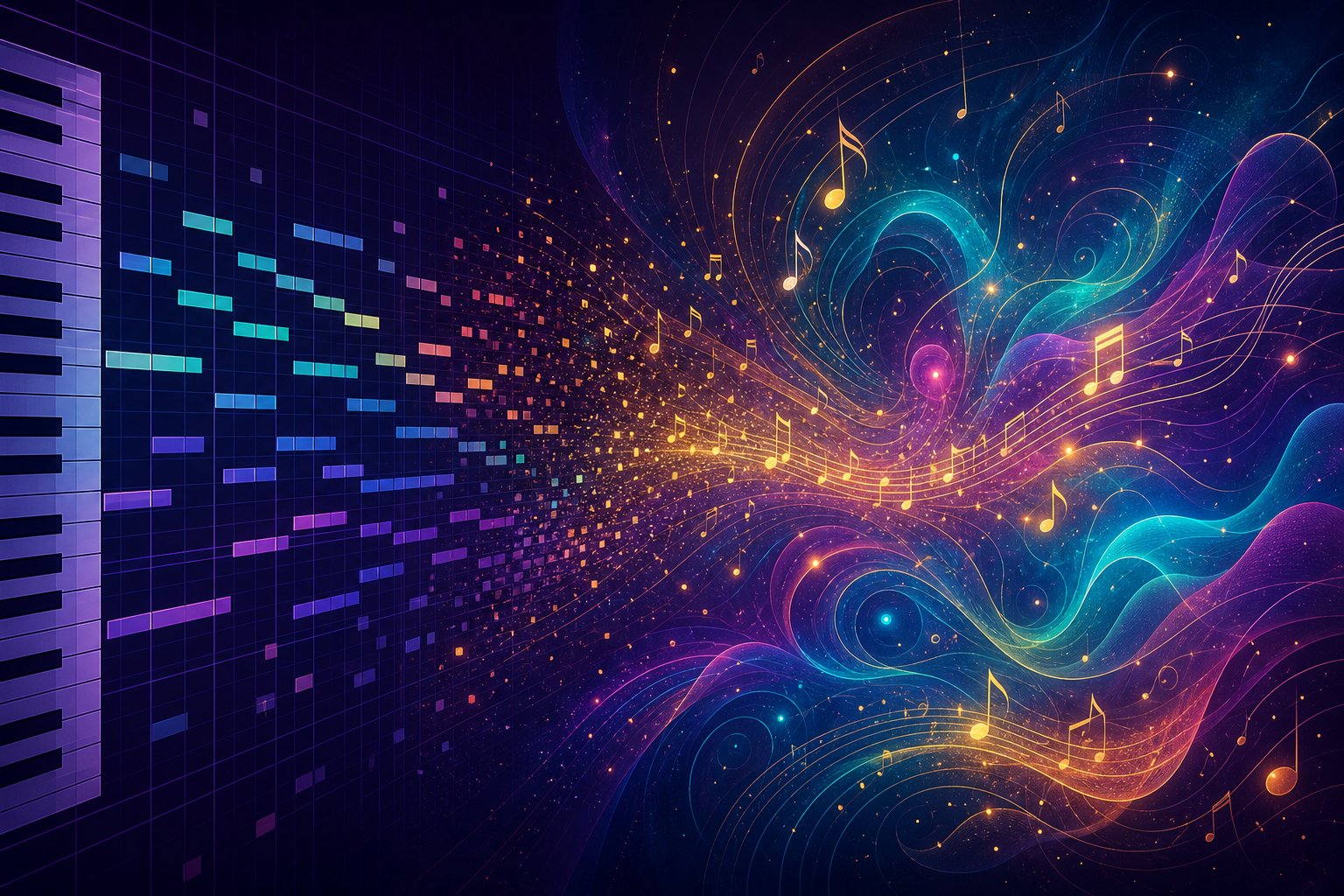
That question, whether extracted musical data can spark something original, is where AI note recognition stops being a transcription story and becomes a creative one. The MIDI file sitting in your Downloads folder after an AI transcription session is not just a record of what was played. It is raw compositional material: pitches, rhythms, and harmonic relationships encoded in a format that generative AI tools can read, manipulate, and build upon.
This shift from analysis to creation is the most exciting frontier in AI music workflows right now. Recognition tells you what exists. Composition asks what could exist next.
From Recognition Output to Creative Input
Every audio-to-MIDI transcription or OMR scan produces structured data. A MIDI file contains discrete note events with pitch, velocity, timing, and duration. MusicXML adds layer information, key signatures, and rhythmic groupings. These formats are not just archival. They are the exact input that AI composition tools consume.
Think of it this way: when you use a melody scanner AI tool to extract a vocal melody from a demo recording, the resulting MIDI is simultaneously a transcription of what happened and a seed for what could happen. You can feed that melody into a generative system that harmonizes it, suggests counter-melodies, builds chord progressions around it, or reimagines it in a completely different style. The recognition step gives AI composition tools something musically meaningful to work with, rather than starting from a blank canvas or a text prompt alone.
This pipeline is particularly useful for producers creating piano arrangements from audio. Instead of manually transcribing a reference track and then manually arranging it for a different instrumentation, AI handles both steps: recognition extracts the notes, and generative tools reshape them into new arrangements. What used to be a multi-day process becomes an afternoon experiment.
Using AI-Generated MIDI as a Composition Starting Point
MIDI data extracted through recognition is a starting point, not a finished composition. Its real power emerges when you treat it as input for the next creative stage. A chord progression pulled from a reference track can become the harmonic backbone of an entirely new piece. A transcribed melody can be inverted, augmented, fragmented, or used as a motif that AI develops into a full arrangement.
Several tools now specialize in this recognition-to-creation handoff:
- MakeBestMusic's AI MIDI Generator takes MIDI input or text prompts and produces new melodic ideas, chord progressions, and arrangement patterns. For producers who have just extracted a harmonic structure from a reference recording, this tool generates fresh MIDI-based variations and production starting points that build on recognized material without simply copying it.
- Soundverse MIDI to Song transforms monophonic MIDI sequences into fully produced tracks with instrumentation and vocals, turning a single-line melody extracted from a recording into a complete song demo.
- Band-in-a-Box accepts MIDI chord data and generates full backing arrangements across dozens of styles, useful for taking a chord chart pulled from an AI transcription and hearing it realized immediately.
- DAW-integrated tools like Ableton's generative MIDI features and Logic Pro's Session Player accept MIDI input as a constraint, generating complementary parts that fit the harmonic and rhythmic context of your recognized material.
The common thread is that AI recognition gives you structured musical data, and AI generation tools know how to read that structure and extend it creatively. The output of one system becomes the input of another, forming a pipeline that did not exist even two years ago.
Building a Complete AI-Assisted Music Workflow
Imagine the full arc. You hear a melodic idea in a recording, or you find free piano sheet music free online that inspires a new direction. You run the audio through a transcription tool or scan the score through OMR. Out comes MIDI. You load that MIDI into a generative tool that suggests three new harmonic treatments and two rhythmic variations. You pick the one that resonates, drag it into your DAW, layer your own performance on top, and you have a track that started from recognition but arrived somewhere entirely original.
Here is what that workflow looks like step by step:
- Source identification: Find or record the musical material you want to work from, whether that is a live performance, a reference track, or a scanned score.
- AI recognition: Use an audio transcription tool (Basic Pitch, AnthemScore, Klangio) or an OMR scanner (Soundslice, ScanScore) to extract MIDI or MusicXML data.
- Review and clean: Check the AI output for obvious errors. Fix wrong notes or rhythm issues that would propagate into the creative stage.
- Generative exploration: Feed the cleaned MIDI into an AI composition tool like MakeBestMusic's AI MIDI Generator to produce melodic variations, new arrangements, or harmonic alternatives based on the source material.
- Selection and refinement: Choose the generated ideas that work, discard the rest, and edit what remains to match your creative vision.
- Production: Import the final MIDI into your DAW, assign instruments, add effects, and produce the finished track.
This pipeline works for hobbyists sketching ideas on a weekend and for professionals under deadline pressure. A session producer can pull a chord structure from a client's reference track using an ai sheet music reader online free tool, generate five arrangement options in ten minutes, and present polished demos before the end of the day. A songwriter stuck on a bridge section can transcribe their verse melody, feed it into a generative tool, and get suggestions that break through the creative block.
The tools for creating piano arrangement from audio ai free are improving rapidly enough that the gap between recognition and creation continues to shrink. What matters is understanding that these are connected stages, not separate activities. AI note recognition is not just about documenting what already exists. It is the front door to a creative workflow where analyzed music becomes the seed for new music, and where the line between listening, understanding, and composing blurs into a single fluid process powered by tools like a sheet music maker free platform on one end and generative MIDI engines on the other.
