

Yes You Can Generate Music with AI and Here Is Everything You Need to Know
The Short Answer to AI Music Generation
Can you generate music with AI without years of training or music theory knowledge? Yes, and the technology has moved well past the experimental phase. Today's AI tools for music let anyone go from a simple text description to a fully produced track in minutes. You don't need to read sheet music, play an instrument, or understand chord progressions to learn how to make a song with these platforms.
AI music generation is the process of using machine learning models, trained on large datasets of recorded music, to create original audio compositions from user inputs like text prompts, mood selections, or reference tracks.
These models analyze statistical patterns in rhythm, harmony, instrumentation, and song structure, then predict and generate new audio based on what they've learned. The result is original music that can range from short loops to complete songs with vocals, verses, and choruses.
Why AI Music Creation Has Gone Mainstream
This isn't niche tech anymore. Billboard's 2026 Power 100 featured multiple executives predicting that AI music platforms will be the most significant force shaping the industry, with one stating that generative-AI-made hit records are coming in the near future. Major label heads, streaming executives, and publishers are all actively discussing how AI song writing tools fit into creative workflows rather than debating whether they belong at all.
The shift in adoption tells a similar story. A Ditto Music survey found that 48% of artists have used AI in some aspect of their music-making, and 10% of consumers now use generative AI to create music. Platforms like Music GPT and other prompt-based generators have made it possible for anyone to explore the best AI for music creation without a steep learning curve.
This guide covers exactly how the technology works, what input methods produce the best results, which platforms suit different needs, and where the real limitations still exist. Whether you're a content creator, a musician looking for fresh ideas, or simply curious about what's possible, the sections ahead break it all down.
How AI Music Generation Actually Works Behind the Scenes
So you type a sentence, click a button, and get a song back. But what's happening between your prompt and that finished track? The answer involves neural networks trained on massive libraries of recorded music, pattern recognition at scale, and several distinct generation methods, each designed for different creative goals. You don't need a computer science degree to understand the basics, and knowing how these systems work helps you get better results from them.
At a high level, every AI music generator follows a similar pipeline. First, the model encodes your input, whether that's text, audio, or a set of parameters, into a mathematical representation. Then it generates a compressed version of the music based on patterns learned during training. Finally, a decoder translates that compressed representation back into an audible audio file. The specifics vary depending on the approach, but this input-encode-generate-decode sequence is consistent across platforms.
Text-to-Music and Prompt-Based Generation
This is the most common and accessible method. You describe what you want in plain language, something like "upbeat jazz piano with brushed drums, 120 BPM," and the model produces audio that matches your description. Systems like Google's MusicLM (trained on 280,000 hours of music) and Meta's MusicGen (trained on 20,000 hours of licensed tracks) work primarily in this mode.
How does the model connect words to sound? During training, it processes millions of text-audio pairs, learning which descriptions correspond to which sonic qualities. A technique called contrastive language-audio pretraining creates a shared space where words like "melancholic cello" map to specific frequency characteristics, timbral qualities, and rhythmic patterns. When you write a prompt, the text encoder converts it into a conditioning vector that guides the generation process.
The more specific your prompt, the more targeted the output. "Happy music" yields generic results. "Warm lo-fi hip-hop beat with vinyl crackle, a mellow Rhodes piano, and sidechain compression on the kick" narrows the model's possibilities and gives you something far more usable. This is the closest thing to basic song production from a scratch track AI can offer without requiring any musical input from you.
Stem-Based and Loop-Based Approaches
Not every workflow starts from a blank page. Stem-based generation lets you upload an existing audio file, and the AI analyzes its tonal characteristics, rhythm, and instrumentation to produce something new. Imagine you have a rough vocal recording. You can upload that song and AI will make a drum beat to match it, or generate complementary bass lines and harmonies around your original audio.
This category includes several distinct methods:
- Audio-to-audio (style transfer): Supply a reference clip, and the model produces a new piece echoing those qualities without copying the source. Useful for creating piano arrangements from audio or reimagining a guitar riff as an orchestral arrangement.
- Stem separation and remixing: AI isolates individual elements (vocals, drums, bass, melody) from a mixed track. Once separated, you can remix, replace, or enhance individual stems. Some platforms offer vocal mixing AI free of charge for basic separation tasks.
- Loop-based composition: The model generates short, seamless musical loops designed to repeat without audible seams. These loops become building blocks you layer and arrange into full tracks, similar to how a song mashup maker or music mashup maker combines existing elements into new compositions.
- MIDI and symbolic generation: Instead of producing raw audio, the model outputs note sequences or sheet music notation. You then render these through your own virtual instruments, giving you editorial control over every note while the AI handles compositional decisions.
Each approach serves a different purpose. Audio-to-audio works well for creating piano arrangements from audio AI free tools can handle. Loop-based generation suits game developers and ambient producers who need adaptable, repeating segments. MIDI output appeals to musicians who want AI-generated ideas they can tweak inside a traditional DAW.
Full Song Generation from Scratch
The most ambitious approach generates complete songs, including structure, instrumentation, transitions, and sometimes vocals, from a single prompt or set of parameters. These models handle everything: intro, verse, chorus, bridge, and outro in one generation pass.
Behind the scenes, full song generators typically use transformer architectures (the same technology powering large language models) that predict what comes next in a musical sequence. They treat audio as a series of tokens, learning how a chord in measure four should relate to the melody in measure thirty-two. Some use diffusion models that start with random noise and iteratively refine it into coherent music, similar to how image generators like Stable Diffusion work but applied to spectrograms or latent audio representations.
A free AI music finalizer step often handles the last stage: normalizing loudness, correcting high-frequency rolloff, and applying stereo processing so the output sounds polished without manual mixing. The result still may not match a professional human mix, but for content creators needing quick background tracks or demo-quality songs, it's remarkably capable.
Understanding these different pipelines matters because it shapes how you interact with the tools. A prompt-based generator rewards descriptive writing. A stem-based tool rewards feeding it quality reference audio. And a full song generator rewards clear structural direction. The input method you choose directly influences the music you get back.
Input Methods That Shape Your AI-Generated Music
The generation method determines what the AI can do. But the input method determines what it does for you. Every platform offers a different combination of controls, and knowing which ones to reach for, and when, is the difference between a generic loop and a track that sounds intentional. Think of it this way: the AI is a session musician who plays whatever you describe. The quality of your description defines the quality of the performance.
Here's a ranked list of input methods, ordered from the simplest starting point to the most advanced level of control:
- Text prompts and descriptions: Type a sentence describing what you want. This is the entry point for most users and the fastest way to generate music from scratch. Example: "mellow acoustic folk with fingerpicked guitar and soft harmonies."
- Mood and tempo selectors: Choose from predefined options like "energetic," "melancholic," or "dreamy" paired with a BPM slider. Ideal when you lack the words to describe music in specific terms but know how you want it to feel.
- Genre blending and style tags: Combine multiple genre labels, such as "cinematic lo-fi jazz," to push the model into hybrid territory. Many platforms include a song genre finder or genre finder feature that suggests compatible style pairings.
- Template-based creation: Start from a pre-built song structure (verse-chorus-verse, 30-second ad spot, podcast intro) and customize parameters within that framework. This works well for creators who need consistent output formats.
- Humming, singing, or audio uploads: Record a melody on your phone or upload a reference clip, and the AI builds around it. This bridges the gap between an idea in your head and a produced track without requiring notation skills.
- Image-based and contextual prompts: Some experimental tools accept images or video clips and interpret their emotional tone into musical output. Upload a sunset photo and receive ambient warmth; upload an action sequence and get driving percussion.
Writing Effective Text Prompts for AI Music
Text prompts remain the most popular input, and most outputs fall short because the prompts themselves are too vague. According to prompt engineering research from Sonygram, AI models weight early tokens more heavily, meaning the first five to ten words of your prompt strongly influence genre direction and structure. A prompt like "house track at 124 BPM in F minor" anchors the model immediately, while "something cool and danceable" leaves too much open to chance.
A practical formula that works across platforms: mood + genre + instrumentation + tempo + key + arrangement + production style. You don't need all seven elements every time, but four to seven core descriptors tend to produce the most reliable results. Fewer than that yields generic output. More than that can introduce conflicting signals that confuse the model.
If you're using these tools as a song idea generator or song topic generator, start broad and refine. Generate three or four variations with slightly different descriptive language, then iterate on the version closest to your vision. Each generation teaches you how the model interprets tone and structure, which sharpens your prompting instincts over time.
Using Mood and Genre Controls for Better Results
When text feels limiting, mood and genre selectors offer a visual, intuitive alternative. You'll notice most platforms provide dropdown menus or tag clouds where you pick emotional qualities and musical styles without writing a single sentence. This is especially helpful when you're searching for top prompts for music videos or background scores and need consistent emotional tone across multiple tracks.
The key insight here is layering. Don't just select "happy" and call it done. Combine mood with tempo, then add one or two instrumentation preferences. "Happy" at 75 BPM with acoustic guitar produces a laid-back folk feel. "Happy" at 128 BPM with synth leads gives you upbeat electronic pop. Same mood descriptor, completely different output. The surrounding context shapes everything.
For lyrics-focused workflows, some creators wonder whether the top AI for lyrics for songs is a standalone tool or built into these generators. The answer varies by platform. Some include lyric generation as part of the prompt flow, while others focus purely on instrumental output. If lyrics matter to your project, check whether the tool handles them natively or if you need a separate lyric-writing assistant. People also ask whether Google AI Studio is good at lyrics for songs, and while it can generate text competently, purpose-built music platforms tend to handle lyrical rhythm and syllable matching more naturally since they understand how words sit against a beat.
Advanced Inputs Like Audio Uploads and Images
Audio uploads represent the most powerful input for users who already have a musical idea but lack production skills. Hum a melody into your phone's microphone, and the AI extracts pitch and rhythm information to build a full arrangement around it. Upload a rough voice memo of a chord progression, and the system generates drums, bass, and supporting instrumentation that complement your harmonic foundation.
Image-based prompts are newer and more experimental, but they highlight where the technology is heading. The AI interprets visual elements like color temperature, composition, and implied movement, then translates those qualities into musical parameters. Dark, high-contrast images tend to produce minor-key, atmospheric results. Bright, open landscapes generate major-key, spacious arrangements. It's an unconventional song idea generator, but surprisingly effective for creators who think visually rather than musically.
Regardless of which input method you choose, iteration is the real skill. No single generation will be perfect on the first try. The creators getting the best results treat each output as feedback, adjusting their inputs based on what came back until the track matches their intent. That iterative loop, rather than any single prompt formula, is what separates polished results from forgettable ones.
Who Should Use AI Music Generation and Why
Knowing how to feed the right inputs into an AI music tool is one thing. Knowing whether it's the right tool for your specific situation is another. The reality is that different creators have wildly different needs, and the same platform that's perfect for a YouTuber needing business background music may frustrate a songwriter chasing a specific emotional hook. Let's break down who benefits most and what approach makes sense for each group.
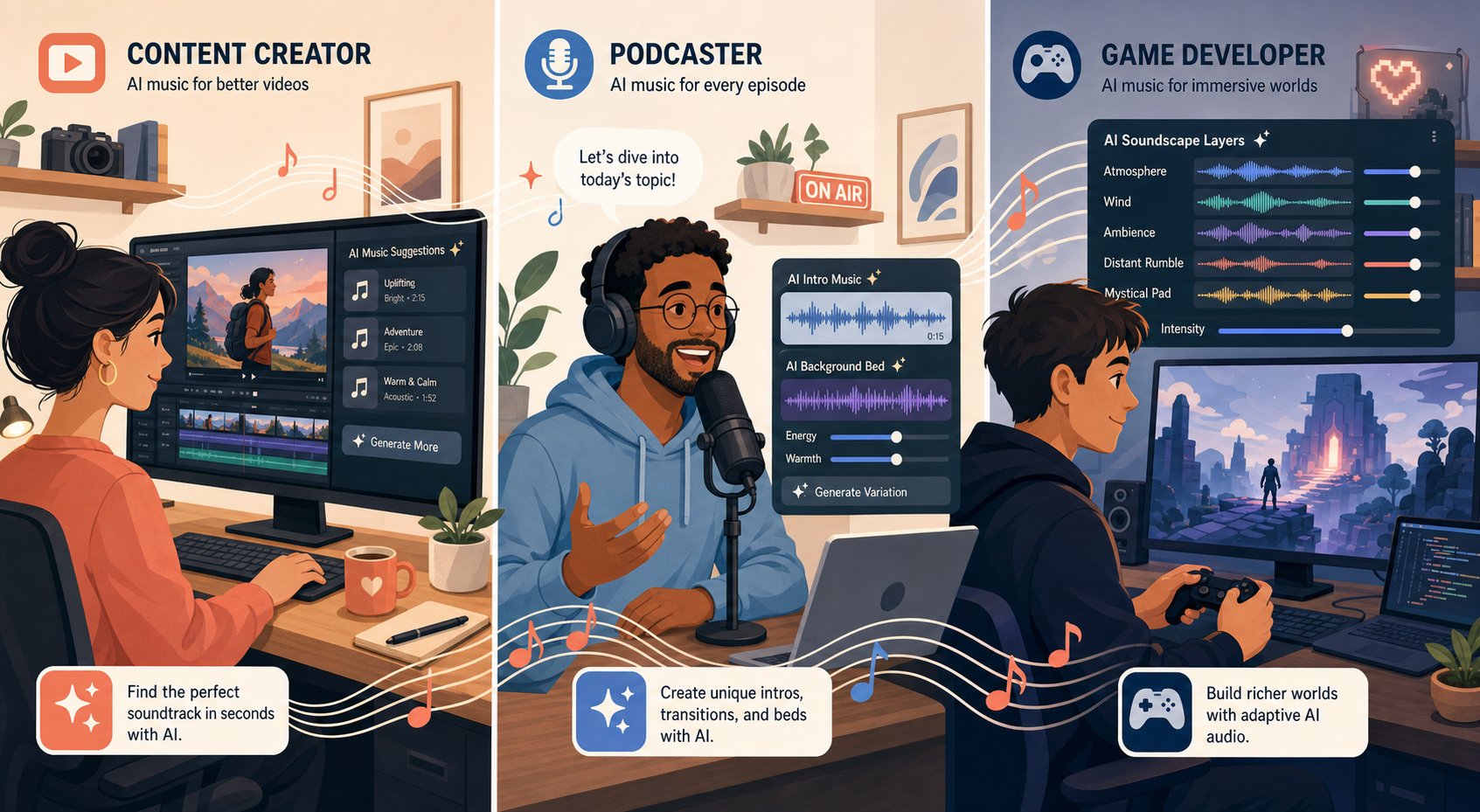
| User Group | Primary Need | Recommended Approach | Typical Output |
|---|---|---|---|
| Content creators / social media | Background tracks, AI music video scores | Mood-based generation, text prompts | 30-sec to 3-min royalty-free tracks |
| Podcasters / video producers | Intros, transitions, theme music songs | Template-based creation, genre selectors | 10-30 sec branded audio loops |
| Indie game developers | Adaptive soundtracks, ambient loops | Loop-based and stem generation | Layerable stems, seamless loops |
| Musicians / songwriters | Demos, arrangement ideas, custom song drafts | Audio uploads, full song generation | Full-length demo tracks, MIDI sketches |
| Marketers / brands | Jingles, ad spots, popular commercial jingles | AI jingle maker tools, text-to-music | 15-60 sec branded audio |
| Educators / trainers | Lesson intros, educational content scoring | Mood selectors, template-based | Consistent, non-distracting background audio |
Content Creators and Social Media Producers
If you're making YouTube videos, TikToks, or Instagram Reels, your relationship with music is utilitarian. You need tracks that enhance your visuals without competing for attention, and you need them fast. The worst-case scenario isn't a mediocre track; it's a copyright strike that demonetizes your content.
For this group, mood-based generators like Mubert Render solve the exact problem. You browse by mood rather than musical terminology, generate tracks to a specific length that matches your edit, and download with commercial licensing included. The workflow matches how you already think: "I need something tense for this 45-second intro" rather than "I need a D minor arpeggio at 90 BPM." Whether you're scoring an AI music video or adding atmosphere to a product review, the priority is speed and legal safety over sonic perfection.
Podcasters and Video Producers
Podcasters face a unique challenge. Your audio branding needs to be consistent across dozens or hundreds of episodes, yet most creators can't afford a custom song composed specifically for their show. AI generation fills that gap neatly. You can create a personalized song for your intro, outro, and transition stings that sound cohesive and distinctly yours without commissioning a composer.
The sweet spot here is template-based creation. Start with a format, like a 15-second intro with an energy build, and let the AI generate variations until one clicks. Loudly specifically designs outputs for podcast and video use, offering royalty-free tracks with controls for mood and pacing that maintain professional consistency across episodes. Think of it as building your own theme music songs without needing a studio session.
Animated content creators have similar needs. If you're producing cartoon theme music or educational animations, you need something catchy and repeatable that signals your brand within seconds. AI tools handle this well because short-form, structured pieces play to their strengths.
Musicians and Songwriters Seeking Inspiration
Here's where the conversation shifts. Musicians aren't looking for a finished product. They're looking for a spark, a chord progression they hadn't considered, a drum pattern that breaks them out of a rut, or a quick demo to communicate an idea to a bandmate.
The most productive approach for musicians is treating AI as a collaborator rather than a replacement. Upload a rough voice memo and let the system build an arrangement around it. Generate ten variations of a verse idea and steal the best two bars from each. Use full song generation to hear how a lyric concept sounds against different genres before committing to a direction. This is prototyping, not production.
Suno collapses the distance between an idea and a listenable reference. Songwriters validating concepts can prototype rapidly, hearing their lyrics sung back against full instrumentation within seconds. The output won't replace a final studio recording, but it makes creative decisions concrete rather than theoretical.
Marketers chasing popular commercial jingles or branded audio follow a parallel logic. An AI jingle maker lets you test dozens of melodic hooks against a tagline before investing in professional production. The AI handles the volume of iteration; human judgment handles the selection. That combination, fast generation paired with taste-driven curation, is where every user group ultimately lands regardless of their starting point.
Best AI Music Generators Compared for Different Needs
Every user group described above eventually arrives at the same practical question: which platform should I actually use? The answer depends on your workflow, budget, and how much control you want over the final output. This comparison of the top AI music generators covers the platforms worth your time right now, with honest notes on where each one shines and where it falls short.
Comparing the Top AI Music Generators Side by Side
| Platform | Best For | Input Methods | Output Type | Starting Price | Commercial Rights |
|---|---|---|---|---|---|
| MakeBestMusic | Prompt-to-complete-song workflows | Text prompts, lyrics, style cues (unified flow) | Full songs with vocals | Free tier available | Yes on paid plans |
| Suno | Fast full songs with catchy vocals | Text prompts, audio uploads | Full songs with vocals and lyrics | $8/month | Paid plans only |
| Udio | Studio-quality realism and remixing | Text prompts, style tags, audio extension | Full songs, instrumental beds | $8/month | License granted; nuances apply |
| AIVA | Cinematic and orchestral scoring | Genre/style selection, composition controls | Instrumental scores, MIDI | $15/month | Full ownership on Pro tier |
| Soundraw | Video editors needing arrangement control | Mood/genre sliders, structure editing | Instrumentals only | $9.99/month | Yes, royalty-free |
| Loudly | Commercial loops and ad-ready beds | Quick generation, looping tools | Short instrumentals, loops | Free tier available | Built for commercial use |
| Mubert | API workflows and adaptive streaming | API calls, render-style generation | Instrumentals, ambient streams | $14/month | Plan-dependent |
| Boomy | Absolute beginners wanting fast output | Minimal controls, one-click generation | Simple full songs | Free tier available | Check plan terms |
MakeBestMusic stands out for one specific reason: it handles prompts, lyrics, and style direction in a single unified interface. Where other platforms split these tasks across separate screens or require external lyric tools, MakeBestMusic lets you feed everything into one creation flow and receive a complete song back. For creators who already know what they want to say and how they want it to sound, that streamlined pipeline eliminates friction.
The Suno AI song creator remains one of the most popular choices, and for good reason. It produces full songs with surprisingly polished vocals from a single text prompt, supporting over 1,200 genres. Its newer features like Suno Canvas give users more structural control over song sections, though deep stem-level editing still isn't its primary strength. As a suno ai music maker, it excels at speed and pop sensibility.
AIVA, the aiva ai music generator, occupies a different niche entirely. Trained on over 20,000 classical scores from composers like Bach and Beethoven, it's the go-to for cinematic underscore and orchestral arrangements. It exports sheet music and MIDI, which makes it valuable for composers who plan to hand off AI-generated ideas to live performers. The tradeoff is that it handles pop, rock, and electronic genres far less convincingly.
Soundraw AI takes the opposite philosophy from prompt-based tools. Instead of interpreting natural language, it offers sliders and buttons for mood, genre, instruments, and tempo, then generates variations you can restructure section by section. Its training data comes exclusively from hired producers, which gives it some of the cleanest copyright positioning in the space. It's instrumental-only, so if you need vocals, look elsewhere.
Udio deserves attention for creators who prioritize realism. Its vocal clarity and instrumental separation rival professional recordings, and its remix and extension tools let you iterate on sections rather than regenerating entire tracks. However, its prompt interpretation can occasionally drift from your intent, producing output in unexpected genres.
Choosing the Right Tool for Your Workflow
The best ai music generators aren't universally "best." They're best for specific situations. A quick decision framework:
- Need a complete song from lyrics and a style idea? MakeBestMusic handles the full prompt-to-song pipeline in one place.
- Want instant vocal tracks with minimal effort? Suno delivers the fastest path from concept to catchy output.
- Building a film score or game soundtrack? AIVA's orchestral training and MIDI export fit that workflow cleanly.
- Need copyright-safe background music for video? Soundraw's royalty-free model and arrangement editor keep things legally simple.
- Running an API-driven music service? Mubert's developer integrations and adaptive generation were built for this.
Pricing also shifts the calculus. Suno and Udio both start at $8/month for commercial rights, making them accessible for individual creators. AIVA's Pro tier at $49/month targets professionals who need full copyright ownership. Soundraw sits in between at $9.99 to $29.99/month depending on download and distribution needs. Free tiers exist across most platforms, but they almost universally restrict commercial use, so factor that into your decision before publishing anything monetized.
One pattern worth noting: the tools trained on broader datasets (Suno, Udio) tend to produce more creative and genre-diverse output, while platforms using exclusively licensed training material (Soundraw, AIVA) offer cleaner legal footing at the expense of some sonic variety. That tradeoff between creative range and copyright safety becomes the central decision for anyone planning to use AI-generated music commercially.
Copyright and Legal Considerations for AI-Generated Music
Creative range versus copyright safety isn't an abstract concern. It's a question with real financial and legal consequences that most creators never investigate until something goes wrong. If you're searching for a music AI creator without copyright restrictions, the honest answer is that no tool exists in a legal vacuum. Every platform operates within a rapidly evolving framework of intellectual property law, platform policies, and licensing terms that directly affect what you can own, monetize, and defend.
Who Owns AI-Generated Music
The single most important legal principle right now comes from the US Copyright Office's January 2025 report: prompts alone do not create copyright. If your entire creative contribution is typing a text description and clicking generate, the resulting music is not copyrightable. No one owns it. It effectively enters the public domain the moment it's created.
This doesn't mean all AI-assisted music lacks protection. The Copyright Office draws a clear line between AI-generated works and AI-assisted works. When you write your own lyrics, compose a melody, or substantially rearrange and modify AI output, those human-authored elements can receive copyright protection. The key distinction is whether AI functions as your creative tool or as a substitute for your creativity entirely.
Platform terms complicate this further. Suno's updated terms of service state that "Suno is ultimately responsible for the output itself" and that users "generally are not considered the owner of the songs." Other platforms like AIVA grant full copyright ownership on their Pro tier. Before building a catalog, read the fine print on your specific plan.
Commercial Licensing and Royalty-Free Usage
Creators needing royalty free podcast intro music, royalty free jazz music for videos, or song stock for client projects face a practical question: can I legally monetize this? The answer depends entirely on your platform and subscription tier.
Here are the key legal considerations every creator should evaluate before publishing:
- Plan-level permissions: Most free tiers restrict usage to personal, non-commercial contexts. Using free-tier tracks for monetized YouTube videos or a commercial jingle can breach the license even if no one enforces it immediately.
- Sync and placement rights: Confirm that your license covers synchronization with video, games, or ads. "Royalty-free" and "commercial use" are not synonyms. You need both.
- Post-cancellation rights: Some platforms revoke commercial rights to tracks generated during a subscription once you cancel. Others let you keep using previously generated content indefinitely.
- Exclusivity and uniqueness: Most AI platforms grant non-exclusive licenses, meaning another user could generate a nearly identical track. This matters less for background music but significantly for branded audio.
- Distribution and streaming policies: Deezer reports receiving roughly 60,000 AI-generated tracks daily and excludes fully AI-generated content from algorithmic recommendations. YouTube blocks monetization on "factory-made" AI content lacking meaningful human input. Spotify has removed over 75 million tracks it classified as spammy.
The safest position for commercial use combines a paid-tier subscription with demonstrable human creative contribution. Writing your own lyrics, adding recorded elements, or substantially editing the output strengthens both your legal standing and your distribution options.
Training Data Ethics and Artist Compensation
Behind every AI music model sits a training dataset, and how that data was sourced raises ethical questions that are actively being litigated. The industry has split into two camps.
On one side, platforms like Soundraw train exclusively on music created by hired producers, sidestepping the entire debate. On the other, tools like Suno and Udio trained on broader datasets that included copyrighted recordings. Warner Music Group and Universal Music Group have since settled with these platforms, establishing licensing partnerships with artist opt-in provisions. Sony Music's cases remain active, and a landmark fair use ruling in UMG v. Suno is expected in 2026.
The music industry's unified stance has grown unmistakable: over 400 organizations published or co-signed nearly 20 ethics statements between 2023 and 2024 asserting positions on AI training, copyright, and fair compensation. The consensus demands licensing before ingestion, transparent record-keeping of training data, and market-rate compensation for artists whose work trains these models.
What does this mean for you as a user? Choosing a platform with transparent, ethically sourced training data reduces your downstream risk. It also supports an ecosystem where the musicians whose work made these tools possible receive fair value. The legal landscape is still being written in real time, but the trajectory clearly favors platforms that can demonstrate authorized, compensated use of training material over those that cannot.
Honest Limitations of AI Music Generation Right Now
Legal clarity is only half the picture. Even if you've picked a platform with clean licensing and transparent training data, you're still working with technology that has real creative boundaries. Browse any ai music reddit thread, and you'll find a recurring pattern: initial excitement followed by frustration when the output doesn't match expectations. That gap between what these tools promise and what they deliver deserves an honest examination.
Where AI Music Still Falls Short
AI music generation has improved dramatically, but several persistent weaknesses remain difficult to ignore. According to research from Sonygram's technical analysis, AI systems struggle most in these areas:
- Long-form coherence: Models handle short passages well but lose structural logic across full-length compositions. A verse might sound great on its own, but the transition into a bridge can feel disconnected or arbitrarily placed. The longer the piece, the more likely it drifts.
- Emotional nuance: AI can approximate "sad" or "uplifting" in broad strokes, but it rarely captures the subtle emotional arc that makes a human performance feel alive. The difference between technically melancholic and genuinely heartbreaking remains a human quality.
- Niche genre authenticity: Models trained on mainstream datasets produce convincing pop, EDM, and cinematic scores. Ask for Tuvan throat singing, Afrobeat polyrhythms, or microtonal Middle Eastern maqam, and the output often sounds like a surface-level imitation rather than something rooted in the genre's actual traditions.
- Vocal realism under scrutiny: AI vocals have improved enormously, but close listening reveals artifacts: unnatural breath placement, slightly metallic vowel transitions, and syllable timing that doesn't quite match how a human singer phrases against a beat.
- Originality versus pattern averaging: Because these models learn from statistical patterns, their output gravitates toward the center of their training distribution. The best ai generated music sounds polished but rarely sounds surprising. You get competence, not genius.
Discussions in ai generated music reddit communities consistently highlight the same frustration: outputs sound "almost right" but lack the intentionality that makes music feel authored rather than assembled.
The Quality Gap Between AI and Human Composers
A Soundverse analysis of AI music quality identifies technical issues that persist even in 2026: phase distortions, quantization artifacts, timing drifts, and compression overshoot that make tracks sound mechanical. Neural architectures still struggle to interpret the micro-timing variations, harmonic intent, and dynamic control that trained musicians apply instinctively.
This doesn't mean AI output is unusable. For background music, demos, and content scoring, the quality gap is often irrelevant. A YouTube viewer won't notice a slightly mechanical hi-hat pattern buried under narration. But for music that's meant to be the primary focus, like a single, a film score's emotional climax, or a live performance piece, the gap remains audible to attentive listeners. The best ai for musicians right now isn't one that replaces their skills but one that accelerates their workflow while leaving the final creative decisions to human judgment.
Will AI get better at helping with making music? Almost certainly. Models are improving with each generation, and techniques like diffusion-based audio synthesis and longer-context transformers are actively addressing coherence and realism. But improvement doesn't mean replacement. The trajectory suggests AI will become a better collaborator, not a better solo artist.
Realistic Expectations for AI Music Output
Treat AI music generators as fast, tireless draft machines rather than finished-product factories. They excel at volume, speed, and exploration but still need human ears for curation, refinement, and emotional authenticity.
Setting these expectations upfront prevents the disappointment cycle visible across reddit ai music discussions, where newcomers assume one prompt will produce a radio-ready hit. In practice, the best results come from creators who generate many variations, select the strongest ideas, and refine them with human input, whether that means re-recording vocals, adjusting arrangement sections, or layering in live instrumentation.
The best ai for music production isn't necessarily the one with the most impressive demo reel. It's the one whose limitations align with your workflow. If you need quick background tracks, minor imperfections don't matter. If you're building a professional catalog, factor in time for human polish on top of whatever the AI delivers. That honest assessment of where you fall on the spectrum, from "good enough" to "needs to be flawless," determines whether AI music generation feels like a breakthrough or a letdown.
With those limitations clearly mapped, the practical question becomes: how do you actually work within them to produce something you're proud of? The process matters as much as the tool.
How to Create Your First AI-Generated Song Step by Step
You understand the tools, the limitations, and the legal landscape. The only thing left is doing it. If you've ever wondered how do you make a song without studio experience or instrumental chops, this walkthrough takes you from a blank screen to a finished track in minutes. We'll use MakeBestMusic as the example platform since its interface combines prompts, lyrics, and style cues in one unified flow, eliminating the need to jump between separate tools for each step.
Step-by-Step Process to Generate Your First AI Song
- Define your goal and context. Before touching any tool, answer one question: what is this track for? A 30-second YouTube intro, a full-length demo to pitch to collaborators, a background bed for a podcast episode? Your purpose shapes every decision that follows, from duration to complexity.
- Choose your genre and mood. Pick a primary genre (indie pop, lo-fi hip-hop, orchestral cinematic) and pair it with a mood descriptor (melancholic, triumphant, laid-back). If you're unsure, think about reference tracks you admire and describe their feel in plain language.
- Write your prompt or paste your lyrics. This is where you answer the question of how do i make a song that sounds intentional rather than random. If you have lyrics, paste them with structure tags like [Verse], [Chorus], and [Bridge]. If you don't, write a descriptive prompt using the formula from earlier: genre + instrumentation + tempo + mood + vocal style. Example: "Acoustic indie folk, fingerpicked guitar with light strings, 95 BPM, warm female vocals, bittersweet tone about starting over."
- Generate your first variation. Hit create and listen without judgment. Your first output is a data point, not a final product. Note what the AI got right and what feels off. Did the tempo match your intent? Are the vocals the right style? Is the energy level where you want it?
- Iterate and refine. Adjust your prompt based on what you heard. If the track felt too energetic, add "gentle" or "sparse." If the vocals didn't land, specify more precisely: "breathy alto" instead of just "female vocals." Generate two to three more variations with these tweaks.
- Select and export. Pick the strongest generation, download it in your preferred format, and verify that your subscription tier covers your intended use, whether that's personal sharing or commercial distribution.
The entire process from opening the platform to holding a finished file typically takes under ten minutes. That's how you create your own music without spending weeks learning production software.
Tips for Getting Better Results on Every Generation
Experienced users consistently follow a few patterns that separate forgettable output from tracks they're genuinely proud of:
- Front-load your prompt with genre. AI models weight early words more heavily. "Lo-fi jazz with muted trumpet" anchors the output faster than "a chill track that has some jazz elements."
- Use negative descriptors. If you keep getting unwanted elements, state what to exclude: "no autotune," "no drums," or "no electric guitar." This narrows the model's output space.
- Keep lyrics syllable-conscious. When learning how to write song lyrics for AI, aim for 6 to 12 syllables per line. Overstuffed lines get crammed awkwardly into melodies. Short, punchy phrasing gives the AI room to breathe.
- Generate in batches. Don't pin all your hopes on a single output. Create three to five variations with small prompt adjustments, then select the best. This mirrors how professional producers work: volume first, curation second.
- Layer human touches last. Even basic edits, like trimming an intro, adjusting fade-outs, or normalizing volume in a free tool like Audacity, elevate AI output noticeably.
How can you make a song that sounds polished without years of training? By treating generation as the starting point and iteration as the craft. Each prompt you write teaches you what works, building an instinct that makes every subsequent track closer to your vision.
If you want to try this workflow right now, MakeBestMusic's creation page lets you paste lyrics, describe a style, and generate a complete song in one step. It's the best ai tool to create music for anyone who wants to hear their ideas as finished audio without a learning curve. Start with a simple prompt, listen to what comes back, and refine from there. Your first song is one paragraph away.
