

Yes, You Can Upload AI Music to Spotify, but Here Is What You Need to Know First
Can you upload AI music to Spotify and actually keep it live without getting your account banned? The short answer is yes. Spotify does not prohibit AI-generated music outright. But there are conditions, and ignoring them can get your tracks pulled or your distributor account terminated.
The Short Answer for AI Music Creators
If you are wondering whether AI music on Spotify is allowed, the platform itself has made its stance clear: creative decisions about AI usage belong to artists. Spotify treats all music equally regardless of the tools used to make it, as long as that music meets its content policies. That means ai songs on spotify are not automatically flagged or removed simply for being AI-generated.
What matters is how the music was made, whether you disclose AI involvement properly, and whether your uploads look like legitimate creative work rather than spam. Spotify ai artists who follow the rules operate on the same footing as any other creator on the platform.
AI music is permitted on Spotify when it meets disclosure requirements and demonstrates meaningful creative input.
Why Spotify Allows AI Music but With Conditions
Spotify's position is nuanced. The platform recognizes that AI tools are part of modern music production, sitting alongside synthesizers, Auto-Tune, and digital audio workstations in the long history of technology shaping music. But it also recognizes that bad actors use generative AI to flood the platform with low-effort content designed to siphon royalties from legitimate artists.
The numbers tell the story. In the past 12 months, Spotify has removed over 75 million spammy tracks from the platform. A new music spam filter now identifies uploaders engaging in mass uploads, duplicate content, and artificially short track abuse, then stops recommending those tracks entirely. This is Spotify's line in the sand: use AI creatively and you are welcome here. Use it to game the system and you will get caught.
For creators genuinely asking whether is ai music allowed on spotify, the latest spotify ai news points to three areas you need to understand before uploading: stronger impersonation rules that ban unauthorized AI voice clones, a spam filtering system targeting content farms, and new AI disclosure standards developed with industry partners like DistroKid, CD Baby, and Amuse. These policies shape everything from how you label your tracks to how many you can upload without raising red flags.
The rest of this guide breaks down exactly what those policies require, how copyright affects your distribution rights, and the step-by-step process to get your AI-generated music live on Spotify without risking a ban.
AI-Assisted vs Fully AI-Generated Music and Why It Matters
Not all AI music is treated the same way. Spotify and distributors draw a sharp line between tracks where a human uses AI as one tool in their creative process and tracks where AI does all the creative heavy lifting with no meaningful human input. Understanding where your music falls on that spectrum is the single most important factor in whether your upload stays live long-term.
What Counts as AI-Assisted Music
Imagine you write a chord progression, record your own vocals, then use an AI mastering tool to polish the final mix. Or maybe you generate a MIDI melody with an AI composer plugin, then rearrange it, add your own instrumentation, and produce the track in your DAW. In both cases, you are the creative driver. AI is just one tool in the process, similar to how an ai producer might use a synthesizer preset or a drum machine loop.
This category of ai for music production is where Spotify draws the least concern. When a human provides substantial creative direction, writing, arranging, performing, or making meaningful editorial decisions, the result is treated like any other upload. Distributors like LANDR explicitly permit AI-assisted music as long as human creativity and quality remain central to the work.
Think of it this way: what is an ai artist in this context? It is someone who leverages generative music tools alongside their own skills, not someone who clicks "generate" and walks away.
Where Fully AI-Generated Tracks Stand
Fully AI-generated tracks sit at the opposite end. These are outputs where you type a prompt into an AI audio generator and the system produces a complete song, vocals, instruments, arrangement, and all, with no further human editing or creative contribution. You did not write the melody, choose the chord voicing, perform anything, or make meaningful arrangement decisions.
This is where ai artists on spotify face real risk. Platforms and distributors scrutinize these uploads more heavily because they raise concerns about spam flooding, copyright ambiguity, and fair competition with human creators. An ai artist on spotify releasing dozens of fully autonomous outputs per week looks, to Spotify's systems, a lot like the content farms that triggered the removal of 75 million tracks.
The U.S. Copyright Office has reinforced this distinction. Its 2025 report on copyrightability affirms that distinguishing between using AI as a tool to assist creation and using AI to stand in for human creativity is what matters. Fully AI-generated outputs lacking meaningful human authorship may not qualify for copyright protection at all, which creates downstream problems for distribution.
So what can artists do that AI cant 2025? The answer lies in creative judgment: selecting, editing, arranging, performing, and making the expressive decisions that transform raw AI output into something genuinely yours.
The Spectrum of AI Involvement in Music Production
Most creators fall somewhere between these two poles. The reality is a spectrum, and knowing where you land helps you anticipate how platforms will treat your releases.
| AI Involvement Level | Example | Spotify Treatment / Risk Level |
|---|---|---|
| AI mastering only | You produce and record the track yourself, then use AI-powered mastering (e.g., LANDR Mastering) for the final polish | Treated like any standard upload. Minimal risk. |
| AI-assisted composition | AI generates MIDI patterns or chord suggestions that you rearrange, edit, and build upon in your DAW | Treated normally. Low risk as long as human creative input is substantial. |
| AI-generated instrumentals with human vocals | AI creates the backing track from a prompt; you write and perform original vocals over it | Generally accepted. Moderate risk if no further editing is done to the instrumental. |
| Fully AI-generated track | AI produces the complete song (vocals, instruments, arrangement) from a text prompt with no human editing | High scrutiny. Elevated risk of removal, especially with bulk uploads. |
The key takeaway here is straightforward: the more human creative input you contribute, the safer your upload. Generative music tools are powerful collaborators, but platforms reward creators who use them as instruments rather than replacements for the creative process itself.
This distinction does not just affect whether your track stays live. It also shapes the legal and policy requirements you must meet when uploading, from disclosure obligations to copyright claims, which brings a whole new layer of complexity to the process.
Spotify's AI Content Policies Every Creator Must Follow
Knowing where your music falls on the AI involvement spectrum is only half the equation. The other half is understanding exactly what Spotify expects from you as a creator, because the platform's policy enforcement has teeth.
Spotify's Disclosure Requirements for AI Content
Spotify now supports a new industry standard for ai content tagging developed through DDEX, the metadata consortium used across the music industry. This system lets creators indicate precisely where AI played a role in a track, whether that is AI-generated vocals, instrumentation, or post-production work like mixing and mastering.
As of April 2026, Spotify launched a beta feature that displays AI credits in Song Credits on mobile where artists have chosen to disclose through their label or distributor. The platform depends on artist disclosure, meaning the absence of a credit does not confirm AI was not used. But choosing not to disclose when the system is available could eventually raise questions about deception.
Here is what you need to follow as a creator uploading AI music:
- Disclose AI involvement through your distributor's metadata fields when available (vocals, lyrics, production, or mastering)
- Do not use unauthorized AI voice clones of other artists. Vocal impersonation is only permitted when the impersonated artist has given explicit authorization.
- Avoid uploading music to another artist's profile. Spotify is investing in content mismatch detection and working with distributors to block these attacks at the source.
- Ensure you hold the rights to distribute the content. Your distributor will require you to affirm this during upload.
- Do not use AI-generated metadata to manipulate search results or trick recommendation algorithms.
Major distributors including DistroKid, CD Baby, Believe, and EmuBands have already signed on to the DDEX standard. These quality control labels across the distribution chain are what make consistent AI transparency possible across all streaming services, not just Spotify.
How Spotify's Anti-Spam Filters Detect AI Music
The spam challenge for streaming platforms has escalated dramatically since generative AI tools made it trivial to produce thousands of tracks per day. Spotify's response is a dedicated music filter system, rolled out in late 2025 and expanded since, that identifies problematic uploaders and stops recommending their content.
This is not a simple keyword scan. The hosted spam filter analyzes behavioral patterns across accounts and catalogs. According to Spotify's global head of marketing and policy, the system looks for specific red flags:
- Mass uploads from the same account in rapid succession
- Excessive duplicates of similar songs with slightly different metadata
- Intentional SEO manipulation designed to hack search or recommendations
- Artificially short tracks uploaded just over 30 seconds to rack up royalty-bearing streams
- Patterns consistent with content farms rather than individual creators
Spotify rolls this system out conservatively, adding new detection signals as new schemes emerge. The latest filter news from the platform confirms they are cautious about false positives, particularly because legitimate AI-assisted creators can look superficially similar to spam operations if they release frequently.
What Triggers Removal of AI-Generated Tracks
Getting your tracks removed, or worse, facing a spotify ban at the distributor level, typically results from crossing one of three lines: spam behavior, impersonation, or deception.
Spam is the most common trigger. If your uploading pattern resembles a content farm pumping out dozens of low-effort tracks weekly, Spotify's systems will flag you regardless of whether you are a single creator or a coordinated operation. The 75 million tracks removed in the past year were overwhelmingly spam-pattern uploads, not individual creators releasing occasional AI-assisted work.
Impersonation is the fastest path to removal. Uploading a track that uses an AI voice clone of a known artist without their consent violates Spotify's updated policy and will be taken down upon detection or report.
Deception is the evolving frontier. Right now, Spotify is not removing tracks simply for lacking an AI disclosure. But the framework is being built. As Spotify's VP Charlie Hellman put it, the platform's goal is to ensure that once AI credits are widely available, choosing not to use them when applicable could be treated differently.
The practical distinction between a legitimate AI creator and a spam operation comes down to behavior, not technology. Upload at a reasonable pace, disclose AI involvement through available channels, avoid cloning other artists' voices, and produce music that listeners actually engage with. Tracks with de minimis listener engagement, as Spotify describes it, draw scrutiny precisely because they suggest no real audience exists for the content.
These policy layers protect you as much as they restrict you. But even if your music passes every content filter, there is still the question of whether you legally own what you have created, a question that gets surprisingly complicated when AI is involved.
Who Owns AI-Generated Music and Can You Distribute It
Copyright ownership is where AI music gets legally uncomfortable. You can pass every spam filter and follow every disclosure rule, but if you cannot demonstrate that you hold rights to the content, your distributor can reject the release or terminate your account after the fact.
Can You Copyright AI-Generated Music
The foundational principle in U.S. copyright law is straightforward, and it predates AI by decades:
Copyright protection requires human authorship. Works generated autonomously by a machine, without meaningful human creative input, are not eligible for copyright registration in the United States.
The U.S. Copyright Office's Part 2 report on copyrightability, published in January 2025, reinforces this position. It draws a clear line: if you typed a prompt and an AI system produced a complete song with no further human involvement, that output likely has no copyright owner. The courts have backed this up. In Thaler v. Perlmutter, the D.C. Circuit affirmed that works created entirely by AI without human authorship cannot be registered.
But here is the gray area that matters for creators. If you provide substantial creative direction, write original lyrics, arrange the composition, edit the output meaningfully, or perform vocals over an AI-generated instrumental, your contributions may qualify for copyright protection. The question the Copyright Office asks is not whether AI was involved, but whether a human made the expressive creative choices that give the work its form.
This is a rapidly developing area of ai copyright music news, and no single court ruling has drawn a definitive line for music specifically. The legal landscape is evolving on multiple fronts simultaneously.
How Copyright Uncertainty Affects Spotify Distribution
When you upload through a distributor like DistroKid, TuneCore, or CD Baby, you sign a warranty affirming you hold the rights to distribute the content. If your track is purely AI-generated and potentially uncopyrightable, you are making a legal assertion that may not hold up to challenge.
What does this look like in practice? A few scenarios create real exposure:
- Another creator generates a nearly identical track using the same AI tool and files a dispute. Without clear copyright ownership, you have a weak defense.
- A rights holder claims the AI output infringes on their copyrighted work (a concern at the heart of the ongoing Sony, Universal, and Warner lawsuits against AI music generators). Your track gets pulled while you scramble to prove originality.
- Your distributor updates its terms to require stronger ownership documentation. Tracks uploaded without it may be retroactively removed.
The question "does ai steal art" is driving much of this legal tension. Major labels argue that AI generators trained on copyrighted recordings produce outputs that are derivative of protected works, even when no single source is identifiable. This copyright music ai news is still playing out in courts, but the uncertainty itself creates risk for distributors and the creators using them.
Beyond the U.S., the regulatory picture is tightening. The EU AI Act deepfake labeling requirements, with GPAI obligations enforceable from August 2, 2026, add transparency mandates for anyone distributing AI-generated audio into European markets. Penalties under Article 99 run up to EUR 15 million or 3 percent of global turnover. The ai music regulation news is clear: the compliance burden is growing, not shrinking.
Protecting Your Rights as an AI Music Creator
You cannot eliminate legal uncertainty in this space, but you can reduce your exposure significantly. The strongest position combines meaningful human creativity with thorough documentation.
- Document your creative process. Keep DAW session files, lyric drafts, arrangement notes, and records of the editorial decisions you made beyond the initial AI prompt.
- Add substantial human input. Write your own lyrics, perform vocals, rearrange AI-generated elements, or layer original instrumentation. The more human authorship you can demonstrate, the stronger your ownership claim.
- Avoid voice cloning and style mimicry that could trigger right-of-publicity claims or accusations of deception art designed to mislead listeners about a track's origin.
- Register copyright where eligible. If your contributions are substantial enough to qualify, registration creates a public record of your claim and strengthens your position in any dispute.
- Stay current on legal developments. The Copyright Office's ongoing AI initiative, the EU AI Act enforcement timeline, and pending court decisions will reshape the rules. What is uncertain today may become settled law within months.
The practical takeaway: treat copyright uncertainty as a workflow problem, not a roadblock. Build human creativity into your process by default, document everything, and you will have a defensible position regardless of how the legal landscape settles. With ownership addressed, the next question is mechanical: how do you actually get your AI-generated track from your hard drive onto Spotify?
How to Upload AI-Generated Music to Spotify Step by Step
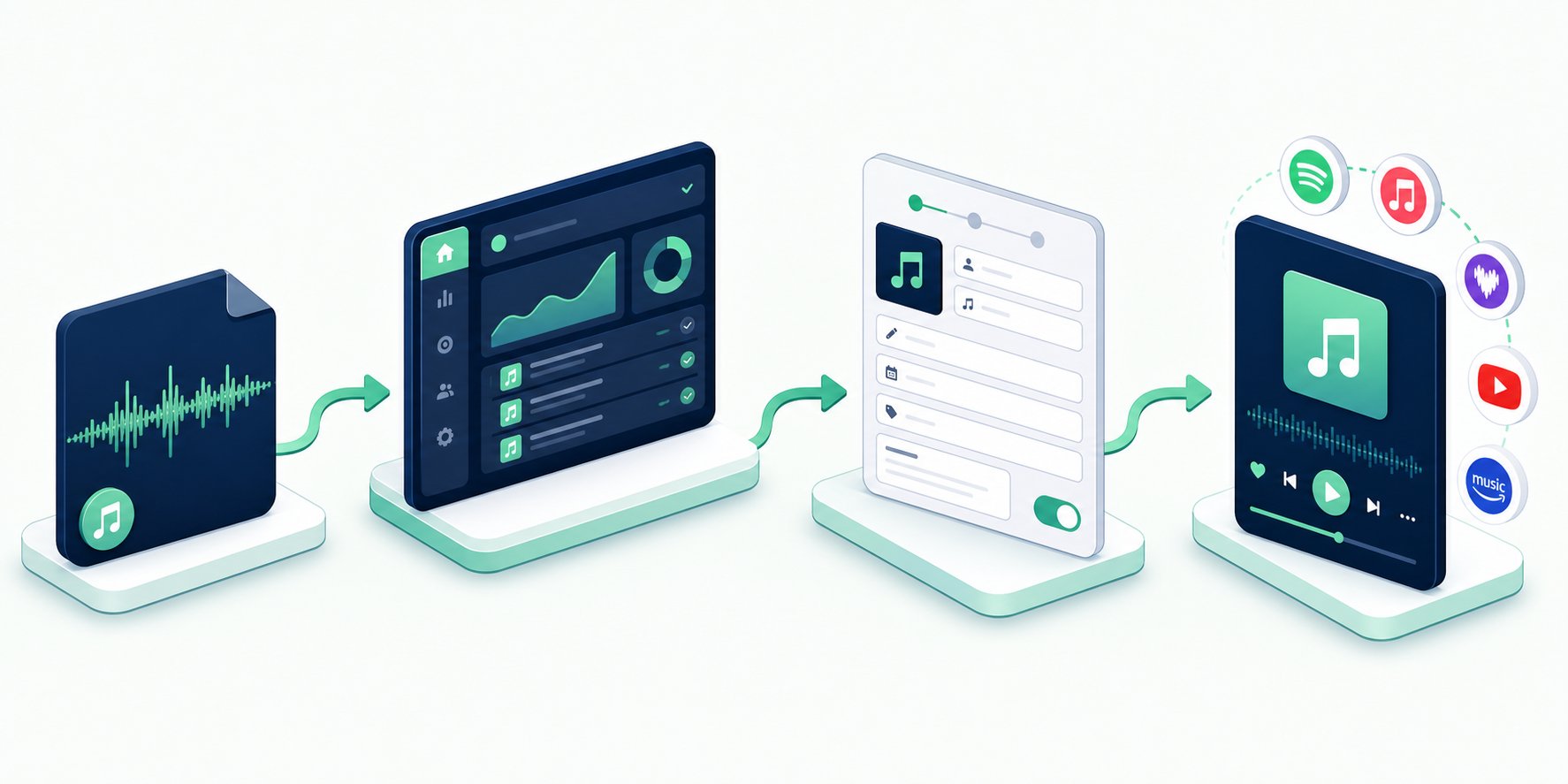
You have the legal groundwork covered and understand the policies. The actual mechanics of getting an AI-generated track onto Spotify are straightforward, but you cannot do it directly. Spotify does not accept uploads from individual artists. Every track on the platform arrives through a licensed distributor, which acts as the intermediary between you and the streaming service.
Whether you want to upload Suno songs to Spotify or distribute tracks made with any other AI tool, the process follows the same path. Here is exactly how it works, from finished audio file to live stream.
Choosing a Distributor for AI Music
Your distributor choice determines more than just delivery. It affects which platforms receive your music, what AI disclosure options are available, and how much you pay. Some distributors offer a spotify distributor free tier, while others charge annual fees or per-release costs.
Not every distributor treats AI music the same way. TuneCore rejects 100% AI-generated content outright, while CD Baby accepts AI-assisted work but draws the line at fully autonomous outputs. Others like DistroKid and RouteNote are more permissive. Before you create an account, whether that means navigating the cdbaby.com artist login or signing up with a newer platform, confirm the distributor explicitly accepts AI-generated releases under their current terms.
| Distributor | Pricing | AI Policy | Key Limitations |
|---|---|---|---|
| DistroKid | $22.99/year (unlimited uploads) | Accepts AI music with disclosure; no impersonation or mass auto-generated content | No stated platform exclusions for AI tracks |
| RouteNote | Free tier (15% revenue share) or premium | Accepts AI releases; requires links to AI tools used | AI content excluded from Content ID |
| LANDR | Included with subscription plans | Accepts with disclosure; most detailed policy of any distributor | 12 AI songs/month cap; excluded from YouTube CID, Meta, TikTok, Deezer, Pandora |
| Amuse | Free tier available | Accepts AI music; uses discretionary detection | 10 releases per 7 days; excluded from Meta and YouTube CID |
Other distributors worth considering include EmuBands and Symphonic, both of which accept AI-assisted content with disclosure requirements. If budget is your primary concern, RouteNote and Amuse offer free tiers, though you will trade a percentage of revenue or face stricter volume limits in return. And if you ever need support during the process, note that distributors like CD Baby offer direct assistance, though reaching them via a cd baby phone number has been replaced by ticket-based support for most queries.
Step-by-Step Upload Process
Once you have chosen a distributor, the workflow for a suno upload to spotify or any AI-generated track follows these steps:
- Prepare your audio file. Spotify strongly prefers FLAC format at 44.1 kHz or higher sample rate with 24-bit depth (if that is your native master). WAV is also accepted. Do not downsample or reduce bit depth yourself; deliver the highest-quality version and let Spotify handle conversions internally. Stereo (2-channel) is required.
- Create your distributor account. Sign up, verify your identity, and set up payment information for royalty collection.
- Start a new release. Upload your audio file and fill in release details: track title, artist name, genre, release date, and cover art (minimum 3000x3000 pixels for most distributors).
- Complete AI disclosure fields. Most distributors now include an AI disclosure step during upload. Indicate whether AI contributed to vocals, lyrics, melody, or instrumentation. This aligns with the DDEX-based AI credits standard rolling out across the industry.
- Confirm rights ownership. You will need to affirm that you hold 100% of the distribution rights. If you used a tool like Suno, verify you are on a paid plan that grants commercial use rights, since free tiers typically restrict distribution.
- Set your release date and submit. Choose a release date at least 7 days out to allow time for content review and to request editorial playlist consideration.
If you are wondering specifically how to upload songs from Suno to Spotify, the process is identical. Export your track from Suno as a high-quality audio file, then submit it through your chosen distributor following the steps above. The same applies to any AI generator: the distributor does not care which tool created the audio, only that you meet the ownership and disclosure requirements.
Content Review Timelines and What to Expect
After submission, your release enters a review queue. Timelines vary by distributor:
- DistroKid: Typically delivers to stores within 1-2 business days, though Spotify may take an additional 24-48 hours to make the track searchable.
- RouteNote: Review can take 2-5 business days for free-tier users due to manual moderation of AI content.
- LANDR and Amuse: Generally 3-7 business days, with AI-flagged content sometimes requiring additional review time.
During review, your distributor checks metadata accuracy, audio quality, and policy compliance. AI-flagged uploads may receive extra scrutiny, particularly if this is your first release or if the track closely resembles patterns associated with automated generation. A clean, well-labeled submission with proper disclosure clears review faster than one that raises questions.
One practical tip: schedule your release date at least two weeks ahead if you want to pitch for Spotify editorial playlists through Spotify for Artists. Playlist pitching opens once your track is confirmed for delivery but before the release date goes live.
Getting the track uploaded and approved is a milestone, but it is not the end of the story. How you label and tag that release in the metadata fields determines whether it stays live, gets surfaced by algorithms, or draws unwanted attention from content moderation systems down the line.
Metadata and Disclosure Requirements for AI Music Uploads
Your track passed content review and landed on Spotify. But the metadata you attached to it is still working behind the scenes, shaping how Spotify's systems classify, recommend, and monitor your release. Getting metadata wrong does not just hurt your music seo and discoverability. It can trigger the exact content moderation flags you worked so hard to avoid.
How to Credit AI in Your Track Metadata
Spotify's AI Credits system, launched in beta in April 2026, lets creators specify where AI contributed to a track. These credits appear in Song Credits on mobile and cover specific elements: vocals, lyrics, instrumentals, and production. The key detail? Spotify does not generate these tags automatically. They flow through your distributor using the DDEX-based ai tagging standard that Spotify helped develop alongside DistroKid, CD Baby, Believe, and EMPIRE.
When you fill out your release in your distributor's dashboard, look for fields labeled "AI disclosure" or "AI credits." Not every distributor has enabled this yet, but Spotify has stated it intends to expand the system broadly over time. If your distributor offers these fields, use them. Marking tags accurately now builds a transparent track record that protects you if policies tighten later.
Spotify itself has made this point clearly: "AI credits show how AI contributed to the song, not that the entire track is AI-generated." Disclosing that AI helped with production does not label your release as "AI music" in the way many creators fear. It simply adds a credit line, much like listing a session musician or co-producer.
Artist Name Rules for AI-Generated Releases
Can you release AI-generated music under your own artist name? Yes. Spotify does not require you to use a special pseudonym or append "AI" to your artist profile. You can publish under your established name, a new project name, or any pseudonym you choose, as long as you are not impersonating another artist.
What you cannot do is upload AI-generated tracks to someone else's existing Spotify profile or use a name designed to mislead listeners into thinking the music comes from an established human artist it does not. This falls under Spotify's impersonation rules, not metadata policy, but it is a common confusion point.
Should you mention AI in your artist bio? That is a creative choice, not a policy requirement. Some creators find transparency builds trust with their audience. Others prefer to let the music speak for itself. The mandatory disclosure happens at the distributor level through metadata fields, not in your public-facing bio text.
Tagging and Labeling Best Practices
Proper metadata does more than satisfy policy. It actively shields you from false positives in Spotify's anti-spam detection. A well-labeled release signals legitimacy. An unlabeled one that later gets identified as AI-generated looks like deliberate evasion.
Here is a checklist of metadata fields to complete correctly when uploading AI music through your distributor:
- AI Disclosure fields: Indicate which elements used AI (vocals, lyrics, instrumentals, production, mastering). Be specific rather than selecting a blanket "AI-generated" option if your distributor offers granular choices.
- Songwriter and composer credits: If you wrote original lyrics or composed melodies that were then enhanced by AI, credit yourself as the songwriter. If AI generated the entire composition autonomously, some distributors require you to leave songwriter fields reflecting that ambiguity rather than falsely crediting a human.
- ISRC and UPC codes: Let your distributor auto-generate these. Do not reuse codes from previous releases or other platforms, as duplicates trigger content mismatch flags.
- Genre and mood tags: Tag accurately. Misgenre tagging to game algorithmic recommendations is a known spam signal.
- Distrokid lyrics field: If your distributor supports synced or unsynced lyrics submission, include them. Lyrics metadata improves discoverability and demonstrates that your release has substantive content rather than being a generic instrumental loop.
- Release notes or description: Some distributors offer a notes field visible to store editors. Mentioning your creative process here, without being required to, can help differentiate you from bulk uploaders.
The made by tags philosophy is simple: transparency is your best defense. Spotify has explicitly stated that the absence of AI credits does not mean AI was not used, but once these systems are widely available, creators who proactively disclose will have a documented record of good faith. That record matters if your account ever faces a review.
Metadata is the invisible architecture of your release. Get it right and your track flows smoothly through recommendation algorithms, avoids moderation triggers, and builds the kind of transparent profile that keeps your account in good standing. Get it wrong and you are one automated flag away from a conversation with your distributor's compliance team, a situation that plays out very differently depending on whether it is your first warning or your third.
What Happens If Your AI Track Gets Flagged or Removed
You check your Spotify for Artists dashboard one morning and the stream count has dropped. You scroll to your catalog and the track is gone. No email. No warning. Just removed. If this has happened to you, the panic is understandable, but the situation is recoverable if you know how the process works and what your real options are.
Signs Your AI Track May Get Flagged
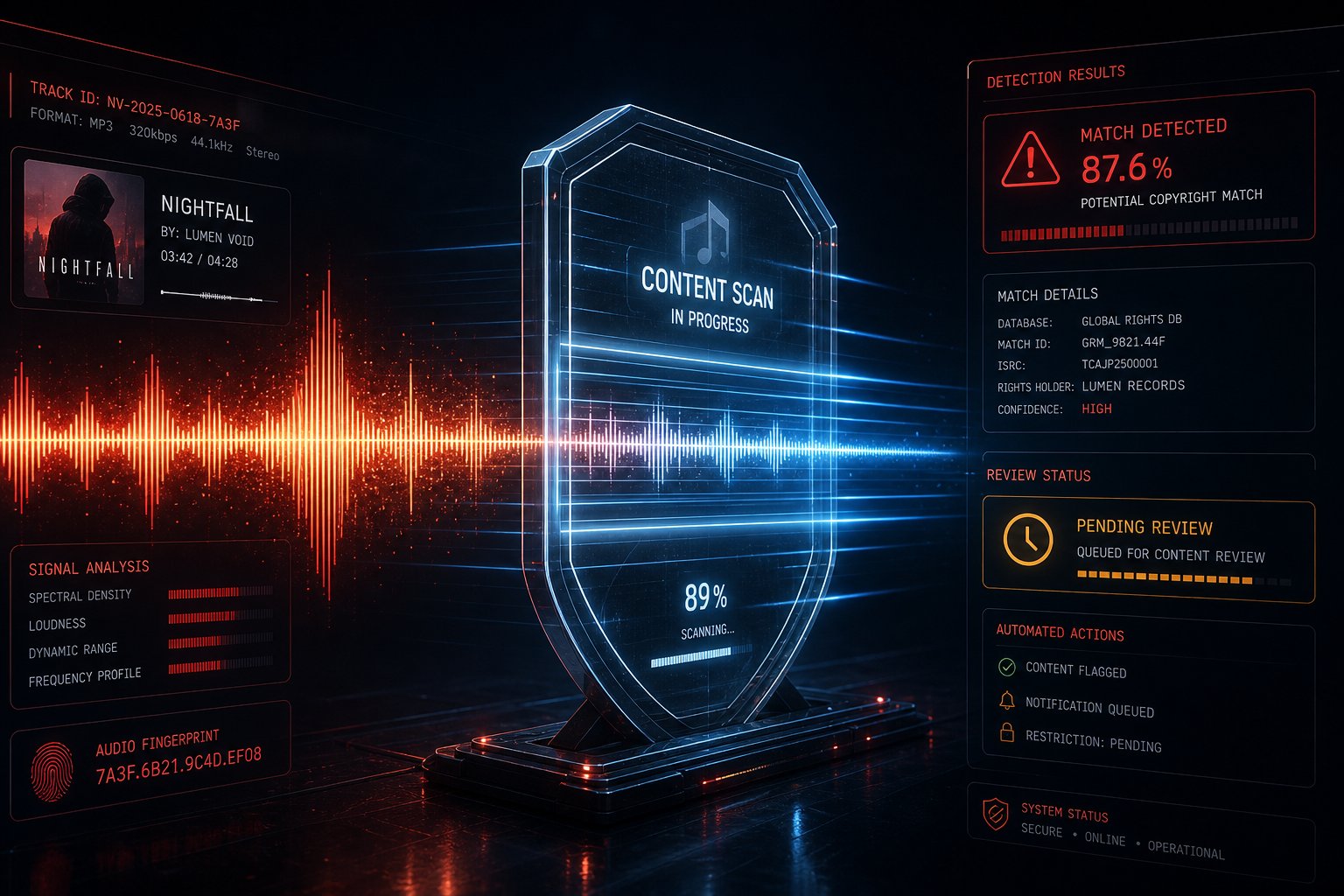
How do you tell if a song is ai generated in the eyes of Spotify's systems? The platform runs automated detection sweeps using spectral analysis, metadata scanning, and timing pattern recognition. Raw AI exports from tools like Suno and Udio carry distinctive fingerprints across all these dimensions. But here is what catches many creators off guard: your track might pass initial screening and go live, only to get pulled weeks or months later during a retroactive catalog sweep.
Spotify's detection technology improves continuously. A track invisible to their systems six months ago can get caught in today's scan. Beyond audio fingerprints, certain behavioral patterns also draw scrutiny:
- Rapid-fire uploads of many tracks in a short window
- Near-identical audio across multiple releases with slightly different metadata
- Unnaturally perfect timing, impossibly clean noise floors, and machine-regular transients in your audio
- Stream patterns that spike unnaturally from regions where you have no audience
If your streams suddenly flatline, your track vanishes from playlists, or your distributor dashboard shows a status change, these are the early indicators that something triggered a flag.
The Review and Removal Process Explained
When Spotify decides to music remove a track, the process typically flows like this: Spotify flags the content and sends a removal notice to your distributor. Your distributor either passes along a generic notification or simply updates the track status in your dashboard. In many cases, you discover the removal only when you notice spotify removed songs from playlist placements or when your stream count drops to zero.
The outcomes escalate depending on severity and pattern:
- Track removal: The individual track disappears from the platform. All accumulated streams, saves, and playlist positions are lost permanently.
- Account warning: Your distributor flags your account for closer review on future uploads. Subsequent releases may face longer review times.
- Account termination: Repeated violations, especially patterns resembling spam operations, can result in your distributor closing your account entirely. At that point, your entire catalog goes offline.
The critical detail most creators miss: there is no direct appeal process with Spotify. You cannot email Spotify or submit a form to contest a removal. Your distributor is the only intermediary, and even they have limited leverage once Spotify's detection system has flagged a file.
How to Appeal or Recover After a Takedown
So what percentage of ai detection is acceptable before a track gets pulled? There is no published threshold. Spotify does not disclose a score or percentage that triggers action. The detection is binary from a practical standpoint: either the automated system flags your track or it does not. What matters more is how much human creative input you layered into the production, because substantial human involvement changes the audio characteristics that detectors read.
If your track has been removed, here is the recovery sequence that actually works:
- Check your distributor dashboard. Look for specific flags, warnings, or status messages. Determine whether Spotify initiated the removal or your distributor did. The path forward differs depending on the source.
- Contact your distributor's support team. Include the track title, ISRC code, Spotify URL (if you still have it), and the date you noticed the removal. Be honest about AI involvement. Lying only escalates the problem if they investigate.
- Wait for a response. Expect 1-3 weeks for a distributor investigation. Follow up once per week if you hear nothing. Do not open multiple tickets for the same issue.
- Assess the outcome realistically. If the removal was a metadata error or false positive, your distributor can request reinstatement (typically restored within 2-5 business days). If the audio itself triggered detection, the appeal almost always fails because the signals are still in the file.
- Re-release a modified version. When appeals fail, your path forward is creating a genuinely different release. Process the audio to address detection vectors, use a new ISRC code, write fresh metadata from scratch, and submit as a brand-new release rather than trying to revive the old one.
- Adjust your release behavior going forward. Space uploads to 2-4 tracks per week maximum. Add meaningful human elements to your production process. Document your creative involvement in case you ever need to demonstrate it.
The question of how much ai detection is acceptable comes down to this: there is no safe percentage of AI involvement that guarantees immunity. But creators who layer genuine human creativity into their workflow, editing arrangements, performing vocals, making substantive production choices, produce audio that differs measurably from raw AI exports. That difference is what keeps tracks off the detection radar.
One final note on account-level risk. A single removed track rarely triggers account consequences. The danger comes from patterns: re-uploading the same flagged file repeatedly, mass-uploading content that gets caught in batches, or accumulating multiple violations over time. Distributors like DistroKid and TuneCore flag high-removal accounts for closer review, and at a certain threshold, they will terminate the relationship entirely.
Recovery from a takedown is possible. But the real question most creators face after getting a track back online is whether the economics justify the effort. Understanding how royalties actually flow for AI music, and whether the platform's algorithms treat your tracks fairly, determines whether this is a viable creative path or an uphill battle.
Monetization and Royalties for AI Music on Spotify
Getting your AI track live on Spotify is one thing. Getting paid for it is another conversation entirely. The economics of AI music streaming are less intuitive than most tutorials suggest, and the gap between what is theoretically possible and what most creators actually earn is wide.
How Streaming Royalties Work for AI Music
Here is the good news: Spotify does not pay AI-generated tracks at a lower rate than human-made music. There is no separate royalty tier. If your track stays live and accumulates streams, it earns from the same pro-rata royalty pool as every other song on the platform. The effective per-stream rate lands between $0.003 and $0.005 depending on listener geography and whether they are on a Premium or Free tier.
But there is a critical catch. Since April 2024, any track with fewer than 1,000 streams in a trailing 12-month period earns exactly $0. Those streams still count in your analytics, but they generate no revenue. The money gets redistributed to tracks that cleared the bar. For ai musicians uploading large catalogs of shorter, niche tracks, this threshold is the single biggest obstacle to earning anything at all.
How much do producers make in this model? Your distributor takes its cut first. DistroKid keeps none of your royalties but charges an annual fee. RouteNote's free tier takes 15% of revenue. TuneCore charges per release. What remains flows to you at the standard Spotify effective rate, minus your distributor's structure.
Can AI Tracks Get Playlisted on Spotify
Algorithmic playlists like Discover Weekly and Release Radar do not explicitly exclude AI music. If your track generates genuine listener engagement, saves, and repeat plays, Spotify's recommendation engine can surface it regardless of how it was made. The spotify ai role in music recommendation and personalization treats listener behavior as the primary signal, not production method.
Editorial playlists are a different story. Spotify's April 2026 Verified badge, which explicitly excludes AI-persona artists, has become a soft requirement for editorial consideration. Curators use verification as a legitimacy proxy when they spotify choose artists for featured placements. Without it, your pitch is not automatically rejected, but it carries less weight. AI musicians face a structural disadvantage here that no amount of quality can fully overcome.
| Revenue Source | Eligibility for AI Music | Notes / Limitations |
|---|---|---|
| Standard streaming royalties | Yes, same rate as human music | Must clear 1,000 streams per track per year to earn anything |
| Algorithmic playlists (Discover Weekly, Daily Mix) | Yes, based on listener engagement | Tracks flagged by spam filter lose algorithmic surfacing entirely |
| Editorial playlists | Technically eligible, practically difficult | Verified badge exclusion for AI artists reduces editorial consideration |
| Discovery Mode (30% commission trade) | Yes, if track is already getting algorithmic plays | 30% royalty cut is steep; does not help tracks blocked by spam filter |
| Spotify Marquee / Showcase campaigns | Yes, requires Spotify for Artists access | Paid promotion tools available but ROI is hard to justify at low stream volumes |
Realistic Income Expectations for AI Music Creators
The viral claims of $5,000 per month from AI music on Spotify deserve skepticism. Multiple analyses of these success stories reveal that posters were often selling courses or running parallel YouTube and social media monetization alongside streaming. The streaming income alone rarely matches the headline number.
A more grounded expectation, based on documented catalogs: a curated 100-track catalog in functional genres like lo-fi, ambient, or focus music can realistically generate $300 to $1,500 per month once tracks cross the 1,000-stream threshold. That requires months of audience building, consistent engagement, and tracks that listeners actually return to.
In terms of labels industry news, no major label has publicly announced signing AI-only creators for streaming distribution deals. The industry still views AI-generated catalogs with caution, primarily because copyright uncertainty makes long-term catalog valuation difficult. Independent labels have experimented with AI-assisted releases, but fully autonomous AI music remains outside the traditional label model.
The monetization picture is clear: AI music can earn real revenue on Spotify, but the path requires patience, quality over volume, and realistic expectations about what a streaming-only income looks like. The question then becomes which tools give you the best starting point for creating tracks that actually hold listener attention long enough to cross that 1,000-stream threshold.
Best Free AI Music Tools for Creating Spotify-Ready Tracks
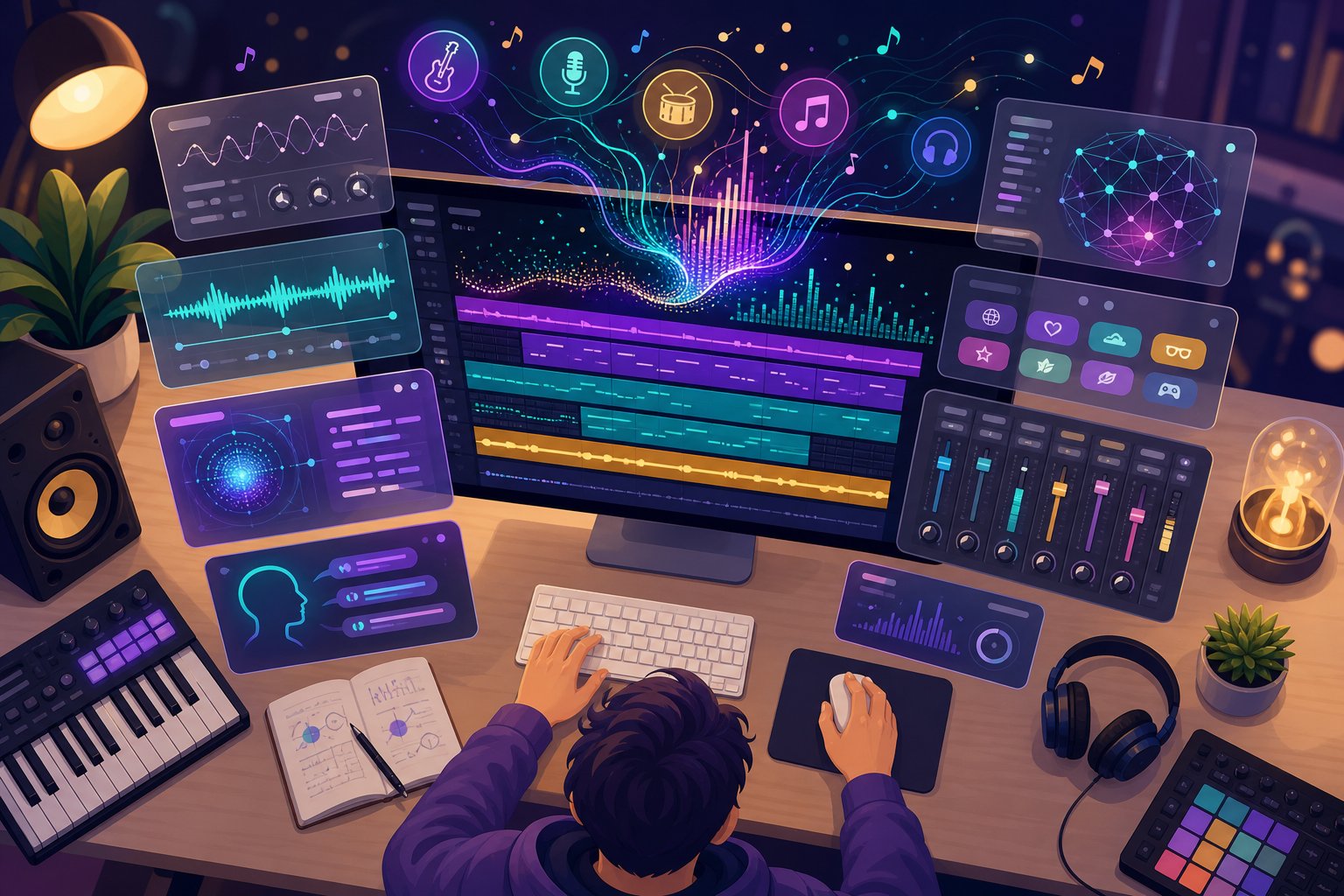
Crossing the 1,000-stream threshold requires tracks that listeners genuinely enjoy, which means the AI tool you choose matters more than most creators realize. Not every generator outputs audio at the quality level distributors and streaming platforms expect, and not every tool grants you the commercial rights needed to legally distribute what it produces.
What to Look for in an AI Music Generator for Spotify
Before picking a tool, evaluate it against four criteria that determine whether your output is actually distribution-ready:
- Output quality: Spotify recommends FLAC at 44.1 kHz or higher. Your generator should export in lossless or high-bitrate formats, not compressed MP3s that degrade further during platform encoding.
- Commercial use rights: Free tiers often restrict you to personal use only. If you plan to publish Suno songs on Spotify, for example, you need a paid plan that explicitly grants commercial distribution rights. Uploading tracks from a free-tier license violates distributor terms and can get your account terminated.
- Royalty-free licensing: The ideal tool grants full ownership or a perpetual royalty-free license for generated audio. This means no revenue splits with the platform and no risk of retroactive license changes affecting your catalog.
- Format compatibility: Your distributor needs WAV or FLAC in stereo. Tools that only export low-quality MP3s or short clips add extra conversion steps that can introduce artifacts.
Top Free AI Music Tools for Streaming Distribution
Several generators meet these criteria at either a free or low-cost tier. Here are the strongest options for creators who want to can you upload songs from Suno to Spotify or explore alternatives with fewer restrictions:
- MakeBestMusic's Free Music Generator — Free access with royalty-free commercial licensing. Generates full tracks across multiple genres with no subscription required for commercial use, making it a strong entry point for creators testing AI distribution without upfront costs.
- Suno AI — The most popular complete song generator. Free tier offers 50 credits per day for non-commercial use. Paid plans start at $8/month with 2,500 credits and full commercial rights. You can release Suno songs on Spotify only on a Pro or Premier subscription.
- Riffusion — Currently free during public beta. Generates full songs from text prompts with remix capabilities. Commercial licensing terms are less explicitly documented, so verify before distributing.
- SongR — Completely free, generating up to 5 songs per day with vocals and lyrics from text inputs. Supports genre and voice selection without registration.
| Tool | Pricing | Commercial Rights | Output Quality | Spotify Compatible |
|---|---|---|---|---|
| MakeBestMusic | Free | Royalty-free, commercial use included | High-quality stereo export | Yes, via any distributor |
| Suno AI | Free (limited) / $8+/mo | Commercial only on paid plans | High-quality WAV export on paid tiers | Yes, paid plan required |
| Riffusion | Free (beta) | Verify current terms | Standard quality | Verify licensing first |
| SongR | Free | Check terms for distribution | Standard quality | Verify licensing first |
A quick note on Suno specifically, since it is the tool most creators ask about: you need to suno earn credits through a paid subscription to unlock commercial rights. Songs made on the free plan cannot be monetized or distributed to streaming platforms, and upgrading after the fact does not retroactively license tracks you already generated. Plan ahead.
Also worth noting: if suno ai is down or experiencing capacity issues during peak hours, having an alternative like MakeBestMusic or Riffusion in your workflow prevents creative bottlenecks. Relying on a single tool for your entire catalog introduces unnecessary risk.
Best Practices for Creating Upload-Ready AI Tracks
Regardless of which ai song generator that allows explicit lyrics or clean content you choose, a few production habits separate tracks that thrive on Spotify from those that get buried or flagged:
- Add human touches post-generation. Even light editing, adjusting arrangement, tweaking EQ, or layering a vocal, changes the audio fingerprint enough to differentiate your track from raw AI output.
- Export at the highest available quality. Always choose WAV or FLAC over MP3 when your tool offers the option. Distributors will reject files below their minimum specifications.
- Generate multiple versions and curate. Run several generations from the same prompt, then select and refine the best output rather than uploading the first result. This curatorial step itself constitutes meaningful creative input.
- Verify your license before uploading. Screenshot or save the terms page confirming your commercial rights. If a dispute arises months later, this documentation is your first line of defense.
The suno ai spotify workflow that most successful creators follow is not "generate and upload." It is generate, evaluate, edit, verify rights, then distribute. That extra layer of human involvement is what separates a sustainable streaming catalog from a one-and-done experiment that disappears in the next platform sweep.
