

Yes You Can Use Suno AI Music on YouTube But There Are Rules
Can you use Suno AI music on YouTube? Yes, but not without conditions. Your right to upload, share, and earn revenue from Suno-generated tracks hinges on one thing: which subscription tier you were on when you created the song. Get that wrong, and you could face content removal or lose monetization privileges on your channel.
The Quick Answer About Suno Music and YouTube
Using Suno music on YouTube is straightforward once you understand the licensing split. Suno operates on a tiered model where your plan determines whether you can legally monetize content made with the platform. Here's the core distinction every creator needs to internalize:
Free-tier users retain no commercial rights and cannot monetize YouTube content made with Suno. Pro and Premier subscribers own their generated tracks and hold full commercial usage rights, including YouTube monetization with zero revenue share owed to Suno.
This isn't a gray area. Suno's terms of service spell it out clearly. If you generated a track using free daily credits, that song belongs to Suno, not you. Upload it to a monetized channel and you're violating the platform's licensing terms, even if no one flags it immediately.
On the other hand, if you're a paying subscriber, you can use Suno AI music on YouTube with full confidence. Upload it as background music, publish it as a standalone track, run ads against it. It's yours.
Who This Guide Helps
This article serves as a complete decision guide for three types of creators:
- Hobbyist creators looking for affordable background music for vlogs, tutorials, or personal projects without worrying about copyright strikes.
- Aspiring music channels uploading AI-generated tracks as primary content and hoping to build an audience around suno music YouTube releases.
- Established monetized channels evaluating whether AI-generated audio fits their brand strategy without jeopardizing their YouTube Partner Program standing.
Whether you're wondering "can I use Suno music on YouTube for a hobby channel?" or calculating whether AI tracks make financial sense for a revenue-generating operation, the answer depends on more than just your subscription. You'll also need to navigate YouTube's AI disclosure rules, understand how Content ID interacts with AI audio, and make strategic decisions about when AI music helps versus hurts your channel growth.
Each of those layers carries its own set of rules, and the landscape is shifting as both Suno and YouTube refine their policies around synthetic content.
Understanding Suno's License Tiers and Commercial Rights
So how does Suno actually work when it comes to who owns what? The platform splits its users into three tiers, and each one carries a different set of rights that directly affect whether your generated tracks can legally appear on YouTube as monetized content. Confusing one tier's permissions with another is where most creators get into trouble.
Free Tier Restrictions You Need to Understand
Suno's free tier (also called Basic) gives you 50 credits per day to experiment with. You can generate songs, listen to them, and share them within the platform. What you cannot do is use those tracks commercially in any form. That means no YouTube monetization, no streaming distribution, no placement in paid content.
The reason is simple: are Suno songs mine if I made them on a free account? No. According to Suno's Terms of Service, free-tier users must use outputs "solely for lawful, internal, personal and non-commercial purposes" and must give attribution credit to Suno in each case. The platform retains ownership of music created on free accounts. You're essentially borrowing the output for personal enjoyment, not acquiring a transferable asset.
Free-tier users also face functional limitations. Downloads are restricted to streaming and sharing only, and you're locked into Suno's older v4.5 model rather than the latest generation engine. If you're wondering how to cancel Suno subscription worries entirely, the free tier removes payment obligations but also removes every commercial pathway.
Pro and Premier Commercial Rights Explained
The moment you upgrade to Pro ($10/month, or $8/month billed annually), the commercial picture changes completely. Suno's terms state that Pro and Premier subscribers receive an assignment of "all of its right, title and interest in and to any Output owned by Suno and generated from Submissions made by you through the Service during the term of your paid-tier subscription." In practical terms, the songs you create while subscribed belong to you.
What does that unlock? Everything relevant to using Suno to make money on YouTube:
- Upload tracks to YouTube with monetization enabled and collect full ad revenue
- Distribute to Spotify, Apple Music, and other streaming platforms
- Use songs in podcasts, commercial videos, and client projects
- License tracks to third parties for sync placements
Suno takes zero percent of your earnings. No revenue share, no backend royalties. Once you have commercial rights, all income stays with you.
Premier ($30/month, or $24/month annually) grants identical commercial rights to Pro. The difference is volume and tooling: 10,000 credits per month instead of 2,500, plus access to Suno Studio's advanced production features. For creators focused purely on YouTube, Pro is typically sufficient unless you're building a high-volume catalog.
What Ownership Actually Means for AI-Generated Music
Here's where things get nuanced. Suno assigns you ownership of the output, but that doesn't automatically mean copyright protection applies. Fully AI-generated music, where no human wrote the lyrics or composed the melody, likely doesn't qualify for copyright registration. The D.C. Circuit's Thaler v. Perlmutter ruling confirmed that copyright requires human authorship.
The practical impact: you can earn money from your tracks, but you may not be able to prevent others from copying them. DMCA takedowns and exclusive licensing become murky when you can't register the underlying work. This affects ownership Spotify considerations too, since platforms rely on copyright claims to resolve disputes between identical or near-identical tracks.
One way to strengthen your position is adding meaningful human contribution. Write original lyrics over an AI instrumental, record your own vocals, or substantially arrange and edit the generated stems. The US Copyright Office evaluates these hybrid works individually, looking for evidence of human creative decision-making.
A critical detail many creators miss: are Suno artists going to have to pay retroactively if terms change? Based on current policy, no. Songs created during a paid subscription retain their commercial status permanently, even after cancellation. But new songs generated after your subscription ends revert to free-tier restrictions. Keep records of your subscription dates and song creation timestamps as proof of commercial eligibility.
| Tier Name | Monthly Cost | Commercial Use Allowed | YouTube Monetization | Ownership Rights |
|---|---|---|---|---|
| Basic (Free) | $0 | No | No | Suno retains ownership; personal use only |
| Pro | $10/mo ($8/mo annual) | Yes | Yes, with 0% revenue share | Full ownership assigned to user |
| Premier | $30/mo ($24/mo annual) | Yes | Yes, with 0% revenue share | Full ownership assigned to user |
The line between free and paid is the only distinction that matters for YouTube creators. Both Pro and Premier unlock identical commercial rights. Your decision between them comes down to how many songs you need to generate each month and whether Suno Studio's workflow tools justify the price difference.
With your licensing status clear, the next question becomes what YouTube itself requires from creators uploading AI-generated audio, because platform rules add another layer of compliance on top of Suno's terms.
YouTube's AI Music Policy and What Creators Must Disclose
Having the right Suno license is only half the equation. YouTube has its own rules about AI-generated content, and those rules apply regardless of which tool created your music. Fail to follow them and you risk labels applied without your consent, reduced trust signals on your channel, or in repeated cases, penalties from the platform itself.
YouTube's AI Content Disclosure Requirements
YouTube requires creators to disclose when they use AI to generate or meaningfully alter realistic content. And yes, AI-generated music explicitly falls under this requirement. The platform's help documentation lists "AI generated music" as an example of content that must be disclosed, placing it alongside deepfakes, synthetic video footage, and AI-generated depictions of real events.
Why does music trigger this rule? Because AI-generated audio can sound indistinguishable from human-performed recordings. A listener can't tell by ear whether a vocal was sung by a person or synthesized by a model. YouTube treats that ambiguity as something viewers deserve to know about.
The disclosure happens during your upload flow in YouTube Studio through the "AI use" setting under the Attributes section. You'll see a straightforward yes-or-no question about whether your content contains realistic AI-generated or meaningfully AI-altered material. Selecting "Yes" triggers a label that appears either on the video player (for photorealistic content) or in the expanded description field.
Here's an important reassurance: YouTube states that disclosing AI content won't limit your video's audience or impact its eligibility to earn money. The label is purely informational for viewers. It doesn't suppress your video in recommendations or disqualify it from ad revenue.
How Content ID Treats AI-Generated Audio
Content ID is YouTube's automated copyright detection system. It scans every uploaded video against a database of audio and visual fingerprints submitted by copyright holders. When it finds a match, it triggers a Content ID claim that can block your video, monetize it on behalf of the claimant, or simply track its viewership.
So what happens when you upload a Suno-generated track? In most cases, nothing. AI music tools create novel audio that doesn't exist in Content ID's reference database. No reference file means no match, which means no claim.
The exception arises when AI output closely resembles an existing copyrighted work. Suno's models were trained on large datasets of music, and occasionally the generated output can echo melodic patterns, chord progressions, or timbral qualities similar enough to a registered track to trigger a match. This isn't a flaw unique to Suno. It's inherent to how generative audio models work.
Understanding the distinction between a Content ID claim and a copyright strike matters here:
- Content ID claim: An automated match against a reference file. It doesn't penalize your channel. The copyright holder can choose to monetize your video (taking ad revenue), block it in certain regions, or simply track views. You can dispute the claim if you believe it's incorrect.
- Copyright strike: A formal legal takedown request filed manually by a copyright holder under the DMCA. Three active strikes result in channel termination. Strikes are far more serious and far less common with AI-generated music.
For most creators using Suno music on YouTube, Content ID claims are the realistic risk, not strikes. And even claims are uncommon when your generated tracks are sufficiently original. The later section on handling Content ID disputes covers specific strategies to minimize this risk.
Labeling AI Music Correctly in YouTube Studio
The disclosure process is simple, but skipping it carries real consequences. YouTube has rolled out automatic AI detection systems that can identify synthetic content even when creators don't self-report. If the platform's internal signals detect AI-generated audio that you didn't disclose, YouTube may apply a label automatically. Creators who consistently fail to disclose can face manual label application, content removal, or suspension from the YouTube Partner Program.
Here's the step-by-step process to disclose properly every time you upload a video containing AI-generated music:
- Open YouTube Studio and begin your standard upload flow by selecting your video file.
- Fill in your title, description, and thumbnail as usual.
- Scroll to the Attributes section during the upload process.
- Under "AI use," select Yes to indicate your content contains realistic AI-generated or meaningfully AI-altered material.
- Complete the remaining video details (visibility, scheduling, playlist assignment) and publish.
That's it. The label appears automatically once you confirm. For long-form videos, the disclosure typically shows in the expanded description. For content featuring photorealistic AI elements (like AI-generated video paired with the audio), the label may appear directly on the video player itself.
A few practical notes worth remembering. If you use AI-generated music as background audio but all visual content is camera-captured, you still need to disclose because the audio component qualifies independently. The same applies if you import a Spotify playlist to YouTube Music for personal listening but create original AI tracks for your published videos. Those are separate contexts with separate rules. Your personal music library choices don't affect your disclosure obligations as a creator.
Also worth noting: YouTube's automatic detection capabilities are expanding. Content containing C2PA metadata (a provenance standard some AI tools embed) will be flagged automatically. While Suno doesn't currently embed C2PA data in exports, the direction is clear. Proactive disclosure keeps you ahead of enforcement rather than scrambling to catch up.
The transparency requirement is light. It doesn't cost you money, views, or monetization eligibility. But ignoring it puts your channel's standing at risk for no benefit. Treat the disclosure toggle as a non-negotiable part of your upload workflow whenever AI-generated audio is involved.
Licensing resolved, disclosure handled. The trickier question is what happens for creators who sit between tiers, specifically free-plan users who want to upload Suno tracks without running ads against them.
Free Tier Suno Users and Non-Monetized YouTube Uploads
Imagine this scenario: you generated a track on Suno's free plan, you're not running ads on your video, and you just want to share it with a few friends or use it as background for a personal vlog. No money involved. Should be fine, right?
Not necessarily. Suno's free-tier terms don't draw the line at monetization alone. They draw it at commercial use, and those two concepts aren't identical in the eyes of a platform's legal team.
Can You Upload Suno Music Without Monetization
Suno's help documentation states that songs made on the free plan are intended for personal, non-commercial use only. Free-tier users can share songs using their Suno link and use tracks in personal, non-monetizing projects. The key phrase here is "personal." A YouTube upload, even without ads enabled, is a public distribution of content on a commercial platform.
Does that automatically make it commercial? Suno's terms don't define "commercial" with surgical precision for every possible edge case. But the safest interpretation is this: if your YouTube channel exists as part of any business activity, brand-building effort, or audience-growth strategy tied to future revenue, uploading free-tier Suno tracks to it crosses into territory the license wasn't designed to cover.
For a truly personal channel with no monetization, no affiliate links, no sponsorships, and no intent to grow commercially, you're likely within the spirit of the free-tier terms. But "likely" is doing heavy lifting in that sentence. Suno retains ownership of free-tier outputs, meaning the platform could theoretically issue a takedown request at any time if it deems your use outside the permitted scope.
The Gray Areas Free Users Face
Here's where things get uncomfortable for creators who sit between casual hobbyist and aspiring professional. Several common scenarios fall into genuine gray zones that Suno's current documentation doesn't explicitly address.
Consider a channel that already has YouTube Partner Program monetization enabled globally but turns off ads on one specific video containing a free-tier Suno beat. Is that video non-commercial? Technically, no ads run against it. But the channel itself is a commercial operation. The Suno track appears within an ecosystem designed to generate revenue, even if that particular video doesn't contribute directly.
Or think about a creator who uses free Suno beats as background music in a tutorial video that promotes their paid course. No YouTube ad revenue from the track, but the video serves a commercial purpose. That's promotional content, and promotional use falls squarely outside "personal, non-commercial" territory.
Here's a breakdown of where free-tier use likely stands across common scenarios:
- Acceptable: Uploading a track to a personal, non-monetized channel with no commercial intent, purely to share with friends or document a creative experiment.
- Acceptable: Using a Suno-generated clip in a private or unlisted video that isn't part of any promotional strategy.
- Risky: Uploading to a channel with monetization enabled, even if ads are off for that specific video.
- Risky: Using the track in content that promotes a product, service, brand, or paid offering, regardless of whether the video itself earns ad revenue.
- Risky: Building a music channel around free-tier tracks, even without monetization, if the goal is audience growth that leads to future commercial activity.
- Violation: Enabling ads on a video containing free-tier Suno audio. This is unambiguously non-compliant.
The practical risk for free-tier users isn't a YouTube copyright strike. It's a terms-of-service violation with Suno itself. Since Suno retains ownership of free-plan outputs, the platform has standing to request removal. Whether they actively enforce against small creators today is a different question, but building your content strategy on the assumption that a company won't enforce its own terms is a fragile foundation.
You can earn credits on Suno's free plan (for example, Suno lets you earn credits by following other creators and engaging with the platform), but those earned credits still fall under the free-tier license. More credits don't upgrade your rights. Only a paid subscription changes your commercial status.
If you're wondering whether you can get the beats for Suno AI and repurpose them separately, the answer is the same: your license determines what you can do with any output, whether it's a full song or isolated Suno beats. The format doesn't change the terms.
For creators who want to eliminate ambiguity entirely, the path is clear: either keep free-tier content off YouTube altogether, or upgrade to Pro for $10/month and remove every question about compliance. That $10 buys you peace of mind and full commercial rights with no revenue share.
The calculus shifts significantly once you're on a paid plan, but upgrading alone doesn't make you upload-ready. Monetized channels face their own workflow requirements to stay compliant and algorithmically healthy.
Using Suno Music on Monetized YouTube Channels
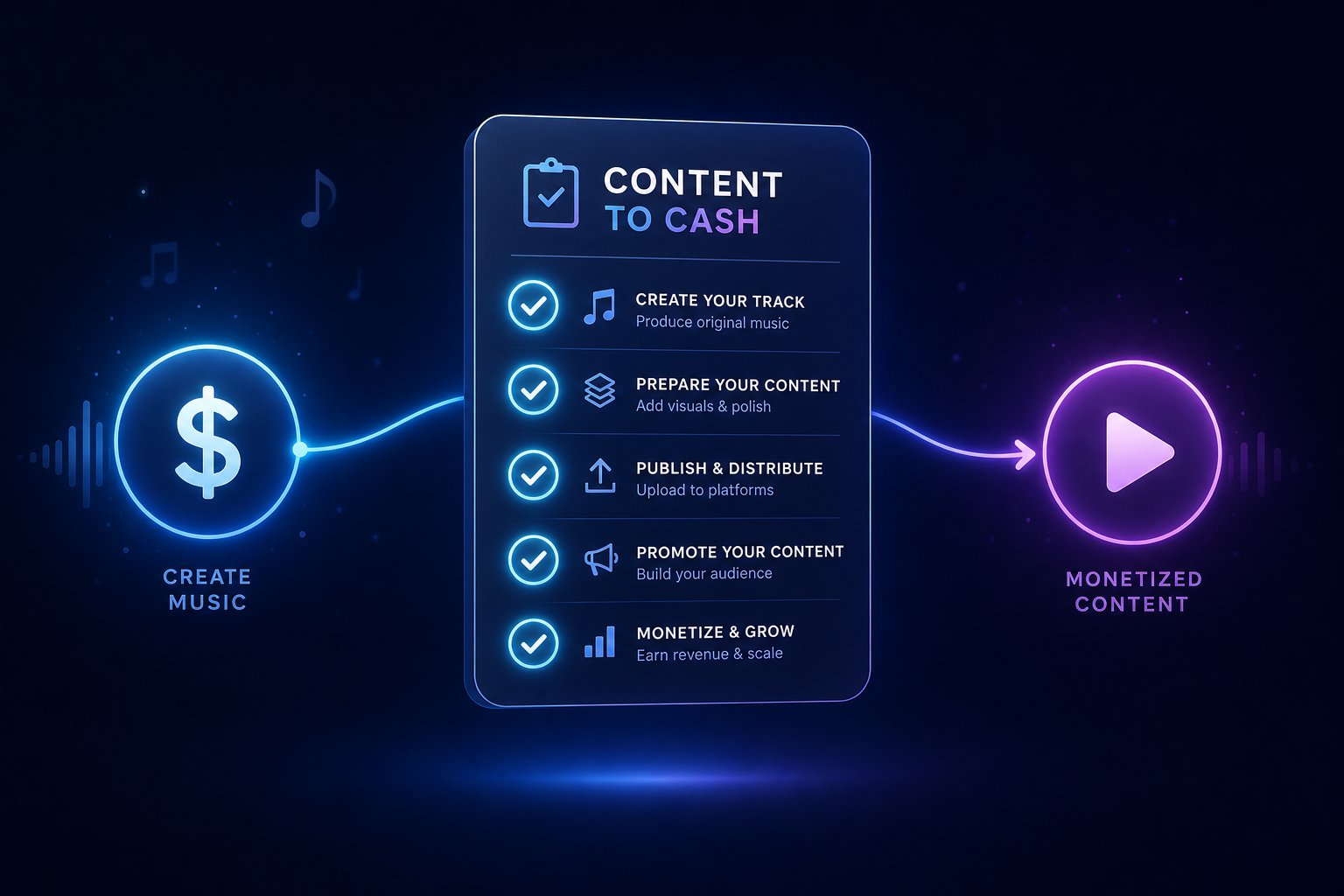
Running a monetized channel means every upload carries financial weight. A single compliance mistake can demonetize a video or, worse, trigger a review of your entire channel's standing in the YouTube Partner Program. When you're using AI-generated audio on a revenue-generating channel, you need a repeatable process that covers both Suno's licensing terms and YouTube's platform requirements in one clean workflow.
The baseline requirement is non-negotiable: you need an active Suno Pro ($10/month) or Premier ($30/month) subscription. Free-tier tracks cannot appear on any monetized channel under any circumstances. With that in place, here's the complete lifecycle from generation to published, monetized video.
Step-by-Step Process for Monetized Channels
Think of this as your pre-upload checklist. Every step exists to protect your monetization eligibility and reduce the chance of Content ID issues or policy flags down the line.
- Confirm your subscription status. Log into Suno and verify your Pro or Premier plan is active. Songs generated during a lapsed subscription revert to free-tier restrictions. If your billing failed last week and you didn't notice, any tracks created in that gap lack commercial rights.
- Generate the track with clean prompts. Use genre and mood descriptors rather than referencing specific artists. A prompt like "cinematic ambient, 80 BPM, piano and strings, atmospheric" is safe. "Make it sound like Hans Zimmer" is not. Avoid artist names entirely to minimize Content ID risk.
- Review the output for resemblance issues. Listen critically. If the generated track sounds strikingly similar to a well-known song, regenerate or edit it. Suno's models occasionally produce output that echoes existing works closely enough to trigger automated detection.
- Download in the correct format. Export from Suno as a high-quality audio file (WAV or high-bitrate MP3). Avoid re-encoding or compressing through third-party tools that might strip metadata or degrade quality before upload.
- Document your license. Screenshot your active subscription status and note the creation date of each track. If a dispute arises months later, you'll need proof that your plan was active when the song was generated.
- Upload to YouTube and add disclosure. During the upload flow in YouTube Studio, mark "Yes" under the AI use disclosure in the Attributes section. Add a line in your video description: "Music in this video was created using AI music generation tools."
- Monitor for claims post-publish. Check YouTube Studio's Copyright tab within 48 hours of publishing. Most Content ID matches surface within the first day. If a claim appears, evaluate whether to dispute or replace the track before the video gains significant views.
This workflow takes under five minutes per video once it becomes habit. The documentation step is the one most creators skip and later regret. Treat it like keeping receipts for business expenses.
One additional consideration for creators who also distribute music beyond YouTube: if you're exploring how to publish a song through premium music distribution services or evaluating a free Spotify distributor to get your AI tracks onto streaming platforms, the same license verification applies. Your Suno Pro or Premier subscription covers spotify music distribution, YouTube uploads, and any other commercial channel simultaneously. No separate license is needed per platform.
Algorithm Considerations and Channel Strategy
Here's where strategy matters as much as compliance. YouTube's algorithm doesn't penalize AI-generated music directly. The platform has stated that AI content and human-created content receive equal treatment in terms of monetization eligibility and discoverability. But equal treatment doesn't mean equal performance.
The algorithm prioritizes viewer behavior: Average View Duration, click-through rate, and session time. Channels that upload raw, unedited AI tracks with static backgrounds consistently underperform because the content fails to hold attention. As retention analysis from SynthAudio shows, raw AI exports often lack the dynamic range and structural tension that keeps listeners engaged past the first 30 seconds. The algorithm reads that drop-off as a quality signal and suppresses further distribution.
For monetized channels, this means AI music works best when treated as a production tool rather than a finished product. Use Suno to generate the foundation, then add value through editing, mixing, visual production, or contextual framing. A cooking channel using a Suno-generated background track beneath narration faces no algorithmic disadvantage. A music channel uploading unprocessed AI songs with a still image faces an uphill battle regardless of licensing compliance.
Channels that rely heavily on AI-generated music as their primary content should consider these strategic factors:
- Quality over volume. Publishing 2-3 polished tracks per week outperforms uploading 5+ raw generations daily. The algorithm rewards channels with consistently high retention, not channels with the most uploads.
- Post-production matters. Run stems through a DAW for EQ, mastering, and structural adjustments. Even basic loudness normalization makes AI tracks compete better against professionally produced music in adjacent recommendations.
- Visual investment compounds. Dynamic visualizers or AI-generated video paired with the music can increase average view duration by up to 40% compared to static images, giving the algorithm stronger engagement signals to work with.
- Niche identity builds authority. A channel focused on "ambient piano for studying" will build a more engaged subscriber base than one posting random genres. YouTube's recommendation system favors channels with clear topical identity because it can reliably match them to the right audience segments.
Can you make money on Spotify or YouTube with AI-generated tracks? Absolutely, but how to get paid on Spotify or earn consistent YouTube ad revenue depends less on the tool you used and more on whether the final output holds a listener's attention. The AI generates the raw material. Your curation, editing, and channel strategy determine whether that material earns revenue or gets buried.
The format of your content also shapes which strategy works best. Short-form and long-form videos operate under different algorithmic dynamics, and AI music plays a different strategic role in each.
YouTube Shorts Versus Long-Form Video and AI Music
Shorts and long-form videos might live on the same platform, but they operate under fundamentally different music dynamics. The licensing rules differ, the algorithm weighs audio differently, and the strategic value of AI-generated tracks shifts depending on which format you're publishing. Treating them identically is a missed opportunity at best and a compliance oversight at worst.
AI Music in YouTube Shorts vs Long-Form Content
YouTube Shorts has its own built-in audio ecosystem. Creators can pull tracks directly from YouTube's licensed music catalog, remix audio from other videos, and tap into trending sounds, all without worrying about Content ID claims. This is possible because YouTube negotiates separate Shorts music agreements with rights holders that cover short-form use specifically.
When you upload a Suno-generated track as your Short's audio, you're bypassing that pre-cleared library entirely. Your AI track won't trigger a claim from YouTube's licensed catalog (since it doesn't exist there), but it also won't benefit from the built-in licensing protections that come with using the Shorts audio picker. You're relying solely on your Suno subscription rights to cover you.
For long-form content, the equation is simpler. There's no built-in music library baked into the upload flow. You bring your own audio, and Content ID scans it against its reference database. AI-generated tracks that don't resemble registered works pass through cleanly.
The revenue model also diverges. Shorts revenue comes from a shared pool based on total views, with music licensing costs deducted before creator payouts. Long-form videos earn directly through ads placed on your specific content. When you use your own AI-generated music in a Short, no licensing deduction applies to your share of the revenue pool since there's no third-party rights holder to pay.
| Factor | YouTube Shorts | Long-Form Video |
|---|---|---|
| Music Licensing Rules | Built-in licensed catalog available; own audio requires separate rights | No built-in library; all audio must be self-licensed or royalty-free |
| Algorithm Impact of AI Music | Trending licensed sounds boost discovery; original audio favors branding | Audio quality affects retention; no direct discovery boost from specific tracks |
| Disclosure Requirements | Same AI disclosure applies in YouTube Studio | Same AI disclosure applies in YouTube Studio |
| Revenue Model | Shared pool; no licensing deduction for original AI audio | Direct ad revenue on individual video |
| Best Use Case for AI Audio | Original branded sounds, signature intros, unique audio identity | Background music, full-length tracks, ambient soundscapes |
When Suno Tracks Make Strategic Sense
Here's the strategic question most creators skip: when does AI music actually help your Shorts perform better than a trending licensed track would?
The Shorts algorithm heavily rewards content that rides trending audio. When thousands of creators use the same sound, YouTube's system recognizes that pattern and pushes related videos into recommendation feeds. Using a Suno-generated track means you're opting out of that trend-riding dynamic entirely. Your audio has zero existing usage data for the algorithm to reference.
That's a disadvantage if your goal is viral reach through trend participation. But it's a clear advantage in two scenarios:
- Brand identity building. A consistent, recognizable audio signature across your Shorts creates viewer association that no shared trending sound can replicate. Think of it like a sonic logo. Every time someone hears your custom intro, they know it's your content before seeing the visual.
- Cross-platform originality. If you post on Instagram with your own music or share content across TikTok, having a unique AI-generated track means your audio won't get flagged or muted on other platforms. Creators managing a spotify playlist TikTok strategy or distributing across multiple short-form platforms benefit from owning audio that works everywhere without licensing friction.
When should you use YouTube's native audio library instead? When your Short is designed to capitalize on a specific trend, when discoverability matters more than brand consistency, or when your content is a one-off that doesn't need a unique sonic identity.
The decision isn't youtube music or spotify, licensed versus AI, or one format over another. It's about matching the audio strategy to the content goal. Trend-riding Shorts benefit from licensed sounds. Brand-building Shorts benefit from original AI tracks. Long-form content almost always benefits from AI-generated audio because there's no equivalent discovery boost from trending sounds in that format.
Whichever format you choose, one risk remains constant across both: the possibility that your AI-generated track triggers a Content ID match against an existing copyrighted work. Knowing how to handle that situation before it escalates is what separates prepared creators from panicked ones.

Handling Content ID Claims on AI-Generated Tracks
You followed the workflow, confirmed your subscription, used clean prompts, and uploaded with proper disclosure. Then you wake up to a Content ID claim notification in YouTube Studio. What happened? More importantly, what do you do next?
Content ID claims on AI-generated music aren't common, but they're not rare either. Understanding why they happen and how to respond keeps a manageable inconvenience from escalating into a channel-threatening problem.
Why Content ID Claims Happen with AI Music
Suno's models were trained on large datasets of existing music. That training process teaches the AI patterns: chord progressions, rhythmic structures, timbral textures, melodic contours. Most of the time, generated output is sufficiently novel that it passes Content ID without issue. But occasionally, the output mirrors an existing copyrighted work closely enough to trigger a fingerprint match.
This isn't the same as plagiarism. The AI isn't copying a specific song. It's producing audio that shares enough acoustic characteristics with a registered reference file that YouTube's automated system flags a potential match. Think of it like two people humming different melodies that happen to share the same four-bar phrase. Content ID doesn't understand context or intent. It detects similarity.
The risk increases in certain situations. Prompts that reference specific artists ("make it sound like Adele" or "Drake-style beat") push the model toward outputs that resemble those artists' registered catalog. Genre-specific prompts in styles dominated by a few major artists can also produce closer matches. And some musical styles simply have narrower harmonic vocabularies, meaning randomly generated tracks in those genres are more likely to overlap with existing commercial songs registered in Content ID's database.
As Silverman Sound Studios notes, AI music trained on copyrighted material can produce output that resembles the training data, and YouTube's ContentID system can't distinguish between human-created and AI-generated audio. The system simply matches waveforms against its reference library, regardless of how the audio was produced.
Worth remembering: a Content ID claim is not a copyright strike. Claims don't penalize your channel standing. The claimant may monetize your video (directing ad revenue to themselves), block it in certain regions, or simply track its views. None of these outcomes threaten your channel's existence. A copyright strike, by contrast, is a formal DMCA takedown that counts against your channel. Three active strikes mean termination. With AI-generated music, claims are the realistic scenario. Strikes are rare.
How to Dispute or Prevent Copyright Flags
When a claim lands on your video, you have two paths: dispute it or work around it. The right choice depends on how confident you are in the track's originality and how much the video matters to your channel.
If you believe the claim is incorrect, YouTube provides a structured dispute process. Here's what happens when you file:
- Open YouTube Studio, navigate to the Content tab, and select the affected video.
- Click on the copyright restriction, review the claim details, and select "Dispute."
- Choose your reason: you have the necessary rights to the content, the match is an error, or the use qualifies as a copyright exception.
- Submit the dispute. The claimant has 30 days to respond.
- If the claimant releases the claim, your monetization settings restore automatically. If they reinstate it, you can escalate to a formal appeal.
A few practical realities about disputes. YouTube cannot make ownership determinations itself. The claimant reviews your dispute directly. If they reject it and you appeal, they must file a formal copyright removal request (a legal action) to maintain the block. That legal threshold deters frivolous rejections, but it also means the process can take weeks to resolve.
When should you skip the dispute entirely and just replace the track? Consider these factors:
- The video hasn't accumulated significant views yet and swapping audio costs you little.
- The claim is monetizing your video rather than blocking it, and the revenue impact is minimal.
- You used a prompt referencing a specific artist, making the resemblance claim potentially valid.
- The claimed section is brief enough that you can trim or replace just that segment using YouTube's built-in editor.
Disputing makes sense when the video is high-performing, the match seems clearly erroneous, and you have documentation showing your Suno subscription was active and your prompt was generic. Don't dispute just because you disagree. Repeated unsuccessful disputes can result in penalties against your channel.
Prevention is always easier than dispute. These best practices reduce Content ID risk before you ever hit upload:
- Never reference specific artists in prompts. "Upbeat pop, female vocals, 120 BPM" is safe. "Beyonce-style R&B anthem" is a direct path to a claim.
- Avoid naming specific songs as style references. A prompt asking for something "like that song in Amazon commercial last month" or "similar to the apple song in commercial" steers the model toward copyrighted territory.
- Regenerate tracks that sound familiar. If you listen to the output and immediately think of a known song, trust your ear. Regenerate with a modified prompt.
- Edit and layer after generation. Adding your own elements like voiceover, additional instruments, or structural changes makes the final audio less likely to match a reference file. Creators who produce twitch royalty free music or YouTube background tracks often run AI outputs through a DAW for exactly this reason.
- Stick to less saturated genres. Ambient, lo-fi, and experimental electronic styles have broader harmonic palettes with fewer dominant commercial songs registered in Content ID. Pop, hip-hop, and country have dense reference libraries where matches are statistically more likely.
- Test before committing. Upload the video as unlisted first. Wait 24-48 hours. If no claim surfaces, switch to public. This catches issues before the video reaches your audience.
- Keep generation records. Screenshot your prompt, subscription status, and the date you created each track. If a dispute requires evidence, these records demonstrate that you generated original content through a legitimately licensed tool.
Content ID isn't going away, and AI music generation isn't getting less popular. The intersection of these two systems will produce occasional friction. Creators who build prevention into their workflow and respond calmly when claims arise will navigate that friction without channel damage. Those who panic, ignore claims, or dispute without valid grounds are the ones who face escalation.
Of course, Content ID risk is just one factor in choosing your music source. Some creators decide that the occasional claim isn't worth the hassle and explore alternative tools with different training approaches, licensing structures, or built-in similarity scanning. That comparison is worth making before you commit your entire audio strategy to a single platform.
AI Music Alternatives for YouTube Creators Beyond Suno
Suno produces impressive results, but locking your entire audio strategy into a single tool creates dependencies. What if your track triggers a claim you'd rather avoid? What if you need a genre Suno handles poorly, or you want tighter control over stems and arrangement? Diversifying your AI music toolkit isn't about abandoning Suno. It's about reducing risk and expanding creative options for your channel.
Why Exploring Alternatives Matters for YouTube Creators
Every AI music generator carries a different legal and creative profile. Some trained exclusively on licensed datasets, which means lower Content ID collision risk. Others offer real-time customization that lets you tailor track length to your exact edit. A few provide explicit copyright transfer rather than a broad commercial license, which strengthens your position if disputes arise.
The decision between tools often mirrors the tunecore vs distrokid debate in music distribution: both get the job done, but the details around pricing structure, rights retention, and platform support determine which fits your workflow. Similarly, choosing an AI music generator for YouTube requires looking beyond "can I use it commercially?" and asking how well the tool protects you when things get complicated.
Creators who distribute AI tracks to streaming platforms face additional considerations. Questions like how long does distrokid take to upload to Spotify, whether tunecore publishing covers AI-generated works, or is distrokid free for basic uploads all intersect with your choice of generation tool. The cleaner your music's licensing origin, the smoother distribution becomes across every platform.
Top AI Music Tools Compared for YouTube Use
If you're evaluating options beyond Suno, start with a structured comparison. MakeBestMusic's Suno AI Alternatives resource offers a curated breakdown of tools specifically evaluated for commercial music generation, making it a practical starting point before committing to any single platform.
Here's how the leading options compare for YouTube creators:
| Tool | Commercial License Clarity | YouTube Compatibility | Best For |
|---|---|---|---|
| MakeBestMusic Alternatives Hub | Comparison resource covering multiple tools' licensing terms | Helps match creators to the right tool for their channel type | Creators exploring and comparing all options in one place |
| Soundraw | Royalty-free on all plans; will defend Content ID claims | High; designed for video creators | YouTubers needing customizable background music with precise length control |
| AIVA | Pro plan transfers full copyright to user | High; registered compositions reduce collision risk | Cinematic scoring, orchestral content, documentary channels |
| Stable Audio | Commercial license on paid tier; trained on licensed AudioSparx data | Good; cleanest training data provenance | Sound design, loops, ambient textures |
| Udio | Commercial use on paid plans; verify current availability | Good; strong instrumental output | High-fidelity background music, atmospheric tracks |
| Beatoven.ai | Commercial on paid plans | High; built specifically for video pacing | Scene-matched music that follows emotional arcs |
A few patterns stand out. Tools like Soundraw and AIVA sit in what industry analysts call "Tier 1" for copyright safety because they either trained on fully licensed data or provide explicit copyright transfer. Suno and Udio fall into "Tier 2" since they settled with major labels after initial legal challenges. Both tiers are commercially viable, but Tier 1 tools carry marginally less residual legal risk.
For creators who also distribute through free music distributors or paid services, the generation tool's license clarity directly affects whether platforms accept your uploads. Tunecore support teams and similar distributor review processes increasingly ask for provenance documentation on AI-generated tracks. Starting with a tool that provides clear commercial licensing paperwork simplifies that conversation.
Creators building a presence across multiple platforms should also consider how their chosen tool integrates with broader distribution goals. If you're wondering whether once on SoundCloud can I get on Spotify, or evaluating artist pro SoundCloud features for hosting AI tracks, the answer depends partly on whether your generation tool's license holds up across distribution channels. A tool with ambiguous commercial terms creates friction at every platform boundary.
When evaluating any AI music generator for your YouTube workflow, prioritize these factors:
- Explicit commercial language in the Terms of Service. Marketing pages say "commercial use" loosely. The ToS is what holds up in a dispute.
- Training data provenance. Tools trained on licensed datasets produce output less likely to trigger Content ID matches.
- Rights retention after cancellation. Can you keep using tracks created while subscribed if you later cancel? Not all platforms allow this.
- Output customization. Can you adjust track length, swap instruments, or export stems? These features reduce post-production time.
- Documentation and proof of generation. Does the platform provide exportable records of your prompts, creation dates, and license status? This evidence protects you during disputes.
- Pricing relative to your output volume. A $10/month tool generating 500 tracks covers most creators. Paying $30/month only makes sense if you genuinely need thousands of generations.
No single tool dominates every category. Suno leads on audio quality and genre range. Soundraw leads on real-time customization. AIVA leads on copyright strength. The right choice depends on what your channel needs most: quality, legal protection, creative control, or some combination of all three.
With a clear picture of both Suno's capabilities and the alternatives available, the final question becomes personal: which tool and plan combination actually matches your specific channel type, budget, and growth goals?

Choosing the Right Plan and Tool for Your YouTube Channel
Every creator reading this guide falls somewhere on a spectrum from casual experimenter to full-time channel operator. The right Suno plan, workflow, and toolset depends on where you sit today and where you want to be in six months. Rather than giving a one-size answer, here's a framework that matches your specific situation to a clear action path.
Decision Framework by Creator Type
Three distinct creator profiles emerge from the questions covered throughout this guide. Each carries different risk tolerances, budget constraints, and growth objectives. Find yours below and follow the corresponding recommendations.
| Creator Type | Recommended Suno Plan | Key Action Items | Alternative Worth Exploring |
|---|---|---|---|
| Hobbyist (personal vlogs, no monetization intent) | Free tier for experimentation; upgrade to Pro ($10/mo) if uploading publicly | Keep videos unlisted or personal-only; avoid any commercial context; consider upgrading to eliminate gray areas | MakeBestMusic Alternatives Hub for tools with clearer free-tier commercial terms |
| Aspiring Music Channel (building an audience around AI tracks) | Pro ($10/mo) minimum; Premier ($30/mo) if publishing daily | Follow full disclosure process every upload; use generic prompts only; invest in post-production and visuals; document all generation records | MakeBestMusic Alternatives Hub for comparing output quality and Content ID risk across tools |
| Established Monetized Channel (revenue-generating, brand-conscious) | Pro ($10/mo) for occasional background music; Premier for high-volume catalog needs | Evaluate brand alignment before committing; A/B test AI tracks against licensed options; monitor retention metrics closely; maintain license documentation | MakeBestMusic Alternatives Hub for tools with stronger copyright transfer or lower Content ID risk |
The pattern is straightforward. Hobbyists need clarity on whether their use qualifies as personal. Aspiring channels need a paid plan and a disciplined workflow. Established channels need strategic alignment between AI audio and their existing brand positioning.
Your Next Steps
Knowing your creator type simplifies the path forward. Here's what to do this week based on your situation:
If you're a hobbyist: Decide whether your channel has any commercial dimension at all. If it does, even indirectly, the $10/month Pro subscription removes every licensing question. If you genuinely have zero commercial intent and keep things personal, the free tier works for experimentation. But the moment you consider growth, upgrade first.
If you're building a music channel: Subscribe to Pro today, generate your first batch of tracks using clean prompts, and establish the upload workflow described earlier in this guide. Set up your documentation system from day one. Channels that handle licensing and disclosure correctly from the start avoid retroactive cleanup later. If you plan to expand beyond YouTube and figure out how to put music on spotify for free, how to upload songs to apple music, or how do you upload tracks on SoundCloud, your Suno Pro license covers all those distribution channels simultaneously. The same commercial rights that clear you for YouTube also clear you to upload music to Apple Music through a distributor, explore soundcloud monetization, or push tracks to any streaming service.
If you run an established monetized channel: Run a small test. Generate 3-5 tracks, use them in upcoming videos, and compare retention and revenue metrics against your usual audio sources. If performance holds steady or improves, scale up. If you notice engagement drops, AI music may not suit your audience's expectations for that specific content type. The data tells the story.
Across all three paths, creators unsure whether Suno is the right fit should explore the alternatives comparison at MakeBestMusic to find the tool that best matches their specific YouTube workflow and budget. Different generators excel at different use cases, and locking into one platform before comparing options leaves potential quality, pricing, and legal advantages on the table.
One final consideration for creators thinking beyond a single platform. If you're researching how to import songs into Spotify, how to add your own songs to Spotify, or how to add a song to Apple Music, your AI music strategy and your distribution strategy are the same decision. The tool you generate with determines the rights you hold, and those rights determine where and how you can publish. Choose the generation tool first, confirm its commercial terms cover every platform you plan to target, and then build your distribution workflow on that foundation.
The question was never really whether you can use AI music on YouTube. You can. The real question is whether you've set yourself up to do it sustainably, legally, and strategically. Answer that correctly, and AI-generated audio becomes one of the most efficient creative tools available to independent creators.
