

How AI Music Generation Actually Works Under the Hood
Ever typed a few words into an AI tool and received a fully produced song seconds later? It feels like magic, but how does AI music generation work in practice? The answer starts with one idea: pattern recognition at massive scale.
How AI Learns to Compose Music
Imagine showing a composer tens of thousands of songs across every genre, era, and style. Over time, they'd internalize which chord progressions feel triumphant, how a jazz rhythm differs from a trap beat, and what makes a melody stick. That's essentially how AI learns to compose. Models are trained on enormous datasets of audio, isolated stems, metadata like tempo and mood, and sometimes lyrics. Through this exposure, the AI identifies statistical relationships between musical elements — which notes follow which, how instruments layer together, and what structures define a verse versus a chorus.
So how does AI create music from those patterns? The three main architectures you'll encounter each take a different approach. Transformer-based models (like Meta's MusicGen) predict audio sequences one step at a time, much like autocomplete for sound. Diffusion models (like Stable Audio) start with random noise and gradually sculpt it into coherent music. Hybrid architectures combine elements of both, using transformers for structure and diffusion for audio fidelity. The intersection of machine learning and music has produced these distinct paths, and each one shapes the character of what you hear.
A tool trained primarily on licensed pop and electronic catalogs will sound fundamentally different from one trained on classical symphonies and jazz — even given the same prompt. The training data is the personality of the AI.
Why Understanding the Tech Makes You a Better Creator
You don't need a computer science degree to benefit from knowing how AI music generators work. When you understand that these systems respond to patterns rather than intentions, you'll write prompts that speak the AI's language. Mentioning a specific BPM range, naming a sub-genre, or referencing an era gives the model concrete patterns to latch onto. Vague input produces vague output — that's not a limitation of the tool, it's how pattern-matching systems operate.
This technical awareness also explains why the same prompt yields different results across platforms. Each tool's training data and architecture filter your words through a unique lens. Knowing this, you can choose the right tool for your sound and craft prompts that play to its strengths — which brings us to selecting your creation method.
Step 1: Choose Your AI Music Creation Method
How do you make a song with AI when there are so many different starting points? The answer depends on what you're bringing to the table. Some people show up with nothing but a vague idea. Others have finished lyrics, a melody hummed into their phone, or a reference track they want to reimagine. Each input type leads to a different creative workflow, and picking the right one shapes everything that follows.
Text Prompts and Description-Based Generation
The most accessible entry point is pure text. You describe what you want — a genre, mood, tempo, instrumentation — and the AI generates a complete track from that description alone. Think of it as a song idea generator that turns plain English into produced audio. A prompt like "upbeat indie folk with acoustic guitar and male vocals about a road trip" gives the model enough patterns to build a full arrangement in seconds.
This method works best when you know what you want to hear but lack the instruments, recording setup, or production skills to build it yourself. It's how most beginners discover how to create songs with AI, and it requires zero musical training.
Lyrics, Melodies, and Reference Track Methods
Text prompts aren't the only path. More advanced input methods give you progressively greater control over the output:
- Lyric-to-song generation — Paste structured lyrics (verses, choruses, bridges) and the AI composes melody, harmony, and arrangement around your words. Ideal when you have something specific to say and want the music to serve your message.
- Humming or singing a melody — Record a rough vocal idea and let the AI develop it into a full production. Platforms like Mureka accept hummed melodies as input, turning a simple phrase into a fleshed-out composition.
- Uploading reference tracks — Upload a song or audio clip and the AI analyzes its style, tempo, and energy to generate something new in that vein. This essentially functions as an ai that changes music genres, letting you reinterpret an existing sound through a different stylistic lens.
- Parameter-based interfaces — Skip the writing entirely. Tools like Soundraw let you select genre, mood, instruments, tempo, and track length via sliders and dropdowns, then generate instrumental music based on those settings.
Each method answers the same question — how can you make a song — but from a different angle. Some prioritize speed and simplicity. Others reward specificity and musical intent.
Who Uses Which Method and Why
The skill spectrum maps neatly onto these input types. Complete beginners who want to know how do you create your own music typically start with text prompts or parameter controls — low friction, no prerequisites. Hobbyists and aspiring songwriters graduate to lyric-based generation, using AI as a song topic generator that helps them hear their words set to music for the first time. They experiment with style combinations and iterate on results.
Professional musicians treat AI differently. They might upload a song and let AI make a drum beat from that reference, or hum a melodic fragment to explore arrangement possibilities before committing to a full production session. For them, AI isn't the destination — it's a rapid prototyping tool that feeds ideas into their existing DAW workflow.
The method you choose isn't permanent. Most creators move between approaches depending on the project. What matters is matching your input to your intent — and then selecting a platform built to handle that workflow well.
Step 2: Pick the Right AI Music Tool for Your Goals
Your creation method sets the direction. The platform you choose determines the quality, sound, and flexibility of what comes out the other side. Not all AI music generators are built the same — they differ in training data, model architecture, and what they specialize in. A tool trained heavily on pop vocals will produce very different results from one optimized for cinematic orchestration, even if you feed both the exact same prompt.
So how do you find the best AI music generators for your specific situation? It comes down to three questions: what are you making, how much control do you want, and what's your budget?
Matching Your Goals to the Right Platform
Before browsing features lists and pricing pages, get clear on what you actually need. Here's a quick self-assessment:
- Quick complete songs from prompts or lyrics — You want an all-in-one tool that handles vocals, instrumentation, and arrangement in a single generation. Speed and simplicity matter more than granular control.
- Lyric-focused songwriting — You have words and want to hear them sung with a full production. The tool needs strong vocal generation and the ability to respect your song structure.
- Instrumental and background music — You need beds for videos, podcasts, games, or ads. Vocal generation is irrelevant; clean instrumentals and flexible licensing are priorities.
- Professional production assistance — You work in a DAW and want stems, MIDI export, or style-matching capabilities to accelerate your existing workflow.
Each category points toward a different set of tools. Someone searching for an ai music generator melodycraft-style experience — where the AI handles the compositional heavy lifting — needs a different platform than a producer who just wants stems to remix.
Top AI Music Generators Compared by Use Case
The landscape has matured considerably. You'll find everything from one-click makesong platforms to professional-grade tools with DAW integration. Here's how the leading options stack up across the criteria that matter most:
| Tool | Best For | Input Methods | Vocals | Free Tier | Paid From | Commercial Rights |
|---|---|---|---|---|---|---|
| MakeBestMusic | All-in-one prompt-to-song and lyric-to-song | Text prompts, lyrics, style descriptors | Yes | Yes | Varies | Paid plans |
| Suno | Complete songs with vocals, broadest genre range | Text prompts, lyrics, audio upload | Yes | 50 credits/day | $10/mo | Pro plan and above |
| Udio | Producers wanting stems and remix control | Text prompts, inpainting, reference audio | Yes | 10 credits/day | $10/mo | Standard plan and above |
| AIVA | Cinematic, classical, and game scoring | Style presets, MIDI upload, custom models | No | 3 downloads/mo | $15/mo | Standard (social), Pro (full ownership) |
| ElevenLabs Music | Commercial-safe output, multi-language vocals | Text prompts, section-level editing | Yes | Up to 7 songs/day | $9.99/mo | Self-Serve plans |
| Mureka | Lyrics-first workflow, voice cloning, DAW integration | Lyrics, reference tracks, stem separation | Yes | 1 song/day | $10/mo | Paid plans |
| Boomy | Beginners, direct streaming distribution | One-click style selection | Yes | 25 saves/mo | $9.99/mo | Paid plans |
If you want to go from idea to finished song in the fewest steps, MakeBestMusic's AI Music Generator combines text prompts with lyrics and style descriptors in a single workflow. You don't need to switch between a lyric tool and a generation tool — input your words, select a genre and mood, and get a complete arrangement back. It's a strong starting point for creators who want the prompt-to-song and lyric-to-song experience unified in one place.
The Suno AI music maker remains the category leader for sheer output quality across genres, with roughly 2 million paid subscribers and a v5 model that produces impressively realistic vocals. For producers who plan to finish tracks in a traditional DAW, Udio's stem downloads and inpainting features offer the most granular post-generation control.
The AIVA AI music generator occupies a distinct lane — it's purpose-built for orchestral and cinematic work, with MIDI export and full copyright ownership on Pro plans. If you need instrumental scoring rather than vocal tracks, AIVA's 250+ style presets and classical training data produce results that other generators simply can't match in that domain.
Worth noting: the mureka ai music platform has grown to nearly 10 million users by flipping the typical workflow. Instead of describing a vibe and hoping, you start with lyrics or a reference track and build outward. It's particularly strong for creators working in Chinese-language vocals or anyone who wants DAW integration with tools like Ableton.
Newer entrants like remusic.ai and melogen ai are also carving out niches in the space, though they haven't yet reached the ecosystem maturity of the established platforms above. The field is evolving quickly — tools that barely existed a year ago now compete on audio quality with platforms that have millions of users.
The key takeaway? Different training data and architectures produce different-sounding outputs. A platform specialized in pop vocals won't give you a great film score, and a cinematic scoring tool won't nail your hip-hop track. Match the tool to the job rather than looking for a single "best" option across every use case. Once you've picked your platform, the real craft begins — writing prompts that pull professional-quality results from whichever model you're working with.
Step 3: Write Prompts That Produce Professional Results
Picking the right tool gets you to the starting line. The prompt you write determines whether you cross it with a polished track or a generic loop. Most people approach AI song writing the way they'd use a search engine — type a few words and hope for the best. That works for finding a restaurant. It doesn't work for making music.
The difference between an amateur and a skilled AI songwriter comes down to prompt specificity. Vague input gives the model too many decisions to make on its own, and it fills those gaps with statistical averages — the most common patterns it learned during training. The result? Something that sounds like everything and nothing at the same time.
The Anatomy of a High-Quality Music Prompt
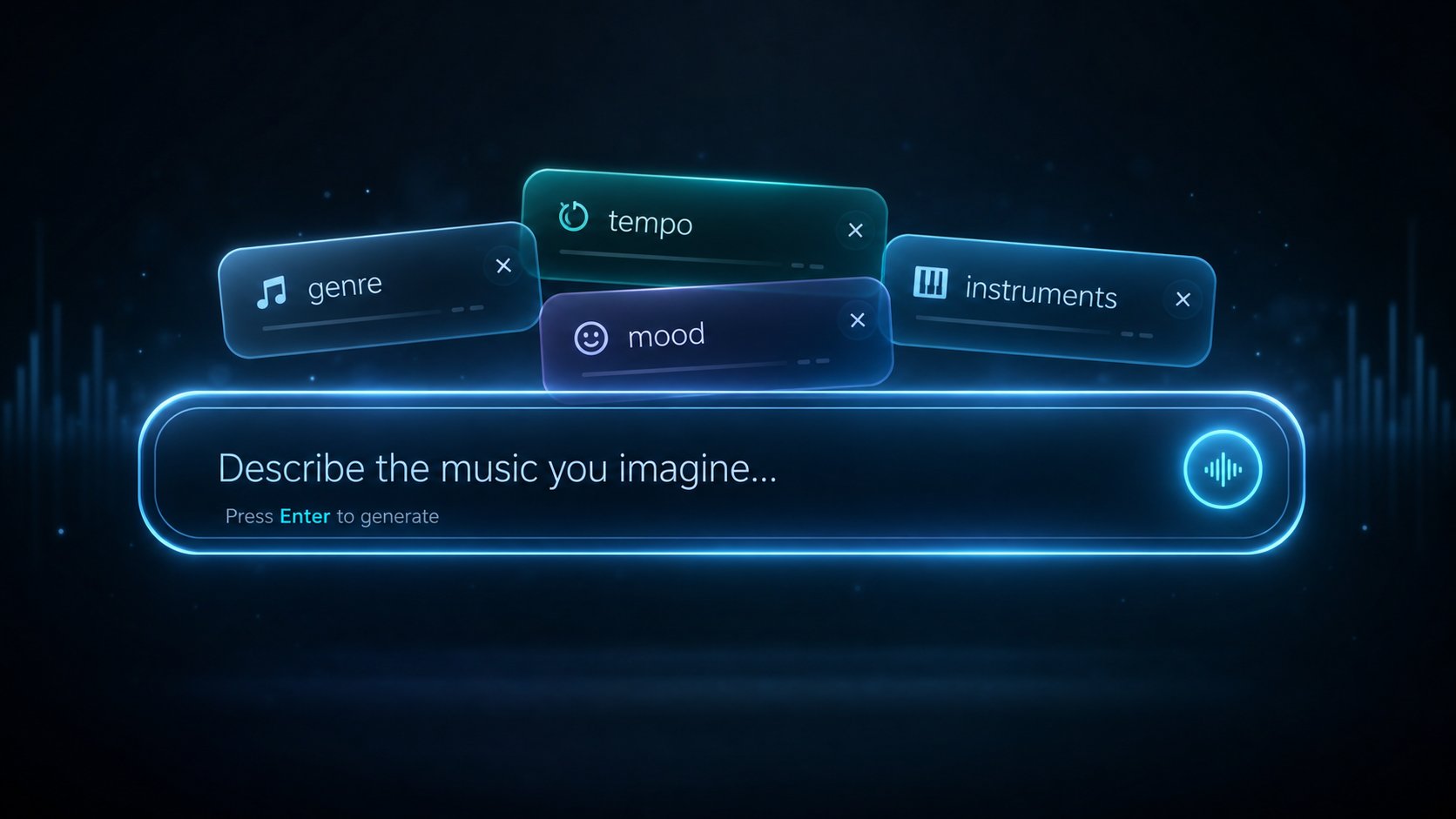
A strong prompt gives the AI a clear compositional blueprint. Based on testing across multiple platforms, prompts that include five to seven specific elements consistently outperform those that name only a genre or mood. Here's how to build one from scratch:
- Genre and sub-genre — "EDM" spans everything from 80 BPM ambient to 180 BPM hardstyle. Narrow it down. "Melodic dubstep" or "boom bap hip-hop" gives the model a specific sonic neighborhood to work within.
- Mood and emotional context — "Sad" is vague. "Melancholic, like watching someone leave from a train platform" gives the AI a reference frame that shapes chord progressions, phrasing, and arrangement choices.
- Tempo (BPM range) — This single variable changes output quality more than any other. "Around 90 BPM" is far more useful than "slow," because "slow" means different things in different genres. A 70 BPM ballad and a 70 BPM lo-fi beat share a number but not a feel — so pair BPM with genre.
- Instrumentation — Name two to three instruments specifically. "Soft piano and muted trumpet" creates a distinct sonic identity the model can aim for. One instrument gives too much freedom; four or more can overwhelm.
- Vocal style (if applicable) — Specify whether you want ethereal female vocals, aggressive rap delivery, falsetto harmonies, or no vocals at all. Leaving this blank often defaults to whatever the model's training data favors most.
- Song structure — Tell the AI how the track should move. "Sparse verse building to a full chorus with layered instruments" is a structural instruction that reduces randomness in arrangement.
- Era or cultural reference — "Influenced by late 90s trip-hop" or "early 2010s indie rock production" anchors the AI in a specific sonic era, affecting everything from reverb choices to drum patterns.
Think of these elements as constraints, not limitations. Each one you specify is a decision the AI doesn't have to guess at — and fewer guesses mean fewer generic outputs.
Prompt Templates by Genre and Mood
If you're wondering how to write a song for beginners using AI, templates are your fastest shortcut. Copy these, swap the details to fit your project, and iterate from there.
Melodic rap beat at 130 BPM with ambient synth pads, an emotional guitar loop, trap hi-hats, heavy 808s, and a reflective late-night mood — influenced by mid-2020s melodic rap production.
That's a complete prompt for hip-hop. Notice how every element from the anatomy above is represented. Compare it to "make a rap beat" — which gives the AI almost nothing to resolve. Here are templates for other common use cases:
Intimate cinematic track with solo piano, soft string pads, minimal percussion, and a melancholic searching emotional tone — like a scene of a character standing at a crossroads. Slow tempo, under 70 BPM.
Upbeat synth-pop at 120 BPM with a catchy four-chord progression, bright electric piano, punchy drum machine, and an optimistic summery 80s-influenced sound. Female vocal chops, no lead vocals.
For creators looking for top prompts for music videos, the key addition is dynamic arc. Music video tracks need variation that gives editors something to cut to — so specify how the energy moves. "Quiet verse building to an anthemic chorus with a stripped-down bridge at the two-minute mark" tells the AI exactly where the peaks and valleys should land.
When working with the top AI for lyrics for songs, you'll often write two prompts: one describing the musical style and another containing the actual lyrics. The style prompt still follows this same anatomy — genre, mood, tempo, instrumentation — while the lyrics handle the vocal content separately. If you're crafting lyrics and find yourself stuck on a rhyme scheme, searching what rhymes with voice or checking what rhymes with eleven can spark ideas that feed back into more specific, evocative prompts. Creative lyric phrasing often leads to more interesting musical outputs because the AI responds to the emotional texture of words.
Common Prompting Mistakes That Produce Generic Results
Knowing what to include is half the equation. Avoiding these pitfalls is the other half:
- Contradicting yourself — "Slow and high-energy" or "calm but intense" creates conflicting instructions. The model splits the difference, and the result sounds unfocused. Pick a dominant emotional direction.
- Skipping tempo entirely — Without a BPM anchor, the AI defaults to its most common training examples for that genre. You'll get something competent but predictable.
- Overloading with too many genres — "Jazz-rock-electronic-classical fusion" gives the model no clear statistical neighborhood to draw from. Stick to one primary genre with at most one modifier.
- Writing commands instead of descriptions — Prompts phrased as descriptions ("a track with driving bass and atmospheric pads") tend to outperform commands ("create me a track that has...") in most text-to-music engines.
- Expecting perfection on the first try — Treat initial outputs as direction indicators. If the tempo feels right but the instrumentation is off, adjust only the instrument line and regenerate. Changing everything at once makes it impossible to isolate what was working.
That last point is worth sitting with. The best AI-generated tracks almost never emerge from a single prompt. They come from a cycle of generation, evaluation, and refinement — a process that rewards patience as much as prompt-writing skill.
Step 4: Feed Lyrics and Style Ideas Into Your AI Tool
A well-crafted prompt sets the musical direction. But if you want the AI to sing your words — not its own — you need to go further. Feeding lyrics for a song directly into the generator gives you the most creative control over the final output. It's the difference between describing a painting you'd like to see and handing the artist a sketch to develop.
The challenge? Most AI tools don't read lyrics the way a human singer would. They need explicit structural cues, manageable line lengths, and clear emotional progression to produce something that sounds intentional rather than robotic. Whether you're using a suno ai song creator workflow or exploring other song writing applications, the formatting principles remain consistent across platforms.
Formatting Lyrics for AI Song Generators
The single biggest upgrade you can make to your AI music output is properly structuring your lyrics before you paste them in. Here's what the AI needs from you:
- Section labels — Tag every section explicitly: [Verse 1], [Chorus], [Bridge], [Outro]. Without these markers, the AI treats your text as one continuous stream with no dynamic variation. The labels tell it where to raise energy, where to repeat melodic hooks, and where to create contrast.
- Line length between 6 and 12 words — Lines longer than 12 words get crammed into musical phrases, producing rushed and unnatural delivery. Lines shorter than 6 words leave awkward melodic gaps. Aim for singable chunks that a human vocalist could deliver in one breath.
- Repeat your chorus in full each time it appears — Don't write "[Chorus]" and assume the AI will recall what it sang earlier. Paste the complete lyrics every time the chorus recurs. This ensures melodic consistency across repetitions.
- Rhyming patterns for natural flow — Rhymes at the end of alternating lines (ABAB) give the AI rhythmic anchors. You don't need to rhyme every line, but having those anchor points helps the model shape melody around your phrasing.
- Syllable awareness — A 15-syllable line followed by a 5-syllable line creates an uneven rhythmic feel. Keep syllable counts roughly consistent within sections so the AI can maintain a steady melodic contour.
What makes lyrics stand out in AI-generated songs isn't complexity — it's clarity. Simple, direct language with clean structure consistently outperforms dense metaphorical writing because the AI maps syllables to notes, not meaning to emotion. Save the literary nuance for the style descriptor field, where it actually influences the musical mood.
If you cant type lyrics on Suno or find the interface confusing on a given platform, most tools accept plain text with bracket tags pasted from any text editor. Write and format your lyrics externally first, then paste them in — this gives you more editing control than composing directly inside the generation tool.
Turning Style Ideas Into Complete Songs
Lyrics alone don't produce a finished track. The style descriptor is where you tell the AI how to sing and arrange your words — and combining both inputs effectively is where most creators either level up or get stuck.
Think of it as two layers working together. Your lyrics handle the what (the words, structure, and emotional arc). Your style descriptor handles the how (genre, vocal delivery, instrumentation, tempo, and production feel). When these two layers align, you get cohesive results. When they conflict — upbeat pop instrumentation under heartbreak lyrics, for example — the output sounds confused.
Here's a practical workflow for combining them:
- Write your lyrics with section tags — Get the structure locked before you touch the style field.
- Identify the dominant emotion — Is the song angry, wistful, triumphant, vulnerable? Let this guide your style choices.
- Build a style descriptor that reinforces the lyric's tone — If your verses are introspective and your chorus explodes emotionally, describe that arc: "soft acoustic verse building to a powerful full-band chorus with soaring vocals."
- Specify vocal character — "Breathy female vocal," "confident male rapper," or "raspy indie singer" shapes how the AI delivers your words more than almost any other descriptor.
MakeBestMusic's AI Music Generator handles this lyrics-plus-style workflow in a single interface. You paste your structured lyrics, select genre and mood preferences, and add style notes — all on one screen. The platform then generates a complete arrangement that wraps your words in the instrumentation and vocal style you described. For creators who want to turn song lyrics into a fully produced track without switching between separate lyric tools and generation tools, it streamlines the entire process into one step.
If you want instrumental output instead — background music beds for videos or podcasts — most platforms let you put Suno in instrumental mode or select a "no vocals" toggle. In that case, skip the lyrics entirely and lean heavily on detailed style descriptors to carry the creative direction.
The key insight across all these approaches: what AI makes the best song lyrics matters less than how you format and pair them with the right style guidance. A mediocre lyric with perfect formatting and a well-matched style descriptor will outperform brilliant stand out lyrics crammed into a tool with no structure tags and a one-word genre selection. The AI rewards specificity in both lanes — content and style — simultaneously.
Getting the initial generation right on the first try is rare, though. Even perfectly formatted lyrics paired with thoughtful style descriptors usually need refinement — which is where iteration becomes the real skill that separates casual experiments from tracks worth publishing.
Step 5: Iterate and Refine Until the Track Sounds Right
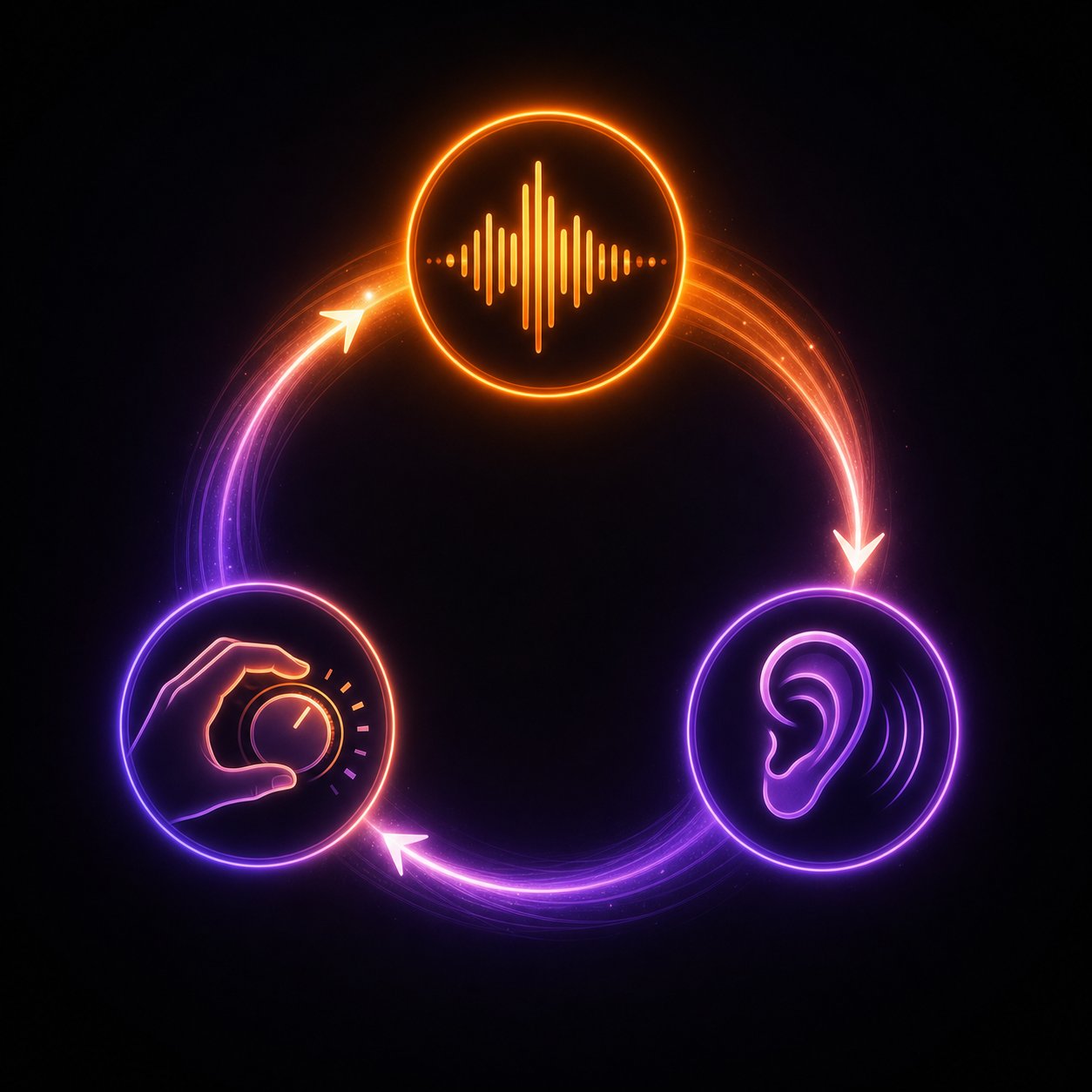
Here's what separates a forgettable AI track from one that actually sounds intentional: nobody publishes their first generation. Skilled creators treat every initial output as a rough draft — a direction indicator, not a finished product. The real craft happens in the loop between generating, listening critically, and adjusting until the result matches the vision in your head.
The Regenerate-Evaluate-Adjust Loop
Think of basic song production from a scratch track AI output like sculpting. The first generation gives you the raw block. Each iteration carves it closer to what you actually want. Here's the workflow that experienced creators follow:
- Generate your initial output — Run your prompt and lyrics through the tool. Don't listen with judgment yet — just let it play.
- Evaluate against your intent — Ask specific questions: Does the tempo feel right? Is the vocal delivery what you imagined? Does the energy peak where it should? Take notes on what's working and what isn't.
- Isolate the problem — Most generations get some elements right and others wrong. Identify which layer needs adjustment — melody, arrangement, vocal tone, or structure.
- Adjust one variable at a time — Change only the element that's off. If the instrumentation feels cluttered but the melody is great, refine your instrumentation descriptors while keeping everything else identical.
- Regenerate and compare — Run the updated prompt. Listen to both versions side by side. Sometimes the first was better in ways you didn't notice until you heard the alternative.
- Repeat until satisfied — Two to four iterations typically produce a track that feels polished. Beyond that, you're usually chasing diminishing returns.
Platforms like Suno Canvas make this process visual — you can see your generations laid out as a timeline, compare variations of specific sections, and stitch the best parts together. Other tools with conversational interfaces let you give natural-language feedback like "make the chorus more energetic" or "reduce the reverb on the vocals," refining without rewriting your entire prompt.
When to Tweak Parameters vs. Rewrite Your Prompt
Not every problem requires the same fix. Here's a quick rule of thumb:
- Tweak parameters when the vibe is right but the details are off — If you like the overall direction but need to change tempo of a MIDI sample, adjust the BPM, swap one instrument, or modify vocal delivery, a small parameter edit preserves what's working while fixing what isn't.
- Rewrite your prompt when the output misses your intent entirely — If the AI delivered upbeat pop when you wanted moody ambient, no amount of parameter tweaking will bridge that gap. Start fresh with fundamentally different descriptors.
A useful mental test: can you describe the problem in one adjustment? ("Too fast," "wrong vocal gender," "needs more bass.") If yes, tweak. If the problem is structural or tonal — the whole feel is wrong — rewrite. This saves you from the trap of making fifteen incremental edits to a generation that was never headed in the right direction.
Some creators wonder: can you do a tempo change in BandLab or similar DAWs after generation? Yes — and sometimes that's faster than regenerating entirely. If you have an AI track where the composition is perfect but the tempo feels slightly off, exporting to a DAW and adjusting there gives you precision that prompt-based regeneration can't always match.
Building Full Arrangements From Partial Generations
The most polished AI-produced songs rarely come from a single generation. They're assembled from the best parts of multiple outputs — a verse from generation three, a chorus from generation one, and a bridge you created on the fifth attempt.
Tools with extend and variation features make this process seamless. You can generate a strong 30-second section, then use AI extension to continue the track from that point while maintaining stylistic consistency. Platforms like Soundverse specialize in this — their Extend Music feature analyzes tempo, key, and arrangement style, then composes new sections that feel composed rather than stitched together.
For more complex workflows — say you're working with 50 stems, mix edits, and an AI-powered process across multiple tools — the approach shifts toward cherry-picking elements from several generations and combining them in a DAW. Generate five variations of your chorus, pick the one with the best melodic hook, then generate verses separately that match its energy. Some producer AI tools (a few still by invite only) even let you drag individual stems between generations, mixing and matching kick patterns from one output with synth lines from another.
The pattern is consistent regardless of which tools you use: generate multiple options, identify the strongest sections from each, and build your final arrangement from those best pieces. Patience during this phase is what transforms a decent AI output into something that sounds deliberately crafted — and once you've assembled your arrangement, the next phase is making it sound release-ready through mixing and post-production.
Step 6: Polish Your Track With Mixing and Post-Production
You've assembled your best sections, built a full arrangement, and the song structure feels right. But raw AI output — even good raw output — rarely sounds release-ready straight out of the generator. The difference between a track that sounds like a demo and one that holds up on Spotify or YouTube usually lives in the post-production phase: mixing, mastering, and the subtle polish that gives audio clarity, punch, and depth.
Some creators skip this step entirely and publish directly from the generator. Others spend more time mixing than generating. Where you land on that spectrum depends on your goals, your ears, and how much control you want over the final product.
Exporting and Organizing Your AI-Generated Audio
Before you touch any mixing tool, you need your audio in the right format. Most AI music generators export either a stereo mixdown (a single audio file with everything baked in) or individual stems (separate files for vocals, drums, bass, melody, and other layers). The export type shapes your entire post-production workflow:
- Stereo mixdown only — This is what you get from most generators by default. You can still master it, apply EQ and compression to the overall track, and adjust loudness. But you can't isolate the vocal or fix a muddy bass without affecting everything else.
- Stem exports — Platforms like Udio and some Suno workflows let you download separated stems. This gives you individual control over each element — you can lower the drums, brighten the vocals, or remove an instrument entirely. It's the key to professional-level post-production.
- AI stem separation as a workaround — If your generator only outputs a stereo mix, tools like Demucs, LALAL.ai, or the stem separation built into platforms like Mureka can split it into usable stems after the fact. Quality has improved dramatically, though it's never as clean as native stem exports.
Organize your files before opening any DAW or mixing tool. Name them clearly (song-title_vocals.wav, song-title_drums.wav), store them in a dedicated project folder, and note the BPM and key from your generation settings. This small step saves real frustration later — especially if you're combining outputs from multiple generations into one arrangement.
Mixing and Mastering With AI-Assisted Tools
Here's where things get interesting. The same AI revolution that generates your music also offers tools to mix and master it. You don't need years of audio engineering training to get professional-sounding results anymore — though understanding the basics still helps you make better decisions.
The core mixing tasks for AI-generated music follow the same priorities as any production:
- EQ adjustment — Cut muddy low-mids (around 200-400 Hz) that AI generations tend to accumulate. Brighten vocals with a gentle high-shelf boost. Clear space for each instrument in the frequency spectrum.
- Compression — Tame dynamic spikes in vocals and drums. AI-generated audio sometimes has inconsistent volume across sections, and light compression smooths those transitions.
- Reverb and spatial processing — Most generators apply some reverb, but it's often either too much or too uniform. Pulling it back on vocals while adding space to synths creates depth and dimension.
- Vocal tuning — AI vocals occasionally drift on pitch, especially in melismatic passages or at phrase endings. Subtle pitch correction cleans these up without removing character.
- Loudness and mastering — The final step: making your track loud enough and tonally balanced enough to sit alongside commercial releases on streaming platforms.
If you're searching for good music production software to handle these tasks, the options range from free to professional-grade. For the best free music recording and editing software experience, Audacity handles basic EQ and compression. GarageBand on Mac offers a surprisingly capable mixing environment. BandLab provides a free browser-based DAW with built-in mastering presets. For more serious production, the best software for music production remains the traditional DAW lineup — Ableton Live, Logic Pro, FL Studio, or Reaper — where you have full control over every parameter.
But dedicated AI mixing services have matured into a legitimate category of their own. Automix by RoEx accepts up to 32 individual stems and produces a balanced mix with EQ, compression, level balancing, and panning applied to each track — no engineering knowledge required. For mastering-only workflows, LANDR has been the established name since 2014, analyzing your stereo mixdown and applying loudness optimization, tonal balance, and stereo imaging. eMastered takes a similar approach but gives you adjustable sliders for compression, EQ, and width after the AI makes its initial pass.
If you're looking for vocal mixing AI free options, several paths exist. The free tier of RoEx's Mix Check Studio analyzes your mix and provides feedback on balance and clarity — useful even if you're mixing manually. BandLab's mastering tool is completely free for basic presets, and while it won't replace dedicated services for quality, it's a solid starting point for creators on a tight budget who need the best free music recording software workflow without spending anything.
For those researching the best audio mixer for vocals reviews, the key differentiator is whether a service handles multi-track mixing or only stereo mastering. Most AI services only do mastering — they take your finished mix and make it louder and more polished. Only a handful, like Automix and Cryo Mix, accept individual stems and perform the actual balancing work of mixing. That distinction matters enormously if your AI-generated vocals are buried under the instrumentation or your drums are too loud relative to everything else.
Chaining Multiple AI Tools for Better Results
The most polished AI music rarely comes from a single tool. Experienced creators build pipelines — chaining a generation tool with a mixing service and a mastering platform, each handling what it does best. A hybrid demo-to-master pipeline might look like this:
- Generate — Create your track in Suno, Udio, or MakeBestMusic. Export stems if available, or run the stereo mix through an AI stem separator.
- Edit and arrange — Import stems into a DAW. Trim sections, adjust timing, layer elements from different generations, and add any human-played elements. If you need to know how to speed up MIDI in Ableton or adjust timing on individual clips, this is where that happens — your DAW gives you frame-level precision that no generator can match.
- Mix — Run your edited stems through an AI mixing service like Automix, or mix manually in your DAW using AI-assisted plugins (iZotope Neutron for intelligent EQ and compression, for example).
- Master — Take the mixed stereo file and master it through LANDR, eMastered, or Masterchannel for final loudness and tonal optimization.
Some creators add even more specialized tools to the chain. An ai drum maker from sample can generate custom drum patterns from a single hit or loop you provide, giving your AI track a rhythmic foundation that feels less algorithmic. Vocal isolation tools clean up bleed between stems. AI-powered de-reverb plugins strip the baked-in reverb from generated vocals so you can apply your own spatial processing from scratch.
The beauty of this approach is flexibility. You're not locked into the aesthetic choices any single tool makes. Don't like the reverb your generator applied? Strip it and add your own. Think the drums are too generic? Replace them with an AI-generated pattern from a different tool. Each link in the chain is swappable.
Where does this pipeline end? For some creators — podcasters, content creators, hobbyists — a single-pass AI master on a stereo export is enough. For independent musicians targeting streaming platforms, the generation-plus-mastering combo hits the sweet spot between effort and quality. And for producers aiming at commercial release quality, the full chain from generation through stem editing, mixing, and mastering produces results that compete with traditionally produced tracks.
Regardless of how deep your post-production goes, one question remains before you hit publish: who actually owns the track you just made, and where can you legally distribute it?
Step 7: Navigate Copyright and Publish Your AI Music Legally
You've generated, iterated, mixed, and mastered a track you're proud of. The creative work is done. But before you upload it anywhere, you need to answer the question that trips up most AI music creators: who actually owns this, and can you legally sell it?
The honest answer is messier than most platforms want you to know. A commercial license from your AI tool is not the same thing as copyright ownership — and confusing the two is where creators run into serious trouble.
Who Owns AI-Generated Music and Can You Sell It
Imagine you generate a track using nothing but a text prompt. You typed 30 words. The AI did everything else — melody, harmony, arrangement, vocals, production. Who's the author?
Under current US law, you're likely not. The US Copyright Office's January 2025 report stated plainly that "prompts alone do not provide sufficient human control to make users of an AI system the authors of the output." That means a fully AI-generated track from a text prompt cannot be registered for copyright protection — regardless of what your platform's terms of service say.
A commercial license gives you permission to sell. Copyright gives you legal ownership enforceable against anyone. AI platforms can grant you the first — none of them can guarantee you the second.
That said, the ruling isn't a total dead end. AI-assisted works where a human contributes significant creative input — original lyrics, vocal performances, manual arrangement and editing — have a stronger case for partial copyright protection. The more human authorship you add, the stronger your legal position. The threshold just hasn't been tested in court for music specifically.
So are Suno artists going to have to pay consequences for selling AI output? Not necessarily. Platforms like Suno grant full commercial rights on paid plans — you can sell, stream, and license your output, and they take no royalty share. But their terms explicitly warn they cannot guarantee copyright will vest in the output. You bear the risk if a third party claims your track resembles their copyrighted work.
Here's how commercial rights break down across major platforms:
| Platform | Free Tier Rights | Paid Tier Rights | Copyright Warranty | Royalty Share |
|---|---|---|---|---|
| Suno | Non-commercial only | Full commercial use, ownership assigned to you | No — explicitly disclaimed | 0% (you keep all earnings) |
| Udio | Commercial with attribution required | Commercial, no attribution needed | No | 0% |
| AIVA | Non-commercial, AIVA credited as author | Full ownership on Pro plan ($49/mo) | Pro plan transfers copyright | 0% on Pro |
| Boomy | Limited commercial via Boomy distribution | Broader commercial rights | No | Revenue split applies |
| Google Lyria | Commercial via API ($0.04-$0.08/track) | Same — API pricing model | No explicit warranty | 0% |
The distinction between royalty free commercial music and traditional licensing matters here. With traditional licensing, you pay per use or per project and the original creator retains copyright. With AI-generated royalty-free output, you typically get a blanket commercial license — use it wherever, however many times — but without the underlying copyright protection that traditional ownership provides. You can sell royalty free intro music for podcasts, royalty free podcast intro music bundles, or even royalty free jazz music packs from your AI output, but you can't stop someone else from generating something nearly identical and selling it too.
Platform Policies for Publishing AI Music
Getting commercial rights from your AI tool is step one. Getting that music onto streaming platforms is step two — and distributors have their own rules that add another layer of requirements.
If you want to download a song for YouTube, put tracks on Spotify, or distribute through Apple Music, you'll need a distributor that accepts AI-generated content. Not all of them do, and the policies are shifting constantly.
- DistroKid — Currently the most permissive major distributor. They allow AI-generated music with mandatory AI disclosure during upload. Automated detection scans all submissions, and undisclosed AI content gets removed. Repeat offenders face account suspension. But if you disclose properly, your tracks reach Spotify, Apple Music, Amazon, and 150+ other platforms like any other release.
- TuneCore — Stricter. They require assurance that the AI model's training data was fully licensed, won't distribute 100% AI-generated tracks, and mandate attribution disclosure specifying whether AI was used in composition, mixing, or mastering.
- BandLab distribution — Accepts AI-assisted music where meaningful human creative input is demonstrated. Their policy emphasizes that bulk AI-generated uploads without substantial human involvement will be rejected.
- SoundCloud — Allows uploads with AI disclosure. For creators wondering how do SoundCloud artists clear their samples when AI is involved, the same principles apply as traditional sampling — if the output contains recognizable elements from copyrighted works, you're liable regardless of whether a human or an AI created the derivative.
Spotify itself requires metadata identifying which AI model generated the track. They use deep scanning to detect synthetic vocals resembling living artists and flag content that may contain elements from copyrighted training data. YouTube updated its policies in 2025 to require AI content disclosure in both metadata and visual indicators, with stricter treatment for mass-produced AI content that lacks clear human input.
Disclosure protects you. Every major distribution platform now requires or rewards transparency about AI involvement. Hiding it risks account termination — being upfront costs nothing.
One risk no license fully covers: Content ID. AI models were trained on vast copyrighted catalogs, and their output can sometimes trigger automated matches against registered works — even unintentionally. Over 70% of creator-filed disputes on YouTube resolve in the creator's favor, but managing claims becomes an ongoing operational reality if you publish AI music at volume.
Ethical AI Music Creation and Training Data Transparency
The legal questions are complicated enough. The ethical ones cut deeper. Most major AI music models were trained on copyrighted recordings without explicit consent from the original artists — and the industry is actively litigating this.
The RIAA filed lawsuits against both Suno and Udio in June 2024 on behalf of Universal, Sony, and Warner for using copyrighted recordings as training data. UMG settled with Udio in October 2025, and Warner settled with Suno in November 2025 — both deals involve building new licensed AI platforms with current models being phased out. Sony's claims remain active against both companies.
What this means for you: the models generating your music today may have been trained on unlicensed material. The settlements aren't admissions of guilt, but they're not clean bills of health either. If a label later proves that a specific output is substantially derived from a copyrighted recording, the commercial license from your platform won't shield you from that third-party claim.
The ISM (Independent Society of Musicians) has outlined principles that ethical AI development should follow: consent from original creators, credit for contributions, fair remuneration, transparency about training datasets, and clear labeling of AI-generated output. These aren't law yet in most jurisdictions, but they represent the direction regulation is heading.
For creators who want to minimize ethical and legal exposure, a few practical steps make a real difference:
- Add meaningful human creative input — Write original lyrics. Perform vocals. Arrange and edit the output. The more human authorship you contribute, the stronger your position under both copyright guidance and platform policies.
- Disclose AI involvement honestly — Label your tracks. Include it in metadata. Platforms reward transparency and penalize concealment.
- Keep generation records — Save prompts, platform receipts, and export metadata. If a Content ID claim or copyright dispute arises, documentation is your best defense.
- Choose tools with cleaner data provenance when possible — Platforms built on licensed or original training data carry less downstream risk than those currently navigating RIAA settlements.
- Don't impersonate living artists — Using AI to replicate a recognizable voice without consent is prohibited across every major platform and is increasingly targeted by legislation around digital replicas.
The landscape is genuinely in flux. Policies change quarterly, new settlements reshape platform operations, and copyright offices worldwide are still debating where the authorship line falls. But the creators who build sustainable practices now — disclosure, human contribution, documentation — are the ones who won't scramble when the rules solidify. The technology moves fast. The law catches up. Position yourself on the right side of both.
