

What AI Music Actually Is and How It Differs From Traditional Composition
Imagine describing a song you hear in your head — the genre, the mood, the instruments — and having a machine produce it in seconds. That scenario is no longer hypothetical. AI-composed music is reshaping how tracks get made, who can make them, and what "composing" even means in a modern context.
Defining AI-Generated Music
So how does AI make music? At its core, AI-generated music refers to audio compositions created partially or fully by artificial intelligence models rather than composed entirely by human hands. These models — typically deep neural networks — are trained on massive datasets of recorded and composed music. Through that training, they learn the underlying patterns in melody, harmony, rhythm, and timbre that make music sound coherent and expressive.
AI-generated music is sound composed, arranged, or produced by artificial intelligence algorithms that have learned musical patterns from large audio datasets and generate new, original compositions based on user-defined inputs such as genre, mood, or instrumentation.
Rather than following a fixed set of programmed rules, modern AI music systems learn implicit musical relationships from data. They absorb how chord progressions resolve, how rhythms interact across genres, and how timbral choices shape emotion — then apply those learned patterns to create something new. The result can range from a simple background loop to a fully structured, radio-ready track with vocals, instrumentation, and dynamic arrangement.
AI-Assisted vs. Fully Autonomous Generation
Not all AI music works the same way. There is a meaningful distinction between AI-assisted composition and fully autonomous generation, and understanding it clarifies how are AI songs made in practice.
AI-assisted music keeps the human artist in control. You might use an AI tool to suggest chord progressions, generate drum patterns, master a mix, or isolate vocals from an old recording. The creative decisions — structure, emotion, intent — remain yours. Think of it as a co-pilot: the AI handles tedious or technically demanding tasks while you steer the direction. A well-known example is the AI-assisted Beatles track "Now and Then," where machine learning helped isolate and restore John Lennon's vocals from a decades-old demo.
Fully autonomous generation sits at the other end of the spectrum. Here, an end-to-end model produces a complete track — melody, arrangement, mixing, sometimes even lyrics and vocals — from a single text prompt or minimal input. The AI handles everything; the user's role is limited to describing what they want and selecting from the outputs.
Most real-world usage falls somewhere between these poles. A study cited by Berklee, conducted by music distribution company Ditto, found that nearly 60 percent of surveyed artists report using AI in their music projects. That figure reflects the breadth of the intersection between music and artificial intelligence — from quick mastering tools to full song generators — and signals that AI involvement in music creation is already mainstream rather than experimental.
The distinction matters because it shapes questions about creativity, ownership, and originality. When a human guides every creative choice and AI executes narrow tasks, the output is clearly the artist's work. When an AI autonomously generates a full composition from a short prompt, the lines blur — and so do the legal and ethical frameworks surrounding it.
This spectrum of involvement is exactly what makes the underlying technology so interesting. The same neural network architectures power both a subtle mixing assistant and a fully autonomous composer. What differs is the scope of the task and the degree of human oversight — a distinction rooted in decades of technological evolution.
From Algorithmic Composition to Deep Learning
The idea of letting machines compose music did not appear overnight with ChatGPT or Spotify playlists. It stretches back over half a century — and understanding that lineage reveals why today's AI systems sound so remarkably convincing while earlier attempts often sounded mechanical or random.
Rule-Based Systems and Early Experiments
Long before neural networks, composers experimented with formal rules to automate parts of the creative process. Mozart rolled dice to assemble musical fragments in his Musikalisches Wurfelspiel. The twelve-tone method and serialism in the mid-20th century subjected pitch, rhythm, and dynamics to rigid mathematical series. These approaches were "algorithmic" in the truest sense: predetermined instructions producing music with minimal human intervention during execution.
The real breakthrough came in 1955-56 when Lejaren Hiller and Leonard Isaacson at the University of Illinois used the Illiac high-speed digital computer to compose the Illiac Suite (1957). Their method followed a generator/modifier/selector paradigm — the computer generated raw musical materials, modified them through various functions, and selected the best results according to programmed rules. The score was then transcribed into traditional notation for a string quartet to perform.
Around the same time, Iannis Xenakis applied probability theory and stochastic processes to composition, using the computer's high-speed calculations to produce data for works like Atrées (1962). Where Hiller attempted to simulate the entire compositional process, Xenakis used the machine as a calculation aid — a subtle but important distinction in how humans and machines shared creative responsibility.
These early systems shared a common trait: every musical decision traced back to an explicit rule a human had programmed. If the system produced a chord progression, it was because a rule said "this chord can follow that one." The computer executed logic — it never learned what actually sounded good.
The Neural Network Revolution in Music
The shift from rule-based to learning-based systems changed everything about machine learning and music. Instead of telling a computer how to compose, researchers began showing it what good music sounds like and letting it figure out the patterns on its own.
Here is the chronological progression of AI music technology generations:
- Markov chains and probabilistic models (1960s-1980s) — These statistical tools modeled note-to-note transitions based on learned probability distributions. A Markov chain could analyze Bach chorales and predict which note was most likely to follow a given sequence. The limitation: these models had short memory spans and could not capture long-range musical structure like verse-chorus relationships or thematic development.
- Recurrent Neural Networks and LSTMs (1990s-2010s) — RNNs introduced the ability to process sequential data while maintaining a "memory" of previous notes. Long Short-Term Memory (LSTM) networks solved the vanishing gradient problem, allowing models to retain musical context across longer passages. They could handle chord progressions and phrase modeling more naturally, though they still struggled with pieces lasting more than a few bars before becoming repetitive.
- Transformer models (2017-present) — The self-attention mechanism in Transformers allowed models to relate any note to any other note in a sequence, regardless of distance. Google's Music Transformer demonstrated superior phrasing and structural consistency compared to recurrent models. Rather than processing music note by note in order, Transformers evaluate the entire context simultaneously — enabling coherent compositions that maintain thematic material across minutes rather than seconds.
- Diffusion models (2022-present) — Originally developed for image generation, diffusion models learn to reverse a gradual noising process. Applied to audio, they start with pure noise and iteratively refine it into coherent sound. This approach excels at generating high-fidelity audio waveforms directly, producing results that sound polished and production-ready rather than synthetic.
Each architectural leap addressed specific weaknesses in ai music prediction. Markov chains forgot context too quickly. RNNs remembered more but processed sequentially, creating bottlenecks. Transformers solved the long-range dependency problem. Diffusion models tackled audio quality at the waveform level.
Why Modern AI Music Sounds Different
The gap between a 1957 Illiac Suite performance and a modern AI-generated pop track is not just a matter of computing power — it reflects a fundamental change in methodology. Early systems followed rules about music. Modern systems learn patterns from music.
Consider what this means in practice. A rule-based system composing a jazz piece would need thousands of hand-coded instructions about swing rhythms, blue notes, chord substitutions, and walking bass patterns. A deep learning model simply absorbs thousands of jazz recordings and implicitly learns all of those relationships — plus subtle ones no human programmer would think to encode, like how a saxophonist's phrasing shifts between the first and last chorus of a solo.
Research published in Scientific Reports confirms this empirically: in listening tests, Transformer-based compositions achieved the highest human perception scores for melodic coherence, harmonic richness, and expressiveness among AI architectures, while earlier sequential models produced noticeably more repetitive phrasing.
The result is that modern AI does not just follow music theory — it develops something resembling musical intuition, learned statistically from millions of examples. That learned understanding of how music works at a deep structural level is exactly what feeds into how these systems process and represent audio data internally — a process that is far more complex than simply "listening" to songs.
How AI Models Learn to Understand Music
A neural network cannot press play on a song and tap its foot along. It has no ears, no sense of groove, no emotional response to a key change. So how does ai music generation work at the data level? The answer lies in how raw audio gets transformed into mathematical representations that a model can actually process, learn from, and eventually use to generate new compositions.
This training data pipeline — the journey from a WAV file sitting on a hard drive to a model that understands chord progressions and rhythmic feel — is where the real magic happens. It determines what an AI music model can create, how realistic it sounds, and what stylistic range it can cover.
Audio Preprocessing and Spectrograms
Raw audio is just a stream of numbers — amplitude values sampled tens of thousands of times per second. A single minute of CD-quality audio contains over 2.6 million sample values. Feeding that directly into a neural network would be like asking someone to understand a novel by reading it one letter at a time. The information is all there, but it is in the wrong format for pattern recognition.
Instead, music AI models convert raw waveforms into more compact, information-rich representations during preprocessing. The most common approach is the spectrogram: a visual map of frequency content over time. Imagine slicing an audio signal into tiny overlapping windows (typically 20-50 milliseconds each) and running a Fourier transform on each slice to reveal which frequencies are active and how loud they are. Stack those slices side by side, and you get a 2D image where the horizontal axis is time, the vertical axis is frequency, and the brightness or color indicates energy at each point.
Mel-spectrograms take this a step further by warping the frequency axis to match human hearing. Our ears are more sensitive to differences between low frequencies (the gap between 200 Hz and 400 Hz sounds huge) than high ones (the gap between 8,000 Hz and 8,200 Hz is barely noticeable). The mel scale compresses the frequency axis to reflect this perceptual reality, making the representation more efficient for learning musical features that matter to listeners. Systems like Riffusion and many diffusion-based generators operate directly on mel-spectrograms, essentially treating music generation as an image generation problem.
But spectrograms are not the only path. Neural audio codecs like Meta's EnCodec and Google's SoundStream take a learned compression approach — they train a separate neural network to squeeze audio into extremely compact sequences of discrete tokens (think of them as a vocabulary of tiny sound fragments) while preserving perceptual quality. MusicGen and MusicLM rely on these codec tokens rather than spectrograms, which lets them treat music generation more like language generation: predicting the next token in a sequence.
Here is how these key representations compare:
| Representation | What It Captures | Strengths | Typical Use Cases |
|---|---|---|---|
| Spectrogram / Mel-spectrogram | Frequency content over time, shaped by human auditory perception | Intuitive visual format; compatible with image-based architectures; retains timbral detail | Diffusion models (Stable Audio, Riffusion); music recognition AI systems; audio classification |
| MIDI / Symbolic tokens | Note events — pitch, duration, velocity, timing — without audio waveform data | Extremely compact; easy to edit after generation; instrument-agnostic (can be rendered by any synth) | Composition tools (MuseNet, Music Transformer); arrangement and scoring; interactive co-creation |
| Neural codec tokens (EnCodec, SoundStream) | Learned discrete codes representing perceptually compressed audio | Very low bitrate; enables sequence-based modeling like language; preserves perceptual quality | Transformer-based generators (MusicGen, AudioGen); full-song autoregressive models |
| Latent space embeddings (VAE / learned) | Continuous vector representations of high-level musical features | Captures abstract qualities (mood, style) in compact form; enables smooth interpolation between styles | Latent diffusion models (Stable Audio); style transfer; music recommendation |
Each representation involves trade-offs. Spectrograms discard phase information, which must be reconstructed later. MIDI captures notes perfectly but says nothing about the actual sound texture of an instrument. Neural codecs preserve audio fidelity in remarkably few bits but introduce quantization patterns that differ from naturally recorded audio. The choice of representation shapes what a model can learn and what artifacts appear in its output.
Latent Space and How AI Navigates Music
You will often hear AI researchers talk about "latent space," and it sounds abstract — but the concept is surprisingly intuitive once you picture it.
Imagine a massive room where every possible piece of music occupies a specific point. Jazz piano ballads cluster in one corner. Heavy metal occupies another. Lo-fi hip-hop sits somewhere in between. Tracks that share similar instrumentation, mood, and harmonic language are physically close to each other in this room, while wildly different genres are far apart.
That is latent space: a compressed mathematical representation of music where proximity equals similarity. A variational autoencoder (VAE) or similar architecture learns to map full audio tracks down to coordinates in this high-dimensional space — condensing thousands of audio features into a compact vector that captures the essence of what a piece sounds like. Stable Audio, for example, uses a latent diffusion approach that operates on these compressed embeddings rather than raw audio, making generation far more computationally efficient.
Why does this matter for how AI creates music? Because latent space gives the model a map to navigate between styles. Want something that blends jazz harmony with electronic production? The model can target a point between those two regions. Want to shift a melancholic piano piece toward something more uplifting? That is a direction in latent space — a mathematical path the model can follow. This is the mechanism behind music recognition AI and style understanding: the model does not store genre labels like a filing cabinet. It understands musical similarity as geometric distance.
Learning Music Theory Without Being Taught
Here is what surprises most people about music AI models: nobody programs in the rules of music theory. No one codes "a V chord tends to resolve to a I chord" or "a blues scale uses a flatted third and seventh." The models discover these patterns themselves by processing enormous volumes of music.
State-of-the-art models train on datasets ranging from tens of thousands to hundreds of thousands of hours of audio. MusicLM was trained on 280,000 hours of music; MusicGen on 20,000 hours of licensed tracks; Stable Audio on 800,000 tracks. When a model processes that volume of material, the statistical regularities of music theory emerge naturally. Chord resolution patterns, rhythmic conventions across genres, common melodic intervals, the relationship between tempo and energy — all of these become encoded implicitly in the model's weights.
This works because music theory is ultimately a description of patterns that humans find pleasing or coherent. Those same patterns appear, over and over, across the training data. A model trained on thousands of pop songs will "learn" that a IV-V-I progression feels like resolution — not because it knows what resolution is, but because that sequence appears reliably at points in songs where energy resolves. It is pattern recognition at scale, and it is why modern AI-composed music can sound harmonically and rhythmically convincing without a single theory rule being hard-coded.
Different musical elements often get handled by separate components within the same system. The SongPrep framework, for example, uses Demucs for source separation (splitting a track into vocals, drums, bass, and other instruments), a dedicated model for song structure analysis (identifying verses, choruses, and bridges), and an ASR system for lyric transcription — each specialized module contributing different layers of musical understanding. In generation, a similar modular approach often applies: one component might handle melodic contour, another manages harmonic accompaniment, another controls rhythmic groove, and a vocoder or synthesis engine handles the final timbral rendering. These components combine their outputs — sometimes hierarchically, sometimes in parallel — to produce a complete, multi-layered composition.
The scale of training data also determines stylistic range. A model trained primarily on Western pop will struggle with Carnatic music or Afrobeat polyrhythms because those patterns are underrepresented in its learned distributions. This is why training data diversity matters: it defines the boundaries of what the model considers "music" and what combinations it can generate convincingly.
All of this — the preprocessing, the representations, the latent navigation, the implicit theory — converges into a system that can take a user's intent and translate it into sound. But translating intent into music requires more than understanding patterns. It requires a generation mechanism: a way to turn a prompt, a hummed melody, or a set of parameters into a specific sequence of audio. That is where different generation approaches diverge sharply in method and output.
How Do AI Music Generators Work?
Understanding how a model learns music is one thing. Seeing how it actually generates a track is another. The previous section covered the internal representations — spectrograms, codec tokens, latent embeddings — that give AI models a way to "think" about sound. But once that foundation exists, there are several fundamentally different ways to turn a user's creative intent into audio. Each approach accepts different inputs, produces different outputs, and suits different creative situations.
If you have ever wondered how does ai music work in practice, the answer depends entirely on which generation method is being used. A text prompt, a hummed melody, a MIDI file, and a reference recording all trigger different computational pipelines under the hood — even when they end up producing similar-sounding results.
Text-to-Music and Prompt-Based Generation
Text-to-music is the approach most people encounter first. You describe what you want in natural language — "upbeat jazz piano with brushed drums, 120 BPM" or "melancholic cello solo in a cathedral" — and the model produces audio matching that description. Systems like MusicGen, MusicLM, and Stable Audio operate primarily in this mode.
The appeal is obvious: you need zero musical training. No knowledge of chord voicings, no ability to read sheet music, no instrument skills. You write words, and you get sound. The model translates your text into a conditioning vector (a mathematical representation of your intent) and then generates audio that satisfies those constraints by sampling from learned probability distributions.
The specificity of your prompt directly shapes the output. A vague request like "happy music" produces generic results because the conditioning vector does not sufficiently narrow down the generation space. A detailed prompt — specifying instruments, tempo, key, production style, and emotional arc — gives the model much tighter constraints to work within. The output format is typically a finished audio file (WAV or MP3) ready to play, though quality varies based on the model and the prompt precision.
Text-to-music works best for rapid prototyping, background music for content, and situations where the creator has a clear sonic vision but lacks the technical skills or time to produce it traditionally.
Stem-Based and MIDI Generation Methods
Not every creative situation calls for a complete finished track. Sometimes you need individual components — drums separate from bass, vocals separate from piano — so you can mix, edit, or replace elements independently. Stem-based generation creates individual instrument tracks that can be combined, rearranged, or layered with your own recordings.
This approach gives producers significantly more control. You might generate an AI drum pattern, then write your own bass line over it. Or generate three different guitar stem options and pick the one that fits your track best. The output is a set of isolated audio files rather than a single mixed-down track, making it compatible with standard DAW workflows. Tools like Soundful generate studio-quality loops with downloadable stems for drums, bass, and other elements.
MIDI-based generation takes a different path entirely. Instead of producing audio waveforms, these models output symbolic note data — pitch, duration, velocity, and timing information — that must be rendered through a synthesizer or virtual instrument to become audible sound. Think of it as the AI writing sheet music rather than performing it.
The advantage? Complete editability after generation. You can change the instrument sound, adjust individual notes, transpose to a different key, or alter the tempo — all without regenerating anything. Music notation AI tools like AIVA export MIDI files that you can open in any DAW and modify note by note. MuseNet and Music Transformer pioneered this symbolic approach, treating composition as a sequence prediction problem over note tokens rather than audio tokens.
The trade-off is clear: MIDI output captures compositional decisions perfectly but says nothing about how the final piece should sound sonically. A generated MIDI chord progression could be rendered as a lush string ensemble, a distorted electric guitar, or an 8-bit chiptune — that timbral decision remains entirely yours.
Style Transfer and Continuation Approaches
Sometimes the creative starting point is not a text description or a blank canvas — it is an existing piece of music you want to transform or extend. Style transfer and continuation methods address these scenarios.
Style transfer takes one recording's stylistic characteristics — its instrumentation, production aesthetic, rhythmic feel, or tonal palette — and applies them to a different piece's musical structure. Imagine feeding the model an acoustic folk melody and asking it to reimagine that melody as an orchestral arrangement or a synth-heavy electronic track. The harmonic content and melodic contour stay recognizable, but the sonic identity shifts completely. Riffusion and certain configurations of Stable Audio support this audio-to-audio generation mode.
Continuation extends a musical idea you have already started. You provide a few bars — a melody, a chord progression, a drum groove — and the model predicts what should come next based on the patterns it learned during training. This is useful for breaking through writer's block or exploring directions you might not have considered. You supply the creative seed; the AI offers possible branches forward.
Harmonization adds accompaniment to a bare melody. You hum or play a single-note line, and the model generates supporting chords, bass movement, counter-melodies, or rhythmic backing that complement your melodic idea. This is one of the oldest applications of computational music — expert systems for harmonizing Bach chorales date back to 1990 — but modern deep learning handles it with far greater stylistic range and nuance.
Here is how all six approaches compare side by side:
| Approach | Input Required | Output Format | Best Use Case |
|---|---|---|---|
| Text-to-Music | Natural language description (genre, mood, tempo, instruments) | Complete audio file (WAV/MP3) | Rapid prototyping; background music; creators without music training |
| Stem-Based Generation | Text prompt or style parameters, sometimes per-instrument | Separate audio tracks (drums, bass, melody, etc.) | Producers who need mixing control; layering AI with live recordings |
| MIDI / Symbolic Generation | Genre or style parameters; sometimes a seed melody | MIDI file or note sequence (requires rendering) | Composers who want full editing control; scoring; music notation AI workflows |
| Style Transfer | Reference audio clip plus target style description | New audio file preserving source structure in a new style | Reimagining arrangements; genre-bending experiments; remix concepts |
| Continuation | Partial musical input (a few bars of melody, chords, or rhythm) | Extended audio or MIDI building on the input | Breaking writer's block; exploring variations on an idea |
| Harmonization | Bare melody (hummed, played, or as MIDI) | Accompanimental layer(s) matching the melody | Songwriters with a melody but no arrangement; educational tools |
These approaches are not mutually exclusive. A single platform might offer text-to-music for initial generation, continuation for extending the best sections, and stem export for mixing flexibility. How do ai music generators work in a given tool often depends on which combination of these methods the developers chose to implement and how they chain them together.
Is AI Really "Creating" Music?
This question comes up constantly, and it deserves a clear answer grounded in what actually happens computationally.
When an AI generates music, it samples from learned probability distributions over audio representations. At each step — whether predicting the next codec token, denoising a spectrogram, or selecting the next MIDI note — the model calculates the likelihood of every possible continuation given what came before, then picks one (with some controlled randomness). The process is stochastic pattern completion operating on statistical relationships extracted from training data.
A human musician does something categorically different. When you compose, you draw on lived emotional experience, cultural context, physical interaction with an instrument, intentional storytelling, and aesthetic judgment shaped by personal taste. You might break a rule on purpose for dramatic effect. You have a reason for every note — even if that reason is purely intuitive.
The AI has no reasons. It has probabilities. It does not feel tension when a chord suspends before resolving, nor satisfaction when a melody lands on the tonic. It cannot intend to surprise a listener. What it can do — remarkably well — is generate audio that sounds intentional because the statistical patterns of intentional human music are encoded in its training data.
Whether that constitutes "creating" depends on your definition. Mathematically, the output is novel — it is not a copy of any training example. Musically, it follows coherent patterns that an audience can enjoy. Philosophically, it lacks intent, emotion, and meaning. The most useful framing may be pragmatic: these systems produce raw musical material that becomes meaningful when a human selects, refines, and deploys it with purpose.
That selection and refinement process — the gap between a raw AI output and a finished, release-ready track — is where human judgment re-enters the picture. And for the most popular generation approach, text-to-music, the quality of that initial output hinges on a surprisingly complex pipeline triggered by a few words typed into a prompt box.
How a Text Prompt Becomes a Finished Song
You type "cinematic orchestral piece with swelling strings and a heroic brass melody at 90 BPM" into a text box. Thirty seconds later, you are listening to a fully arranged artificial intelligence soundtrack that did not exist before you hit enter. What happened between your words and that sound?
The pipeline that converts a sentence into audio is more intricate than it appears — and understanding how does AI create music at this level reveals why prompt quality matters so much to the final result.
How Text Prompts Get Encoded Into Music
Every text-to-music system follows a similar multi-stage architecture, even when the specific models differ. Here is the sequence that unfolds under the hood:
- Text encoding — Your prompt passes through a pre-trained language model (commonly T5 or CLAP) that converts the words into a dense mathematical vector called a semantic embedding. This vector captures not just individual words but their relationships: "melancholic" near "minor key," "upbeat" near "major key and higher tempo." Recent research from Samsung demonstrates that this encoding step benefits from both a global embedding (capturing overall mood and genre) and local embeddings (capturing specific details about instrumentation or rhythm), injected at different layers of the generation model.
- Conditioned generation — The embedding feeds into the generation model as a conditioning signal. In diffusion-based systems like Stable Audio, the model starts with random noise in latent space and iteratively denoises it — guided at every step by your prompt embedding — until a coherent mel-spectrogram or latent audio representation emerges. In autoregressive systems like MusicGen, the model predicts audio codec tokens one after another, with each prediction influenced by the conditioning vector. Either way, the text embedding acts like a compass, steering generation toward the sonic territory you described.
- Audio reconstruction — The raw model output is not yet a playable file. Diffusion models typically produce mel-spectrograms that need a vocoder (like HiFi-GAN) to reconstruct the phase information and produce a waveform. Autoregressive models produce codec tokens that a decoder network expands back into full-resolution audio. This post-processing step is what gives the final output its clarity and fidelity.
The entire process — from prompt to playable audio — typically completes in seconds to a couple of minutes, depending on track length and server capacity. What takes a human producer hours of arrangement, sound selection, and mixing happens through a single forward pass through interconnected neural networks.
Beyond Text — Humming, Lyrics, and Reference Tracks
Text prompts are the most common entry point, but they are not the only way to tell an AI what you want. Different input modalities tap into different parts of the pipeline, and knowing which one to use can dramatically improve your results.
Humming or singing a melody bypasses the text encoder entirely. Instead, your audio input gets processed through a pitch detection model that extracts a note sequence — essentially creating a melodic contour that conditions the generation model directly. The system treats your hum as a structural scaffold and builds instrumentation, harmony, and rhythm around it. This is ideal when you have a tune in your head but cannot describe it in words.
Uploading a reference track triggers an audio analysis pipeline. The model extracts features from the reference — tempo, key, energy profile, spectral characteristics — and uses those as conditioning parameters rather than (or alongside) text embeddings. When you want to add a background to a music performance on AI or match the vibe of an existing track without copying it, reference-based conditioning is the most precise tool available.
Providing lyrics engages a text-to-vocal pathway where a separate model handles lyric-to-phoneme conversion, vocal melody generation, and singing synthesis. The instrumental and vocal components may be generated by different model branches and combined during the mixing stage. This is how a song is made end-to-end from nothing but written words — lyrics become vocals, a prompt becomes instrumentation, and the two merge into a complete track.
Adjusting parameter sliders — tempo, energy, complexity, duration — modifies the conditioning vector directly. Each slider shifts a specific dimension of the embedding, giving you fine-grained control without requiring you to articulate every nuance in prose.
Trying the Pipeline Yourself
All of the technical concepts above — prompt encoding, conditioned diffusion, multi-modal input — can feel abstract until you actually use them. The fastest way to understand how these systems work is to generate a track yourself and listen to how your inputs shape the output.
MakeBestMusic's AI Music Generator puts this entire pipeline into a single interface. You can type a text prompt describing genre and mood, paste in lyrics for vocal generation, or specify style parameters — and the system handles the encoding, generation, and audio reconstruction behind the scenes. It is a practical example of how the technical architecture translates into a usable creative tool: you provide intent, the pipeline produces sound.
For anyone building an ai artificial intelligence soundtrack for a video project, prototyping song ideas, or simply curious about what these models can do, experimenting with a live system teaches more than any diagram. Try varying your prompts — swap genres, change the instrumentation, adjust the mood — and notice how each modification steers the output in a different direction. That steering is the conditioning mechanism at work, translating your creative vision into mathematical constraints that the generation model satisfies.
The output you get from that first generation, though, is rarely the final product. Raw AI audio is a starting point — a first draft that captures the broad strokes of your intent but almost always benefits from refinement, iteration, and human judgment to reach its full potential.
Refining and Polishing AI-Generated Music
That first generation you just heard? It is a draft — not a finished record. The gap between raw AI output and a release-ready track is where human taste, production skill, and iterative decision-making turn promising material into something genuinely worth sharing. Understanding this post-generation workflow is critical to grasping how AI in music production actually works beyond the initial novelty of clicking "generate."
Why AI Output Is a Starting Point
Even the most advanced generation models produce audio that benefits from refinement. A raw output might nail the chord progression and overall vibe but stumble on dynamics — the verse feels as loud as the chorus, or the bridge resolves awkwardly. Vocals might sound polished yet emotionally flat. A drum fill could loop in a way that feels robotic after the third repetition. These are not failures of the technology; they reflect the probabilistic nature of the process. The model sampled a statistically plausible composition, but "plausible" and "finished" are different standards.
The mental shift required is significant. Early adopters often approached AI music tools like slot machines — generate, reject, regenerate, hope for a winner. The more productive mindset treats generation as the start of a deliberate production path rather than the end of it. A track that is structurally right but sonically incomplete is now worth editing rather than discarding outright. This shift — from "perfect on first pass" to "good enough to fix" — is what separates casual experimenters from creators who consistently ship quality work.
Think of it this way: a photographer does not hand over the RAW file from their camera and call it done. They adjust exposure, color grade, crop, and retouch. AI-produced music follows the same logic. The generation model provides raw material with real potential; your job is to shape it.
Iterating Through Prompts and Parameters
The simplest refinement technique is regeneration with adjusted prompts. If the first output nails the verse energy but the chorus falls flat, you rewrite your prompt to emphasize dynamics during the chorus. If the instrumentation feels cluttered, you simplify the prompt or add negative instructions ("no acoustic guitar," "minimal percussion"). Each iteration narrows the gap between what you imagined and what the model delivers.
Multiple generation passes with tweaked parameters typically produce better results than a single attempt, because each pass gives you new information about how the model interprets your instructions. You learn which descriptors reliably trigger specific results and which ones the model handles unpredictably.
Here are the common post-generation refinement steps in the order most creators follow them:
- Evaluate structural coherence — Does the song have a logical arc? Do sections transition smoothly, or does the energy plateau?
- Check for repetitive loops — AI models sometimes fall into cyclical patterns, especially in longer generations. Listen for melodic or rhythmic phrases that repeat without variation.
- Regenerate weak sections — Many platforms let you replace individual sections (a verse, a bridge) while keeping the rest of the track intact, avoiding the need to regenerate the entire song.
- Adjust dynamics and energy — Ensure the volume, intensity, and arrangement density actually shift between sections. A flat dynamic profile makes any track feel monotonous.
- Separate stems — Extract individual instrument and vocal tracks so you can process, remove, or replace elements independently.
- Clean individual stems — Apply EQ to remove frequency buildup, reduce muddiness in the low end, or tame harsh high frequencies on isolated tracks.
- Balance the mix — Adjust relative levels, panning, and spatial placement of separated elements to create depth and clarity.
- Master the final output — Apply compression, limiting, and loudness normalization so the track sits at competitive volume without distortion.
Not every track needs every step. A quick background loop for a YouTube video might only require a coherence check and a basic loudness pass. A track intended for streaming release demands the full pipeline.
Integrating AI Into Professional Workflows
How this refinement happens depends heavily on who is doing it. The workflow splits sharply between professionals using dedicated production software and beginners working within all-in-one platforms.
Professional musicians and producers typically use AI as an upstream tool in their existing DAW workflow. They generate material, export stems, and import those stems into Cubase, Ableton, Logic, or FL Studio for detailed mixing and mastering. Inside the DAW, they have access to precision EQ, multiband compression, spatial effects, automation, and the ability to layer AI-generated elements with live recordings or samples. As one production guide puts it, AI-generated audio is an extraordinary idea generator, but not a professional mixing and mastering environment — the real results come from combining AI speed with traditional production craft.
This hybrid approach — ai assisted music production at its most effective — treats the AI as a collaborator handling composition and arrangement while the human handles sonic polish, emotional nuance, and quality control. Producers report using AI to rapidly prototype arrangements, test melodic ideas against different backing tracks, or generate scratch vocals for demos that will later be re-recorded by a singer.
Beginners and content creators tend to work within platform-native editors. Tools like Suno Studio now offer browser-based multitrack timelines with section replacement, volume controls, fade adjustments, and stem access — bridging the gap between a simple generator and a lightweight production environment. You can replace a weak chorus, adjust levels between instruments, and export a reasonably polished result without ever opening external software.
The trade-off is precision. Platform editors offer convenience and speed but lack the granular control of a full DAW. You cannot draw automation curves note by note, apply mid-side EQ to specific frequency bands, or run third-party plugins. For many use cases — social media content, podcast intros, game prototypes — that level of control is unnecessary. For commercial release, the DAW step remains essential.
Regardless of skill level, the principle behind artificial intelligence for music production stays the same: generate, evaluate, refine, and repeat. The tools differ, the depth of processing differs, but the iterative loop is universal. AI producing at its best is not a single button press — it is a feedback cycle between human judgment and machine capability, converging on a result that neither could achieve alone.
This refinement workflow is exactly what separates a novelty demo from a track that creators actually release, share, and build audiences around. And those creators — from bedroom producers to established artists — are already integrating these iterative methods into real projects at a remarkable scale.
Musicians and Creators Already Using AI
The iterative workflow described above is not theoretical. Thousands of creators — spanning bedroom producers, YouTubers, indie bands, film composers, and chart-topping artists — are already running these loops daily. The question is no longer whether musicians adopt AI tools, but how deeply they integrate them and what they build with them.
How Content Creators Use AI Music
Content creators were among the earliest adopters, and for a straightforward reason: they need music constantly but rarely have the budget or time to commission custom tracks. A YouTuber publishing three videos a week, a podcaster needing unique intro themes, a game developer scoring dozens of levels — these creators face an insatiable demand for original, royalty-free audio.
AI music tools solve this at scale. Instead of browsing stock libraries and settling for something close enough, creators now generate tracks tailored to their exact specifications — matching the mood shift at a specific timestamp, the energy arc of a product demo, or the pacing of a travel vlog. The output is unique to their project, carries no licensing complications, and takes minutes rather than days.
Common use cases among content creators include:
- Background music for video content — Generating genre-specific tracks that match a video's emotional arc without competing with narration or dialogue.
- Podcast intros and outros — Creating short, branded audio signatures that sound professional without hiring a composer.
- Social media audio — Producing original sounds for Reels, TikToks, and Shorts where trending audio may carry copyright risk.
- Game and app soundtracks — Generating adaptive music that responds to in-game states, covering dozens of mood variations a single composer would take months to deliver.
- E-learning and presentation scoring — Adding subtle, non-distracting audio beds that maintain engagement during instructional content.
For these creators, the value proposition is not artistic ambition — it is practical efficiency. AI removes a bottleneck that previously forced them to choose between expensive custom work, generic stock libraries, or silence.
Professional Musicians Collaborating With AI
The adoption story gets more nuanced among professional musicians. Do artists use AI to write songs? Increasingly, yes — but rarely in the way headlines suggest. Most professionals treat AI as a creative accelerator rather than a replacement for their own artistry.
A study of over 1,200 artists conducted by LANDR found that 87% of respondents use AI somewhere in their workflow. That figure breaks down revealing patterns: 79% use AI for technical tasks like mixing, mastering, or audio restoration; 66% use it creatively for songwriting, melodies, instruments, or vocals; and 52% leverage it for visual and promotional work such as cover art and fan analytics.
The distinction between technical and creative usage matters. Using AI to master a track or clean up a noisy recording is functionally similar to using any other production plugin — it saves time on mechanical tasks. Using AI to generate melodic ideas, vocal harmonies, or instrumental parts crosses into creative territory where the human-machine collaboration gets interesting.
Among those using AI creatively, the preference skews toward generating parts of a song rather than complete tracks. The same LANDR study found that while 29% of respondents use AI to generate vocals, drums, or instrumentals, only 13% used a tool to produce an entire song. Producers enjoy the craft of music creation — they want AI to fill skill gaps ("I need a jazz drum pattern but I'm not a drummer") or spark ideas ("give me five chord progressions in this style"), not to make their creative decisions for them.
Famous musicians using AI tend to follow this collaborative pattern. They use generative tools for ideation — exploring harmonic directions, testing arrangement concepts, prototyping vocal melodies — then apply their own taste, experience, and emotional intent to shape the raw material into something personal. Film composers use AI to generate initial sketches against picture, iterating through moods and tempos before committing to a direction they will develop manually. Live performers incorporate generative elements that respond to audience energy in real time, creating unrepeatable moments that blend human performance with algorithmic surprise.
The adoption trajectory is accelerating. Among creators already using AI, 69% reported using more AI tools than the previous year, and 90% of that group planned to increase usage further. The momentum is self-reinforcing: as tools improve, results get better, which drives deeper integration, which creates demand for even more capable tools.
The Community Conversation Around AI Music
Adoption numbers tell one story. The conversations happening in creator communities tell a more textured one — marked by enthusiasm, skepticism, ethical debate, and practical problem-solving in equal measure.
Browse any ai music generator reddit thread and you will find a mix of creators sharing impressive generations, troubleshooting prompt techniques, comparing tools, and debating whether AI output qualifies as "real" music. The ai song generator reddit discussions tend to split along a predictable line: hobbyists and content creators celebrate the accessibility ("I made a full track for my short film in 20 minutes"), while trained musicians express concern about devaluation of craft and market saturation.
These are not idle worries. The ai generated music reddit communities regularly surface legitimate questions: What happens to session musicians when AI can generate passable drum tracks and bass lines? How do streaming platforms handle an influx of AI-generated uploads? Does flooding the market with effortless content dilute the value of carefully crafted human work?
The answers are still evolving, but a consensus is forming around a few key points. First, AI is expanding access to music creation — people who could never afford studio time or years of instrument practice can now express musical ideas. That democratization is broadly positive. Second, the tools work best as amplifiers of existing creativity rather than substitutes for it. A creator with strong taste and clear intent produces dramatically better results than someone mashing a generate button randomly. Third, the market will likely stratify: AI handles functional music (background tracks, stock audio, content scoring) while human artistry retains its premium for emotionally resonant, culturally significant work.
Even among the 40% of surveyed artists who expressed concerns, the worries centered on specific issues — low-quality output flooding platforms and the ethics of training on copyrighted material — rather than blanket rejection of the technology itself. The conversation is maturing beyond "AI good" versus "AI bad" toward more productive questions about implementation, fairness, and coexistence.
How many AI musicians are there? That depends on your definition. If you count everyone who has generated a track using an AI tool, the number is in the tens of millions. If you count creators who consistently release AI-assisted work, it is still growing rapidly. If you require fully autonomous generation with no human involvement, the number is small — because most creators quickly discover that the best results come from partnership, not delegation.
The practical reality is that AI is becoming an invisible layer in music production, much like auto-tune, drum machines, and sampling before it. Each of those technologies faced initial resistance, found its place in the creative ecosystem, and eventually became unremarkable. AI music tools are on that same trajectory — controversial today, standard tomorrow.
What remains genuinely unresolved, though, is the legal framework surrounding all of this activity. Creators are adopting these tools faster than regulators and courts can clarify the rules — leaving open questions about ownership, copyright, and commercial rights that every AI music user needs to understand.
Copyright and Ethics in AI Music Creation
Creators are generating tracks at a pace regulators never anticipated. The technology moves fast; the law does not. If you plan to release AI-generated music commercially, you need to understand where the legal ground is solid and where it is still shifting — because the rules around ownership, training data, and commercial rights remain genuinely unsettled across the ai music industry.
Copyright and Ownership of AI Music
Can you copyright AI music? The short answer: it depends on how much human creative involvement went into the final work. In the United States, the U.S. Copyright Office has made its position increasingly clear through multiple rulings and its multi-part report on Copyright and Artificial Intelligence. Part 2, released in January 2025, addresses copyrightability directly. The core principle is straightforward:
Copyright protection requires human authorship. Works generated autonomously by AI without meaningful human creative control are not eligible for copyright registration under current U.S. law.
Court decisions reinforce this. In Thaler v. Perlmutter, both the district court and the D.C. Circuit Court of Appeals affirmed the Copyright Office's refusal to register a work created entirely by an AI system, with no human creative input. The takeaway: if you type a single prompt and publish the raw output without further creative shaping, that output likely lacks copyright protection in the U.S.
The picture shifts when humans contribute meaningfully. If you select, arrange, edit, and creatively modify AI-generated material — choosing which sections to keep, rewriting melodies, adjusting arrangements — those human contributions can qualify for protection. The more creative control you exercise, the stronger your copyright claim.
In the UK, the situation is different. Current law protects works "generated by computer" with ownership assigned to the person who made the arrangements necessary for creation. However, the UK government proposed removing this protection in a 2024 consultation, arguing that purely machine-generated works cannot satisfy the originality standard rooted in human intellectual creativity. The outcome of that consultation will reshape how ai and the music industry coexist in the UK.
Training Data Ethics and Consent
Separate from output ownership is a harder question: was the AI trained on copyrighted music without permission? This is where the impact of ai on music industry economics becomes most contentious.
Major record labels — Universal Music Group, Sony Music, and Warner Records — have filed lawsuits against AI music generators Suno and Udio in the U.S., alleging mass copyright infringement through unauthorized use of recordings in training data. The labels seek up to $150,000 per work used. These cases remain unresolved, but their outcome will set precedent for the entire sector.
The ethical debate mirrors the legal one. Organizations like the Incorporated Society of Musicians (ISM) advocate seven principles for fair AI development: consent, credit, remuneration, choice, transparency, labelling, and digital replica protection. Their position is clear — creators should opt in to having their work used for training, not be forced to opt out after the fact. AI companies, meanwhile, argue that training on publicly available data falls under fair use or equivalent exceptions, and that restricting access would stifle innovation.
Transparency remains a central sticking point. Without legal requirements to disclose training datasets, musicians often cannot know whether their work was used — making enforcement effectively impossible.
Practical Considerations for Commercial Use
If you want to release AI-generated music commercially, consider these practical realities:
- Review your platform's terms — Most AI music tools grant you a license to use the output commercially, but the specific rights vary. Some retain certain usage rights; others transfer full ownership. Read the terms before releasing.
- Document your creative process — The more you can demonstrate human creative involvement (prompt iteration, editing, arrangement, mixing), the stronger your copyright position if challenged.
- Be transparent about AI involvement — While labelling is not legally required everywhere, several platforms and industry bodies are moving toward disclosure standards. Proactive transparency builds audience trust.
- Monitor jurisdictional differences — Copyright treatment of AI output varies by country. A work that qualifies for protection in one jurisdiction may not in another.
- Watch training data litigation — If a tool you use is found to have trained on infringing material, downstream implications for users remain legally untested. Using platforms that license their training data reduces this risk.
The broader ai impact on music industry structures is still unfolding. Courts are deciding cases, governments are drafting legislation, and industry norms are forming in real time. What is clear is that the legal landscape will look substantially different in two years than it does today — making it essential for creators to stay informed rather than assume current practices will remain unchallenged.
None of this should discourage you from experimenting. It should, however, inform how you approach releasing that work into the world. The legal questions are complex, but the practical steps for protecting yourself are straightforward — and they start with understanding exactly what tools you are using and what rights come with them.
Getting Started With Your First AI Track
Legal nuances aside, the best way to understand how AI music works is to make some yourself. The concepts covered throughout this article — latent space navigation, prompt conditioning, iterative refinement — become intuitive the moment you hear your own words translated into sound. So where do you begin?
What to Look for in an AI Music Tool
Choosing the best ai tools for music comes down to matching a platform's strengths to your creative goals. Not every generator suits every use case — and the wrong fit leads to frustration rather than inspiration. Here are the key features to evaluate:
- Input flexibility — Can you provide text prompts, paste lyrics, hum a melody, or upload a reference track? The more input options, the more ways you can communicate your intent.
- Generation quality — Does the output sound polished and production-ready, or does it require heavy post-processing? Listen to sample outputs before committing.
- Iteration capabilities — Can you regenerate individual sections, adjust parameters between passes, or extend a track? Tools that support iterative refinement produce better results than one-shot generators.
- Output format — Do you get a mixed-down audio file, separated stems, or both? Stem access matters if you plan to edit in a DAW.
- Ease of use — Is the interface approachable for someone without production experience? A clean workflow with clear controls reduces the learning curve.
- Licensing and commercial rights — Can you release the output commercially? Are rights clearly defined in the terms of service?
Some creators also want what is ai-powered music discovery — recommendation features that suggest styles, genres, or prompt ideas based on your listening history or previous generations. This kind of guided exploration helps newcomers find their sonic direction faster.
Here is how popular options compare across these dimensions:
| Tool | Input Types | Output Quality | Iteration Options | Pricing Model |
|---|---|---|---|---|
| MakeBestMusic | Text prompts, lyrics, style parameters | Full song with vocals and instrumentation | Prompt refinement, style adjustment, multiple variations | Free tier + paid plans |
| Suno | Text prompts, lyrics, audio extensions | Complete songs with AI vocals | Section replacement, extend, reroll | Free tier + subscription |
| Udio | Text prompts, audio uploads | High-fidelity instrumentals and vocals | Iterative regeneration, inpainting | Free tier + subscription |
| Mubert | Text prompts, genre/mood selectors | Royalty-free instrumentals | Duration and mood adjustment | Free tier + subscription |
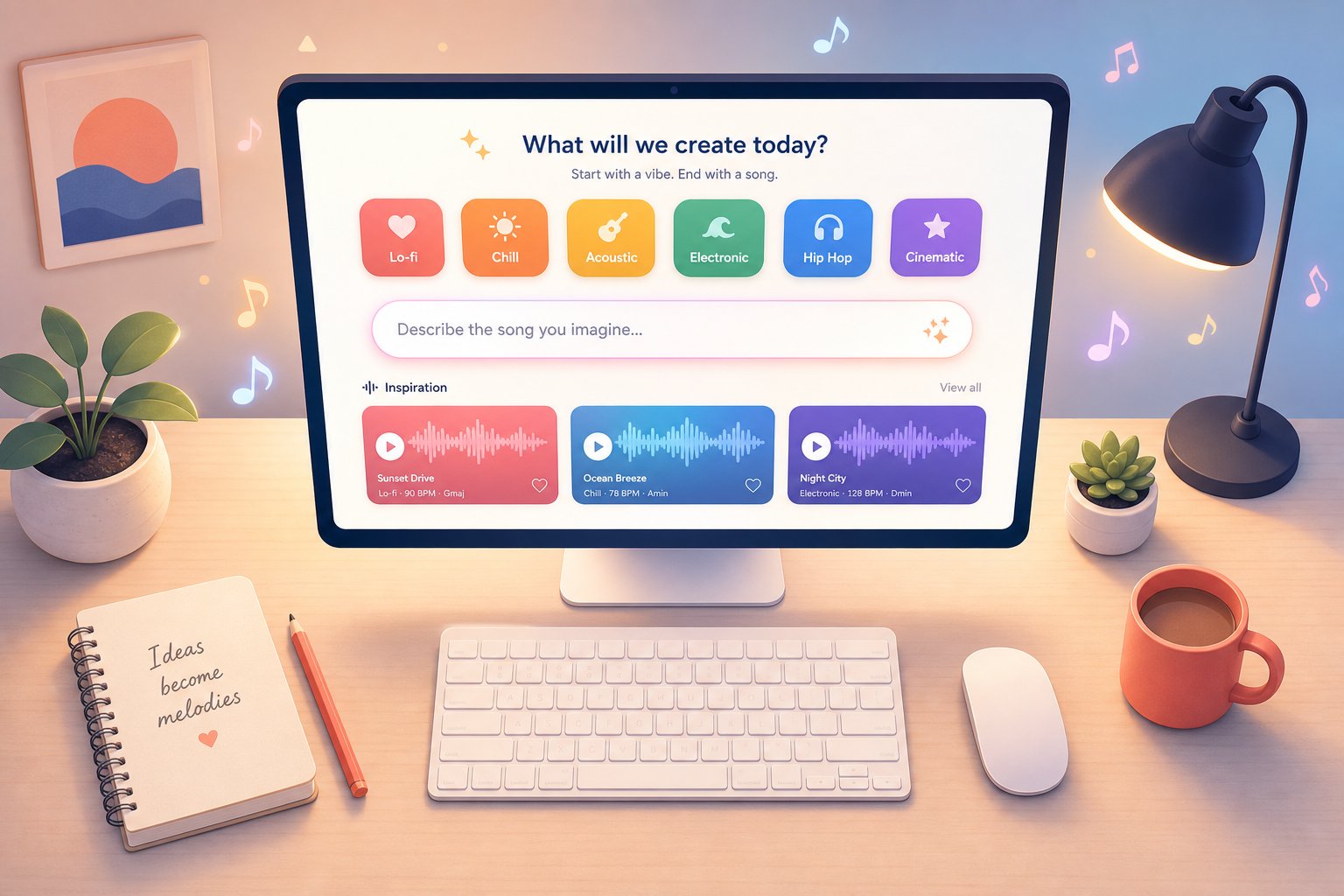
If your goal is turning a lyric sheet and a genre idea into a complete song — vocals, arrangement, and all — MakeBestMusic's AI Music Generator directly implements the text-to-music pipeline covered earlier in this article. You write your prompt, specify a style, optionally paste lyrics, and the system handles encoding, generation, and audio reconstruction in one streamlined flow. For readers who want to experience the full prompt-to-song process without juggling multiple tools, it is a strong starting point.
Your First AI-Generated Track Step by Step
Ready to try? Here is a quick-start workflow that applies regardless of which platform you choose:
- Start with a clear creative intent — Before you touch any tool, decide what the track is for. A background loop for a YouTube video requires different energy than a standalone single. Your purpose shapes every decision that follows.
- Write a descriptive prompt — Specify genre, mood, instrumentation, tempo, and emotional arc. "Upbeat indie pop with jangly guitars, driving drums, and a hopeful vocal melody at 128 BPM" gives the model far more to work with than "happy song." Reference the prompt-writing principles from earlier: be specific, layer details, and avoid contradictions.
- Add lyrics or a melody if you have them — Pasting lyrics gives the system a vocal structure to build around. If you have a melodic idea, hum it or describe the contour ("rising melody in the verse, descending hook in the chorus"). These inputs narrow the generation space and produce more intentional results.
- Generate multiple variations — Never stop at one output. Generate three to five versions with slight prompt adjustments. You will quickly hear which phrasing the model responds to and which produces diminishing returns.
- Evaluate and select the strongest candidate — Listen for structural coherence, dynamic movement, and emotional alignment with your intent. Does the chorus feel like a chorus? Does the energy rise where it should?
- Refine through iteration — Regenerate weak sections, adjust parameters, or tweak your prompt based on what the first round taught you. Each pass gets closer to your vision.
- Polish and export — Apply any final adjustments — volume, fades, stem separation — and download in your preferred format for use in your project.
The entire cycle — from blank page to finished audio — can take as little as ten minutes once you develop a feel for effective prompting. With practice, you will build a personal library of prompt structures and parameter combinations that reliably produce results you like.
One more direction worth exploring: once you have a track you are proud of, you can create music video with ai using separate visual generation tools that sync imagery to your audio's rhythm and mood. Making music video with ai pairs naturally with AI-generated tracks, since you already have the prompt language and creative intent defined — extending them into visuals is often just a matter of adapting the same descriptive approach to an image or video model.
Whether you are a content creator looking for efficient scoring, a songwriter prototyping ideas faster, or simply curious about what these systems can produce, the barrier to entry has never been lower. The technology covered in this article — from training data pipelines and latent space navigation to diffusion models and iterative refinement — all converges into tools you can use right now, today, with nothing more than a clear idea and a few well-chosen words.
