


What You Need Before Generating AI Music
Imagine typing a sentence like "melancholic piano ballad with soft female vocals" and hearing a fully produced track thirty seconds later. That is AI music generation in practice. You describe what you want, a machine learning model interprets your description, and audio comes out the other end. No instrument skills required, no studio time booked, no royalty negotiations upfront.
This guide is built to be genuinely educational and tool-agnostic. You will not find a single product pitch disguised as a tutorial here. Instead, you will learn how to generate AI music that actually sounds intentional, expressive, and useful, regardless of which platform you choose.
What AI Music Generation Actually Means
At its core, AI music generation is the process of turning text prompts, lyrics, or style references into complete audio tracks using trained neural networks. These tools fall under the broader umbrella of ai song writing technology, where the creative direction comes from you and the technical execution comes from the model. You provide the vision. The AI handles arrangement, instrumentation, mixing, and even vocals.
Unlike traditional production, where learning how to make a song means years of practice with instruments and DAWs, AI generators compress that process into a conversation between you and a prompt box. The output can range from a fifteen-second jingle to a full three-minute track with verses, choruses, and a bridge.
What You Need to Get Started
The barrier to entry is remarkably low. Here is everything you need before your first generation:
- A computer, tablet, or smartphone with a stable internet connection
- A free account on at least one AI music platform (most offer limited monthly generations at no cost)
- A rough creative direction: the genre you are targeting, the mood you want to convey, or the specific project the music will support
- Basic familiarity with describing sound in words (think adjectives like "upbeat," "dark," "cinematic," or "acoustic")
That is it. No music theory background, no expensive software, no hardware beyond what you already own. If you can write a few descriptive sentences, you can produce a track.
How AI Turns Text Into Sound
So how does a written prompt become a waveform you can actually hear? These models are trained on large datasets of recorded music, sometimes hundreds of thousands of hours worth. During training, the model learns statistical patterns in rhythm, harmony, instrumentation, genre conventions, and song structure.
When you type a prompt, the model does not "understand" music the way a composer does. It predicts what audio patterns typically follow the descriptors you provided. A prompt like "upbeat electronic, 128 BPM, bright synth lead" triggers the model to assemble patterns it associates with those terms. Some systems use autoregressive generation, predicting audio one segment at a time. Others use diffusion models that refine random noise into coherent music over many steps. The result either way is a brand-new piece of audio that never existed before.
Will AI get better at helping with making music over time? Almost certainly. Models are improving rapidly in structural coherence, vocal realism, and style accuracy. The best ai for music right now already produces tracks that hold up for YouTube videos, podcasts, social content, and even commercial projects. Understanding how these systems work gives you an edge, because better prompts lead to better output. And crafting better prompts is exactly where this guide heads next.
Step 1 – Understand the Different Types of AI Music Tools
Crafting better prompts matters, but prompts only work if you are feeding them to the right type of tool. The AI music landscape is not a single category. It is three distinct categories, each designed for a different creative outcome. Picking the wrong one is like hiring a drummer when you needed a DJ. Both make music, but the results could not be more different.
Understanding these categories helps you skip the frustration of expecting vocals from a platform that only produces loops, or wanting stems from a tool that only outputs finished masters. Here is how the field breaks down.
Full Song Generators With Vocals
These are the best music making apps for anyone who wants a complete track, vocals included, from a single text prompt. You type a description or paste lyrics, and the platform returns a fully arranged song with singing, rapping, or spoken word layered over produced instrumentals.
Platforms like Suno, Udio, and MakeBestMusic fall into this category. They use multi-model AI engines that handle lyrics generation, vocal synthesis, instrumental arrangement, and mixing in one pass. The output feels closest to what you would hear on a streaming playlist: verse-chorus structure, melodic hooks, and human-sounding vocal delivery.
When should you reach for a full song generator? When the end goal is a finished piece of audio that sounds like a real artist recorded it. Think YouTube intros with a custom theme song, personalized birthday tracks, demo recordings for songwriters testing ideas, or social media content that needs an original vocal hook. These are the ai music composition tools that compress weeks of studio work into seconds.
Instrumental and Background Music Generators
Not every project needs vocals. If you are scoring a podcast, building a video soundtrack, or adding ambiance to a game level, instrumental generators are the better fit. Platforms like SOUNDRAW and Beatoven.ai specialize in royalty-free background music tailored to mood, tempo, and energy level.
These tools typically give you more granular control over structure. You can adjust the intensity curve of a track, swap instruments in and out, change the duration to match your video timeline, and export without worrying about licensing headaches. The tradeoff is that you will not get lyrics or vocal melodies. What you will get is clean, professional underscore music that stays out of the way while supporting your primary content.
Instrumental generators work especially well for content creators producing at volume. When you need fifteen unique background tracks for a series of tutorial videos, these platforms deliver consistent quality without the creative overhead of writing prompts for vocal performances. They represent some of the best music composition software for utilitarian audio needs.
Production Assistants and Stem Tools
The third category is different in philosophy. Instead of replacing the musician, production assistants augment an existing workflow. These song tools help producers and instrumentalists work faster by generating individual stems, suggesting chord progressions, separating uploaded tracks into isolated parts, or handling the mastering stage automatically.
Think of platforms like BandLab's SongStarter, Moises for stem separation, or LANDR for AI-powered mastering. A guitarist might upload a raw recording and use AI to generate a complementary drum pattern. A producer might feed in a beat and ask the tool to suggest bass lines. These are the best apps for music production when you already have creative direction and just need assistance filling gaps or polishing the final mix.
Production assistants assume you have some musical foundation. They are less about generating from scratch and more about accelerating decisions that would otherwise eat up hours in a DAW session. Among the best music creation apps in this space, the value comes from collaboration between human creativity and machine speed.
| Category | Best For | Output Type | Typical Use Case |
|---|---|---|---|
| Full Song Generators | Complete tracks with vocals and structure | Finished songs (vocals + instrumentals) | YouTube themes, social media content, demo recordings, personalized gifts |
| Instrumental Generators | Royalty-free background music and scoring | Instrumental tracks, loops, soundscapes | Podcast beds, video soundtracks, game audio, ad music |
| Production Assistants | Augmenting existing musician workflows | Stems, chord suggestions, mastering, individual layers | Beat enhancement, stem separation, mixing assistance, arrangement ideas |
Which category fits your project? If you want a ready-to-publish song, start with full song generators. If you need flexible background audio, instrumental platforms will serve you better. If you already make music and want AI as a collaborator rather than a replacement, production assistants are your lane. Knowing this distinction upfront saves you from signing up for the wrong platform and wondering why the output does not match your expectations.
The next question becomes more specific: within each category, which individual tool gives you the best results for your particular goals and budget?
Step 2 – Pick the Right AI Music Generator for Your Needs
Goals and budget both matter, but choosing the right tool also depends on output quality, licensing terms, and how much creative control you actually need. The list of AI music generators grows every month, so a structured comparison of the top AI music generators saves you from trial-and-error across a dozen platforms.
Below is a side-by-side look at the best ai music generators currently available, covering the factors that matter most when you sit down to create your first track.
Comparison of Top AI Music Generators
| Platform | Output Focus | Free Tier | Commercial License | Ideal Use Case |
|---|---|---|---|---|
| MakeBestMusic | Full songs with vocals from prompts and lyrics | Limited free generations | Available on paid plans | Beginners who want the fastest path from prompt to complete song |
| Suno | Complete vocal songs, multiple genres | 50 credits/day (~10 songs) | Pro and Premier only (not retroactive) | Pop, rock, and experimental vocal tracks |
| Udio | High-fidelity audio, detailed instrumentals | 10 credits/day + 100/month | Paid tiers (verify current download status) | Production-oriented creators wanting timeline editing and stems |
| Google Lyria | Instrumental and vocal generation via DeepMind | Integrated into YouTube tools | Tied to YouTube ecosystem terms | YouTube creators needing native soundtrack tools |
| SOUNDRAW | Customizable instrumental tracks | Preview only, no downloads | All paid plans (cannot sell on streaming platforms) | Video editors and podcasters needing royalty-free background music |
| Canva Music | Simple background tracks within Canva projects | Basic library on free plan | Within Canva content usage terms | Non-audio creators adding music to presentations and social posts |
This is not an exhaustive list, but it covers the top ai music generators 2026 users are actively comparing. Platforms like the aiva ai music generator also deserve attention if your focus is orchestral or cinematic scoring, while soundraw ai remains a strong pick for instrumental customization with transparent licensing.
Free Tier Limitations You Should Know
Every platform advertises a free plan, but the restrictions vary wildly. Here is what to expect:
- Generation caps are tight. Suno's 50 daily credits sound generous until you realize each song costs 5 credits and you cannot roll unused credits to the next day.
- Commercial rights are almost always locked behind a paywall. The suno ai music maker free tier, for example, explicitly bars commercial use of generated tracks.
- Download formats are often limited to compressed MP3. WAV exports and stem separation typically require a paid subscription.
- Some platforms watermark free-tier audio or restrict song length to 30-60 seconds.
Free tiers work for experimentation and learning how to craft prompts. They do not work for publishing, monetizing, or delivering to clients. If your project has any commercial angle, budget for at least a mid-tier plan from the start.
How to Match a Tool to Your Project
Which is the best ai music generator? That depends entirely on what you prioritize. Here is a quick decision framework:
- Vocal quality and lyric coherence – Suno's v5 model and MakeBestMusic both excel here. If the song needs to sound like a real vocalist recorded it, these are your starting points.
- Instrumental detail and arrangement control – Udio's timeline editing and inpainting tools give you granular power over individual sections without regenerating the entire track.
- Commercial licensing clarity – SOUNDRAW and Beatoven.ai provide the cleanest royalty-free terms for background music. Every download comes with a perpetual license.
- Ease of use for total beginners – MakeBestMusic strips the interface down to the essentials: enter a prompt, pick a style, and generate. No learning curve, no timeline to figure out.
- Style control and genre precision – Udio's tag system and AIVA's 250+ style presets offer the deepest genre-specific customization.
There is no single winner across all dimensions. A podcaster scoring episodes has completely different needs than a songwriter drafting demo ideas. Match the tool to the job rather than chasing a universal "best" label.
With a platform selected, the real leverage point becomes what you type into the prompt box. The difference between generic output and a track that sounds intentional comes down to how precisely you communicate your vision to the model.

Step 3 – Write Prompts That Produce Great Results
The prompt box is deceptively simple. It looks like a search bar, but it functions more like a creative brief for a session musician who cannot ask follow-up questions. Every word you type shapes the statistical patterns the model pulls from, so vague instructions leave too many decisions to chance. Mastering your prompts is the single highest-leverage skill for anyone learning how to generate AI music that actually sounds intentional.
Think of it this way: a producer walking into a studio with a session band would never say "play something nice." They would specify the key, the feel, the tempo, and the references. AI music models respond to that same level of direction, except through text.
The Anatomy of an Effective Music Prompt
An effective prompt has six components. You do not need all six every time, but knowing what is available gives you control over which decisions you make and which you leave to the model.
- Genre – Be specific. "Rock" is too broad. "90s grunge" or "indie folk" or "symphonic metal" anchors the model in a narrower sonic space.
- Mood – The emotional character of the track. Words to describe music emotionally, like melancholic, triumphant, eerie, or nostalgic, steer the harmonic and dynamic choices the model makes.
- Instrumentation – Name the instruments or sonic textures you want: acoustic guitar, synth pads, 808 drums, orchestral strings, vinyl crackle. Specificity here drastically changes the output.
- Tempo and BPM range – A ballad at 70 BPM and a club track at 128 BPM live in different sonic universes. Even an approximate range helps.
- Era or decade influence – Referencing "80s" or "early 2010s" acts as a stylistic shortcut that encodes production techniques, recording aesthetics, and arrangement conventions from that period.
- Vocal style – Male baritone, female soprano, breathy delivery, rap verse, falsetto, or no vocals at all. Vocal instructions often get deprioritized, so place them prominently in your prompt.
The sweet spot is four to seven descriptors. Fewer than four and the model fills in too many blanks with generic defaults. More than seven and conflicting instructions start confusing the output. Research into frameworks like Chain of Musical Thought (MusiCoT) suggests that prompt structure often shapes results more than the specific vocabulary inside it.
Before and After Prompt Examples
The difference between a throwaway generation and a track you actually want to use usually comes down to a few extra descriptive phrases. Here is what that looks like in practice:
| Prompt Input | Expected Output Style | Why It Works |
|---|---|---|
| "happy song" | Generic pop, undefined era, random instrumentation | It does not work. Too vague, so the AI fills every variable with defaults. |
| "upbeat indie pop, male vocals, jangly guitar, 120 BPM, summery and nostalgic like early 2010s indie" | Bright, guitar-driven track with specific vocal character and era feel | Genre, tempo, instrumentation, mood, and decade all specified. Leaves minimal guesswork. |
| "sad piano" | Slow, ambiguous solo piano with no clear direction | Too few constraints. Could be classical, could be lo-fi, could be film score. |
| "melancholic piano ballad, female soprano, 70 BPM, strings building in chorus, cinematic and intimate like a film closing credits scene" | Emotional, structured ballad with dynamic progression and clear instrumentation | Combines mood, vocal style, tempo, instrumentation, and a use-case reference for context. |
| "dark trap, minor key, 140 BPM, distorted 808s, sparse hi-hats, no melody in verses, aggressive energy building to a heavy drop" | Hard-hitting trap beat with defined structure and intentional dynamics | Includes genre, key mood, tempo, specific instruments, and an energy arc. Top prompts for music videos often follow this pattern. |
Notice the pattern. Effective prompts are not longer for the sake of length. They are more deliberate about which musical decisions they lock in and which they leave open.
Advanced Prompt Techniques for Style Mixing
Once the fundamentals feel natural, you can push into territory that produces genuinely unique output. Combining unexpected genres is one of the fastest ways to create something that does not sound like recycled stock music.
Try pairing contrasting styles: "jazz-infused lo-fi chill with vinyl crackle and muted trumpet" or "bossa nova meets synthwave, nylon guitar over analog arpeggios, 100 BPM, relaxed but futuristic." These hybrid prompts force the model away from its most common patterns, which is exactly where interesting results live.
Another advanced technique is defining the energy arc within your prompt. Instead of a static description, describe how the track should evolve: "starts minimal with just a kick and pad, builds tension through the verse, full instrumentation hits at the chorus." This gives the AI structural guidance that prevents the flat, looping output many beginners encounter.
You can also separate your lyrics from your style prompt on platforms that support dual-field input. The style field handles genre, mood, and instrumentation. The lyrics field handles the actual words plus structural metatags like [Verse], [Chorus], and [Bridge]. Mixing these two concerns into a single prompt box often confuses the model, while separating them gives each component room to breathe. If you are wondering how to write a song lyrics that work well with AI, keep them concise, rhythmically consistent, and avoid packing too many syllables per line. An ai rhyme finder can help with flow if you are stuck, and several platforms now rank among the top ai for lyrics for songs by offering built-in lyric generation alongside music creation.
If you lack a starting direction entirely, treat the prompt box as a song idea generator or song topic generator. Describe a scenario instead of a sound: "the feeling of driving alone at 2 AM on an empty highway" or "the energy of a crowded summer rooftop party at sunset." Models trained on large music datasets often interpret these emotional scenes into surprisingly cohesive sonic translations, giving you a foundation to refine in subsequent generations.
Is Google AI Studio good at lyrics for songs? It can draft lyrics and rhyme schemes effectively as a text model, but it does not generate audio. You would use it as a pre-production writing tool, then feed those lyrics into a dedicated music generator for the final track. Pairing a strong text model for lyric drafting with a strong audio model for generation is a workflow that consistently outperforms relying on either tool alone.
With a well-crafted prompt ready, the actual generation step is straightforward. The real question becomes what happens once you hit that generate button and multiple variations come back at you.
Step 4 – Generate Your First AI Song
Hitting the generate button for the first time feels oddly anticlimactic. You have spent time crafting a detailed prompt, maybe writing lyrics, and choosing a platform. The actual generation step? It takes less than two minutes. But knowing exactly what to expect at each stage removes the guesswork and helps you evaluate your results with intention rather than confusion.
The workflow below applies universally. Whether you are using the MakeBestMusic AI Music Generator, Suno, Udio, or any other suno ai song creator alternative, the core steps remain the same. Only the interface layout changes.
Entering Your Prompt and Settings
So how do you make a song from scratch using AI? The process starts the same way across every platform:
- Enter your text prompt or paste lyrics. Type your crafted prompt into the main input field. If the platform supports separate fields for style and lyrics, split them accordingly. On MakeBestMusic, you will see a clean prompt box where you drop in your description, lyrics, or both. Keep it focused: four to seven descriptors for style, and concise lines for lyrics.
- Select additional parameters. Most platforms offer secondary controls: track duration (30 seconds to 4 minutes), song structure preferences (verse-chorus-verse or freeform), instrumental-only toggle, or a reference track upload. Set your duration based on the project. A podcast intro might need 15 seconds. A full song needs 2-3 minutes. If you are unsure, default to the platform's standard length and trim later.
- Hit generate and wait. Processing typically takes 30 seconds to 2 minutes depending on the platform and server load. MakeBestMusic tends toward the faster end of that range. During this window, the model is assembling patterns, synthesizing vocals, and rendering the final waveform. There is nothing to do but wait.
- Listen to multiple variations. Most generators return 2-4 different takes per generation. Each variation interprets your prompt slightly differently, producing distinct melodies, vocal inflections, and arrangements from the same input. Do not commit to the first one you hear. Listen to all of them.
- Select your favorite and decide the next step. You have three options: keep the track as-is, extend a promising clip into a full-length song using the platform's continuation feature, or regenerate with an adjusted prompt if nothing landed.
What to Expect During Generation
If you have never generated before, here is what the output typically sounds like on a first attempt: surprisingly polished in production quality, occasionally off in specifics. The beat might be perfect but the vocal tone slightly wrong. The chorus might hook you immediately while the verse meanders. This is normal. How can you make a song that sounds cohesive on the very first try? Honestly, you usually cannot. Most experienced creators treat the first generation as a scouting run, not a final product.
Platforms like topmediai ai music generator free or music hero ai free options will produce results in the same basic fashion, though output quality and vocal realism vary significantly between models. Free tools are fine for learning how to create songs and understanding the generation loop, but expect trade-offs in vocal clarity and arrangement sophistication compared to premium platforms.
Evaluating and Selecting Your Best Output
When your variations arrive, resist the urge to pick based on first impression alone. Listen for these four elements across each option:
- Hook strength – Does the chorus or main phrase stick after one listen?
- Prompt alignment – Did the output match your requested genre, mood, and instrumentation?
- Vocal quality – Are the vocals clear, natural-sounding, and free of artifacts?
- Structural flow – Does the song move from section to section with intentional dynamics?
If one variation nails two or three of these but misses on another, that is your best candidate for iteration. Learning how to make your own song with AI is less about getting perfection on the first click and more about recognizing which 80%-there generation is worth developing further.
How do I make a song that sounds finished? Rarely in a single generation. The raw output is a starting point. The real craft, the part that separates forgettable AI output from tracks people actually want to listen to, lives in what you do after you hear those first variations back.
Step 5 – Refine and Iterate Until It Sounds Right
That first generation sitting in your queue? It is a rough draft, not a finished product. The same way a songwriter rewrites a verse five times before it clicks, AI music creation rewards patience and iteration. The gap between "decent AI track" and "track someone would actually choose to listen to" almost always closes during refinement, not during the initial prompt.
Iterative refinement is a proven principle across all AI prompting work. Research into prompt engineering consistently shows that reviewing outputs, identifying shortcomings, and making targeted adjustments produces dramatically better results than hoping a single prompt nails everything on the first pass. Music generation is no different.
Why Your First Generation Is Just a Starting Point
AI music models involve randomness by design. The same prompt run twice produces different melodies, different vocal inflections, different arrangement choices. This is a feature, not a flaw. It means you can generate multiple variations from the same input and cherry-pick the strongest sections from each one.
Think of it like producing basic song production from a scratch track ai gave you. The scratch track sets direction. Your job is shaping it into something intentional. Even the best ai songwriter tools produce output that needs human ears making editorial decisions: is this verse strong enough? Does the bridge transition smoothly? Would a different vocal tone sell the emotion better?
Most experienced creators run three to five generations from the same prompt before selecting their best candidate. Some use a song mashup maker approach, pulling the verse from one generation and the chorus from another. Others focus on a single variation and extend it section by section. Both workflows produce better results than accepting whatever appears on the first click.
How to Diagnose and Fix Generation Problems
When a generation misses the mark, the fix lives in your prompt. But you need to identify the specific problem before you can adjust the specific words causing it. Here are the most common issues and their prompt-based solutions:
- Genre drift – The track starts as indie folk but wanders into pop territory by the chorus. Fix: add more specific subgenre anchors and era references ("early 2000s acoustic folk, fingerpicked guitar, no electronic elements") to keep the model locked in.
- Wrong tempo or energy – The output feels sluggish when you wanted drive, or frantic when you wanted chill. Fix: specify an exact BPM range and add energy descriptors ("relaxed groove, 85 BPM, laid-back swing").
- Mismatched mood – You asked for melancholic but got something closer to dramatic or angry. Fix: pair your mood word with a context descriptor. "Melancholic" alone is ambiguous. "Melancholic and gentle, like watching rain through a window" gives the model emotional specificity.
- Vocal artifacts or robotic delivery – The voice sounds synthetic, clips on certain syllables, or loses coherence in fast passages. Fix: simplify your lyric density per line, specify vocal delivery style ("smooth and breathy" versus "belted"), or try instrumental-only and add vocals separately. Some creators use vocal mixing ai free tools to process AI vocals after export.
- Repetitive or looping structure – The track repeats the same 8-bar phrase without developing. Fix: explicitly request song structure in your prompt ("verse-chorus-verse-bridge-chorus-outro") and use section metatags like [Verse] and [Chorus] if your platform supports them.
- Output sounds too generic – Everything the model produces could be stock music. Fix: combine unexpected genre pairs, add unusual instrumentation, or reference a specific decade's production aesthetic. Specificity is the antidote to generic output.
The key principle here mirrors what works across all prompt refinement: make one targeted change at a time, re-generate, compare. Stacking multiple adjustments simultaneously makes it impossible to know which change produced the improvement.
Building Full Songs Through Iteration
A promising 30-second clip is not a song. It is a seed. Most platforms offer an "extend" or "continue" feature that lets you grow a short clip into a full-length track while maintaining stylistic consistency. Suno's extend feature, for example, lets you select a timestamp, input new lyrics for the next section, and generate a continuation that matches the original's tempo, key, and vocal style.
Here is how the extension workflow typically looks:
- Identify your strongest generation, even if it is only a single verse and chorus.
- Use the platform's extend function, setting the start point at the end of your best section.
- Input lyrics or structural cues for the next section (a bridge, a second verse, an outro).
- Generate two or three extension variations and pick the one that transitions most naturally.
- Repeat until you have a complete song structure.
This modular approach works like a music mashup maker workflow, assembling a full track from individually curated sections rather than hoping one generation delivers a perfect three-minute song. Each extension is a decision point where you shape the track's narrative arc.
Some creators take this further by generating sections independently and splicing them in an audio editor. You might generate a verse with one prompt, a chorus with a slightly modified prompt emphasizing energy, and a bridge with yet another variation. A free ai music finalizer or basic DAW can stitch these together with crossfades for a cohesive result. This hybrid approach, part AI generation and part manual arrangement, consistently produces the most polished output.
Whether you are crafting a personalized song for someone specific or building a custom song for a commercial project, the quality ceiling rises with every iteration cycle. The creators producing AI music that genuinely impresses are not using better tools than everyone else. They are running more iterations, making sharper diagnostic decisions, and treating each generation as raw material rather than a finished deliverable.
Iteration gets you to a track you are proud of. The next challenge is getting that track out of the platform and into the real-world project where it needs to live, in the right format, with the right permissions, and optimized for its final destination.
Step 6 – Export and Use AI Music in Your Projects
A polished track sitting inside a generator's interface does nothing for your project. The real value materializes when you download the right file, understand what you are legally allowed to do with it, and format it correctly for its final destination. This post-generation workflow is where many creators stumble, either grabbing a compressed MP3 when they needed lossless audio, or publishing commercially without confirming their license actually permits it.
Downloading and Format Considerations
Most platforms offer two primary export formats: WAV and MP3. The choice is not arbitrary.
- WAV (uncompressed) – Full quality, no data loss. Use WAV when editing in a DAW, syncing to video in Premiere Pro or DaVinci Resolve, or delivering final audio for broadcast or film. File sizes are larger (roughly 10x an MP3), but the fidelity is worth it for any production where audio will be further processed.
- MP3 (compressed) – Smaller files, slightly reduced quality. Perfectly acceptable for social media uploads, draft reviews, or situations where the audio will not be re-encoded multiple times. Most listeners cannot distinguish a 320kbps MP3 from WAV on standard playback devices.
- Stems (separated tracks) – Some platforms let you export individual layers: vocals, drums, bass, and melodic elements as separate files. Stems give you mixing flexibility in post-production, letting you duck the music under dialogue or isolate a vocal for an ai music video edit.
A practical rule: always download WAV if your editing timeline supports it. You can convert down to MP3 later, but you cannot add quality back to a compressed file. Stem exports are typically locked behind higher-tier paid plans, so factor that into your subscription decision if mixing control matters to your workflow.
Licensing and Copyright for AI Music
This is where things get genuinely consequential. Not all AI-generated music carries the same legal protections, and assumptions here can cost you a channel or a client relationship.
The licensing landscape breaks into a few key realities:
- Free tiers almost never grant commercial rights. If you are publishing to a monetized YouTube channel, using audio in a paid product, or scoring client work, free-plan music is off limits on nearly every platform. Discussions around finding a music ai creator without copyright restrictions reddit threads frequently confirm this limitation.
- Paid plans vary widely in what "commercial use" means. Some licenses cover YouTube and social media but exclude streaming distribution. Others permit advertising use but restrict resale. Read the specific terms for your plan level, not just the marketing summary.
- Copyright ownership is not guaranteed. The U.S. Copyright Office has clarified that 100% AI-generated content cannot be copyrighted under current law. This means anyone could theoretically copy your AI track without legal consequence. Platforms like Suno explicitly acknowledge they cannot guarantee copyright will vest in generated output.
- Content ID risk is real. YouTube's fingerprinting system can flag AI-generated music if it resembles registered tracks, or if bad actors register AI output and claim your videos. Save your generation receipts (timestamps, prompts, account details) as dispute evidence.
The safest posture: treat AI-generated music as royalty-free for use but not copyright-protected as property. You can use it in your projects under the platform's license terms, but you cannot stop others from using similar output. If exclusive ownership matters, you either need platforms that explicitly transfer copyright on paid plans (like AIVA's Pro tier) or significant human modification that qualifies for copyright protection under current guidance.
Matching Output to Specific Project Needs
Different projects have different technical and legal requirements. A commercial jingle for a brand campaign and royalty free podcast intro music live in completely different worlds in terms of format, duration, and rights clearance. The table below maps common use cases to their optimal specifications:
| Use Case | Recommended Format | Ideal Length | Licensing Notes |
|---|---|---|---|
| YouTube background music | WAV (for editing) or MP3 (direct upload) | 2-4 minutes, loopable | Must be on a commercial-license plan. Run an unlisted upload first to check for Content ID claims before going public. |
| Podcast intro/outro | WAV at 44.1kHz/16-bit | 15-30 seconds | Royalty-free terms required for recurring use. Fade in/out at 1-2 seconds for clean transitions. |
| Game development | WAV or OGG (for engine compatibility) | 1-3 minutes, seamless loop points | Verify license permits embedding in distributed software. Some plans restrict interactive media. |
| Social media (TikTok, Reels, Shorts) | MP3 at 320kbps | 15-60 seconds | Platform compression will reduce quality regardless. Non-commercial free tiers may suffice for personal accounts. |
| Commercial jingle or ad spot | WAV at 48kHz/24-bit | 15-30 seconds | Requires explicit commercial/advertising rights. Some platforms exclude broadcast use even on paid plans. An ai jingle maker workflow works best with platforms offering full commercial licensing. |
| Film or documentary scoring | WAV stems (separated layers) | Variable, scene-matched | Stem access lets you mix under dialogue. Verify sync licensing is included in your plan terms. |
A few project-specific tips worth noting: if you need royalty free jazz music for a cooking channel or cafe-themed content, specify the genre and "instrumental only" in your prompt to avoid vocals competing with narration. For anyone exploring a free ai music video generator workflow, remember that the music and video components typically come from separate tools, so export your audio first, then pair it with AI-generated visuals in a video editor rather than expecting a single platform to handle both at broadcast quality.
Business background music for corporate presentations or hold-music systems has its own quirk: you need loopable tracks that do not have obvious start and end points. Generate slightly longer than you need, then trim to a natural loop point in your editor. Most AI generators do not natively output seamless loops, so a 2-second crossfade at the splice point handles this cleanly.
Getting the export right means your AI-generated track arrives in the final project sounding exactly as intended, with the legal clearance to stay there. But even with the right format and license, you will occasionally hit problems: a track that loops awkwardly, vocals that distort in certain sections, or a genre that refuses to come out right no matter how you phrase the prompt. Those issues have specific fixes, and they are more straightforward than you might expect.
Step 7 – Troubleshoot Common AI Music Problems
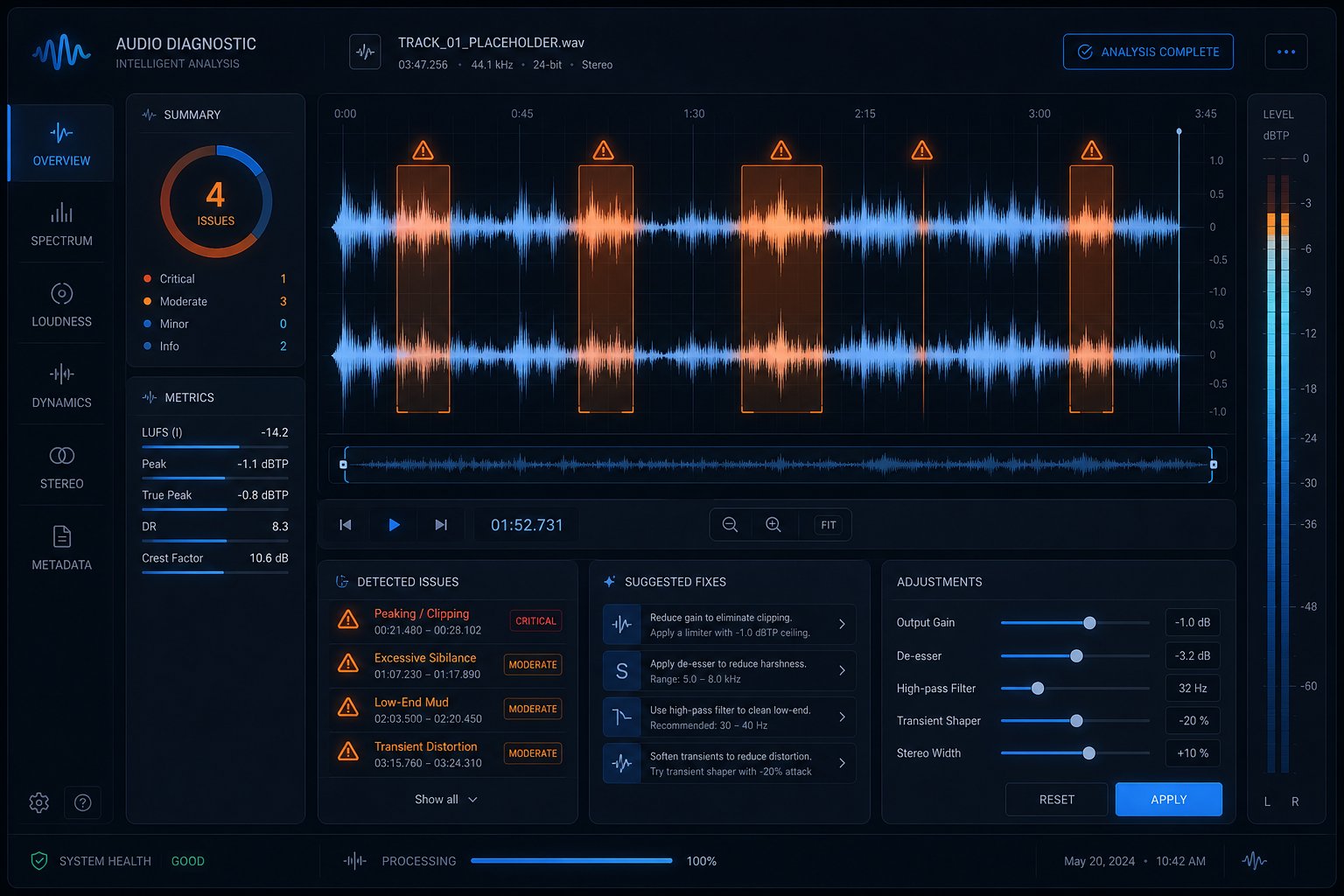
Straightforward does not mean obvious. Most frustrations with AI music generation trace back to a small set of recurring issues that show up regardless of which platform you use. The fixes are almost always prompt-level adjustments rather than technical workarounds, which is good news: you do not need audio engineering skills to solve them.
Community threads on ai music reddit and ai generated music reddit discussions consistently surface the same five problems. Here is a quick-reference table connecting each issue to its root cause and the prompt adjustment that resolves it:
| Problem | Likely Cause | Prompt Fix |
|---|---|---|
| Output sounds repetitive or loops awkwardly | No structural guidance in the prompt, so the model defaults to repeating its safest 8-bar pattern | Explicitly request song structure: "verse-chorus-verse-bridge-chorus-outro." Use section metatags like [Verse], [Chorus], [Bridge] if supported. |
| Vocals sound robotic or have artifacts | Overly dense lyrics per line or conflicting vocal style cues causing the model to produce unnatural phrasing | Simplify syllable count per line, specify vocal delivery ("warm and breathy," "smooth R&B tenor"), or switch to instrumental-only and layer vocals separately. |
| Wrong genre comes out | Prompt uses broad genre terms the model interprets loosely, or conflicting style descriptors cancel each other out | Use specific subgenre names ("melodic dubstep" not "electronic") and add era references. A genre finder approach helps: research the exact subgenre label for the sound in your head before prompting. |
| Song is too short or cuts off abruptly | Platform default duration is shorter than expected, or the model ran out of structural guidance | Set duration explicitly in settings. Use the extend/continue feature to build additional sections from a strong starting clip. |
| Results sound too similar to existing songs | Common genre prompts pull from the most statistically average patterns in training data | Combine two unexpected genres ("bossa nova trap" or "folk punk with synth textures"). Add unusual instrumentation or decade-mixing to push output away from defaults. |
Fixing Repetitive or Looping Output
This is the single most reported complaint from new users. The model is not broken. It simply has no reason to introduce a new section unless you tell it to. Structural metatags are your primary tool here. Platforms that support tags like [Verse], [Pre-Chorus], [Chorus], and [Outro] give the AI a roadmap to follow. Without them, you are asking a session musician to improvise a full arrangement with zero direction, and they will default to looping the safest pattern they know.
If your platform does not support metatags, include structural language directly in the prompt: "starts sparse, builds through verse, peaks at chorus, drops to a quiet bridge, then returns with full energy for the final chorus." Describing an energy arc forces the model to vary its output over time rather than cycling the same loop.
Improving Vocal Quality and Clarity
Robotic-sounding vocals are partly a known artifact of how diffusion models generate audio, producing unnaturally smooth spectral profiles in the 2-6 kHz range that your ears register as synthetic. You cannot eliminate this entirely through prompting alone, but you can minimize it.
First, reduce lyric density. Lines packed with syllables force the vocal model to rush through words, amplifying artifacts. Shorter phrases with natural breathing room produce cleaner delivery. Second, specify the vocal character precisely: "raspy male baritone" gives the model a narrower target than "male vocals." For ai rap tracks specifically, include flow descriptors like "laid-back triplet flow" or "aggressive double-time delivery" so the model matches cadence to your lyrics rather than guessing. A good rap maker prompt always pairs lyric rhythm with an explicit flow reference.
If vocals remain problematic after prompt adjustments, generate an instrumental version and handle vocals through a separate tool or recording. This split workflow often produces the cleanest results for tracks where vocal quality is critical.
Getting the Genre and Mood You Actually Want
Genre mismatches happen because broad labels map to enormous sonic territories in the model's training data. "Rock" could mean anything from acoustic folk-rock to industrial metal. The fix is acting as your own song genre finder before you prompt: identify the exact subgenre, the decade of influence, and two or three defining sonic characteristics.
Instead of "electronic dance music," try "deep house, 122 BPM, warm analog bassline, filtered vocal chops, late-night energy." Instead of "rap beat," try "boom bap, dusty vinyl samples, tight snare, 90 BPM, East Coast 1994 feel." The more specific your genre of the song description, the less room the model has to wander into adjacent styles.
Mood mismatches require a similar approach. Single adjectives like "sad" or "happy" are too ambiguous. Pair them with sensory context: "sad and hollow, like an empty apartment after someone leaves" produces a different result than "sad and dramatic, like a film climax." The model responds to emotional specificity the same way it responds to genre specificity.
One final reality check: AI music generation has genuine limitations in its current form. Vocals will occasionally glitch. Complex time signatures remain unreliable. Tracks longer than four minutes tend to lose coherence. These are model-level constraints, not user errors. Knowing what AI handles well versus where it still struggles lets you design prompts that play to its strengths, use workarounds for its weaknesses, and set expectations that match what the technology can actually deliver today. If you find a track that is 90% perfect but has one problematic section, a similar songs finder approach can help: generate variations of just that section until one clicks, then splice it in. The best results come from treating AI as a prolific but imperfect collaborator rather than a one-shot solution.
