


What Is an AI Jingle Generator and Why Does It Matter
Imagine hearing a catchy five-second tune and instantly knowing which brand it belongs to. That sticky piece of audio didn't appear by accident — it was carefully composed, recorded, and polished. Until recently, creating one required a professional studio, a composer, and a budget most small creators simply didn't have. An AI jingle generator changes that equation entirely.
What Exactly Is an AI Jingle Generator
In the simplest terms, an AI jingle generator is software that uses artificial intelligence to compose short, original musical pieces based on text prompts or parameter selections you provide. You might type in a description like "upbeat pop jingle for a bakery" or choose options for genre, mood, and tempo — and the tool produces a ready-to-use audio clip in seconds.
An AI jingle generator is a tool that uses machine-learning models to compose original, short-form musical pieces — including melodies, harmonies, and often vocals — from user-provided text descriptions or parameter inputs, without recycling pre-recorded stock loops.
That distinction matters. This isn't a library where you browse pre-made tracks, and it isn't a soundboard that plays the same clip every time you press a button. Each output is a freshly generated composition shaped by what you ask for. Think of it less like shopping for music and more like giving creative direction to a tireless AI jingle maker that never sleeps.
Why Free AI Jingle Tools Are Gaining Traction
Custom audio branding used to sit behind a steep paywall. Hiring a composer, booking a vocalist, and mixing in a professional studio could easily run anywhere from a few hundred to several thousand dollars — costs that put sonic branding out of reach for most solo podcasters, YouTube creators, local businesses, and radio hobbyists.
Free AI-powered tools have collapsed both the cost barrier and the time barrier almost overnight. A jingle generator that once required weeks of back-and-forth with a production house now delivers usable output in under a minute. The result is a wave of new users exploring audio branding for the first time:
- Small businesses looking for a memorable audio identity for social media ads or phone hold music
- Podcasters wanting professional-sounding intros and outros without hiring a freelancer
- YouTubers seeking short sonic signatures to reinforce channel branding
- Radio enthusiasts and community broadcasters who need station IDs and sweepers on a zero-dollar budget
This democratization is exciting, but it also introduces questions that most users never think to ask — questions about licensing terms, output quality, and whether "free" really means free once you want to use the jingle commercially.
Throughout this guide, you'll get an honest look at how the underlying technology works, a side-by-side comparison of available free tools, practical tips for writing prompts that actually produce great results, and a transparent breakdown of the licensing traps waiting beneath the surface. The goal isn't to sell you on any single platform — it's to make sure you walk into your first AI-generated jingle session fully informed.
How AI Jingle Generation Technology Actually Works
You type a sentence, click a button, and a fully formed audio jingle lands in your downloads folder. It almost feels like magic — but there's a very real engineering pipeline running beneath the surface. Understanding that pipeline, even at a high level, helps you write better prompts, set realistic expectations, and choose the right tool for the job.
Text-to-Music Synthesis Explained Simply
Most modern jingle AI tools are built on text-to-music models — neural networks trained on enormous datasets of melodies, harmonies, rhythms, and vocal patterns. The training process teaches the model to recognize relationships between written descriptions and musical characteristics. A phrase like "warm acoustic guitar, slow tempo, relaxed mood" becomes a set of mathematical cues the model can translate into sound.
Here's what happens behind the scenes when you generate an ai jingle:
- You provide input — either a text description ("energetic pop jingle for a pet store") or a set of parameter selections like genre, mood, tempo, and vocal style.
- The model interprets your prompt — it maps your words to a learned joint embedding of text and music, essentially finding the sonic qualities that match your description.
- A melodic and harmonic structure is generated — the AI composes note sequences, chord progressions, and rhythmic patterns from scratch.
- Instrumental and vocal layers are synthesized — individual sonic elements are rendered and stacked into a cohesive mix.
- A finished audio file is output — typically an MP3 or WAV you can download immediately.
One distinction worth understanding is the difference between AI-composed melodies and AI-assembled loops. True text-to-music models — like the architectures behind Google's MusicLM or Meta's MusicGen — generate original compositions from scratch using neural networks. The output didn't exist before your prompt created it. By contrast, some simpler tools stitch together pre-recorded segments algorithmically, more like an automated remix than a genuine composition. Both approaches can produce usable results, but the creative ceiling is much higher with models that compose from the ground up.
Why Voice and Vocal Generation Matters for Jingles
Imagine a jingle for a pizza delivery brand. An instrumental melody might set the mood, but a catchy sung line — "Fresh to your door in thirty!" — is what sticks in someone's head for hours. Effective audio jingle design almost always involves a vocal element, whether it's a full sung performance, a spoken tagline, or a quick shout.
This is where text-to-singing and text-to-speech models enter the picture. These systems take written lyrics and convert them into realistic vocal performances. At a high level, the process works like this:
- The AI analyzes your lyrics for phonetics, rhythm, and syllable stress.
- It maps these linguistic features onto a vocal synthesis model trained on recordings of real human singing or speech.
- The model generates an audio waveform that mimics natural pitch, vibrato, timing, and tone — matching the style you selected (pop, R&B, country, spoken word, and so on).
Many free tools advertise features like "multiple voice options" or "text-to-jingle customization," but they rarely explain what's actually happening under the hood. The quality of the vocal output depends heavily on how much training data the model absorbed and how well the synthesis engine handles nuances like breath sounds, consonant transitions, and emotional inflection. Some models produce vocals that sound impressively human; others still carry a noticeable synthetic edge — a detail that matters when your jingle represents your brand.
Knowing these mechanics gives you a practical advantage. When you understand that the AI is interpreting descriptive language to build music and vocals, you realize that the specificity and clarity of your prompt directly shape the final result. Vague input leads to generic output — a principle that becomes even more important when you start choosing between different jingle types, each with its own structural demands.
Types of Jingles You Can Create with AI Tools
Different structural demands call for different types of audio — and picking the wrong one can leave your brand sounding out of place. Before you open any jingle creator and start typing prompts, you need to know exactly which format fits your situation. The problem? Most tools toss around terms like "sweeper," "station ID," and "DJ drop" as if everyone already knows what they mean. Let's fix that.
Jingle vs Sweeper vs Station ID vs DJ Drop
These four terms cover the vast majority of short-form branded audio you'll encounter. They're related, but each serves a distinct purpose:
- Jingle — A short, melodic musical piece (typically 15-60 seconds) featuring sung or spoken branding. Its job is to make a station, product, or business instantly memorable through a catchy hook. Think of the classic McDonald's "I'm Lovin' It" melody — that's a jingle in its purest form.
- Sweeper — A quick voiceover, often layered with sound effects or a music bed, used to transition between songs, segments, or ad breaks. Sweepers keep a broadcast sounding polished and alive without interrupting the flow for long. They usually run 3-10 seconds.
- Station ID — A short audio clip that identifies a radio or podcast brand. In U.S. broadcast radio, the FCC requires licensed stations to air a station identification at least once per hour, including the station's call letters and city of license. Internet radio stations aren't bound by this rule, but a professional-sounding ID still builds credibility. Most station IDs land between 5 and 10 seconds.
- DJ Drop — A short vocal tag — often just a name, catchphrase, or sound effect — that a DJ or host uses to stamp their identity on a mix or show. DJ drops rarely exceed 5 seconds and rely on personality more than melody.
Many stations actually combine these elements. A radio jingle maker might produce a sung piece that doubles as both a jingle and a legal station ID, reinforcing the brand while meeting regulatory requirements in a single clip.
Audio Logos and Sonic Branding Explained
You've likely heard an audio logo without realizing it had a name. It's that ultra-brief sonic signature — usually just 3-5 seconds — that fires at the end of a commercial or when an app launches. Intel's five-note chime and Netflix's "ta-dum" are textbook examples.
An audio logo is not a full jingle. Where a jingle tells a small musical story with lyrics, melodies, and sometimes multiple sections, an audio logo is closer to an auditory stamp. It's designed for instant recognition, not storytelling. In a broader sonic branding strategy, the audio logo acts as the anchor — the one sound that appears everywhere — while jingles, sweepers, and intros extend that identity across longer touchpoints.
For anyone exploring jingles creation for the first time, understanding this hierarchy prevents a common mistake: trying to cram a brand name, slogan, and full melody into a 4-second clip that should really just be a clean sonic signature.
Choosing the Right Jingle Type for Your Platform
Your platform dictates the format. A radio jingle generator workflow looks very different from what a YouTuber needs, and using the wrong type wastes both time and creative energy. The table below maps each jingle type to its ideal platform and recommended length:
| Jingle Type | Best Platform | Ideal Length | Key Characteristic |
|---|---|---|---|
| Sung Jingle | Radio, TV ads, business commercials | 15-30 seconds | Melodic hook with brand name in lyrics |
| Sweeper | Radio, podcasts | 3-10 seconds | Quick transition with voice and effects |
| Station ID | Radio (AM/FM and internet) | 5-10 seconds | Call letters, frequency, city of license |
| DJ Drop | DJ mixes, live streams, podcasts | 2-5 seconds | Short vocal tag with personality |
| Audio Logo | YouTube, apps, social media, commercials | 3-5 seconds | Brief sonic signature for instant recognition |
| Podcast Intro/Outro | Podcasts | 15-45 seconds | Music bed with spoken or sung show branding |
| Advertising Jingle | Local business ads, social media campaigns | 15-60 seconds | Catchy melody embedding product or service message |
Notice the pattern: the more complex the branding message, the longer the audio needs to be. A local bakery running social media ads probably wants a full sung advertising jingle that names the business and highlights a key selling point. A YouTuber, on the other hand, just needs a crisp 3-second audio logo that viewers associate with the channel after hearing it a few times.
Knowing your format before you sit down with any radio jingle maker — AI-powered or otherwise — sharpens every decision that follows, from the prompt you write to the vocal style you select. And as you'll see, the quality of those decisions is exactly what separates a forgettable audio clip from one that people can't stop humming.
What Makes an Effective Jingle That People Remember
You've picked the right jingle type for your platform. You know whether you need a 30-second sung piece or a 4-second audio logo. But here's the question that separates background noise from a genuine earworm: what actually makes a jingle stick in someone's head? Understanding the structural and creative elements behind memorable audio gives you a massive advantage when you sit down to make a jingle with any AI tool — because a great prompt starts with knowing what great output sounds like.
The Anatomy of a Memorable Jingle
Every jingle that lodges itself in your memory shares a handful of core traits. Strip away the genre, the production polish, and the brand behind it, and you'll find the same skeleton every time.
A strong melodic hook. This is the part people hum in the shower three hours later. A melodic hook is a short, captivating sequence of notes that captures attention and encourages repeated listening. The best hooks are deceptively simple — think of Intel's five-note chime or McDonald's "ba da ba ba ba." Complexity isn't the goal; memorability is. When you're learning how to write a jingle, resist the urge to pack in too many notes. A clean, singable phrase almost always outperforms a complicated melody.
Brevity. The most effective jingles land between 15 and 30 seconds. That constraint isn't a limitation — it's a feature. Short duration forces every note and every word to earn its place. Listeners don't tune out because the piece never overstays its welcome. If your jingle runs longer than 30 seconds, ask yourself honestly whether every second is pulling its weight.
Repetition of the brand name or key phrase. Repetition is one of the most powerful tools in audio branding, but it works best with subtle variation. Repeating a brand name twice in a 20-second jingle anchors the identity without feeling monotonous. The trick, as experienced songwriters know, is to employ repetition with slight changes in rhythm, pitch, or instrumentation so the listener stays engaged rather than annoyed.
Emotional alignment. A jingle should feel like the brand sounds. This means tempo and mood aren't arbitrary choices — they carry psychological weight. Consider these general ranges:
- Upbeat and energetic (120-140 BPM) — ideal for retail, fitness brands, fast food, and anything that wants to project excitement and movement.
- Warm and steady (85-105 BPM) — suits service businesses, healthcare, insurance, and brands that want to convey trust and reliability.
- Playful and bright (100-125 BPM, major key) — perfect for children's products, family entertainment, and lighthearted brands.
- Calm and refined (60-80 BPM) — works well for luxury goods, spas, financial advisors, and premium-positioned businesses.
When these four elements — hook, brevity, repetition, and emotional alignment — work together, you get a jingle that doesn't just play in the background. It lives in the listener's memory rent-free.
Lyrical vs Instrumental Approaches
Should your jingle include sung words, or can a purely instrumental piece do the job? The answer depends entirely on what you need the jingle to accomplish.
Lyrical jingles excel when you need to embed specific information — a brand name, a slogan, a phone number, or a call to action — directly into the listener's memory. Sung words create what music psychologists call a dual encoding effect: the melody makes the phrase catchy, and the lyrics deliver the message. That combination is why you can probably still sing jingles from your childhood for brands you haven't bought in decades. If your primary goal is name recall or slogan reinforcement, a jingle with vocals is almost always the stronger choice.
Instrumental jingles work best as background audio, transitional elements, or sonic identities for brands that are already well known. They're also a safer bet when a jingle needs to cross language barriers or when the brand identity is more about a feeling than a specific phrase. A well-crafted instrumental hook — a distinctive guitar riff, a piano motif, or even a rhythmic pattern — can be just as recognizable as a sung line, though it typically takes more repeated exposure to reach the same level of recall.
If your audience needs to remember your name, sing it to them. If they already know your name and you want to reinforce a feeling, let the instruments do the talking.
Many creators using a free ai jingle generator default to whichever option the tool presents first without thinking about this distinction. Spending 30 seconds deciding whether your jingle needs words or just music will save you multiple wasted generations.
Matching Your Jingle to Your Brand Identity
A children's toy company and a law firm both need audio branding — but imagine swapping their jingles. A bouncy ukulele melody with a child's voice singing about "fun for everyone" would obliterate a law firm's credibility. A deep, authoritative voiceover set to a slow orchestral pad would confuse anyone shopping for toys. The mismatch is obvious in these extreme examples, yet subtler versions of this mistake happen constantly when users skip the brand-alignment step.
Before you open any tool and start generating, answer three questions:
- What genre reflects my brand's personality? A hip coffee shop might lean toward lo-fi beats or indie pop. A construction company might suit something bold with rock or blues influences. Genre sets the cultural context listeners associate with your brand.
- What tempo matches my brand's energy? Use the BPM ranges above as a starting point. A mismatch between tempo and brand energy creates an unconscious disconnect that listeners can't always articulate but definitely feel.
- What vocal style fits my audience? A youthful, conversational singing voice works for direct-to-consumer lifestyle brands. A polished, confident voice suits B2B companies or financial services. If you're targeting a specific demographic, think about the vocal qualities that demographic naturally trusts and responds to.
This alignment exercise isn't just a branding nicety — it directly improves the quality of the prompts you'll eventually feed into an AI tool. A prompt that says "upbeat indie-pop jingle, 110 BPM, female vocal, playful tone, for a boutique candle brand" gives the AI far more to work with than "make a jingle for my business." Every creative decision you clarify before generation translates into output that sounds intentional rather than random.
Of course, knowing what makes a jingle effective is only half the equation. The other half is understanding which tools can actually deliver on these principles — and where each one's free tier draws the line.
Free AI Jingle Generators Compared Honestly
Every search result you'll find for "free ai jingle generator" leads to a product page — and every product page claims to be the best. That's not a comparison; that's marketing. What you actually need is an unbiased look at what each tool offers, where the free tier ends, and which platform fits the kind of jingle you're trying to create. Here's that honest breakdown.
Feature-by-Feature Breakdown of Free Tools
The table below compares the most widely referenced free AI jingle generators available right now. Columns cover the features that matter most when you're deciding where to spend your time — not just what each tool advertises, but what it actually delivers at no cost.
| Tool | Key Features | Vocals Included | Royalty-Free Claim | Workflow Steps | Notable Limitations |
|---|---|---|---|---|---|
| MakeBestMusic AI Song Generator | Full song generation with vocals, lyrics, and instrumental arrangement; multiple genre and style options | Yes — custom sung vocals with AI-generated lyrics | Yes | 2-3 steps | Free tier has generation limits; best suited for full-length jingles rather than ultra-short drops |
| aijinglemaker.com | Text-to-jingle generation; multiple voice styles; genre and mood selectors | Yes — spoken and sung options | Yes | 3 steps | Free tier may limit downloads or output quality; account sign-up typically required |
| aijinglemaker.net | Quick jingle generation from text prompts; radio-focused templates | Yes — basic vocal synthesis | Yes | 3 steps | Fewer customization options; output quality varies with prompt complexity |
| Fotor AI Intro Maker | Video intro creation with audio; template-driven workflow | Limited — primarily instrumental with some voiceover capability | Conditional — depends on plan | 3-4 steps | Designed primarily for video intros rather than standalone audio jingles; free tier adds watermarks to video output |
| InsMelo | AI music generation; mood-based composition; short-form audio focus | Limited — mainly instrumental | Yes | 2-3 steps | Vocal options are restricted on free tier; output lengths may be capped |
| MusicCreator | Text-to-music generation; genre selection; downloadable audio files | Limited | Yes | 2-3 steps | Free generations are capped; advanced features locked behind paid plans |
| OpenMusic | Open-source music generation; flexible prompt input | Varies by implementation | Depends on model license | Varies | May require technical setup; less polished UI compared to commercial tools |
A few patterns jump out immediately. Most tools advertise a simple 2-3 step workflow, but the depth of customization within those steps varies dramatically. MakeBestMusic stands apart for generating complete songs — vocals, lyrics, and a full instrumental arrangement in one pass — which makes it particularly useful when you need a jingle with custom sung lyrics rather than just a beat or a quick sound effect. Meanwhile, the Fotor AI intro maker leans toward video creators and bundles audio as part of a visual template, so it's a different animal entirely if you're after a standalone audio file.
What Free Actually Means on Each Platform
Here's where the trust gap lives. The word "free" does heavy lifting on landing pages, but it almost never means "unlimited, unrestricted, and forever." When you dig into the fine print, you'll find several flavors of "free":
- Truly free with limits — You can generate and download a set number of jingles per day or month without paying. After that, you hit a wall. Most jingle maker free tiers fall into this category.
- Freemium with watermarks or branding — The tool lets you create jingles at no cost, but the output includes an audio watermark, a voice tag identifying the platform, or lower audio quality (128 kbps MP3 instead of 320 kbps or WAV). Removing those extras requires a paid upgrade.
- Free trial disguised as free tool — Some platforms let you generate a handful of jingles as a trial, then require a subscription. The marketing says "free," but it's really a sample.
- Free generation, restricted commercial use — You can create and download without paying, but the license only covers personal or non-commercial use. Broadcasting your jingle on a radio station, monetized YouTube channel, or paid advertisement may violate the terms unless you upgrade.
Always read the specific terms of service before you publish or broadcast anything. A jingle creator free to generate is not automatically free to use commercially — and that distinction can carry real legal consequences if your audio ends up in a paid campaign or a licensed broadcast.
Platforms within the aijinglemaker family of tools, for example, tend to advertise royalty-free output, but the scope of that claim can differ between their .com and .net versions. Check whether "royalty-free" applies to all tiers or only to premium downloads. The same caution applies to every tool on the list.
Which Tool Fits Which Use Case
Matching the right free jingle maker to your specific need saves hours of frustration. A podcaster looking for a quick intro bed has completely different requirements than a local business owner who needs a full sung advertising jingle with a brand name woven into the chorus. Here's a practical breakdown:
- Full sung jingles for business ads or brand songs — MakeBestMusic's AI Song Generator is the strongest match here. It generates complete songs with vocals, lyrics, and music, so you get a ready-to-air jingle with custom sung lyrics rather than assembling pieces from separate tools. If your goal is an advertising jingle that names your business and delivers a catchy slogan, this is where you start.
- Radio sweepers and station IDs — Lighter tools like aijinglemaker.com or aijinglemaker.net handle these well. The output doesn't need a full song structure — just a punchy vocal tag or a quick music-and-voice transition. Simplicity is actually an advantage for these formats.
- Video intros with visual elements — If you need both a visual intro and an audio track bundled together, the Fotor AI intro maker workflow makes sense. Just be aware that the audio component is secondary to the video template, so the musical depth won't match a dedicated jingle tool.
- Instrumental beds and background music — Tools like InsMelo and MusicCreator work well for mood-based instrumental tracks. They're not ideal for jingles that need vocals, but they deliver clean, usable audio beds for podcast segments, hold music, or social media clips.
- Experimental or developer-oriented projects — OpenMusic and similar open-source options offer flexibility for users who are comfortable with more technical setups. The trade-off is a steeper learning curve and less polish in the user interface.
The bottom line? No single free tool does everything perfectly. The best approach is to identify exactly what you need — sung vocals or instrumental only, 5 seconds or 60 seconds, standalone audio or video bundle — and then pick the platform purpose-built for that format. Trying to force a tool designed for quick DJ drops into producing a polished 30-second brand song will only waste your time and leave you disappointed with the output.
Choosing the right tool gets you to a usable jingle faster, but the quality of that jingle still hinges on one thing most users overlook entirely: the prompt you type into the generator. A vague request produces vague audio — and the difference between a mediocre result and a genuinely effective jingle often comes down to a few extra words in your input.
How to Write Better Prompts for AI Jingle Creation
You've picked the right tool. You know what type of jingle you need. You click "generate," type in your brand name, hit enter — and the result sounds like elevator music from a dentist's office. What went wrong? Almost certainly, the prompt. The text you feed into any AI jingle creator is the single biggest factor separating output you'll actually use from output you'll immediately delete. Yet not a single competing guide teaches you how to write one well. Let's change that.
How Input Quality Directly Affects Output Quality
Think of your prompt as a creative brief you'd hand to a human composer. If you walked into a recording studio and said, "Make me something good," the musician would stare at you, shrug, and produce whatever they felt like playing. The result might be decent — but it almost certainly wouldn't match the vision in your head. AI works the same way. Vague instructions produce generic results. Specific, descriptive prompts yield jingles that are dramatically closer to what you actually envision.
This is the classic garbage-in-garbage-out principle, and it applies to every free tool on the market. A prompt like "jingle for my store" gives the AI almost nothing to work with — no genre, no mood, no tempo, no vocal direction. The model fills in every blank with default choices, and the output sounds like it could belong to any business on the planet. Spending just a few extra minutes crafting a detailed prompt saves you from cycling through five, ten, or fifteen regeneration attempts hoping something usable appears by accident.
Here's the encouraging part: you don't need musical training to write a strong prompt. You just need a clear mental picture of what the jingle should feel like and a simple framework for translating that feeling into words the AI can interpret.
Anatomy of an Effective Jingle Prompt
Every great prompt — whether you're trying to create a jingle for your business or a podcast intro — shares the same core components. Think of these as building blocks you stack in order, each one giving the AI a sharper picture of what you want:
- Genre specification — Name a specific genre or sub-genre. "Pop" is okay. "Upbeat indie pop" is better. "Synthwave with 80s influences" is even more targeted. As Envato's AI music prompting guide notes, a word like "electronic" could mean anything from ambient drone to hardcore techno — specificity eliminates guesswork.
- Mood or emotion — Describe the feeling you want listeners to experience. Words like "cheerful," "confident," "warm and nostalgic," or "bold and triumphant" paint an emotional picture the AI can translate into musical choices like key, harmony, and dynamics.
- Tempo preference — Include a BPM range or a descriptive tempo cue. "Fast-paced and driving, around 130 BPM" gives far more direction than "energetic," which the AI could interpret anywhere from 100 to 160 BPM.
- Target audience description — Tell the AI who will hear this jingle. "Young professionals aged 25-35" suggests a different sonic palette than "families with young children." Audience context influences everything from vocal tone to instrumentation.
- Brand name or key phrase to include — If you want lyrics, specify the exact words. "Include the phrase 'Brewed Fresh Daily' in the chorus" ensures your slogan actually appears in the output rather than getting replaced by generic filler lyrics.
- Desired length — State how long the jingle should be. "15-second jingle" and "45-second full advertising spot" produce very different structures. Skipping this detail often results in output that's either too short to develop a hook or too long to hold attention.
- Vocal style — Describe the voice you want. "Female vocal, warm and conversational" or "male vocal with a deep, authoritative tone" gives the AI critical direction for vocal synthesis. If you want an instrumental-only piece, say so explicitly.
Sounds like a lot? It takes less time than you think once you get the rhythm. Here's what the difference looks like in practice:
| Prompt Type | Example | Likely Result |
|---|---|---|
| Weak prompt | "Jingle for Sunrise Bakery" | A generic, forgettable track with default settings — random genre, random tempo, possibly no mention of the bakery name in lyrics |
| Strong prompt | "Upbeat acoustic pop jingle, 110 BPM, warm female vocal, cheerful and inviting mood. Include the phrase 'Sunrise Bakery — fresh every morning' in the chorus. 20 seconds. Target audience: local families." | A focused, on-brand jingle with a clear melodic hook, the business name sung in context, and a tone that matches the bakery's welcoming personality |
The strong prompt isn't longer because it's padded — every detail serves a purpose. Genre tells the AI what instruments and production style to use. Mood shapes the harmonic palette. Tempo locks in the energy level. The brand phrase guarantees lyrical relevance. And specifying the audience helps the AI calibrate vocal tone and overall vibe. That's how you create a jingle that actually sounds intentional.
Common Prompt Mistakes to Avoid
Even users who understand the basics stumble into recurring traps. Watch for these when you're learning how to make a jingle with any AI tool:
- Being too vague — "Something catchy for my business" forces the AI to guess on every dimension. The more blanks you leave, the more the output defaults to generic filler. Always specify at least genre, mood, and tempo.
- Overloading with contradictory instructions — "Relaxing heavy metal with soft drums and an aggressive whisper" sends the model in opposite directions simultaneously. Conflicting descriptors don't cancel out — they create musical confusion. Pick a lane and commit to it.
- Neglecting to specify length — Without a target duration, the tool picks whatever default it's programmed with. You might get a 10-second clip when you needed a 30-second spot, or a 90-second piece when you only wanted a quick tag. State the length every time.
- Forgetting to include the brand name — If you want your business name sung or spoken in the jingle, you have to say so explicitly. The AI won't guess it. Write out the exact phrase you want featured and where you want it placed (intro, chorus, outro).
- Stacking too many genres — "Rock pop jazz classical electronic fusion" doesn't produce a creative blend — it produces chaos. Limit yourself to one primary genre and, at most, one secondary influence (e.g., "indie folk with light electronic elements").
- Writing a novel instead of a brief — Long, narrative prompts filled with backstory and metaphors confuse the model. The AI doesn't need your brand's founding story. It needs clear, concise musical direction. Keep prompts descriptive but tight — aim for two to four sentences packed with specific details.
One useful test: read your prompt out loud and ask yourself whether a human musician could follow it without asking clarifying questions. If the answer is no, the AI won't do any better. Tighten the language, resolve any contradictions, and make sure every sentence adds a concrete piece of musical direction.
Strong prompts get you dramatically better raw output — but raw output is still just a starting point. The real magic happens in the steps between your first generated draft and a polished, ready-to-publish jingle. Knowing how to evaluate, refine, and iterate on that initial result is what turns a promising clip into a finished piece of audio branding you're genuinely proud of.
Limitations and Licensing Truths About Free AI Jingles
Strong prompts and the right tool can produce surprisingly polished results — but "surprisingly polished" and "professionally flawless" aren't the same thing. Before you download that freshly generated jingle and drop it into a broadcast, a YouTube video, or a paid ad campaign, you need to understand what you're actually allowed to do with it, where the quality ceiling sits, and at what point free tools stop being the smart choice. This is the part most guides skip because it's less exciting than showcasing features. It's also the part that keeps you out of legal trouble.
What Royalty-Free Actually Means Legally
"Royalty-free" is one of the most misunderstood terms in creative licensing — and nearly every free AI jingle platform uses it as a selling point without explaining what it actually means. Here's the reality: royalty-free means you won't owe recurring payments each time the jingle is played, broadcast, or streamed. That's it. It does not mean the content is free of charge, free of restrictions, or free for any use you can imagine.
Think of it this way. A royalty-free license eliminates the per-play fee structure that traditional music licensing uses — where a radio station might pay a small amount every time a song airs. Instead, you pay once (or, with free jingles, pay nothing upfront) and can use the audio repeatedly without additional charges. But the license itself still comes with boundaries.
Those boundaries vary dramatically from platform to platform:
- Commercial vs. personal use — Some tools grant free jingles only for personal projects. The moment you use one in a monetized YouTube video, a paid advertisement, or a commercial broadcast, you may be violating the license even though you never paid a dime to create it.
- Attribution requirements — Certain platforms require you to credit the tool or include a link back to their site whenever you publish the jingle. Skip the attribution, and you've breached the terms.
- Exclusivity (or lack thereof) — A royalty-free jingle is almost never exclusive. The same melodic patterns, vocal models, and even identical outputs could appear in someone else's project. If brand uniqueness matters to you, this is a significant trade-off.
- Redistribution restrictions — Most licenses prohibit you from reselling, sublicensing, or redistributing the raw audio file. You can use it in your content, but you can't package it as a product and sell it to someone else.
- Platform-specific terms — Each tool writes its own license agreement. What's permitted on one platform may be explicitly banned on another. There is no universal "royalty-free" standard across the industry.
Royalty-free means no recurring per-use fees — it does not mean unlimited, unrestricted, or automatically cleared for commercial broadcast.
The takeaway is simple but critical: always read the specific terms of service for the platform you're using before you publish, broadcast, or monetize any AI-generated jingle. A custom jingle you created for free can still generate legal headaches if you ignore the license it came with. The U.S. Copyright Office's 2025 guidance adds another wrinkle — fully AI-generated works may not qualify for complete copyright protection without meaningful human creative input, which means your jingle might not be protectable as your own intellectual property either.
Quality Limitations You Should Expect
Let's be straightforward about where free AI jingle tools currently stand in terms of output quality. They've improved dramatically, but gaps remain — and pretending otherwise would waste your time and set you up for disappointment.
Vocal synthesis can still sound unnatural. AI-generated singing has come a long way, but listen closely and you'll sometimes catch artifacts: slightly robotic consonant transitions, uneven breath timing, or an emotional flatness that a human vocalist would never deliver. For a quick podcast intro or a social media clip, most listeners won't notice. For a polished TV commercial or a national radio campaign, those artifacts become glaring.
Free tiers typically compress audio quality. Many platforms export free jingles at lower bitrates — 128 kbps MP3 instead of 320 kbps or lossless WAV. That difference is subtle on phone speakers but painfully obvious on studio monitors, car audio systems, or broadcast equipment. If your jingle will air in a professional context, low-bitrate audio screams "budget production."
Customization depth is limited. Free tiers rarely let you tweak individual instrument levels, adjust vocal timing, or fine-tune the mix. You get what the AI generates — take it or leave it. Paid tiers and professional DAWs offer the granular control that turns a decent draft into a polished final product.
Structural repetition creeps in. AI models trained on large music datasets sometimes default to predictable patterns — similar chord progressions, familiar melodic shapes, or arrangements that follow a safe, formulaic structure. Your jingle might sound pleasant but also sound like dozens of other AI-generated pieces. Industry analysts have noted that AI-generated music can trend toward over-standardized or repetitive melodic structures, a limitation that's especially problematic when your goal is to stand out from competitors.
So when do free AI jingles work well, and when do they fall short? Here's an honest breakdown:
| Use Case | Free AI Jingle Suitability | Why |
|---|---|---|
| Social media clips and stories | Strong | Short format, compressed playback, casual audience expectations |
| Podcast intros and outros | Strong | Listeners are forgiving of minor imperfections; instrumental beds work well |
| Internal presentations or demos | Strong | No public broadcast; quality bar is lower |
| Local radio spots | Moderate | Acceptable for small-market stations; may need audio quality upgrade |
| YouTube channel branding | Moderate to Strong | Works well for short audio logos; longer jingles may need refinement |
| National radio or TV campaigns | Weak | Production standards demand professional mixing, mastering, and unique vocals |
| High-budget brand advertising | Weak | Requires exclusivity, emotional depth, and audio engineering beyond free tier capability |
The pattern is clear: the more casual the platform and the shorter the format, the better free tools perform. The higher the production standard and the broader the audience, the more likely you'll hit the quality ceiling.
When to Invest in Professional Production Instead
Free AI tools and professional human production aren't enemies — they serve different tiers of need. The honest question isn't "which is better?" but "which is better for this specific project?" The tradeoffs break down across four dimensions:
- Cost — Free tools cost nothing upfront (within tier limits). Professional jingle production, including a composer, vocalist, and mixing engineer, typically runs $350 to $1,800 or more per finished track based on industry averages. For a small business testing audio branding for the first time, that gap is the entire decision.
- Turnaround time — AI generates a usable draft in seconds to minutes. A professionally produced custom jingle takes days to weeks, factoring in creative briefing, composition, recording sessions, revisions, and final mastering. When you need audio by tomorrow, AI wins by default.
- Customization depth — Professional production gives you control over every note, every vocal inflection, and every frequency in the mix. You can request a re-sing of a single phrase, shift one instrument up by two decibels, or swap a guitar tone entirely. Free AI tools give you a finished output with minimal editing capability. The gap in creative control is substantial.
- Uniqueness — A professionally composed jingle is created exclusively for your brand. No one else will ever use the same melody, the same vocal performance, or the same arrangement. An AI-generated jingle, especially from a free tool, offers no exclusivity guarantee. Similar prompts from different users can produce similar-sounding results, and the same vocal models are shared across every user on the platform.
Here's a practical rule of thumb: if the jingle will represent your brand in a high-stakes, high-visibility context — a national ad campaign, a major product launch, a broadcast partnership — invest in professional production. The cost is real, but so is the quality gap. If you're creating audio for social media experiments, podcast intros, internal use, or early-stage brand testing, free AI tools deliver remarkable value for zero financial risk. Many creators find that starting with AI-generated drafts and then bringing the best concept to a professional producer for refinement offers the ideal balance of speed, cost, and quality.
Understanding these tradeoffs puts you in a position to make smarter decisions — but decisions still need execution. The gap between knowing what you want and holding a finished, download-ready jingle file comes down to the actual creation workflow: the step-by-step process of turning an idea into a polished audio asset you can publish with confidence.
Your Complete Walkthrough to Making a Jingle with AI
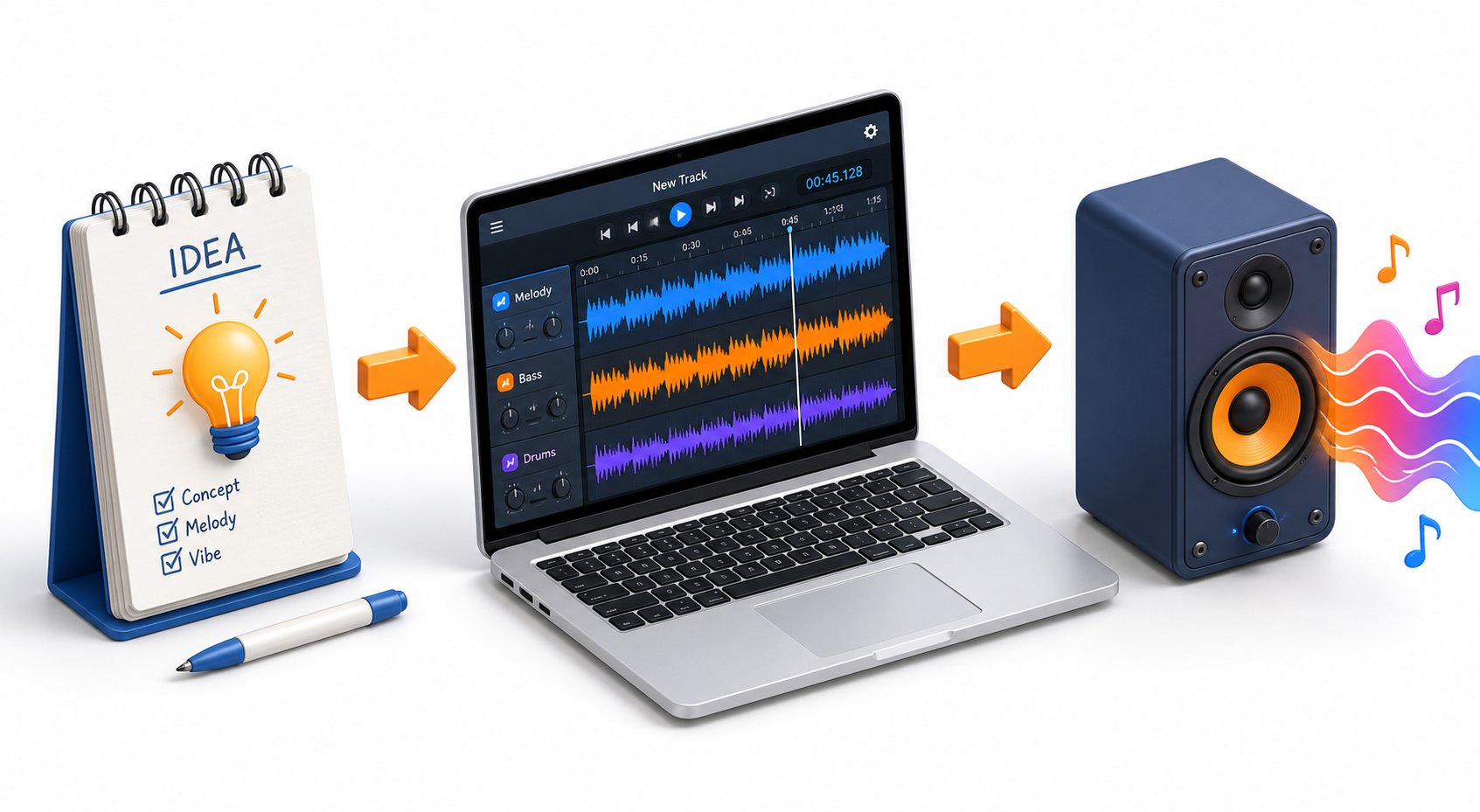
You understand the technology, you know which jingle type fits your platform, you've studied what makes a hook memorable, you've compared the tools, you've learned to write prompts that actually work, and you've squared away the licensing realities. All that's left is doing it. This walkthrough takes you from a blank screen to a finished, download-ready jingle file — with enough detail at each stage that you won't need to guess your way through.
Step-by-Step Walkthrough from Idea to Finished Jingle
Most product pages reduce jingle creation to three vague steps: enter text, click generate, download. That oversimplification skips the decisions that actually determine whether your output is usable or disposable. Here's the full process, laid out in the order that consistently produces the best results:
- Define your jingle's purpose and target audience. Before you touch any tool, get clear on the basics. Is this an advertising jingle for a local restaurant? A podcast intro for a true-crime show? A station ID for an internet radio channel? Your purpose dictates length, tone, and structure. Equally important: who will hear it? A jingle aimed at teenagers browsing TikTok demands a completely different sonic identity than one targeting retirees listening to AM radio. Write down one sentence describing the purpose and one sentence describing the listener. That's your creative compass for every decision that follows.
- Decide on jingle type — sung, instrumental, or spoken. Revisit the framework from earlier in this guide. If you need your brand name or slogan embedded in the listener's memory, go with sung lyrics. If the jingle serves as a background bed or transition element, instrumental may be the stronger choice. Spoken-word jingles — a voiceover set to a music bed — split the difference and work well for station IDs, sweepers, and quick promotional tags. Lock this decision in before you start writing your prompt; it shapes everything downstream.
- Write a detailed prompt using the tips from the earlier section. Pull out the seven-component framework: genre, mood, tempo, target audience, brand name or key phrase, desired length, and vocal style. Stack them into a concise, specific brief. Imagine handing it to a session musician — if they could start playing without asking a single follow-up question, your prompt is ready. A strong example: "Upbeat country-pop jingle, 115 BPM, male vocal with a warm Southern tone, cheerful and confident mood. Include the phrase 'Dale's Auto — drive happy' in the chorus. 20 seconds. Target audience: truck owners aged 30-50."
- Select genre, mood, and vocal preferences in your chosen tool. Most AI jingle maker free platforms offer dropdown menus or parameter sliders alongside the text prompt field. Use them. These controls reinforce your text instructions and help the model narrow its output. If the tool offers a genre selector, pick the closest match to what you described in your prompt. If it offers mood tags like "happy," "epic," or "chill," select the one that aligns with your brief. Consistency between your text prompt and your parameter selections reduces the chance of the AI heading in an unexpected direction.
- Generate the initial output. Click the button. Depending on the platform, rendering takes anywhere from 10 seconds to about a minute. Resist the urge to judge the result in the first two seconds — let the full piece play through at least once before forming an opinion. First impressions of AI-generated audio can be misleading; a jingle that starts with an unexpected intro might land a perfect hook at the five-second mark.
- Listen critically and identify what needs adjustment. This is the step most beginners skip, and it's the one that separates decent output from genuinely usable audio. On your second listen, ask yourself targeted questions: Does the tempo feel right for my brand's energy? Is the vocal tone appropriate for my audience? Does the hook land within the first few seconds? Is my brand name clearly audible in the lyrics? Is the overall length correct? Experienced AI music creators recommend generating three to five variations and comparing them side by side rather than fixating on a single output. Jot down specific notes on what works and what doesn't — "tempo too fast," "vocal too breathy," "needs the brand name earlier" — so your next attempt is targeted rather than random.
- Refine the prompt and regenerate or edit. Take your notes and translate them into prompt adjustments. If the tempo felt rushed, drop your BPM target by 10-15. If the vocal style was off, swap "energetic" for "warm and conversational." If the brand name got buried in the lyrics, move it to the opening line of your prompt's lyrical instruction. Each regeneration should be an intentional iteration, not a roll of the dice. Think of it like sculpture — you're chipping away at what doesn't work until the shape you envisioned emerges. Most users land on a jingle they're happy with within three to five focused iterations.
- Download in the appropriate format. Once you've got a version you're satisfied with, export it in the right file type for your use case. Two formats cover nearly every scenario:
A quick note on sample rates: if you're producing audio for video, match the sample rate to your video project settings. Most video editing software defaults to 48 kHz, so a 48 kHz audio file drops in without conversion artifacts. For podcast-only use, 44.1 kHz is the standard and keeps file sizes slightly smaller.
Picking the Right Tool to Get Started
The comparison section earlier in this guide laid out the landscape, but choosing a starting point still trips people up. Here's a streamlined decision path based on what you're actually trying to create.
If your goal is a complete jingle with custom sung lyrics, a full musical arrangement, and a polished vocal performance — the kind of piece you'd use in a business advertisement, a brand anthem, or an audio campaign — MakeBestMusic's AI Song Generator is the strongest starting point. It generates complete songs with vocals, lyrics, and music in a single workflow, which eliminates the need to stitch together separate vocal and instrumental outputs from different tools. For advertising jingles, brand songs, and business audio branding, that all-in-one capability saves significant time and produces more cohesive results.
For simpler formats — a quick DJ drop, a spoken-word sweeper, or a short audio tag — more lightweight tools get the job done without the overhead of full song generation. An ai jinglemaker platform focused on radio production templates can knock out a 5-second station ID faster than a tool designed for complete musical compositions, simply because it's purpose-built for brevity.
Instrumental beds and mood-based background tracks are another category entirely. If you need hold music, a podcast underscore, or a subtle audio loop with no vocals, tools like InsMelo or MusicCreator handle that niche cleanly.
The honest truth? No single jingle maker handles every format perfectly. The smartest approach is to keep two or three tools bookmarked — one for full vocal jingles, one for quick tags and drops, and one for instrumental beds — and reach for whichever one matches the task at hand.
And here's the most important piece of advice that no tutorial can replace: experiment relentlessly. Generate five versions. Generate ten. Swap the genre. Flip the tempo. Try a female vocal where you assumed male would work. Compare your outputs side by side, identify what clicks, and iterate on the prompts that produced your strongest results. Every generation teaches you something about how the model interprets language, and that knowledge compounds fast. Within a dozen attempts, you'll develop an intuitive feel for prompt structure that consistently produces output worth keeping.
The barrier between you and a professional-sounding jingle has never been lower. The tools are free, the learning curve is gentle, and the only real cost is a few minutes of creative experimentation. Open a tab, write your first detailed prompt, and hit generate. Your brand's sound is waiting.


