


What Is an AI Video Generator from Lyrics and Why It Matters
Imagine uploading a song, pasting your lyrics, and watching a fully synchronized visual video render itself in minutes — no After Effects expertise, no freelancer invoices, no weeks-long production timeline. That is exactly what an AI video generator from lyrics delivers. It is a specialized tool that takes song lyrics (typed, uploaded, or auto-transcribed from audio) and produces a finished video where every word appears on screen in perfect rhythm with the music.
This is not a generic video editor with a text overlay feature bolted on. It is purpose-built technology designed around one goal: turning words and sound into watchable, shareable visual content at a fraction of the traditional cost.
What Exactly Is an AI Lyrics Video Generator
At its core, an AI lyric video maker is an application that combines several layers of intelligent processing. Speech-to-text transcription identifies the sung words. Beat detection maps the song's tempo and rhythm. Text-timing alignment pins each lyric line — or even each syllable — to its exact moment in the audio. Finally, AI-generated or template-driven visuals wrap the entire package in backgrounds, animations, and typography that match the song's mood.
The result? A polished lyric video creator experience that condenses what used to require a motion-graphics specialist and hours of manual keyframing into an automated pipeline. Where a traditional video editor asks you to build every element from scratch, a dedicated ai lyrics video generator handles the heavy lifting of synchronization and visual styling so you can focus on creative decisions rather than technical execution.
Why Lyric Videos Have Become Essential for Music Promotion
The music industry's relationship with lyric videos has shifted dramatically. They are no longer the "budget alternative" released quietly before the official music video drops. Today, lyric videos function as a strategic first-release asset — often the very first piece of visual content an artist puts in front of an audience.
Why the shift? Short-form music content has exploded across YouTube, TikTok, and Instagram. Roughly 75 percent of listeners now discover new music through social video rather than traditional radio. That statistic alone explains why every artist, label, and music marketer needs visual content that can be produced fast, formatted for multiple platforms, and designed to hold attention.
Lyric videos are no longer a placeholder — they are the primary discovery format on streaming and social platforms, driving singalong engagement, extending watch time, and feeding algorithms that reward on-screen retention.
The singalong factor matters more than most creators realize. When viewers can read and follow along with the words, they stay on the video longer. Longer watch time signals platform algorithms that the content is valuable, which pushes it to more viewers organically. This creates a virtuous cycle: better engagement leads to broader reach, which drives more streams and followers.
Professional lyric videos once required expensive freelancers or in-house motion-graphics teams. A single polished video could cost hundreds or thousands of dollars and take days to produce. Any lyric video maker or lyrics video maker powered by AI collapses that barrier entirely, making professional-quality output accessible to independent artists, bedroom producers, and content creators operating on tight budgets. Even a lyrical video maker with a free tier can produce results that rival what studios charged premium rates for just a few years ago.
For artists releasing music consistently — dropping singles, EPs, or album tracks on a rolling schedule — this speed and affordability is not just convenient. It is competitively essential. The best ai music video generator tools let creators keep pace with release calendars and social content demands without sacrificing visual quality. The technology has reached a point where the real question is no longer whether you need a lyric video, but how the AI behind it actually works.
How the AI Technology Pipeline Turns Lyrics into Finished Videos
So how does a song file actually become a synchronized lyric video without human editors manually placing every word? The answer lies in a three-stage AI pipeline that handles transcription, timing, and visual rendering — each step building on the last. Understanding this pipeline helps you make smarter decisions about which tools to trust and where to invest your editing time.
- Audio upload and lyric transcription
- Beat detection and text-to-timing alignment
- Visual generation and scene rendering
Each stage solves a distinct problem. Let's break them down.
From Audio Upload to Lyric Transcription
Everything starts with your input. You either paste your lyrics directly into the tool or upload an audio file — typically an MP3, WAV, or FLAC — and let AI do the rest. If you paste text manually, the tool skips straight to timing. But if you rely on auto-transcription, something more complex happens under the hood.
AI speech-to-text models, often built on architectures similar to OpenAI's Whisper, first perform source separation — isolating the vocal track from instrumentation, drums, and bass. This separation step is critical. Without it, the AI lyric transcriber would struggle to distinguish sung words from background sounds. Once the vocals are isolated, the system converts them into time-stamped text, essentially functioning as a lyrics generator from audio that maps every word to a specific point in the song.
Accuracy here depends on several factors. Clear, unprocessed vocals in a single language produce the best results. Heavy vocal effects, layered harmonies, fast rap delivery, or tonal languages can reduce precision. If you need to transcribe lyrics from a track with complex production, you may want to review and correct the auto-generated text before moving on. Many tools let you extract lyrics from song files and then manually refine the output — a small step that dramatically improves the final video.
Beat Detection and Text-to-Timing Alignment
Raw transcription gives you the words, but not the rhythm. This second stage is where an AI video generator from lyrics earns its value. Specialized algorithms analyze the audio to detect tempo (BPM), beat markers, structural segments like verses and choruses, and phrase boundaries. Research from systems like AutoMV shows that this music-aware preprocessing — using tools for structure analysis and beat tracking — is foundational to producing visuals that feel intentionally crafted rather than randomly assembled.
The system then synchronizes each lyric line or individual word to its precise moment in the song, generating what is essentially an LRC file — a time-coded lyrics map. Think of it as sheet music for your visuals. This alignment creates the timing foundation that drives how text appears, holds, and transitions on screen. An ai lrc generator handles this automatically, but the best tools also let you fine-tune timestamps manually.
This step is what separates a professional lyric video from an amateur one. Even a 200-millisecond misalignment — text appearing just slightly before or after the vocal — breaks immersion and feels sloppy. Tools with strong beat detection and word-level timing produce that satisfying "snap" where every syllable lands exactly on the beat.
Visual Generation and Scene Rendering
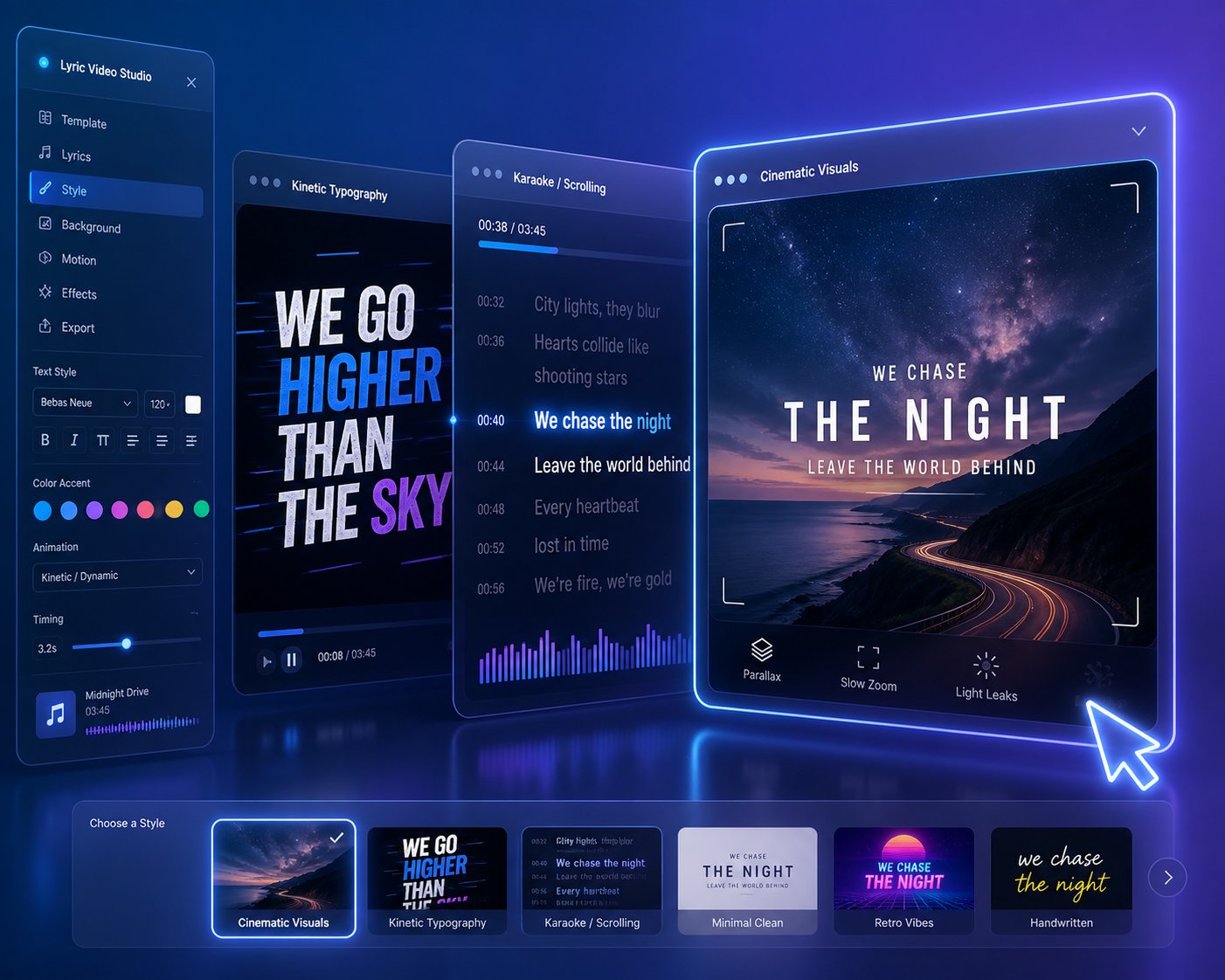
With lyrics transcribed and timing locked, the final stage transforms data into something watchable. Here, AI applies the visual layer: kinetic typography, background imagery, color palettes, transitions, and motion effects. The approach varies significantly between tools.
Template-driven platforms pull from curated libraries of pre-designed styles. You pick a theme — neon retro, minimalist black-and-white, dreamy gradient — and the system applies it across your entire track. This is fast, predictable, and works well for creators who want polished results without deep customization.
Generative AI platforms take a different path. They use text-to-image models to create entirely new visual scenes based on lyric content and mood. Imagine your chorus mentions "city lights at midnight" — the AI generates an original nightscape that shifts and evolves as the lyrics progress. This music to lyrics visual translation produces something closer to a cinematic experience than a traditional text-overlay video. AutoMV's research demonstrates this approach using multi-agent systems where AI screenwriters and directors collaborate to design scenes aligned with both lyrical meaning and musical structure.
The rendering engine then composites everything — text animations layered over backgrounds, transitions timed to structural shifts in the song, and export settings formatted for your target platform. What once required frame-by-frame motion graphics work now happens in minutes.
Of course, knowing how the pipeline works is only half the equation. The style you choose for your lyric video — kinetic typography, karaoke scroll, AI-generated scenes, or minimalist overlays — shapes the viewer's experience just as much as the technology powering it.
Lyric Video Styles Explained and How to Choose the Right One
Not every lyric video should look the same — and yet most creators default to whatever template their tool loads first. The visual style you choose affects how audiences perceive your music, how long they watch, and whether they share it. Four distinct approaches dominate the landscape, each suited to different genres, platforms, and creative goals. Understanding them before you pick a tool saves you from producing something that looks polished but feels wrong for your song.
Kinetic Typography and Animated Text Motion Graphics
Picture words that snap, bounce, scale, and explode across the screen in perfect rhythm with the beat. That is kinetic typography — and it is one of the most visually striking ways to turn lyrics to video. As SVGator's typography research describes it, beat-synced type "cuts hard to a rhythm: words snap, stack, and pulse onto the screen," carrying a sense of confidence and momentum that grabs attention in the first second.
This style thrives in high-energy genres: hip-hop, EDM, pop, and punk. Every syllable becomes a visual event. The tradeoff? It demands a lyric music video maker with robust text animation capabilities — basic tools with limited motion presets simply cannot deliver the punch this style requires. When done well, kinetic typography transforms a lyric video template into something that rivals a full motion-graphics production.
Karaoke-Style Scrolling and Highlighted Text
You have seen this one a thousand times: lyrics scroll vertically or highlight word-by-word as the song plays, often with a color wipe that follows the vocal in real time. It is the most universally recognized format, and its familiarity is its strength.
Karaoke-style videos excel at singalong content. Worship teams use them during live services. Language teachers create them for classroom listening exercises. Fans share them as accessible, easy-to-follow content on YouTube. The production complexity is low — almost any video lyrics maker can handle this format — but the engagement value remains high because viewers actively participate by reading and singing along.
AI-Generated Cinematic Scene Videos
This is where the technology gets genuinely exciting. Instead of animating text over a static background, generative AI creates unique visual scenes — sweeping landscapes, abstract art, character imagery, atmospheric environments — that shift and evolve based on lyric themes and emotional tone. The result feels closer to an ai generated music video than a traditional text-overlay experience.
Imagine a verse about heartbreak triggering rain-soaked city streets, then a chorus about freedom generating wide-open skies. These ai created lyrics videos analyze your words for mood and meaning, then build original visuals that respond to both content and musical structure. The creative ceiling here is dramatically higher, though the output can occasionally feel unpredictable if the AI misinterprets lyrical metaphors or abstract imagery.
Minimal Text on Static or Slow-Motion Backgrounds
Sometimes less is everything. Clean, simple text overlays on atmospheric backgrounds — slow-motion clouds, bokeh light leaks, soft gradients — produce the kind of aesthetic content that performs exceptionally well on Instagram and TikTok. Think of the ai lyrics video clips that fill your Reels feed: elegant, shareable, and effortlessly cool.
Production complexity is the lowest of all four styles, which makes this approach ideal for creators who need to produce ai lyric videos at volume. A single track can yield a dozen short-form clips, each featuring a different lyric over a different background, feeding a consistent posting schedule without burning hours on customization.
| Style Name | Best Genres | Platform Fit | Production Complexity |
|---|---|---|---|
| Kinetic Typography | Hip-hop, EDM, Pop, Punk | YouTube, TikTok | High — requires strong animation tools |
| Karaoke-Style Scrolling | Worship, Acoustic, Pop, Educational | YouTube, Projection Screens | Low — most tools support this format |
| AI-Generated Cinematic Scenes | Indie, R&B, Ambient, Alternative | YouTube, Spotify Canvas | Medium — dependent on AI scene quality |
| Minimal Text on Backgrounds | Lo-fi, Ballads, Singer-Songwriter | Instagram Reels, TikTok, Stories | Very Low — fast to produce at volume |
Choosing the right style is not just an aesthetic preference — it is a strategic decision. Your genre, your target platform, and the volume of content you need to produce should all factor in. A rapper releasing weekly freestyles needs kinetic energy. A worship leader needs clear, singable readability. An indie artist building a moody brand on Instagram needs minimalist elegance.
The style decision also shapes which tool you should choose and how much control you will need over the creation process — which brings up the practical question of workflow: what steps do you actually follow to go from raw lyrics to a published, platform-ready video?
Step-by-Step Workflow from Lyrics to Published Video
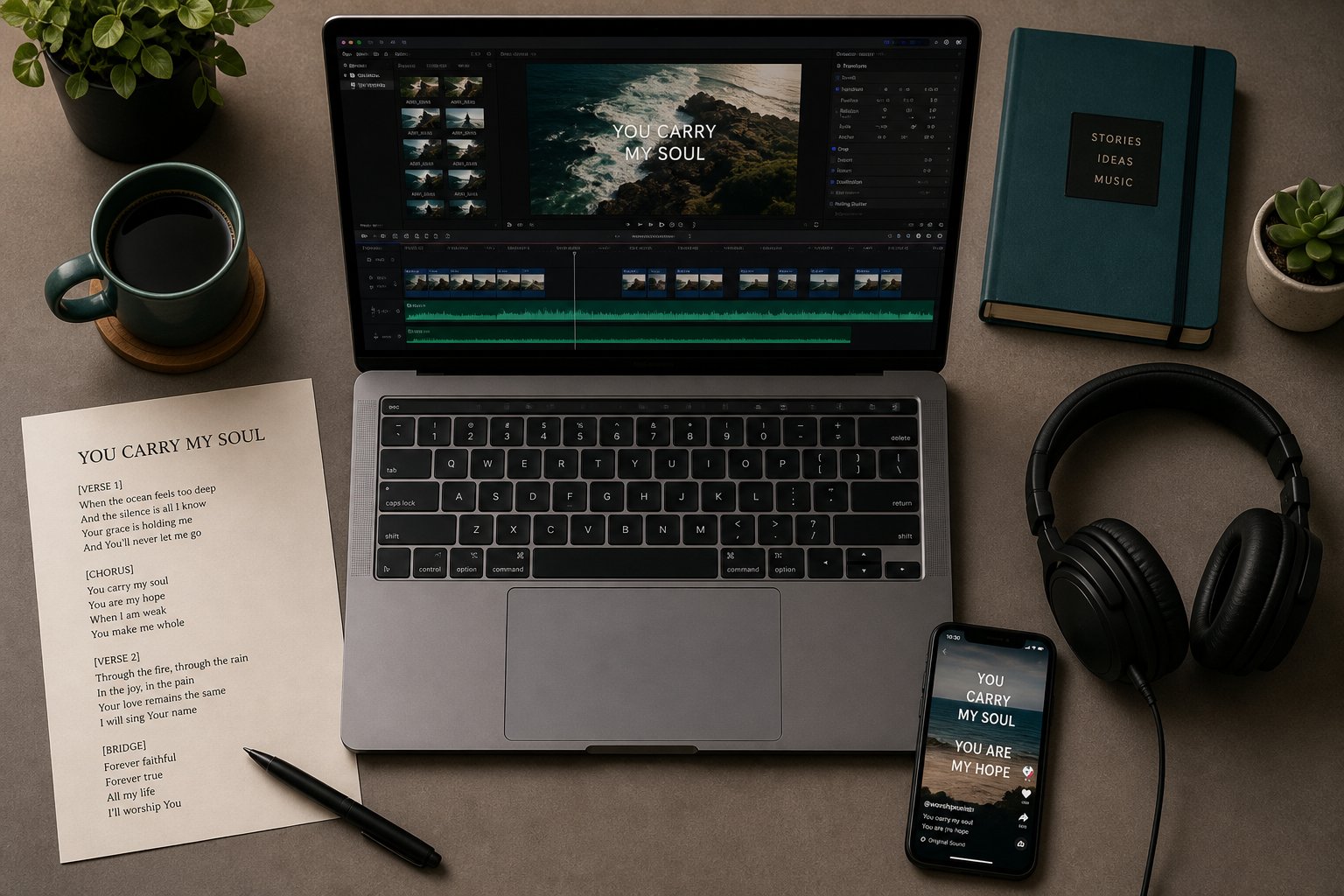
Every tool markets its own three-step funnel — upload, customize, export — as if creating a polished lyric video were as simple as pressing a button. Reality is messier, and skipping the decisions that happen before and after that funnel is exactly how creators end up with generic, forgettable output. The workflow below is tool-agnostic. Whether you use an AI-powered platform, a manual editor like Premiere Pro, or a free mobile app, these stages apply universally. Follow them in order, and you will create a lyric video that feels intentional rather than auto-generated.
Pre-Production Decisions That Shape Your Video
Before you open any software, three questions need clear answers. Get them wrong — or skip them entirely — and no amount of post-production polish will fix the result.
What platform is this for? A YouTube lyric video lives in a 16:9 widescreen frame with room for detailed typography and longer watch sessions. A TikTok or Instagram Reels clip demands 9:16 vertical formatting where text must sit inside a tight central safe zone to avoid being covered by UI elements. A Spotify Canvas loops a short visual segment at just 8 seconds. Each format changes your text sizing, animation pacing, and even how many lyric lines you display at once. If you want to know how to create a lyric video for YouTube specifically, locking in that 1920x1080 resolution at the start prevents painful reformatting later.
What style fits the song? Refer back to the four styles covered earlier — kinetic typography, karaoke scrolling, AI-generated scenes, or minimal text overlays. A mismatch between style and genre is one of the fastest ways to undermine a video's impact. An acoustic ballad wrapped in aggressive kinetic text feels jarring. A high-energy hip-hop track over a slow-motion sunset feels disconnected.
What mood should the visuals convey? Mood goes beyond genre. Two pop songs can demand completely different visual treatments — one playful and saturated, the other melancholic and muted. Spend five minutes listening to your track with your eyes closed. The colors, textures, and motion that come to mind naturally should guide your visual direction.
With those decisions locked, prepare your lyrics. This step gets rushed constantly, and as FrameSurfer's production guide points out, copy-pasting lyrics from notes or demo documents almost always leaves errors behind. Clean formatting matters: separate each line by timing and breath rather than by sentence, label verses and choruses clearly, mark ad-libs you want to show or hide, and decide how to handle featured artist sections. Wrong lyrics break viewer trust faster than basic visuals ever will.
The Core Creation Workflow Step by Step
Regardless of whether you use an AI platform or a manual editor, the process to make a lyric video follows the same seven stages. Here they are in sequence:
- Prepare and format your lyrics text. Write them in a separate document first, proofread twice, and structure them by section — verse, pre-chorus, chorus, bridge. Lock spelling choices and decide on capitalization style.
- Upload or record your audio track. Use the final mastered version, not a demo or rough mix. Even tiny changes in vocal timing between versions can throw off your entire sync, a pitfall that experienced editors flag as one of the most common workflow-breaking mistakes.
- Let AI transcribe and sync — or manually adjust timing. If your tool supports auto-transcription, review the output line by line. If you pasted lyrics manually, use the waveform display to drag each line to its precise vocal entry point. This is the step where you make lyric video quality jump from amateur to professional.
- Select or generate visual backgrounds and styles. Choose from template libraries or let generative AI create scenes based on your lyrics. Match visual energy to song energy — busy backgrounds for uptempo tracks, clean and atmospheric for slower material.
- Customize fonts, colors, and text animations. Pick a font that fits your genre (sans-serif for modern energy, serif or script for warmth), set a color palette that contrasts clearly against your backgrounds, and select animation behaviors that complement the song's pacing.
- Preview and fine-tune sync accuracy. Watch the entire video at least twice. Listen for any moment where text arrives early, lingers too long, or disappears before the vocal finishes. Even a 200-millisecond gap between voice and text feels off to viewers. Adjust timestamps until every word snaps to the beat.
- Export in the correct format and resolution for your target platform. For YouTube, export at 1080p (1920x1080) or higher in H.264 at 10-15 Mbps bitrate. For TikTok and Reels, export in 9:16 at 1080x1920. For Instagram feed posts, consider a 1:1 square crop. Name your files clearly —
song-title_16x9_final.mp4saves confusion when you are managing multiple versions.
This seven-step process is how you create a lyric video that feels deliberate and polished, not something a bot spit out without human oversight. The AI handles the labor-intensive parts — transcription, beat detection, rendering — while you retain control over every creative decision that shapes how the video feels.
Post-Production and Platform Optimization
Exporting the video file is not the finish line. What happens next determines whether your video actually reaches an audience or disappears into algorithmic silence.
Metadata and discoverability. When you upload to YouTube, fill in the title, description, and tags with relevant terms. Include the song title, artist name, and the phrase "lyric video" or "lyrics" so search and recommendation systems can categorize your content correctly. A well-tagged lyric video surfaces in both YouTube search results and the suggested video sidebar — two of the highest-traffic discovery channels on the platform.
Thumbnail design. Your thumbnail is the single biggest factor in click-through rate. A blurry screenshot from the video itself rarely works. Instead, design a clean image that features the song title in a legible font over a visually striking background. Think of it as a movie poster for your track — it needs to communicate mood and quality in a fraction of a second.
Platform-specific adjustments. TikTok clips should lead with your strongest lyric line in the first one to two seconds — retention data consistently shows that the opening moments determine whether viewers keep watching or scroll past. Instagram Reels benefit from captions and hashtags that connect your video to trending topics. If you are learning how to make lyrics video content for multiple platforms simultaneously, consider exporting three versions from the same project: widescreen for YouTube, vertical for TikTok and Reels, and square for Instagram feed posts.
These post-production steps take fifteen to thirty minutes, but they multiply the return on every hour you spent creating the video itself. A polished video uploaded with weak metadata and a generic thumbnail will underperform a slightly rougher video packaged with strategic discoverability in mind.
Following this workflow consistently builds creative muscle. Each video gets faster to produce and better in quality. But speed and process alone do not guarantee a professional result — the difference between a video that looks polished and one that screams amateur often comes down to a handful of subtle design principles that most creators overlook entirely.
What Separates a Professional Lyric Video from an Amateur One
You have followed every step. The lyrics are synced, the backgrounds are set, and the export is rendering. Yet something still feels off. The video looks like a homework assignment rather than a professional release. That gap between "functional" and "polished" almost always traces back to three design principles that most creators never consciously address: typography, contrast, and timing precision. Mastering these separates the lyric videos people share from the ones they scroll past.
Text Readability and Font Selection Principles
Font choice is the single fastest way to elevate — or destroy — perceived quality. Think of it this way: the lyrics are the entire point of the video. If viewers strain to read them, nothing else matters.
Sans-serif fonts like Montserrat, Inter, or Bebas Neue work best for fast-paced genres. Their clean geometry keeps words legible even when text animates rapidly across the screen. Serif or script typefaces — think Playfair Display or a hand-lettered style — suit ballads, acoustic tracks, and singer-songwriter material where the mood is intimate and the pacing is slow enough for decorative letterforms to breathe.
Sizing matters more than most creators realize, especially because the majority of lyrics with video consumption happens on mobile screens. Responsive typography guidelines recommend a minimum body text size of 16-20px for mobile readability — and lyric videos should aim even higher since text appears briefly and viewers cannot re-read at their own pace. A good rule of thumb: if you have to squint at the text on your phone screen, your audience will too. Add generous padding around each line so words never collide with screen edges or platform UI elements like TikTok's comment bar or YouTube's progress slider.
One more detail that beginners overlook: limit yourself to one or two fonts per video. Design research consistently shows that even complex, interaction-heavy pages look polished with roughly four font sizes total. A lyric video needs even fewer — one for main lyrics, one for section labels if you include them. Every extra typeface dilutes visual coherence and makes the video feel scattered rather than designed.
Color Contrast and Visual Hierarchy
Imagine white text floating over a bright sky background. You can technically read it, but your eyes fight for every word. That friction is the difference between a viewer watching to the end and tapping away at the ten-second mark.
Usability research from Nielsen Norman Group establishes that text placed over images requires a contrast ratio of at least 4.5:1 for standard characters — and that even semi-transparent overlays often fail this threshold unless carefully tuned. For lyric videos, where backgrounds shift constantly, this challenge multiplies. A color scheme that looks perfect against a dark verse scene may become unreadable when the chorus triggers a brighter visual.
Several practical techniques solve this without sacrificing aesthetics:
Text shadows. A subtle dark shadow behind each word creates separation from any background. This is the simplest fix and works across nearly every visual style.
Semi-transparent background bars. A darkened strip behind each lyric line — opacity set around 40-50% — maintains readability without obscuring the visuals entirely. NN/g's analysis showed that increasing a semi-opaque box from 30% to 50% opacity was enough to pass accessibility contrast requirements while preserving the design's visual tone.
Outline strokes. A thin contrasting border around each letter ensures legibility regardless of what appears behind it. This technique is especially useful for kinetic typography styles where text moves across varied regions of the frame.
Color palette should also reinforce the song's emotional tone. Warm amber and deep red tones for passionate or aggressive tracks. Cool blues and muted grays for introspective material. Neon greens and magentas for electronic or futuristic vibes. When you add lyrics to a video, the color choices quietly communicate genre and mood before a single word is read.
Timing Precision and Visual Pacing
This is where amateur output reveals itself most painfully. A lyric line that appears 200 milliseconds too early breaks immersion. Text that lingers on screen after the vocal has moved on feels sluggish. Viewers may not consciously identify the problem, but they feel it — and they leave.
Professional-quality tools that add lyrics to video automatically use beat detection to snap text transitions to musical events. But even the best automation needs a human review pass. Play your video at full speed and watch for any moment where your eye catches text arriving before or after the voice. Then scrub through problem sections frame by frame and adjust timestamps until every word lands precisely on the vocal. This manual fine-tuning step is non-negotiable for anyone serious about quality.
Visual pacing — the speed and style of text transitions — should mirror the song's energy. Rapid hard cuts between lyric lines suit uptempo hip-hop and EDM. Gentle cross-fades and slow reveals match acoustic tracks and ballads. A common mistake when learning how to put lyrics on a video is applying the same transition style uniformly across the entire track. Verses, choruses, and bridges have different energy levels, and your text animations should reflect those shifts. The chorus might warrant bigger, bolder text with snappier entrances, while a quiet bridge calls for smaller, softer presentation.
Even if you use a platform that lets you add lyrics to video automatically online free, the difference between good and great output comes from this manual attention to pacing. Automation gets you 80% of the way there. The last 20% is human judgment.
Before you publish any lyric video — whether it took five minutes or five hours to produce — run through this quality checklist:
- Mobile readability: Preview the video on a phone screen. Can you read every lyric line without pausing or squinting?
- Sync accuracy across the full track: Watch the entire video, not just the first 30 seconds. Timing drift often worsens toward the end of a song.
- Contrast on varied backgrounds: Check text visibility during the brightest and darkest moments of the video. If any line disappears into its background, add shadows, outlines, or overlay bars.
- Consistent visual style: Fonts, colors, and animation behaviors should remain uniform throughout. Inconsistency signals carelessness.
- Proper aspect ratio for your target platform: A 16:9 video uploaded to TikTok gets cropped awkwardly. A 9:16 vertical video on YouTube wastes screen space. Match the format to the destination.
- No spelling or line-break errors: One misspelled word undermines the entire video's credibility. Proofread the lyrics one final time against the original text.
These checkpoints take less than ten minutes to review, yet they catch the issues responsible for 90% of the quality gap between amateur and professional lyric videos. The tools handle rendering and automation; you handle the taste and attention that no algorithm can replicate.
Knowing what quality looks like is powerful — but it also raises a harder question. With dozens of AI platforms competing for your attention, each claiming professional-grade output, how do you objectively evaluate which tool will actually deliver on these standards for your specific needs?
What to Look for When Choosing an AI Lyrics Video Generator
Marketing pages promise magic. Every ai lyric video generator claims razor-sharp sync, stunning visuals, and one-click simplicity. But once you are inside the editor staring at mistimed text over a generic background, those promises evaporate fast. The problem is not a shortage of tools — it is a shortage of objective criteria for comparing them. Whether you are evaluating a free ai lyric video maker today or a platform that launches six months from now, the same core factors determine whether the output meets professional standards or wastes your afternoon.
Think of the framework below as a buyer's checklist you can carry into any tool evaluation, regardless of brand or pricing tier. Three dimensions matter most: sync accuracy, customization depth, and export quality.
Sync Accuracy and Language Support
If a tool gets only one thing right, it needs to be this. Sync accuracy — how precisely the displayed text aligns with the sung vocal — is the single most critical differentiator between platforms. A beautifully designed video with mistimed lyrics feels broken. A simple video with perfect sync feels professional.
The best tools deliver word-level alignment, where each individual word highlights or appears at the exact millisecond it is sung. Others offer line-level sync, which is less precise but still functional for slower tracks. The weakest tools dump entire verse blocks on screen and leave the viewer to follow along, which defeats the purpose of a lyric video entirely.
Language support adds another layer of complexity. Some platforms advertise compatibility with 90 or more languages, but advertising support and delivering accurate timing are two different things. Non-Latin scripts like Arabic, Hebrew, or Thai introduce right-to-left rendering and complex character joining that many tools handle poorly. Tonal languages like Mandarin or Vietnamese challenge transcription models because pitch carries meaning, not just melody. Comparative testing across leading tools consistently shows that word-level precision varies dramatically depending on the language and vocal clarity of the source audio.
The practical takeaway? Never commit to a paid plan based on a language support list alone. Upload a test track in your specific language, review the auto-generated timing, and check whether the tool lets you manually correct errors. If manual adjustment is not available, any transcription mistake becomes permanent — and that is a deal-breaker for professional releases.
Customization Depth vs Speed of Output
Here is the tradeoff every creator faces: do you want a finished video in three minutes, or do you want granular control over every font, animation curve, and background scene?
Some platforms prioritize one-click simplicity. You upload a song, the AI handles everything, and you get an exportable video almost immediately. This speed-first approach works beautifully for creators who need volume — posting daily content across TikTok, Instagram, and YouTube without spending hours on each clip. The limitation? Every video tends to look similar. Templates recycle, animation patterns repeat, and your output starts blending into the sea of identical content flooding social feeds.
On the opposite end, some tools offer deep customization: manual keyframing of text animations, custom font uploads, granular color controls per section, and the ability to swap or generate individual background scenes. This depth produces distinctive, branded output — but it also demands more time and a steeper learning curve. A lyrics video generator ai free tier rarely provides this level of control; it is almost always locked behind paid plans.
Neither end of the spectrum is objectively better. The right choice depends on your goals. Ask yourself: Am I a solo artist releasing a single who needs one polished, highly customized video? Or am I a content creator who needs fifteen short-form clips this week and cannot spend more than ten minutes on each? Your answer determines which end of the customization-speed tradeoff to prioritize. Many creators discover that the ideal workflow involves a fast tool for daily social content and a deeper tool for flagship releases — two different platforms serving two different purposes.
Export Quality and Platform Presets
A video that looks stunning in the editor preview but exports at 720p with a watermark stamped across the chorus is not a professional asset. Export settings are where free tiers reveal their true limitations, and where the gap between an ai lyrics video generator free and a paid subscription becomes impossible to ignore.
Resolution options matter. For YouTube, you want at least 1080p (1920x1080) — and 4K is increasingly expected for channels building a premium brand. For TikTok and Instagram Reels, 1080x1920 vertical at 1080p is the standard. Pricing analysis across 113 AI video tools found that free tiers commonly cap resolution at 720p, reserving full HD and higher for paid plans. If your target audience watches on phones, 720p may be acceptable for casual content — but for anything tied to a music release, the quality difference is visible and it signals budget production.
Aspect ratio presets save significant time. The best ai lyric video generator platforms offer one-click formatting for 16:9 (YouTube), 9:16 (TikTok, Reels, Shorts), and 1:1 (Instagram feed). Without these presets, you are manually cropping and repositioning text for every platform — a tedious process that introduces errors and eats into time savings the AI was supposed to deliver.
Watermark policies deserve special attention. Industry data shows that watermark restrictions appear in roughly 41% of free-plan limitations across AI video creation tools, making it one of the most common conversion levers in the category. A watermark on a lyric video is not just an aesthetic issue — it undermines artist branding, looks unprofessional to fans, and signals to playlist curators and blog editors that the creator is not investing in their own presentation. For personal experimentation, watermarks are fine. For anything public-facing, they are a liability.
File format support is a smaller but still relevant consideration. Most platforms export in MP4 with H.264 encoding, which is universally accepted. A few also offer MOV, WebM, or GIF exports for niche use cases like website embeds or social stickers. Check that the tool's default codec and bitrate settings produce clean output without visible compression artifacts, especially in scenes with fine text detail.
Before you invest time testing any ai lyrics video maker — free or paid — run it against this evaluation checklist:
- Sync accuracy: Does the tool offer word-level alignment, and can you manually adjust timing after auto-sync?
- Language support range: Does it accurately handle your specific language, script direction, and character set — not just list it on a marketing page?
- Customization controls: Can you change fonts, colors, text animation styles, and backgrounds to match your artistic identity?
- Export resolution options: Does it support 1080p or higher without requiring the most expensive plan?
- Watermark policy: Is the free tier watermarked? If so, at what price point does the watermark disappear?
- Platform presets: Are aspect ratio templates available for YouTube (16:9), TikTok/Reels (9:16), and Instagram (1:1)?
- Pricing transparency: Are credit limits, export caps, and feature restrictions clearly stated before you start creating — or do they surprise you at export time?
This checklist works regardless of which tool is trending today. Platforms launch, rebrand, merge, and disappear — but these seven criteria remain constant because they map directly to the quality markers covered earlier: readability, sync precision, visual consistency, and platform-appropriate formatting.
With a clear evaluation framework in hand, the next logical step is applying it. How do the actual tools on the market stack up when measured against these criteria side by side?
Top AI Lyrics Video Generators Compared Side by Side
Evaluating tools in isolation tells you what each one claims. Evaluating them against each other tells you what actually matters. The comparison below applies the criteria framework from the previous section — sync accuracy, customization depth, export quality, watermark policies, and language support — across the leading platforms in the space. If you have been asking what is the best ai music video generator for your specific workflow, this table is designed to help you answer that question based on facts rather than marketing copy.
Leading AI Lyrics Video Generators at a Glance
Each tool below occupies a slightly different position in the market. Some prioritize speed and simplicity, others lean into deep creative control, and a few aim to cover the entire spectrum from lyric videos to full music video production. The table captures these differences at a glance so you can narrow your shortlist before investing time in free trials.
| Tool Name | Auto-Sync Capability | Customization Depth | Export Formats | Watermark on Free Tier | Language Support | Best For |
|---|---|---|---|---|---|---|
| MakeBestMusic | Yes — AI-driven vocal sync | High — lyric videos, visualizers, cover-video content, music-promotion visuals | MP4; 16:9, 9:16, 1:1 presets | Limited free access | Multiple languages | Musicians, YouTubers, TikTok creators, and music marketers wanting versatile output types |
| Somio | Yes — automatic transcription and karaoke-style word alignment | Medium-High — AI backgrounds, GIF layers, customizable fonts and animations | MP4; multiple aspect ratios | No watermark on free plan | Multiple languages | Creators wanting fast, watermark-free lyric videos with built-in songwriting tools |
| LyricEdits | Yes — AI analyzes lyrics for scene-based timing | High — story-driven scenes, consistent AI characters, exportable to Premiere/DaVinci | MP4; platform presets | Free preview available | Multiple languages | Artists wanting narrative, cinematic lyric videos with AI-generated characters |
| Rotor Videos | Yes — automatic transcription and beat-mapped sync | Low-Medium — template-driven, limited animation control | MP4; vertical and square resizing | Credit-based pricing (no traditional free tier) | Multiple languages | Indie artists needing fast, template-based promotional videos |
| VEED | Yes — subtitle-based auto-transcription | Medium — text styling, visualizers, animated captions over uploaded footage | MP4; multiple resolutions and ratios | Watermark on free plan | 100+ languages | Creators who already have footage and need lyrics layered on top |
| Neural Frames | Yes — stem-separated audio-reactive sync | High — frequency-mapped visuals, artistic control, 4K export | MP4; up to 4K | Limited free features | Multiple languages | Electronic producers and visual artists wanting abstract, audio-reactive lyric videos |
A few observations stand out immediately. MakeBestMusic's AI Music Video Generator covers the broadest range of output types — spanning lyric videos, visualizers, cover-video content, and music-promotion visuals within a single platform. That breadth makes it a strong contender for the best ai music video maker category, particularly for creators who need more than just a lyric video and want to produce multiple content formats from one workflow. Musicians, YouTubers, and TikTok creators benefit from this versatility because it eliminates the need to jump between specialized tools for each content type.
Somio stands out for offering watermark-free exports on its free plan — a rarity in this space that makes it especially attractive for budget-conscious creators testing the waters. LyricEdits takes a fundamentally different approach, building narrative visual stories around your lyrics rather than simply overlaying text, which produces results closer to a traditional music video. Rotor Videos trades creative depth for speed and simplicity, making it the best music video ai generator for artists who just want a clean promotional asset without a learning curve. VEED excels when you already have footage and simply need lyrics layered over it with accurate timing. Neural Frames is the outlier — brilliant for electronic and experimental genres but effectively useless for anyone who needs a performer or narrative on screen, as independent testing by The Blogging Musician confirmed.
How to Read This Comparison and Make Your Choice
The table above is not a ranking — it is a decision matrix. Your position on it depends entirely on your starting point and your goals. Here is how to read it based on who you are:
Budget creators and hobbyists should prioritize platforms with no-watermark free tiers or generous free previews. Somio's watermark-free free plan is the standout here. Testing multiple tools before committing any money is always the smartest approach, and the best ai music video generator free options give you enough room to evaluate sync accuracy and visual quality on your actual tracks before upgrading.
Professional musicians and labels should focus on customization depth, export resolution, and the ability to fine-tune timing manually. If you are releasing commercially, a generic template video can actually hurt your brand more than having no video at all. MakeBestMusic and LyricEdits both offer the creative control needed for polished, distinctive output that stands apart from template-driven content.
Social media creators and marketers should look for platform presets (9:16 for TikTok and Reels, 1:1 for Instagram feed), fast turnaround, and the ability to produce multiple short clips from a single track. Speed matters more than pixel-level control when you are posting daily. Tools that offer quick generation alongside aspect ratio presets are the best ai video generator for music videos in a high-volume content strategy.
When people ask what is the best ai to make music videos, the honest answer resists a simple ranking. A tool that is perfect for an EDM producer building audio-reactive visualizers will frustrate a singer-songwriter who needs clean, readable text over a warm background. A platform ideal for one-off YouTube releases may be overkill for someone churning out TikTok clips.
No single tool is the best ai for making music videos across every use case. The right choice depends on your specific workflow, your target platform, and whether you need speed, creative depth, or both.
Use the evaluation checklist from the previous section as your scoring rubric. Upload a test track — ideally one with a fast verse and a slower chorus — and run it through two or three platforms before committing. The best ai music video generator from audio for your needs is the one that handles your actual music accurately, not the one with the most polished demo reel on its landing page.
With the right tool identified, one practical question remains before you commit: what do free tiers actually deliver, where do they fall short, and at what point does upgrading to a paid plan genuinely make sense?
Free vs Paid Tools and Honest Limitations You Should Know
Free tiers are the front door of every AI lyrics video platform. They get you inside, let you explore, and give you just enough output to feel the potential. But building an entire content workflow around a free plan is like furnishing a house with floor models — everything looks right until you try to actually live with it. The gap between what free tiers promise and what they deliver day-to-day is one of the least discussed topics in this space, and it deserves a transparent breakdown rather than the vague "upgrade for more" messaging most platforms hide behind.
What Free Tiers Typically Include and Where They Fall Short
Most platforms follow a predictable pattern with their free offerings. You get access to the core engine — upload audio, paste lyrics, generate a synchronized video — but every meaningful output setting is dialed down. Comparative analysis across AI video platforms reveals that free plans commonly cap resolution at 720p, limit clip length, restrict monthly export counts, and add visible watermarks to every rendered file.
Here is what a typical free lyric video maker gives you:
- Watermarked exports: A branded logo overlay on your finished video — sometimes subtle in a corner, sometimes stamped across the center of every frame. Industry pricing data shows watermark restrictions appear in roughly 41% of free-plan limitations across AI video tools, making it one of the most common conversion levers in the category.
- Resolution caps: Most free tiers max out at 720p. That is passable on a phone screen but visibly soft on a laptop or TV — and it signals to viewers that the creator did not invest in their own release.
- Restricted template and font libraries: You might see fifty templates advertised, but only eight are available without paying. The best fonts, animations, and background packs sit behind the paywall.
- Shorter maximum video length: Some free plans limit you to 60 or 90 seconds of output. If your song runs three and a half minutes, you cannot export the full track without upgrading.
- Monthly export limits: Credit-based systems typically give free users a small monthly allowance — sometimes as few as five to ten short videos. Once those credits are gone, you wait until next month or pay to continue.
- No commercial use rights: This catches creators off guard. Many free plans explicitly prohibit using generated content for commercial purposes. If you are releasing music on streaming platforms or posting monetized content, you may be violating terms without realizing it.
For personal projects, demos, or simply testing whether a tool fits your workflow, these constraints are perfectly manageable. A lyric video maker online free plan lets you evaluate sync accuracy, preview visual styles, and decide whether the platform deserves your money — all without spending a dollar. That is exactly what free tiers are designed for: evaluation, not production.
The trouble starts when creators try to build a professional release pipeline on top of these limitations. A watermarked lyric video uploaded to YouTube alongside a Spotify release undermines the entire project's credibility. A 720p export looks amateur next to every other music video in a viewer's feed. A free lyric video maker online works beautifully as a testing ground, but treating it as your final production environment is where frustration sets in.
Common Pitfalls and Limitations of AI Lyrics Video Generators
Beyond pricing-tier restrictions, the technology itself has honest boundaries that no marketing page will volunteer. Understanding these before you commit saves you from building expectations the tools simply cannot meet.
Sync accuracy degrades with complex vocals. Fast rap delivery, heavily auto-tuned vocals, stacked harmonies, and spoken-word passages all challenge the AI's ability to align text precisely. Hands-on testing across multiple platforms confirms that AI sync is highly accurate for clean, clearly enunciated vocals in a single language — but accuracy drops noticeably when the source audio introduces complexity. If your track features rapid-fire bars over dense production, expect to spend time manually correcting timestamps even on paid plans.
AI-generated backgrounds can feel repetitive. The first video looks stunning. The fifth video using the same tool starts looking familiar. By the tenth, you recognize the same color palettes, the same abstract patterns, the same atmospheric textures recycled across projects. Generative AI produces variety within a range, but that range has boundaries. Creators releasing multiple lyric videos — say, one per single across an EP — risk a visual sameness that undermines each track's individuality.
Language support claims often overstate timing accuracy. A platform may list 100+ supported languages, but "supported" can mean the tool will attempt transcription — not that it will do so accurately. Non-Latin scripts, right-to-left languages like Arabic and Hebrew, and tonal languages like Mandarin present challenges that many tools handle with noticeably lower precision than English. Always test with your specific language before assuming the marketing claim translates to usable output.
Creative control is inherently limited compared to manual work. Even the most customizable AI platform cannot match the frame-by-frame control of After Effects or DaVinci Resolve in the hands of a skilled motion-graphics editor. AI tools excel at speed and accessibility, but if your creative vision involves unconventional text behaviors, precisely choreographed visual transitions, or pixel-perfect brand alignment, you will eventually hit a ceiling that no prompt or setting can break through. The lyric video generator free tier amplifies this constraint — fewer controls, fewer options, fewer ways to push beyond the template.
When Upgrading to Paid Makes Sense
So when does the free tier stop being smart frugality and start being a bottleneck? The tipping point is surprisingly easy to identify if you ask yourself three questions.
Are you releasing music commercially? If your track is going on Spotify, Apple Music, or YouTube as part of a professional release, watermarks and 720p resolution are not acceptable compromises. The cost of a paid plan is negligible compared to the reputational cost of a visually cheap lyric video sitting alongside your polished audio. Fans, playlist curators, and blog editors all make split-second quality judgments, and a free-tier watermark communicates "this artist did not invest in their own work."
Are you building a brand? Consistency requires customization — specific fonts, locked color palettes, branded intro and outro sequences. Free tiers rarely offer this level of control. If your visual identity matters (and for any artist or creator building an audience, it should), the template restrictions on free plans actively work against brand cohesion.
Are you posting consistently to social platforms? Volume demands resources. If you need multiple lyric video clips per week for TikTok, Instagram, and YouTube Shorts, hitting a monthly export cap by the second week of every month is a workflow killer. Paid plans with higher or unlimited export allowances pay for themselves in time savings alone — ROI analysis across professional tools consistently shows that paid tiers offset their cost within the first few hours of use by eliminating the wait-and-workaround cycles that free plans impose.
If you answered yes to any of those questions, upgrading is not an expense — it is a production requirement. The best free ai music video generator is the one you use to test and evaluate. The best paid plan is the one where you can make a lyric video free of watermarks, export caps, and resolution ceilings that hold your content back.
For creators who answered no to all three — hobbyists exploring the technology, students learning production basics, or anyone making lyric videos purely for fun — free tiers remain a genuinely excellent option. There is no shame in the free plan. The mistake is not using one; the mistake is pretending its limitations do not exist when they directly affect professional output.
A free ai music video generator without watermark is rare but does exist on certain platforms, as noted in the comparison earlier. Seek those options out if budget is a hard constraint but public-facing quality still matters. And remember: testing three or four free tiers side by side takes less time than re-doing a single video that exported with unexpected limitations.
Pricing and feature tiers shape which tools you choose — but they do not define who the tools are for. The range of creators benefiting from AI-powered lyric video generation extends far beyond professional musicians, into communities and use cases that most people never consider.
Who Uses AI Lyric Videos and Practical Applications Across Platforms
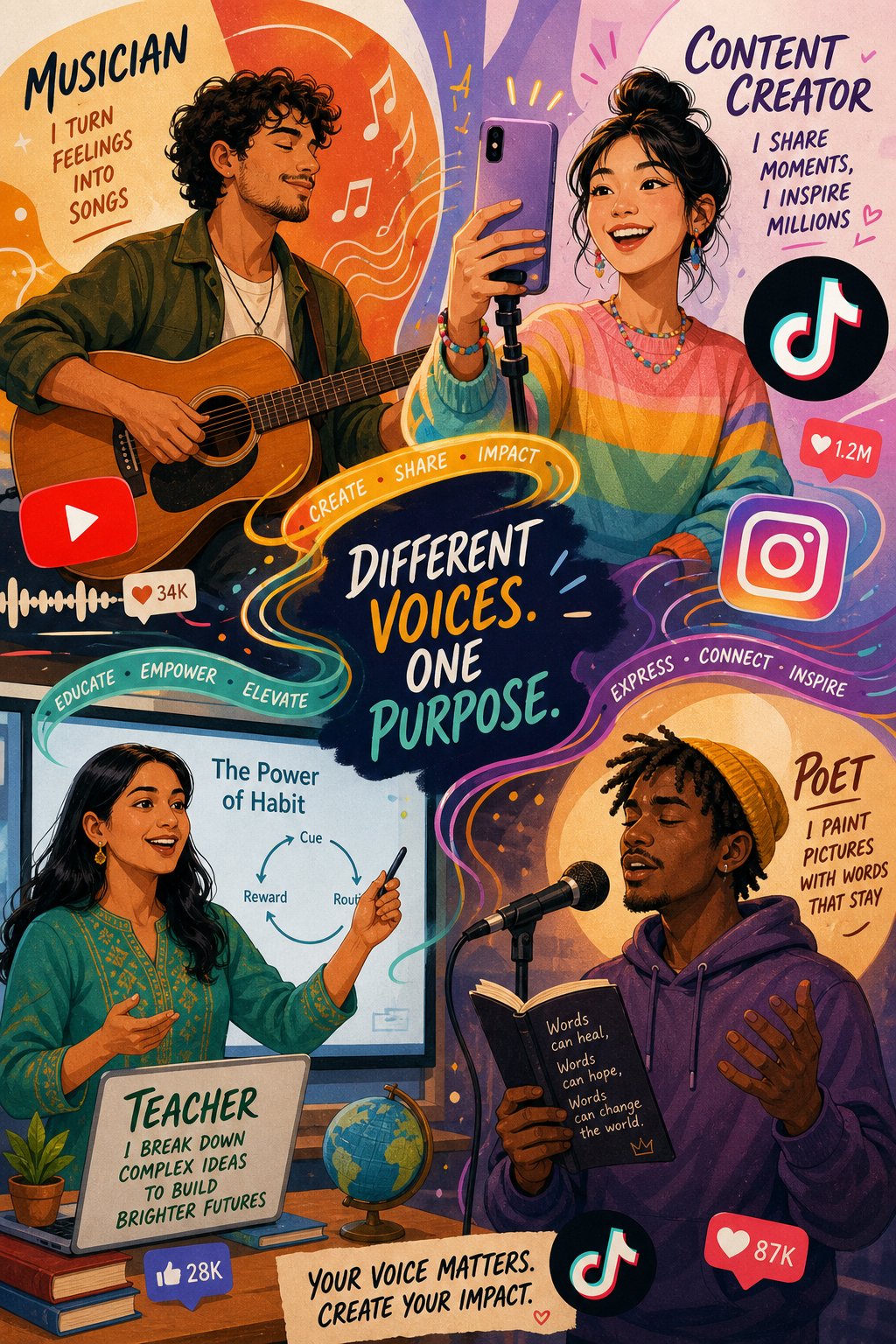
When most people picture the typical user of an ai video generator from lyrics, they imagine a recording artist preparing a single for release. That image is accurate — but it is dramatically incomplete. The technology has quietly become essential for an entire ecosystem of creators, educators, marketers, and communities that have little in common besides one shared need: turning words and music into visual content without a production budget or technical expertise.
The use cases below stretch well beyond the music industry. If you write words that people are meant to hear, there is almost certainly a lyric video format that amplifies your message and fits your platform.
Musicians and Independent Artists Releasing on Social Platforms
Independent artists operate under a brutal math problem. They need consistent visual content to feed YouTube, TikTok, and Instagram algorithms — but they rarely have budgets for professional music videos. A single polished music video can cost anywhere from a few hundred to several thousand dollars, and an artist dropping a new single every month simply cannot sustain that spending.
Lyric videos solve this by functioning as a low-cost first-release asset. The strategy is straightforward and increasingly common: drop a lyric video on release day to capture initial attention, build streaming momentum, and give fans shareable content — then follow up with an official music video weeks later if the track gains traction. As One Submit's independent artist research explains, many successful artists release a lyric video first, let it build traction, and then drop the official music video later — creating multiple promotional moments around a single release and extending its lifespan.
This approach turns a single track into two distinct content events instead of one, doubling the opportunities for algorithmic discovery. A tiktok lyric video generator lets artists repurpose the same lyrics into vertical short-form clips that perform natively on TikTok and Instagram Reels, while the full-length version lives on YouTube. One song, three platforms, three content formats — all from the same lyric file.
MakeBestMusic's AI Music Video Generator is purpose-built for exactly this workflow. It helps musicians and music marketers turn songs into visual content optimized for each platform — spanning lyric videos, visualizers, cover-video content, and music-promotion visuals within a single tool. Instead of juggling three different apps to produce YouTube, TikTok, and Instagram assets, artists can generate all of those formats from one session. For independent creators releasing on a consistent schedule, that consolidation is not just convenient — it is the difference between maintaining momentum and falling behind.
Content Creators and Social Media Marketers
Here is something most music-focused articles miss entirely: a huge portion of lyric video consumption has nothing to do with music releases. Content creators and social media marketers use lyric video clips as standalone engagement content — and they do it at massive scale.
Think about what fills your TikTok and Instagram feeds right now. Trending audio paired with synced, animated lyrics drives shares, saves, and comments at rates that outperform most other content formats. When viewers can read along with a catchy hook or emotionally resonant line, they engage longer and they share more willingly. A lyrics generator caption paired with the right audio clip can turn an otherwise static post into a scroll-stopper.
A tiktok lyric video maker simplifies this process dramatically. Instead of manually timing text overlays frame by frame — a tedious workflow that most marketers dread — AI handles the synchronization automatically. The creator's job shifts from technical execution to creative selection: choosing the right lyric snippet, matching it to a trending sound, and packaging it in a visual style that fits their brand. That shift from production labor to creative curation is exactly why ai generated music videos and lyric clips have become staple content in social media marketing strategies.
Instagram marketers have discovered a parallel opportunity. An instagram lyrics generator or ig lyrics generator lets creators produce short lyric clips formatted natively for Reels, Stories, and carousel posts. These clips function as emotional touchpoints — a poignant lyric line over an atmospheric background — that build brand identity and audience connection without requiring original music or expensive production. The instagram lyric generator workflow is especially popular among lifestyle brands, motivational accounts, and influencers who use music as a mood-setting element rather than a product.
YouTubers use the same tools differently. Lyric video compilations — "Best Lyrics from [Genre/Artist/Mood]" — perform consistently in search and suggested video feeds because they satisfy a clear viewer intent. These compilations drive watch time, which YouTube's algorithm rewards aggressively. Creators who produce this content regularly build channels with surprisingly strong subscriber growth, all powered by AI-synced lyric content rather than original music production.
Worship Teams, Educators, and Poets
Some of the most compelling use cases for AI lyric video generation come from communities that rarely appear in marketing materials for these tools.
Worship teams and churches project lyric videos during services so congregations can sing along in real time. This is not new — churches have used lyric projection for decades — but the production process has historically required dedicated volunteers manually building slides in presentation software. An ai video generator from lyrics collapses that workflow into minutes. Upload the worship track, let the AI sync the lyrics, select a clean background that fits the sanctuary's projection setup, and export. For churches running multiple services with different song sets each week, this time savings is transformative. The karaoke-style scrolling format covered earlier is the natural fit here: clear, readable, designed for participation rather than passive viewing.
Language educators have found an unexpected ally in lyric video technology. Singalong content is one of the most effective tools for language acquisition — music aids memorization, rhythm reinforces pronunciation patterns, and visual text reinforcement strengthens reading skills simultaneously. Teachers create lyric videos of songs in the target language, giving students a multisensory learning experience that holds attention far better than textbook exercises. A Spanish teacher, for example, can take a popular song, generate a synced lyric video, and use it as a classroom warm-up activity that students genuinely enjoy. The scrolling or highlighted text format works best here, since it guides the learner's eye at exactly the pace of the vocal.
Poets and spoken-word artists represent perhaps the most creatively exciting audience segment. Spoken-word poetry — which the Kennedy Center defines as an authentic poetic freestyle way of performing poetry on topics important to the performer — translates beautifully into the lyric video format. A poet records their performance, feeds the audio and text into a lyric video tool, and receives a visual piece that amplifies their words with mood-matched imagery and synchronized text display. The AI-generated cinematic scene style is ideal for this use case: generative visuals that shift based on emotional tone create a gallery-worthy experience from a bedroom recording. Platforms like MakeBestMusic support this kind of versatility, serving not just musicians but any creator turning audio and words into visual experiences — from TikTok creators building audiences to poets producing shareable spoken-word pieces.
The range of people who benefit from this technology is broader than any single tool's marketing page suggests. Here is a summary of the distinct audience segments, their primary use cases, and the video styles that serve them best:
- Independent musicians: First-release lyric videos for YouTube and TikTok — kinetic typography or AI-generated cinematic scenes depending on genre
- Music marketers and labels: Multi-platform promotional clips and ai music videos — minimal text overlays for social, full-length for streaming
- TikTok and Instagram creators: Short-form lyric clips paired with trending audio — minimal text on atmospheric backgrounds for maximum shareability
- YouTubers: Full-length lyric video compilations and singalong content — karaoke-style scrolling for watch-time optimization
- Worship teams and churches: Congregation singalong projection — karaoke-style highlighted text on clean, low-distraction backgrounds
- Language educators: Classroom singalong and reading reinforcement — scrolling highlighted text synced to target-language songs
- Poets and spoken-word artists: Visual spoken-word experiences — AI-generated cinematic scenes matched to emotional tone
- Hobbyists and fans: Personal lyric video projects and fan tribute content — any style that matches creative interest
Every one of these creators shares the same fundamental need: a way to transform words and audio into synchronized visual content without motion-graphics expertise or freelancer budgets. The technology that started as a music-industry shortcut has become a creative multiplier for anyone who works with language — sung, spoken, or projected on a screen. What varies is the style, the platform, and the purpose. The barrier that used to separate all of them from professional-quality output? That part is gone.
