

Can a Computer Actually Mix Music With AI
Yes, a computer can mix music using AI, and the technology has moved well beyond basic volume leveling. Modern AI mixing tools process individual stems, apply EQ and compression, position elements in the stereo field, and deliver results in minutes that would take a beginner hours to approximate manually. Data from RoEx Audio's analysis of over 2 million mixes confirms that AI audio mixing now reliably handles multitrack balancing, frequency separation, and loudness targeting at a level that competes with professional output on well-prepared sessions.
But here is the thing: "mixing music" means different things to different people. When you search this question, you might be thinking about studio production work, live DJ sets, or even the automatic crossfades on your streaming app. Each context involves distinct processes, and AI handles them in different ways. This article walks through the full picture so you can decide what fits your workflow before committing to any particular tool.
What Does It Mean for a Computer to Mix Music
At its core, mixing is the process of combining multiple audio elements into a cohesive whole. In a studio production context, that means taking individual recorded tracks (vocals, drums, bass, synths, guitars) and making decisions about their volume relationships, tonal character, dynamic range, and placement in the stereo image. A mix engineer balances EQ curves, sets compression ratios, applies spatial effects like reverb and delay, and ensures every element serves the song without masking something else.
For DJs, mixing refers to the real-time blending of two or more tracks during a set. This involves beatmatching, harmonic key alignment, EQ transitions, and creative use of effects to maintain energy on the dancefloor. And for casual listeners, "mixing" might simply mean the seamless crossfades between songs on a playlist, where one track fades into the next without dead air or jarring jumps.
AI now operates across all three of these contexts, though the underlying technology and the level of creative control differ significantly in each case.
Three Types of AI Mixing Searchers Want to Know About
- Studio production mixing (auto mixing of multitrack sessions): AI processes your individual stems, applying gain staging, EQ, compression, panning, and spatial effects to produce a balanced, release-quality mix. This is the most technically complex form of AI mixing and the one that has seen the biggest leaps forward. Tools in this space function as an automatic mixer for your DAW session, handling frequency relationships between instruments and setting loudness targets appropriate to your genre.
- DJ mixing (automix for live and studio sets): So what is automix in the DJ world? It is software that uses key and tempo detection to arrange tracks in a harmonically compatible order, then automatically applies transitions between them. According to DJ.Studio's breakdown of automix technology, the best implementations analyze both BPM and musical key to create smooth, musically logical blends rather than relying on tempo alone.
- Automated playlist mixing (streaming crossfades): The simplest form of AI mixing. Streaming platforms and media players use basic algorithms to overlap the ending of one song with the beginning of the next, adjusting fade curves to avoid abrupt silence. It requires no user input and offers minimal creative control, but it keeps the listening experience flowing.
Each of these categories involves different expectations, different tools, and different trade-offs between convenience and creative control. The rest of this article digs into how the technology actually works, where it excels, and where it still falls short, so you can make an informed decision about whether AI mixing belongs in your production process.
How AI Mixing Technology Works Under the Hood
Imagine handing a junior engineer thousands of professionally mixed records and saying, "Learn everything these pros did, then apply it to new sessions." That is essentially what happens when machine learning models train for automatic mixing. The technology behind AI mixing tools is not magic. It is pattern recognition operating at a scale and speed no single human could match. Understanding how the process works helps you evaluate whether an ai mix from software can actually serve your music, or whether it is just applying generic processing without real intelligence.
How Machine Learning Trains on Professional Mixes
Deep learning models for audio mixing learn by studying paired examples: raw multitrack stems alongside their finished, professionally mixed counterparts. Researchers at the Centre for Digital Music at Queen Mary University of London have documented how these systems analyze thousands of sessions to extract patterns in EQ curves, compression settings, stereo placement, reverb application, and level balancing. The model learns statistical relationships between the spectral content of raw tracks and the processing decisions engineers make in response.
Here is how that training works in practice. The system ingests a drum stem that sounds boxy and dull alongside the same drum stem after a professional has carved out problem frequencies, added punch with compression, and placed it in the stereo field. Multiply that learning loop across tens of thousands of songs spanning multiple genres, and the model builds an internal representation of what "good mixing" sounds like relative to specific input characteristics. It learns, for instance, that vocals with excessive low-mid energy typically get a cut around 300-400 Hz, or that a dense guitar arrangement often calls for narrower stereo width on rhythm parts to leave room for leads.
Recent research into AI-powered music production has expanded these training datasets significantly. The HAIM dataset framework documents how modern systems can now isolate and analyze specific production roles, including the audio engineer's mixing and mastering decisions, across nearly 200,000 tracks. This kind of scale gives neural networks enough examples to learn subtle genre conventions rather than applying a single approach to everything.
Signal Processing Decisions AI Makes Automatically
When you feed stems into an AI mixing system, the software makes the same categories of decisions a human engineer would. It just arrives at those decisions through statistical inference rather than ear training and creative intuition. The core signal processing tasks include:
- Frequency balancing (EQ): The AI analyzes the spectral content of each stem, identifies masking conflicts where two instruments compete in the same frequency range, and applies cuts or boosts to create separation. It might scoop mids from a rhythm guitar to make space for vocals, or add air to a cymbal track that sounds dark.
- Dynamic range control (compression): Based on learned patterns, the system sets attack and release times, thresholds, and ratios appropriate to each instrument. A snare drum gets fast attack compression for punch, while a vocal might receive gentler, slower compression to even out performance dynamics without squashing expressiveness.
- Spatial positioning (panning and width): The AI places elements across the stereo field based on genre conventions and spectral analysis. Lead vocals stay centered, rhythm guitars spread wide, hi-hats offset slightly. Some systems also manage stereo width processing to create depth without introducing phase issues.
- Gain staging and level balancing: Before any processing, the system sets relative levels so that each element sits at an appropriate loudness. This foundational step prevents downstream problems like overloaded buses or buried instruments that no amount of EQ can fix.
Each of these decisions happens based on the model's analysis of spectral content, dynamic range, and the relationships between all stems in the session simultaneously. The AI does not process each track in isolation. It considers the full context of what 50 stems, mix edits, and musical relationships demand from the final balance.
Rule-Based Automation vs Neural Network Mixing
Not all AI mixing tools work the same way, and the distinction matters for the results you will get. Two fundamentally different approaches exist, and many modern tools combine elements of both.
Rule-based automation operates on explicit if-then logic. If the vocal peak exceeds a threshold, reduce gain by X amount. If the bass frequency content below 80 Hz conflicts with the kick drum, apply a sidechain filter. These systems are predictable, transparent, and consistent. They follow programmed rules that an engineer codified based on best practices. However, they cannot adapt to unusual arrangements, unconventional timbres, or genre-bending production styles that do not fit neatly into predefined categories.
Neural-network-driven mixing adapts to each track's unique spectral fingerprint. Instead of following hard-coded rules, these systems reference their training data to generate processing parameters dynamically. A neural network approach can recognize that a distorted vocal in an industrial track should not be treated the same way as a clean pop vocal, even though both are labeled "vocals" in the session. The trade-off is reduced transparency. You cannot always predict or explain why the network made a specific decision, which can feel unsettling when the result does not match your creative intent.
The most capable ai mix analysis tools today blend both approaches. They use rule-based logic for foundational tasks like gain staging and phase correction, where predictable behavior matters most, then layer neural network processing on top for nuanced decisions like EQ shaping and spatial placement where adaptability produces better results.
The Typical AI Mixing Pipeline
Regardless of which specific tool you use, most AI mixing systems follow a similar sequence of operations from input to output:
- Stem analysis: The system identifies each input track's instrument type, frequency content, dynamic profile, and transient characteristics. Some tools use source separation if you upload a stereo file rather than individual stems.
- Spectral profiling: Each stem gets a detailed frequency map that shows where its energy sits, where potential masking conflicts exist, and how its dynamics behave over time.
- Reference matching: The AI compares the session's characteristics against its training data or a user-supplied reference track, establishing target parameters for loudness, tonal balance, and stereo width.
- Parameter adjustment: Based on the analysis and reference comparison, the system calculates specific EQ curves, compression settings, panning positions, and effects levels for each stem.
- Output rendering: All processing is applied, stems are summed to a stereo bus, and the final mix is delivered, typically with options to adjust the overall balance or regenerate with different settings.
This pipeline runs in seconds or minutes rather than the hours a manual mix requires. The speed advantage is real, but it comes with a caveat that shapes everything else about AI mixing: the system can only apply patterns it has learned. It cannot invent new approaches, break rules intentionally for artistic effect, or respond to the emotional narrative of a song the way a skilled engineer does. That distinction between technical competence and creative interpretation is where the conversation gets more interesting.
AI Mixing vs AI Mastering and Why It Matters
That pipeline from stems to stereo output sounds straightforward enough. But here is where confusion creeps in: many tools marketed as "AI mixing" actually perform mastering, and some labeled as "mastering" try to handle mix-level problems they were never designed to solve. If you are exploring ai mixing and mastering options, understanding exactly what each process does to your audio prevents wasted time, wasted money, and disappointing results.
What AI Mixing Actually Does to Your Tracks
AI mixing works on your individual stems. Think vocals, drums, bass, synths, guitars, all the separate elements that make up your production. The software takes those pieces and shapes how they relate to each other: setting relative levels, carving EQ space so instruments stop fighting, applying compression to control dynamics, positioning elements across the stereo field, and adding depth with reverb or delay.
As RoEx Audio's breakdown puts it, mixing is where a track truly takes shape. It is the difference between a rough demo and something that sounds like it belongs on a playlist. AI mixing tools accept multitrack inputs and make relational decisions about how those tracks interact, which is fundamentally more complex than working with a single file.
What AI Mastering Handles Instead
Mastering comes after mixing. It takes your finished stereo mix, a single two-track file, and prepares it for distribution. An automated mastering tool typically optimizes loudness to meet streaming platform standards, applies broad EQ adjustments for tonal consistency across playback systems, adds subtle limiting to control peaks, and ensures the track translates well on headphones, car speakers, and phone speakers alike.
The critical difference? Mastering cannot fix problems inside the mix. If your vocal is buried, your kick and bass are clashing, or your midrange is cluttered, no amount of stereo processing will solve those issues. It will just make them louder. This is one of the oldest principles in audio engineering: mastering polishes what is already there. It does not rebuild it.
Why the Distinction Matters for Your Workflow
When you search for tools to mix and master ai-powered solutions, you will find products that blur these boundaries. A service that accepts only a stereo file is performing mastering, regardless of what its marketing says. A tool that accepts individual stems and processes their relationships is performing mixing. Knowing which one you actually need saves you from uploading a rough bounce to a mastering service and wondering why the result still sounds messy.
If you want to ai mix and master free of confusion, use this rule of thumb: still adjusting how parts relate to each other? You need mixing. Already happy with the balance and just want release-ready loudness and polish? You need mastering. Starting from stems and want a finished product? You need both, in that order.
| Category | AI Mixing | AI Mastering |
|---|---|---|
| Input Format | Individual stems (multitrack) | Single stereo mix file |
| Processing Scope | Relationships between tracks | Overall stereo presentation |
| Typical Adjustments | Per-track EQ, compression, panning, reverb, level balancing | Broad EQ, limiting, loudness optimization, stereo width |
| Output Format | Balanced stereo mix (ready for mastering) | Release-ready master (ready for distribution) |
| Best Use Case | Raw stems that need combining into a cohesive track | Finished mix that needs final polish and loudness targeting |
This distinction also explains why the most effective workflow combines both stages sequentially rather than relying on one to do everything. A well-executed AI mix gives an automated mastering tool clean, balanced material to work with, which means the mastering stage can do what it does best: subtle enhancement rather than damage control. Skip the mixing step, and you are essentially asking a roof to support itself without walls underneath it.
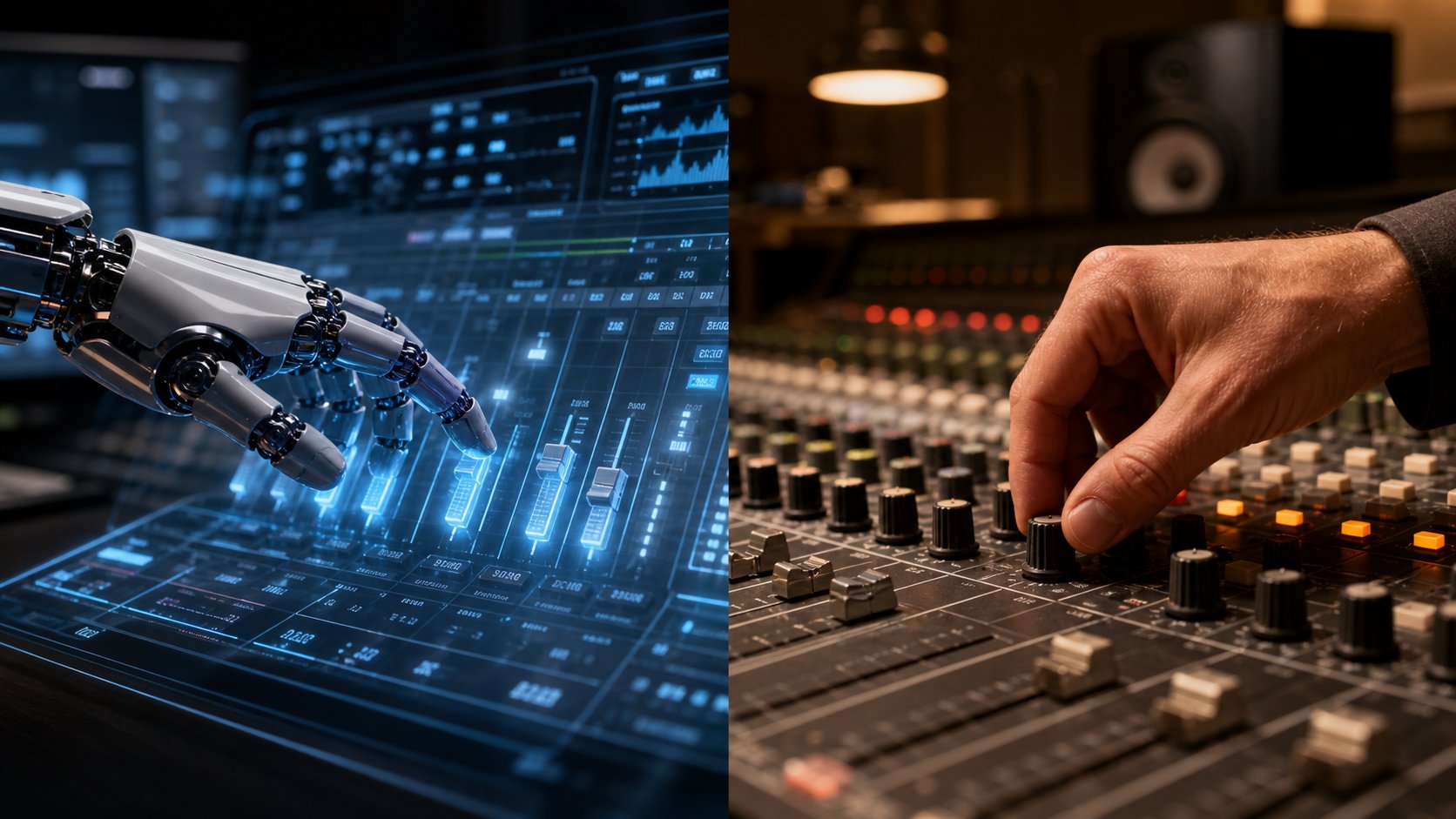
AI Mixing vs Human Mixing Engineers Compared
Knowing the difference between mixing and mastering is one thing. Deciding who or what should handle your mix is another question entirely. Should you upload your stems to an AI song mixing platform, or should you book time with a professional engineer? The honest answer depends on what you value most: speed, budget, creative nuance, or some combination of all three.
Rather than declaring one approach superior, it helps to break the comparison into specific, measurable criteria. Both an ai mixing engineer and a human one bring real strengths to the table, and both carry limitations that matter depending on your project.
Where AI Mixing Outperforms Human Engineers
AI holds clear advantages in areas that involve speed, cost, and repeatability. According to MixMaster Pro's analysis, hiring a professional mixing engineer typically costs between $300 and $1,500 per song. An ai song mixer free tier or affordable subscription gives you unlimited attempts at a fraction of that price, making professional-level feedback accessible to bedroom producers and independent artists on tight budgets.
Turnaround is equally dramatic. An AI sound engineer processes your session in seconds or minutes. A human engineer might take hours per song, sometimes days if they are booked out or working through revisions. When you are releasing music frequently and need consistent output across a batch of tracks, AI does not get tired, distracted, or have off days. It delivers the same level of precision on track one hundred as it does on track one.
Consistency also extends to technical analysis. AI measures frequency response, loudness, phase correlation, and stereo width with perfect accuracy every time. It can catch subtle masking issues or phase problems that even experienced engineers might miss during a long session.
Where Human Mix Engineers Still Lead
Creative interpretation is where human engineers remain irreplaceable. As mixing engineer Ed Thorne notes, artists rarely communicate in technical terms like compression ratios or specific frequencies. They describe music using concepts like feel, energy, and impact. A human engineer translates that language into sound, deciding how a vocal should breathe, when dynamics should open up, and when to break conventional rules for artistic effect.
Genre adaptability follows a similar pattern. The best ai music mixer tools handle mainstream genres competently because their training data skews toward popular production styles. But niche genres, experimental arrangements, or intentionally lo-fi aesthetics can confuse systems trained on "correct" mixes. A seasoned engineer adapts instinctively to unconventional contexts without needing retraining.
Revision flexibility is another gap that often gets overlooked. A human engineer refines a mix incrementally, preserving strong decisions while making targeted improvements. Most AI systems re-analyze and regenerate output from scratch with each new prompt, which can lead to reduced consistency or over-processing across iterations. Mixing is a cumulative process, and AI still struggles to treat it as one.
| Criteria | AI Mixing | Human Mixing Engineer |
|---|---|---|
| Cost | Free tiers to $20-50/month subscriptions | $300-$1,500+ per song or hourly rates |
| Turnaround Time | Seconds to minutes per mix | Hours to days per song |
| Consistency | Identical precision every session, no fatigue | Varies with energy, mood, and session length |
| Creative Interpretation | Applies learned patterns and conventions | Makes artistic, context-driven choices that serve emotion |
| Genre Adaptability | Strong on mainstream genres, weaker on niche or experimental styles | Adapts intuitively to any style with experience |
| Revision Flexibility | Instant re-runs, but often regenerates from scratch | Incremental refinement preserving prior decisions |
Neither option wins across the board. A producer releasing weekly content on a limited budget has different needs than an artist preparing a debut album that defines their sonic identity. The criteria that matter most to you, whether that is budget, timeline, or creative complexity, determine which approach serves your project best. And increasingly, the most compelling question is not which one to choose, but whether combining both could give you something better than either alone.
How AI Handles Creative Intent and Artistic Vision
Technical competence and creative vision are not the same thing. A mix can be technically flawless, with perfect frequency separation, controlled dynamics, and zero phase issues, yet still feel emotionally flat or stylistically wrong for the song. That gap between "correct" and "right" is where the real question lives: can AI understand what your music is supposed to feel like, not just what it is supposed to measure like?
Can AI Understand Musical Style and Genre
Modern AI mixing tools do recognize genre conventions, and they apply them with surprising competence in many cases. According to Sonarworks' research on genre-adaptive AI, these systems analyze multiple musical elements simultaneously, including spectral content, dynamic range, rhythmic patterns, and harmonic context, to identify what style of processing fits the material. A hip-hop vocal gets pushed forward with presence and tight compression. A shoegaze guitar gets washed in reverb with midrange saturation left intact. The AI learned these conventions from its training data and applies them based on pattern recognition.
Some platforms take this further by offering genre-based presets. Moises AI Studio, for example, lets you pick a musical style that guides the system's mixing choices for panning, presence, and spatial effects. An ai remixer or ai song remix tool similarly relies on genre classification to determine how aggressively to process source material. These presets function as guardrails that keep the AI within stylistically appropriate territory rather than defaulting to a single "best practice" approach for every track.
The results work well for music that fits cleanly within established categories. Pop, EDM, rock, R&B, country: genres with well-documented mixing conventions give AI enough training examples to produce stylistically coherent output.
The Creative Limitations AI Still Faces
Problems surface when music deliberately breaks conventions. Research into AI plugin limitations identifies several persistent weaknesses: difficulty processing fusion genres that blend multiple styles, challenges with experimental music that intentionally violates expected patterns, and a tendency toward homogenization when the system cannot classify what it is hearing.
AI recognizes patterns. It does not understand meaning, intention, or narrative arc. When an artist wants the verse to feel small and claustrophobic before the chorus explodes open, that is a context-dependent creative decision rooted in the song's emotional story. A remix ai maker or automated mixing system sees audio signals, not storytelling. It applies processing based on spectral content, not because it understands that the quiet vocal in verse two builds tension for what comes next.
The revision problem compounds this. As audio engineer Ed Thorne explains, human engineers refine mixes incrementally based on artistic feedback like "make it feel more intimate" or "give the drums more aggression." AI systems typically regenerate from scratch rather than building on previous decisions, making it difficult to nudge the mix toward a specific creative vision through iteration.
Using Reference Tracks to Guide AI Decisions
The most effective workaround for AI's creative limitations is giving it explicit direction through reference tracks. When you upload a professionally mixed song that captures the vibe you want, you are essentially translating your artistic vision into data the system can interpret. The AI matches tonal balance, dynamic range, stereo width, and frequency distribution to your reference rather than relying solely on its general training.
This approach bridges the gap between what you hear in your head and what the algorithm can deliver. Tools that support reference matching let you ai remix songs toward a specific aesthetic target rather than a generic "good mix" standard. A song remixer ai with reference capabilities can approximate the vocal treatment of your favorite record or the low-end weight of a specific producer's style, even if it cannot understand why those choices serve the song emotionally.
AI mixing is strongest when given clear creative direction through reference tracks rather than working from scratch. The more specific your input, the closer the output gets to your actual vision.
Style presets, genre classification, and reference matching all serve the same purpose: constraining the AI's decision space so its pattern-matching abilities work in your favor rather than producing something technically competent but creatively generic. The technology handles conventions well. The creative spark, the intentional rule-breaking, the emotional choices that make a mix memorable, those still come from you. Which raises a practical question: what does an effective workflow look like when you combine AI's speed with your creative judgment?
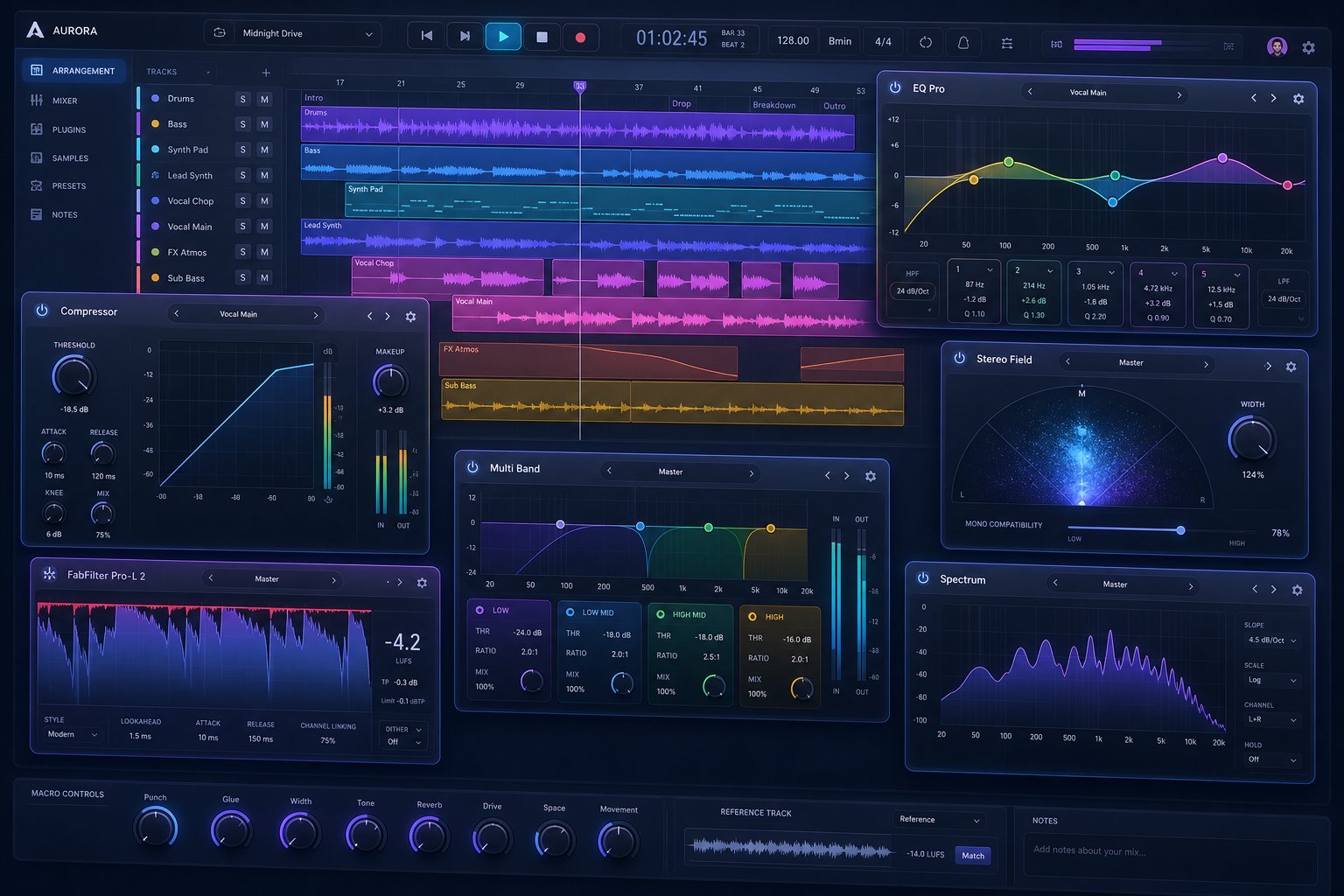
AI Mixing and Mastering Tools Worth Exploring
Knowing how AI approaches creative decisions is useful, but at some point you need to pick a tool and put it to work. The landscape of ai music mixing software has expanded rapidly, and the options break into distinct categories based on what stage of production they address and how much control they hand back to you. Some platforms handle everything from stems to stereo master. Others focus narrowly on one step. The right choice depends on where your music sits in the production chain right now.
Automated Mixing Platforms and Services
These are the tools that accept individual stems and produce a balanced mix without requiring you to touch a fader. You upload your tracks, label them by instrument type, and the AI handles level balancing, EQ, compression, panning, and spatial processing across every element simultaneously.
RoEx Automix is one of the most established options here. Built on research from Queen Mary University of London, it accepts up to 32 stems and produces a complete mix with per-track processing. The standout feature is DAW project export: Pro subscribers can send the AI-mixed session directly into Ableton Live or Bitwig Studio, making it function as a starting point rather than a final destination. Mix Check Studio, their free analysis tool, provides objective feedback on balance and clarity even if you never pay for a subscription.
Cryo Mix offers a similar stem-based approach with up to 32 channels and adds a conversational AI assistant for refining results through plain-language feedback. iZotope's suite takes a different path, integrating AI-assisted processing into individual modules (Neutron for mixing, Ozone for mastering) that run inside your existing DAW session rather than operating as standalone platforms.
These auto mixer platforms serve producers who want a complete mix from raw stems without deep engineering knowledge. Control levels range from minimal (upload and accept the result) to moderate (adjust genre, panning preferences, and reverb levels before rendering).
AI Mixing Plugins for Your DAW
If you prefer working inside your production environment rather than uploading to an external service, ai mixing plugins integrate directly into your signal chain. These tools analyze individual tracks or buses within your session and suggest or apply processing in real time.
iZotope Neutron uses machine learning to set EQ, compression, and width on individual channels, with an Assistant View that listens to your full session and proposes a starting balance. Sonible smart:EQ and smart:comp analyze spectral content and apply frequency-specific processing that adapts dynamically to the incoming signal. For vocal-specific work, plugins like Waves Clarity Vx use AI for noise reduction and vocal isolation, handling tasks that previously required careful manual de-noising.
Finding a free ai mixing plugin with meaningful AI capabilities is harder. Most free options handle single tasks like noise removal or basic EQ matching rather than full-session mixing intelligence. Still, tools like TDR Nova (a dynamic EQ with intelligent frequency targeting) and the free tier of iZotope's vocal processing offer a taste of AI-assisted workflow without upfront cost. Producers looking for vocal mixing ai free solutions often start here before committing to paid suites.
The control level with plugins is high. You retain full manual override on every parameter, and the AI functions as a suggestion engine rather than an autonomous processor. This makes them ideal for engineers who want speed without surrendering decision-making authority.
AI Mastering Services for Release-Ready Tracks
Once your mix is complete, whether you arrived there manually or with AI assistance, mastering prepares the final stereo file for distribution. AI mastering services accept your finished bounce and apply loudness optimization, tonal balancing, stereo imaging, and limiting to meet streaming platform standards.
MakeBestMusic AI Mastering fits naturally into the workflow of someone who has just finished mixing their tracks and needs polished, release-ready output without booking an engineer. It is designed for musicians and producers who want a faster path from final mix to distribution-ready master, handling the technical preparation that ensures your music translates well across different playback systems.
LANDR remains the longest-running AI mastering service, offering style selection and reference track matching alongside an ecosystem of distribution, samples, and plugins. eMastered provides more hands-on post-processing controls (compression, EQ, width sliders) for producers who want to fine-tune results after the initial AI pass. Masterchannel takes the opposite approach: zero controls, zero decisions, just upload and download.
For ai music remixer workflows or DJ-oriented production, platforms like DJ.Studio handle automix transitions with key and tempo detection, arranging and blending tracks for live sets or pre-recorded mixes. These tools serve a completely different user than studio mixing platforms, but they represent an important branch of the AI audio landscape.
| Category | Example Tools | Best For | Control Level |
|---|---|---|---|
| AI Mastering Services | MakeBestMusic, LANDR, eMastered, Masterchannel | Producers with a finished mix who need release-ready masters fast | Low to moderate (style presets, reference matching, adjustment sliders) |
| Automated Mixing Platforms | RoEx Automix, Cryo Mix | Musicians with raw stems who want a complete mix without engineering expertise | Moderate (genre, panning, reverb, presence controls) |
| AI Mixing Plugins (DAW) | iZotope Neutron, Sonible smart:EQ, Waves Clarity Vx | Engineers and producers who want AI assistance within their existing session | High (full parameter access with AI suggestions) |
| DJ Automix Tools | DJ.Studio, Mixo, rekordbox Auto Mix | DJs who need harmonic transitions and set arrangement | Moderate (track order, transition style, energy curve) |
Each category solves a different problem at a different point in the production chain. The key question is not which tool is best overall, but which one matches where your music currently sits. Raw stems with no balance? An automated mixing platform or ai mixing plugin gets you to a workable mix. Already mixed but need final polish for streaming? A mastering service like MakeBestMusic handles that last mile. The most effective producers often chain these tools together, using AI at multiple stages rather than expecting a single platform to handle everything from rough tracks to finished release.
Hybrid Workflows That Combine AI and Human Skill
Chaining tools together is one thing. Building a workflow where AI and human effort genuinely complement each other is where independent producers get the biggest return on their time. The most effective approach to ai mixing music in practice is not choosing between automation and manual work. It is knowing which tasks to hand off and which ones demand your ears, your taste, and your creative judgment.
Think of it this way: you would not ask a calculator to write poetry, but you would absolutely let it handle the arithmetic while you focus on the words. The same logic applies here.
AI as a Starting Point for Manual Refinement
One of the strongest hybrid scenarios uses an automatic music mixer to generate a rough balance, then treats that output as a starting point rather than a finished product. RoEx's Automix, for example, exports DAW project files for Ableton Live and Bitwig Studio with all processing applied via stock plugins. You open the session, see exactly what the AI decided, and then tweak levels, reshape EQ curves, or add creative effects that serve the song's emotional arc.
This eliminates the blank-canvas problem. Instead of spending your first hour on gain staging and corrective EQ, you start with a coherent mix and direct your energy toward the decisions that actually require human intuition: automation rides, effect throws, transition moments, and the subtle moves that give a song personality.
Letting AI Handle Technical Tasks While You Create
Not every mixing decision is creative. Gain staging, phase correction, noise reduction, and basic frequency cleanup are technical necessities that eat time without rewarding artistry. Letting automix ai tools or intelligent plugins handle these repetitive tasks frees you to focus on what only you can do.
Imagine this scenario: you have 24 tracks recorded from a live session. Before you can make any creative choices, you need to check phase alignment on the drum mics, clean up bleed on the vocal tracks, and set initial levels so nothing clips your bus. An AI-assisted workflow handles all of that in seconds. You step in with clean, organized material ready for creative shaping rather than spending your first session on housekeeping.
As the Berlin School of Sound's analysis of AI mixing approaches emphasizes, transparent AI tools that show their processing decisions are particularly valuable here. You can see what corrections were applied, learn from the choices, and override anything that does not serve the track. The AI handles the math. You handle the meaning.
Using AI Analysis to Validate Your Mix Decisions
Hybrid workflows are not just about AI doing work for you. They also include AI checking your work after you have done it yourself. Mix analysis tools evaluate your finished mix against objective criteria: tonal balance, dynamic range, loudness targeting, stereo width, and phase coherence. They catch problems your ears might miss after hours of focused listening, when fatigue sets in and perspective narrows.
This is quality control, not creative input. You make all the decisions. The AI confirms whether those decisions translate well technically before you send the track to mastering or distribution. It is the equivalent of a second opinion from an engineer who never gets tired and always measures accurately.
For producers searching for the best free ai mixing and mastering workflow, combining manual creative mixing with free AI analysis tools creates a powerful loop: mix with your ears, validate with data, refine based on feedback, and repeat until the track meets both your artistic standard and technical benchmarks.
A Recommended Hybrid Workflow From Tracking to Release
Putting these pieces together, here is a practical sequence that balances AI efficiency with human creative control:
- Recording and organization: Track your parts and label stems clearly by instrument type. Clean organization makes every downstream tool work better.
- AI-assisted rough mix: Upload stems to an automated mixing platform or use AI plugins to generate an initial balance with corrective EQ, basic compression, and panning.
- Creative refinement: Open the AI-generated session in your DAW. Adjust levels, reshape processing, add automation, apply creative effects, and make the artistic decisions that give the mix identity.
- AI analysis and validation: Run your refined mix through an analysis tool to check frequency balance, loudness, phase issues, and stereo width against genre-appropriate targets.
- Targeted corrections: Address any technical issues the analysis flagged without undoing your creative choices. Fix the problem areas, leave the rest untouched.
- Mastering: Send your validated mix to an AI mastering service or human mastering engineer for final loudness optimization and format preparation.
- Final check: Run the master through analysis one more time to confirm it meets streaming platform standards before distribution.
This sequence gives you AI speed where speed matters and human attention where attention matters. You skip the tedious groundwork without surrendering the creative decisions that make your music sound like yours. The result is not a compromise between human and machine. It is a workflow where each handles what it does best, and neither wastes time on what the other does better.
Of course, a hybrid workflow only works if you can tell whether the AI's contributions actually improved your track. That raises a practical question worth answering clearly: how do you evaluate whether an AI mix is genuinely good, or just generically acceptable?
How to Evaluate Whether an AI Mix Is Actually Good
"Good" is a slippery word in audio. A mix can sound impressive on studio monitors and fall apart on earbuds. It can feel punchy at first listen and reveal harshness after thirty seconds. Subjective reactions matter, but they shift with mood, playback volume, and ear fatigue. If you want a reliable way to judge AI mix quality, you need concrete criteria you can apply consistently, regardless of which tool generated the output.
These five listening checkpoints give you a structured framework for evaluating any AI-processed mix. They work whether you are testing a fully automated platform or checking the results of an ai vocal mix processed through a plugin chain. The goal is not perfection on every metric. It is identifying where the AI succeeded and where manual intervention would improve the result.
Five Criteria for Judging AI Mix Quality
- Frequency balance: Listen across the full spectrum. Are there harsh buildups in the upper midrange (2-5 kHz) that cause listening fatigue? Does the low end feel thin and unsupported, or does it bloat and obscure the kick drum? A well-balanced mix distributes energy across frequencies without any single range dominating or disappearing. As mixing resources consistently emphasize, if the bass is overpowering, the mix feels heavy and blurry, and if the highs are too aggressive, everything becomes tiring to listen to. Check that no frequency band demands more attention than the musical arrangement warrants.
- Dynamic range: Does the mix breathe, or does it feel crushed and lifeless? Over-compression is one of the most common AI mixing failures, where the system optimizes for loudness at the expense of musical dynamics. Listen for transient detail in drums, natural volume variation in vocal performances, and a sense of contrast between quieter and louder sections. A good mix retains punch and movement rather than sounding like a flat wall of sound.
- Stereo width: Are elements placed intentionally across the stereo field, or does everything feel stacked in the center? Check that panning decisions create space and separation. Equally important: flip the mix to mono and listen for elements that disappear or phase-cancel. If a guitar or synth pad vanishes in mono, the AI likely applied stereo widening that introduced phase issues. Proper stereo imaging sounds wide in stereo and retains its core balance in mono.
- Vocal clarity: In tracks with vocals, intelligibility is non-negotiable. Can you understand every word without straining? Does the vocal sit present and emotionally connected without masking the instrumental bed beneath it? AI vocal mixing tools sometimes push vocals too far forward (making the track feel karaoke-like) or tuck them slightly behind a busy arrangement. The vocal should feel like part of the mix, not on top of it or buried within it. An effective ai vocal mix places the lead voice at a level where it carries the emotional message without dominating the frequency space of surrounding instruments.
- Translation: This is the ultimate test. Does the mix sound good across different playback systems? Check on studio monitors, then headphones, then a phone speaker, then a car stereo. A mix that only sounds right on one system has frequency or dynamic problems that just happen to be masked by that particular speaker's coloring. Professional mixes translate because their balance decisions are fundamentally sound rather than dependent on specific playback characteristics.
No AI mix will score perfectly on every criterion for every song. But these five checkpoints tell you quickly whether the result is release-worthy, needs minor adjustments, or requires a fundamentally different approach.
How to A/B Test AI Results Against Reference Tracks
Criteria alone are not enough without a method for applying them. A/B testing your AI output against a professionally mixed reference track is the most reliable way to hear exactly where the automated mix falls short, and where it might actually compete.
Here is a practical method that avoids the most common pitfalls:
First, choose a reference track in a similar genre and arrangement density to your own. A sparse acoustic ballad compared against a dense electronic production tells you nothing useful. Pick something that shares your track's energy, instrumentation, and intended audience. As iZotope's referencing guide explains, the reference must be genuinely relevant to your goal for the comparison to yield actionable insights.
Second, and this step is critical, level-match both tracks before listening. Louder almost always sounds better at first. If your reference is mastered and your AI mix is not, the loudness difference will trick you into thinking the reference is objectively superior in every way. Bring both tracks to the same perceived loudness (measured in LUFS, not peak level) so your ears respond to tonal quality, balance, and dynamics rather than volume.
Third, compare one criterion at a time. Play five seconds of your AI mix, then immediately switch to the same section of the reference. Ask yourself: is the low end tighter or looser? Are the vocals more or less present? Is the stereo field wider or narrower? Focused listening on a single element reveals differences that get lost when you try to evaluate everything at once.
Fourth, test comparable sections. Compare your chorus to the reference's chorus, your verse to theirs. Energy and density shift throughout a song, and comparing a quiet verse to a loud chorus produces misleading conclusions about mix quality.
After running this comparison across all five criteria, you will have a clear picture of where your AI mix stands relative to professional output. Maybe the frequency balance is solid but the vocal sits too far back. Maybe the dynamics are right but the stereo field feels narrow compared to the reference. Those specific observations become your revision checklist, whether you address them manually in your DAW or feed them back into the AI tool as adjustment parameters.
This evaluation method works regardless of which mix check studio tool or platform you use. It puts you in control of quality assessment rather than trusting a score or a marketing claim. Some producers use dedicated analysis software like Mix Analyzer or RoEx Mix Check Studio to supplement their ears with visual data on frequency distribution and stereo correlation, but the core process stays the same: structured listening, fair comparison, and honest assessment of what serves the song.
With a reliable evaluation method in hand, you can approach any AI mixing tool with confidence. You will know within minutes whether the output meets your standard or needs work. That clarity is what separates producers who use AI effectively from those who accept mediocre results because they did not know what to listen for.
Making the Right Choice for Your Music
Evaluation criteria and A/B testing give you the tools to judge results objectively. But the bigger decision comes before you even open a tool: should you use AI mixing for this particular project, or is this one better served by human hands? The answer is not universal. It depends on three variables that shift from project to project: your budget, your timeline, and the creative complexity of what you are making.
When AI Mixing Makes Sense for Your Project
AI mixing delivers its strongest value in scenarios where speed, volume, or budget constraints would otherwise prevent you from getting a professional-sounding result at all. Consider these use cases where the technology genuinely shines:
- Demos and pre-production: You need a polished rough mix to share with collaborators, labels, or sync libraries. Speed matters more than perfection, and the mix needs to communicate the song's potential without consuming your entire production budget.
- Independent releases on tight budgets: You are self-funding and releasing frequently. Spending $500-$1,000 per song on mixing is not sustainable, but you still want output that sounds competitive on streaming platforms. The best ai mixing and mastering tools bridge that gap between bedroom quality and professional polish.
- Content creation and scoring: YouTubers, podcasters, game developers, and filmmakers produce high volumes of audio that needs to sound clean and balanced without demanding the attention a commercial single requires.
- Rapid iteration and experimentation: You are testing arrangement ideas, comparing different production approaches, or building a catalog quickly. AI lets you hear a finished-sounding version in minutes rather than committing hours to a mix you might scrap.
In all of these contexts, AI does not need to match the artistry of a top-tier engineer. It needs to deliver technically competent, genre-appropriate results fast enough to keep your creative momentum alive. And in most cases, it does exactly that.
On the other hand, projects with deep emotional stakes, unconventional sonic identities, or a specific artistic vision that requires iterative creative dialogue still benefit from human involvement. A debut album that defines your sound, a single you are pitching to major playlists, or an experimental record that deliberately breaks rules: these projects justify the investment of time and money in a skilled engineer who understands both the technical and emotional language of mixing.
The decision framework is straightforward. Ask yourself three questions: Can I afford a professional engineer for this project? Do I need the result in hours rather than days? Is the creative direction conventional enough that pattern-matching will serve it well? If you answer yes to the last two and no to the first, AI mixing is likely your best path. If budget is open and the creative vision is complex, a human engineer earns their fee.
Your Next Step Toward Release-Ready Music
Whatever path you take for mixing, one fact remains consistent: a finished mix still needs mastering before it is ready for listeners. Whether your tracks were mixed by AI, by your own hands in a DAW, or through a hybrid workflow combining both, the final step is preparing that stereo file for distribution with proper loudness, tonal polish, and format optimization.
This is where ai online mastering services eliminate the last bottleneck. Instead of booking studio time, waiting for availability, and paying per-track rates, you upload your finished mix and receive an ai mastered file ready for Spotify, Apple Music, or any other platform within minutes. The best ai music mastering tools handle loudness targeting, broad EQ refinement, limiting, and stereo imaging so your track translates well across every playback system.
MakeBestMusic AI Mastering fits this workflow directly. It is built for musicians and producers who have completed their mix and want a fast, accessible path to release-ready output. Upload your stereo bounce, and the platform handles the technical preparation that ensures your music meets streaming standards without requiring you to understand the intricacies of mastering engineering. For producers already using AI mixing tools to get their balance right, this becomes the natural final link in the chain: an ai audio master that takes your polished mix across the finish line.
AI mixing is not replacing creative expertise. It is expanding access to professional-quality production for every musician with an idea worth sharing and an internet connection to share it.
The technology has reached a point where the question is no longer whether a computer can mix music competently. It can. The real question is how you want to use that capability within your own creative process. As a complete solution for rapid output. As a starting point for deeper manual work. As a safety net that catches technical problems before release. Or as a learning tool that shows you how professional decisions get made. Every approach is valid, and the best producers in this era are the ones who match the tool to the task rather than adopting a single philosophy for everything they create. Your music deserves that flexibility, and the tools now exist to provide it.
