

Yes AI Can Generate Multi-Genre Music But Here Is What You Need to Know
Can AI music generators create music in multiple genres? The short answer is yes. The longer, more honest answer is that quality and authenticity vary dramatically depending on which genre you ask the AI to produce. An electronic track might sound polished and release-ready on the first try, while a jazz composition could feel stiff and lifeless no matter how many times you regenerate it.
The Short Answer to Multi-Genre AI Music
Today's AI music models can generate compositions across dozens of styles, from hip-hop beats to orchestral scores to lo-fi chill tracks. A multi-genre listening study from the Journal of Creative Music Systems found that identification accuracy between AI and human music was strongly genre-dependent, with some styles like jazz and R&B showing remarkably low AI detectability. That tells you something important: in certain genres, AI output already passes the ear test.
But genres that rely on improvisation, microtiming, or deep cultural context still expose the seams. Electronic and pop music, with their repetitive structures and quantized timing, play to AI's strengths. Classical, jazz, and world music demand nuance that current models approximate rather than master.
AI can generate music in dozens of genres, but getting professional-quality results requires understanding how to prompt, evaluate, and refine outputs for each genre's unique characteristics.
What This Guide Covers and Who It Helps
Whether you are wondering how to make your own music using AI for the first time or you are an intermediate creator searching for the best AI music generators to expand your sound palette, this guide walks you through a practical seven-step workflow. You will learn which genres AI handles well, how to write prompts that produce genre-accurate results, how to evaluate output quality, and how to blend multiple styles in a single track.
Think of it this way: knowing how do you make a song with AI is only the starting point. The real skill is understanding what each genre demands and adjusting your approach accordingly. Some genres need minimal guidance. Others require precise prompting, careful evaluation, and iterative refinement before the output sounds authentic.
The difference between a generic AI track and a genre-accurate one comes down to technique, and that technique starts with understanding how these models learn music in the first place.
Step 1 Understand How AI Models Learn and Reproduce Genres
Before you can get better results from any AI tool, it helps to understand what is happening under the hood. How do AI music generators work at a fundamental level? They learn by absorbing massive amounts of music, identifying statistical patterns, and then reconstructing those patterns into new compositions. Genre is not a single switch the model flips. It is a cluster of learned features that the model combines when generating output.
How AI Models Learn Genre Patterns From Training Data
Imagine showing a composer thousands of songs across every style and asking them to internalize what makes each genre tick. That is essentially what happens during training. Transformer-based architectures process music as sequences of tokens, learning which notes, rhythms, and structures tend to follow one another within a given style. Diffusion-based models take a different route, gradually refining audio from noise while learning the spectral and temporal characteristics that define each genre.
Both approaches rely on genre-labeled training data: audio waveforms, isolated stems, metadata tags for tempo and mood, and sometimes lyrics paired with sound. Through this process, AI for music production learns to associate specific combinations of musical features with genre labels. The key features a model extracts per genre include:
- Tempo range (e.g., 120-130 BPM for house, 60-80 BPM for lo-fi)
- Typical chord progressions (four-chord pop loops vs. extended jazz harmony)
- Instrumentation palette (synthesizers for electronic, acoustic guitar for folk)
- Rhythmic patterns (straight eighth notes vs. swing feel)
- Song structure conventions (verse-chorus-bridge vs. through-composed)
- Production style (compressed and loud vs. dynamic and spacious)
When you prompt an AI generator with a genre label, the model activates this learned combination of features rather than referencing a single rigid template. That is why artificial intelligence for music production can blend elements across styles, but it also explains why vague prompts produce generic output that does not commit to any genre convincingly.
Why Training Data Imbalances Affect Output Quality
Here is the critical factor most guides overlook: not all genres are equally represented in training datasets. Research published by Mehta et al. found that only 5.7% of total hours in existing music datasets come from non-Western genres. Pop, rock, and electronic music dominate the catalogs that music technology companies use to train their models. The result is predictable. Genres with abundant training data produce more consistent, higher-quality output, while underrepresented styles like Afrobeat, Balkan folk, or Hindustani classical suffer from less accurate generation.
This imbalance is not a minor footnote. It directly shapes what you can expect from any AI generator. If you are working in well-represented genres, the model has seen enough examples to reproduce authentic-sounding results. If you are exploring niche or culturally specific styles, the model is working from a thinner foundation, which means more iteration and more careful prompting on your end.
Music technology companies are beginning to address this gap through fine-tuning techniques and more diverse dataset curation, but the disparity remains significant. Understanding where your target genre sits on this spectrum helps you set realistic expectations and decide how much refinement work a given track will need.
This data-driven reality leads to a natural question: which specific genres fall on the easy end of the spectrum, and which ones will push current AI models to their limits?
Step 2 Know Which Genres AI Handles Best and Where It Struggles
Not every genre presents the same challenge for an AI model. Some styles are built on repetitive, quantized patterns that align perfectly with how algorithms process music. Others depend on human imperfection, cultural memory, and split-second creative decisions that no training dataset fully captures. Knowing where each genre falls on this spectrum saves you time and frustration before you ever hit "generate."
Genre Difficulty Ranking for AI Music Generation
Think of genre difficulty as a function of three factors: structural complexity, reliance on human feel, and cultural specificity. Genres that score low on all three are easy for AI. Genres that score high on even one become noticeably harder. The table below ranks common genres of instrumental music and vocal styles by how well current AI models handle them.
| Genre Category | Difficulty Level | Key Challenge for AI | Expected Quality |
|---|---|---|---|
| Electronic / EDM | Easy | Minimal; patterns are quantized and synthetic by nature | High; often release-ready with minor tweaks |
| Pop | Easy | Formulaic structures are well-represented in training data | High; convincing hooks and arrangements |
| Lo-fi / Ambient | Easy | Texture-driven with forgiving expectations for precision | High; mood and atmosphere translate well |
| Rock | Medium | Organic guitar tones and live drum energy are hard to replicate | Moderate; solid structure but can sound sterile |
| Hip-Hop | Medium | Beat production is strong, but flow and vocal cadence vary | Moderate to high for instrumentals |
| Country / Folk | Medium | Acoustic instrument interplay and subtle fingerpicking nuance | Moderate; chord progressions land but timbre can feel flat |
| R&B / Soul | Medium-Hard | Groove microtiming, vocal expressiveness, and dynamic phrasing | Mixed; beats work but emotional depth is limited |
| Classical | Hard | Rubato, dynamic range, and long-form compositional development | Variable; short passages can impress, full pieces often lack arc |
| Jazz | Hard | Improvisation, swing feel, and harmonic unpredictability | Low to moderate; sounds quantized rather than alive |
| World Music | Hard | Cultural specificity, non-Western scales, and sparse training data | Low; often blends into generic "exotic" textures |
The pattern is clear. Genres built on loops, synthesis, and predictable song forms produce the best AI song results with minimal effort. Genres rooted in live performance, improvisation, or deep cultural tradition require significantly more prompting skill and post-generation refinement.
Why Jazz and Classical Remain Challenging for AI
Jazz is perhaps the hardest genre for AI to replicate authentically. As music professor Rich Pellegrin notes, improvisation has an elusive, human quality resulting from the tension between skill and spontaneity. A jazz musician does not just play correct notes in sequence. They react to other players in real time, bend timing with swing and microtiming, and make deliberate "mistakes" that become expressive choices. Miles Davis famously transformed missed notes and cracked tones into haunting emotional statements. AI models, trained on statistical patterns, gravitate toward the average rather than the exceptional. The result is jazz output that sounds technically plausible but rhythmically stiff, lacking the conversational push-and-pull that defines the genre.
Classical music presents a different but equally difficult challenge. While harmonic logic in classical composition is relatively rule-based, the performance side demands rubato, dynamic swells, and long-form structural development that unfolds over minutes. AI systems still struggle with live acoustic instruments because subtle variations in bow pressure, breath control, and resonant decay are not easily predicted from data alone. A short orchestral passage might sound impressive, but sustaining emotional arc across a full movement exposes the model's inability to plan ahead the way a human composer does.
World music adds yet another layer: cultural context that cannot be learned from audio features alone. Scales, rhythmic cycles, and ornamentation in traditions like Hindustani raga or West African polyrhythm carry meaning that extends beyond sound into ritual, storytelling, and community. With limited training data representing these traditions, AI music artists working in these spaces face the steepest uphill climb.
Understanding where your target genre sits on this difficulty scale is the first step toward realistic expectations. The next question becomes practical: which AI tool gives you the best shot at generating across multiple styles without switching platforms for every project?
Step 3 Choose an AI Music Generator With Strong Multi-Genre Support
Genre difficulty only tells half the story. The tool you use matters just as much as the genre you target. Each AI music platform draws on different training data, different model architectures, and different interface designs, all of which shape how well it handles style-switching. Picking the best ai for music across multiple genres means matching your creative goals to a platform's specific strengths.
Matching Your Genre Needs to the Right AI Tool
Some generators excel at vocal pop tracks but fall flat on orchestral arrangements. Others nail ambient textures but produce awkward results when you ask for country or hip-hop. The reason comes back to training data and architecture choices. A model fine-tuned heavily on electronic and pop catalogs will naturally produce stronger output in those lanes, while a model trained on licensed orchestral scores will dominate cinematic composition.
Rather than hunting for a single perfect tool, think about what you actually need. Are you exploring multiple genres quickly to find a direction? Do you need polished vocals or purely instrumental output? Is commercial licensing a priority? The table below compares several platforms based on genre flexibility and workflow fit.
| Tool | Genre Range | Key Strength | Best For |
|---|---|---|---|
| MakeBestMusic | Broad (pop, electronic, rock, hip-hop, orchestral, folk, ambient, and more) | Prompt-to-song workflow with style descriptors for fast genre switching | Creators wanting quick multi-genre output from text prompts |
| Suno | Very broad (strongest in pop, rock, electronic) | V5 vocal quality and built-in Studio editor | Full song production with vocals and stem export |
| Udio | Strong in electronic, hip-hop; decent elsewhere | Fast iteration speed and community remix features | Rapid ideation and beat-driven genres |
| AIVA | Classical, orchestral, cinematic | Trained on 20,000+ classical scores with MIDI export | Film scoring and orchestral composition |
| Soundraw | Moderate (instrumental-focused) | Granular post-generation editing with section-level control | Background music for video and podcasts |
| Mubert | Electronic, ambient, lo-fi | Real-time generative loops at any duration | Streamers and long-form content creators |
You will also find niche options worth exploring depending on your use case. Canva's ai music generator integrates directly into video editing workflows, while a flexclip ai music generator option works well for creators already using that platform for short-form content. For developers and tinkerers, an open source ai music generator like Meta's MusicGen offers full model access and customization at the cost of a steeper technical learning curve. Platforms like remusic.ai are also carving out space in the market with their own approaches to generation.
Key Features That Enable Multi-Genre Flexibility
When evaluating any tool for multi-genre work, look beyond the marketing claims and check for these capabilities:
- Text-based style prompting that accepts genre labels, sub-genres, and mood descriptors
- Instrumentation control so you can specify acoustic guitar for folk or synthesizers for EDM
- Tempo and BPM settings that let you dial in genre-appropriate speed
- Multiple generation attempts per prompt so you can compare variations
- Post-generation editing for adjusting structure, length, or arrangement
MakeBestMusic's prompt-based workflow is particularly suited to the kind of multi-genre exploration this guide teaches. You can type a style descriptor for jazz-influenced lo-fi, regenerate with a cinematic orchestral prompt, then switch to upbeat pop, all within the same session. That speed of experimentation is what makes prompt-driven platforms valuable when you are still discovering which genres work for your project. If you want to test genre-switching capabilities firsthand, trying different style prompts on the platform takes only a few minutes.
The broader landscape includes tools like the elevenlabs music generator, which leverages ElevenLabs' industry-leading voice technology and is one of the few platforms confirmed as copyright-cleared. You might also encounter options like my tunes ai music generator or songr ai during your research. Each occupies a slightly different niche, whether that is voice cloning, lyric-first workflows, or simplified interfaces for beginners.
The right choice depends on your priorities. If broad genre range and speed matter most, a prompt-driven platform gets you experimenting fast. If you need deep control over orchestral arrangements, a specialized tool like AIVA is worth the narrower genre scope. If commercial licensing is non-negotiable, verify each platform's terms before committing to a workflow.
Choosing your tool is only the setup. The real leverage comes from how you communicate with it, and that means learning to write prompts that speak each genre's language with precision.
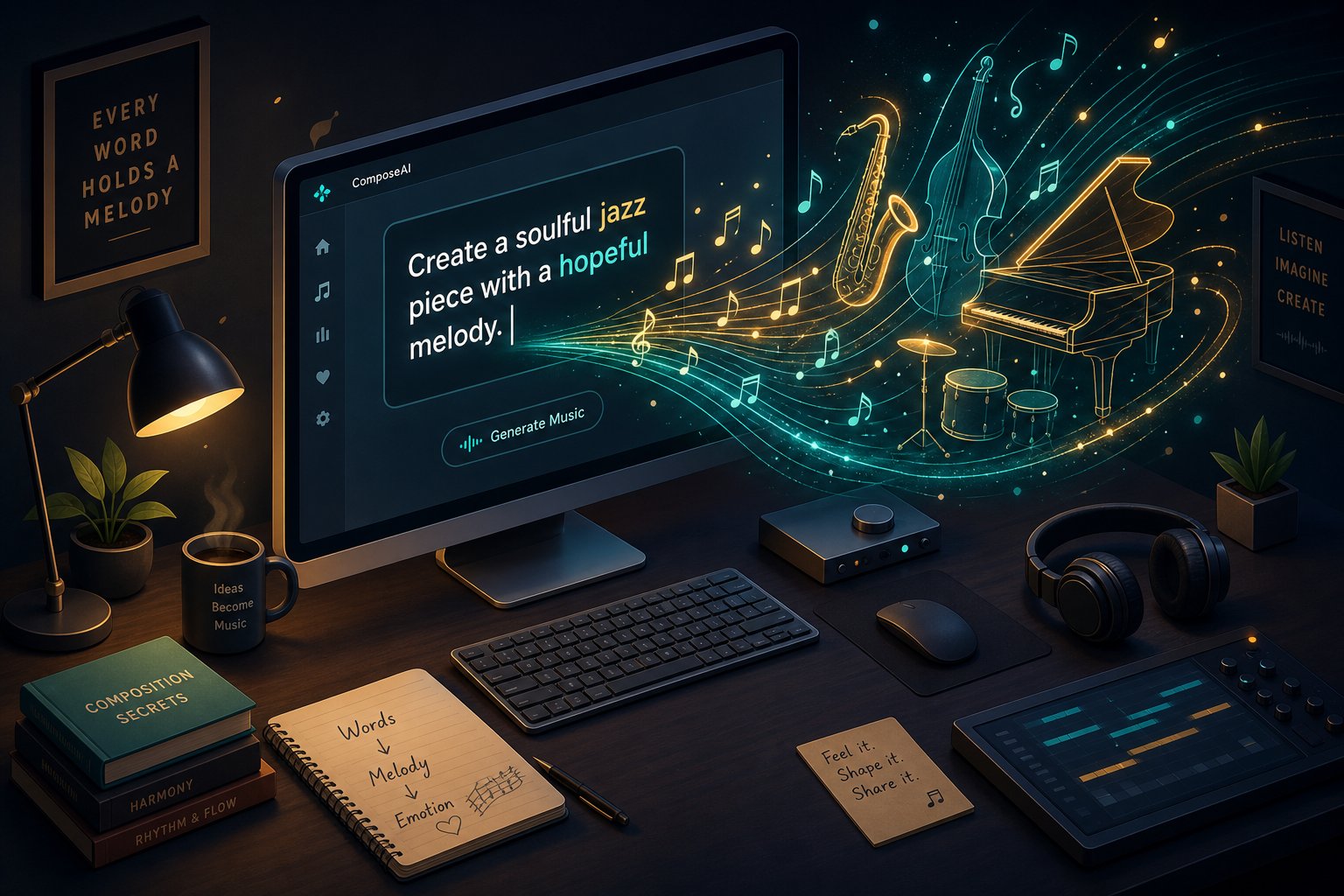
Step 4 Write Genre-Specific Prompts That Produce Authentic Results
You have the right tool. You know which genres play to AI's strengths. The variable that separates a generic output from a genre-accurate track is the prompt itself. Think of your prompt as a producer's brief handed to a session band: it does not need to be long, but it needs to be clear. Vague instructions like "make a chill beat" or "generate EDM" give the model almost nothing to work with, and the result sounds like it. Specific prompts with genre vocabulary, tempo values, and instrumentation details yield tracks that actually commit to a style.
Anatomy of a Genre-Accurate AI Music Prompt
Every effective genre prompt shares the same structural DNA. Whether you are using a song prompt generator workflow or typing freeform descriptions, these components anchor the model's output in the right musical territory. According to prompt engineering research from Sonygram, AI models weight early tokens more heavily, meaning the first five to ten words strongly influence genre direction. That makes element order matter as much as element choice.
Here is the step-by-step formula for building prompts that produce genre-accurate results:
- Start with the primary genre and sub-genre. Place this first. "Smooth jazz quartet" or "dark minimal techno" immediately locks the model into the right rhythmic and harmonic framework. Avoid burying genre labels after mood descriptors.
- Specify instrumentation. Name two to three instruments using precise language. "Rhodes electric piano" outperforms "piano." "Brushed snare" beats "drums." Specific instrument names reduce randomness and push the output toward authentic genre timbres.
- Define tempo and energy level. Include a numeric BPM value rather than adjectives like "fast" or "slow." Testing across platforms consistently shows that tempo specificity changes output quality more than any other variable. A rough range like "around 90 BPM" still outperforms leaving tempo undefined.
- Add mood and emotional tone. Pair mood adjectives with a scene or context for stronger results. "Melancholic, like a song about distance and longing" gives the model a reference frame that affects phrasing and chord choices more than "sad" alone.
- Include structural preferences. Define section layout using bar counts or timing cues. "16-bar verse into 8-bar chorus" or "build to climax at 60 seconds" tells the model how to organize the composition rather than looping indefinitely.
The ideal prompt uses four to seven core elements. Too few and you get generic filler. Too many conflicting descriptors and the model's output loses coherence. If you are stuck on a song topic generator approach, start with genre and BPM, then layer in details one at a time until the output matches your vision.
Prompt Templates for Five Popular Genres
These templates demonstrate how the formula adapts across styles. Each one functions as a song idea generator you can modify by swapping individual elements. Notice how changing just the genre label, instrumentation, and BPM produces completely different musical results from the same structural framework.
Cinematic orchestral: Epic cinematic orchestral score in A minor at 90 BPM, low string ostinato intro, brass swells entering at bar 16, timpani build, slow crescendo to dramatic climax at 60 seconds, resolved string ending with controlled decrescendo. Instrumental only.
Upbeat electronic: Energetic progressive house at 128 BPM in G minor, four-on-the-floor kick, layered synth pads building to a euphoric supersaw drop at bar 33, sidechain compression, 16-bar intro, breakdown at bar 48. Summer festival energy.
Mellow acoustic folk: Warm indie folk at 95 BPM in G major, fingerpicked acoustic guitar, soft vocal harmonies, light brushed drums, gentle harmonica accent. Verse-chorus structure with an intimate, nostalgic countryside mood. No electric instruments.
Hard-hitting hip-hop: Dark trap beat at 140 BPM in D minor, heavy 808 glide bass, syncopated triplet hi-hat rolls, punchy snare on beat three, 16-bar verse into 8-bar hook with a catchy synth lead melody. Clean digital mastering, aggressive energy.
Smooth jazz: Smooth jazz quartet in F major at 120 BPM with swing feel, walking upright bass line, brushed drum kit, piano comping with ii-V-I seventh chord extensions, expressive tenor saxophone lead. Small club reverb, intimate lounge atmosphere.
Each template follows the same logic: genre first, then BPM, key, instruments, structure, and production style. You will notice that the electronic template specifies bar numbers for drops and breakdowns because EDM depends on precise structural timing. The jazz template names chord progressions because harmonic language defines that genre. The folk template uses exclusion language ("no electric instruments") to prevent the model from drifting toward rock.
This adaptability is what makes prompt engineering a practical songwriting ideas generator. You are not memorizing rigid formulas. You are learning which details matter most for each genre and front-loading those details where the model pays the most attention.
If you need song maker ideas for a project but are unsure which direction to take, try generating the same concept across two or three of these templates. A melody that works as cinematic orchestral might also translate into an electronic remix or a stripped-back folk arrangement. Similarly, a song name generator ai can help you brainstorm thematic directions, but the musical identity comes from how precisely you describe the sound in your prompt.
One word of caution: do not over-script. The best prompts are specific but flexible, leaving room for the AI to make musical choices you might not have considered. If your prompt reads like a rigid checklist, the output can feel mechanical. Give clear direction on the essentials, then let the model fill in the gaps. If the creative deviations miss the mark, refine one element at a time and regenerate rather than rewriting everything at once.
The difference between a song theme generator approach and a professional-quality prompt comes down to vocabulary precision. Knowing that "dusty swing drums" signals lo-fi while "four-on-the-floor kick" signals house gives you control over genre output that no amount of regeneration can replace. Build that vocabulary for each genre you work in, and your prompts will consistently land closer to authentic on the first try.
Writing the right prompt gets you most of the way there. But how do you know if the output actually sounds authentic to the genre, or if it just sounds close enough to fool a casual listener? That distinction requires knowing what to listen for.
Step 5 Evaluate Output Quality and Identify Genre-Specific Artifacts
A well-crafted prompt gets you in the right neighborhood. But landing in the neighborhood is not the same as living there. The track that comes back might sound vaguely like jazz or roughly like classical, yet something feels off. Training your ear to identify exactly what is off, and why, is what separates creators who settle for "good enough" from those who iterate toward genuinely convincing genre output.
Genre-Specific Quality Markers to Listen For
Every genre carries its own fingerprint of authenticity. When you evaluate an AI-generated track, you are not just asking "does this sound nice?" You are asking "does this sound like the genre it claims to be?" That distinction matters because a track can be technically clean yet stylistically wrong. Imagine a jazz piece with perfect timing but zero swing. It passes a basic audio fidelity check, but any jazz listener would immediately hear it as artificial.
Quality markers shift depending on the style. For electronic music, you are listening for proper sidechain compression on the kick, clean frequency separation between bass and synths, and build-ups that create tension before drops. For classical, the markers are dynamic range, realistic bow articulation on strings, and phrasing that breathes rather than plods mechanically through notes. For hip-hop, the 808 needs weight and the hi-hats need rhythmic variation rather than a static loop. A 2026 analysis of 500+ AI-generated tracks found that 85% of outputs are commercially usable, but that remaining 15% almost always fails on genre-specific fidelity rather than raw audio quality.
The table below breaks down what to check for across five common genres:
| Genre | Quality Markers to Check | Common AI Failures |
|---|---|---|
| Electronic / EDM | Sidechain pumping on kick, clean stereo imaging, tension-building risers, distinct drop impact | Flat drops with no energy contrast, muddy low-end, repetitive 8-bar loops without variation |
| Jazz | Swing feel on ride cymbal, walking bass movement, chord voicings with extensions (7ths, 9ths), conversational phrasing between instruments | Quantized timing that kills groove, generic chord progressions lacking harmonic sophistication, saxophone lines that loop rather than develop |
| Classical / Orchestral | Dynamic range from pianissimo to fortissimo, realistic string articulations (legato, pizzicato), long-form structural development | Flat dynamics throughout, synthetic string timbre, compositions that meander without thematic resolution |
| Hip-Hop | Punchy 808 with sub-bass presence, varied hi-hat patterns, snare placement that creates pocket, space for vocals in the mix | Thin or distorted 808s, static drum patterns with no fills, overcrowded frequency spectrum leaving no room for a vocal |
| Folk / Acoustic | Natural fingerpicking patterns, realistic acoustic guitar body resonance, subtle timing imperfections that feel human | Overly perfect timing that sounds robotic, guitar tones that lack warmth or room sound, arrangements that drift toward pop production |
Use this table as a listening checklist. Play your generated track, reference it against a real song in the same genre, and note where the AI version falls short. That gap tells you exactly what to adjust in your next prompt or which elements need post-generation editing.
Common AI Artifacts and How to Spot Them
Beyond genre-specific fidelity, AI-generated music carries telltale artifacts that appear across styles. These are the technical fingerprints of machine generation, and once you learn to hear them, you cannot unhear them. Common causes include misinterpreted amplitude envelopes, phase relationship errors, and training data mismatches that produce unstable outputs across different genres.
- Unnatural transitions between sections, where one part abruptly cuts to the next without a musical bridge, fill, or energy shift
- Repetitive melodic loops that cycle without development, variation, or resolution
- Instruments that sound synthetic in genres requiring organic feel, particularly acoustic guitar, piano, and brass
- Abrupt endings that stop mid-phrase rather than resolving to a tonic or fading naturally
- Inconsistent tempo in genres that require human timing, such as rubato passages in classical or laid-back pocket in R&B
- Lyrics that do not match genre conventions in phrasing, syllable count, or thematic vocabulary
A quick 30-second listening test can catch most of these issues. Play the first ten seconds and ask: does it grab attention or sound generic? Skip to a transition point and check: is the section change smooth or jarring? Listen to the instruments individually and ask: do they sound like real players or like a text to speech songs engine trying to approximate musicality? That last question is especially revealing for genres like soul or blues where vocal and instrumental expressiveness define the style.
If you are working with AI generated sound effects or layering them into a music track, the same critical ear applies. A reverb tail that cuts unnaturally or a drum hit with no room tone will break the illusion just as quickly as a bad chord change. Tools marketed as an ai sound effect generator free option can produce useful raw material, but evaluating whether those sounds sit naturally within your genre context is still your job.
Similarly, if you are using an ai sheet music generator to transcribe or arrange AI output, check whether the notation reflects realistic performance markings. A score that looks correct on paper but lacks dynamic markings, articulation, or phrasing indications will sound mechanical when performed, reinforcing the same flatness the AI introduced in the audio.
The goal of evaluation is not perfectionism. It is honest feedback that drives iteration. Every artifact you identify becomes a specific instruction for your next prompt. "Add a drum fill before the chorus" fixes an abrupt transition. "Use rubato phrasing in the piano melody" addresses robotic timing. "Vary the melody in the second verse" solves repetitive looping. Creators who search for an ai song cover free tool often discover that even cover generation benefits from this same evaluative discipline: the output needs genre-appropriate phrasing, not just the right notes.
Evaluation sharpens your ear and your prompts simultaneously. But what happens when your creative vision does not fit neatly into a single genre box? Blending two or more styles in one track introduces a different set of challenges and opportunities that most AI tools handle in surprising ways.

Step 6 Blend Multiple Genres in a Single Track
Generating a solid track in one genre is satisfying. But what if your creative vision lives between genres? Maybe you hear a folk verse dissolving into an electronic chorus, or a hip-hop beat underpinned by orchestral strings. Genre fusion is where AI music generation gets genuinely interesting, because models trained on diverse datasets can combine elements that a human producer might never think to pair.
Single Genre vs Genre Fusion in AI Music
Single-genre generation asks the model to stay in one lane. The output is predictable, easier to evaluate, and more likely to sound authentic on the first attempt. Genre fusion, by contrast, asks the model to hold two or more musical identities in tension. The risk is higher, but so is the creative reward.
When you prompt for a hybrid style, the AI draws on overlapping feature clusters from its training data. A prompt like "jazz-hop" activates swing rhythms and extended chord voicings from jazz while pulling in the punchy 808s and looped structure of hip-hop. The model does not simply alternate between genres. It finds the intersection, the shared musical DNA that makes the blend feel cohesive rather than stitched together.
This is also where a similar song generator approach becomes useful. If you have a reference track that already crosses genres, feeding that stylistic direction into your prompt gives the AI a concrete target rather than an abstract concept. You are essentially saying "sound like this intersection" rather than asking the model to invent one from scratch.
Techniques for Blending Two or More Genres in One Track
Genre blending works best when you approach it as an iterative process rather than a single-prompt miracle. Here is the workflow that produces the most cohesive results:
- Generate a base track in your primary genre. Pick the genre that defines the track's rhythmic foundation. If you want folk-electronic, start with a clean folk arrangement. If you want cinematic hip-hop, start with the beat.
- Identify which secondary genre elements you want. Be specific. Do you want electronic production textures layered over folk instrumentation? Jazz chord voicings under a pop melody? Name the exact elements rather than the entire genre.
- Refine your prompt to incorporate crossover elements. Use hybrid descriptors like "acoustic folk verse with ambient synth pads and a four-on-the-floor electronic chorus at 118 BPM." Specifying genre transitions within song structure, such as verse in one style and chorus in another, gives the model clear architectural guidance.
- Iterate until the blend feels cohesive. The first fusion attempt often leans too heavily toward one genre. Adjust the balance by emphasizing the underrepresented style in your next prompt. If the electronic elements are drowning the folk guitar, specify "acoustic guitar prominent in mix, synths supporting underneath."
- Use post-generation editing to smooth transitions. Section boundaries are where genre blends most often break down. If the shift from verse to chorus feels jarring, look for tools that let you regenerate just that transition point. ElevenLabs recently introduced localized regeneration that lets creators change the genre inside a single track and regenerate only a chosen section without impacting the rest of the composition, making mid-song genre shifts far more practical.
Prompt strategies for genre blending fall into three categories. First, combined genre adjectives: terms like "jazz-hop," "folk-electronic," "cinematic pop," or "lo-fi orchestral" compress two styles into a single descriptor the model can interpret as a unified aesthetic. Second, structural genre mapping: specifying that the verse follows one genre's conventions while the chorus follows another. Third, reference-based descriptions that naturally cross genres, like "sounds like Bon Iver producing a hip-hop track" or "imagine a film score reimagined as ambient electronic."
If you want to how to create songs that blend styles, start simple. Two genres maximum for your first attempts. Three-way fusions sound exciting in theory but often produce incoherent output because the model cannot satisfy all three style constraints simultaneously. Once you have a reliable two-genre workflow, you can layer in a third element through post-generation editing rather than asking the prompt to do all the heavy lifting.
Genre fusion is also a practical way to create instrumental from song ideas that already exist in one style. Take a pop vocal track concept, strip it to its harmonic and melodic core, and regenerate it as a cinematic instrumental or an ambient electronic piece. Tools that make songs into instrumentals can isolate the musical skeleton, which you then rebuild in a completely different genre context. An ai cover music generator workflow follows similar logic: you are reinterpreting existing musical material through a new genre lens, and AI handles the translation between styles faster than manual arrangement ever could.
The real surprise with genre blending is that AI sometimes produces combinations you would never attempt yourself. A prompt for "Balkan brass meets minimal techno" or "bluegrass banjo over trap 808s" might sound absurd, but the output can reveal unexpected musical connections that spark entirely new creative directions. That willingness to experiment without judgment is one of AI's genuine advantages over traditional production, where genre-crossing often requires convincing multiple musicians to step outside their comfort zones.
Understanding how do you create your own song through genre fusion opens up a creative space that pure single-genre generation cannot reach. But whether you are working in one style or blending five, every track eventually needs refinement and a clear path to commercial use. That final stage of the workflow brings its own set of considerations.
Step 7 Refine Your Tracks and Understand Licensing for Commercial Use
A generated track is a starting point, not a finished product. Even when your prompt nails the genre and the output sounds convincing, small adjustments in tempo, instrumentation, and structure can push a good track into professional territory. And once the music sounds right, a separate question demands attention: can you actually use it commercially?
Refining AI Tracks With Post-Generation Editing
Post-generation editing is where you close the gap between "AI-generated" and "release-ready." The refinement process varies by genre, but the core steps remain consistent regardless of style. Think of it as quality control with a creative lens.
- Adjust tempo to match genre conventions. If your jazz track feels rushed at 130 BPM, pulling it back to 115 BPM with a swing quantize can restore the laid-back groove the genre demands. An ai jingle maker workflow might need the opposite: tightening tempo for a punchy 30-second commercial spot.
- Swap instruments that sound inauthentic. A folk track with a synthetic-sounding acoustic guitar benefits from replacing that element with a higher-quality sample or regenerating with more specific timbre instructions.
- Trim or extend sections. AI often generates tracks that loop one section too many times or cut a bridge too short. Editing section lengths to match genre norms, like a 16-bar verse for hip-hop or a gradual 32-bar build for EDM, makes the structure feel intentional.
- Apply genre-appropriate effects. A royalty free film score needs cinematic reverb and spatial depth. A lo-fi track needs tape saturation and vinyl crackle. These finishing touches are rarely baked into raw AI output.
- Export in the right format for your use case. WAV for professional mixing, MP3 for quick demos, stems if you plan to layer the track into a larger production.
Platforms like MakeBestMusic allow creators to go from prompt to finished song quickly, making it practical to generate multiple genre variations and compare results side by side. That speed matters when you are testing whether a concept works better as cinematic orchestral or stripped-back acoustic folk. Rather than committing hours to one direction, you can generate across three or four genres using the techniques from this guide and hear firsthand how prompt specificity affects genre accuracy.
The complete workflow: prompt with genre specificity, generate, evaluate against genre markers, refine tempo and instrumentation, iterate until satisfied, then verify licensing before publishing.
Commercial Licensing for Multi-Genre AI Music
Here is where many creators stumble. You have a polished track that sounds great across genres, but can you monetize it? The answer depends entirely on which platform generated it and which plan you are on. Licensing terms vary significantly between tools, and assumptions can be expensive.
Most AI music platforms operate on a tiered model. Free plans typically restrict output to personal or non-commercial use. Paid plans unlock commercial rights, but the scope of those rights differs. Some platforms grant full ownership of generated audio. Others retain partial rights or limit usage to specific contexts like social media but not broadcast. Envato's AI music licensing framework represents one approach: every generated track includes a commercial license with clear usage terms, eliminating ambiguity about what you can and cannot do with the output.
If you are producing best commercial songs for client work, advertising, or film, verify these specifics before delivering:
| Licensing Factor | What to Check | Why It Matters |
|---|---|---|
| Commercial use rights | Does your plan explicitly grant monetization rights? | Free-tier tracks often cannot be used in paid projects |
| Exclusivity | Can other users generate identical or similar tracks? | Non-exclusive licenses mean your track is not unique to you |
| Distribution scope | Are there platform restrictions (social only, no broadcast)? | A track cleared for YouTube may not be cleared for TV ads |
| Attribution requirements | Must you credit the AI platform in your final product? | Some licenses require visible credit, which may not suit client work |
| Perpetual vs. term-based | Does the license expire if you cancel your subscription? | Term-based licenses can retroactively restrict published content |
Creators producing commercial songs for advertising or branded content should pay particular attention to exclusivity clauses. Unlike traditional artlist music libraries or artlist royalty free music subscriptions where tracks are pre-cleared and cataloged, AI-generated output exists in a newer legal space. Artlist pricing and similar subscription models offer predictable licensing for curated human-composed libraries, but AI platforms handle rights differently because the music did not exist until you prompted it into being.
For anyone building a royalty free film score or scoring video content, the safest approach is choosing platforms that explicitly state commercial rights in their terms of service. A license generator built into the platform, one that produces a downloadable certificate tied to your specific track, provides the strongest protection if a content ID claim ever surfaces. Soundverse's licensing guide notes that the most sustainable model in 2026 focuses on usage-based royalties and transparent attribution rather than one-time fees.
The bottom line: generating multi-genre AI music is the creative challenge. Licensing it correctly is the business challenge. Both deserve equal attention. Start your multi-genre experimentation by generating tracks across three or four different styles using the prompt techniques from this guide, evaluate them against genre-specific quality markers, refine until they sound authentic, and only then confirm that your chosen platform's licensing terms match your intended use. That complete loop, from creative exploration to commercial clarity, is what turns AI music generation from a novelty into a reliable production workflow.
