


Yes AI Can Write Sheet Music from a Song But With Important Caveats
Can AI write sheet music from a song? Yes, it can. But the results you get depend heavily on what you feed it, how complex the music is, and which tool you choose. This isn't a simple yes-or-no situation, and anyone who tells you otherwise is skipping the details that actually matter.
The Short Answer to Whether AI Can Transcribe Songs
Is there AI that can transcribe music? Absolutely. Modern AI transcription tools use neural networks to detect pitches in audio and convert them into notation or MIDI data. On controlled, lab-quality solo piano recordings, pitch detection accuracy can reach up to 96% according to MIREX 2024 benchmarks. That sounds impressive until you look at real-world conditions. Guitar accuracy drops to around 78%. Vocals fall to roughly 52%. Dense polyphonic mixes with multiple instruments? As low as 38%.
Here's the part most people miss: those numbers only measure whether the AI detected the right pitches. They don't account for rhythm, dynamics, expression markings, or layout. Even a high pitch score can produce sheet music that's unplayable because the rhythms are wrong or the meter is off. So while AI music to sheet music conversion works, "works" has a wide range of meanings depending on your expectations.
Two Meanings Behind This Question
When people search this topic, they're usually asking one of two very different things. The first: can an AI sheet music generator listen to an existing recording and transcribe it into notation? The second: can AI compose entirely new, original sheet music from scratch? Both are possible, and both have distinct strengths and limitations.
Transcription AI listens to audio and attempts to extract what's being played. Generative AI creates something new based on prompts, style parameters, or learned musical patterns. An ai sheet music tool built for transcription won't help you compose, and a generative model won't transcribe your favorite song. Understanding which one you need saves you time and frustration.
AI can transcribe songs into sheet music with reasonable accuracy for simpler recordings, and can also generate original sheet music compositions, but both have limitations worth understanding.
The gap between what sheet music AI promises and what it delivers comes down to source material, complexity, and how much editing you're willing to do afterward. A clean solo piano recording will give you usable results. A dense live band recording will give you a rough sketch at best. The technology is real and improving, but it's not a replacement for musical understanding. Not yet.
So what's actually happening under the hood when these tools process your audio? The answer involves spectral analysis, neural networks, and a surprisingly complex pipeline that determines whether you get clean notation or an unreadable mess.
How AI Music Transcription Technology Actually Works
Imagine you're in a crowded room trying to pick out a single conversation. That's essentially what an app that recognizes notes has to do with audio. It listens to a complex sound wave where multiple frequencies overlap and tries to identify each individual note, its duration, and when it starts. The process isn't magic, but it is genuinely clever engineering.
How AI Listens to Audio and Detects Notes
Every sound you hear is a combination of frequencies vibrating at different speeds. When you play a C note on piano, it doesn't produce just one frequency. It creates a fundamental pitch plus a series of overtones called harmonics that give the instrument its distinctive timbre. An AI transcription system needs to untangle all of these overlapping vibrations to figure out which notes are actually being played.
The first step is spectral analysis. The system takes your audio file and applies a mathematical technique called the Short-Time Fourier Transform (STFT), which breaks the sound wave into a visual map of frequencies over time. Think of it like a heat map where the x-axis is time, the y-axis shows pitch frequencies, and the color intensity represents how loud each frequency is at any given moment. This spectrogram becomes the raw data the AI actually works with.
From this frequency map, the system runs pitch detection algorithms that identify which frequencies correspond to musical notes versus background noise or harmonic overtones. Onset detection then pinpoints the exact moment each note begins, which is critical for getting rhythm right. Without accurate onset detection, the AI might hear the correct pitches but place them at the wrong time in the score.
From Sound Waves to Standard Notation
Converting audio to sheet music isn't a single leap. It's a pipeline with distinct stages, each handling a different piece of the puzzle. Here's what happens when you feed a recording into a music notation AI tool:
- Audio input: The system accepts your file (MP3, WAV, or other formats) and normalizes the signal level.
- Frequency decomposition: STFT breaks the audio into a time-frequency spectrogram showing all active frequencies at each moment.
- Pitch detection: Algorithms identify fundamental pitches and separate them from harmonic overtones.
- Rhythm analysis: Onset detection marks where each note starts and ends, establishing beat positions and durations.
- Voice separation: The system attempts to assign detected notes to individual instruments or voices, separating a melody line from bass notes or chords.
- Notation mapping: Detected pitches and rhythms are translated into standard music notation symbols, including note values, rests, and time signatures.
- Output generation: The final ai notation is rendered as a readable score, MIDI file, or other format.
Each stage introduces potential errors. A missed onset means a note gets absorbed into the previous one. A misidentified harmonic means a phantom note appears in your score. This is why converting audio to music notes remains imperfect even with advanced systems.
The Role of Neural Networks in Music Recognition
Traditional signal processing alone can handle simple audio to music notation tasks, but it falls apart with complex recordings. That's where neural networks come in. These AI models are trained on thousands of musical scores paired with their corresponding audio, learning patterns that connect specific sound characteristics to specific notations.
Modern transcription systems typically use architectures like Bidirectional Long Short-Term Memory (BiLSTM) networks or convolutional neural networks. The bidirectional aspect is important because music is contextual. A note's identity sometimes depends on what comes after it, not just what came before. These networks process the spectrogram data in both directions, past-to-future and future-to-past, which helps resolve ambiguous passages where a pitch could be interpreted multiple ways.
Training data matters enormously here. A model trained mostly on classical piano will struggle with distorted electric guitar because the harmonic content is radically different. The neural network learns to associate specific spectral patterns with specific instruments and playing techniques. When it encounters something outside its training experience, accuracy drops fast.
The real challenge these networks face is polyphonic content, where multiple notes sound simultaneously. A single piano chord already contains overlapping harmonics from three or more notes. Add a bass line, vocals, and drums, and you'll notice the frequency map becomes incredibly dense. Even advanced models have difficulty separating individual voices in these conditions, which is why audio to sheet music results vary so dramatically based on source complexity.
Understanding this pipeline helps explain a practical reality: the technology works best when you give it clean, simple input. A solo instrument with clear note boundaries is ideal. The further you move from that scenario, the more the system has to guess, and guessing is where errors creep in.
Step by Step Process from Song to Sheet Music
Knowing how the technology works is one thing. Actually using it is another. The good news? The process itself is surprisingly straightforward regardless of which tool you pick. What matters most is your starting point: do you have an audio file sitting on your computer, a YouTube link you want to transcribe, or a melody in your head that you need to capture through a microphone?
Each scenario follows a slightly different path, but they all funnel into the same basic pipeline. Here's how to create sheet music from audio depending on what you're working with.
Starting with an Audio File Upload
This is the most common route and typically produces the best results. You already have a song saved as an MP3, WAV, FLAC, or similar format, and you want to convert it into readable notation.
- Choose your tool and select the right instrument mode. Most platforms ask you to specify what instrument is in the recording. Piano, guitar, vocals, and drums each have dedicated transcription models optimized for their frequency ranges. Picking the correct one matters for accuracy.
- Upload your file. Drag and drop or browse to select your audio. Most tools accept MP3, WAV, FLAC, OGG, and MP4 formats. WAV files generally produce better results than compressed MP3s because they retain more audio detail. According to Klangio's documentation, if a file won't upload, converting it to WAV using a free online converter often resolves the issue.
- Set transcription parameters. Some tools let you specify the key signature, time signature, tempo, or difficulty level. If you know these details about your song, providing them helps the AI make better decisions during the notation mapping stage.
- Run the transcription. Processing time varies from a few seconds to a couple of minutes depending on track length and server load. The AI runs through its full pipeline: frequency decomposition, pitch detection, rhythm analysis, voice separation, and notation output.
- Review and export. You'll typically see the result in an interactive viewer where you can play it back against the original audio. Export options usually include PDF sheet music, MusicXML for editing in notation software, and MIDI for use in a DAW.
If you want to convert mp3 to sheet music online free, several platforms offer demo transcriptions at no cost. These demos are usually limited to the first 30 to 60 seconds of a track, giving you enough to evaluate accuracy before committing to a paid export of the full piece.
Using YouTube or Social Media Links as Input
Don't have the audio file downloaded? Many transcription tools let you paste a URL directly. This is especially convenient when you hear something on YouTube and want to learn it quickly.
- Copy the video URL. Grab the standard watch link from YouTube. Avoid playlist URLs, embedded links, or shortened youtu.be formats, as these often trigger errors. The video needs to be public or unlisted, not private or age-restricted.
- Paste into the transcription tool. The platform extracts the audio stream from the video automatically. You won't need to download anything separately.
- Select your target instrument and settings. Same as with file uploads: specify what you want transcribed and provide any additional musical context you can.
- Process and review. The tool handles the rest identically to a file upload, running the extracted audio through the same transcription pipeline.
A quick note on quality: YouTube audio is compressed, typically at 128 to 256 kbps AAC. This compression removes some of the subtle frequency information the AI uses for accurate pitch detection. You'll generally get cleaner results from a youtube to sheet music free tool when the source video has high audio quality, like an official music video or studio recording, versus a phone-recorded live performance with crowd noise.
Recording Directly Through Your Microphone
This path works well when you're playing an instrument and want to transcribe your own performance in real time, or when you have a melody in your head that you want to hum or sing into notation.
- Open the recording feature. Most mobile transcription apps and some browser-based tools include a built-in recorder. Grant microphone permissions when prompted.
- Prepare your environment. This step makes a huge difference. Record in a quiet room with soft furnishings like carpets and curtains that absorb echo. Hard-walled rooms like bathrooms and stairwells create reflections that confuse pitch detection.
- Play or sing your piece. Keep a steady tempo and avoid background noise. If you're humming a melody, aim for clear, sustained pitches rather than mumbling through passages you're unsure about.
- Stop recording and transcribe. The app processes your captured audio the same way it handles uploaded files.
Recording quality is the single biggest factor in transcription accuracy. Research into AI transcription errors consistently points back to source audio as the primary cause of poor results. A room with a lot of reverb makes it harder for the model to distinguish individual notes apart. Background noise and clipping give the system less clean data to work with.
Here are a few practical tips that improve results regardless of your input method:
- Use the highest quality source available. A lossless WAV file beats an MP3, and a 320kbps MP3 beats a 128kbps one.
- Isolate the instrument you want transcribed. A solo recording produces far fewer errors than a full mix.
- Trim silence and noise from the beginning and end of the file before uploading.
- If working from a full mix and you only need one part, consider running the audio through a stem separation tool first to extract that instrument.
Whether you're using audio to sheet music free tools or premium platforms, these preparation steps apply universally. The AI does the heavy lifting, but what comes out directly reflects the quality of what went in.
Of course, even with perfect input preparation, not every song is equally suited to AI transcription. The type of music, its arrangement density, and the instruments involved all play a role in determining how accurate your results will be.

What Songs Work Best and What Trips AI Up
You've prepared your audio, chosen a tool, and hit the transcribe button. But the results you get aren't just about input quality. They're about what's in the recording itself. A pristine studio recording of a jazz quartet will still challenge any audio to sheet music ai tool far more than a phone-recorded solo piano piece with some background hum. The musical content matters as much as the technical quality.
Here's an honest breakdown of what produces usable notation and what sends AI into a spiral of guesswork.
Audio Types That Produce Accurate Sheet Music
The sweet spot for any sheet music generator from audio is simple: one instrument, clean recording, moderate tempo. When those conditions are met, AI transcription delivers results you can actually work with.
Solo piano in a studio setting is the gold standard. MIREX 2024 benchmarks show ai piano transcription reaching up to 96% pitch accuracy on controlled, lab-quality recordings. That's because piano notes have clear attack transients, well-defined pitch frequencies, and relatively predictable harmonic content. The AI knows exactly what to listen for.
Other scenarios that tend to produce reliable results:
- Single-voice melodies sung clearly without vibrato or ornamentation
- Solo acoustic guitar with fingerpicking or simple strumming patterns
- Monophonic wind or brass instruments playing one note at a time
- Recordings with slow to moderate tempos where note boundaries are distinct
- Songs with steady time signatures and predictable rhythmic patterns
The common thread? Fewer simultaneous sounds means fewer opportunities for the AI to confuse one note with another. When you're trying to generate sheet music from audio, simpler source material translates directly into cleaner output.
Recordings That Challenge AI Transcription
Accuracy degrades fast once you move away from ideal conditions. A 2025 study in the EURASIP Journal on Audio, Speech, and Music Processing found that AI transcription accuracy drops by 20 percentage points when the recording comes from a different piano than what the model was trained on. Genre shifts add another 14-point decline. In extreme cases, total degradation reaches up to 50 percentage points.
The biggest accuracy killers include:
- Polyphonic density: Multiple notes sounding simultaneously create overlapping harmonics that the AI struggles to untangle. At the NeurIPS 2025 AMT Challenge, even top-performing systems showed a consistent 25+ point F1 drop when just two or three instruments were present.
- Live recordings: Room reverb, audience noise, and bleed between instruments all muddy the frequency map the AI depends on.
- Fast passages: Rapid note sequences reduce the time gap between onsets, making it harder for the system to determine where one note ends and another begins.
- Unusual timbres: Heavily distorted guitar, synthesizers with complex waveforms, or extended techniques like harmonics and prepared piano fall outside what most models were trained on.
- Overlapping vocals: Harmonies, doubles, and choral textures blur individual pitch lines into an indistinct mass of frequencies.
Genre and Complexity Factors
Genre isn't just about style preference. It directly predicts how well ai song transcription will work on a given piece. Some genres align naturally with what AI handles well. Others push every weakness simultaneously.
Here's how different input types stack up when you use a music sheet generator from audio:
| Input Type | Expected Pitch Accuracy | Key Challenges | Recommended Approach |
|---|---|---|---|
| Solo piano (studio) | Up to 96% | Voice separation, rhythm notation | AI transcription, then manual rhythm and voicing cleanup |
| Voice + acoustic guitar | 60-75% | Overlapping frequency ranges, strumming blurs pitch | Separate stems first, transcribe each individually |
| Full band (studio mix) | 38-50% | Dense polyphony, drum transients mask note onsets | Use stem separation, or hire a human for critical parts |
| Live recording | 30-45% | Reverb, crowd noise, instrument bleed | Consider manual transcription or heavily edit AI output |
| Low-quality audio (phone, old vinyl) | 25-40% | Compression artifacts, noise floor masks quiet notes | Clean audio first with restoration tools, then transcribe |
Classical piano, simple pop ballads, and hymn-style arrangements sit comfortably in AI's wheelhouse. Dense metal with layered distorted guitars, bebop jazz with rapid chord substitutions and walking bass, and orchestral pieces with dozens of simultaneous voices? These push current technology well past its reliable limits.
The practical takeaway: if you're working with a full arrangement and only need one part, running the audio through a stem separation tool before transcription almost always improves results. Isolating the instrument you care about gives the AI the kind of clean, focused input it performs best on.
Knowing what to expect from different source materials helps you plan your workflow. But raw transcription output, even from ideal recordings, is rarely a finished product. What you do with the AI's output after it's generated determines whether you end up with usable sheet music or an unreadable draft.
Output Formats Explained from Notation to MIDI
When AI tools generate sheet music, the output isn't always a traditional printed score. Most platforms offer multiple export formats, each designed for a different type of musician and workflow. Choosing the right one determines whether the transcription actually fits into how you work, or sits unused on your hard drive.
Here's what's available and who each format serves best.
Standard Notation for Classical and Trained Musicians
Standard notation, exported as PDF or MusicXML, is the format classically trained musicians expect. It includes staves, clefs, key signatures, time signatures, and rhythmic values that any trained player can sight-read. If your goal is to create sheet music you can print and place on a music stand, this is what you want.
MusicXML deserves special attention here. Unlike a static PDF, MusicXML files can be opened and edited in notation software like MuseScore, Sibelius, or Finale. This makes it the most flexible option when you need to fix errors or rearrange parts after the AI does its initial work. Think of PDF as the final printout and MusicXML as the editable document behind it.
MIDI Output for Producers and Arrangers
For producers working in DAWs like Ableton Live, Logic Pro, or FL Studio, MIDI is often more valuable than traditional notation. A MIDI file doesn't contain sound. It contains instructions: which note plays, when it starts, how long it lasts, and how hard it was struck. That makes it endlessly editable.
You can transpose a MIDI transcription to a different key in seconds. You can assign it to any virtual instrument, turning a transcribed piano part into strings, synths, or brass. You can quantize the timing, split chords into separate voices, or use the transcription as a starting point for an entirely new arrangement. According to Klangio's DAW workflow guide, opening a transcribed MIDI file is as simple as dragging it into a new track and loading a virtual instrument to play it back.
This flexibility is why MIDI output turns a music to notation converter into something more powerful: a creative tool, not just a transcription utility.
Guitar Tabs and Other Specialized Formats
Not every musician reads standard notation. Guitarists, bassists, and ukulele players often prefer tablature, which shows finger positions on strings rather than abstract pitch symbols. Several AI transcription tools, including Songscription AI, can output guitar tabs directly from audio.
Beyond tabs, piano roll visualizations serve electronic producers who think visually about pitch and timing. A piano roll displays notes as horizontal bars on a grid, making it easy to spot wrong notes or timing issues without reading traditional music notation at all.
Here's a quick reference for matching formats to your needs:
- PDF sheet music: Print-ready scores for performers, teachers, and students who read standard notation.
- MusicXML: Editable notation files for anyone who needs to refine the transcription in dedicated music notes converter software like MuseScore or Sibelius.
- MIDI: Raw musical data for producers, arrangers, and composers who work in DAWs and want to manipulate notes freely.
- Guitar tablature: String-and-fret diagrams for guitarists and bassists who don't read standard notation.
- Piano roll: Visual grid display for electronic producers who edit by sight rather than by score.
The music sheet generator you choose should support the format your workflow actually requires. A classical pianist has no use for MIDI files, and a hip-hop producer has no use for engraved PDF scores. Matching output to purpose is what turns a raw transcription into something functional.
Of course, regardless of which format you export, the AI's output is rarely perfect on the first pass. The real question is what happens next: how do you take that initial transcription and turn it into something polished enough to actually use?
What to Do After AI Generates Your Sheet Music
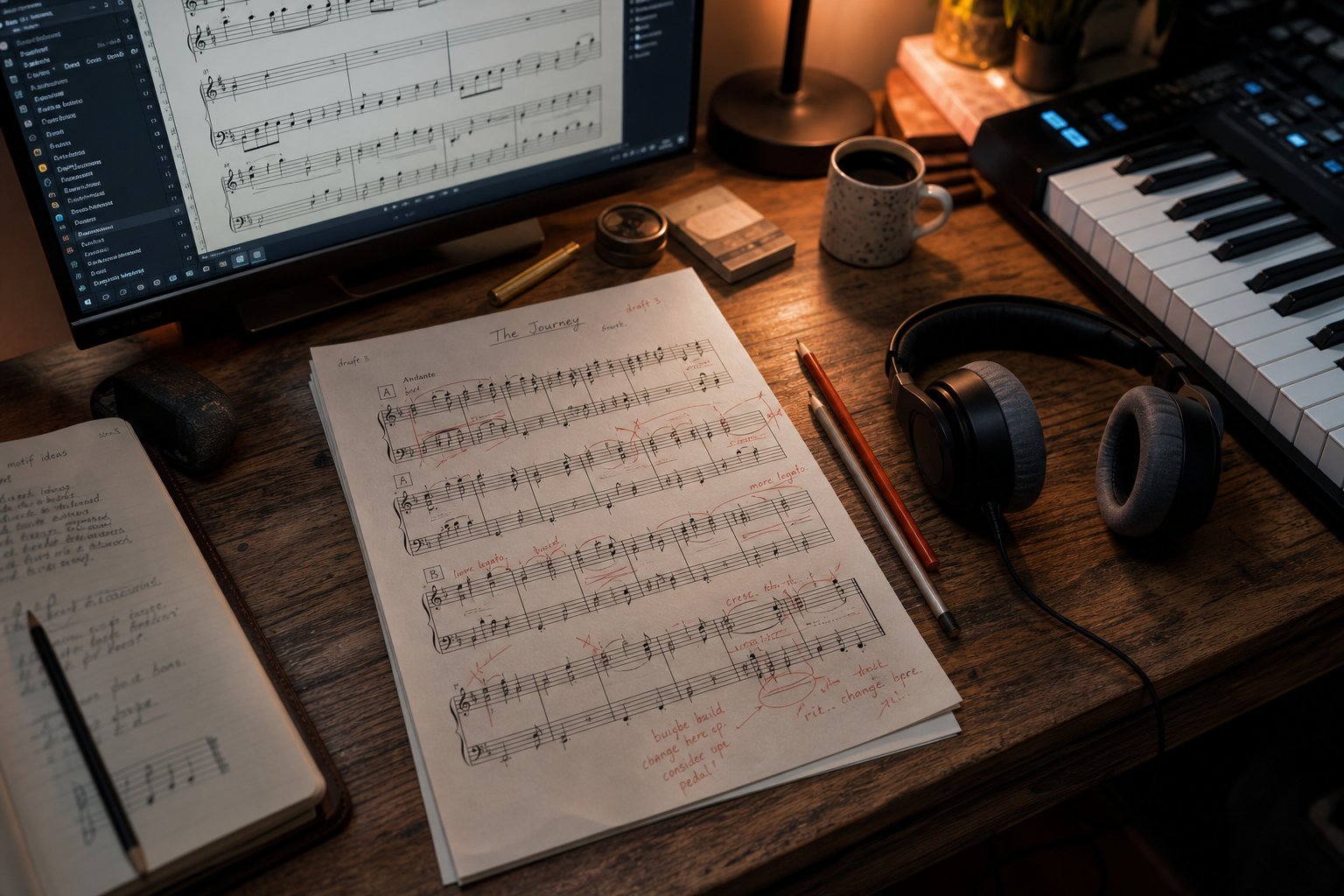
Even the best ai music transcription tools produce output that needs human attention. Think of the AI's first pass as a strong draft rather than a finished document. The notes are mostly there, the rhythms are roughly correct, but details that make sheet music actually playable often need fixing. Knowing what to look for and which tools to use for cleanup turns a rough transcription into something worth printing or importing into your production workflow.
Common Errors You Will Need to Fix
Certain mistakes show up in nearly every AI-generated score, regardless of which tool you used to ai transcribe music. Once you know the patterns, spotting them becomes second nature.
- Missed or phantom notes in dense passages: When multiple notes overlap, the AI sometimes merges two notes into one or hallucinates extra pitches from harmonic overtones. Check any section where the original recording gets busy.
- Incorrect rhythmic notation: A note that lasts two and a half beats might be written as a half note tied to an eighth note when a dotted half note would be cleaner and more readable. Awkward rhythmic groupings are one of the most common issues.
- Wrong enharmonic spellings: The AI might write a G-sharp where the key context clearly calls for A-flat. Functionally the same pitch, but the wrong spelling makes the music harder to read in context.
- Missing dynamics and articulation: AI transcription captures pitch and rhythm but almost never captures how loud or soft a note is played, whether it's staccato, legato, or accented. These markings need to be added manually based on your ear.
- Incorrect voice assignments: In piano music, notes that belong to the left hand might end up in the right hand staff, or a melody line and an accompaniment figure get jumbled into the same voice.
- Time signature and barline errors: Passages with rubato, tempo changes, or pickup measures often confuse the beat-tracking algorithm, resulting in misplaced barlines or wrong meter markings.
These aren't failures of any single tool. They reflect fundamental limitations in how AI processes audio. Even systems that score well on pitch accuracy benchmarks still struggle with the musical context that makes notation readable.
Editing Tools for Cleaning Up AI Notation
This is where a dedicated score creator application becomes essential. The raw transcription needs a proper notation editor for cleanup, and several options handle this well.
MuseScore is the go-to music score maker free option. It's open-source, handles MusicXML imports cleanly, and gives you full control over every notation element. For anyone using musescore ai workflows, the process is simple: export your transcription as MusicXML, open it in MuseScore, and start editing. You can re-voice chords, fix enharmonic spellings, adjust beam groupings, and add all the expression markings the AI missed.
Sibelius and Finale offer similar editing capabilities with more advanced engraving features for professional publishing. Dorico is another strong choice, particularly for complex orchestral scores. All of these accept MusicXML imports, which is why that export format matters so much when choosing a transcription tool.
For producers working with MIDI rather than notation, your DAW's piano roll editor serves the same purpose. You can quantize timing, correct wrong notes, split polyphonic passages into separate tracks, and adjust velocities. According to Songscription's workflow guide, built-in piano roll editors let you review and correct transcription results before exporting, saving you from jumping between multiple applications.
Here's a practical post-transcription review checklist:
- Play back the transcription against the original audio and mark sections that sound wrong
- Fix obvious pitch errors first, as these are easiest to hear
- Clean up rhythmic notation for readability, simplifying overly complex note groupings
- Correct enharmonic spellings based on the key signature
- Reassign notes to proper voices or staves
- Add dynamics, articulations, and expression markings by ear
- Check barlines, time signatures, and key changes at transition points
- Transpose using an ai music transposer feature if you need the piece in a different key
Using MIDI Output as a Creative Starting Point
Here's where the workflow shifts from correction to creation. For producers and arrangers, AI-transcribed MIDI isn't just a record of what was played. It's raw material you can reshape into something new.
Imagine you've transcribed a piano melody from a reference track. That MIDI data can now be assigned to a synth patch, layered with harmonies, or chopped into loops for a completely different production. The transcription gave you the musical DNA. What you build from it is entirely up to you.
This creative use of MIDI output opens up possibilities beyond faithful reproduction. You might use a transcribed chord progression as the foundation for a new arrangement, or extract a bass line and build an entirely different song around it. Tools like MakeBestMusic's AI MIDI Generator complement this workflow by generating fresh MIDI ideas for melodies and arrangements when you want to build on transcribed material or explore new directions entirely. Rather than being limited to what you extracted from an existing recording, you can feed your creative momentum forward with AI-generated variations and new melodic concepts.
The key mindset shift: stop thinking of AI transcription output as a final product. Whether you're cleaning up notation in MuseScore or reshaping MIDI in your DAW, the AI handled the tedious first pass. Your musical judgment handles everything else.
But transcription is only half the story. What about musicians who don't want to convert an existing song at all, but instead want AI to compose something entirely new? That's a fundamentally different capability, and it works in ways that surprise most people.
AI Composing Original Sheet Music Versus Transcribing Songs
Everything covered so far assumes you have a song and want it converted into notation. But there's a second, equally valid interpretation of this question: can AI write sheet music that didn't exist before? Can it compose original melodies, harmonies, and arrangements from scratch? The answer is yes, and the technology behind it works completely differently from transcription.
AI That Composes New Music from Scratch
Generative AI doesn't listen to audio. It creates music by predicting what notes, chords, and rhythms are likely to follow based on patterns learned from massive datasets of existing compositions. You give it a prompt, a style reference, a key and tempo, or even just a mood description, and it produces original musical material you can edit, arrange, and build upon.
Modern ai piano sheet music generator tools and ai music sheet generator platforms typically rely on Transformer-based models, the same architecture behind large language models, adapted for musical sequences. According to a 2026 overview of music AI tools, these systems have moved from research demos to creator-facing products where melody generation acts as a rapid sketch partner rather than an autonomous songwriter. The output is usually MIDI data: editable note sequences you can import into a DAW or notation editor.
What can these tools actually produce? Depending on the platform, you might get:
- Melodic phrases in a specified style, key, and tempo
- Chord progressions with harmonic variety and genre-appropriate voicings
- Multi-track arrangements with separate melody, bass, and accompaniment lines
- Rhythmic patterns and drum grooves matching a given feel
- Variations and continuations of a musical idea you provide as a seed
For someone wondering how to create a song on piano without years of theory training, these tools provide a legitimate starting point. You're not copying someone else's work. You're generating original material that you then shape, edit, and develop into a finished piece.
Transcription AI Versus Generative AI
These two categories solve fundamentally different problems, and confusing them leads to frustration. Here's the distinction in plain terms:
Transcription AI takes an existing audio recording as input and attempts to extract the notes being played. It's a listening and conversion task. The output represents what already exists in the recording, translated into a readable format. Its accuracy depends on source quality, instrument complexity, and polyphonic density.
Generative AI takes parameters, prompts, or seed material as input and produces something new. There's no source recording to be faithful to. Instead, the system draws on learned musical patterns to compose material that fits your specifications. Its quality depends on training data, model architecture, and how well you can steer it toward what you want.
A piano song maker powered by generative AI won't help you figure out the chords to your favorite track. And a transcription tool won't compose a bridge section for you when you're stuck mid-song. Knowing which problem you're solving determines which category of tool you need.
One important overlap: both types output MIDI or notation that requires human refinement. Transcription AI produces drafts with wrong rhythms and missing dynamics. Generative AI produces drafts that may be harmonically valid but lack the personal intent that makes music memorable. In both cases, your creative judgment turns raw output into finished work.
Using AI as a Compositional Partner
The most productive way to use generative music AI isn't as a replacement for composing. It's as an ideation accelerator. You're stuck on a melody? Generate ten variations and pick the one that sparks something. Need a chord progression that moves in an unexpected direction? Let the AI suggest options you wouldn't have tried on your own.
This is where tools like MakeBestMusic's AI MIDI Generator fit into the picture. Rather than producing finished songs, it generates MIDI ideas for melodies and arrangements that serve as compositional starting points. You feed it parameters, it returns editable note data you can import, rearrange, and develop. For producers creating piano arrangement from audio ai free workflows or exploring new melodic directions, this kind of tool bridges the gap between a blank session and a working idea.
The ai sheet music maker landscape is evolving fast. Symbolic music generation, where AI works with notes and structure rather than raw audio, gives composers editable output they can actually revise and revoice. That editability is what separates useful compositional tools from novelty generators. A song instrumental maker that outputs uneditable audio gives you a finished track you can't change. A system that outputs MIDI gives you building blocks you own completely.
Whether you're a piano song creator sketching ideas for a new piece or a producer looking for fresh melodic material to layer into a beat, generative AI works best when you treat it as a collaborator with no ego. It suggests. You decide. The final music carries your intent, shaped by your taste and your choices about what stays, what changes, and what gets thrown out entirely.
Both transcription and composition AI share one thing: they produce starting material, not finished products. The real question for many musicians isn't which technology to use. It's whether AI output, in either form, is good enough to skip hiring a professional entirely, or whether human expertise still matters for the result they need.
AI Transcription Versus Hiring a Human Transcriber
So you want to convert a song to sheet music. You've seen what AI can do, you understand its limitations, and now you're facing the practical question: should you run it through a song to sheet music ai tool, or pay a professional to do it by hand? The answer depends on four factors that map directly to your situation.
When AI Transcription Is the Right Choice
AI works well when speed and cost matter more than perfection. If you need a quick pitch reference to check your ear against, want to get a melodic idea into your DAW fast, or you're working with a clean solo recording and have the skills to edit the output yourself, a song to note converter powered by AI is a perfectly reasonable choice.
Students learning songs by ear benefit from AI transcription as a study aid. Producers who just need rough MIDI data to manipulate in their session don't need engraving-quality notation. Hobbyists who want to convert music into sheet music for personal practice can tolerate a few wrong notes or awkward rhythms because they'll fill in the gaps with their own ears.
The key qualifier: you need to be comfortable doing cleanup work, or your accuracy requirements need to be flexible.
When You Should Hire a Human Transcriber
Human transcription becomes the smarter investment when the output needs to be performance-ready, published, or handed to other musicians without further editing. Testing by Music Notation Hub found that correcting AI output on a short, simple piano piece took 45 minutes, while transcribing the same piece from scratch by ear took only 20 minutes. The "free" AI route cost more than double the time.
If your material involves multiple instruments, complex rhythms like swing or rubato, or requires dynamics and expression markings, a professional delivers a finished score with no additional editing needed. Professional transcription typically starts around $39 USD for short pieces, with turnaround of 5 to 7 business days.
A Practical Decision Framework
Here's how music to sheet music ai compares against human transcription across the dimensions that matter most when you need to convert a song to sheet music:
| Dimension | AI Transcription | Human Transcriber |
|---|---|---|
| Cost | Free to low-cost (most tools offer free demos, full exports $5-$15) | $39+ per piece depending on length and complexity |
| Speed | Under 2 minutes for initial output | 1-7 business days for a finished score |
| Accuracy (simple material) | Up to 96% pitch detection on clean solo piano | Near-perfect across all dimensions |
| Accuracy (complex material) | 38-52% on dense mixes or vocals, drops further with genre shifts | Consistently high regardless of complexity |
| Dynamics and expression | Not captured at all | Full markings added from the audio |
| Output flexibility | One rigid result, limited customization | Can rearrange, simplify, transpose, add fingerings, create parts |
The pattern is straightforward. If you need a rough draft fast and plan to edit it yourself, AI saves money. If you need a song to sheet music converter that delivers something ready to perform, publish, or teach from, the human transcriber saves time in the long run because you skip the correction phase entirely.
A practical rule of thumb: if you've spent more than 30 minutes correcting an AI-generated draft, a professional would likely have been both faster and cheaper. The technology is genuinely useful as a starting point, but knowing when to hand the job off prevents you from burning hours on diminishing returns.
The Bottom Line on AI Writing Sheet Music from Songs
The decision between AI and human transcription brings us to a broader point worth stepping back to see clearly. The technology has matured enough to be genuinely useful, but the experience you get depends entirely on matching the right approach to your specific goal.
Where AI Sheet Music Stands Right Now
AI can write sheet music from a song with practical accuracy across a wide range of scenarios. Solo instruments in clean recordings produce results that need only minor editing. Full arrangements and complex genre material still require significant human oversight or professional help. These aren't temporary shortcomings likely to vanish next month. They reflect fundamental challenges in separating overlapping sounds that will improve gradually rather than overnight.
The current state of the market offers enough variety that you're not locked into any single tool. MusicXML and MIDI exports are portable between platforms, which means you can test different options on real material from your own library without committing permanently to one ecosystem. That flexibility is one of the most underappreciated advantages of where AI sheet music stands today.
For those exploring how to make your own sheet music, the barrier to entry has never been lower. You don't need years of theory training to get notes on a page. You do still need musical judgment to verify that what's on the page is correct, but the mechanical labor of transcription is no longer the bottleneck it used to be.
Choosing Your Next Step Based on Your Goal
Your ideal path forward depends on what you're trying to accomplish. Here's a breakdown by user type with concrete actions you can take right now:
- Hobbyist learning songs for fun: Start with a free-tier AI transcription tool and a clean recording of what you want to learn. Use the output as a reference alongside your own ear. If you're figuring out how to find notes in a song you love, AI gives you a head start that you refine by playing along and correcting what sounds off.
- Student developing transcription skills: Use AI as a checking tool, not a shortcut. Transcribe by ear first, then run the same recording through an AI tool to compare results. This builds your ear while giving you a safety net. A sheet music maker ai tool works best here as verification rather than primary output.
- Producer needing MIDI for a session: Export MIDI from a transcription tool, drag it into your DAW, and treat it as raw material. Reassign instruments, quantize timing, and reshape the arrangement to fit your production. The AI handled the tedious note entry. Your creative decisions handle everything else.
- Professional composer or arranger: Use AI for first-draft speed on simple passages, but plan for manual cleanup or professional transcription on anything complex. Know how to make a music score that meets publishing or performance standards by pairing AI output with a proper notation editor like MuseScore or Sibelius. The combination of AI speed and human refinement gives you the best return on your time.
If your goal is to create your own music score from an existing recording, start by isolating the instrument you need, pick the transcription tool that matches your preferred output format, and budget time for review. If your goal is generating original ideas, explore generative MIDI tools that give you editable starting points rather than finished audio you can't modify.
The musicians getting the most value from these tools are the ones who treat AI output as a starting point with clear limitations rather than a finished product. They use it to skip the blank-page problem, whether that's a blank score waiting for notes or a blank DAW session waiting for MIDI. From there, musical skill, taste, and intention do what they've always done: turn raw material into something worth hearing.
