


Yes, You Can Train AI with Background Music
Can you train AI with background music? Absolutely. AI models learn from audio waveforms regardless of whether the sound is a lead vocal, a drum loop, or ambient background instrumentation. The real variables are your legal rights to the audio, the quality and quantity of your dataset, and whether you train a model from scratch or fine-tune an existing one.
Yes, you can train AI with background music. The feasibility depends on four factors: legal permissions for the audio, recording quality, dataset size, and your chosen method (training from scratch vs. fine-tuning a pre-trained model).
The Short Answer to Training AI with Background Music
At a technical level, neural networks don't distinguish between foreground and background audio. They process waveforms as numerical data, extracting patterns in pitch, rhythm, timbre, and structure. Background music is simply another source of learnable patterns. Whether you feed the model an isolated piano track recorded as ambient underscore or a full orchestral piece mixed behind dialogue, the training pipeline treats it as valid input.
What shapes the outcome isn't the label "background" or "foreground" but the clarity of the signal, the consistency of the dataset, and the volume of examples you provide. A curated collection of your own background compositions can produce surprisingly focused results when used to fine-tune a pre-trained model, even with modest hardware.
Why This Question Matters for Creators and Developers
The question carries two layers of intent. The first is technical: does the technology actually support this? The second is legal: are you allowed to do it? Both matter, and they apply differently depending on who you are.
Imagine you're a composer sitting on hundreds of background tracks you've written for podcasts and video projects. You want to train an AI on your catalog so it can generate new pieces in your signature style. Research from Stability AI's analysis of hundreds of musical works confirms that artists are already training custom models on their own material, curating personal datasets much like producers program synthesizers to craft unique sounds.
Or maybe you're a developer building a product that needs royalty-free training data. Your concern is sourcing legally clean audio at scale. Then there's the content creator who simply wants to know whether the AI music tools they already use were trained ethically on background tracks.
Each persona faces the same core question from a different angle. The relationship between music and artificial intelligence is evolving rapidly, and nearly 60 percent of surveyed musicians already use AI in their projects, according to a study cited by Berklee Online. Will AI get better at helping with making music? The trajectory says yes, and background music is a perfectly viable ingredient in that progress.
Throughout this guide, you'll get clear answers on both the technical pipeline and the legal boundaries, so you can decide exactly how music and AI fit into your workflow. The distinction between training from scratch and fine-tuning alone can mean the difference between a multi-year research project and a weekend experiment that yields usable results.
How AI Actually Learns from Audio Files
Understanding how AI learns from audio data starts with a simple truth: a machine doesn't hear music the way you do. It doesn't feel the groove of a bassline or the warmth of a string pad. Instead, it sees numbers. Every audio file is a stream of numerical samples, thousands per second, and the AI's job is to find meaningful patterns hidden inside that stream.
How Neural Networks Process Audio Data
So how does AI music work at the technical level? The pipeline moves through four stages:
- Audio ingestion — Raw audio files (WAV, FLAC, or even MP3) are loaded and converted into a consistent numerical format, typically a waveform sampled at 44.1 kHz or higher.
- Feature extraction — The raw waveform is transformed into a visual-mathematical representation that highlights musically relevant information. The two most common representations are mel-spectrograms and mel-frequency cepstral coefficients (MFCCs). Mel-spectrograms map frequency content over time using a scale that mimics human hearing, emphasizing differences in lower frequencies where we're more perceptive. MFCCs take this a step further by compressing the mel-spectrogram into a smaller set of decorrelated coefficients, typically 13 to 40 values per time frame, capturing the essence of timbre and tone.
- Pattern recognition — Neural networks, whether convolutional, recurrent, or transformer-based, process these extracted features to learn relationships between notes, rhythms, harmonic progressions, and timbral qualities across time.
- Generation — Once trained, the model uses its learned patterns to produce new audio that reflects the statistical properties of its training data.
The key insight for artificial intelligence for music production is that this pipeline works identically whether you feed it a solo guitar performance or a layered background track. The model doesn't know the difference. It only sees patterns in the feature space.
From Raw Sound to Learned Patterns
You might wonder: what if your background music is buried inside a podcast episode or mixed beneath dialogue? Audio source separation tools can isolate instrumental layers from mixed recordings before training. These algorithms split a combined signal into stems, pulling background music away from speech, effects, or other foreground elements. The isolated track then enters the training pipeline as clean input.
There's also a fundamental choice in how you represent music for machine learning. Symbolic representation treats music as a sequence of events, notes with pitch, duration, and velocity, stored in formats like MIDI. It's lightweight and efficient but loses the texture of real sound. You can't capture the warmth of an analog synth pad or the room tone of a live recording in MIDI data alone.
Raw audio representation preserves everything: timbre, dynamics, reverb tails, subtle performance nuances. It demands far more computational power, but it's the approach that truly captures what makes background music feel like your background music. For creators training AI on their own compositions, raw audio is usually the richer choice because it retains the sonic fingerprint that defines a personal style.
With the technical fundamentals clear, the natural next question becomes scale. Knowing the pipeline works is one thing. Knowing whether to build that pipeline yourself or adapt one that already exists is where the real decision lives.
Training from Scratch vs. Fine-Tuning an Existing Model
Building a pipeline from raw audio to learned patterns is one thing. Deciding whether to construct the entire system yourself or adapt something that already exists is where time, money, and sanity come into play. Two paths lead to a working AI music model, but they differ dramatically in what they demand from you.
Training from Scratch Requires Enormous Resources
Training a model from scratch means teaching a neural network everything it knows about music starting from randomly initialized weights. The model begins with zero understanding of melody, rhythm, or harmony. You supply all the knowledge through data, and the network gradually adjusts millions (or billions) of parameters until it can produce coherent audio.
Sounds ambitious? It is. Here's what that commitment looks like in practice:
- Data volume — General-purpose music models typically require hundreds to thousands of hours of high-quality audio. Think entire catalogs, not a few playlists.
- Compute power — Training runs demand clusters of high-end GPUs (A100s, H100s, or equivalent) running for days or weeks. A single training run can cost tens of thousands of dollars in cloud compute.
- Technical depth — You need expertise in deep learning architecture design, loss function engineering, hyperparameter tuning, and audio signal processing. This is PhD-level territory for most non-trivial models.
- Time horizon — Expect months of iteration between data curation, architecture experiments, and evaluation cycles before the model produces anything musically useful.
This is the path companies like Google (with Magenta) and research labs follow. For an individual creator or a small team exploring AI in music production, training from scratch is rarely the right first move. The barrier isn't just technical skill. It's the sheer scale of resources required before you hear anything worth keeping.
Fine-Tuning Is the Realistic Path for Most Creators
Fine-tuning flips the equation. Instead of teaching a model everything from nothing, you start with a pre-trained model that already understands general musical structure. Chord progressions, rhythmic patterns, timbral relationships, song form — it's already internalized these concepts from its original training on a large dataset. Your job is to specialize that knowledge using your own background music collection.
Think of it like hiring a session musician who already knows music theory and hundreds of genres. You don't teach them what a chord is. You hand them your catalog and say, "Learn my style." That focused adaptation is exactly what fine-tuning accomplishes. A comparison published by Telnyx describes fine-tuning as taking a pre-trained model and adjusting its parameters with a smaller, task-specific dataset, letting businesses leverage existing knowledge while tailoring it to meet specific needs.
For creators interested in AI and music production, the practical advantages are immediate:
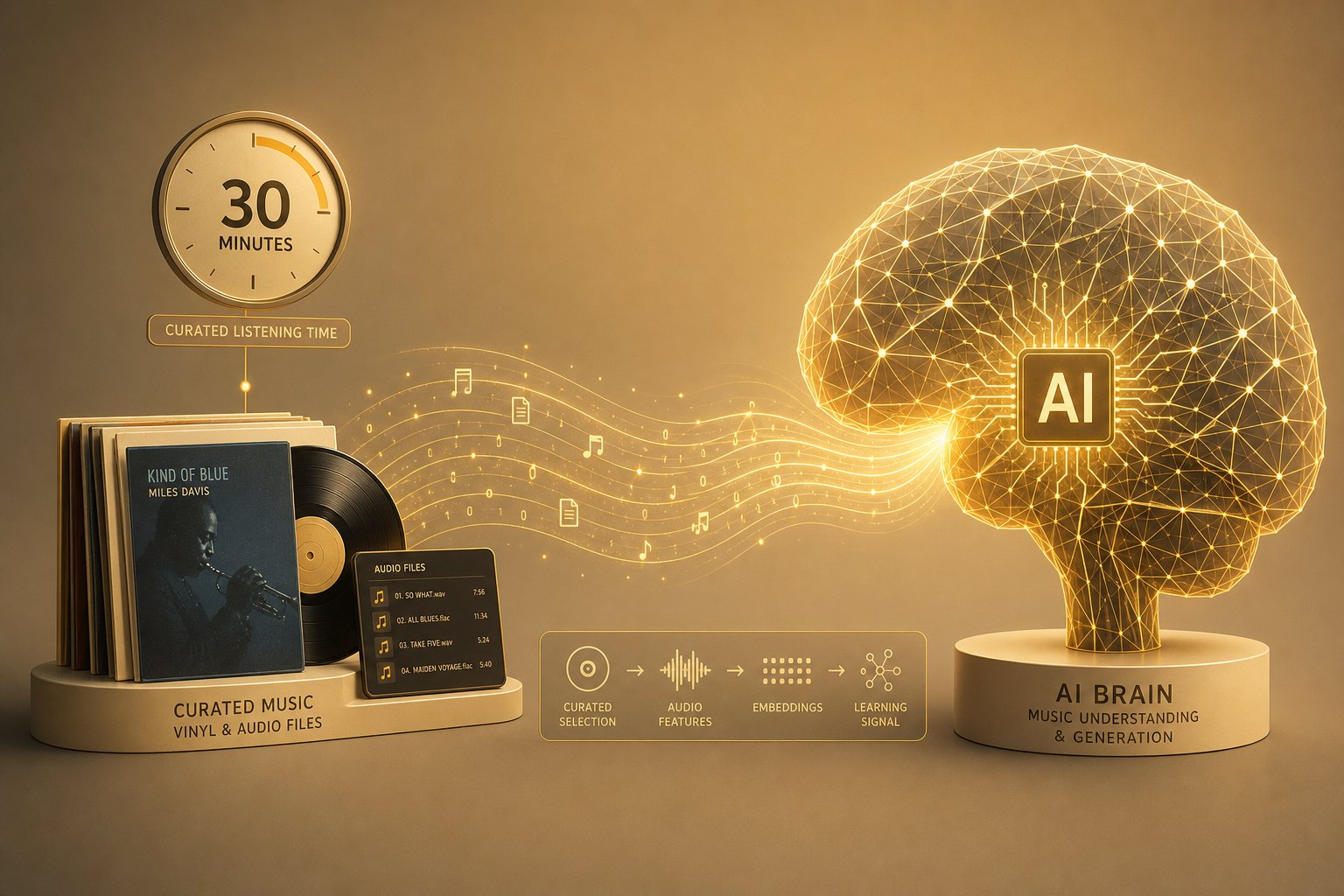
- You can work with as little as 30 to 60 minutes of curated audio for style-transfer tasks.
- A single consumer-grade GPU (RTX 3090 or 4090) can handle many fine-tuning workflows.
- The process takes hours or days rather than weeks or months.
- No deep expertise in model architecture is required — frameworks handle the heavy lifting.
Platforms like Lightning AI's Model Hub already offer templates for fine-tuning personal AI music generators, lowering the barrier further. And as Soundverse notes, personalization is the frontier in 2026 — producers now demand custom music AI models that capture their unique tone or vibe, and fine-tuning a model with music you own is the most direct route to that outcome.
Side-by-Side Comparison
The differences between these two approaches become even clearer when stacked against each other:
| Dimension | Training from Scratch | Fine-Tuning a Pre-Trained Model |
|---|---|---|
| Dataset size needed | Hundreds to thousands of hours | 30 minutes to a few hours |
| Compute cost | $10,000+ (GPU clusters, weeks of runtime) | $0–$100 (single GPU, hours of runtime) |
| Technical skill required | Advanced ML engineering, audio DSP expertise | Basic Python, familiarity with training scripts |
| Time investment | Months of iteration | Days to a working prototype |
| Output quality (general) | Potentially state-of-the-art with enough data | Strong within the target style; limited outside it |
| Best for | Research labs, well-funded companies | Individual creators, small studios, indie devs |
The takeaway is straightforward. If you're asking whether you can use your background music library to build something useful with AI, fine-tuning is almost certainly your answer. It respects your time, your budget, and your existing hardware while still delivering a model that sounds like you.
Of course, even fine-tuning has its requirements. The model doesn't magically learn from three random MP3s. The size, quality, and preparation of your dataset determine whether the result sounds polished or incoherent, which raises a very practical question: how much background music do you actually need to make this work?
How Much Background Music You Actually Need
The answer to how much data to train an AI music model depends entirely on what you're building. A style-transfer experiment on your own compositions needs far less material than a general-purpose music generator. The good news? For most individual creators exploring AI assisted music production, the bar is much lower than you'd expect.
Minimum Dataset Sizes for Different AI Music Goals
Dataset requirements follow a clear hierarchy tied to model complexity. Fine-tuning a pre-trained model for style adaptation sits at the accessible end of the spectrum, while building a frontier system from raw audio occupies the opposite extreme.
Here's what the current landscape looks like based on published training specifications and community benchmarks:
| Goal | Minimum Clean Audio | Recommended |
|---|---|---|
| Fine-tune for style transfer (single style) | 10-30 minutes | 30-60 minutes |
| Fine-tune for singing voice or instrument cloning | 5-10 minutes | 1-2 hours |
| Train a genre-specific generator from scratch | 5 hours | 10+ hours |
| Multi-style model with generalization | 30 hours across 10+ styles | 100+ hours across 30+ styles |
| General-purpose music generation | 5,000 hours | 20,000+ hours |
Notice the massive gap between fine-tuning and from-scratch training. If you have an hour of curated background tracks in a consistent style, you already have enough to fine-tune a pre-trained model and get usable results. That's a weekend project, not a multi-year research initiative.
One critical nuance: diversity within the dataset matters as much as raw volume. Thirty minutes of background music covering different tempos, keys, and arrangements will outperform sixty minutes of nearly identical loops. The model needs enough variation to learn the boundaries of your style, not just one narrow slice of it.
Audio Quality and Preprocessing Requirements
Raw audio rarely enters a training pipeline as-is. Preprocessing transforms inconsistent files into a uniform, model-ready dataset. If you want to know how to use AI in music production effectively, this step is non-negotiable — garbage in, garbage out.
Here's the preprocessing pipeline most frameworks expect:
- Format standardization — Convert all files to a lossless format (WAV or FLAC). Compressed formats like MP3 at 128 kbps introduce artifacts that the model will learn and reproduce.
- Sample rate normalization — Resample everything to a consistent rate, typically 44.1 kHz or 48 kHz for music. Mixing sample rates confuses the feature extraction stage.
- Noise reduction and filtering — Apply low-pass filtering to remove unwanted high-frequency noise and use spectral gating to clean up hiss, hum, or ambient interference without damaging the musical content.
- Segmentation — Split longer tracks into training-friendly clips, usually 5 to 30 seconds depending on the model architecture. Ensure cuts happen at musically logical points (phrase boundaries, not mid-note).
- Loudness normalization — Standardize peak or LUFS levels across the dataset so the model doesn't confuse volume differences with stylistic differences.
- Metadata tagging — Label each clip with relevant attributes: genre, tempo, key, instrumentation, mood. This metadata enables conditional generation later, letting you prompt the model with specific parameters.
Quality thresholds are strict. Background music recorded at low bitrates (below 192 kbps MP3) or heavily compressed through multiple encoding passes will produce muddy, artifact-laden output. The model faithfully reproduces whatever patterns it encounters, including compression artifacts and clipping distortion. A model trained on 20 hours of pristine studio recordings will consistently outperform one trained on 200 hours of scraped, lossy audio.
Think of preprocessing as setting the foundation for everything that follows. Clean, consistent, well-labeled data is the single strongest predictor of model quality — more so than architecture choice or training duration. With your dataset properly sized and prepared, the remaining question shifts from technical feasibility to legal permissibility: where can you actually source background music that you're allowed to train on?
Is It Legal to Train AI on Copyrighted Music?
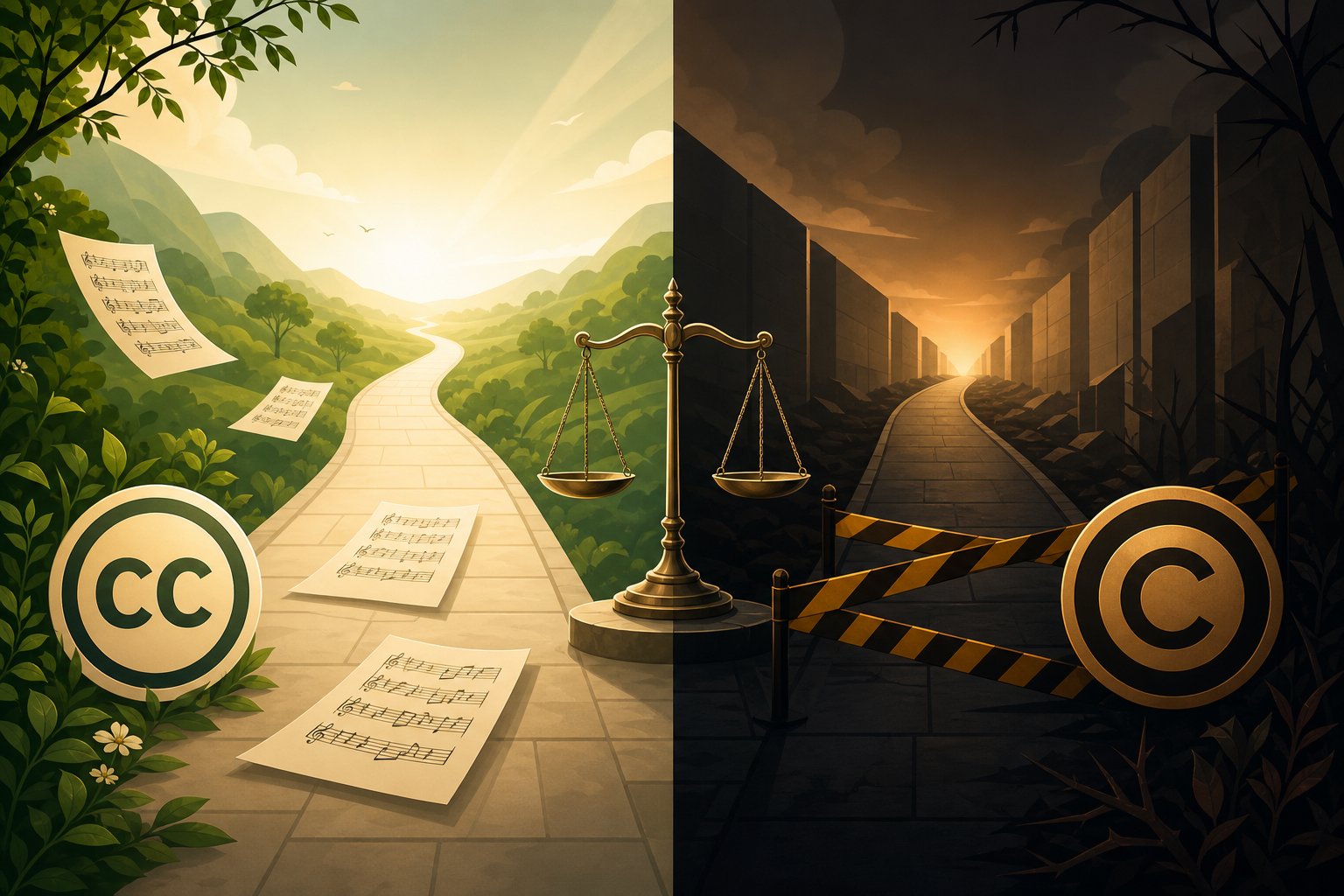
You know the technical pipeline works. You know how much audio you need. The question that stops most people isn't "can the model learn from my background tracks?" but rather "am I allowed to do this?" The answer depends almost entirely on where your training audio comes from.
AI music copyright training is one of the most actively litigated areas in intellectual property law right now. Courts are still deciding foundational questions, major labels are settling and suing simultaneously, and the rules differ based on your source material. Let's break it into three clear scenarios.
When Background Music Training Is Clearly Legal
Two categories of training data carry minimal legal risk:
Scenario 1: Your own original compositions. If you wrote it, recorded it, and own the master and publishing rights, you can train an AI model on it without restriction. No license needed. No attribution required. No gray areas. This is the cleanest path for musicians sitting on personal catalogs of background music. You created the work, you hold the copyright, and you decide how it gets used — including feeding it into a neural network.
Scenario 2: Public domain and Creative Commons audio. Works published before 1928 are definitively in the U.S. public domain. U.S. government recordings fall outside copyright protection under 17 U.S.C. Section 105. Creative Commons Zero (CC0) dedications explicitly waive all rights, making them functionally equivalent to public domain for training purposes.
Creative Commons Attribution (CC BY) licenses permit commercial use including AI training, though they require you to credit the original creator. CC BY-SA adds the condition that derivatives must carry the same license — and whether a trained model constitutes a "derivative" remains legally ambiguous. The safest bet for friction-free training? Stick with CC0 and public domain sources unless you've confirmed that a specific CC license permits your use case.
One practical limitation: public domain collections skew historical. They won't give you contemporary production styles, modern synthesizer textures, or current genre conventions. For that, you'll need either your own recordings or licensed material.
The Gray Zone of Copyrighted Training Data
Scenario 3: Copyrighted background tracks you don't own. This is where things get contested. Is it legal to train AI on copyrighted music without a license? Courts haven't delivered a final, universal answer — but the landscape is sharpening fast.
The U.S. Copyright Office confirmed in its May 2025 Generative AI Training report that building a training dataset from copyrighted works "clearly implicates the right of reproduction," making it presumptively infringing unless a defense like fair use applies. That puts the burden on whoever trains the model to justify the copying.
Fair use is evaluated through four factors:
- Purpose and character of use — Is the training transformative? Courts have called general-purpose AI training "quintessentially transformative," but models designed to produce outputs in the same market as the training data face a harder argument.
- Nature of the copyrighted work — Highly expressive creative works like music receive stronger protection than factual content, which tilts this factor against fair use for music training.
- Amount used — AI training typically copies entire works. Courts have accepted that whole-work copying may be necessary for training, but it doesn't help the fair-use case.
- Market effect — If your AI-generated output competes with the original music or displaces licensing revenue, this factor weighs heavily against you.
In June 2025, the Bartz v. Anthropic ruling held that training on legally acquired content can qualify as fair use, but downloading works from pirate sites is not protected. The court called generative AI training "quintessentially transformative" under factor one while still finding infringement where the company sourced material from unauthorized libraries. A separate case, Kadrey v. Meta, reached a similar conclusion on transformativeness but disagreed on the downloading question — illustrating just how unsettled this area remains.
Meanwhile, the music industry's response tells its own story. Warner Music settled with Suno in November 2025 and signed a licensing partnership. Universal Music Group settled with Udio in October 2025, launching a joint licensed platform. Sony Music is the last major label still litigating, and its fair-use ruling — expected in summer 2026 — could set the precedent the entire AI in the music industry lives under going forward.
The pattern is clear: major rights holders are treating unauthorized training on their catalogs as infringement and demanding licensing deals or court wins. For individual creators and developers, the practical implication is simple — unless you're prepared to defend a fair-use claim in court, don't train on copyrighted background music you don't have permission to use.
Comparing Your Options at a Glance
| Source Type | Legality | Risk Level | Recommended Approach |
|---|---|---|---|
| Your own original compositions | Fully legal — you hold the rights | Minimal | Use freely; no license or attribution needed |
| Public domain / CC0 / CC BY | Legal with conditions (attribution for CC BY) | Low | Verify public domain status; comply with license terms; document sources |
| Copyrighted music you don't own | Legally contested; presumptively infringing without license or valid fair-use defense | High | Avoid unless you obtain explicit licensing; monitor evolving case law |
The bottom line? The technical capability to train AI with background music has never been the bottleneck. The legal permission is what separates a viable project from a liability. For most creators, the safest and most productive path is building a dataset from music you own or music that's explicitly available for this purpose.
Understanding what you can use legally raises the obvious follow-up: what does the day-to-day workflow actually look like for different types of creators working within these boundaries?
Practical Scenarios for Training AI on Your Own Music
Legal boundaries only matter once you map them onto a real workflow. The day-to-day reality of using background music as AI training data looks different depending on who you are and what you're building. Three scenarios cover the most common situations creators and developers face right now.
Musicians Training AI on Their Own Compositions
Imagine you've spent five years composing ambient background tracks for YouTube channels and podcast intros. You have 200+ pieces sitting on hard drives, all fully owned, all recorded in your home studio. You want to train AI on your own music so it can generate fresh compositions that carry your harmonic language and production style.
This is the cleanest scenario. You hold the master recordings and the publishing rights. No licenses to negotiate, no gray areas to navigate. The benefits of AI in music hit hardest here because the model learns specifically from your creative fingerprint rather than a generic dataset.
Your workflow looks like this: curate 30 to 60 minutes of your most stylistically consistent background tracks, preprocess them into uniform segments, and fine-tune a pre-trained model. Within days, you have a system that generates new material in your voice. You can use these outputs as starting points for client projects, demo sketches, or full releases. The model doesn't replace your creativity — it extends it, giving you drafts that already sound like you.
Developers Building Products with Royalty-Free Training Data
A different challenge faces developers building commercial AI music products. You need hundreds of hours of diverse, legally cleared audio, and you can't rely on a single artist's catalog. Your training data must be broad enough to support multiple genres, moods, and tempos while carrying zero licensing risk at scale.
How to use AI for music production in a commercial context comes down to sourcing. You need volume and variety from permissioned sources, and you need documentation proving chain of custody for every file in your dataset. This matters not just legally but commercially — enterprise clients and app store review teams increasingly ask for proof that training data was acquired ethically.
Content Creators Evaluating AI Tools They Already Use
Not everyone wants to train a model. Many content creators simply want to know whether the AI music generators they already rely on were trained on background music responsibly. Did the platform license its training data? Were artists compensated? Could generated outputs trigger a copyright claim?
This persona doesn't need a preprocessing pipeline. They need transparency signals: published data sourcing policies, opt-in contributor programs, and clear licensing terms for generated outputs. The shift toward compliance-based training models means more platforms now disclose their data sourcing practices, making this evaluation possible without guessing.
Building an Ethical Training Dataset from Scratch
Regardless of which scenario fits you, the most legally safe and technically effective approach is curating a dataset from permissioned sources. You control quality, you control consistency, and you eliminate downstream risk entirely.
Here are your primary sourcing options:
- Original recordings — Your own compositions and productions. Zero legal friction, maximum stylistic coherence.
- Royalty-free music libraries — Commercial libraries that explicitly grant rights for AI training in their license terms. Read the fine print — not all royalty-free licenses cover machine learning use.
- Creative Commons archives — Platforms like Free Music Archive and ccMixter offer CC0 and CC BY tracks. Verify each track's license individually before including it.
- Public domain collections — Pre-1928 recordings and U.S. government audio. Useful for classical and historical styles, limited for modern production aesthetics.
- Commissioned recordings — Hire session musicians or producers to create training material under work-for-hire agreements. More expensive, but you get exactly the style and quality you need with clear ownership.
The common thread across all five options? Permission is baked in from the start. You never have to wonder whether a track should be in your dataset because you've already confirmed it belongs there. This isn't just about avoiding lawsuits. Clean provenance makes your model more commercially viable, more defensible to collaborators and clients, and more aligned with the industry-wide push toward transparent AI training practices that over 400 music organizations have endorsed.
Building your own dataset takes more upfront effort than scraping a streaming platform, but the result is a training foundation you can use, share, and commercialize without looking over your shoulder. And for musicians who already have a catalog of background tracks, the dataset is already sitting on their hard drives — ready to become the seed of something new.
With a clear picture of what's possible within legal and practical boundaries, the next consideration is whether you need to build everything yourself or whether existing tools already solve the problem faster.
Best AI Music Generation Tools for Training and Creating
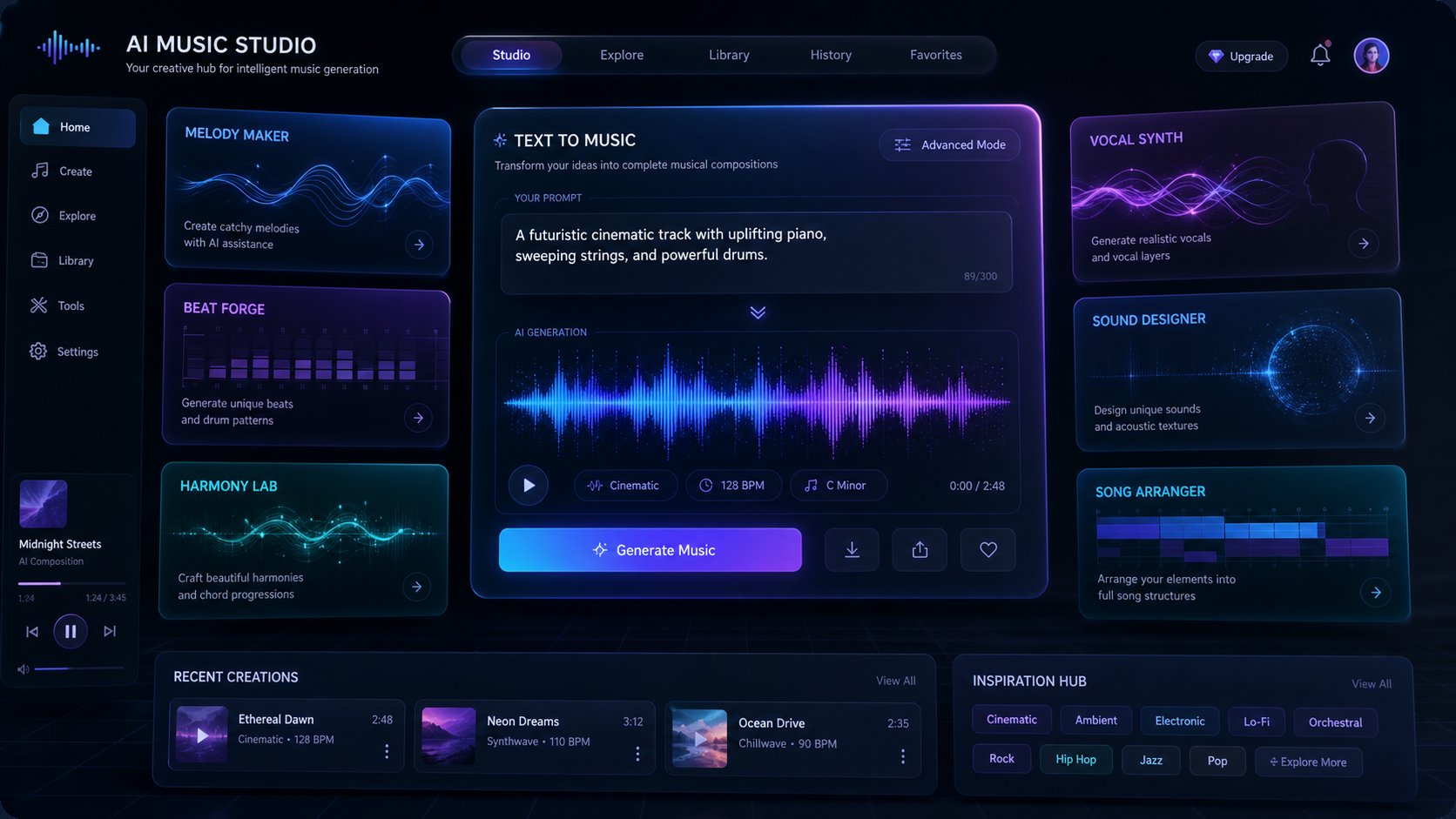
Building your own dataset is one path. But you don't always need to train a model yourself to get AI-generated background music that fits your project. The current landscape of artificial intelligence in music production spans a wide range — from open-source frameworks that let you fine-tune custom checkpoints to fully hosted platforms that turn a text prompt into a finished track in seconds.
Which category fits you? That depends on whether you want deep control over the model or fast, usable output without the technical overhead.
Ready-to-Use AI Music Generators for Instant Results
For creators who want background music now rather than weeks from now, prompt-based generators skip the entire training pipeline. You describe a mood, genre, tempo, or even paste in lyrics, and the platform returns a complete composition. No dataset curation, no GPU provisioning, no preprocessing scripts.
The best AI music generation tools in this category include:
- MakeBestMusic AI Music Generator — Turn prompts, lyrics, and style descriptions into full AI-generated songs quickly. Ideal for creators who want custom background tracks without touching code. Describe a style or mood and get complete, production-ready compositions immediately.
- Suno — The current leader in commercial AI music generation with strong style adherence, a built-in studio editor, and generous free credits. Excels at full-song creation across genres.
- MiniMax Music-2 — High-quality output with voice cloning tools and 10,000 free starter credits. Strong vocal quality and solid prompt adherence.
- Google Lyria on Vertex AI — An enterprise-grade text-to-music model now available on Vertex AI, producing high-fidelity compositions with SynthID watermarking and copyright indemnification built in. Best suited for businesses needing API-level integration.
- Eleven Music — Copyright-cleared output with built-in audio editing. A strong option for creators who need legal certainty above all else.
These platforms have already been trained on massive datasets, so you benefit from their learned musical knowledge without managing the infrastructure. For many creators exploring the AI in music industry space, this is the fastest path from idea to finished background track.
Open-Source Frameworks for Custom Model Training
When you need fine-grained control — training on your own compositions, customizing generation behavior, or building a product with no per-song API fee — open-source frameworks give you the substrate to work with directly.
The 2026 open-source landscape has matured considerably. A head-to-head comparison by IT-JIM tested eight open-weight models and found that while no single open-source model matches commercial platforms across all dimensions, several now produce output that a careful listener can occasionally mistake for a real recording. The key contenders:
- ACE-Step 1.5 — MIT-licensed, best suited for fine-tuning and remixing. Supports six task modes (text-to-music, cover, repainting, track extraction, layering, completion) from a single set of weights. The strongest research substrate for anyone building custom pipelines.
- LeVo 2 — Produces the most natural-sounding audio in the open-source slate, but ships under a non-commercial Tencent license. Best for academic and research use only.
- DiffRhythm 2 — Apache 2.0 licensed with a novel block flow matching architecture. Lightweight preference optimization (40,000 pairs in roughly 200 GPU-hours) makes it efficient to adapt.
- YuE — Apache 2.0, the 7B parameter model that introduced segment-based conditioning. Community forks exist to improve its inference speed.
- Muse — MIT license across code, weights, and training data. The only model in the field that fully releases its training corpus (7,771 hours of synthetic audio), making it uniquely reproducible.
The trade-off is clear. Open-source models offer customization, offline inference, no per-generation fees, and the ability to fine-tune on your own background music library. In return, you accept more technical setup, potential audio artifacts, and output quality that still trails the best commercial tools.
Cloud-based training platforms sit between these two extremes. Services like Lightning AI's Model Hub and Google Vertex AI provide managed infrastructure where you can fine-tune models without owning hardware, paying only for compute time. They're the middle ground for creators who want personalization without building a local GPU rig.
Whichever tool category fits your needs, the decision ultimately comes down to a simple question: do you want to invest time learning the technical craft of model training, or do you want music in your project today? Both paths are valid — and knowing which one aligns with your goals is what separates productive experimentation from wasted effort.
Getting Started with AI Music Creation
Knowing which tools exist and how they differ is useful. But clarity on your next concrete step is what actually moves a project forward. Whether you want to fine-tune a model on your own background music library or generate a finished track in the next five minutes, the path forward follows the same decision logic.
Choose Your Path Based on Your Goals
Every creator asking whether they can train AI with background music lands somewhere on a spectrum. At one end: deep technical exploration, full control, and a longer timeline. At the other: immediate output with zero infrastructure. Neither is better in absolute terms — the right choice depends on what you value most right now.
Here's a quick framework to help you decide:
| If you want... | Your best path | Time to first result |
|---|---|---|
| A model that captures your unique sonic style | Fine-tune a pre-trained model on your own tracks | Days to a week |
| Custom background music for a video or podcast today | Use a prompt-based AI music generator | Minutes |
| A commercial product with no per-song fees | Deploy an open-source model with your own dataset | Weeks to months |
| To understand how AI music works technically | Experiment with fine-tuning as a learning project | A weekend |
Training your own model is genuinely rewarding. You learn how audio becomes data, how patterns emerge from repetition, and how small dataset choices ripple through generated output. It's a craft worth exploring if you're drawn to the technical side. But it's also time-intensive, and the honest truth is that most people asking this question want music — not a machine learning education.
Start Creating AI Music Today
Regardless of where you land on that spectrum, here's a step-by-step action plan that works for any starting point:
- Define your goal clearly — Are you generating background music for a specific project? Building a style-matched model for ongoing production? Exploring AI as a creative tool? Your answer determines everything downstream.
- Source your audio legally — Use your own compositions, CC0 archives, royalty-free libraries with explicit ML-training permissions, or commissioned recordings. Document the provenance of every file. Skip this step only if you're using a hosted generator that handles training data on their end.
- Choose your approach — Fine-tuning gives you personalization with modest effort. Open-source models give you full control. Prompt-based generators give you speed. Pick the one that matches your timeline and technical comfort.
- Iterate on results — Whether you're tuning hyperparameters or refining text prompts, the first output is never the final product. Generate multiple variations. Adjust your inputs based on what you hear. The refinement loop is where quality lives.
- Evaluate and ship — Listen critically. Does the output serve your project? If yes, export and use it. If not, go back to step four. Perfectionism kills more creative projects than lack of skill ever will.
The fastest path to AI-generated background music — beats by AI moving in together with your creative vision — doesn't require a GPU cluster or a PhD. Creators at every level, from students at a Valencia school for creatives to working professionals scoring commercial content, can start producing today with the tools already available.
If you want to experience the result without the setup, MakeBestMusic's AI Music Generator lets you describe a style, mood, or scenario in plain text and receive a complete, production-ready track within moments. It's the zero-friction entry point for anyone who wants custom background music without managing datasets, training scripts, or compute budgets. Describe what you hear in your head, and let the model handle the rest.
For those drawn to the deeper technical journey, the knowledge you've gathered here — preprocessing pipelines, dataset sizing, legal boundaries, fine-tuning workflows — gives you everything you need to start training on your own terms. Both roads lead to original AI music. The only wrong choice is the one you never act on.
