


What Is a Jingle and Why It Still Matters
Before you fire up any free AI jingle generator, it helps to understand exactly what you're building and why it works. A surprising number of people jump straight into tools without grasping the fundamentals, and the output suffers for it. So let's start at the foundation.
What Exactly Is a Jingle
A jingle is a short, catchy musical composition created specifically for branding and advertising. Think of it as a miniature song engineered to lodge your brand name inside someone's memory. Whether it's a five-second audio logo or a thirty-second radio spot, jingles creation revolves around four core building blocks:
- Hook: The melodic phrase that grabs attention instantly and makes the listener want to hear it again.
- Tagline: The spoken or sung brand message woven into the music, such as a slogan or company name.
- Melody: The underlying tune that carries the hook and tagline, designed to be simple enough to hum after a single listen.
- Music bed: The background instrumentation and rhythm that sets the mood, tempo, and emotional tone of the entire piece.
Every effective jingle creator, whether human or AI-powered, works with these same four elements. The magic lies in how they're combined.
Why Jingles Still Work for Branding
You might assume jingles peaked decades ago with cheesy radio ads. The reality is quite the opposite. Melody is one of the most powerful memory triggers the human brain has. When a slogan is set to music, people recall it far more easily than plain text or speech. This is the psychological backbone of sonic branding, and the data backs it up: brands with strong audio assets achieve 76% higher brand power and 138% stronger perceptions of advertising effectiveness.
Jingles are also experiencing a genuine resurgence. Podcasts need intros and sponsor bumpers. Short-form video platforms reward distinctive audio hooks. Voice assistants and smart speakers have made audio touchpoints more relevant than ever. Meanwhile, 69% of podcast listeners say audio ads increase their awareness of brands and products. In an era of screen fatigue and ad blindness, sound cuts through where visuals can't.
The bottom line? A well-crafted jingle isn't a relic. It's an acoustic anchor for your brand identity, one that works across radio, social media, streaming platforms, and even in-store environments. The real question is how to create one without blowing your budget, and that's where the technology behind modern AI tools enters the picture.
How AI Jingle Generators Actually Work
You type a sentence describing what you want. Thirty seconds later, you hear a fully produced jingle with vocals, instruments, and a melody you never composed. It feels like magic. It isn't. Behind every AI jingle generator sits a pipeline of specialized models, each handling a different piece of the puzzle. Understanding that pipeline won't just satisfy your curiosity — it'll help you get dramatically better results from these tools.
The Technology Behind AI Music Generation
Imagine a cover band where every musician learned their part separately and met for the first time onstage. That's roughly how modern jingle AI systems work. There isn't one all-knowing model that "makes music." Instead, most production-grade AI music apps use three specialized models stitched together into a single workflow. Here's the pipeline in plain language:
- Prompt interpretation: Your text prompt first hits a language model — not to generate audio, but to build a plan. This model decides tempo, key, instrument selection, song structure, and overall mood. Think of it as a producer scribbling notes on a napkin before a studio session. The better this "planner" reads your intent, the better the final jingle lands.
- Lyric and melody generation: If your jingle includes vocals, a separate model writes the words and determines how each line gets sung — pitch, rhythm, phrasing, and emotional shape. It must fit everything against the chord progression from the previous stage. When the melody misses even slightly, the vocal floats above the music in a way that's hard to articulate but easy to feel.
- Audio synthesis: This is where sound actually gets built. Two approaches dominate in modern AI jingle tools. Diffusion models start with pure noise and gradually refine it into a coherent waveform, producing warm, textured audio. Transformer models generate audio one tiny chunk at a time, excelling at structural memory so your chorus actually sounds like a chorus. Most apps blend both techniques for the best results.
- Mixing and mastering: The raw AI output goes through automated post-processing — EQ adjustments, compression, noise reduction, and loudness normalization. This final step can account for a significant portion of the perceived quality. As audio professionals note, mixing shapes the relationship between individual tracks while mastering refines the finished result for consistency across playback systems.
The entire pipeline runs in roughly 20 to 60 seconds for most tools. You'll also notice that many apps quietly enhance your prompt before the model ever sees it — adding genre tags you didn't type, translating vague moods like "upbeat" into specific musical choices. The user thinks the AI is smarter. Mostly, it's the app doing homework behind the scenes.
What AI Jingle Tools Can and Cannot Do
Here's where most product pages stop being honest. Every AI jingle tool has real strengths, but pretending limitations don't exist only sets you up for frustration. A clear-eyed view helps you work with the technology instead of fighting against it.
Strengths
- Speed: Generate a complete jingle in under a minute, compared to days or weeks with traditional production.
- Cost: Free tiers let you experiment without financial commitment, making professional-sounding audio accessible to solo creators and small businesses.
- Variety: Produce dozens of variations quickly, exploring different genres, tempos, and vocal styles for the same brand message.
- Accessibility: No musical training, instruments, or studio equipment required — just a text description of what you want.
- Consistency: AI doesn't have off days. The baseline quality stays reliable across generations.
Limitations
- Generic-sounding output: AI models draw from patterns in training data, so results can feel formulaic or similar to what other users generate with comparable prompts.
- Quality inconsistency: Two identical prompts can produce wildly different results. You might love generation three and dislike generations one, two, and four.
- Limited emotional nuance: Human composers instinctively shape tension, surprise, and resolution in ways AI still struggles to replicate. Sustained vocal notes, natural breath placement, and subtle phrasing remain weak spots.
- Prompt dependency: Vague instructions produce vague jingles. Output quality is heavily tied to how well you describe what you want — a skill that takes practice.
- Post-processing gaps: Some tools skip proper mixing and mastering, leaving output that sounds decent on headphones but falls apart on speakers or in broadcast environments.
The honest takeaway? An AI jingle generator is a powerful starting point, not a guaranteed finish line. Treating it as a creative collaborator rather than a push-button solution will consistently produce better results. And the single biggest lever you have over output quality isn't the tool itself — it's the creative direction you feed into it.
What Makes an Effective Jingle
Creative direction is only useful if you know what good direction looks like. Whether you plan to make a jingle with AI or sketch one out on a guitar, certain principles separate forgettable background noise from an earworm your audience hums in the shower. Mastering these fundamentals before you type a single prompt will save you dozens of wasted generations.
Structure and Length Guidelines by Format
Every jingle follows the same basic skeleton: an intro that sets the mood, a hook that grabs attention, a tagline that delivers the brand message, and an outro that closes cleanly. What changes dramatically is how long each section gets to breathe. A podcast bumper and a radio ad serve completely different purposes, and stuffing thirty seconds of content into a five-second window guarantees a cluttered mess.
Use the table below as a quick reference when you're ready to create a jingle for any platform:
| Use Case | Recommended Length | Structure Notes |
|---|---|---|
| Podcast intro or outro | 5 - 10 seconds | Keep it tight. A brief melodic hook plus the show name is usually enough. Skip lengthy taglines. |
| Radio or streaming ad | 15 - 30 seconds | Full structure works here: short intro, vocal hook with the brand name, tagline reinforcement, clean outro. Industry guidance suggests aiming for 10 - 15 seconds to hold attention without overstaying. |
| Phone hold or notification sound | 3 - 7 seconds | Instrumental only in most cases. Focus entirely on the melodic hook — no lyrics, no tagline, just a recognizable sonic stamp. |
| Social media video bumper | 3 - 5 seconds | Punchy and immediate. Think audio logo territory: a signature sound that brands every piece of content you post. |
| In-store or retail promo | 15 - 30 seconds | Can lean slightly longer since the audience is captive. Upbeat instrumental beds with a clear vocal tagline work well on loop. |
Notice how shorter formats demand ruthless simplicity. When you only have five seconds, every note and syllable earns its place or gets cut. That constraint actually makes it easier to learn how to write a jingle — limitations force clarity.
Choosing Tempo and Genre for Your Brand
Tempo is mood in musical form. A jingle clocking in at 130 BPM feels energetic and urgent — perfect for a fitness brand or a weekend sale. Drop that to 70 BPM and you're in relaxed, trust-building territory, which suits wellness companies, financial advisors, or bedtime product brands. Imagine a high-energy EDM riff selling meditation apps. The mismatch would confuse listeners before they even processed the words.
Genre selection follows the same logic. Your target audience's listening habits should guide the decision:
- Pop or indie pop: Broadly appealing, works for consumer brands targeting a wide demographic.
- Acoustic or folk: Warm, authentic feel — ideal for local businesses, artisan brands, and farm-to-table restaurants.
- Hip-hop or trap: High energy with a younger skew. Strong fit for streetwear, gaming, or entertainment brands.
- Jazz or lounge: Sophistication and premium positioning. Think upscale dining, boutique hotels, or luxury goods.
- Electronic or synth-driven: Modern and tech-forward. Natural home for SaaS companies, apps, and startups.
Then there's the vocal versus instrumental question. Vocals make a jingle more personal and memorable — a sung slogan reinforces brand recall more effectively than an instrumental melody alone. But vocals also demand higher production quality to sound professional. If your brand message is simple (a name and a three-word tagline), vocals punch above their weight. If the message is complex or the jingle is under five seconds, a strong instrumental hook often delivers a cleaner result.
The real goal is alignment. Your jingle should feel like an extension of your existing brand identity — matching the energy of your website, the tone of your social media presence, and the expectations of your audience. When the audio identity clicks with the visual one, recognition compounds across every channel.
These creative fundamentals aren't just theory. They translate directly into better AI prompts. Specifying "acoustic pop, 90 BPM, female vocal, warm and friendly" produces a dramatically different result than typing "make me a jingle." The clearer your creative vision, the harder the AI works in your favor — which raises the practical question of what these tools actually cost you when the price tag says free.
Free vs. Paid AI Jingle Tools
"Free" is doing a lot of heavy lifting in the phrase "free AI jingle generator." Sometimes it means genuinely free — no card, no catch, no ceiling you'll hit before your first jingle is done. Other times it means "free long enough to get you hooked, then here's the paywall." The difference matters, especially when you're a small business owner or creator operating on a tight budget. Let's pull back the curtain on what free tiers actually deliver, where the hidden costs lurk, and when zero dollars is honestly all you need to spend.
What Free Tiers Typically Include
Across the AI music tool landscape, free tiers follow remarkably similar patterns. The specifics vary by platform, but you'll encounter the same handful of restrictions almost everywhere. Knowing these patterns before you sign up saves you the frustration of discovering limits mid-project.
Here's what most platforms offer at the free level:
- Limited monthly or daily generations: This is the most universal cap. Some tools give you a handful of generations per day, while others set a hard total — MusicHero.ai, for example, caps its free tier at just 3 tracks, and NoteGPT limits you to 15 uses before requiring an upgrade.
- Restricted audio quality: Free exports often top out at 128kbps MP3, while paid tiers unlock 320kbps MP3 or lossless WAV files. The difference is subtle on phone speakers but obvious in broadcast, podcast, or professional video contexts.
- Shorter maximum duration: Many platforms limit free-tier jingles to 30 or 60 seconds. Longer formats — a full 3- or 4-minute track — typically sit behind the paywall.
- Watermarked exports: Some tools embed an audible audio tag or brand mention into free downloads, making them unsuitable for commercial use without upgrading.
- Fewer genre, voice, and style options: Paid tiers frequently unlock expanded libraries. You might see a platform advertising 65+ voice options or 1000+ sound effects, but the free version only gives you access to a fraction of that catalog.
- No commercial licensing: Even when a tool lets you download jingle-free audio without a watermark, the terms of service may restrict commercial use to paid subscribers only.
The tricky part? These restrictions aren't always stated upfront. You might breeze through the generation step only to discover the limitations at the download or export screen. A quick scan of a platform's pricing page before you start creating saves time and disappointment.
Hidden Costs and Upgrade Pressure
Beyond the obvious free-tier ceilings, AI jingle tools employ several less visible monetization tactics. Understanding these models helps you spot the upgrade pressure before it derails your workflow.
| Pricing Model Type | What You Get Free | Typical Limitations |
|---|---|---|
| Daily/monthly generation cap | A set number of jingle generations per time period (often 1-5 per day) | Cap resets on a timer; heavy experimentation burns through allowances quickly. Iterating on a single prompt can exhaust your daily quota. |
| Credit-based system | A small pool of credits at signup (often 5-20 credits, one credit per generation) | Credits deplete fast and don't replenish automatically. Refills require a purchase. Some platforms quietly charge more credits for higher-quality exports. |
| Free trial with forced upgrade | Full feature access for a limited window (3-7 days is typical) | Requires a credit card upfront. If you forget to cancel, you're billed at the subscription rate. The "free" experience is really a paid preview. |
| Feature-gated freemium | Basic generation and playback; core features accessible | Key features locked behind paywall — commercial licensing, high-quality export, vocal options, or advanced style controls. You can make a jingle but can't always use it professionally. |
| Advertised as "100% free" | Full generation and download with no stated cap | Rare and worth scrutinizing. Session-based throttling often kicks in under heavier use, and "unlimited" claims frequently come with practical throttling that the marketing copy doesn't mention. |
There's also a subtler form of upgrade pressure worth watching for: quality differentiation. Some platforms deliberately limit the AI model or processing power available to free users, producing noticeably rougher output compared to paid-tier results. You hear a jingle that's almost good enough, and the implicit message is clear — pay up for the polished version. As industry analysis of AI music pricing strategies points out, freemium models thrive on this tension between giving users enough to stay engaged and holding back enough to drive conversions.
None of this makes freemium models inherently dishonest. They fund the massive computational costs behind AI music generation. But going in with eyes open beats feeling ambushed at the checkout screen.
When Free Is Genuinely Enough
Here's the good news: for a surprising number of real-world scenarios, an ai jingle generator free tier delivers everything you actually need. The key is matching your use case to the tier's constraints rather than fighting against them.
Free tiers work well when you're:
- Testing a concept: You have a brand idea and want to hear what it sounds like as a jingle before committing any budget. Free generations are perfect for this exploratory phase.
- Creating one-off social media content: A catchy audio clip for a single Instagram Reel or TikTok video doesn't need broadcast-quality mastering. A 128kbps MP3 sounds perfectly fine compressed through a social media platform's audio pipeline.
- Working on personal or hobby projects: A podcast with 50 listeners or a YouTube channel you run for fun doesn't demand a commercial license or studio-grade export quality.
- Comparing tools before investing: Running the same prompt through three or four platforms on their free tiers is the smartest way to find which tool best fits your creative style — before you hand over a credit card.
- Building internal demos: Marketing teams pitching audio branding concepts to stakeholders need something that sounds good in a meeting room, not something ready for national broadcast. Free-tier output clears that bar easily.
On the other hand, you'll likely need to upgrade — or explore paid alternatives — when your jingle is destined for broadcast radio or streaming ad placements, when you need guaranteed commercial licensing for a client project, when audio quality must survive professional mastering and high-fidelity playback, or when your volume of jingle production exceeds what any free tier reasonably supports.
The honest signal for upgrading? It mirrors the advice that applies to any AI audio tool: if the free tier is consistently producing results you're happy with and the limitations are blocking your workflow, that's a subscription worth buying. If you're upgrading out of curiosity or because the marketing page looks impressive, wait until you've tested thoroughly on your own projects first.
With realistic pricing expectations set, the natural next step is figuring out which specific tools deliver the best value at each tier — and whether any platform genuinely stands out from the pack.
Best Free AI Jingle Generators Compared
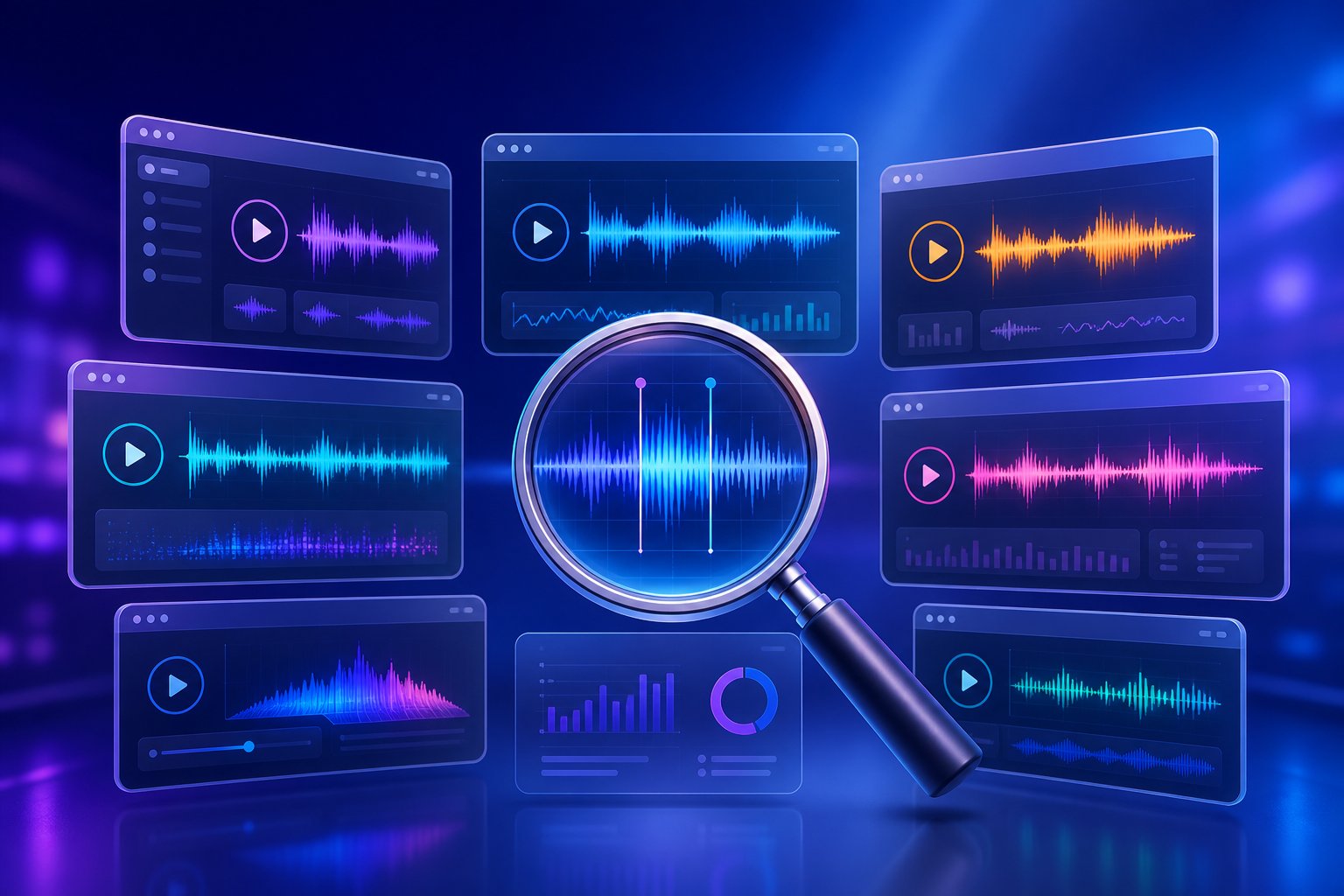
Every platform promises studio-quality jingles in seconds. Very few deliver a comparison that lets you actually weigh your options side by side. Most search results drop you onto a single product's landing page, which is about as useful as test-driving one car and calling it a market review. You deserve a clearer picture — so here's an honest breakdown of the tools worth trying, what each free tier genuinely includes, and which platform fits which creative scenario.
Comparing the Top Free AI Jingle Generators
The table below covers the platforms most relevant to jingle creation specifically, not just general AI music generation. Column by column, you'll see where the real value sits at the free level — and where the fine print kicks in.
| Tool Name | Free Tier Details | Voice / Genre Options | Export Quality | Commercial Licensing |
|---|---|---|---|---|
| MakeBestMusic AI Song Generator | Free generations available; complete songs with vocals, lyrics, and music in one workflow | Multiple genres and vocal styles; supports custom lyric input for brand names and taglines | High-quality MP3 export | Check platform terms for commercial use specifics |
| Suno | 50 credits/day (~10 songs); no credit card required | All major genres; AI-generated vocals with text-to-song prompts | Standard MP3; up to 8-minute tracks | Commercial rights for Pro users only |
| Udio | 10 songs/month; segment-based regeneration (Inpainting) | Strong vocal emotion; excels in ballads and lyrical genres | Standard MP3; up to 15-minute tracks | Commercial rights for Pro users only |
| AI Jingle Maker | Free tier with limited generations; jingle-specific templates | Claims 65+ voices and 1000+ sound effects; radio and business jingle presets | Varies by plan; standard MP3 on free tier | Royalty-free claims on generated output; verify terms carefully |
| Musely | Free generations; approximately 75-second generation time per track | 12 genre options; instrumental and vocal modes | Standard MP3 | Royalty-free claims; review license terms before commercial deployment |
| SOUNDRAW | Free preview and generation; export requires paid plan | Instrument-level control; toggle drums, bass, and melody independently | High-quality export on paid tier only | Paid plans only |
| AIVA | 3 songs/month; includes score editing | 250+ styles; strongest in classical and cinematic scoring | Standard MP3; MIDI export available | Creator+ plan required for commercial rights |
A few things jump out immediately. Suno's daily credit system is the most generous for raw volume — you can iterate rapidly, which matters when jingle creation rewards experimentation over perfection. Udio's Inpainting feature lets you regenerate just the section you dislike rather than scrapping an entire track, a huge time-saver when ninety percent of your jingle sounds right but the hook falls flat. SOUNDRAW's instrument-level toggling makes it exceptionally useful for carving clean 3-second instrumental stings from longer compositions, though you'll need a paid plan to export anything.
Where MakeBestMusic's AI Song Generator distinguishes itself is in delivering a complete package: vocals, lyrics, and a full musical arrangement generated together in a single workflow. Most jingle maker online free tools force you to handle lyrics separately, find a vocal synthesis add-on, or settle for instrumental-only output. If your jingle needs a sung brand name, a catchy tagline woven into the melody, and polished production — all without stitching multiple tools together — this is the platform that collapses that entire process into one step. For beginners and small businesses especially, that simplicity is the difference between finishing a jingle and abandoning the project halfway through.
Which Tool Fits Which Need
Rather than crowning a single winner, the smarter move is matching the tool to the job. Here's how the landscape maps out by use case:
- Best for full song-style jingles with vocals: MakeBestMusic AI Song Generator — ideal when you need lyrics, a sung brand name, and complete production in one output. Think longer-format business jingles, radio spots, or branded content that demands a polished, ready-to-use result.
- Best for rapid iteration and volume: Suno — 50 daily credits let you generate, test, and discard freely. Perfect for creators who want to produce five or ten variations and keep the one that sticks.
- Best for podcast intros and short audio tags: Udio — segment-based editing means you can isolate a 5-second intro from a longer generation without awkward cuts, and the vocal quality shines in spoken-word-adjacent formats.
- Best for instrumental stings and social media bumpers: SOUNDRAW — granular instrument control lets you build a clean, loopable 3-second sound that sits under a voiceover without competing for attention.
- Best for cinematic or classical-style scoring: AIVA — if your brand leans sophisticated and you need orchestral textures, no other ai jingle maker free tier comes close to AIVA's depth in this niche.
- Best for jingle-specific templates: AI Jingle Maker — purpose-built presets for radio station IDs, sponsor mentions, and business jingles reduce the creative guesswork, especially if you've never written a prompt before.
The right tool isn't the one with the longest feature list — it's the one that matches your format, your audience, and your comfort level. And whichever platform you choose, the quality of your output will always trace back to the same bottleneck: how well you write the prompt that drives it.
How to Write Prompts That Produce Great Jingles
The gap between a forgettable AI jingle and one that sounds genuinely professional almost never comes down to the tool. It comes down to the instructions you give it. Think of every ai jingle maker as a session musician who's incredibly talented but has never heard of your brand. Your prompt is the only briefing that musician gets. Vague instructions produce vague results. Specific, layered direction produces something you'd actually want attached to your business.
Research across major AI music platforms confirms this pattern clearly. An analysis of over 123,000 AI-generated songs on Neume found that longer, more detailed prompts consistently correlated with higher-quality output — more plays, more likes, and more satisfied creators. The takeaway isn't that longer is always better. It's that more musical information per prompt leads to more intentional results.
Anatomy of a Great AI Jingle Prompt
Every effective jingle prompt shares the same DNA. You're essentially answering a short list of questions before the AI ever starts composing. Walk through these elements in order, and you'll cover the creative ground that separates generic output from something that sounds like it was made for your brand:
- Genre and style: Name the musical genre explicitly. "Upbeat acoustic pop" gives the AI a clear lane. "Something catchy" gives it an open highway with no guardrails. Sub-genres sharpen results further — "indie folk" and "country folk" are related but produce distinctly different sounds.
- Tempo and mood: Describe the energy level and emotional feel. You can use qualitative terms like "fast-paced and energetic" or specify an exact BPM if you have one in mind. Pair the tempo with a mood descriptor: "bright and confident at 120 BPM" paints a much clearer picture than either detail alone.
- Target audience context: Tell the AI who this jingle is for. "Aimed at young parents shopping for organic baby food" triggers different compositional choices than "targeting college-aged gamers." Indicating the intended setting or use case helps the model infer pacing, structure, and intensity.
- Brand name and tagline: If your jingle includes vocals, spell out the exact words you want sung. Include your brand name and any slogan or tagline. Forgetting this step is the single most common reason jingles come back sounding generic — the AI has no brand-specific anchor to build around.
- Vocal style: Specify gender, tone, and delivery. "Warm female vocal, conversational delivery" produces a completely different result than "energetic male vocal, belting style." As prompt research suggests, layering multiple related vocal descriptors — like "male vocals, deep voice, baritone, confident tone" — reinforces the direction and reduces the chance of mismatched output.
- Duration: State the target length explicitly. "15-second radio jingle" or "5-second podcast intro" tells the AI how to budget its musical real estate. Without a duration cue, most tools default to generating a full-length track, leaving you to carve out the usable portion yourself.
- Exclusions: Tell the AI what to leave out. "No heavy drums," "no autotune," or "instrumental only" are just as important as positive direction. Negative prompts filter out unwanted elements that clash with your vision and prevent the model from drifting into territory you didn't intend.
You don't need to hit all seven elements every time. But the more of them you cover, the narrower the AI's creative window becomes — and that's exactly what you want when the output needs to represent your brand.
Example Prompt Templates by Use Case
Abstract advice only goes so far. Below are four adaptable prompt frameworks you can copy, customize, and paste directly into any ai jingle creator. Swap in your own brand name, tagline, genre preference, and audience details. These aren't tied to any specific platform — they work across the tools covered earlier in this article.
Local business radio ad jingle:
Upbeat acoustic pop jingle, 15 seconds, 110 BPM. Warm female vocals singing the business name [YOUR BRAND NAME] and tagline [YOUR TAGLINE]. Friendly, approachable mood aimed at local families. Clean guitar and light percussion. No heavy bass, no electronic synths.
Podcast intro:
Energetic indie rock intro, 7 seconds, 125 BPM. Male vocal shout of the show name [YOUR SHOW NAME] over punchy drums and electric guitar riff. Confident and fun energy. No lyrics beyond the show name. Hard stop ending, no fade out.
YouTube channel bumper:
Modern electronic bumper, 4 seconds, bright and techy. Instrumental only — synth stab with a clean bass hit and a subtle whoosh transition. Upbeat, forward-moving energy for a tech review channel. No vocals, no reverb tail.
Retail promotional spot:
Upbeat pop jingle, 20 seconds, 120 BPM in a major key. Enthusiastic male and female vocals singing [YOUR BRAND NAME] with the line [YOUR PROMO MESSAGE]. Celebratory, high-energy mood with claps, bright synths, and a catchy melodic hook. Aimed at a broad consumer audience. No slow sections, no minor key shifts.
Notice the pattern across all four templates. Each one front-loads the genre and format, specifies a duration, names the vocal style, includes a placeholder for brand-specific content, describes the mood, and ends with exclusions. That structure mirrors the seven-element checklist above — just compressed into a single paragraph the AI can parse cleanly.
Common Prompt Mistakes to Avoid
Even with a solid template in hand, a few recurring mistakes can sabotage your results. These aren't edge cases — they're the pitfalls that trip up most first-time users of any ai jinglemaker tool.
- Overloading with conflicting directions: "Aggressive but calm, fast but laid-back, dark but uplifting" sends the model in multiple directions simultaneously. The output doesn't land on a creative middle ground — it just sounds confused. Pick a dominant mood. If you want contrast within the jingle, describe it sequentially: "starts mellow, builds to high energy by second ten."
- Skipping the duration: Without a target length, most AI tools generate a full-length track of two to four minutes. You'll spend more time trimming and editing than you saved by using AI in the first place. Always specify how long your jingle should be.
- Forgetting the brand name: A jingle without a brand name is just a short song. If you want the AI to sing your company name or tagline, you must include those exact words in the prompt. The model won't guess what your business is called.
- Writing commands instead of descriptions: "Create an amazing jingle that goes viral" gives the AI zero musical information. Describe the music you want rather than telling the AI to "make" or "generate" something. Replace instructions with descriptors: what it sounds like, what instruments play, and how it feels.
- Requesting styles AI handles poorly: Complex time signatures, rapid key changes, and highly nuanced vocal performances push current AI models past their comfort zone. Stick to straightforward structures and clearly defined genres for the most reliable output. You can experiment with complexity, but expect more iterations before landing on something usable.
- Treating the first generation as final: Your initial output is a draft, not a deliverable. Even small prompt adjustments — swapping one adjective, adding an instrument, or removing a conflicting mood word — can shift the result dramatically. Budget time for three to five generations per jingle concept, tweaking your language between each round.
The common thread across all these mistakes? They stem from treating the prompt box like a search engine rather than a creative brief. You're not searching for a jingle that already exists. You're commissioning one from an AI that will follow your directions as literally as possible. The more precisely those directions reflect your actual vision, the closer the output lands to something you're proud to attach to your brand — which raises the question of how different types of creators should approach that vision in the first place.
How to Create a Jingle for Your Business, Podcast, or Campaign
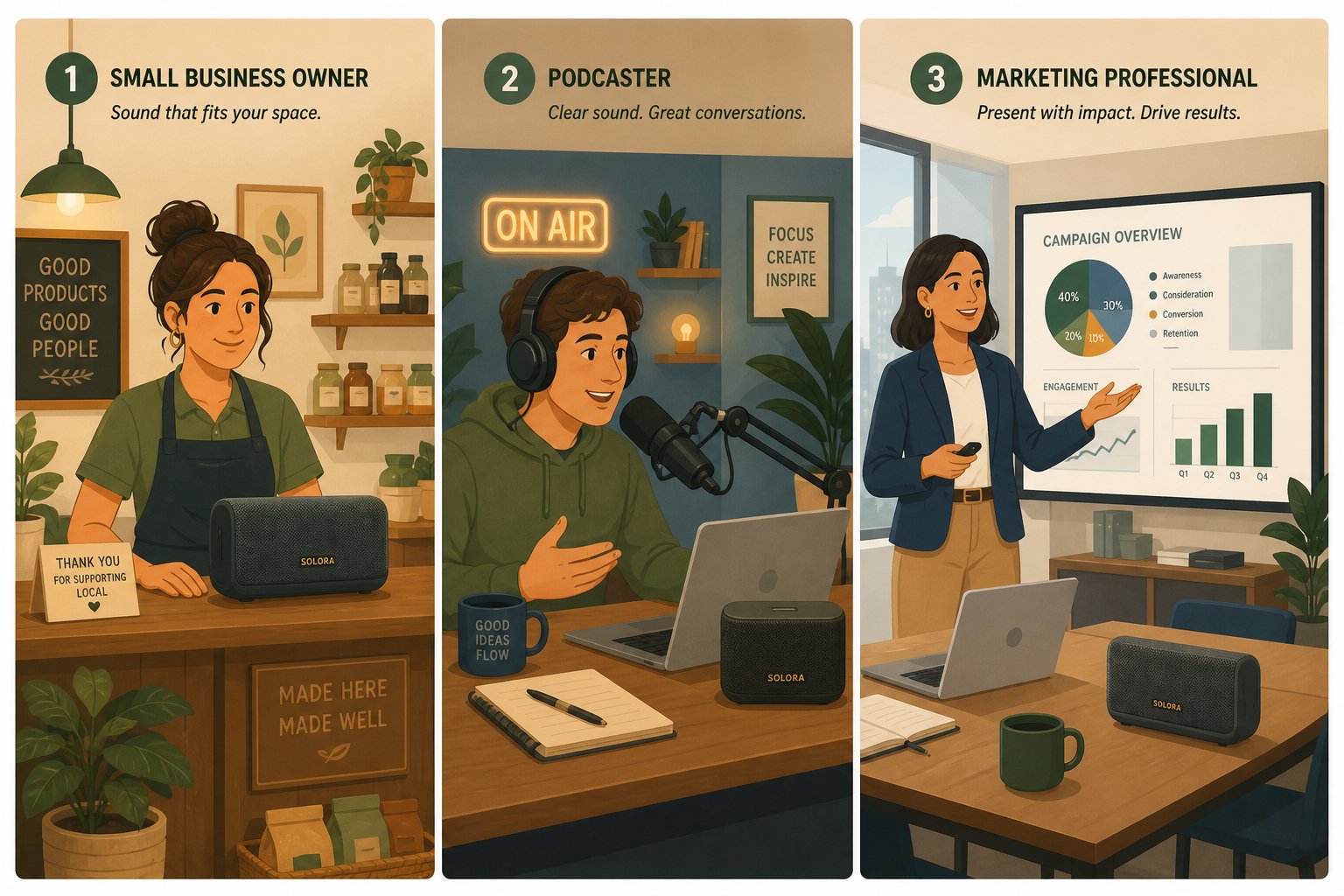
Great prompts mean nothing if they aren't shaped by a clear understanding of what you're building and who it's for. A bakery owner in Kansas City and a marketing director at a SaaS startup might both type "make me a jingle" into the same tool — but their goals, formats, and audiences couldn't be more different. Matching your creative approach to your actual situation is what separates a jingle that works from one that just exists.
Small Business Owners and Local Advertising
Imagine you run a neighborhood coffee shop. You've got loyal regulars, a catchy name, and maybe a tagline printed on your cups. What you don't have is a $5,000 audio production budget. This is exactly where a free AI jingle generator earns its keep.
The first decision is defining your brand voice in musical terms. Are you the cozy, acoustic-guitar-and-warm-vocals kind of coffee shop, or the high-energy, electronic-beats-and-cold-brew kind? That distinction directly shapes the genre and tempo you'll specify in your prompt. If your storefront feels warm and inviting, your jingle should too — forcing an EDM drop into a folksy brand identity creates the same jarring mismatch as putting neon signage on a rustic brick facade.
Next comes the vocal versus instrumental question. For local radio ads, vocals almost always win. Radio advertising best practices emphasize mentioning your business name at least 2-3 times in a 30-second spot because listeners may tune in partway through. A sung brand name lodges deeper in memory than a spoken one layered over background music. However, for phone hold music or in-store ambiance, instrumental jingles avoid the repetition fatigue that comes from hearing the same vocal line loop every 20 seconds while waiting on hold.
Length depends entirely on placement. A radio jingle maker output destined for a local AM/FM spot typically needs 15-30 seconds — long enough for a full hook-tagline-hook cycle. Phone hold music can stretch longer since the listener is captive, but the melody itself should loop seamlessly without obvious start and stop points. In-store promos land somewhere in between: short enough to avoid annoying staff who hear it all day, long enough to deliver a clear promotional message to browsing customers.
The practical takeaway for small business owners? Start by writing down three words that describe your brand personality, pick a single format to target first (radio, hold music, or social media), and use those constraints to build a focused prompt. Trying to create one jingle that works everywhere usually means it works nowhere.
Podcasters and Content Creators
Podcasters and YouTubers face a different challenge entirely. They don't need a jingle that sells a product — they need a sonic signature that makes their content instantly recognizable. When a listener scrolls through a playlist or hears the first three seconds of an episode, that audio cue should trigger immediate familiarity.
This is exactly the principle behind audio branding for podcasters: crafting a consistent sonic identity — from intro music and sound design to voice and tone — that makes your show identifiable across episodes and platforms. Think of it like a visual logo, designed once and applied everywhere.
The most common audio assets podcasters need include:
- Show intros and outros: 5-10 seconds that bookend every episode. Consistency is critical here — changing your intro every month undermines the recognition you're trying to build.
- Segment transitions: Short 2-3 second stings that signal a topic shift. These keep the pacing tight and give listeners an audible cue that the conversation is moving to something new.
- Sponsor bumpers: Brief musical beds that frame ad reads, separating sponsored content from editorial content. A clean bumper signals professionalism and helps listeners mentally distinguish the ad from your regular voice.
YouTube and social media creators have overlapping but distinct needs. A channel bumper — that 3-5 second audio tag at the start of every video — functions as an audio logo. Notification sounds for community engagement, video intro jingles that match thumbnail branding, and even custom sound effects for recurring segments all fall under the jingle umbrella.
The key insight for content creators? Jingle consistency builds audience recognition over time. Your intro doesn't need to be musically complex or expensive to produce. It needs to sound the same every single time so that after ten episodes or twenty videos, your audience knows they're in the right place before a word is spoken. A free AI tool that delivers a clean, repeatable 7-second intro is worth more than a custom composition you swap out every quarter.
Marketing Teams and Brand Campaigns
Marketing professionals operate at a completely different scale. They're not creating one jingle for one placement — they're building a sonic ecosystem across channels, campaigns, and audience segments. The value of AI jingle generators for marketing teams isn't just cost savings. It's speed of iteration.
Consider rapid prototyping. A brand manager exploring a new audio identity no longer needs to brief an agency, wait two weeks for concepts, and budget $10,000 for initial explorations. With a free AI tool, you can generate fifteen variations in an afternoon, play them for stakeholders the same day, and narrow the direction before any budget is committed. AI music tools give marketers speed, originality, and cost-efficiency for custom audio, enabling rapid prototyping and A/B testing that optimize campaign ROI.
A/B testing sonic identity becomes practical when generation costs approach zero. Does a major-key jingle outperform a minor-key one? Does a female vocal drive higher click-through rates than an instrumental version? These questions used to require expensive production runs to answer. With AI, they require an afternoon and a prompt tweak.
Platform-specific variants add another layer. A 30-second radio jingle generator output needs to be trimmed to a 5-second TikTok audio tag and a 15-second pre-roll ad — ideally with consistent melodic DNA across all three. Marketing teams can generate multiple length variants from the same creative direction, ensuring brand coherence without manually re-editing a single master file.
The table below maps each user type to its primary needs, making it easy to identify where you fit and what to prioritize:
| User Type | Primary Use Case | Recommended Jingle Length | Key Considerations |
|---|---|---|---|
| Small business owner | Local radio ads, phone hold music, in-store audio | 15 - 30 seconds (radio); 20 - 60 seconds (hold/in-store) | Prioritize vocal jingles for radio; instrumental loops for hold music. Match genre to storefront personality. |
| Podcaster | Show intros/outros, segment transitions, sponsor bumpers | 3 - 10 seconds | Consistency across episodes matters more than complexity. Keep the same intro for at least a full season. |
| YouTube / social creator | Channel bumpers, video intros, notification sounds | 3 - 7 seconds | Audio logo should match visual branding energy. Punchy, clean endings work better than fade-outs for video edits. |
| Marketing team | Sonic identity prototyping, A/B testing, platform-specific variants | 5 - 30 seconds (varies by channel) | Generate multiple variants from one creative direction. Test across demographics before committing to final production. |
| Freelancer / agency | Client pitch demos, concept presentations, mood boards | 10 - 20 seconds | Free tiers are ideal for pre-sale concepts. Upgrade to paid tiers only after client approval and commercial deployment. |
Whatever your role, the pattern holds: start with your specific use case, let that dictate the format and length, then build your prompt around those constraints. The tool is just the instrument. Your understanding of what you need — and who you're creating it for — is the real creative engine. Of course, once you've generated a jingle that sounds right, a separate question looms that most creators overlook until it's too late: whether you actually have the legal right to use it.
Licensing and Commercial Rights You Need to Know
That jingle you just generated sounds fantastic. The melody is catchy, the brand name sits perfectly in the hook, and the energy matches your vision. But here's the question that separates a usable asset from a legal liability: do you actually own it? Can you air it on the radio, drop it into a paid ad campaign, or loop it through your store's speakers without risking a takedown or a licensing dispute?
Most jingle maker free platforms gloss over this part. They'd rather you click "download" and worry about the fine print later. That approach works fine until it doesn't — and when it doesn't, the consequences range from a demonetized video to a cease-and-desist letter. A few minutes understanding the licensing landscape now saves you genuine headaches down the road.
What Royalty-Free Actually Means
"Royalty-free" is one of the most misunderstood terms in audio licensing, and AI jingle tools lean on it heavily. Here's the reality: royalty-free does not mean copyright-free. As licensing experts consistently emphasize, all original creative works are automatically copyrighted upon creation. True "copyright-free" music essentially doesn't exist outside the public domain.
What royalty-free actually means is simpler than it sounds. You pay a one-time fee — or in the case of free tiers, meet the platform's access conditions — and then you can use the audio multiple times without paying additional per-use royalties. There are no recurring fees every time the jingle plays on your podcast, airs on a radio spot, or loops in your store. That's the "royalty-free" part. But the platform typically retains underlying rights to the generated content, and your usage is governed by whatever license agreement you accepted at sign-up.
Several jingle creator free platforms advertise "100% royalty-free" output, which sounds like a blank check. It isn't. What you should verify before relying on these claims for broadcast, streaming, or commercial use:
- Does "royalty-free" apply to free-tier users or only paid subscribers? Many platforms restrict commercial licensing to premium plans. The audio itself may be royalty-free in concept, but your free account may not grant the license required to use it commercially.
- Is the output exclusive to you? In most cases, it isn't. Another user with a similar prompt could generate a nearly identical jingle, and the platform's terms likely allow that. Royalty-free does not mean exclusive.
- Are there platform-specific restrictions? Some licenses prohibit use in certain contexts — political advertising, adult content, or resale as a standalone audio product. These carve-outs hide in the terms of service.
- Does the license survive if the platform changes its terms? Terms of service can update at any time. What was royalty-free yesterday could carry new restrictions tomorrow if you haven't locked in a specific license version.
The bottom line? "Royalty-free" is a pricing model, not a legal shield. It tells you how you pay, not what you're allowed to do. For that, you need to read the actual license — every time.
Copyright Ownership of AI-Generated Audio
If the royalty-free question feels murky, copyright ownership of AI-generated content is an outright fog. And the fog is thickening, not clearing.
The core issue is deceptively simple: who owns a piece of music that no human technically composed? You typed the prompt, but the AI wrote the melody, generated the lyrics, and mixed the track. Traditional copyright law was built around human authorship. When the "author" is a neural network, the legal framework strains in ways that courts and legislatures are still actively working through.
Here's what the current landscape looks like. The copyright status of AI-generated works varies significantly by jurisdiction and remains actively litigated and legislated. In some jurisdictions, purely AI-generated material may not qualify for copyright protection at all — meaning no one owns it, and theoretically anyone could use it. In others, the degree of human creative input determines whether copyright attaches. Typing a detailed prompt that specifies genre, mood, structure, and lyrics arguably involves more creative direction than clicking a "generate" button with no input, but exactly how much human involvement tips the scale remains an open question.
Meanwhile, regulatory frameworks are catching up. The EU AI Act's Article 50 transparency obligations became enforceable in August 2026, requiring machine-readable marking of AI-generated audio and disclosure of deepfake-style content. For anyone using a free jingle maker to produce audio distributed within the EU, this means the AI provider must embed detectable watermarks, and deployers have their own disclosure obligations — particularly when the output imitates a specific real person's voice.
Major streaming platforms have moved in parallel. Spotify launched AI Credits labeling, Apple Music introduced Transparency Tags, and Deezer now auto-detects and tags fully AI-generated tracks, excluding them from editorial playlists and algorithmic recommendations. These developments don't necessarily affect a short jingle used in your own advertising, but they signal how seriously the industry is treating AI provenance — and how quickly the rules are evolving.
Before you use any AI-generated jingle commercially, verify these specific items in the platform's terms of service:
- Ownership assignment: Does the platform explicitly transfer copyright or usage rights to you? Or do they retain ownership and grant you a limited license?
- Commercial use permissions: Is commercial use included in your plan tier, or restricted to paid subscribers? Some platforms allow personal use on free tiers but require an upgrade for anything commercial.
- Exclusivity clauses: Can the platform license the same or similar output to other users? Can they use your generated content in their own marketing or training data?
- Attribution requirements: Must you credit the platform when using the jingle? Some licenses require visible or audible attribution, which may not be practical for a radio ad or branded video.
- Indemnification language: Does the platform protect you if a copyright claim arises against your generated content, or does the risk fall entirely on you?
- Territorial restrictions: Are usage rights limited to specific countries or regions? This matters if your advertising runs internationally.
- Training data transparency: Does the platform disclose what data trained its models? As legal compliance guides note, AI-generated tracks whose underlying datasets contain copyright-sensitive materials carry latent infringement risks — even when the output sounds entirely original.
None of this is meant to scare you away from using these tools. It's meant to make sure you use them with clear eyes.
Protecting Your Business
Legal clarity is evolving, but your need to protect your brand isn't negotiable. Whether you're using a jingle creator free tool for a local radio spot or generating audio for a multi-platform campaign, a few practical habits dramatically reduce your exposure.
Keep records of every prompt you use. Save the exact text you typed, the date you generated each output, and the platform version you used. If a copyright dispute ever arises, this documentation demonstrates your creative input and the timeline of creation. It's the AI equivalent of keeping session files and stems — your provenance trail.
Screenshot the terms of service at the time of generation. Platform terms change. The license you agreed to when you generated your jingle in March may look different from what the same platform publishes in September. A timestamped screenshot protects you if retroactive changes affect your usage rights.
Evaluate whether a paid tier strengthens your legal position. Many platforms offer significantly broader commercial licenses on premium plans — including explicit usage grants, indemnification clauses, and higher-quality exports with cleaner licensing language. If your jingle is going into broadcast rotation or a client deliverable, the cost of a monthly subscription is trivial compared to the cost of a licensing dispute.
Consult legal counsel for high-stakes deployments. A jingle for your personal podcast? The risk profile is minimal. A jingle backing a national advertising campaign or airing in a regulated industry like healthcare or finance? That warrants a conversation with an attorney who understands intellectual property and AI-generated content. The legal landscape is moving fast, and generic advice — including this article — is no substitute for counsel tailored to your specific situation.
The reassuring truth is that for the vast majority of small businesses, creators, and marketing teams, AI-generated jingles present manageable risk when handled thoughtfully. Read the terms, save your records, and match your licensing tier to the stakes involved. The tools are powerful and accessible — the legal framework just hasn't fully caught up yet. And that gap between what the technology can do and what the law has settled is precisely why knowing when to rely on AI and when to invest in traditional production matters more than ever.
When to Skip AI and Invest in Professional Production
Honesty builds trust, so here it is: a free AI jingle generator is the right tool for a lot of situations, but it is not the right tool for every situation. Pretending otherwise would undermine everything this article has covered so far. Sometimes the smartest move is closing the browser tab, picking up the phone, and hiring a human. The trick is knowing exactly when that line gets crossed — so you invest confidently rather than second-guessing whether a cheaper route would have worked just fine.
AI vs. Traditional Jingle Production
Four distinct paths lead to a finished jingle. Each comes with its own cost structure, timeline, level of creative control, and quality ceiling. Choosing the wrong one doesn't just waste money — it wastes time you could have spent on the approach that actually fits your project.
The table below lays out the realistic trade-offs side by side:
| Method | Typical Cost | Turnaround Time | Customization Level | Best For |
|---|---|---|---|---|
| AI Generation (free tier) | $0 | Under 1 minute per generation | Moderate — prompt-driven; limited by model capabilities and free-tier restrictions | Concept testing, personal projects, social media content, rapid prototyping for marketing teams |
| Stock Music Libraries | $15 - $200 per track (one-time license) | Immediate download after purchase | Low — pre-made tracks; no brand name, no custom lyrics, limited editing options | Background music beds, hold music, situations where generic is acceptable |
| Freelance Composer | $300 - $3,000+ depending on scope | 2 - 6 weeks typical | High — bespoke composition, revision rounds, direct creative collaboration | Custom jingle for a specific campaign, podcast flagship themes, brands needing a unique sonic identity |
| Production House / Agency | $2,000 - $10,000+ for a fully produced sung jingle | 3 - 8 weeks typical | Very high — professional singers, live instrumentation, broadcast-quality mastering, full creative direction | National broadcast campaigns, flagship brand assets, regulated industries, long-term sonic branding |
A few patterns jump out immediately. Speed and cost favor AI by an enormous margin — nothing else comes close to generating a finished piece of audio in under sixty seconds for zero dollars. But customization depth and emotional nuance move in the opposite direction. A freelance composer commission typically runs $300-$1,500 for a podcast intro and $1,500-$8,000 for an indie film main theme, but that investment buys something AI cannot currently replicate: a human being who listens to your brand story, asks clarifying questions, and shapes musical tension, surprise, and resolution in ways that reflect genuine understanding.
Stock music libraries occupy a strange middle ground. They're faster than a composer and cheaper than a jingle maker agency, but they offer zero customization. You're licensing someone else's pre-existing track. Your competitor down the street could license the exact same one. For background music beds where distinctiveness doesn't matter, stock libraries are perfectly adequate. For a brand jingle — something designed to be memorable and uniquely yours — they miss the point entirely.
The cost-time math also shifts depending on volume. If you need a single custom jingle for a flagship campaign, a freelance composer's two-to-six-week timeline and $1,000 budget is a straightforward investment. If you need fifteen audio variants for A/B testing across platforms, AI's near-zero marginal cost per generation is unbeatable. As real-world production workflows increasingly demonstrate, the smartest projects don't choose one path exclusively — they assign AI to the cues where speed and volume matter and reserve composer budgets for the signature pieces that carry the most brand weight.
Signs You Need Professional Production
None of this means AI tools are inadequate. It means certain scenarios demand capabilities that sit outside what any jingle generator — free or paid — can deliver today. Recognizing these signals early saves you from investing hours in prompt refinement only to hit a ceiling you could have anticipated.
You likely need professional production when:
- Your jingle targets national broadcast or major streaming ad placements. Broadcast audio requires specific mastering standards, precise loudness compliance, and production values that hold up under professional scrutiny. Free-tier AI output — often limited to 128kbps MP3 — rarely meets these technical requirements without significant post-production work, which itself requires professional skills and tools.
- Your brand needs a truly unique sonic identity. AI models generate output based on patterns in their training data. The result, by definition, draws from existing musical conventions. If your brand strategy demands a sound that no competitor shares — something genuinely distinctive that becomes an ownable audio asset for years — a human composer can create that from scratch. AI can get you close, but "close" and "unique" aren't the same thing.
- You operate in a regulated industry. Healthcare, financial services, legal, and government advertising often carry specific compliance requirements around audio content, disclosures, and accessibility. A production house experienced in these industries builds compliance into the creative process. An AI tool has no awareness of these constraints.
- The project demands live instrumentation or specific vocal talent. Real strings, brass sections, hand-played guitar — these carry organic texture and dynamic nuance that virtual instruments and AI synthesis don't fully replicate. Similarly, if your jingle concept requires a recognizable voice artist, a specific vocal range, or a performance style that involves improv and emotional spontaneity, human talent is non-negotiable.
- You're building a long-term sonic brand asset. A jingle you plan to run across channels for three to five years justifies a larger upfront investment. Professional production delivers a polished, mastered, format-flexible asset with stems you can remix, re-edit, and adapt over time. A quick AI generation is excellent for a seasonal promo spot — less so for a brand anthem you'll still be airing in 2030.
- Stakeholder expectations require a bespoke process. Some clients, executives, or creative directors expect a collaborative production process — mood boards, revision rounds, live demos, iterative feedback loops. That collaborative dynamic is part of the value a composer or production house provides, and no AI tool replicates it.
This isn't an anti-AI argument. It's a right-tool-for-the-job argument. A free jingle maker is extraordinary for exploration, rapid iteration, and budget-conscious projects. Professional production is extraordinary for permanence, exclusivity, and high-stakes commercial deployment. The wisest approach often blends both — use AI to prototype and test concepts at zero cost, then invest in professional production once you've validated the direction and know exactly what you want. That way, your composer budget gets spent refining a proven concept rather than exploring in the dark.
Whether you ultimately go the AI route, the professional route, or some combination of both, one question remains the same: how do you know when the output you're holding is actually good enough to use?
How to Evaluate and Perfect Your AI-Generated Jingle
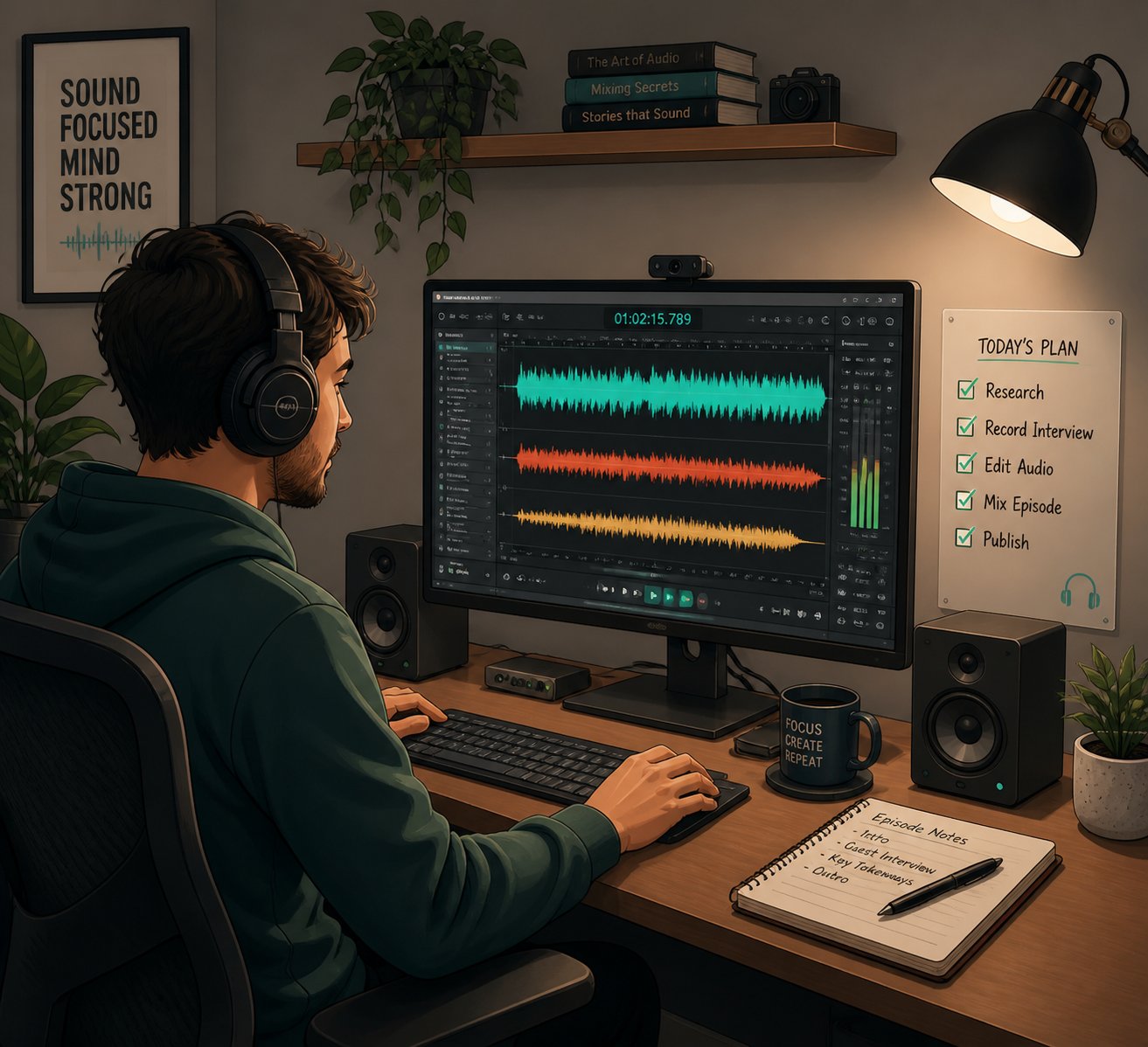
You've picked a tool, written a focused prompt, and hit generate. Something comes back that sounds... decent. Maybe even good. But "decent" and "ready to represent your brand" aren't the same thing. The difference between free jingles that fade into background noise and ones that genuinely stick with an audience comes down to what happens after the AI delivers its first draft. Most creators skip this step entirely — they download, upload, and move on. A few extra minutes of critical listening and intentional refinement can elevate a rough output into something you're genuinely proud to attach your name to.
How to Evaluate Your AI Jingle Output
Every jingle deserves a structured listen before it goes anywhere near your audience. Not a casual "yeah, that sounds fine" while multitasking — an intentional evaluation against the criteria that actually matter for your use case. As AI music quality frameworks emphasize, the right question isn't "does this sound good?" but rather "is this specific track good enough for this specific use case?"
Run through this checklist before exporting or publishing anything:
- Is your brand name clearly audible? Play the jingle back without looking at the lyrics. Can you understand every syllable of your company name and tagline on the first listen? If the vocal buries the brand name under instrumentation or slurs the pronunciation, the jingle fails its primary job — no matter how catchy the melody is.
- Does the melody match your brand energy? Compare the jingle's mood to your website, your social media tone, and your visual branding. A mismatch creates cognitive dissonance. If your brand is calm and premium but the jingle sounds like a children's birthday party, something went wrong in the prompt — not the tool.
- Is the audio quality sufficient for your distribution channel? Test the output on the actual device your audience will hear it through. A podcast intro needs to sound clean on earbuds and car speakers. A radio ad must survive broadcast compression. A TikTok jingle only needs to hold up through a phone speaker. Play it in context — under a voiceover, inside a video edit, or over your store's speaker system — and listen for muddiness, harshness, or clipping.
- Would the jingle be memorable after one listen? This is the hardest test and the most important. Play the jingle once, wait ten minutes, and try to hum the hook. If nothing comes back, the melody lacks the simplicity and repetition that make jingles work. A technically polished track that nobody remembers is just expensive wallpaper.
- Does the structure feel intentional? Listen to the full length. Does the intro set up the hook naturally? Does the ending resolve cleanly, or does it trail off awkwardly? Weak AI outputs often sound impressive for fifteen seconds and then drift — always listen to the complete track before deciding.
- Does the jingle leave space for what surrounds it? If the jingle sits under a voiceover, alongside a video, or inside a podcast episode, it needs to support the content rather than compete with it. A jingle that sounds great in isolation can overwhelm a mix when paired with speech or visuals.
Think of this checklist as your quality gate. If the jingle clears all six points, you've likely got something ready for deployment. If it stumbles on even one, you have a specific diagnosis to work with — which is far more useful than a vague feeling that "something's off."
Refining and Iterating for Better Results
Here's where most people waste time: they regenerate the entire jingle from scratch every time something isn't right. That's the equivalent of demolishing a house because you don't like the kitchen countertops. Strategic refinement beats random regeneration every single time.
The key is diagnosing what isn't working and choosing the right fix:
- If the genre feels wrong but the lyrics are right: Keep the same lyrical content and resubmit the prompt with a different genre tag. Swapping "acoustic folk" to "indie pop" while keeping everything else identical can produce a dramatically different result that lands closer to your vision.
- If the melody is catchy but the vocal style misses: Adjust only the vocal descriptors in your prompt. Change "energetic male vocal" to "warm female vocal, conversational delivery" and regenerate. The underlying musical direction stays consistent while the vocal performance shifts.
- If 80% of the jingle sounds great but one section falls flat: Some platforms — like Udio's Inpainting feature — let you regenerate just the weak section without touching the rest. If your tool doesn't offer this, regenerate the full track but add a note in your prompt addressing the specific weak point: "ensure the chorus melody is more memorable than the verse."
- If the output is close but needs minor polish: Don't regenerate at all. Use a free audio editor like Audacity for trimming dead air at the start or end, adding a fade-in or fade-out, normalizing volume levels, or cutting a 30-second generation down to the 7-second segment you actually need. These tweaks take minutes and preserve an output you've already approved.
The most productive creators treat AI jingle generation like professional music producers approach studio sessions: generate three to five variations with intentional prompt adjustments between each round, then compare results in a single listening session rather than judging each one in isolation. As one practical guideline puts it, "do not keep generating randomly — identify the failure and choose the right next step." Change one variable at a time. If you adjust the genre, tempo, vocal style, and duration all at once, you'll never know which change produced the improvement.
Your first output is almost never your best. But your fifth output, guided by specific feedback from the first four, usually gets remarkably close to what you originally imagined.
Getting Started with Your First Jingle
You've absorbed the theory — the anatomy of a jingle, how to make a jingle prompt that actually works, where the free-tier boundaries sit, which tools fit which scenarios, and how to evaluate what comes back. That's a lot of ground. Here's the entire process distilled into a clear action path you can follow right now:
- Define your use case and format. Are you building a podcast intro, a radio spot, a social media bumper, or something else? Pick one format to start with. Trying to create a universal jingle for every platform at once almost always produces something that works nowhere.
- Write down three words that describe your brand personality. Warm and playful? Bold and modern? Calm and trustworthy? These three words become the emotional compass for every prompt you write.
- Set your target length and decide on vocals vs. instrumental. Reference the structure guidelines from earlier in this article. A 5-second podcast bumper and a 30-second radio ad require completely different approaches.
- Build your prompt using the seven-element framework. Genre, tempo and mood, audience context, brand name and tagline, vocal style, duration, and exclusions. You don't need all seven every time, but covering at least five gives the AI enough direction to produce intentional results.
- Choose your tool based on your specific need. For a complete jingle with vocals, lyrics, and music generated in a single workflow, MakeBestMusic's AI Song Generator is an excellent starting point — especially for beginners and small businesses who want a polished, ready-to-use result without juggling multiple tools or stitching together separate lyrics, vocal, and instrumental outputs. If you need rapid iteration volume, instrumental-only stings, or cinematic scoring, match your choice to the comparison table earlier in this guide.
- Generate three to five variations. Adjust one element of your prompt between each generation. Don't settle for the first output — and don't regenerate blindly without changing anything.
- Evaluate each output against the six-point quality checklist. Brand name audibility, energy match, audio quality for your channel, memorability, structural coherence, and contextual fit. Be honest with yourself. A jingle that excites you on headphones but muddles your brand name on a phone speaker isn't ready.
- Refine the best candidate. Trim, fade, normalize volume, or cut to the exact length you need using a free audio editor. Minor polish turns a strong draft into a finished asset.
- Verify your licensing. Before publishing or airing anything commercially, confirm that your plan tier grants the usage rights your project requires. Screenshot the terms. Save your prompt history. Protect your brand.
- Deploy, listen in context, and iterate over time. Your first jingle doesn't need to be permanent. Use it, gather real-world feedback from your audience, and refine it in future rounds as your brand evolves.
The entire process — from blank screen to finished jingle — can take less than thirty minutes once you've internalized these steps. That's a fraction of the time and a fraction of the cost that traditional production demands. The barrier to creating professional-sounding audio branding has never been lower.
And that's really the point. A free AI jingle generator doesn't replace creativity — it removes the obstacles that used to stand between a good idea and a finished piece of audio. The studio, the session musicians, the mixing engineer, the five-figure invoice — none of those are prerequisites anymore. Your brand voice, your creative direction, and a well-crafted prompt are all you need to get started. The tools are ready. The only thing left is to open one up and hit generate.
