


Understanding Where You Can Make AI Music Today
You can make AI-generated music right now, today, without any musical training or expensive software. The real question is not whether it is possible but which platform fits what you are trying to create. Dozens of tools exist, and the best ai music generators each take a different approach to turning your ideas into finished audio. Some let you type a sentence and receive a full song with vocals. Others hand you sliders and menus to dial in exactly the genre, mood, and instrumentation you want. A few blend both methods into a single workflow.
With the global AI music market projected to reach USD 38.7 billion by 2033, the ai music generator list keeps growing. Sorting through the best ai music generation apps 2025 has to offer can feel overwhelming, so this guide takes a use-case-first approach. Instead of ranking tools in a vacuum, you will match your specific need to the platform built for it.
Three Approaches to AI Music Generation
Every top ai music platform falls into one of three categories:
- Text-prompt tools - Type a natural-language description (think of it like a music gpt experience) and the AI returns a complete track with vocals and instruments. Suno and Udio work this way.
- Selection-based tools - Pick a genre, mood, tempo, and instrument set from menus, then generate variations instantly. SOUNDRAW and Beatoven follow this model.
- Hybrid tools - Combine typed prompts with adjustable parameters so you can describe a vibe and fine-tune specifics afterward. These are among the best music making apps for creators who want speed and control in one place.
Each approach has tradeoffs around creative control, speed, and output predictability. The right pick depends entirely on what you need the music for.
What You Will Learn in This Guide
This seven-step workflow walks you from initial idea to a finished, export-ready track. Here is what is ahead:
- Define what kind of music you actually need
- Compare the top AI music platforms side by side
- Pick the right platform for your specific use case
- Write prompts that produce great results
- Generate your first AI track
- Refine and customize your output
- Export and use AI music in real projects
Both free and paid options are covered at every step, so you can start experimenting without spending a dollar and scale up only when your project demands it.
Step 1 Define What Kind of Music You Need
Jumping straight into a platform without knowing what you need is the fastest way to waste an afternoon. A tool built for instrumental loops will frustrate you if you actually want a custom song with lyrics. One designed for full vocal tracks might be overkill if all you need is thirty seconds of business background music under a product demo. Your use case dictates everything: track length, whether vocals are involved, licensing requirements, and how much creative control you actually need.
Spending two minutes on this step saves hours of trial and error later.
Common Use Cases for AI-Generated Music
Most creators fall into one of these scenarios. Each one pulls you toward a different type of tool:
- YouTube background music - Needs longer instrumental tracks (2-10 minutes) with commercial licensing and no vocal distractions over narration.
- Royalty free podcast intro music - Short loops, typically 15-30 seconds, with a recognizable hook and no vocals competing with the host's voice.
- Full songs with vocals - Requires lyric input, melody generation, and a specific genre feel. This is where prompt-based generators shine.
- Instrumental beats - Hip-hop, lo-fi, or electronic producers need stems, BPM control, and the ability to layer additional elements later.
- Commercial jingle - Short, catchy, and brand-specific. Needs clear commercial rights and often a memorable vocal hook.
- Personalized song as a gift - Custom lyrics about a specific person or event, set to a mood that matches the occasion.
- Social media clips - Ultra-short (15-60 seconds), trend-aware, and quick to generate since content cycles move fast.
- Film or game scoring - Cinematic, adaptive, and often needs to be delivered as separated stems for mixing flexibility.
Questions to Ask Before Choosing a Platform
Run through this quick checklist before you open any tool. It narrows your options immediately:
| Question | Why It Matters |
|---|---|
| Do you need vocals? | Not all platforms generate singing voices. Some only produce instrumentals. |
| What genre are you targeting? | Some tools excel at pop and hip-hop but struggle with jazz or classical. |
| How long should the track be? | Longer tracks demand platforms that maintain coherence past the two-minute mark. |
| Do you need commercial licensing? | Free tiers often restrict commercial use. Paid plans unlock distribution rights. |
| Will you edit the track afterward? | If yes, you need a platform that exports stems or high-quality WAV files. |
| What is your budget? | Free options exist for every use case, but paid tiers unlock higher quality and more generations. |
Your answers here form a filter. A creator who needs a personalized song with custom lyrics and vocals is shopping in a completely different aisle than someone who needs a sixty-second royalty-free loop for a corporate presentation. With your requirements locked in, comparing platforms becomes straightforward rather than overwhelming.
Step 2 Compare the Top AI Music Platforms
With your use case defined, you need a comparison of the top ai music generators that actually puts them side by side. Most search results just pitch a single product. Here, you get every major option in one view so you can spot the right fit in minutes rather than days of trial accounts.
The best ai music generation platforms 2025 brought to market differ in how they accept input, whether they produce vocals, what they cost, and what rights you walk away with. The table below covers the platforms worth your attention right now.
Feature Comparison of Major AI Music Platforms
| Platform | Input Method | Vocals Available | Free Tier | Best For | Licensing |
|---|---|---|---|---|---|
| MakeBestMusic | Prompt-based | Yes | Yes | Full songs from a text prompt with lyrics and style control | Commercial on paid plans |
| Suno | Prompt-based | Yes | Yes (50 credits/day) | Versatile full-song generation across 1,200+ genres | Commercial on Pro/Premier |
| Udio | Prompt-based with timeline editing | Yes | Yes (10 credits/day + 100/month) | High-quality instrumentals and production detail | Commercial on paid plans |
| SOUNDRAW | Selection-based | No | Limited preview | Royalty-free background music with granular control | Full commercial rights on all paid plans |
| Canva AI Music | Selection-based | No | Yes (within Canva Free) | Quick clips synced to video projects | Standard Canva license |
| Lyria / Gemini | Prompt-based | Yes | Yes (via YouTube tools) | Experimental generation tied to Google ecosystem | YouTube-specific terms |
| AIVA | Hybrid (selection + parameter editing) | No | Yes (3 downloads/month) | Classical, cinematic, and orchestral scoring | Full copyright ownership on Pro |
| Boomy | Selection-based | Limited | Yes (25 saves/month) | Zero-effort tracks with Spotify distribution | Revenue share on distributed tracks |
A few things jump out. The suno ai music maker leads in sheer genre range, supporting everything from lo-fi hip-hop to Baroque harpsichord. If you have been researching udio ai music generator features pricing 2025, you will notice it matches Suno on price but trades ease of use for deeper editing control, including an inpainting tool that fixes specific sections without regenerating the whole track. SOUNDRAW AI sidesteps the vocal question entirely, focusing on customizable instrumental loops trained exclusively on licensed material. And the AIVA ai music generator remains the standout for anyone scoring films or games where orchestral sophistication matters more than pop hooks.
Honest Limitations Worth Knowing
No platform is perfect, and glossing over weaknesses helps no one. Here is what the marketing pages leave out:
- Complex arrangements lose coherence. Tracks longer than three minutes often drift in structure. Suno's v5 model handles this better than most, but even it can lose the thread on a five-minute progressive rock piece.
- Vocal quality varies wildly. The suno ai song creator delivers surprisingly natural singing in pop and R&B, yet can stumble on rapid-fire rap verses. Udio excels at emotional vocal expression but occasionally interprets genre prompts differently than intended.
- Repetition creeps in. AI models sometimes loop melodic phrases or drum patterns in ways a human arranger would avoid. Selection-based tools like SOUNDRAW handle this better because their structure is manually templated rather than fully generative.
- Legal uncertainty remains. Both Suno and Udio settled copyright lawsuits with major labels in late 2025. Their models are transitioning toward licensed training data, but terms continue to evolve. SOUNDRAW and AIVA carry less legal risk because their training sets are composed entirely of original or licensed material.
These limitations do not make AI music tools unusable. They make the choice of platform more important. A creator who needs bulletproof licensing picks SOUNDRAW. Someone chasing the most realistic vocals tests both Suno and Udio with the same prompt and compares results. Knowing where each tool falls short is exactly what helps you pick the one that stays strong where it counts for your project.
Step 3 Pick the Right Platform for Your Needs
A comparison table tells you what each tool can do. It does not tell you which one to open right now. The fastest path to a finished track is matching your specific scenario to the platform built for it. So instead of sorting by features, let's sort by what you actually need to create.
Best Platform by Use Case
Which is the best ai music generator? That depends entirely on what you are making. Here are the strongest picks organized by scenario:
- Full songs with vocals from a text prompt - MakeBestMusic handles lyrics, style descriptions, and generation in a single workflow. You type your idea, add or generate lyrics, pick a genre feel, and get a complete song with vocals in minutes. It is the best ai song creator for anyone who wants a finished track without bouncing between multiple tools.
- Royalty-free background loops for video or podcasts - SOUNDRAW gives you granular control over mood, tempo, and structure with guaranteed commercial licensing on every paid download.
- Quick social media clips - Canva's built-in AI music tool lets you generate short tracks directly inside your video editor. No exporting, no format conversions, no extra subscriptions if you already use Canva.
- Experimental production and detailed editing - Udio offers timeline editing, inpainting to fix specific sections, and stem exports. It is the best ai for music production when you want hands-on control over the output.
- Classical or cinematic scoring - AIVA exports MIDI and sheet music, making it ideal for composers who need orchestral depth and plan to refine the arrangement themselves.
- Zero-effort tracks for distribution - Boomy generates songs in seconds and lets you push them directly to Spotify with a revenue-share model.
If you have been scrolling through best ai music generator reddit threads looking for consensus, you will notice these same tools surface repeatedly. The difference here is that you are choosing based on your workflow, not popularity alone.
Free Options to Start Without Paying
The keyword "where to make ai music" often signals someone exploring rather than committing. Good news: every platform above offers something at no cost. Here is what you get before spending a dollar:
- MakeBestMusic - Free generations let you turn prompts, lyrics, and style ideas into complete AI-generated songs quickly. Ideal for first-timers who want a finished track fast without a paywall blocking the experience.
- Suno - 50 credits per day on the free plan, enough for roughly 10 songs daily.
- Udio - 10 credits per day plus 100 monthly credits. Enough to test its editing features on a handful of tracks.
- AIVA - 3 downloads per month for non-commercial use, with full editing access.
- Boomy - 25 saves per month. You cannot download audio on the free tier, but you can preview and distribute.
- Riffusion - Completely free with unlimited generations during its public beta.
When debating makebestmusic vs suno, the practical difference comes down to workflow. Suno excels at variety and quick iterations across dozens of genres. MakeBestMusic streamlines the entire path from idea to polished song, combining prompt input, lyric handling, and style direction into one creation page. For someone asking "how do I get a finished song the fastest," that integrated approach wins.
Among the best ai apps for making music in 2025, the free tiers are generous enough to test two or three platforms before deciding where to invest. Start with the best free ai music generators 2025 offers, run the same prompt through each, and let your ears decide which output matches your project. The best ai music tools are the ones that disappear into your workflow rather than fighting against it.
With your platform chosen, the quality of what comes out depends almost entirely on what you put in. A vague prompt produces a generic track. A specific, well-structured prompt produces something that sounds intentional.
Step 4 Write Prompts That Produce Great Results
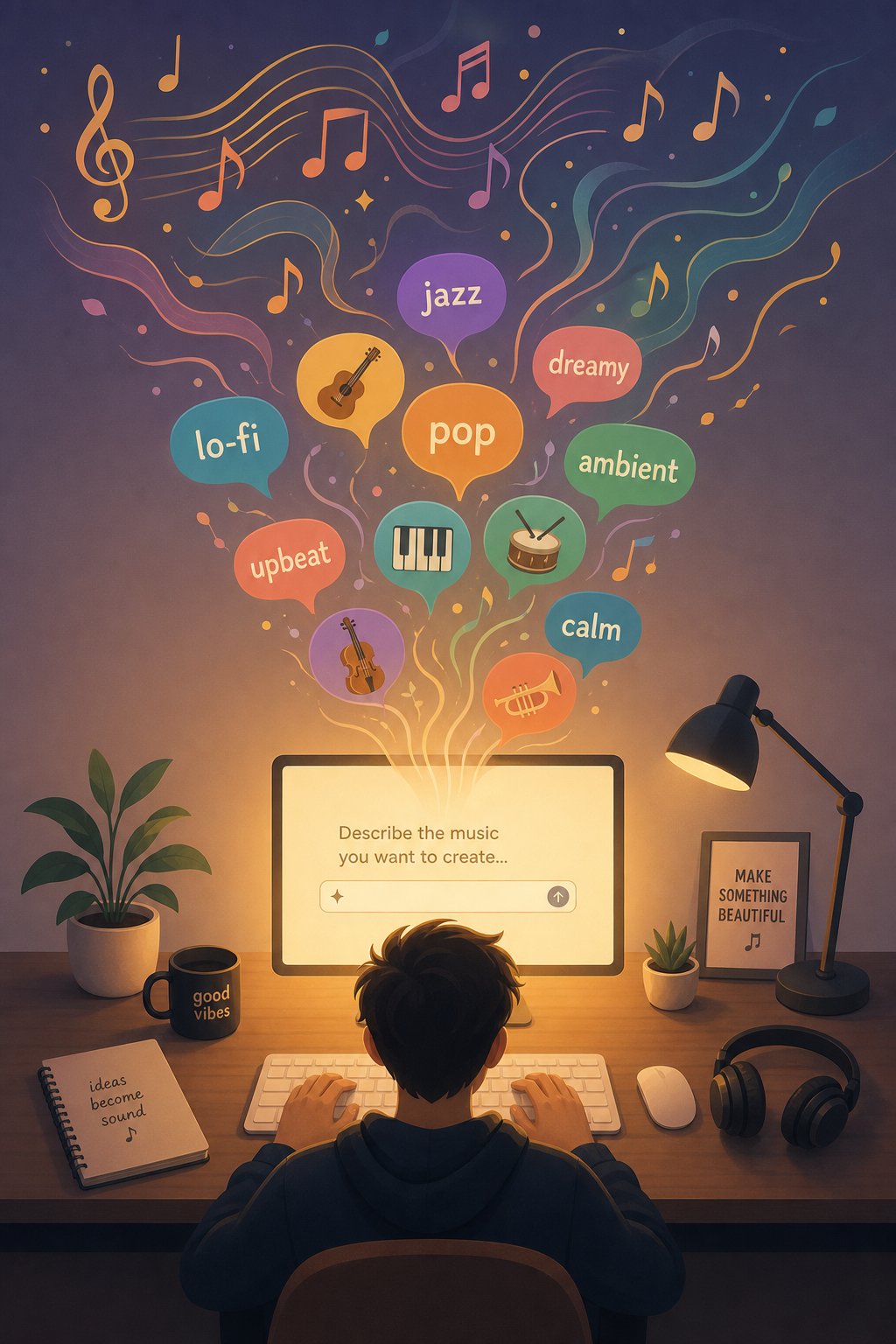
Your platform is chosen. The interface is open. And the blinking cursor in that prompt box is staring back at you. What you type next determines whether your output sounds like a polished track or a forgettable demo. Prompt writing is the single skill that separates average AI music from tracks people actually want to hear, and it works the same way across every text-based generator.
Think of a prompt as a creative brief you would hand to a session musician. The more specific and vivid your instructions, the closer the result lands to your vision. Vague input produces vague output. Every time.
Anatomy of an Effective AI Music Prompt
A strong prompt covers six elements. You do not need all six every time, but including more of them gives the AI less room to guess wrong:
- Genre - The musical style anchor (indie pop, trap, orchestral, bossa nova)
- Mood - How you want the listener to feel (melancholic, triumphant, playful, haunting)
- Tempo - Pace expressed as BPM or descriptive terms (slow ballad, uptempo, driving)
- Instruments - Specific sounds you want featured (acoustic guitar, Rhodes piano, 808 bass, string quartet)
- Vocal style - Gender, tone, and delivery (female vocals, raspy male voice, whispered, belting)
- Lyrical theme - The subject matter or story (road trips, heartbreak, celebration, nostalgia)
Here is the difference this makes in practice. Compare a weak prompt to one that uses all six elements:
Make a happy song.
Upbeat indie pop with acoustic guitar and light percussion, female vocals, 120 BPM, warm and nostalgic, about road trips in summer with friends.
The first prompt forces the AI to make every creative decision for you. The second one guides it toward a specific sound while still leaving room for musical surprise. When you are figuring out how to write a song lyrics and style direction simultaneously, specificity is your best friend.
How to Write Lyrics That AI Handles Well
Platforms like Suno and MakeBestMusic accept full lyric input alongside your style description. The key is formatting those lyrics so the AI interprets structure correctly. Use section tags in square brackets to define your arrangement:
[Verse 1],[Verse 2]- Storytelling sections with new lyrics each time[Chorus]- The repeating hook, usually the catchiest part[Pre-Chorus]- A short buildup creating anticipation before the chorus hits[Bridge]- A contrasting section that shifts perspective or energy[Outro]- The closing passage, often fading or repeating a final phrase
Keep lines concise, around 5-10 words each. Natural phrasing translates better than overly poetic language because AI models are trained on conversational patterns. Simple rhyme schemes (ABAB or AABB) produce cleaner vocal delivery than complex internal rhymes. If you are stuck on what to write about, a song idea generator or song topic generator can spark direction before you commit to full verses. Many song writing applications now include built-in lyric brainstorming features that pair well with AI music tools.
You can also add parenthetical performance directions within your lyrics. Writing (whispered) before a line or (belting) before a chorus signals the AI to shift vocal intensity, a technique that adds dynamic range without any manual editing.
Style Descriptors That Improve Results
Beyond genre and mood, the right words to describe music give the AI precise tonal and production cues. Here is a reference list of descriptors organized by category:
| Category | Useful Descriptors |
|---|---|
| Tempo | Slow, mid-tempo, uptempo, driving, laid-back, bouncy, groovy |
| Genre modifiers | Neo-soul, acid jazz, math rock, dark pop, tropical house, baroque pop |
| Instruments | Fingerpicking guitar, analog synth, pizzicato strings, muted trumpet, 808 kick, hi-hat rolls |
| Mood | Ethereal, bittersweet, anthemic, wistful, aggressive, tender, dreamy |
| Production style | Lo-fi, cinematic, stripped-back, polished, raw, tape-saturated, stadium-sized |
| Vocal texture | Breathy, soulful, gritty, angelic, spoken word, falsetto, harmonized |
Mix and match across categories for best results. "Lo-fi bossa nova with breathy female vocals and Rhodes piano, 85 BPM, wistful and intimate" gives the AI a highly specific target. These descriptors work across platforms, so whether you are crafting top prompts for music videos or background scores for podcasts, the same vocabulary applies.
One last tip: if you want to use a platform as the top ai for lyrics for songs, pair a strong style prompt with a clear lyrical theme and let the AI draft initial lyrics. Then edit those lyrics by hand before regenerating. This iterative loop, prompt then refine then regenerate, is where the magic happens. You can also use an ai rhyme finder to polish lines before feeding them back into the generator for a tighter final result.
Great prompts set the ceiling for what AI can produce. But the real test is hitting generate and hearing what comes back, then knowing what to tweak when the first result is close but not quite there.
Step 5 Generate Your First AI Track
You have a platform picked and a prompt ready. All that separates you from a finished song is clicking a button and knowing what to do with the result. The actual generation process takes less time than ordering coffee, but the decisions you make in the first five minutes shape whether you walk away with a track you are proud of or one that sits forgotten in a downloads folder.
So how do you make a song from scratch using AI? Let's walk through the entire process in real time.
Generating Your First Song in Under Five Minutes
For this walkthrough, we will use MakeBestMusic's creation page as the demonstration platform because it keeps the entire workflow in a single interface. No tab-switching, no file uploads, no waiting for separate processing steps. Here is how to create songs from idea to playable audio:
- Navigate to the creation page. Head to makebestmusic.com/app/create-music-new. You will land on a clean interface with fields for your style description, lyrics, and generation settings.
- Enter your style description or choose a genre. Type the prompt you crafted in the previous step. Something like "melancholic indie folk with fingerpicked acoustic guitar, soft male vocals, 90 BPM, about leaving home for the first time." The more specific your input, the more intentional the output sounds.
- Add lyrics or let the AI generate them. If you wrote your own lyrics with section tags like [Verse] and [Chorus], paste them in. If you want the AI to handle lyrics, leave the field open and provide a lyrical theme in your style prompt instead. Both approaches produce full vocal tracks.
- Hit generate and wait for your track. Generation typically takes 30 to 90 seconds. The platform handles melody, arrangement, vocal performance, and mixing in one pass. You will receive one or more variations to preview.
- Preview and iterate. Listen to each variation. Pay attention to whether the mood matches, the vocals sit well, and the structure feels natural. If something clicks, you are done. If not, you are one prompt tweak away from a better version.
That is the entire process. Five steps, under five minutes, and you have a complete song with vocals, instrumentation, and a finished mix. This is how MakeBestMusic helps creators turn prompts, lyrics, and style ideas into complete AI-generated songs quickly, without requiring any production knowledge or external tools.
If you have ever asked "how do i make a song without instruments or recording gear," this is the answer. The best ai tool to create music in this workflow is whichever one removes the most friction between your idea and the final audio. For prompt-based full song creation, this streamlined approach delivers.
What to Do if Your First Result Is Not Quite Right
Here is the mindset shift that matters: your first generation is a draft, not a final product. Even experienced creators generate three to five versions before landing on something they love. AI music generation is inherently iterative, and the speed of these tools is designed for exactly that kind of rapid experimentation.
When your first result is close but not perfect, resist the urge to start over completely. Instead, change one variable at a time and regenerate:
- Vocals sound wrong? Adjust the vocal descriptor. Swap "raspy male voice" for "smooth baritone" or specify "female vocals" if the AI defaulted to the wrong gender.
- Tempo feels off? Add an explicit BPM number or use a tempo word. "Slow and contemplative" and "driving and urgent" point the AI in dramatically different directions.
- Instruments are not what you imagined? Name the specific instruments you want featured and the ones you want excluded. "No drums, just piano and strings" is a valid and powerful instruction.
- Lyrics sound generic? Write your own and paste them in. Custom lyrics are the single highest-impact change you can make to any AI-generated song. Conversational, specific language outperforms flowery abstractions every time.
- Structure feels flat? Add arrangement cues to your prompt: "quiet verse building to an explosive chorus" or "start stripped-back, add layers gradually." This gives the AI a roadmap for dynamic energy.
Generate multiple versions with slight variations, then compare them side by side. You might love the melody from version two but prefer the production quality of version four. Some platforms, including Suno's Studio mode, let you combine sections from different generations into a single track. Others require you to pick the best overall version and refine from there.
The approach of basic song production from a scratch track ai mirrors how professional producers work in any studio. No one nails a song on the first take. The difference is that iteration with AI takes seconds instead of hours. Use that speed to your advantage.
A common question beginners ask is whether you can upload song and ai will make a drum beat or other accompaniment to go with it. Some platforms do accept audio input for remixing or extending, but for most first-time creators, starting from a text prompt and iterating is faster and simpler than uploading reference audio. Save the upload-based workflows for after you have a feel for how prompts translate into sound.
How can you make a song that sounds genuinely good on the first session? Three habits accelerate results: keep a running list of prompts that worked well, note which style descriptors consistently produce the textures you like, and generate in batches of three rather than agonizing over a single output. After ten or fifteen generations, you will develop an intuition for steering the AI toward exactly what you hear in your head.
With a track you are happy with sitting in your preview queue, the next question becomes what to do with it. Raw AI output is often impressive on its own, but a few refinements can push it from good to polished.
Step 6 Refine and Customize Your Output
A generated track that sounds 80% right is not a finished track. It is a starting point with serious potential. Most AI music platforms include built-in editing tools that let you shape output after generation, and free external software can take things even further. This post-generation phase is where a generic AI song becomes something that actually fits your project.
Editing and Extending AI-Generated Tracks
Every major platform gives you some level of control after the initial render. The specifics vary, but the core capabilities overlap:
- Extend track length. Need a two-minute song to fill a four-minute video? Most generators let you extend sections or add new ones. Suno's extend feature appends additional bars that match the energy and key of your existing track.
- Regenerate specific sections. Udio's inpainting tool lets you highlight a problem area and regenerate just that portion without touching the rest. Think of it like erasing one brush stroke instead of repainting the whole canvas.
- Adjust mix levels and structure. SOUNDRAW's mixer interface gives you per-instrument volume control and lets you rearrange song sections by dragging blocks. You can mute the bass in a verse, boost energy in the chorus, or trim the intro to three seconds flat.
- Combine the best parts of multiple generations. Suno Studio operates like a multitrack timeline where you can drop in stems from different generations, aligning them by BPM and key. It functions as a music mashup maker built directly into the generation platform.
These built-in tools handle most quick fixes. If you generated five variations and love the verse from one but the chorus from another, platform-native editing is the fastest path to a composite track. For anyone exploring Suno Canvas or similar workspace features, the workflow is drag, align, and export.
Using External Tools to Polish Your AI Music
When you need more precision than any AI platform provides, free DAWs step in. Importing your exported WAV or stems into dedicated audio software unlocks effects, layering, and surgical edits that no browser-based tool matches. The best options cost nothing:
- GarageBand (Mac/iOS) - Ships free with every Apple device. Offers multi-track editing, built-in effects like reverb and compression, and Apple Loops you can layer under your AI track. A natural fit if you want to add live guitar or vocal takes on top of an AI-generated instrumental.
- Audacity (Windows/Mac/Linux) - Lightweight and fast for trimming, noise removal, volume normalization, and basic vocal mixing. Works as a free ai music finalizer when all you need is a clean edit rather than a full production overhaul.
- BandLab (browser-based, all platforms) - Runs entirely in your browser with unlimited tracks, built-in effects, and real-time collaboration. Its Splitter tool can separate stems from a mixed-down AI export, which is invaluable if your generation platform did not offer stem downloads.
The hybrid workflow looks like this: generate in your AI platform of choice, export the best take as a high-quality WAV, import it into a DAW, then trim, add effects, or layer additional elements. Creators doing vocal mixing ai free often pull AI instrumental stems into Audacity or BandLab, then record their own vocals on top. Others use GarageBand's smart instruments to add a real piano part over an AI arrangement, essentially creating piano arrangement from audio ai free by using the generated track as a compositional guide.
Among ai music composition tools, this combination of AI generation plus DAW polish produces the best results for the lowest cost. You do not need the best music composition software at premium prices. A free DAW paired with a solid AI generator covers everything from quick podcast edits to layered productions. The AI handles composition speed; the DAW handles production depth. Together they give you the best ai for music production workflow available without a studio budget.
With your track refined and sounding exactly the way you want it, the final step is getting it out of your editor and into the real world: the right file format, the right license, and the right integration into whatever project prompted you to make AI music in the first place.

Step 7 Export and Use AI Music in Real Projects
Your track is refined, polished, and ready to leave the platform. But a finished song sitting inside a generator dashboard does not help your video, podcast, or social campaign. The final step in this workflow is exporting in the right format, confirming your usage rights, and integrating the audio into whatever project brought you here. Get this wrong and you end up with a low-quality file, a licensing headache, or an ai music video that sounds muffled because the export settings did not match the platform requirements.
Export Formats and Quality Settings
Most AI music platforms offer at least two export options. Which one you choose depends entirely on where the track ends up:
- WAV (uncompressed) - The standard for video editors, film projects, and anything destined for professional post-production. File sizes are large, but you retain full audio fidelity. If you plan to edit further in a DAW, always export WAV.
- MP3 (compressed) - Smaller file sizes and perfectly fine for social media, podcast hosting, or background playback. Aim for 320 kbps if you need to download song for youtube or other platforms that compress audio again on upload. Anything below 192 kbps introduces noticeable quality loss.
- Stems (separated tracks) - Vocals, drums, bass, and instruments as individual files. Essential if you need to adjust levels during video editing or layer AI music under narration without the instrumental drowning out your voice. Not every platform offers stems on free tiers, but Udio and Suno provide them on paid plans.
Podcast hosts typically need files normalized to -16 LUFS for stereo or -19 LUFS for mono. Social platforms like TikTok and Instagram compress uploads heavily, so starting with the highest quality source file preserves more detail after platform processing. If you are working with canva music inside a Canva video project, the platform handles format conversion automatically when you export your final video.
Licensing and Commercial Use Rights
This is the step where people searching for a music ai creator without copyright restrictions reddit threads discover the nuance: commercial rights exist, but they live behind paid tiers on almost every platform. Here is the landscape:
| Platform | Free Tier Rights | Paid Tier Rights | Key Restriction |
|---|---|---|---|
| MakeBestMusic | Personal use | Full commercial license | Check plan terms for distribution limits |
| Suno | Non-commercial only | Commercial use on Pro/Premier | Cannot claim copyright registration on outputs |
| Udio | Non-commercial only | Commercial use on paid plans | Terms evolving as licensing deals finalize |
| SOUNDRAW | Preview only | Worldwide perpetual commercial license | Cannot sell tracks on streaming platforms directly |
| AIVA | Attribution required | Full copyright ownership on Pro ($49/mo) | Standard plan limits monetization channels |
| Boomy | Distribution with revenue share | Higher royalty split on paid plans | Platform retains partial rights in all tiers |
The safest rule: if you are monetizing content, you need a paid plan. If you just want royalty free jazz music for a personal vlog or a non-monetized project, most free tiers cover that. Always read the specific terms of whichever platform you chose, because policies update frequently as the legal landscape around AI-generated content matures.
Putting AI Music Into Your Projects
How do you add music to a video, podcast, or social post once the file is downloaded? The integration is straightforward, but a few practical tips prevent common mistakes:
- Sync to video timelines. Drop your WAV or MP3 onto your video editor's audio track. Align energy shifts in the music with visual cuts. Most editors (Premiere Pro, DaVinci Resolve, CapCut) let you slip audio left or right in milliseconds for tight sync.
- Loop background music under narration. Trim a section that has a clean loop point, usually four or eight bars, and set it to repeat under your voiceover. Reduce volume to around -18 dB so music supports rather than competes with speech.
- Create intro and outro bumpers. Export a 10-15 second snippet from your track's strongest hook. Use it as a consistent audio signature across podcast episodes or video series for brand recognition.
- Use AI music as placeholder scores. During production, drop AI tracks into rough cuts to set pacing and emotional tone. Swap in final music later if you commission a custom score, or keep the AI version if it fits. Many creators working on song stock for client projects use this approach to get approval on timing before investing in final audio.
- Pair with a free ai music video generator. Tools that sync visuals to audio, like some Canva templates or dedicated music video apps, accept your exported AI tracks as input and generate matching visual content automatically.
Before you hit publish, run through this final checklist:
- Exported in the correct format and bitrate for your destination platform
- Licensing tier covers your intended commercial use
- Audio levels are balanced against voiceover or other elements
- Track length matches your content duration without awkward fades or cuts
- File is properly labeled with project name for easy retrieval later
That is the complete workflow: seven steps from defining your need to publishing a finished project with AI-generated music embedded exactly where it belongs. The tools exist, the free tiers let you experiment without risk, and the output quality improves every time you refine a prompt or adjust a setting. The only thing left is pressing play and putting your music to work.
