

How AI Music Generation Actually Works
Imagine typing a sentence like "upbeat indie folk song with acoustic guitar and male vocals" and getting a fully produced track back in under a minute. That is the reality of AI music generation right now. But what happens between your typed description and the finished audio?
How AI Turns Text and Ideas Into Full Songs
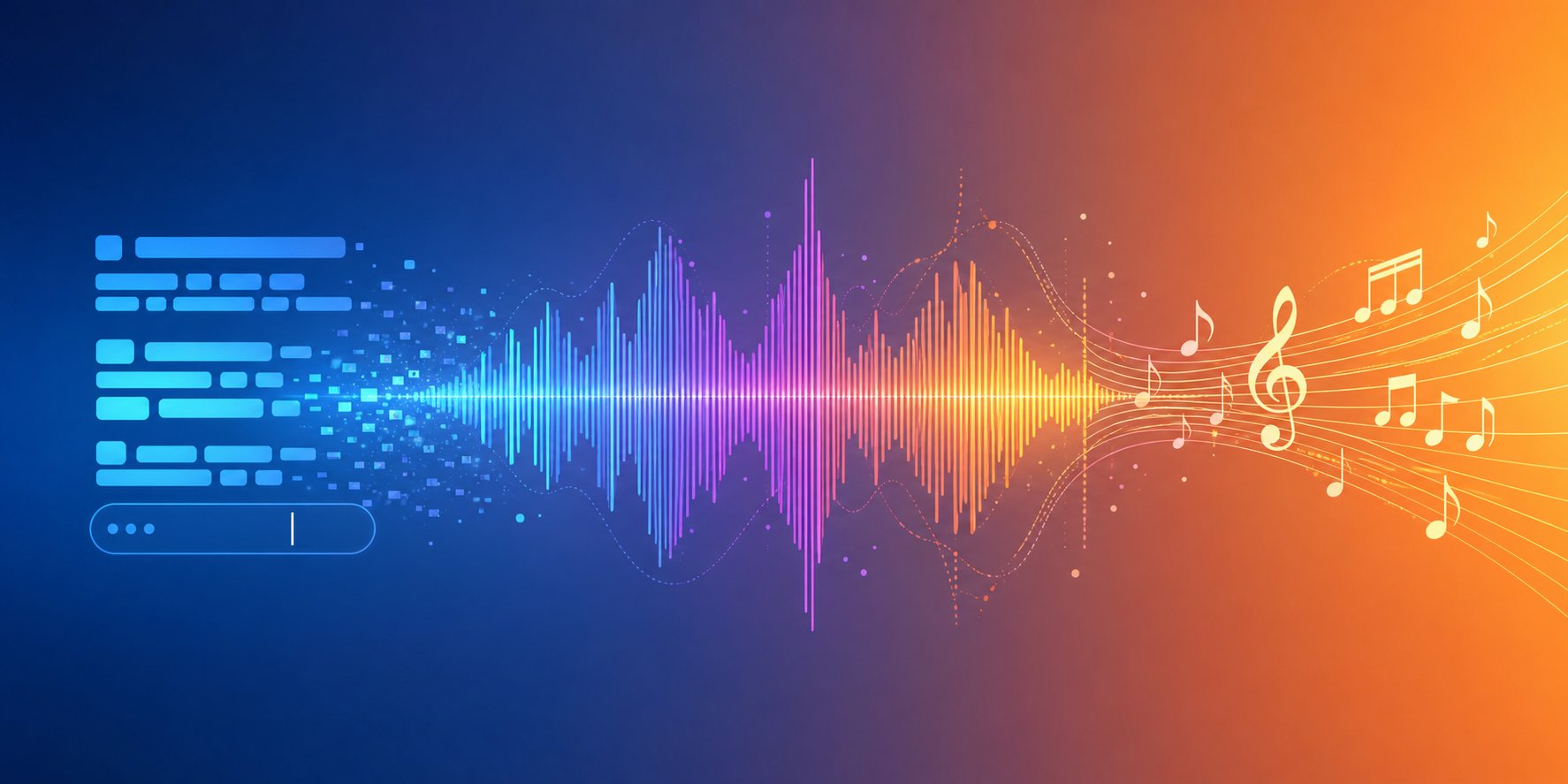
At a high level, AI music tools rely on two core architectures. The first is transformer models, similar to the technology behind ChatGPT, which predict sequences of audio tokens one after another. Platforms like Suno and tools such as Music GPT use this approach to generate melody, harmony, rhythm, and vocals in a single pass. The second architecture is diffusion models, closer to how AI image generators like Stable Diffusion work. These start with audio noise and gradually refine it into a coherent musical signal, producing natural dynamics and texture.
Both approaches share something in common: they learned from massive datasets of existing music. By analyzing millions of tracks, these models internalize patterns like chord progressions, genre-specific production techniques, song structures, and even vocal phrasing. During generation, they don't copy existing songs. They predict what sounds should come next based on probability, creating something new each time.
The result? You describe what you want, and the AI assembles a complete arrangement, often in 30 to 120 seconds. If you've ever experimented with simple tools like Google Song Maker or created Chrome Music Lab songs, you already understand the basic concept of inputting musical ideas and getting audio back. Modern AI generators simply operate on a vastly more sophisticated scale.
Different Input Methods You Can Use
Learning how to make a song with AI starts with understanding what you can feed into these systems. Unlike early tools that only accepted basic parameters, today's platforms work with multiple input types:
- Text-to-music: Describe a genre, mood, tempo, and instrumentation in plain language and receive a full track.
- Lyrics-to-track: Provide written lyrics and the AI generates vocals, melody, and backing music around them.
- Melody-to-song: Hum or upload a melodic idea and let the AI build a complete arrangement from that seed.
- Style-based generation: Reference a genre, artist influence, or production era and the AI matches that sonic aesthetic.
These inputs don't function as rigid commands. They act as probability constraints, guiding how the model predicts and synthesizes sound. The more specific your input, the closer the output lands to your vision.
Worth noting: AI handles certain tasks exceptionally well right now, like generating background instrumentals, full pop songs, and cinematic scores. But highly specific production styles, precise arrangement control, and professional-grade stem separation still benefit from human intervention. Tools like an AI music generator from platforms such as producer.ai or services branded as AI music generator MelodyCraft each approach these limitations differently, which is exactly why choosing the right tool matters. Even Google Music Maker experiments showed early promise, but today's dedicated platforms operate in an entirely different league.
This guide walks through the entire process, tool by tool and step by step, so you can go from a blank page to a finished track regardless of your musical background.
Step 1 - Define Your Musical Goal Before You Start
A blank prompt box can feel overwhelming when you don't know exactly what you're trying to create. Someone producing business background music for a corporate video has a completely different workflow than someone writing a personalized song for a wedding. The tool you pick, the prompts you write, and the post-production steps you take all depend on one thing: your end goal.
Map Your Goal to the Right Approach
Think of AI music creation like ordering at a restaurant. You wouldn't walk in and just say "food, please." You'd specify what you're in the mood for. The same logic applies here. Are you looking for a quick instrumental loop, a custom song with full vocals, or a short commercial jingle for a brand campaign? Each goal maps to a distinct generation approach and a different set of tools.
A practical distinction worth understanding early: AI song generators create complete vocal tracks with lyrics and structure, while AI music generators focus on instrumental audio, soundscapes, and background beds. Knowing which category your project falls into saves hours of trial and error.
Here's a breakdown of common goals and the approach each one requires:
| Goal | Best Approach | Skill Level Needed | Typical Output |
|---|---|---|---|
| Background music for videos | Text-to-music with mood and tempo descriptors | Beginner | 2-4 minute instrumental loop or bed |
| Full vocal tracks | Lyrics-to-track or text prompt with vocal style specified | Beginner to intermediate | Complete song with verses, chorus, and vocals |
| Instrumental scoring | Style-based generation with cinematic or genre references | Intermediate | Orchestral, electronic, or hybrid score |
| Podcast intros | Short-form generation with energy and branding cues | Beginner | 15-30 second royalty free podcast intro music clip |
| Commercial jingles | Text prompt with brand tone, tempo, and hook focus | Beginner to intermediate | Catchy 15-60 second branded audio piece |
If you're searching for the best intro song for your podcast or channel, a short-form generation with clear energy descriptors gets you there fastest. Businesses chasing popular commercial jingles benefit from specifying hook-driven structures and upbeat tempos directly in their prompts.
Musician vs Non-Musician Paths
Here's what makes AI music tools genuinely different from traditional production: they serve both audiences without demanding the same input. A 2025 LANDR study of 1,200 producers found that 29% use AI to generate vocals, drums, or instrumentals for existing arrangements, while only 13% used it for full song generation. Experienced musicians tend to treat AI as a collaborator, generating parts to fill skill gaps rather than producing entire tracks.
Non-musicians take the opposite path. They rely on AI to handle everything, from composition to arrangement to vocals. For them, the goal is usually a finished piece: theme music songs for a YouTube channel, a personalized song for an event, or background audio for content. Both paths are valid. The difference is simply how much creative control you want to retain versus how much you hand over to the model.
With your goal clearly defined, the next decision becomes which platform actually delivers the output quality and workflow your project demands.
Step 2 - Pick the Right AI Music Tool for Your Needs
The landscape of AI music platforms has grown crowded, and each tool brings a different philosophy to generation. Some prioritize complete song creation with vocals. Others focus on instrumental precision or developer-friendly APIs. Picking the wrong one doesn't just waste money. It wastes creative momentum while you fight against a workflow that doesn't match your goal.
Comparing the Top AI Music Platforms
When browsing lists of the best music making apps, you'll notice the same names appearing repeatedly, but rarely with honest context about trade-offs. Here's a breakdown of the major platforms based on hands-on testing and current capabilities:
| Platform | Best For | Vocals | Free Tier | Paid From | Key Limitation |
|---|---|---|---|---|---|
| MakeBestMusic | Prompt-to-song, lyrics-to-track | Yes | Yes | Subscription plans | Newer platform, smaller community |
| Suno | Complete songs, all-in-one creation | Yes | ~10 songs/day | $10/mo | Commercial rights require paid plan |
| Udio | Producers, remixing, stems | Yes | Limited daily | $10/mo | Steeper learning curve, limited free tier |
| AIVA | Cinematic, orchestral scoring | No | 3 downloads/mo | $15/mo | No vocal generation at all |
| Mubert | Real-time streams, API access | No | 25 tracks/mo | $14/mo | No vocals, less creative depth |
| Boomy | Beginners, streaming distribution | Yes | 25 saves/mo | $9.99/mo | Lower output quality than competitors |
| Soundraw | Video creators, customizable instrumentals | No | Unlimited gen (no downloads) | $16.99/mo | No vocals, no text prompts |
A few things stand out. The Suno AI music maker dominates general conversation because of its v4.5 model quality and sheer ease of use. If you just want to type a description and get a complete song back, it delivers consistently. As a Suno AI song creator, it handles everything from pop to orchestral in a single prompt. Udio appeals more to producers who want stem downloads, section-by-section editing, and remix workflows. Its 48kHz audio output is the highest fidelity on this list.
The AIVA AI music generator occupies a specialized lane: instrumental and cinematic composition with full copyright ownership on Pro plans. It was the first AI officially registered with a music society, and it remains the strongest choice if you're scoring films, games, or ads without needing vocals. Soundraw AI takes a different approach entirely. Instead of text prompts, you select mood, genre, and instruments, then adjust audio blocks visually. That makes it ideal for video editors who need precise timing control. Platforms like remusic.ai and others continue to emerge, each carving out niche workflows in this space.
Which Tool Fits Your Workflow
The comparison above clarifies features, but the real question is workflow fit. Here's how to think about it practically:
If you want the shortest path from idea to finished song, especially as a non-musician, MakeBestMusic handles lyrics, style prompts, and full arrangement in one workflow without requiring you to learn separate tools for each step. When evaluating MakeBestMusic vs Suno, the distinction comes down to workflow philosophy. Suno gives you raw generative power with a broad feature set and active community. MakeBestMusic streamlines the prompt-to-finished-song pipeline, making it an accessible starting point for creators who want a complete track without a steep learning curve.
If you're a producer who plans to edit AI output in a DAW, Udio's stem downloads and inpainting features give you the most post-generation control. Scoring a film? AIVA's 250+ style presets and MIDI export make it the clear pick. Need royalty-free background audio on a predictable schedule? Mubert and Soundraw deliver volume without per-track licensing headaches.
Among the best music creation apps available, no single platform wins across every use case. The tool that matches your specific goal from Step 1 is the one that will actually produce usable results. Many active creators combine two or three platforms: one for vocal tracks, another for instrumentals, and a third for quick background loops.
Whichever platform you choose, the quality of your output depends far less on the tool itself and far more on how you communicate with it. That means learning the art of prompt writing, where specificity separates generic outputs from tracks that genuinely sound intentional.
Step 3 - Craft Prompts That Get the Sound You Want
The difference between a generic AI track and one that sounds intentional almost always comes down to the prompt. Typing "make a chill beat" is like telling a chef "cook something good" and expecting your favorite meal. AI music models interpret prompts probabilistically, mapping your descriptive language to learned musical patterns. The more precise your instructions, the narrower the range of possible outputs, and the closer the result lands to what you actually hear in your head.
The Anatomy of a Great Music Prompt
Every effective prompt contains a combination of core components working together. Think of it as a formula rather than a creative writing exercise. Based on testing across multiple platforms, this universal structure consistently produces usable results:
Mood + Genre + Instrumentation + Key/Scale + Tempo (BPM) + Arrangement + Production Style
Here's what each element does:
- Genre: Locks in the rhythmic foundation and instrumentation norms. Place this first since AI models weight early tokens more heavily during generation.
- Mood: Shapes harmonic direction and melodic phrasing. Words to describe music emotionally, like "melancholic," "euphoric," or "tense," directly influence chord choices and dynamics.
- Tempo (BPM): Anchors the rhythmic grid. Without a specific BPM, models estimate speed from genre probability, often producing unstable pacing. Even a rough range like "around 90 BPM" outperforms vague adjectives like "slow."
- Instrumentation: Naming two to three specific instruments creates a sonic identity the model can target. "Rhodes piano" works far better than "piano." "Supersaw lead" beats "synth."
- Vocal style: Define male or female, clean or raspy, and specify whether you want verse-chorus structure. Without this, models may add unexpected vocal textures or skip vocals entirely.
- Key signature: Minor keys produce tension and emotion. Major keys create brightness. Specifying "D minor" or "G major" stabilizes harmonic direction across the entire track.
- Arrangement: Structure markers like "8-bar intro, 16-bar verse, 8-bar chorus" give AI models bar-based instructions they respond to consistently.
The ideal range is 4 to 7 core descriptors. Fewer than four produces generic output. More than seven dilutes the signal and creates conflicting instructions. If you're stuck finding the right words to describe music for your prompt, think about the scene where the track would play, the emotion the listener should feel, and what instruments carry that feeling.
Prompt Templates for Different Genres
Abstract advice only goes so far. Here are three tested prompts that demonstrate how specificity transforms output quality. Each one follows the formula above and targets a distinct use case.
Upbeat pop track with vocals:
Upbeat synth-pop at 120 BPM in G major, catchy four-chord progression, bright electric piano, punchy drum machine, female vocal with a summery 80s-influenced sound, verse-chorus-verse-chorus-bridge structure, clean digital production with wide stereo image.
This produces a structured, radio-friendly pop song because every element constrains the output: the BPM prevents it from dragging, the key keeps it bright, the vocal direction prevents random instrumental-only output, and the structure markers ensure proper song form. If you're figuring out how to write a song lyrics for a track like this, the structure cues in your prompt also guide where vocal melodies land naturally.
Cinematic orchestral piece:
Dark cinematic orchestral score in A minor at 90 BPM, low string ostinato intro, brass swells entering at bar 16, timpani build, slow crescendo to dramatic climax at one minute, resolved string ending with controlled decrescendo, 4/4 time signature.
Notice the bar-based timing and dynamic arc. This is one of the top prompts for music videos that need emotional progression. Instead of getting a static orchestral loop, you get a track with genuine movement: tension, climax, resolution. Cinematic music responds best to narrative context, so describing the dynamic shape matters more than listing every instrument.
Lo-fi background music:
Melancholic lo-fi hip-hop at 78 BPM in A minor, dusty swing drum loop, vinyl crackle texture, Rhodes piano chords, warm sub bassline, seamless 16-bar loop format, soft analog saturation on the master.
This prompt works because lo-fi is defined by texture and environment as much as notes. The vinyl crackle, the dusty drums, the analog saturation: these production-style descriptors tell the AI exactly what sonic quality to target. The 16-bar loop instruction ensures the output can repeat cleanly for study streams or background use.
If you're searching for songs that are similar to a reference track you love, try analyzing that track's BPM, key, and instrumentation using free tools like Tunebat or Chordify, then feed those specifics into your prompt. This reverse-engineering approach functions like a song idea generator, turning existing inspiration into actionable prompt language without copying anything directly.
A song topic generator or lyric brainstorming tool can help if you're working with lyrics-to-track platforms. Whether Google AI Studio is good at lyrics for songs depends on your genre, but dedicated AI lyric tools and the top AI for lyrics for songs tend to produce more musically structured results when paired with generation prompts. The key insight: your lyrics prompt and your music prompt should share the same mood and energy descriptors for cohesive output.
The real skill isn't writing one perfect prompt. It's knowing which component to adjust when the output misses the mark. A track that feels too fast? Lower the BPM by 10. Too generic? Add a specific instrument or production descriptor. Wrong vibe entirely? Reorder your prompt so the desired genre appears first. This iterative adjustment process is where prompts become tracks worth keeping.
Step 4 - Generate Your Track and Refine Through Iteration
A well-crafted prompt gives you a head start, but here's the honest truth: your first generation will rarely be the final version. Community data from platforms like Suno suggests that roughly 70% of initial tracks need three or more regenerations before they match the creator's intent. The real skill in learning how to create songs with AI isn't writing one perfect prompt. It's knowing how to listen critically and adjust quickly between rounds.
Running Your First Generation
Imagine you've written a solid prompt following the framework from the previous step. You hit generate and get a 90-second track back in under a minute. It sounds decent. The genre is right, the tempo feels close, and there's a recognizable structure. But the vocal tone is too polished for the raw emotion you wanted, and the chorus lacks punch.
This is completely normal. The first output is a diagnostic tool, not a finished product. On MakeBestMusic, for example, you can listen to that initial generation and immediately tweak your lyrics, style descriptors, or structural cues without starting a brand new session from scratch. That ability to iterate within the same workflow, adjusting one variable at a time, is what separates productive sessions from credit-burning frustration.
Whether you're using a rap maker to generate hip-hop tracks, experimenting with ai rap vocals, or building basic song production from a scratch track ai, the iteration loop stays the same. Here's the process that experienced creators follow:
- Generate: Submit your prompt and listen to the full output without pausing or skipping sections.
- Evaluate: Identify what landed. Does the hook stick? Does the energy match your goal? Is the vocal style right?
- Identify gaps: Pinpoint exactly what missed. Was it tempo, instrumentation, vocal texture, or structural pacing?
- Adjust one element: Change only one or two descriptors in your prompt. Adjusting everything at once makes it impossible to learn what fixed the problem.
- Regenerate: Submit the revised prompt and compare directly against the previous version.
This loop typically takes three to six cycles for a track worth keeping. If you're still missing the mark after six attempts, the issue likely sits in your core concept rather than prompt wording.
How to Iterate Until It Sounds Right
The most common mistakes during iteration fall into predictable patterns. Overstuffing prompts with ten or more descriptors confuses the model and produces muddled output. Being too vague, like typing "sad song with guitar," gives the AI too much room to guess. Contradictory instructions, such as asking for "calm aggressive energy," create unpredictable results because the model can't resolve the conflict.
A more effective strategy is targeted adjustment. Here's how to diagnose specific problems:
- Track feels too fast or slow: Adjust BPM by 5-10 in either direction rather than using vague words like "slower."
- Wrong energy level: Swap mood descriptors. Replace "energetic" with "driving" or "intense" for subtle shifts.
- Vocals don't fit: Specify texture words like "breathy," "raspy," or "warm" instead of relying only on gender.
- Structure feels flat: Add section markers like "build from verse to chorus" or "strip back for bridge."
- Genre sounds generic: Add an era reference. "2000s garage rock" produces dramatically different results than just "rock."
If you're exploring how to make your own song by combining AI-generated elements, you can also use a music mashup maker approach: generate multiple variations, identify the strongest sections from each, and combine them. Some creators generate a verse from one prompt and a chorus from another, then stitch sections together for a track that feels more dynamic than any single generation could produce. This song mashup maker workflow is especially useful for longer compositions where energy needs to shift between sections.
The key mindset shift: treat each generation as a version, not a finished product. Mark what worked, note what failed, and carry those lessons into the next round. On MakeBestMusic, this process feels particularly fluid because your lyrics and style settings persist between iterations, letting you refine specific elements without rebuilding the entire prompt each time.
Once you've landed on a generation that captures your intent, the track isn't necessarily ready to publish. Raw AI output often benefits from a finishing pass, whether that means a quick EQ adjustment, stem separation for mixing, or simply evaluating whether the audio quality holds up on different playback systems.
Step 5 - Edit and Polish Your AI-Generated Music
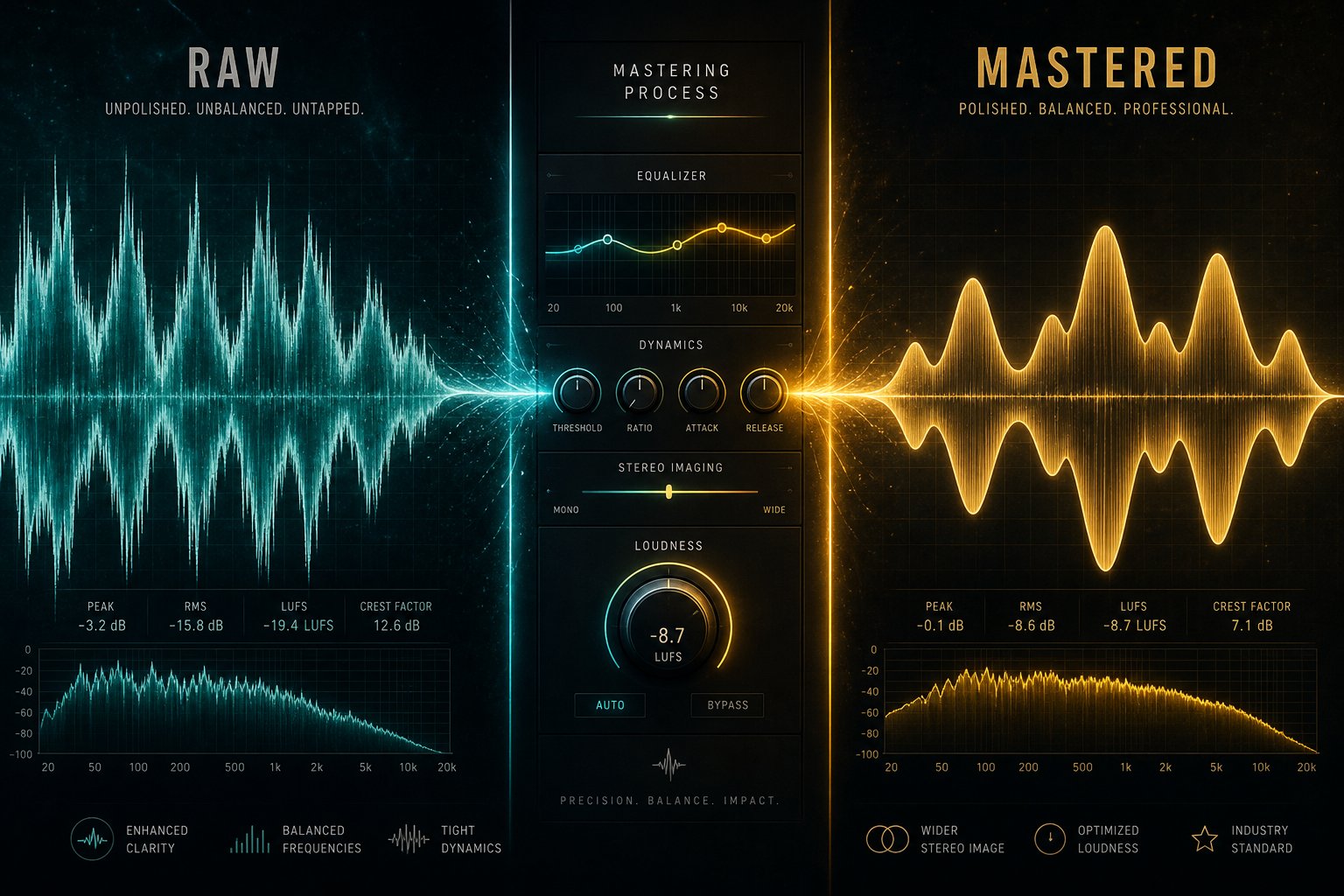
Raw AI output is like a first draft of an essay. The ideas are there, but the polish isn't. Some generations come out surprisingly clean and ready to use. Others have subtle artifacts, unbalanced frequencies, or transitions that feel slightly off. Knowing the difference, and knowing which tools fix which problems, is what turns a decent AI track into something that sounds genuinely professional.
Post-Processing Tools and Techniques
You don't need expensive software or years of mixing experience to clean up AI-generated audio. A handful of free tools cover the most common issues. Think of your AI output as a musical canvas that needs a few targeted brush strokes rather than a complete repaint.
Here are the most useful free and freemium post-processing tools, organized by what each one handles:
- Mix Check Studio (free, no account required): Upload your stereo track and get instant analysis of tonal balance, loudness, dynamics, and stereo width. It doesn't fix anything, but it tells you exactly what needs attention before you spend time on edits.
- BandLab Mastering (free, unlimited): Genuinely free stereo mastering with no watermark. Choose from four presets and download the result. Best for quick demos and social media posts where speed matters more than precision.
- Automix by Roex (free preview, paid download): The only free-preview tool that processes individual stems rather than just a stereo bounce. It applies EQ, compression, panning, and spatial processing across up to 16 stems, letting you hear the full result before committing to a subscription.
- Audacity (free, open source): Handles basic EQ adjustments, noise removal, normalization, and audio trimming. Ideal for cutting silence, removing clicks, or applying simple compression to vocal tracks.
- iZotope RX (paid, free trial): Industry-standard audio cleanup with AI-powered noise reduction, de-clicking, and a Generative Fill feature that reconstructs what audio should sound like underneath problem areas. Worth the investment if you're doing vocal mixing AI free trial runs on noisy recordings.
- LALAL.ai / Demucs (free tiers available): Stem separation tools that split a stereo mix into vocals, drums, bass, and other instruments. Essential when you want to isolate and replace a single element without regenerating the entire track.
For creators looking for a free AI music finalizer workflow, the combination of Mix Check Studio for diagnosis plus BandLab for quick mastering covers basic needs at zero cost. If your track has specific mix problems, like a buried vocal or muddy low end, stem-level processing through Automix addresses those issues at their source rather than trying to fix them on the stereo output.
When it comes to the best apps for music production and post-processing, the choice depends on depth. Lightweight tools handle 80% of cleanup tasks. A full DAW handles the remaining 20% that requires surgical precision.
When to Use a DAW vs Ship As-Is
Not every AI-generated track needs a DAW session. The decision comes down to four specific listening checkpoints. Run through these with headphones before deciding whether your track is ready or needs further work:
- Artifacts: Listen for metallic buzzing, digital glitches, or unnatural vocal warbling. These are hallmarks of AI generation that a quick EQ notch or noise gate can fix, but if they're severe, regenerating is faster than repairing.
- Tonal consistency: Does the frequency balance feel even throughout the track? A common AI quirk is a chorus that suddenly sounds brighter or thinner than the verse. A multiband compressor or basic EQ automation solves this in most DAWs.
- Transition smoothness: Pay attention to section changes. AI models sometimes create jarring jumps between verse and chorus or drop energy unnaturally during bridges. Crossfades, volume automation, or reverb tails smooth these seams.
- Vocal clarity: If your track has AI-generated vocals, check whether consonants are intelligible and whether the voice sits clearly above the instrumental. A gentle 2-4 kHz boost and light compression typically fix presence issues without a complex vocal chain.
If all four checkpoints pass, your track is ready to export. Many instrumental pieces and background music tracks come out of AI generators clean enough for immediate use, especially for social media, podcast beds, or internal presentations. The best music composition software in the world can't improve a track that already sounds right.
Tracks that fail one or more checkpoints benefit from even a basic DAW session. Free options like GarageBand, Cakewalk, or Audacity handle most fixes. If you're creating a piano arrangement from audio AI free tools, stem separation followed by light EQ work in a DAW gives you individual control over the piano layer without affecting the rest of the mix.
The broader principle from experienced producers applies here: AI mixing and mastering assistants are perfect as a head start, but as production workflow analysis from SampleFocus notes, the sound they create can feel polished but lifeless without that final human touch. Even small adjustments, a subtle boost in warmth, a slight cut in harshness, add the composer music sensibility that separates generic output from something with character.
A polished track sitting on your hard drive doesn't serve anyone. The next challenge is getting that audio into the right format, at the right specs, for whatever platform or project it's destined for.
Step 6 - Export and Integrate Music Into Your Projects
A finished track only creates value when it reaches an audience. Whether that means layering it under a YouTube essay, syncing it to an Instagram Reel, or embedding it in a game environment, each destination has specific technical requirements. Export in the wrong format or at the wrong specs, and your carefully polished audio gets re-encoded into something noticeably worse. Get it right, and your AI-generated music sounds indistinguishable from licensed library tracks.
Using AI Music in Content Creation and Social Media
Every platform handles audio differently. YouTube re-encodes everything you upload, so starting with the highest quality source file preserves clarity after compression. Instagram Reels and TikTok cap audio at lower bitrates and shorter durations. Podcasts need consistent loudness standards for distribution across Apple, Spotify, and RSS feeds. Game engines import audio in formats optimized for real-time playback rather than streaming quality.
Here's how to prepare your AI-generated music for the most common use cases:
| Use Case | Recommended Format | Key Considerations |
|---|---|---|
| YouTube videos | WAV (48kHz/24-bit) or AAC at 320kbps | YouTube re-encodes to AAC at 128kbps for playback. Starting with higher quality gives the encoder more data to preserve. Upload at native frame rate with audio synced in your editor. |
| Podcasts | MP3 at 128kbps (mono) or 192kbps (stereo) | Loudness target of -16 LUFS for Spotify, -14 LUFS for Apple Podcasts. Keep intro music under 30 seconds to avoid listener drop-off. |
| Instagram Reels / TikTok | AAC at 256kbps within MP4 container | Maximum duration varies (90 seconds for Reels, 10 minutes for TikTok). Mix music below -6dB if voiceover is present so dialogue stays audible after platform compression. |
| Game soundtracks | OGG Vorbis or WAV (for Unity/Unreal) | Loop points must be sample-accurate. Export without fade-outs for seamless looping. Use shorter file sizes (OGG) for mobile builds, uncompressed WAV for console. |
| Business presentations | MP3 at 192kbps or embedded AAC | Keep volume low enough for speaking over. Target -20 LUFS for background beds. Test playback on laptop speakers since conference rooms rarely have studio monitors. |
When you need to download a song for YouTube specifically, always export at 48kHz sample rate. YouTube's formatting guidelines prefer MPEG-4 with H.264 video and AAC audio at 128kbps or better. Starting with a 320kbps AAC or lossless WAV source ensures the platform's re-encoding doesn't introduce audible degradation.
For creators wondering how to add music to a video, most editing tools, from DaVinci Resolve to CapCut, accept WAV and MP3 directly on their timeline. If you're working in Canva for social content, the process is straightforward: upload your exported file to the audio section and drag it onto your design timeline. Canva music options include their built-in library, but uploading your own AI-generated track gives you something unique that won't appear in thousands of other creators' content. Learning how to add music in Canva takes about 30 seconds once you have the file ready.
For ai music video projects where you want visuals generated alongside your track, tools like Kaiber or Runway can sync generated imagery to the beat of your exported audio. A free ai music video generator workflow typically involves exporting your track as MP3, uploading it to a video generation tool, and letting it create visuals matched to audio energy peaks.
Commercial Use Cases and Licensing Considerations
Integration isn't just a technical question. It's also a rights question. How you can use your AI-generated music commercially depends entirely on which platform generated it and which plan you were on when you created it.
A few practical rules for commercial integration:
- Monetized YouTube channels: Most paid AI music plans grant commercial streaming rights. Free-tier tracks from platforms like Suno or Boomy often restrict monetization until you upgrade.
- Client work and ads: If you're producing music for a client's commercial, confirm that your platform's license covers sublicensing or transfer of rights. AIVA's Pro plan and Soundraw's subscription both include this. Others may not.
- Game distribution: Selling a game on Steam or mobile app stores counts as commercial distribution. Ensure your license covers embedded audio in sold products, not just streaming.
- Podcast sponsorships: Using AI-generated intro music in a monetized podcast is generally covered under standard commercial licenses, but check whether your plan has revenue caps.
If you want to add a background of a music performance on AI-generated visuals, or add a background to a band video with AI, the same licensing principles apply: the audio license governs where and how you distribute, regardless of what visuals accompany it.
As legal analysis from Landry PLLC notes, distributors like DistroKid and TuneCore now accept AI-generated tracks for streaming platforms including Spotify and Apple Music. However, some distributors ask creators to confirm whether their music is AI-generated, and tracks that mimic existing artists may get flagged or rejected. If your goal is streaming distribution rather than just content use, plan selection and disclosure become critical steps in the export workflow.
The technical side of exporting is straightforward once you know the specs. The legal side, however, is where most creators encounter unexpected friction, especially around ownership, attribution, and what happens when AI-generated music enters the commercial marketplace.
Step 7 - Navigate Copyright and Ethics in AI Music
You've generated a track, polished it, and exported it in the right format. But can you actually use it commercially without legal risk? This question trips up more creators than any technical hurdle. Threads debating the best ai music generator reddit communities discuss aren't just about sound quality. They're increasingly dominated by licensing confusion, ownership disputes, and creators receiving unexpected copyright claims on tracks they thought were free to use.
The legal landscape around AI-generated music is genuinely unsettled. Understanding where things stand protects you from building a content strategy on unstable ground.
Who Owns AI-Generated Music
The short answer: it depends on your jurisdiction, and in some cases, nobody owns it at all. The U.S. Copyright Office released definitive guidance in January 2025 stating that 100% AI-generated content cannot be copyrighted and falls into the public domain. Writing a prompt, even a detailed one, does not constitute authorship under current copyright law. This was reinforced by the Thaler v. Perlmutter ruling, which confirmed that copyright protection is reserved for works of human creation.
What does this mean practically? If you generate music entirely through AI with no meaningful human creative contribution beyond the prompt, you cannot copyright that track. Anyone can copy it, redistribute it, or even claim it as their own. You have no legal recourse if someone uses your AI-generated royalty free jazz music bed in their own project.
Platform terms add another layer. Suno's own terms of service admit the company "makes no representation or warranty to you that any copyright will vest in any Output." Paid subscribers receive "ownership" of generated tracks, but ownership of a file is not the same as holding enforceable copyright. This distinction catches many creators off guard when they search for a music ai creator without copyright restrictions reddit discussions often reference.
The UK position remains uncertain. Section 9(3) of the Copyright, Designs and Patents Act 1988 offers some protection for "computer-generated works," but the UK government announced in March 2026 that copyright material cannot be used for AI training without permission, signaling a shift toward stricter regulation rather than looser protections.
Ethical Considerations and the Evolving Legal Landscape
Beyond ownership, broader ethical questions shape how responsibly you can use AI music. Major labels filed coordinated lawsuits against Suno and Udio through the RIAA in June 2024, alleging "mass infringement of copyrighted sound recordings on an almost unimaginable scale." Suno admitted to using copyrighted music for training and is arguing fair use. Udio settled with Warner Music under undisclosed terms. Over 200 artists, including Billie Eilish, Stevie Wonder, and Katy Perry, signed an open letter warning against what they called "this assault on human creativity."
These aren't abstract industry disputes. If the platforms generating your music trained on unlicensed material, and courts rule that training constitutes infringement, the legal status of every track produced by those models becomes murkier. As Bloomberg Law analysis notes, AI-generated output may constitute unauthorized derivative work when it closely replicates the structure or melodies of copyrighted material.
Here are the key legal principles every creator should understand before publishing or monetizing AI music:
- Pure AI output likely cannot be copyrighted in the US. Only works with "sufficient human expressive elements" qualify for protection. Your prompt alone doesn't meet that threshold.
- Platform licenses are not the same as copyright ownership. A commercial use license from Suno or Boomy lets you use the track, but doesn't give you enforceable IP rights against third parties who copy it.
- Training data lawsuits create downstream uncertainty. If a platform loses its fair use defense, its entire output library enters legal gray territory. Building your content strategy solely on one platform carries risk.
- Human modification strengthens your legal position. Adding your own vocals, rewriting lyrics by hand, rearranging sections in a DAW, or making substantial creative edits may qualify those contributions for separate copyright protection.
- Platform policies differ dramatically on commercial rights. Free tiers on most platforms restrict commercial use. Some platforms retain rights to redistribute your generations. Others, like AIVA's Pro plan, grant full copyright transfer. Read the specific terms before monetizing.
- Streaming platforms are tightening policies. YouTube updated guidelines in 2025 limiting reach for music without "clear human input." Spotify removed 75 million tracks flagged as AI-generated spam. Deezer reports receiving over 30,000 fully AI-generated tracks daily.
- Referencing specific artists in prompts multiplies legal risk. Generating music "in the style of Drake" could trigger right-of-publicity claims or unfair competition issues separate from copyright.
When browsing ai generated music reddit threads or searching for the reddit best ai music generator recommendations, you'll notice experienced users consistently advise documenting your creative process. Save your prompts, record any manual edits, and keep timestamps of generation. If a dispute arises, this paper trail is your strongest defense.
For creators who want cleaner legal footing, the most defensible approach is treating AI as a collaborator rather than a replacement. Use it to generate raw material, then add meaningful human creativity on top: write original lyrics, perform your own vocals, rearrange structure manually, or mix and master with intentional artistic choices. The more human involvement you layer in, the stronger your ownership claim becomes under current legal interpretations.
Discussions around the best free ai music generator reddit users recommend often overlook this nuance. A free tool with generous output limits means little if the tracks it produces can't be legally defended when someone else claims them. The ai music generator reddit community has documented cases of creators receiving Content ID strikes on their own AI-generated tracks after another user uploaded the same or similar output first. Without copyright, you have no mechanism to fight back.
The responsible path forward isn't avoiding AI music entirely. It's choosing platforms with resolved training-data questions, understanding exactly what rights your subscription tier grants, adding genuine human creativity to strengthen your legal position, and staying informed as courts and regulators continue shaping this space. Song stock libraries and traditional licensing still offer the clearest legal certainty, but AI-assisted workflows with meaningful human contribution occupy a defensible middle ground that's only growing stronger as legal frameworks catch up with the technology.
