


Why AI Music Is the Next Creative Frontier
Every generation of musicians has faced the same moment of reckoning: a new technology arrives, critics declare the death of "real" music, and then the art form evolves in ways nobody predicted. Recording equipment in the early 1900s unsettled performers who believed music should only exist in the moment. Synthesizers and drum machines in the 1970s and 80s were dismissed as threats to authentic musicianship — until they sparked entirely new genres like hip-hop, techno, and synth-pop. Digital audio workstations turned laptops into full recording studios, and critics called it "too easy." Auto-Tune was ridiculed until artists like T-Pain turned it into its own creative language. The pattern never breaks. Fear arrives first, and creativity follows.
AI is the newest chapter in that story. Not a shortcut. Not a gimmick. An instrument.
AI Is the New Instrument
So what is an AI music artist, exactly? At its simplest, it is someone who uses artificial intelligence tools as a core part of their creative process to produce, shape, and release original music. That definition covers a wide spectrum. On one end, you'll find creators who generate entire tracks from text prompts, curating and refining AI outputs into cohesive projects. On the other end, you'll find traditional musicians who use AI to accelerate specific tasks — drafting melodies, separating stems, or experimenting with arrangements they would never have tried on their own.
Both approaches are valid. Both are creative. And both are growing fast. A study by Ditto Music found that nearly 60 percent of surveyed artists already use AI in their music projects. Institutions like Berklee College of Music have integrated AI into their coursework. Streaming platforms are actively developing policies around AI-generated content, with Spotify piloting "Verified" badges to distinguish between human and AI creators. This isn't a fringe movement — it is a legitimate career path with growing industry infrastructure around it.
The most successful AI music artists treat AI as a collaborator, not a replacement for creativity. The technology generates sound. The artist provides vision, taste, and judgment.
You might be wondering whether you need years of music theory training or production experience to get started. You don't. Curiosity and taste are the real prerequisites. If you can describe the feeling you want a song to evoke, you already have the most important skill. AI music creation for beginners is more accessible than learning any traditional instrument — the barrier to entry has never been lower, and the creative ceiling keeps rising.
What This Roadmap Covers
This guide walks you through every step of how to become an AI music artist from scratch. You'll learn how to define your creative identity, understand the technology behind AI music generation, choose the right tools, master prompt engineering, develop a recognizable sound, navigate copyright realities, distribute your music to streaming platforms, and build real revenue streams. Each step builds on the last, giving you a clear path from your first experiment to your first paycheck.
Whether you see yourself as a full-time AI music creator or a traditional musician looking to expand your toolkit, this roadmap meets you where you are. The technology is evolving rapidly, the community is growing, and the opportunities are real. The only question left is where you want to sit on that creative spectrum — and that's exactly where we begin.
Step 1 — Define Your AI Music Artist Creative Identity
The creative spectrum in AI music is broader than most people realize. Some artists generate entire albums without ever touching a keyboard. Others use AI to sketch rough ideas they later transform with their own vocals, mixing, and arrangement. A few treat AI the way a guitarist might treat a new effects pedal — as one more tool in an already established workflow. Your first real decision isn't which platform to use or which genre to explore. It's figuring out where you naturally belong on this spectrum.
This matters because your position shapes everything that follows: the tools you pick, the skills you develop, the way you market your work, and how you define your style as an AI musician. Getting clarity here early saves you from months of scattered experimentation.
Three Types of AI Music Artists
Think of AI music creation as a sliding scale between full human control and full AI generation. Most artists cluster around three distinct archetypes, each with its own strengths, ideal skill sets, and creative rhythms.
- The Curator — This artist focuses on prompt mastery, generation, and selection. They craft detailed text prompts, generate batches of songs, and curate the strongest outputs into cohesive releases. No traditional music production skills are required. Ideal for writers, visual thinkers, and anyone fascinated by the intersection of language and sound. Example use case: building a lo-fi ambient catalog for streaming platforms entirely through prompt-to-song generation.
- The Collaborator — This artist uses AI to produce initial drafts — melodies, chord progressions, beats — then layers in their own human contributions. That might mean recording live vocals over an AI-generated instrumental, remixing AI stems in a DAW, or rewriting AI-suggested lyrics. Ideal for singers, bedroom producers, and songwriters who want AI to accelerate ideation without replacing their personal touch. Example use case: generating five instrumental drafts in an afternoon, selecting the best one, and recording original vocals on top.
- The Augmenter — This artist is primarily a traditional musician who integrates AI into specific parts of their existing workflow. They might use AI for stem separation, automated mastering, arrangement suggestions, or trend analysis to inform their release strategy. The creative core remains human. Ideal for experienced producers, instrumentalists, and bands looking to work faster without changing their identity. Example use case: a singer-songwriter using AI-powered tools to suggest chord progressions or master finished tracks.
These archetypes aren't rigid boxes. They're starting points. Many creators begin as Curators, discover they want more hands-on control, and gradually shift toward the Collaborator model. Others start as Augmenters and realize AI can handle more of the heavy lifting than they expected. The categories exist to give you a clear entry point, not a permanent label.
How to Choose Your Creative Position
Imagine your typical week. How much time can you realistically dedicate to music? Do you already play an instrument or produce tracks? Are you more excited by the idea of crafting the perfect prompt or by performing over an AI-generated beat? Your answers reveal your natural archetype faster than any quiz.
If you have zero music production experience and limited time, the Curator path lets you create and release music within hours. If you sing, rap, or play an instrument but struggle with production, the Collaborator model fills your gaps without erasing your identity. If you're already producing music and just want to move faster, the Augmenter approach integrates AI without disrupting what already works.
There's a deeper question lurking here, though — one that a study on artist perspectives toward AI music highlights clearly. Professional musicians appreciate AI as a tool for ideation and experimentation, yet they consistently emphasize the importance of human intention and emotional depth. The distinction between AI-assisted and AI-generated music matters because it shapes how listeners, platforms, and the industry perceive your work. Owning your position on that spectrum — openly and confidently — is part of building an authentic creative identity.
Calling yourself an AI music artist isn't an apology. It's a declaration of how you create. The photographers who first used Photoshop faced similar skepticism, and today nobody questions digital photography as an art form. The key is transparency about your process and confidence in the creative judgment you bring to every decision — from prompt design to final track selection.
Your archetype will almost certainly evolve as your skills grow and the technology advances. That's not inconsistency. That's artistic growth. What matters right now is picking a starting point that matches your current reality so you can build momentum quickly. The tools and techniques in the steps ahead are designed to serve all three types of AI music artists — but understanding which one you are today will help you absorb that guidance through the right lens.
Step 2 — Understand How AI Actually Creates Music
Knowing your creative identity tells you what you want to build. Understanding the technology tells you why certain prompts produce brilliant results while others fall flat. You don't need a computer science degree to grasp how AI music generation works — but even a surface-level understanding of the mechanics will sharpen every creative decision you make from this point forward.
Think of it this way: a photographer doesn't need to understand semiconductor physics, but knowing how aperture, shutter speed, and ISO interact makes them dramatically better at capturing the image they envision. The same principle applies here. When you understand how text becomes a song, you stop guessing and start directing.
How Text Becomes a Song
Imagine typing "melancholic indie folk with fingerpicked acoustic guitar, soft female vocals, and a slow build toward an emotional crescendo." Within seconds, an AI platform hands you a fully produced track that matches that description with surprising accuracy. Sounds like magic? It's actually the result of several AI architectures working together in a pipeline.
The process typically involves three core technologies:
- Transformer models — These are the same foundational architecture behind large language models like ChatGPT, adapted for music. Instead of predicting the next word in a sentence, a music-trained transformer predicts the next segment of audio based on patterns learned from massive datasets. Meta's MusicGen, for example, was trained on 20,000 hours of music and uses a transformer to generate coherent compositions from text descriptions or melody inputs. The model understands musical concepts like rhythm, harmony, and genre conventions because it has absorbed thousands of examples of each.
- Diffusion models — Picture this: you start with pure static noise, and then an AI gradually removes that noise in controlled steps until a clean, structured audio signal emerges. That's diffusion in a nutshell. Stability AI's Stable Audio 2.0 uses a diffusion transformer to generate high-quality stereo tracks up to three minutes long at 44.1 kHz — the same sample rate as a CD. The diffusion approach excels at producing rich, layered audio with complex textures because it refines the entire piece holistically rather than building it note by note.
- Audio synthesis and encoding — Raw audio contains an enormous amount of data. AI systems compress this into a manageable representation using specialized autoencoders, process it through the transformer or diffusion model, and then decode it back into listenable audio. This compression step is critical — it allows the AI to work with musical structure and meaning rather than drowning in millions of individual audio samples per second.
In practice, these technologies rarely work in isolation. Most modern AI music platforms combine elements of all three. A system might use a transformer to interpret your text prompt and map it to musical concepts, a diffusion process to generate the raw audio, and an autoencoder to ensure the final output sounds clean and professional. The text-to-song AI technology stack is layered, and each layer contributes something different to the final result.
Here's why this matters for you as a creator: when you write a prompt that says "upbeat jazz with piano," the transformer component is what connects those words to musical patterns it has learned. The more specific and structured your language, the more precise the transformer's interpretation becomes. Understanding this connection between language input and model behavior is the foundation of effective prompt engineering — a skill you'll develop in depth later in this guide.
Full-Song Generation vs. Stem-Level Control
Not all AI music platforms work the same way, and the differences have major implications for your creative workflow. The most important distinction to understand is between full-song generation and stem-level control.
Full-song generators take a single text prompt — sometimes combined with lyrics or style selections — and produce a complete, mixed, and mastered track in one pass. You describe what you want, click generate, and receive a finished song with vocals, instrumentation, and arrangement all handled by the AI. This approach is fast, intuitive, and ideal for rapid ideation or creators working in the Curator archetype.
Stem-level and track-level tools, by contrast, give you control over individual components of a song. You might generate a drum pattern separately from a bass line, create a vocal melody independently, or upload your own audio and use AI to transform or extend it. This approach requires more time and decision-making, but it delivers far greater creative control — making it a natural fit for Collaborators and Augmenters who want to shape specific elements while letting AI handle others.
| Approach | How It Works | Best For | Level of Control |
|---|---|---|---|
| Full-Song Generation | A single text prompt produces a complete mixed and mastered track including vocals, instruments, and arrangement | Curators, beginners, rapid prototyping, and high-volume catalog creation | Low to moderate — you guide direction through prompts but the AI makes most arrangement and mixing decisions |
| Stem-Level Generation | Individual components like drums, bass, melody, and vocals are generated or modified separately, then combined by the creator | Collaborators and producers who want granular control over each musical element | High — you decide how each stem sounds, how they interact, and how the final mix comes together |
| Audio-to-Audio Transformation | You upload existing audio and use text instructions to modify, remix, or extend it through AI processing | Augmenters, remix artists, and sound designers working with existing material | Moderate to high — the source audio provides a foundation while AI applies directed transformations |
Many working AI music artists don't commit to just one approach. A Curator might generate full songs for most of a project but switch to stem-level tools when a specific track needs a custom vocal treatment. A Collaborator might start with a full-song generation to spark ideas, then pull the stems apart and rebuild the arrangement manually. Flexibility across these approaches is a genuine creative advantage.
One reality worth acknowledging: this technology landscape is evolving at a pace that makes even six-month-old guides partially outdated. New models emerge regularly, existing platforms add capabilities, and the boundary between full-song and stem-level tools keeps blurring. Adaptability isn't just a nice trait for an AI music artist — it's a core survival skill. The creators who thrive long-term are the ones who stay curious about new developments while building transferable skills like prompt construction, curation judgment, and sonic identity development that work across any platform.
With this foundational understanding of how AI music diffusion models and transformers actually function, you're equipped to evaluate tools with real clarity — not just comparing feature lists, but understanding what each platform's underlying architecture means for your creative possibilities.
Step 3 — Choose Your AI Music Tool Stack
Understanding the architecture behind AI music generation gives you a critical edge: you can look at a platform's feature set and understand why it behaves the way it does. A tool built on full-song diffusion models will feel fundamentally different from one offering stem-level transformer outputs. That knowledge turns a confusing marketplace into a set of clear, practical choices.
The AI music platform landscape is crowded, fast-moving, and full of tools that overlap in some areas and diverge sharply in others. Picking the right starting point — and knowing how to expand over time — is one of the most impactful decisions you'll make early in your journey.
Comparing the Top AI Music Platforms
Rather than chasing every new release, focus on platforms that have demonstrated consistent output quality, clear licensing terms, and active development. Here's an honest comparison of the best AI music generation platforms compared side by side, covering the tools most relevant to aspiring AI music artists right now.
| Platform | Best For | Key Strength | Limitation | Pricing Tier |
|---|---|---|---|---|
| MakeBestMusic | Beginners and Curators who want fast prompt-to-song creation | Turns prompts, lyrics, and style ideas into complete songs quickly with a clean, intuitive interface | Less granular stem-level editing than DAW-style platforms | Free tier available; paid plans for expanded features |
| Suno | Full-song generation with DAW-style editing | Suno Studio offers in-browser remixing, stem export, and v5 model delivers strong vocal and lyric coherence | Credits expire monthly with no rollover; commercial rights only apply while actively subscribed | Free (50 credits/day); Pro $10/mo; Premier $30/mo |
| Udio | Precise song refinement and production-oriented workflows | Vocal inpainting lets you fix specific sections without regenerating the whole track; excellent instrumental quality | Steeper learning curve; downloads were temporarily disabled during licensing transitions | Free (10 credits/day); Standard $10/mo; Pro $30/mo |
| Beatoven.ai | Emotion-driven instrumental soundtracks for video and podcasts | Assign specific emotions to different song sections; Select & Recompose tool for localized adjustments | No vocal or lyrical generation; downloads require a subscription | Free previews; paid plans from ~$6/mo |
| AIVA | Cinematic and classical composition with MIDI export | Structured compositions with recognizable sections; exports MIDI and stems for professional DAW workflows | No AI vocals; interface can feel complex for beginners; higher price point | Free (non-commercial); Pro ~$49/mo |
| Soundraw | Customizable instrumental tracks with modular editing | Song Structure Editor for adjusting sections like building blocks; genre mixing for hybrid styles | No vocal generation; free plan allows previews only, no downloads | Free previews; paid plans for downloads and commercial use |
| ElevenLabs | Hyper-realistic AI vocal synthesis | Industry-leading vocal realism with emotional expression and multi-language support | Limited multi-track editing; high credit consumption for heavy experimentation | Free trial; paid plans for expanded credits and commercial rights |
A few important notes about this landscape. Both Suno and Udio have settled copyright lawsuits with major labels and are building licensed models — good for legitimacy, but their pricing and terms may shift as those partnerships evolve. Platforms like Beatoven.ai and Soundraw are instrumental-only, which makes them excellent for background music but unsuitable if you need vocals. AIVA occupies a unique niche for composers who want MIDI-level control, while ElevenLabs stands out specifically for vocal realism rather than end-to-end song creation.
If you're exploring AI music creation for the first time, MakeBestMusic's AI Music Generator offers one of the most frictionless starting points — type a prompt or paste lyrics, choose a style, and receive a complete song without needing to learn complex interfaces or configure multiple settings. It's especially well-suited for the Curator archetype and anyone who wants to experience the full prompt-to-song workflow immediately.
Building Your Personal Tool Stack
Here's something most guides won't tell you: almost no working AI music artist relies on a single platform. The creators building real catalogs and careers typically combine two to three tools, each handling a different phase of the production pipeline.
A practical AI music tool stack for beginners usually looks like this:
- Generation tool — Your primary platform for creating songs or stems from prompts. This is where ideas become audio. MakeBestMusic, Suno, or Udio are strong choices depending on your archetype and how much control you want.
- Editing and stem separation tool — Once you have raw AI output, you often need to isolate vocals, adjust specific elements, or fix sections that don't quite land. Platforms with inpainting features (like Udio) or standalone stem separation tools fill this role.
- Mastering and polish tool — AI-generated audio benefits from professional-grade mastering. Suites like iZotope handle mixing, vocal processing, and mastering in ways that elevate raw AI output to release-ready quality. Even free mastering tools can make a noticeable difference.
Resist the temptation to sign up for everything at once. Start with one accessible prompt-to-song platform, generate your first batch of tracks, and let your creative needs reveal the gaps. You'll naturally discover whether you need better stem control, more realistic vocals, or more polished mastering — and that discovery will guide your next tool choice far better than any comparison table.
The sustainability reality of this space also deserves a candid mention. Smaller AI music platforms have shut down when infrastructure costs became unsustainable, and label partnerships could reshape pricing structures at major platforms. Build skills and creative instincts that transfer across tools, not workflows that collapse if a single platform changes its terms overnight.
With your tool stack selected — even if it's just one platform to start — the next skill to develop is the one that determines whether those tools produce generic background noise or genuinely compelling music: the art and science of prompt engineering.
Step 4 — Master Prompt Engineering for AI Music
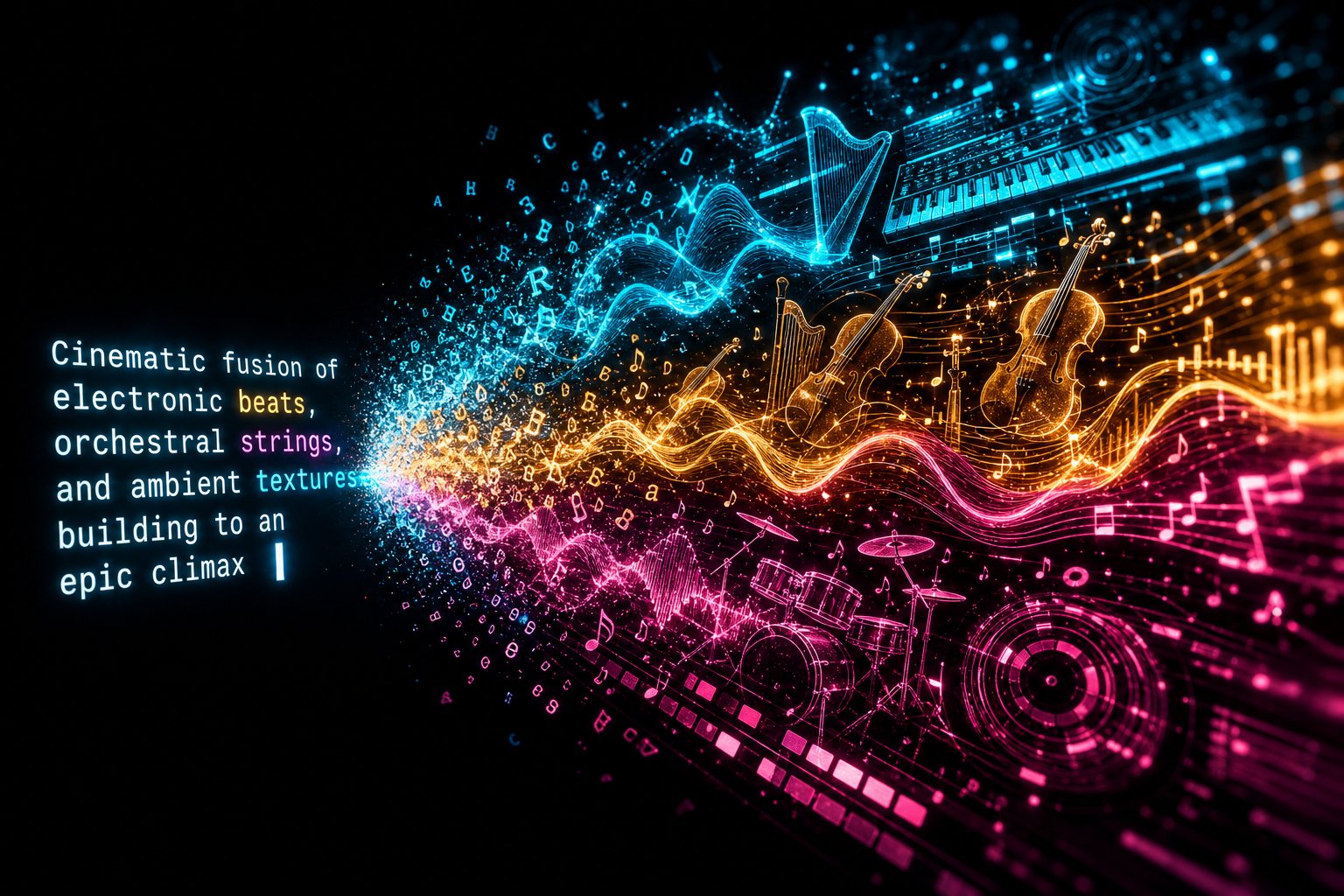
You've chosen your tools. You understand how AI turns text into sound. But here's the uncomfortable truth: the quality of your output depends less on which platform you use and more on the words you type into it. Vague prompts produce vague music. A prompt like "make a chill beat" gives the AI almost no useful direction — it's the equivalent of telling a session musician "play something nice" and hoping for a masterpiece. AI music tools generate millions of tracks every month, yet a large share of outputs fall short of professional quality because creators underestimate how much structured direction the model actually needs.
Prompt engineering is the skill that separates someone casually experimenting with AI music from an artist producing consistently compelling work. Learning how to write prompts for AI music generation is, for Curators especially, the single most important creative skill you'll develop. Even Collaborators and Augmenters benefit enormously — better prompts mean better raw material to work with.
The Anatomy of a Great AI Music Prompt
Think of an AI music prompt as a creative blueprint. Every effective prompt contains a set of core descriptors that reduce randomness and guide the model toward your vision. The sweet spot, based on community analysis across popular platforms, is four to seven descriptors. Fewer than four produces generic, unpredictable output. More than seven tends to dilute the signal and confuse the model.
Here's the critical detail most beginners miss: AI models weight early tokens more heavily. The first five to ten words of your prompt disproportionately influence the generation's direction. If you start with "upbeat electronic festival anthem," the model locks into that structure before it even processes your instrumentation details. Start with "a soft piano melody," and the harmonic and rhythmic direction shifts immediately. Word order isn't just a stylistic preference — it's a technical lever.
Use this layered framework to build prompts that consistently deliver strong results:
- Set the genre and era — Place this first. "Lo-fi hip-hop" and "1980s synthwave" each anchor the model to a specific rhythmic structure, instrumentation palette, and production aesthetic. Adding a decade or subgenre dramatically sharpens the output. "Rock" is vague. "2000s garage rock revival" is precise.
- Define the mood and emotion — This shapes harmonic direction and melodic phrasing. Use evocative words: melancholic, triumphant, tense, nostalgic, euphoric. AI models respond more reliably to emotional descriptors than to raw music theory terms, so "bittersweet and introspective" often works better than "A minor, 4/4 time" for newer creators.
- Specify instrumentation — Be as detailed as possible. "Piano" is generic. "Dusty Rhodes electric piano" gives the model a clear sonic target. "Drums" is ambiguous. "Brushed snare with light swing" is actionable. Mention dominant instruments first, then supporting elements — the model prioritizes what it encounters early.
- Lock the tempo — Specifying BPM anchors the rhythmic grid. Without it, the AI estimates speed based on genre probability, which often leads to an unstable groove or unintended pacing. General ranges to keep in mind: slow is 60 to 90 BPM, medium is 90 to 120, and fast is 120 to 180.
- Describe the vocal style — If your track includes vocals, define them clearly: gender, tone, delivery style. "Breathy female soprano" produces vastly different results than "aggressive male rap flow." If you want an instrumental, state that explicitly — "instrumental only, no vocals" — because some models add vocals by default.
- Map the arrangement — Structure matters more than most beginners realize. Tell the model how the song should unfold: "8-bar intro, 16-bar verse, 8-bar chorus" or "slow build to climax at 60 seconds, resolved ending." Bar-based instructions consistently improve the professional feel of outputs.
- Set the production style — This final layer describes the sonic texture you want: warm analog saturation, clean digital mastering, wide stereo image, heavy sidechain compression, tape hiss. Production descriptors act as the finishing touch that separates a demo-sounding output from a release-ready track.
Putting it all together, a professional-grade prompt might read: "Melancholic lo-fi hip-hop at 78 BPM in A minor, dusty swing drums with vinyl crackle, Rhodes piano chords, warm sub bassline, seamless 16-bar loop, soft analog saturation." Compare that to "make a chill lo-fi beat" and you'll understand why specificity transforms output quality.
Advanced Prompt Techniques for Consistent Output
Once you're comfortable with the layered framework, these advanced AI music prompt techniques will push your results from good to genuinely distinctive.
Negative prompting tells the AI what to avoid. This is surprisingly powerful. If your atmospheric track keeps getting cluttered with unexpected vocal textures, adding "no vocals, avoid bright sounds, no fast tempos" acts as a filter. Think of negative prompts as guardrails — they don't steer the car, but they keep you from veering off the road. Common negative prompts include "no autotune," "avoid acoustic instruments," or "no major keys."
Reference-stacking combines multiple genre or era references to create a hybrid sound the AI wouldn't generate from a single descriptor. Instead of "electronic music," try something like "style combining Daft Punk's filtered disco with The Midnight's emotional synths and Kavinsky's darkness." Each reference constrains the output in a different dimension, and the intersection of those constraints produces something genuinely unique. This technique, documented across creator communities, is one of the fastest ways to develop a signature sound that doesn't already exist in the AI's training data.
Iterative refinement is where amateur experimentation transforms into professional practice. Generate a track, listen critically, and identify what worked and what didn't. Then modify your prompt based on those observations and generate again. Did the drums feel too heavy? Specify "light, minimal percussion" in the next round. Was the build too abrupt? Add "gradual crescendo over 16 bars." Community experience suggests it often takes three to six generations per track to land on something that truly matches your vision. That's not failure — that's the creative process.
Here's something most AI music prompt engineering tips overlook: your prompts aren't just instructions. They're the raw material of your creative identity. Over time, the patterns you gravitate toward — the moods you choose, the instrumentation you favor, the production textures you return to — these choices accumulate into a recognizable artistic fingerprint. The Curator who consistently crafts prompts around "warm analog, nostalgic, minor key, muted percussion" is already building a brand, whether they realize it or not.
That's why building a prompt library for AI music artists is one of the highest-leverage habits you can develop. Every time a prompt produces a result that genuinely excites you, save it. Document the exact wording, note the platform and model version, record the date, and tag what worked well and what you'd tweak next time. Over weeks and months, this library becomes your most valuable creative asset — a curated collection of proven blueprints that you can remix, combine, and evolve. It also protects you legally, as prompt authorship records can support copyright claims for AI-generated works if human creative contribution comes into question.
A simple spreadsheet works perfectly for this. Columns for prompt text, platform, date, genre tags, quality rating, and notes on what made the output stand out. Some creators organize prompts by mood or use case — "high-energy workout tracks," "cinematic trailer cues," "late-night ambient" — so they can quickly pull the right blueprint when a creative session begins.
Prompt engineering is a skill that compounds. Your hundredth prompt will be dramatically more effective than your tenth, not because you've memorized a formula, but because you've developed an intuitive feel for how language maps to sound. That intuition — that refined creative judgment — is exactly what transforms a collection of AI-generated tracks into a body of work that sounds unmistakably yours.
Step 5 — Create Your First AI Generated Songs and Develop Your Sound
A strong prompt library gives you the ability to generate compelling music on demand. But generating great individual tracks and building a recognizable artistic identity are two very different things. Picture two photographers with the same camera: one shoots thousands of random subjects and posts everything, while the other develops a consistent visual style — similar color grading, recurring themes, a specific emotional tone — that makes their work instantly recognizable in a crowded feed. The second photographer isn't necessarily more skilled. They're more intentional. That same shift from random outputs to intentional artistry is what separates hobbyist AI music experimenters from artists people actually follow.
Your prompt engineering skills are the engine. Curation, sonic identity, and project-level thinking are the steering wheel.
From Random Outputs to Intentional Artistry
Early in your journey, experimentation should feel loose and playful. You're learning how different platforms respond to your language, discovering which genres excite you, and building that intuitive feel for how prompts map to sound. That exploratory phase is essential — but it has a shelf life. At some point, you need to shift from "let's see what happens" to "here's what I'm building."
The difference is structure. Instead of opening your AI music tool whenever inspiration strikes and generating one track at a time, adopt a batch-and-curate workflow. This approach mirrors how professional music producers, photographers, and even writers work: create in volume, then select with precision.
Here's a practical framework for running a structured AI music creation session:
- Set a creative intention before you generate anything. Decide on a genre, mood, or thematic direction for the session. "Ethereal ambient with warm textures" is a session intention. "Make some music" is not. Your intention doesn't need to be rigid — it just needs to be specific enough to keep your outputs in the same sonic neighborhood.
- Generate a batch of 10 to 15 tracks in a single sitting. Use variations of the same core prompt, tweaking one or two elements each time — swap an instrument, shift the tempo by 10 BPM, change the vocal delivery style. Tools like MakeBestMusic's AI Music Generator are especially useful here because their speed lets you move through prompt iterations rapidly without losing creative momentum.
- Listen to everything without judgment on the first pass. Resist the urge to delete or favorite immediately. Let each track play fully. Take quick notes — even single words like "groove," "muddy," "vocals strong," or "intro too long" — but don't make final decisions yet.
- Curate ruthlessly on the second pass. Go back through your batch and separate tracks into three categories: yes (strong enough to develop further), maybe (interesting elements but not fully there), and no (delete without guilt). Most professional creators keep only 15 to 25 percent of what they generate. That ratio isn't a sign of failure — it's a sign of taste.
- Identify patterns in your "yes" pile. What do your strongest outputs have in common? Similar tempo ranges? A particular vocal texture? A recurring instrumental combination? These patterns are the raw material of your sonic fingerprint. Write them down and feed them back into your prompt library as proven elements.
- Refine and re-generate based on those patterns. Take the prompts that produced your best results and push them further. Add more specificity. Combine elements from two strong outputs into a single new prompt. This iterative loop — generate, curate, identify patterns, refine — is the engine that drives your sound from generic to distinctive.
This workflow turns every session into a feedback loop. Each round of generation teaches you something about your own preferences, and each round of curation sharpens the creative judgment that makes your work uniquely yours.
Building Your Sonic Fingerprint Through Curation
Here's a truth that surprises many people learning how to develop a sonic identity with AI music: curation is the artistry. When you generate 15 tracks and select the three that best express your vision, those selection decisions are creative acts. The judgment to say "this one captures exactly the emotion I want" and "this one is technically impressive but doesn't feel like me" — that's your artistic voice speaking. It's the same creative instinct that drives a DJ building a set, a gallery owner hanging a show, or a film editor choosing which take to use.
Authenticity in AI music doesn't come from whether a human hand physically played every note. It comes from the intentionality behind every creative decision — what to include, what to discard, how to modify, and where each piece fits within a larger body of work. Artists who maintain their unique sound signature with AI tools do so by developing consistent approaches to selection, processing, and integration across everything they release. Your repeated creative choices — favoring certain frequency ranges, gravitating toward specific emotional textures, layering AI elements in particular ways — become your artistic fingerprint over time.
This is also where your archetype shapes the process. A Curator's fingerprint lives almost entirely in prompt patterns and selection judgment. A Collaborator adds another layer by processing AI outputs through personal effects chains, recording original vocals, or rearranging AI-generated stems to match their instincts. An Augmenter's fingerprint was already established — AI simply accelerates their existing creative identity. Regardless of archetype, the principle is the same: consistency of creative intent produces a recognizable sound.
The real power of this approach becomes clear when you stop thinking in terms of individual singles and start building toward a cohesive project. An EP or album concept gives your creative sessions direction and purpose that isolated tracks never can. Consider how AI agents can help structure album concepts — defining thematic arcs, emotional progressions across tracks, and cohesive production philosophies that tie a project together. You don't need an AI agent to do this, but the principle matters: your release should feel like a unified statement, not a playlist of unrelated experiments.
Start simple. Choose a theme, mood, or narrative thread — "songs for 3 AM drives," "the five stages of letting go," "ambient soundscapes inspired by coastal landscapes." Use that concept to constrain your prompt variations. When every track in a batch is aimed at the same emotional target, the curation process becomes about finding the five or six outputs that best express that specific vision. The result is a project that holds together, tells a story, and gives listeners a reason to engage with your full body of work rather than streaming a single track and moving on.
Building a cohesive AI music project also forces you to think about sequencing — how tracks flow into each other, where energy peaks and valleys fall, which song opens the experience and which one closes it. These are the same structural decisions that have defined great albums for decades. AI handles the sound generation. You handle the architecture of meaning.
As your sonic fingerprint sharpens and your first projects take shape, a critical question emerges — one that every AI music artist must answer before releasing anything publicly. Who actually owns this music, and what legal protections apply when the creator is human but the instrument is artificial intelligence?
Step 6 — Navigate Copyright and Legal Realities of AI Music
Your sonic identity is taking shape, your first projects are coming together, and you're ready to share your music with the world. But before you upload anything to a streaming platform or pitch a track for licensing, you need to answer the question that trips up more AI music creators than any technical challenge: who actually owns what you've made?
The honest answer is complicated — and anyone who tells you otherwise is either uninformed or selling something. AI generated music copyright law is still being written in real time, with court rulings, government reports, and platform policies shifting the ground beneath creators' feet. Understanding the current landscape won't eliminate uncertainty, but it will help you make informed decisions and protect yourself as the rules continue to evolve.
Can You Copyright AI-Generated Music
The short answer: it depends on how much human creativity you contributed. The U.S. Copyright Office released its definitive Part 2 report on AI copyrightability in January 2025, and the guidance is unambiguous — 100 percent AI-generated content cannot receive copyright protection and falls into the public domain. The office stated that "the outputs of generative AI can be protected by copyright only where a human author has determined sufficient expressive elements."
What does "sufficient expressive elements" actually mean for you? Writing a text prompt alone — even a detailed, carefully crafted one — does not constitute authorship under current law. The landmark Thaler v. Perlmutter case established definitively that copyright protection is reserved for works of human creation. If you type a prompt and publish exactly what the AI generates, you likely have no copyright claim over that output in the United States.
Here's where it gets more nuanced. If you write your own lyrics, record original vocals, substantially rearrange AI-generated stems, or make meaningful creative modifications to the output, those human contributions can qualify for protection. Legal analysis from Rimon Law confirms that an artist who uses AI to assist and enhance their own creativity is unlikely to forfeit copyright protection — as long as they avoid allowing the AI to make expressive choices for them. The more human involvement, the stronger your legal position.
Outside the U.S., the picture varies. The UK's Copyright, Designs and Patents Act 1988 includes a provision for "computer-generated works" under Section 9(3), but the UK government recently scrapped plans that would have allowed AI companies to train models on copyrighted material without permission — a move backed by over 95 percent of consultation respondents. The regulatory direction across jurisdictions is trending toward tighter controls on AI training data, which could reshape AI music ownership and licensing rules in ways that affect every creator on every platform.
One critical distinction that many creators miss: ownership and copyright are not the same thing. Platforms like Suno offer "ownership" of generated tracks to paid subscribers, but their own documentation admits this may not include copyright protection. Suno's terms of service explicitly state: "Due to the nature of machine learning, Suno makes no representation or warranty to you that any copyright will vest in any Output." You might own the file. You might not own the legal rights to defend it.
Performing Rights Organizations and AI Music
Performing rights organizations (PROs) like ASCAP, BMI, and SESAC collect royalties when music is publicly performed — on streaming platforms, in TV shows, at live venues, and across radio broadcasts. They're a cornerstone of how musicians earn income from their work. But their infrastructure was designed around a clear premise: a human composed the music.
For AI music artists, the relationship with PROs is evolving. If your work includes substantial human creative contribution — original lyrics, performed vocals, significant arrangement work — registering with a PRO may still be viable and worthwhile. The human-authored portions of a hybrid AI-human work can potentially qualify for performance royalty collection, even if the AI-generated instrumental backing cannot.
Why does this matter even if full copyright protection remains unsettled? Because PRO registration creates a documented record of your claim to the work. It establishes you within the music industry's existing infrastructure. And if legal frameworks eventually expand to cover AI-assisted works more clearly, creators who positioned themselves within the system early will be better situated to benefit. Understanding copyright infrastructure isn't just about today's rules — it's about being ready when those rules change.
Protecting Yourself as an AI Music Creator
Legal uncertainty doesn't mean legal helplessness. There are concrete steps every AI music artist should take before distributing music — practical habits that strengthen your position regardless of how the law evolves.
- Read the terms of service for every platform you use. Each AI music generator has different rules about what you own, whether you can use outputs commercially, and what happens to your rights if you cancel your subscription. Some platforms retain broad licenses over generated content. Others grant commercial rights only to paid users. These details directly affect your legal rights as an AI music artist.
- Document your entire creative process. Save your prompts, record your creative decisions, keep timestamped notes on what you modified, added, or rejected. If you ever need to defend your authorship, this documentation is your strongest evidence of human creative contribution.
- Add meaningful human elements to your work. Write your own lyrics. Record live vocals or instruments. Make substantial arrangement changes to AI-generated stems. Every layer of genuine human creativity you add strengthens your copyright position and differentiates your work from purely machine-generated output.
- Avoid prompts that reference specific artists or songs by name. "In the style of Drake" or "sounds like Taylor Swift" is a legal minefield. Major labels have filed lawsuits seeking damages up to $150,000 per infringed track, and the RIAA has described AI music platforms' use of copyrighted training data as "mass infringement on an almost unimaginable scale."
- Consider publishing administration services. Companies that handle publishing administration can manage rights registration, royalty collection, and licensing on your behalf. For AI music artists producing at volume, these services simplify the complex task of tracking where your music is used and ensuring you're compensated — especially for sync placements and commercial licensing deals where documentation of rights is mandatory.
- Stay current with platform policy changes. Streaming platforms are actively updating their AI content policies. YouTube updated its policies to limit reach and monetization for music without "clear human input." Spotify removed tens of millions of AI-generated spam tracks. Deezer has reported receiving over 30,000 fully AI-generated tracks daily. The platforms are establishing their own standards — and those standards will directly affect your distribution strategy.
The litigation landscape reinforces why this all matters. All three major labels — Universal, Sony, and Warner — have pursued landmark lawsuits against AI music platforms through the RIAA. Some settlements have already been reached, with labels pivoting toward licensing agreements with AI companies willing to operate within legal boundaries. UMG, Concord, and ABKCO have filed a $3 billion lawsuit that could become the single largest non-class action copyright case in U.S. history. These aren't abstract legal debates — they're reshaping the entire foundation of AI music creation.
The takeaway isn't to be paralyzed by legal fear. It's to be strategically prepared. The creators who document their process, add genuine human creativity, understand their platform's terms, and stay informed about evolving regulations are the ones who'll build sustainable careers — regardless of which direction the legal winds blow. Copyright law will catch up to the technology eventually. Your job is to create responsibly and position yourself well while it does.
With your legal foundation in place, the practical question shifts from what you're allowed to release to how you actually get your music in front of listeners — and that starts with understanding distribution, platform requirements, and the community that can accelerate your growth.
Step 7 — Distribute Your AI Music and Build Your Audience
Legal foundations protect your work. Distribution puts it in front of people who actually want to hear it. And the gap between "finished track on your hard drive" and "song streaming on Spotify" is smaller than most new creators expect — but it does involve specific steps, disclosure requirements, and strategic decisions that can make or break your first release.
Digital distribution for AI music works through the same infrastructure that every independent artist uses. You upload your mastered tracks to a distributor (also called an aggregator), and that distributor delivers your music to streaming platforms like Spotify, Apple Music, Amazon Music, YouTube Music, and dozens of others. The distributor handles the technical delivery, metadata formatting, and royalty collection. You handle the creative decisions and compliance requirements that come with releasing AI-generated content.
Getting Your AI Music on Streaming Platforms
Before you rush to upload, you need a few things in order. Think of this as your pre-flight checklist — skipping a step here can mean rejected uploads, delayed releases, or policy violations that follow your account long after the excitement of your first release fades.
- Master your audio to release-ready standards. Streaming platforms expect professional-quality files. You'll need 16-bit WAV files at 44.1 kHz for distribution, and optionally 24-bit WAV or FLAC for audiophile listeners. Even if your AI tool outputs polished audio, running tracks through a dedicated mastering step — whether AI-assisted or manual — ensures consistent loudness, clarity, and frequency balance across your entire release.
- Prepare your metadata carefully. This includes your artist name, track titles, album name, genre tags, mood descriptors, BPM, key, and songwriter credits. Accurate metadata directly affects discoverability — streaming algorithms use this information to surface your music to the right listeners. Resist the temptation to tag trendy genres that don't match your sound. Recommendation engines reward accuracy, and misleading metadata can actively hurt your algorithmic performance by delivering your tracks to audiences who won't engage.
- Create professional cover art. Every release needs a square image, ideally at least 3000 x 3000 pixels in JPG or PNG format. This is the first visual impression listeners get on any streaming platform. AI image generators like Midjourney or DALL-E can produce compelling artwork, and tools like Canva work well for adding text overlays. Make each release's artwork unique — reusing the same image across multiple releases is frowned upon and can trigger removal.
- Choose a distributor that accepts AI-generated music. Not all aggregators treat AI content the same way. DistroKid is the most popular choice among AI musicians thanks to its unlimited upload model at an annual fee starting around $22.99 — ideal if you're producing at volume. TuneCore charges per release ($9.99+ for a single), which makes more sense for fewer, polished projects but adds up quickly for prolific creators. CD Baby offers one-time per-release pricing with sync licensing opportunities, and Amuse provides a free tier with a revenue split for beginners testing the waters.
- Disclose AI content during upload. This is non-negotiable. Spotify requires disclosure of AI-generated content through your distributor — the metadata is flagged internally, enabling Spotify to track and manage AI releases. Failure to disclose risks track removal, catalog review, distributor account issues, and potential platform bans. Apple Music follows similar expectations through distributors. Even when a platform doesn't explicitly mandate disclosure, doing so proactively protects you against policy changes and builds trust with listeners.
- Set a realistic release date. Give yourself enough lead time for promotion and playlist pitching. Spotify's editorial playlist pitching tool requires delivery more than a week before release. Two to three weeks of lead time lets you build anticipation, create supporting content, and avoid last-minute panic.
- Submit and monitor. After uploading, track your release through your distributor's dashboard. Confirm it appears correctly on each platform, verify your metadata displays accurately, and check that your artist profiles are linked properly so streams accumulate under one identity.
One strategic consideration worth highlighting: SoundCloud operates as the most AI-friendly major platform because it allows direct uploads without a distributor, has no specific AI disclosure requirement, and hosts active AI music communities. Many creators use a SoundCloud-first strategy — uploading new tracks directly to test reception and build community, then distributing their strongest material to Spotify and Apple Music through an aggregator. This lets you experiment freely without committing every track to a formal release pipeline.
Building an Audience Beyond Streams
Here's the reality most new creators don't want to hear: uploading music to streaming platforms and waiting for listeners to find you is not a strategy. Per-stream rates hover around $0.003 to $0.005, which means even a thousand streams might earn you a few dollars. The real value of streaming is visibility and credibility — proof that your music exists in the ecosystem. Actual audience growth happens through community engagement, social presence, and direct connection with listeners who care about what you're building.
AI music communities are some of the most active and supportive spaces in independent music right now. Discord servers have emerged as natural hubs — creators share new tracks, exchange prompt techniques, collaborate on projects, and provide honest feedback in real time. Dedicated AI music subreddits, Twitter/X communities, and YouTube channels focused on AI music creation offer additional layers of connection and learning. These aren't just networking opportunities. They're feedback loops that directly improve your creative output. When someone in a Discord channel tells you your mix sounds muddy or your arrangement loses energy in the bridge, that's actionable intelligence you can apply to your next session.
Social media amplifies everything. Short-form video platforms like TikTok and Instagram Reels are especially powerful for AI music artists because behind-the-scenes creation content — showing the prompt, the generation process, the curation decisions — performs well with audiences curious about AI creativity. A 30-second clip of you typing a prompt, hearing the result, and reacting honestly can generate more engagement than the finished song alone. YouTube works for longer-form content: tutorials, process breakdowns, album commentary, and creative experiments that showcase your evolving skill set.
Playlist strategy deserves attention too. Algorithmic playlists on Spotify — Discover Weekly, Release Radar — rely on listener behavior data, which means your early streams and saves from genuine fans directly influence whether the algorithm picks up your music. Editorial playlists require pitching through Spotify for Artists before your release date. User-curated playlists are accessible through direct outreach — find playlist curators in your genre, listen to their existing selections to ensure your sound fits, and send a brief, respectful pitch with a direct link to your track. Volume helps here: the more quality releases you have, the more playlist opportunities open up.
Building an audience as an AI music creator ultimately comes down to the same principle that drives every creative career: show up consistently, create work worth sharing, and engage genuinely with the people who respond to it. The distribution infrastructure gets your music onto platforms. Community and content strategy get it into ears. Together, they create the foundation for something that matters far more than any single release — a sustainable path to real income from your art.
Step 8 — Monetize Your AI Music and Build a Lasting Career
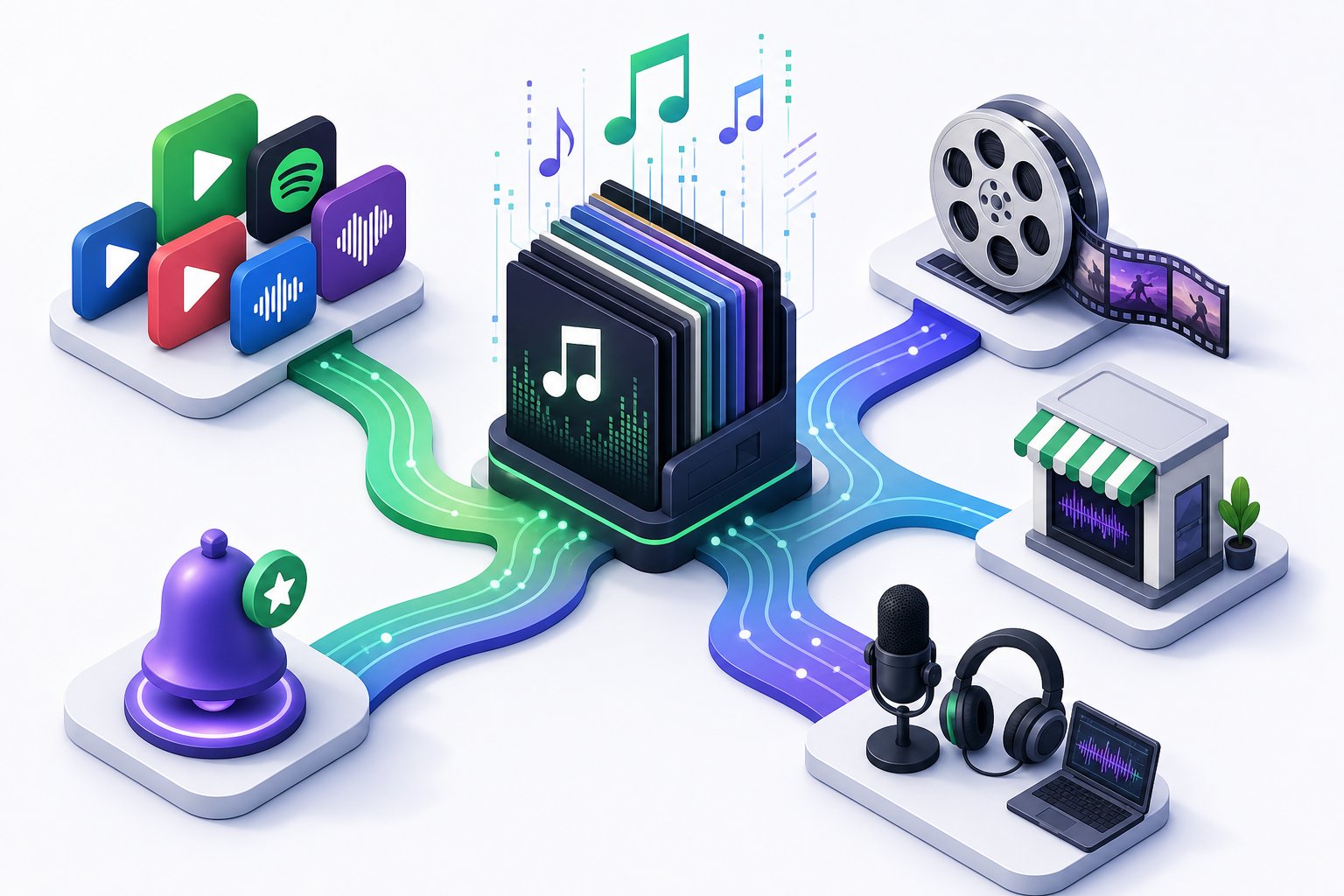
Distribution puts your music on platforms. Community engagement puts it into ears. But neither one deposits money into your bank account in a meaningful way unless you think strategically about revenue. Streaming alone won't sustain a career — not at $0.003 to $0.005 per play. The AI music artists earning real income are the ones who treat their catalog as a versatile asset, channeling it into multiple revenue streams simultaneously rather than relying on a single source.
The good news? The same qualities that make AI music creation accessible — speed, volume, and low production costs — also make it uniquely well-suited for monetization models that reward consistency over virality. You don't need a hit song. You need a system.
Revenue Streams for AI Music Artists
Think of your music catalog the way a music publisher thinks about a library — not as isolated creative expressions, but as a portfolio of assets that can generate income across multiple channels at once. Each revenue stream has different barriers to entry, different timelines, and different growth ceilings. Understanding these differences helps you prioritize where to invest your energy first and where to expand as your catalog grows.
| Revenue Stream | Difficulty Level | Time to First Income | Scalability |
|---|---|---|---|
| Streaming Royalties (Spotify, Apple Music, etc.) | Low — upload through a distributor and earn per stream | 1 to 3 months after first release | High with volume — hundreds of tracks across niche playlists compound over time |
| Production Music Libraries | Low to moderate — submit tracks to platforms like Pond5, AudioJungle, or Motion Array | 1 to 6 months depending on library approval and buyer traffic | Very high — each track earns passively every time a buyer licenses it |
| Content Creator Licensing | Low to moderate — sell directly to YouTubers, podcasters, and social media creators | 2 to 4 weeks if you have an existing audience or marketplace presence | Moderate — scales with catalog size and creator network growth |
| Sync Licensing (Film, TV, Advertising) | Moderate to high — requires quality catalog, proper rights documentation, and industry connections | 3 to 12 months for a first placement | Very high — a single sync placement can pay more than thousands of streams |
| Selling Beats and Stems | Low to moderate — list on BeatStars, Airbit, or your own website | 2 to 8 weeks with active marketing | Moderate — each sale is a one-time transaction, but popular beats can sell repeatedly through non-exclusive licenses |
| Custom Commissions | Moderate — requires client acquisition and clear communication of capabilities | Immediate once you land a client | Limited by your time — income grows with pricing, not volume |
| Subscription and Sample Pack Sales | Moderate — requires audience building on Patreon, Gumroad, or similar platforms | 1 to 3 months to build a subscriber base | High — recurring revenue creates financial stability |
A few of these channels deserve closer attention because they're especially well-suited to AI music creators.
Sync licensing is the single most lucrative opportunity for most independent music creators — and AI music is rapidly gaining traction in this space. Sync refers to pairing music with visual media: TV shows, commercials, YouTube videos, indie films, video games, and corporate presentations. A single sync placement in a commercial or TV episode can generate more revenue than tens of thousands of streams. The advantage AI music artists bring to sync is speed and customization — you can generate tailored tracks that match a director's vision or a brand's mood in minutes rather than days. Sync platforms like Artlist, Epidemic Sound, and Musicbed are beginning to accept AI-created content, and having a well-organized catalog with clean metadata and proper rights documentation positions you to capitalize as these doors widen.
Production music libraries represent the volume play. Platforms like AudioJungle, Pond5, and Motion Array connect your music with video editors, advertisers, and content creators searching for specific moods, genres, and use cases. The key insight from creators already earning through this model is to think like a publisher, not a producer. Build large catalogs organized around search demand — sleep music, study beats, meditation ambience, corporate presentations, workout energy — and let the library do the selling while you focus on generating more tracks. Each upload becomes a passive income asset that can earn for years.
Content creator licensing meets a massive and growing need. YouTubers, podcasters, TikTok creators, and indie game developers all need affordable, original music that won't trigger copyright strikes. Selling directly — through your own website, a Gumroad storefront, or marketplaces — lets you set your own prices and build relationships with repeat buyers. Some AI music artists package this as sonic branding: creating intro themes, outro music, and recurring audio identity packages for brands and influencers at premium rates because you're solving a branding problem, not just filling a music gap.
Subscription models on platforms like Patreon or Ko-fi create the financial stability that one-time sales can't. Offer exclusive monthly track drops, behind-the-scenes prompt breakdowns, stem packs for remixing, or early access to sync-ready music. This approach builds community and recurring revenue simultaneously — two things that compound over time.
Consistency and volume are the AI music artist's greatest advantages. Traditional musicians might release one album every two years. You can build a catalog of hundreds of tracks in months. That volume, combined with strategic distribution across multiple revenue channels, is what turns creative output into reliable income.
Your First 90 Days as an AI Music Artist
Every step in this guide builds toward this moment — the point where knowledge becomes action. Here's a concrete 90-day plan to launch an AI music career, broken into weekly milestones you can follow starting today. You don't need to quit your day job. You don't need expensive equipment. You need a browser, creative curiosity, and the discipline to show up consistently.
Weeks 1-2: Foundation
- Choose your archetype (Curator, Collaborator, or Augmenter) based on your current skills and available time.
- Sign up for your primary AI music generation platform and run your first 20 to 30 prompt experiments. Don't aim for perfection — aim for understanding how the tool responds to your language.
- Start your prompt library spreadsheet. Save every prompt that produces something interesting, noting what worked and what didn't.
Weeks 3-4: Skill Building
- Apply the layered prompt framework — genre, mood, instrumentation, tempo, vocals, arrangement, production style — to every generation.
- Practice the batch-and-curate workflow: generate 10 to 15 tracks per session, curate ruthlessly, identify patterns in your strongest outputs.
- Join two to three AI music communities on Discord, Reddit, or Twitter/X. Listen to what other creators are making. Share your early work and absorb feedback.
Weeks 5-6: Identity Development
- Define a concept for your first EP or release project — a theme, mood, or narrative thread that ties your best tracks together.
- Refine your top five to seven tracks through iterative prompting and any post-production editing your archetype calls for.
- Create your artist identity: choose a name, design cover art, write a brief artist bio that honestly describes your creative approach.
Weeks 7-8: Legal and Distribution Setup
- Review the terms of service for every platform you've used. Document your creative process for your strongest tracks.
- Choose a distributor (DistroKid for volume, TuneCore or CD Baby for fewer polished releases) and set up your account.
- Master your tracks to release-ready standards. Prepare metadata, cover art, and upload your first release with proper AI content disclosure.
Weeks 9-10: Launch and Promote
- Release your first project. Share it across every community you've joined. Post behind-the-scenes creation content on social media.
- Pitch to playlist curators in your genre. Submit through Spotify for Artists for editorial playlist consideration on future releases.
- Upload tracks to SoundCloud for direct community feedback and wider experimentation.
Weeks 11-12: Monetization Foundations
- Submit your catalog to one or two production music libraries (Pond5, AudioJungle, or similar).
- Set up a Gumroad or Patreon page offering beats, stems, or licensing packages.
- Begin researching sync licensing opportunities — identify sync libraries accepting submissions and prepare a portfolio of your most versatile, mood-driven tracks.
- Analyze your first release's performance: streams, saves, playlist adds, community response. Use this data to refine your creative and distribution strategy for release two.
Twelve weeks won't make you wealthy. But twelve weeks of focused, consistent execution will give you something most aspiring creators never achieve: a released body of work, an established presence across platforms and communities, and active revenue channels that grow with every track you add. Your first hundred listeners matter more than you think — they validate your creative direction and signal to algorithms that your music deserves wider distribution.
The barrier to entry for making and releasing music has never been lower. AI handles the production complexity that used to require years of training and thousands of dollars in equipment. What it cannot replace — and what ultimately determines whether you build a lasting career or just another forgotten catalog — is your creative vision, your curation taste, and your willingness to keep showing up. The technology will continue evolving. New platforms will emerge, old ones will transform, and legal frameworks will eventually catch up. Through all of that change, the artists who thrive will be the ones who treated AI as an instrument from the beginning — not a lottery ticket, but a tool in the hands of someone with something worth saying.
