


Why Detecting AI Music Is Now Essential for Everyone
Imagine scrolling through a playlist and wondering, "is this song ai?" Or worse, imagine uploading your own track only to have it flagged as machine-generated. Both scenarios are happening right now, and they're happening at a scale few predicted even a year ago.
AI music generators like Suno and Udio have made it possible for anyone to produce full-length songs with nothing more than a text prompt. No instruments, no studio time, no years of practice. The output can sound polished, emotionally resonant, and eerily convincing. That accessibility has triggered an explosion of synthetic content across every major streaming platform. Deezer reported receiving nearly 75,000 AI-generated tracks per day, meaning synthetic music now accounts for over 44% of all new uploads to the platform. That's over 2 million AI tracks per month from a single service.
The debate around udio vs suno and which generator produces more convincing output only intensifies the problem. As these tools improve and compete, the line between human-made and machine-made music blurs further for casual listeners and industry gatekeepers alike.
Why AI Music Detection Matters for Listeners and Creators
For listeners, curators, and playlist editors, the challenge is straightforward: you want to check music to see if its ai generated or not before promoting it, adding it to editorial playlists, or paying royalties on it. Platforms are already acting on this. Spotify has removed over 75 million spammy tracks in a single year and rolled out new spam filters targeting mass-uploaded AI content. Apple Music now requires labels and distributors to declare AI-generated material at the point of delivery. Deezer has gone further, building proprietary AI music detectors that identify synthetic tracks at the platform level and removing them from algorithmic recommendations entirely.
For creators, the stakes cut differently. If you produce electronic music, use virtual instruments, or rely heavily on pitch correction, your human-made work could trigger the same detection systems designed to catch AI. A false positive can mean lost playlist placements, frozen royalties, or awkward conversations with labels and distributors. Knowing how to tell if music is ai generated is no longer optional knowledge for working musicians.
AI music detection is a two-sided problem: listeners need reliable ways to spot synthetic tracks they encounter, while creators need to prove their own music is genuinely human-made when algorithms say otherwise.
Who Needs to Detect AI Music and When
Several groups face this question daily. Playlist curators screen submissions to keep editorial integrity intact. Record companies accepting demos need confidence that what they're evaluating came from a real artist. Sync licensing teams can't afford to place an AI track in a commercial without proper clearance. And independent musicians uploading to distributors want assurance their work won't get caught in automated filters.
This guide walks you through a layered detection methodology, from quick listening checks you can do in seconds to technical stem analysis that exposes artifacts hidden in a full mix. No single method is foolproof, but combining multiple approaches gives you a reliable framework for answering the question confidently, whether you're vetting someone else's music or defending your own.
Step 1: Listen for Audio Artifacts That Betray AI Generation
Your ears are your first line of defense. Before running any tool or checking metadata, a focused 30-second listen can reveal patterns that AI generators still struggle to hide. Trained listeners can identify AI-generated music roughly 65-70% of the time, and that number goes up significantly once you know exactly what to listen for.
Here's how to spot ai music using nothing but careful attention and a decent pair of headphones.
Vocal Synthesis Artifacts and Unnatural Timbre
Vocals remain the biggest giveaway. To understand why, it helps to define timbre in music: timbre is the unique tonal quality that distinguishes one voice or instrument from another, even when they play the same note at the same volume. Human vocal timbre is shaped by physical anatomy, breath control, emotional state, and years of muscle memory. AI can approximate this, but the fine details often fall apart.
When you're trying to tell if a voice is ai generated, focus on these specific vocal tells:
- Consonant smearing — Hard consonants like "s," "t," and "p" often sound mushy or over-processed in AI output. The vocalist sounds crystal clear on vowels but blurry on plosives and sibilants.
- Mechanical breath spacing — Human singers breathe in patterns shaped by lung capacity and phrasing choices. AI vocals either skip breaths entirely or insert them at unnaturally even intervals, like a metronome rather than a living body.
- Vowel inconsistencies — Listen for moments where the vocal tone shifts abruptly between syllables, as if two different voices were spliced together at the phoneme level.
- Sustained note instability — AI struggles with long held notes. You'll hear subtle pitch wobbling or a static, lifeless quality where a human singer would add vibrato or dynamic variation naturally.
- Sterile spatial quality — Real vocals carry the subtle imprint of a physical recording space. AI vocals tend to sound like they exist in a vacuum, with reverb that feels applied rather than captured.
- Formant-shifting errors — These create moments where the voice sounds unnaturally processed, producing a fleeting "chipmunk" quality or an uncanny tonal shift that destroys vocal authenticity.
During the first 30 seconds of a suspect track, pay closest attention to the opening vocal phrase. AI generators often produce their most convincing output in simple, sustained passages. The artifacts emerge when things get complex: fast lyrical passages, emotional dynamic shifts, or transitions between chest voice and head voice.
Timing Perfection and Structural Repetition
Human musicians don't play perfectly on the grid. Even highly skilled performers introduce micro-timing variations, subtle pushes and pulls against the beat that create groove and feel. AI-generated tracks tend to land in one of two uncanny zones: either everything is quantized to robotic precision, or the timing deviations feel random rather than musically intentional.
Structural repetition is another strong signal. Human arrangers naturally vary instrumentation between sections. A second verse might introduce a new harmony, swap an acoustic guitar for electric, or shift the drum pattern. AI models tend to lock into a single arrangement palette and repeat it with minimal evolution. If verse two sounds nearly identical to verse one instrumentally, with no genuine musical development, that's worth flagging.
Abrupt transitions between sections are also telling. Where a human producer would use fills, risers, or subtle dynamic shifts to connect a verse to a chorus, AI often cuts between sections as if splicing separate generated clips together.
Frequency and Spectral Red Flags
Some artifacts aren't obvious to casual listening but become apparent when you train your ears on the high-frequency range. AI generation platforms leave identifiable marks in their output above 8kHz. Suno produces digital haze in the 8-16kHz range, while Udio's transformer-based generation creates periodic patterns in the spectral envelope that sound like an artificially uniform sheen over the mix.
You might not consciously identify these as "spectral anomalies," but you'll notice the track sounds oddly flat or hyper-polished in ways that real recordings rarely achieve. Every element sits at the same perceptual distance from the listener, with no sense of depth or spatial hierarchy. Think of it as a song that sounds technically clean but emotionally empty, like a photograph with perfect exposure but no soul.
Any dedicated ai voice detector tool can visualize these frequency patterns, but even without one, training your ears to notice that sterile high-end quality is a practical first step. The key habit: listen critically to the first 30 seconds, focus on the vocals and transitions, and trust the feeling that something sounds "off" even before you can name exactly what it is.
Of course, ears alone have limits. Udio's latest output has fooled 70% of listeners in blind tests. When a track passes the listening test but still raises suspicion, the context around the artist and release patterns often tells a different story.
Step 2: Check Behavioral and Contextual Red Flags Around the Artist
A convincing mix can fool your ears. But the profile behind the music? That's much harder to fake convincingly. AI artists music flooding streaming platforms follows predictable behavioral patterns that curators, playlist editors, and platforms like SubmitHub have documented at scale. These contextual signals often reveal what audio analysis alone cannot.
Think of it like this: a counterfeiter might produce a convincing bill, but if they walk into a bank carrying ten thousand of them in a garbage bag, something's clearly wrong. The same logic applies to ai generated bands and synthetic artist profiles.
Release Patterns and Artist Profile Red Flags
The single most reliable non-audio signal is release velocity. Humans need time to write, record, mix, and master music. AI needs seconds. When an artist drops dozens of tracks per week or accumulates hundreds of songs within a few months, that's a pattern no human workflow can sustain.
Real cases illustrate the scale. The profile "Sienna Rose" uploaded over 45 songs in just eight weeks. Another entity, Aventhis, released three albums totaling 57 tracks in four months. The North Carolina fraud case of Michael Smith involved hundreds of thousands of AI-generated songs uploaded to extract over $10 million in fraudulent royalties. These aren't outliers. They represent the operating model for AI-driven streaming fraud.
Album artwork adds another layer. Stream farmers automate packaging alongside audio, using image generators that produce covers with telltale visual artifacts: gibberish text, melting objects, anatomically impossible instruments, or hands with six fingers. Independent musicians rarely release work with this aesthetic.
Social Proof and Performance History Checks
Real artists exist beyond streaming platforms. They have Instagram accounts with behind-the-scenes content, tour dates, fan interactions, and years of gradual audience growth. AI profiles are digital ghosts.
Click through to the artist's bio. A blank profile or one filled with hollow phrases like "connecting the world through music" reads like a ChatGPT hallucination rather than something a working musician would write. Search for the artist outside Spotify or Apple Music. No live performance history, no interviews, no social media engagement, and no presence on platforms like Bandcamp or SoundCloud? That absence speaks volumes.
Any decent artist scanner approach should include a quick Google search. If an artist with 50,000 monthly listeners has zero web presence outside their streaming profile, you're likely looking at a synthetic operation.
Metadata and Credit Anomalies
Spotify offers a built-in transparency tool most people overlook. Right-click any track on desktop, or tap the three dots on mobile, and select "Show Credits." Genuine music is collaborative. You'll see distinct names across the Written by, Produced by, and Performed by fields: songwriters, session musicians, mixing engineers, mastering houses.
AI slop exposes itself here. The metadata often lists a single name across every credit field, or attributes everything to an obscure, un-Googleable corporate alias. When stream farmers bulk-upload thousands of tracks, they rarely bother inventing realistic collaborator histories. A spotify song bot checker mentality starts with this simple credit inspection.
Here's a quick checklist of behavioral signals, ranked from most to least reliable:
- Release velocity — Dozens of tracks per week or hundreds within a few months is physically impossible for human creators.
- Credit metadata — A single name filling every credit field, or no credits at all, across a large catalog.
- Zero web presence — No social media, no live shows, no press, no history outside the streaming profile.
- Generic or AI-generated artwork — Visual artifacts, nonsensical text, or cookie-cutter stock imagery across every release.
- Formulaic bios — Empty profiles or vague, clearly auto-generated artist descriptions with no personal detail.
- Functional genre focus — Heavy concentration in lo-fi, sleep sounds, study beats, or ambient white noise, genres where listeners never actively evaluate the music.
- Track length clustering — Most songs sitting between 31 and 40 seconds, optimized to hit the minimum threshold for a paid stream rather than serving any musical purpose.
No single flag is definitive on its own. An independent artist might have a sparse online presence, or a prolific producer might legitimately release weekly. But when three or four of these signals stack up together, you're looking at a pattern that strongly suggests synthetic origin.
Behavioral signals give you context. They tell you where to aim your suspicion. But confirming that suspicion with hard data requires a different kind of tool, one that analyzes the audio itself at a level deeper than human ears can reach.
Step 3: Run Your Track Through AI Music Detection Tools
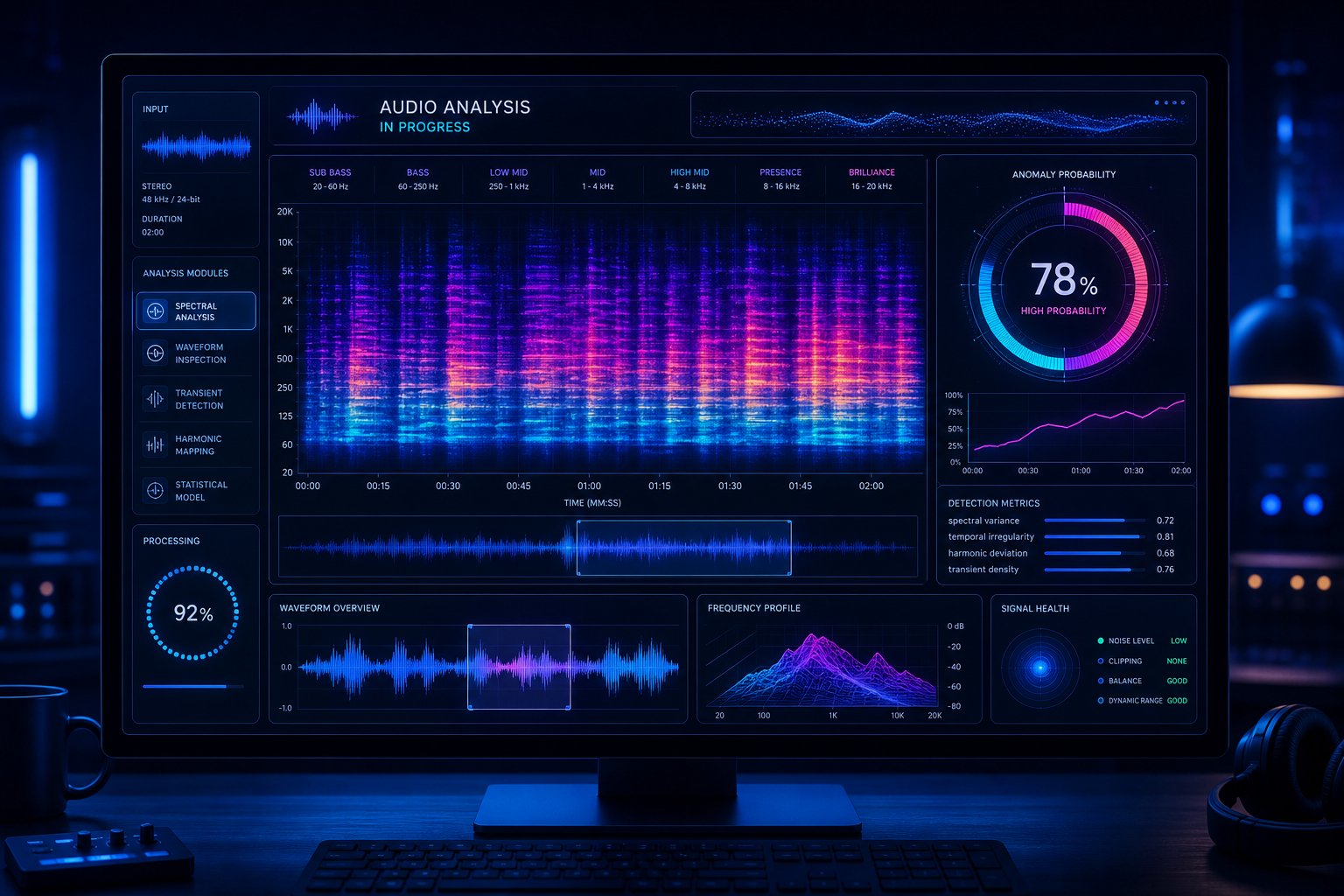
Behavioral red flags point you in a direction. Dedicated detection tools give you data. An ai music detector takes the guesswork out of audio analysis by applying machine learning models trained on thousands of known AI-generated tracks to produce a probability score. Think of it as a second opinion that works at a level of detail your ears simply can't match.
The catch? No ai song detector is infallible. Understanding what these tools actually measure, and where they break down, is the difference between using them wisely and trusting a flawed verdict.
Dedicated AI Music Detection Platforms
Several companies have launched specialized tools targeting this exact problem. The most established is the IRCAM Amplify AI music detector, a commercial system that reports 98% accuracy on AI-generated music and 95% accuracy on human-made tracks. It treats detection like a classification task similar to genre or instrument recognition, analyzing timbral and spectral characteristics to flag synthetic output.
Other players are entering the space quickly. Deezer deployed its own ai audio detector directly into its streaming pipeline, scanning new uploads before they reach listeners. Believe developed an in-house audio detector claiming 98% accuracy. The open-source SpecTTTra model, introduced by researchers at ICLR, takes a different approach by processing spectrograms through a transformer architecture that captures long-range temporal dependencies. For those searching for an ai music detector online free option, SpecTTTra's code is publicly available on GitHub, though running it requires technical setup.
How Detection Algorithms Actually Work
Sounds complex? The underlying methods are actually intuitive once you break them down. Most detectors combine several analytical approaches:
Spectral analysis examines the frequency distribution of a track over time. AI generators leave characteristic fingerprints in specific frequency bands. Research from KTH Royal Institute of Technology found that classifiers rely heavily on features in both the low-frequency range (below a few hundred Hz) and the high-frequency range (above 8kHz) to distinguish AI from human-made audio.
Mel-frequency cepstral coefficients (MFCCs) represent the short-term power spectrum of audio in a way that mirrors human hearing. The Mel scale applies linear spacing below 1000 Hz and logarithmic spacing above it, capturing how we actually perceive pitch differences. Detectors compare the MFCC patterns of a suspect track against known distributions from AI platforms like Suno and Udio, looking for statistical deviations that indicate synthetic generation.
Neural network classifiers trained on labeled datasets of AI and human music learn to identify patterns too complex for rule-based systems. These include CLAP (Contrastive Language-Audio Pretraining) embeddings fed into support vector machines or random forests, achieving F1 scores above 0.93 in controlled tests.
Audio fingerprinting compares spectral signatures against databases of known AI model outputs. Some generators embed inaudible watermarks that fingerprinting tools can detect, though this method depends on the watermark surviving any post-processing the creator applies.
| Method | What It Analyzes | Strengths | Limitations |
|---|---|---|---|
| Spectral Analysis | Frequency distribution and energy across bands | Catches high-frequency artifacts unique to specific AI pipelines | Easily disrupted by resampling or filtering the audio |
| MFCC Comparison | Short-term power spectrum mapped to human perception scale | Robust feature representation aligned with auditory perception | May flag heavily processed human music with similar spectral profiles |
| Neural Network Classifiers | Learned embeddings from large audio datasets | Captures complex, non-obvious patterns across time and frequency | Performance drops significantly on AI platforms not in training data |
| Audio Fingerprinting | Watermarks and spectral signatures matched to known models | Near-certain identification when watermark is present | Fails if watermark is removed or if the generator doesn't embed one |
Understanding Accuracy Limitations
Here's where honesty matters. Current AI detection tools achieve roughly 85-93% accuracy on professionally produced tracks under typical conditions. That sounds impressive until you consider scale. IRCAM Amplify's reported 4.7% false positive rate on human-made music means that across a catalog of 100 million tracks, nearly 5 million human songs could be incorrectly flagged as AI. That's a significant ethical problem.
Other documented vulnerabilities further complicate things. Researchers found that simply resampling audio from 44.1kHz to 22.05kHz caused IRCAM Amplify to misclassify Suno tracks as human-made. Models trained on Suno and Udio failed to detect output from Boomy, a different AI platform, with accuracy dropping below 20%. And the open-source SpecTTTra model misclassified over 75% of Udio samples as non-AI, suggesting overfitting to Suno's specific artifacts.
These aren't minor edge cases. They reveal a fundamental challenge: detectors learn the signatures of specific generation pipelines, not some universal "AI-ness." When a new model ships or an existing one updates its architecture, previously reliable detection can collapse overnight.
Treat every detection tool result as a probability indicator, not a binary verdict. A single tool saying "90% likely AI" is one data point. Combine it with listening analysis, behavioral signals, and stem inspection before drawing conclusions.
That probability framing is critical for both sides of the equation. If you're a curator evaluating submissions, a high AI probability score warrants further investigation rather than immediate rejection. If you're a creator whose track got flagged, a single tool result is not proof of anything. It's a starting point for deeper analysis, one that benefits enormously from breaking the track into its component parts.
Step 4: Separate the Track Into Individual Stems for Deeper Analysis
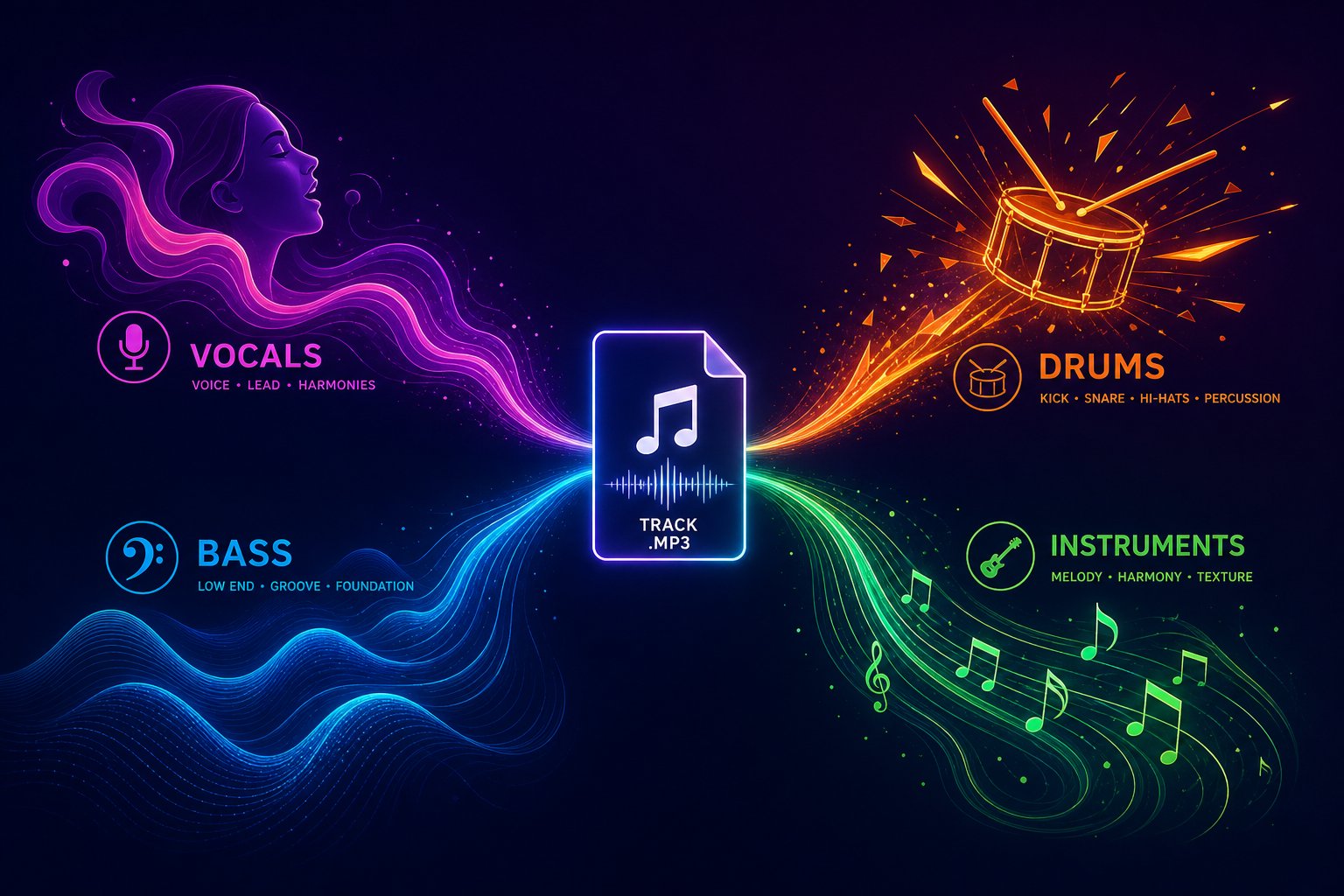
A polished mix can hide a multitude of sins. AI generators excel at producing full arrangements where every element blends together convincingly, masking flaws in individual parts. Strip that mix apart into isolated vocals, drums, bass, and instruments, and the illusion often collapses. Stem separation is the audio equivalent of zooming in on a painting: what looks real at gallery distance reveals brushstroke inconsistencies up close.
Why Stem Separation Exposes Hidden AI Artifacts
AI music models generate audio as a composite output. They learn statistical relationships between instruments in a mix rather than modeling each instrument from physical principles. The result? Individual elements borrow characteristics from each other in ways real instruments never would. A vocal stem might carry faint ghost harmonics of the guitar part. A bass line might contain spectral energy that belongs in the drum bus. These bleed artifacts disappear in the full mix but become unmistakable when you solo each stem.
Modern stem separation technology uses neural networks trained on millions of multitrack recordings to identify and isolate the sonic fingerprint of each instrument type. According to MusicRadar's testing of 11 stem separation tools, systems like Apple Logic Pro's Stem Splitter can now extract up to six clean stems (vocals, drums, bass, guitar, piano, and other) with recognition accuracy described as "impeccable." That level of isolation gives you a powerful song analyzer for detection purposes, revealing what the mastering bus was designed to conceal.
This approach is especially valuable for ai music analysis because AI generators optimize for how the final bounce sounds, not for how each individual part would hold up under scrutiny. Human recordings carry the opposite DNA: each stem was recorded or programmed independently first, then combined. That fundamental difference in creation order leaves detectable traces.
What to Listen for in Each Isolated Element
Once you've separated a track, each stem type reveals its own category of artifacts. Here's what becomes audible when you isolate individual elements:
- Vocals — Synthetic harmonic stacking becomes obvious in isolation. Listen for unnatural overtone patterns, missing sub-harmonics below the fundamental frequency, and formant transitions that sound interpolated rather than physically produced. Breath sounds, when present, often sit at inconsistent volume levels relative to the singing.
- Drums — AI-generated drum transients lack the micro-variations of a real kit. Hi-hat hits land with identical velocity profiles across a full verse. Snare attacks carry the same tonal envelope on every hit, missing the slight positional differences a human drummer produces naturally. Kick drums may exhibit unnaturally uniform low-end decay.
- Bass — Isolated bass stems from AI tracks frequently reveal sustain patterns that defy physics. Notes hold at consistent volume without the natural amplitude envelope of a plucked string or a synthesizer with real filter movement. You'll also notice an absence of fret noise, finger slides, or amplifier artifacts that real bass recordings carry.
- Melody and harmony instruments — Guitar and piano parts generated by AI lack micro-timing drift between notes in a chord. Real guitarists strum with slight delays between strings. Real pianists hit notes within a chord a few milliseconds apart. AI delivers perfect simultaneity that sounds lifeless when exposed in isolation. Also listen for repeated note patterns where the timbre is pixel-perfect identical, something physically impossible on an acoustic instrument.
The key principle: human performance introduces controlled imperfection. Every strum, every breath, every drum hit carries unique micro-variations. AI produces statistically averaged outputs that sound "correct" but lack this fingerprint of individuality. Isolation makes the absence obvious.
Using Audio Separation Tools for Detection
You don't need access to the original multitrack session to perform this kind of inspection. Several tools let you upload a finished mix and receive separated stems ready for analysis. If you can identify song from mp3 format, you can run stem separation on it.
Tools like MakeBestMusic's Audio Separator allow users to isolate individual stems for closer inspection, which is particularly useful when the full mix sounds convincing but individual elements may reveal synthesis artifacts. The workflow is straightforward: upload the track, let the AI-powered separation process extract each element, then solo each stem and listen critically using the artifact checklist above. This song identifier upload approach works as a practical step in your detection process without requiring any specialized audio engineering knowledge.
For the most revealing results, focus your separated-stem listening on these moments:
- Transitions between sections — Solo the drum stem during a verse-to-chorus shift. Does the fill sound like a human drummer improvising, or like a quantized pattern swap?
- Sustained vocal passages — Isolate the vocal during the longest held note in the song. Does vibrato develop naturally, or does it sound like a fixed-rate modulation?
- Quiet sections — Strip everything but the bass or guitar in a breakdown. The absence of room noise, string resonance, or amplifier hum in these exposed moments is a strong synthetic indicator.
The combination of AI-powered stem separation and focused critical listening creates a detection layer that surface-level tools struggle to match. Even tracks that pass automated detectors and sound convincing at full-mix level can reveal their synthetic origins when you isolate the parts and listen with intention.
Still, even thorough audio analysis tells only part of the story. Platforms themselves are building detection infrastructure and setting policies that determine what happens after a track gets flagged, creating a whole additional layer of verification that creators need to understand and navigate.
Step 5: Verify Against Platform Policies and Submission Requirements
Every major streaming service now operates its own ai music check infrastructure. The policies differ in visibility and enforcement philosophy, but the direction is unanimous: platforms want to know what's AI-generated, and they're building systems to find out whether you disclose it or not. Understanding these policies matters for two reasons. If you're evaluating a suspect track, platform-level signals can confirm your suspicion. If you're a creator, knowing what triggers detection lets you protect your work proactively.
Platform-Specific AI Content Policies
The landscape has fragmented sharply. Some services remove AI content silently. Others label it for listeners. A few take the transparency-without-punishment approach. Here's how the major players handle things:
| Platform | AI Policy | Detection Method | Creator Action Required |
|---|---|---|---|
| Spotify | Silent removal of flagged AI tracks; no public-facing labels | Acoustic signal analysis, behavioral patterns (listen-time uniformity, save ratios), metadata screening | Disclose AI use to distributor at upload; maintain session files for appeals |
| Apple Music | Transparency Tags launched May 2026; flagged tracks remain available but carry visible AI label | In-house AI detection team combining acoustic analysis and metadata cross-referencing | Declare AI-generated material at delivery through label or distributor |
| YouTube Music | Automatic AI detection applies labels even without creator disclosure; creators can dispute | Content ID fingerprinting, behavioral signals, internal photorealistic/audio AI detection models | Disclose AI use at upload; dispute incorrect labels in YouTube Studio |
| Deezer | Flags but does not remove; reports ~50% of uploads contain AI audio | Proprietary acoustic classifiers; behavioral and metadata screening | No mandatory disclosure yet, but flagged tracks excluded from algorithmic recommendations |
| SubmitHub | Actively rejects suspected AI submissions from curator queues | Manual review combined with release-pattern analysis and credit checks | Provide verifiable artist profile, credits, and social proof with submission |
The practical takeaway: when you upload mp3 to Spotify or any other DSP through a distributor, your track now passes through at least two detection layers before reaching listeners. Distributors like DistroKid, CD Baby, and TuneCore run their own pre-screening, rejecting tens of thousands of suspected AI uploads monthly. Tracks that clear distributor screening still face platform-side analysis. A failed upload stays failed, and that history follows your account across distributors through shared industry data.
How Streaming Services Detect and Label AI Music
What actually triggers a flag? The platforms share a common signal set, even though enforcement differs. Acoustic classifiers scan for spectral artifacts characteristic of specific AI models. Metadata screening catches unregistered writer credits, generic titles, and bulk-allocated ISRC codes. Behavioral analysis identifies burst uploads, suspiciously uniform listening patterns, and near-zero save-to-stream ratios.
YouTube's approach is particularly instructive. As of May 2026, YouTube automatically applies an AI label if its systems detect significant AI-generated content, even when the creator hasn't disclosed anything. Creators can dispute the label through YouTube Studio, but in certain cases the disclosure becomes permanent. The platform is clear that a disclosure label alone doesn't affect recommendations or monetization eligibility, which makes transparency less punitive than outright removal.
For anyone running an ai song checker workflow, these platform-level signals provide useful confirmation. A track that's been labeled or removed by a platform has already been evaluated by industrial-grade detection systems. That verdict carries weight, though it's not infallible.
Documenting Your Creative Process as Proof
Here's where the conversation flips from detection to defense. If you're a human creator whose work might get flagged, especially if you produce heavily processed electronic music, documentation is your insurance policy. Record companies accepting demos increasingly expect provenance evidence alongside the audio itself.
What to save and organize:
- DAW session files — Keep your Logic, Ableton, FL Studio, or Pro Tools project files intact with all stems, edits, and automation visible. These prove iterative human decision-making.
- Source recordings — Raw microphone captures, DI guitar takes, vocal booth recordings with room noise. AI can't produce these.
- Version history — Save multiple iterations of your mix. The progression from rough demo to final master shows a human creative arc.
- Lyric drafts with timestamps — Screenshots of notes apps, voice memos of brainstorming sessions, or handwritten notebooks photographed with dates.
- Registered credits — File your songs with a performing rights organization (ASCAP, BMI, PRS) before release. Registered writer credits carry more weight than self-attributed metadata.
- Collaboration evidence — Emails with co-writers, studio booking receipts, video of recording sessions, or even informal voice notes exchanged during production.
The goal is to fingerprint every ai song in your catalog with human provenance markers. Platforms increasingly use an ai music checker mentality when evaluating appeals, and well-documented creators resolve disputes faster than those who simply deny AI involvement. A creator who can produce a timestamped DAW session with 47 manual edits tells a far more convincing story than one who offers only the finished bounce.
Build this habit now, before you need it. The detection infrastructure only grows more aggressive, and the artists who treat documentation as part of their workflow rather than an afterthought are the ones who won't lose sleep when an algorithm questions their authenticity. That said, even thorough documentation can't help if the algorithm flags you in the first place. Understanding why false positives happen, and what to do when they hit, is the next essential layer of defense.
Step 6: Handle False Positives When Your Human Music Gets Flagged
You wrote it, recorded it, mixed it yourself. Then an ai detector music system labels your track as synthetic. It's frustrating, disorienting, and increasingly common. A Cyanite survey of artists found that more than 70% fear being wrongly labeled as AI-generated. That fear isn't hypothetical. False positives are the single biggest trust problem in AI music detection, and understanding why they happen puts you in a stronger position to fight back.
Why Human Music Gets Flagged as AI
Detection algorithms learn what AI music "looks like" in spectral and statistical terms. The problem? Modern production techniques produce audio with similar characteristics. When you polish a track using the same tools that make music sound professional, you can inadvertently erase the very imperfections that prove human origin.
These production practices commonly trigger false positives:
- Heavy pitch correction — Tools like Auto-Tune, Melodyne, or auto tune bandlab effects smooth vocal pitch to a degree that resembles AI vocal synthesis. The natural micro-pitch variations that signal human performance get flattened out.
- Aggressive quantization — Snapping every MIDI note to the grid removes the timing imperfections detectors use to distinguish human from machine.
- Virtual instruments and sample libraries — High-quality VSTs and orchestral libraries produce audio that's statistically similar to AI output because both draw from digitally synthesized or modeled sources.
- Extensive layering and processing — Stacking multiple synth patches, applying heavy reverb chains, and using noise reduction can strip away the acoustic room characteristics that anchor a recording to physical space.
- Loudness maximization — Brickwall limiting and aggressive mastering compress dynamic range in ways that mirror AI's characteristically flat dynamics.
- Vocal stacking without variation — Copying a vocal take and slightly detuning it for thickness creates harmonic patterns similar to AI vocal synthesis artifacts.
If you're asking how to tell if a song is ai, remember that these same techniques make it genuinely difficult for algorithms to answer that question accurately. The irony is sharp: the more professionally produced your music sounds, the more likely it triggers the same flags designed to catch synthetic content. Threads debating are ai detectors accurate reddit communities frequently highlight this paradox, with producers sharing stories of original tracks scoring above 80% on AI probability scales.
How to Appeal a False AI Detection Result
Getting flagged isn't the end. Every platform offers a dispute pathway, though some are more transparent than others. Here's the step-by-step process that works across most services:
- Document the flag immediately — Screenshot the notification, label, or rejection message. Note the date, platform, and specific track affected. This creates a timeline if you need to escalate.
- Gather your provenance evidence — Pull your DAW session files, raw recordings, version history, and any collaboration documentation you've been maintaining. Platforms want proof of iterative human decision-making.
- Submit a formal dispute through the platform's creator portal — Spotify routes appeals through distributors. YouTube offers direct dispute in YouTube Studio. Apple Music handles appeals via the label or distributor relationship. Use the official channel, not customer support chat.
- Provide specific technical evidence — Upload screen recordings scrolling through your DAW timeline. Show the edit history, automation curves, and separate takes. A project file with 200 manual edits is compelling proof no AI generated the track.
- Include external verification — Performing rights registrations (ASCAP, BMI, PRS) with timestamps predating the upload, studio booking receipts, or signed split sheets from collaborators all corroborate your claim.
- Follow up persistently — Most platforms resolve disputes within 7-14 days, but complex cases can stretch longer. If your initial appeal is denied, request human review explicitly. Automated re-evaluation often produces the same result.
Creators who submit structured documentation with embedded provenance data report significantly faster resolution than those who simply respond with "I made this myself." The burden of proof falls on you, unfairly or not. Treat the appeal like a legal brief: organized, specific, and supported by evidence at every point.
Production Practices That Reduce False Positive Risk
You shouldn't have to compromise your artistic vision to avoid algorithmic suspicion. But small workflow adjustments can reduce your exposure without changing how your music sounds.
Leave intentional imperfections in your sessions. Keep a few notes slightly off-grid rather than quantizing everything to 100%. Record real breaths and room tone even if you plan to minimize them in the final mix. If you use auto tune bandlab or any pitch correction plugin, consider dialing back the retune speed slightly so natural pitch movement remains detectable in the spectral analysis.
Most importantly, treat documentation as part of your creative workflow rather than an afterthought. Save incremental session versions. Export rough mixes at key milestones. Film yourself occasionally during production, even a 30-second phone clip of you tweaking a synth patch. These artifacts of process are things AI simply cannot fabricate, and they're your strongest defense when how to tell ai music apart from human-made tracks becomes a question directed at your own work.
The reality is that detection systems will keep improving, but so will the generators they're chasing. False positives won't disappear. They'll shift as algorithms learn new patterns. Building a habit of provenance documentation protects you regardless of which direction the technology moves, a principle that matters even more when you zoom out to see how this entire detection landscape is evolving.
Step 7: Stay Ahead as AI Music Generation Evolves
Every detection technique you've learned in this guide has an expiration date. Not because the methods are flawed, but because AI music generators are under constant development. The artifacts that make Suno tracks identifiable today may vanish in the next model update. The spectral fingerprints Udio leaves behind could shift entirely when its architecture changes. This is the core challenge of learning how to know if music is ai: the target keeps moving.
The AI Detection Arms Race and Why Methods Expire
Research from KTH Royal Institute of Technology frames this dynamic explicitly as an arms race. Their study found that classifiers trained on Suno and Udio achieved F1 scores above 0.93 under controlled conditions, but performance collapsed when tested against Boomy, a different AI platform, dropping below 24% detection. The detectors weren't identifying "AI-ness" in any universal sense. They were identifying the specific production pipeline of particular generators.
This matters because generators evolve rapidly. Suno has shipped multiple model versions within single calendar years. Udio's architecture produces output that already sits closer to human-made recordings in spectral analysis than Suno's does. Newer platforms like ElevenLabs, Stable Audio, and MusicGen introduce entirely different generation approaches that existing detectors haven't been trained on. Each update and each new entrant reshuffles the artifact landscape.
The commercial IRCAM Amplify detector illustrates this perfectly. At launch, it couldn't detect Boomy's output at all, identifying only 6% of those tracks as AI. It has since been retrained to cover Boomy, but the lag between a new generator appearing and detection systems catching up creates a window where synthetic music passes undetected. That window is exactly what stream farmers exploit.
Even simple post-processing defeats some detectors. Resampling audio from 44.1kHz to 22.05kHz caused IRCAM Amplify to misclassify every Suno sample in one research test. Applying a standard DAW effects chain, routing through analog hardware, or even basic format conversion can strip away the very artifacts that detection algorithms rely on. As these evasion techniques become common knowledge in ai generated music reddit communities and production forums, the pressure on detection systems intensifies.
Building a Multi-Layered Detection Habit
So how do you detect ai music reliably when individual methods keep expiring? You layer them. No single step from this guide is sufficient on its own, but combining multiple approaches creates redundancy that survives the failure of any one method.
No single detection method is sufficient. Layering behavioral analysis, critical listening, tool-based scanning, stem separation, and platform verification from this guide provides the most reliable results, even as individual techniques become outdated.
Here's why this works. Behavioral signals (release velocity, missing credits, ghost profiles) remain valid regardless of how good the audio quality becomes. A generator might produce flawless-sounding music, but it can't fabricate a five-year touring history or authentic fan engagement. Critical listening catches artifacts that tools miss, while tools catch patterns ears can't perceive. And stem analysis via tools like MakeBestMusic's Audio Separator remains effective even as surface-level AI audio quality improves, because isolated stems continue to reveal artifacts that full mixes conceal. The full arrangement might sound convincing, but solo the bass and you'll still hear that unnaturally uniform sustain envelope.
Think of it as a security system with multiple locks. A thief might pick one lock. Picking five simultaneously is a different problem entirely. Your detection workflow should operate the same way:
- Quick listen — 30 seconds of focused attention on vocals and transitions catches obvious artifacts.
- Behavioral check — Release patterns, credits, and web presence confirm or deny suspicion within minutes.
- Tool scan — Run a detection tool for a probability score as one data point, not a verdict.
- Stem separation — Isolate individual elements to expose what the full mix hides.
- Platform verification — Check whether the track has been labeled or flagged by streaming services with industrial-grade systems.
When three or more layers point in the same direction, you have a confident answer. When results conflict, that's your signal to investigate further rather than default to either assumption.
Resources for Staying Current on AI Music Detection
The detection landscape shifts fast enough that static guides go stale. Building a habit of staying informed keeps your methodology current. Here's where to look:
Academic research. The International Society for Music Information Retrieval (ISMIR) publishes peer-reviewed detection studies. The 2025 paper from Cros Vila et al. on AI music detection arms race dynamics remains foundational. Follow the conference proceedings and the open-access publications for new detection architectures and vulnerability disclosures.
Community discussions. The aimusic reddit community and related subreddits like r/SunoAI surface real-time observations about new artifacts, model updates, and detection failures faster than formal publications. Users share A/B comparisons, test new detector tools, and document evasion techniques that researchers later formalize. An ai music search through these forums often reveals practical detection tips months before they appear in academic literature.
Platform policy updates. Spotify, YouTube, Apple Music, and Deezer all publish creator policy changes through their respective newsrooms. The EU AI Act's transparency requirements become enforceable in August 2026, which will reshape how platforms handle detection and labeling at a regulatory level.
Open-source tools. Projects like SpecTTTra (available on GitHub) and the University of Chicago's Quicksilver browser extension provide free detection capabilities that evolve alongside the generators. Quicksilver operates locally on your device, analyzing audio in real-time without uploading to external servers, and the team actively updates it as new AI models emerge.
The question of how to know if a song is ai won't get simpler over time. Generators will improve. Detection will adapt. New artifacts will emerge as old ones disappear. But the fundamental principle holds: no single method works forever, and the people who combine multiple detection layers, stay connected to research communities, and treat detection as an ongoing practice rather than a one-time check will consistently identify synthetic music more reliably than those who depend on any single tool or technique. Build the habit now, and you'll stay ahead regardless of which direction the technology moves next.
