

The Growing Challenge of Spotting AI-Generated Music
You hear a track on your streaming app, add it to your playlist, maybe even share it with a friend. But what if the artist behind it never existed? What if no human voice sang those lyrics, no fingers touched a guitar string, and no one sat in a studio pouring emotion into a melody?
That scenario is no longer hypothetical. AI-generated tracks are flooding streaming platforms at an unprecedented rate, and the uncomfortable truth is this: you almost certainly cannot tell the difference.
Why AI Music Detection Is Getting Harder
A Deezer-Ipsos survey of 9,000 participants across eight countries found that 97% of listeners could not distinguish between AI-generated and human-composed songs in a blind test.
Let that number settle. Ninety-seven percent. When researchers played two AI songs and one real song to thousands of people, nearly everyone failed to identify which was which. Over half of the respondents felt genuinely uncomfortable once they learned how easily they had been fooled.
The scale of the problem compounds that detection gap. Deezer alone now receives roughly 50,000 fully AI-generated tracks every day, accounting for more than a third of all daily uploads to the platform. Earlier this year, an AI band called The Velvet Sundown racked up over a million monthly Spotify listeners before anyone realized the project was entirely synthetic. Their airbrushed photos, lack of live performance history, and rapid album drops eventually raised red flags, but not before hundreds of thousands of fans had already connected with the music.
The technology is evolving fast. What once took ten hours to produce a single minute of audio can now generate a full song from a simple text prompt. And as these tools improve, the sonic artifacts that once made AI music easy to spot are quietly disappearing.
What This Guide Covers
So how do you actually check music to see if its AI generated or not? Is there a reliable way to tell if music is AI generated when even trained listeners struggle?
This guide breaks detection into three progressive levels, each building on the last:
- Quick contextual checks — examining artist profiles, upload patterns, and social media presence for red flags (takes about 30 seconds)
- Ear-based listening techniques — training yourself to notice vocal artifacts, structural repetition, and stereo anomalies that betray synthetic origins
- Tool-assisted investigation — using detection platforms, stem separation, and metadata analysis when you need deeper confirmation
No single method is foolproof. The 97% failure rate proves that casual listening alone won't cut it. But by combining contextual awareness with trained listening and analytical tools, you can dramatically improve your ability to tell if music is AI before streaming algorithms decide for you.
This matters beyond simple curiosity. When you stream a track, royalty payments flow to whoever uploaded it. Fully AI-generated content dilutes the revenue pool for working musicians. Up to 70% of streams on AI-generated tracks have been found to be fraudulent. And an estimated 25% of creators' revenues could be at risk by 2028 if the current trajectory holds. Knowing what you're listening to is the first step toward making informed choices about the music you support.
The question "is this song AI?" doesn't always have a clean yes-or-no answer. Many tracks exist in a gray zone where AI tools assisted human creators. But understanding how to spot fully synthetic content, and where to look for clues, puts the power of discernment back in your hands.
The fastest place to start? The artist profile itself, which often reveals more than the audio ever could.
Quick Platform Checks That Reveal AI Music in Seconds
You don't need special software or a trained ear to start spotting synthetic tracks. The fastest way to tell if a song is AI generated is often hiding in plain sight: the artist's profile page. Think of it as a quick background check before you hit play again.
Fraudsters and AI content farms move fast, but they rarely bother building a convincing backstory. That laziness leaves a trail. Manuel Mousallam, head of R&D at Deezer, confirms that the "most obvious cues" come from "external factors" rather than the audio itself. Here's what to look for.
Red Flags in Artist Profiles on Streaming Platforms
Imagine you stumble across an artist with a vaguely poetic name, a single moody photo, and 40 tracks uploaded over two months. No Instagram link, no concert history, no interviews anywhere online. That pattern should immediately raise questions about how to know if a song is AI.
Legitimate artists, even brand-new independent ones, leave traces outside streaming platforms. They post behind-the-scenes clips, interact with fans, play local shows, or at least maintain a basic website. AI-generated artist profiles, by contrast, exist as what HUMAN Security's threat researchers call "digital ghosts" — entities that live solely within the streaming ecosystem and nowhere else.
Here's a scannable checklist you can run through in under 30 seconds. Any single item might be innocent, but three or more together is a strong signal:
- No social media presence — no linked Instagram, Twitter/X, TikTok, or website on the profile page
- Generic or randomly generated artist name — monikers like "Zygotic Lanie" or "Calliope Bloom" (both exposed in the first federal AI streaming fraud case)
- Stock-photo or AI-generated profile image — overly polished, slightly uncanny portraits with no candid shots or live photos
- No biography or a suspiciously vague one — the profile exists only as a container for tracks, with no personal story or career context
- Zero tour dates or live performance history — no past concerts, no upcoming shows, no YouTube footage from gigs
- No press coverage or interviews — a search of the artist name returns nothing outside the streaming platform itself
- Association with obscure "labels" connected to dozens of similar-looking artists — music mill operations often link hundreds of pseudonymous profiles back to a single production entity
On Spotify specifically, the new Verified by Spotify program checks for signals of a real artist including concert dates, merchandise, and linked social accounts. Profiles that primarily represent AI personas are explicitly excluded from the badge at launch. If you see a Verified badge, it's at least one layer of trust. If you don't, it's not proof of AI, but it's worth noting alongside other red flags.
For those who want a quick artist scanner approach on Apple Music, look for the same absence of editorial context. Apple's platform tends to feature human artists in curated playlists with staff notes and artist interviews. YouTube Music offers an additional advantage: you can check whether the artist has any video content, live sessions, or behind-the-scenes material beyond static audio uploads.
Suspicious Upload Patterns That Signal AI Origin
Beyond the profile itself, upload behavior tells a revealing story. Human musicians typically release singles every few weeks or albums every year or two. The creative process takes time. AI content farms operate on an entirely different schedule.
Here's what suspicious volume looks like in practice: HUMAN Security reports that fraudsters use generative AI to create thousands of unique, royalty-eligible tracks in minutes. These get distributed across dozens of fake artist profiles, each uploading at a pace no human could sustain. When you see an artist with 50 or more tracks released within a few months, all in passively consumed genres like ambient, lo-fi, or instrumental focus music, you're likely looking at AI output.
Watch for these upload-related signals:
- Dozens of tracks released in rapid succession — 10+ songs in a single week, or a full catalog appearing overnight
- All tracks clustered in a single mood genre — ambient, lo-fi beats, sleep sounds, meditation, or "study music"
- Track lengths hovering around 31-60 seconds — the minimum duration to qualify for a royalty-generating stream on most platforms
- Presence primarily in playlists with generic titles — "Rainy Day Lo-Fi," "Focus Music for Studying," or "Chill Vibes" playlists stuffed with unknown artists
- Dramatic stream count imbalances — one track with hundreds of thousands of plays while the rest sit under 2,000, suggesting targeted bot activity
There's no official spotify song bot checker built into the app, but these contextual signals function as your own detection system. The pattern is consistent: a bare-minimum profile, inhuman upload velocity, and presence only in algorithmically driven playlists where passive listening makes each stream nearly invisible.
Deezer has taken the most transparent approach so far, actively flagging albums with an on-screen "AI-generated content" label when its detection system identifies tracks created by song generators. Up to 18% of songs uploaded to Deezer daily are AI-generated. Spotify hasn't implemented equivalent labeling yet, though community members have built independent blockers tracking over 4,700 suspected AI artists on the platform.
These quick checks won't catch every synthetic track. A well-funded operation can build a convincing social media presence and drip-feed releases at a realistic pace. But for the vast majority of AI content flooding streaming services right now, the profile page gives everything away before you even press play.
When the contextual clues are ambiguous, though, your ears become the next line of defense. And training them to catch what profiles can't reveal requires knowing exactly where AI generation still stumbles.
How to Train Your Ears to Detect AI-Generated Tracks
Profile checks reveal a lot, but some AI-generated artists do build convincing backstories. When contextual clues run dry, your ears are the next filter. The good news: even though AI audio quality has improved dramatically, synthetic music still leaves sonic fingerprints that trained listeners can catch. The trick is knowing where to listen.
A 2026 analysis found that trained listeners can identify AI-generated music about 65-70% of the time. Not perfect, but far better than the 3% success rate of casual listeners. The difference? Knowing exactly which elements to focus on when you analyze a song for synthetic origins.
Here's a step-by-step listening process you can follow while a track plays:
- Listen to the vocals first — focus on breathing patterns, vibrato consistency, and consonant clarity
- Shift attention to the stereo field — close your eyes and notice whether instruments feel spatially placed or flat
- Track the arrangement across sections — compare verse one to verse two for meaningful variation
- Examine transitions — note whether sections flow organically or cut abruptly
- Evaluate the lyrics — ask whether the words convey specific human experience or generic emotional language
Each step targets a different weakness in current AI generation. Let's break them down.
Vocal Artifacts That Betray AI Generation
Vocals remain the biggest giveaway when figuring out how to tell if a song is AI. Human singers breathe between phrases in patterns shaped by physical lung capacity. Those breaths aren't evenly spaced — they come faster during intense passages and stretch during quieter moments. AI vocals either skip breaths entirely or insert them at mechanically fixed intervals.
Vibrato is another tell. A peer-reviewed analysis of 12,400 tracks published in the Journal of the Audio Engineering Society found that human vibrato amplitude decays smoothly over sustained notes due to diaphragm fatigue. AI vocals, by contrast, maintain constant vibrato depth or cut it off abruptly. If you listen to a held note and the wavering stays perfectly even from start to finish, that's a red flag no human voice would produce naturally.
Consonants offer a subtler clue. Sounds like "s," "t," and "p" often come out slightly mushy or over-processed in AI output. A vocalist who sounds crystal clear on vowels but blurry on hard consonants is worth questioning. Think of it as an ai voice detector built into your own perception — once you hear the pattern, it becomes hard to ignore.
Instrumental Tells and Stereo Field Anomalies
To understand why AI struggles with instruments, you need to define timbre in music. Timbre is the unique tonal quality that distinguishes one sound source from another — the reason a piano and a guitar playing the same note sound completely different. It's shaped by harmonics, attack characteristics, and micro-imperfections specific to a physical instrument and the human playing it.
Those micro-imperfections are exactly what AI can't fully replicate. A real drummer drifts slightly in timing, creating a subtle push-and-pull groove. A guitarist's fingers slide across strings between chord changes, producing faint squeaks that studio engineers often leave in because they add life. A vocalist's breath catches differently on every take. These aren't flaws — they're signatures of human physicality.
AI-generated instrumentation tends to exist in what producers call a "vacuum." Real recordings carry subtle room reflections that give sound spatial depth. Even heavily processed studio tracks retain a sense of physical space. AI music often sounds flat across the stereo field, with every element sitting at the same apparent distance from the listener. There's no sense of a real room, no feeling that a drummer is positioned behind the singer or that a guitar amp is off to the left.
The same JAES study identified another measurable anomaly: harmonic series truncation in bass instruments. Acoustic basses and upright pianos generate strong odd-order harmonics below 200 Hz. AI models trained on compressed streaming data often truncate these harmonics, resulting in a "thin" low-end texture that lacks the richness of a real instrument recorded in a real space.
Structural Repetition and Unnatural Transitions
Zoom out from individual sounds and listen to how the track unfolds over time. Human arrangers vary instrumentation across sections. A second verse might add a harmony vocal, swap acoustic guitar for electric, or introduce a subtle percussion layer. AI models tend to lock into a single arrangement palette and repeat it with minimal variation.
If verse two sounds nearly identical to verse one instrumentally, that's worth flagging. The same goes for transitions between sections. Human songwriters build bridges, use drum fills, or drop elements out to create tension before a chorus hits. AI-generated tracks often shift between sections with jarring abruptness — or worse, with no real transition at all, as if someone spliced two separate ideas together.
Lyrics deserve their own scrutiny. AI-generated words tend toward abstract emotional language that sounds meaningful on first listen but dissolves under examination. Lines like "lost in the echo of a fading light" or "dancing through the shadows of my mind" could fit any song about anything. They lack the concrete images, proper nouns, and specific personal details that human songwriters use to anchor a listener's emotional connection. Consider it a built-in ai lyrics detector: if the words feel universally applicable but oddly hollow, the writing might not come from lived experience.
Learning how to tell ai music from human-made tracks is a skill that sharpens with practice. The more you actively analyze song structures, vocal nuances, and spatial characteristics, the more instinctive detection becomes. But your ears will always have limits. Udio's output fooled 70% of listeners in blind tests, and as models improve, those margins will only tighten.
That reality raises an important question: does detection difficulty depend on what you're listening to? Not all genres present equal challenges — and some make AI nearly invisible by design.
Why Some Genres Make AI Detection Almost Impossible
The genre you're listening to changes everything about your odds of spotting synthetic content. A lo-fi study beat and a jazz trio improvisation present wildly different detection challenges — not because of the tools available, but because of what each genre demands from its performers. Understanding this landscape works like an ai genre detector built into your own listening habits, telling you when to trust your ears and when to dig deeper.
Data from AI Song Checker's 2026 analysis of 10,000 tracks confirms what many listeners intuitively sense: detection accuracy ranges from 97% on rock tracks down to just 87% on jazz. That ten-point spread represents a meaningful gap in how reliably anyone — human or algorithm — can identify AI origins.
Genres Where AI Music Is Nearly Undetectable
Electronic, ambient, and lo-fi music share a fundamental problem: their production conventions overlap almost perfectly with how AI generators work. Think about it. Lo-fi hip-hop already relies on looped four-bar phrases, sidechain-ducked kicks, low-pass filtered samples, and vinyl crackle textures. These are deliberate aesthetic choices human producers make — and they happen to be exactly what AI models naturally emit due to their architecture.
When you're trying to detect ai music in these genres, the usual tells disappear. There's no vocal breath pattern to scrutinize because the track is instrumental. There's no timing drift to catch because the drums are quantized on purpose. The repetitive structure that would flag an AI pop song is simply the genre's defining characteristic. At 88% detection accuracy with a 3.6% false positive rate, even dedicated forensic engines struggle here.
The overlap runs deeper than surface aesthetics. AI generators use limited context windows, which naturally produces looped, repeating sections. Lo-fi producers loop sections intentionally. AI output tends toward lower bandwidth because training data includes compressed audio. Lo-fi producers apply low-pass filters for vibe. The result is a genre where the machine's limitations accidentally match the human's artistic goals.
This is exactly why ai generated bands thrive in ambient and lo-fi playlists. A synthetic artist uploading chill instrumental beats faces almost no scrutiny because nothing in the audio contradicts what a bedroom producer might create. The contextual profile checks from the previous section become even more critical in these genres — the music itself won't betray its origins.
Genres Where Human Performance Still Stands Out
Jazz sits at the opposite end of the spectrum, and the reasons illuminate what AI still can't do. Real jazz improvisation is conversational — musicians respond to each other in split seconds, bending harmonic rules and introducing surprise. Research from Soundverse confirms that AI jazz systems in 2026 still cannot achieve real-time ensemble adaptation, the interactivity that defines live improvisation. They produce technically correct chord substitutions and swing phrasing but miss the emotional risk-taking that makes a solo memorable.
Rock tells a similar story from a different angle. Real rock recordings carry chaotic room reflections from amp cabinets and drum shells, asymmetric clipping from tube amplifiers, and pick noise correlated with the musical content that follows. These physical artifacts push rock detection accuracy to 97% — the highest of any genre — because AI generators cannot convincingly fake the mess of real instruments in real rooms.
Complex arrangements also resist AI imitation. Progressive rock, orchestral compositions, and dense jazz fusion demand the kind of interplay between musicians that current models under-represent. When a drummer anticipates a guitarist's rhythmic shift or a string section breathes together before a crescendo, those moments of collective human intuition leave statistical fingerprints that synthetic generation can't reproduce.
The debate around udio vs suno often centers on which generator handles specific genres better — Suno dominates pop with its vocal fluency while Udio excels in cinematic and ambient territories. But regardless of which tool produced a track, the genre itself determines how detectable the output will be. A Suno-generated rock song is far easier to catch than a Udio-generated ambient piece, simply because rock demands more from its performer than ambient ever asks.
For production-heavy genres like pop and hip-hop, detection sits in the middle. These styles already use heavy quantization, pitch correction, and digital processing as standard practice. The ai music genre detector challenge here isn't that AI sounds fake — it's that modern production already sounds somewhat synthetic by design. Pop lands at 96% detection accuracy, rap at 93%, with the gap largely explained by how heavily auto-tuned and grid-locked contemporary hip-hop already is.
Here's how detection difficulty breaks down across major genres:
| Genre | Detection Difficulty | Key Tells to Listen For | Why AI Succeeds or Struggles |
|---|---|---|---|
| Lo-fi / Ambient / Electronic | Very Hard | Minimal — look for micro-variation between loops, unprocessed channels | Genre conventions (loops, filters, quantized beats) mirror AI architecture limitations |
| Classical / Orchestral | Hard | Over-synchronized sections, lack of bowing inconsistencies, compressed dynamics | Limited training data produces caricature; but real recordings also lack some standard forensic signals |
| Jazz | Hard | Absence of real-time interplay, too-perfect pitch, missing emotional risk in solos | Improvisation and ensemble conversation remain beyond AI's predictive architecture |
| Pop | Moderate | Over-smooth energy envelope, too-consistent vocal vibrato, grid-perfect timing | AI is highly fluent here, but that very perfection becomes a statistical tell |
| Rap / Hip-Hop | Moderate | Over-quantized pitch, brightness locked to beat grid, missing ad-lib variation | Heavy auto-tune and grid production overlap with AI artifacts |
| Rock / Country | Easier | Missing room reflections, too-clean amp tone, regular pick/stick transients | Physical instrument chaos and non-linear amp behavior remain hard to synthesize |
The practical takeaway: adjust your skepticism by genre. If a track lives in the lo-fi or ambient space, profile checks and metadata matter far more than listening alone. If you're hearing rock, jazz, or anything with complex live performance, your ears become a much more reliable ai music genre detector. And for ai artists music in pop and hip-hop, the answer often lies somewhere in between — which is where dedicated detection tools and audio analysis start earning their keep.
AI Music Detection Tools and Audio Analysis Methods
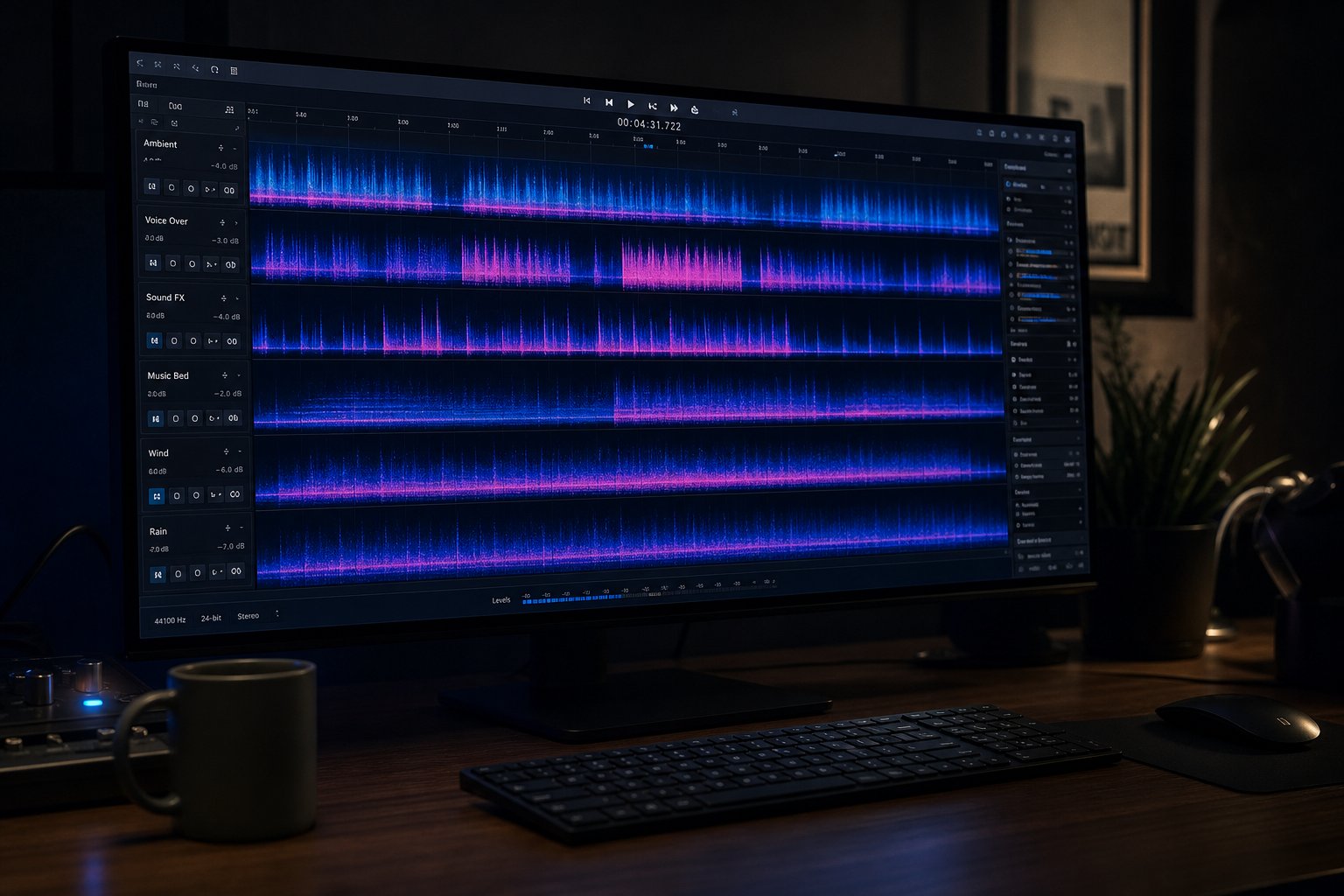
Genre awareness and trained ears get you far, but there's a ceiling. When Udio's output fooled 70% of listeners in blind tests, it proved that human perception alone isn't enough for reliable detection. That's where dedicated ai music detector platforms and analytical techniques pick up the slack — using machine learning and signal processing to catch what ears miss.
These tools work by examining audio at a level below conscious perception. They extract waveform features, compare spectral fingerprints against known AI model signatures, audit metadata for hidden generation tags, and deliver probability scores indicating whether a track is synthetic. The underlying science relies on analyzing spectral patterns, mel-frequency cepstral coefficients (mathematical representations of how the human ear perceives sound), and audio fingerprinting to identify the subtle artifacts that neural vocoders leave behind.
Dedicated AI Music Detection Platforms
Several ai song detector services have emerged to meet growing demand. The most established options range from enterprise-grade systems processing hundreds of thousands of tracks per hour to free browser tools where you paste a streaming link and get a verdict in seconds.
The ircam amplify ai music detector claims 99% accuracy and can process over 250,000 tracks per hour, making it a go-to for labels and distributors running bulk catalog audits. Authio takes a multi-model approach, running each song through 12 separate neural networks trained to recognize different AI generators — Suno, Udio, MusicGen, and others — then tallying the results via a meta-classifier for a claimed 99.42% accuracy rate.
For casual listeners who just want a quick check, free options exist. SubmitHub's AI Song Checker and letssubmit both let you upload a file or paste a link for real-time analysis at no cost. They catch obvious cases reliably — tracks generated directly from Suno or Udio without post-processing — but lack the depth of paid solutions. If you're searching for an ai music detector online free option to run a quick sanity check, these are your best starting points.
Here's how the major detection approaches compare:
| Method | Accuracy Level | Cost | Best Use Case |
|---|---|---|---|
| Multi-model ensemble (authio) | 99.42% claimed; 85-93% real-world | From €12/month | Professional catalog auditing, label submissions |
| Spectral fingerprinting (IRCAM Amplify) | 99% claimed | Enterprise pricing | Bulk processing for distributors and platforms |
| Link-based quick scan (SubmitHub, letssubmit) | Undisclosed; reliable on unprocessed AI | Free | Casual checks on individual tracks |
| Metadata + audio hybrid (ACRCloud) | Varies by source | Contact sales | Cross-referencing provenance with audio analysis |
| Stem separation + manual inspection | Depends on listener skill | Free to low-cost | Exposing hidden artifacts in full mixes |
The critical caveat: no ai song analyzer achieves 100% reliability across all conditions. Detection accuracy drops to 85-93% on professionally produced tracks where post-processing smooths out the spectral artifacts detectors rely on. New AI models break old detectors. A false-positive rate of even 0.6% becomes significant when applied to millions of tracks. Tools like remusic ai music analyzer and similar platforms continue refining their approaches, but the arms race between generation and detection shows no sign of settling.
Using Stem Separation to Expose Hidden AI Artifacts
Here's a technique that sidesteps the limitations of conventional detectors entirely: separate the track into individual stems and listen to each element in isolation. A full mix conceals weaknesses. Strip it apart, and AI's shortcomings become audible.
When you isolate vocals from a suspicious track, you'll often hear artifacts that were masked by instrumentation — robotic undertones, unnatural sibilance, or that mechanically even vibrato described earlier. Drum stems from AI-generated tracks frequently sound unnaturally clean, lacking the bleed and room tone that real microphones capture. Bass lines may reveal truncated harmonics that the full mix hid beneath other elements.
MakeBestMusic's Audio Separator provides a practical entry point for this investigative approach. Upload a track, separate it into vocal, drum, bass, and instrumental stems, and then listen to each component critically. The tool serves musicians, students, remixers, and anyone who wants to inspect what's actually happening inside a mix. For detection purposes, it turns a single opaque audio file into multiple transparent layers you can scrutinize individually.
The process works because AI generators produce all elements simultaneously through a single neural network. Human recordings, by contrast, layer independently recorded performances. When you separate stems from a human recording, each element retains its own spatial character and natural imperfections. AI stems tend to share identical reverb characteristics and spatial positioning — a uniformity that becomes obvious once you hear the parts in isolation.
Whether a track runs through 50 stems mix edits music ai process ai powered pipelines or arrives as a raw export from a generator, stem separation reveals what the composite mix conceals. It's one of the few detection methods that actually improves as you develop your listening skills, since you're combining tool-assisted isolation with the ear-training techniques covered earlier.
Even with the best a.i. detector for music free or paid, no single method guarantees certainty. But detection tools and stem separation together fill gaps that ears and profile checks leave open. The next layer of investigation goes deeper still — into the file itself, where metadata and spectral signatures tell their own story about a track's origins.
Metadata and File-Level Clues That Expose AI Origins
Detection tools analyze audio content, and your ears catch sonic artifacts. But there's a third layer most listeners never consider: the file itself. Every audio file carries embedded data beyond the waveform — metadata fields, encoding signatures, and structural fingerprints that can reveal exactly how a track was made. Think of it as forensic evidence hiding in the container rather than the music.
AI generation tools don't just produce sound. They produce files with specific technical characteristics that differ from recordings exported through traditional digital audio workstations. When platforms aim to fingerprint every AI song to identify it, this metadata layer is often their first and fastest scan.
Reading Audio File Metadata for AI Clues
Every MP3, WAV, FLAC, or M4A file contains header information and tag fields that describe how it was created. Most listeners never see this data, but it's accessible through free tools like MediaInfo, Mp3tag, or even your operating system's file properties panel. When you want to identify song from audio sample origins, metadata is the digital paper trail.
Here's what to check when inspecting a downloaded file:
- Encoder field — AI generators often stamp their own codec identifiers into WAV or MP3 headers. Suno, Udio, and similar tools embed specific values in file headers that function as a digital maker's mark
- Software or source tags — ID3 metadata may contain direct references to the generation tool in "comment," "encoder," or "software" fields
- Sample rate and bit depth patterns — a file encoded at exactly 44.1kHz/16-bit with codec parameters matching a known AI generator profile raises flags, especially if the encoding chain looks too uniform
- Consistent bitrate signatures — AI tools tend to export at fixed settings, producing files with identical bitrate profiles across hundreds of tracks from the same source
- C2PA content credentials — some generators now embed cryptographic provenance metadata that explicitly declares AI involvement, creating tamper-evident digital birth certificates for generated audio
- Absence of typical DAW artifacts — real recordings exported from Pro Tools, Logic, or Ableton leave recognizable encoding fingerprints that AI exports lack entirely
The limitation here is obvious: metadata can be stripped. Re-encoding a file through any standard DAW replaces original header information. Format conversion from WAV to MP3 to FLAC can destroy source tags entirely. That's why platforms never rely on metadata scanning alone — it catches careless uploads but misses anyone who takes thirty seconds to re-export. Still, as a quick ai music identifier check on a downloaded file, it takes less than a minute and occasionally delivers an unambiguous answer.
Spectral Analysis and Audio Fingerprinting Basics
When metadata has been scrubbed, the audio itself still carries structural evidence. Spectral analysis converts a waveform into a visual spectrogram — a time-frequency map showing how energy distributes across the audible range. And AI-generated spectrograms look measurably different from human recordings.
Research into platform detection methods reveals specific spectral tells: AI output tends to show unnaturally smooth frequency distribution where human recordings display organic variation. Grid-like patterns appear in the high-frequency range above 16kHz, resulting from the fixed frame sizes neural networks use during synthesis. Hard frequency cutoffs emerge at specific points — often around 16kHz or 20kHz — creating abrupt spectral edges that naturally recorded audio rarely exhibits.
For listeners curious enough to try this themselves, free tools like Audacity or Sonic Visualiser can generate spectrograms from any audio file. You don't need to identify this sound online through a third-party service — just drag a file into Audacity, switch to spectrogram view, and look for those telltale signs of computational regularity. The spectrogram won't lie: where human recordings show messy, organic variation at every frequency, AI output displays a suspicious mathematical cleanliness.
Audio fingerprinting extends this concept further. Platforms like Deezer use spectral fingerprinting through ACRCloud's detection technology — which claims 99% accuracy across major generators — to match audio signatures against databases of known AI model outputs. Google's SynthID takes a different approach entirely, weaving an imperceptible watermark directly into the audio waveform during generation. Unlike metadata, SynthID survives compression, format conversion, and basic editing because it's part of the actual sound data rather than the file container.
The industry is moving toward mandatory provenance tracking. C2PA content credentials, SynthID watermarks, and platform-level labeling efforts all aim to make AI origin transparent by default. Deezer already displays "AI-generated content" labels. Spotify is developing its own framework. The goal is a future where you don't need to song identifier upload a file to a third-party tool — the platform itself tells you what you're hearing.
But that future hasn't arrived yet. And even when it does, one complication remains: what happens when a track is partly human and partly AI? That gray zone — where artists use generative tools as collaborators rather than replacements — challenges the entire concept of binary detection.

When Music Is Both Human and AI at the Same Time
Every detection method covered so far assumes a binary question: is this track AI or human? But the reality facing listeners is messier than that. A growing number of songs fall somewhere in between — created by real artists who use AI tools at specific stages of their workflow while contributing original performance and creative direction themselves.
The Spectrum Between AI-Generated and Human-Made
Imagine a singer-songwriter who writes lyrics from personal experience, records raw vocals in a home studio, then uses an ai songwriting app to generate backing chord progressions before arranging them by hand. Or a hip-hop producer who feeds rough ideas into a generative tool for music feedback ai can provide — rhythmic variations, melodic suggestions — then cherry-picks and rearranges the output into something new. Are these tracks AI-generated? Human-made? Both?
A 2025 survey of 1,200 music creators found that 87% of artists have incorporated AI into at least one part of their process, from songwriting and production to promotion. That number means the vast majority of new music you hear likely touched an AI tool somewhere along the way — even if the final product sounds entirely human.
The workflows vary widely. Some artists use AI only for administrative tasks: generating album artwork, writing social media captions, or handling mastering through automated platforms. Others go deeper, using generative models to sketch melodies, produce instrumental beds, or run song analysis ai tools to evaluate mix quality before release. Suno's latest product, Suno Studio, explicitly positions itself as a generative audio workstation where musicians upload their own samples, edit in a multitrack timeline, and generate stem variations — vocals, drums, synths — while maintaining full creative control over arrangement and final decisions.
The question of what ai makes the best song lyrics matters less than understanding that most artists aren't handing over creative control entirely. They're using AI the way a previous generation used drum machines or auto-tune: as one tool among many, shaped by human intent.
Why Binary Detection Is Becoming Obsolete
This spectrum creates a genuine problem for anyone trying to determine whether music is synthetic. Traditional ai music analysis treats detection as a yes-or-no classification. But when a track contains human-performed vocals over AI-generated instrumentation, or AI-suggested melodies arranged and produced by a human, where does it land?
Research from Syracuse University found that disclosing AI involvement harms an artist's reputation regardless of how much or how little AI contributed. Both established and novice creators took reputational hits when AI collaboration was mentioned. A separate workplace survey found that nearly half of professionals conceal their use of AI tools out of concern that others will question their competence. The result: artists who use AI selectively have strong incentives to stay quiet about it.
The future of music isn't AI versus human — it's a collaboration spectrum where the meaningful questions shift from "was AI used?" to "how much creative intent and human expression shaped the final result?"
What should listeners actually care about? Transparency matters — knowing whether you're supporting a human creative vision or streaming content from an automated farm. Artistic intent matters — a musician using music analysis ai tools to refine their vision is fundamentally different from a bot uploading thousands of tracks for royalty fraud. And creative contribution matters — the degree to which a human shaped the emotional core of what you're hearing.
The uncomfortable truth is that no detection tool, no matter how sophisticated, can reliably quantify human creative contribution on a percentage scale. Song meaning ai interpretation tools can analyze lyrics, spectral analyzers can flag neural vocoder artifacts, and profile checks can catch content farms. But distinguishing a human artist who used AI backing tracks from a fully synthetic production with light human post-processing? That line gets blurrier every month.
Rather than chasing a binary answer, the more practical approach is building a layered detection habit — combining every method available into a framework that gives you the fullest possible picture of what you're hearing and who made it.
Your Complete AI Music Detection Toolkit
A layered detection habit sounds good in theory. But what does it look like in practice? You've now seen individual methods — profile checks, ear training, detection tools, metadata inspection, genre awareness, and the nuances of hybrid creation. The challenge is knowing which to deploy, when, and in what order. Here's the unified framework that pulls everything together into a repeatable process you can run on any track that raises your suspicion.
Your Three-Level Detection Framework
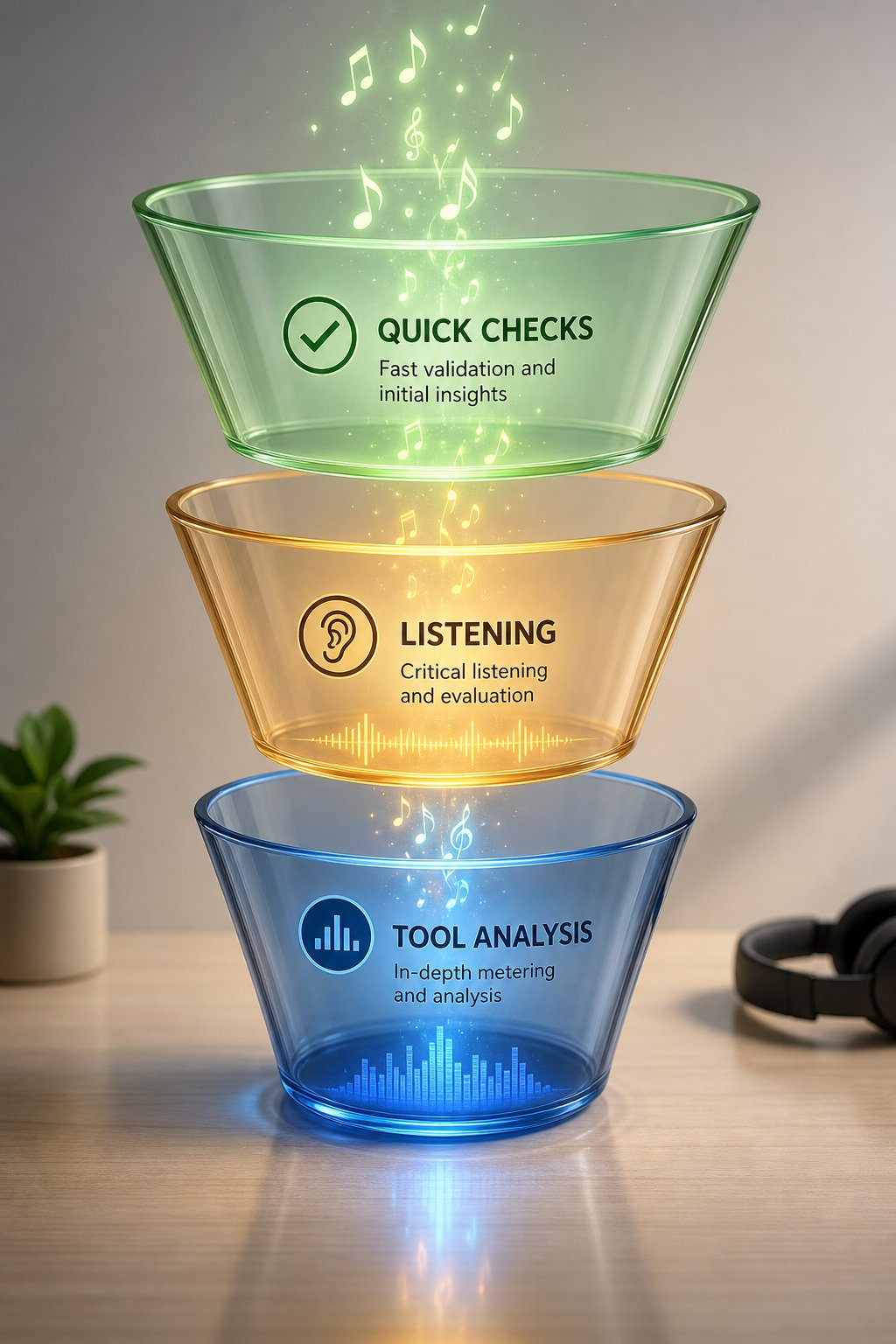
Think of this as a funnel. Most tracks will resolve at Level 1 without needing further investigation. The ones that don't get escalated to Level 2, and only genuinely ambiguous cases require the deeper dig of Level 3. Here's how to know if music is ai using a progressive approach:
- Level 1: Quick Contextual Checks (30 seconds) — Start with the artist profile. Look for linked social accounts, a verifiable identity, live performance history, and realistic upload frequency. Check whether the artist exists anywhere outside the streaming platform. If the profile looks like a digital ghost with dozens of tracks uploaded in weeks and no web presence beyond the streaming app, you've likely found synthetic content. This single step catches the majority of AI content farms operating today.
- Level 2: Active Listening Techniques (2-5 minutes) — When the profile seems legitimate but something still feels off, listen critically. Focus on vocal breath patterns and vibrato consistency. Check whether the stereo field has spatial depth or feels flat. Compare verse sections for meaningful variation. Notice whether transitions flow naturally or cut abruptly. Pay attention to lyrics — do they contain specific human experience or just generic emotional language? Adjust your skepticism by genre: be more suspicious of ambient and lo-fi, less suspicious of rock and jazz where human performance signatures are harder to fake.
- Level 3: Tool-Assisted Investigation (10-30 minutes) — For tracks that pass the first two levels but still raise doubt, bring in analytical tools. Run the track through an ai music checker like SubmitHub's free scanner or a paid platform like IRCAM Amplify. Inspect file metadata for encoder tags and encoding patterns. Then separate the track into stems to expose what the full mix conceals. MakeBestMusic's Audio Separator lets you isolate vocals, drums, bass, and instruments individually — once separated, listen to each stem for the robotic undertones, unnaturally clean patterns, or synthetic textures that layered production hides. This combination of automated detection and hands-on stem inspection gives you the most complete picture available.
The key insight: no single ai detector music method is foolproof. Academic research confirms that even state-of-the-art ai music detectors can be fooled by simple audio transformations like resampling or pitch shifting. But combining multiple approaches — contextual, perceptual, and analytical — makes evasion dramatically harder. A synthetic track might pass a profile check with a polished social presence, survive casual listening in a forgiving genre, yet fail spectacularly when its stems are separated and individual elements reveal the tell-tale uniformity of neural generation.
Building Long-Term Critical Listening Skills
Detection is a skill, not a one-time action. The more tracks you actively scrutinize, the faster your instincts develop. Start by running this framework on tracks you already know are AI-generated — download exports from Suno or Udio and practice identifying their artifacts. Then try it on tracks you're confident are human-made, training yourself to recognize what authentic imperfection sounds like. Over time, the differences become intuitive rather than analytical.
Keep in mind that ai music detectors and the generators they target are locked in an arms race. Today's reliable tells may vanish as models improve. But the underlying principles — human physicality leaves traces that pure computation doesn't, real artists exist in social contexts that content farms can't fully replicate, and separated stems expose what composite mixes hide — remain durable regardless of which generation of AI produces the audio.
You don't need to become a forensic audio expert to identify ai music meaningfully. A 30-second profile check filters most synthetic content. A few minutes of focused listening catches much of what remains. And when a track still nags at you, tools like an ai song identifier service or stem separation resolve the ambiguity. The question isn't whether you can achieve perfect detection — no one can, not even dedicated algorithms. The question is whether you're making informed choices about the music you support and stream. With this framework, you are.
No song finder ai or automated system will replace your own judgment entirely. But combining awareness, trained perception, and the right tools puts you far ahead of the 97% who never think to ask the question in the first place. That alone changes the relationship between you and the music filling your headphones.
