

Understanding How AI Music Generation Works
A year ago, AI-generated tracks sounded like a curiosity you'd share for laughs. That era is over. Today, these tools produce music that lands on playlists, scores videos, and holds up next to human-made productions. Learning how to make AI generated music is no longer about experimenting with a gimmick. It's about picking up a genuine creative skill.
This guide walks you through the full workflow, from defining a song concept to exporting a finished track. No single tool is pushed here. The focus is on technique that works across platforms, so you walk away knowing how to get results regardless of which generator you choose.
What AI Music Generation Actually Is
At a high level, AI music tools learn patterns from massive datasets of existing audio. Transformer models, the same architecture behind modern language AI, analyze long-range musical relationships like how a chorus connects back to a verse. Diffusion-based models take a different route: they start with noise and gradually refine it into coherent audio, much like sharpening a blurry photograph into a crisp image. Text-to-music synthesis bridges these approaches by translating your written descriptions into sound.
The result? You type a prompt describing genre, mood, and instrumentation, and the system generates a full arrangement in seconds. Research into AI music quality shows that roughly 85% of outputs from leading platforms now meet commercial-use standards, a dramatic leap from just 30% in 2023.
What You Can Realistically Expect From AI Music Tools
Will AI get better at helping with making music? Absolutely, and it already has. The best AI generated music today rivals professional production in audio fidelity and coherence. But here's the honest part: quality depends on you. Vague inputs produce generic outputs. The best ai for music creation is whichever tool you learn to prompt well.
AI music generation is a collaboration between human creativity and machine capability, not a one-click magic button. Your ideas, taste, and iteration drive the outcome.
Think of these ai music composition tools as instruments that respond to direction. They handle the technical heavy lifting, synthesizing realistic instruments, mixing tracks, maintaining key and tempo, but the creative vision is yours. The more specific and intentional your input, the closer the output lands to what you actually hear in your head.
That creative input starts well before you ever open a generator. It starts with a clear concept.
Step 1 - Define Your Song Concept and Style
Every great AI-generated track starts with a decision made before the generator ever loads. The quality gap between forgettable outputs and playlist-worthy results almost always traces back to one thing: how clearly you defined what you wanted. Skipping this step is like walking into a recording studio and telling the engineer "make something good." You'll get sound, but probably not your sound.
Spending five minutes on a creative brief saves you thirty minutes of aimless regeneration. Here's how to build one that actually works.
Identify Your Genre and Mood
Genre and mood are separate decisions, even though people often conflate them. Genre defines the musical vocabulary: the instruments, rhythms, production style, and song structures the AI will draw from. Mood defines the emotional temperature within that vocabulary. "Lo-fi hip hop" can feel melancholic, cozy, nostalgic, or playful. "Cinematic orchestral" can be triumphant, tense, mournful, or mysterious.
If you're unsure where your idea fits, think of it as a song genre finder exercise. Ask yourself: what would I search for on a streaming platform to hear something similar? That search term is your starting genre. Then layer in mood by identifying the feeling you want the listener to walk away with.
Finding the right words to describe music can feel tricky at first. A useful trick is to think in contrasts. Is the energy high or low? Is the tone warm or cold? Is the texture dense or sparse? These simple binaries narrow your direction fast and give AI tools concrete signals to work with.
Match Your Concept to Your Use Case
A content creator producing ambient background music for a tutorial video has completely different needs than someone crafting a personalized song for a friend's birthday. Use case shapes every downstream decision, from track length to vocal presence to song structure.
Imagine you need a 30-second podcast intro. You'd want a punchy hook, minimal vocals, and a clean ending that leaves room for speech. Compare that to a full pop track with verses, a chorus, and a bridge. Same AI tools, entirely different briefs. When you produce your own music with AI, matching concept to context is what separates usable output from something you'll immediately discard.
A similar songs finder approach can help here too. Pull up two or three reference tracks that serve the same purpose you're targeting. Listen for their tempo, energy arc, and instrumentation choices. You don't need to copy them, but they anchor your brief in something concrete rather than abstract.
Build a Creative Brief Before You Generate
Think of your creative brief as a song idea generator in written form. It doesn't need to be long or formal. A few clear sentences covering the essentials will outperform a vague paragraph every time. The six-part prompt formula used by experienced AI music creators follows a simple pattern: use case, subject, genre, mood, vocal direction, and ending behavior.
Here's what a solid concept brief covers:
- Genre: Primary style and optional secondary texture (e.g., "acoustic folk with subtle cinematic strings")
- Mood: Emotional tone and energy level (e.g., "reflective but hopeful, medium energy")
- Tempo range: General speed or specific BPM (e.g., "relaxed pace, around 85 BPM")
- Instrumentation: Key instruments you want featured or excluded (e.g., "fingerpicked guitar, soft piano, no heavy drums")
- Vocal style: Whether you want vocals, and if so, what kind (e.g., "warm female vocal, intimate delivery" or "instrumental only")
- Song structure: Arrangement preferences (e.g., "verse-chorus-verse, short bridge, clean ending" or "loopable 60-second bed")
- Intended use: Where the track will live (e.g., "background for a product demo video" or "custom song for a wedding gift")
You don't need every element locked down perfectly. But the more of these you can answer, even loosely, the sharper your prompts become. And sharp prompts are what separate people who get lucky once from people who consistently produce tracks worth keeping.
With your concept defined, the next question becomes practical: which tool turns this brief into actual audio?
Step 2 - Pick the Best AI Music Generator for Your Needs
Your creative brief is ready. You know the genre, mood, tempo, and use case. The next decision determines how smoothly that vision translates into actual audio: which platform do you hand it to? The landscape of best ai music generators has expanded fast, and each tool takes a fundamentally different approach to turning your ideas into sound. Picking the wrong one for your workflow means fighting the interface instead of creating music.
Here's an honest breakdown of what's available, how each tool works, and which scenarios each one handles best.
Different Approaches to AI Music Generation
Not every AI music platform works the same way under the hood. Understanding the input method matters because it shapes how much creative control you have and what kind of output you'll get.
The four main approaches you'll encounter:
- Text-to-music from prompts: You describe the sound you want in natural language. The AI interprets your description and generates a complete arrangement. This is the most flexible approach and works well when you have a clear vision but no technical music skills.
- Lyrics-to-song generation: You provide written lyrics, and the AI composes melody, instrumentation, and vocals around your words. Ideal when you already have your song words written and want to hear them performed.
- Style and genre selection interfaces: Instead of writing prompts, you pick from menus of genres, moods, instruments, and tempos. The AI combines your selections into a track. This approach reduces guesswork but limits creative specificity.
- Reference-track-based generation: You upload an existing song or audio clip as a style reference, and the AI generates something new that matches the feel. Useful when you can point to exactly what you want but can't describe it in words.
Most modern platforms blend two or more of these approaches. The suno ai song creator, for example, accepts both text prompts and custom lyrics in the same workflow. Soundraw AI takes the parameter-selection route, letting you dial in genre, mood, and instruments without writing a single prompt. The best fit depends on whether you think in words, in musical references, or in structured parameters.
Comparing the Top AI Music Platforms
Rather than ranking these tools on a single scale, the table below maps each platform's strengths to specific creator needs. Every tool listed here can produce quality output. The difference is workflow fit.
| Tool | Primary Input Method | Best Use Case | Vocal Capability | Free Tier |
|---|---|---|---|---|
| MakeBestMusic | Prompts + lyrics + style selection | Beginners wanting a streamlined prompt-to-song workflow | Yes, with style options | Yes |
| Suno | Text prompts + custom lyrics | Full songs with vocals and high-volume ideation | Yes, expressive AI vocals | Yes (50 credits/day) |
| Udio | Text prompts + lyrics + inpainting | Iterative refinement and high-fidelity instrumentals | Yes | Yes (limited credits) |
| SOUNDRAW | Genre/mood/instrument selection | Customizable background music for video creators | No | Yes (preview only) |
| Loudly | Genre selection + effects customization | Quick, clean instrumental tracks | No | Yes (25 generations/month) |
| AIVA | Prompts + MIDI/audio references | Cinematic and classical compositions with MIDI export | No | Yes (non-commercial) |
| Beatoven.ai | Mood/emotion parameters | Emotion-driven scoring for video and podcasts | No | Yes (preview only) |
| Riffusion | Text prompts | Free experimentation and creative exploration | Limited | Yes (fully free) |
A few notes worth calling out. The suno ai music maker recently launched its v5 model with noticeably better vocal coherence and a Studio environment for light editing. It's the easiest full-song generator to start with if you want vocals. Udio rewards patience with superior instrumental detail and an inpainting feature that lets you fix specific sections without regenerating the entire track. The aiva ai music generator stands apart for composers who want MIDI export and sheet music, making it the pick for cinematic scoring or anyone who plans to continue editing in a traditional DAW.
MakeBestMusic earns its spot at the top of this list for a specific reason: it combines text prompts, lyrics input, and style preferences into a single unified interface. If you're following this guide as a beginner, that consolidation matters. You don't need to learn multiple workflows or jump between tabs. You paste your creative brief, add lyrics if you have them, select a style direction, and generate. It's the most direct path from the concept brief you built in Step 1 to a finished track.
How to Match a Tool to Your Workflow
The right platform isn't the one with the most features. It's the one that matches how you actually work. Here's a quick decision framework:
- You have lyrics and want a complete song with vocals: Start with MakeBestMusic or Suno. Both handle lyrics-to-song workflows natively and produce full arrangements with singing.
- You need background music for video or podcast content: SOUNDRAW or Beatoven.ai give you parameter-based control without requiring prompt-writing skills. Their outputs are designed to sit behind other content without competing for attention.
- You want maximum control and don't mind a learning curve: Udio's inpainting and timeline editing, or AIVA's MIDI export, give you granular post-generation control that simpler tools don't offer.
- You're exploring and want zero commitment: Riffusion is completely free and great for understanding how prompts translate to sound before you invest time in a paid platform.
Tools like ai music generator melodycraft and platforms such as producer.ai or remusic.ai also occupy this space, each with their own angle on the generation workflow. The ecosystem is broad enough that you'll likely settle on two or three tools for different situations rather than one universal solution.
One practical tip: don't spend hours comparing features before you've generated a single track. Pick the tool that matches your immediate use case, run a few generations, and evaluate based on actual output quality rather than feature lists. You can always switch later. The creative brief you built in Step 1 works across every platform listed here.
With your tool selected, the real creative leverage comes from what you type into it. The difference between a mediocre output and a track you'd actually keep almost always comes down to prompt quality.
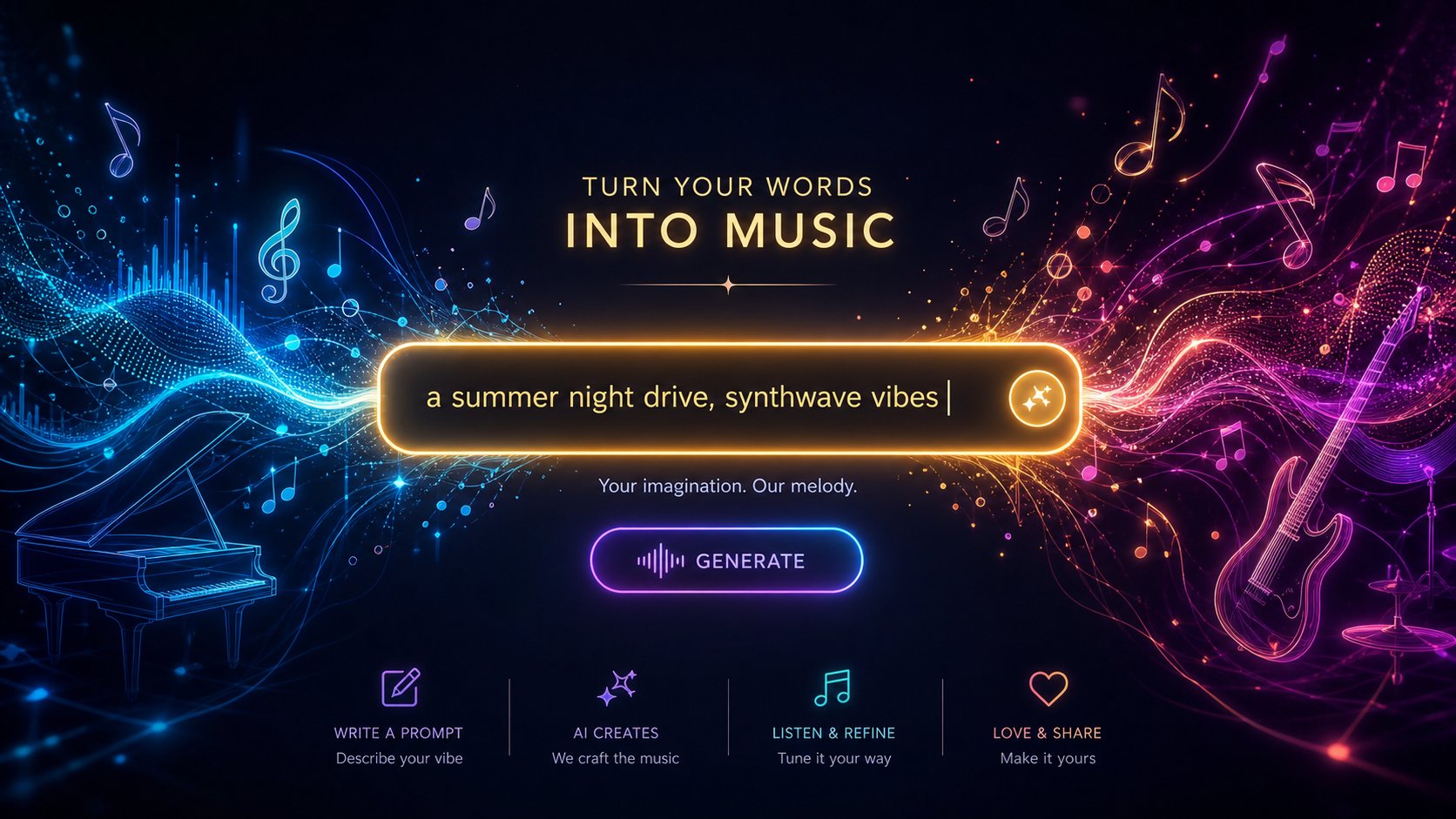
Step 3 - Write Prompts That Get Great Results
You've picked your tool. You're staring at a text box. What you type next matters more than which platform you chose. Prompt quality is the single biggest lever you have over output quality. A vague prompt leaves the AI guessing, and its guesses rarely match what you hear in your head. A specific, well-structured prompt constrains those guesses into a narrow range that actually sounds like your vision.
How do you write a song using AI? The same way you'd brief a session musician: clearly, specifically, and with enough detail that they don't have to fill in the blanks themselves. Here's how to build prompts that consistently produce tracks worth keeping.
Anatomy of a High-Quality Music Prompt
Every effective music prompt contains a handful of core components. You don't need all of them every time, but knowing what's available lets you decide which details to specify and which to leave open. Research into structured prompting frameworks shows that models produce far more coherent outputs when given a compositional blueprint rather than a loose vibe.
The key building blocks of a strong prompt:
- Genre and era: "Indie rock" is decent. "2000s garage rock revival" is better. Adding a decade anchors the AI in a specific sonic palette rather than averaging across fifty years of a genre's evolution.
- Mood and emotion: AI tools respond better to evocative feeling words than to music theory. "Bittersweet and nostalgic" outperforms "minor key, 4/4 time" for most generators.
- Tempo indication: Either a general descriptor ("mid-tempo," "driving," "slow and spacious") or a specific BPM. Specifying BPM explicitly removes one variable the AI would otherwise decide for you.
- Instrumentation: Name the instruments you want prominent. "Analog synthesizers, drum machine, warm bass" paints a clearer picture than "electronic."
- Vocal style: Gender, delivery, and character. "Breathy female vocals" or "raspy male baritone" or simply "instrumental only."
- Production quality descriptors: Words like "lo-fi," "polished," "tape-saturated," "reverb-drenched," or "clean mix" shape the overall sonic texture.
- Structural cues: Hints about arrangement, like "builds from sparse to full" or "anthemic chorus, stripped-back verse."
The sweet spot is 4-7 descriptors. Fewer than four produces generic results. More than seven tends to confuse the model and create contradictory outputs. Think of it as giving direction without micromanaging every decision.
Example Prompts From Basic to Advanced
The difference between a throwaway generation and a track you'd actually use often comes down to specificity. Watch how each added layer of detail narrows the AI's output toward something intentional:
- Too vague: "Sad song" — This could produce anything from a country ballad to a trap beat. The AI has no anchor, so it picks randomly from thousands of possible interpretations.
- Basic but functional: "Melancholic piano ballad, slow tempo, female vocals" — Three descriptors give the AI a genre, mood, and vocal direction. Results will be in the right neighborhood but still generic.
- Good specificity: "Melancholic piano ballad, slow tempo, introspective female vocals, rainy day mood, minimal arrangement" — Five descriptors. The mood is layered, the arrangement is constrained, and the vocal character is defined. Outputs start feeling intentional.
- Advanced and precise: "Melancholic piano ballad, 68 BPM, breathy female vocals, sparse arrangement with soft strings entering in the chorus, intimate lo-fi production, bittersweet nostalgia" — Seven descriptors covering tempo, vocal delivery, arrangement arc, production style, and emotional nuance. This leaves the AI very little room to guess wrong.
- Structured with dynamics: "Melancholic piano ballad, 68 BPM. Solo piano opens, no percussion. Verse adds soft brush drums and upright bass. Chorus brings gentle strings and vocal harmonies. Energy moves from intimate to quietly powerful. Mix warm and close." — This reads like a composition brief. It defines not just what the track contains, but how it moves through time.
Notice the progression. Each step doesn't just add more words. It adds more decisions. And every decision you make is one the AI doesn't have to guess at. That's the core principle behind writing prompts that consistently deliver: reduce the AI's decision space to the range of outcomes you'd actually want.
One more distinction worth understanding: descriptive prompts ("dreamy, ethereal, floating synths") describe the sound you want to hear. Reference-based prompts ("1980s French house, Daft Punk influence, filtered disco samples") point the AI toward existing styles. Both work. Combining them, like "1980s synthwave, nostalgic and bittersweet, analog synthesizers with drum machine, ethereal female vocals," tends to produce the most reliable results because you're anchoring in a known style while specifying the emotional direction.
Writing Lyrics That AI Tools Handle Well
If your track includes vocals, your song words become a second creative input alongside the style prompt. How you format lyrics directly affects how the AI interprets and performs them. The top AI for lyrics for songs all respond to the same structural conventions, so learning these patterns pays off regardless of platform.
The most important technique: use section markers in square brackets to define song structure. These metatags tell the AI where each part begins and what role it plays:
- [Intro] — Sets the opening mood, often instrumental
- [Verse] — Storytelling sections with lower energy
- [Pre-Chorus] — Builds anticipation before the hook
- [Chorus] — The catchy, repeatable core of the song
- [Bridge] — A contrasting section that adds new perspective
- [Outro] — Signals the AI to wind down and close
Without these markers, the AI decides where verses end and choruses begin, and it often guesses wrong. With them, you control the architecture of the song while the AI handles melody and delivery.
When writing the actual lyrics, keep a few principles in mind. Shorter lines sing better than long, complex sentences. Repetition in choruses helps the AI lock onto a melodic hook. Concrete imagery ("neon lights reflecting in my eyes") outperforms abstract statements ("life is complicated") because it gives the vocal model something vivid to deliver. If you're wondering how to write a song lyrics that sound natural when performed by AI, think conversational rather than literary. The best song lyrics for AI generation tend to be rhythmically consistent within each section, with syllable counts that don't wildly vary line to line.
You can also use parentheses for secondary vocal elements like whispered asides or backing harmonies: "(I can't let go)" signals a softer, layered delivery on most platforms. And if you're stuck on rhyming or phrasing, an ai rhyme finder can help you land on words that maintain both meaning and flow without forcing awkward constructions.
Is Google AI Studio good at lyrics for songs? It can help brainstorm concepts and draft lines, but dedicated music generators handle the actual performance and melody creation. Use language models for writing and refining your lyrics, then paste the polished version into your music tool with proper structure markers. That two-step workflow, writing perfect song lyrics separately and then generating music around them, consistently produces better results than asking a single tool to handle both composition and lyric writing simultaneously.
Your prompt and lyrics are ready. The next step is hitting generate and knowing what to listen for when the results come back.
Step 4 - Generate and Evaluate Your First AI Music Track
You've built your creative brief, chosen a platform, and crafted a detailed prompt. This is the moment everything becomes real. You hit generate, wait a few seconds, and hear something that didn't exist thirty seconds ago. That first listen is exciting, but it's also where most beginners make their biggest mistake: accepting or rejecting the output too quickly without knowing what to actually listen for.
The generation step isn't a single click and done. It's a short, focused session where you produce multiple variations, evaluate them against clear criteria, and identify which outputs deserve further refinement. Here's how to run that session effectively.
Running Your First Generation
When you submit your prompt, the AI doesn't produce one definitive answer. Most platforms generate two to four variations simultaneously, each interpreting your instructions slightly differently. Think of it like asking four session musicians to improvise over the same brief. They'll all stay within your parameters, but each will make different melodic and rhythmic choices.
If you want to apply the prompt techniques from the previous step immediately, MakeBestMusic's create page accepts prompts, lyrics, and style preferences in a single interface, making it a practical starting point. Paste your creative brief, add lyrics if you have them, select a style direction, and generate. The unified workflow means you don't need to bounce between tabs or learn separate input systems before hearing your first result.
Generation times vary by platform and plan tier. Most tools deliver results in 10 to 60 seconds. Free tiers typically queue your request behind paying users, so expect slightly longer waits during peak hours. Paid plans on platforms like Suno or Udio prioritize your generations and often unlock higher-quality models. On free tiers, you'll usually get fewer daily credits, around 10 to 50 generations per day, which is plenty for learning but can feel limiting once you're deep in a creative session.
One practical note: before you hit generate, double-check your prompt for contradictions. Asking for "aggressive heavy metal with soft, gentle energy" sends mixed signals. The AI will try to satisfy both, and the result usually satisfies neither. Clean, directional prompts produce clean, directional outputs.
How to Evaluate AI Music Outputs
Listening to AI-generated music requires a slightly different ear than listening for enjoyment. You're evaluating raw material, not a finished product. Here's what to focus on during those first listens:
- Melody quality: Does the vocal or lead melody feel natural and memorable? Can you hum it back? Melodies that stick after one listen are keepers. Melodies that feel random or aimless usually indicate the prompt needs more emotional direction.
- Production coherence: Do the instruments sound like they belong in the same track? Listen for elements that clash sonically, like an overly bright synth fighting a warm acoustic guitar, or drums that feel disconnected from the groove.
- Vocal clarity: If your track has vocals, listen for pronunciation issues, unnatural phrasing, or moments where the voice sounds glitchy. Modern models like Suno v5 handle vocals impressively, but complex words or unusual syllable patterns can still trip them up.
- Overall feel: Step back from the details. Does the track evoke the mood you specified? Does it match the energy level you intended? Sometimes a generation nails the technical elements but misses the emotional target entirely.
- Structural flow: Does the song move naturally between sections? Listen for awkward transitions, abrupt endings, or sections that overstay their welcome.
You don't need every element to be perfect on the first pass. You're looking for outputs where the core idea works, even if specific details need adjustment. A track with a great melody but slightly muddy production is worth refining. A track where nothing clicks emotionally is better abandoned for a fresh generation.
Quality evaluation frameworks used by audio engineers assess factors like spectral balance, rhythmic accuracy, and dynamic range. You don't need to measure these technically, but training your ear to notice when something feels "off" in the mix, when the low end is muddy or the vocals sit too far back, helps you give better feedback through re-prompting.
Generate Multiple Variations for Best Results
Here's the habit that separates people who get one lucky track from people who consistently produce quality: generate in batches, not singles. The best ai song creator workflow isn't about finding perfection on attempt one. It's about creating enough raw material that you can cherry-pick the strongest elements.
A practical approach that works well:
- Generate 4-6 variations from your initial prompt without changing anything. This shows you the range of interpretations the AI produces from identical input.
- Save promising outputs immediately. Don't assume you'll remember which generation was good. Download or favorite anything that catches your ear, even if it's not perfect. Many platforms don't store old generations indefinitely.
- Note what worked. When a generation hits, ask yourself why. Was it the melody? The groove? The vocal delivery? Write down which prompt elements you think drove the good result. This builds your personal prompt library over time.
- Adjust and regenerate. After your first batch, tweak the prompt based on what you heard. If the tempo felt too fast, specify a lower BPM. If the instrumentation was right but the mood was off, swap your emotional descriptors. Then generate another batch.
This iterative batch approach works whether you're using an ai jingle maker for a short commercial clip or building a full-length track with verses and choruses. The principle is the same: volume of attempts plus selective judgment equals quality output. Even platforms marketed as music hero ai free options follow this pattern. The free tier gives you enough generations to learn the feedback loop, and that loop is where the real skill develops.
Think of each generation as a low-cost experiment. Unlike traditional recording, where every take costs studio time and musician energy, AI generation costs you nothing but a few seconds of waiting. Use that freedom aggressively. Generate more than you think you need, evaluate honestly, and keep only what genuinely works.
Most creators find their keeper track somewhere between generation three and generation eight. If you're past ten attempts on the same concept without anything promising, that's a signal to revisit your prompt rather than keep rolling the dice with the same input. The issue is almost always in the brief, not in the tool.
With a strong output selected, the real creative work shifts from generation to refinement, shaping that raw result into something polished enough to use.

Step 5 - Iterate and Refine Until It Sounds Right
You've got a promising output. The melody clicks, the groove feels right, and the overall mood lands somewhere close to your vision. But close isn't finished. The first generation that catches your ear is raw material, not a completed track. Treating it as a starting point rather than a final product is the single biggest mindset shift that separates people who dabble from people who consistently produce tracks worth sharing.
Refining AI-generated music is less about luck and more about a repeatable process. The goal is to systematically close the gap between what the AI gave you and what you actually hear in your head.
The Listen-Evaluate-Adjust Loop
Every experienced creator, whether working with AI or a full band, follows the same core cycle: listen critically, identify what works and what doesn't, then make targeted changes. With AI music tools, this loop moves faster because each adjustment takes seconds instead of hours in a studio.
Here's how to run it effectively. On your first careful listen, split your attention into two categories: elements that already work and elements that feel off. Be specific. "The verse melody is great but the chorus feels flat" is useful feedback you can act on. "It's not quite right" gives you nothing to work with.
Once you've identified what needs to change, adjust your prompt language to address those specific issues rather than rewriting everything from scratch. If the instrumentation was perfect but the vocals felt too aggressive, keep your instrumental descriptors identical and only modify the vocal direction. Changing too many variables at once makes it impossible to know what fixed the problem or what created new ones.
Think of each iteration as a conversation. You gave the AI a direction, it responded with an interpretation, and now you're clarifying. The more precise your clarification, the closer the next output lands. This is how you learn to compose a melody through AI collaboration: not by accepting the first idea, but by shaping it through focused feedback rounds.
When to Re-Prompt vs. Start Fresh
Not every issue is worth fixing through iteration. Some outputs have a fundamentally strong foundation that just needs polish. Others are built on the wrong idea entirely. Knowing the difference saves you from spending twenty minutes tweaking a track that should have been scrapped after the first listen.
Re-prompt when:
- The overall structure and mood are right, but specific elements need adjustment
- The melody or groove is strong but the mix balance feels off
- Vocals are good but one section (verse, chorus, bridge) underperforms
- The track is close to your vision but needs a different energy level or tempo
Start fresh when:
- The genre interpretation is fundamentally wrong (you asked for jazz and got EDM)
- The emotional tone misses entirely, not just slightly off but in the wrong direction
- The vocal melody feels random or aimless with no hookable moments
- Multiple elements clash simultaneously, suggesting conflicting prompt signals
A useful rule of thumb: if you can name one or two specific things to fix, re-prompt. If your reaction is a general "this isn't working," start over with a rethought brief. Trying to salvage a fundamentally misaligned generation wastes more time than beginning again with sharper language.
Using Platform Features to Refine Sections
Most AI music platforms offer iteration features beyond simple regeneration. Learning these tools turns you from someone who rolls the dice repeatedly into someone who sculpts a track with intention.
Extending and shortening tracks. Many generators let you extend a song by adding new sections after the initial output. This is useful when you love the first 60 seconds but need a full two-minute piece. Suno's canvas interface allows you to build outward from a strong section, adding verses, bridges, or outros that match the established style. Think of suno canvas as a musical canvas where you paint new sections onto an existing foundation rather than generating everything from nothing each time.
Inpainting and section replacement. Udio's standout feature lets you replace specific sections of a track without regenerating the whole thing. If your verse is perfect but the chorus falls flat, you can regenerate just that chorus while keeping everything else intact. This section-level control is a game changer for anyone who has ever lost a great verse because they had to regenerate an entire track to fix the bridge. It's the closest AI music tools come to how a traditional composer music workflow operates: revising individual parts while preserving the whole.
Variation and remix features. Several platforms let you take an existing output and generate variations of it. The AI uses your original track as a reference point and produces alternatives that share its DNA but differ in specific ways. This is particularly effective when you have a generation that's 80% there. Instead of re-prompting from scratch, you ask the tool to explore nearby possibilities.
Here are common issues you'll encounter during refinement, paired with prompt-based fixes that address them directly:
- Vocals too quiet in the mix → Add "prominent vocals" or "vocals forward in the mix" to your prompt
- Wrong tempo or energy → Specify BPM explicitly (e.g., "72 BPM") instead of relying on vague descriptors like "slow"
- Instruments clashing or muddy → Reduce the number of instruments in your prompt and add "clean mix" or "spacious arrangement"
- Song ends abruptly → Add "gentle fade out" or "clean ending with final chord ring" to your structural cues
- Chorus doesn't stand out from verse → Add "dynamic contrast between verse and chorus" or "chorus builds with layered harmonies and full instrumentation"
- Vocals mispronouncing words → Simplify complex words in your lyrics or break them into phonetically clearer alternatives
- Track sounds generic or lifeless → Add production texture descriptors like "tape-saturated," "analog warmth," or "live room ambience"
- Mood is too intense or too subdued → Swap emotional descriptors for more precise ones ("wistful" instead of "sad," "driving" instead of "energetic")
Each of these fixes targets a single variable. That precision matters. Changing one descriptor at a time lets you isolate what's working and build on it, rather than scrambling the entire output with a completely rewritten prompt.
At some point, you'll hit the limits of what re-prompting can achieve. The AI might nail the arrangement and melody but produce a mix that needs surgical adjustments, like taming a harsh high frequency or tightening the low end. That's when external editing tools enter the picture. Free options like DAWs with AI-assisted features, Audacity for simple cuts and normalization, or AI-powered mastering services can handle the last 10-15% of polish that generators alone can't deliver. The key is knowing when you've extracted everything the AI tool can give and it's time to move into post-production.
A vocal mixing AI free tool can help balance vocal levels against instrumentation after export. A song mashup maker can combine the best sections from different generations into a single cohesive track. Even creating a piano arrangement from audio using AI-powered transcription tools becomes possible once you have a strong foundation to work from. The iteration phase inside the generator handles the creative decisions. Post-production handles the technical ones.
Most creators find their sweet spot after three to five focused iteration cycles. By then, the prompt is dialed in, the structure works, and the output is close enough to finalize. If you're still fighting the same issues after eight or nine rounds, that's usually a sign to rethink your concept at the brief level rather than continuing to polish a fundamentally mismatched generation.
With your track refined and sounding right, the final stretch is preparing it for the real world: exporting in the right format, making any last edits, and understanding the licensing rules that determine where you can actually use it.
Step 6 - Export, Edit, and Prepare Your Music for Use
Your track sounds right inside the generator. The melody works, the mix feels balanced, and the structure flows naturally. But a track sitting inside a platform isn't doing anything for you yet. The final stretch is getting it out of the tool and into the real world, whether that means scoring a video, opening a podcast, or landing on a playlist. This step covers the practical decisions that bridge the gap between a finished generation and a usable piece of music.
Export Formats and When to Use Each
Most AI music platforms offer at least two export options, and the one you pick depends entirely on what happens next. Choose the wrong format and you'll either waste storage on unnecessarily large files or lose audio quality you can't recover later.
Here's the breakdown:
| Format | File Size | Quality Level | Best Use Case |
|---|---|---|---|
| WAV | Large (~10 MB per minute) | Uncompressed, maximum fidelity | Master file for further editing, video production, professional projects |
| FLAC | Medium (40-60% smaller than WAV) | Lossless, identical quality to WAV | Archiving, sharing without quality loss, podcast production |
| MP3 (320kbps) | Small (~2.4 MB per minute) | Lossy, good for listening | Streaming uploads, social media, casual sharing |
| MP3 (128kbps) | Very small (~1 MB per minute) | Lossy, noticeable quality reduction | Previews, drafts, file size-critical situations |
The practical rule is simple: export in WAV or FLAC first, then compress to MP3 later if you need a smaller file for distribution. You can always convert lossless to lossy, but you can never recover detail that lossy compression removed. If you plan to download a song for YouTube or any platform that re-encodes on upload, starting with WAV gives the platform the cleanest source to work from. If you need royalty free podcast intro music or business background music for a video, WAV preserves the full dynamic range that keeps your audio sounding professional across different playback systems.
Basic Post-Processing for Better Sound
AI generators produce surprisingly polished output, but a few minutes of post-processing can elevate a good track into a professional-sounding one. You don't need expensive software or audio engineering experience. Audacity, a free open-source editor, handles everything listed here.
The most impactful quick edits:
- Normalization: Adjusts the overall volume so your track hits a consistent loudness level. This matters when your AI-generated music will play alongside other audio. Peak normalization to -1 dB prevents clipping, while loudness normalization to around -14 LUFS meets platform standards for YouTube and Spotify.
- Trimming silence: Most generators add a beat or two of silence at the start and end. Cut it. Clean starts and endings make your track feel intentional, especially for jingles or intro music.
- Fade-ins and fade-outs: A half-second fade-in eliminates any click at the start. A two-to-four-second fade-out creates a smooth ending that works better under voiceovers or video transitions than an abrupt stop.
- Basic EQ: If the low end sounds muddy, a gentle high-pass filter around 80 Hz cleans things up without thinning the track. If vocals feel buried, a small boost around 2-4 kHz adds presence.
Apply these edits in order: trim first, then EQ, then normalize last. Normalizing before other edits means you'll need to redo it after every change.
Once your track is polished, getting it into your project is usually straightforward. If you're wondering how to add music in Canva, their video editor accepts MP3 and WAV uploads directly into the timeline. For podcast workflows, most hosting platforms accept MP3 at 128-192kbps for spoken content with music beds. Video editors like DaVinci Resolve, Premiere Pro, or even iMovie handle WAV files natively. You can also add a background to a music performance on AI video tools by pairing your exported track with a free ai music video generator that syncs visuals to audio, turning a standalone song into shareable video content for social platforms.
For creators producing an ai music video, the export format matters for sync. WAV ensures frame-accurate alignment in professional editors, while MP3 works fine for social-first content where slight timing drift won't be noticeable. If you're scoring royalty free jazz music for a cafe ambiance video or layering beats behind a product demo, WAV gives your editor the most flexibility for volume automation and crossfades.
Understanding Licensing and Commercial Rights
This is the part most creators skip and later regret. Licensing terms for AI-generated music vary dramatically between platforms, and assumptions about ownership can create real problems when money is involved.
The core issue: copyright law hasn't fully caught up with AI-generated content. Ownership typically depends on how much human creative input shaped the final result. Writing a prompt alone may not be enough to establish copyright. Choosing between outputs, editing, and making deliberate creative decisions strengthens your claim, but the legal landscape is still evolving.
What this means in practice:
- Platform terms define your rights, not copyright law alone. Each tool's terms of service specify whether you can use outputs commercially, whether you have exclusive rights, and whether the platform retains any ownership. These terms differ significantly.
- Free tiers often restrict commercial use. Several platforms grant full commercial rights only on paid plans. Using a free-tier generation in a monetized YouTube video or a client project may violate the terms you agreed to.
- "Royalty-free" doesn't mean you own it. It means you don't pay per use, but restrictions on where and how you use the content may still apply.
- Exclusivity is rare. Most platforms can generate similar-sounding outputs for other users from similar prompts. Your track likely isn't exclusive to you unless the platform explicitly offers that.
Before using any AI-generated track commercially, whether as business background music for a corporate video, a jingle for a client, or background audio for a monetized podcast, read the specific platform's licensing terms. Look for clear answers to three questions: Can I use this commercially? Do I need to credit the platform? Can I register this with a distributor or content ID system?
Platforms update these policies frequently. What was permitted six months ago may have changed. Checking terms before each commercial use, not just once during signup, protects you from surprises down the line.
With your track exported, polished, and cleared for its intended use, you have a complete workflow from concept to finished product. But even experienced creators hit recurring snags that waste time and produce frustrating results. Knowing the most common pitfalls in advance saves you from learning them the hard way.

Common Mistakes When Making AI Music and How to Avoid Them
Every technique covered so far works. But knowing the right process doesn't immunize you from the mistakes that quietly sabotage output quality. These pitfalls trip up nearly everyone, whether you're figuring out how to make your own song for the first time or you've already generated dozens of tracks. Recognizing them early saves hours of frustration and wasted credits.
Prompt Mistakes That Kill Your Output Quality
The prompt is your only communication channel with the AI. When results disappoint, the issue almost always traces back to what you typed, not to the tool itself. Threads on ai music generator reddit communities surface the same handful of errors over and over again, and each one has a straightforward fix.
- Prompt too vague ("make a cool song") → Specify at least genre, mood, tempo, and one instrumentation detail. Four descriptors is the minimum for consistent quality.
- Contradictory descriptors ("aggressive and gentle") → Pick one emotional direction per generation. If you want contrast, describe it structurally: "gentle verse builds to aggressive chorus."
- No song structure specified → Add markers like "verse-chorus-verse-bridge-outro" in your prompt or use [Verse], [Chorus] tags in lyrics. Without them, the AI defaults to repetitive loops or unpredictable arrangements.
- Ignoring genre-specific conventions → A country prompt needs steel guitar and storytelling lyrics. A trap beat needs 808s and hi-hat rolls. Generic instrumentation in a genre-specific prompt produces something that sounds like nothing in particular. Prompt best practices emphasize naming sub-genres and era-specific details for tighter results.
- Overloading with too many descriptors → More than seven or eight elements in a single prompt tends to confuse the model. Prioritize must-haves and let the AI fill in secondary details.
- Expecting the AI to write your vision from a single word → "Jazz" can mean Coltrane, smooth elevator music, or acid jazz fusion. The AI doesn't read your mind. The more specific you are, the less it guesses.
- Skipping exclusion terms → If you don't want vocals, say "instrumental only." If you hate autotune, add "no autotune." Telling the AI what to avoid is just as powerful as telling it what to include.
- Overlooking licensing terms before commercial use → Free tiers on many platforms restrict commercial rights. Using a track in a monetized video without checking terms can lead to takedowns or worse. Always read the fine print before publishing.
Setting Realistic Expectations for AI Music
Questions like "which is the best ai music generator" flood forums because people assume the right tool eliminates the need for creative input. It doesn't. Every platform, even the best free ai music generators 2025 introduced, requires you to meet it halfway with clear direction and willingness to iterate.
Here's an honest picture of where AI music excels right now:
- Catchy hooks and melodies: AI tools are surprisingly good at generating earworms, especially in pop, electronic, and hip-hop genres.
- Background and ambient music: Tracks designed to sit behind video, podcasts, or presentations come out polished and usable on the first or second try.
- Genre-specific production: Lo-fi hip hop, cinematic orchestral, synthwave, and other well-represented genres consistently deliver strong results because the training data is rich in those styles.
- Speed and volume: Generating ten variations in five minutes gives you creative options that would take days in a traditional studio.
And where it still struggles:
- Complex, evolving arrangements: Tracks that require subtle dynamic shifts across four or five minutes sometimes lose coherence in later sections.
- Nuanced emotional delivery: A human vocalist conveys grief, irony, or tenderness through micro-decisions that AI can approximate but not replicate with full authenticity.
- Highly original compositions: AI excels within established genre conventions. Truly novel, boundary-pushing music still requires human creative risk-taking.
- Culturally specific music: Genres deeply tied to regional traditions or live performance energy, like flamenco, traditional folk, or free jazz, often feel slightly synthetic.
Understanding these boundaries prevents the frustration of expecting perfection where the technology hasn't arrived yet. If you're wondering how do you make a song that sounds genuinely professional, the answer isn't finding a magic tool. It's combining a strong creative brief, deliberate prompting, honest evaluation, and willingness to iterate across multiple generations.
A Troubleshooting Checklist for Common Issues
When a generation falls flat, run through this checklist before generating again. Most problems have a root cause you can identify and fix in under a minute.
- Output sounds generic and forgettable → Your prompt probably lacks specificity. Add era, sub-genre, production texture, and at least one unique descriptor ("tape-saturated," "reverb-drenched," "lo-fi warmth").
- Vocals are garbled or mispronouncing words → Simplify complex or uncommon words in your lyrics. Shorter syllable counts per line and consistent meter help the vocal model lock in.
- Track feels repetitive with no progression → Add structural cues to your prompt: "builds from sparse verse to full chorus," or use section markers like [Verse], [Chorus], [Bridge] in your lyrics.
- Mix sounds muddy or cluttered → You may have requested too many instruments. Reduce to three or four core elements and add "clean mix" or "spacious production" to your descriptors.
- Mood is wrong despite correct genre → Swap your emotional adjectives. "Melancholic" and "sad" produce different results. Try more precise language: "wistful," "aching," "contemplative," or "longing."
- Generation after generation misses the mark → Step back and revisit your creative brief from Step 1. The issue is likely at the concept level, not the prompt level. Redefine your target before generating again.
- Great verse, weak chorus (or vice versa) → Use platforms with section-level regeneration like Udio's inpainting. Or generate several full tracks and combine the strongest sections using a free editor like Audacity.
- Track cuts off or ends abruptly → Specify duration in your prompt and add an ending cue: "clean fade out," "final chord ring," or "gentle outro."
The throughline across every fix on this list is the same: treat each generation as an experiment, not a final attempt. How can you make a song that sounds great? The same way any creative skill develops, through focused repetition with feedback. Every generation teaches you something about how the AI interprets language, which descriptors it responds to strongly, and where your own creative brief needs sharpening.
Learning how to create songs with AI is less about mastering a single tool and more about developing a feedback loop between your ears and your prompts. The people who produce the best results aren't the ones with the most expensive subscriptions. They're the ones who pay attention to what each generation reveals and adjust accordingly. How do you make your own music that sounds intentional rather than random? You stop treating the generator as a slot machine and start treating it as a collaborator that gets smarter the clearer you communicate.
That's the complete workflow: concept, tool selection, prompting, generation, iteration, post-production, and now troubleshooting. Every step feeds the next, and the skills you build at each stage compound over time. Your tenth track will sound dramatically better than your first, not because the AI improved, but because you did.
