

What AI Music Covers Are and How the Technology Works
Imagine hearing Frank Sinatra sing a modern pop hit, or a K-pop idol performing a classic rock anthem. That's the magic behind AI music covers — and it's not science fiction. Thousands of creators are producing these vocal transformations right now, using free tools and a surprisingly straightforward workflow.
An AI cover takes an existing song and replaces the original singer's voice with a different voice generated by a trained AI model. The instrumental stays the same. The melody stays the same. But the vocal identity shifts entirely. The result can sound startlingly real when done correctly — or painfully robotic when done poorly. This guide covers every step so your results land firmly in the first category.
What Are AI Generated Music Covers
At its core, an AI cover is a vocal swap. You isolate the singing from a track, run those vocals through a voice conversion model trained on a target voice, and mix the converted vocals back over the original instrumental. The AI doesn't compose new music or write lyrics — it transforms one person's vocal performance into what sounds like another person singing the same thing. That's how people are making AI covers of songs you see flooding YouTube and TikTok. The underlying performance (timing, emotion, phrasing) carries over, but the timbre and vocal character belong to someone else entirely.
How Voice Cloning Technology Works
Two frameworks dominate the AI covers space: RVC (Retrieval-based Voice Conversion) and SoVITS (So-VITS-SVC). Both are open-source singing voice conversion systems, and they share a similar architecture with one key difference.
Here's the simplified version. The system first extracts the content of the source audio — the phonemes, melody, and intonation — while stripping away the original singer's identity. Then a generative model reconstructs the audio using a different voice identity. RVC adds a retrieval module that searches through stored voice features from training data to inject more of the target speaker's unique characteristics during generation. This extra step helps reduce "timbre leakage" from the source singer.
AI voice models learn vocal characteristics — tone, breathiness, vibrato patterns, resonance — from as little as 10-20 minutes of clean training audio. The model doesn't memorize specific words or songs. It learns the statistical patterns of how a voice sounds, then applies those patterns to any new vocal input.
Every step in this guide — from song selection to final mixing — feeds into this pipeline. Understanding why each stage matters will help you troubleshoot problems and produce AI music covers that actually fool listeners. Whether you want to use browser-based tools or run a full local RVC setup, the principles remain the same.
The quality of your final AI cover depends on decisions made long before you hit the "convert" button. It starts with choosing the right source material.
Step 1 – Select and Prepare Your Source Song
Your source song is the foundation of every song ai cover project. Pick a poor-quality track and no amount of clever settings will rescue it. Pick the right one and the voice conversion practically handles itself. The AI model can only work with what you feed it, so this decision shapes everything downstream.
Pick a Song With Clean Vocal Recordings
Think about what the AI actually needs to do: extract the singer's performance, strip away their identity, and rebuild it in a new voice. If the original vocal is buried under heavy reverb, distortion, or layered harmonies, the model struggles to isolate what it needs. You want vocals that sit clearly in the mix with minimal processing.
Studio recordings consistently outperform live versions. A concert recording introduces crowd noise, room reverb, and dynamic inconsistencies that bleed into the vocal stem even after separation. When you're deciding how to make a song cover with AI, always reach for the official studio release over a live rendition.
Genre matters too. Pop, R&B, and hip-hop tracks tend to convert cleanly because they prioritize upfront, well-isolated vocals in their production. Rock and metal get trickier — heavily distorted guitars overlap vocal frequencies, making clean separation harder. Breathy, intimate vocal styles (think Billie Eilish or Frank Ocean) transfer well because they carry strong tonal character. Screaming, growling, or heavily layered choir-style vocals push current models to their limits.
Here are the characteristics of an ideal source song for your cover of a song:
- Clear lead vocals with minimal reverb or delay effects
- Good separation between voice and instruments in the original mix
- Consistent vocal volume — no extreme dynamics between whispers and belting
- Single lead vocalist rather than duets or group harmonies
- Limited backing vocal layers that could confuse the conversion model
Audio Format and Quality Requirements
File quality directly impacts conversion accuracy. Low-bitrate MP3s introduce compression artifacts — those subtle warbles and metallic textures — that the AI faithfully reproduces in its output. You'll hear them amplified in the converted vocal, making things sound unnatural.
For best results during song upload, aim for these specifications:
- WAV or FLAC (lossless) whenever possible
- MP3 at 320kbps as an acceptable minimum
- Sample rate of 44.1kHz or 48kHz
- Avoid files ripped at 128kbps or lower — artifacts will compound during conversion
Where do you find high-quality source files? Purchased downloads from music stores deliver full-quality audio. Streaming service downloads (if your plan allows offline saves) are typically 256kbps AAC or equivalent. YouTube rips vary wildly — some cap at 128kbps regardless of the uploader's original file. If YouTube is your only option, use a downloader that grabs the highest available bitrate and check the file before committing.
A quick test: open your source file in any audio editor and look at the spectrogram. Quality recordings show frequency content extending up to 20kHz. Low-bitrate files cut off sharply around 16kHz, revealing a hard shelf where the encoder discarded information. That missing data means the AI has less to work with when reconstructing the voice.
With your source song selected and verified, the next challenge is splitting it apart — separating the vocal you want to convert from everything else in the mix.
Step 2 – Separate Vocals From the Instrumental Track
A finished song is a single waveform — vocals, drums, bass, and instruments all fused together. The AI voice model can't convert what it can't isolate. That's why stem separation is the make-or-break step for any ai song cover. Feed the model a clean, isolated vocal and it returns something convincing. Feed it a vocal contaminated with guitar bleed or drum transients and the output sounds like it's singing through a broken speaker.
Why Stem Separation Is Essential for Quality Covers
When a song cover ai tool processes vocals, it analyzes the frequency content, pitch contour, and timing of the audio you give it. Any residual instrument sound gets treated as part of the voice. The model tries to convert that bleed along with the actual singing, producing metallic warbling, phantom harmonics, and tonal smearing in the output. Cleaner input equals fewer artifacts — it's that direct.
Modern AI stem splitters use deep neural networks trained on thousands of songs to recognize which parts of a mixed waveform likely belong to the voice, drums, bass, or other instruments. The two dominant open-source algorithms behind most tools are Demucs (developed by Meta's AI research lab) and Spleeter (developed by Deezer's research team). Demucs — specifically the Hybrid Transformer version known as HTDemucs — processes both the raw waveform and a spectrogram view simultaneously, helping it preserve timing detail while recognizing harmonic patterns. This dual approach is why results have improved so dramatically over the last two years.
Keep in mind: these models produce estimates, not perfect recreations of the original studio session. A separated vocal may still carry faint reverb tails or a whisper of cymbal wash. But for voice conversion, even a 95% clean vocal produces dramatically better ai song covers than running the full mix through a model.
Free Tools for Vocal Isolation
You don't need to spend anything to get high-quality stem separation. Several free tools deliver results that rival paid options, especially for vocal extraction. Here's how the main choices compare:
Ultimate Vocal Remover 5 (UVR5) — A free standalone application for macOS, Windows, and Linux. UVR5 lets you choose between multiple separation algorithms and even run an "Ensemble" mode that combines several models for better results. Set it to the Demucs v4 model and you'll get vocals, bass, drums, and "other" stems. According to testing by LANDR, the separation quality is excellent, particularly for vocal isolation. The interface looks intimidating at first, but the learning curve is short.
Demucs (command-line) — If you're comfortable with a terminal, you can run Demucs directly via Python. This gives you access to the latest model versions immediately after release and full control over parameters. It's the same engine powering many of the GUI tools, just without the visual wrapper.
Browser-based options — Tools like Gaudio Studio and MVSEP run entirely in your browser. No installation, no GPU requirements on your machine — the processing happens on remote servers. Gaudio Studio stands out for vocal clarity and handles reverb tails particularly well. The trade-off is upload/download time and potential queue waits during busy periods.
For ai covers songs workflows specifically, vocal isolation is the priority. You need two outputs: the cleanest possible vocal (for conversion) and the instrumental (for remixing later). Most tools handle this two-stem split better than a full four-stem separation because there are fewer boundaries where bleed can occur.
The Separation Workflow
Regardless of which tool you pick, the process follows the same sequence:
- Load your high-quality source file (WAV or 320kbps MP3) into the stem separation tool
- Select the vocal isolation mode — choose "two-stem" or "vocals + instrumental" if available, as this typically produces cleaner results than full four-stem separation
- If using UVR5, select the Demucs v4 or MDX-Net model for vocal extraction — these consistently rank highest in separation quality
- Run the separation and wait for processing (expect 3-6 minutes for an average-length song on a modern computer, or slightly longer on browser-based tools)
- Export both the isolated vocal and the instrumental as separate WAV files — keep them at the same sample rate as your original
Evaluating Your Separation Quality
Before moving to voice conversion, listen critically to your isolated vocal. Solo it in headphones and check for these issues:
- Instrument bleed — Can you hear guitar, piano, or drum hits leaking through? Some faint background texture is acceptable, but prominent instrument sounds will create problems during conversion
- Timbral changes — Does the voice sound natural, or has the algorithm stripped away some of the singer's tone? Listen for a thin, hollow, or overly nasal quality that wasn't in the original
- Metallic artifacts — A shimmering, digital-sounding haze around the voice indicates the model struggled with that section. This often happens during dense instrumental passages
- Missing reverb tails — Check whether the algorithm cut off sustained notes abruptly or let them ring naturally
If the results aren't clean enough, try a different model within UVR5 or run the same file through a second tool for comparison. As MusicTech's testing found, results can vary from track to track — one algorithm may outperform another depending on the specific song's arrangement and production style. Dense rock mixes, heavily layered synth tracks, and recordings with long reverb tails are consistently the hardest material to separate cleanly.
Your separated vocal file is now ready for the transformation step — but the voice model you choose determines whether the final ai cover song sounds like a natural performance or an obvious digital impersonation.

Step 3 – Choose or Train Your AI Voice Model
The voice model is the identity layer of your AI cover. It determines whose voice your output will sound like — a cloned celebrity, a fictional character, your favorite cover singer, or even your own voice applied to someone else's performance. Picking the wrong model (or a poorly trained one) ruins the realism no matter how clean your separated vocal is.
You have two paths here: grab a pre-trained model from a community repository, or train your own from scratch. Most creators start with existing models and only move to custom training when they need a voice that nobody else has published.
Finding Pre-Trained Voice Models Online
The RVC community has built thousands of voice models and shared them publicly. You'll find everything from pop stars and rappers to anime characters and political figures. The kpop ai voice category alone has exploded, with models for dozens of idols available across multiple platforms. If you've seen a viral kpop ai cover on social media, it almost certainly used one of these community-trained models.
Here are the most reliable sources for downloading pre-trained voice models:
- Weights.gg — A dedicated repository for RVC models with search, preview audio samples, and community ratings. Largest selection of singer and celebrity voices.
- Hugging Face — Many model creators host their files here as public repositories. As the AI Hub documentation notes, models posted in community channels typically include a Hugging Face download link for the .PTH and .INDEX files.
- AI Hub Discord — The AI Hub community maintains a dedicated #voice-models forum channel where creators upload and share their work. You can also request models through their #request-models channel if you can't find what you need.
- Kits.AI model library — A curated selection of licensed voice models, primarily aimed at users of their platform but useful for browsing what's possible.
When evaluating a model's quality before committing to a full conversion, listen to any provided audio samples. A good model reproduces the target voice's unique timbre without excessive breathiness, robotic texture, or pitch instability. Check whether both files — the .PTH (containing pitch data) and .INDEX (containing accent and speech manner data) — are included. Models missing the .INDEX file often sound flatter and less characteristic of the target voice.
Training a Custom Voice Model
Sometimes the voice you want simply doesn't exist as a pre-trained model. Maybe it's your own voice, a friend's, or a lesser-known artist. In these cases, you can train a custom RVC model yourself.
The process requires 10-20 minutes of clean vocal audio from your target speaker — isolated singing works best, though clear speech recordings can produce decent results too. You'll preprocess this audio (trimming silence, normalizing volume, splitting into short segments), then feed it through the RVC WebUI training pipeline. Training typically takes 30-60 minutes on a modern GPU. The model learns the statistical patterns of that voice — resonance, vibrato habits, breathiness, formant structure — and can then apply those characteristics to any input vocal.
A few practical guidelines: use audio with minimal background noise or music bleed. Variety helps — include different pitches, dynamics, and vowel sounds in your training data. More data isn't always better if the quality drops. Ten minutes of pristine audio outperforms an hour of noisy recordings.
Ethical Considerations
The ease of creating a cloned celebrity voice raises real ethical questions. Using an ai celebrity generator approach to mimic a living artist's voice without consent sits in murky legal territory. Some jurisdictions are introducing "voice likeness" protections, and platforms increasingly flag unauthorized vocal deepfakes. The responsible path: use celebrity models for personal experimentation and non-commercial projects. If you plan to publish or monetize, consider using your own trained model or one with explicit permission from the voice owner.
With your voice model selected and ready, the next decision is which tool will actually run the conversion — and that choice depends heavily on your technical comfort level and how much control you want over the output.
Step 4 – Pick the Right AI Cover Tool for Your Skill Level
Your voice model is ready. Your separated vocal is clean. The tool you use to actually run the conversion determines how much control you get — and how much technical pain you'll endure getting there. The ai cover generator landscape ranges from one-click browser apps to complex local setups that demand a decent GPU and some command-line confidence. Neither extreme is "better." The right choice depends on where you are right now.
Browser-Based Tools for Beginners
Want results in minutes without installing anything? Browser-based tools handle the heavy processing on remote servers, so your computer's specs don't matter much. You upload a vocal, pick a voice model, and download the result. That's it.
MakeBestMusic's AI Voice Cover Generator is a strong starting point if you want to create AI voice covers and experiment with vocal styles without wrestling with configuration files. The interface is straightforward — upload your audio, select a voice, and let the server handle inference. It's a practical way to test whether a particular voice model works for your track before investing time in a more complex setup. For creators exploring their first free ai song cover, this kind of zero-friction workflow removes every barrier between the idea and the output.
Musicfy offers a similar browser-based approach with AI voice generation and a library of over 50 genres and styles. Its interface caters to total beginners, though customization options are limited compared to desktop tools. Jammable (formerly Voicify) provides access to community-uploaded voice models and handles conversion entirely in-browser, making it another accessible ai cover app for casual creators.
The trade-off with browser tools is control. You typically can't fine-tune pitch shift values, adjust the feature retrieval ratio, or tweak filter settings. You get what the platform gives you. For many projects — especially quick experiments and social media content — that's perfectly fine.
Desktop and Local Setup for Advanced Users
When you need granular control over every parameter, local tools deliver. The RVC WebUI runs on your own machine, giving you full access to pitch adjustment, index ratio, filter radius, and batch processing. You can load any community model or your own custom-trained voice. The catch: you need a CUDA-compatible NVIDIA GPU (4GB VRAM minimum, 8GB+ recommended) and comfort with Python environments.
SoVITS offers even more flexibility for singing voice conversion, with better handling of pitch transitions and vibrato in some cases. It's more complex to set up but rewards that effort with finer output quality on difficult vocal passages.
Kits.AI occupies a middle ground — it's a web platform with desktop-level control. It offers over 100 voice models, custom voice training, and adjustable conversion parameters. Paid plans start at $9.99/month, with a limited free tier for testing. If you want more knobs to turn without managing a local Python installation, Kits.AI bridges that gap.
Tool Comparison at a Glance
This table breaks down the key differences so you can match a song cover maker to your workflow:
| Tool | Skill Level | Price | Voice Models | Output Quality | Setup Required |
|---|---|---|---|---|---|
| MakeBestMusic AI Cover | Beginner | Free / Paid tiers | Built-in library | Good | None (browser) |
| Musicfy | Beginner | Free trial / $9+/mo | 50+ styles | Good | None (browser) |
| Jammable | Beginner | Free / Paid credits | Community uploads | Good | None (browser) |
| Kits.AI | Intermediate | Free tier / $9.99+/mo | 100+ library + custom training | Very Good | None (browser) |
| RVC WebUI | Advanced | Free (open-source) | Any community/custom model | Excellent | Local install, GPU required |
| SoVITS | Advanced | Free (open-source) | Custom trained only | Excellent | Local install, GPU required |
A few patterns worth noting. Every ai cover free option has limitations — browser tools restrict file length, output downloads, or voice model selection on unpaid plans. The open-source local tools (RVC, SoVITS) cost nothing but demand hardware and patience. Paid platforms like Kits.AI and Musicfy charge monthly fees but eliminate setup friction and offer curated model libraries.
For most people reading this guide, the smartest path is to start with a browser-based ai song cover generator to validate your concept quickly, then graduate to RVC WebUI once you want deeper control over the conversion parameters. Think of browser tools as your prototyping layer and local setups as your production environment.
Whichever song cover creator you choose, the conversion itself involves the same core decisions — pitch settings, model parameters, and quality evaluation. Those settings determine whether your output sounds like a natural vocal performance or a glitchy digital artifact.
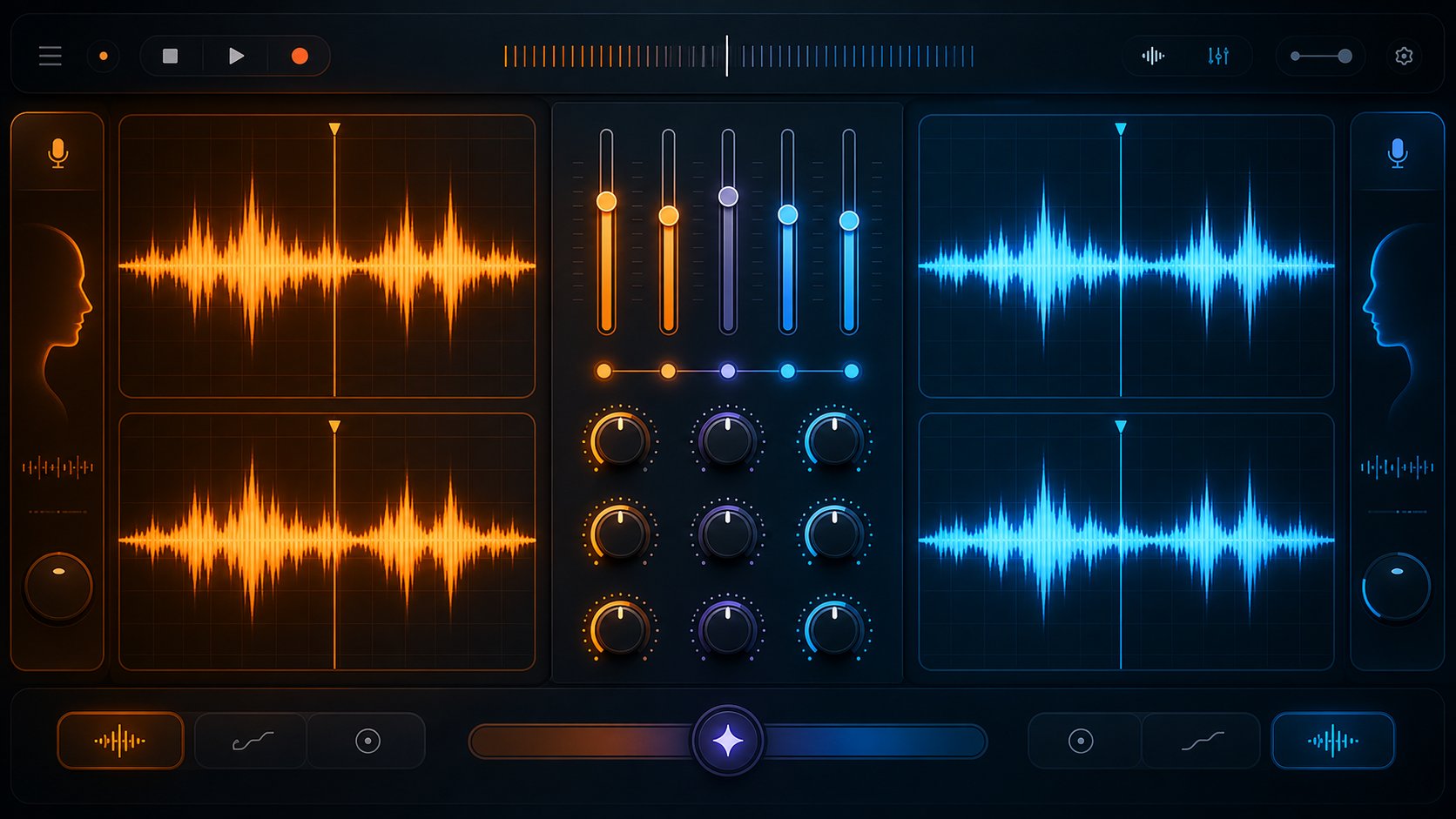
Step 5 – Run the Voice Conversion and Evaluate Results
This is where everything comes together. You have a clean isolated vocal, a voice model loaded, and a tool ready to run. The actual conversion takes only a few minutes — but the settings you dial in before hitting "convert" determine whether the output sounds like a real singer or a glitched karaoke machine. Knowing how to make ai song covers that pass for authentic performances means understanding what each parameter does and how to listen critically to the result.
The workflow is the same regardless of whether you're using RVC WebUI locally or a browser-based ai cover song maker: load your isolated vocal, select your voice model, configure the conversion settings, run inference, and evaluate the output. Let's break down the settings that actually matter.
Configure Voice Conversion Settings
Every voice conversion tool exposes a handful of core parameters. Some tools bury them behind "Advanced" toggles. Others show everything upfront. Either way, these are the ones that shape your output quality:
Pitch Shift (Transpose) — This adjusts the fundamental pitch of the output voice, measured in semitones. It's the single most impactful setting when learning how to make ai cover songs across different voice types. Converting a female vocal to a male voice model? You'll typically need a negative value (around -12 semitones, or one octave down). Male to female? A positive shift (+12). Same-gender conversions usually need only minor adjustments between 0 and ±3 semitones. According to the AI Hub inference documentation, you can use decimal values (like -4.3) for fine-tuning, and the goal is matching the natural pitch range of the target model.
Search Feature Ratio (Index Rate) — This controls how heavily the .INDEX file influences the output. Higher values (0.7-1.0) push the result closer to the target voice's unique characteristics — its accent, speech patterns, and timbral quirks stored during training. Lower values (0.3-0.5) reduce that influence, which can help if you're hearing strange artifacts. Here's the catch: if the original training data contained background noise, that noise lives in the .INDEX too. Pulling the index rate down is often the fastest fix for unexpected buzzing or hissing in your output.
Pitch Extraction Algorithm (F0 Method) — This determines how the tool detects pitch in your source vocal. RMVPE is the recommended default for most conversions — it's fast and handles polyphonic content well. Crepe delivers slightly higher precision on very clean audio and works better with soft, breathy, or feminine timbres, but it's slower. FCPE is useful for real-time applications where speed matters more than precision. If you're unsure, stick with RMVPE.
Protect Voiceless Consonants — This setting suppresses breath sounds and unvoiced consonants (like "s," "t," "f") that can produce artifacts during conversion. The default of 0.33 works well for most material. Lower values remove more breath sounds but risk making the voice sound unnatural. A value of 0.5 disables the feature entirely — useful if you're losing too much vocal character.
Volume Envelope (Remix Mix Rate) — Controls whether the output matches the loudness of your input audio or the loudness the model learned during training. Keep this at 0 to preserve the original vocal's dynamics. Pushing it toward 1 can create volume inconsistencies that sound unnatural.
For your first attempt at making a conversion, start with these baseline settings: pitch shift at 0 (adjust up or down until the tone sounds natural), index rate around 0.5-0.75, RMVPE as your F0 method, protect at 0.33, and volume envelope at 0. Run the inference and listen.
Evaluate Output Quality and Re-Run if Needed
Here's where your ears become the most important tool. Learning how to make an ai cover song that sounds convincing requires recognizing what's wrong with a result — and knowing which setting to adjust. Don't expect perfection on the first pass. Even experienced creators run two or three conversions before landing on settings that work for a specific song-and-model combination.
Put on headphones, solo the converted vocal, and listen for these common issues:
- Pitch wobble or warble — The voice wavers unnaturally, especially on sustained notes. Likely cause: wrong F0 algorithm for the vocal style, or excessive index rate amplifying inconsistencies in the training data. Fix: try switching from RMVPE to Crepe, or reduce the index rate by 0.1-0.2.
- Metallic or robotic texture — A digital, synthetic sheen sits over the entire vocal. Likely cause: the pitch shift value is too extreme, forcing the model outside its comfortable range. Fix: reduce pitch shift toward 0, or try a model trained on a voice with a more similar range to your source.
- Breath artifacts and hissing — Inhales and sibilant sounds ("s" and "sh") distort into unnatural noise. Likely cause: the protect consonants value is too high (not enough suppression), or noise in the .INDEX file. Fix: lower the protect value toward 0.2, and reduce the index rate.
- Consonant distortion — Hard consonants like "t," "k," and "p" sound crushed or garbled. Likely cause: the protect value is set too low, over-suppressing these sounds. Fix: raise it back toward 0.33-0.4.
- Volume drops in certain sections — Parts of the vocal suddenly get quieter or louder without matching the original performance. Likely cause: the model is struggling with sections where the source vocal was quiet, as ChangeLyric's development notes document. Fix: enable "Split Audio" if your tool supports it — this processes the vocal in smaller segments and prevents normalization errors across the full file.
- Timbre leakage from the source voice — You can still hear characteristics of the original singer bleeding through. Likely cause: the index rate is too low, not applying enough of the target model's identity. Fix: increase the index rate toward 0.7-0.8, or consider whether your model simply isn't trained well enough for this particular vocal range.
If the result sounds close but not quite right, resist the urge to change multiple settings at once. Adjust one parameter at a time, re-run the conversion, and compare. This methodical approach helps you learn how to make an ai song cover efficiently — you'll develop intuition for which knob fixes which problem.
A practical benchmark: if you can listen to the converted vocal on headphones without immediately identifying it as AI-generated, you're in good shape. The remaining imperfections — subtle breathiness differences, minor tonal inconsistencies — get masked once you mix the vocal back with the instrumental track. That mixing and mastering stage is where amateur-sounding AI covers become polished, professional-sounding productions.

Step 6 – Mix and Master Your AI Cover for a Polished Sound
A raw converted vocal dropped on top of an instrumental sounds exactly like what it is — two separate audio files playing at the same time. The vocal sits on top of the track rather than inside it. This is where most ai cover music projects stop, and it's why so many sound unconvincing. The mixing and mastering stage is what transforms a technical demo into a finished vocal cover that listeners can't immediately identify as AI-generated.
AI vocals have distinct characteristics that require adjusted approaches compared to traditional vocal mixing. They often lack natural breath sounds, room tone, and microphone coloration. Their dynamic range tends to be more consistent — almost too consistent. And they carry specific digital artifacts in frequency ranges where organic voices don't typically have issues. Treating an AI vocal the same way you'd treat a recorded voice leaves those telltale signs intact.
Mix the AI Vocal With the Original Instrumental
The goal is making both elements sound like they exist in the same acoustic space. When you're building an ai cover mashup — combining a converted vocal with the original instrumental — these three areas need attention:
Volume balancing — Start with the instrumental at your reference level and bring the vocal up until it sits where the original singer would. A common mistake is pushing the AI vocal too loud to compensate for perceived thinness. If the voice sounds thin, EQ fixes that problem better than volume does. Match the level to a professional reference track in a similar genre.
Reverb matching — Your converted vocal arrives completely dry — no room sound, no spatial context. The original instrumental still carries the reverb and ambiance from its production. Adding a matched reverb to the vocal is the single fastest way to make it sound "real." Listen to the instrumental's reverb character: is it a short room, a long hall, a plate? Apply a similar reverb type to the vocal with comparable decay time. For pop and R&B, a short reverb (1.0-1.5 seconds) with pre-delay around 30-50ms keeps the voice upfront while adding spatial depth.
Stereo placement — Keep the lead vocal centered and mono. AI vocals can sometimes arrive with slight stereo artifacts from the conversion process. Collapsing the vocal channel to mono before placing it in the mix eliminates phase issues and ensures it cuts through clearly on every playback system, from earbuds to car speakers.
Clean Up Artifacts and Apply Final Polish
AI-generated vocals carry specific sonic fingerprints that need targeted processing. According to Sonarworks' research on AI voice artifacts, the most effective correction approach combines targeted EQ with careful dynamic processing — applied in a specific order to prevent one fix from creating new problems.
EQ for AI vocals — AI voices often sound harsh or overly digital in the 2-4 kHz range. Use a parametric EQ to identify and gently attenuate these frequencies. A subtle presence boost around 5-8 kHz adds air and sparkle without emphasizing digital artifacts. High-pass filter around 80-100 Hz to remove any low-end rumble the conversion introduced. Unlike traditional vocals, AI voices can handle more aggressive EQ moves without degrading — their consistent frequency response gives you more flexibility.
Compression — AI vocals are already dynamically consistent, so heavy compression isn't needed. Use a gentle ratio (2:1 to 3:1) with a slow attack to let transients through and add subtle punch. Parallel compression — blending a heavily compressed signal with the original — adds warmth without squashing the performance flat.
De-essing — Voice conversion often exaggerates sibilant sounds in the 5-8 kHz range. A multiband de-esser targeting just those frequencies catches the most offensive "S" sounds without dulling the entire vocal. Set the threshold so it only engages on the harshest moments.
Noise reduction and harmonic enhancement — Apply subtle noise reduction to eliminate any steady-state digital hiss the conversion left behind. Then add a touch of tape saturation or tube-style processing. This introduces harmonic content that AI processing strips away, helping the vocal feel warmer and more organic in the music cover ai context.
Here's a numbered mixing checklist you can follow in any DAW — Audacity, GarageBand, Reaper, or whatever music cover maker setup you prefer:
- Import the converted vocal and original instrumental as separate tracks in your DAW
- High-pass filter the vocal at 80 Hz to remove low-end rumble
- Apply corrective EQ — cut harshness in the 2-4 kHz range, boost presence gently around 6-8 kHz
- Add gentle compression (2:1 ratio, slow attack, medium release) to even out remaining dynamic inconsistencies
- Apply a de-esser targeting 5-8 kHz to tame exaggerated sibilance
- Add reverb matched to the instrumental's acoustic character — match the type, decay time, and pre-delay
- Balance vocal volume against the instrumental using a reference track as your benchmark
- Apply subtle harmonic saturation to restore warmth and analog character
- Run a final noise reduction pass to catch any remaining digital artifacts
- Master the combined output — apply a limiter with the ceiling at -1.0 dBTP and target -14 LUFS integrated for streaming platforms
That final mastering step matters more than most creators realize. Streaming services like Spotify normalize playback to -14 LUFS, and exceeding -1.0 dBTP true peak causes distortion on consumer devices. A simple limiter on your master bus handles both requirements. For an ai cover mashup destined for YouTube or TikTok, the same targets apply — YouTube normalizes to -14 LUFS and only turns loud content down, never quiet content up.
The difference between a forgettable AI cover and one that stops people mid-scroll comes down to this stage. The voice conversion handles identity. The mixing handles believability. Skip the polish and your vocal cover sounds like a tech demo. Invest twenty minutes in proper EQ, reverb, and leveling and the same conversion suddenly sounds like a legitimate studio recording.
A polished mix is only half the equation for getting your AI cover in front of listeners. The other half — navigating copyright, platform policies, and content ID systems — determines whether your finished track stays live or gets pulled within hours of publishing.
Step 7 – Navigate Legal Issues and Publish Your AI Cover
Your AI cover sounds polished and professional. The temptation is to upload it immediately — but the legal landscape around ai cover songs is complex, evolving, and capable of removing your content (or your entire channel) overnight. Understanding what's permissible before you publish saves you from learning these lessons the expensive way.
The core tension: you've used someone else's composition, someone else's instrumental arrangement, and potentially someone else's cloned voice. Each layer carries distinct legal obligations. Knowing how to make ai covers of songs responsibly means addressing all three.
Copyright and Legal Considerations for AI Covers
AI voice conversion doesn't eliminate traditional music copyright. The underlying song — its melody, lyrics, and chord progression — still belongs to its original writers and publishers. Swapping the vocal identity doesn't create a new composition. It creates a derivative work, and derivative works require permission from the rights holder.
Here's how the major legal frameworks apply:
Mechanical licenses — In the US, if you want to legally distribute a cover of a song (AI-generated or not), you need a mechanical license from the composition's publisher. Services like Harry Fox Agency and DistroKid's cover song licensing handle this for a per-stream fee. This license covers the composition only — not the original sound recording. Since you're using a new vocal over the original instrumental, the sound recording copyright adds another layer of complexity.
Fair use — Some creators claim fair use for AI covers, but this defense is shaky at best. Fair use evaluates four factors: purpose, nature of the original, amount used, and market impact. A full-length ai cover song that directly replaces the listening experience of the original struggles on all four counts. Parody may qualify, but a straight vocal swap typically doesn't meet that threshold.
Voice likeness rights — The U.S. Copyright Office's AI report (Part 1) specifically addresses digital replicas, recommending federal protections for individuals' voices. Multiple states already have voice likeness laws. Using a cloned celebrity voice commercially without consent exposes you to right-of-publicity claims entirely separate from music copyright.
AI-specific copyright uncertainty — The U.S. Copyright Office's Part 2 report on copyrightability confirms that AI-generated outputs can only receive copyright protection where "a human author has determined sufficient expressive elements." If the AI is making the primary creative decisions in your vocal transformation, you may not be able to copyright your finished cover — meaning anyone can freely copy it without consequence.
Publishing an AI cover of a copyrighted song without proper licensing exposes you to copyright strikes, revenue claims, and potential legal action from rights holders. An AI-generated vocal does not transform a copyrighted composition into an original work. Treat every AI cover as a cover version requiring the same permissions as a traditional recording.
The ethical dimension runs parallel to the legal one. Over 200 artists — including Billie Eilish, Stevie Wonder, and Nicki Minaj — signed an open letter opposing unauthorized AI use of their voices. Major labels have filed landmark lawsuits against AI music companies, with potential damages reaching $150,000 per infringed track. The music industry is actively litigating this space — positioning yourself on the right side of these disputes matters.
Publishing on YouTube, TikTok, and Streaming Platforms
Each platform handles AI-generated content differently, and policies are tightening. Here's what to expect when you publish:
YouTube — Content ID will almost certainly flag your ai cover songs if the instrumental matches a registered recording. This doesn't necessarily mean removal — it often means the rights holder monetizes your video instead. You'll see a "Copyright claim" (not a strike) with revenue directed to the original publisher. YouTube's updated AI content policies require disclosure when synthetic or AI-altered voices are used, particularly if the content depicts realistic-looking scenarios. Label your upload appropriately in the description. For popular song covers reimagined with AI vocals, expect monetization to flow to the rights holder rather than your channel.
TikTok — Shorter clips face less aggressive enforcement than full-length uploads. TikTok's music library already licenses millions of tracks, so using a licensed snippet as your backing track (rather than the separated instrumental) can sidestep some issues. However, if your AI vocal mimics a recognizable artist's voice without disclosure, the content may be flagged under TikTok's synthetic media policies.
Streaming services (Spotify, Apple Music, etc.) — Distribution platforms are the most restrictive. LANDR's monetization documentation explicitly lists "AI-generated or assisted music" and "cover songs that are not licensed" as ineligible for YouTube Content ID, TikTok, and Meta monetization. Spotify has removed over 75 million tracks flagged as AI-generated spam. Uploading unlicensed remakes of songs to streaming platforms risks account termination with your distributor — and once a distributor drops you, finding another becomes significantly harder.
A practical approach for creators who want to understand how to do ai covers of songs without legal fallout:
- Non-commercial sharing — Posting on YouTube with no monetization expectations, clearly labeled as an AI cover, and crediting the original artist reduces (but doesn't eliminate) legal risk. Many rights holders allow this because it drives streams to the original.
- Obtain a mechanical license — If you want to monetize, license the composition through a service. This covers the songwriting copyright but not the master recording.
- Use royalty-free or original compositions — The cleanest legal path for anyone learning how to make an ai cover of a song commercially is to write your own music or license royalty-free compositions, then apply AI voice conversion to your own vocal performance.
- Disclose AI involvement — Credit the AI tools used, note that the vocal is AI-generated, and identify the original composition. Transparency builds audience trust and demonstrates good faith if a rights holder questions your content.
For creators still in the experimentation phase — testing different voices against different tracks to find what works — MakeBestMusic's AI Voice Cover Generator lets you rapidly prototype vocal styles before committing to a full production and publishing workflow. It's a low-stakes way to explore how to make ai music covers and discover which voice-and-song combinations are worth the effort of proper licensing and full mixing.
The landscape around famous song covers created with AI is shifting rapidly. The UK government recently scrapped plans that would have allowed AI companies to train on copyrighted material without permission, following overwhelming opposition from artists and creators. Courts are actively ruling on training data legality. Platform policies update quarterly. What's tolerated today may trigger strikes tomorrow.
The safest stance: treat AI covers as creative experiments and portfolio pieces unless you've secured proper licensing. The technology for how to make ai generated music covers has outpaced the legal frameworks governing it — and until those frameworks stabilize, informed caution protects both your content and your channel.
