

Why Building an AI Music Artist Is Now Within Reach
Imagine launching a music project that sounds polished, emotionally resonant, and completely your own, without ever learning piano or buying a microphone. That scenario is no longer hypothetical. AI music artists are emerging as a legitimate creative category, with some projects racking up millions of streams before listeners ever question whether a human performed the track.
A survey of 1,200 music creators found that 87% have already incorporated AI into at least one part of their process, from songwriting and production to promotion. Meanwhile, platforms like Deezer report that AI-generated tracks now represent a significant share of daily uploads. The infrastructure exists. The tools are accessible. What separates forgettable output from a compelling artist project is the human behind it.
This guide walks you through the full lifecycle of building an AI music artist, from defining your concept and generating tracks to visual branding, distribution, and audience growth. No single skill is required other than creative vision and a willingness to iterate.
What Is an AI Music Artist
So how does AI music work in this context? An AI music artist is a music project where artificial intelligence handles generation of instrumentals, vocals, or both, while the human provides creative direction, curation, and brand identity. You are the architect. AI is the instrument. The result is a cohesive artist persona, complete with a sound, a story, and a visual identity, powered by ai for music production tools but shaped entirely by your taste and decisions.
This is not about pressing a button and hoping for the best. Think of it as a new form of automusic, where the creative loop involves prompting, evaluating, refining, and curating until the output matches your artistic standard.
Why This Approach Works for Creators
Traditional music production demands years of technical skill, expensive software, and often collaboration with multiple specialists. Artificial intelligence for music production removes those barriers. You don't need to play an instrument, sing in tune, or understand signal routing. What you do need is a clear vision, the patience to curate ruthlessly, and the storytelling instinct to build something people connect with.
The technology generates the raw material. Human curation, the ability to recognize what's great, discard what's mediocre, and shape a cohesive identity, is what separates a memorable AI music project from generic noise.
Music technology companies have pushed these tools far enough that the quality gap between AI-generated and traditionally produced tracks continues to shrink. Will AI get better at helping with making music? Every indication says yes, and rapidly. The creators who start building now, developing their curation instincts and artist identity, will have a significant head start as these tools mature.
The real question is not whether you can build a convincing AI music artist. It's whether you can define a vision specific enough to make the output unmistakably yours.
Step 1 Define Your Artist Concept and Sound Direction
Most AI music projects fail for the same reason most bands fail: they never decide what they actually are. Without a clear concept, you end up generating dozens of tracks that sound like they belong to different artists. The output feels random because the input was random. Defining your artist concept before you touch a single AI tool is the difference between building a recognizable project and accumulating a folder of disconnected audio files.
Think of your concept document as a creative compass. Every prompt you write, every track you keep or discard, every visual choice you make later will reference this foundation. Getting specific here makes everything downstream easier and faster.
Choose Your Genre and Sonic Identity
When figuring out how to make your own music with AI, genre selection is your first and most consequential decision. AI generation tools respond dramatically better to specific genre instructions than vague ones. Telling a tool to make "chill music" produces generic results. Telling it to make "downtempo trip-hop with vinyl crackle and jazzy Rhodes chords" produces something with an actual identity.
Start by selecting a primary genre, then add one or two complementary sub-genres that create your unique sonic intersection. This is where genres of instrumental music can serve as a useful starting framework, especially if you plan to release tracks without AI vocals. Consider ambient, lo-fi hip-hop, cinematic orchestral, synthwave, neo-classical, or downtempo electronic as starting palettes. Each carries its own production conventions, tempo ranges, and listener expectations.
Here is a practical approach: pick three artists whose sound sits in the territory you want to occupy. Identify what they share sonically, the tempo range, the instrumentation choices, the production texture. That overlap becomes your target zone. You are not copying any single artist. You are triangulating a position in the sonic landscape that feels specific enough to be recognizable.
Specificity also helps your audience find you. Playlist curators, algorithm recommendations, and listener habits all operate on genre signals. A project that clearly occupies a defined space gets surfaced to the right ears. A project that drifts between unrelated styles confuses every recommendation system it encounters.
Define Your Artist Persona and Story
What do you need to make music that people remember? Beyond sound, you need a story. A name, a reason to exist, an emotional territory that gives listeners something to connect with beyond the audio itself. This is where your AI artist stops being a collection of generated tracks and becomes a project people follow.
Naming the artist is more than a creative exercise. Check that the name is not already in use on streaming platforms and that matching social media handles and domain names are available. A song name generator ai tool can spark ideas, but the final choice should feel intentional and aligned with your genre. A dark ambient project and an upbeat pop project demand very different naming energy.
Your backstory does not need to be elaborate, but it does need to establish emotional stakes. What perspective does this artist bring? What recurring themes run through the music? You might think of this as defining the emotional generator behind the project, the core feeling or question that every track explores from a different angle. A love song generator approach works for some projects, where romantic longing is the consistent thread. Others might center on solitude, futurism, nostalgia, or urban nightlife.
Every complete artist concept includes these key elements:
- Artist name (distinctive, available across platforms, genre-appropriate)
- Primary genre and sub-genre blend
- Mood palette (3-5 emotional descriptors that define the sonic territory)
- Lyrical or thematic focus (recurring subjects the music explores)
- Visual aesthetic direction (colors, imagery style, and overall vibe)
- Target listener profile (who this music is for, what they listen to already)
Write these down in a single document. This is your concept brief, and it becomes the reference point for every creative decision going forward. When you sit down to use a song idea generator or write prompts for track generation, you will pull directly from this document. When you evaluate AI outputs, you will measure them against it. When you design album art or write a bio, you will draw from the same source.
As branding expert guidance from Orphiq emphasizes, your sonic identity is the foundation everything else sits on. A perfect visual identity cannot save an incoherent sound. And a coherent sound without clear creative direction produces tracks that are technically fine but emotionally forgettable.
Your concept document also functions as a song topic generator in practice. When you know your artist explores themes of late-night solitude in a city, every prompt session has a starting point. You are never staring at a blank page wondering what to make next. The concept generates direction endlessly.
The tighter your concept, the more distinctive your output becomes. And distinctiveness is what makes listeners believe they are hearing a real artist with a real point of view, not an algorithm running unsupervised.
Step 2 Write Prompts That Shape Your Sound
A strong concept tells you what your artist should sound like. Prompts are how you communicate that vision to the AI. This is the skill gap that trips up most creators: they know what they want, but they cannot translate that feeling into language a generation tool understands. The result is dozens of wasted outputs that sound nothing like the project they are building.
Prompt writing for AI music is closer to art direction than songwriting. You are describing a finished result, not performing it. The more precise your description, the closer the output lands to your intent. Treat each prompt as a creative brief you would hand to a session musician who has never heard your previous work.
Anatomy of a High-Quality Music Prompt
Every effective music prompt contains a set of core components. Skip one, and you leave the AI guessing. Include them all, and you dramatically increase the odds of getting a usable result on fewer generations. Think of this as your song prompt generator formula, a repeatable structure you can adapt for every track in your catalog.
Here is the prompt-building sequence, ordered by priority:
- Genre tags - Your primary genre plus one or two sub-genre modifiers. "Synthwave" alone is vague. "Dark synthwave with cinematic undertones" gives the AI a tighter target.
- Mood and emotion descriptors - The feeling you want the track to evoke. Use vivid adjectives: melancholic, euphoric, brooding, wistful, triumphant. AI models respond better to emotional language than to music theory terminology.
- Tempo and energy level - Specify BPM if the platform supports it, or use descriptive tempo cues like "slow-building," "mid-tempo groove," or "driving and relentless."
- Instrumentation requests - Name the instruments and sonic textures you want prominent in the mix. "Analog synths, drum machine, reverb-drenched electric guitar" paints a clearer picture than "electronic with guitar."
- Vocal style - Define gender, delivery, and tone. "Breathy female vocals, intimate delivery" is actionable. "Nice singing" is not. If you want an instrumental, state it explicitly.
- Production references - Describe the sonic era or recording quality. "Lo-fi tape saturation," "clean modern pop production," or "1970s analog warmth" each push the AI in distinct directions.
- Structural notes - Indicate the song architecture: verse-chorus-bridge, ambient evolution, or looping progression. Some platforms let you use metatags like [Verse], [Chorus], and [Outro] directly in the lyrics field to control section flow.
Imagine you want to write the song that becomes your artist's signature track. A prompt that combines all seven components might look like this: "Dark synthwave, melancholic and cinematic, 98 BPM, analog synths with arpeggiated bass and retro drum machine, breathy male vocals with reverb, 1985 analog production, verse-chorus-verse-bridge-outro structure." That single sentence gives the AI enough specificity to produce something genuinely usable.
The sweet spot for most platforms is 4-7 descriptors in the style field. Fewer than four tends to produce generic results. More than seven often confuses the model and creates inconsistent output. Your concept document from Step 1 already contains the vocabulary you need. Pull directly from your genre, mood palette, and sonic references every time you sit down to prompt.
Common Prompt Mistakes and How to Fix Them
Even with a solid formula, certain patterns consistently produce disappointing outputs. Recognizing these mistakes saves you time, credits, and frustration.
Vague prompts produce vague music. If your input reads like a song ideas generator gave you a one-word suggestion and you ran with it, expect the output to sound equally directionless. Compare these two approaches:
| Before (Vague) | After (Specific) |
|---|---|
| "Sad pop song" | "Melancholic indie pop, slow tempo, fingerpicked acoustic guitar layered with soft synth pads, breathy female vocals, rainy-day introspection, lo-fi bedroom production" |
| "Upbeat electronic" | "High-energy future bass, 128 BPM, colorful chopped vocal samples, deep sub-bass drops, festival energy, clean modern production" |
| "Rock with feeling" | "1990s alternative rock, bittersweet and nostalgic, distorted guitars with clean verse sections, raw male vocals, garage recording aesthetic, verse-chorus-bridge dynamics" |
The difference is not complexity for its own sake. It is precision. Each descriptor in the "after" column narrows the AI's interpretation, reducing randomness and increasing the chance you will hear something close to your vision.
Contradictory style combinations confuse the model. Asking for "calm aggressive metal" or "minimalist complex orchestral" sends conflicting signals. The AI cannot resolve opposing instructions, so it splits the difference and produces something that satisfies neither intent. If you want contrast within a track, describe it as dynamic range: "Heavy metal with quiet, melodic interludes building to explosive choruses." That is a structure description, not a contradiction.
Over-stuffing kills coherence. Packing every idea from your songwriting ideas generator into a single prompt overwhelms the model. When you describe a track as "jazz-infused lo-fi synthwave with orchestral elements, trap hi-hats, acoustic guitar, operatic vocals, and Caribbean percussion," you are not being creative. You are asking for five different songs simultaneously. Limit each prompt to one clear vision. Save the other ideas for separate tracks.
Here is the mindset shift that matters most: prompt iteration is your creative process, not a sign of failure. The top ai for lyrics for songs and instrumental generation typically require multiple generations per concept. Community data from active AI music creators suggests that landing the exact vibe often takes six or more attempts. Each generation teaches you how the model interprets your language. You learn which words trigger which sounds, and your prompts sharpen over time.
Many song writing applications and AI platforms let you generate short preview clips before committing to full-length tracks. Use that feature aggressively. Test your prompt with a 15-30 second snippet, refine the language based on what you hear, then generate the full version only when the direction feels right. This workflow mirrors how any song theme generator would operate in practice: propose, listen, adjust, repeat.
Your prompt vocabulary will grow the more you use it. Keep a running list of descriptors that consistently produce results aligned with your artist concept. Over time, that list becomes your personal prompt library, a shortcut that lets you generate on-brand tracks faster with every session. The concept document you built in Step 1 provides the guardrails; your evolving prompt vocabulary provides the speed.
Step 3 Generate Your First AI Tracks
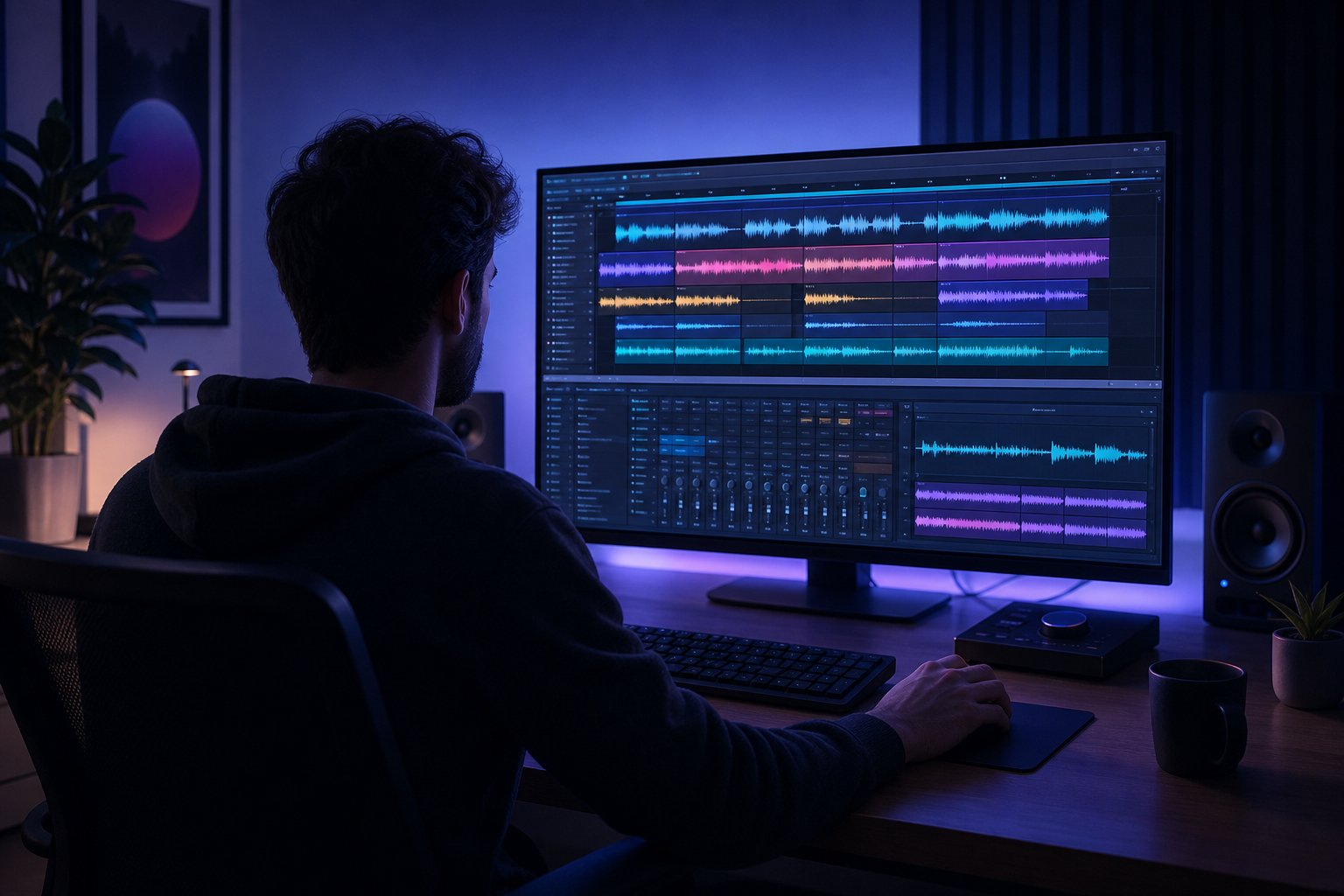
You have a defined concept. You have sharpened prompts. The next question is straightforward: how do you actually make a song with these tools? The generation phase is where creative direction meets practical execution, and the workflow matters more than most creators realize. Clicking "generate" once and accepting whatever comes back is the fastest path to mediocre output. A deliberate generation process, built around variation and selection, consistently produces tracks that sound intentional rather than accidental.
The core workflow follows a predictable loop: input your prompt and lyrics, set style parameters, generate multiple variations, evaluate, refine, and repeat. Each cycle gets you closer to a track that genuinely represents your artist project. Let's walk through it.
Generate Your First Complete Track
Start by pulling directly from your concept document and the prompt formula you developed in Step 2. Open your chosen platform, and input three elements: your style prompt (genre, mood, instrumentation, tempo), your lyrics or lyric direction, and any structural tags that indicate how the song should flow. Most platforms offer both a "describe" mode, where you provide a natural-language prompt, and a "custom" mode, where you paste specific lyrics with section markers like [Verse], [Chorus], and [Bridge].
Here is what a single generation session looks like in practice:
- Paste your lyrics into the lyrics field. If you do not have complete lyrics, use a brief description of the vocal content or select instrumental-only.
- Enter your style prompt in the style or genre field. Keep it focused: 4-7 descriptors pulled from your concept document.
- Set any available parameters: tempo, song duration, vocal gender, and energy level.
- Generate 2-3 variations from the same prompt. Listen to each without interruption.
- Note which elements land: vocal tone, instrumental texture, structural pacing, mix balance.
- Adjust the prompt based on what you hear, then generate another batch.
Why generate multiple variations per concept? Because AI music generation involves controlled randomness. The same prompt run twice produces different interpretations. One version might nail the vocal delivery but miss the instrumental energy. Another might have a perfect chorus but a weak verse arrangement. Generating 5-10 variations per concept gives you enough raw material to identify the strongest elements and either select a winner or combine ideas across regenerations.
This is not wasted effort. As experienced AI music creators note, the difference between random generation and directed creation is whether you are gambling for a better accident or systematically developing a song. Each variation teaches you how the model interprets your language. Version 1 might reveal that "ethereal" triggers too much reverb. Version 3 might show that adding "punchy drums" fixes the energy drop. By version 6 or 7, you are working with a prompt that reliably produces on-brand results.
A practical rule: do not generate your next batch until you know what the last one taught you. Take brief notes on each version. What worked? What missed? What should the next prompt fix? This version-comparison discipline is what transforms a generation session from aimless clicking into actual creative development. The best ai music generators reward patience and specificity, not volume for its own sake.
Tools That Turn Prompts Into Full Songs
Choosing the right platform shapes your entire workflow. Each tool handles prompts, lyrics, and style input differently, and the output quality varies depending on genre and use case. The best music creation apps for AI artists share a common feature set: prompt-based generation, some form of lyric input, style customization, and output quality sufficient for streaming release.
Here is how the leading platforms compare for creators learning how to make a song with AI:
| Platform | Prompt-Based Generation | Lyric Input | Style Customization | Output Quality | Free Tier |
|---|---|---|---|---|---|
| MakeBestMusic | Yes, natural-language prompts | Full lyric pasting with section tags | Genre, mood, tempo, vocal style | High, full-length songs | Yes |
| Suno | Yes, text prompt or custom mode | Full lyric input with metatags | Genre tags, mood, vocal direction | Excellent, vocals included | Yes (50 credits/day) |
| Udio | Yes, with timeline editing | Lyric input supported | Genre, instrumentation, inpainting | Excellent, strong instrumentals | Yes (limited credits) |
| AIVA | Template and prompt-based | No (instrumental only) | Genre, instrumentation, MIDI export | High for orchestral/cinematic | Yes (3 downloads/month) |
| ElevenLabs Music | Yes, natural-language | Yes, multi-language support | Genre, mood, vocal style | Studio-grade 44.1kHz | Yes (7 songs/day) |
MakeBestMusic stands out for creators who want a streamlined prompt-to-song workflow. You input your lyrics, select a style direction, and generate complete tracks from a single interface without bouncing between tools. For someone building an AI artist project and generating multiple variations per session, that efficiency matters. The platform handles the full pipeline, from lyric interpretation to vocal generation to final mix, letting you focus on creative decisions rather than technical routing.
The Suno AI music maker remains the category leader for full-song generation with vocals. Its v5 model produces noticeably better lyric-rhythm alignment than earlier versions, and Suno Studio adds light DAW-style editing for paid users. The Pro plan at $10/month gives you roughly 500 songs with commercial rights. The tradeoff: credits expire monthly, and commercial rights only apply to songs made while subscribed.
The AIVA AI music generator occupies a different lane entirely. If your artist concept leans cinematic, orchestral, or classical, AIVA produces best-in-class compositions with MIDI and sheet music export. It will not generate vocals, but for instrumental projects it offers a level of arrangement sophistication that prompt-only tools struggle to match. The Pro plan at 49 euros per month grants full copyright ownership, the cleanest IP setup available.
For creators exploring video content alongside their music, the flexclip ai music generator and similar integrated tools can generate background tracks directly within a video editing workflow. And if you prefer a dedicated app experience, options like my tunes ai music generator offer mobile-first generation for creating on the go.
Which platform you choose depends on your artist concept. Vocal-driven projects gravitate toward Suno, Udio, or MakeBestMusic. Instrumental and cinematic projects fit AIVA or Stable Audio. Multi-format creators who need music alongside voiceover benefit from ElevenLabs Music's unified ecosystem. The best ai music generator 2025 discussions favored Suno, and heading into 2026, it still holds that position for sheer breadth, but the competitive gap has narrowed significantly as newer platforms mature.
Regardless of platform, the generation workflow remains the same: input, generate variations, compare, refine, repeat. The tool is the instrument. Your concept document and refined prompts are what make the output sound like a specific artist rather than a random demo. Commit to generating at least 5-10 versions before selecting your keeper, and you will consistently produce tracks that sound deliberate, polished, and aligned with the identity you are building.
With a handful of strong tracks generated and selected, the real creative challenge shifts. Raw output, even good raw output, still needs to be evaluated against a higher standard: does this collection of tracks sound like it belongs to the same artist? That question of consistency is what separates a playlist of unrelated clips from a cohesive body of work.
Step 4 Refine and Curate for a Consistent Sound
Generating tracks is the easy part. Deciding which ones deserve to represent your artist project, and shaping those selections into a body of work that sounds intentional, is where the real craft lives. Most AI music projects plateau here. The creator accumulates dozens of decent outputs but never applies the editorial discipline required to make them feel like one artist. The curation phase is what separates a folder of cool clips from a release people take seriously.
Think of yourself less as a producer and more as an A&R executive listening to submissions. Your job is ruthless evaluation against a clear standard: your concept document. Every track either strengthens the artist identity or dilutes it. There is no middle ground on a short release.
Evaluate and Select Your Best Outputs
You have generated 5-10 variations per concept, maybe more across multiple sessions. How do you decide what makes the cut? A structured evaluation framework prevents you from keeping tracks just because they took effort to create or because one section sounds impressive while the rest falls flat.
Judge every AI-generated track against these five criteria:
- Production quality - Does the mix sound clean and balanced? Are there audible artifacts, metallic vocal edges, or smeared high frequencies? As Soundverse's quality evaluation research notes, spectral balance, dynamic range, and rhythmic accuracy are foundational metrics that separate professional-sounding output from rough demos. Listen for compression artifacts, distorted transients, and unnatural reverb tails.
- Emotional coherence - Does the track deliver a consistent emotional arc from start to finish? A verse that feels melancholic should not jump into a chorus that sounds euphoric unless your concept specifically calls for that contrast. Modern AI evaluation systems use emotion mapping models to assess whether the affective patterns within a track remain internally consistent.
- Genre authenticity - Would a listener familiar with your chosen genre accept this track as a legitimate entry? Does it follow the production conventions, tempo expectations, and arrangement patterns that define the style? A synthwave track with trap hi-hats and acoustic guitar might be interesting, but if it breaks genre authenticity, it confuses your audience positioning.
- Vocal clarity - If your track includes vocals, are the lyrics intelligible? Does the vocal sit naturally in the mix without sounding buried or artificially forward? Vocal presence is one of the hardest elements for AI to nail consistently, and it is often the first thing listeners notice when something feels off.
- Alignment with artist concept - Pull up your concept document. Does this track match the mood palette, thematic territory, and sonic identity you defined? A technically excellent track that does not fit your artist's world is a track for a different project, not this one.
What is a realistic keep rate? Experienced AI music creators typically retain 10-20% of their generated output for further development. That means for every 10 tracks you generate, one or two will meet your standard across all five criteria. This is normal. Discarding 80% of your output is not failure. It is curation, and curation is the entire job description.
If you are keeping everything, your standards are too low. If you are keeping nothing after 30+ generations, your prompts need refinement or your concept is too narrow for the current capabilities of the tool. Either way, the evaluation framework helps you diagnose the problem rather than generating endlessly without direction.
For creators working with instrumental tracks, a song instrumental maker workflow benefits from the same evaluation criteria minus vocal clarity. Replace that criterion with arrangement sophistication: do the instrumental layers develop over time, or does the track feel static? Similarly, if you are using an ai sheet music generator to export notation from your outputs, that export quality becomes an additional evaluation checkpoint for projects intended for live performance or licensing.
Build Consistency Across an EP or Album
Individual strong tracks are necessary but not sufficient. A release needs to feel like a unified artistic statement, not a sampler platter. As mastering engineers working with AI-generated albums emphasize, projects created from different prompts, models, and generation sessions can make every track feel like it came from a different recording session. Consistency has to be built deliberately.
Here are the techniques that create cohesion across multiple tracks:
Reuse effective prompt structures. When a prompt produces a track that nails your artist's sound, save the exact wording. Use it as a template for future generations, swapping only the elements that need to change: lyrics, specific instrumentation requests, or tempo. This creates a shared sonic DNA across tracks because the core descriptors, the mood, production style, and genre foundation, remain constant.
Maintain tempo and key relationships. An EP where tracks range from 75 to 160 BPM without intentional progression feels scattered. Choose a tempo range that fits your genre, typically a spread of 10-20 BPM for cohesive projects, and sequence tracks so the energy flows logically. Key relationships matter too. Tracks in related keys (relative major/minor, adjacent keys on the circle of fifths) transition more naturally when listened to in sequence.
Develop signature sonic elements. What recurring sounds define your artist? Maybe it is a specific synth texture, a reverb character, a drum pattern style, or a vocal processing choice. When these elements recur across tracks, listeners subconsciously register them as belonging to the same artist. Think of it as your sonic fingerprint, the elements a listener would point to and say "that sounds like them."
Control tonal family. Choose two or three reference tracks that represent your project's overall sonic character and use them to evaluate every output. Are your tracks consistently warm, or do some drift into brightness that feels out of place? Is the low end controlled uniformly, or does one song have booming sub bass while another feels thin? A shared tonal family, the overall brightness, warmth, and frequency balance of your project, is what makes basic song production from a scratch track ai sound like a deliberate choice rather than an accident.
How do you know your tracks belong together? Look for these signs:
- A listener could hear any two tracks back-to-back and believe they are from the same project
- The vocal tone and processing feel consistent across every track with vocals
- The instrumental palette shares at least 2-3 recurring elements or textures
- Tempo and energy variations feel like intentional dynamics rather than random jumps
- The overall mix brightness and low-end weight stay within a recognizable range
- Lyrical themes or emotional territory connect to a shared artistic vision
And here are the warning signs that your tracks sound random rather than unified:
- Each track sounds like it could belong to a different artist or genre
- Vocal delivery, tone, or processing changes dramatically between songs
- No recurring sonic elements tie the tracks together
- Tempo jumps feel jarring rather than intentional
- The project requires constant volume adjustment when played in sequence
- There is no identifiable "signature sound" a listener could describe
If your project shows warning signs, you have two options. First, regenerate weaker tracks using the prompt structure from your strongest output, essentially creating instrumental from song concepts that already work. Second, use the endless music scratch approach: keep generating within tighter parameters until you land variations that match the tonal family your best tracks have established.
For creators working toward a polished release, consider whether any tracks need a free ai music finalizer pass or professional mastering to close remaining gaps in loudness, EQ, and dynamic range. Even when individual tracks sound strong, the album mastering process shapes them into a consistent listening experience by matching perceived loudness, controlling low-end behavior, and setting deliberate spacing between songs.
The goal is not uniformity. A ballad and an uptempo single should feel different. But they should feel like two different moods from the same artist, not two unrelated files that happen to share a folder. That distinction, the sense that a single creative intelligence is behind every track, is what makes listeners believe they are hearing a real artist rather than a random assortment of AI outputs.
Consistency in sound is only half the equation. A convincing AI music artist also needs a visual identity as intentional and cohesive as the audio itself, one that reinforces the sonic world you have built rather than working against it.
Step 5 Create Visual Branding for Your AI Artist
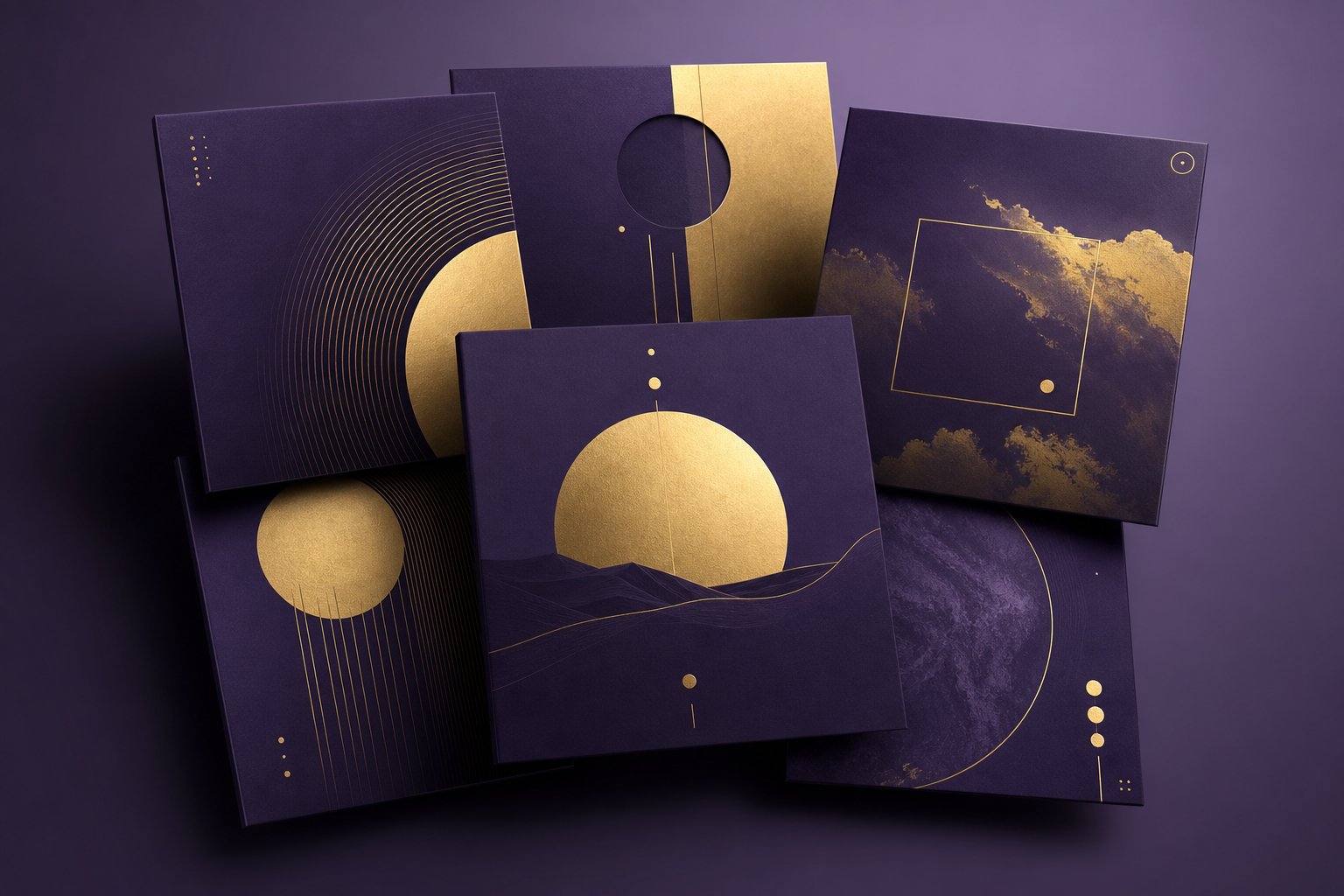
People form a first impression of a visual in just 50 milliseconds. On streaming platforms where over 100,000 tracks are uploaded every day, your artwork is the split-second signal that tells a listener whether your project is worth clicking. A cohesive visual identity does the same work for an AI music artist that it does for any traditional act: it builds recognition, communicates genre, and makes the entire project feel intentional. The difference is that you can build yours entirely with AI image generators for a fraction of what a designer would charge.
Design Album Art and Cover Images
Your visual identity should be a direct reflection of your sonic identity. Pull from the mood palette, genre, and emotional territory you defined in Step 1. If your artist occupies dark synthwave territory, your artwork might lean into neon gradients, cyberpunk cityscapes, and deep purples. A lo-fi ambient project calls for softer textures, muted earth tones, and minimal compositions.
When prompting AI image generators like Midjourney, DALL-E, or Leonardo AI, the same principles from your music prompts apply. Be specific. "Cool album art" produces generic results. "Minimalist surreal desert landscape, golden hour volumetric lighting, film grain texture, muted orange and teal color palette, no text" produces something with actual identity. The best musician image prompt maker approach combines art style references, color constraints, lighting direction, and subject matter in a single coherent sentence.
A few practical guidelines for album art:
Lock in a color palette. Choose 2-4 colors that recur across every release. This creates instant visual recognition even at thumbnail size. Tools like a canva pattern generator or Coolors can help you extract and save hex codes from artwork you admire.
Establish recurring visual motifs. A signature element, whether it is a geometric shape, a landscape type, or a specific photographic treatment, ties your releases together visually the same way signature sonic elements tie your tracks together sonically.
Meet platform specifications. According to Spotify's image guidelines, album cover art requires a minimum of 2400 x 2400 pixels, submitted as a square JPEG or PNG through your distributor. Profile avatars display at 750 x 750 pixels and get cropped into a circle. Header banners need at least 2660 x 1140 pixels, with important content kept in the upper two-thirds since the lower portion gets overlaid with text. Design with these crops in mind from the start.
For creators producing music with image-forward content, like visualizer videos or animated covers, you can add a background to a music performance on AI using tools like Runway or Pika that generate or extend visual scenes. This is especially useful if you want to add a background to a band video with AI for social media clips that reinforce your visual world without requiring a physical shoot.
Build Your Artist Profile Across Platforms
Visual consistency across platforms is what makes a project feel real. As brand consistency research emphasizes, if someone scrolled past your content with no name attached, they should still recognize it as yours. That test applies whether they encounter you on Spotify, Instagram, YouTube, or TikTok.
When setting up profiles, write your bio in multiple lengths: a one-liner for platforms with character limits, a medium version for streaming profiles, and a longer version for press kits. Keep the voice consistent. An artist whose music feels introspective and cinematic should not have a bio that reads like a hype-filled press release. Voice and visuals need to match the sonic world.
The relationship between images to music ai and your overall brand is tighter than most creators realize. Every visual touchpoint, from your profile photo to your story templates, either reinforces the world your music lives in or pulls the listener out of it.
Before you launch anything publicly, assemble these essential visual assets:
- Profile image (750 x 750px minimum, works when cropped to a circle)
- Banner or header image (2660 x 1140px for Spotify, adapted for each platform)
- Album art template (2400 x 2400px minimum, with your established color palette and motifs)
- Social media post template (consistent layout, fonts, and colors for announcements)
- Color and font guide (hex codes, 1-2 fonts, usage rules documented in a simple brand bible)
Store these in a single folder alongside your concept document. Every time you create a new release, promotional graphic, or platform update, reference this folder. The image music connection, where listeners associate a visual style with a sound before they even press play, is one of the strongest brand-building tools available to independent artists. Build it once, maintain it consistently, and your AI artist project starts registering as a real act in the minds of everyone who encounters it.
A polished visual identity makes your project look ready for the world. The next challenge is getting it there, navigating the practical logistics of distribution, metadata, and platform policies that determine whether listeners can actually find your music.
Step 6 Distribute Your Music to Streaming Platforms
You have a cohesive body of work: curated tracks, polished artwork, and a visual identity that signals professionalism. None of it matters if listeners cannot find it. Distribution is the bridge between your hard drive and the streaming platforms where audiences actually discover music. For AI music artists, this step carries an extra layer of complexity: platform policies around AI-generated content are evolving rapidly, and choosing the wrong distributor can mean rejection before a single person hears your work.
Digital distributors act as intermediaries between you and streaming platforms like Spotify, Apple Music, YouTube Music, Amazon Music, and SoundCloud. They handle delivery, metadata formatting, royalty collection, and platform compliance. You upload once; they push your release everywhere. The question is which distributor aligns with your workflow and treats AI-generated content fairly.
Choose a Distribution Service
Not all distributors handle AI music the same way. Their policies range from permissive to outright hostile, and picking the wrong one wastes time and delays your release. Here is how the major options compare for AI music creators:
DistroKid is the most AI-friendly major distributor. At $22.99 per year for unlimited uploads with zero commission, it is also the most cost-effective for creators who release frequently. AI music is accepted with a simple disclosure checkbox during upload. No per-track fees, no upload limits on AI content. If you plan to build a catalog of commercial songs over time, the flat-rate model means your cost per track drops with every release.
TuneCore takes a middle-ground approach. AI content is accepted, but the transparency requirements are more granular. You must specify which aspects of the track used AI (composition, vocals, production) and which tools were involved. Singles run $9.99 per year; albums start at $19 per year. The advantage: if your upload gets flagged, TuneCore pauses it for resubmission rather than rejecting outright. That forgiveness is valuable while you learn the disclosure process.
CD Baby holds the strictest policy. Fully AI-generated tracks are rejected. They distinguish between "AI-assisted" (human-led with AI tools) and "AI-generated" (AI as primary creator). If your workflow involves substantial human creative input beyond prompting, CD Baby's one-time fee model ($9.95 per single, $29.95 per album) with 9% commission might work. For most AI music artists, it is not a viable option.
Amuse offers a free tier with revenue sharing and paid plans starting at $24.99 per year. They currently accept AI music with disclosure, though their policy is still evolving. The free tier works for testing the waters with a few tracks, but the revenue split and potential policy shifts make it less predictable for serious catalog building.
For creators also producing royalty free jazz music, business background music, or a personalized song for licensing purposes, distribution strategy may differ. Platforms like song stock libraries or dedicated licensing marketplaces serve different audiences than Spotify-focused releases. An ai jingle maker workflow, for instance, might target sync licensing libraries rather than streaming platforms entirely. Similarly, if your project leans toward royalty free film score territory, platforms like Artlist or Epidemic Sound (which operate on different artlist pricing models than traditional distributors) could complement your streaming presence.
Prepare Your Release Package
Distributors rely entirely on the data you provide. Incomplete or inconsistent metadata leads to missing royalties, platform mismatches, and delayed releases. As distribution preparation guides emphasize, once a release is live, fixing errors can take weeks. Getting it right before upload saves you from chasing corrections later.
Here is every element you need prepared before hitting submit:
- Track titles - Final, consistent formatting. Decide on capitalization style and stick with it across every release.
- Artist name - Spelled identically to your existing profiles. Even minor inconsistencies (a missing space, a different capitalization) can create duplicate artist pages on streaming platforms.
- ISRC codes - International Standard Recording Codes identify each individual recording. Most distributors assign these automatically during upload, but record the codes for your files.
- UPC/EAN - A barcode for the overall release (single, EP, or album). Again, typically auto-generated by your distributor.
- Genre and sub-genre tags - Match these to the genre identity you defined in Step 1. Accurate tags improve algorithmic placement and playlist consideration.
- Album artwork - Minimum 2400 x 2400 pixels, square format, JPEG or PNG. No URLs, social media handles, or misleading imagery.
- Release date - Set it at least two to four weeks out. This lead time allows distributors to deliver your release and gives you a window to pitch playlists. Rushed uploads skip promotional opportunities.
- Artist bio - The medium-length version from your brand assets. Keep it consistent with your streaming profiles.
- AI disclosure - Complete whatever transparency form your distributor requires. Disclose honestly and specifically.
- Credits and splits - If collaborators contributed lyrics, mixing, or mastering, confirm that royalty splits total 100% and are documented in writing before release.
The disclosure step deserves extra attention. Apple Music now requires "transparency tags" flagging when songs or artwork are created using AI, and Spotify includes AI usage disclosures in song credits. Every major streaming platform is moving toward mandatory AI labeling. Disclosing proactively is not just ethical, it protects your account from penalties when platforms cross-reference detection data against your submission metadata.
Be specific in your disclosure. "Melody and vocals generated by AI, lyrics written by human, mixing by human" is better than a vague "AI was involved." Detailed attribution builds trust with both the platform and your listeners. Document your creative process, keep records of generation prompts and the tools you used, and save subscription receipts that verify your commercial rights. If a platform ever challenges your upload, that documentation is your defense.
One final consideration: choose your distribution platforms intentionally. Spotify and Apple Music are obvious targets, but YouTube Content ID monetizes videos that use your music, TikTok ensures availability for short-form creators, and Bandcamp enables direct-to-fan sales with higher revenue share. Each serves a different function in building your artist's presence and income streams.
Getting your music onto platforms is a milestone, but it is not the finish line. Tracks sitting on Spotify without a growth strategy are invisible. The next phase, building an audience and navigating the ethical landscape around AI music, determines whether your artist project gains momentum or stalls at zero streams.
Step 7 Market Your AI Music Artist and Sidestep Common Mistakes
Your tracks are live. Your branding is cohesive. Your profiles exist on every major platform. And right now, nobody knows you exist. This is the reality every new artist faces, AI-powered or otherwise. The difference between projects that gain traction and projects that flatline at double-digit streams comes down to deliberate marketing, ethical transparency, and the discipline to avoid mistakes that get your content removed or your audience trust destroyed.
Marketing an AI music artist follows many of the same principles as marketing any independent act, but with unique advantages and pitfalls. You can release faster, produce visual content without a film crew, and iterate on your sound in real time. You also face platform scrutiny, audience skepticism, and ethical questions that traditional artists never encounter. Let's cover both sides.
Grow Your Audience on Social Media and Streaming
The most effective growth strategy for AI music artists is consistent content that invites people into the creative process itself. Listeners are genuinely curious about how AI music gets made. That curiosity is your marketing advantage. Rather than hiding the process, use it as content.
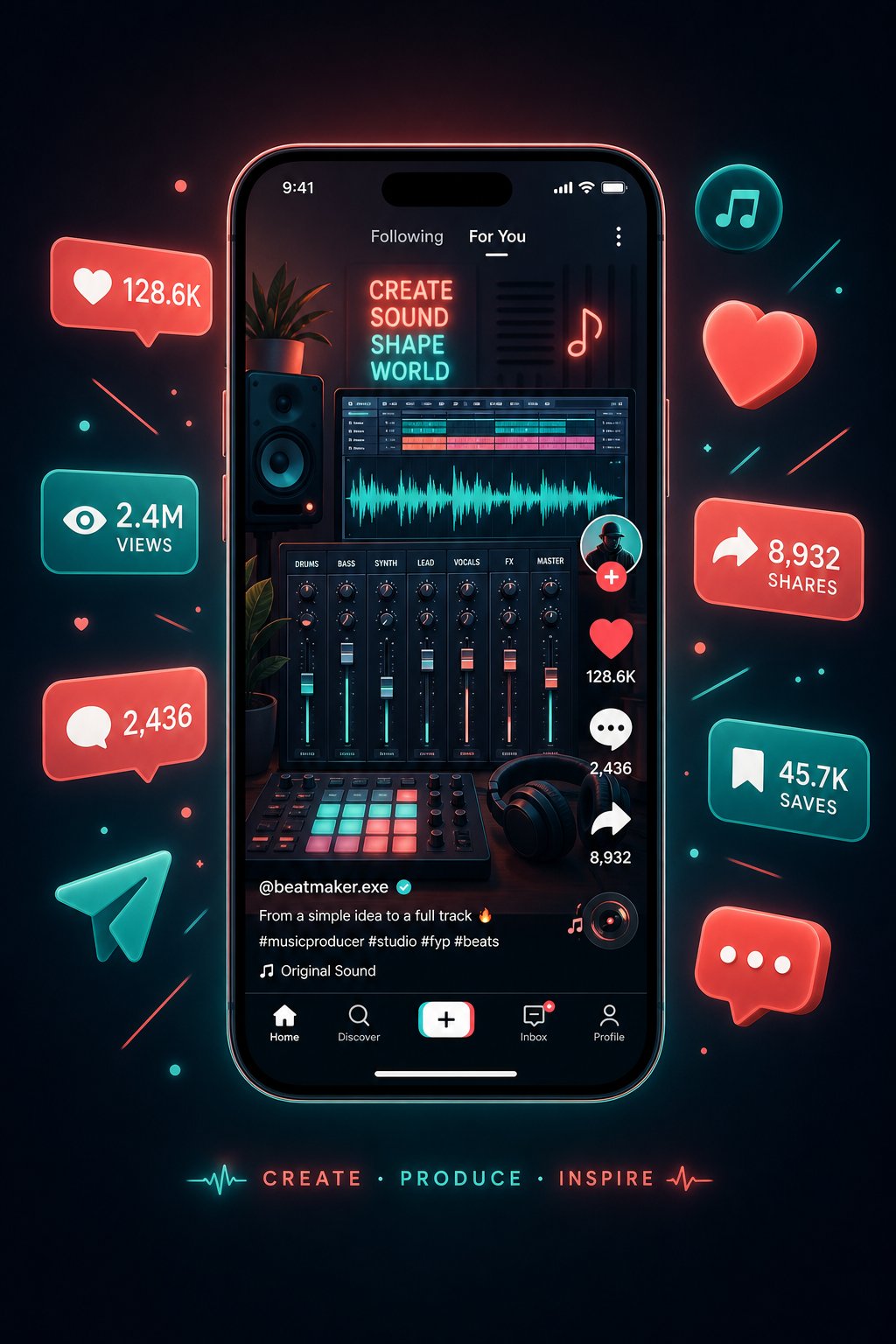
Short-form video performs best across every platform right now. A 30-second clip showing a prompt being typed, the AI generating a track, and your reaction to the result gets engagement because it satisfies curiosity and entertains simultaneously. An ai music video does not need Hollywood production value. Screen recordings with a voiceover explaining your creative choices, split-screen comparisons of different prompt variations, or time-lapses of your curation process all perform well with minimal effort.
An artificial intelligence music video, where AI generates both the visuals and the audio, creates a compelling content format that showcases the full creative pipeline. Tools that function as an ai video generator free to music let you pair generated tracks with visual content without additional production cost. Even a simple ai music video free approach, using Runway, Pika, or similar tools to animate your album art into a looping visualizer, gives streaming platforms and social feeds something to surface.
Here are platform-specific tactics that drive real growth:
- TikTok - Post creation process clips (15-60 seconds). Use trending sounds alongside your own tracks. Show prompt-to-song transformations. Engage in comments about AI music debates. Post 3-5 times per week for algorithmic momentum.
- Instagram - Use Reels for the same short-form content as TikTok. Stories for behind-the-scenes prompt sessions. Carousel posts comparing AI variations. Maintain your visual brand rigorously in your grid layout.
- YouTube - Longer creation process videos (5-15 minutes) showing your full workflow. Visualizer videos for every track to capture search traffic. Shorts for cross-posting TikTok content. Build a free ai music video generator workflow to produce consistent visual companions for each release.
- Spotify - Submit to editorial playlists 3-4 weeks before release through Spotify for Artists. Research independent curators on SubmitHub and Groover. Create your own branded playlist that mixes your tracks with similar artists, functioning as an ai playlist generator for your target audience. A well-curated music playlist maker approach positions your artist within a genre ecosystem rather than in isolation.
Beyond platform tactics, Berklee's music marketing research emphasizes that a steady release cadence of one single every six to eight weeks keeps your audience engaged and triggers the algorithms that drive visibility on both streaming platforms and social media. For AI music artists who can generate and curate faster than traditional producers, that cadence is easily achievable. The bottleneck is not production speed. It is curation quality and promotional consistency.
Collaboration with other AI music creators builds audience cross-pollination without the scheduling complexity of traditional features. Remix exchanges, shared playlists, and co-promoted releases expand your reach into adjacent listener pools. The AI music community is still small enough that genuine engagement, commenting on others' work, sharing process insights, and participating in challenges, creates meaningful visibility.
A smaller, highly engaged fanbase is far more valuable than inflated follower counts. Reply to comments, ask questions, and create genuine two-way interactions.
One underrated tactic: build an email list from day one. Social platforms control your reach. An email list is the one channel where you own the relationship. Offer a free exclusive track, a prompt template document, or early access to releases in exchange for signups. When platforms change algorithms or restrict AI content visibility, your email list remains unaffected.
Navigate Ethics and Avoid Common Pitfalls
Marketing brings attention. Attention brings scrutiny. For AI music artists, that scrutiny focuses on authenticity, transparency, and legal compliance. Getting these wrong does not just hurt your reputation. It can result in platform bans, content removal, and permanent loss of your distribution accounts.
The ethical landscape is straightforward: be honest about what you are. As Ari's Take notes, streaming platforms like Spotify now detect and de-prioritize undisclosed AI content, while Deezer and YouTube actively label AI-generated songs. Trying to hide AI involvement is not just ethically questionable. It is strategically foolish because platforms are building detection systems that will catch undisclosed content retroactively.
Transparency does not mean leading every post with "THIS IS AI MUSIC." It means making the information accessible. Include AI disclosure in your artist bio. Mention your process in content. Answer honestly when asked. Many successful AI music projects have found that transparency actually increases engagement because the creation process itself is fascinating content.
The University of Alberta's copyright framework identifies a key principle: works involving AI must demonstrate significant direct human oversight to qualify for copyright protection. This means your creative direction, prompt crafting, curation decisions, and editorial choices are not just artistic contributions. They are what establish your legal claim to the work. Document them thoroughly.
Here are the most common pitfalls AI music artists encounter, alongside practical solutions:
| Common Pitfall | Why It Happens | Solution |
|---|---|---|
| Platform rejection or takedown | Missing or incomplete AI disclosure during upload | Complete every transparency field honestly. Disclose specific AI tools and which elements they generated. Keep records of prompts and subscriptions. |
| Voice cloning accusations | Using AI vocals that resemble a known artist's style too closely | Avoid style prompts that name specific living artists. Use generic vocal descriptors ("breathy female alto") rather than celebrity references. |
| Copyright infringement claims | AI output inadvertently replicates protected melodies or lyrics | Listen critically for recognizable phrases. Run outputs through melody-matching tools. Use original lyrics rather than AI-generated text that may echo training data. |
| Quality inconsistency across releases | Releasing tracks from different tools, sessions, or prompt styles without curation | Apply the evaluation framework from Step 4 to every release. Maintain prompt templates and reuse proven structures. |
| Audience backlash about authenticity | Listeners feel deceived when they discover AI involvement after forming a connection | Disclose from the start. Frame AI as your instrument, not a replacement for artistry. Show your creative process publicly. |
| Bulk upload penalties | Releasing dozens of tracks weekly triggers spam detection algorithms | Maintain a human release cadence (one single every 4-8 weeks). Quality over volume. Treat each release as an event, not a batch upload. |
| Lost commercial rights | Generating on free tiers that retain platform ownership of outputs | Verify commercial licensing terms before generating tracks intended for release. Paid tiers typically grant full commercial rights; free tiers often do not. |
Copyright considerations deserve special emphasis. Current law in most jurisdictions suggests that only a human can be recognized as an author for copyright purposes. Your creative oversight, the prompts you write, the selections you make, the arrangements you direct, is what establishes authorship. Fully automated output with no human editorial involvement may not qualify for copyright protection at all. This is another reason why the curation process described in Step 4 is not optional. It is legally protective.
Platform policies are still evolving. What is accepted today may face stricter requirements tomorrow. Industry analysts recommend following updates from your distributor, streaming platforms, and music rights organizations. Subscribe to industry newsletters, check distributor policy pages quarterly, and adapt your disclosure practices as standards tighten. Staying informed is not paranoia. It is professional risk management.
One ethical boundary is non-negotiable: never impersonate a real artist. Using AI to replicate a recognizable voice, visual likeness, or brand identity of an existing musician is the fastest path to legal action and permanent platform bans. Build your own identity from scratch using the concept development process in Step 1. Original personas face zero impersonation risk.
The creators who build lasting AI music projects treat ethics and transparency as competitive advantages rather than obstacles. When listeners know your process and choose to engage anyway, that trust is more durable than any illusion of human performance. You are building a new kind of artist, one that is honest about its tools while delivering genuine creative vision and emotional resonance.
If you are ready to start building your catalog, the fastest path from concept to finished track is a prompt-based generator like MakeBestMusic where you can input lyrics, select a style, and produce complete songs while developing the broader artist strategy outlined in this guide. The tool handles the generation. You handle everything that makes an artist project worth following: vision, curation, branding, and the discipline to show up consistently.
