


Yes, AI Can Mix and Master Music — But Here Is What That Really Means
The Short Answer for Musicians and Producers
If you've been wondering whether AI can actually handle the mix and master process for your tracks, the answer is yes. Multiple tools exist right now that use machine learning to analyze your audio, apply corrective processing, and deliver polished results in minutes rather than days. Some operate as fully automated online services where you upload a file and download the finished product. Others live inside your DAW as AI-assisted plugins that suggest processing decisions while you retain creative control. A third category blends both approaches into hybrid platforms.
That said, "yes" comes with context. AI mixing and mastering tools can produce release-worthy results for many projects, especially when the source material is well-prepared. They handle loudness optimization, frequency balance, dynamic control, and stereo enhancement with increasing sophistication. What they don't reliably do is interpret artistic intent, adapt to unconventional arrangements, or make the kind of subjective calls a seasoned engineer makes instinctively. Think of them as highly capable assistants rather than full replacements.
AI can get your music 80-90% of the way to a professional master quickly and affordably. The remaining percentage depends on the complexity of your material, the quality of your mix going in, and whether your project demands the nuanced decision-making only a human ear provides.
How the AI Audio Landscape Has Evolved
The story of AI in audio processing traces back to around 2014, when LANDR launched as the first widely accessible AI mastering platform. The concept felt almost futuristic at the time. Could an algorithm really master a song? Early results were promising but limited. The system learned from thousands of professionally mastered tracks, analyzing frequency balance, dynamic range, loudness levels, and stereo width to apply corrective processing automatically.
Since then, the landscape has expanded significantly. What started as mastering-only services has grown into a broader ecosystem. Platforms like Cryo Mix and RoEx now offer true multi-track ai mixing from individual stems, not just stereo file polishing. DAW-integrated tools such as iZotope Ozone and Sonible's smart series bring AI-powered suggestions directly into your production workflow. The best audio mixer plugins today combine machine learning analysis with hands-on parameter control, giving you an ai mix starting point you can refine to taste.
The audiomix category has matured in another important way: specialization. Some services focus purely on speed and simplicity, delivering an auto master with zero user decisions. Others prioritize depth, offering 30+ adjustable parameters, reference track matching, and conversational AI assistants that translate plain-language feedback into processing changes. Whether you need a quick demo polish or a release-ready mix&master workflow, there's likely a tool designed for your specific situation.
Understanding what each category of tool actually does, and where each one falls short, is the key to choosing the right approach for your music. The technology is genuinely useful, but only when you match the tool to the task.
How AI Mixing and Mastering Technology Actually Works
Knowing that AI audio mixing tools exist is one thing. Understanding what actually happens between the moment you upload a file and the moment you download a polished master is another. The good news: you don't need a computer science degree to grasp the core concepts. At its heart, every AI-powered audio mastering software follows the same basic logic: listen, compare, correct.
Machine Learning Trained on Professional Masters
Imagine feeding an algorithm tens of thousands of commercially released, professionally mastered tracks across every genre. Over time, it learns patterns. It discovers that hit pop records tend to have a specific loudness profile, a certain amount of low-end energy, a predictable stereo width in the high frequencies. Jazz masters look different. Hip-hop masters look different again. Each genre carries its own sonic fingerprint.
This training process is how the mastering machine learns what "good" sounds like. Neural networks analyze the spectral and dynamic characteristics of reference material, building internal models of quality benchmarks. When you upload your track, the system compares your audio against those learned profiles and identifies the gaps. Too much energy at 300 Hz? The AI flags it. Lacking presence in the 3 kHz to 5 kHz range? Noted. The AI doesn't guess. It measures, references, and applies corrections based on data from thousands of real-world masters.
Spectral Analysis and Dynamic Processing Explained
When your file hits the processing engine, the first step is analysis. The system breaks your audio into its frequency components using spectral analysis, essentially viewing your song as a detailed map of energy across the entire audible range. It examines how audio intensity is distributed from sub-bass through the highest harmonics, identifying buildups, gaps, and imbalances.
Simultaneously, the AI evaluates dynamics: how loud is the loudest moment compared to the quietest? How much transient punch do your drums retain? Is the overall dynamic range appropriate for your genre? It also checks stereo width, phase correlation, and peak-to-loudness ratios. All of this happens in seconds.
Based on this analysis, the system constructs a custom processing chain. A typical auto mixer AI or mastering service applies mastering EQ curves to correct tonal balance, compression to control dynamics, stereo enhancement to widen or tighten the image, and limiting to bring the track to competitive loudness without clipping. Each decision is informed by what the model learned during training rather than a static preset.
Reference-Based Matching and How AI Learns Quality
Some platforms take this a step further with reference-based matching. iZotope's Ozone, for example, lets you load a reference track and uses its Master Assistant to analyze that reference's EQ curve and loudness, then imposes those characteristics onto your audio. The AI isn't just comparing your track to a generic ideal. It's targeting the specific sonic profile you chose.
This approach works for mixing too. Newer ai audio mixing tools that handle 50 stems, mix edits, and music production in a single ai process use ai-powered stem analysis to balance levels, apply panning, and assign effects based on what each element is: vocals, kick, snare, synth pad. The system identifies instrument roles and treats them accordingly.
Here's the typical processing chain from start to finish:
- You upload your stereo mixdown or individual stems to the platform.
- The AI analyzes frequency balance, dynamics, loudness, stereo width, and phase correlation.
- It identifies your genre or sonic profile, either automatically or based on your selection.
- A custom processing chain is built: mastering EQ, compression, stereo enhancement, and limiting.
- The system applies corrective and creative processing to match target benchmarks.
- You receive the processed file for preview, with options to adjust intensity or style before final export.
The entire sequence typically completes in under a minute for mastering. Stem-based mixing takes longer due to the added complexity of balancing multiple tracks, but even that process has been reduced from hours to minutes on most platforms.
Of course, "how it works" only tells part of the story. The more practical question is what each type of AI tool actually does to your audio, and why the distinction between mixing and mastering matters more than most producers realize.
AI Mixing vs AI Mastering and Why the Difference Matters
Here's where many producers get tripped up. The phrase "mix and master" rolls off the tongue like a single action, but these are two fundamentally different processes with different inputs, different goals, and vastly different levels of complexity for AI to tackle. Most AI services on the market handle only the mastering side. Understanding why that gap exists helps you set the right expectations for your project.
What AI Mastering Does to Your Stereo Mix
Mastering operates on a finished stereo mixdown, a single two-channel audio file. The AI receives your bounced track and applies final-stage processing: EQ adjustments for tonal balance across playback systems, compression to glue elements together, stereo imaging to refine width, and limiting to bring loudness up to streaming platform standards. As iZotope describes it, mastering is the last line of defense before your music hits the world, ensuring the track translates well on headphones, car speakers, phone speakers, and club systems alike.
Think of it as polishing a finished photograph. The composition is already locked in. AI mastering can brighten, sharpen, and optimize what's already there, but it cannot rearrange the elements within the frame. If your vocals are buried or your kick and bass are clashing, no amount of stereo-file processing will fix those problems. It just makes them louder.
What AI Mixing Does With Individual Stems
Sound mixing is a completely different challenge. Instead of one stereo file, the AI receives individual stems: drums, bass, vocals, guitars, synths, sometimes 20 or 30 separate tracks. The system then makes relational decisions about how those elements interact. How loud should the vocal sit relative to the beat? Where does each instrument belong in the stereo field? Which frequencies need to be carved from the guitar so the vocal cuts through?
AI song mixing platforms analyze spectral content and dynamics across all your stems ai simultaneously, then apply per-track EQ, compression, level balancing, panning, and spatial effects. The goal is to produce a cohesive master mix where every element occupies its own space. Some services, like RoEx's Automix, even allow you to export the processed session back to your DAW for further tweaking, essentially giving you a professional-quality starting point rather than a final product.
Newer platforms also incorporate stem regen capabilities, where the AI can separate or regenerate individual elements from a mixed file before rebalancing them. This adds flexibility but introduces its own quality tradeoffs depending on the source material's complexity.
Why AI Mastering Is More Mature Than AI Mixing
AI mastering has been commercially available since 2014. AI mixing mastering from stems is still relatively new. The reason comes down to variable count.
Mastering asks a constrained question: "How do I make this single stereo file louder and more balanced?" The input is fixed, the output is predictable, and the processing decisions are relatively linear. AI handles this well because the optimization problem has clear boundaries.
Mixing, by contrast, asks an open-ended question: "How should these 15 to 30 separate elements relate to each other?" As RoEx explains, it's the difference between editing a photograph and composing one from scratch. How a kick drum and bass guitar share the low end, how vocals need to sit above a dense synth pad without masking the guitar, how a quiet verse needs entirely different treatment than a wall-of-sound chorus: these are context-dependent, relational decisions that multiply exponentially with each added stem.
| Dimension | AI Mixing | AI Mastering |
|---|---|---|
| Input format | Individual stems (up to 32 tracks) | Single stereo mixdown |
| Processing complexity | High — relational decisions across multiple tracks | Lower — single-file optimization |
| Current reliability | Good starting point; often needs manual refinement | Consistently solid for well-prepared mixes |
| Maturity | Newer (mainstream since ~2022) | Established (since 2014) |
| Typical use cases | Bedroom producers, demo polishing, quick rough mixes | Release preparation, loudness optimization, distribution readiness |
| Variables handled | Levels, panning, per-stem EQ, compression, reverb, spatial effects | Global EQ, compression, limiting, stereo width, loudness |
The practical takeaway: if you already have a balanced stereo mix you're happy with, AI mastering is a reliable and mature option. If you're working from raw stems and need help getting them to sit together, AI mixing tools can get you surprisingly far, but expect to review the output and make adjustments. Both categories are improving rapidly, but they solve different problems at different stages of the production chain.
With this distinction clear, the next question becomes which specific tools fall into each category, and what tradeoffs come with choosing a fully automated service versus an AI-assisted plugin you control inside your DAW.
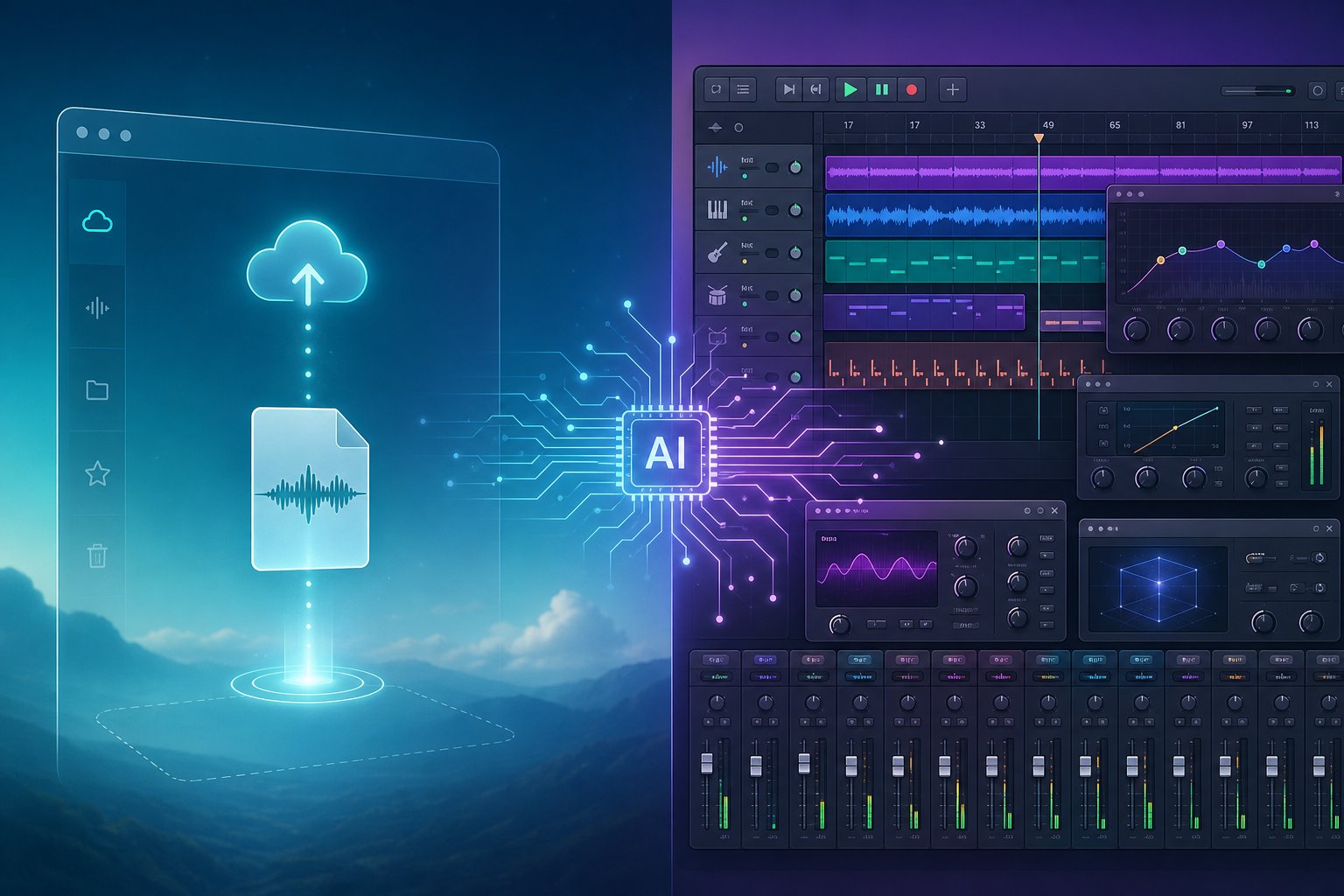
Fully Automated Services vs AI-Assisted Plugins
Not every AI audio tool works the same way or asks the same amount from you. Some want nothing more than an uploaded file and a single click. Others live inside your production session and wait for you to make the call. A third category sits somewhere between the two, blending cloud processing with adjustable parameters. Your ideal choice depends on how much creative control you want to keep, how deep your mixing knowledge runs, and whether speed or precision matters more for the project at hand.
The current landscape of mastering tools and AI mixing software splits cleanly into three categories, each with its own strengths and limitations.
Fully Automated Online Mastering Services
These are the simplest entry point. You upload a stereo mixdown to a web platform, choose a style or genre profile, and the system returns a mastered file, usually within a few minutes. No DAW required. No plugin installation. No technical knowledge assumed. The entire process happens on remote servers running trained machine learning models.
The appeal is obvious: speed and accessibility. A bedroom producer finishing a beat at 2 AM can have a release-ready master before going to sleep. The tradeoff is equally obvious: you surrender fine-grained control over what happens to your audio. If the algorithm makes a choice you disagree with, such as too much low-end compression or an overly bright top end, your only option is to adjust high-level parameters like "intensity" or "warmth" and re-process.
- LANDR — The veteran of cloud AI mastering, active since 2014. Offers style presets (warm, balanced, open) and intensity levels. Bundles distribution to streaming platforms within the same subscription, making it a one-stop solution for indie artists releasing frequently. The landr mastering plugin integration also allows some DAW connectivity, though the core product remains cloud-based.
- eMastered — Co-founded by Grammy-winning engineer Joe Chiccarelli. Differentiates through character-driven presets and reference track uploads. The engine targets LUFS, true peak ceiling, spectral balance, and stereo width from your chosen reference, making results feel more personalized than generic loudness optimization.
- CloudBounce — The pay-per-master option. No subscription commitment required, which suits producers who only need occasional mastering. Genre profiles are well-tuned for hip-hop, EDM, and rock. Pricing starts around $4 per master.
- RoEx — Combines AI mastering with their Automix mixing engine in a single subscription. If you use their stem-based mixing service, the mastering pass benefits from context about how the mix was built. From approximately $10/month.
- BandLab Mastering — The most credible free option available. No watermarks, no upload limits, no subscription required. Quality sits below paid alternatives, but for demos, rough references, and early-stage work, it delivers genuine value at zero cost.
Fully automated services work best when you already have a clean, well-balanced mix and need a fast, affordable finishing pass. They struggle when your source material has problems that require surgical intervention, because the algorithm faithfully masters those problems louder rather than solving them.
AI-Assisted Plugins Inside Your DAW
This category flips the relationship between you and the AI. Instead of handing your file to an external service, you load audio mastering plugins directly onto your master bus or individual channels. The AI analyzes your audio and suggests a starting point, a full processing chain, EQ curves, compressor settings, limiter thresholds, but you retain control over every parameter. You can accept the suggestion, modify it, or override it entirely.
The learning curve is steeper here. You need a working DAW, basic signal flow knowledge, and enough ear training to evaluate whether the AI's suggestions actually serve your track. But the payoff is precision. You can A/B different settings in real time, adjust a single band of EQ without reprocessing the entire file, and iterate inside your production environment without the workflow break of uploading to a browser.
- iZotope Ozone 12 — The in-DAW mastering benchmark. Its Master Assistant analyzes your mixdown, detects genre, and proposes a full chain across EQ, dynamics, imaging, exciter, and maximizer modules. The Advanced tier adds Master Rebalance, Spectral Shaper, and Stabilizer for target-curve matching. Approximately $249 for Standard, $499 for Advanced.
- iZotope Neutron 5 — The mixing counterpart to Ozone. Its Mix Assistant analyzes relationships between tracks and suggests gain staging and panning. Includes AI-driven EQ, compression, transient shaping, and a Visual Mixer for identifying frequency conflicts across your session. Functions like an intelligent online equalizer built into your channel strip.
- Sonible smart:comp 3 — A spectro-dynamic compressor that applies gain reduction across 2,000+ frequency bands rather than the full signal uniformly. Produces noticeably more transparent compression on dense material than broadband processing.
- Sonible smart:limit — A smart brick-wall limiter with character profiles (Transparent, Mixed, Loud), built-in streaming loudness targets, and delta monitoring so you can hear exactly what the limiter removes. One of the most transparent limiters available for mastering.
- Sonible true:balance — An AI tonal-balance meter that visualizes imbalances against genre targets and guides corrective EQ decisions. Works alongside your existing processing chain rather than replacing it.
- Mastering The Mix (REFERENCE 4, LEVELS, EXPOSE 2) — Decision-support tools rather than processors. REFERENCE 4 handles level-matched A/B comparisons against commercial masters. LEVELS provides comprehensive metering. EXPOSE 2 audits your master for distortion, clipping, and streaming-service compliance.
DAW-integrated audiomix software is the stronger choice for producers and engineers who want to learn, iterate, and develop their ear over time. The AI accelerates your workflow without removing you from the creative driver's seat.
Hybrid Platforms Blending Automation With Control
A growing third category attempts to combine the convenience of cloud processing with more user control than a one-click service typically offers. These platforms process your audio externally but give you meaningful parameter adjustment, style selection, and sometimes real-time preview before committing to a final render.
- Waves Online Mastering — Built on Waves' decades of professional audio processing expertise and input from mastering engineers. You upload a premaster, and the service generates multiple Style and Tone options for your track. You can audition different combinations and adjust character before downloading. It bridges the gap between the speed of full automation and having some sonic direction over the output. Pricing starts from $2.99 per track.
- MixingGPT — A conversational AI mastering advisor that loads inside your DAW as a VST3, AU, or AAX plugin. Rather than processing audio directly, it analyzes your master bus and provides specific parameter recommendations: frequency targets, compressor settings, limiter ceilings. You apply the moves manually, keeping full control while gaining expert-level guidance. Free tier available, paid plans from $9/month.
Hybrid platforms suit producers who find fully automated results too generic but don't yet have the confidence or knowledge to build a mastering chain from scratch using sound mastering software. They offer a middle ground where the AI handles the heavy analytical work and you make the final taste decisions.
Choosing between these three categories is really a question of where you sit on two axes: how much control you want, and how much audio engineering knowledge you bring to the table. Beginners releasing demos benefit from the simplicity of automated services. Intermediate producers grow faster with DAW-integrated master tools that teach through suggestion. Experienced engineers typically prefer hybrid or plugin-based workflows where AI speeds up analysis without overriding their judgment.
The tools themselves vary widely in pricing, supported formats, and genre strengths, which raises the next practical question: which specific services deliver the best value at each price point, and what should you realistically expect from free tiers versus paid plans?
Comparing the Top AI Mixing and Mastering Services
With so many platforms competing for your attention, picking the right one often comes down to practical details: what does it cost, what formats does it accept, what genres does it handle well, and does it actually cover mixing, mastering, or both? Below is a structured breakdown designed to help you match a service to your specific workflow, budget, and release goals.
Feature and Pricing Breakdown of Leading AI Services
Each platform occupies a slightly different niche. Some prioritize speed and simplicity. Others lean into adjustable controls or ecosystem features like distribution. The following comparison table puts the key differentiators side by side so you can scan for what matters most to your situation.
| Service | Mixing / Mastering | Per Track | Subscription | Supported Formats | Genre Strengths | Key Differentiator |
|---|---|---|---|---|---|---|
| MakeBestMusic | Mastering | Free tier available | Paid plans available | WAV, MP3, AIFF | Pop, hip-hop, electronic, R&B | Fast production quality adjustment and release preparation focus |
| LANDR | Mastering | ~$4–9 | $12.99–$24.99/mo | WAV, MP3, AIFF, FLAC | Pop, electronic, commercial hip-hop | All-in-one ecosystem with distribution, samples, plugins |
| eMastered | Mastering | ~$9 | ~$15–$49.99/mo | WAV, MP3, AIFF | R&B, soul, acoustic, singer-songwriter | Manual post-processing controls and reference matching |
| RoEx Automix | Both (up to 32 stems) | Pay-as-you-go credits | $9.99/mo | WAV, FLAC | Broad genre coverage | True multi-track mixing with DAW project export |
| CloudBounce | Mastering | ~$4–5 | $9–15/mo | WAV, MP3 | Electronic, hip-hop, trap | Lowest per-track cost, fast turnaround |
| BandLab Mastering | Mastering | Free | Free (Membership for extras) | WAV, MP3 | General — preset-based | Completely free, integrated with BandLab DAW |
| Cryo Mix | Both (up to 32 stems) | N/A | ~£12–18/mo | WAV, MP3 | Rap, vocal-forward production | Purpose-built for vocals-over-beat workflow |
A few things jump out from this comparison. If your primary need is getting tracks polished quickly for streaming release, MakeBestMusic's AI Mastering is built around exactly that workflow — adjusting production quality and preparing files for distribution without requiring you to learn complex processing chains. It's a strong starting point for producers who want professional results without the overhead of configuring parameters or committing to a large monthly subscription before they know what they need.
For those researching landr ai mastering, the platform's real selling point in 2026 isn't just its mastering engine. It's the bundled ecosystem. Distribution to 150+ streaming platforms, a sample library, and a plugin marketplace mean you're paying for more than just audio processing. That matters if you release frequently and want everything centralized. If mastering quality alone is your priority, eMastered (sometimes misspelled as emasterd by searchers) has earned a reputation for warmer, more natural-sounding results, particularly on dynamic material where aggressive limiting would do more harm than good.
Producers searching for platforms like mixea mastering, aria mastering, or mastering box will find that the established services above cover the same ground with more documented track records. The AI mastering space sees frequent new entrants, but longevity and consistent output matter when your release quality is on the line. A platform like MasteringBox offers straightforward online processing, though it occupies similar territory to CloudBounce at its price point.
Free Tiers vs Paid Plans and What You Actually Get
Free options exist, but they come with real limitations. BandLab Mastering gives you preset-based processing at no cost, which works for demos and rough references but won't compete with paid services on loudness, clarity, or translation across playback systems. Most other platforms offer free previews — you can hear what the AI would do to your track, but downloading the full-resolution master requires payment.
Here's what you can generally expect at each price tier:
- Free ($0): Basic mastering presets, lower resolution output, watermarked or preview-only files. Good for evaluating a service or polishing demos. BandLab and limited free passes on platforms like RoEx and MakeBestMusic fall here.
- Budget ($4–10 per track): Full-resolution WAV output, genre-informed processing, basic style controls. CloudBounce and LANDR's lower tiers deliver solid results for straightforward mixes. Quality is genuinely competitive with mid-tier human engineers on well-prepared source material — Chartlex's comparison data supports this finding for pop, electronic, and hip-hop specifically.
- Mid-range ($10–30/month subscription): Unlimited or high-volume mastering, reference track matching, adjustable parameters, and sometimes stem-level processing. This is where services like MakeBestMusic, LANDR Pro, and RoEx Automix Pro operate. You get enough flexibility to fine-tune results without needing full engineering knowledge.
- Premium ($30–60/month): Maximum control, highest resolution output, advanced features like stems mastering and detailed audio reports. eMastered's pro tier and some waves mastering plugin subscriptions occupy this space. Worth it for artists releasing projects where per-track quality justifies the spend.
The honest truth about music masters online: the gap between a $5 AI master and a $150 human master has narrowed considerably for streaming-first releases. Orphiq's service analysis puts it simply — "good enough" at $10 beats "perfect" at $150 when you're putting out 12 singles a year. The math changes for high-stakes album releases or vinyl masters, but for the typical independent artist releasing consistently to Spotify and Apple Music, mid-tier AI mastering delivers genuine commercial quality.
What ultimately determines your results isn't the price you pay — it's the quality of the mix you upload. A clean, well-balanced source file with proper headroom will produce a strong master from nearly any service on this list. A muddy, clipping, or phase-problematic mix will sound like a polished version of those same problems regardless of which algorithm processes it.
That dependency on source quality raises a practical question: how does AI performance actually vary when you throw different genres at these systems, and where do the algorithms still fall short of what a human ear can achieve?

Genre Performance and Where AI Still Struggles
The quality of your AI-processed track depends heavily on what kind of music you're making. These systems learn from datasets of professionally mastered recordings, and some genres are far better represented in that training data than others. The result: predictable, polished output for mainstream styles, and inconsistent or flat-sounding results for anything that breaks convention.
Genres Where AI Excels at Mixing and Mastering
AI thrives on patterns, repetition, and predictable sonic profiles. Genres built on quantized rhythms, synthetic timbres, and consistent loudness give algorithms exactly what they need to produce strong results. Electronic music in particular aligns perfectly with how AI processes audio — its components are modular, digitally synthesized, and follow mathematical structures that map cleanly to machine learning models.
- EDM / Electronic: Excellent results. Predictable frequency distribution, quantized transients, and synthetic sources match training data closely. Beat mastering for house, techno, and drum-and-bass tracks is where AI performs at its most reliable.
- Pop: Strong results. Well-defined vocal-forward structures with consistent instrumentation. AI handles the standard pop loudness curve and stereo image confidently.
- Hip-hop / Rap: Good to strong, especially for trap and modern ai rap production with 808-heavy beats. The vocal-over-beat format gives the algorithm a clear hierarchy to work with. Applying eq for instrumental rap beats is straightforward for AI because the spectral layout is consistent.
- Lo-fi / Ambient: Good results. Minimal dynamic variation and forgiving frequency expectations make these forgiving genres for automated processing.
- Singer-songwriter (sparse): Solid when recordings are clean. Simple arrangements with vocal plus acoustic guitar give AI fewer conflicting elements to manage.
Genres That Still Challenge AI Processing
When music deliberately breaks rules, relies on dynamic contrast, or blends multiple traditions, AI struggles. The core issue, as Sonarworks notes, is that AI remains dependent on its training data. Niche, experimental, or fusion styles that weren't well-represented during development produce unpredictable output.
- Jazz: Problematic. Wide dynamic range, improvisation, and nuanced mic bleed confuse algorithms that expect consistent loudness profiles. The microtonal expressiveness of brass and upright bass gets flattened.
- Classical / Orchestral: Poor AI performance. Extreme dynamic range is essential to the emotional arc, but AI tends to compress it toward a target loudness, killing the very quality that defines the genre.
- Progressive / Layered Rock: Inconsistent. Dense guitar layering, tempo changes, and unconventional song structures give AI difficulty in frequency allocation and dynamic treatment.
- Fusion / Genre-blending: Unreliable. When your track mixes Afro house drums with cinematic strings and hyperpop vocals, the algorithm has no clear reference and produces what often sounds like a confused average of multiple approaches.
- Blues / Folk (expressive): Mixed. The emotional rawness, microtonality, and deliberate imperfection that define these styles are exactly what AI smooths away in pursuit of "correct" frequency balance.
Vocal-heavy material across any genre introduces its own variable. If you're searching for the best audio mixer for vocals, understand that AI handles lead vocals reasonably well when they sit clearly above an instrumental, but struggles with backing vocal stacks, whispered passages, and intentional vocal distortion that it may interpret as a flaw to correct. Vocal mixing ai free tools can get you started on simple vocal-forward tracks, but complex vocal production still benefits from human judgment about what's intentional versus what's a problem.
Setting Realistic Expectations for Your Music Style
The pattern is clear: the more predictable and digitally native your production, the better AI performs. The more dynamic, acoustic, or stylistically unconventional your music, the more likely you'll need human ears in the chain.
A practical way to think about it: if your track could work as a song remixer input — clear separation between elements, consistent energy, well-defined structure — AI will handle it confidently. If your music depends on emotional nuance, deliberate imperfection, or arrangements that shift dramatically between sections, treat AI output as a starting point rather than a final product.
Genre performance shapes what you should realistically expect, but it's not the only factor in choosing between AI and a human engineer. Your budget, timeline, and the stakes of the specific release matter just as much in that decision.
When to Use AI vs Hiring a Human Engineer
Budget, timeline, genre complexity, and the stakes of a particular release all feed into one decision: should you hand your track to an algorithm or pay a professional mastering engineer? There's no universal answer, but specific scenarios tilt clearly in one direction or the other. The key is matching the tool to the moment rather than defaulting to one approach for every project.
When AI Is the Right Choice for Your Project
AI mastering and mixing services earn their keep in situations where speed, cost, or volume outweigh the need for bespoke creative decisions. Imagine you're releasing a beat tape of 15 instrumentals this quarter. Paying a human engineer $75 to $200 per track means $1,100 to $3,000 for professional mastering alone. A mid-tier AI master service handles the same batch for under $50 total, and delivers results within hours rather than weeks.
Here are the scenarios where AI makes the most practical sense:
- Demo and reference masters: You need a polished version to pitch to a label, send to collaborators, or test on different playback systems. The result doesn't need to be final — it needs to be clear and loud enough to communicate your vision.
- High-volume releases: Beat producers, sync licensing creators, and content musicians releasing 10+ tracks per month benefit from cheap mastering at scale without sacrificing consistency.
- Tight deadlines: A playlist curator wants your track by tomorrow. A human engineer's turnaround is typically 2 to 5 business days. AI delivers in minutes.
- Budget-limited projects: Independent artists reinvesting revenue into recording, promotion, or gear can allocate mastering budget elsewhere without releasing unmastered audio.
- Learning and iteration: Newer producers can master multiple versions of the same track, compare results across different AI platforms, and develop their ear for what "finished" sounds like — all without per-session costs adding up.
When You Should Hire a Human Mastering Engineer
A skilled mastering engineer brings something no algorithm replicates yet: artistic judgment shaped by years of critical listening. As Rob Kleiner at Studio Edison puts it, AI can apply an algorithm, but only a human can truly understand and translate the emotional core of your music. That distinction matters most in specific contexts.
You should invest in professional mastering when:
- The release carries high commercial stakes. Lead singles, album releases targeting editorial playlists, or tracks being pitched for film and TV sync deserve the precision of a trained ear in a calibrated room.
- Your mix has problems you can't solve. A human engineer acts as a final quality control check — identifying phase issues, resonant frequencies, or subtle distortion that AI processes right through without flagging.
- Genre demands dynamic nuance. Jazz, classical, and experimental music benefit from an engineer who understands that loudness isn't the goal and that dynamic range is the point.
- You want collaborative feedback. A good engineer will tell you if your mix needs revision before mastering can be effective. AI just processes whatever you upload.
- Physical formats are involved. Vinyl masters and Dolby Atmos spatial audio require specialized expertise and monitoring environments that no online service currently handles well.
Wondering how much do music engineers make for this kind of work? Rates for professional mastering typically range from $50 to $300 per track depending on the engineer's credits, studio quality, and whether revisions are included. Top-tier engineers with major label catalogs charge $500 or more. Those numbers reflect decades of ear training, gear investment, and acoustic treatment — the audio engineering pay reflects real expertise that compounds over time.
For context on how much do sound engineers make annually, freelance mastering engineers in the US typically earn between $40,000 and $90,000 depending on client volume and reputation, while staff engineers at major studios can exceed six figures.
| Scenario | Recommended Approach | Why |
|---|---|---|
| Demo or rough reference | AI mastering | Speed and cost matter more than perfection |
| Beat tape (10+ tracks) | AI mastering | Volume makes per-track human rates impractical |
| Lead single for streaming release | Human engineer or hybrid | Commercial stakes justify the investment |
| Album destined for vinyl | Human engineer | Physical format mastering requires specialized monitoring |
| Jazz or classical recording | Human engineer | Dynamic nuance and genre sensitivity are critical |
| Last-minute deadline (24 hours) | AI mastering | No human turnaround fits the timeline |
| Mix has known issues (mud, phase, clipping) | Human engineer | AI cannot diagnose and fix mix-level problems |
| Producer learning the craft | AI mastering (with A/B testing) | Low cost allows experimentation and ear development |
| Sync licensing catalog | AI mastering | Consistency across high volume at low cost |
| Artist with specific sonic vision | Human engineer | Creative collaboration shapes the result |
Ownership Rights and Data Privacy Concerns
One question that comes up repeatedly when producers evaluate any AI master service: does the platform use my uploaded music to train its models? The concern is valid. If your unreleased track becomes training data for an algorithm that then processes thousands of other songs, you've contributed intellectual property without compensation or consent.
The reality varies by platform. Most established services — LANDR, eMastered, CloudBounce — state in their terms of service that uploaded audio is processed and returned, not retained for model training. However, as Orphiq's AI copyright guide notes, the legal landscape around AI training data remains unsettled, and terms of service can change.
A few practical steps to protect yourself:
- Read terms of service before uploading. Look specifically for clauses about data retention, model training, and content licensing. Some platforms claim broad licenses over uploaded material.
- Check ownership clauses. The good news: AI-assisted mastering is considered a technical process, not a creative one. Your copyright in the underlying composition and recording remains unaffected by running it through an AI mastering service.
- Look for opt-out mechanisms. Some platforms now offer explicit opt-out settings for AI training. Use them if available.
- Keep your original files. Always retain your unmastered source. The AI-mastered output is a derivative — your premaster is the asset.
The copyright question resolves cleanly for mastering specifically: you wrote the song, you recorded the performance, and an algorithm applied EQ and compression. That's no different, legally, from running your track through a hardware compressor. Your rights remain intact.
What matters more practically is how well you prepare your source material before uploading it to any service — AI or human. The quality of your input determines the ceiling of your output, and a few technical preparation steps make a measurable difference in what any algorithm can achieve with your audio.
How to Prepare Your Tracks for AI Processing
Every AI mastering and mixing engine shares one truth: garbage in, garbage out. The algorithm faithfully processes whatever you upload, including problems. A well-prepared file gives the AI a clean canvas to work with, while a clipping, phase-problematic, or poorly formatted upload limits what any system can achieve. These preparation steps take minutes but dramatically improve your results.
File Formats and Technical Requirements
What is WAV audio, and why does every AI service prefer it? WAV is an uncompressed audio format that preserves the full resolution of your recording session. Unlike MP3, which permanently strips frequency data to reduce file size, WAV delivers the complete waveform to the processing engine. When an AI analyzes spectral balance and dynamic range, it needs every bit of information your session captured.
AIFF functions identically to WAV in terms of audio quality — both are lossless containers. The choice between them is a platform preference, not a quality decision. Some producers wonder about converting aif a mp3 for upload convenience, but this is a mistake. Once you reduce a file to MP3, that lost data cannot be recovered. Even converting an MP3 back to WAV doesn't restore the stripped frequencies — it just wraps lossy audio in a lossless container, and the AI will process those compression artifacts as if they're part of your music.
For the best audio file type to upload: use 24-bit WAV at the same sample rate as your session (typically 44.1 kHz or 48 kHz). As The Pro Audio Files format guide emphasizes, high quality audio files should come directly from your session and should never have passed through MP3 encoding at any point in the chain. Up-sampling a 44.1 kHz file to 96 kHz adds no quality and can introduce artifacts — keep your native rate.
Headroom and Gain Staging Before Upload
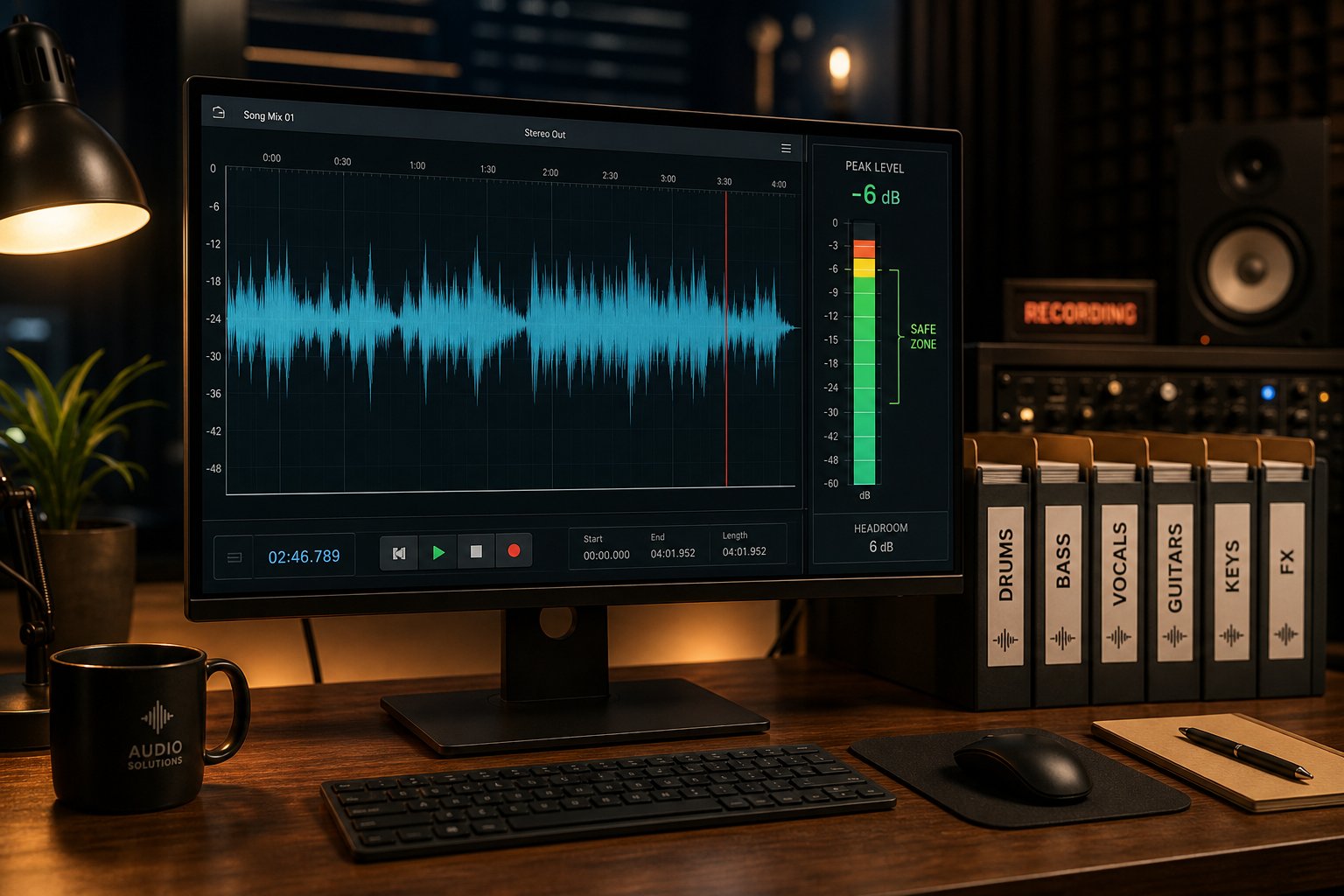
Headroom is the distance between your loudest peak and 0 dBFS (digital ceiling). If your mix peaks at -1 dB, you have 1 dB of headroom. If it's already hitting 0 dB or above, you're clipping — and the AI will master a clipped signal louder, making the problem worse.
How to master a track starts well before you upload it. According to Avid's gain staging guide, individual tracks during mixing should average around -18 dBFS to -12 dBFS, with the cumulative master bus peaking around -6 dBFS to -3 dBFS. That range gives AI mastering engines the space they need to apply EQ boosts, compression, and limiting without running into the digital ceiling.
For your final premaster bounce, aim for peaks between -3 dB and -6 dB below 0 dBFS. This gives the algorithm room to add loudness without introducing distortion. Remove any limiter or maximizer from your master bus before exporting — you want the AI to handle that final stage, not compete with processing you've already applied.
Preparing Stems for AI Mixing Services
If you're uploading individual stems for AI mixing rather than a stereo mixdown for mastering, additional preparation matters. As MegaMix AI's stem prep guide explains, every stem should start at the same bar zero and use the same sample rate across the session. A single shifted stem produces smeared balances regardless of how smart the mix engine is.
Export mono sound sources — kick, snare, bass, center-panned lead vocals — as mono files when appropriate. Keep stereo exports for pads, room mics, wide guitars, and reverb buses. This gives the AI clearer information about each element's intended spatial position rather than forcing it to interpret a stereo file that's essentially mono content.
Print creative effects that define your sound design (distortion on a synth, a specific delay pattern on vocals), but avoid printing heavy bus compression or limiting on stems. The AI needs dynamic range to make intelligent processing decisions. If every stem arrives pre-squashed, the algorithm has nowhere to go.
Here's a complete preparation checklist before you hit upload:
- Export as 24-bit WAV at your session's native sample rate (44.1 kHz or 48 kHz).
- Remove any limiter or maximizer from your master bus before bouncing.
- Verify your premaster peaks between -6 dBFS and -3 dBFS — never above -1 dBFS.
- Check for clipping on individual tracks using peak meters; fix any overs before export.
- If exporting stems, ensure all files start at the same timeline position (bar zero).
- Name stems clearly: Lead Vocal, Kick, Snare, Bass, Synth Pad, etc.
- Solo each stem briefly to catch clicks, DC offset, or accidental silence.
- Export a rough reference bounce of your current mix for comparison after AI processing.
- Never convert from MP3 or AIFF in MP3 back to WAV as a workaround — always export from the original session.
Following this process takes five to ten minutes and represents the single biggest improvement you can make to your AI-processed results. A properly gained, clean mix at native resolution gives the algorithm maximum information and maximum room to work — and that translates directly into a more polished, professional-sounding output.
Learning how to master a song well begins with understanding that mastering is only as good as the mix feeding it. With your files properly prepared, the remaining question shifts from technical readiness to strategic direction: where is this technology heading, and what's the smartest next step for your specific situation?
Where AI Music Production Is Heading and Your Next Step
The trajectory is unmistakable. What started as basic loudness optimization in 2014 has evolved into ai music mixing software capable of processing 32 stems with genre-aware intelligence. The next phase is already taking shape: arrangement-aware processing that understands how a verse differs from a chorus, context-sensitive dynamics that breathe with the song's emotional arc, and adaptive engines that learn your preferences over time rather than defaulting to statistical averages.
The Trajectory From Mastering-Only to Full AI Mixing
Early AI mastering applied the same broad strokes to every upload — EQ, compression, limiting. Current ai mixing tools handle per-stem decisions across complex sessions and export editable DAW projects. RoEx's data from over 2 million processed mixes shows that the gap between independent and professional releases comes down to loudness, tonal balance, and low-end control — exactly the problems AI solves most reliably. As these models absorb more genre-specific training data, their creative decision-making will sharpen further.
AI won't replace the human ear for artistic judgment anytime soon, but it's rapidly eliminating the technical barriers that kept independent music from sounding competitive on streaming platforms.
The free tier landscape is expanding too. Producers searching for the best free ai mixing and mastering options now have legitimate choices — from BandLab's zero-cost mastering to free preview passes on paid platforms. A free ai mixing plugin like Sonible's trial offerings or iZotope's introductory tools lets you experiment with AI-assisted workflows inside your DAW before committing budget. For those exploring mixing ai free or ai audio mixing free options, the barrier to entry has never been lower.
Choosing the Right AI Tool for Your Situation
Your next step depends on where you are right now. If you've never run a track through AI processing, start simple. MakeBestMusic's AI Mastering is built for exactly this moment — upload a track, get a release-ready master back quickly, and hear what your music sounds like when properly polished for streaming. Its focus on speed and production quality adjustment makes it a practical first test without a steep learning curve or subscription commitment.
From there, your path branches based on your goals:
- Releasing frequently on a budget: A mid-tier AI mastering subscription handles volume without sacrificing quality. Use your savings to invest in better recordings.
- Developing engineering skills: DAW-integrated plugins teach you what processing decisions look like. Use AI suggestions as a starting point, then push further on your own.
- Working from raw stems: Platforms like RoEx Automix or Cryo Mix give you a free ai music finalizer workflow — upload stems, get a balanced mix back, refine in your DAW.
- High-stakes releases: Use AI for drafts and references during production, then hire a human engineer for the final version that goes to market.
The producers getting the best results in 2026 aren't choosing between AI and human expertise. They're using both strategically — letting algorithms handle the technical foundation while reserving human judgment for the creative decisions that make music feel like something. Whether you ai mix and master free during the writing phase or invest in premium processing for the release, the smartest approach is the one that matches the tool to the task in front of you.
