


What AI Creates Music and Why It Matters
Ever wondered how do you make a song without picking up an instrument, booking studio time, or learning music theory? That question has a real answer now. AI music generators use deep learning to compose, arrange, and produce tracks from nothing more than a typed description, a set of lyrics, or a style reference. You describe what you want, and the system builds it.
Defining AI Music Creation
AI music creation is the process of using artificial intelligence systems, trained on large datasets of musical patterns, to generate original compositions from user inputs such as text prompts, melodies, or genre and mood references.
In practice, this means platforms like Suno, AIVA, and tools built around Google's music maker technology can turn a sentence like "upbeat indie folk with acoustic guitar" into a fully produced track in under a minute. The same applies to ai song writing workflows where you feed in lyrics and receive a sung composition back. Services such as producer.ai and similar platforms let creators skip the traditional production pipeline entirely.
Why AI-Generated Music Is Reshaping the Industry
The shift is already measurable. Content creators use these tools for YouTube intros, indie game developers score entire projects without hiring composers, and marketers generate ad jingles on demand. A Luminate report found that roughly 44% of daily uploads to the streaming platform Deezer are now AI-generated tracks. Whether you find that exciting or unsettling, the technology is here and accelerating.
This article breaks down the mechanics behind AI music generation, compares the major tools side by side, identifies who benefits most, and covers the licensing and quality questions you need answered before releasing anything. Consider it a practical map of the landscape, not a sales pitch, so you can figure out which approach actually fits your creative goals. And figuring out how the technology works under the hood is where we start.
How AI Music Generation Technology Actually Works
Imagine typing a sentence and getting a full track back. Sounds like magic, but it runs on math. Three core architectural approaches power the AI systems that compose music today, and understanding them helps you pick the right tool and set realistic expectations for what comes out the other end.
Transformer and Diffusion Models Behind AI Music
The transformer architecture is the same family behind GPT-style language models, adapted for musical sequences. Instead of predicting the next word in a sentence, a music GPT model predicts the next note, chord, or audio token in a composition. The Music Transformer paper by Huang et al. (2018) introduced relative positional encoding so the model could learn relationships between notes regardless of where they sit in a piece. In practice, this means the system understands that a chord resolution feels the same whether it happens in bar four or bar forty.
Diffusion models take a completely different path. Rather than sequencing tokens, they start with pure noise and iteratively refine it into coherent audio. As audio ML researcher Chris Landschoot explains, the model learns to add small amounts of predictable noise to a signal step by step, then reverses the process to generate new sounds from scratch. Because this denoising is probabilistic, the output lands near, but not exactly on, any single training example. That gap is where originality lives.
A third category covers specialized neural networks trained on narrower tasks: creating piano arrangement from audio AI free tools, basic song production from a scratch track AI, or vocal mixing AI free services that isolate and process stems. These tend to use convolutional or recurrent architectures tuned for specific composer music workflows rather than full-song generation.
- Transformer models — Excel at long-form structure, melody development, and maintaining musical coherence across sections. Best for generating MIDI sequences and full arrangements.
- Diffusion models — Produce raw audio waveforms from noise, strong at timbral realism and generating sounds that feel genuinely new. Power many end-to-end music generators.
- Task-specific neural networks — Handle focused jobs like stem separation, vocal synthesis, beat detection, or harmonization. Often used as components inside larger systems.
How Training Data Shapes What AI Can Compose
No model invents from nothing. Every AI composer music system reflects the data it trained on. Training datasets typically include audio waveforms, isolated stems, metadata tags for genre and tempo, and sometimes lyrics paired with melodies. The model finds correlations between sounds, structures, and moods across thousands of examples.
Where that data comes from matters. Early systems scraped unlicensed recordings, sparking lawsuits and industry backlash. By now, most major platforms train on licensed catalogs, public domain collections like the Maestro dataset of classical piano performances, or contributor-approved material. The scope and diversity of the training set directly determines what genres, instruments, and styles the model can convincingly reproduce.
During training, the system learns melody, harmony, rhythm, and structure simultaneously. It does not study these elements in isolation. A transformer trained on pop music, for instance, absorbs verse-chorus patterns, common chord progressions, and vocal phrasing as a unified bundle. This is why a well-trained model can generate a track that hangs together musically rather than sounding like random notes stitched end to end.
The practical takeaway: models trained on broad, high-quality datasets produce more versatile output. Narrow training gives you niche accuracy but limited range. Knowing what sits underneath helps you understand why one tool nails jazz piano while another struggles with anything outside pop and electronic genres, which becomes important when you start comparing specific platforms head to head.
Categories of AI Music Tools Explained
The technology powering these systems is fascinating, but what matters to most creators is this: which type of tool actually does what I need? The AI music ecosystem is not a single product category. It spans at least five distinct tool types, each designed around a different creative workflow and skill level. Picking the wrong category wastes time. Picking the right one gets you from idea to finished audio in minutes.
Text-to-Music and Prompt-Based Generators
These are the platforms most people picture when they think about AI-generated music. You type a description, something like "dark cinematic orchestral with building tension," and the system returns a complete track. Platforms in this category, including the Suno AI song creator, Udio, Boomy, and Loudly, handle composition, arrangement, instrumentation, and mixing in a single pass. According to Zinstrel's breakdown of AI music tool types, these "one-click song" platforms use neural audio models that predict sound waveforms frame by frame, building the track one slice at a time.
Some generators also accept menu-based inputs rather than free-form text, letting you select genre, mood, tempo, and energy level from dropdowns. Either way, the output is a polished track ready for use. This category works best for creators who need background music fast and don't require granular control over individual elements.
Lyrics-to-Song and Vocal Synthesis Tools
What if you already have words and want them sung? Lyrics-to-song platforms take your written text and produce a fully vocalized composition. This is where song writing applications overlap with vocal synthesis. You supply the lyrics, choose a voice style, and the AI handles melody, phrasing, and production. For anyone exploring ai rap, pop ballads, or country storytelling, these tools rank among the top ai for lyrics for songs because they remove the need for a vocalist or recording session entirely.
Dedicated vocal synthesis platforms like Kits AI, ACE Studio, and Synthesizer V take a different angle. Rather than generating a full song, they let you apply AI-generated singing voices to melodies you compose yourself. Some offer voice cloning, letting you train a model on your own recordings or blend multiple vocal profiles into something new. Others include an ai rhyme finder or lyric-shaping tools to help you refine your song words before the AI sings them back.
AI Plugins for Traditional Music Production
Not every creator wants a finished track handed to them. Producers working inside DAWs like Ableton or Logic often prefer AI that assists rather than replaces their workflow. This category includes:
- Stem and accompaniment generators — Upload a vocal or guitar part and the AI builds drums, bass, and harmonic layers around it. Tools like Moises and AIVA handle this, letting you fill out arrangements from a single seed idea.
- AI mastering and mixing plugins — Services like LANDR and iZotope Ozone analyze your mix against reference libraries and apply EQ, compression, and loudness optimization automatically.
- Remix and variation tools — Feed in stems and get new grooves, chord variations, or genre-shifted versions. Think of these as a music mashup maker that recombines elements into fresh arrangements. A song mashup maker workflow becomes possible without manual chopping or beat-matching.
- MIDI and pattern generators — Plugins that suggest chord progressions, melodies, or drum patterns inside your existing session, acting as a co-writer rather than a replacement.
Each category serves a different relationship between human creativity and machine output. Prompt-based generators prioritize speed and accessibility. Vocal synthesis tools prioritize expressive control. DAW plugins prioritize integration with an existing production process. Understanding where your needs fall narrows the field considerably, and that clarity becomes essential when you start comparing individual platforms feature by feature.
Comparing the Top AI Music Generators Side by Side
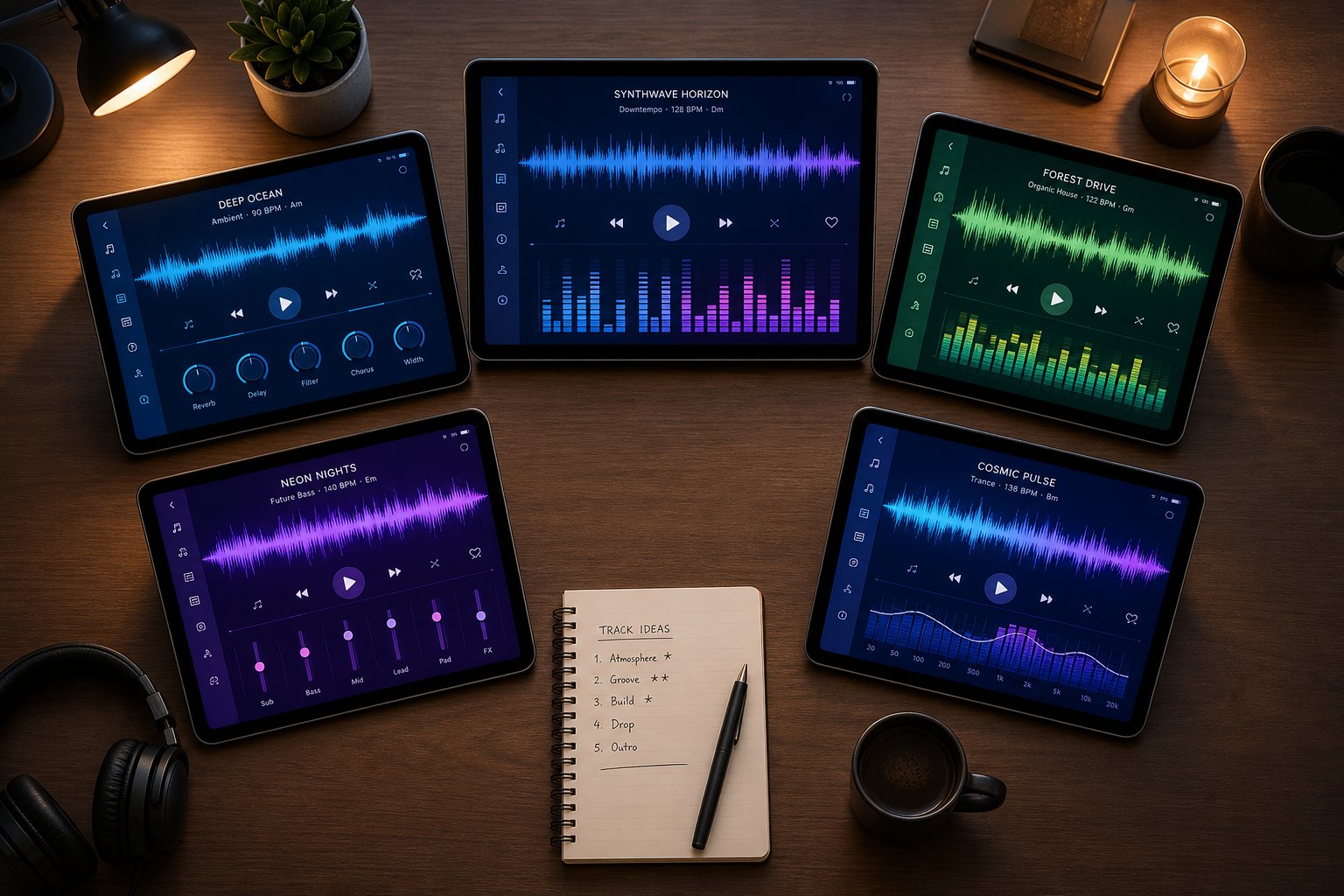
Knowing the categories helps you filter. But within each category, multiple platforms compete for your attention, each with different pricing, output quality, and licensing terms. The only honest way to evaluate them is to line them up against the same criteria and let the differences speak for themselves.
The table below compares eight platforms across the dimensions that matter most when deciding what AI creates music worth actually using: how you feed it input, what comes out, whether you can legally release it, and who each tool is really built for.
Feature and Pricing Comparison Table
| Platform | Input Methods | Output Type | Commercial License | Free Tier | Starting Paid Price | Best For |
|---|---|---|---|---|---|---|
| MakeBestMusic | Text prompts, lyrics, style/genre selection | Full songs with vocals | Yes, on paid plans | Yes, limited generations | Affordable entry tier | Creators turning prompts and lyrics into complete songs quickly |
| Suno | Text prompts, lyrics, style tags, audio upload | Full songs with vocals (up to 8 min) | Yes, Pro plan and above | Yes, ~10 songs/day, no commercial use | $10/mo (Pro) | Pop/rock songs, casual creators, hobbyists |
| Udio | Text prompts, music tags, section-by-section editing | Full songs with vocals | Currently restricted (post-UMG settlement) | Yes, limited | $12/mo (Standard) | Producers seeking high-fidelity audio and fine control |
| Google Lyria 3 Pro | Text prompts, image-to-music, structural cues | Full songs up to 3 min, instrumental or vocal | Yes, via Gemini subscription or Vertex AI | Included with Gemini Pro/Ultra | $0.08/song (Vertex AI) | Developers, Google ecosystem users |
| SOUNDRAW | Mood/genre/tempo selectors, block-based editor | Instrumental tracks, customizable sections | Yes, all paid plans (royalty-free, perpetual license) | Preview only, no downloads | $11/mo (annual) | YouTubers, podcasters, video editors |
| AIVA | Style presets, reference uploads, MIDI editor | Instrumental, orchestral, MIDI + audio export | Full copyright on Pro tier only | Yes, 3 downloads/mo, non-commercial | $11/mo (Standard, annual) | Film/game composers, classical and cinematic scoring |
| Beatoven.ai | Text prompts, video upload, mood per section | Instrumental background tracks | Yes, perpetual license on downloads | Yes, limited trial generations | $10/mo (Creator) | Content creators on a budget, podcasters |
| Canva (via Soundraw integration) | Mood/genre selection within Canva editor | Instrumental background music | Yes, within Canva's content license | Available on Canva free plan (limited) | Included with Canva Pro ($15/mo) | Video editors already inside the Canva ecosystem |
A few things jump out immediately. The suno ai music maker approach dominates the vocal-song category, offering the broadest feature set for anyone making pop, rock, or hip-hop tracks from scratch. The aiva ai music generator occupies a different niche entirely, excelling at orchestral composition with MIDI export that no other tool on this list matches. And soundraw ai carves out a clean lane for video creators who need royalty-free background tracks without worrying about Content ID strikes.
Google's entry as a google song maker through Lyria 3 Pro targets developers and existing Gemini subscribers rather than casual creators. Its $0.08-per-song API pricing is the cheapest developer option available, but you won't find a standalone consumer app. Meanwhile, canva music integration brings AI-generated audio directly into a video editing workflow millions of creators already use, even though the underlying engine is Soundraw's technology repackaged for Canva's interface.
For platforms like Beatoven.ai, the draw is ethical credibility paired with budget pricing. With its Fairly Trained certification confirming licensed training data, it appeals to brands and agencies that need to pass procurement checks. Newer entrants like ai music generator melodycraft and remusic.ai are expanding the field further, though they have not yet reached the adoption scale of established players.
Which Generator Fits Your Workflow
When people search makebestmusic vs suno, they are usually asking a simple question: which one gets me from an idea to a finished song with the least friction? MakeBestMusic's AI Music Generator is built around that exact use case. You type a prompt or paste your lyrics, pick a style direction, and get a complete song back. The workflow skips the complexity of timeline editors or MIDI manipulation. Suno offers deeper customization, voice training, and a larger community, but that depth comes with a steeper learning curve and prompt-crafting demands that first-time users may not expect.
Your decision tree looks something like this:
- Need a song with vocals from a prompt or lyrics, fast? Start with MakeBestMusic or Suno.
- Scoring a film, game, or orchestral project? AIVA gives you MIDI-level control and cinematic depth.
- Making YouTube or podcast background music? SOUNDRAW or Beatoven.ai keep things simple and royalty-free.
- Building music into an app or product? Google Lyria 3 Pro offers the most predictable API pricing.
- Already editing video in Canva? The built-in canva music feature means you never leave your editor.
No single platform wins across every use case. The right choice depends on whether you prioritize speed, depth of control, licensing clarity, or integration with tools you already use. And that raises the next question: beyond the tools themselves, who actually benefits from AI music creation, and what outcomes should they realistically expect?
Who Benefits Most from AI Music Creation
Tools are only as useful as the problem they solve for the person holding them. The previous section compared platforms on features and pricing, but the more practical question is: which creators and professionals actually gain something meaningful from AI-generated music, and what does that look like in their day-to-day work?
Not everyone needs the same thing from these systems. A YouTuber hunting for business background music has completely different requirements than a songwriter looking for melodic inspiration. Matching the right audience to the right tool type prevents wasted time and unmet expectations.
- Content creators and social media producers
- Podcasters and video editors
- Small businesses and marketing teams
- Indie game developers
- Musicians and songwriters
- Educators and music students
Content Creators and Social Media Producers
This is the largest audience by volume. YouTubers, TikTok creators, and Instagram producers burn through music constantly. Every video needs a background track that fits the mood, avoids copyright strikes, and does not cost $50 per license. AI-generated royalty-free tracks solve all three problems simultaneously.
The typical workflow here is simple: describe the vibe, download the track, drop it into the timeline. Platforms like SOUNDRAW and Beatoven.ai are built specifically for this use case. They generate instrumental business background music on demand, tuned to specific energy levels and video lengths. A creator producing daily content no longer needs to scroll through stock libraries hoping something fits. They generate exactly what they need in under a minute.
The best intro song for a channel often becomes its audio identity. AI tools let creators iterate on that intro until it matches their brand perfectly, generating dozens of variations to compare without commissioning a single producer. The outcome is faster production cycles, lower costs, and music that actually matches the content rather than approximating it.
Game Developers, Podcasters, and Businesses
Indie game developers face a specific scoring challenge: they need adaptive, loopable music across multiple game states (exploration, combat, menus) but rarely have budget for a dedicated composer. AI generators that produce stems and section-based tracks, like AIVA and SOUNDRAW, let developers build layered soundtracks that shift dynamically based on gameplay without hiring a full scoring team.
Podcasters have a narrower but equally real need. A strong intro sets tone and professionalism immediately. Searching for the best introduction songs that fit a niche topic often leads to generic stock audio that dozens of other shows already use. Generating royalty free podcast intro music through AI gives each show a unique sonic signature. The same applies to outro beds, transition stings, and segment bumpers. Beatoven.ai, with its 2M+ creator user base, has built much of its adoption around exactly this podcaster workflow.
Small businesses sit in a different position. They need a custom song or jingle for ads, hold music, or storefront ambiance but cannot justify agency-level production budgets. A HubSpot experiment testing AI jingle creation found that Suno produced a catchy, well-paced commercial jingle from a simple prompt in minutes, rating the output 7.5 out of 10 without any manual refinement. For a local business needing a 30-second radio spot or a personalized song for a seasonal campaign, that quality level is more than sufficient. Think about popular commercial jingles you remember from childhood. Many were simple, repetitive, and under a minute long. AI handles that format remarkably well because short, catchy structures are exactly what these models excel at producing.
Musicians Using AI as a Creative Partner
This audience uses AI differently from everyone else on the list. Musicians and songwriters are not looking for a finished product. They want a starting point, a spark, or a way past creative blocks. Research from Stability AI analyzing hundreds of musical works found that professional artists prioritize creative control when using AI. Rather than automating entire compositions, they adopt modular approaches: generating harmonic progressions or drum patterns with AI, then manually arranging, editing, and layering those elements with traditional instruments.
The same study revealed that artists are training custom models on their own material, curating datasets to develop specialized tools that generate music in their specific style. This mirrors how producers have always programmed synthesizers to create signature sounds, just at a higher level of abstraction.
For a songwriter stuck on a bridge section, generating twenty melodic variations in two minutes and cherry-picking the strongest one is genuinely useful. The AI becomes a collaborator rather than a replacement. Tools that export MIDI, like AIVA, fit this workflow best because they let musicians pull ideas directly into their DAW for further development.
Educators round out the list. Music theory teachers use AI generators to demonstrate concepts in real time. Show students how a chord progression sounds across different genres, generate examples of modal interchange, or illustrate arrangement density by toggling instruments on and off. The AI becomes a teaching instrument that responds instantly to "what if" questions no textbook can answer dynamically.
Each of these audiences extracts different value from the same underlying technology. Content creators want speed and volume. Businesses want affordability and brand-specific audio. Musicians want inspiration without losing ownership of the creative process. Knowing where you fit determines not just which tool to choose, but how to use it effectively, and that effectiveness depends heavily on how you communicate with the AI through prompts and iterative refinement.
The Creative Process from Prompt to Finished Track
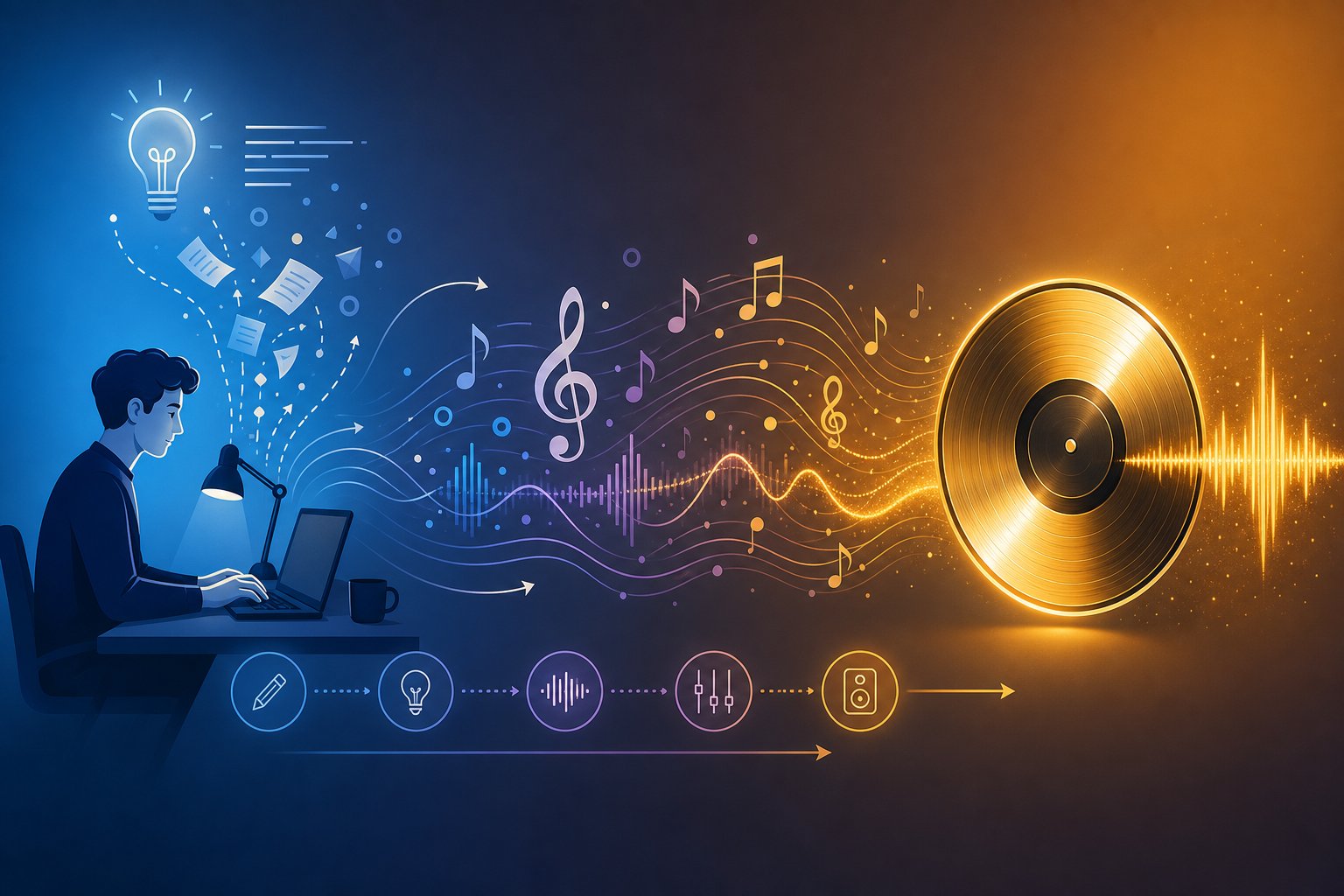
Generating a single track from a one-line description is the entry point, not the destination. Creators who consistently produce strong output treat AI music generation as an iterative conversation rather than a slot machine pull. The difference between a forgettable clip and a track worth releasing usually comes down to how clearly you communicate your vision and how deliberately you refine what comes back.
Crafting Effective Prompts for AI Music
A prompt is your creative brief. The more specific it is, the closer the output lands to what you hear in your head. Vague inputs like "cool beat" or "nice melody" give the model almost nothing to work with. Instead, effective prompting uses specific musical vocabulary that anchors the generation across five dimensions:
- Genre and sub-genre — Not just "rock" but "90s grunge with lo-fi production and heavy distortion."
- Mood and emotion — Words to describe music emotionally: melancholic, defiant, euphoric, haunting. These adjectives steer harmonic choices and tempo.
- Instrumentation — Specify what you want to hear: acoustic guitar, deep 808s, analog synth pads, orchestral strings.
- Vocal style or instrumental flag — Male or female voice, raspy delivery, choir backing, or no vocals at all.
- Structure cues — "Build from a quiet verse to an anthemic chorus" gives the model a dynamic arc to follow.
If you already know how to write a song lyrics and have your song words ready, pasting them into a lyrics-to-song tool gives the AI even more to work with. The system maps melody and phrasing to your text, so stronger lyrics produce stronger vocal delivery. Spending time on perfect song lyrics before generating pays off in fewer wasted iterations.
Think of prompting as a song idea generator you control. A prompt like "cinematic orchestral piece building from quiet strings to powerful brass, suspenseful mood, no vocals, 120 BPM" tells the model the genre, instruments, energy arc, mood, and tempo in a single sentence. That specificity is what separates professional-sounding output from generic filler.
Iterating and Refining Your AI-Generated Tracks
One-shot generation rarely produces a release candidate. The real workflow involves listening critically, identifying what works, and directing the next generation based on what you learned. Experienced AI music creators recommend treating each output as a draft rather than a finished product.
Here is a practical sequence for moving from raw idea to polished track:
- Define the song concept — Write a one-sentence description of the idea, the emotional arc, and who is speaking. This functions as a song topic generator that keeps every decision anchored.
- Generate two to four initial variations — Run your prompt and listen for which version captures the right energy. Do not commit to the first output.
- Mark what works and what fails — Note the strongest chorus, the best vocal tone, or the drum pattern worth keeping. Discard what misses.
- Refine the prompt or lyrics — Adjust genre tags, swap instruments, rewrite a weak verse, or shift the mood descriptor based on what the first batch taught you.
- Extend or edit sections — Many platforms let you regenerate individual sections. Rebuild a flat bridge or extend a strong outro without starting over.
- Export stems and mix down — For release-quality results, pull stems into a DAW for proper EQ, compression, and spatial processing. Some creators also upload song and AI will make a drum beat or bass layer to fill gaps in their arrangement.
Each cycle tightens the gap between what you imagined and what the AI delivers. The key insight from creators who do this well: do not generate more until you know what the last version taught you. Random regeneration wastes credits and creative energy. Directed iteration builds a song.
This workflow applies whether you are learning how to make a song for the first time or producing your fiftieth track. The tools accelerate the process, but the creative decisions, choosing what to keep, what to cut, and when the track is done, remain entirely yours. Those decisions carry legal weight too, which brings up questions about who owns what when AI does the composing.
Licensing, Copyright, and Legal Considerations
Creative decisions shape the song. Legal decisions shape what you can do with it afterward. Every creator who generates a track through AI eventually runs into the same question: can I actually release this commercially, and do I own it? The answer depends on which platform you used, what plan you are on, and where in the world you plan to publish. It is not always straightforward, so let's break it down clearly.
Commercial Licensing and Royalty-Free Use
Most AI music generators grant some form of commercial license, but the terms vary significantly. "Royalty-free" does not mean "free to use however you want." It means you pay once (through a subscription or per-download fee) and owe no recurring royalties when the track is played or streamed. You still must follow the platform's specific usage rules, which may restrict where and how you deploy the music.
A common misconception surfaces frequently in threads about finding a music ai creator without copyright restrictions reddit users discuss. The reality is that no platform offers truly unrestricted usage. Every tool attaches conditions. The practical differences show up in whether you can monetize videos, sync tracks to ads, distribute on streaming platforms, or resell the music itself.
Here is how licensing terms compare across the major tools:
| Platform | Commercial Use Allowed | Attribution Required | Ownership Retained by User | Key Restrictions |
|---|---|---|---|---|
| MakeBestMusic | Yes (paid plans) | No | Yes, on paid tiers | Free tier is non-commercial |
| Suno | Yes (Pro and above) | No | Yes (Pro+) | Free tier outputs owned by Suno, non-commercial only |
| Udio | Limited (post-settlement restrictions) | No | Conditional | Licensing terms under revision following UMG settlement |
| SOUNDRAW | Yes (all paid plans) | No | Yes, perpetual license | Cannot resell as standalone music or in song stock libraries |
| AIVA | Full copyright on Pro only | Required on Standard tier | Pro tier only | Standard tier requires AIVA credit, limited monetization |
| Beatoven.ai | Yes (perpetual license on downloads) | No | Yes | Cannot redistribute as a music asset |
| Google Lyria (via Vertex AI) | Yes | No | Yes, per Google's AI terms | Must comply with Google's Generative AI usage policy |
| Envato MusicGen | Yes | No | Licensed use, not full ownership | Covered by Envato's perpetual commercial license |
Notice the pattern: free tiers almost universally restrict commercial use. If you plan to download song for youtube monetization, sync to client projects, or release on Spotify, you need a paid plan. The exception is Google's integration through Gemini subscriptions, which bundles commercial rights into an existing subscription rather than charging per track.
For creators seeking royalty free jazz music, cinematic scores, or lo-fi beats for video content, platforms like SOUNDRAW and Beatoven.ai offer the cleanest licensing story. You generate, you download, you use it commercially, period. No claims, no Content ID flags, no revenue splits. That simplicity is their selling point.
Copyright Ownership and Legal Gray Areas
Licensing and copyright are different things. A license gives you permission to use something. Copyright gives you ownership of it. With AI-generated music, the ownership question remains genuinely unsettled.
The core legal issue: copyright law in most jurisdictions requires human authorship. A composition generated entirely by AI, with no meaningful human creative input beyond typing a prompt, may not qualify for copyright protection at all. As Artlist's analysis of AI copyright explains, what matters is what you do after the output is generated, such as choosing one result over others, editing sections, rewriting lyrics, or rejecting outputs that don't fit. Those decisions demonstrate human creative judgment, which is what copyright systems look for.
This creates a spectrum. On one end: fully automated generation where the user accepts whatever the AI produces. That output likely cannot be copyrighted. On the other end: AI-assisted creation where a human shapes, edits, arranges, and makes deliberate artistic choices throughout the process. That hybrid work has a much stronger ownership claim.
Major music industry organizations have staked clear positions. ASCAP, BMI, and SOCAN announced joint policies accepting registrations of partially AI-generated musical works, defining these as compositions combining AI-generated elements with human authorship. Critically, works created entirely by AI remain ineligible for registration with any of these performing rights organizations. Their joint statement emphasized that "AI can be a powerful tool for members, as long as the law puts humans first."
What does this mean in practice? If you generate a track, then rewrite the melody, restructure the arrangement, add original lyrics, or perform new parts over the AI foundation, you are building a case for ownership. If you type a prompt and publish the raw output unchanged, your legal footing is weaker.
Training data provenance adds another layer of risk. Envato's licensing guide warns that some AI tools train on unverified or scraped content, which can expose users to copyright risks if the output resembles existing songs. Platforms that train on licensed catalogs or public domain material, and can demonstrate it, reduce downstream legal exposure for creators. Beatoven.ai's Fairly Trained certification and SOUNDRAW's use of in-house compositions are examples of platforms addressing this concern directly.
The ethical dimension runs parallel to the legal one. Many working musicians view AI generators trained on their recordings without consent as exploitative, regardless of what current law permits. The three PROs made their stance explicit: "AI technology companies ingesting and training models on copyrighted musical works without permission from, compensation for or credit to creators is not fair use, but theft." Creators choosing an AI tool should understand not just whether the output is legally usable, but whether the platform's training practices align with their values.
For creators producing an ai music video or using a free ai music video generator to pair visuals with AI tracks, the same licensing rules apply to both the audio and the visual components independently. A commercially licensed AI track does not automatically cover the video elements, and vice versa. Each layer of a project carries its own rights profile.
The practical takeaway: read the terms of your specific plan before publishing. Generate on a paid tier if you need commercial rights. Edit and shape the output to strengthen your ownership position. And if a track is heading toward significant commercial use, the modest cost of legal review is worth the certainty it provides. These legal boundaries are still forming, which means the platforms that offer the clearest, most protective licensing today hold a real advantage for professional creators. But legal clarity is only half the equation. The other half is whether the music itself is good enough to release, and that is where current AI tools still face honest limitations.
Limitations and What AI Music Generators Cannot Do Yet
Legal clarity tells you whether you can release a track. But can you release it without embarrassment? That is a different question entirely, and the honest answer depends on what you are comparing against. If you browse any ai music generator reddit thread or search for the best ai music generator reddit users actually recommend, you will find a consistent pattern: enthusiasm for the speed, skepticism about the finish line. These tools are impressive drafting machines, but they still fall short of professional human production in specific, repeatable ways.
Current Quality Gaps in AI-Generated Music
The limitations are not random. They stem from how these models learn and generate. Industry analysis of AI audio quality identifies several persistent technical issues that even the best platforms have not fully solved:
- Repetitive structures in longer compositions — Most models generate convincingly for 30 to 90 seconds, then start looping ideas or losing thematic direction. Melodies loop awkwardly or lose coherence beyond short sequences because the model struggles to maintain a narrative arc across a full song.
- Difficulty with complex time signatures — Ask for a track in 7/8 or 5/4 and you will likely get something that drifts back toward 4/4 within a few bars. Models trained predominantly on pop and rock internalize common meter so deeply that odd meters become statistical outliers they cannot sustain.
- Inconsistent vocal quality — AI-generated vocals can sound impressive on first listen, but artifacts creep in: unnatural breath placement, metallic timbres on sustained notes, and syllable timing that feels slightly off. Sound synthesis problems produce tones that sit awkwardly in a mix, especially in exposed vocal passages.
- Limited emotional nuance — A human singer bends a note with grief. A guitarist hesitates before a chord change to build tension. These micro-decisions carry emotional weight that AI does not yet replicate. The output tends toward competent but emotionally flat performances.
- Mixing and mastering gaps — Quantization artifacts, compression overshoot, and uneven dynamic range make raw AI output sound noticeably less polished than professionally mixed tracks. Anyone searching for a free ai music finalizer to fix these issues discovers that post-processing is still a necessary step, not an optional one.
- Challenges replicating specific artist styles — Beyond the ethical concerns of mimicking a living artist's voice, the models often produce a vague approximation rather than a convincing homage. The result sits in an uncanny valley that satisfies neither as original nor as faithful tribute.
Where Human Composers Still Outperform AI
Carnegie Mellon University research tested this directly. Their study found that AI-assisted music used fewer notes, was produced more slowly, and was judged by listeners as less creative than purely human compositions. Rich Randall, who leads CMU's Music Experience Lab, put it plainly: "The ways humans shape pitches, not just how they combine them, but how they shape the sounds of them, how they organize them in time, the rhythmic pullbacks, delays and pushes — it's not formulaic."
That observation captures the core gap. Human music carries intentionality in its imperfections. The slight rush into a chorus, the vocal crack that conveys vulnerability, the silence held one beat longer than expected — these choices emerge from lived experience, not probability distributions. As Randall noted, AI-generated music is "always going to be derivative in some way, it's always going to be playing it safe."
Discussions across ai generated music reddit communities echo this assessment. Users consistently report that AI output works well as a starting point or background layer but requires human intervention to feel emotionally complete. The best ai for musicians right now is not a replacement composer but a rapid prototyping tool that handles the mechanical labor while humans supply the creative judgment.
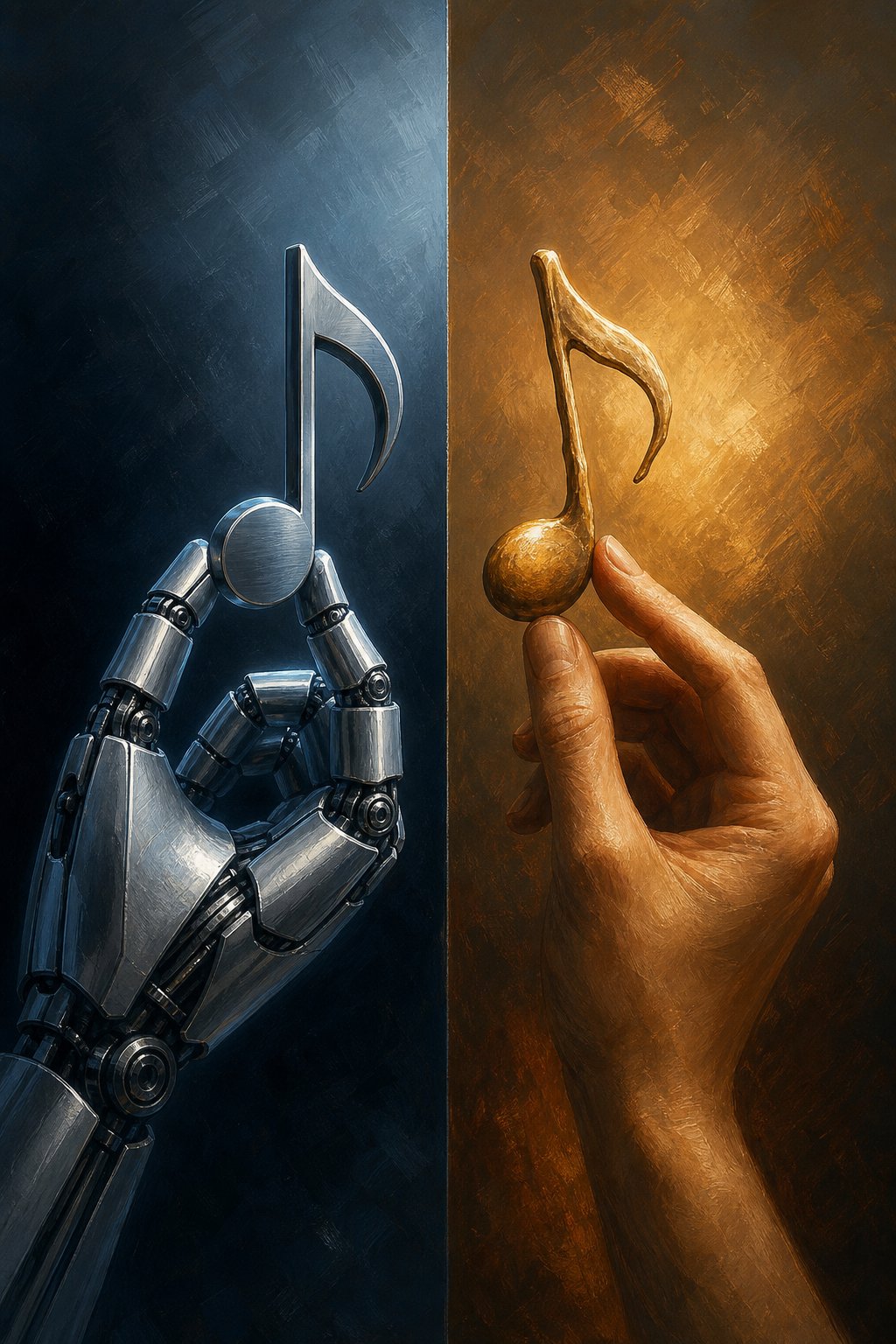
Will ai get better at helping with making music? Almost certainly. The improvement curve from 2023 to now has been dramatic, and architectural advances in multimodal models suggest the gap will continue narrowing. But the reddit best ai music generator discussions today reflect a technology that excels at competent drafts and struggles with brilliance. For professional releases, the AI generates the clay. The human still sculpts the sculpture. Knowing these boundaries honestly is what separates creators who use these tools effectively from those who publish underwhelming output and wonder why it does not connect — and it is also what makes the first step worth taking anyway, as long as you start with realistic expectations.
Getting Started with Your First AI-Generated Song
Limitations exist, but they do not erase the value. Knowing where AI falls short actually makes your first experiment more productive because you walk in with clear expectations rather than vague hype. So how do you make a song with AI in practice? Start small, learn the feedback loop, and scale up from there.
Your First AI-Generated Song in Minutes
You do not need a plan for an album. You need one simple project that teaches you how the tools respond to your input. Here is a quick-start sequence anyone can follow:
- Pick one goal — A 30-second podcast intro, a background loop for a video, or a short song from your own lyrics. Keep it contained.
- Choose a platform that matches that goal — For a complete song from lyrics or a text prompt, MakeBestMusic's AI Music Generator gets you from idea to finished track without a learning curve. For instrumental background music, SOUNDRAW or Beatoven.ai work cleanly.
- Write a specific prompt — Include genre, mood, tempo, and instrumentation. "Upbeat acoustic folk, warm female vocals, nostalgic, medium tempo" beats "nice song" every time.
- Generate three to five variations — Do not judge the tool by a single output. Listen across attempts and notice what changes when you adjust your wording.
- Pick your strongest version and use it — Drop it into a video, share it with a friend, or post it somewhere. The track does not need to be perfect. It needs to exist.
That entire process takes under fifteen minutes. By the end, you understand how prompts translate into audio, which gives you a foundation for every generation after it.
Choosing the Right Tool for Your Needs
If you have read this far, you already know how to create songs with AI conceptually. The remaining question is which entry point fits your situation:
- You have lyrics and want a full song fast — MakeBestMusic is built for exactly this. Paste your words, pick a style, and get a vocalized track back. It is one of the simplest paths for anyone asking how do I make a song without production experience.
- You want deep control and community features — Suno offers timeline editing, voice training, and a large creator ecosystem for iteration.
- You need royalty-free instrumentals for content — SOUNDRAW and Beatoven.ai keep the workflow focused and the licensing clean.
- You want orchestral or cinematic scoring — AIVA gives you MIDI export and compositional depth no other tool matches.
How can you make a song that actually resonates? The same way anyone creates something worth hearing: start with a clear idea, use the tool that removes friction rather than adding it, and iterate until the output matches your intent. AI handles the production mechanics. You supply the taste, the direction, and the decision of when it is done. That division of labor is what makes how do you create your own music a question with a genuinely new answer in 2026. The barrier is no longer skill or budget. It is whether you start.
