What It Really Means to Make a Rap Song with AI
You typed "make me a rap song AI" into a search bar, and now you're staring at a wall of tools, apps, and platforms that all claim to do the job. The problem? None of them explain what kind of tool you actually need. A rap lyrics generator does something completely different from a beat-making platform, and picking the wrong category wastes your time before you even start.
The AI rap landscape breaks down into four distinct tool types, and understanding each one is the fastest way to figure out where your workflow begins.
The Four Types of AI Rap Tools Explained
- Lyrics-only generators — These produce written rap bars, verses, hooks, and full song structures from a text prompt. No audio, just words on a screen. Best for aspiring rappers and songwriters who want help crafting lines and overcoming writer's block.
- Text-to-music platforms — These take a prompt or set of lyrics and generate a complete song with vocals, instrumentals, and production. Think of them as an all-in-one rap maker that delivers a finished, listenable track. Best for beginners who want to hear a full song fast.
- AI vocal synthesis tools — These generate or clone realistic rap voices, letting you apply AI-powered vocal delivery to existing lyrics. Best for creators who have bars written but don't want to record themselves.
- Beat generators — These create instrumentals, drum patterns, and backing tracks based on genre and mood inputs. Best for producers and rappers who already have lyrics and need the musical foundation.
Some platforms combine multiple categories. For example, a single AI rap generator might handle both lyrics and beat creation in one workflow. Others focus on doing one thing exceptionally well. Knowing what each type produces helps you pick the right starting point instead of bouncing between tools that don't match your goal.
Who This Guide Is For
This guide covers three types of creators. First, the complete beginner — you've never written a bar in your life, but you want to make a rap song and actually hear it played back. Second, the aspiring rapper battling writer's block — you know your way around rap AI tools but struggle to get output that doesn't sound generic. Third, the content creator who needs original rap for TikTok, YouTube Shorts, or Instagram Reels and can't afford to spend days producing it.
Regardless of which camp you fall into, the steps ahead walk you through the entire process — from shaping your concept and writing effective prompts to generating ai rap lyrics, refining the output, and producing a finished track. This isn't a product comparison page. It's a practical, end-to-end workflow designed to help you make a rap song with AI that actually sounds like it was made on purpose.
Every strong rap track starts with understanding what you're building. That means knowing the structural DNA of a rap song itself — the verses, hooks, bars, and rhyme patterns that separate forgettable output from fire bars.
Step 1 – Learn the Anatomy of a Rap Song
Most people who ask AI to write rap lyrics skip this step entirely — and it shows. They get back a blob of rhyming text with no sense of pacing, no hook that sticks, and verses that run too long or too short. The reason? They never told the AI what structure to follow because they didn't know the structure themselves.
A rap song isn't just a list of clever lines. Every rap lyric sits inside a framework — a blueprint of sections that control how the track builds energy, delivers a message, and keeps a listener locked in. Understanding this blueprint means you can prompt AI with precision and immediately spot weak output that breaks the rules of good songwriting.
Verses, Hooks, and Bridges Broken Down
Think of a rap song as a sequence of building blocks. Each block has a specific job, a standard length measured in bars, and a role in the overall emotional arc. A bar in music equals one measure of time — in most rap, that's a 4/4 time signature, meaning four beats per bar. When you hear someone say "16 bars," they mean 16 measures, each counted as "1, 2, 3, 4." In practical terms, one bar usually translates to one line of rapping lyrics.
Here's each section in the order it typically appears:
- Intro (4 bars) — Sets the mood. This might be a producer tag, a spoken word opening, or the first few notes of the beat dropping in. It previews the vibe without giving everything away.
- Verse (16 bars) — The core of the song. This is where the rapper delivers the story, message, or perspective. Sixteen bars is the standard length because it gives enough room to develop an idea without losing momentum. Some storytelling tracks stretch verses to 24 bars, while pop-leaning rap may trim them to 8 or 12.
- Chorus/Hook (8 bars) — The repeating, catchy section that anchors the entire track. A strong hook is what people hum in the shower. It sums up the song's main idea in a compressed, memorable way — typically running half the length of a verse.
- Verse 2 (16 bars) — Builds on the first verse with a new angle, deeper detail, or escalated energy. The best rapping lyrics evolve across verses rather than repeating the same ideas.
- Bridge (8 bars, optional) — A shift in tone, cadence, or melody that breaks the pattern before the final chorus. Bridges prevent a song from feeling predictable by introducing contrast — a different rhyme scheme, a change in delivery, or a stripped-down beat.
- Outro (4 bars) — The cooldown. This could be ad-libs fading out, the beat riding solo, or a final statement that closes the narrative. It signals to the listener that the track is wrapping up.
A standard rap song structure looks like this: Intro – Verse – Chorus – Verse – Chorus – Bridge – Chorus – Outro. That puts most tracks somewhere between 60 and 72 bars total. When you're prompting AI, specifying "write a 16-bar verse" or "give me an 8-bar hook" produces dramatically better results than just asking for "some rap lyrics."
Understanding Rhyme Schemes for Better AI Output
Rhyme schemes are where average rap lyrics separate from great ones — and they're also where AI tools tend to fall into lazy patterns if you don't steer them. A rhyme scheme is the pattern of end-sounds across your lines, mapped using letters. Each letter represents a unique sound. Knowing these patterns lets you request specific structures and immediately catch when AI hands you something flat.
The three schemes you'll encounter most often:
- AABB (Couplets) — Every two lines share the same end rhyme. Line 1 rhymes with Line 2, Line 3 rhymes with Line 4. This is the bread-and-butter pattern for high-energy tracks where punchlines need to land fast. It's also the scheme AI defaults to most often because it's the simplest to generate. Example: "I woke up wired, sky burning bright / Ground the beans, lit the room with white."
- ABAB (Alternating) — Line 1 rhymes with Line 3, and Line 2 rhymes with Line 4. This delays the payoff, creating a more sophisticated swing that works beautifully for storytelling verses. The listener's ear has to wait an extra bar for the resolution, which builds tension and keeps attention locked in.
- Multisyllabic rhymes — Instead of matching a single end sound, these stretch the rhyme across two or more syllables. "Top notch" and "stop watch" share the same vowel pattern (AH-AH). Stacking multis is the clearest sign of an experienced writer, and requesting them in your AI prompts pushes output quality significantly higher than basic couplets.
Imagine you're writing lyrics for a freestyle rap practice session. The difference between a forgettable verse and one that sticks often comes down to which scheme you chose — and whether you committed to it consistently. Poems with rhyme scheme discipline feel intentional; bars without one feel like random words to rap over a beat.
Here's what an ABAB pattern looks like in action:
"I came from the bottom, no silver spoon (A) / Every setback made me sharp as a blade (B) / Now I'm rising steady, howling at the moon (A) / Built my own light when the world threw shade (B)"
Notice how "spoon" resolves with "moon" and "blade" resolves with "shade" — but you have to wait a full bar for each payoff. That delayed resolution is what gives ABAB its storytelling power. When you rhyme rap lyrics using this pattern, the verse feels like a narrative unfolding rather than a chain of disconnected couplets.
Here's the practical takeaway: every time you prompt an AI tool, specify both the section type and the rhyme scheme. Instead of "write me some bars," say "write a 16-bar verse in ABAB rhyme scheme." That single adjustment transforms vague, generic output into structured rap lyrics that actually follow the conventions listeners expect.
Structure and rhyme scheme give you the skeleton of a rap song. The next decision — picking your subgenre and theme — gives that skeleton a personality, a sound, and a reason to exist.
Step 2 – Pick Your Subgenre and Theme
A skeleton without personality produces forgettable music — and that's exactly what happens when you jump into an AI tool without deciding what kind of rap you actually want. Telling AI to "write a rap" is like walking into a restaurant and saying "give me food." You'll get something, but it probably won't be what you had in mind.
Subgenre and theme are the two decisions that shape everything downstream: the vocabulary AI pulls from, the cadence it mimics, the mood of the beat you'll eventually pair with your bars. Spending five minutes on these choices before you type a single prompt saves you hours of regenerating bland, directionless output.
How Subgenre Shapes Your Prompts
Rap isn't one sound — it's a family of sounds, each with its own rules about how words sit on a beat. A trap verse and a boom bap verse might share a topic, but the lyrical density, flow pattern, and word choices are completely different. When you specify a subgenre in your AI prompt, you're essentially giving the tool a style guide to follow.
Here are the six subgenres that matter most when generating AI rap, along with what makes each one distinct on the page and in the speakers:
- Trap — Built on hard-hitting 808 bass, rapid-fire hi-hats, and a half-time groove that gives words room to breathe. Lyrically, trap favors short, punchy phrases, ad-lib-heavy delivery, and hook-driven structures. Think repeatable lines over lyrical complexity.
- Boom bap — The golden-age sound rooted in crisp snare hits and soul or jazz samples running between 85 and 100 BPM. This is the lyrical heavyweight division: dense rhyme schemes, multisyllabic patterns, and bars packed tight enough that every syllable earns its spot.
- Drill — Dark, sliding 808 basslines and menacing melodies define this subgenre. The delivery is clipped and aggressive, with short phrases built on hard consonants. Drill emerged in Chicago in the early 2010s and has since branched into UK drill, Brooklyn drill, and other regional variations, each with slightly different cadences.
- Lo-fi hip hop — Mellow, sample-heavy instrumentals paired with introspective, low-energy bars. The vibe is reflective rather than aggressive — perfect for storytelling or journal-style verses that sit back in the mix.
- Conscious rap — Message-driven content over varied production, where the writing carries the weight. Expect complex wordplay, full vocabulary range, and verse-driven structures. Artists like Kendrick Lamar and J. Cole represent this lane, which prioritizes high rhyme density and layered meaning over catchy hooks.
- Battle rap — Punchline-heavy, confrontational bars designed to outwrite an opponent. The focus is on clever metaphors, aggressive delivery, and crowd-reaction moments. If you're looking for rap lyrics for a rap battle, this is where precision and surprise matter most.
Each subgenre nudges AI output in a different direction. The table below maps each style to its core characteristics and — most importantly — gives you a specific keyword to drop into your prompts so the tool knows exactly what lane to write in.
| Subgenre | Lyrical Style | Beat Characteristics | Example Prompt Keyword |
|---|---|---|---|
| Trap | Short, repeatable phrases; ad-lib friendly; hook-driven | 808 bass, rolling hi-hats, 130–170 BPM | "aggressive trap verse" |
| Boom Bap | Dense rhyme webs; multisyllabic rhymes; lyrical focus | Crisp kick-snare pattern, jazz/soul samples, 85–100 BPM | "lyrical boom bap bars" |
| Drill | Clipped delivery; hard consonants; menacing tone | Sliding 808s, dark melodies, 140–145 BPM | "UK drill hook, dark energy" |
| Lo-Fi Hip Hop | Introspective; conversational; relaxed flow | Mellow samples, vinyl crackle, 70–90 BPM | "chill lo-fi verse, reflective" |
| Conscious Rap | Complex wordplay; layered themes; full vocabulary | Varied production, often sample-based | "conscious rap, social commentary" |
| Battle Rap | Punchlines; double entendres; aggressive metaphors | Minimal or no beat; acapella-friendly | "battle rap punchlines, witty" |
You'll notice the prompt keywords in the last column aren't generic. Swapping "write a rap" for "write a 16-bar aggressive trap verse" gives the AI a target to hit. That single shift is the difference between freestyle lyrics that feel intentional and output that sounds like it was written by a random word generator.
Picking a Theme That Gives AI Direction
Subgenre tells the AI how to write. Theme tells it what to write about — and skipping this step is the fastest route to generic bars that could belong to anyone.
A theme acts as a content anchor. It keeps every bar pulling in the same direction instead of wandering through disconnected ideas. As hip-hop songwriting educator Cole Mize explains, using themes makes rap lyrics "much more cohesive, connected and entertaining" — and that principle applies whether a human or an AI is doing the writing. The most compelling approach layers a main theme with sub-themes that reinforce it through related imagery and word choices.
Here are five proven theme categories that consistently produce strong AI output:
- Overcoming struggle — Personal adversity, grinding through setbacks, rising from nothing. This theme gives AI a narrative arc to follow.
- Street life — Survival, loyalty, environment. Gangster rap lyrics and gangsta rap song lyrics lean heavily on this territory, and the specificity of the setting keeps output grounded.
- Love and relationships — Romantic tension, heartbreak, loyalty. Works across nearly every subgenre, from melodic trap to conscious rap.
- Flex and brag — Success, wealth, confidence. The dominant theme in mainstream rap, and AI handles it well because training data is rich with examples.
- Storytelling — A specific narrative with characters, a setting, and a resolution. This is the hardest theme for AI to execute but produces the most memorable results when guided with a detailed prompt.
The real power emerges when you combine subgenre, theme, and emotional tone into a single creative brief before you open any AI tool. Imagine you want good freestyle rap lyrics with real depth — you wouldn't just ask for "a freestyle." Instead, your brief might read: "Conscious rap + overcoming struggle + defiant but hopeful tone." That three-part formula gives AI enough creative direction to produce freestyle rap lyrics that actually feel purposeful rather than random.
Here's a quick formula you can use every time:
Creative Brief = [Subgenre] + [Theme] + [Emotional Tone]
Examples: "Drill + street loyalty + cold and unflinching." "Lo-fi hip hop + late-night reflection + melancholic." "Trap + flexing success + high energy and confident." Each combination produces dramatically different output from the same AI tool — same engine, different fuel.
Think of your lyric freestyle session the same way a director approaches a film. You wouldn't start shooting without a script, a genre, and a mood board. Your creative brief is that mood board. It transforms rap lyrics freestyle from aimless rhyming into focused, intentional writing that sounds like it belongs to a specific artist with a specific message.
With your subgenre locked and your theme anchored, the next challenge is translating that creative brief into an AI prompt that actually delivers. Vague instructions produce vague results — and the gap between a weak prompt and a great one is where most people lose the track entirely.
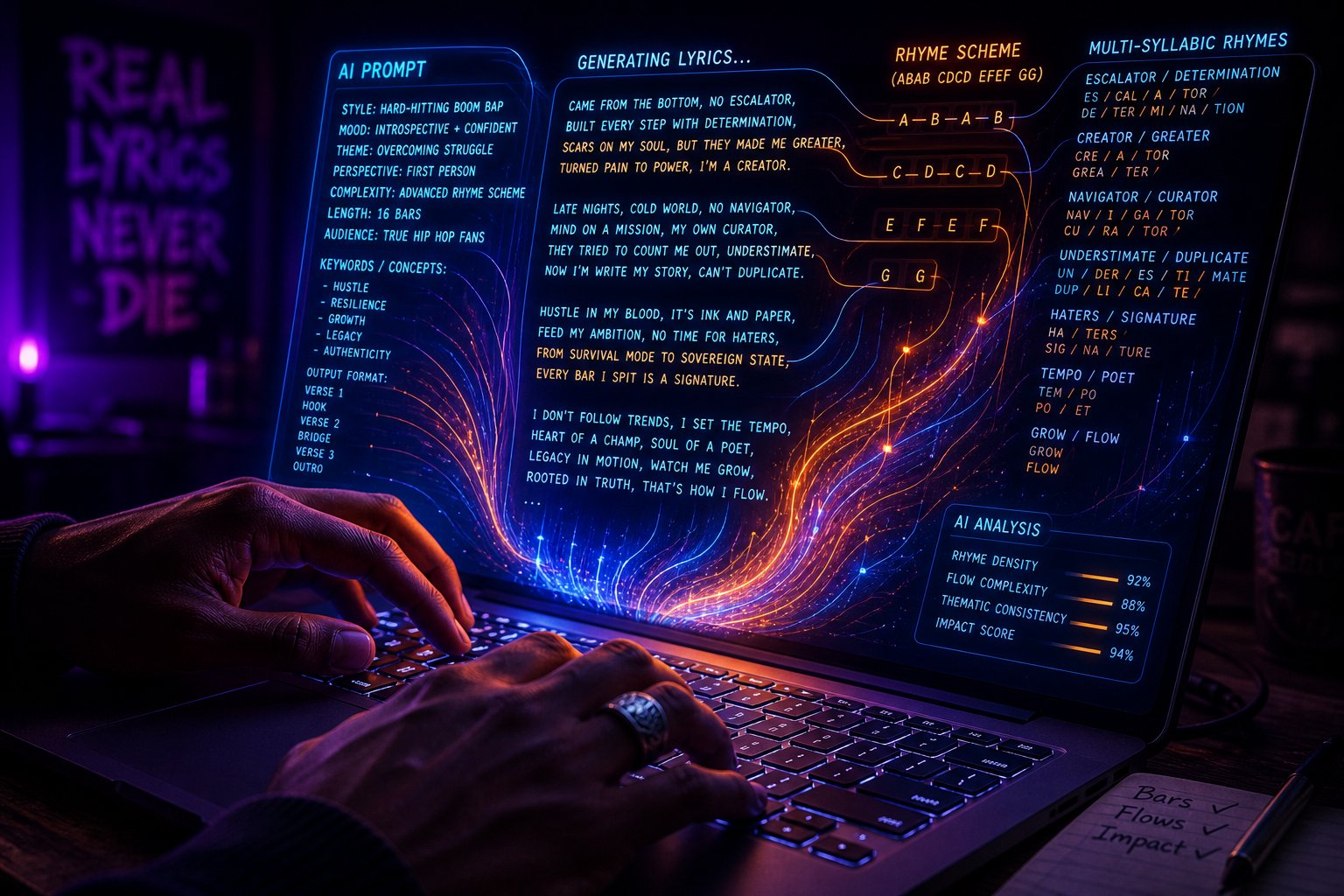
Step 3 – Write AI Prompts That Produce Fire Bars
You've got a subgenre locked, a theme anchored, and a creative brief ready to go. So you open your AI tool and type something like this:
"Write a rap about life."
And what comes back? Four bars about "chasing dreams" and "rising above" that sound like they were pulled from a motivational poster. No edge, no personality, no rhythm you'd actually want to spit over a beat. The prompt failed before the AI even started generating because it gave the model nothing specific to work with.
This is where most people stall when they try to create a rap song with AI. They treat the prompt box like a magic lamp — rub it with a vague wish and expect gold. But AI doesn't read your mind. It averages patterns from its training data, and without constraints, it defaults to the safest, most generic version of whatever you asked for. As songwriter William Mason notes, "without constraints, it wanders into cliche territory immediately."
Why Vague Prompts Produce Generic Rap
The issue is structural. When you type "write me a rap," you're leaving every creative decision — length, rhyme scheme, tone, vocabulary, subject depth, flow pattern — up to the AI. It doesn't know if you want 8 bars or 32. It doesn't know if you're going for drill energy or lo-fi introspection. So it picks the statistical middle ground: AABB couplets, predictable end rhymes, surface-level themes, and a cadence that fits nowhere in particular.
Compare that dead prompt to this one:
"Write a 16-bar trap verse in ABAB rhyme scheme about leaving a dead-end job to bet on yourself. Tone: defiant and confident. Use short, punchy phrases with room for ad-libs. Include at least two multisyllabic rhyme pairs. Avoid cliches like 'grind' and 'hustle.'"
That second prompt specifies six things the first one doesn't: bar count, subgenre, rhyme scheme, subject matter, tone, and what to avoid. Each constraint narrows the AI's output window and pushes it away from generic filler toward something with actual texture. The principle mirrors what GoAISong's prompt framework calls writing a "brief, not a keyword" — you're describing the job the output needs to do, not just tossing a topic at the wall.
Prompt Templates for Different Rap Styles
Knowing the theory is one thing. Having templates you can copy, paste, and customize is another. Below are five prompt structures designed for different rap styles. Each one bakes in the constraints that prevent generic output — use them as starting points and swap in your own details.
- 16-Bar Trap Verse — "Write me a rap song: 16 bars, trap style, AABB rhyme scheme. Topic: flexing on doubters after a comeback. Tone: aggressive, cocky. Use short phrases, leave space for ad-libs after every fourth bar. No references to 'diamonds' or 'ice.'" Why it works: Specifying ad-lib placement and banning overused imagery forces the AI off autopilot.
- 8-Bar Drill Hook — "Generate a rap hook: 8 bars, UK drill energy, dark and menacing. Subject: loyalty in a hostile environment. Rhyme scheme: AABB with at least one internal rhyme per bar. Keep lines under 10 syllables each." Why it works: Syllable count constraints mirror the clipped delivery that defines drill, keeping bars tight and punchy.
- Conscious Rap Verse with Multisyllabic Rhymes — "Give me rap lyrics: 16-bar conscious rap verse, ABAB rhyme scheme. Theme: systemic inequality seen through a child's eyes. Use multisyllabic rhymes (minimum two syllables per rhyme pair). Tone: observational but angry. Include one extended metaphor throughout the entire verse." Why it works: Requesting a sustained metaphor gives the AI a narrative thread, and mandating multisyllabic rhymes elevates the technical quality.
- Battle Rap Punchline Set — "Write 8 battle rap bars, each ending with a punchline or double entendre. No consistent rhyme scheme required — prioritize surprise and wordplay over pattern. Tone: witty and condescending. Each bar should be self-contained enough to get a crowd reaction." Why it works: Battle rap values impact per line over verse cohesion, so freeing the AI from strict scheme requirements lets it focus on individual bar strength.
- Freestyle-Style Verse — "Create a rap song verse: 12 bars, boom bap feel, loose AABB scheme with occasional internal rhymes. Topic: stream of consciousness about navigating your twenties. Tone: honest, slightly humorous, self-aware. Write as if the rapper is freestyling — imperfect transitions are fine, authenticity matters more than polish." Why it works: Giving the AI permission to be imperfect produces output that sounds more human and less robotic, which is exactly the vibe a rap bars generator should deliver for this style.
Each template above follows the same architecture: bar count + subgenre + rhyme scheme + topic + tone + at least one specific constraint that blocks generic output. Memorize that formula and you can build a prompt for any style on the fly — whether you're asking AI to make a rap for me about personal struggle or generate a party anthem.
Using ChatGPT Versus Dedicated Rap Generators
So where do you actually paste these prompts? Two main options exist, and each has distinct strengths.
General-purpose AI like ChatGPT works surprisingly well for rap lyrics when you prompt it correctly. It understands bar structure, rhyme schemes, and subgenre conventions. The conversational interface also lets you iterate — you can say "tighten bar 7, the syllable count is off" or "replace the second couplet with something harder" and get targeted revisions. If you're wondering how do I make a rap song without downloading new software, ChatGPT with a well-crafted prompt is a solid starting point.
Dedicated rap generators, on the other hand, are purpose-built for this workflow. They often handle rhyme density, syllable matching, and flow patterns more naturally because their models are specifically trained on rap lyrics rather than general text. Many also let you select a subgenre, tempo, or mood from a menu instead of describing it manually in a prompt — which lowers the barrier for beginners who aren't ready to write detailed briefs yet.
The practical difference comes down to control versus convenience. ChatGPT gives you maximum flexibility but requires stronger prompt-writing skills. Dedicated tools trade some customization for a more guided experience that produces usable output faster. For most people learning to write me a rap song with AI assistance, starting with a dedicated generator to understand what good output looks like — then graduating to ChatGPT for deeper customization — is the most efficient path.
Either way, the prompt is the engine. A vague request produces vague bars regardless of which platform you use. A detailed, constrained prompt transforms any AI tool from a random word machine into a legitimate co-writer that gives you something worth performing.
Strong prompts produce strong drafts — but a draft is still just raw material. The real creative work begins when you take that AI-generated output and start shaping it into something that sounds like an actual finished track.
Step 4 – Generate Your Rap Lyrics and Hooks with AI
A polished prompt sitting in your notes app doesn't produce music. At some point, you have to paste it into a tool, hit generate, and see what comes back. This step is where your creative brief meets reality — and where knowing what to look for separates a usable draft from another round of wasted regenerations.
The generation process itself is straightforward. The skill is in evaluating what the AI hands you and knowing when to tweak, when to regenerate, and when to move forward.
Generating Lyrics, Hooks, and Flows Step by Step
Regardless of which rap generator you choose, the workflow follows the same core sequence:
- Enter your prompt or theme — Paste the detailed prompt you built in Step 3. If the tool uses dropdown menus instead of freeform text, select the closest subgenre, mood, and topic options available. Some platforms let you do both — enter a written prompt and select style parameters.
- Set structural parameters — If the rap lyric generator offers controls for bar count, rhyme scheme, or verse length, use them. These guardrails keep output aligned with your creative brief instead of defaulting to whatever the model considers "average."
- Generate the initial output — Hit the button and read what comes back. Don't judge it in the first three seconds — read the full output at least twice before deciding anything. First read for meaning, second read aloud for flow.
- Evaluate against your quality checkpoints — This is the step most people skip, and it's where weak tracks slip through. Use the checklist below.
- Regenerate or adjust — If the output misses the mark on two or more checkpoints, regenerate with a modified prompt. If it nails the structure but has a few weak bars, move to manual editing in Step 5 rather than starting from scratch.
That fifth step is crucial. Endlessly hitting "regenerate" without changing your prompt is like spinning a slot machine — you might get lucky, but you're not improving the odds. Each regeneration should come with at least one prompt adjustment: tighter rhyme instructions, a different metaphor anchor, or a shifted emotional tone.
Reading bars aloud is non-negotiable. A line that looks clever on screen might stumble when spoken at tempo. As the Jack Righteous quality-control framework emphasizes, the listener experience — not the written page — is the real test. Their 20-point scoring worksheet even recommends separate passes for listener experience, creator diagnosis, and technical review before making any revision decisions.
Here are the quality checkpoints you should evaluate every piece of AI output against:
- Consistent rhyme scheme — Does the output follow the pattern you requested (AABB, ABAB, multisyllabic), or does it drift into random end-sounds halfway through?
- On-topic bars — Every line should connect to your theme. If bar 9 suddenly wanders into unrelated territory, that's a flag.
- Natural cadence — Read the verse aloud at rap tempo. Do the syllables land on the beat, or do certain lines have too many words crammed in? A rap song lyrics generator might nail the rhymes but miss the rhythm.
- Strong punchlines or hooks — At least two or three bars should hit hard enough to make you pause. If nothing stands out, the verse is flat.
- No filler lines — Watch for lines that exist only to complete a rhyme but add zero meaning. Phrases like "you already know" or "I'm on the scene" are dead weight unless they serve a specific purpose.
- Vocabulary match — The word choices should fit your chosen subgenre. A drill verse shouldn't read like a conscious rap lecture, and vice versa.
- Lyrical specificity — Generic imagery kills authenticity. "I came from the bottom" is a cliche. "I came from a two-room flat where the radiator was the only thing that worked" is a story.
Score your output honestly against these seven points. If it passes five or more, you've got a solid draft worth refining. Below four? Adjust your prompt and regenerate.
Tools That Streamline the Entire Process
Where you generate matters almost as much as how you prompt. Different tool categories produce different types of output, and matching your needs to the right platform saves you from fighting a tool that wasn't built for your workflow.
If you're searching for an online rap lyrics generator that handles the full scope — bars, hooks, flows, and beats — a dedicated rap-focused platform will get you there faster than adapting a general-purpose AI. The table below breaks down your main options:
| Tool Type | Best For | Output Type | Customization Level |
|---|---|---|---|
| MakeBestMusic AI Rap Generator | Rappers, lyricists, beatmakers, and social creators who want lyrics, hooks, flows, and beats in one platform | Rap lyrics, hooks, verses, flows, and beats | High — rap-specific controls for style, structure, and delivery |
| General-purpose AI (ChatGPT, Claude) | Users comfortable with detailed prompt engineering who want maximum creative flexibility | Text-based lyrics only (no audio) | Very high — but requires manual prompt crafting for rap-specific output |
| Text-to-music platforms (Suno, Udio) | Users who want a complete, listenable song with vocals and production from a single prompt | Full audio tracks with AI vocals and instrumentals | Moderate — strong at full songs, limited bar-level editing |
| Beat generators (Soundraw, Beatoven.ai) | Producers and rappers who already have lyrics and need instrumentals | Instrumental beats and backing tracks | Moderate to high — arrangement and mood controls available |
MakeBestMusic's AI Rap Generator stands out as a strong starting point specifically because it's purpose-built for rap workflows. Instead of wrestling a general AI into understanding bar structure and flow patterns, you're working inside a tool that already speaks the language — subgenre selection, hook generation, verse structure, and beat creation all live under one roof. For creators who want a streamlined, rap-specific experience without stitching together three or four different platforms, it bridges the gap between writing bars and hearing them over a beat.
General-purpose AI remains a powerful option if you've developed strong prompt-writing skills. As covered in Step 3, tools like ChatGPT handle complex lyric requests well when given enough constraints. The tradeoff is that you'll need a separate solution for beats and audio production — they deliver rap generator lyrics as text, not as a finished track.
Text-to-music platforms like Suno and Udio take a different approach entirely. They generate complete audio — vocals, instrumentals, and production — from a single prompt. This is ideal if you want to hear a finished song quickly, but you sacrifice granular control over individual bars. You can't easily say "rewrite bar 12 with a harder punchline" the way you can with a lyrics-focused rap lyrics generator ai tool.
A practical strategy for many creators combines two tool types: use a dedicated online rap lyrics maker like MakeBestMusic to generate and refine your lyrics, hooks, and flows, then bring those polished words into a text-to-music platform or pair them with a beat generator for final production. This two-step approach gives you the lyric precision of a free rap lyrics generator with the audio quality of a full production tool.
The key insight? No single tool does everything perfectly. Your best results come from understanding what each category excels at and building a workflow that plays to those strengths. Whether you're using a dedicated rap generator or prompting a general AI, the quality checkpoints above remain your north star for evaluating output.
Getting a solid draft out of your chosen tool is a milestone — but raw AI output, even good output, still carries telltale signs of machine-written text. The bars might rhyme, the structure might hold, but something about the voice feels borrowed rather than earned. That gap between "technically correct" and "authentically yours" is where the next step lives.
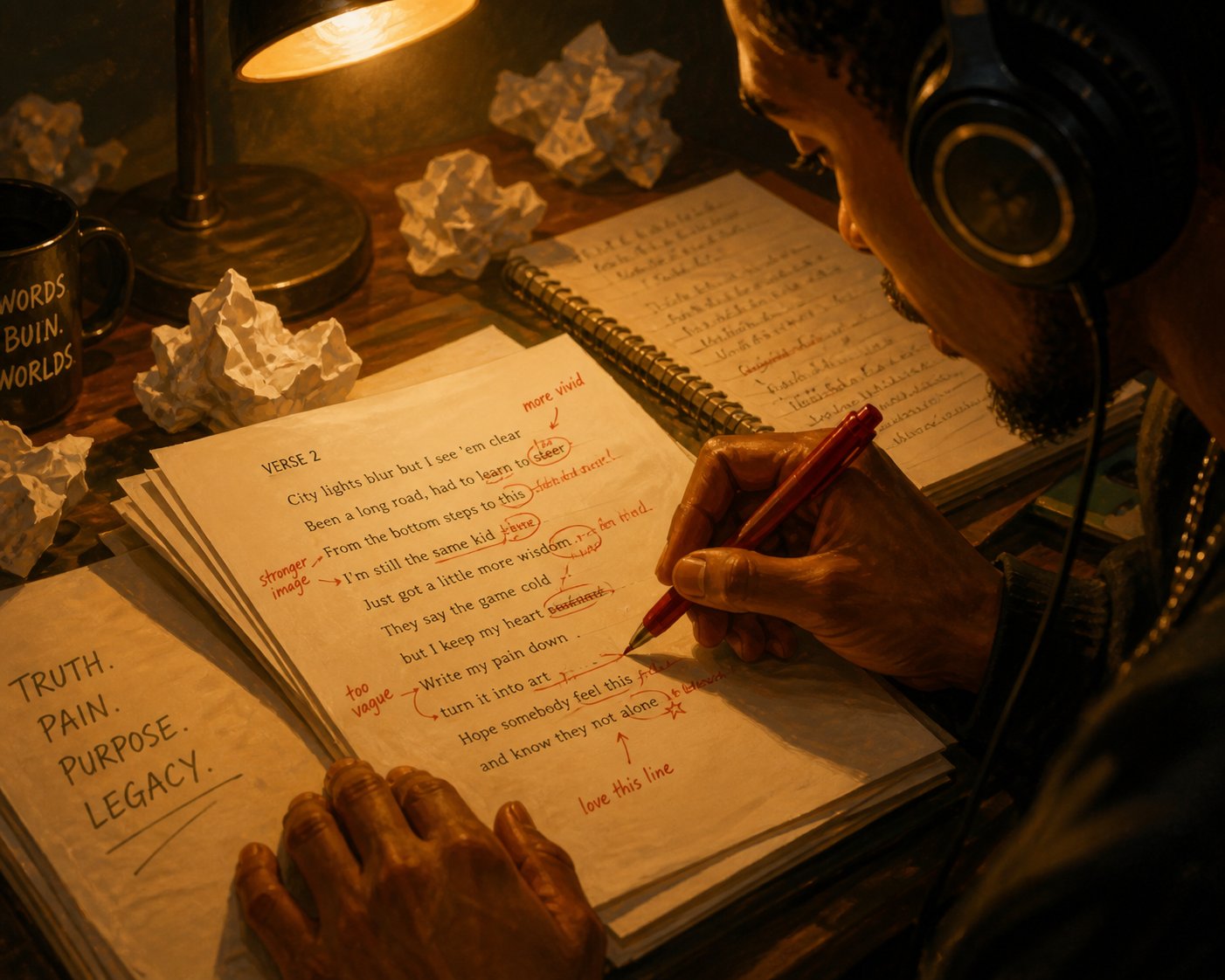
Step 5 – Edit and Personalize Until It Sounds Like You
Here's the uncomfortable truth about AI-generated rap: even when the rhymes land and the structure holds, it still sounds like everybody. That's because AI averages patterns from thousands of artists, producing output that's technically competent but emotionally hollow — a composite sketch instead of a portrait. The difference between a forgettable AI draft and a track people actually replay comes down to what you do after hitting "generate."
This editing phase is where you stop being a prompter and start being a rapper, a rap lyrics maker shaping raw material into something with fingerprints on it. The best AI-assisted rap songs typically follow a 60-70% AI draft, 30-40% human refinement split. That ratio keeps the efficiency of AI generation while injecting the authenticity that only a real person can provide.
Making AI Rap Sound Less AI
AI writes clean. Too clean. Real rap has texture — regional slang, conversational stumbles, inside jokes, and references that only make sense if you've lived a specific life. Stripping out the machine polish and layering in human grit is how you transform a rap bar generator's output into bars that feel lived-in.
Here are concrete editing techniques you can apply to any AI-generated verse:
- Inject personal slang and regional language — AI defaults to universally understood vocabulary. Swap generic terms for the way you actually talk. If you say "jawn" instead of "thing" or "finna" instead of "about to," make those substitutions. A listener from your city should hear your neighborhood in the words.
- Add local or autobiographical references — Replace vague settings with real ones. Instead of "walking through the city," name the actual street, the corner store, the park where you grew up. Specificity is what separates easy to rap lyrics that anyone could claim from bars that belong to you.
- Insert ad-libs and conversational asides — Drop in "yeah," "uh," "you know what I mean," "let's go," or whatever vocal tics feel natural to your delivery. These breathing moments make written bars sound like someone is actually performing them, not reading from a script.
- Vary sentence length to create natural rhythm — AI tends to produce bars of uniform length. Break that pattern. Follow a long, dense bar with a short, punchy one. Let a three-word phrase hit after a sixteen-syllable run. That contrast mirrors how people actually speak — and rap — in real conversation.
- Replace generic metaphors with personal ones — AI loves "rising like a phoenix" and "shining like a diamond." These are dead metaphors — they've been used so many times they've lost all impact. Pull metaphors from your own experience instead. If you worked in a kitchen, compare your grind to a double shift on the line. If you played basketball, frame your comeback in terms of a fourth-quarter rally.
- Rewrite filler lines entirely — Every AI verse has at least two or three lines that exist only to complete a rhyme. They add zero meaning. Identify them, cut them, and write replacements from scratch. Even if the new line isn't as technically polished, it'll carry more weight because it actually says something.
You'll notice a pattern across all six techniques: they replace the general with the specific. AI writes for everyone; your edits should write for someone — ideally, from a perspective only you can deliver. As the Jack Righteous humanization framework emphasizes, speed doesn't equal soul, and the gap between robotic output and authentic lyrics closes only when a human deliberately rewrites with intention.
Adding Wordplay, Punchlines, and Personality
Editing for authenticity gets you halfway. The other half is elevating the craft — finding the bars that are merely functional and upgrading them into lines that make a listener rewind.
Start by identifying the weakest bars in your AI draft. These typically fall into three categories:
- Generic lines — Bars that could appear in any rap song by any artist. "I'm on top and I won't stop" says nothing specific.
- Forced rhymes — Lines where the end word clearly exists only to complete a rhyme pair, not because it belongs in the sentence. If a rap lyrics generator rhyme locks into "fame" and "game" for the fifth time, something needs rewriting.
- Cliché phrases — Overused images and expressions that a rap rhymes lyrics generator defaults to because they appear frequently in training data. "Real recognize real," "stay in your lane," and "built different" have been drained of all originality.
Once you've flagged the weak spots, upgrade them using these three techniques:
Internal rhymes — Instead of rhyming only at the end of each bar, hide rhymes inside the line. "I plot and jot, connect the dots before the shot" packs four rhyming syllables into a single bar. This density makes verses feel technically sharp without requiring listeners to wait for the end of a line to get payoff.
Double entendres — Write bars that work on two levels simultaneously. A line about "carrying weight" could mean emotional burden and physical strength. This layered meaning rewards listeners who catch the second meaning and gives your writing replay value that AI-generated lyrics rarely achieve on their own.
Callbacks — Reference an earlier bar later in the song with a twist. If your first verse mentions "planting seeds in concrete," your third verse might close with "look at what grew." Callbacks create a sense of intentional architecture — they signal to the listener that every line was placed deliberately, not randomly generated.
Here's what this refinement looks like in practice. Imagine your AI draft produced this bar:
Before: "I work hard every day and I never quit, I'm chasing my dreams and I'm staying lit."
It rhymes. It's on topic. It's also completely forgettable — the kind of line a rap line generator might spit out on default settings. Now watch what happens when you apply personal specificity, internal rhyme, and a concrete metaphor:
After: "Clocked in at six, clocked out at my wit's end — same bus, same route, but I'm plotting the split, friend."
The revised version paints a scene. It has internal rhyme ("six" / "wit's"), a specific image (the bus route), and emotional tension (plotting an escape from a dead-end routine). It sounds like a real person wrote it about a real day — because a real person did edit it into existence from a generic AI starting point.
This is exactly how to write rap lyrics that connect. You're not starting from a blank page — you're sculpting. The AI gave you the clay; your job is to carve away the generic and leave behind something with sharp edges and recognizable texture. Knowing how to write a rap song with AI isn't about outsourcing your creativity. It's about using the machine to handle the scaffolding so you can focus on the details that make a track unmistakably yours.
Polished lyrics with personal bite are only half a finished song, though. Without a beat underneath them, even the sharpest bars exist in silence — and the next step is finding or building the instrumental that brings your words to life.
Step 6 – Add Beats and Produce Your Full Track
Lyrics without a beat are a speech, not a song. You could have the sharpest bars in your notes app, but until they're riding over an instrumental that matches their energy, tempo, and mood, they're just words on a screen. This step bridges that gap — turning your polished AI-generated verses into a complete rap song you can actually play, share, and perform.
The good news? You don't need a studio, a producer on speed dial, or a music degree to make a rap song with a professional-sounding beat underneath it. AI and online tools have collapsed the production barrier so dramatically that anyone with a laptop can build or source an instrumental that fits their track.
Finding or Generating Beats for Your Track
Three main approaches exist for getting a beat under your bars, each with different tradeoffs between ease, cost, and creative control. Here they are ranked from most accessible to most involved:
- AI beat generators — Type a style prompt like "dark trap beat, 140 BPM, heavy 808s, minor key" and the tool creates an instrumental from scratch. This is the fastest route from zero to a finished backing track. Platforms like MakeBestMusic's AI Rap Generator handle beat generation alongside lyrics, which means you can build your instrumental in the same environment where you crafted your bars — no exporting, no switching tools, no stitching workflows together. That unified approach is especially useful if you're a rapper or content creator who wants a streamlined rap song maker experience without learning separate production software. Cost: Free to low. Ease: Highest.
- Royalty-free beat marketplaces — Sites like BeatStars, Airbit, and YouTube beat channels offer thousands of pre-made instrumentals you can download and use. Many producers upload free-to-use beats with a tag (a vocal watermark) or offer untagged versions for a lease fee starting around $20-$50. You browse by subgenre, BPM, and mood until something clicks with your lyrics. Cost: Free (tagged) to moderate (leased). Ease: High.
- Licensing beats from producers — If you want something exclusive — a beat no one else can use — you negotiate directly with a producer for an exclusive license. Prices range from $200 to several thousand depending on the producer's reputation. This route gives you full creative ownership and is the standard for commercial releases. Cost: High. Ease: Moderate (requires negotiation and contracts).
For most people learning to make a rap song with AI, option one or two covers everything you need. AI-generated beats have improved dramatically, and for social media content, freestyle practice, or demo tracks, they deliver quality that would have required a professional studio just a few years ago.
Whichever path you choose, matching your beat's tempo to your lyrics is critical. A mismatch between BPM and flow creates the musical equivalent of wearing shoes two sizes too big — technically functional, but awkward with every step. According to Sample Focus's tempo guide, here are the standard BPM ranges for the subgenres covered in Step 2:
| Subgenre | Typical BPM Range | Feel |
|---|---|---|
| Boom Bap | 85–95 BPM | Straight-time groove, head-nod pocket |
| Lo-Fi Hip Hop | 60–90 BPM | Relaxed, mellow swing |
| West Coast / G-Funk | 90–100 BPM | Laid-back, funky bounce |
| Trap | 130–145 BPM (half-time feel) | Heavy 808s, rapid hi-hats, feels like 65–70 BPM |
| Drill | 140–145 BPM (half-time feel) | Dark, sliding bass, clipped delivery |
Notice that trap and drill run at 130-145 BPM on paper but feel much slower because the main drums play a half-time pattern. If you wrote a drill verse with short, clipped phrases, pairing it with a 90 BPM boom bap beat will make your delivery sound rushed and breathless. Match the tempo to the subgenre you chose in Step 2, and your bars will sit in the pocket naturally.
Laying Vocals Over Your Beat
You've got lyrics. You've got a beat. The final piece is getting your voice — or a voice — on top of that instrumental. Two paths exist here, and both are more accessible than you might think.
Recording yourself is the most authentic option and doesn't require expensive gear. For beginners, a smartphone in a quiet room with soft furnishings (think closet full of clothes, not a tiled bathroom) produces surprisingly usable results. As BeatsToRapOn's production guide emphasizes, a clear, committed take recorded in a modest setup usually beats an expensive signal chain used badly. Position the phone about a hand-span from your mouth, record in a voice memo or free recording app, and focus on energy and delivery over technical perfection.
Want better quality? A USB microphone plugged into a free DAW like GarageBand, Audacity, or BandLab gives you multi-track recording, basic effects, and the ability to punch in corrections on specific bars. A decent USB condenser mic costs $50-$80 — less than a pair of sneakers — and the jump in audio clarity is immediately noticeable.
Here are quick recording tips that apply regardless of your setup:
- Record three full takes before fixing individual lines — full performances preserve emotional continuity
- Use headphones while recording so the beat doesn't bleed into your vocal mic
- Stand up when you rap — it opens your diaphragm and gives your delivery more power
- Leave a few seconds of silence at the start and end for easier editing
- Don't whisper-rap because you're worried about roommates — commit to the delivery and fix the noise later
AI voice generators offer an alternative for creators who prefer synthetic vocals or want to hear their lyrics performed without recording themselves. An ai rapper voice generator can apply different vocal styles, tones, and cadences to your written bars, producing audio output that sounds like a human performance. Some ai rap voice generator tools even let you customize pitch, speed, and vocal texture to match your desired aesthetic.
A word of caution with text to speech rap tools: while the technology has improved significantly, natural human delivery still carries emotional nuance that synthetic voices struggle to replicate — the slight crack in a voice during an emotional bar, the way a rapper swallows a syllable for rhythmic effect, the breath before a punchline. If you're using an ai rapper voice for a social media clip or demo, it works well. For a track you want people to genuinely connect with, your own voice — imperfections and all — will almost always hit harder.
For creators who want the tightest workflow possible, platforms that combine lyric generation and beat creation in one environment eliminate the friction of bouncing between separate tools. MakeBestMusic's AI Rap Generator, for example, handles both lyrics and beats — meaning you can go from prompt to finished instrumental without leaving the platform. That continuity matters when you're trying to keep creative momentum alive instead of losing thirty minutes to file exports and format conversions between disconnected apps.
If you're searching for an ai rapper voice generator free option to test the waters, several platforms offer limited free tiers that let you experiment with synthetic vocal styles before committing. Try a few, compare the output against your own recorded delivery, and decide which approach serves the track better.
At this point, you have lyrics, a beat, and a vocal performance — the three ingredients of a complete rap song. But "complete" doesn't mean "finished." The raw recording still needs mixing, the final file needs exporting in the right format, and there are legal considerations around AI-generated content that can trip you up if you plan to release commercially. Those final production steps turn a bedroom demo into something ready for the world to hear.
Step 7 – Finalize, Export, and Share Your Rap Song
You've got lyrics, a beat, and a vocal take — but playing that raw session file for someone right now would be like serving a meal straight from the cutting board. The ingredients are all there, but they haven't been plated. Mixing, exporting, and understanding the legal landscape around AI-generated music are the final steps that separate a bedroom recording from a finished ai rap song ready for listeners.
Basic Mixing and Export for Beginners
Mixing doesn't have to be intimidating. At its core, you're doing three things: making the vocals sit clearly on top of the beat, removing frequencies that create muddiness, and ensuring your voice stays at a consistent volume throughout the track. You don't need expensive plugins — every major DAW ships with stock tools that handle all three jobs.
Here's a simplified mixing chain that works for any rap song creator working in free software like Audacity, GarageBand, or BandLab:
- Balance vocal volume against the beat — Your voice should sit roughly 1-3 dB above the loudest element in your instrumental. If listeners can understand every word without the vocal sounding disconnected from the beat, you're in the right zone. As audio engineer Jordan Baywood recommends, set your vocal track to peak around -18 to -12 dBFS before applying any processing — this gives your plugins headroom to work properly.
- Apply subtractive EQ to reduce muddiness — Use a high-pass filter at 80-100 Hz to cut low-end rumble your microphone picked up. Then reduce frequencies in the 200-400 Hz range where muddiness lives. This single adjustment makes vocals sound dramatically cleaner, especially recordings made on phones or budget microphones.
- Add light compression for consistent vocal presence — Compression evens out volume differences between your loudest and quietest syllables. A 3:1 to 4:1 ratio with 3-6 dB of gain reduction keeps your delivery punchy and present without squashing the natural dynamics out of your performance.
That three-step chain — volume balance, EQ cleanup, compression — handles 80% of what a rap vocal needs. If you want to go further, a de-esser targeting the 5-8 kHz range tames harsh "S" and "T" sounds, and a touch of reverb on a send bus adds depth without drowning your words. But for a first release? Those three steps are enough to sound polished.
When it's time to export, format matters depending on where the track is going:
- MP3 (320 kbps) — The standard for sharing on social media, sending to friends, or uploading to SoundCloud. Smaller file size, universally compatible.
- WAV (44.1 kHz, 16-bit or 24-bit) — The standard for quality. Use WAV when submitting to streaming platforms through a distributor, sending to a professional for further mixing, or archiving your master. It preserves full audio fidelity without compression artifacts.
Always export and save a WAV master even if you plan to share MP3s. You can always create an MP3 from a WAV later, but you can't recover quality lost by exporting only in a compressed format. Think of the WAV as your original painting and the MP3 as a high-quality print.
Copyright, Royalties, and Commercial Use
This is the part every rapping ai tutorial skips — and it's the part that can actually cost you money or get your track pulled down. The legal landscape around AI-generated music is evolving, and understanding the basics protects you before you hit "publish."
The core question most people ask: "Can I release this commercially?" The answer is layered. As MusicMake.ai's copyright guide breaks down, you need to separate three distinct issues — whether the work is copyrightable, whether the platform's terms allow commercial use, and whether any source audio you used is properly cleared. A platform can grant you commercial-use rights even when copyright protection itself remains uncertain.
Most AI-generated lyrics — including free rap lyrics from generator tools — are available for commercial use under paid plans, but free tiers frequently restrict monetization. Suno, for example, grants commercial rights only on Pro and Premier plans; tracks made under the free plan don't receive retroactive commercial licensing if you upgrade later. Each platform handles this differently, so checking terms before you generate release candidates is essential.
Human authorship remains the strongest factor in copyright protection. Many copyright systems, including the U.S. framework, require human creative contribution for a work to qualify for registration. Pure AI output — where the machine made every creative decision — may have limited or no copyright protection. But AI-assisted works where a human rap writer contributed original lyrics, selected and edited output, performed vocals, and made arrangement decisions sit on much stronger legal ground. The more documented creative control you exercised, the stronger your position.
Before releasing any AI-assisted track, run through these legal checkpoints:
- Verify your platform's commercial-use terms — Check whether your current plan (free or paid) permits commercial distribution. Don't assume free rap music lyrics from any tool can be monetized without reading the fine print.
- Document your human contributions — Save your original edits, rewritten bars, recording sessions, mixing decisions, and any creative choices you made beyond prompting. This evidence strengthens copyright claims.
- Check source audio rights separately — If you used a beat from a marketplace, ensure your license covers the intended use (streaming, downloads, sync). If you used AI-generated beats, verify those terms independently from the lyrics terms.
- Disclose AI involvement accurately — Distributors like DistroKid now include AI Credits fields where you identify whether AI contributed to lyrics, music, or audio. Accurate disclosure protects you from takedowns later.
- Understand platform-specific rules — Spotify targets impersonation and spam but permits responsible AI use. Deezer labels detected fully AI-generated tracks and excludes them from algorithmic recommendations. YouTube requires synthetic-content disclosure. Each service treats AI music differently.
- Avoid voice impersonation — Using an AI voice that mimics a recognizable artist without authorization violates most platform policies and creates serious legal exposure.
- Save your project folder — Keep prompts, lyric drafts, generation records, source-audio licenses, mix notes, and final exports organized. This documentation protects you if a dispute arises and helps you reproduce your process for future tracks.
Sharing your finished track is the reward for all seven steps. SoundCloud remains the most open platform for independent uploads — no distributor needed, and AI-generated content is welcome. For YouTube and TikTok, upload directly and disclose AI involvement when prompted. For Spotify, Apple Music, and Deezer, you'll need a distributor like DistroKid, TuneCore, or CD Baby to deliver your track, complete the required metadata, and handle royalty collection.
One practical note: don't distribute every ai rap song you generate. Treat distribution like a quality filter, not a conveyor belt. Mass-uploading AI tracks triggers spam detection on multiple platforms and can damage your artist profile. Choose your strongest work, ensure the rights are clean, and release with intention.
With your track mixed, exported, and legally cleared, you've completed the full journey from blank prompt to published song. But if you've gone through this process and your output still feels flat or predictable, the problem likely isn't your tools — it's a handful of common mistakes that make AI rap sound generic, and knowing how to diagnose them saves you from repeating the same cycles.
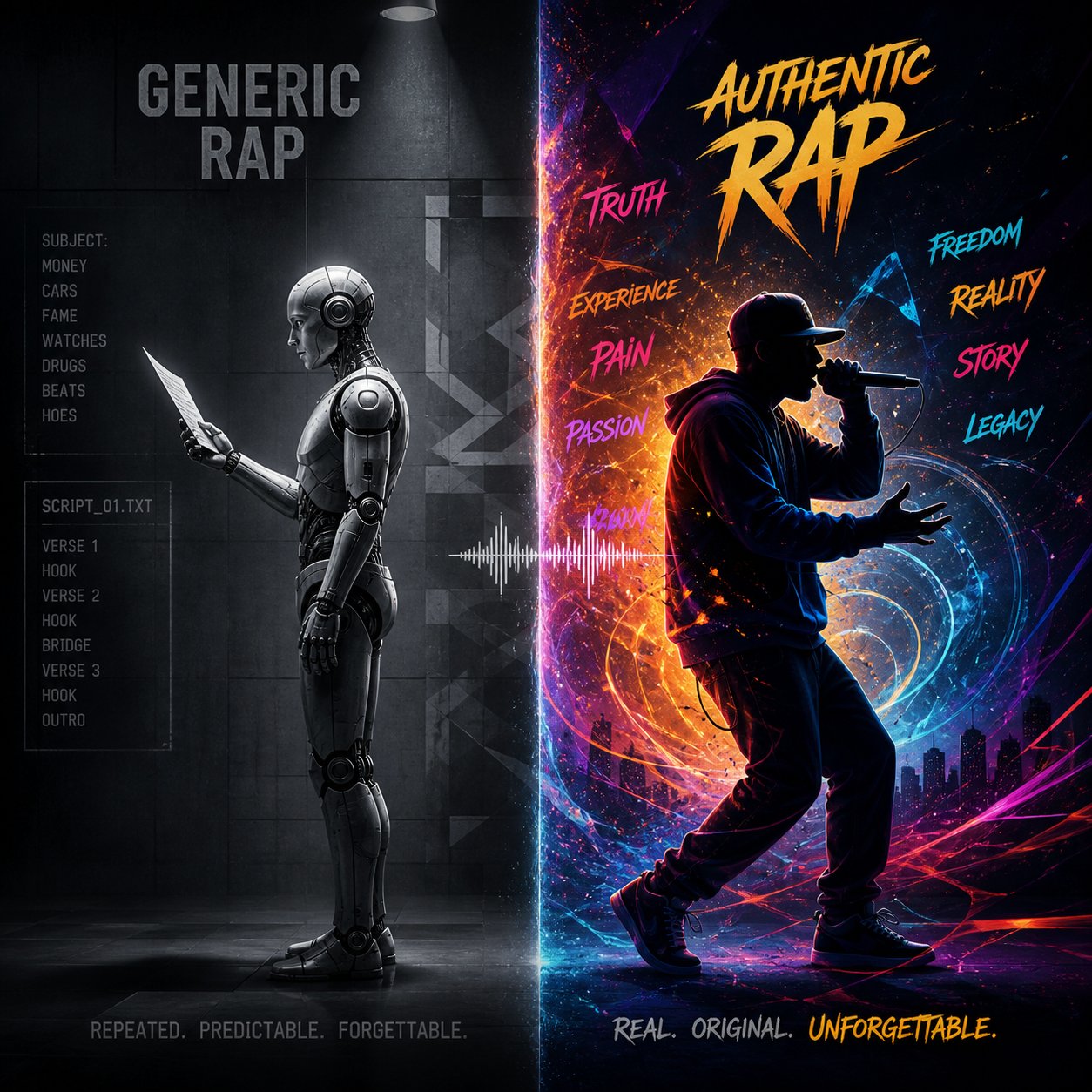
Common Mistakes That Make AI Rap Sound Generic
You followed every step — picked a subgenre, wrote a detailed prompt, generated bars, edited for personality, and laid vocals over a beat. The track is done. But something still feels off. The lyrics rhyme, the structure holds, and the production sounds decent, yet the whole thing carries a flatness you can't quite name. It sounds like AI wrote it. And worse, it sounds like AI wrote it for everybody.
This isn't a failure of your tools. It's a set of predictable, diagnosable problems baked into how AI language models generate text. Every rap ai generator — whether dedicated or general-purpose — shares the same tendencies: gravitating toward safe rhymes, producing mechanically uniform cadence, and defaulting to the statistical middle of its training data. The good news? Each of these issues has a concrete fix. Recognizing the pattern is the first step toward breaking it.
Generic Lyrics and Repetitive Rhyme Patterns
Ever notice how AI rap lyrics almost always end with the same handful of rhyme pairs? "Flow" and "go." "Night" and "right." "Game" and "fame." These pairings dominate AI output because language models select the most statistically probable next word — and those high-frequency rhymes appear thousands of times in training data. The result is an ai rap song generator that reliably produces rhymes but rarely surprises you with them.
The underlying issue is a concept called temperature — the setting that controls how much creative randomness an AI model applies to its output. At low temperature settings, AI plays it safe, choosing the most predictable word at every turn. Crank the temperature higher and you get more unexpected word choices, unusual pairings, and creative leaps. Most AI tools default to a moderate temperature that prioritizes coherence over originality, which is why output tends to feel competent but unremarkable.
You can counter this in several ways:
- Request specific rhyme types in your prompt — Instead of letting the AI pick its own rhyme pairs, specify "multisyllabic rhymes only" or "no single-syllable end rhymes." This forces the model off its default paths and into more interesting territory.
- Ban overused words — Add a constraint like "do not use the words grind, hustle, shine, king, or crown." Blocking the top five cliches in any subgenre pushes the AI to find alternatives it wouldn't reach on its own.
- Regenerate multiple times — Each generation produces a different output even from the same prompt. Generating three to five versions and cherry-picking the strongest bars from each gives you a composite verse with more variety than any single output contains. Think of it like running a freestyle generator multiple times and keeping only the best lines from each round.
- Ask for unusual word choices explicitly — A prompt addition like "use unexpected vocabulary and avoid common rap cliches" nudges the model toward less predictable language, similar to using a freestyle word generator to surface words you wouldn't normally reach for.
Temperature matters more than most users realize. If your AI tool exposes a creativity or randomness slider, experiment with pushing it higher — not to the point of incoherence, but enough to break the gravitational pull of safe, predictable writing. As testing by Definition's prompt engineering team demonstrated, moderate temperature increases produce noticeably more creative language and ideas while still maintaining structural integrity. Push too far and the output dissolves into nonsense, but that sweet spot between predictable and chaotic is where the most interesting ai rap lyrics live.
Robotic Flow and Missing Authenticity
Generic rhymes are fixable at the prompt level. Robotic flow is a deeper problem — and it's the complaint that surfaces most often from users who try to make a rap song with AI. The bars might look fine on screen, but the moment you read them aloud, they stumble. Every line lands with the same weight. Every bar uses the same number of syllables. There's no breathing room, no emphasis variation, no moments where the delivery shifts gears.
This happens because AI generates text, not performance. It doesn't hear the beat. It doesn't feel where a pause would build tension or where cramming extra syllables would create urgency. As Sonarworks' research on AI vocals explains, mechanically perfect timing is one of the primary reasons AI-generated audio sounds artificial — generated vocals lack the natural micro-variations and rhythmic imperfections that make human performance feel organic and emotionally connected. The same principle applies to written bars: uniformity reads as robotic.
Here's how to fix it:
- Read every bar aloud before accepting it — Your mouth is the best quality-control tool you have. If a line trips your tongue or forces you to rush, it needs rewriting regardless of how clever it looks on paper.
- Vary syllable count deliberately — If bars 1 through 4 all have 12 syllables, break the pattern. Make bar 5 a short, punchy 6-syllable hit. Follow it with a dense 16-syllable run. That contrast creates rhythmic texture that holds a listener's attention.
- Add breath pause markers — Insert a "/" or "..." where you'd naturally take a breath or create dramatic pause. "I gave them everything / ... and they still wanted more" hits differently than a single unbroken line.
- Mark emphasis words — Capitalize or bold the words you'd stress in delivery. This exercise forces you to think about which syllables carry the weight of each bar and reveals lines where no word naturally deserves emphasis — a sign the bar is filler.
- Record yourself performing the verse — Even a rough phone recording exposes flow problems that silent reading misses. Lines that don't survive a real delivery attempt need surgery, not a second chance.
The table below maps the five most common problems in AI-generated rap to their root causes and practical solutions. Use it as a diagnostic checklist when something feels off but you can't pinpoint why.
| Common Problem | Why It Happens | How to Fix It |
|---|---|---|
| Generic slang and vocabulary | AI averages language across all artists in its training data, producing universally "safe" word choices | Replace generic terms with regional slang, personal idioms, and vocabulary specific to your voice |
| Forced or predictable rhymes | Models default to the highest-probability rhyme pair, which is almost always the most overused one | Specify multisyllabic or internal rhymes in your prompt; ban common rhyme pairs explicitly |
| Monotone bar structure | AI produces lines of uniform syllable count and sentence length because variation isn't rewarded by default | Manually vary bar lengths — alternate short punches with dense runs to create rhythmic contrast |
| Lack of storytelling arc | Each bar is generated semi-independently without a sense of narrative progression across the verse | Edit bars into a sequence that builds: setup in bars 1-4, development in 5-12, payoff in 13-16 |
| Missing ad-libs and vocal texture | AI generates clean text without the conversational asides, breath sounds, and exclamations that define rap delivery | Insert ad-libs ("yeah," "uh," "let's go") manually between bars and at section transitions |
Each problem in that table shares a common thread: AI optimizes for correctness, not character. Fixing these issues isn't about making the AI smarter — it's about making the human contribution more deliberate. As AiSongFix's breakdown of common AI lyric problems puts it, even when grammar is correct and the rhyme scheme is effective, AI-generated songs often feel sterile because "AI doesn't always catch the nuances that make something feel authentic." Listeners detect inauthenticity immediately — and no amount of technical polish compensates for missing soul.
When to Regenerate Versus When to Rewrite
Here's where most people waste the most time: endlessly hitting the generate button hoping the next output will be "the one." It rarely is — and understanding when to regenerate versus when to rewrite by hand saves hours of circular frustration.
Regenerate when:
- The entire output misses your intended tone or subgenre — the AI went drill when you wanted lo-fi, or it produced battle bars when you asked for storytelling. A prompt adjustment and fresh generation is faster than manually rewriting every line.
- The rhyme scheme is inconsistent throughout — not just a weak bar here or there, but a complete structural breakdown where the AI ignored your requested pattern.
- The output reads like random rap lyrics with no thematic coherence — lines about money, then heartbreak, then partying, with no connective thread. This signals your prompt needs a stronger thematic anchor.
- You've already regenerated fewer than three times. Most rap generator ai tools produce meaningfully different output on each attempt, and your ideal verse might be one click away.
Rewrite by hand when:
- The overall structure and theme are solid but two or three individual bars are weak. Replacing specific lines is faster and more precise than rolling the dice on a completely new generation.
- The rhymes land but the vocabulary feels generic. Swapping in personal language, local references, and specific imagery transforms the voice without dismantling the architecture.
- You've regenerated four or five times and keep getting similar quality. At that point, the AI has shown you its ceiling for that prompt — continuing to regenerate produces diminishing returns. Your hands are now the better tool.
- The verse has a few standout bars you don't want to lose. Manual editing lets you preserve your strongest lines while upgrading the rest, something a fresh generation can't guarantee.
A practical rule of thumb: if more than 60% of the output needs replacing, regenerate with a refined prompt. If 60% or more is usable, rewrite the weak spots manually. This threshold prevents two common traps — over-generating without improving, and over-editing a fundamentally flawed draft that should have been scrapped.
Every random rap generator will produce occasional duds. That's expected. The skill isn't in getting perfect output on the first try — it's in quickly diagnosing why the output missed, deciding whether the fix is a better prompt or a better edit, and moving forward instead of spinning. Treat the AI as a collaborator with specific strengths and predictable blind spots, and you'll spend less time fighting its limitations and more time making music that actually sounds like you meant it.