

What AI Music Generators Are and Why the Answer Depends on You
You type a sentence describing the song in your head. Thirty seconds later, a full track with vocals, instrumentation, and structure plays back at you. That is what AI music generators do in 2026, and it is exactly why the question "what is the best music ai generator" never produces a simple, universal answer.
These tools are machine learning models trained on massive datasets of recorded music. They analyze patterns in rhythm, harmony, genre characteristics, and song structure, then use those learned patterns to generate new audio from your input. Some accept a short text prompt. Others let you paste lyrics, upload a reference track, or dial in specific instruments and tempo. The output ranges from a 15-second jingle to a fully produced five-minute song, depending on the platform.
What AI Music Generators Actually Do
At their core, the best ai music generators turn text prompts, lyrics, or style descriptors into complete audio tracks. Imagine typing "upbeat 120 BPM pop track with acoustic guitar, claps, and female vocals" and receiving a ready-to-use song moments later. The AI predicts what should come next musically, much like autocomplete predicts your next word, except the output is layered sound instead of text. Some platforms go further, offering stem separation, arrangement editing, and mixing controls that let you shape every bar after generation.
The practical result? A podcaster can produce a custom intro without hiring a composer. A filmmaker can score a scene at 2 a.m. without licensing headaches. A musician can sketch ideas faster than ever before. Each of these users needs something different from the tool, which is precisely the problem with declaring any single platform "the best."
Why There Is No Single Best Tool
When you search for which is the best ai music generator, the honest answer is: it depends on what you are building. The factors that separate one platform from another include:
- Output quality - audio fidelity, vocal realism, and musical coherence
- Customization depth - whether you get a finished file or a workspace to sculpt every section
- Pricing and free tier generosity - daily credit caps, watermarking, and quality restrictions
- Commercial licensing - who owns the track, and where you can legally publish it
- Genre versatility - how well the model handles styles beyond pop and electronic
A tool that excels at generating cinematic orchestral scores may stumble on hip-hop vocal flow. The best ai for music production workflows is not the same platform a non-musician needs to create a birthday song in two minutes.
The best generator depends on whether you need turnkey output or creative collaboration. A platform that hands you a polished track in 30 seconds and one that lets you tweak stems, structure, and mix for an hour are solving fundamentally different problems.
This article does not pick one winner and move on. Instead, it stress-tests the leading best ai music generation tools 2026 against identical criteria, explains the technology driving each one, and maps specific platforms to specific use cases. By the end, you will know which tool fits your goals, your skill level, and your budget, rather than relying on someone else's blanket recommendation.
How AI Music Generation Technology Works Under the Hood
You give two different AI music composition tools the exact same prompt, say "melancholic piano ballad with soft strings, 70 BPM." One returns a sparse, cinematic piece. The other gives you something closer to a pop ballad with lush orchestration. Same words, different results. Why? The answer lives in the architecture powering each tool and the music it learned from. Understanding these differences helps you predict which generator will deliver what you actually want.
Transformers and Diffusion Models in Plain English
Two core technologies drive most AI music generators today: transformers and diffusion models. You do not need an engineering degree to grasp what each one does.
Think of a transformer as a sophisticated autocomplete engine for sound. When you type on your phone, predictive text guesses your next word based on patterns it learned from billions of sentences. Transformers do the same thing with music. They break audio into small coded tokens, then predict what token should come next based on everything that came before. A chord in measure four informs what melody fits in measure twelve. Models like Meta's MusicGen use this approach, generating sequences of compressed audio codes that a decoder reassembles into a full waveform. The strength here is structural coherence: verses flow into choruses with a logic that feels intentional.
Diffusion models work differently. Imagine starting with pure static noise, like an untuned TV, and gradually removing that noise in careful steps until a clear image appears. Diffusion does exactly this, but with audio. The model learns how to refine random noise into coherent sound through hundreds of iterative "denoising" passes. Stability AI's Stable Audio uses this technique on compressed audio representations, producing detailed textures and rich tonal quality. The trade-off? Diffusion models tend to be computationally heavier, which can mean longer generation times.
A common question people ask is "can ChatGPT make songs?" Large language models like ChatGPT can write lyrics and describe musical ideas in text, but they do not generate audio. A chat GPT music maker does not exist in the way people imagine. Actual music generation requires specialized architectures, transformers trained on audio tokens or diffusion models trained on spectrograms, not general-purpose text models.
Why Training Data Shapes What You Hear
Every AI music model reflects what it was trained on. According to research from Rightsify/GCX, training datasets are labeled with genre, mood, instruments, tempo, key, and structural markers like intro, verse, and chorus. The quality and detail of these labels directly shape how well a model responds to your prompts.
Here is the practical consequence: a model trained on 800,000 tracks dominated by electronic and pop music will naturally default toward those sounds. Ask it for bluegrass banjo and it may deliver something vaguely acoustic but miss the rhythmic nuances that define the genre. A different model trained with heavier representation of orchestral recordings will handle cinematic scoring beautifully but might produce flat-sounding hip-hop beats. This training bias is the single biggest reason why the same prompt produces wildly different outputs across platforms, and it is a key factor when evaluating which AI-powered tool fits your genre needs.
Text-to-Music vs Stem Separation vs Vocal Synthesis
Many comparisons lump every AI audio tool into one category. In reality, there are distinct capabilities that serve different purposes:
- Text-to-music generation - You provide a text prompt, lyrics, or style description, and the model produces a complete audio track from scratch. This is what most people mean when they search for AI music generators. No musical input required.
- Stem separation - This AI-driven process takes a finished mix and "unmixes" it into individual layers: vocals, drums, bass, and other instruments. As AudioShake explains, stem separation restores multitrack-like control to single-file audio, enabling 50 stems mix edits that let producers adjust levels, apply effects, or rearrange parts without original project files.
- Vocal synthesis - A specialized capability focused on generating or cloning singing voices. The model produces vocal performances from text lyrics, mimicking specific tonal qualities, vibrato patterns, and articulation styles. This remains one of the hardest challenges in AI audio due to the complexity of human vocal expression.
Some platforms bundle all three capabilities. Others specialize in one. Knowing which capability you actually need narrows the field considerably before you even start comparing features or pricing.
These architectural and data differences are not just academic details. They directly determine how a tool performs against specific evaluation criteria, which is exactly what a structured comparison needs to measure.
How to Evaluate an AI Music Generator With Consistent Criteria
Most ai song generator reviews rank tools based on vibes. A writer tries two platforms, likes the output of one more, and declares it the winner. That approach is fine for a personal recommendation, but it does not help you figure out which generator matches your workflow, budget, or creative goals. A meaningful comparison of the top ai music generators requires consistent criteria applied identically to every tool, so you can see exactly where each platform leads and where it lags.
The methodology below is what this article uses for every platform tested. Six criteria, scored the same way every time, with enough transparency that you could repeat the evaluation yourself and arrive at similar conclusions.
The Six Criteria That Actually Matter
After weeks of hands-on testing across multiple platforms on the ai music generator list, these are the dimensions that consistently separate useful tools from frustrating ones:
- Output audio quality - Does the track sound professionally mixed? Are vocals natural, instruments clearly defined, and frequencies balanced? This is the baseline that determines whether you can actually use what the tool produces.
- Prompt responsiveness - When you ask for "dark ambient synth pad with reverb-heavy textures," do you get that, or something generic? A great generator interprets nuance rather than defaulting to safe territory.
- Customization depth - Can you control arrangement, instrumentation, structure, tempo, and mixing? Or are you locked into whatever the AI decides on the first pass? This criterion measures how much creative agency you retain.
- Genre versatility - How well does the model handle requests outside mainstream pop and electronic? Can it produce convincing orchestral, folk, metal, or hip-hop? Weak genre range limits who the tool actually serves.
- Free tier generosity and pricing clarity - What do you get without paying? Are there daily caps, watermarks, or quality downgrades? And when you do pay, is the value proposition clear and fair?
- Commercial licensing clarity - Can you publish the output on YouTube, Spotify, or in a client project without legal risk? Vague terms of service are a liability, not a feature.
Notice what is not on the list: hype, funding announcements, or celebrity endorsements. Those make good headlines but tell you nothing about whether the best ai generated music from a given platform will actually work for your project.
How Customization Depth Separates Casual From Pro Tools
Customization is where the biggest divergence happens across platforms. On one end of the spectrum, you have fully automated generators. Type a prompt, press generate, and receive a finished track. No editing. No stem access. No structural control. For a podcaster who just needs a 30-second intro by tomorrow morning, that is perfectly fine.
On the other end, some tools give you stem-level control, section-by-section arrangement editing, tempo adjustment, instrument swapping, and mixing sliders for individual layers. These platforms assume you know what a bridge is, why you might want to shorten a verse, or how boosting the mid-range on a vocal track changes the feel. For musicians and producers, this depth is essential.
A tool that gives you a finished track in 30 seconds and a tool that lets you tweak every bar for an hour are solving different problems.
Neither end of that spectrum is objectively better. The right level depends entirely on how much control you want versus how quickly you need a result. Most ai song generator reviews fail to make this distinction, treating all platforms as if they compete on the same axis. They do not. A casual creator rating a pro-level tool poorly because it felt "complicated" is not a meaningful critique, just a mismatch between user and product.
With these six criteria defined, every tool in the next section faces the same test under the same conditions. No favorites, no filler, just structured measurement that reveals which platforms deliver and which ones coast on marketing.
Top AI Music Generators Compared Side by Side
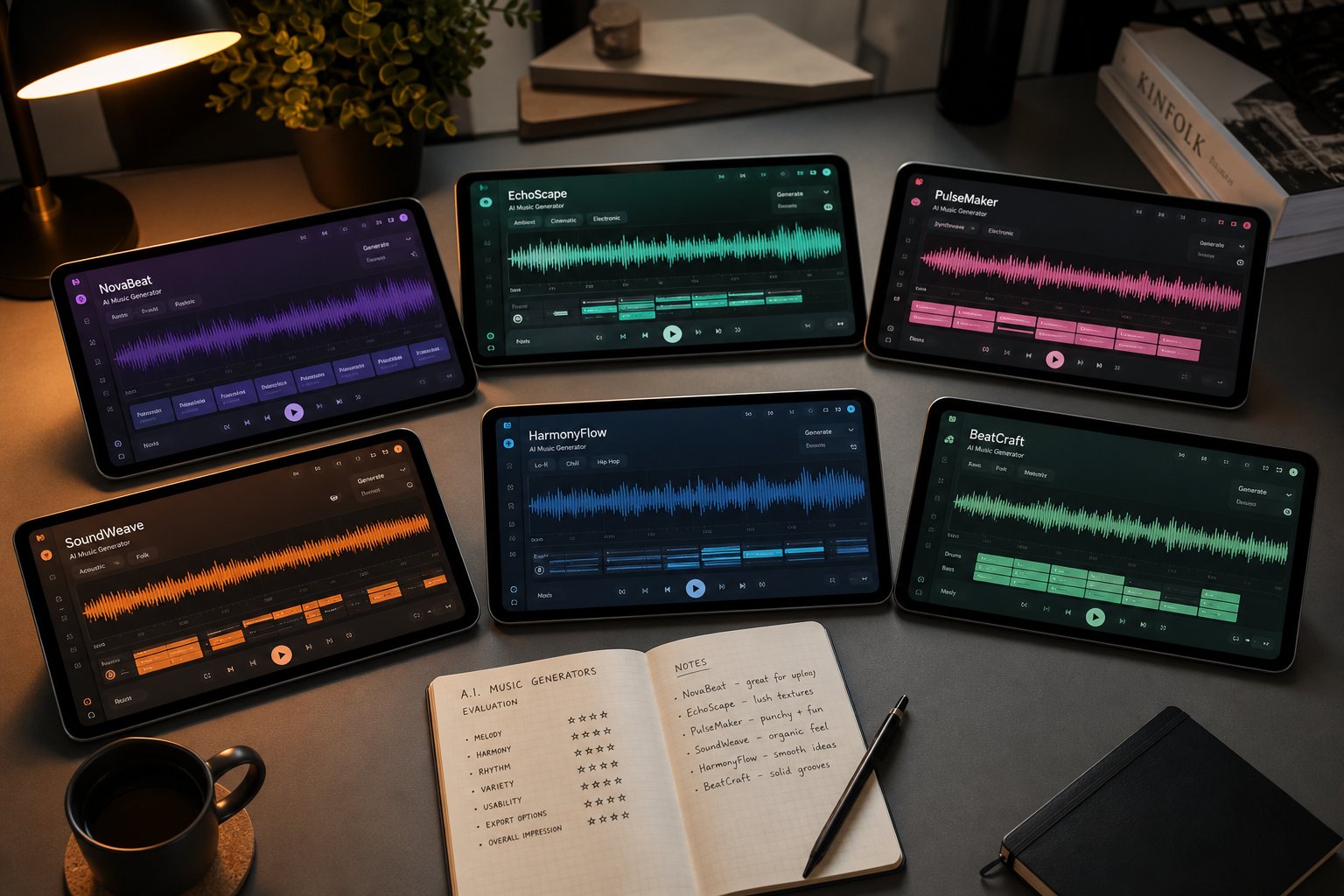
Criteria only matter when you put them to work. Applying the same six-point evaluation to every major platform reveals sharp differences that marketing pages gloss over. Below is a structured breakdown of the top ai music generation tools 2026, with real pricing data, honest free-tier assessments, and customization details you will not find in a typical roundup.
Feature and Pricing Comparison Across Top Platforms
This table distills the core decision factors into one view. Each platform was evaluated using identical criteria, so you can scan for the column that matters most to your situation.
| Tool Name | Best For | Free Tier Limits | Paid Starting Price | Commercial Rights | Customization Level |
|---|---|---|---|---|---|
| MakeBestMusic | Non-musicians who want complete songs from prompts, lyrics, or style ideas | Free generations available to test the workflow | Affordable credit-based pricing | Commercial use included on paid plans | Moderate - prompt-driven with style and lyric controls |
| Suno | Fast vocal songs with lyrics and large community | 50 credits/day (~10 songs), non-commercial | $10/month (Pro) | Paid plans only; rights tied to active subscription | Moderate - custom lyrics, style tags, Suno Studio editing |
| Udio | Advanced editing, remix workflows, and stem control | 10 daily + 100 monthly credits, non-commercial | $10/month (Standard) | Paid plans only; commercial rights included | High - inpainting, timeline editing, stem downloads |
| Beatoven.ai | Mood-based background music synced to video | Limited free minutes with watermarked output | ~$6/month | Included per download on paid plans | Low to moderate - mood, genre, and scene-based controls |
| AIVA | Cinematic and orchestral compositions | 3 downloads/month, non-commercial with attribution | ~$11/month | Full ownership on Pro plan | High - note-level editing, MIDI/sheet music export |
| Mubert | Real-time streaming music and background tracks | Free demo with watermarked audio | $14/month | Royalty-free on paid plans | Low - prompt and preset mixing, limited post-generation editing |
A quick glance at the table reveals a pattern: the tools that offer the deepest customization tend to require more musical knowledge and time investment, while prompt-driven platforms like MakeBestMusic and Suno prioritize speed and accessibility. When readers debate makebestmusic vs suno, the real distinction often comes down to workflow preference and how much post-generation editing you want to do versus getting a finished result fast.
What Each Free Tier Actually Gives You
Free tiers look generous in headlines but shrink fast in practice. Here is what you actually get without paying on the best ai music generators 2026:
- MakeBestMusic - Free generations let you test the full prompt-to-song workflow. Output is usable for personal evaluation, giving you a real sense of quality before committing.
- Suno - 50 daily credits produce roughly 10 songs. No commercial rights. Credits reset daily with no rollover, so unused generations vanish at midnight.
- Udio - 10 daily credits plus 100 monthly credits. All free-tier output is restricted to non-commercial use. Downloads were temporarily disabled during a licensing transition, so verify current availability before testing.
- Beatoven.ai - A limited number of free minutes with watermarked tracks. Fine for auditioning the mood-matching engine, but the watermark makes output unusable for published projects.
- AIVA - Three downloads per month, restricted to non-commercial use with mandatory attribution. Enough to evaluate orchestral quality, not enough to score a full project.
- Mubert - Free demo access generates watermarked tracks. The watermark is audible, so free output works only for previewing the sound palette.
The common thread? Every free tier imposes at least one hard constraint, whether that is a generation cap, a watermark, or a commercial use block. If you plan to publish content, you will need a paid plan on virtually every platform. The question is which plan gives you the most value for your specific output volume.
Paid Tier Value Breakdown
Pricing models vary more than you might expect across top ai music generation products 2026. Some platforms charge monthly subscriptions, others use credit-based systems, and the features that unlock at each level differ significantly.
Suno offers a Pro plan at $10/month and a Premier tier at $30/month. The jump from Pro to Premier unlocks full commercial rights and stem export, which is critical for anyone planning to distribute tracks or edit them in a DAW. One detail that surprises many users: commercial rights only apply to songs created while actively subscribed. Upgrading after the fact does not grant retroactive ownership.
Udio mirrors that pricing structure with Standard at $10/month and Pro at $30/month. You get timeline editing, inpainting for fixing specific sections, and stem downloads on paid tiers. The learning curve is steeper than prompt-first tools, but the editing depth justifies the cost for producers. Early comparisons of udio ai music generator features pricing 2025 still broadly apply, though credit allowances and download policies have shifted since the licensing settlements.
Beatoven.ai keeps things simple with subscription plans starting around $6/month that include a fixed number of monthly minutes and per-download commercial licensing. Extra minutes are billed separately, so high-volume creators need to estimate output carefully to avoid cost surprises.
AIVA charges from approximately $11/month, with the Pro plan granting full copyright ownership of generated compositions. For filmmakers and game developers who need clear chain-of-title documentation, that ownership clause is a major differentiator.
MakeBestMusic uses a credit-based model that avoids the recurring subscription trap. You pay for what you generate, which makes costs predictable for creators who produce in bursts rather than on a fixed schedule. For anyone researching the best ai music generation tools march 2026, this pay-as-you-go flexibility stands out against rigid monthly commitments.
The budget question is not just "how much per month" but "how much per usable track." A $30 subscription that gives you 500 credits sounds generous until you realize most good results take three or four generations to nail. Factor in iteration, and the effective cost per finished song can double or triple the headline number. Platforms like ai music generator melodycraft and similar newer entrants are experimenting with alternative pricing, but the established players above represent where most creators land today.
Pricing and features tell you what a tool can do on paper. The real test is whether it delivers when you push it into specific genres, which is where the differences between these platforms become impossible to ignore.
Genre-Specific Performance and Where AI Still Falls Short
A platform might score well on audio quality and prompt responsiveness in the abstract, but genre is where theory meets reality. Ask a tool for a driving metal riff or a delicate country fingerpicking pattern, and you will quickly discover whether its training data covered that ground. The results vary dramatically, and knowing which tool handles which style saves you hours of frustrating regeneration.
Electronic and Pop Production
Electronic and pop are the comfort zone for nearly every generator on the market. The reason is straightforward: training datasets are heavily weighted toward these genres because they dominate streaming catalogs. Suno, Udio, and MakeBestMusic all produce polished pop and EDM tracks with clean synth patches, punchy drums, and coherent song structures. If you are looking for a love song generator that delivers a radio-ready pop ballad, most platforms handle that request reliably on the first or second attempt. The mix clarity on electronic tracks from Udio is particularly impressive, with instruments sitting in the stereo field at near-professional separation.
Pop and electronic also benefit from their structural predictability. Verse-chorus-verse patterns are deeply encoded in transformer-based models, so the AI rarely loses its way structurally in these genres.
Hip-Hop, Rap, and Vocal-Heavy Genres
This is where the gap between platforms widens. Anyone searching for the best ai rap generator needs to know that vocal flow, rhythmic precision, and lyrical delivery remain hard problems. Suno v5.5 leads here with the most natural vocal phrasing, breath control, and stylistic range across hip-hop subgenres. According to hands-on comparisons from TLDL, Suno's V5 vocals sound like actual human singers, with vibrato and articulation that earlier versions lacked entirely.
Udio produces strong hip-hop instrumentals and beats with unexpected character, but its vocal delivery sometimes drifts off-beat on complex flows. For rap specifically, prompt engineering matters more than in any other genre. Vague prompts yield generic mumble-style delivery, while detailed descriptors specifying cadence, regional style, and energy level produce dramatically better results. If you want the AI to sound like it belongs on an Atlanta trap record versus a boom-bap throwback, you need to tell it explicitly.
People searching for the best ai cover song generator should note that cover-style vocal mimicry raises both quality and legal questions. While some tools offer voice cloning features, reproducing a recognizable artist's vocal timbre for covers sits in legally uncertain territory.
Orchestral, Acoustic, and Niche Genres
Orchestral and cinematic scoring is where specialized tools outperform the generalists. AIVA has generated classical compositions since 2016 and understands orchestral dynamics, counterpoint, and instrument voicing at a level that Suno and Udio simply do not match. Google's Lyria 2 also excels here, producing complex orchestral arrangements with convincing dynamics at a fraction of AIVA's cost. For anyone scoring short films or game sequences, these two platforms deliver cinematic results that general-purpose generators cannot replicate.
Acoustic genres are trickier. If you are hunting for the best ai country music generator, expect mixed results across the board. Country relies on specific guitar tones, pedal steel nuances, and vocal twang that most models approximate rather than nail. We Rave You's 2026 analysis notes that Udio performs particularly well on genres with live instrumentation, including acoustic and folk, producing more natural dynamics than competitors. Suno handles country and folk adequately but occasionally produces guitar timbres that sound subtly synthetic.
For the best ai metal music generator, Suno covers the broadest range of metal subgenres, from thrash to doom, though the output tends toward polished production rather than the raw, lo-fi sound that many metal fans prefer. Blast beats and complex time signatures still trip up most generators.
| Genre | Suno | Udio | AIVA | Lyria 2 | Beatoven.ai | MakeBestMusic |
|---|---|---|---|---|---|---|
| Pop | Strong | Strong | Weak | Adequate | Adequate | Strong |
| Electronic / EDM | Strong | Strong | Weak | Adequate | Adequate | Strong |
| Hip-Hop / Rap | Strong | Adequate | Weak | Weak | Weak | Adequate |
| Rock / Metal | Adequate | Adequate | Weak | Weak | Weak | Adequate |
| Country / Folk | Adequate | Adequate | Weak | Weak | Weak | Adequate |
| Orchestral / Cinematic | Adequate | Adequate | Strong | Strong | Adequate | Adequate |
| Jazz | Weak | Adequate | Adequate | Adequate | Weak | Weak |
| Ambient / Lo-fi | Strong | Strong | Adequate | Strong | Strong | Strong |
A few honest observations about the table above. "Strong" means the tool reliably produces output you could use without significant post-processing. "Adequate" means it gets the genre right on a surface level but may miss subtleties that a knowledgeable listener would catch. "Weak" means the tool either cannot handle the genre or produces results that clearly miss the mark.
The genres where AI still struggles most share a common trait: they demand nuance that training data alone cannot teach. Complex jazz improvisation requires spontaneous decision-making and harmonic exploration that pattern-matching models do not truly perform. Nuanced classical dynamics, where a pianist's touch varies pressure by fractions of a gram across a phrase, remain beyond current generation quality. Authentic regional folk styles, whether Appalachian bluegrass, Balkan brass, or West African highlife, require cultural specificity that generalist training datasets underrepresent.
None of this means AI-generated music is bad. It means there is still a meaningful quality gap between AI output and professional human production in genres that depend on subtlety, spontaneity, and cultural depth. For straightforward pop, electronic, and ambient work, that gap has narrowed to the point where casual listeners may not notice. For everything else, AI is a strong starting point that benefits from human refinement, not a finished replacement.
Genre strengths tell you what a tool can produce. The next question is more personal: what are you actually trying to create, and which workflow matches the way you think about music?
Which AI Music Generator Fits Your Specific Use Case
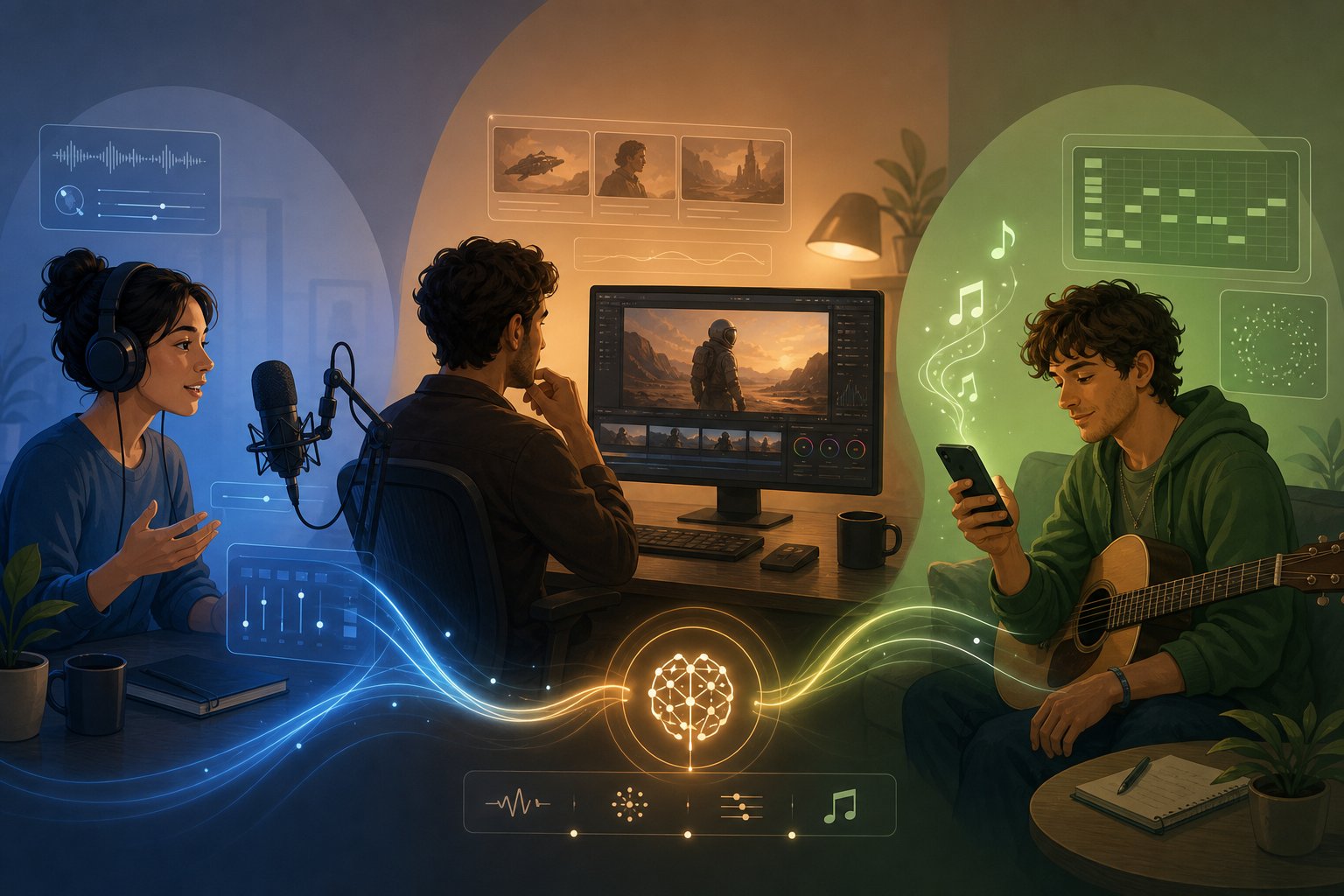
Most people searching for the best ai music creators are not actually asking "which platform has the highest audio fidelity?" They are asking something much more personal: "Which tool solves my specific problem?" A podcaster who needs a 20-second intro jingle has radically different requirements than a film composer scoring an emotional montage or a producer looking for collaborative sketch tools. Matching the right platform to the right workflow matters more than any abstract ranking.
Instead of listing tools and hoping you find yourself somewhere in the description, the framework below starts with you. Find your use case, and the recommendation follows.
For Content Creators and Podcasters
If you produce YouTube videos, podcasts, or social media content, your primary need is royalty-free background music and short custom pieces that do not distract from your voice or visuals. You want fast output, clear licensing, and the ability to match mood to content without spending hours tweaking.
- Beatoven.ai - Built specifically for video and podcast creators. Describe the mood of your scene, and it generates a tailored soundtrack synced to your content's pacing. Simple licensing per download means no legal guesswork.
- Mubert - Ideal as an ai jingle maker for creators who need continuous, non-repetitive background music. Its Render tool lets you specify duration, mood, and genre, then delivers a royalty-free track sized precisely to your timeline. The API integration also works well for apps and automated workflows.
- Soundful - Quick genre-and-mood selection produces royalty-free tracks in minutes. The Track Preview feature lets you audition ideas before committing to a full download, saving time when you need to score multiple pieces of content in one session.
For this group, speed and licensing clarity trump customization depth. You do not need stem-level control or arrangement editing. You need a track that fits, sounds professional, and is legally safe to publish.
For Musicians and Producers Seeking Collaboration
When you already know your way around a DAW, the best ai for musicians is not a turnkey solution. It is a creative partner that accelerates the early stages of production without locking you out of the details. You want stem exports, section-level editing, MIDI or audio that you can drag into Ableton, Logic, or FL Studio, and enough control to shape AI output into something that genuinely sounds like yours.
- Udio - The strongest option for iterative production workflows. Its inpainting feature lets you regenerate specific sections without touching the rest of the track. Timeline editing, stem downloads, and detailed prompt control make it feel closer to a collaborative instrument than a vending machine. DAW integration is straightforward: export stems, import into your session, and keep building.
- AIVA - The best ai for music production when your work involves orchestral or composed music. AIVA exports MIDI and sheet music, giving you note-level editing control that no other generator matches. Composers and scoring professionals can treat it as an arrangement sketching tool rather than a finished-track factory.
- Soundverse - Offers advanced features like voice-to-instrument conversion, stem separation, and DNA models that let you train the AI on your own sonic identity. The learning curve is steeper, but for producers who want deep creative control, the investment in understanding the tools pays off in output uniqueness.
- Suno Studio - Acts as a lightweight DAW within the generation platform. You can rearrange sections, remix tracks, and export stems for use in professional software. The workflow suits musicians who want to start with AI-generated raw material and refine it into finished productions.
For this audience, the evaluation criteria shift heavily toward customization depth and export flexibility. A tool that produces a great-sounding track but locks it in a proprietary player is useless to a producer who needs individual stems loaded into their mixing session.
For Non-Musicians Who Want Complete Songs Fast
Maybe you have a melody in your head, lyrics scribbled in a notebook, or just an idea like "upbeat summer road trip anthem." You do not play an instrument, you have never opened a DAW, and you do not want to learn one. You want to type your idea and hear a finished song. This is where prompt-to-song platforms shine, and it is the category where the best ai song creator debate gets most competitive.
- MakeBestMusic - Designed specifically for this workflow. You feed it prompts, lyrics, or style ideas, and it produces complete songs with vocals and instrumentation. No musical knowledge required, no multi-step editing process. The interface focuses on turning your creative intent into a finished track as directly as possible, making it a strong fit for anyone who wants the shortest path from idea to song.
- Suno - Generates full songs with vocals from minimal input. Paste a few lines of lyrics, pick a style tag, and get back a complete track with verse-chorus structure, harmonies, and production. The community features also let you browse what others have created for inspiration.
- Mureka - Lightweight and beginner-friendly, ideal for quick creative experiments. It won't replace a full production tool, but if you want to test an idea in seconds without any learning curve, it delivers fast results from short text prompts.
For non-musicians, the priority order flips completely. Customization depth drops to the bottom of the list. What matters is prompt responsiveness, vocal quality, and how little friction exists between having an idea and hearing it realized. MakeBestMusic's approach of accepting lyrics, style descriptions, and mood cues, then delivering a polished song without intermediate steps, matches this user type precisely.
For Game Developers and Filmmakers
Scoring interactive media or film requires something different from all of the above. Game developers often need adaptive music that shifts with gameplay states. Filmmakers need tracks that hit emotional beats at precise timecodes. Both need clear commercial licensing and, frequently, the ability to edit duration without the track sounding cut off or looped.
- AIVA - Full copyright ownership on Pro plans solves the chain-of-title documentation that film and game distributors require. Orchestral strength makes it ideal for cinematic scoring.
- Beatoven.ai - Its scene-based approach lets filmmakers describe emotional arcs and receive music that follows those shifts. Per-download licensing keeps paperwork clean for client projects.
- Udio - Timeline editing and section-level regeneration give filmmakers granular control over musical pacing without starting from scratch when one segment needs adjustment.
The right choice here depends on whether you need composed, notated music (AIVA), mood-synced background scoring (Beatoven.ai), or editable produced tracks with full stems (Udio).
Matching platform to purpose eliminates most of the noise in the "which tool is best" debate. But regardless of which generator you choose, the quality of what you get back depends heavily on what you put in. The difference between a mediocre AI track and a genuinely usable one often comes down to a single skill: writing better prompts.
How to Write Prompts That Get Better AI Music Results
You picked a platform. You typed "sad rock song." The result sounds like elevator music with distortion. What went wrong? Not the tool. The prompt. Data from Reddit communities suggests that roughly 70% of initial AI music generations require three or more regenerations, and vague prompts are the primary cause. Whether you are using the best ai tool to create music or a free-tier experiment, the quality of your output is directly tied to how clearly you communicate your vision in text.
Think of your prompt as a creative brief handed to a session band. You would not walk into a studio and say "play something cool." You would describe the feel, the tempo, the instruments, and the energy you want. AI generators respond the same way. The more precise and structured your input, the closer the output lands to what you actually hear in your head.
Anatomy of an Effective Music Prompt
A strong prompt layers multiple descriptors that each guide a different musical dimension. Imagine you want an atmospheric track for a short film scene. Instead of writing "cinematic music," you build the prompt from specific components, each serving a distinct purpose. Here is the recommended order, moving from broad context to fine detail:
- Genre and subgenre - Anchors the overall sound. "Dark cinematic orchestral" tells the model more than "movie music." Subgenres like "lo-fi chillhop" or "synth-pop" narrow the output dramatically compared to broad labels.
- Mood and emotion - Sets the emotional tone. Descriptors like "haunting," "triumphant," "melancholic," or "playful" guide harmonic choices and dynamics. Abstract emotional terms work surprisingly well.
- Tempo and energy - Specifies pacing. You can describe this qualitatively ("slow and brooding") or with an exact BPM ("85 BPM"). Including BPM produces more consistent results when you need to sync music to video or mix with other tracks.
- Instrumentation - Names the specific sounds you want. "Warm Rhodes piano, dusty vinyl crackle, soft brushed drums" gives the AI a clear palette. Without this, the model defaults to whatever instruments dominate its training data for that genre.
- Vocal style or instrumental flag - Specify "instrumental only" if you do not want vocals. If you do want singing, describe the delivery: "breathy female vocals," "gritty male baritone," or "two-part harmony in the chorus." For anyone using an ai rapper song generator or looking for the best ai rap lyrics generator, vocal style descriptors are critical. Specify cadence, regional influence, and flow type to avoid generic mumble delivery.
- Era and production quality - "1980s analog warmth," "modern overcompressed pop," or "raw live-room recording" tells the model how the track should feel sonically. This shapes reverb, saturation, stereo width, and overall mix character.
A complete prompt combining all six might read: "Lo-fi chillhop, nostalgic and warm, 85 BPM, dusty vinyl crackle with muted piano chords and soft drum loop, instrumental only, late-night study session vibe." Each component steers a different axis of the output. According to MusicSmith's prompt guide, the best prompts strike a balance: specific enough to guide the AI toward your vision, yet flexible enough to let it surprise you with musical choices you might not have considered.
Common Prompt Mistakes That Produce Poor Results
Most failed generations trace back to a handful of repeatable errors. If your outputs feel generic or miss the mark, check whether you are making any of these:
- Being too vague - "Happy song" or "cool beat" gives the model almost nothing to work with. It defaults to the safest, most generic interpretation of those words, which is why the result sounds like stock music.
- Contradicting style descriptors - Asking for "aggressive death metal with a peaceful, calming atmosphere" forces the AI into an impossible compromise. Both sides cancel each other out, producing confused output that satisfies neither intent.
- Overloading the prompt - Cramming 15 instruments, four genre tags, three mood shifts, and a full structural outline into one prompt overwhelms the model. Soundverse notes that overloaded prompts with conflicting details confuse the model and produce worse results than simpler, focused descriptions.
- Using terminology the model does not recognize - Highly technical music theory jargon or niche production terms may not exist in the model's training vocabulary. "Lydian dominant over a tritone substitution" might work on some platforms but produce blank stares from others. Descriptive language ("bright, slightly dissonant, unexpected chord shift") often outperforms academic notation.
- Referencing specific artists by name - Most platforms filter or ignore artist names to avoid copyright concerns. Instead of naming a band, describe the era, genre, and sonic characteristics you associate with them. "90s grunge with heavy distortion and apathetic male vocals" communicates the same idea without triggering content filters.
- Forgetting exclusions - Sometimes what you leave out matters as much as what you include. Adding "no vocals," "no drums," or "no fade-out" prevents common unwanted defaults. Pair positive guidance with targeted exclusions for the cleanest results.
Iterating Toward Better Output
The best ai songwriter workflow is not "write one prompt, accept the first result." It is a feedback loop. Even experienced users rarely get a perfect track on generation one. The difference between amateurs and skilled prompt writers is not that skilled writers nail it immediately. It is that they iterate systematically rather than regenerating blindly.
Here is the process that consistently produces better results:
Generate and listen critically. Play the full track. Do not skip ahead after five seconds. Identify specifically what works and what does not. Maybe the genre landed perfectly, but the tempo feels too fast. Maybe the instrumentation is right, but the vocals sound too polished for the raw aesthetic you wanted.
Adjust one variable at a time. If you change the genre, mood, tempo, and instrumentation simultaneously, you cannot isolate what improved and what regressed. Change the tempo from 120 to 95 BPM. Regenerate. Listen. If the pacing improved but the energy dropped too much, try 105. This methodical approach teaches you how the specific model interprets your language.
Use exclusions to fix problems. If the AI added an unwanted element, like auto-tune on vocals or a four-on-the-floor kick you did not ask for, add an explicit exclusion in your next iteration rather than rewriting the entire prompt. "No auto-tune, no four-on-the-floor kick" solves the problem without sacrificing everything else that worked.
Save your successful prompts. Once you find phrasing that consistently produces good results in a specific style, store it as a template. Swap out the mood or instrumentation details while keeping the structural framework. Over time, you build a personal library of reliable prompts that dramatically reduces the number of generations needed per finished track.
This iterative discipline transforms AI music generation from a slot machine into a predictable creative tool. The prompt is your only communication channel with the model, and like any form of communication, clarity and specificity improve with practice. A week of deliberate experimentation teaches you more about a platform's interpretation patterns than months of casual use.
Strong prompts get you closer to a finished result, but they cannot override legal and licensing constraints baked into the platform itself. Understanding what you can actually do with AI-generated music, legally and ethically, is the next critical piece of the decision.

Copyright, Licensing, and Legal Risks You Need to Understand
Strong prompts and the right platform can produce impressive music. But before you publish, monetize, or distribute a single AI-generated track, you need to understand what you actually own. The legal landscape around AI music is shifting rapidly, and the answer is less reassuring than most platform marketing pages suggest.
If you have browsed any ai generated music reddit thread, you have seen creators debating ownership, copyright claims, and commercial rights. The confusion is justified. The rules are genuinely unclear, and different platforms handle the question in fundamentally different ways.
Ownership and Commercial Licensing by Platform
Licensing terms vary significantly across tools, and the differences matter more than most users realize. Here is what the major platforms actually grant:
- Suno - Pro and Premier plans grant commercial rights to the user, but Suno's own terms of service state: "Due to the nature of machine learning, Suno makes no representation or warranty to you that any copyright will vest in any Output." You get permission to use the track commercially, but that is not the same as owning a defensible copyright.
- Udio - Paid plans include commercial rights, and the October 2025 UMG settlement gives Udio the cleanest legal posture among the major vocal-generation tools. A jointly licensed platform launching in 2026 will route revenue to rights holders where applicable.
- AIVA - The Pro plan grants full copyright ownership to the user, the strongest IP position in this comparison. Its training data leans heavily on public-domain classical compositions, which reduces downstream legal exposure.
- Stable Audio - Trained on a licensed dataset from AudioSparx and partners. Commercial use is permitted on Creator plans and above, with well-documented licensing tiers.
The critical distinction most creators miss: "commercial use rights" and "copyright ownership" are not the same thing. A platform can give you permission to sell a track while simultaneously being unable to guarantee that you hold the copyright to it. If someone copies your AI-generated song, you may have no legal mechanism to stop them.
Under current US Copyright Office guidance, purely AI-generated works without meaningful human authorship cannot receive copyright protection. The more human creative input you contribute, the stronger your legal position becomes.
The Legal Landscape Around AI-Trained Models
The music industry is not watching passively. In June 2024, all three major labels, Universal, Sony, and Warner, filed coordinated lawsuits against Suno and Udio through the RIAA, alleging "mass infringement of copyrighted sound recordings on an almost unimaginable scale." Suno admitted to using copyrighted music for training and argues it constitutes fair use.
Since then, the landscape has evolved through settlements rather than final rulings. Udio settled with both UMG and Warner by late 2025. Suno settled with Warner but remains in active litigation with Sony, with a fair-use ruling expected in summer 2026. In January 2026, UMG filed a $3 billion lawsuit against Anthropic over alleged infringement of more than 20,000 songs, illustrating how aggressively the industry pursues AI companies regardless of their specific function.
On the regulatory side, the UK government scrapped plans in March 2026 that would have allowed AI companies to train on copyrighted material without permission, after 95% of over 10,000 consultation submissions opposed the opt-out approach. The regulatory tide is moving against unlicensed training, not toward it.
For creators, this means the legal ground beneath AI music platforms could shift at any point. A tool that operates legally today might face injunctions or policy changes tomorrow, potentially affecting the status of tracks already generated on the platform.
Ethical Considerations and the Artist Displacement Debate
Beyond the courtroom, there is a real ethical tension that anyone searching ai music reddit discussions encounters immediately. Over 200 artists, including Billie Eilish, Stevie Wonder, and Nicki Minaj, signed an open letter in April 2024 warning against what they called "this assault on human creativity."
The concern is not abstract. If you are looking for a music ai creator without copyright restrictions reddit threads are full of debates about what "restriction-free" actually means when the training data itself may have been used without artist consent. Campaign data from Chartlex's analysis of 2,400+ artist campaigns shows that fully AI-generated tracks underperform human recordings on save rates by 25 to 40%, suggesting listeners still value the human element, even if they cannot articulate why.
Dismissing these concerns does not make them disappear. Neither does pretending AI music is inherently unethical. The honest position sits in between: these tools create real value for many users, and they also raise legitimate questions about compensation, consent, and creative labor that the industry has not yet resolved. Understanding both sides makes you a more informed user, not a less enthusiastic one.
Anyone considering ai-generated stock music bulk order discounts or large-scale commercial distribution should pay particular attention to platform terms. Bulk use amplifies both the upside of fast creation and the downside of unclear legal provenance. Read the terms of service. Understand what "commercial rights" actually covers on your chosen platform. Document your creative contributions.
Legal clarity will come eventually, through court rulings, regulatory frameworks, and industry licensing agreements. Until then, the safest path is choosing platforms with transparent licensing, contributing meaningful human creativity to every track, and treating AI output as a starting point rather than a final product you stake your reputation on.
How to Pick Your Generator and Start Making Music Now
You have seen how these platforms compare on audio quality, genre performance, licensing terms, and customization depth. You understand the technology, the legal landscape, and the prompting techniques that produce better results. The only thing left is deciding which tool to actually open first.
Rather than rehashing every feature matrix, distill your choice down to three questions. Your answers map directly to a starting point.
Your Decision Framework in Three Questions
Imagine you are standing in front of seven open browser tabs, each one a different AI music generator. Close six of them by answering these:
- What is the end use for your music? Background for video content points you toward Beatoven.ai or Mubert. A full song with vocals for personal release or social sharing points toward Suno or MakeBestMusic. Orchestral scoring for film or games points toward AIVA. The use case eliminates half the options before you evaluate anything else.
- How much control do you need? If you want to tweak stems, edit sections, and export to a DAW, Udio or AIVA match that workflow. If you want a finished result from a single prompt with no post-production, a prompt-to-song tool is the right fit. Be honest here. Wanting more control than you will actually use just adds friction without improving your output.
- What is your budget? Zero dollars? Suno's free tier gives you 50 daily credits, and ACE-Step is unlimited for instrumentals. Under $15/month covers paid tiers on most platforms with commercial rights included. Pay-per-track models work better for creators who produce in bursts rather than on a fixed schedule. Match your spending to your actual output volume, not aspirational production targets.
Those three answers narrow the field to one or two platforms. From there, testing is faster than reading another comparison article.
Start Creating AI Music Today
The lowest-friction entry point is always a prompt-based generator. No software to install, no learning curve for music theory, no DAW configuration. You type a description, and you hear a song. That immediate feedback loop teaches you more about what AI music can do in ten minutes than hours of research.
For readers who want to go from idea to finished song immediately, MakeBestMusic's creation page is a strong starting option. Feed it your prompt, lyrics, or style ideas, and hear a complete track back without intermediate steps. It is one of the best free ai music generators 2025 onward for testing whether AI music fits your creative workflow before you invest in a monthly subscription elsewhere.
If you already know you need higher fidelity or deeper editing, start a free trial on Udio or Suno's paid tier. If your project requires clear copyright ownership, AIVA's Pro plan gives you documented chain of title from day one. The best ai music generator 2025 and into 2026 is still the one that matches your actual use case, not the one with the highest score on someone else's rubric.
One final principle worth remembering before you generate your first track:
Test at least two or three platforms with the same prompt before committing to one. The differences in interpretation, vocal quality, and genre handling only become clear through direct comparison, and most free tiers give you enough generations to run that test today.
The best ai music generation tools 2025 and beyond are evolving fast enough that the landscape shifts every few months. Platforms release new models, free tiers expand or contract, and licensing terms update as legal precedents crystallize. The readers who get the most value from AI music are the ones who stay curious, experiment across multiple tools, and treat each generation as a learning opportunity rather than a final product. Open a tab, write a prompt, and hear what comes back. The research phase is over. The creative phase starts now.
