


AI Music Composition Explained for Every Creator
Imagine typing a sentence like "upbeat acoustic folk track for a travel vlog" and hearing a fully produced song minutes later. That scenario is no longer hypothetical. AI music composition tools now generate melodies, harmonies, complete arrangements, and even realistic vocals from simple text inputs, hummed ideas, or uploaded lyrics. The question isn't whether AI can compose music anymore. It's which AI can compose music that actually fits your creative needs.
What AI Music Composition Actually Means
AI music composition is the use of machine learning, neural networks, and intelligent algorithms to analyze musical patterns and generate original melodies, harmonies, rhythms, and full productions — often from minimal user input such as a text prompt, genre selection, or written lyrics.
In practical terms, these platforms study massive datasets of existing music to learn how rhythm, melody, and harmony interact. They then apply those learned patterns to produce something new. Some tools focus on instrumental background tracks, while others deliver complete songs with AI-generated vocals. The technology has matured rapidly, and a study by music distributor Ditto found that nearly 60 percent of surveyed artists already use AI in their music projects. That adoption rate signals just how deeply these tools have embedded themselves into real workflows.
Why Creators Are Searching for AI Composers
Different people arrive at this question for very different reasons. A YouTuber needs royalty-free background music on a tight deadline. A songwriter wants an ai songwriter partner to spark fresh ideas when inspiration stalls. A podcaster is looking for a custom intro that sounds professional without hiring a composer. A filmmaker needs mood-specific scoring that adapts to scene changes. Each of these creators benefits from AI, but they don't all need the same tool.
The landscape of best music making apps has expanded well beyond basic loop generators. Today's best music creation apps range from text-to-song platforms accessible to complete beginners, to advanced systems offering granular control over instrumentation, tempo, and structure. Will AI get better at helping with making music? Given the pace of development, the answer is clearly yes — and the tools available right now are already far more capable than what existed even a year ago.
This article takes an objective look at the major platforms, comparing them across features, pricing, output quality, and ideal use cases. Whether you're hunting for the best AI for musicians or simply need a fast background track, the goal here is to match you with the right tool for your specific workflow. No single platform wins across every category, so the sections ahead break down exactly which tool excels where — and where each one falls short.
How AI Actually Composes Music Behind the Scenes
You don't need a computer science degree to use these tools. But understanding a little about what happens after you click "generate" helps explain why one AI track sounds polished and natural while another feels robotic or repetitive. The short version: different platforms use fundamentally different approaches to creating music, and those architectural choices directly shape the sound you hear.
Neural Networks and Musical Pattern Recognition
At the most basic level, every AI music tool relies on neural networks — software systems loosely inspired by how the human brain processes information. These networks are trained on massive datasets of existing music, sometimes millions of tracks spanning every genre imaginable. During training, the network learns patterns: how a chord typically resolves, what drum patterns pair with certain tempos, how a verse transitions to a chorus, and which melodic intervals create tension or release.
Think of it like this. A musician who has listened to thousands of jazz records develops an intuitive sense of what "sounds right" in that genre. Neural networks build a similar intuition, except they do it mathematically by analyzing statistical relationships between notes, rhythms, and timbres across enormous libraries. The TensorFlow music generation tutorial demonstrates this principle clearly — even a simple recurrent neural network trained on piano MIDI files can learn to predict the next note in a sequence by studying patterns in pitch, timing, and duration.
What makes modern tools so capable is scale. Early systems trained on a few hundred files produced basic, often awkward melodies. Today's generators train on datasets containing millions of recordings, learning not just note-by-note patterns but higher-level structures like song form, genre conventions, and production techniques.
From Training Data to Original Compositions
A common misconception is that AI simply copies or remixes existing songs. The reality is more nuanced. During training, models learn abstract patterns — relationships between musical elements — rather than memorizing specific tracks. When generating new music, the system produces original sequences that follow the learned patterns without directly reproducing its training data.
The process typically works in one of three ways, depending on the tool:
- Transformer-based generation — Similar to how large language models predict the next word in a sentence, these systems predict the next musical token (a small unit of audio or a symbolic note) in a sequence. Tools like Suno and Udio use proprietary transformer architectures that process audio as tokenized sequences, generating complete songs element by element. This approach excels at creating coherent song structures with verses, choruses, and natural progressions.
- Diffusion audio synthesis — Borrowed from image-generation AI like Stable Diffusion, this method starts with random noise and gradually refines it into coherent audio through hundreds of iterative steps. Each denoising pass adds more musical detail — rhythm emerges first, then harmonic structure, then finer timbral textures. Stable Audio uses this approach, and it tends to produce rich, detailed soundscapes with realistic audio quality.
- Symbolic music generation — Rather than generating audio directly, these systems produce musical notation or MIDI data representing notes, chords, and rhythms. The symbolic output then gets rendered through synthesizers or virtual instruments. AIVA uses this method, giving users more control over individual parts and the ability to edit compositions note by note in a DAW. It's also the foundation for basic song production from a scratch track AI workflows where producers want editable output rather than a fixed audio file.
Each approach has tradeoffs. Transformer models produce cohesive songs quickly but offer less granular editing. Diffusion models deliver high-fidelity audio but can sometimes lack structural coherence over longer pieces. Symbolic generation gives producers maximum flexibility but requires additional steps to reach a finished sound.
Why Different AI Tools Sound Different
This is the key insight for anyone wondering which platform to choose. The reason one tool nails a cinematic orchestral score while another excels at lo-fi beats isn't just about settings or prompts — it's about architectural choices and training data.
A model trained primarily on pop and electronic music will naturally produce better results in those genres. One trained on classical compositions and film scores will have a different sonic character entirely. The architecture matters too: transformer-based tools tend to handle song structure and lyrical alignment well, making them strong choices for creating piano arrangement from audio AI free workflows or full vocal tracks. Diffusion-based tools often produce more natural-sounding textures and timbres, particularly for atmospheric or instrumental pieces.
Some platforms combine approaches. You might find a tool using transformers for compositional structure while relying on diffusion for final audio rendering. Others integrate auxiliary models that handle specific tasks — one network for melody, another for drum patterns, a third for vocal synthesis. This modular design is also why features like vocal mixing AI free and the ability to run a song through AI and extract the lyrics have become standard offerings alongside generation. Separation and analysis use different model architectures than composition, but they often live under the same platform roof.
The good news? You don't need to understand any of this to upload a song and have AI make a drum beat for it, or to type a text prompt and receive a finished track. The complexity lives entirely behind the interface. What matters for your decision is the output: how a tool sounds, what formats it exports, and whether its strengths align with the music you actually need to create.
Every Major AI Music Composer Compared
Output quality and architecture only matter if you can find the right tool for your actual workflow. The landscape includes dozens of platforms, each with a distinct approach to generation, pricing, and licensing. Rather than sifting through marketing pages, here's an honest breakdown of the leading options — what each does well, where each falls short, and which creators benefit most from each one.
Side-by-Side Feature Comparison
The table below compares six prominent AI music composition platforms across the features that matter most when deciding which tool to commit to. Pricing reflects entry-level paid plans where commercial use is typically unlocked.
| Tool | Best For | Vocals | Input Method | Output Formats | Free Tier |
|---|---|---|---|---|---|
| MakeBestMusic | Text-to-song, lyrics-to-music, beginners | Yes | Text prompts, lyrics | MP3, full songs | Yes (limited) |
| Suno | Complete songs with vocals | Yes | Text prompts, uploaded audio, lyrics | MP3, WAV, stems | 50 credits/day |
| Udio | Producers, remixing, iteration | Yes | Text, lyrics, style reference | WAV, stems | 10 credits/day |
| AIVA | Cinematic, orchestral, classical | No | Prompts, MIDI upload, style presets | MP3, WAV, MIDI, stems | 3 downloads/mo |
| Soundraw | Video creators, background tracks | No | Mood/genre/instrument selectors | MP3, WAV, stems | Unlimited previews |
| Google Lyria | Experimental, YouTube integration | Yes | Text prompts (limited access) | Integrated audio | Limited beta |
A few things jump out immediately. If you're comparing MakeBestMusic vs Suno, the primary difference is accessibility versus depth. MakeBestMusic's Text to Music Generator is purpose-built for songwriters and content creators who want to paste lyrics or type a description and receive a polished song without navigating complex settings. It's one of the most beginner-friendly options in the space. Suno, as a suno ai song creator, delivers broader genre range and more advanced controls — particularly through features like Suno Canvas, its web-based editing workspace where you can refine stems and adjust individual sections of a generated track.
The AIVA ai music generator occupies a completely different niche. It doesn't produce vocals at all, focusing instead on orchestral and cinematic compositions with full MIDI export. For anyone scoring a film or building a game soundtrack, AIVA's structured composition engine and 250-plus style presets remain unmatched. The tradeoff is a steeper learning curve and higher pricing for full copyright ownership at the Pro tier ($49/month).
Udio appeals to producers who want granular control. Its inpainting feature lets you regenerate specific sections of a song without touching the rest, and stem downloads mean you can pull individual elements into a DAW for further mixing. Soundraw skips text prompts entirely — you select mood, genre, and instruments through sliders and menus, then customize the structure block by block. That parameter-driven approach makes it ideal for video editors who need precise control over energy levels throughout a track.
Google Lyria powers YouTube's Dream Track and related experimental features. It's less of a standalone tool and more of an integrated AI layer within Google's ecosystem. Access remains limited compared to dedicated platforms, though its underlying model quality is strong.
Which Tool Fits Which Workflow
No single platform dominates every use case. Here's the practical breakdown:
- Fastest path from idea to finished song: MakeBestMusic or Suno. Both accept plain-language prompts and deliver complete tracks with vocals. MakeBestMusic keeps the interface stripped down for beginners; the Suno ai music maker offers more post-generation editing through its Studio workspace.
- Maximum production control: Udio. Stem separation, inpainting, and remix capabilities make it the closest thing to a DAW-integrated AI. Producers searching for tools like producer.ai or remusic.ai for remix-style workflows will find Udio's feature set most familiar.
- Cinematic and instrumental scoring: AIVA. Full MIDI export, structured compositions with recognizable sections (intro, build, climax), and complete copyright ownership on Pro plans. No vocals, but that's a feature, not a bug, for film and game composers.
- Background music for video content: Soundraw. Unlimited generation, mood-based selectors, and block-based structure editing give video creators precise control without requiring musical knowledge.
- Experimental and integrated: Google Lyria. Best suited for creators already working within YouTube's ecosystem who want AI-assisted music without leaving the platform.
People searching for an ai music generator melodycraft-style experience — where you describe a melody concept and the AI builds a full arrangement around it — will find that MakeBestMusic and Suno handle this most intuitively. Both translate natural language descriptions into structured compositions, though their strengths differ. MakeBestMusic excels at converting written lyrics directly into songs with minimal friction, while Suno offers broader stylistic range and post-generation editing depth.
The right choice ultimately hinges on three questions: Do you need vocals? How much editing control do you want after generation? And what's your licensing situation? Those answers narrow the field quickly — and the sections ahead dig deeper into input methods, user-specific recommendations, and the licensing details that determine whether you can actually use what you create.
Different Ways to Tell AI What Music to Create
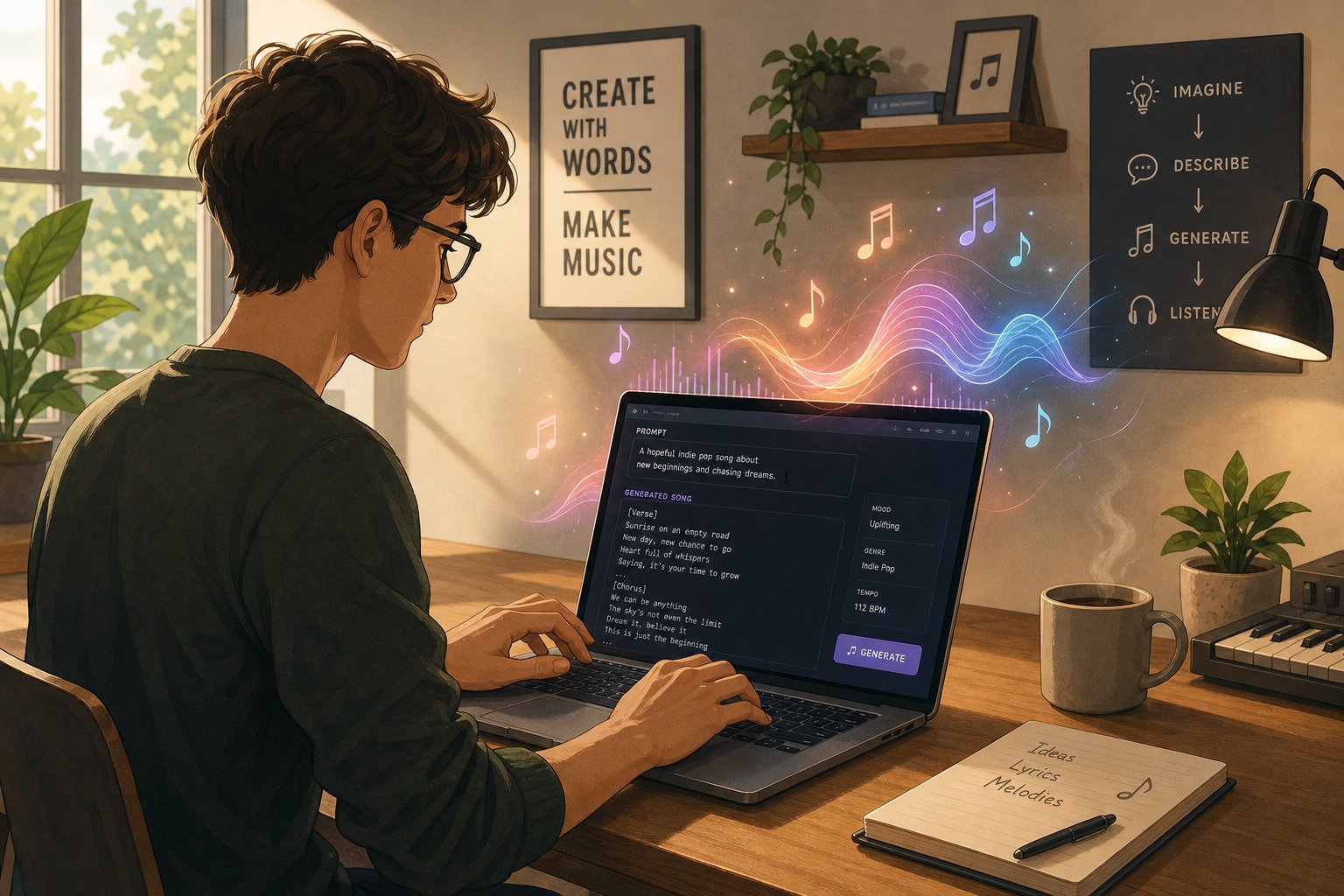
Knowing which tool to pick is only half the equation. The other half is understanding how you communicate your musical vision to the AI in the first place. Each platform accepts different types of input, and the method you choose shapes both the creative process and the final result. Some workflows require nothing more than a sentence. Others let you fine-tune every parameter down to individual instrument levels.
Here's a ranked list of input methods, ordered from the simplest starting point to the most hands-on approach:
- Text prompts — Type a natural language description and let the AI interpret it.
- Lyrics input — Paste written lyrics and have the AI compose a full arrangement around your words.
- Humming or singing — Record a short vocal melody and let the system build a song from that contour.
- Style and genre selectors — Choose from preset moods, tempos, and genres through visual menus.
- Reference audio upload — Feed in an existing track as a style guide for the AI to match.
- MIDI upload with parameter control — Import note data and adjust sliders for instrumentation, dynamics, and arrangement density.
Beginners benefit most from text-based and lyrics-based workflows, where the AI handles virtually all production decisions. Experienced producers, on the other hand, may prefer MIDI editing combined with granular parameter control for tighter creative ownership.
Text Prompts and Natural Language Descriptions
The fastest way to generate music is simply describing what you want. You might type something like "melancholic indie folk, fingerpicked guitar, soft female vocal, 80 BPM" and receive a complete track within a minute. The key is using specific words to describe music — naming instruments, moods, tempo ranges, and production qualities rather than vague requests like "something nice." Think of the prompt as a creative brief. The more concrete your language about the genre of the song and its emotional character, the closer the output matches your intent.
Many platforms also function as a song topic generator of sorts. If you enter a theme like "road trip nostalgia" or "late-night city lights," the AI infers instrumentation, tempo, and vocal tone from that concept alone. This makes text prompting accessible even to people who lack traditional music vocabulary.
Lyrics-to-Song and Vocal Generation
For anyone who already knows how to write a song lyrics-first but lacks production skills, lyrics-to-song pipelines remove the biggest barrier. You paste your verses, chorus, and bridge into the tool, and the AI determines structure, melody, chord progressions, and vocal delivery automatically. Platforms like Suno and MakeBestMusic handle this particularly well — you mark sections, optionally add a style note, and the system does the rest.
This workflow is also where tools that function as a song idea generator shine. Some platforms suggest rhyme alternatives or structural rearrangements as you input lyrics, acting almost like an ai rhyme finder that nudges your writing toward stronger hooks. If you're exploring whether Google AI Studio is good at lyrics for songs or searching for the top AI for lyrics for songs, the answer depends on how much compositional control you need versus how quickly you want a finished track. Dedicated music generators typically outperform general-purpose AI assistants for end-to-end song production because they're trained specifically on musical structure and audio synthesis.
Style Selection and Parameter Controls
Not everyone wants to type. Some platforms — Soundraw being the clearest example — replace text prompts with visual interfaces where you select the genre of the song from a menu, adjust energy curves with sliders, and toggle instruments on or off. This parameter-driven approach works well for video editors syncing music to scene pacing, because you can see and manipulate structure in blocks rather than guessing with words.
MIDI upload takes this further. Producers can import existing note data from a DAW, then use AI to re-arrange, re-harmonize, or add layers around that skeleton. Paired with parameter sliders for dynamics, reverb, and instrument blending, this represents the most involved workflow — but also the one offering maximum creative authority.
Your skill level and creative starting point determine which method fits. A songwriter with finished verses needs a lyrics pipeline. A filmmaker with a mood board needs genre selectors and energy curves. A producer with a half-finished instrumental needs MIDI upload and stem-level control. The input method is the interface between your imagination and the AI's capabilities — choosing the right one makes everything downstream smoother.
Choosing the Right AI Composer for Your Goals
Input methods shape the creative process, but your end goal shapes which platform actually deserves your time. A podcaster hunting for royalty free podcast intro music has completely different priorities than a songwriter refining vocal melodies. The smartest approach is matching the tool to the job rather than forcing one platform to handle everything. Here's how that breaks down by creator type.
For Content Creators and Video Producers
Speed and licensing clarity matter most here. If you're producing YouTube videos, social reels, or ad content, you need business background music that sounds professional, won't trigger copyright claims, and can be generated in minutes rather than days.
- Top priorities: Fast turnaround, royalty-free commercial licensing, mood and energy control, multiple track lengths
- Best-fit tools: Soundraw (parameter-driven background tracks with block editing), Suno (full songs with vocals for ai music video projects), Beatoven.ai (emotion-mapped scoring that follows scene pacing)
- Why these work: All three offer royalty-free output on paid plans, quick generation cycles, and enough style variety to cover everything from upbeat vlogs to cinematic product launches
Video producers who also need a free ai music video generator workflow — where audio and visual content sync tightly — benefit from tools that export stems separately. That flexibility lets you align specific instruments to scene cuts in your video editor.
For Songwriters and Musicians
Professional musicians rarely want a tool that replaces them. They want a creative collaborator that offers fresh melodic ideas, speeds up demo production, or handles arrangement tasks that would otherwise eat hours of studio time.
- Top priorities: Vocal quality, lyric integration, editable stems, MIDI export, stylistic range
- Best-fit tools: Suno (DAW-style Studio workspace, stem separation), Udio (inpainting and remix features for iterative refinement), AIVA (MIDI export for full note-level editing in external DAWs)
- Why these work: Each offers post-generation editing that respects a musician's need to shape results rather than accept them as-is. MIDI export from AIVA means you can treat AI output as a starting sketch rather than a final product.
For Filmmakers and Game Developers
Scoring for visual media demands music that evolves emotionally — building tension, releasing it, shifting mood as scenes change. Generic loops won't cut it. You need theme music songs that feel composed for your specific narrative arc.
- Top priorities: Mood-specific scoring, long-form compositions, section-based editing, orchestral and cinematic presets
- Best-fit tools: AIVA (structured compositions with intro, build, and climax sections up to 10 minutes), Beatoven.ai (emotion assignment per segment), Soundraw (energy curve editing for syncing to scene timelines)
- Why these work: All three generate instrumental tracks with recognizable musical arcs rather than flat loops. AIVA's 250-plus style library covers orchestral, ambient, and electronic scoring. Beatoven.ai lets you assign different emotions to different timestamps, which mirrors how traditional composers score to picture.
For Podcasters and Presenters
Podcasters typically need short, punchy assets — a memorable intro, smooth transitions between segments, and maybe an outro that reinforces brand identity. The best intro song for a podcast is distinctive enough to be recognizable but not so complex that it overwhelms the spoken content that follows.
- Top priorities: Short-form generation (10-30 seconds), loopable segments, clean licensing for distribution platforms, consistent brand sound
- Best-fit tools: Soundraw (precise length control and loop-friendly output), MakeBestMusic (text-to-music simplicity for quick assets), Suno (if you want a vocal jingle or sung intro)
- Why these work: Podcast intros are essentially a commercial jingle for your show — short, catchy, and immediately identifiable. Tools with length controls and mood selectors let you generate exactly the 15-second bumper you need without paying for a full track you'll never use.
Anyone functioning as an ai jingle maker for their brand or show will find that text-to-music platforms offer the fastest path from concept to finished asset. Describe the vibe in a sentence, set a short duration, and iterate until the energy feels right.
The consistent thread across all these segments: no single tool wins everywhere. Content creators prioritize speed and licensing. Musicians prioritize editability. Filmmakers prioritize emotional structure. Podcasters prioritize brevity and brand consistency. Your workflow dictates your best match — and understanding that upfront saves you from cycling through free trials that were never designed for what you actually need.
Licensing is the other variable that cuts across every user type. Even the perfect-sounding track becomes useless if you can't legally monetize it on your chosen platform. The ownership and commercial rights landscape varies dramatically between tools — and between their free and paid tiers.
Copyright and Licensing for AI-Generated Music
A track can sound incredible and still be worthless to you commercially if the licensing terms don't allow monetization. This is the hidden variable that trips up creators who pick a tool based purely on audio quality without reading the fine print. Different AI music platforms operate under fundamentally different ownership models, and those models shift depending on whether you're on a free tier or a paid plan.
Commercial Licensing Models Across Platforms
The core question is straightforward: when you generate a track, who owns it? The answer varies more than you'd expect.
| Platform | Free Tier Rights | Paid Tier Rights | Full Copyright Ownership | Can Sell on Streaming Platforms |
|---|---|---|---|---|
| Suno | Personal use only | Commercial use (Pro/Premier) | License grant, not full transfer | Yes (paid tiers) |
| Udio | Limited personal use | Commercial use on paid plans | License grant on paid tiers | Yes (paid tiers) |
| AIVA | Personal use, AIVA credited | Standard: limited commercial / Pro: full ownership | Yes (Pro at $49/mo) | Yes (Pro only) |
| Soundraw | No downloads | Royalty-free for all paid plans | License grant (cannot sell music on audio platforms) | No direct music sales |
| Mubert | Personal projects | Commercial licensing by tier | Perpetual licenses available (up to $499) | Depends on license level |
| Boomy | Limited generation | Commercial distribution included | Revenue share model | Yes (built-in distribution) |
Notice the pattern: free tiers almost universally restrict you to personal use. Releasing a free-tier Suno track on Spotify, for example, violates Suno's terms of service regardless of which distributor you use — and risks takedowns weeks after release when fingerprinting systems flag the content. The same applies to Udio's free generations.
For creators searching for a music ai creator without copyright restrictions, the reality is that truly unrestricted rights require a paid plan — and often a higher-tier one. AIVA is the clearest example: only its $49/month Pro plan transfers full copyright to you. The $15/month Standard plan allows limited commercial use, but AIVA retains ownership credit. Soundraw offers royalty free commercial music for video, podcasts, and ads on all paid tiers, but explicitly prohibits selling generated tracks as standalone song stock on streaming platforms.
Can You Monetize AI-Composed Music
Yes — but the path depends on your platform and plan. Streaming services like Spotify and Apple Music accept AI-generated tracks provided you hold legitimate distribution rights from your generator's license. The practical checklist looks like this:
- Confirm your plan grants commercial rights. Free tiers don't count. Pro or Premier plans on Suno and paid Udio subscriptions unlock commercial use.
- Use a legitimate distributor. Platforms like DistroKid, TuneCore, or specialized services handle delivery to streaming stores. The generator itself typically doesn't distribute.
- Disclose AI involvement. DSPs increasingly require transparency about AI-generated content. Spotify, Apple Music, and others are tightening disclosure requirements industry-wide.
- Avoid copyrighted prompts. Using specific artist names, copyrighted lyrics, or recognizable melodies in your prompts can trigger infringement claims even if the output sounds original.
Creators who want a personalized song for a client project — a custom brand jingle, a wedding track, or a podcast intro — can absolutely monetize that work on most paid plans. The key distinction is between using AI music within a larger commercial project (almost always permitted on paid tiers) and selling the raw AI output as a standalone music product (more restricted depending on the platform).
Royalty free jazz music, royalty free intro music, and similar genre-specific needs are well-served by platforms like Soundraw and Mubert, where the licensing model is designed specifically for content creators embedding tracks into videos, streams, or presentations rather than releasing songs independently.
The Evolving Legal Landscape
Here's where things get genuinely uncertain. U.S. Copyright Office guidance holds that works created entirely by AI without meaningful human creative input generally cannot be registered for traditional copyright protection. That doesn't make AI music illegal to release — it means the legal protections you receive differ from those covering fully human-composed works.
The practical implications break down like this:
- Purely AI-generated output (type a prompt, accept the result unchanged) has the weakest copyright standing. You may not be able to register it as a copyrighted work, though you still hold distribution rights from your generator's license.
- Human-directed AI output (significant arrangement, original lyrics, mixing, curation) has a stronger case for copyright registration. The more substantial your creative contribution, the stronger your ownership claim.
- Generator terms trump copyright theory for most creators. Whether or not you can register a copyright, your commercial rights come from the platform's license agreement. That's the document governing what you can actually do with the music.
This legal ambiguity means a personalized song created through extensive human direction — writing original lyrics, specifying arrangement details, editing the output — carries more defensible ownership than one generated from a two-word prompt left untouched. Creators who invest real creative effort into shaping AI output put themselves in a stronger legal position.
The landscape is actively shifting. Legislators in the U.S., EU, and elsewhere are debating new frameworks specifically for AI-generated content. Platform policies update frequently as the legal consensus evolves. The safest approach: always check a platform's current terms of service before releasing anything commercially. Terms that were accurate six months ago may have changed — and ignorance of updated policies won't protect you from a takedown.
Licensing clarity gives you the confidence to actually use what you create. But confidence in legality is separate from confidence in quality — and understanding what AI music can realistically deliver right now (versus what marketing pages promise) matters just as much before you invest serious time into any platform.
Realistic Expectations for AI-Composed Music Quality
Marketing pages promise studio-quality output from a single sentence. Reddit threads complain that everything sounds like elevator music. The truth lives somewhere between those extremes — and knowing exactly where saves you from frustration before you generate your hundredth track wondering why it doesn't sound like a professionally mixed record.
What AI Music Can Do Well Right Now
AI music generation has reached a point where certain use cases deliver genuinely impressive results. If you've browsed ai generated music reddit threads recently, you've probably encountered tracks that made you pause and wonder whether a human was involved. The quality ceiling has risen dramatically, especially in genres and contexts where structure and repetition work in the AI's favor.
Here's where current tools consistently perform well:
- Background and ambient music — Mood-driven instrumental tracks for videos, podcasts, and presentations sound polished and professional. Lofi, chillhop, and atmospheric textures are particularly strong because these genres naturally embrace repetition and layered simplicity.
- Electronic and EDM — Structured repetition, synthesized timbres, and quantized beats align perfectly with how AI models generate audio. An 8 bit music maker workflow or a synthwave prompt will often yield results nearly indistinguishable from human-produced tracks in those styles.
- Simple pop and indie structures — Verse-chorus-verse songs with clean vocals, standard chord progressions, and predictable energy arcs come out sounding coherent and catchy. The AI handles familiar pop formulas well because its training data is saturated with them.
- Hip-hop beats and ai rap instrumentals — Rhythm-driven genres with repetitive patterns, hard-hitting compression, and layered percussion play to AI's strengths. Beat generation for rap and trap consistently delivers usable results that producers can build on.
- Cinematic scoring — Orchestral builds, tension cues, and mood-based compositions work reliably, especially from tools like AIVA that specialize in structured classical and film score generation.
- Short-form assets — Jingles, intros, transitions, and bumpers under 30 seconds tend to sound tight because the AI doesn't need to sustain coherence over a long duration.
For many content creators, these strengths cover exactly what they need. A 90-second background track for a YouTube video or a 15-second podcast bumper doesn't demand the nuance of a four-minute album single. When the use case aligns with AI's sweet spots, the output genuinely competes with what you'd get from stock music libraries — often with more customization and faster turnaround.
Current Limitations to Keep in Mind
Honesty matters here. If you go in expecting a fully polished album-ready track from every prompt, you'll be disappointed. AI music quality still hits consistent walls, and recognizing them upfront helps you work around them rather than fight them.
- Repetitive structures — AI compositions frequently loop similar melodic phrases or drum patterns longer than a human arranger would. Songs sometimes feel like they're building toward a payoff that never arrives. This becomes obvious in tracks over two minutes where the lack of true musical development stands out.
- Audio artifacts — Clicks, pops, phase distortions, and occasional metallic textures appear in generated audio, particularly on free tiers or less refined models. Research into AI music quality issues identifies amplitude envelope misinterpretation and spectral model limitations as primary culprits. These artifacts are less common on premium platforms but haven't disappeared entirely.
- Vocal uncanniness — AI vocals have improved enormously, but they still occasionally sound slightly off — an unusual breath placement, a vowel that smears unnaturally, or phrasing that feels mechanically perfect rather than emotionally lived-in. Listeners may not consciously identify what's wrong, but something registers as not quite human.
- Complex jazz and improvisation — Swing timing, spontaneous phrasing, and the interplay between musicians in real-time improvisation remain genuinely difficult for AI. Models approximate jazz harmony but miss the conversational quality that makes live jazz compelling. Genre-specific analysis confirms jazz as one of the most challenging styles for current systems.
- Nuanced emotional dynamics — A human performer builds tension through micro-timing variations, volume swells, and subtle rubato. AI tends toward quantized evenness. The result can feel emotionally flat over longer compositions even when the notes and arrangement are technically correct.
- Genre-blending and unconventional requests — Ask for a song mashup maker-style fusion of bluegrass and drum-and-bass and the results get unpredictable. AI excels within well-defined genre boundaries but struggles when you push it toward combinations underrepresented in its training data.
These aren't dealbreakers for most workflows. They're boundaries that inform how you use the tools. Treat AI output as a strong first draft rather than a mastered final product, and the gap between expectation and reality shrinks considerably.
The Quality Gap Between Free and Paid Tools
You get what you pay for — and in AI music, the gap between free and paid tiers is more dramatic than most people expect. Free generations often use older models, lower sample rates, or simplified architectures that produce noticeably thinner, more artifact-prone audio. Paid plans typically unlock access to newer model versions, higher-fidelity audio rendering, and longer generation lengths.
Anyone evaluating the best music composition software in the AI space should test both free and paid outputs before judging a platform. A tool that sounds mediocre on its free tier might deliver surprisingly polished results on its pro plan because the underlying model is entirely different. Suno's free generations, for example, use the same core model as its paid tier but with watermarking and lower priority queuing that can affect perceived quality during peak usage. AIVA's free tier limits you to three downloads monthly and requires crediting the platform — the audio quality itself doesn't degrade, but the usage constraints make serious production impractical.
The best music composition software for your needs isn't necessarily the one with the flashiest demo page. It's the one whose paid tier delivers consistent quality in your target genre at a price that makes sense for your output volume. A YouTuber publishing weekly needs unlimited generation. A songwriter drafting occasional demos might find a limited monthly allowance perfectly adequate.
Quality is also improving on a compressed timeline. Models released in early 2025 sound noticeably dated compared to what's available now. Platforms update their generation engines regularly, which means a tool that disappointed you six months ago might deserve a second listen. The ai music diva effect — where a single viral example sets unrealistic expectations — cuts both ways. Cherry-picked demos don't represent average output, and a single bad generation doesn't represent a platform's actual ceiling.
Going in with calibrated expectations makes the difference between a frustrating experience and a productive one. Know what AI handles well, accept what it doesn't, and choose your tool based on realistic output quality in your specific genre and use case. That honest assessment also points toward a practical question: once you've set expectations, what's the fastest way to actually start creating?
How to Start Composing with AI Today
Calibrated expectations are useful. Actually generating your first track is better. The gap between reading about AI music and experiencing it firsthand closes the moment you type your first prompt and hear something come back. If you've been wondering how do you make a song with AI tools, the honest answer is: faster than you think, with less friction than you'd expect.
Getting Started with Your First AI Composition
The lowest-barrier entry point is a text-to-music workflow. No instrument skills needed. No DAW experience required. You describe what you want in plain language, and the AI handles composition, arrangement, and production. Here's a practical sequence to follow:
- Choose a text-to-music tool and sign up for the free tier. MakeBestMusic's Text to Music Generator is a strong starting point for beginners who want to turn written lyrics or text descriptions into complete songs without navigating complex settings. Suno and Udio also offer free credits for initial experimentation.
- Write a specific prompt or paste your lyrics. If you already know how do I write a song lyrically but lack production skills, paste your verses and chorus directly. If you're starting from scratch, describe the mood, genre, tempo, and instruments you want — the more concrete the description, the better the output.
- Generate two or three variations. Your first result won't always be your best. Run the same prompt multiple times or tweak one element between generations. AI composition involves iteration, not perfection on the first try.
- Evaluate and refine. Listen for what works and what doesn't. If the verse energy is right but the chorus feels flat, adjust your prompt to emphasize that section. If the overall vibe misses, try different genre descriptors or tempo cues.
- Export and use. Once you have a track you're happy with, download it in your preferred format — most platforms offer text to mp3 conversion at minimum, with WAV and stem exports available on paid plans for further editing.
That entire process can take under ten minutes for a simple background track. A more polished creation song with custom lyrics and specific arrangement preferences might take an hour of iteration — still dramatically faster than traditional production from scratch.
Before committing to any paid plan, test at least two or three platforms on their free tiers. Each tool has a different sonic character, and what sounds natural from one generator might feel mechanical from another in your target genre. Spending a few hours exploring free options prevents buyer's remorse and gives you a baseline for comparison.
Tips for Writing Better Music Prompts
Prompting is a skill that improves with practice. The difference between a vague request and a well-crafted prompt often determines whether the output sounds generic or genuinely tailored to your vision. Studies of effective AI music prompts show that specificity and structure consistently produce better results. Here's what works:
- Name the genre and subgenre. "Indie folk" is better than "folk." "Dark synthwave" is better than "electronic." Subgenre labels give the AI a tighter stylistic target.
- Specify instruments. "Fingerpicked acoustic guitar, soft brushed drums, upright bass" produces more focused output than "acoustic instruments."
- Include emotional descriptors. Words like "bittersweet," "triumphant," "restless," or "intimate" guide the AI's choices around dynamics, tempo, and melodic contour.
- Set tempo and energy boundaries. "Slow build from 70 BPM verse to 110 BPM chorus" gives structural direction. Even approximate tempo cues like "mid-tempo" or "high energy" help.
- Reference a purpose rather than an artist. Instead of naming a specific musician (which can trigger copyright issues), describe the function: "upbeat background for a cooking tutorial" or "dramatic underscore for a short film climax."
If you're exploring how to create songs but feel stuck on the creative side, start with a simple formula: [mood] + [genre] + [instruments] + [purpose]. Something like "hopeful acoustic pop with piano and light percussion for a travel montage" gives the AI enough direction to deliver something usable while leaving room for creative interpretation.
How do you create your own music when you've never composed before? The same way you'd start any creative practice — by experimenting without pressure. Generate ten tracks. Throw away eight. Keep two and iterate on them. The prompting patterns that produce results you love will emerge through repetition, not through reading advice alone.
For those already comfortable with lyrics-first workflows, tools like MakeBestMusic let you paste finished lyrics and receive a fully arranged song — vocals, instrumentation, and production included. That's the fastest path for anyone who knows how can you make a song lyrically but has been blocked by the production step. The creation song process becomes write, paste, generate, refine — a cycle you can repeat daily without touching a DAW.
The broader takeaway: AI music composition rewards curiosity and iteration over perfection. Your first prompt will teach you more than your tenth article about prompting. Pick a tool, type a description, and listen to what comes back. Adjust. Regenerate. Within a handful of attempts, you'll develop an intuitive sense for how do I make a song that actually sounds like what I imagined — and the gap between your intent and the AI's output will shrink with every session.
