

The Truth About Earning Money with AI-Generated Music
Can you really make money with AI music? The short answer is yes. The longer answer is that your results depend on which approach you take, how well you understand platform rules, and whether you treat this like a real business or a get-rich-quick experiment. AI music has moved past the novelty stage and into the mainstream creative economy, powering everything from short-form videos and podcasts to retail spaces and mobile apps. But the gap between people talking about AI music income and people actually earning it is wide.
Here is what separates the two groups: those earning real money think like publishers, not producers. They build catalogs of functional music, target underserved niches, and stack multiple revenue streams. They are not chasing viral hits. They are solving a supply problem for creators, brands, and businesses that need affordable, licensable music every single day.
What Making Money with AI Music Actually Looks Like
Forget the hype about making thousands overnight. How much money can you make with AI generated music depends almost entirely on catalog size, niche selection, and distribution strategy. A single track on Spotify earns roughly $0.003 to $0.005 per stream. That means one track needs around 250,000 streams to generate $1,000. Daunting for a lone song, but manageable when you think in terms of 100 or 200 tracks each pulling modest daily plays. Realistic AI music earnings expectations for a beginner look more like a slow build over months than instant passive income.
A beginner with 50 to 100 tracks in a functional niche like lo-fi or meditation music might earn $200 to $600 per month after six months of consistent effort. Experienced producers who add original vocals or arrangement work can reach $1,000 to $5,000 monthly by combining streaming royalties with sync licensing and stock music sales.
AI-Assisted vs Fully AI-Generated Music
This distinction shapes everything from your legal standing to your monetization options. AI-assisted music means a human artist uses AI as a tool, maybe generating chord progressions, creating beat foundations, or mastering tracks with AI-powered software. The artist stays in creative control, makes decisions, and shapes the final product. AI-generated music, on the other hand, is created almost entirely by AI from a text prompt or style input, with minimal human involvement in the composition itself.
Why does this matter for earning money? Most countries do not grant copyright protection to music made entirely by AI with no human input. AI-assisted tracks where you add vocals, write melodies, adjust arrangements, or apply meaningful creative decisions have a stronger legal and commercial foundation. Platforms are also increasingly requiring disclosure of AI involvement, and some restrict fully AI-generated uploads altogether. Your monetization ceiling is higher when human creativity is clearly part of the equation.
Who This Guide Is For
This guide serves two profiles. If you have zero music background, you will learn how to use AI tools to generate commercial-quality tracks, refine them into something platforms accept, and distribute them where they can earn. If you already have production experience, you will discover how AI can multiply your output speed, help you build larger catalogs faster, and open revenue channels you might not have considered. AI music income for beginners is absolutely achievable, but it requires following the right steps in the right order.
The eight steps ahead cover everything from copyright rules and tool selection to distribution, scaling, and structuring your income like a legitimate business. Each step builds on the last, so the approach you choose early on determines how smoothly the rest of the process unfolds.
Step 1 – Understand Copyright, Licensing, and Ownership Rules
The legal landscape around AI-generated music copyright laws is shifting faster than most creators realize. Before you invest weeks building a catalog, you need to understand who actually owns what comes out of an AI music tool, what you can legally sell, and where the line sits between smart monetization and outright fraud. Getting this wrong does not just cost you revenue. It can cost you your accounts, your reputation, or worse.
Who Owns AI-Generated Music
Here is the uncomfortable truth: who owns the rights to AI made music depends almost entirely on two things. First, the terms of service of the tool you used. Second, the copyright laws in your country. In the United States, the US Copyright Office ruled in January 2025 that 100% AI-generated content cannot receive copyright protection. Music created purely by AI, with no meaningful human creative input, falls into the public domain. Writing a clever prompt does not count as authorship.
What does this mean practically? If you generate a track entirely through an AI tool and someone else copies it, you have no legal recourse. You cannot register it with the Copyright Office. You cannot sue for infringement. The track belongs to everyone and no one simultaneously.
Platforms like Suno acknowledge this directly in their own documentation, stating that music made 100% with AI would not qualify for copyright protection because a human did not write the lyrics or the music. Even when a platform offers "ownership" of generated tracks to paid subscribers, that ownership may not include enforceable copyright. It is a contractual permission to use the file commercially, not a guarantee of legal protection if someone challenges you.
Commercial Use Rights by Platform Type
Can you sell AI generated music legally? Yes, but the commercial use rights for AI music tools vary dramatically depending on the platform and your subscription tier. Most generators fall into one of three licensing models:
- Royalty-free output: You pay a subscription fee, and everything you generate can be used commercially without additional per-use payments. The platform retains underlying ownership but grants you a broad license. This is the most common model for paid tiers.
- Shared ownership: The platform claims partial rights to the output, especially on free tiers. You can use the music, but so can others who generate similar content. Exclusivity is not guaranteed.
- Full ownership assignment: Some paid plans explicitly assign copyright or full rights to the creator. This gives you the strongest legal position, though enforceability still depends on the human-authorship question under current law.
The critical detail most creators overlook: free tiers almost always restrict commercial use. Generating tracks on a free plan and uploading them to Spotify for royalty income can violate the tool's terms, even if no one catches it immediately. Before building any catalog, open the Terms of Service page and search for "commercial," "monetization," and "ownership." If the language is vague or absent, assume you do not have commercial rights until you confirm otherwise.
Rights can also change retroactively. Some platforms do not let you upgrade a track generated on a free tier to commercial status later. You may need to regenerate it entirely on a paid plan. Keep records of your subscription status, generation dates, and the terms in effect at the time you created each track.
The Line Between Legal Monetization and Fraud
There is a hard boundary between monetizing AI music through legitimate channels and crossing into criminal territory. The clearest example comes from a 2024 federal indictment in the Southern District of New York, where musician Michael Smith was charged with using AI to generate hundreds of thousands of songs and then deploying bots to stream them billions of times across Spotify, Apple Music, Amazon Music, and YouTube Music. He allegedly collected over $10 million in fraudulent royalties before the FBI intervened.
Smith spread automated streams across tens of thousands of tracks specifically to avoid detection, gave AI-generated files randomized names to mimic real artists, and repeatedly lied to streaming platforms about the nature of his accounts. The charges include wire fraud conspiracy and money laundering conspiracy, each carrying up to 20 years in prison.
This case draws a clear line. Generating AI music and distributing it legitimately through proper channels is legal. Using bots, fake accounts, or automated streaming to inflate play counts is fraud, regardless of whether the music itself is AI-generated or human-made. The AI element simply made it easier to scale the scheme.
To stay on the right side of that line, follow these principles before uploading any AI music for profit:
- Confirm your AI tool's terms explicitly permit commercial use on your current subscription tier
- Add meaningful human creative input such as original vocals, arrangement changes, mixing decisions, or melodic modifications to strengthen your legal and platform standing
- Never use bots, fake accounts, or any form of artificial stream inflation
- Disclose AI involvement where platforms require it, and check updated policies regularly
- Avoid prompts that reference specific artists, songs, or copyrighted material by name
- Keep documentation of your creative process, including prompts, edits, and human contributions
- Do not upload unmodified AI output to platforms that require original human authorship
The modification requirement deserves extra emphasis. Adding original vocals over an AI-generated backing track, rearranging the structure, layering live instrumentation, or applying substantive mixing and mastering choices all increase the human authorship component. Legal experts note that an artist who uses AI to assist their own creativity is unlikely to lose copyright protection, provided they avoid letting the AI make all expressive decisions for them. The more you transform the raw output, the stronger your position becomes if ownership is ever questioned.
With this legal foundation in place, the next decision is where your AI music will actually earn money, because not every monetization path carries the same risk or reward profile.
Step 2 – Choose Your Monetization Path Based on Your Skills
Knowing the rules is one thing. Knowing where to apply them is what actually generates income. The best ways to monetize AI generated music depend on your skill level, your patience for delayed payoffs, and whether you want a hands-off catalog or a more active business model. Four channels stand out as realistic starting points, and most successful creators eventually combine two or three of them.
Before diving into each path, adopt one mindset shift that separates earners from hobbyists: think like a music publisher, not an artist chasing a hit. Publishers build large catalogs of functional music, place those tracks across multiple platforms, and let compound growth do the heavy lifting. Each track is a small asset. Individually, it earns little. Collectively, a catalog of 100 to 200 tracks generates meaningful monthly revenue without any single track needing to go viral.
Streaming Royalties as Passive Income
Uploading AI-assisted tracks to Spotify, Apple Music, and YouTube Music through a distributor is the most accessible entry point. AI music earns the same per-stream rate as any other track on these platforms. The challenge is not the payout rate but the volume of streams you need to reach meaningful numbers.
How to earn streaming royalties with AI music comes down to catalog size and playlist placement. A single track averaging 300 streams per day generates roughly $30 to $45 monthly on Spotify. Modest? Yes. But scale that across 50 tracks, and the math shifts to $1,500 to $2,250 per month. Successful lo-fi producers who build catalogs of 200 or more tracks can generate $8,000 monthly from streaming alone, before accounting for sync or direct sales. The key is consistency over time, not perfection on any single release.
Sync Licensing and Background Music Sales
Sync licensing places your tracks in videos, ads, podcasts, games, and apps. A single sync placement can pay $50 to $500 or more, making it the highest per-transaction revenue source on this list. AI music sync licensing opportunities exist through platforms like Songtradr and AudioSparx, though most require substantial human input in the final track.
Selling ai beats and loops online is a related path. Marketplaces like BeatStars, Airbit, and Gumroad let you sell instrumentals, sample packs, and stem packages directly to other creators. You set the price, control the licensing terms, and keep 70 to 90 percent of each sale. This approach rewards producers who can create professional-sounding, genre-specific instrumentals that working musicians or content creators need.
A fourth channel often overlooked: selling background music directly to content creators. Podcasters, YouTubers, and small businesses need affordable, licensable audio constantly. Direct outreach with a simple landing page and clear pricing ($20 to $100 per track for perpetual use) can bypass the competition on crowded marketplaces entirely.
Choosing a Profitable Niche Genre
Not all genres reward AI music creators equally. The best music niches for AI generated tracks share a few characteristics: listeners search by mood or activity rather than artist name, competition for playlist placement is lower than mainstream pop or hip-hop, and the music is functional rather than personality-driven.
Lo-fi, ambient, meditation, sleep, focus, and workout music all fit this profile. People searching for "study beats" or "yoga background music" rarely care who made the track. They care that it fits the moment. This listener behavior makes discovery easier for unknown artists with no existing fanbase. It also means playlist curators prioritize playlist fit over artistic reputation, so a well-tagged, appropriately paced AI-generated track has a real shot at placement alongside established artists.
Here is how the four main monetization paths compare:
| Monetization Path | Difficulty Level | Time to First Revenue | Income Potential |
|---|---|---|---|
| Streaming Royalties (Spotify, Apple Music, YouTube Music) | Low | 1 to 3 months | Low to Medium (scales with catalog size) |
| Sync Licensing (video, ads, apps) | Medium to High | 3 to 6 months | Medium to High (per-placement fees) |
| Selling Beats and Loops (BeatStars, Gumroad) | Medium | 1 to 2 months | Medium (depends on niche demand) |
| Background Music for Content Creators | Low to Medium | 2 to 4 weeks | Medium (recurring client relationships) |
Most beginners start with streaming because the barrier to entry is lowest. You generate tracks, distribute them, and wait. But the smartest approach stacks two or three paths simultaneously. The same catalog that earns streaming royalties can also be licensed directly to podcasters and listed on a Gumroad storefront for sample pack sales. One body of work, multiple income streams.
Choosing your path is strategic, but executing it well depends entirely on the tools you use to create that catalog, because not every AI music generator gives you the commercial rights you need.
Step 3 – Pick the Right AI Music Tools for Commercial Use
Your choice of AI music software determines what you can legally do with the tracks you create. Some tools advertise "free" and "unlimited" on their marketing pages, but the fine print says "personal, non-commercial use only." That mismatch is where creators unknowingly build entire catalogs on shaky legal ground, only to discover months later that their best-performing tracks violate the platform's terms.
The best ai music generators for commercial use share one trait: they clearly state what you can and cannot do with the output. Before committing to any tool, you need to evaluate it the same way you would evaluate a business partner, because that is exactly what it becomes once your revenue depends on it.
What to Look for in an AI Music Tool for Commercial Use
When you are choosing software to build a monetizable catalog, flashy features matter less than licensing clarity. A generator that produces incredible-sounding tracks is worthless to you commercially if the terms restrict monetization or claim shared ownership of your output. Here is what to prioritize when evaluating any AI music tool:
- MakeBestMusic's Free Music Generator – Offers royalty-free output with commercial use rights at zero cost, making it a strong starting point for creators who need background tracks for videos, podcasts, games, or social content without upfront investment.
- Explicit commercial licensing language – Look for phrases like "royalty-free commercial use," "commercial license included," or "rights assigned to you" in the actual Terms of Service, not just on the landing page. Marketing copy and legal terms are not the same document.
- Rights stability after cancellation – Some platforms let you keep using tracks created during an active subscription even after you cancel. Others revoke commercial rights the moment your plan expires. This matters when tracks are already earning royalties on streaming platforms.
- Sync and monetization coverage – If you plan to license tracks for video, ads, or apps, confirm that sync rights are explicitly included. "Commercial use" does not always mean "sync licensing" in legal terms.
- Genre flexibility and output quality – A tool locked into one or two genres limits your ability to target profitable niches. Look for generators that handle lo-fi, ambient, electronic, cinematic, and instrumental styles at export quality of at least 320kbps MP3 or WAV.
- Documentation and provenance trail – Prefer tools that maintain prompt history, generation timestamps, or invoice records. If a distributor or platform ever asks you to prove you have commercial rights, this documentation becomes your evidence.
How to choose ai music software for selling music comes down to answering one question honestly: if someone challenged your right to sell this track tomorrow, could you produce a clear paper trail showing you generated it on a plan that explicitly grants commercial use? If the answer is no, the tool is not ready for your monetization workflow.
Free vs Paid Generators and Licensing Differences
The free tier trap catches more creators than any other mistake in this space. Most AI music platforms offer free access to attract users, but free ai music tools with commercial license rights are genuinely rare. The majority of free tiers restrict output to personal, non-commercial use only. Uploading those tracks to Spotify or licensing them to a client violates the agreement, even if no one flags it immediately.
Here is how the licensing models typically break down:
Free tiers: Usually limited to personal use, may watermark output, often restrict export quality, and almost never include sync or distribution rights. Some platforms like MakeBestMusic stand out by offering royalty-free commercial output even on their free tier, which eliminates the financial barrier for creators testing the waters.
Paid subscriptions ($10 to $30/month): Typically unlock commercial use, higher export quality, and broader licensing rights. Suno and Udio both offer commercial use on their paid plans, though the specific ownership language and sync permissions vary by platform and change periodically.
Enterprise or pro plans ($50+/month): Often include full ownership assignment, stem exports, priority generation, and explicit sync licensing coverage. These plans make sense once your catalog is generating consistent revenue.
One critical nuance that industry sources emphasize: many platforms do not let you retroactively upgrade a track generated on a free tier to commercial status. If you created 50 tracks while on a free plan, upgrading to a paid plan does not automatically grant you commercial rights to those earlier generations. You may need to regenerate them entirely. This is why reading the Terms of Service before your first generation session matters more than reading them after you have built a catalog.
Recommended Starting Tools for New Creators
If you are just beginning to explore whether AI music can realistically generate income, start with tools that minimize financial risk while maximizing licensing clarity. An ai music generator with royalty free output on a free or low-cost tier lets you test your workflow, experiment with niche genres, and build initial tracks without committing hundreds of dollars before earning your first dollar back.
MakeBestMusic's Free Music Generator works well as a first step specifically because it removes the cost barrier while still providing royalty-free tracks suitable for videos, social content, games, and podcasts. For creators focused on content monetization rather than streaming distribution, this kind of zero-cost entry point lets you validate whether a niche has demand before investing in paid tools.
For those targeting streaming platforms or sync licensing, paid tools like Suno and Udio offer higher-fidelity output and more granular control over style and structure. The tradeoff is a monthly subscription cost, which only makes sense once you have a clear monetization strategy and distribution plan in place.
Regardless of which tool you start with, keep one habit consistent: screenshot or save the Terms of Service page on the date you generate each batch of tracks. Policies change, and what matters legally is what the terms said at the time of generation, not what they say six months later when a question arises.
Selecting the right tool gives you raw material with clear commercial rights. But raw material is just the starting point. What transforms an AI-generated audio file into something platforms accept and listeners value is the human refinement layer you add on top of it.
Step 4 – Create and Refine Music with Human Touches
You have your tools. You have commercial rights. You hit "generate" and an AI spits out a full track in under a minute. Sounds like you are ready to upload and start earning, right? Not quite. The gap between raw AI output and a track that actually earns money on platforms is where most beginners fail and where experienced creators gain their edge. Learning how to edit AI generated music for release is the skill that separates catalog builders from people collecting account bans.
Why Raw AI Output Is Not Enough
AI tools generate surprisingly good raw material. But "surprisingly good" is not "release-ready." Uploading unmodified AI tracks carries two distinct risks. First, platform risk: distributors and streaming services are actively flagging content that shows no evidence of human creative input. Spotify, Apple Music, and others have tightened policies around fully AI-generated uploads, and tracks that appear to be unedited AI output may be rejected, delisted, or trigger account reviews. Second, competitive risk: raw AI generations tend to sound similar to thousands of other raw AI generations. They share the same structural patterns, the same frequency buildup in the low-mids, and the same generic arrangement choices. In a world where anyone can generate a track, the ones that earn are the ones that sound distinct.
There is also a legal dimension. As covered in Step 1, copyright protection strengthens when you add meaningful human creative input. A track you merely prompted into existence has weaker legal standing than one you restructured, mixed, and layered with original elements. The more you transform the output, the more defensible your ownership becomes.
Adding Human Elements to Strengthen Your Tracks
How to make AI music sound more original comes down to layering your own creative decisions on top of the AI foundation. You do not need professional studio experience to do this effectively. Even basic interventions dramatically improve both platform acceptance and listener engagement. Here is what actually moves the needle:
Arrangement edits: AI-generated songs often have decent sections but questionable structure. An intro that drags, a chorus that ends too soon, a bridge that goes nowhere. Cutting, rearranging, extending, or removing sections in a DAW gives the track a deliberate shape that reflects your creative judgment rather than an algorithm's default pattern.
Original vocals or melodies: Writing and recording a vocal line, even a simple one, over an AI backing track is one of the strongest ways to establish human authorship. If singing is not your strength, consider humming a melody, adding spoken word, or layering a simple instrumental hook played on a real instrument.
Custom mixing and mastering: Raw AI exports often have frequency buildup in the 200 to 500Hz range, unusual stereo imaging, and inconsistent dynamics. Applying EQ, compression, panning adjustments, and proper mastering transforms a muddy generation into a polished release. This step alone can make the difference between a track that sounds "AI-made" and one that sounds professional.
Layering original sounds: Adding your own synth patches, sound design elements, drum fills, risers, or transition effects over AI stems creates a hybrid that is genuinely yours. The AI provides the foundation. Your additions provide the character.
Fixing common AI artifacts: AI vocals occasionally glitch. Timing drifts off the grid. Stereo imaging places instruments in odd positions. Manually correcting these issues with pitch tools, time-stretching, and panning is production work that platforms recognize as human contribution.
Adding human elements to AI music tracks does not mean rebuilding the entire song from scratch. It means applying enough creative decision-making that the final product reflects your taste, your ear, and your intent rather than a default algorithmic output.
The Batch Generate and Curate Workflow
Not every track an AI generates is worth your time. The ai music production workflow for beginners that actually produces results treats generation like brainstorming: quantity first, quality filtering second, refinement only for the best candidates. Trying to perfect every single generation wastes hours on tracks that were never strong enough to publish.
Here is the creation-to-finished-track pipeline that productive AI music creators follow:
- Batch generate 10 to 20 variations – Use different prompts, styles, and parameters around your target niche. Spend minutes, not hours. The AI is fast enough that generating many options costs almost nothing.
- First listen and filter – Play through all generations quickly. You are listening for strong musical ideas: a compelling melody, an interesting chord progression, a groove that pulls you in. Delete anything that sounds generic, derivative, or structurally broken. Keep only the top 3 to 5 tracks.
- Extract stems from your best picks – Separate the vocals, drums, bass, and instrumental layers. Working with individual stems rather than a stereo mix gives you control over every element during editing.
- Import into your DAW and rearrange – Set the correct tempo, lay stems on your timeline, and restructure the arrangement. Shorten weak sections, extend strong ones, combine elements from different generations if they complement each other.
- Layer your human elements – Add original vocals, live instrumentation, custom sound design, or melodic ideas over the AI foundation. This is where the track becomes distinctly yours.
- Mix and master professionally – Balance levels, carve frequency space with EQ, apply compression for consistency, set up spatial effects, and master to streaming-ready loudness (around -14 LUFS for most platforms). Export as WAV at 16-bit or 24-bit.
- Final quality check – Listen on multiple playback systems: headphones, phone speakers, car stereo. If the track holds up across all three, it is ready for distribution. If not, fix what you hear or discard the track entirely.
This workflow means you might generate 100 tracks in a week but only publish 10 to 15. That ratio is normal and healthy. The curation step is what keeps your catalog quality high enough to earn playlist placements and repeat listeners rather than triggering spam filters or disappointing the algorithms that track listener engagement.
The producers getting the best results from AI are the ones who treat it as a starting point, then bring their own skills to the table. AI handles the heavy lifting of initial composition. You handle the creative vision, arrangement, editing, and mixing that turns raw material into something worth paying for.
A refined track with clear human involvement is ready for the next challenge: getting it onto the platforms where listeners and licensees can actually find it. Distribution is not as simple as clicking "upload," especially when AI content is involved.
Step 5 – Distribute Your Tracks to the Right Platforms
A polished, human-refined track sitting on your hard drive earns exactly nothing. The distribution step is where your catalog connects with listeners, algorithms, and licensing buyers who actually pay. But uploading AI music is not as straightforward as uploading a traditional recording. Distributors have different policies, streaming platforms have evolving disclosure rules, and choosing the wrong distribution path can get your tracks pulled or your account suspended before you earn a single royalty payment.
Choosing a Distributor That Accepts AI Music
Your distributor is the bridge between your finished tracks and every major streaming platform. It handles delivery to Spotify, Apple Music, YouTube Music, Amazon Music, and dozens more. The problem? Not every distributor treats AI music the same way. Some welcome it openly. Others reject it outright.
DistroKid is currently the most AI-friendly major distributor. Their official policy explicitly allows AI-generated music under specific conditions: you must own 100% of the rights, your tracks cannot mimic someone else's voice or identity without permission, and mass-generated spam content is banned. During upload, you check an AI disclosure box, and the appropriate metadata flags cascade to downstream platforms. Their unlimited upload model (starting at $24.99/year) makes them particularly well-suited for catalog builders who want to test many tracks without accumulating per-release fees.
TuneCore takes a stricter stance. Their policy explicitly blocks content that is "100% created by AI." They deploy detection technology claiming 99.9% accuracy in identifying fully AI-generated audio. Music where AI "enhances human creation" may be accepted, but tracks generated entirely through tools like Suno or Udio with minimal editing are likely to be rejected. If your workflow involves heavy human refinement and original vocal or melodic contributions, TuneCore can work. If AI handles the majority of composition, expect friction.
CD Baby maintains the most restrictive approach among major distributors, rejecting 100% of fully AI-generated content. Their policy permits AI-assisted music only when a human performer is clearly the primary creative force.
For creators building AI music catalogs, DistroKid is the clearest path forward. The combination of explicit AI acceptance, simple disclosure mechanics, and unlimited uploads at a fixed annual cost makes it the default recommendation. But policies shift constantly in this space. Always verify the current terms before your next upload batch, because what worked three months ago may not work today.
Platform Disclosure Requirements You Cannot Skip
Imagine building a 50-track catalog, getting playlist placements, earning steady royalties, and then losing everything because you failed to check a disclosure box. That scenario is playing out for creators who ignore ai music disclosure requirements for streaming platforms. The industry has moved from trying to ban AI music outright to requiring transparency about how it was made.
Spotify uses a "Synthetic Content" flag that must be set through your distributor during upload. You cannot retroactively add this through Spotify for Artists. If Spotify's detection systems identify undisclosed AI content, the track is removed. Repeat violations can suspend your entire artist profile, affecting all releases. The good news: properly disclosed AI content remains eligible for algorithmic playlists like Discover Weekly and Release Radar. The flag does not automatically exclude you from recommendations.
Apple Music requires more granular disclosure. Their metadata schema includes fields for specifying whether AI was used for vocal generation, instrumental composition, lyrics, arrangement, or production. Apple combines automated detection with human review for flagged content, which means fewer false positives but a slower resolution process when issues arise.
YouTube requires the "Altered or Synthetic Content" label in YouTube Studio for any content containing AI-generated audio. This applies even when AI music is used as background audio in a video. For music distributed through YouTube Music via a distributor, your distributor-level metadata disclosure typically satisfies YouTube's requirements automatically.
The critical distinction across all platforms: AI-assisted music (where you used AI as a tool but the final audio is primarily human-performed) generally does not require disclosure. AI-generated music (where AI-produced audio appears in the final mix) always does. The test is simple: does any AI-generated audio remain in the final file your listeners hear? If yes, disclose it. No exceptions.
Consequences for non-disclosure escalate quickly. Track removal is the first step. Account suspension follows for repeat violations. Distributor bans, where you lose access to every platform simultaneously, represent the worst outcome. One undisclosed track can jeopardize an entire catalog.
Optimizing Metadata for Discovery
Getting your tracks accepted is step one. Getting them found is step two. Metadata is how algorithms, playlist curators, and search functions connect your music to listeners. Sloppy metadata means invisible tracks, regardless of how good they sound.
Track naming: For functional genres like lo-fi, ambient, and meditation music, descriptive titles outperform creative ones. "Morning Focus Piano" tells both algorithms and playlist curators exactly where your track belongs. "Ethereal Dreams of Distant Shores" tells them nothing useful. Match naming conventions to what listeners actually search for.
Genre tagging: Be as specific as possible. "Electronic" is too broad. "Lo-fi Beats," "Ambient Meditation," or "Chill Instrumental" narrows the algorithmic field and increases your chances of landing in niche playlists where competition is lower. Berklee's playlist research emphasizes including multiple descriptors like genre, subgenre, mood, and related activities to maximize placement opportunities.
Album artwork: Streaming platforms surface thumbnails constantly. Clean, genre-appropriate artwork that reads well at small sizes signals professionalism. Avoid AI-generated artwork that looks obviously synthetic, as this can trigger additional scrutiny on your release.
Playlist targeting: Before uploading, research which playlists your track could realistically land on. Use Spotify for Artists to pitch upcoming releases to editorial playlists at least three to four weeks before your release date. Study the mood, tempo, and instrumentation of tracks already on your target playlists, then ensure your metadata aligns with those characteristics.
Metadata optimization is not a one-time task. Revisit underperforming tracks and adjust genre tags, descriptions, or titles if they are not reaching the right audience. Small metadata changes can unlock discovery for tracks that were invisible under their original tagging.
How to upload AI music to Spotify and other streaming platforms is only one distribution path. The best platforms to sell AI generated music depend on whether you want passive streaming income, per-placement licensing fees, or direct client relationships. Here is how the three main approaches compare:
| Distribution Approach | AI Content Acceptance | Revenue Model | Payout Timeline |
|---|---|---|---|
| Streaming Distributor (DistroKid, TuneCore) | Accepted with disclosure (varies by distributor) | Per-stream royalties accumulated monthly | 2 to 3 months after streams occur |
| Licensing Marketplace (Songtradr, Pond5, AudioJungle) | Generally accepted if quality standards are met | Per-license fees or revenue share per placement | 30 to 90 days after license purchase |
| Direct Sales (Gumroad, personal site, client outreach) | No platform restrictions on AI content | Full price per sale, you set the terms | Immediate to 7 days after purchase |
Streaming offers the most passive income path but the slowest payoff. Licensing marketplaces deliver higher per-transaction earnings but require tracks that meet professional production standards. Direct sales give you the most control and fastest payment but demand active marketing effort to find buyers.
The strongest position combines all three. Upload your catalog to a streaming distributor for passive royalty accumulation, list your best tracks on licensing marketplaces for higher-value placements, and offer custom packages directly to podcasters and YouTubers who need ongoing background music. Same catalog, three revenue channels.
Getting distributed is the foundation. But a catalog of 10 tracks, no matter how well-distributed, will not generate life-changing income. The real earnings come from scaling strategically, building volume while maintaining the quality standards that keep platforms happy and listeners engaged.
Step 6 – Scale Your Catalog and Grow Revenue Over Time
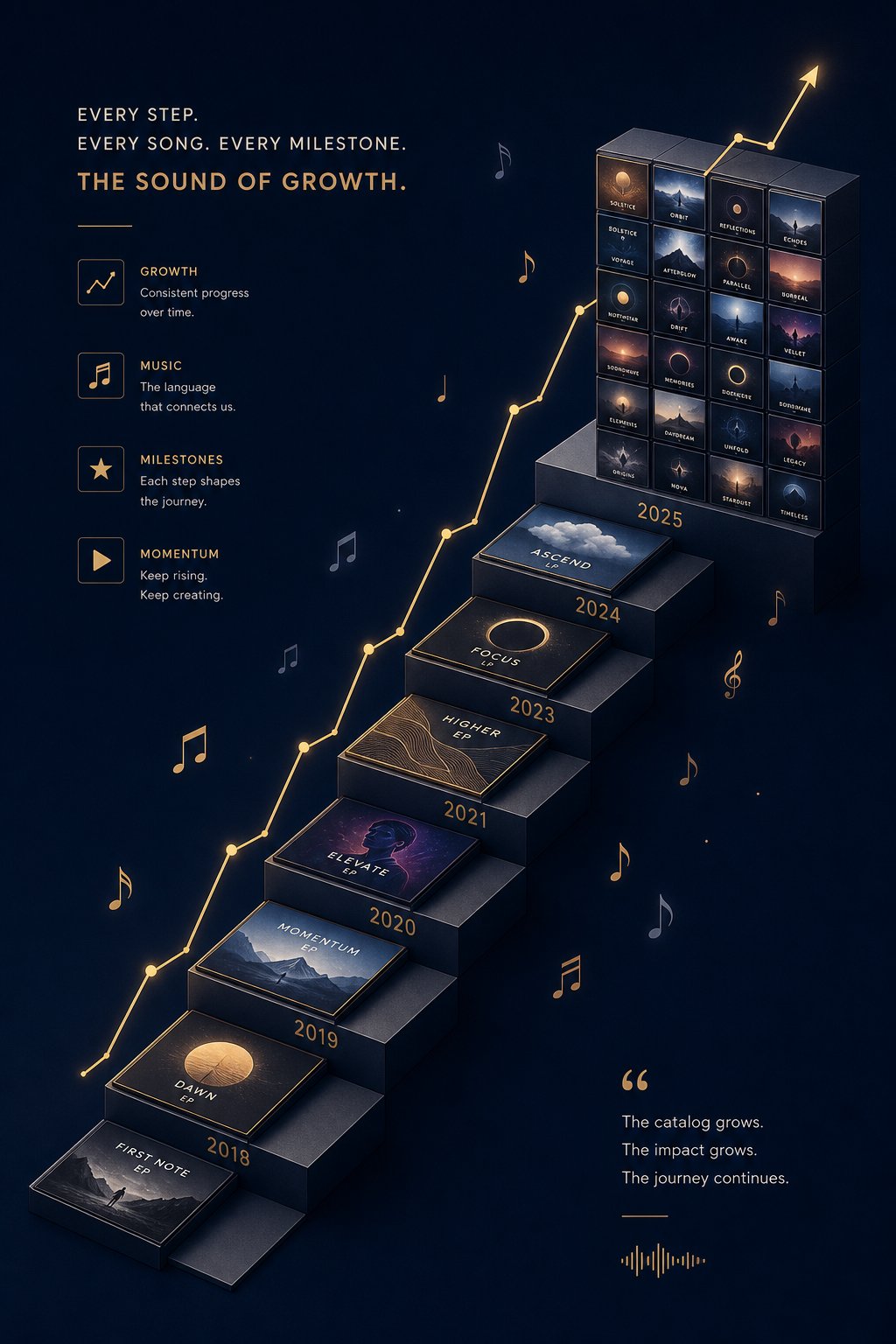
Ten well-distributed tracks can prove the concept. They can land a few playlist placements, generate modest streams, and confirm that your workflow produces music people actually listen to. But ten tracks will not pay your bills. The difference between a side experiment and a real income stream comes down to how you scale, and whether you approach that scaling like a hobbyist uploading songs or a publisher building a media asset.
Building a Catalog with the Publisher Mindset
How many AI tracks do you need to make money? The honest answer is: more than you think, but fewer than you fear. A catalog of 50 to 100 tracks in a focused niche can generate $500 to $2,000 monthly from streaming alone once those tracks accumulate playlist placements and algorithmic traction. At 200 or more tracks, the compounding effect becomes significant because each new release increases the chances that listeners discover your older catalog through related-artist recommendations and autoplay queues.
The publisher mindset treats every track as a small, recurring asset rather than a creative statement. Publishers do not agonize over whether each track is their best work. They ask: does this track serve a listener need? Does it fit a playlist category? Will it pull steady daily plays over months rather than spike once and fade? Sleep music, rain ambience, study beats, cafe soundscapes, coding playlists: these categories attract daily listeners who return habitually. One person streaming your "Deep Focus Piano" playlist for four hours every workday generates more lifetime value than a thousand people who hear your track once and never come back.
Building an AI music catalog for passive income means setting a production cadence you can sustain for months. Two to three finished, refined tracks per week is a realistic pace for someone using the batch-generate-and-curate workflow from Step 4. That pace produces 100 tracks in under a year without burnout. Consistency matters more than speed. A catalog that grows steadily signals to algorithms that you are an active artist worth recommending, while long gaps between releases cause your existing tracks to lose momentum in recommendation systems.
Researching Demand in Profitable Niches
Scaling AI music production for more revenue only works if you are scaling into niches where listeners actually exist. Publishing 200 tracks in a genre nobody searches for is wasted effort regardless of quality. The best niches for AI generated music playlists sit at the intersection of high listener demand and low creator competition. Finding that sweet spot takes research, not guesswork.
Here is how to evaluate a niche before committing your catalog to it:
Check playlist follower counts on Spotify. Search for your target mood or activity keyword: "study music," "meditation sounds," "workout beats." Look at the top 10 user-generated and editorial playlists that appear. If the largest playlists have 50,000 or more followers, demand is real. If the top results barely crack 1,000 followers, the audience may be too small to justify the effort.
Analyze background music channels on YouTube. Search for channels dedicated to your niche. Channels like "Lofi Girl" have millions of subscribers, but dozens of smaller channels in the same space pull 10,000 to 100,000 subscribers with far less competition. These mid-tier channels often need fresh content and may accept submissions or license tracks directly.
Study licensing marketplace demand. Browse Pond5, AudioJungle, or Songtradr for your target genre. Sort by "best selling" or "most popular." If the top sellers in your niche have hundreds or thousands of sales, buyers are actively purchasing that style. If the category looks dead, redirect your energy elsewhere.
Monitor micro-trends in listener behavior. Music analytics platforms reveal shifts in listening patterns before they become obvious. Pay attention to emerging sub-niches: "dark ambient for reading," "8-bit study music," or "nature sounds with piano" might be growing categories where early movers capture disproportionate playlist share.
One practical signal that many creators overlook: check the upload dates of top-performing tracks in your target playlists. If the newest tracks are months or years old, curators may be hungry for fresh submissions. If the playlist rotates frequently with recent releases, competition is higher but the curator is actively looking for new music, which means your submissions have a real chance of being heard.
Cross-Platform Promotion Strategies
A catalog sitting passively on streaming platforms relies entirely on algorithms and playlist curators to drive discovery. That works eventually, but you can accelerate growth dramatically by promoting your music through short-form video content across TikTok, Instagram Reels, and YouTube Shorts.
This does not mean becoming a content creator in the traditional sense. You do not need to show your face or build a personal brand. What works for AI music catalog builders is simpler: create looping visual content set to your tracks. Think animated backgrounds, nature footage, cozy desk setups, or aesthetic clips that match your niche. A 15-second video of rain on a window paired with your ambient piano track can drive thousands of saves and profile visits from people who want to listen to the full version on Spotify.
Short-form video is the primary discovery channel for new music, and each platform behaves differently. TikTok prioritizes watch time and completion rate, making short, looping clips ideal. Instagram Reels weighs saves and shares heavily, rewarding content people want to return to. YouTube Shorts connects viewers to your broader channel, making it effective for driving traffic to full-length mixes or playlists you curate.
The repurposing workflow keeps this sustainable without tripling your workload. Shoot or source one piece of visual content, pair it with your track, post it to TikTok first, evaluate performance, then adapt slightly for Reels and Shorts over the following days. Batch your video creation the same way you batch your music production: dedicate one session per week to creating 5 to 7 visual clips, then schedule them across platforms.
Beyond social promotion, leverage multiple revenue streams from the same catalog simultaneously. Your streaming tracks can also be listed on licensing marketplaces. Your best-performing pieces can be offered as premium downloads on Gumroad. Your niche expertise can attract direct clients who pay monthly for custom background music. Every additional channel you activate multiplies the earning potential of tracks you have already created.
Here is a scaling roadmap from your first batch to a revenue-generating catalog:
- Tracks 1 to 10 (Weeks 1 to 3): Focus on one niche. Refine your workflow. Distribute through DistroKid. Submit to 5 to 10 relevant playlists via Spotify for Artists. Goal: confirm your workflow produces accepted, listenable tracks.
- Tracks 11 to 30 (Weeks 4 to 8): Increase output to 2 to 3 tracks per week. Begin posting short-form video clips paired with your music. List select tracks on one licensing marketplace. Goal: first organic streams and at least one playlist placement.
- Tracks 31 to 60 (Weeks 9 to 16): Expand into a second related niche if your first is performing. Analyze which tracks get the most saves and completions, then produce more in that style. Start pitching directly to YouTube channels and podcasters in your niche. Goal: consistent daily streams across your catalog and first licensing sale or direct client.
- Tracks 61 to 100 (Weeks 17 to 26): Systematize everything. Batch generation sessions, scheduled social posts, regular playlist submissions. Reinvest early revenue into paid tool upgrades or better mastering plugins. Explore offering a subscription package for content creators who need ongoing music. Goal: $500+ monthly combined revenue from streaming, licensing, and direct sales.
The roadmap is not rigid. Some creators hit $500 monthly with 40 tracks in a high-demand niche. Others need 150 tracks in a competitive space to reach the same number. What matters is the trajectory: each month, your catalog grows, your streams compound, and your revenue climbs without requiring proportionally more effort because older tracks continue earning while you create new ones.
Scaling aggressively feels exciting, but it introduces new risks. The faster you grow, the more exposed you become to policy changes, accidental copyright matches, and platform enforcement actions that can wipe out months of progress overnight.

Step 7 – Avoid Account Bans, DMCA Strikes, and Policy Traps
Growth creates exposure. Every new track you upload, every additional platform you distribute to, and every playlist placement you earn increases the surface area for things to go wrong. The creators who build sustainable AI music income are not just prolific. They are careful. They understand why AI music gets rejected by distributors, what triggers enforcement actions, and how to stay on the right side of rules that shift without warning.
The risks are real but avoidable. Knowing the specific behaviors that cause problems lets you build habits that keep your catalog safe while competitors lose months of work to preventable mistakes.
Common Reasons for Account Bans and Rejected Uploads
Distributors and streaming platforms are not trying to stop you from earning. They are trying to protect their ecosystems from low-quality flooding and policy violations. When your account gets flagged, suspended, or banned, it is almost always because of one of these specific triggers:
Failing to disclose AI involvement. This is the most common and most preventable mistake. As covered in Step 5, every major platform now requires transparency about AI-generated content. Spotify's detection systems actively scan for undisclosed AI content, and a single missed disclosure can cascade into track removal, profile suspension, and distributor-level reviews that freeze your entire catalog and royalty payments simultaneously.
Bulk-uploading identical-sounding tracks. Algorithms are specifically tuned to detect catalog spam. If you upload 30 tracks in a week that share the same tempo, key, structure, and tonal characteristics, automated systems flag this as low-effort mass generation. Distributors like TuneCore deploy detection technology they claim achieves 99.9% accuracy in identifying fully AI-generated audio with no meaningful human modification.
Violating your AI tool's terms of service. Generating tracks on a free tier that restricts commercial use and then uploading them for monetization is a terms violation. If the platform discovers it, they can issue takedown requests to every distributor and streaming service hosting those tracks. Your distributor is contractually obligated to comply, and repeat violations make you a liability they will drop.
Insufficient originality. CD Baby rejects 100% of fully AI-generated content. TuneCore blocks tracks that are "100% created by AI." Even DistroKid, the most AI-friendly major distributor, prohibits mass-generated spam. The rules for uploading AI music to Spotify and Apple Music require that your tracks demonstrate human creative involvement. Unedited AI output with no arrangement changes, no mixing work, and no original elements added will increasingly face rejection as detection tools improve.
How to Avoid DMCA Strikes on AI Music
DMCA strikes are a different beast from policy rejections. A policy rejection means the platform said no. A DMCA strike means someone is claiming your track infringes their copyrighted work. Three strikes on YouTube and your channel is terminated. Multiple claims on streaming platforms trigger account reviews and potential removal of your entire catalog.
How does this happen with AI-generated music? AI models are trained on existing copyrighted recordings. When you generate a track, the AI may produce melodic phrases, chord voicings, or rhythmic patterns that closely resemble elements in its training data. You might never hear the similarity, but Content ID systems and automated fingerprinting algorithms compare your audio against databases of millions of registered works. If your AI-generated melody happens to match a four-bar phrase from a registered song, a claim lands in your inbox.
The major labels have sued AI companies like Suno and Udio for training on copyrighted material without permission. These lawsuits confirm that AI output can and does contain elements derived from protected works. As a creator distributing that output, you inherit the risk even though you did not choose which training data the model used.
How to avoid DMCA strikes on AI generated music requires proactive steps:
Avoid artist-referencing prompts. Telling an AI to create something "in the style of Drake" or "like Radiohead" dramatically increases the chance that output will resemble copyrighted material closely enough to trigger a match. Use descriptive mood and instrumentation language instead: "melancholic piano with ambient textures" rather than "Coldplay-style ballad."
Run your tracks through Content ID checking tools before distribution. Services exist that compare your audio against the same databases platforms use. Catching a match before upload lets you modify the problematic section or discard the track entirely rather than dealing with a strike after the fact.
Modify AI-generated melodies. If a generated track has a strong melodic hook, change at least three to four notes in the phrase, shift its rhythm, or transpose it to a different key. Small melodic changes can move a phrase outside the similarity threshold that triggers automated matching while preserving the musical character you liked.
Keep documentation of your generation process. If you receive a claim, being able to show that you generated the track independently through AI rather than sampling or copying strengthens your counter-notification. It does not guarantee you win the dispute, but it demonstrates good faith.
What Streaming Fraud Looks Like and Why It Ends Badly
Streaming fraud is the fastest way to destroy everything you have built. It is also the risk that carries criminal consequences, not just account termination. The definition is straightforward: artificially boosting streams, followers, or playlist placements through bots, click farms, or illegitimate promotional services.
AI music streaming fraud consequences are severe precisely because AI makes it easy to generate thousands of unique-sounding tracks, creating the illusion of a legitimate large catalog. The 2024 federal indictment against a North Carolina musician who used AI to generate hundreds of thousands of songs and bots to stream them demonstrates where this path ends: wire fraud charges carrying up to 20 years in prison for allegedly collecting over $10 million in fraudulent royalties.
You do not need to operate at that scale to face consequences. Even small-scale streaming manipulation triggers platform responses. Spotify deducts fraudulent streams from royalty calculations and may charge penalty fees that get passed through your distributor to you. Apple Music flags accounts with suspicious streaming patterns and can permanently ban distribution to their platform. Distributors like Symphonic explicitly warn that accounts involved in streaming fraud may have content removed with no option to redistribute.
The behaviors that trigger fraud detection are more specific than most creators realize:
Sudden stream spikes with no corresponding social or playlist activity. If a track jumps from 10 daily streams to 5,000 overnight without a playlist placement or viral moment to explain it, algorithms flag the anomaly.
Streams from accounts with no listening history. Bot accounts typically stream targeted tracks without the broader listening behavior of real users. Platforms track this pattern aggressively.
Paying for "promotion" services that guarantee stream counts. Any service that promises a specific number of streams is almost certainly using artificial methods. Legitimate playlist pitching services can increase your chances of placement but never guarantee stream numbers.
Looping your own tracks on repeat from multiple devices or accounts. This seems harmless but violates every platform's terms of service. Self-streaming at scale is detectable and penalized.
Here is a quick-reference checklist to keep your AI music catalog safe and your accounts in good standing:
- Do check the AI disclosure box on every upload that contains AI-generated audio in the final mix
- Do add meaningful human modifications (arrangement, mixing, original elements) before uploading
- Do verify your AI tool's commercial license covers your current subscription tier
- Do run tracks through Content ID pre-screening before distribution
- Do use descriptive, mood-based prompts instead of artist or song references
- Do vary your tracks in tempo, key, structure, and instrumentation across your catalog
- Do keep records of prompts, generation dates, and editing sessions
- Do not use bots, click farms, or any service that guarantees a specific stream count
- Do not upload unmodified AI output to platforms requiring human creative involvement
- Do not bulk-upload dozens of near-identical tracks in a single batch
- Do not generate tracks on free tiers and monetize them without confirming commercial rights
- Do not ignore policy update emails from your distributor or streaming platforms
- Do not re-upload a track that was removed for policy violations without addressing the underlying issue
- Do not use AI voice cloning of real artists without explicit written permission
Every item on this list represents a real scenario that has cost creators their accounts, their catalogs, or their legal freedom. The rules are not designed to prevent you from earning. They exist because bad actors abused the system at scale, and platforms responded with enforcement mechanisms that catch careless creators alongside intentional fraudsters.
Staying compliant protects your ability to earn. But earning is only half the equation. What you do with that income, how you structure it, report it, and reinvest it, determines whether your AI music revenue grows into a sustainable business or stays an unorganized hobby that creates tax headaches down the road.
Step 8 – Structure Your Income and Take Action Today
Revenue without structure is just money passing through your hands. Once your AI music catalog starts generating royalties, licensing fees, and direct sales, the IRS does not care that your tracks were made with a prompt instead of a guitar. Income is income. How you report AI music royalty income on taxes, whether you need a business entity, and how you track expenses all determine whether this stays a profitable side stream or becomes a disorganized mess that costs you money every April.
Most creators skip this step entirely, focusing on production and distribution while ignoring the financial infrastructure underneath. That works fine at $50 per month. It becomes a serious problem at $500 or $5,000 per month when quarterly tax deadlines arrive and you have no records of what you earned, what you spent, or what you owe.
Structuring AI Music Revenue as a Business
Do you need an LLC to sell AI music? Technically, no. The moment you earn any income from music, whether streaming royalties or direct sales, the IRS treats you as a sole proprietor by default. You report income and expenses on Schedule C of your personal tax return. You pay federal income tax plus self-employment tax at 15.3% on your net profit, covering both Social Security (12.4%) and Medicare (2.9%). No registration required. No paperwork to file with your state. You simply start reporting.
That said, forming an LLC makes sense once your monthly revenue becomes consistent enough to justify the administrative cost. An LLC provides three advantages that matter for AI music creators:
- Liability protection – If a DMCA dispute escalates into a lawsuit, an LLC separates your personal assets from your business obligations. Your savings account and home equity stay protected even if someone claims your AI-generated track infringed their copyright.
- Professional credibility – Licensing clients, sync agencies, and direct buyers take an LLC more seriously than an individual with a PayPal link. It signals that you operate as a real business.
- Tax flexibility – Once you earn $40,000 or more annually, electing S corporation status through your LLC can reduce self-employment tax significantly by splitting income between salary and distributions.
For most beginners earning under $1,000 monthly, sole proprietorship is fine. The administrative overhead of an LLC (state filing fees, annual reports, separate bank accounts) is not justified until revenue is consistent. A practical trigger: form an LLC when your trailing three-month average exceeds $1,500 per month and you are confident the income will continue.
Regardless of business structure, separate your finances immediately. Open a dedicated bank account for all music-related deposits and expenses. This single habit makes tax reporting dramatically easier and protects you in case of an audit. When everything flows through one account, matching income to expenses takes minutes instead of hours.
Tracking expenses is where most creators leave money on the table. Every dollar you spend on your AI music business reduces your taxable income. Deductible expenses include AI tool subscriptions, distributor fees (DistroKid, TuneCore), DAW software, plugins, mastering services, marketing costs, website hosting, stock footage for promotional videos, and even a portion of your home studio space if you use it exclusively for production. A simple spreadsheet works at the start. As your catalog grows, tools like Wave or QuickBooks Self-Employed automate categorization and generate the reports you need at tax time.
If you expect to owe $1,000 or more in taxes for the year, the IRS requires quarterly estimated tax payments due in April, June, September, and January. Missing these deadlines triggers underpayment penalties. The simplest approach: set aside 25 to 30% of every royalty payment the moment it hits your account. Transfer it to a separate savings account earmarked for taxes. When quarterly deadlines arrive, the money is already waiting.
Registering with Performance Rights Organizations
Performance Rights Organizations like ASCAP and BMI collect royalties every time music is publicly performed, whether on radio, in retail stores, at live venues, or through certain streaming contexts. Registration is free with BMI and costs a one-time $50 fee with ASCAP. The question for AI music creators: does ASCAP BMI registration for AI generated songs actually apply to your catalog?
The answer changed significantly in October 2025. ASCAP, BMI, and SOCAN jointly announced they now accept registrations of partially AI-generated musical works. The key word is "partially." Their policies define an eligible work as one that combines AI-generated musical content with elements of human authorship. Musical compositions created entirely by AI tools remain ineligible for registration with any of the three PROs.
If you followed Step 4 and added human elements like original vocals, written lyrics, melodic modifications, or substantive arrangement work to your AI-generated foundations, your tracks likely qualify for PRO registration and the performance royalties that come with it.
This matters because PRO royalties represent a separate income stream from streaming royalties paid through your distributor. When your track plays on Spotify, you earn mechanical royalties through your distributor and performance royalties through your PRO. Without registration, you forfeit that second payment entirely. Over hundreds of tracks and thousands of streams, uncollected performance royalties add up to real money left on the table.
Registration is straightforward. Create a songwriter account with either ASCAP or BMI (you cannot join both simultaneously). Register each composition with its title, contributors, and ownership splits. If you are the sole creator, you own 100% of both the writer share and the publisher share. Some creators also register a publishing entity to collect the publisher's share, which effectively doubles their PRO income per stream. At minimum, register as a writer. Add a publishing entity when your catalog exceeds 50 tracks and monthly streams justify the administrative effort.
One practical note: when registering AI-assisted compositions, document your human contribution clearly. Keep records of the lyrics you wrote, the arrangement choices you made, the melodic lines you composed over the AI foundation. If a PRO ever audits your registrations, you need to demonstrate that each work includes genuine human authorship. A plain-language statement explaining what the AI generated and what you contributed personally is sufficient documentation for most purposes.
Your First-Week Action Plan to Start Earning
Everything in this guide means nothing if you do not take the first steps to start making money with AI music today. The gap between "thinking about it" and "earning from it" is smaller than most people assume. You do not need thousands of dollars in equipment, years of music theory, or a finished business plan. You need seven days of focused action.
Here is exactly what to do in your first week:
- Generate your first batch of royalty-free tracks – Start with MakeBestMusic's Free Music Generator to create 10 to 15 tracks at zero cost. Focus on one functional niche like lo-fi, ambient, or meditation music. This eliminates financial risk while giving you raw material to work with immediately.
- Select your top 5 tracks and refine them – Import your best generations into a free DAW like Audacity or GarageBand. Make arrangement edits, adjust levels, apply basic EQ and compression. Add any original element you can: a vocal layer, a melodic phrase, a custom drum pattern. The goal is meaningful human modification, not perfection.
- Set up your distribution account – Create a DistroKid account ($24.99/year). Prepare your artist name, profile image, and basic bio. Do not upload yet. Get familiar with their interface, AI disclosure process, and metadata fields.
- Optimize metadata for your first release – Write descriptive track titles that match listener search behavior. Tag with specific subgenres and moods. Create or commission simple, clean album artwork. Research 5 to 10 playlists in your niche that you will pitch to after release.
- Upload your first 3 to 5 tracks – Distribute through DistroKid with proper AI disclosure. Set a release date 3 to 4 weeks out so you have time to pitch to Spotify editorial playlists through Spotify for Artists. Submit your tracks for playlist consideration on the same day you upload.
- Open a dedicated bank account and expense tracker – Separate your music finances from day one. Start a simple spreadsheet tracking every expense: distributor fees, tool subscriptions, any paid resources. This takes 15 minutes and saves hours at tax time.
- Register with a PRO – Sign up as a songwriter with BMI (free) or ASCAP ($50 one-time fee). Register your first compositions. This ensures you collect performance royalties from the moment your tracks start streaming, rather than retroactively trying to claim income you missed.
Notice the financial barrier here: $24.99 for distribution, potentially $50 for ASCAP registration, and zero dollars for your initial music generation if you start with a free tool like MakeBestMusic. Under $75 total to launch a music catalog with global distribution. That is deliberately low. Free tools reduce startup costs enough that you can test your monetization strategy, confirm your workflow produces accepted tracks, and validate niche demand before committing to paid AI generators or premium plugins.
By the end of week one, you will have tracks in the distribution pipeline, a PRO collecting performance royalties on your behalf, a financial tracking system in place, and a clear picture of whether this path fits your skills and schedule. From there, the process is iteration: generate more, refine better, distribute consistently, and scale the catalog using the roadmap from Step 6.
The creators who earn real income from AI music are not the ones who read the most guides or debated the longest about which tool to use. They are the ones who started. The legal framework exists. The tools are accessible. The distribution channels are open. The only variable left is whether you take action this week or bookmark this page and forget about it. Choose action.
