

Finding the Best AI for Making Music in a Crowded Market
Which AI is best for making music? Type that question into any search engine and you'll find dozens of answers, many written by the very companies selling you their tool. The problem isn't a lack of options. It's that most recommendations skip the only detail that actually matters: what you need the music for.
The AI music generation market has grown into a $4.48 billion industry, with tools now capable of producing complete songs, vocals included, from nothing more than a text prompt or a few lines of lyrics. Platforms like Suno, Udio, MiniMax, and several others can turn a written description into a fully arranged track in under a minute. That's not experimental anymore. It's commercial infrastructure.
Yet the question of which is the best AI music generator remains genuinely difficult to answer in a single sentence. A YouTuber searching for royalty-free background tracks has completely different priorities than a musician looking for melodic inspiration or a game developer building a dynamic soundtrack. The best ai music generators aren't best universally; they're best contextually.
Why Choosing the Right AI Music Tool Matters
Picking the wrong platform doesn't just waste money. It wastes creative time. You'll generate dozens of tracks that don't fit your workflow, fight with interfaces designed for someone else's use case, and end up with licensing terms that block how you actually want to use the output. The best ai for music is the one whose strengths align with what you're building, not the one with the flashiest marketing page.
The best AI music tool depends on whether you are a content creator, musician, hobbyist, or business user. There is no single platform that wins across every category.
What This Guide Covers and How We Evaluated
This guide provides an independent evaluation of the best ai music creators available right now. We tested platforms on audio quality, vocal realism, prompt accuracy, pricing transparency, and commercial licensing clarity. No platform sponsored this content, and no single tool gets positioned as the universal answer. Instead, you'll find honest assessments matched to real use cases, so you can identify which best ai song creator fits the way you actually work. The sections ahead break down how the technology works, compare leading platforms feature by feature, and map specific tools to specific creative scenarios, starting with the mechanics that make all of this possible.
How AI Music Generation Technology Works Behind the Scenes
You type a sentence, click generate, and a full song appears thirty seconds later. But how does AI music work at a mechanical level? Understanding the basics helps you choose smarter tools and write better prompts, even if you never touch the underlying code.
Fully Generative vs AI-Assisted Music Tools
Not every AI music platform does the same thing. The distinction that matters most is between two categories of tools.
Fully generative tools create music from scratch. You provide a text prompt, a set of lyrics, or a style description, and the system produces a complete composition with no human performance involved. Platforms like Suno and Udio operate this way, outputting finished tracks including vocals, instrumentation, and arrangement from a single input.
AI-assisted music production tools work differently. They sit inside a musician's existing workflow, suggesting chord progressions, generating drum patterns, isolating stems, or handling mixing and mastering tasks. The artist stays in creative control. The Grammy-winning restoration of The Beatles' "Now and Then" is a clear example: AI-powered software isolated John Lennon's vocals from degraded demos, but humans made every artistic decision.
This distinction shapes everything from pricing to output ownership. If you're a content creator needing complete tracks fast, fully generative tools solve your problem. If you're a producer looking for ai assisted music production capabilities that enhance your existing sessions, you need a different class of software entirely.
How Text-to-Music Technology Actually Works
Imagine describing a photograph to someone who's never seen it, then asking them to paint it. That's roughly what text-to-music models do, except the "painting" is a waveform.
Most modern systems rely on one of two core architectures. Transformer-based models, like Meta's MusicGen, predict audio tokens sequentially, similar to how large language models predict the next word in a sentence. The model was trained on 20,000 hours of music and learned to convert text descriptions into sequences of compressed audio codes that reconstruct into full compositions.
Diffusion models take a different path. Stability AI's Stable Audio, for instance, starts with random noise and gradually refines it into coherent music, guided by text embeddings that steer the output toward your prompt. This approach borrows directly from image generators like Stable Diffusion, adapted for the audio domain.
Both architectures use a critical step: creating joint embeddings that link text descriptions to musical characteristics. Google's MuLan model, trained on 44 million music videos and their descriptions, maps words and audio into the same mathematical space so the system understands that "upbeat jazz with piano" corresponds to specific sonic qualities.
The role of artificial intelligence for music production keeps expanding as these architectures improve. Newer models combine timing conditioning, melody prompts, and multi-codebook token patterns to produce longer, more structured outputs with fewer artifacts.
The Current State of AI Audio Quality
Audio quality has improved dramatically. Early AI music sounded synthetic and flat. Current models generate 44.1 kHz stereo audio, handle multiple instrument layers simultaneously, and produce vocals that casual listeners often can't distinguish from human recordings in short passages.
The input methods available across today's platforms reflect how far artificial intelligence in music production has come:
- Text prompts describing genre, mood, tempo, and instrumentation
- Humming, singing, or whistling a melody for the AI to interpret
- MIDI file upload for precise note-level control
- Reference audio that guides style and energy
- Image-to-music conversion that translates visual mood into sound
Will AI get better at helping with making music? Every indication points to yes. The jump from early models to current platforms happened in roughly two years. Training datasets are growing, architectures are becoming more efficient, and single-stage transformers now eliminate the error-prone multi-model pipelines that limited earlier systems. AI in music production is still improving at a pace that suggests today's limitations, particularly in long-form structure and emotional nuance, won't persist indefinitely.
The real question isn't whether ai driven music composition will keep advancing. It's how to evaluate the tools available right now against criteria that actually matter for your workflow.
Our Evaluation Framework for Ranking AI Music Tools
Every comparison of the top ai music generators eventually runs into the same problem: the criteria change depending on who's reading. A podcaster cares about licensing clarity above all else. A bedroom producer cares about stem export and tempo control. A marketing team cares about speed and cost per track. Ranking tools without first showing how you ranked them is just opinion dressed as analysis.
That's why we built a structured framework before testing a single platform. The goal was simple: establish a scoring system transparent enough that you can reweight it yourself based on your priorities, and honest enough to show where even the best ai music creation tools 2025 fall short.
Six Criteria for Evaluating AI Music Generators
We evaluated every platform on this ai music generator list against six dimensions. Each one addresses a different layer of the experience, from what the tool sounds like to what happens after you hit download.
| Criterion | What It Measures | Why It Matters |
|---|---|---|
| Audio Quality and Realism | Clarity, depth, and naturalness of generated audio including vocals, instruments, and mix balance | Low-quality output wastes generation credits and requires expensive post-production to salvage |
| Customization Depth | Control over genre, tempo, instrumentation, song structure, vocal style, and mood | Generic outputs flood your library with unusable tracks; precision reduces creative iteration cycles |
| Pricing and Value | Cost per generation, subscription tiers, credit systems, and what the free tier actually includes | Hidden costs and aggressive upsells undermine the efficiency gains that drew you to AI tools in the first place |
| Ease of Use | Interface clarity, onboarding speed, and time from opening the platform to downloading a usable track | Complex workflows discourage experimentation and limit adoption for non-technical creators |
| Output Formats and Licensing | Available file types (MP3, WAV, stems), resolution, and commercial use rights included at each tier | Format limitations block professional workflows; unclear licensing creates legal risk for commercial projects |
| Workflow Integration | Compatibility with DAWs, video editors, APIs, and batch generation for high-volume creators | A tool that exists in isolation adds friction; one that connects to your existing stack saves hours per project |
These six criteria emerged from patterns we noticed while testing the top ai music generation tools 2025 had to offer. Platforms that scored well on audio quality sometimes locked basic export options behind expensive tiers. Tools with generous free plans produced output that sounded noticeably synthetic. The tradeoffs were everywhere, and no single metric told the full story.
Why No Single Tool Wins Every Category
Here's what became clear early in our testing: the best ai music tools excel in clusters, not across the board. A platform might deliver stunning vocal realism and intuitive prompting, yet offer only MP3 downloads unless you upgrade to a premium plan. Another might give you granular control over tempo, key, and instrumentation but wrap it in an interface that feels like piloting a spaceship.
This pattern holds across the entire landscape of top ai music generators 2025 has produced. It's not a flaw in any single tool. It reflects the engineering reality that optimizing for one dimension often means making tradeoffs in another. A model trained for maximum audio fidelity requires more compute, which drives up pricing. A platform designed for speed and simplicity necessarily removes some of the controls that power users expect.
The best ai music generation platforms 2025 delivered aren't defined by perfection across all six criteria. They're defined by scoring high enough in every dimension that matters for a specific user without collapsing in any area that would break the workflow entirely. That distinction, between the theoretical best tool and the practical best tool for you, is exactly what the comparison ahead breaks down platform by platform.
Top AI Music Generators Compared Side by Side
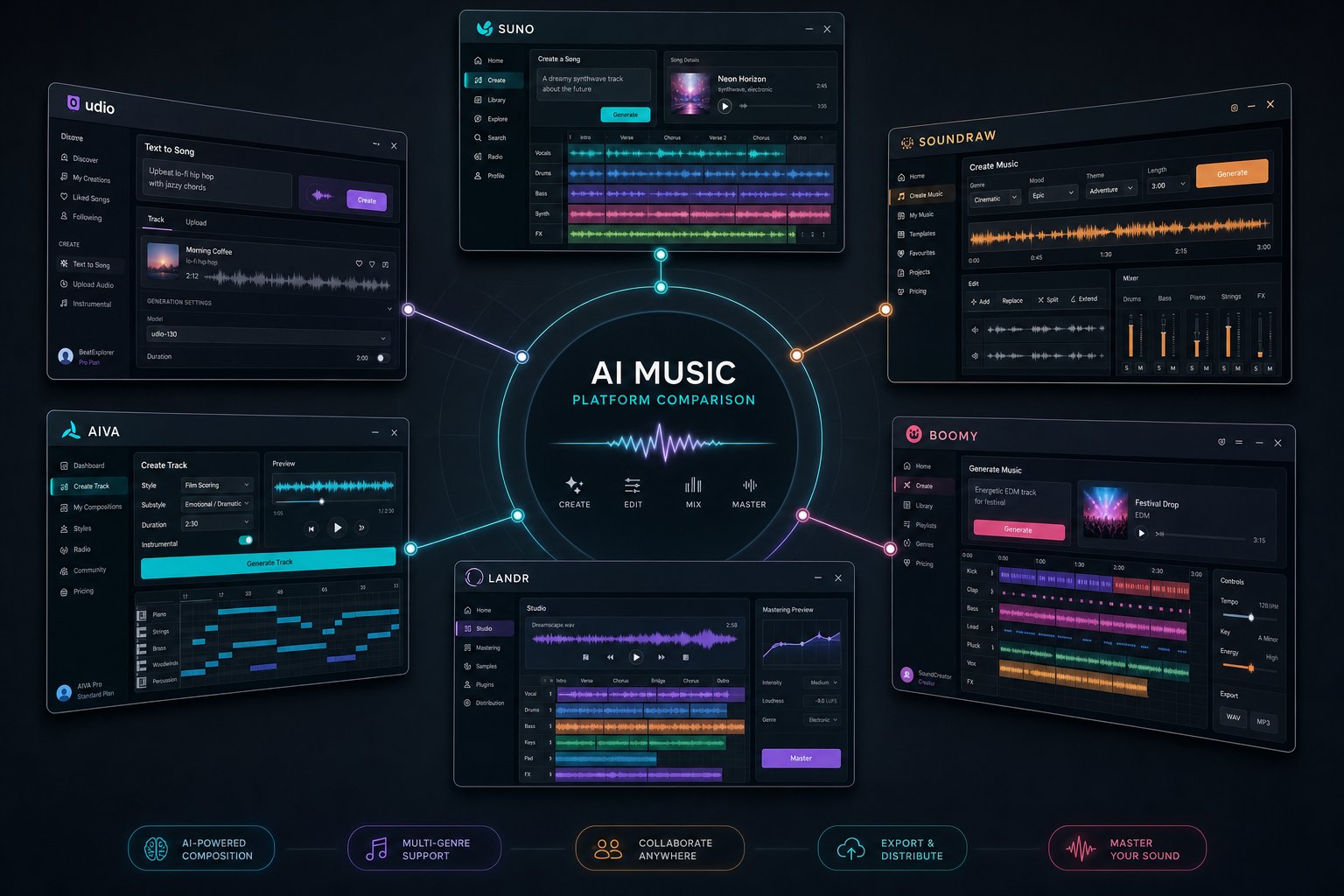
Framework in hand, it's time to apply it. Below is an honest, platform-by-platform breakdown of the leading AI music generators, scored against the six criteria outlined above. Each tool earns its place on this list for doing at least one thing exceptionally well, but none escapes without a meaningful limitation.
Feature-by-Feature Platform Breakdown
The following table summarizes the core specifications that matter when deciding which platform fits your workflow. Whether you're weighing MakeBestMusic vs Suno or evaluating the AIVA ai music generator against newer entrants, this comparison gives you the data points side by side.
| Platform | Primary Input | Vocals | Output Formats | Max Duration | Free Tier |
|---|---|---|---|---|---|
| MakeBestMusic | Text prompts, lyrics, style ideas | Yes | MP3, WAV, FLAC | Full songs | Yes (limited credits) |
| Suno | Text prompts, lyrics, audio upload | Yes | MP3, WAV, stems (paid) | 8 minutes | 50 credits/day |
| Udio | Text prompts, reference audio | Yes | MP3, WAV, stems, video | Extendable in 30s blocks | 10 credits/day |
| AIVA | Style presets, MIDI upload | No | MP3, WAV, MIDI, PDF score | 5 minutes | 3 downloads/mo |
| Riffusion | Text prompts | Yes | MP3 | Full songs | Unlimited |
| Mureka | Text prompts, voice clone, reference audio | Yes | MP3, stems | Full songs | 1 song/day |
| Boomy | One-click genre selection | Yes | MP3 | Full songs | 25 saves/mo |
| Soundraw | Mood, genre, theme selectors | No | MP3, WAV | 5 minutes | Unlimited gen (no downloads) |
MakeBestMusic stands out for prompt-to-song speed and simplicity. You feed it a text description, custom lyrics, or a style idea, and it returns a complete track without requiring complex configuration. It supports multiple genres, offers WAV and FLAC exports alongside MP3, and includes commercial licensing on paid plans. The platform's strength is removing friction: if you want a finished song from a single input rather than layering controls, it delivers that workflow cleanly. Its limitation? Complex, multi-section arrangements can occasionally feel less detailed than what hands-on tools produce.
Is Suno the best ai music generator overall? For sheer ease of use paired with vocal quality, it makes a strong case. The v4.5 model (free tier) and v5 (paid) generate complete songs with lyrics, vocals, and full arrangement from a single prompt. Suno's Song Editor lets you replace or extend sections, and its output quality at the $10/month tier rivals what took studio sessions a decade ago. The drawback: credits expire monthly with no rollover, and commercial rights only apply to songs created while actively subscribed.
Udio targets producers who want more control. Its timeline-style editing, inpainting (regenerating specific sections without starting over), and stem downloads make it the strongest option for anyone planning to finish tracks in a DAW. Udio ai music generator features and pricing in 2025 made it a serious Suno competitor, though its learning curve is steeper. A critical caveat: downloads were temporarily disabled during a licensing transition, so verify current availability before subscribing.
The AIVA ai music generator remains the gold standard for instrumental and cinematic compositions. With 250+ style presets, MIDI export, and full copyright ownership on its Pro plan, it serves film composers, game developers, and advertisers who need orchestral or ambient pieces without vocal generation. It's been registered with SACEM since 2016, a credibility marker no other platform matches.
Riffusion is entirely free and purely experimental. You type a prompt, it generates something. Some of the top Riffusion ai songs are genuinely catchy, but quality is inconsistent and there's no commercial use pathway without significant post-production.
Mureka ai music has grown rapidly, reaching nearly 10 million users. Its voice cloning feature and DAW integration (Ableton compatible) appeal to producers who want style-matching capabilities. It also operates a music marketplace where you can buy or sell AI-generated tracks.
Worth noting: newer entrants like Melogen AI and platforms marketed as an ai music generator MelodyCraft are entering the space regularly, but most lack the track record or community feedback needed for a confident recommendation yet.
Pricing and Credit Systems Compared
Pricing models across these platforms vary significantly, and the sticker price rarely tells the full story. Suno and Udio both start at $10/month but differ in credit allocation: Suno gives 2,500 credits (roughly 500 songs), while Udio provides 2,400 credits with stem access included. MakeBestMusic's Basic plan at $19.90/month includes high-quality exports and commercial rights, making it competitive for creators who need WAV or FLAC output without tier-gating. AIVA's Pro tier at $49/month is expensive but offers something unique: permanent full copyright ownership of every composition, which is a genuine cost savings over licensing traditional stock music repeatedly.
Free tiers are best treated as test drives. Suno's 50 daily credits let you evaluate output quality thoroughly. Riffusion is unlimited but exports only basic MP3. Boomy lets you create freely but locks downloads behind a paywall. The pattern is consistent: the free version shows you what the tool can do, while the paid version lets you actually use what it makes.
Which Platform Fits Which Creator
Choosing comes down to your primary workflow. If you want complete songs from a single text prompt with minimal steps, MakeBestMusic and Suno both deliver that experience, with MakeBestMusic leaning toward streamlined simplicity and Suno offering slightly more editing flexibility at a lower entry price. If you're a producer who edits AI output inside Ableton or Logic, Udio and Mureka's stem downloads and DAW integrations make them the logical picks. For cinematic instrumentals with ironclad copyright, AIVA has no real competition.
The honest conclusion? No single answer to which ai is best for making music applies universally. But the comparison above narrows the field to two or three realistic options for any given creator, which is a far better starting point than testing all eight blind.
Knowing which tool fits your profile is half the equation. The other half is knowing how to use it for your specific scenario, whether that's YouTube background music, game soundtracks, or creative songwriting sessions.
Best AI Music Tool for Your Specific Use Case
Feature tables are useful, but they don't answer the real question: which tool should you actually pick? That depends less on which platform has the longest feature list and more on what you're trying to accomplish today. Below, each recommendation maps directly to a workflow rather than a spec sheet.
- YouTube and social media creators needing background tracks: Suno or Soundraw, because both generate royalty-clear music quickly with minimal prompting, letting you match mood to footage in minutes rather than hours.
- Podcasters needing intros, outros, and jingles: Soundraw or Beatoven, since both specialize in short-form instrumental pieces with consistent energy that loops cleanly under spoken word.
- Indie game and film developers building soundtracks: AIVA or Soundverse, because they offer long-form instrumental generation, MIDI export, and adaptive composition that aligns with scene-by-scene emotional pacing.
- Musicians seeking creative inspiration and stems: Udio or Mureka, since both provide stem downloads, remix workflows, and iterative refinement that integrates with DAW-based production.
- Businesses needing royalty-free audio for ads or presentations: AIVA (Pro tier) or Soundraw, because both include clear commercial licensing at the subscription level with no per-track fees or ambiguous rights language.
Best AI Music Tool for Content Creators
If you're producing daily or weekly video content, your priority isn't perfection. It's speed, variety, and licensing clarity. You need the cheapest high-quality text to music subscription for daily content creators that still produces output clean enough for monetized uploads.
Suno hits this sweet spot for creators who want vocal tracks or genre-specific songs. Its credit system lets you generate dozens of variations per day, and the output arrives fast enough to keep pace with a publishing schedule. For those searching for the best ai platform to make music videos for social media, Suno's ability to produce catchy, shareable tracks with vocals makes it particularly effective for short-form platforms like TikTok and Instagram Reels.
Soundraw works better when you need purely instrumental background music. Its mood-and-genre selector workflow means you can find a usable track in under two minutes without writing a detailed prompt. For creators who treat music as a supporting layer rather than the main event, that simplicity is the entire value proposition.
Best AI for Indie Game and Film Soundtracks
Game developers and filmmakers have different constraints. They need longer compositions, emotional variety across scenes, and often require adaptive music that transitions between moods without jarring cuts. Among the best ai music composition tools 2025 produced, AIVA remains the strongest choice here.
AIVA's 250+ style presets cover orchestral, ambient, electronic, and hybrid scoring. Its MIDI export lets developers bring compositions into middleware like FMOD or Wwise for interactive layering. The Pro plan's full copyright ownership removes any licensing uncertainty for commercial releases. For indie studios working with tight budgets, it functions as both composer and ai jingle maker for menu screens and UI feedback sounds.
Soundverse is gaining ground specifically for game audio workflows. Its Loop Mode generates seamless background tracks, and its text-to-music pipeline lets developers describe a scene and receive a matching composition without musical training. Procedural music generation, where the AI adjusts tempo and instrumentation based on gameplay triggers, is becoming standard for indie titles that need dynamic soundscapes without hiring a dedicated composer.
If you need an ai piano music generator free option for prototyping cinematic scenes before committing to a subscription, AIVA's free tier allows three monthly downloads, enough to test whether its orchestral output matches your project's tone.
Best AI for Musicians Seeking Creative Inspiration
Musicians using ai music composition tools aren't looking for finished tracks. They want raw material: melodic ideas, harmonic progressions, rhythm patterns, or stem layers they can manipulate inside their production environment. The best ai for musicians is whatever tool hands them building blocks without imposing a fixed arrangement.
Udio excels here. Its inpainting feature lets you regenerate specific sections of a track while keeping the rest intact, essentially turning AI into a collaborative writing partner. Stem downloads mean you can isolate a vocal melody, a bass line, or a drum pattern and drop it directly into Ableton or Logic for further production. For producers searching for the best ai tools for generating melody layers over existing beat, Udio's timeline editing makes that workflow practical rather than theoretical.
Mureka adds voice cloning and style-matching to the equation. If you have a rough vocal take and want to hear it performed in a different style or key, Mureka's personalization features let you iterate without re-recording. Its DAW compatibility means generated material flows into existing sessions without format conversion headaches.
The common thread across all five scenarios: the right tool eliminates friction specific to your workflow rather than adding features you'll never touch. Knowing your use case narrows the field to one or two platforms. The next step is learning how to get the most out of whichever one you choose, and that starts with how you write your prompts.
How to Write Prompts That Produce Better AI Music
The difference between a forgettable AI track and one that sounds genuinely intentional almost always comes down to the prompt. Most people type two or three words, hit generate, and blame the tool when the output sounds generic. The tool isn't the bottleneck. Your instructions are.
Whether you're exploring the top prompts for music videos or just figuring out how to write a song for beginners using AI, the mechanics below apply across every platform.
Anatomy of a High-Quality AI Music Prompt
An effective music prompt is a short creative brief. It tells the AI what to build, what mood to hit, and what sonic palette to use. Think of it as six layers, each adding precision:
- Genre: Anchor the style explicitly. "Lo-fi hip-hop" produces a completely different output than "lo-fi ambient."
- Mood and emotion: Words like "nostalgic," "triumphant," or "uneasy" steer harmony and dynamics.
- Tempo: Specify BPM or use descriptors like "slow ballad" or "driving uptempo." Without this, the AI picks a default that may not match your vision.
- Instrumentation: "Acoustic guitar and soft drums" gives clearer direction than "guitar music." Name the instruments you want prominent.
- Song structure: Indicate if you want an intro, verse-chorus pattern, or a continuous build. Some tools respond to tags like [Verse], [Chorus], [Bridge] directly in the prompt.
- Vocal style: Male or female, raspy or clean, belted or whispered. If you want instrumental only, state it clearly. On Suno, for example, you can put Suno in instrumental mode by toggling the vocal setting off or including "instrumental" in your prompt to bypass vocal generation entirely.
The table below shows how prompt detail directly correlates with output quality:
| Prompt Level | Example Prompt | Expected Output Quality |
|---|---|---|
| Vague | "Make a sad song" | Generic piano ballad, default tempo, no distinct character. Sounds like stock music filler. |
| Improved | "Melancholic indie folk, acoustic guitar and soft strings, female vocal, 85 BPM, verse-chorus structure" | Recognizable genre, appropriate instrumentation, coherent mood. Usable for most content projects. |
| Expert-level | "Intimate indie folk ballad, fingerpicked acoustic guitar with warm reverb, cello countermelody, breathy female vocal, 80 BPM, starts sparse then builds into full arrangement at chorus, lyrics about leaving a small town" | Detailed arrangement with dynamic progression, specific timbral choices, emotional arc. Approaches demo-quality production. |
Notice the pattern: each level adds specificity without contradicting itself. You're not writing more words for the sake of length. You're removing ambiguity the AI would otherwise fill with defaults.
Writing Lyrics That AI Interprets Correctly
If you're searching for the top ai for lyrics for songs or wondering what ai makes the best song lyrics, the answer often depends less on the platform and more on how you format your input. AI tools parse lyrics structurally, not just semantically. Poor formatting produces poor phrasing.
Key formatting practices that improve results:
- Label sections explicitly: [Verse 1], [Chorus], [Bridge], [Outro]. Most generators use these tags to trigger musical transitions.
- Keep lines short, between 6 and 12 syllables. Longer lines get crammed into melodies that sound rushed.
- Repeat your chorus lyrics exactly where you want them repeated. Variations confuse the AI into treating each instance as a new section.
- Use parenthetical directions sparingly: (spoken), (whispered), (building intensity). Some tools interpret these as performance cues.
- If a platform won't accept your text, check formatting. Some users report they can't type lyrics on Suno when special characters, emojis, or non-standard line breaks are present. Stripping formatting to plain text with clean line breaks typically resolves input issues.
The best ai for songwriting isn't necessarily the one with the fanciest model. It's whichever tool responds most faithfully to well-structured lyric input. Test the same lyrics across two or three platforms and you'll quickly see which one interprets your structure best.
Common Prompt Mistakes and How to Fix Them
Even experienced users fall into patterns that produce flat results. Here are the mistakes we see most often:
- Contradictory instructions: "Calm and aggressive EDM" sends conflicting signals. Pick one emotional direction per generation.
- Overloading with instruments: Listing ten instruments produces a cluttered mix. Three to five specific instruments yield cleaner results.
- Ignoring tempo: Without a BPM or pace descriptor, AI defaults to medium tempo, which sounds safe but rarely exciting.
- Treating prompts like conversations: "Can you make something cool?" isn't a prompt. It's a question with no actionable information.
- Skipping the use case: Adding context like "for a YouTube travel vlog intro" or "background for a podcast" helps AI calibrate energy and duration.
A related question that comes up frequently: can you get the beats for Suno AI separately? Currently, Suno doesn't export isolated drum stems on its free tier, but upgrading to a paid plan with stem separation or running the output through a third-party stem splitter like LALAL.ai gives you the rhythmic layer independently.
Prompt engineering isn't a one-attempt skill. It's iterative. Generate, listen, adjust one variable, and generate again. Each cycle teaches you how a specific platform interprets language, and that knowledge compounds. After five or six rounds, you'll write prompts that land close to your vision on the first try.
Of course, even perfect prompts can't override the technology's fundamental constraints. Certain genres, arrangements, and emotional textures still push AI music generators past their current limits, and knowing where those boundaries are saves you from chasing results no prompt can deliver.
Honest Limitations of AI Music Generators Right Now
Even the best ai generated music has boundaries, and knowing them upfront saves you from frustration, wasted credits, and unrealistic expectations. No amount of prompt engineering eliminates the structural weaknesses baked into current models. Here's where AI music generation genuinely falls short.
Where AI Music Still Sounds Artificial
The most consistent complaint across ai music generator reddit threads and professional production forums is the same: AI-generated tracks lose coherence beyond short passages. A 30-second clip might sound impressive. Stretch that to three or four minutes and cracks appear. Melodies loop awkwardly, energy levels plateau where they should build, and arrangements repeat patterns rather than developing organically.
Vocals reveal the limitation most clearly. Short vocal phrases sound convincing, sometimes indistinguishable from human recordings. But extended vocal performances, particularly those requiring emotional dynamics like a singer moving from restraint to full power, still sound flat or mechanically processed. The emotional nuance that makes a vocal performance feel alive remains beyond what current architectures deliver consistently.
Other persistent issues include what audio engineers identify as quantization artifacts, timing drifts, and compression overshoot that make longer tracks sound mechanical. Phase distortion and metallic timbres still surface when models attempt to emulate analog instruments or complex harmonic interactions.
Genres and Styles That Challenge Current AI
Not all genres are created equal in the eyes of a neural network. AI tools trained on broad datasets produce passable pop, electronic, and lo-fi. But genres defined by improvisation, cultural specificity, or production conventions tied to physical hardware consistently expose the technology's limits.
- Jazz improvisation: Real jazz depends on spontaneous interaction between musicians, rhythmic tension, and deliberate imperfection. AI outputs sound like jazz vocabulary arranged statistically rather than played with intent.
- Classical orchestration: Detailed orchestral writing requires understanding counterpoint, dynamic phrasing across 60+ instruments, and structural development over long durations. AI approximates the surface but rarely achieves genuine compositional depth.
- Culturally specific genres: Flamenco, Indian classical, West African polyrhythm, and other tradition-rooted music rely on microtonal inflections, performance techniques, and rhythmic structures underrepresented in training data.
- Hardware-driven electronic music: Deep techno, modular synthesis, and analog-heavy house carry production textures tied to specific equipment. AI outputs lack the physical artifacts and imperfections that define these sounds.
- Complex multi-section arrangements: Songs with distinct intro, verse, pre-chorus, chorus, bridge, and outro sections that develop thematically still challenge models trained to produce coherent but repetitive patterns.
- Emotional dynamic range: A song that builds from quiet intimacy to explosive catharsis, with natural-feeling transitions between those states, remains one of the hardest tasks for any generator.
As UC San Diego researcher Zachary Novack put it before joining Spotify: "The idea of 'press a button and we'll generate the song' is boring to me. It's a toy, but it's not actually fun." His work focuses on making AI responsive enough to collaborate with musicians in real time, an acknowledgment that one-shot generation has a quality ceiling current models can't break through alone.
Setting Realistic Expectations for Output Quality
Browse any reddit ai music discussion and you'll find a split. Casual users are often impressed. Working producers are less generous. The consensus on ai song generator reddit threads tends to land in the same place: these tools are excellent for ideation, reference tracks, and background music, but they don't replace intentional human production for professional releases.
Community sentiment on aimusic reddit forums echoes what the platforms themselves quietly acknowledge. Even comprehensive platform reviews note that none of the current tools reliably produce stems that integrate cleanly into a professional DAW session, and precise control over harmonic structure remains limited across the board.
The practical framing that emerges from best ai music generator reddit discussions is this: treat AI-generated music as a starting point rather than a finished product. Use it to break creative blocks, prototype ideas, generate scratch tracks for video edits, or explore directions you wouldn't have found on your own. Then refine with human judgment, production skills, or additional tools.
That framing isn't a criticism. It's how you extract real value without setting yourself up for disappointment. AI music generation is powerful. It's also incomplete. Knowing the boundary between those two truths is what separates creators who use these tools effectively from those who abandon them after one mediocre output.
These creative limitations operate within a broader context that most users overlook entirely: the legal one. Who actually owns what AI generates, and what can you legally do with it?

Copyright and Licensing for AI-Generated Music Explained
You found a tool you like. You generated a track that fits your project. The natural next step is using it. But here's the question almost nobody asks until it's too late: do you actually own what the AI just made?
If you browse any ai music reddit thread about commercial use, you'll find creators discovering the answer the hard way. The legal landscape around ai composed music is unsettled, and the gap between what platforms imply and what copyright law actually protects is wider than most users realize.
Who Owns AI-Generated Music Output
In the United States, the answer is surprisingly clear. The U.S. Copyright Office ruled in January 2025 that 100% AI-generated content cannot be copyrighted. It falls into the public domain. Writing a prompt, even a detailed one, does not constitute authorship under current law. The ruling states that outputs of generative AI can only be protected where "a human author has determined sufficient expressive elements."
This creates a paradox that confuses people searching for a music ai creator without copyright restrictions reddit discussions frequently highlight. If AI music can't be copyrighted, anyone can copy it, redistribute it, or claim it. You have no legal recourse if someone takes your AI-generated track and uploads it as their own. Suno's own terms of service acknowledge this directly: "Due to the nature of machine learning, Suno makes no representation or warranty to you that any copyright will vest in any Output."
The UK position is even murkier. Section 9(3) of the Copyright, Designs and Patents Act 1988 provides some protection for "computer-generated works," but the UK government is actively reviewing whether to remove that provision entirely. In March 2026, the UK government scrapped plans that would have allowed AI companies to train on copyrighted music without permission, signaling regulators are siding with creators over AI platforms.
Platform Licensing Terms You Need to Check
There's an important distinction between platform permission and copyright protection. These are not the same thing. Suno and Udio both grant commercial use rights to paid subscribers, but both also acknowledge that those rights may not include actual copyright protection. You can use the track commercially because the platform says you can. But you can't stop others from using it too, because the law may not recognize your ownership.
The question of whether are Suno artists going to have to pay takes on new dimensions in light of recent licensing deals. Warner Music Group and Suno announced a partnership in November 2025, committing Suno to licensed models and opt-in artist participation. Udio secured deals with both Universal and Warner around the same period. These settlements mean the platforms are moving from models trained on unlicensed material toward authorized catalogs, but they also mean tighter rules for users: downloads moving behind paywalls, stricter sharing terms, and deprecated models being replaced.
For anyone evaluating the reddit best ai music generator recommendations with commercial use in mind, the critical detail isn't which tool sounds best. It's which tool's licensing terms actually protect your use case. Even discussions about the best free ai music generator reddit users recommend rarely mention that free-tier outputs typically carry restrictions that block monetized commercial use entirely.
Streaming Platform Policies on AI Music
Getting the music made is one thing. Distributing it is another layer of complexity. Streaming platforms are implementing AI-specific policies that affect what you can upload and how it gets treated.
Spotify requires disclosure of AI-generated content through your distributor. Non-disclosure risks track removal, catalog review, and potential account suspension. Apple Music follows similar standards. YouTube's Content ID system can flag AI music that resembles training data, triggering copyright claims even on original compositions. And the volume problem is real: Deezer reports receiving over 30,000 fully AI-generated tracks daily, while Spotify removed 75 million "spammy" tracks in just 12 months.
Distributors like DistroKid and TuneCore accept AI music but require you to indicate AI content during upload and confirm you hold commercial rights from a paid subscription. The process works, but it demands honesty and documentation. If you're using AI to generate cover versions or stylistic imitations, platforms like YouTube will almost certainly flag them. The best ai cover song generator in the world won't help you if the output triggers Content ID because it too closely resembles its training data.
Before using any AI-generated music commercially, ask yourself these questions:
- Does your platform subscription explicitly grant commercial use rights for the output?
- Can you prove sufficient human authorship if your copyright is ever challenged?
- Have you checked whether your distributor requires AI content disclosure?
- Does the streaming platform you're targeting have labeling or flagging requirements for AI music?
- Are you prepared if someone else uploads your AI track as their own, since you may have no legal claim to stop them?
- Do the platform's terms survive cancellation, or do commercial rights expire if you stop paying?
- Have you documented your creative process (prompts, edits, human modifications) in case you need to defend authorship?
The legal landscape is evolving fast. Billion-dollar lawsuits are still working through courts, platform policies update quarterly, and government positions are shifting toward stricter protections for human creators. None of this means you can't use AI music commercially. It means you need to go in informed rather than assuming the tool's marketing page is the full legal picture.
With the legal realities mapped out, the final piece is practical: how to start using these tools today in a way that minimizes risk while maximizing creative output.
Getting Started With AI Music Creation Today
Legal nuance and platform limitations are worth understanding, but they shouldn't keep you stuck in research mode forever. The best way to figure out which AI music tool fits your workflow is to use one. Today. The barrier to entry is effectively zero, and the learning curve is shorter than you think.
Your First Steps with AI Music Generation
If you're wondering how to start ai music production for beginners, the answer is refreshingly simple: pick a tool, write a prompt, and listen to what comes back. No equipment purchases, no software installation, no music theory prerequisites. The best ai music generation apps 2025 introduced run entirely in your browser and produce results in under a minute.
Your goal in the first session isn't to create something perfect. It's to understand how a specific platform interprets your input so you can refine from there. Every generation teaches you something about prompt specificity, genre handling, and output quality that no review article can replicate.
Try a Prompt-to-Song Workflow Today
Here's a five-step process that works whether you're evaluating the best ai tools for music or just curious about what AI can produce from a single sentence:
- Identify your use case: Refer back to the persona breakdown earlier. Are you making background music for content, exploring songwriting ideas, or prototyping a soundtrack? Your answer determines which platform to test first.
- Start with a free tier: Don't subscribe before you've heard actual output. Most platforms offer enough free generations to evaluate quality, vocal realism, and genre range without spending anything.
- Write a specific first prompt: Skip vague descriptions. Include genre, mood, tempo, and at least two instruments. A prompt like "upbeat indie pop, acoustic guitar and synth pads, female vocal, 112 BPM, optimistic" gives the AI enough to work with on the first try.
- Generate, listen, and adjust one variable: If the output is close but not right, change one element and regenerate. Swap the tempo, shift the mood, or add an instrument. Iteration is the core skill in how to use ai for music production effectively.
- Try MakeBestMusic's creation page for a low-friction test: It accepts text prompts, custom lyrics, and style preferences in a single interface, making it a practical starting point for first-time creators who want a complete song without navigating complex settings. Generate your first track, download it, and decide from there whether the tool fits your needs.
That's it. Five steps, no credit card, and you'll have a generated track in hand within minutes. Understanding how to use ai in music production doesn't require a course or certification. It requires doing the thing once, listening critically, and iterating.
The landscape of ai tools for music will keep shifting as models improve and new platforms launch. But the creators who benefit most aren't the ones who wait for the perfect tool. They're the ones who start generating today, build intuition through practice, and treat each output as a data point about what works. The best ai tool to create music is ultimately the one you've actually used enough to understand. Pick one from the comparisons above, write your first prompt, and find out what it sounds like when AI interprets your idea.
