


What Is an AI Jazz Music Generator and Why Does Jazz Challenge AI
Imagine asking a machine to do the one thing jazz musicians spend a lifetime mastering: break the rules in exactly the right way. Jazz thrives on split-second decisions, harmonic tension, and the kind of emotional risk-taking that turns a simple melody into something unforgettable. For artificial intelligence, that combination of spontaneity and structure is an enormous puzzle — and it's precisely what makes jazz the genre most likely to expose AI's creative limits.
An ai jazz music generator is a tool powered by machine learning models — typically trained on large datasets of jazz recordings or MIDI files — that produces original jazz compositions, backing tracks, or full arrangements. Think of it as an ai music generator purpose-built for the harmonic complexity and rhythmic feel that define jazz. Users provide inputs like tempo, mood, instrumentation, or subgenre, and the system outputs ai generated music designed to sound like it belongs in a smoky club or a film noir soundtrack.
What Makes Jazz So Difficult for AI
Most popular genres follow relatively predictable patterns. A four-chord pop progression loops cleanly; an EDM drop builds and releases on cue. Jazz does something fundamentally different. It relies on improvisation, swing feel, intricate chord voicings, and emotional spontaneity — qualities that resist algorithmic replication.
AI systems generate music through statistical prediction and pattern-based synthesis. They predict what note or phrase might come next based on training data. While that approach can simulate stylistic familiarity, it struggles to recreate the emotional nuance that defines a legendary jazz solo. A music ai generator can learn that a ii-V-I progression is common, but it can't feel why a musician chose to delay a resolution by half a beat. Research comparing LSTM and Transformer models for jazz generation found that even when AI achieves high training accuracy, broader structural cohesion and genuine improvisatory phrasing remain weak points. The technical notes land, but the story behind them doesn't.
Jazz is built on spontaneity, risk, and imperfection — the very qualities that make it the ultimate test case for AI music generation and the hardest genre for any algorithm to get right.
Why AI Jazz Generation Matters Now
So why bother tackling the hardest genre? Because the demand for authentic-sounding jazz has never been higher. Content creators need royalty-free cafe ambience for YouTube vlogs. Podcast producers want noir-style underscore without licensing headaches. Film composers need quick jazz sketches before committing to a full session. Educators want on-demand backing tracks that demonstrate specific chord progressions for students.
Hiring a live jazz ensemble for every project is expensive and time-consuming. An AI-powered jazz generator fills that gap — not by replacing musicians, but by giving creators instant access to convincing jazz textures at a fraction of the cost. As the landscape of the best ai music generation tools 2026 continues to expand, jazz-focused generators are carving out a niche by addressing a need that general-purpose platforms often overlook.
This article is designed as a comprehensive, tool-agnostic educational resource. You'll learn how the technology works under the hood, which jazz theory concepts sharpen your prompts, how different subgenres challenge AI in distinct ways, and how to evaluate the tools available. The goal isn't to sell you on a single platform — it's to give you the knowledge to get genuinely better results from whichever ai music generation tool you choose.
That knowledge starts with understanding what's actually happening between the moment you type a prompt and the moment you hear playback.
How AI Jazz Music Generation Technology Actually Works
You type "smoky bebop piano trio" into a text box, hit generate, and thirty seconds later you're listening to a jazz track that didn't exist a minute ago. Sounds like magic? It's not — but the engineering behind it is genuinely fascinating, and understanding it will change how you use these tools.
Every ai jazz music generator relies on a technology stack that converts your input into playable music. The specific architecture varies from platform to platform, but two fundamental approaches dominate the field — and each one shapes what the output sounds and feels like.
Neural Networks and How AI Learns Jazz Patterns
The first approach is symbolic MIDI generation. Here, the AI doesn't produce sound directly. Instead, it outputs note-by-note musical data — essentially a digital score specifying which notes to play, when, how long, and how hard. That MIDI data then gets routed through virtual instruments or sound libraries that produce the actual audio. Think of it like writing sheet music and handing it to a robot pianist. The compositional decisions belong to the AI; the sonic quality depends on whatever instrument library interprets those instructions. As Pixteller's analysis of modern AI music technology notes, MIDI-based systems were the backbone of early ai music generation — flexible and easy to edit, but often mechanical-sounding because the final output relies entirely on pre-built sound samples.
The second approach is raw audio synthesis, sometimes called waveform generation. Instead of writing musical instructions, the AI generates the actual sound wave — every overtone, every room ambience artifact, every subtle dynamic shift baked directly into the audio signal. The result is richer and more organic. You'll hear the natural decay of a piano note, the breathy texture of a saxophone, the slight imperfections that make a recording feel human. Modern platforms increasingly lean on this method because it captures the micro-details that MIDI alone can't reproduce.
So what powers these systems under the hood? Two model architectures stand out:
- Transformer-based models — These are the same family of neural networks behind large language models, adapted for music. Transformers excel at learning sequential patterns. Feed one millions of jazz recordings, and it learns that a Dm7 chord often precedes a G7, which often resolves to Cmaj7. It absorbs melodic contours, rhythmic figures, chord progressions, and even stylistic tendencies across subgenres. The transformer's "attention mechanism" lets it track long-range dependencies — crucial for jazz, where a soloist might reference a motif introduced 32 bars earlier.
- Diffusion models — A newer approach borrowed from image generation. These models learn to generate music by gradually removing noise from a random signal until a coherent audio track emerges. Diffusion-based systems tend to produce high-fidelity audio with impressive textural detail, though they're typically slower to render than transformer-based alternatives. Their strength lies in generating rich, layered soundscapes — useful for jazz arrangements where tonal warmth matters.
Most modern platforms that ai generate music use some combination of both architectures, leveraging transformers for musical structure and diffusion processes for audio quality.
Training Data and Why It Shapes Output Quality
Here's a detail that matters more than most users realize: the quality and diversity of a model's training data directly determines whether its output sounds like authentic bebop or a vaguely jazzy elevator loop.
Imagine training an AI exclusively on smooth jazz recordings from the 1990s. It would learn polished, radio-friendly patterns — gentle saxophone melodies over electric piano pads. Ask it for hard bop, and you'd get something awkward: the harmonic vocabulary wouldn't be there, the rhythmic intensity would fall flat, and the bluesy grit that defines hard bop would be absent entirely.
Models trained on narrow datasets produce generic output. They default to whatever stylistic center their training data gravitates toward. In contrast, an ai powered music generator trained on a broad, well-curated jazz corpus — spanning early swing recordings, bebop transcriptions, modal jazz sessions, Latin jazz, and contemporary fusion — develops a far richer internal vocabulary. It can distinguish between the laid-back phrasing of cool jazz and the frenetic energy of bebop because it has absorbed enough examples of each to recognize their distinct patterns.
This is why two different music generator ai platforms can respond to the exact same prompt with dramatically different results. The model architecture matters, but the training data is often the bigger variable. When evaluating tools, pay attention to whether they mention jazz-specific training or treat jazz as one small category within a general music library.
From Prompt to Playback
What actually happens between the moment you submit a prompt and the moment audio plays back? The pipeline is more structured than most users expect, and knowing these steps helps you write better prompts and troubleshoot disappointing results.
- Input processing — You provide a text prompt ("uptempo swing with walking bass and muted trumpet") or adjust parameter selections like tempo, key, mood, and instrumentation. The system parses this input into a structured set of musical constraints.
- Musical structure generation — The model generates the core musical architecture: chord progressions, melodic lines, rhythmic patterns, and arrangement decisions like which instruments play during which sections. In MIDI-based systems, this is the primary output. In audio-based systems, this stage may happen implicitly within the model's internal representations.
- Audio rendering — The generated musical structure gets converted into audible sound. For MIDI pipelines, this means routing note data through virtual instruments and applying mixing effects. For waveform models, the audio is synthesized directly — the model outputs a complete sound file with all timbral and spatial characteristics already embedded.
- Post-processing and output — The final audio undergoes normalization, formatting, and quality checks before being delivered to you as a downloadable file — typically in MP3, WAV, or STEM format depending on the platform.
Why does this matter practically? Because each stage introduces both possibilities and constraints. A vague prompt gives the input processing step very little to work with, so the model fills gaps with generic defaults. A highly specific prompt — one that names a subgenre, tempo range, instrumentation, and harmonic approach — gives the system clear guardrails that produce more focused, authentic-sounding results.
The technology is impressive, but it isn't a black box. Every ai music generation system follows this basic logic, whether it wraps the process in a simple "generate" button or exposes granular controls. The better you understand each stage, the more effectively you can steer the output toward the jazz sound you actually want.
Of course, steering the output effectively depends on more than just technical knowledge — it requires understanding the musical language of jazz itself. The chord progressions, scales, and rhythmic conventions that define the genre aren't just theory for theory's sake; they're the vocabulary that makes your prompts speak fluently to the AI.
Jazz Theory Fundamentals That Make AI Prompts More Effective
You don't need a music degree to get great results from an ai jazz music generator — but knowing a handful of core jazz concepts will transform your prompts from generic requests into precise creative instructions. Think of jazz theory as the shared language between you and the AI. The more fluently you speak it, the more accurately the model understands what you're asking for.
Most users type something like "jazz music" and hope for the best. The output is usually pleasant but forgettable — a safe, middle-of-the-road blend that doesn't capture any specific jazz flavor. The three areas below give you the vocabulary to fix that problem and generate ai music with genuine character.
Essential Jazz Chord Progressions for Smarter Prompts
If jazz harmony has a backbone, it's the ii-V-I progression. This three-chord movement — a minor chord stepping to a dominant chord and resolving to a major chord — appears in virtually every jazz standard ever written. In the key of C, that's Dm7 to G7 to Cmaj7. As Learn Jazz Standards puts it, the ii-V-I is "the most common and maybe most important harmonic building block used in jazz standards." Jazz harmony is notorious for moving in fourths, and the ii-V-I embodies that principle perfectly.
Why does this matter for your prompts? Because specifying "ii-V-I based harmony" tells the AI to build its chord structure around tension and resolution — the satisfying pull that makes classic jazz feel like a conversation reaching its point. Without that instruction, the model might default to simpler, less interesting harmonic patterns.
Two other progressions are worth knowing:
- The I-vi-ii-V turnaround — A cycling progression that keeps the music moving forward without fully resolving. It's the harmonic engine behind countless jazz ballads and uptempo standards. Including "rhythm changes" or "turnaround" in your prompt nudges the AI toward this classic feel.
- Blues changes — A 12-bar structure built on dominant seventh chords (I7-IV7-V7) with a grittier, earthier sound than standard jazz harmony. Typing "blues changes" or "jazz blues" into your prompt produces a fundamentally different output than "ii-V-I" — rawer, more soulful, and rooted in the African American musical tradition that gave jazz its foundation.
Even if you can't play a single chord on any instrument, simply naming these progressions in your prompt gives ai music generation tools far more specific harmonic direction than adjectives like "jazzy" or "sophisticated" ever could.
Swing Feel, Blue Notes, and Syncopation
Harmony is only half the equation. Rhythm is what makes jazz feel like jazz — and three rhythmic concepts have the biggest impact on AI output quality.
Swing rhythm is the single most defining characteristic of traditional jazz. Instead of dividing each beat into two equal halves (straight eighth notes), swing stretches the first note and compresses the second into an uneven long-short pattern. Serenade Magazine describes it as creating "a forward momentum and laid-back feel at the same time — a paradox that defines much of jazz's charm." When you specify "swing feel" in a prompt, you're telling the AI to apply this rhythmic lilt instead of the straight, metronomic timing it might otherwise default to. That single distinction can be the difference between output that sounds like jazz and output that sounds like a jazz-flavored MIDI karaoke track.
Blue notes are pitches that sit slightly outside the standard major scale — specifically the flatted 3rd, flatted 5th, and flatted 7th. These notes inject tension, sadness, and emotional ambiguity into a melody. They're what give a blues-drenched saxophone line its aching quality. Mentioning "blue notes" or requesting a "bluesy" tonality in your prompt can push an ai sheet music generator or audio tool toward melodic choices that feel emotionally richer.
Syncopation — placing rhythmic accents on unexpected beats — is what gives jazz its playful unpredictability. As Serenade Magazine explains, syncopation in jazz "isn't just decorative — it's structural. It drives the music forward, creates tension and release, and invites interaction." If your generated track sounds rhythmically flat, adding "syncopated phrasing" to your prompt can introduce the off-beat accents that make jazz grooves come alive.
Jazz Scales and Modes That Shape AI Output
Scales determine the color palette of a jazz composition. While AI tools handle scale selection internally, some platforms let you specify modal preferences — and even on those that don't, naming a mode in your text prompt can influence the tonal character of the output. Here are the three modes most relevant to jazz generation:
- Dorian mode — A minor scale with a natural 6th that sounds warm, soulful, and slightly melancholic. It's the most commonly used minor scale for jazz improvisation and pairs naturally with minor chord vamps and modal jazz settings. Prompting for "Dorian" tends to produce a smooth, introspective feel.
- Mixolydian mode — A major scale with a flatted 7th, producing a bright but bluesy sound. It's the default scale for dominant seventh chords and the foundation of funk-jazz and blues-rock fusion. Specifying "Mixolydian" can push your output toward a groovier, more assertive tonality.
- Whole-tone scale — A symmetrical six-note scale made entirely of whole steps, creating a dreamy, floating, unresolved quality. It's the classic "dream sequence" sound in jazz and film scoring. Requesting "whole-tone" textures in your prompt can yield impressionistic, ethereal passages that work beautifully as transitions or atmospheric underscore.
You don't need to master these scales on an instrument. You just need to recognize what each one sounds like so you can name the right one when crafting a prompt. A request for "Dorian minor jazz" will generate ai music with a completely different emotional profile than "whole-tone jazz" — and that level of specificity is what separates a forgettable AI track from one that genuinely serves your creative vision.
These theory fundamentals — progressions, rhythmic feel, and scales — give you a shared vocabulary with the AI. But jazz isn't a single language. It's a family of dialects, each with its own accent, slang, and personality. The subgenre you choose shapes everything from tempo to instrumentation to how much freedom the AI has to improvise, and not every subgenre is equally easy for an algorithm to handle.
Jazz Subgenres Explained and How AI Handles Each Style
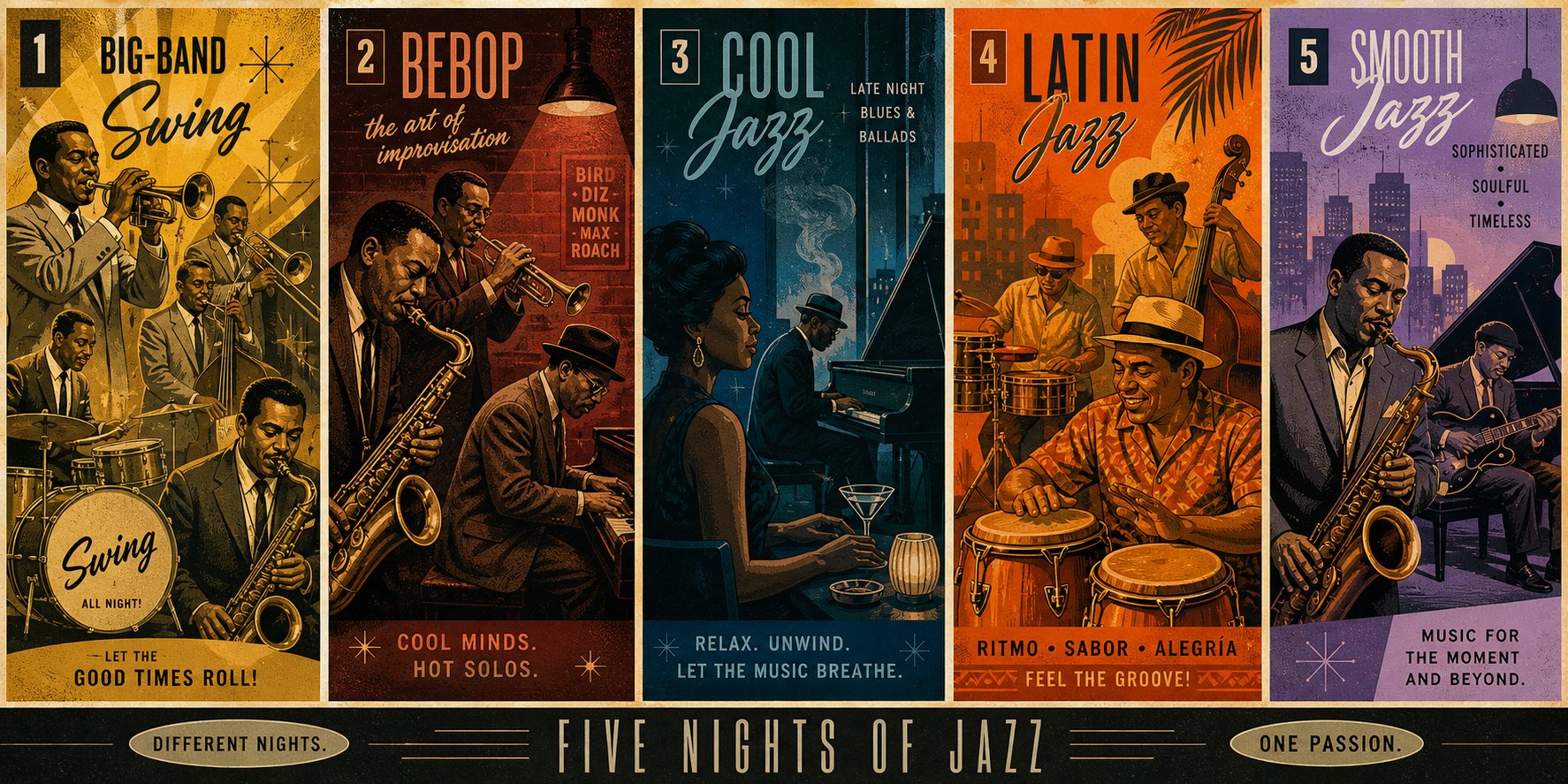
Every jazz subgenre carries its own rhythmic DNA, harmonic vocabulary, and emotional intent. When you feed a prompt into an ai jazz music generator, the subgenre you specify — or fail to specify — determines nearly everything about the output. Some styles play to AI's strengths: repetition, predictable harmonic movement, and steady rhythmic frameworks. Others expose its weaknesses almost immediately. Understanding these differences helps you choose the right style for your project and set expectations before you hit "generate."
Swing, Bebop, and Hard Bop
Swing emerged in the early 1930s as the dominant popular music in America, built around big-band arrangements featuring saxophone sections, brass sections, and a full rhythm section driving a danceable, riff-based groove. Think Count Basie's orchestra locking into a four-on-the-floor pulse while soloists take turns over tightly orchestrated ensemble passages. The structured, repetitive nature of swing makes it one of the easiest subgenres for ai music generators to replicate convincingly. Patterns cycle, sections repeat, and the harmonic movement stays relatively predictable — exactly the kind of data an algorithm can learn efficiently.
Bebop flipped that script in the 1940s. Pioneered by Charlie Parker, Dizzy Gillespie, and Thelonious Monk, bebop stripped jazz down to small combos and ramped up the complexity. Virtuosic tempos, intricate chromatic phrases full of surprising accents, and rapid-fire improvisation over dense chord changes defined the style. As Free Jazz Lessons puts it, bebop was "designed for the serious jazz aficionado" — cerebral music meant for listening, not dancing. For AI, bebop is a significant challenge. The breakneck tempos and unpredictable phrasing demand a level of spontaneity that pattern-based models struggle to replicate without sounding technically correct yet musically stiff.
Hard bop arrived in the mid-1950s as a response to both bebop's intensity and cool jazz's restraint. It blended bebop's harmonic invention with blues, gospel, and R&B influences, producing a funkier, more soulful sound anchored by artists like Art Blakey, Horace Silver, and Lee Morgan on Blue Note Records. Hard bop sits in a middle zone for AI — more structured than bebop, but its blues-infused emotional intensity and dynamic soloing still require nuance that many ai music generation platforms handle unevenly. If you've ever heard 1920s music ai generated alongside a hard bop attempt, you'll notice AI captures the former's simpler structures far more reliably than the latter's gritty expressiveness.
Cool Jazz, Modal Jazz, and Free Jazz
Cool jazz emerged in the late 1940s and 1950s as a softer, more relaxed counterpoint to bebop's frenetic energy. Miles Davis's Birth of the Cool set the template: lyrical melodies, impressionistic harmonies influenced by French classical composers, and a laid-back tempo that let every note breathe. Artists like Stan Getz, Dave Brubeck, and Chet Baker defined the sound — atmospheric, moody, and unhurried. AI handles cool jazz reasonably well because its phrasing tends to be more measured and its harmonic movement more gradual, giving the model room to generate coherent passages without needing to simulate rapid-fire improvisation.
Modal jazz shifts the harmonic foundation entirely. Instead of navigating through complex chord changes, modal jazz emphasizes scales — or modes — as the basis for improvisation. A single chord might sustain for 16 bars while the soloist explores the colors within one mode before abruptly shifting to another. Miles Davis's "So What" and John Coltrane's A Love Supreme are landmark examples. This approach, inspired by the theoretical work of George Russell in the late 1950s, actually plays to AI's strengths in some ways: fewer chord changes mean less harmonic complexity to navigate. However, great modal jazz demands melodic invention within a constrained harmonic space — a subtle creative challenge that can make AI output sound repetitive when the model runs out of interesting melodic ideas over a static chord.
Free jazz is where AI hits a wall. Developed in the late 1950s and early 1960s by Ornette Coleman, Cecil Taylor, and others, free jazz deliberately rejects conventional harmony, regular tempos, and compositional forms. It's jazz at its most anarchic — musicians interacting in real time without predetermined structure, guided only by collective intuition and emotional impulse. Since AI models rely on learned patterns to predict what comes next, a genre that intentionally avoids patterns presents a fundamental contradiction. As Soundverse's research on AI jazz improvisation notes, AI's creativity boundaries are defined by its training dataset — it optimizes for pattern consistency, which is the exact opposite of what free jazz demands. The result? AI-generated free jazz often sounds random rather than intentionally liberated.
Fusion, Latin Jazz, Bossa Nova, and Smooth Jazz
Jazz fusion burst onto the scene in the late 1960s when musicians like Miles Davis, Herbie Hancock, and Weather Report began blending jazz improvisation with the electric instruments, amplified power, and rhythmic drive of rock and funk. The result was louder, groovier, and more commercially accessible than traditional jazz. Fusion presents a mixed bag for an ai generator music tool — the rhythmic backbone tends to be steady and repetitive (good for AI), but the genre's best moments depend on adventurous soloing over complex harmonic landscapes (harder for AI). Expect solid groove tracks with adequate but rarely spectacular lead lines.
Latin jazz describes a broad family of styles rooted in Afro-Cuban and Afro-Brazilian rhythmic traditions. Dizzy Gillespie pioneered Afro-Cuban jazz in the late 1940s with percussionist Chano Pozo, introducing the clave rhythm and interlocking percussion patterns that became the genre's signature. The layered polyrhythmic structures — congas, timbales, and bongos weaving around a piano montuno — give AI a defined rhythmic grid to follow, but achieving the authentic interplay between rhythm instruments requires a sensitivity to micro-timing that most models approximate rather than nail.
Bossa nova is a Brazilian fusion of samba rhythms and jazz harmony that emerged in the late 1950s and exploded internationally in the 1960s, thanks largely to Antonio Carlos Jobim and Joao Gilberto. Its relaxed feel, gentle syncopation, and smooth harmonic language make it one of the most AI-friendly jazz subgenres. The patterns are consistent, the tempos are moderate, and the emotional mood stays within a narrow, pleasant range. If you're new to AI jazz generation and want a quick win, bossa nova prompts tend to deliver satisfying results across most platforms.
Smooth jazz, which grew out of fusion in the 1980s, takes accessibility a step further. Polished production, predictable harmonic progressions, and melodic lines designed for radio play define the sound — think Kenny G, David Benoit, and Grover Washington Jr. For AI, smooth jazz is arguably the easiest jazz subgenre to generate convincingly. Its formulaic structure, limited harmonic surprises, and emphasis on pleasant textures over improvisational daring align perfectly with how pattern-based models operate. The trade-off? Purists may question whether the output qualifies as "jazz" at all — but for background music, podcast underscore, or ambient playlists, AI-generated smooth jazz can be remarkably effective.
The table below summarizes each subgenre's key traits and how well current ai music generators tend to handle them:
| Jazz Subgenre | Defining Characteristics | Typical Instrumentation | AI Generation Difficulty |
|---|---|---|---|
| Swing | Big-band arrangements, danceable rhythm, riff-based ensemble passages | Saxophone section, brass section, piano, bass, drums, guitar | Low — structured, repetitive patterns |
| Bebop | Virtuosic tempos, chromatic soloing, complex chord changes | Small combo: saxophone, trumpet, piano, bass, drums | High — demands rapid improvisation and unpredictable phrasing |
| Hard Bop | Blues-infused harmony, soulful melodies, gospel and R&B influence | Trumpet, saxophone, piano, bass, drums; sometimes organ | Medium-High — requires emotional intensity and dynamic soloing |
| Cool Jazz | Relaxed tempo, lyrical melodies, impressionistic harmony | Saxophone, trumpet, piano, bass, drums; sometimes vibraphone | Medium-Low — measured phrasing suits pattern-based models |
| Modal Jazz | Scale-based improvisation, sustained chords, minimal chord changes | Saxophone, trumpet, piano, bass, drums | Medium — fewer changes, but melodic invention over static harmony is tricky |
| Free Jazz | No fixed harmony, tempo, or form; collective improvisation | Any combination; often unconventional extended techniques | Very High — AI relies on patterns; free jazz deliberately avoids them |
| Fusion | Jazz meets rock and funk; electric instruments, amplified sound | Electric guitar, keyboards/synths, electric bass, drums, saxophone | Medium — steady grooves are manageable; adventurous soloing is not |
| Latin Jazz | Afro-Cuban/Afro-Brazilian rhythms, clave patterns, polyrhythmic layers | Congas, timbales, bongos, piano, bass, brass, saxophone | Medium — rhythmic grid helps, but authentic interplay is hard to replicate |
| Bossa Nova | Brazilian samba-jazz fusion, gentle syncopation, relaxed feel | Nylon-string guitar, piano, bass, drums, light percussion, vocals | Low — consistent patterns, moderate tempos, narrow emotional range |
| Smooth Jazz | Polished production, radio-friendly melodies, minimal improvisation | Soprano/alto saxophone, electric piano, bass, drums, light synths | Very Low — predictable structure aligns perfectly with AI pattern generation |
Keep this table bookmarked. When you sit down to write a prompt, knowing which subgenres play to AI's strengths — and which ones demand more careful steering — saves you time and frustration. A bossa nova or smooth jazz request will likely deliver usable results on the first try. A bebop or free jazz prompt may take several iterations and far more specific instructions to get right.
That specificity is where the real skill lies. Choosing the right subgenre is step one, but two users requesting the same style can get wildly different results depending on how they construct their prompts — which words they use, how much detail they include, and which mistakes they avoid.
Comparing the Best AI Jazz Music Generators Available
Prompt skills matter — but so does the instrument you're playing them through. Two identical prompts fed into different platforms can yield wildly different jazz output because each tool brings its own training data, customization depth, and subgenre strengths to the table. Choosing the right ai jazz music generator for your specific needs is half the battle, yet no single comparison currently breaks down the jazz-specific capabilities of each platform side by side.
That changes here. Below is a feature-by-feature comparison of the leading tools, followed by the evaluation criteria that should guide your decision regardless of which platform catches your eye.
Feature-by-Feature Comparison of Leading AI Jazz Generators
Not every tool treats jazz with the same seriousness. Some platforms are general-purpose music engines with jazz as one option among dozens; others are built specifically for certain jazz flavors. The table below maps out what each best ai music generator offers when you're specifically chasing jazz output:
| Tool | Jazz Subgenres Supported | Customization Options | Output Formats | Royalty-Free | Free Tier | Jazz Quality Assessment |
|---|---|---|---|---|---|---|
| MakeBestMusic AI Jazz Generator | Swing, fusion, blues-adjacent styles | Tempo, instrumentation, mood | MP3, WAV | Yes | Yes | Strong for swing, fusion, and blues-jazz — jazz-specific focus produces more authentic results than general-purpose tools in these subgenres |
| Suno | Broad genre coverage including jazz styles | Text prompts, metatags, Suno Studio multitrack editing, BPM control | MP3, WAV, MIDI, stems | Yes (paid tiers) | Yes (50 credits/day) | Excellent overall audio quality via v5 model; jazz output is competent but reflects a general-purpose training approach rather than jazz specialization |
| Udio | Broad genre coverage including jazz | Inpainting, extending, remixing, style reference uploads, timeline editing | MP3, WAV, stems (paid) | Yes (paid tiers) | Yes (limited daily credits) | Strong instrumental quality and arrangement detail; jazz results benefit from granular editing tools but require more user effort |
| Soundraw | Jazz as a genre option; supports genre mixing (e.g., Jazz + EDM) | Mood, genre, instruments, tempo, length; Song Structure Editor; Audio Mixer | MP3, WAV, stems | Yes (paid plans) | Unlimited previews; downloads require paid plan | Reliable for background jazz and ambient jazz loops; less suited for complex jazz compositions or soloing |
| AIVA | Jazz, classical, cinematic, 250+ styles | MIDI editor, note-level editing, style upload, arrangement control | MP3, WAV, MIDI, sheet music | Yes (Pro plan) | Yes (non-commercial use with attribution) | Strongest for compositional structure and scoring; MIDI output allows deep editing but rendered audio quality trails behind audio-first platforms |
| Riffusion | Jazz as a prompt option; experimental and genre-blending | Text prompts only; minimal parameter control | MP3 | Limited | Yes (completely free) | Fun for creative experimentation; jazz output is hit-or-miss and lacks the consistency needed for professional use |
| Soundful | Jazz as a genre category; focus on royalty-free production music | Mood, tempo, genre selection | MP3, WAV, stems | Yes | Yes (limited) | Decent for royalty-free jazz backgrounds; limited subgenre depth compared to jazz-focused tools |
A few things stand out from this comparison. The MakeBestMusic AI Jazz Generator differentiates itself through a jazz-specific focus — rather than treating jazz as one checkbox among hundreds of genres, it's built around swing, fusion, and blues-adjacent styles. That narrower scope is actually an advantage for creators who know they want jazz and want it to sound convincing without heavy prompt engineering. If your project calls for a smoky blues-jazz vamp or a swinging big-band groove, that specialization tends to deliver more authentic results than asking a general-purpose platform to simulate the same thing.
The suno ai music generator and udio ai music generator are the two heavyweights in overall AI music generation, and both can produce solid jazz output — especially when you invest time in detailed prompting and post-generation editing. Suno's Studio environment and Udio's inpainting tools give you far more control than simpler platforms, which matters when you're trying to coax authentic phrasing out of a jazz arrangement. Their strength is versatility; their limitation is that jazz isn't their primary training focus, so results can lean generic without careful steering.
The aiva ai music generator occupies a unique niche. Its MIDI-based output and built-in score editor make it the strongest choice for composers and arrangers who want to take AI-generated jazz ideas into a DAW for serious refinement. You won't get the lush audio realism of Suno or Udio straight from the platform, but you'll get editable musical structures you can shape with your own instruments and production tools.
The soundraw ai music generator and soundful ai music generator both target the royalty-free background music market. They're practical, fast, and reliable for content creators who need jazz ambience without the complexity of detailed prompting. The trade-off is depth — neither platform offers the subgenre specificity or harmonic richness that dedicated jazz tools provide. Meanwhile, the riffusion ai music generator is worth bookmarking as a free creative playground. Its jazz output won't win any authenticity awards, but it's a zero-cost way to experiment with genre-bending jazz prompts and discover unexpected combinations.
What to Look for When Choosing a Tool
No single platform is the best ai music generator for every jazz use case. A podcaster hunting for quick background ambience has fundamentally different needs than a jazz student generating practice backing tracks or a film composer sketching a noir-flavored cue. The criteria below help you match your priorities to the right tool:
- Subgenre range — Does the platform specifically support the jazz style you need? A tool that excels at smooth jazz and bossa nova may fall flat if you're after bebop or hard bop. Check whether it lists jazz subgenres explicitly or lumps everything under a single "jazz" label.
- Prompt flexibility — Can you specify harmonic approaches (ii-V-I, blues changes), rhythmic feel (swing versus straight), and instrumentation details? The more granular the input options, the more control you have over the output's authenticity.
- Audio quality and realism — Listen critically to sample outputs. Do the instruments sound like real players, or do they have the flat, synthetic sheen of basic MIDI? Pay special attention to drums (brush work versus stick patterns), bass (walking lines versus static roots), and horn timbres.
- Export format options — MP3 is fine for quick demos, but professional projects often require WAV files or separated stems for mixing. If you plan to integrate AI jazz into a DAW workflow, stem export is essential.
- Licensing terms — "Royalty-free" means different things on different platforms. Some grant full commercial rights on all tiers; others restrict commercial use to paid plans or require attribution. Read the fine print before publishing anything.
- Pricing model — Credit-based systems, monthly subscriptions, and per-download pricing all affect the cost equation differently depending on your volume. A creator producing one jazz track per month has different economics than someone generating dozens of variations weekly.
The honest truth? Most serious users end up trying two or three platforms before settling on the one that consistently delivers the jazz sound they're after. Start with the tool whose subgenre strengths align with your needs, test it with the theory-informed prompts from the previous sections, and evaluate the output against these criteria. The best ai music generators don't just sound good — they sound good for your specific project.
Of course, even the most capable tool is only as effective as the instructions you give it. The difference between a generic "jazz track" and a convincingly authentic arrangement often comes down to a handful of words in your prompt — which ones you include, which ones you leave out, and how precisely you describe the sound in your head.
How to Write Prompts That Produce Authentic Jazz Output
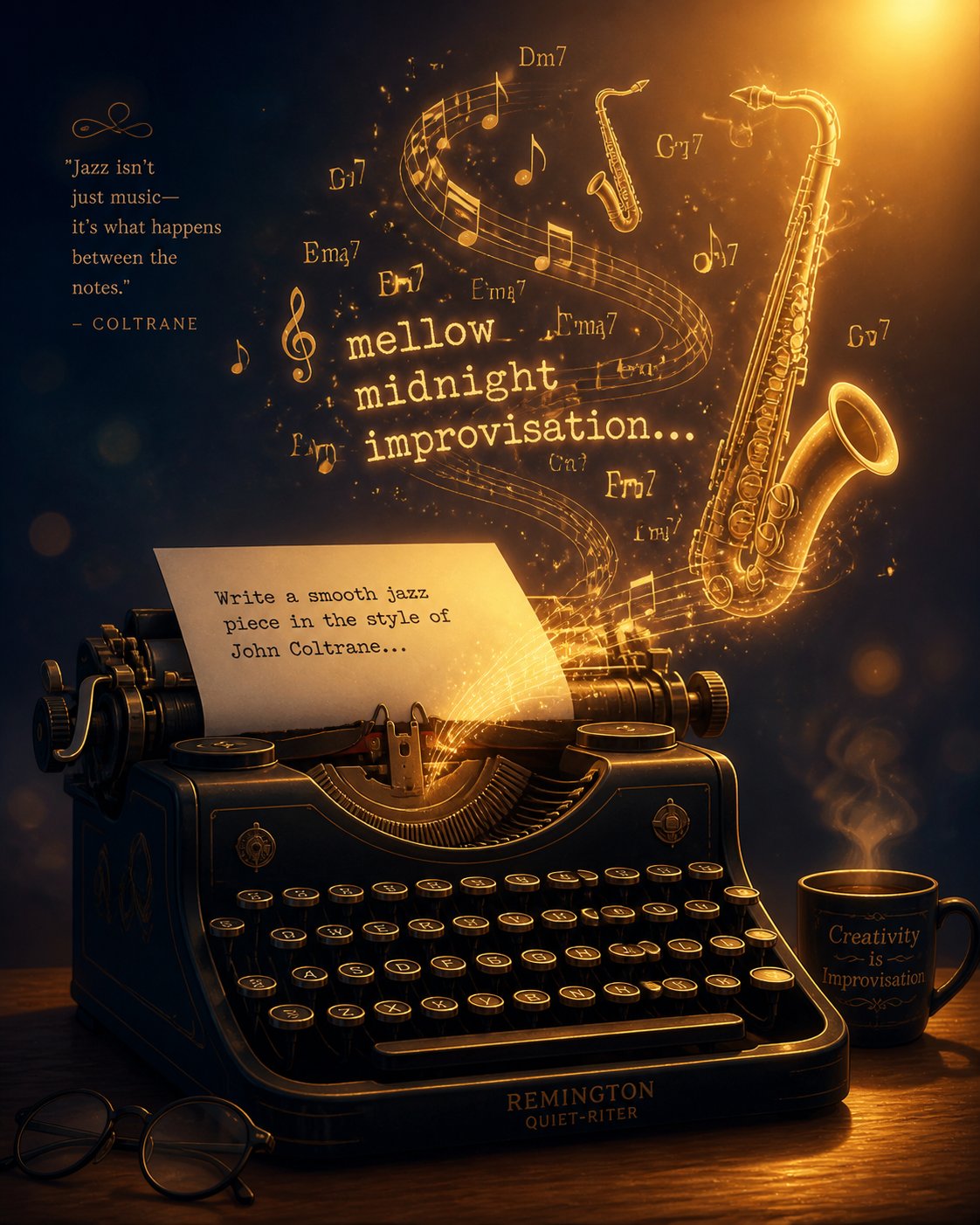
A great jazz prompt works like a bandleader counting off a tune — it tells the AI exactly what style to play, how fast, with what feel, and in what mood. Vague instructions produce vague music. Precise ones produce tracks that actually sound like they belong in a specific jazz tradition. The difference between a forgettable background loop and a convincingly smoky late-night trio piece often comes down to five or six well-chosen words.
Whether you're using an ai music generator from text, adjusting sliders in a parameter-based tool, or typing freeform descriptions into an online ai music generator, the principles below apply universally. Master them once, and every platform you touch will deliver better results.
Anatomy of a Great Jazz Prompt
Think of a jazz prompt as a recipe. Leave out ingredients and you get something bland. Include the right ones in the right proportions and the output snaps into focus. Here's a step-by-step method for constructing prompts that consistently produce authentic-sounding jazz:
- Specify the subgenre — Start with the jazz style you want: swing, bebop, cool jazz, bossa nova, fusion, smooth jazz. This single word anchors the AI's entire harmonic, rhythmic, and tonal approach. Saying "jazz" alone is like ordering "food" at a restaurant — you'll get something, but it probably won't be what you had in mind.
- Define the instrumentation — Name the ensemble. A piano trio (piano, upright bass, drums) sounds nothing like a big band (full brass and saxophone sections) or a saxophone quartet. If you want a specific lead instrument — muted trumpet, tenor sax, Hammond organ — say so. Soundverse's prompt-writing research confirms that mentioning featured instruments is one of the most impactful ways to shape AI output because it directly constrains the model's arrangement decisions.
- Set the tempo — Tempo determines energy. A ballad at 60 BPM creates intimacy and space. A medium swing at 130 BPM feels lively and conversational. An uptempo burner at 180+ BPM demands virtuosic phrasing. Use BPM numbers when the platform supports them, or descriptive terms like "slow ballad," "medium groove," or "fast uptempo" when it doesn't.
- Describe the mood — Mood adjectives guide the AI's dynamic and tonal choices. "Melancholic" pushes toward minor keys and softer dynamics. "Smoky" suggests a late-night, intimate vibe with restrained playing. "Upbeat" and "playful" drive the model toward brighter voicings and more rhythmic energy. "Contemplative" invites space, longer notes, and gentler textures.
- Specify the harmonic style — This is where the jazz theory from earlier sections pays off. Requesting "ii-V-I based harmony" produces classic jazz tension-and-resolution movement. "Blues changes" yields a grittier 12-bar foundation. "Modal" tells the AI to sustain chords and explore scale colors rather than cycle through rapid progressions. Even on platforms that don't explicitly parse these terms, including them in a text prompt nudges the model toward the right harmonic neighborhood.
- Add rhythmic feel — Always specify swing or straight rhythm. This one detail is easy to forget, and as discussed earlier, it's the single biggest factor separating jazz that grooves from jazz that sounds like a MIDI demo. If you want brushed drums instead of sticks, say it. If you want a walking bass line, say that too.
Stack these six elements together and you have a prompt with real direction. Each layer narrows the AI's options in a productive way, steering it away from generic defaults and toward the specific sound you're imagining.
Example Prompts with Expected Results
The best way to internalize this framework is to see it in action. Below are four prompts arranged from vague to highly specific, along with descriptions of the kind of output each typically generates. Whether you're using a free ai music generator from text or a premium platform, these examples illustrate how every added detail sharpens the result.
Prompt 1: "Jazz music"
Expected output: A generic, middle-of-the-road track — probably smooth jazz or light swing with safe chord changes, no distinctive character, and default instrumentation. Perfectly listenable, completely forgettable. The AI has almost no constraints, so it defaults to whatever "average jazz" looks like in its training data.
Prompt 2: "Cool jazz piano trio, slow tempo"
Expected output: A noticeable improvement. You'll hear piano as the lead voice, accompanied by bass and drums, at a relaxed pace. The harmonic choices will lean toward mellow, lyrical territory. It still lacks personality, but the subgenre and ensemble selection eliminate a huge range of generic possibilities.
Prompt 3: "Smoky cool jazz piano trio, slow ballad tempo, walking bass, brushed drums, melancholic mood"
Expected output: Here's where things get interesting. "Smoky" and "melancholic" direct the AI toward minor-leaning harmony and restrained dynamics. "Walking bass" tells it to generate a moving bass line rather than static root notes. "Brushed drums" specifies a texture — the soft, swishing sound of wire brushes on a snare rather than the sharper attack of sticks. The result should feel like a dimly lit jazz club at 1 AM.
Prompt 4: "Smoky cool jazz piano trio, ballad at 65 BPM, walking upright bass, brushed drums with light ride cymbal, melancholic mood, ii-V-I harmony in Dorian minor, subtle blue notes in the piano melody"
Expected output: Maximum specificity. Every element is defined — tempo as a number, harmonic approach, modal preference, rhythmic feel, and even melodic color. The AI has a clear blueprint. On a capable platform, this prompt produces a track with genuine harmonic movement, emotional weight, and stylistic authenticity. It sounds intentional rather than random. Even platforms that function as an ai music generator no sign up option can often parse this level of detail effectively when the underlying model is sophisticated enough.
Notice the pattern: each added detail doesn't just improve quality — it changes the character of the output. A vague prompt and a detailed prompt don't produce better and worse versions of the same track. They produce fundamentally different music. That's why prompt-writing isn't a minor skill — it's the primary creative lever you have when working with any ai music generator from text.
Common Prompt Mistakes That Produce Generic Results
Even experienced users fall into patterns that flatten their output. As Soundverse's analysis of common AI music prompt errors documents, the most frequent mistakes aren't dramatic — they're subtle habits that quietly drag results toward mediocrity. Here are the ones that hurt jazz output the most:
- Being too vague — Prompts like "nice jazz" or "chill jazz beat" give the model almost nothing to work with. The AI fills every unspecified parameter with safe, generic defaults. Always name a subgenre, at minimum.
- Mixing contradictory subgenre cues — Asking for "fast bebop smooth jazz" sends conflicting signals. Bebop demands breakneck complexity; smooth jazz thrives on polished simplicity. The model tries to satisfy both and satisfies neither. Pick one style and commit to it.
- Over-specifying to the point of constraining the model — There's a sweet spot between vague and overloaded. A prompt that lists fifteen instruments, three scales, two time signatures, and a specific chord-by-chord progression can overwhelm the AI. The system may ignore half your instructions or produce incoherent results trying to accommodate all of them. Aim for five to eight key descriptors — enough to guide, not enough to choke.
- Neglecting rhythmic feel — Forgetting to specify swing versus straight rhythm is the single most common oversight in jazz prompting. Without that cue, many models default to straight eighth notes, producing output that sounds clinical rather than grooving. One word — "swing" — fixes it.
- Ignoring instrumentation entirely — Letting the AI choose instruments means accepting whatever default ensemble the model gravitates toward. If you want an organ combo, say "organ combo." If you want a saxophone quartet, name it. Instrumentation shapes timbre, texture, and arrangement style — leaving it unspecified is leaving too much to chance.
- Forgetting to iterate — AI composition rarely nails it on the first try. InsMelo's jazz creation guide recommends generating multiple versions and refining your wording gradually — small adjustments in phrasing can lead to significantly better outcomes. Treat your first generation as a draft, not a final product.
One additional note for creators exploring tools that support vocal jazz or lyric-based generation: if you're using an ai song generator lyrics to music feature or an ai music generator with vocals, the same prompt principles apply — but you'll also need to specify vocal style (scat singing, crooning, spoken word) and how the voice interacts with the arrangement. An ai music generator from lyrics that receives jazz-specific harmonic and rhythmic cues in its style description will produce far more convincing vocal jazz than one given lyrics alone with no genre context.
Prompt-writing is a skill that sharpens with practice, and the jazz theory covered earlier in this article is your most powerful asset. Progressions, modes, rhythmic feel, and subgenre knowledge aren't abstract concepts — they're the exact vocabulary these tools are trained to interpret. The more fluently you speak that language, the more any platform becomes an extension of your creative intent rather than a random music slot machine.
Knowing how to craft a strong prompt is one thing. Knowing why you need one — the specific creative problem you're solving — is something else entirely. The value of AI jazz generation shifts dramatically depending on whether you're a podcaster hunting for royalty-free ambience, a student practicing improvisation, or a game developer scoring a virtual speakeasy.
Who Benefits from AI Jazz Generation and Real Use Cases
A podcaster doesn't need the same thing from an ai jazz music generator that a conservatory student does. A game developer scoring a prohibition-era speakeasy has fundamentally different priorities than a restaurant owner building a dinner-hour playlist. The tool is the same category, but the creative problem — and the features that matter most — shifts dramatically depending on who's sitting at the controls.
Here's how different audiences are putting AI-generated jazz to work right now, and what each group should prioritize when choosing a platform.
Content Creators, Podcasters, and Filmmakers
Imagine you're editing a travel vlog set in a Parisian cafe. You need thirty seconds of soft, brushed-drums jazz under a voiceover — nothing too attention-grabbing, just warm atmosphere. Hiring a trio for that? Unrealistic. Licensing a track from a stock library? Possible, but you'll spend more time reading license agreements than editing. An AI jazz generator solves this in minutes: type a prompt, download the track, drop it on your timeline.
This is the use case driving the fastest adoption. YouTubers grab bossa nova loops for cooking channels. Podcast producers layer noir-style jazz under true-crime narration. Independent filmmakers use smooth jazz underscore for documentary interview segments. The common thread is royalty-free access to authentic-sounding jazz without licensing complexity or budget strain.
For filmmakers who also need visuals synced to their AI-generated audio, the rise of the ai music video generator adds another dimension. Some creators now feed their finished jazz tracks into an ai music video generator from audio file to produce stylized visual content — lyric videos, animated backgrounds, or promotional clips — without hiring a separate video production team. While dedicated tools in the music video ai generator space are still maturing, pairing AI-generated jazz audio with AI-driven visuals is becoming a viable one-person production pipeline. The best ai music video generator options currently handle mood-based visual matching reasonably well, though they work best with genres that have strong visual associations — and jazz, with its smoky clubs and neon-lit streets, happens to be one of them.
Musicians, Educators, and Students
Jazz education has always depended on play-along tracks. Students practice improvisation over recordings of rhythm sections playing standard chord changes — the Jamey Aebersold series built an entire legacy on this concept. AI jazz generators modernize that workflow by letting students create custom backing tracks on demand.
Want to practice soloing over a medium-swing ii-V-I in every key? Generate twelve tracks in fifteen minutes. Need a slow modal vamp in Dorian to work on phrasing? Type the prompt and play along. Educators can create custom demonstrations of specific harmonic concepts — showing students what blues changes sound like versus rhythm changes, or how swing feel differs from straight eighth notes — without needing a live rhythm section in the classroom.
Working musicians benefit differently. Composers use AI-generated jazz as a sketching tool — a way to audition arrangement ideas, test voicings, or hear how a melody sits over a particular groove before committing to a full arrangement. It's not a replacement for the creative process; it's a scratchpad that plays back in real time.
Businesses and Game Developers
Jazz has a commercial life well beyond concert halls and streaming playlists. Restaurants, cocktail lounges, and boutique hotels need ambient jazz for atmosphere — and building a multi-hour playlist from individually licensed tracks is expensive and legally tedious. AI-generated jazz playlists offer a simpler path: royalty-free, commercially cleared, and customizable to match the venue's vibe.
Game developers face a parallel challenge. A noir detective game needs jazz that shifts between smoky lounge scenes and tense chase sequences. A casual mobile game set in a jazz club needs background loops that don't trigger Content ID claims when streamers broadcast gameplay — a real concern, since stock music frequently flags automated rights systems on YouTube and Twitch. AI-generated music sidesteps this entirely because the tracks don't exist in any rights database. For indie studios operating on razor-thin audio budgets — where 62% of solo developers allocate less than 5% of their total budget to audio — AI jazz generation transforms the question from "can we afford music?" to "what kind of music would make this scene better?"
App developers rounding out in-app experiences with ambient sound also benefit. Meditation apps incorporating jazz for relaxation sessions, productivity tools using lo-fi jazz as focus music, and even a free ai music video generator app pairing jazz audio with visual loops — all of these products need volume, variety, and clear commercial licensing, which AI tools deliver by default.
Here's a quick reference for how each audience maps to the features that matter most:
- Podcasters and YouTubers — Prioritize fast export, royalty-free licensing, and simple prompting. Background ambience doesn't need deep harmonic customization; it needs to sound pleasant and stay out of the way.
- Independent filmmakers — Look for stem export and mood control. Film scoring demands the ability to isolate instruments for mixing and to match musical energy precisely to scene dynamics.
- Jazz students — Value harmonic customization above all else. The ability to specify chord progressions, keys, and tempos turns an AI generator into a practice partner that adapts to your curriculum.
- Educators — Need quick generation of demonstrative examples across multiple subgenres. A tool that handles swing, bebop, and modal jazz equally well is more useful than one that only excels at smooth jazz.
- Composers and arrangers — Benefit most from MIDI export and editable output. The AI sketch is a starting point, not a finished product — DAW integration is essential.
- Restaurants and lounges — Require long-form playlists with consistent quality and mood. Volume generation at low per-track cost matters more than granular control.
- Game developers — Need loopable tracks, commercial rights that cover interactive media, and ideally stem separation for adaptive audio systems. Content ID immunity is a significant bonus for titles that depend on streamer visibility.
- App developers — Prioritize API access or batch generation for integrating AI jazz directly into product workflows, plus clear licensing for distribution through app stores.
The pattern is clear: different users don't just want different jazz — they want different relationships with the tool itself. A podcaster wants a vending machine that dispenses atmosphere. A jazz student wants a responsive practice partner. A game developer wants a cost-effective scoring department. No single platform optimizes for all of these roles equally, which is exactly why the evaluation criteria from the previous section matter so much.
All of these use cases, though, share one thing in common: they work best when users understand what AI jazz generation can and can't do. The technology is impressive and improving rapidly, but it carries real limitations — and acknowledging them honestly is what separates informed users from frustrated ones.
Honest Limitations of AI Jazz Music Generators
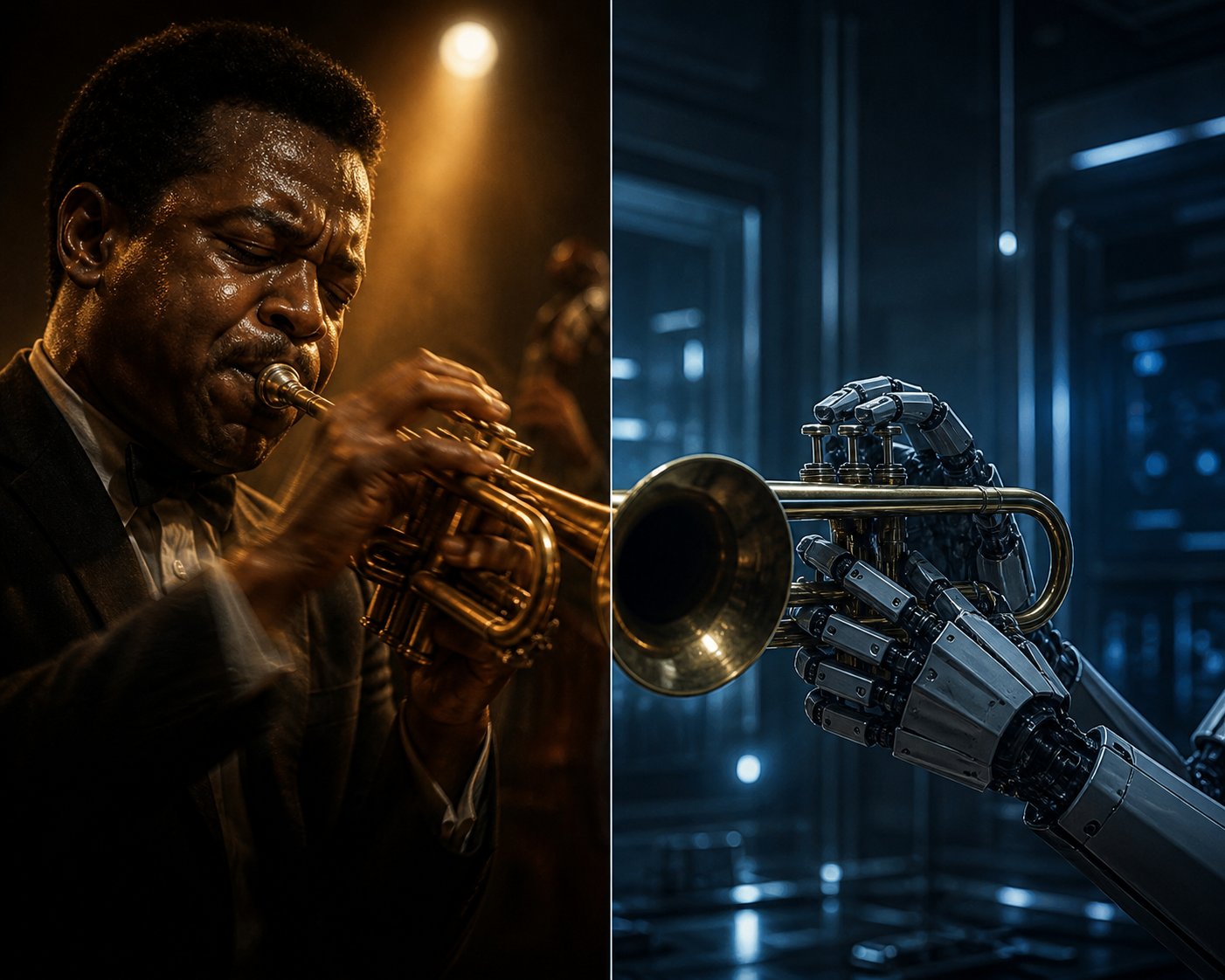
Every use case explored above — from podcast underscore to jazz education to game scoring — delivers real value. But that value has boundaries, and pretending otherwise does you a disservice. The most productive relationship you can have with an ai jazz music generator starts with a clear-eyed understanding of where the technology genuinely excels and where it still falls short. No amount of prompt-writing skill can overcome limitations baked into the architecture itself.
This isn't pessimism. It's calibration. The users who get the best results are the ones who know exactly what to expect — and what to stop expecting.
Where AI Jazz Generators Still Fall Short
The core technical challenges boil down to a fundamental tension: jazz is built on breaking patterns, and AI is built on learning them. That mismatch shows up in several specific ways.
Authentic improvisation remains out of reach. AI systems generate solos by predicting the most statistically likely next note based on training data. The result can sound technically correct — proper scales over proper chords — but it lacks the element of genuine surprise that defines great jazz improvisation. As Soundverse's research on AI jazz limitations puts it, AI "captures style — less so personal evolution or risk-taking." A Charlie Parker solo astonishes because it sounds like no one predicted it, not even Parker himself. An AI solo sounds like exactly what the algorithm predicted — because it is.
Dynamic expression and micro-timing fall flat. Live jazz musicians communicate through subtle fluctuations in volume, attack, and timing. A pianist might drag behind the beat by a few milliseconds to build tension, then snap forward to release it. A saxophonist might ghost a note — playing it so softly it barely registers — to create intimacy. These micro-decisions happen continuously and unconsciously. AI models approximate dynamics through broad strokes, but the granular, moment-to-moment expressiveness that separates a good jazz performance from a transcendent one remains difficult to replicate algorithmically.
Emotionally flat solos are the norm, not the exception. A 2024 study published in PLOS One monitored 88 participants' physiological and self-reported emotional responses to AI-generated versus human-composed music. The results were telling: both types triggered feelings, but human compositions scored consistently higher for expressiveness, authenticity, and memorability. Many respondents described AI output as "technically correct" but "emotionally flat" — a phrase that could serve as a one-line summary of AI jazz's current ceiling.
Repetitive patterns undermine longer pieces. An MIT Media Lab study of 10,000 AI-generated tracks found that over 70% shared nearly identical chord progressions. In jazz, where harmonic variety and melodic invention sustain listener interest across an entire performance, this tendency toward recycled structures becomes especially noticeable. Short clips for background use can mask the repetition. A four-minute jazz composition exposes it ruthlessly.
Real-time responsiveness doesn't exist yet. Jazz is inherently conversational — a drummer reacts to a pianist's rhythmic shift within split seconds, a bassist anticipates a soloist's phrasing and adjusts the walking line accordingly. Current AI systems work asynchronously, processing prompts and returning finished audio. They can't participate in the real-time musical dialogue that defines ensemble improvisation. So if you're wondering how to tell if music is ai generated, one reliable clue is the absence of that reactive, conversational quality between instruments — the subtle push-and-pull that human ensembles produce naturally but algorithms can only simulate statically.
Ethical Considerations and Authenticity Questions
Beyond technical challenges and ethical issues in ai music generation, there's a deeper philosophical question: can AI-generated jazz truly be called jazz?
Jazz emerged from African American communities as a form of personal and cultural expression. Its DNA carries improvisation, individuality, and the kind of emotional risk-taking that only happens when a human being puts something of themselves on the line. When an algorithm produces a convincing swing arrangement, it's replicating the surface features of that tradition without participating in its meaning. Whether that matters depends on the context — background music for a podcast carries different stakes than a concert performance — but the tension is real.
Jazz is fundamentally about human expression, risk-taking, and imperfection — qualities that challenge the very nature of algorithmic generation and raise the question of whether AI output can honor the genre's identity without sharing its lived experience.
Training data sourcing adds another layer of concern. Many AI music models learn from copyrighted recordings, raising questions about artist consent and compensation. Research published by Pyrrhic Press highlights the core issue: AI systems extract patterns, structures, and melodic ideas from copyrighted music, "essentially absorbing it into their training data without attribution or payment." Organizations like ASCAP and the RIAA have pushed back, and proposed legislation such as the No AI FRAUD Act seeks to establish opt-in consent mechanisms for artists whose work could be used in training. For anyone following generative ai music news, these debates are intensifying rather than settling — and the outcome will shape what training data future models can legally use.
The impact on working jazz musicians also deserves honest acknowledgment. When a restaurant owner generates a ten-hour ambient jazz playlist instead of hiring a local trio for weekend brunch, that's a gig that no longer exists. AI jazz doesn't need to replace all live performance to affect livelihoods — it just needs to absorb enough of the background music market to reduce demand for human players in commercial contexts. That's already happening, and pretending it isn't doesn't help anyone navigate the shift responsibly.
Setting Realistic Expectations
None of this means AI jazz generators aren't useful — it means they're useful for specific things and not yet capable of others. Drawing that line clearly helps you avoid frustration and get maximum value from whatever tool you choose.
Here's an honest breakdown of where to check music to see if its ai generated strengths actually serve you well — and where you'll still need human players:
| AI Jazz Does Well | Still Requires Human Musicians |
|---|---|
| Background music for videos, podcasts, and apps | Live performance with genuine audience interaction |
| Practice and improvisation backing tracks | Deeply expressive, emotionally layered solos |
| Compositional sketches and arrangement prototyping | Truly improvisational recordings with real-time ensemble dialogue |
| Ambient playlists for restaurants, lounges, and retail | Genre-pushing creative work that defies existing patterns |
| Quick genre demonstrations for education | Performances carrying cultural and personal meaning |
The technology is improving rapidly — generative ai music news regularly features breakthroughs in audio realism, longer coherent compositions, and more nuanced dynamic control. But improvement and arrival are different things. As of now, AI jazz is a powerful tool for functional music production and creative exploration, not a substitute for the human artistry that gave jazz its soul in the first place.
The users who thrive with these tools are the ones who treat them as collaborators within defined boundaries rather than replacements for the real thing. And the good news? Those boundaries still leave an enormous amount of creative territory to explore — especially when you approach your first AI jazz project with both realistic expectations and the right workflow.
Getting Started with Your First AI Jazz Creation
Realistic expectations and a solid workflow are the difference between staring at a generate button and actually producing a jazz track you're proud of. You've built the foundation — jazz theory, subgenre awareness, prompt-writing techniques, and an honest understanding of what AI can and can't deliver. Putting all of that into practice is simpler than you might think. Your first convincing AI jazz track is genuinely minutes away, not hours.
Your First AI Jazz Track in Minutes
Forget the temptation to overthink it. The workflow below distills everything from the previous sections into a repeatable process you can follow right now, whether you're using a free ai music generator or a premium platform:
- Pick a tool that explicitly supports jazz subgenres — Not every platform treats jazz seriously. Choose one that lists specific styles like swing, bossa nova, or fusion rather than burying jazz under a generic "other" category. Subgenre support is the fastest indicator of whether the tool's training data includes enough jazz to produce authentic results.
- Start with a specific subgenre, not generic "jazz" — As covered earlier, typing "jazz music" gives the AI almost nothing to work with. Choose one style. If you're brand new, bossa nova and smooth jazz deliver the most reliable first-attempt results because their predictable patterns align well with how AI models operate.
- Build your prompt using the theory you've learned — Name the subgenre, instrumentation, tempo, mood, harmonic approach, and rhythmic feel. A prompt like "medium bossa nova, nylon guitar lead, upright bass, brushed drums, warm and relaxed mood, ii-V-I harmony, swing feel" gives the model six clear creative constraints instead of zero.
- Generate multiple variations — Never settle for the first output. Create three to five versions with slight prompt adjustments — swap "warm" for "melancholic," change the lead instrument, shift the tempo by 10 BPM. Each variation teaches you how the platform interprets different cues, and one of them will land closer to the sound in your head.
- Refine iteratively — Listen critically to your best variation. Does the bass line walk or sit static? Do the drums swing or sound straight? Is the mood right but the tempo wrong? Adjust one element at a time in your prompt and regenerate. Professional results come from this refinement loop, not from a single perfect prompt.
- Export and integrate — Download in the format your project needs — MP3 for quick demos, WAV for professional mixing, stems if you plan to edit individual instruments in a DAW. Confirm the licensing terms cover your intended use before publishing.
That's it. Six steps, and you'll have a usable jazz track. The entire process takes five to fifteen minutes once you're comfortable with your tool of choice — and each session makes the next one faster because you're building an internal library of prompts that work.
Recommended Tools to Start With
Every platform has strengths tailored to different needs. Rather than declaring one winner, here are practical starting points matched to what you're most likely trying to accomplish:
- MakeBestMusic's AI Jazz Generator — A strong first choice for creators specifically interested in swing, fusion, and blues-adjacent jazz. Its jazz-focused design means you spend less time wrestling with prompts and more time getting output that actually sounds like the style you asked for. If your project calls for a smoky blues-jazz groove or a swinging big-band texture, this specialization delivers more convincing results than asking a general-purpose tool to approximate the same thing. The free tier lets you test it without commitment.
- Suno — The go-to for users who want versatility across genres with strong overall audio quality. Jazz output is solid, especially when you invest time in detailed prompting, and its Studio environment gives advanced users multitrack editing capabilities.
- Udio — Best for users who want granular post-generation control. Its inpainting and timeline editing tools let you reshape sections of a jazz track without regenerating the whole piece — ideal for fine-tuning solos or adjusting arrangement dynamics.
- AIVA — The strongest option for composers and arrangers who want editable MIDI output. If your workflow involves taking AI-generated jazz ideas into a DAW for serious refinement, AIVA's note-level editing and sheet music export are hard to beat. It functions beautifully as a music ai generator free for non-commercial projects with attribution.
- Soundful — A practical, no-fuss option for content creators who need royalty-free jazz backgrounds quickly. Less depth than jazz-specialized tools, but reliable for ambient loops and podcast underscore.
- Riffusion — Completely free and fun for experimentation. Jazz output is inconsistent, but it's a zero-risk playground for testing creative ideas and exploring genre-blending prompts without signing up or spending anything. If you want an ai music generator free online with no barriers at all, Riffusion is the place to start playing.
For creators actively surveying the landscape of the best ai music generators 2026, the honest advice is this: try two or three platforms with the same prompt and compare the output. Your ears will tell you which tool's training data and rendering engine align best with the specific jazz sound you're chasing. The jazz theory and prompt-writing skills you've picked up in this article travel with you regardless of platform — they'll improve your results everywhere.
And here's the encouraging reality: AI jazz generation is getting meaningfully better with each model update. The gap between AI-generated background jazz and professionally recorded tracks has narrowed dramatically over the past two years. Subgenre recognition is sharper, rhythmic feel is more convincing, and the tools themselves are more accessible than ever — many of them functioning as an ai music generator free no sign up option that lets you generate and download tracks without creating an account or entering payment details. The barrier to entry has essentially disappeared.
You don't need to be a jazz musician to create compelling AI jazz. You just need curiosity, a decent prompt, and the willingness to iterate. The theory you've learned here — progressions, modes, rhythmic feel, subgenre characteristics — gives you a creative vocabulary that most users never develop. That knowledge is your unfair advantage. Use it, experiment boldly, and let the AI handle the parts it does well while you focus on the creative decisions that make each track genuinely yours.
