

What Is AI Music Generator MelodyCraft
Imagine describing the song in your head -- the genre, the mood, the instruments -- and having a fully composed track handed back to you in seconds. That is the basic promise behind AI music generator MelodyCraft. It is a platform that uses artificial intelligence to turn simple text prompts into original musical compositions, no instrument skills or studio experience required.
MelodyCraft is an AI-powered music generation platform that converts user-written text prompts -- describing genre, mood, instrumentation, and style -- into original audio compositions, serving both beginners and experienced musicians looking for creative inspiration.
The concept is straightforward. You type a description of the music you want to hear, and the AI interprets your words to produce a track that matches your vision. The platform has gained traction as part of a broader wave of AI-driven creation tools reshaping how people approach music production.
What Does MelodyCraft Actually Do
At its core, the user experience revolves around a single interaction: you write a text prompt, and the AI delivers a generated track. Think of it as a conversation with a virtual composer. You might type something like "upbeat electronic track with bright synths and a driving beat" or "mellow acoustic guitar piece with a nostalgic feel." The AI processes those cues -- genre, tempo, mood, instrumentation -- and assembles a composition based on learned musical patterns.
This approach appeals to two very different groups. Complete beginners who have never touched a DAW or learned music theory can suddenly experiment with melody and song creation. Meanwhile, experienced musicians and producers use it as a creative springboard, generating rough ideas they can then refine, rearrange, and build upon in their own workflows. The tool does not replace musical skill -- it lowers the barrier to getting started.
Why AI Music Generators Matter for Modern Creators
The rise of platforms like MelodyCraft reflects a much larger shift in the creative economy. MIDiA Research reports that the number of active users of generative AI music tools grew by nearly a third in 2024 alone, with AI-generated content already carving out a significant share of music software revenues. Gen AI and audio modification tools are blurring the line between consumer and creator, massively expanding who can participate in music production.
Why does this matter for you? Three reasons stand out:
- Lowered barriers to entry: You no longer need years of training or expensive equipment to produce a usable track. A text prompt replaces the learning curve.
- Faster creative iteration: Instead of spending hours building a demo from scratch, you can generate multiple variations in minutes and choose the direction that resonates.
- Democratized access: Creators in the Global South, hobbyists, educators, and solo content producers all gain access to composition capabilities that were previously locked behind professional studios.
These AI music generators are machine learning models trained on large datasets of recorded music, learning statistical patterns in rhythm, harmony, structure, and instrumentation. They do not understand music the way a human composer does -- they predict what sounds should come next based on those patterns. The result can be impressive, but it is also worth understanding the technology driving it and the real-world limitations that come along for the ride.
That distinction between what AI music tools promise and what they actually deliver under the hood is exactly where things get interesting -- and where the MelodyCraft story takes a more complex turn than most users expect.
How the AI Technology Behind MelodyCraft Works
You type a few words, and a full musical track appears. Sounds like magic -- but it is math, data, and a lot of pattern recognition. Most articles about the ai music generator MelodyCraft skip right past the technology, leaving users with a vague sense that "AI does something" and a generated track lands in their lap. Understanding what actually happens between your text prompt and the finished audio gives you a real advantage: you will write better prompts, set realistic expectations, and choose the right tool for your creative goals.
Two dominant architectures power nearly every AI music generator on the market right now -- transformer models and diffusion-based systems. Both play a role in MelodyCraft's ecosystem, so let's break each one down in plain terms.
Transformer Models and Music Generation
If you have used ChatGPT to write text, you have already interacted with a transformer. The same fundamental architecture -- originally designed to predict the next word in a sentence -- turns out to be remarkably effective at predicting the next note, chord, or rhythmic event in a musical sequence.
Here is the analogy that makes it click: imagine you are reading a novel, and someone asks you to guess what happens on the next page. You would draw on everything you have read so far -- the characters, the tone, the plot arc -- to make a reasonable prediction. Transformer models do something similar with music. They are trained on massive datasets of musical data, learning the statistical relationships between notes, rhythms, harmonies, and structures. When it is time to generate, the model predicts what musical event should come next based on everything that preceded it.
A practical example of this approach appears in the Music Transformer implementation on Keras, which uses a decode-only transformer architecture trained on the Maestro dataset of piano performances. That model employs a technique called relative global attention -- a mechanism from the original Music Transformer paper by Huang et al. (2018) -- that allows the system to understand the relative distance between musical events rather than just their absolute position. This matters because music is deeply relational: a note's meaning depends heavily on what came before and after it, not just where it sits in a sequence.
The training process itself follows a familiar pattern. MIDI files are tokenized -- converted into sequences of discrete numerical tokens representing note-on events, note-off events, time shifts, and velocity changes. The transformer learns from thousands of these tokenized performances, gradually improving its ability to generate coherent, musically plausible sequences. After training, you feed the model a short "seed" of musical tokens, and it continues the sequence, one token at a time, using top-k sampling to introduce controlled randomness and avoid robotic repetition.
How Text Prompts Become Audio
Transformer models trained on MIDI data explain how AI can continue a musical sequence, but MelodyCraft and similar platforms start from something different: a text description. So how does a sentence like "dreamy lo-fi beat with warm piano chords and vinyl crackle" become an actual audio file?
This is where the pipeline gets more sophisticated. Modern text-to-music systems -- including the Stable Audio family of architectures -- combine natural language processing with audio generation in a multi-stage process. The general pipeline works like this:
- Text encoding: Your prompt is processed by a language model (often a transformer-based encoder like CLAP, T5, or FLAN-T5) that converts your words into high-dimensional numerical embeddings -- essentially a mathematical fingerprint of your musical intent.
- Conditioning: Those text embeddings are injected into the generation model via cross-attention layers, guiding the system's output. Keywords like genre, tempo, mood, and instrumentation each pull the model's predictions in specific directions. Some systems also add timing embeddings that control the length and pacing of the generated clip.
- Latent generation: Rather than generating raw audio directly (which is computationally expensive), many systems work in a compressed "latent space." A diffusion model or autoregressive transformer generates a compact representation of the music, iteratively refining noise into structured musical content over dozens or hundreds of steps.
- Audio decoding: A variational autoencoder (VAE) or similar decoder converts the latent representation back into a full-band stereo waveform -- the actual audio file you download and listen to.
- Post-processing: Silence trimming, normalization, and format conversion prepare the final output for delivery.
The diffusion-based approach deserves special attention because it has become the backbone of many high-fidelity music generators. Instead of predicting notes one at a time, diffusion models start with pure noise and gradually "denoise" it into structured audio, guided at each step by your text embeddings. Think of it like a sculptor starting with a rough block and chipping away until a recognizable form emerges -- except the sculptor's chisel is your text prompt, shaping every strike.
Prompt specificity matters enormously in this pipeline. Vague descriptions like "nice music" give the model almost no directional signal, while detailed prompts that specify genre, sub-genre, instrumentation, tempo range, and emotional quality activate more precise conditioning pathways. This is why users who learn to write strong prompts consistently get better results -- they are giving the system more information to work with at the very first stage.
What We Know About MelodyCraft's Engine
Here is where transparency becomes important. Detailed technical documentation for MelodyCraft's web platform (melodycraftai.com) is limited. The platform does not publish whitepapers, model architecture details, or training data specifications the way some open-source projects do. What we can report is based on publicly available competitor analysis and user-facing references.
Based on that analysis, the MelodyCraft web platform references integration with Suno V5 as its underlying generation engine. If accurate, this is a significant detail. Suno V5 is one of the most capable AI music models available, achieving an ELO benchmark score of 1,293 in blind listening tests and producing 44.1kHz stereo audio with notably realistic vocal performance. The V5 model operates on advanced diffusion and transformer architectures capable of rendering full acoustic waveforms -- it does not just write notes but generates the timbre of voices, the texture of instruments, and the spatial characteristics of a mix.
That said, several important caveats apply. We cannot independently verify the exact integration depth -- whether MelodyCraft uses the full Suno V5 pipeline, a modified version, or accesses it through a third-party API layer. The platform's specific prompt processing, any proprietary modifications, and how its 21 reported tools interact with the underlying model remain undocumented in public-facing materials.
What you should take away from this:
- The core music generation technology behind platforms like MelodyCraft is built on well-established AI architectures -- transformers and diffusion models -- that have been validated across multiple research labs and commercial products.
- The web platform's reported Suno V5 integration suggests access to a high-quality generation engine, but users should verify current specifications directly on the platform.
- Prompt quality is not a "nice-to-have" -- it is the primary lever you control in the generation pipeline, making it worth learning how to structure effective descriptions.
- No AI music generator creates music from understanding or emotion; every output is a statistical prediction based on learned patterns, which explains both the impressive results and the occasional misses.
Knowing what powers the engine is only half the picture, though. A surprising twist awaits anyone who searches for MelodyCraft and assumes they will find a single product -- because the name actually belongs to two very different platforms built by different teams, with different features and different intended audiences.
Two Products Sharing the MelodyCraft Name
Here is the twist most people miss entirely. Search for "melody craft" or "MelodyCraft AI" and you will likely encounter two distinct products built by two different companies, each with its own interface, feature set, and creative philosophy. Neither product's marketing goes out of its way to acknowledge the other -- which means users often sign up for one thinking they are getting the other.
This is not a minor naming coincidence. The two platforms serve genuinely different workflows, and choosing the wrong one wastes both time and money. Let's untangle them.
MelodyCraft Web Platform Overview
The first product lives at melodycraftai.com and is operated by Omnial Tech Labs Ltd. It is a browser-based platform that positions itself as a lyrics-first song maker -- MelodyCraft in this form is designed primarily for songwriters, hip-hop creators, and lyricists who want to hear their words turned into produced tracks.
According to the platform's own documentation, the web version offers a suite of 21 specialized tools. These are not 21 variations of the same generator -- they span distinct creative categories:
- AI Music Generator: The core text-to-song tool, where you describe genre, mood, and instrumentation to generate full tracks.
- Rap Generator and Rap Lyrics Generator: Purpose-built tools for hip-hop workflows, including a dedicated Drill Lyrics Generator that understands rhyme structure and flow patterns specific to the genre.
- AI Lyrics Generator: A standalone lyrics tool for users who want AI-written words before generating the music itself.
- Name Generators: A collection of 13 novelty tools -- including a Wu Tang Name Generator and various band name generators -- that round out the creative toolkit.
The platform runs on a credit-based system rather than a traditional subscription model. Each generation costs credits, and pricing starts at a $9.90 one-time credit pack for 100 credits that do not expire. There is no recurring monthly charge unless you opt into a higher tier. The platform also offers a limited free tier -- enough for roughly one full generation -- so you can test output quality before spending anything.
On the technical side, the web platform references Suno V5 integration, which -- as covered in the previous section -- is one of the most capable AI music generation engines available. Generation times run approximately one to three minutes for two full song versions per prompt, which is slower than standalone Suno but reflects additional processing layers the platform applies.
MelodyCraft iOS App by MWM
The second product is a completely separate mobile application called "MelodyCraft: AI Music Maker," published on the Apple App Store by MWM -- a well-known mobile music app developer with a portfolio that includes DJ and beat-making apps. This is not a mobile companion to the web platform. It is a different product from a different company with a different design philosophy.
The iOS app takes a noticeably different approach to AI music creation, centering its experience around two primary modes:
- AI Create mode: Users generate original compositions by selecting parameters and letting the AI build a track from scratch. The interface is touch-optimized for mobile use, emphasizing quick creation over deep customization.
- AI Cover mode: This feature lets users reimagine existing songs through AI-powered vocal and stylistic transformations -- a capability the web platform does not offer at all.
The mobile app's song maker approach is built for casual, on-the-go creation rather than the lyrics-first songwriter workflow that defines the web platform. You will notice the feature overlap is minimal: no dedicated rap lyrics tools, no name generators, no credit-based pay-once pricing model. The app follows a more conventional mobile monetization structure.
Different publisher. Different interface. Different feature set. Same name.
How to Tell Which Product You Need
The easiest way to avoid confusion is to compare the two products directly. The table below lays out the key differences across the dimensions that matter most when choosing a song maker MelodyCraft platform:
| Dimension | MelodyCraft Web (melodycraftai.com) | MelodyCraft iOS App (by MWM) |
|---|---|---|
| Platform | Browser-based (desktop and mobile web) | iOS only (Apple App Store) |
| Publisher | Omnial Tech Labs Ltd | MWM (My Wave Machine) |
| Core Features | 21 tools: AI Music Generator, Rap Generator, AI Lyrics, Drill Lyrics, 13 Name Generators | AI Create mode, AI Cover mode |
| AI Engine | References Suno V5 integration | Proprietary (not publicly documented) |
| Primary Use Case | Lyrics-first songwriting, hip-hop and rap creation | Quick mobile song creation and AI covers |
| Pricing Model | One-time credit packs (starting at $9.90); limited free tier | Conventional mobile app pricing (in-app purchases / subscription) |
| Unique Strength | Specialized genre tools and bring-your-own-lyrics workflow | AI Cover mode for reimagining existing songs on mobile |
A quick rule of thumb: if you are a songwriter or rapper who wants to paste in your own lyrics and hear them produced across specific genres, the web platform is likely your match. If you want a casual mobile experience with the ability to create AI covers of songs you already love, the iOS app is the one to explore.
Before committing time or money to either product, verify that the version you are looking at actually delivers the features you need. Check the publisher name, confirm the platform matches your device, and -- when possible -- use any available free tier or trial to test output quality firsthand. The shared name makes assumptions risky.
With the product identity question resolved, the next logical step is understanding exactly what you get for your money -- which brings us to the features and credit economics that shape the day-to-day experience on these platforms.
Key Features and the Credit System Explained
Knowing which MelodyCraft product you are looking at is one thing. Understanding what each platform actually puts in your hands -- and what it costs to use -- is where practical decision-making begins. Surprisingly, most coverage of this ai music generator glosses over the specifics. Feature lists get name-dropped without context, and pricing details remain vague or absent entirely. Let's fix that.
Core Music Generation Features
The central capability across both MelodyCraft platforms is text-to-music creation: you describe what you want, and the AI delivers a composed track. But the web platform at melodycraftai.com goes considerably deeper than a single generation tool. Based on publicly available information, the platform advertises 21 distinct tools organized around several creative workflows.
The primary generation features revolve around four input dimensions you control through your text prompt:
- Genre selection: Specify broad categories like pop, hip-hop, or electronic -- or drill down into niche sub-genres for more targeted output.
- Mood specification: Descriptors like "melancholic," "aggressive," "uplifting," or "dreamy" steer the emotional character of the generated track.
- Instrumentation control: Call out specific instruments -- acoustic guitar, 808 bass, synth pads, orchestral strings -- and the model adjusts its output accordingly.
- Style and structure cues: Tempo indicators, energy levels, and structural hints (verse-chorus format, ambient loops) give the AI additional direction.
These four dimensions interact with each other. Asking for "aggressive acoustic guitar" produces a very different result than "dreamy acoustic guitar," even though the instrument is the same. The more precisely you combine these parameters, the closer the output lands to your creative vision.
The iOS app by MWM takes a simpler approach. Its AI Create mode lets you generate original compositions through a streamlined mobile interface, while AI Cover mode -- a feature entirely absent from the web platform -- allows you to reimagine existing songs with AI-driven stylistic transformations. The mobile experience prioritizes speed and accessibility over the deep toolset available in the browser version.
Understanding the Credit-Based System
Here is where things get less transparent -- and that transparency gap is worth calling out directly. The MelodyCraft web platform operates on a credit-based pricing model rather than a conventional monthly subscription. According to the platform's pricing page, the entry point is a $9.90 one-time credit pack containing 100 credits that never expire. Each music generation consumes a set number of credits from your balance.
What is harder to pin down is the exact credit cost per generation. Competitor analyses reference a figure of roughly 3 credits per generation, which would translate to approximately 33 full song generations from the starter pack. However, detailed breakdowns -- how credit costs vary by track length, whether different tools consume credits at different rates, or whether premium features carry higher costs -- are not well-documented in any publicly available content.
This lack of pricing transparency is itself a notable gap. Most competing platforms publish clear credit-cost tables so users can budget their usage in advance. If you are evaluating MelodyCraft for a project with a specific output volume in mind, the safest approach is to check the platform directly for current credit costs before purchasing. The structural advantage of the pay-once model is real -- no forgotten subscriptions draining your account month after month -- but you will want to understand the per-generation economics before committing.
For context, this credit-based approach contrasts sharply with platforms like Suno and Udio, which operate on monthly subscription models starting around $8-10 per month. The MelodyCraft web platform is the only one among the three offering a true one-time purchase option, which makes it economically attractive for creators who produce music in bursts rather than daily.
AI Text Prompt and Lyrics Tools
Beyond the core music generator, the web platform's most distinctive tools focus on text-based creativity. The dedicated Rap Lyrics Generator and Drill Lyrics Generator are purpose-built for hip-hop workflows, handling rhyme structure and flow patterns that general-purpose AI writing tools typically miss. You generate the lyrics first, then pipe them directly into the Rap Generator to produce a full vocal track -- an end-to-end workflow that competing platforms do not replicate as a unified experience.
The text prompt system also handles niche genre requests with surprising specificity. Curious what AI-generated grindcore sounds like? You can specify extreme sub-genres in your prompt text, and the underlying model attempts to match the sonic characteristics -- blast beats, distorted guitars, guttural vocal textures. Results vary in quality for highly specialized genres, but the ability to even attempt them sets detailed prompt-driven systems apart from platforms that limit you to a dropdown menu of mainstream genre labels.
Based on confirmed information, the following features are documented across MelodyCraft's platforms:
- Text-to-music generation with genre, mood, and instrumentation control
- Lyrics-to-song workflow (bring your own lyrics)
- AI Lyrics Generator for AI-written lyrics
- Rap Generator and Rap Lyrics Generator
- Drill Lyrics Generator
- 13 name generators (including Wu Tang Name Generator and band name tools)
- AI Cover mode (iOS app only)
- AI Create mode for mobile composition (iOS app only)
The following features remain less documented and should be verified directly on each platform before relying on them:
- Exact credit cost per generation across different tool types
- Whether all 21 web tools consume credits or only generation tools
- Detailed tier structures beyond the $9.90 starter pack
- Export format options and audio quality specifications (bitrate, sample rate)
- Commercial licensing terms at each pricing tier
The gap between what is confirmed and what remains unclear is not unusual for newer AI platforms -- documentation often lags behind product development. Still, these unanswered questions matter if you are making a purchasing decision, especially for commercial projects where licensing terms and output specifications directly affect your workflow.
Features and pricing tell you what a platform can do and what it costs. The equally important question -- whether that platform actually fits your specific creative situation -- depends on who you are and what you are trying to accomplish.
Who Should Use AI Music Generators Like MelodyCraft
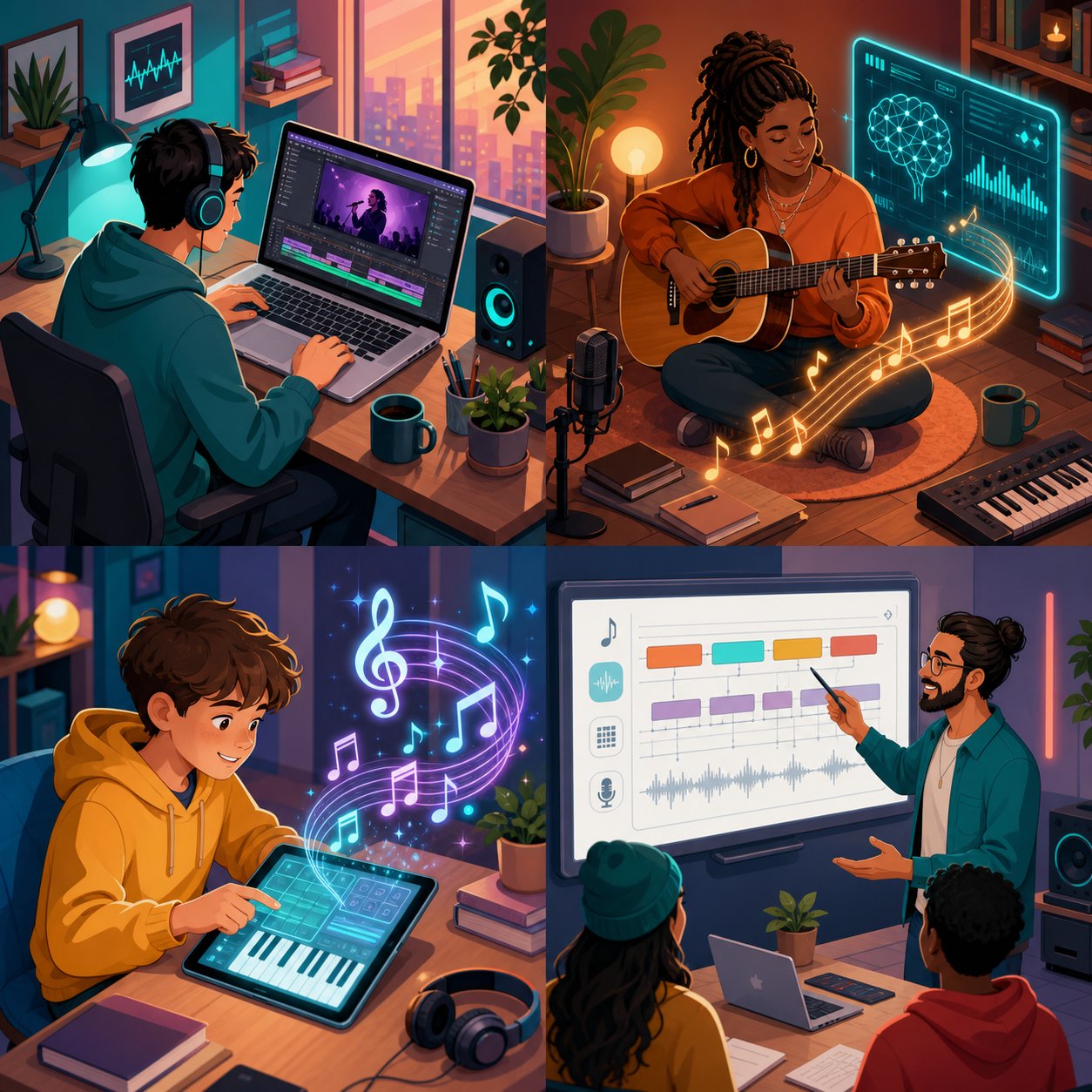
A platform can have all the right features at the right price -- and still be the wrong fit for your situation. AI music generators are not one-size-fits-all tools. A YouTuber hunting for royalty-free background music has fundamentally different needs than a songwriter chasing a melodic spark or a classroom teacher exploring song structure with students. The value you extract from any ai music generator melodycraft or otherwise depends almost entirely on what you are trying to accomplish.
So who actually benefits most? Let's map out the distinct user groups and how each one interacts with these tools differently.
Content Creators and Social Media Producers
Imagine you are editing a YouTube video, a podcast episode, or a TikTok series. You need a 30-second intro track, a background loop for a talking-head segment, and a transition sting between chapters. The traditional route involves browsing music libraries, reading license fine print, and hoping the track you pick has not already appeared in a thousand other videos. It is tedious, time-consuming, and often expensive.
AI music generators collapse that entire process into a text prompt. Type "upbeat lo-fi hip-hop with soft keys and a relaxed vibe," wait a minute or two, and you have something original. No licensing headaches from third-party music libraries. No awkward moment when a viewer recognizes the same stock track from another channel.
This is the highest-volume use case by a wide margin. Content creators need music constantly -- often multiple tracks per week -- and they rarely need those tracks to be masterpieces. They need functional, mood-appropriate audio that stays out of the way while supporting the visual content. AI generators excel here because "good enough, fast, and original" beats "perfect but slow and legally complicated" in a content production workflow. A LANDR-commissioned study found that 87% of surveyed producers already use AI-powered tools in their workflows, with promotional content -- including social media and video -- emerging as one of the fastest-growing use cases.
Songwriters and Musicians Seeking Inspiration
Experienced musicians approach these platforms from a completely different angle. They are not looking for finished products -- they are looking for creative sparks.
Every songwriter hits walls. You sit at the piano or strum your guitar, and nothing comes. The melody you are chasing stays just out of reach. This is where AI-generated output works as a brainstorming partner rather than a replacement. You feed the generator a rough description of the mood or genre you are exploring, listen to what it produces, and then react. Maybe the AI's chord progression triggers an idea you would not have reached on your own. Maybe the rhythmic pattern in the generated track shifts your thinking about a song's groove. You are not using the AI output as your song -- you are using it as a mirror that reflects creative possibilities you had not considered.
Berklee College of Music instructor Ben Camp describes a similar process: working with a student, they info-dumped a creative concept into ChatGPT and asked for 20 opening lines for a song. One of those lines became the jumping-off point for an original composition. The same principle applies to AI melody generators -- you generate, you evaluate, you take what resonates and discard the rest. The AI handles the quantity; your ear handles the quality.
This "creative spark" workflow is why experienced musicians are not threatened by these tools the way headlines sometimes suggest. The generated track is the starting ingredient, not the finished dish.
Beginners With No Musical Training
Here is where AI music generation becomes genuinely transformative. Picture someone who hears melodies in their head but has never learned an instrument, never opened a DAW, and does not know the difference between a major and minor key. Before AI tools existed, that person's musical ideas had nowhere to go. They lived and died as fleeting thoughts.
Text-to-music platforms dissolve that barrier entirely. You do not need to read sheet music, understand time signatures, or know how to program a drum pattern. You describe what you hear in your imagination using everyday language -- "a sad piano ballad with strings building in the chorus" -- and the AI translates your words into sound. The gap between creative intention and audible result shrinks from years of training to a few seconds of typing.
This democratization effect is more than a convenience story. It opens music creation to people who were previously excluded by technical skill requirements: visual artists exploring soundscapes for installations, writers scoring their own audiobook trailers, small business owners producing jingles without hiring a composer. The no-skill creation model does not produce professional-grade output every time, but it gives beginners a genuine sandbox to experiment with melody, arrangement, and sonic aesthetics -- and that experimentation often becomes the first step toward deeper musical learning.
Educators and Students
A less obvious but increasingly relevant audience sits in classrooms. Music educators are finding that AI generators serve as surprisingly effective teaching tools. When a student can type "12-bar blues progression with walking bass" and hear the result instantly, abstract theory concepts become concrete and interactive. Genre characteristics that take paragraphs to explain in a textbook become audible in seconds.
Students can experiment with song structure by generating variations -- what happens when you change the mood from "energetic" to "melancholic" while keeping the same genre? How does adding horns change the feel of a track compared to synths? These are questions that traditionally required either a teacher demonstrating at an instrument or hours of listening assignments. AI generators make the exploration self-directed and immediate, acting as what Berklee Online's Gabriel Ryfer Cohen calls "potentially transformative educational experiences" -- provided they are used thoughtfully and critically rather than as shortcuts to avoid learning.
The educational use case is niche compared to content creation, but it is growing as more institutions recognize the value of interactive, AI-assisted music literacy.
Ranked from the most common to the most specialized, here is how these use cases stack up based on general AI music generation trends:
- Content creators and social media producers -- the largest active user base, driven by constant demand for original background music, intros, and transitions.
- Beginners experimenting with music for the first time -- the fastest-growing segment, powered by the zero-skill-required appeal of text prompts.
- Songwriters and musicians using AI for creative inspiration -- a smaller but highly engaged group that values iteration and idea generation over finished output.
- Educators and students exploring music theory interactively -- the most niche application, but one with significant room to expand as curricula adapt.
Your user persona shapes not just which platform to choose, but how you evaluate it. A content creator cares most about speed and licensing clarity. A songwriter cares about melodic variety and the ability to iterate. A beginner cares about simplicity. An educator cares about pedagogical flexibility. No single tool wins across every category -- which is exactly why understanding how MelodyCraft stacks up against the broader landscape of AI music generators matters as much as understanding MelodyCraft itself.
MelodyCraft vs Alternative AI Music Generators
Understanding your user persona is only half the equation. The other half is knowing which tool actually delivers what you need -- and for all the attention MelodyCraft receives, it operates in a crowded landscape of AI music generators with overlapping capabilities and distinct specialties. Surprisingly, no existing guide compares MelodyCraft directly against its competitors. That gap ends here.
The platforms below range from melody-focused ideation tools to full-song production engines. Some generate polished vocal tracks from a single prompt. Others hand you MIDI files and expect you to bring your own sound libraries. The right choice depends entirely on where you sit in the creative process and what kind of output you need at the end.
MelodyCraft Compared to Major AI Music Platforms
The following table compares the most relevant AI music generation platforms across dimensions that matter for practical decision-making. Each entry draws from publicly available platform information and verified feature sets.
| Platform | Primary Use Case | Input Method | Free Tier | Target Audience |
|---|---|---|---|---|
| MakeBestMusic Melody Generator | Melody ideation and original melody creation | Text prompts focused on melody parameters | Yes | Songwriters, producers, and beginners seeking original melody ideas as creative starting points |
| MelodyCraft Web (melodycraftai.com) | Lyrics-first songwriting with 21 creative tools | Text prompts, custom lyrics, genre/mood selectors | Limited (approx. 1 generation) | Songwriters, hip-hop creators, lyricists |
| MelodyCraft iOS App (by MWM) | Mobile song creation and AI covers | Parameter selection, AI Cover input | Limited | Casual mobile creators, cover enthusiasts |
| Suno | Full-song generation with vocals and structure | Text prompts, custom lyrics, style tags | Yes (daily credits) | Songwriters needing scratch tracks, non-musicians wanting complete songs |
| Udio | High-fidelity song generation with precise refinement | Text prompts, lyrics, audio inpainting, remixing | Yes (100 monthly credits) | Producers seeking studio-quality stems and iterative control |
| AIVA | Cinematic and orchestral MIDI composition | Text prompts, MIDI/audio references, 250+ style presets | Yes (non-commercial, with attribution) | Film scorers, game composers, producers using custom sample libraries |
| Soundraw | Customizable royalty-free instrumental tracks | Mood, genre, tempo, and length selectors; visual song structure editor | Unlimited previews (download requires paid plan) | YouTubers, podcasters, video editors needing copyright-safe background music |
| Boomy | One-click track creation with built-in distribution | Style selection, single-click generation | Yes | Casual creators experimenting with music distribution to streaming platforms |
A few things jump out immediately. MakeBestMusic's Melody Generator occupies a unique position in this landscape because it focuses specifically on melody ideation -- generating original melodic ideas that songwriters, producers, and beginners can use as creative foundations. Rather than attempting to produce a finished, radio-ready track, it zeroes in on the melodic seed that often represents the hardest creative leap. If your primary challenge is coming up with a compelling melody before you worry about arrangement, production, or vocals, this focused approach avoids the noise of full-production platforms.
Meanwhile, Suno and Udio dominate the full-song generation space, each with distinct strengths. Suno excels at structural coherence -- its tracks follow recognizable verse-chorus-bridge patterns with surprisingly natural transitions. Udio counters with superior audio fidelity and granular editing tools like inpainting, which lets you regenerate a single section without touching the rest of the track. Both offer free tiers for experimentation and paid plans starting around $8-10 per month for commercial rights.
AIVA takes a fundamentally different approach. It behaves more like a digital composition assistant than a one-click generator, producing MIDI arrangements you can export into a DAW and assign to your own sample libraries. Film scorers and game composers gravitate here because AIVA generates music with recognizable sections -- intro, build-up, development, climax -- that follow narrative pacing rather than pop song formulas. The trade-off is a steeper learning curve and a higher price point at approximately €49 per month for the Pro plan.
Soundraw skips text prompts entirely in favor of parameter-based selection -- you choose mood, genre, tempo, and length, then visually rearrange the generated track's structure. Everything it produces is royalty-free and copyright-safe for YouTube monetization, which makes it the default choice for video editors and podcasters who need functional background music without legal risk. Boomy, on the other end of the spectrum, strips complexity to its minimum with one-click generation and built-in streaming distribution -- though users should note that Boomy retains copyright of generated recordings, sharing royalties rather than transferring ownership.
MelodyCraft's web platform carves out a niche with its lyrics-first workflow and specialized hip-hop tools, while the iOS app serves a different audience entirely with its casual mobile creation and AI Cover capabilities. Neither version tries to compete directly with Udio's audio fidelity or AIVA's MIDI depth -- they occupy their own lane.
Choosing the Right Tool for Your Workflow
With this many options, the temptation is to ask "which one is best?" -- but that question has no universal answer. The right tool depends on where you are in the creative process and what kind of output your project demands. A melody-focused tool like MakeBestMusic's Melody Generator excels at the ideation stage -- the moment when you need a compelling melodic idea to build around. That output can then feed into a full-production platform like Suno or Udio for arrangement, vocals, and polish. The tools complement each other rather than compete.
Before committing to any platform, evaluate these decision criteria:
- What stage of creation do you need help with? Melody ideation, full-track generation, and post-production refinement are different problems that different tools solve best.
- Do you need vocals? Suno and Udio generate vocal tracks. Soundraw, AIVA, and melody-focused generators produce instrumentals only.
- What is your platform preference? Browser-based tools offer more screen real estate and feature depth. Mobile apps prioritize convenience and speed for on-the-go creation.
- How important is commercial licensing? Free tiers often carry restrictions. Verify whether your intended use -- YouTube, Spotify, client projects -- requires a paid plan for full commercial rights.
- Do you want a finished product or a starting point? If you plan to refine output in a DAW, tools that export MIDI or stems (AIVA, Soundraw) give you more downstream control than platforms that deliver a single mixed audio file.
- What is your budget model? Monthly subscriptions suit regular users. MelodyCraft's one-time credit packs suit burst creators. Free tiers suit anyone still experimenting.
Every platform in this comparison has genuine strengths and real limitations. Suno's structural coherence comes at the cost of occasionally compressed, artifact-heavy audio. Udio's fidelity advantage sometimes leads to structural wandering on longer tracks. AIVA's MIDI power demands DAW proficiency to sound professional. Soundraw's reliability produces tracks that can lean toward the formulaic. Boomy's simplicity trades away both customization and copyright ownership.
Honest evaluation beats brand loyalty every time. Test free tiers where available, generate a few tracks in your target genre, and let your ears -- not marketing copy -- guide the decision.
Whichever platform you choose, though, one variable has more impact on output quality than the tool itself: the text prompt you write. A mediocre prompt fed into the best AI engine produces mediocre music. A well-crafted prompt fed into a modest engine can surprise you. That skill -- prompt engineering for music -- is learnable, and it transfers across every platform in this comparison.
How to Write Better Prompts for AI Music Generation
You picked your platform. You opened the prompt box. And then -- blank screen, blinking cursor. What exactly do you type? This single question determines more about your output quality than any subscription tier, AI engine, or feature set ever will. An analysis of over 123,000 AI-generated songs on Neume found one of the clearest signals in the entire dataset: the longer and more detailed a prompt was, the more likes and plays the resulting tracks received. Prompt quality is not optional. It is the primary creative lever you control.
Yet almost no guide on MelodyCraft or any competing platform walks users through the mechanics of writing effective prompts. That gap is especially costly because every platform covered in the previous comparison -- from MelodyCraft's web tools to Suno, Udio, and melody-focused generators -- relies on the same fundamental input: your words. Master prompt writing once, and the skill transfers everywhere.
Anatomy of an Effective Music Prompt
Think of your prompt as a set of coordinates on a map. The more coordinates you provide, the smaller the area the AI has to search. Give it one coordinate -- "chill song" -- and it could land anywhere across lo-fi beats, ambient synths, acoustic fingerpicking, or slow R&B. Give it five or six coordinates, and you narrow the target to a specific neighborhood.
The most reliable prompt structure stacks four to seven core elements, each pulling the AI's output in a defined direction:
- Genre specification: Place this first. AI models weight early tokens more heavily, so the genre label anchors everything that follows. "1990s trip-hop" is dramatically more useful than "electronic music." Niche sub-genres produce tighter results -- you can even attempt to ai generate grindcore text prompts by specifying blast beats, distorted guitars, and aggressive vocal textures, though highly specialized genres push any model toward its limits.
- Mood descriptors: Emotional keywords like "melancholic," "triumphant," "tense," or "nostalgic" steer harmonic direction and melodic phrasing. A single mood word is a start; two or three reinforcing descriptors -- "dark, brooding, ominous" -- create what prompt engineers call semantic clustering, where related terms surround a concept and make it harder for the AI to drift off course.
- Tempo indicators: Specifying BPM anchors the rhythmic grid. Without it, the model guesses speed based on genre probability, which often leads to unstable grooves. "78 BPM" is more precise than "slow," and the precision matters. General ranges: 60-90 for slow tracks, 90-120 for medium, 120-180 for fast.
- Instrumentation preferences: Be specific. "Rhodes electric piano" produces a more targeted result than "piano." "Brushed acoustic drums" beats "drums." "Sub bass with glide" beats "bass." Each specific instrument name narrows the sonic palette the AI draws from.
- Structural cues: Mention arrangement expectations like "verse-chorus-verse-bridge," "loopable 16-bar structure," or "build to a climax at 60 seconds." Without structural direction, AI models tend to default to repetitive loops or generic song forms.
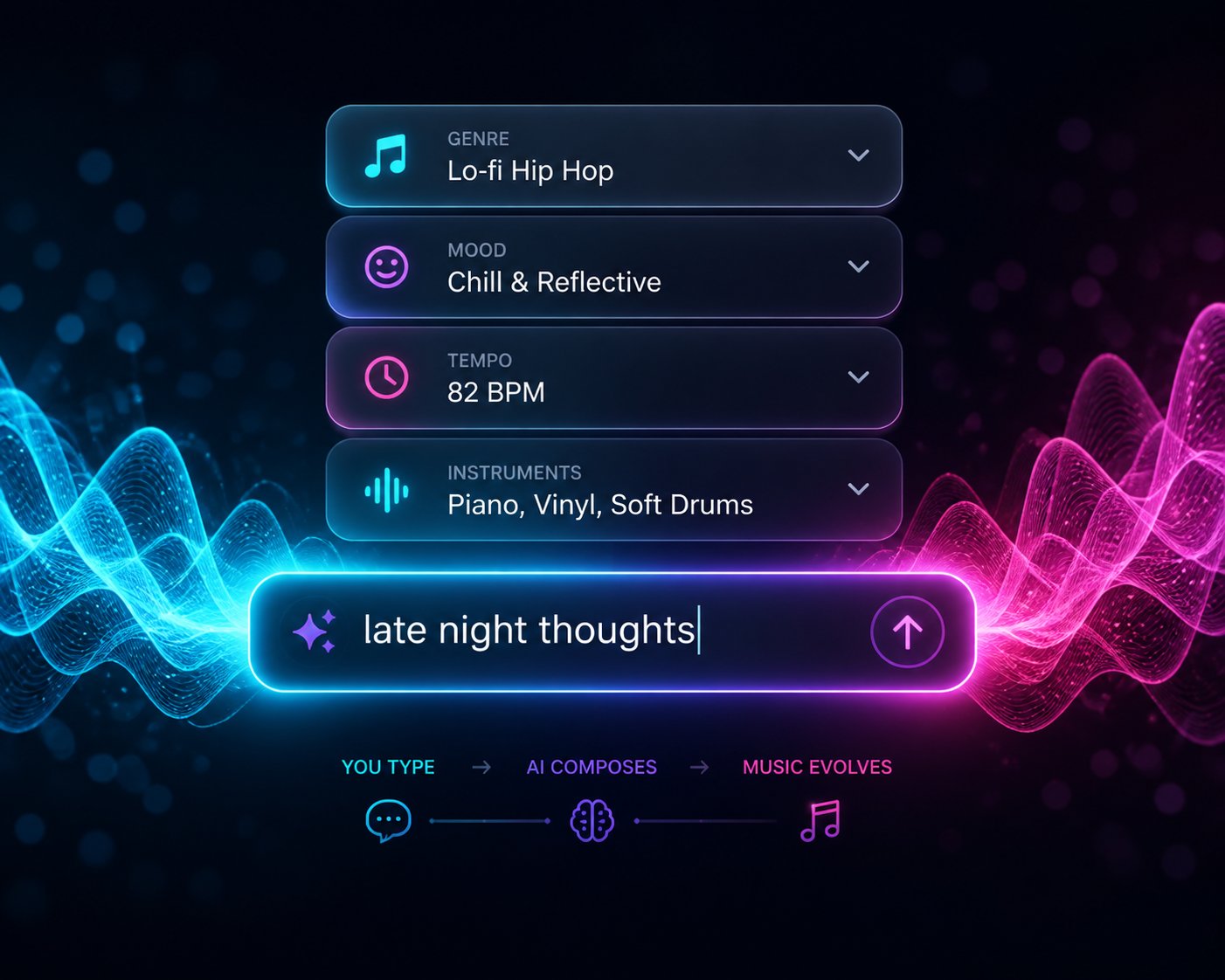
A practical formula that works across platforms: Mood + Genre + Instrumentation + Key/Scale + Tempo + Arrangement + Production Style. For example: "Melancholic lo-fi hip-hop with dusty drums, Rhodes piano in A minor at 78 BPM, loopable 16-bar structure, warm analog saturation." Every word in that prompt earns its place by narrowing the output space.
Common Prompt Mistakes to Avoid
Knowing what to include is half the equation. The other half is knowing what undermines your results. These mistakes show up repeatedly across AI music platforms, and they are all avoidable.
Vague descriptions that activate too many patterns. "Make a cool beat" gives the model almost nothing directional. It is not that the AI fails -- it is that your prompt succeeds at being ambiguous, and the AI faithfully reflects that ambiguity back to you. Analysis of Reddit communities like r/SunoAI reveals that roughly 70% of initial generations require three or more regenerations just to match the intended genre. Most of that wasted effort traces back to vague first prompts.
Contradictory instructions that send the model in multiple directions. "Aggressive chill trap beat with happy sad vibes" stacks opposing adjectives and expects the AI to find a coherent middle ground. It will not. Pick a dominant mood and stick with it. If you want contrast within the track, describe it structurally -- "melancholic verse building to a triumphant chorus" -- rather than mashing conflicting adjectives together.
Excessive length that dilutes the signal. More detail generally helps, but there is a tipping point. Overly long prose prompts can confuse AI parsers. Keep core style prompts concise -- 50 to 120 characters works well for most platforms -- and separate detailed lyric or structural instructions into their own fields when the platform supports it. Every word should describe something about the sound you want. Filler phrases like "I would like you to create something that sounds like" waste characters that could go toward actual musical descriptors.
Forgetting to describe vocals. This is the most underrated mistake. People specify genre, mood, and instruments -- then leave the vocal entirely open. The voice is usually the most defining element of a song. At minimum, describe vocal gender, tone, and energy. "Female vocals, airy, soft delivery" produces a completely different track than "female vocals, powerful, belting, gospel influence." If you keep getting the wrong vocal gender despite specifying it, layer reinforcing terms: "male vocals, deep voice, baritone, masculine tone" covers the concept from enough angles to push the model in the right direction.
Unrealistic expectations about first-attempt quality. AI music generation is not a vending machine. Your first prompt rarely produces the perfect track, and treating it as a pass-fail exercise leads to frustration. Treat each generation as information -- data about how the model interprets your words -- and use that information to refine.
Iterative Prompting for Better Results
The refinement process is where most users leave value on the table. You generate a track, decide it is "not quite right," and either give up or start from scratch with a completely different prompt. Neither approach is efficient.
A better workflow looks like this: start with a basic prompt covering genre, mood, and one or two key instruments. Listen to the output. Identify specifically what missed -- was the tempo too fast? Did the instrumentation feel wrong? Was the mood darker than intended? Then adjust only the parameters that need changing, keeping the elements that worked. Each cycle tightens the gap between your vision and the AI's output.
This iterative approach works because AI models respond predictably to specific parameter changes. Swapping "dreamy" for "energetic" while holding genre and instrumentation constant produces a targeted shift rather than a random new output. You are steering, not restarting.
The table below illustrates how prompt refinement transforms output quality, progressing from a weak starting point to a strong, production-ready instruction set:
| Prompt Text | Specificity Level | Expected Outcome Quality |
|---|---|---|
| "Make a chill beat" | Low -- no genre, tempo, or instrumentation defined | Generic, unpredictable output that may not match your intent at all |
| "Lo-fi hip-hop, relaxed mood, soft piano" | Medium -- genre and mood anchored, one instrument specified | Recognizably lo-fi, but rhythm and structure may wander |
| "Nostalgic lo-fi hip-hop at 78 BPM in A minor, dusty swing drums, Rhodes piano chords, warm sub bass, 16-bar loop" | High -- genre, mood, tempo, key, instruments, and structure all defined | Cohesive, genre-accurate loop with predictable structure and clear sonic identity |
| "Dark trap beat, aggressive" | Low -- genre present but lacks tempo, instrumentation, and structural direction | Likely produces a generic trap loop with default patterns |
| "Dark trap, 140 BPM, D minor, heavy 808 glide bass, triplet hi-hats" | Medium -- strong rhythmic anchoring, but arrangement undefined | Tighter genre fit with correct tempo and bass character; structure still inconsistent |
| "Dark trap at 140 BPM in D minor, heavy 808 glide bass, syncopated triplet hi-hat rolls, punchy snare on beat 3, 16-bar verse into 8-bar hook, minimal synth lead, clean digital mastering" | High -- every major parameter defined including section lengths and mix direction | Structured, hook-driven trap beat with clear verse-chorus identity and streaming-ready mix |
Notice the pattern. Each refinement adds one or two specific parameters rather than rewriting the entire prompt. The genre stays constant. The mood stays constant. What changes is the precision of supporting details -- tempo locks in, instrumentation gets more specific, structure becomes explicit. This incremental approach teaches you how the AI responds to each variable, building a mental model of the system that makes every future prompt more effective.
One more technique worth adopting: save your successful prompts. Build a personal library organized by genre, mood, and use case. When you find a prompt structure that consistently produces strong results, it becomes a reusable template -- swap in new key signatures, different instruments, or adjusted tempo values while keeping the proven framework intact. Over time, your library becomes a creative toolkit as valuable as the AI platform itself.
Strong prompts get you closer to the music you hear in your head. They do not, however, answer the questions that surface the moment you want to actually use that music -- who owns the track, where you can publish it, and what the AI still cannot do well enough to trust without a human ear. Those practical realities deserve their own honest examination.
Licensing, Copyright, and Honest Limitations
You have written a killer prompt, generated a track you genuinely love, and now you want to upload it to Spotify, drop it behind your YouTube video, or sell it as part of a client project. One question stops you cold: do you actually own this music? The answer is more complicated than any ai music generator melodycraft or otherwise wants to advertise -- and the silence across competing guides on this topic is deafening. Almost no existing MelodyCraft content addresses licensing, ownership, or the real-world limitations of AI-generated audio. That silence does not make the questions go away. It just means creators stumble into them unprepared.
Let's cut through the ambiguity with what is actually known, what remains unsettled, and what you should verify before putting any AI-generated track to commercial use.
Who Owns AI-Generated Music
Here is the uncomfortable truth: copyright law has not caught up to AI music generation, and no platform can grant you protections that the legal system itself has not yet defined.
The U.S. Copyright Office has been examining AI-related copyright issues since 2023, releasing its findings in a multi-part report. Part 2, published in January 2025, directly addresses the copyrightability of outputs created using generative AI. The Office's position is clear on one point: works generated entirely by AI without meaningful human creative input generally cannot be registered for copyright protection. Court decisions have reinforced this -- in Thaler v. Perlmutter, both the district court and the D.C. Circuit Court of Appeals affirmed the refusal to register a purely AI-generated work, and the Supreme Court declined to hear the case.
What does "meaningful human creative input" actually mean? The Copyright Office's guidance draws a line between prompting an AI (which alone may not constitute authorship) and substantially directing, arranging, editing, or curating the output (which may). If you type a prompt and accept the raw output without modification, your copyright claim is weakest. If you write original lyrics, make significant arrangement decisions, edit the generated audio, layer human performances on top, and make creative selections from multiple outputs, your claim strengthens considerably.
This is not just an American issue. Copyright frameworks around the world are grappling with the same questions, and answers vary by jurisdiction. The European Union, the United Kingdom, and other regions each approach AI authorship differently -- and none have fully resolved it.
Ownership of AI-generated music depends on three intersecting factors: the platform's terms of service, the jurisdiction where you operate, and the degree of human creative input you contribute to the final work.
The practical takeaway? Do not assume you own a track just because you generated it. Review each platform's specific licensing terms before using any output commercially.
Commercial Use and Monetization Rights
Copyright registration and commercial distribution rights are two different things -- and this distinction trips up more creators than almost anything else. You do not necessarily need a copyright registration to release a track on streaming platforms. What you need is a license from your AI generator that grants you commercial use rights for the output.
This is where your platform's terms of service become the most important document you will ever skip reading. Industry analysis confirms that commercial release rights depend almost entirely on which plan you are using:
- Free tiers typically restrict output to personal use only. Distributing a track generated on a free plan -- even through a legitimate distributor -- can violate the generator's terms and trigger takedowns weeks after release.
- Paid plans generally grant commercial rights, but the scope of those rights varies. Some platforms let you monetize freely. Others retain certain rights or require attribution.
- Digital service providers increasingly require AI disclosure. Spotify, Apple Music, and other platforms are tightening policies around AI-generated content, and some require explicit metadata tagging that identifies a track as AI-created.
For MelodyCraft specifically, the web platform's commercial licensing terms at each pricing tier remain insufficiently documented in public-facing materials -- a gap flagged in the features section of this article. The iOS app by MWM follows a separate terms structure entirely. Before uploading any generated track to a streaming platform, a sync licensing deal, or a client deliverable, confirm that your specific plan explicitly permits commercial use. "I paid for credits" and "I have commercial rights" are not the same statement.
One more wrinkle worth noting: even when a platform grants you commercial distribution rights, that grant does not automatically equal copyright ownership. You may have permission to sell and monetize a track without legally owning the underlying composition in the traditional copyright sense. For most independent creators releasing music to streaming platforms, this distinction is academic -- the commercial license is what enables revenue. But for creators pursuing publishing royalties, sync placements, or legal enforcement against infringement, the copyright question matters enormously.
Known Limitations of AI Music Generation
No honest guide should skip the part where the technology falls short. AI music generators have improved dramatically -- but "dramatically improved" is not the same as "ready to replace professional human composition." Treating any AI tool as a finished-product machine sets you up for frustration that creator communities are documenting in detail.
The most common shortcomings you should expect:
- Vocal quality inconsistencies: AI-generated vocals remain the weakest link in most platforms. Voices can drift mid-track, shift timbre between sections, or produce artifacts that sound unnatural on careful listening. Specifying vocal characteristics in your prompt helps, but does not eliminate the problem.
- Repetitive song structures: Without explicit structural direction in your prompt, AI models default to predictable loops. Choruses may not repeat identically when you want them to, and verses can bleed into each other without clear transitions. As one creator analysis puts it: "repeated lyrics do not guarantee identical melody" -- a frustration that catches users off guard.
- Limited dynamic range: AI-generated tracks often feel "flat" compared to human-produced recordings. The subtle build of tension through volume swells, rhythmic variations, and timbral shifts -- the dynamics that make music feel alive -- remain difficult for current models to replicate consistently.
- Genre-specific weaknesses: Mainstream genres like pop, hip-hop, and electronic music produce the strongest results because training data is most abundant there. Niche genres -- jazz fusion, progressive metal, traditional folk from specific regions -- expose the model's thinner understanding of less-represented styles. The output may technically fall within the genre but miss the nuances that define it.
- The "generic" problem: Multiple creators generating prompts in the same genre tend to receive outputs that sound similar. Without strong, specific prompts, AI music can feel interchangeable -- technically competent but lacking the personality and idiosyncrasy that make human compositions distinctive.
These limitations are real, but they are also moving targets. Each model update improves vocal realism, structural coherence, and dynamic range. The honest framing is not "AI music is bad" but rather "AI music is a powerful starting point that currently benefits from human refinement" -- whether that means editing in a DAW, layering live performances, or simply curating the best outputs from multiple generations.
Before committing to any platform for commercial work, ask these questions directly:
- Does my current plan explicitly grant commercial distribution rights?
- Does the platform retain any ownership or revenue share on generated tracks?
- What AI disclosure metadata does the platform provide for streaming submissions?
- Can I export stems or only a single mixed audio file?
- What happens to my generated content if I cancel my subscription or the platform shuts down?
- Does the platform's terms of service address derivative works -- can I substantially edit and claim the result?
- Are there restrictions on using generated music for specific commercial purposes (ads, film, resale)?
Any platform that cannot answer these questions clearly deserves skepticism, not your credit card number. The best AI music tools are transparent about both their capabilities and their boundaries -- and the best creators build workflows that account for both.
Licensing clarity and an honest understanding of what AI can and cannot do are not barriers to getting started -- they are the foundation for getting started intelligently. With realistic expectations in place, the final step is turning all of this knowledge into an actionable workflow that moves you from curiosity to your first generated melody.
Getting Started with AI Melody Generation
Realistic expectations are set. The licensing landscape is mapped. The prompt skills are in your toolkit. All that remains is the part most guides forget to cover clearly: what do you actually do first? Eight sections of context, comparisons, and honest analysis mean nothing if they do not converge into a concrete starting point you can act on today. Your next move depends entirely on who you are and what you need -- so let's connect the dots between the user personas explored earlier and the specific first step that makes sense for each one.
Matching Your Goals to the Right Starting Point
Not every creator enters the AI music space through the same door. A content creator scrambling for a YouTube intro track has a different entry point than a songwriter chasing a melodic hook that has been rattling around their head for weeks. Mapping your goal to the right tool eliminates the trial-and-error frustration that sends most beginners bouncing between platforms without producing anything usable.
Here is how each persona lines up with a recommended first action:
- Songwriters and producers focused on melody ideation: If the hardest part of your process is generating that initial melodic seed -- the hook, the motif, the phrase that anchors an entire composition -- start with a purpose-built tool. MakeBestMusic's Melody Generator is designed specifically for this stage. It helps songwriters, producers, and beginners generate original melody ideas without requiring full production knowledge or navigating the complexity of a complete song generation platform. You get melodic raw material you can immediately develop, arrange, and build upon in your own workflow.
- Content creators needing background music fast: Jump directly into a full-track generator like Suno or Soundraw. Your goal is a finished, usable audio file -- not a melody to develop further. Write a detailed prompt using the techniques from the previous section, generate three to five variations, and pick the one that fits your video or podcast.
- Hip-hop creators and lyricists: The MelodyCraft web platform's lyrics-first workflow is built for you. Start with the Rap Lyrics Generator or bring your own bars, then pipe them into the music generator to hear your words performed over a produced beat.
- Complete beginners experimenting for the first time: Begin with melody. Full-song generators can feel overwhelming when you do not yet know what you want. A melody-focused tool like MakeBestMusic's Melody Generator keeps the scope manageable -- you explore one musical idea at a time, building your ear and your prompting instincts before scaling up to complete tracks.
- Educators and students: Use any free-tier platform to generate examples of different genres and structures. The goal is interactive learning, not polished output -- so free credits on Suno or a quick melody generation session are more than enough to spark classroom discussion about chord progressions, genre characteristics, and arrangement principles.
The common thread across every persona is this: start narrow, then expand. Trying to produce a radio-ready song on your very first attempt sets an unrealistic bar. Starting with a single melody or a simple loop teaches you how AI interprets your creative language -- and that understanding pays compounding returns on every future generation.
Building a Workflow Around AI Music Tools
The creators getting the most value from AI music generation are not the ones who treat it as a magic box that spits out finished songs. They are the ones who slot AI into a broader creative workflow -- using it for what it does best (speed, volume, ideation) and layering human decisions on top for what it still cannot do well (emotional nuance, dynamic arrangement, personal expression).
Imagine the process like sculpting. The AI delivers the clay -- shaped, textured, and roughly formed. Your job is to carve the details, smooth the surfaces, and decide what the finished piece actually says. A hybrid AI-to-DAW workflow is already producing the strongest results among serious producers: AI handles composition and arrangement at speed, then traditional production tools handle mixing, mastering, and refinement with precision no generator can match on its own.
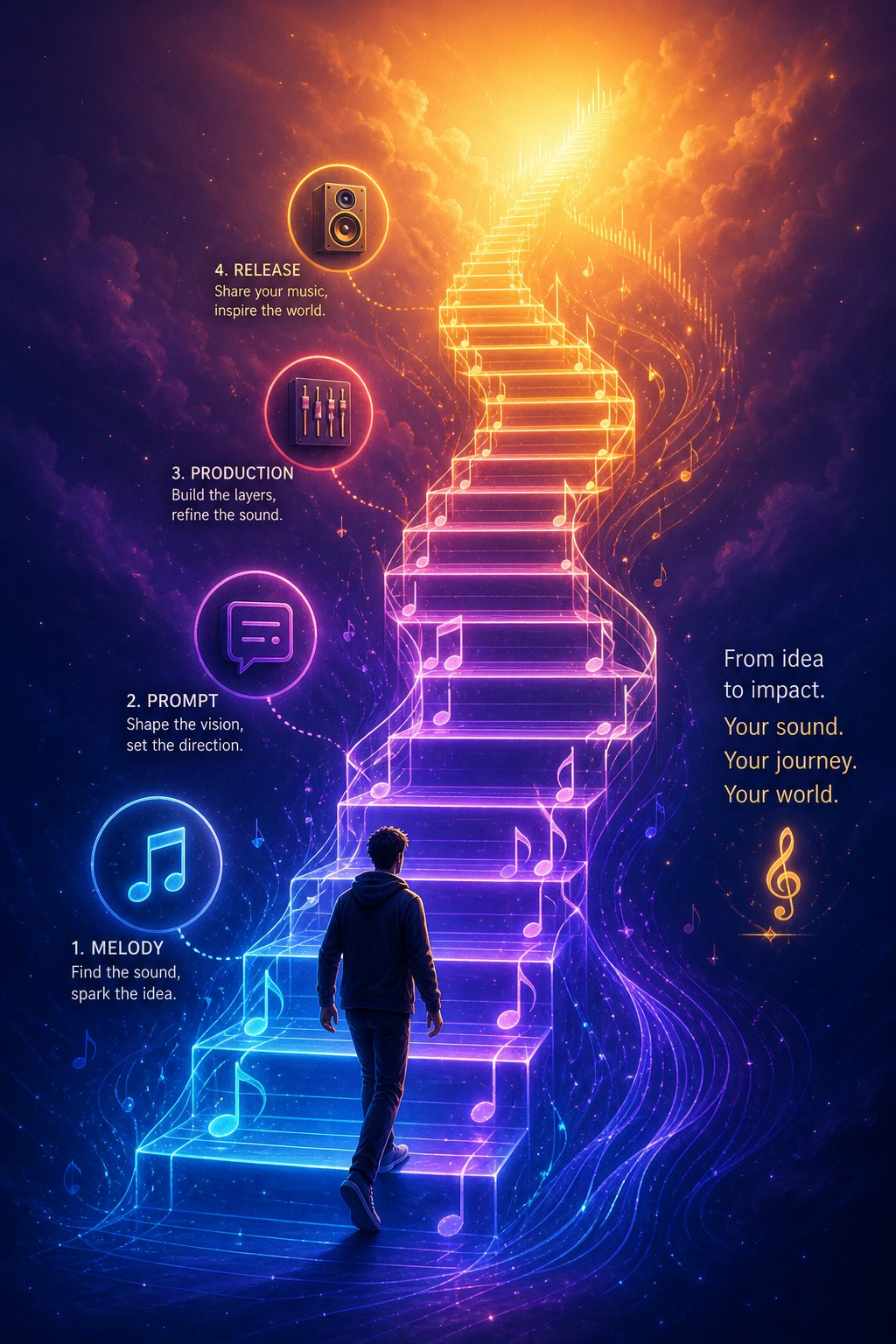
For new users ready to build this kind of integrated process, here is a step-by-step starter workflow that scales from first experiment to polished output:
- Generate melody ideas first. Use a focused tool like MakeBestMusic's Melody Generator to produce several original melodic concepts. Listen for the one that sparks something -- a phrase that sticks in your ear, a progression that surprises you, a rhythm that feels right. This is your creative foundation.
- Develop your concept with a text prompt. Take the melodic direction that resonated and translate it into a detailed text prompt. Specify genre, mood, tempo, instrumentation, and structure using the formula covered earlier. Feed this prompt into a full-track platform like MelodyCraft, Suno, or Udio.
- Generate multiple variations. Never settle for the first output. Produce three to five versions of the same prompt, then compare. You will notice the AI interprets identical instructions differently each time -- and one of those interpretations will click better than the rest.
- Evaluate and iterate. Listen critically. Is the tempo right? Does the instrumentation match your vision? Are the vocals (if present) consistent? Adjust your prompt based on what missed, keeping what worked. Two or three refinement cycles typically close the gap between "close" and "right."
- Export and refine in a DAW. Once you have a generation you are happy with, export stems or the full audio file and import it into your DAW of choice -- Ableton, Logic, FL Studio, Cubase, or any other. Apply EQ, compression, and spatial effects. Layer in your own recorded elements if you play an instrument. Edit timing, fix artifacts, and master the final mix to commercial loudness standards.
- Verify licensing before publishing. Confirm that your plan grants commercial rights for your intended use. Check whether the platform requires AI disclosure metadata for streaming submissions. Review the questions listed in the licensing section of this article -- do not skip this step.
This workflow is not rigid. Content creators might skip step five entirely because their use case does not demand DAW-level polish. Songwriters might spend most of their time on step one, using melody generation as a brainstorming engine and developing everything else by hand. The framework adapts to your ambitions and your skill level -- the important thing is that it starts with focused ideation rather than trying to do everything at once.
The most effective approach combines AI efficiency with human artistry. Let the generator handle the parts of music creation that benefit from speed and volume -- exploring melodic possibilities, testing genre combinations, producing rough arrangements across dozens of variations in minutes. Then bring your own taste, your own ear, and your own creative judgment to shape those raw outputs into something that carries your personal signature. AI provides the ingredients. You are still the chef.
AI music generation is not a finished revolution -- it is a revolution in progress. Models are improving with each update. Vocal realism is climbing. Structural coherence is tightening. Legal frameworks are slowly catching up. The tools available right now are genuinely powerful, but they are also genuinely imperfect. Creators who succeed with them are the ones who understand both sides of that equation: leveraging the power without ignoring the limitations, using AI as a creative accelerator rather than a creative replacement. Your first generated melody will not be your best work. But it will be the start of a workflow that gets better every time you use it -- and that first step is closer than you think.
