

What Is an AI Classical Music Generator and Why It Matters
Imagine typing a single sentence — something like "a melancholic string quartet in the style of late Romantic-era Vienna" — and hearing an original piece of music materialize within seconds. That is the promise behind an AI classical music generator, and it is rapidly becoming a reality for composers, students, filmmakers, and curious hobbyists alike.
What Exactly Is an AI Classical Music Generator
An AI classical music generator is software that uses machine learning models trained on classical music datasets to produce original compositions in classical styles. You describe what you want — an era, a mood, an instrumentation — and the system draws on patterns it has learned from centuries of compositional tradition to create something new.
How does AI generate classical music differently from, say, a generic beat-making tool? The distinction matters. Classical composition demands multi-instrument orchestration, extended musical forms like sonatas and fugues, and layers of harmonic complexity that pop or electronic music rarely requires. A tool designed for creating classical compositions must handle independent melodic voices moving simultaneously, balance timbral differences across instrument families, and sustain coherent musical ideas over minutes rather than seconds. These demands push AI systems far beyond simple loop generation.
The relationship between AI and classical music is not as new as it might seem. As far back as 1957, the ILLIAC I computer at the University of Illinois produced a string quartet as one of the first entirely computer-generated pieces of music. More recently, AI was used to complete Beethoven's unfinished 10th Symphony, which was then premiered with a live orchestra. What has changed is accessibility — today, these capabilities are no longer confined to university labs or major tech companies.
Why This Technology Matters Now
So who is actually searching for these tools, and why? The audience is broader than you might expect. Working composers use AI as a brainstorming partner, generating melodic seeds or exploring harmonic alternatives before committing to a full score. Content creators — filmmakers, YouTubers, podcast producers, game developers — need royalty-free orchestral tracks without the licensing headaches. Music students and educators experiment with orchestration and voice leading in real time, without needing access to a live ensemble. And hobbyists with no formal training can finally explore classical composition in ways that were previously locked behind years of study.
AI classical music generators do not replace human composers — they democratize access to compositional tools that were previously locked behind years of formal training.
As UC San Diego researcher Shlomo Dubnov frames it, AI in music is positioned as "both a tool and collaborator." Composer-technologist Jay Swami echoes this perspective, noting that for musicians who already play instruments, arrange, and mix, generative AI "is not a replacement but an accelerator" — no different in spirit from sample libraries or MIDI programming. Can AI compose classical music that rivals human artistry? Not yet. But it can serve as a powerful creative instrument in its own right.
This article goes deep. You will learn how the underlying technology actually works, why classical music poses unique challenges for AI, how different eras from Baroque to Contemporary shape what these tools produce, and — critically — how to write better prompts that yield more convincing results. Whether you are evaluating your first AI tool or refining an existing workflow, the goal is the same: to give you the knowledge you need to use these systems with genuine musical understanding.
How AI Classical Music Generation Actually Works
You have typed your prompt. You have described the mood, the era, the instruments. Seconds later, music appears — polyphonic, structured, unmistakably classical in character. But what happens between the moment you press "generate" and the moment sound reaches your ears? Understanding the technology behind these systems is not just an academic exercise. It directly shapes how well you can use them, what you should expect from the output, and which tool fits your creative goals.
Neural Networks and Transformer Models in Music
If you have heard of ChatGPT or similar large language models, you already know the core architecture driving most modern AI music systems: the transformer. Originally designed for processing text, transformer models have been adapted remarkably well for music. The key ingredient is the attention mechanism, which allows the model to look back across everything it has generated so far and decide what should come next based on context — not just the last few notes, but patterns stretching across hundreds or thousands of musical events.
Think of it this way. When a human composer writes a recapitulation in a sonata, they are recalling themes from the exposition presented minutes earlier. Transformer models for music generation work on a similar principle: they learn to connect distant musical events, identifying relationships between notes, chords, rhythms, and instrumentation across long sequences. Research published through AAAI demonstrates how Transformer-XL architectures use recurrent memory to attend beyond a fixed context window, reusing hidden states from previous segments to build long-range dependencies — a critical requirement for classical music, where thematic material must be sustained and developed over extended durations.
Here is where an important distinction emerges: symbolic generation versus audio generation. Understanding the difference between these two is essential for anyone evaluating an AI classical music generator.
Symbolic generation produces output in formats like MIDI or digital scores — essentially, a set of instructions specifying which notes to play, when, how loudly, and for how long. Imagine it as creating a detailed musical blueprint. The advantage? You get editable output that you can load into a digital audio workstation, reassign instruments, adjust velocities, or rearrange sections. The limitation is that the output itself is not sound — you need a synthesizer or virtual instrument library to hear it, and the final audio quality depends entirely on that rendering step.
Audio generation, by contrast, produces actual waveforms — the sound itself. Models working in this domain generate spectrograms or raw audio signals that capture not only pitch and rhythm but also timbral nuance, the resonance of a concert hall, or the texture of a bowed cello string. The trade-off? Audio output is far more computationally expensive to produce, harder to edit after generation, and the models require significantly more training data to achieve convincing results, especially for the complex timbral layering that orchestral classical music demands.
Training Data and How AI Learns Classical Style
Every neural network classical music composition system begins with data — and the quality and scope of that data fundamentally determines what the model can produce. Training datasets typically include digitized scores from public-domain classical works, MIDI transcriptions of performances, and in some cases, audio recordings.
One of the most widely used resources is the MAESTRO dataset, which contains over 200 hours of paired audio and MIDI recordings drawn from international piano competitions. Researchers often augment this data through techniques like pitch transposition and time stretching to increase variety and help the model generalize rather than memorize specific pieces.
So how does AI learn to compose classical music in the style of a particular era or tradition? The model does not "understand" music theory the way a conservatory student does. Instead, it identifies statistical patterns — the probability that a particular chord follows another, the frequency of ornamental melodic figures in Baroque-era data, the characteristic harmonic progressions associated with Romantic-period works. Feed the model enough Bach, and it learns the contrapuntal density of interweaving independent voices. Train it on Mozart-era compositions, and it absorbs the balanced phrasing and melodic elegance of the Classical period. Expose it to Chopin or Liszt, and it picks up the chromatic richness and emotional dynamic range of Romanticism.
This pattern recognition is both the strength and the limitation. The model excels at capturing surface-level stylistic signatures — the "sound" of an era. It struggles more with deeper structural logic, like why a composer chose a particular key relationship for a development section or how a thematic transformation serves the emotional narrative of an entire movement.
From Diffusion Models to Symbolic Reasoning
Transformer-based symbolic generation is the dominant approach, but it is not the only one. The landscape of AI music generation has expanded significantly, and each technology category serves different use cases.
Diffusion models represent one of the most exciting emerging approaches for generating orchestral music as audio. These models work by starting with pure noise and progressively refining it — step by step — into coherent audio output. Imagine a sculptor gradually chipping away at a marble block until a figure emerges. Recent research in text-to-music generation shows that latent diffusion architectures operating on mel-spectrograms, conditioned through cross-attention with text embeddings, can produce high-fidelity audio that aligns with natural language prompts describing mood, instrumentation, and style.
Before transformers and diffusion models, recurrent neural networks (RNNs) — particularly Long Short-Term Memory (LSTM) networks — were the standard approach. LSTMs introduced memory cells capable of retaining information over longer sequences than basic RNNs, addressing the "vanishing gradient" problem that caused earlier models to lose coherence after just a few measures. Projects like Magenta's MelodyRNN demonstrated what LSTMs could achieve, but these models ultimately fell short when tasked with sustaining structure across minute-long classical compositions. Transformers, with their ability to attend to any point in a sequence simultaneously rather than processing notes one by one, proved far more capable of maintaining long-range musical coherence.
To give you a clear picture of the landscape, here are the main technology categories powering today's tools:
- Transformer-based symbolic generation — Produces MIDI or score-based output by predicting musical tokens sequentially, excelling at capturing long-range structure and stylistic patterns from classical training data.
- Diffusion-based audio generation — Creates audio waveforms or spectrograms through iterative denoising, capturing timbral richness and realistic instrument textures but requiring more compute and offering less editability.
- Hybrid approaches — Combine symbolic and audio methods, sometimes generating a symbolic score first and then rendering it through a neural audio synthesis model for more natural-sounding output.
- Rule-based systems with music theory constraints — Use explicit compositional rules (voice-leading conventions, harmonic grammar, counterpoint rules) to guide or constrain AI output, sometimes layered on top of neural approaches to improve musical correctness.
Why does this matter practically? If you are a composer looking for editable MIDI sketches to develop further, a transformer-based symbolic generator will serve you best. If you are a content creator who needs a finished audio track for a video score, a diffusion-based or hybrid system producing direct audio output is likely a better fit. Understanding these distinctions is the first step toward choosing the right tool — and knowing what to expect from each one.
Of course, all of these technologies share one fundamental dependency: the musical data they were trained on. And because that training data spans centuries of compositional evolution — from the ornamental counterpoint of the Baroque to the expanded harmonic vocabulary of the late Romantic period — the specific era you target in your prompt shapes the AI's output in profound ways.
Classical Music Eras and How AI Interprets Them
Centuries of compositional evolution are compressed inside the training data of every AI classical music generator. But those centuries were not monolithic. Classical music moved through distinct stylistic eras, each with its own harmonic language, preferred instruments, structural conventions, and expressive priorities. When you specify "Baroque" or "Romantic" in a prompt, you are activating entirely different pattern sets within the model — and knowing what those eras actually sound like is the difference between getting convincing output and getting something that feels generically "old-sounding."
From Baroque to Contemporary and What Defines Each Era
Think of classical music history as four broad chapters, each building on what came before while deliberately breaking certain rules. Here is a concise walkthrough of the classical music eras explained for AI generation purposes.
The Baroque era (roughly 1600–1750) was a period of experimentation and ornamentation. Composers like Bach, Vivaldi, and Handel established foundational forms — the concerto, the sonata, the opera — while developing intricate polyphonic textures where multiple independent melodies interweave simultaneously. The harpsichord anchored most ensembles, and the basso continuo — a continuous bass line with improvised harmonic filling — provided the structural backbone. Improvisation was common, and performers were expected to add their own ornaments and embellishments on the spot.
The Classical era (roughly 1750–1830) reacted to Baroque complexity with elegance, balance, and clarity. Haydn, Mozart, and early Beethoven composed music built on symmetrical phrasing, clear melodic lines, and well-defined formal structures like sonata form and the string quartet. The piano replaced the harpsichord. Orchestras began to look more like their modern counterparts, with clarinets, oboes, flutes, horns, and trumpets joining the strings. Composers grew more specific about dynamics and ornamentation, leaving less room for performer improvisation.
The Romantic era (roughly 1830–1900) turned the volume up — emotionally and literally. Orchestras expanded dramatically, sometimes calling for over 120 players. Composers like Brahms, Chopin, Tchaikovsky, and Wagner pushed harmonic boundaries with chromatic writing that borrowed notes from distant keys to create richer, more emotionally charged progressions. New forms emerged — symphonic poems, nocturnes, song cycles — and programmatic music, which told stories or painted scenes through sound, became a defining characteristic.
The Modern and Contemporary era (1900s onward) shattered conventions entirely. Debussy cultivated Impressionism with its hazy, coloristic harmonies. Schoenberg developed the twelve-tone system, abandoning traditional keys altogether. Minimalist composers like Philip Glass and Steve Reich built hypnotic works from repeating, gradually shifting patterns. Meanwhile, political pressures shaped output in powerful ways — Shostakovich wrote entire symphonies laden with subtext under Soviet constraints. By the late 20th century, the classical tradition had merged with film scoring and electronic music, with composers like John Williams and Hans Zimmer extending orchestral writing into new contexts.
The table below organizes these eras side by side, including a practical note on how difficult each one is for AI to generate convincingly:
| Era Name | Approximate Period | Key Characteristics | AI Generation Difficulty |
|---|---|---|---|
| Baroque | 1600–1750 | Ornamental melodies, basso continuo, polyphonic counterpoint, harpsichord-centered | High — counterpoint requires managing multiple independent voices with strict harmonic rules |
| Classical | 1750–1830 | Balanced phrases, sonata form, clear melodies, emerging orchestral palette | Moderate — well-defined formal structures give AI clear patterns to follow |
| Romantic | 1830–1900 | Emotional expression, expanded orchestras, chromatic harmony, programmatic music | High — wide dynamic range, extended forms, and nuanced emotional arcs challenge coherence |
| Modern / Contemporary | 1900s onward | Atonality, minimalism, serialism, impressionism, experimental and hybrid forms | Variable — minimalist patterns are manageable, but atonal and serialist works require specialized training data |
How Era Distinctions Shape AI Output
Here is where this knowledge becomes directly practical. When you specify an era or style in an AI classical music generator, the model draws on patterns associated with that period's compositional norms. A prompt requesting Baroque-style output should trigger polyphonic textures, ornamented melodic lines, and the interplay of independent voices characteristic of Bach or Vivaldi. Shift that prompt to the Romantic era, and you should hear richer harmonic progressions, more dramatic dynamic variation, and broader emotional sweep.
The difference between AI generated Baroque vs Classical period music is not just cosmetic. Baroque output typically features denser counterpoint — two or three melodic lines moving independently — while Classical-period output favors a single prominent melody supported by a clear harmonic accompaniment. Romantic output introduces more chromaticism, longer phrases, and wider contrasts between soft and loud passages. Understanding how AI interprets classical music styles from each era lets you evaluate whether the tool is genuinely capturing a period's character or simply producing something vaguely "orchestral."
Imagine prompting for a "serene Classical-era piano piece in C major" versus a "stormy Romantic orchestral passage in C minor." Both are classical music, but the AI should produce fundamentally different textures, harmonic vocabularies, and emotional profiles. If the two outputs sound interchangeable, you know the tool is not differentiating eras effectively.
Understanding when classical music was made and how it evolved is not just music history trivia — it is a prompt-writing skill. The more precisely you can describe the stylistic fingerprints of each era, the more effectively you can guide the AI toward output that authentically captures the sound you are after. And that precision becomes even more important when you consider just how demanding classical music is for AI to produce well.
Why Classical Music Is Uniquely Challenging for AI
A four-chord pop loop. A pulsing electronic beat. A drifting ambient pad. AI can generate all of these with impressive consistency — and often in seconds. So why does classical music remain so stubbornly difficult? The answer lies in the sheer architectural complexity that defines the tradition. Classical composition is not just about choosing the right notes. It is about sustaining musical ideas across minutes or even hours, weaving multiple independent voices into a coherent whole, and orchestrating for dozens of instruments with wildly different sonic personalities. These demands push AI systems to the outer edges of what current technology can handle.
Structural Complexity That Tests AI Limits
Consider sonata form — the backbone of symphonies, concertos, and chamber music from the Classical and Romantic eras. A sonata movement unfolds in three large sections: an exposition that introduces two contrasting themes in different keys, a development that fragments and transforms those themes through distant harmonic territory, and a recapitulation that brings the themes back in the home key, resolving the tension. This is not a thirty-second loop. It is a musical argument that can span ten minutes or more, and every section depends on what came before it for its meaning.
Can AI write a fugue or sonata? In short passages, sometimes convincingly. Over extended durations, the cracks show quickly. Most AI models generate music token by token — one note or one short segment at a time — which means they excel at local coherence (the next measure sounds good after the previous one) but struggle with global coherence (does this passage remember the theme introduced four minutes ago?). A fugue makes this problem especially acute. In a Bachian fugue, a musical subject enters in one voice, then a second voice introduces the same subject at a different pitch while the first voice continues with a countersubject. Additional voices layer in, each maintaining its own melodic identity while all of them interlock harmonically. The AI must track multiple simultaneous lines, ensure each voice remains independently interesting, and follow strict harmonic rules governing how those voices interact — all at once.
Research into multi-agent AI composition systems illustrates just how formidable this challenge is. The CoComposer framework, which uses multiple specialized AI agents collaborating in roles like melody creation, accompaniment, and review, found that even with dedicated agents and iterative feedback cycles, "there are limitations in the model's understanding and generation capabilities for complex musical structures such as polyphonic counterpoint and large-scale musical forms." Earlier systems like ComposerX reported a good-case rate of only 18.4% for generated compositions, meaning users needed multiple attempts to get a satisfactory result. Among the recurring problems: difficulty aligning multiple musical voices accurately, a gap between understanding compositional concepts and translating them into correct notation, and what the researchers called "inadequate cadence resolution" — pieces that simply stop without arriving at a musically satisfying ending.
Theme-and-variations form introduces yet another challenge. Here, a composer states a theme and then reimagines it — rhythmically, harmonically, texturally — across a series of variations, each one recognizably connected to the original yet distinctly transformed. This requires the AI to do something remarkably human: balance novelty against familiarity across an extended span, knowing when to surprise and when to reassure. Current models tend to either wander too far from the theme (losing coherence) or stay too close (producing repetitive output that lacks the creative evolution a listener expects).
Multi-Instrument Orchestration and Dynamic Range
Structural complexity is only half the story. Orchestral music introduces a second layer of difficulty that makes AI orchestration challenges in classical music fundamentally different from those in other genres.
Imagine you are scoring for a full symphony orchestra. You have four families of instruments — strings, woodwinds, brass, and percussion — each with its own timbral character, dynamic range, and physical limitations. A flute cannot sustain a note the way a violin can. A trombone phrase that sounds powerful and idiomatic would be physically impossible on a clarinet. A cello's lowest register has a warm, dark quality that vanishes entirely if you shift the same notes to a viola. Writing idiomatically for each instrument — meaning composing passages that sound natural and exploit that instrument's unique strengths — is a skill that human orchestrators spend years developing.
For AI, this means the system must understand not just what notes to write, but who should play them and how they will sound on a specific instrument. As CoComposer's evaluation revealed, AI systems occasionally generate notes that exceed the conventional range of a specific instrument — producing, for example, a double bass passage that climbs above F4, beyond what the instrument can physically play. These errors might seem minor, but they break the illusion of authenticity immediately for any listener with orchestral experience.
Beyond individual instruments, orchestration is about how parts interact within the ensemble. A Romantic-era orchestral climax might layer tremolo strings beneath a soaring brass chorale, with woodwinds doubling melodic fragments and timpani reinforcing harmonic downbeats. Balancing all of those parts so that no section overwhelms another — and so the texture builds organically from a whisper to a roar — demands a kind of spatial awareness that current AI handles unevenly at best.
Here are the specific challenges that make the limitations of AI composing orchestral music especially pronounced:
- Maintaining thematic development across movements — A symphony may have four movements spanning thirty minutes. Recurring motifs, key relationships, and emotional arcs must connect these sections into a unified whole, far exceeding the coherence window of most current models.
- Creating authentic dynamic arcs from pianissimo to fortissimo — Classical music relies on gradual dynamic shaping. AI output often defaults to a relatively flat dynamic profile, missing the crescendos, sudden silences, and dramatic contrasts that give performances their emotional power.
- Handling tempo changes and rubato — Human performers stretch and compress time for expressive effect. UC Berkeley Professor Emerita Marika Kuzma observed of AI-generated music that the vocals "showed no imperfections (i.e. humanity)" and the overall result felt "disconnected" — too polished, too metronomically precise, lacking the subtle timing fluctuations that make live performance feel alive.
- Producing realistic instrument interactions — Call-and-response between sections, dovetailing phrases where one instrument picks up a melody as another drops away, the blending of timbres in unison passages — these ensemble behaviors are intuitive for trained musicians but difficult for AI to replicate with nuance.
- Achieving convincing endings — As noted in multi-agent composition research, AI-generated pieces frequently end abruptly or inconclusively, lacking the harmonic resolution and rhythmic finality that signal a satisfying close to the listener.
None of this means the technology is failing. It means classical music represents the hardest test case for AI generation — a genre where the bar for "convincing" is set by centuries of masterworks. Why is classical music hard for AI to generate? Because every element that makes the tradition extraordinary — contrapuntal independence, long-form narrative structure, idiomatic orchestration, expressive dynamic range — demands capabilities that sit at the very frontier of current research.
And that frontier is moving. Multi-agent systems, improved training datasets, and hybrid approaches combining neural generation with music-theory constraints are steadily closing the gap. The question for users is not whether AI can do everything, but which approach best matches what they actually need — a distinction that becomes clearer once you understand the different methods available for generating classical music with AI.
Three Approaches to AI Classical Music Generation Explained
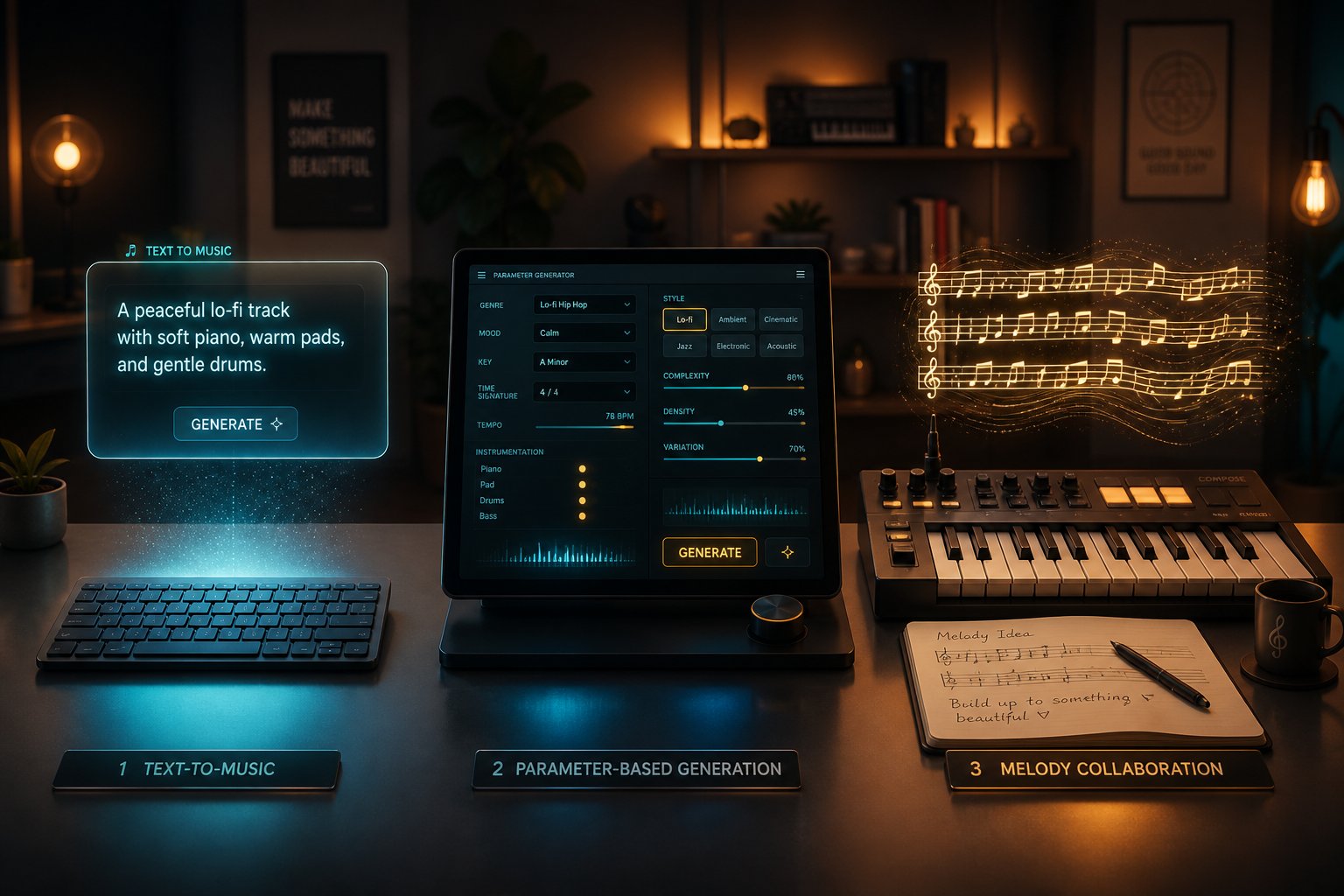
Every AI classical music generator asks the same fundamental question: how should the human and the machine divide the creative work? Some tools want nothing more than a sentence. Others expect you to bring a melody, a chord progression, or a detailed set of musical parameters. The approach you choose shapes everything — the quality of the output, the amount of control you retain, and whether the experience feels like delegating or collaborating.
Understanding these differences is the best approach for AI classical music creation, because no single method suits every user. A filmmaker hunting for a quick orchestral underscore has very different needs than a conservatory student exploring Baroque counterpoint. Here are the three primary workflows available, what each one demands from you, and where each one shines.
Text-to-Music Prompting
This is the most accessible entry point. You type a natural language description — something like "a melancholic piano sonata in D minor with a slow tempo and gentle dynamic swells" — and the AI interprets your words to generate music. No staff notation. No MIDI keyboard. Just language.
A text to classical music AI generator works by mapping your verbal description onto the musical patterns it learned during training. When you write "Baroque harpsichord piece with ornamented counterpoint," the model activates clusters of learned associations — the rhythmic density of Baroque-era data, the timbral profile of harpsichord samples, the interweaving voice textures characteristic of that period. The result is a piece that attempts to honor your description, generated in seconds.
The advantages are obvious. AI music generation from text prompts requires zero musical knowledge. You do not need to read notation, understand voice leading, or know the difference between a Neapolitan sixth chord and a French augmented sixth. If you can describe what you want to hear — even loosely — you can produce output. This makes text-to-music the go-to method for content creators, hobbyists, and anyone experimenting with classical music for the first time.
The limitations are equally real. Natural language is inherently imprecise when describing music. "Melancholic" means something different to every listener, and the AI's interpretation may not match yours. Output quality varies significantly with prompt quality — a vague request like "make something classical" produces generic results, while a well-crafted prompt with specific era, instrumentation, tempo, and mood cues yields dramatically better output. You also surrender fine-grained control. You cannot specify that the oboe should enter at measure sixteen or that the harmonic rhythm should accelerate in the development section. The AI makes those decisions for you, and you either accept them or regenerate.
Think of text-to-music prompting like giving stage directions to an actor. You can say "enter with sadness and hesitation," but you cannot choreograph every gesture. The performance will be shaped by your direction, but the details belong to the performer — or in this case, the model.
Style-Based and Reference-Driven Generation
Where text prompting relies on open-ended language, style-based AI classical composition tools offer structured parameters. Instead of writing a sentence, you select from menus: choose an era, pick a mood, set a tempo range, specify an instrument ensemble, or select a reference style like "Mozart-era symphony" or "Impressionist piano." The AI generates music matching those curated parameters.
This approach trades some creative freedom for predictability. Because the inputs are structured rather than free-form, the system has less room to misinterpret your intent. You will not get a triumphant brass fanfare when you selected "contemplative" from the mood dropdown. The output tends to be more consistent across multiple generations, which matters when you need reliable results — say, producing a batch of background tracks for a video series that need to share a cohesive aesthetic.
Some platforms take this further by allowing reference-driven generation. You upload an existing track — perhaps a recording of Debussy's Clair de Lune or a passage from a Dvořák string quartet — and the AI analyzes its harmonic content, rhythmic patterns, tempo profile, and timbral characteristics to generate something new but stylistically similar. This is especially valuable for media producers who hear a piece they love but cannot license it. Instead of trying to describe its qualities in words, they let the reference track speak for itself.
The trade-off? Less room for surprise. Style-based tools excel at producing music that sounds like what you asked for, but they are less likely to produce something unexpected and wonderful — that serendipitous moment when an AI generates a harmonic turn you would never have thought of yourself. The structured interface also means these tools tend to work within predefined categories. If your vision falls between two style options — say, a piece that blends late Romantic harmonic richness with Baroque contrapuntal textures — the rigid menu system may not accommodate that hybrid request as fluidly as a free-text prompt could.
Melody-Focused and Interactive Composition
Imagine you have a melody — eight bars of something you hummed into your phone, a chord progression you worked out on a keyboard, or a short musical fragment you sketched in notation software. You do not need the AI to start from nothing. You need it to take what you already have and do something with it: harmonize it, extend it, orchestrate it for a string ensemble, or develop it into a full arrangement.
This is where AI becomes a genuine collaborative partner rather than an autonomous creator. Tools built around this approach let you AI harmonize and orchestrate melody input, building outward from your musical idea rather than generating one independently. As Yenra's 2026 analysis of music AI advances describes it, the strongest current systems treat thematic development "as transformation and continuation, not as total replacement of the original idea." You provide the seed. The AI cultivates it.
This method appeals most to musicians — people who already have ideas but want to explore possibilities faster than manual composition allows. A pianist who has written a beautiful theme can hear it orchestrated for a full chamber ensemble in minutes rather than spending hours hand-writing individual parts. A film composer can feed the AI a four-bar motif and receive back a dozen variations, each developing the theme in a different harmonic or rhythmic direction. The workflow mirrors what current research identifies as the most credible near-term use of composition AI: "fast co-writing and arranging assistants that help draft melodic ideas, suggest harmonic options, generate alternate versions, handle routine production work" — all while keeping human taste and revision at the center.
The entry barrier is higher. You need musical material to start with, which means you need at least basic musical knowledge — enough to play a melody, write a chord chart, or input notes into a MIDI editor. For non-musicians, this approach is largely inaccessible. But for those who can meet it halfway, the results tend to be more musically satisfying because the AI is not guessing at your creative intent. It is building directly on top of it.
Choosing the Right Approach for Your Needs
Each method sits at a different point on the spectrum between ease of use and creative control. The table below lays out the key differences so you can match your skill level and goals to the right workflow:
| Approach Type | User Input Required | Musical Knowledge Needed | Best For | Control Level |
|---|---|---|---|---|
| Text-to-Music Prompting | Natural language description of desired style, mood, tempo, and instrumentation | None — descriptive language is sufficient | Content creators, hobbyists, first-time users, rapid prototyping | Low to moderate — output depends on prompt quality but fine details are AI-determined |
| Style-Based and Reference-Driven | Selection from structured menus (era, mood, tempo, ensemble) or upload of a reference track | Minimal — familiarity with musical terms helps but is not required | Media producers needing consistent output, users who want predictable results matching a specific aesthetic | Moderate — parameters constrain the output but individual musical decisions remain with the AI |
| Melody-Focused and Interactive | A melody, chord progression, MIDI file, or musical fragment provided by the user | Intermediate to advanced — ability to create or input musical material is essential | Composers, arrangers, music students, professionals seeking a collaborative AI partner | High — the user's musical input directly shapes the output, and the AI extends or enhances rather than replaces |
Notice the pattern: the more musical knowledge you bring, the more control you get. That is not a flaw in the technology — it reflects the nature of creative collaboration. An AI that harmonizes your melody can only be as good as the melody you give it. A text prompt can only guide the model as precisely as your language allows. Each approach is a different kind of conversation with the machine, and the best results come from choosing the conversation style that matches what you actually know and what you actually need.
Many users find their workflow evolves over time. You might start with text-to-music prompting to explore what is possible, graduate to style-based tools as your ear develops, and eventually move toward interactive composition as you build musical skills and creative confidence. The tools are not mutually exclusive — and neither are the skills they reward.
Knowing which approach fits your workflow is essential, but it only answers half the question. The other half is understanding who actually benefits from these tools — and the range of real-world applications turns out to be far wider than most people expect.
Who Benefits from AI Classical Music Generators
A filmmaker races to finish a documentary about Renaissance architecture. A high school music teacher needs to demonstrate the difference between homophonic and polyphonic textures — live, in front of thirty students, with no ensemble available. A game developer prototypes an RPG and realizes the placeholder soundtrack is killing the atmosphere. These are not hypothetical scenarios. They are the everyday situations driving real demand for AI-generated classical music, and the range of people who benefit extends far beyond what most discussions acknowledge.
Content Creation and Media Production
Picture this: you are editing a YouTube video essay on the philosophy of stoicism. You need a dignified, understated orchestral backdrop — something that evokes gravitas without overwhelming your narration. Traditionally, you have three options. License a stock track (expensive, and the same piece might appear in dozens of other videos). Hire a composer (more expensive, slower). Or use silence (not ideal). An AI classical music generator for content creators opens a fourth path — generating a custom piece tailored to your exact mood, pacing, and instrumentation preferences, often within minutes.
Filmmakers, YouTubers, podcast producers, and game developers are among the heaviest users of these tools. The EU-funded AIVA project demonstrated this potential early on, building an AI music engine capable of composing complex instrumental music for movies, games, advertising, and other digital media. The system was trained by reading over 30,000 classical music scores, learning to produce AI generated orchestral music for film and other media applications. One of its key selling points was speed and scalability — generating a piece in seconds rather than the months and budgets (up to EUR 500,000) that traditional soundtrack production can demand.
For independent creators especially, the economics are transformative. A solo game developer with no music budget can generate royalty-free AI classical music for videos, cutscenes, and gameplay sequences that would otherwise require hiring an orchestrator. A podcaster can create a unique intro theme in a Baroque harpsichord style that no other show shares.
But what does "royalty-free" actually mean here? The term is widely used and widely misunderstood. Royalty-free does not mean free of all restrictions. It means you pay no ongoing per-use royalties within the scope of your license. As a 2026 licensing guide from MusicMake.ai clarifies, licensing terms still vary significantly by platform when it comes to commercial use, attribution requirements, exclusivity, and what happens if you cancel your subscription. Some platforms grant full intellectual property ownership to the user; others retain ownership and grant a usage license. Before using any AI-generated track commercially, you need to verify whether your specific plan covers your specific use case — monetized YouTube uploads, client work, paid app distribution, or streaming releases each carry different implications.
Education and Music Study
Imagine you are a music theory instructor and you want to show your students how a melody changes character when harmonized with different chord progressions — say, a simple theme in C major reharmonized with borrowed chords from C minor. Traditionally, you would either play it yourself at the piano (assuming you have the improvisation skills), find a recording that happens to illustrate your point, or describe it verbally and hope the concept clicks. None of these options is ideal.
Using AI classical music for education transforms this scenario entirely. You can generate multiple versions of the same melodic idea — each with different harmonic treatments, different instrumentations, different stylistic leanings — and play them side by side in real time. Students hear the difference rather than imagining it. SOUNDRAW's educational applications demonstrate how AI platforms let teachers isolate individual tracks, adjust parameters like tempo and intensity live, and show students how each element contributes to the whole composition. The same principle applies even more powerfully to classical music, where concepts like voice leading, modulation between keys, contrapuntal motion, and orchestral balance are notoriously difficult to illustrate without a performing ensemble.
Music students benefit just as directly. A composition student can experiment with orchestrating a chorale for different instrument combinations — hearing how the same four-part harmony sounds on a string quartet versus a woodwind ensemble versus a full orchestra — without booking rehearsal time or recruiting performers. A theory student studying sonata form can generate examples of exposition and recapitulation sections to hear how thematic material returns in a different key. The learning loop tightens dramatically: hypothesize, generate, listen, adjust, repeat.
This accessibility matters beyond the conservatory too. As AI-powered educational tools continue to mature, students with physical disabilities gain new avenues for musical engagement. Tools like the EyeHarp, an AI-assisted digital instrument playable through eye movements alone, illustrate how technology can open doors to musical expression for individuals who were previously excluded from traditional instrumental performance.
Composers and Professional Musicians
Working composers rarely talk about AI as a threat. More often, they describe it as the fastest sketchpad they have ever used. The workflow typically looks like this: a composer faces a blank page and needs melodic material — a seed, a starting point, a direction. Rather than staring at an empty staff for an hour, they prompt an AI tool to generate a handful of melodic fragments in a specific key, tempo, and character. Most of these fragments will be discarded. But one might contain a rhythmic idea worth developing, or a harmonic turn that sparks something unexpected.
This brainstorming use case is where current AI tools deliver their most credible value for professionals. Generating melodic seeds, exploring harmonic alternatives, and quickly prototyping orchestral arrangements before committing to full manual composition — these are tasks where speed matters more than perfection. A film composer working against a tight deadline can generate a rough orchestral mockup of a cue in minutes, assess whether the emotional direction works against the picture, and then refine or rewrite the piece by hand. The AI output is a draft, not a deliverable — but even a rough draft can save hours of compositional labor.
Some composers go further, using AI to break out of habitual patterns. If you have been writing in the same harmonic language for years, prompting a generator for a piece in a style you rarely explore — Impressionist textures, Minimalist repetitions, late-Romantic chromaticism — can expose you to progressions and voicings your fingers would not naturally find on the keyboard.
Beyond these core categories, the practical applications continue to multiply:
- Meditation and wellness apps — Gentle, sustained classical textures provide calming backgrounds without the licensing complications of using existing recordings.
- Theater and dance productions — Small companies can generate custom incidental music and scene-transition cues tailored to specific dramatic moments.
- Corporate presentations — Elegant orchestral underscoring adds polish to keynote addresses and product launches without competing with the speaker's voice.
- Museum and gallery installations — Site-specific ambient compositions can be generated to complement visual art, architectural spaces, or historical exhibits.
- Personal creative projects — Hobbyists scoring their own short films, animating personal stories, or simply exploring what it sounds like to "compose" a string quartet find genuine satisfaction in the process, even without formal training.
What connects all of these use cases is a shared reality: the people who benefit most are not trying to replace human musicianship. They are trying to access it — to bring orchestral sound and classical structure into contexts where hiring a live ensemble or a professional composer was never financially or logistically realistic. The tools meet them where they are.
Of course, access alone is not enough. Knowing that these tools exist is one thing. Knowing how to use them effectively — how to describe what you want in terms the AI can actually act on — is something else entirely. And that skill, prompt writing, turns out to be one of the most underappreciated factors separating mediocre output from genuinely convincing results.
How to Write Better Prompts for AI Classical Music
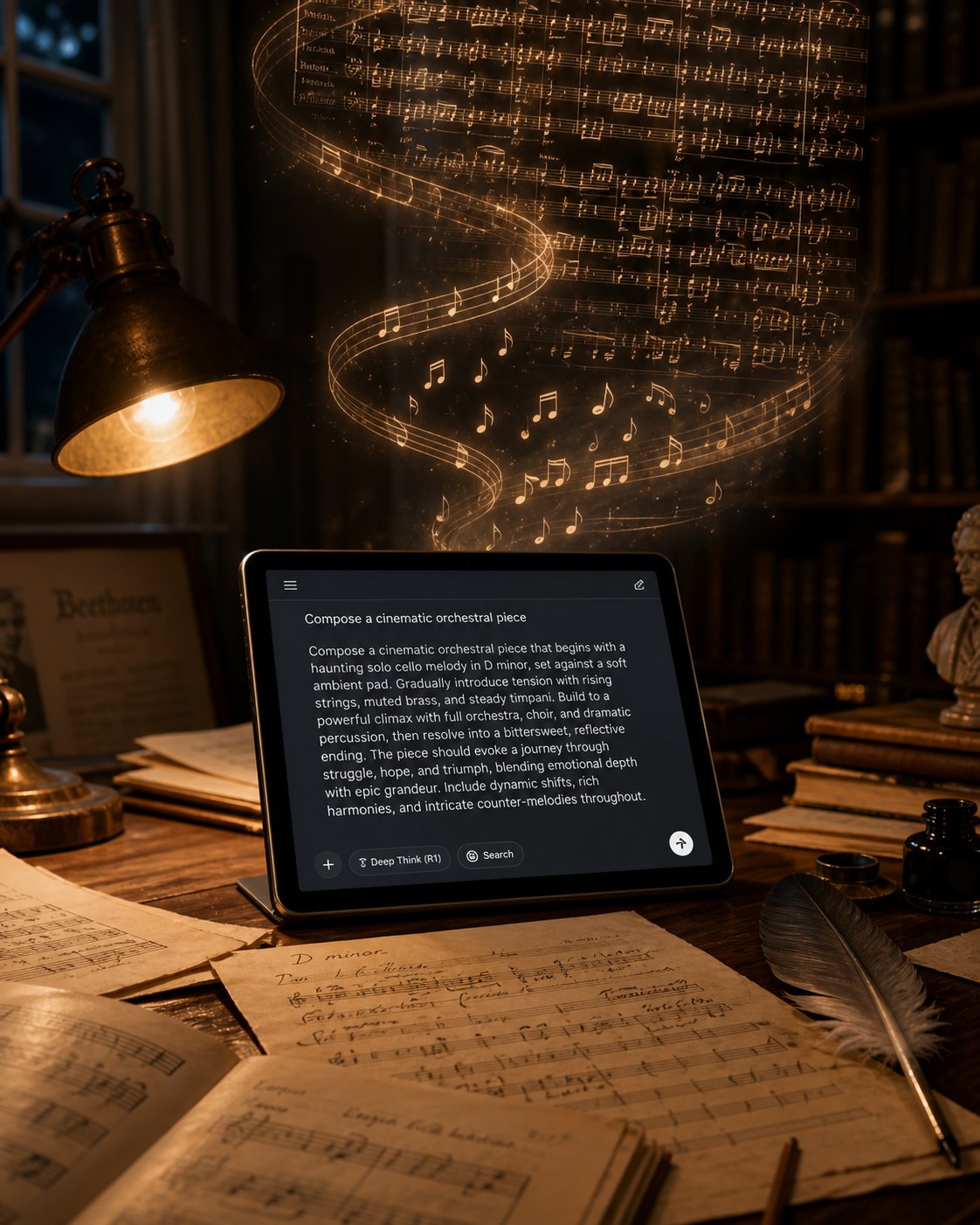
A vague prompt produces vague music. It is that simple. When you type "make classical music" into an AI generator, you are handing the model a blank check — and it will fill it in with the most statistically average output in its training data. The result? Something that sounds generically orchestral, forgettable, and disconnected from whatever you actually had in mind. The difference between that generic output and a piece that genuinely captures the spirit of a Baroque fugue or a Romantic-era nocturne almost always comes down to how you write the prompt.
Prompt engineering for orchestral AI music is a skill — and like any skill, it has principles you can learn and mistakes you can avoid. This section breaks down exactly how to prompt AI for classical music so that every generation moves closer to what you hear in your imagination.
Anatomy of a Great Classical Music Prompt
Think of your prompt as a creative brief you are handing to an invisible composer. The more specific that brief, the fewer decisions the AI has to guess at — and the fewer guesses, the better the output. A strong prompt addresses several key parameters: the musical era or style period, instrumentation, mood and emotional arc, tempo and dynamics, key and mode, structural form, and length.
You do not need to specify every parameter every time. But covering the most important ones — especially era, instrumentation, and mood — dramatically narrows the output space and pushes the result away from generic territory. As ImagineArt's advanced prompting guide puts it, AI music generators "don't have taste — they have instructions. When your prompt is specific, the AI has clear parameters to work within. When it's vague, the model fills the gaps with averages."
Here is a practical framework you can follow every time you sit down to generate classical music with AI:
- Start with the era or composer style. This is your single most powerful lever. Writing "Baroque-style" versus "late Romantic" activates entirely different pattern sets in the model — contrapuntal density versus chromatic richness, ornamental harpsichord textures versus sweeping orchestral crescendos. If you are targeting a specific composer's sound, name the style directly: "in the style of a Debussy prelude" or "evoking the contrapuntal rigor of Bach's keyboard works." The era anchors every other decision the AI makes.
- Specify instrumentation. Do not leave this to the AI's defaults. "Solo cello with piano accompaniment" produces something fundamentally different from "full string orchestra with woodwind doublings." Name the lead instrument first, then supporting instruments, and mention any instruments you explicitly do not want. As one prompting guide advises, even specifying the playing style matters: "fingerpicked acoustic guitar" versus "strummed acoustic guitar" yields noticeably different textures.
- Define mood and emotional trajectory. "Sad" is too broad. "A quiet grief that gradually gives way to tentative hope" gives the AI an emotional arc to follow. Pair two mood descriptors when you need nuance — "triumphant but weary," "serene with an undercurrent of tension." If the piece has an emotional journey rather than a static feeling, describe where it starts and where it ends.
- Set tempo and dynamics. Tempo is an emotional lever, not a minor detail. A piece at 60 BPM in a minor key creates a completely different atmosphere than the same harmonic language at 120 BPM. Specify a tempo range ("slow, around 66 BPM" or "moderately fast, allegro") and indicate dynamic preferences ("beginning pianissimo, building to a fortissimo climax in the final third").
- Add structural guidance if supported. Not every platform lets you control structure, but when the option exists, use it. Describing the arc — "starts with a solo melodic statement, adds voices gradually, reaches a full ensemble texture by the midpoint, then strips back to the solo instrument for the ending" — gives the AI a roadmap rather than forcing it to improvise one. For classical music specifically, you might reference formal structures: "loosely following theme-and-variations form" or "a ternary ABA structure with a contrasting middle section."
To see the difference this framework makes in practice, compare these two prompts:
| Weak Prompt | Stronger Prompt |
|---|---|
| "Make some classical music" | "A Classical-era piano sonata movement in G major, moderato tempo, with balanced phrases and a graceful, poised mood — clear melodic lines over an Alberti bass accompaniment, approximately two minutes" |
| "Sad orchestra piece" | "A Romantic-era orchestral adagio in D minor for strings and solo oboe, deeply melancholic but with a gentle warmth — beginning with the oboe alone, strings entering softly after the opening phrase, building to a rich harmonic climax before fading to a quiet close" |
| "Something like Bach" | "A Baroque-style two-voice invention for harpsichord in A minor, allegretto tempo, with imitative counterpoint — the second voice entering four beats after the first with the same subject at the fifth" |
You will notice that the stronger prompts are not longer for the sake of length. Every additional detail serves a purpose — eliminating ambiguity, narrowing the AI's decision space, and steering the output toward something specific rather than something average.
Common Prompt Mistakes and How to Fix Them
Even experienced users fall into predictable traps. Recognizing these AI classical music prompt tips and examples of what goes wrong will save you credits, time, and frustration.
Being too vague. This is the most common mistake by far. "Make classical music" or "a nice piano piece" gives the AI almost nothing to work with. As analysis of common AI music generation errors confirms, "vague prompts pull toward the statistical center" of the training data — producing output that is competent but entirely forgettable. The fix is specificity: name the era, the instrument, the mood, and the tempo. Each specific detail pushes the result away from the generic center.
Contradicting parameters. "An upbeat funeral march" or "a cheerful piece in the style of a tragic Romantic adagio" forces the AI to reconcile instructions that work against each other. The model resolves contradictions unpredictably — sometimes ignoring one parameter entirely, sometimes producing a confused hybrid that satisfies neither instruction. If you genuinely want an unusual emotional combination, describe the contrast explicitly: "A march with a stately rhythm but an underlying sadness — dignified rather than mournful, with a bittersweet harmonic quality."
Requesting unsupported complexity. "A full four-movement symphony with cadenzas, a fugal development section, and an orchestral interlude between movements" is a beautiful creative vision — and it exceeds what any current text-to-music system can reliably deliver in a single generation. As discussed earlier, maintaining coherence across extended multi-movement structures is one of the hardest challenges facing AI classical generation. You will get better results by generating one movement at a time, keeping each request focused on a manageable scope.
Over-constraining with too many simultaneous demands. Paradoxically, cramming every possible parameter into a single prompt can backfire. "A Baroque two-part invention in B-flat minor at 72 BPM in 3/4 time with harpsichord and viola da gamba featuring dotted rhythms and a modulation to the relative major at the midpoint ending with a Picardy third" is so densely specified that the model struggles to honor all constraints simultaneously. Prioritize the three or four parameters that matter most to you and let the AI handle the rest. You can always refine secondary details in subsequent generations.
Iterating and Refining Your Output
Here is a truth that applies to every AI music platform without exception: great prompts rarely produce perfect results on the first try. Expecting otherwise is not just unrealistic — it is counterproductive, because it leads users to dismiss a tool as inadequate when the real issue is workflow.
The best prompts for AI music generation emerge through iteration. The process looks like this:
- Generate an initial output using your best prompt. Listen to the full piece, not just the first few seconds.
- Identify what works and what does not. Is the mood right but the instrumentation wrong? Is the tempo perfect but the harmonic language too modern for the Baroque style you requested? Diagnose the specific element that missed rather than concluding that "it just doesn't sound right."
- Adjust only the failing parameter in your next prompt. This is critical. If you rewrite the entire prompt from scratch, you cannot tell which change fixed the problem — or which change introduced a new one. As advanced prompting guides recommend, "changing everything at once makes it impossible to know what fixed it. Isolate the failing element and change only that."
- Regenerate and compare. Listen to both versions back to back. Did the adjustment move the output closer to your vision? If yes, continue refining the next weakest element. If not, try a different adjustment to the same parameter.
This iterative workflow mirrors how music producers approach AI tools more broadly — adjusting tone, structure, and keywords across multiple generations until the model hits the intended sound. The parallel to production work is exact: "a dreamy lo-fi song with vinyl crackle, lazy swing, and melancholy chords" produces a better result than "make a lo-fi song," and each successive refinement brings the AI closer to what the artist hears internally.
One practical habit worth building: keep a simple log of your prompts and results. Note which phrasing, parameter combinations, and platform-specific keywords consistently produce output you like. Over time, you will build a personal library of proven prompt patterns — your own vocabulary for communicating with the AI. This is not busywork. Professional users of AI music tools report that a reliable prompt formula is their most valuable asset, converting the inherent randomness of AI generation into a repeatable, predictable creative process.
Prompt writing is ultimately a conversation — one that improves with every exchange. The more familiar you become with a specific platform's strengths, quirks, and limitations, the more precisely you can steer its output. And knowing how to steer effectively becomes especially important once you begin comparing the platforms themselves — because each tool interprets your prompts through a different set of capabilities, output formats, and licensing terms.
Comparing the Best AI Classical Music Generators Available
You know how the technology works. You understand what makes classical music so demanding for AI. You have a prompt-writing framework ready to go. The remaining question is practical: which tool should you actually use? The answer depends on your goals, your budget, your technical comfort level, and whether you need editable MIDI files or finished audio tracks. Yet finding a clear, honest best AI classical music generator comparison has been surprisingly difficult — most resources either review generic AI music tools without addressing classical-specific capabilities or list platforms without explaining what actually matters for orchestral and period-style output.
This section fixes that gap. Below, you will find the criteria that matter most for classical music generation, a side-by-side comparison of the top AI tools for orchestral music creation, and a decision framework to help you match the right platform to your specific needs.
Key Features to Compare Across Platforms
Not every AI music generator is built for classical output. A tool that excels at lo-fi beats or pop song structures may produce underwhelming results when asked for a Baroque fugue or a Romantic-era string quartet. When evaluating which AI music tool is best for classical, focus on these criteria:
- Supported classical sub-genres and eras — Can the tool distinguish between Baroque, Classical, Romantic, and contemporary styles? Does it handle orchestral, chamber, and solo piano output with equal quality?
- Output format (MIDI vs. audio) — MIDI export matters enormously for composers and students who want to edit individual notes, reassign instruments, or import output into a DAW. Audio-only tools are faster for content creators who need a finished track but offer far less flexibility. An AI classical music generator with MIDI export gives you a compositional sketch you can develop further; an audio-only tool gives you a final product you either accept or regenerate.
- Customization depth — Can you specify instrumentation, tempo, key, and mood independently? Can you influence structure or upload reference material? Shallow customization means the AI makes most decisions for you; deep customization means you retain creative control.
- Royalty-free licensing terms — As covered earlier, "royalty-free" varies dramatically by platform. Some grant full commercial rights on paid plans. Others restrict commercial use, require attribution, or revoke rights if your subscription lapses. Verify the specific terms for your intended use case before committing.
- Free vs. paid tiers — A free AI classical music generator online lets you experiment without financial risk, which matters when you are still learning what these tools can and cannot do. But free tiers typically limit generation volume, output quality, or export options.
- Output quality for orchestral textures — This is the differentiator for classical music. A tool might produce excellent electronic or pop tracks but fall flat when rendering the timbral complexity of a full orchestra. Listen specifically for realistic instrument separation, dynamic range, and idiomatic writing for individual instruments.
With these criteria in mind, here is a comparison of available platforms that offer meaningful classical music generation capabilities. The data below reflects features confirmed through platform documentation and independent reviews — no fabricated specifications or pricing.
| Platform | Classical Sub-Genres Supported | Output Format | Licensing Terms | Free Tier Available | Best For |
|---|---|---|---|---|---|
| MakeBestMusic AI Classical Generator | Mozart-inspired, orchestral, classical-style compositions | Audio | Check platform for current terms | Yes | Composers, students, and creators exploring classical-style music ideas — especially Mozart-era and orchestral output |
| AIVA | Orchestral, Romantic, cinematic, contemporary classical | MIDI + Audio (DAW-editable) | Free tier: non-commercial only. Paid plans grant commercial rights | Yes (3 tracks/month) | Composers and media producers who need editable orchestral scores with deep customization |
| Suno | Full classical audio renders across multiple styles | Audio only (limited editing via Suno Studio) | Commercial rights on paid plans only; rights do not apply retroactively | Yes (50 credits/day) | Users who want finished, full-audio classical tracks quickly without needing MIDI editing |
| Google Magenta | Experimental, Baroque-influenced, piano-focused | MIDI (editable) | Open-source; user retains rights to generated output | Yes (fully free) | Developers, researchers, and technically inclined musicians who want open-source tools and full control |
| MuseNet | Multi-instrument compositions; can mimic Bach, Mozart, Chopin styles | MIDI | Research demonstration; check current usage terms | Yes (free) | Experimentation and study — generating multi-instrument classical pieces in specific composer styles |
| Mubert | Background classical-style cues; mood-adaptive generation | Audio | Royalty-free on paid plans; free version includes watermark | Yes (25 tracks/month, watermarked) | Streamers, app developers, and creators needing continuous, adaptive background music |
| Soundful | Background classical-style cues | Audio | Royalty-free on paid plans | Yes (limited downloads) | Creators who need simple, clean classical-style background music at an affordable price point |
A few observations worth highlighting. AIVA stands out as the strongest option for users who need editable output — its MIDI and sheet music export capabilities, combined with DAW integration, make it the closest thing to a true compositional workstation among AI generators. It was also the first AI recognized as a composer by a music rights organization (SACEM), which speaks to both its output quality and its position in the industry. For users specifically interested in classical-style music ideas — particularly Mozart-inspired and orchestral output — MakeBestMusic's AI Classical Generator offers an accessible starting point designed with classical composition in mind, making it a natural fit for students, composers, and creators who want to explore period-specific generation without a steep learning curve.
Suno's v4 model delivers impressive full-audio classical renders, and its recent settlement with Warner Music Group has moved it toward legitimacy on the licensing front — though users should note that commercial rights only apply to tracks created while actively subscribed. Google Magenta and MuseNet remain valuable free options, especially for experimentation and research, though they function more as creative laboratories than polished production tools.
How to Choose the Right Tool for Your Needs
With this many options, the decision can feel overwhelming. Rather than asking "which is the best tool?" — a question with no universal answer — ask "which tool fits my situation?" Your answer depends on three factors: your skill level, your primary use case, and how much post-generation editing you plan to do.
If you are a hobbyist or student, prioritize ease of use and free tiers. You want to experiment without financial pressure and learn what AI classical generation can do before investing in a subscription. MakeBestMusic's AI Classical Generator and Google Magenta both offer accessible entry points — the former for classical-style ideation with a focus on orchestral and Mozart-inspired output, the latter for hands-on experimentation with open-source models. MuseNet is also worth exploring for its ability to generate multi-instrument compositions in specific composer styles at no cost.
If you are a content creator, focus on licensing clarity and output quality. You need tracks you can legally use in monetized videos, podcasts, games, or client work — which means reading the fine print on commercial rights, attribution requirements, and subscription-dependent licensing. AIVA and Suno both offer commercial licensing on paid plans, with AIVA providing more granular control over the final output and Suno delivering faster finished audio. Mubert is a strong choice if you need adaptive, continuous background music rather than discrete tracks — particularly useful for livestreaming or app environments.
If you are a professional composer, look for customization depth and export flexibility above all else. You likely do not want a finished audio file — you want raw material you can reshape. MIDI export, DAW compatibility, the ability to edit individual notes and reassign instruments, and control over harmonic and structural parameters are non-negotiable. AIVA currently leads this category with its combination of orchestral generation quality, editable output, and sheet music export. Magenta appeals to composers who are comfortable working with code and want to build custom generation workflows.
One final piece of advice: do not commit to a single platform immediately. Most of these tools offer free tiers or trial periods precisely so you can test their classical output against your own ears and expectations. Generate the same prompt across two or three platforms. Compare the harmonic language, the orchestral balance, the dynamic shaping. You will quickly discover which tool interprets your creative vision most faithfully — and that empirical discovery is worth more than any feature comparison table.
Choosing the right tool is an important step. But equally important is setting realistic expectations for what that tool will deliver — because even the best AI classical music generator has genuine strengths and honest limitations that every user should understand before pressing "generate" for the first time.
How Good Is AI Classical Music and What to Expect
You have chosen your tool, crafted a detailed prompt, and hit generate. The music arrives — and it sounds... pretty good. Maybe even impressive. But is it great? How good is AI generated classical music in practice, and where does "pretty good" fall apart? Answering this honestly matters, because unrealistic expectations lead to disappointment, while informed expectations lead to genuinely productive creative workflows.
What AI Does Well in Classical Music Today
Start with what actually works, because quite a lot does. Current AI systems excel at generating convincing short passages — a two-minute piano piece in the style of a Mozart sonata, a melancholic string adagio, a Baroque-flavored harpsichord invention. Within these manageable durations, the best tools capture stylistic signatures of specific eras with surprising authenticity: the balanced phrasing and Alberti bass patterns of the Classical period, the chromatic richness and dynamic swell of Romanticism, the ornamental counterpoint of a Baroque prelude.
For practical use cases, this is often more than enough. A filmmaker who needs ninety seconds of orchestral underscore for a documentary scene does not need a thirty-minute symphony — they need a short passage that sounds convincing, evokes the right mood, and clears licensing requirements. A music theory student illustrating the difference between homophonic and polyphonic textures needs clear, accurate examples, not masterpieces. A game developer prototyping an RPG soundtrack needs atmospheric cues that establish tone during early development, not a finished concert-hall performance.
AI's speed advantage is also genuinely transformative. As Soundverse's 2026 orchestration analysis notes, new systems achieve improved realism through neural audio synthesis and dynamic spectral processing — allowing greater tonal richness and natural reverb replication that were simply unavailable in earlier generations. Where AI-generated music from 2024 and 2025 was frequently criticized for sounding mechanical, current tools produce output with noticeably better instrument layering, from delicate woodwind passages to more convincing brass textures. The gap between "obviously AI" and "wait, was that AI?" has narrowed considerably for short-form classical output.
Rapid ideation is another strength worth emphasizing. Generating a dozen melodic fragments in ten minutes, each exploring a different harmonic direction or instrumental color, compresses what could be hours of manual sketching into a brief creative sprint. For working composers, this is not about replacing their craft — it is about feeding their imagination faster.
Where AI Still Falls Short
Honesty builds trust, so here it is: AI classical music quality and limitations are real, and pretending otherwise helps no one.
The most persistent weakness is long-form coherence. A two-minute piece may sound elegant. A ten-minute piece often loses its thread — themes introduced early drift away without development, harmonic trajectories meander rather than build toward resolution, and the sense of a unified musical narrative dissolves into a sequence of pleasant but unrelated passages. The extended architectures that define classical music's most ambitious forms — sonata-allegro movements, multi-movement symphonies, fugues with full expositions and episodes — remain largely beyond reliable AI execution.
Mechanical phrasing is another telltale. Human performers breathe. They lean into a note slightly early, stretch a phrase ending, accent an unexpected beat for expressive effect. AI output tends toward metronomic precision — technically correct but emotionally flat. Composer Juan Carlos Tolosa captures this distinction bluntly: "There's something about the way human thought works that AI is never going to have. It doesn't argue. We do." That argumentative quality — the push and pull between what the music "should" do and what the performer decides to do — is exactly what gives a Rubinstein interpretation of Chopin its heartbeat. AI does not argue with its own output. It simply produces it.
Other recurring limitations include:
- Occasional harmonic and voice-leading errors — parallel fifths, awkward resolutions, and sudden key changes that feel unmotivated rather than expressive.
- Timbral balance challenges in orchestral output — strings may overwhelm woodwinds, or brass entries may feel abrupt rather than emerging naturally from the texture. While 2026 tools analyze orchestral frequencies in multi-channel layers far more effectively than predecessors, achieving the kind of transparent balance a skilled human orchestrator produces instinctively remains an active challenge.
- Repetitiveness over extended passages — without a strong structural scaffold, AI tends to cycle through comfortable harmonic patterns rather than developing ideas with the kind of purposeful variation that holds a listener's attention.
- Endings that feel arbitrary — as noted in earlier sections, achieving a satisfying cadential close — the musical equivalent of a conclusive final sentence — is a surprisingly difficult problem for generative models.
Composer José Manuel Berenguer frames the broader point with precision. In his view, current AI systems fulfill "the role of craftsmanship" — they can execute patterns and conventions with competence — but they have not yet demonstrated the ability to break what he calls "the eternal loop of copy." Art, in his framework, requires the unpredictable, the element that surprises even its creator. AI trained on existing works can recombine patterns in novel configurations, but it does not discover new musical territory the way a human composer working at the edge of their imagination can.
The question is not whether AI can replace human classical composers — it cannot. The question is whether AI can serve as a powerful creative tool alongside human musicianship — and increasingly, it can.
This is the realistic middle ground. Can AI replace classical music composers? No — and the composers themselves are clear about this. Gonzalo Biffarella describes AI as offering "renewed ways and powers" that "expand our ways of thinking and doing," while Berenguer notes that for composers of new, genuinely exploratory music, AI is unlikely to pose a threat — and may actually help by "overtaking the tedious tasks involved in any creative process." The technology is most powerful not as a substitute for human creativity but as a force multiplier for it.
Getting Started with Your First AI Classical Composition
Knowing what AI does well and where it stumbles is not a reason to hesitate. It is the foundation for using these tools effectively. Every limitation discussed above becomes manageable once you approach AI generation with the right mindset: treat output as raw material, not finished work. Treat each generation as an experiment, not a final performance.
Here is a practical path for getting started with AI classical music generation:
- Pick one tool and explore it. Rather than bouncing between platforms, spend your first sessions with a single generator so you learn its strengths and quirks. MakeBestMusic's AI Classical Generator is a strong starting point — it is designed specifically for classical-style output, with a focus on orchestral and Mozart-inspired composition that makes it well-suited for users exploring period-specific generation for the first time.
- Start with a simple, specific prompt. Apply the prompt-writing framework from earlier in this article: name the era, choose one or two instruments, set a mood, and specify a tempo. "A serene Classical-era piano piece in F major, andante, two minutes" is a perfectly good first prompt. Resist the urge to request a full symphony on day one.
- Listen critically, then iterate. Play the output all the way through. Ask yourself: does the era sound right? Is the mood what you intended? Does the harmonic language feel authentic to the style you requested? Identify the one element you would most like to change, adjust that single parameter in your next prompt, and regenerate. This focused iteration builds your prompt vocabulary faster than any tutorial.
- Compare across styles. Once you are comfortable with one era or style, try the same emotional prompt in a different period. Generate a "contemplative piece for solo instrument" in both a Baroque and a Romantic setting. Hearing how the AI interprets the same mood through different stylistic lenses sharpens your ear for what these tools do well — and where they blur distinctions that should be sharp.
- Use AI output as a creative catalyst, not a final draft. The most satisfying workflows tend to treat generated music as a starting point for further development — whether that means loading MIDI into a DAW and reorchestrating, taking a harmonic idea from the AI and recomposing it by hand, or simply using the output to break through a creative block and find a direction you would not have discovered alone.
The landscape of AI classical music generation is evolving rapidly. Tools that struggled with basic orchestral balance two years ago now produce output that genuinely surprises trained musicians. The limitations are real, but so is the trajectory — and the users who develop fluency with these systems now will be best positioned to leverage each successive improvement.
Whether you are a composer seeking a faster sketchpad, a content creator who needs orchestral texture on a budget, a student dissecting the difference between a Baroque countersubject and a Romantic leitmotif, or a curious listener who simply wants to hear what happens when you type "a wistful cello melody in the style of late Dvořák" — the tools are here, they are accessible, and they are waiting for your first prompt.
