

Yes, AI Can Create Music for Your Lyrics and Here Is How
If you have lyrics sitting in a notebook or a notes app and you are wondering whether AI can actually turn them into a real song, the answer is a clear yes. AI song writing tools have matured dramatically, and today's platforms can take your written words, pair them with a full instrumental arrangement, and even generate vocals that sing your lyrics back to you. The entire process can happen in minutes rather than months.
The Short Answer to Whether AI Can Compose Music From Your Lyrics
Here is how it works at a high level. You paste or type your lyrics into an AI music generator, choose a genre and style, and the system handles the rest. Machine learning models trained on massive datasets of music recordings identify relationships between melodies, rhythms, and emotional patterns. They interpret your text and style preferences, then produce a complete track with instrumentation, structure, and synthesized vocals. You do not need music theory knowledge, studio equipment, or production experience. The barrier that once separated lyricists from finished recordings has essentially disappeared.
For anyone who has ever asked "how do you write a song" and felt overwhelmed by the production side, these tools fill the gap between raw lyrics and a polished track. Learning how to turn lyrics into a song using AI is surprisingly straightforward, and the steps that follow will walk you through it.
What to Expect From AI-Generated Songs
Honesty matters here. AI handles pop, rock, hip-hop, and electronic genres particularly well because these styles rely on structured repetition and predictable patterns that align with algorithmic logic. Jazz, folk, and genres requiring heavy improvisation remain more challenging.
Your first AI-generated track will rarely be perfect. Expect to iterate two to five times before landing on a result that genuinely sounds right. Treat the process like a collaboration, not a vending machine.
Results also depend heavily on how you prepare your input. Vague lyrics and generic style choices produce generic output. Specific, well-formatted lyrics paired with detailed style prompts consistently yield better songs. The top AI for lyrics for songs is only as effective as the instructions you give it.
That preparation step is exactly where the real difference between a mediocre result and a genuinely impressive one begins.
Step 1: Prepare and Format Your Lyrics for AI Input
Most people skip straight to the generate button and wonder why the output sounds off. The vocals feel rushed, the chorus blends into the verse, and the rhythm stumbles over awkward phrasing. The problem is rarely the AI itself. It is almost always how the lyrics were formatted before they went in.
When you are learning how to write song lyrics for AI platforms, think of it less like writing poetry and more like writing a script with stage directions. The AI needs explicit cues to understand where sections begin, how energy should shift, and which lines deserve melodic emphasis. Without those cues, it treats your entire text as one flat stream of words.
Format Your Lyrics With Clear Song Structure
Structuring a song for AI input starts with section labels. Place tags like [Verse 1], [Chorus], [Bridge], and [Outro] at the beginning of each section. These markers are not optional decoration. They directly control how the AI shapes dynamics, energy, and melody across your track.
Here is what each tag signals to the generator:
- [Verse] — Keeps the melody conversational and mid-range. This is your storytelling space.
- [Chorus] — Bumps energy, raises pitch, and creates a more memorable, repetitive melodic hook.
- [Pre-Chorus] — Builds tension right before the chorus drops.
- [Bridge] — Shifts the musical pattern to create contrast before the final chorus.
- [Outro] — Brings energy down and resolves the melody.
One critical detail: write out your chorus lyrics in full every time it repeats. Do not assume the AI will remember and replicate the first instance. If you want the hook to sound consistent, give it the same text each time the [Chorus] tag appears. You can also add descriptive words directly into the tags, like [Sad Verse] or [Powerpop Chorus], to nudge vocal delivery within specific sections.
Write Lines That AI Can Map to Melody
Imagine asking someone to sing a 25-word sentence in a single breath. That is exactly what happens when you feed the AI long, dense lines. It either rushes through the syllables or breaks the rhythm entirely.
The sweet spot for writing lyrics that AI can handle is between 6 and 12 words per line. This gives the generator enough syllables to fill a musical phrase without cramming or stretching. Consistency matters too. If your first line has 8 syllables and the next has 19, the AI has to make an ugly choice between speeding up drastically or ignoring the beat altogether.
Follow these formatting rules for cleaner output:
- Label every section with structure tags — no exceptions
- Keep each line under 12 words
- Maintain consistent syllable counts within a section (the +/- 2 rule works well)
- Use simple punctuation — commas and periods only
- Avoid parentheses, ellipses, and special characters inside lyric lines
- Break long thoughts into multiple short lines rather than one run-on sentence
For rap lines specifically, you will need more words per line than a slow ballad since the tempo accommodates denser phrasing. But even then, keep syllable counts relatively even across consecutive lines to avoid the "chipmunk effect" where the AI races through an overloaded bar.
Add Style and Mood Tags to Guide the AI
Your lyrics tell the AI what to sing. Style and mood tags tell it how to sing. Most platforms offer a separate field for style descriptions, and this is where you add emotional context that the words alone cannot convey.
Effective mood tags include specifics like "melancholic but hopeful," "soft whisper in verses, powerful belt in chorus," or "acoustic guitar and piano, no drums until chorus." Vague descriptors like "sad" or "happy" give the AI very little to work with.
If you are working with helper rhyming words or tools to polish your lyrics before input, keep the final rhyme scheme relatively simple. ABAB patterns work reliably across most generators. Overly complex or irregular schemes confuse the melodic mapping and often produce awkward vocal phrasing. The AI responds well to clean phonetic patterns, including slant rhymes, but struggles when rhyme placement is unpredictable.
A few practical constraints worth knowing: most platforms accept between 1,500 and 3,000 characters per generation. That comfortably fits two verses, a chorus repeated three times, and a bridge. English lyrics produce the most consistent results, though several platforms now support Chinese, Spanish, and other languages. If you are writing in a non-English language, the same principles apply — short lines, clear structure markers, and simple vocabulary.
How to write a song lyrics that the AI actually performs well comes down to this: be explicit, be concise, and leave nothing to interpretation. The more precisely you format your input, the less guesswork the generator has to do, and the closer your first output lands to what you actually hear in your head.
With your lyrics properly structured and tagged, the next decision is which platform to feed them into, and that choice shapes everything from vocal quality to the genres available to you.
Step 2: Pick the Right AI Music Generator for Your Needs
Not every AI music platform does the same thing. Some generate instrumental backing tracks. Others produce full songs complete with synthesized vocals singing your exact words. Choosing the wrong category means your formatted lyrics sit unused, or you end up with a karaoke-style beat when you wanted a finished recording. Understanding the landscape before committing saves time and frustration.
Instrumentals-Only vs. Full Vocal Generation
The AI music generator space splits into two broad camps, and the distinction matters more than any individual feature.
Instrumentals-only platforms create background music, beats, and arrangements based on mood, genre, and tempo settings. Tools like Soundraw and Beatoven.ai fall here. They are excellent for video soundtracks, podcast intros, and content creators who need royalty-free backing tracks. But they will not sing your lyrics. You would need to record vocals separately or pair them with a different tool.
Full vocal generation platforms accept your lyrics as input and produce a complete track where an AI voice actually performs your words over a generated arrangement. Platforms in this category include Suno, Udio, and text-to-music tools like MakeBestMusic, which is designed specifically for songwriters and beginners who want to turn written prompts into polished songs without audio engineering knowledge. If your goal is hearing your lyrics sung back to you as a finished recording, this is the category you need.
The question people often search, like whether a particular ai music generator or platform is the top ai platform for songs lyrics, really comes down to which camp fits their use case.
Compare Top AI Music Platforms for Lyrics-to-Song
When evaluating platforms, focus on five factors: vocal quality, genre coverage, customization depth, export options, and licensing clarity. A free lyric generator might help you draft words, but the music platform you choose determines how those words actually sound as a song.
| Platform Type | Vocals | Lyrics Input | Best For | Customization | Commercial Rights |
|---|---|---|---|---|---|
| MakeBestMusic (Text-to-Music) | Yes | Yes | Songwriters and beginners turning prompts into complete songs | Style prompts, genre selection | Check platform terms |
| Suno (Full Song Generator) | Yes | Yes | Quick full-song generation from simple prompts | Style tags, vocal options | Paid plans only |
| Udio (Song Maker + Social) | Yes | Yes | Demos, experimentation, and sharing | Inpainting, remixing, extending | Varies by plan |
| Soundraw (Instrumental Builder) | No | No | Video background music, customizable arrangements | Structure editor, stem export, genre mixing | Paid plans |
| Beatoven.ai (Emotion-Driven BGM) | No | No | Podcast, vlog, and video soundtracks | Emotion tags per section, recompose tool | Paid plans |
| AIVA (Cinematic Composer) | No | No | Film scoring, orchestral compositions | MIDI export, 250+ styles, in-browser editor | Pro plan required |
Notice the pattern: if you need vocals singing your lyrics, your options narrow to the top three rows. Instrumentals-only tools dominate the market because background music for content is a massive use case, but they are not what you need when the goal is a complete song from your written words.
Free vs. Paid Tiers and What You Actually Get
Almost every platform offers a free tier, but what "free" means varies wildly. Here is what to realistically expect:
- Free tiers typically give you 3 to 10 generations per day, watermarked or low-quality exports, no commercial usage rights, and limited genre or vocal options. They work well for testing whether a platform suits your style before spending money.
- Paid tiers ($8 to $30 per month on most platforms) unlock higher generation limits, full-quality WAV or MP3 exports, commercial licensing, and access to advanced features like stem separation or vocal style selection.
If you are just exploring whether AI can handle your lyrics, free tiers are perfectly adequate for experimentation. But if you plan to release the track on streaming platforms or use it in monetized content, a paid plan is almost always required for clear commercial rights.
One common misconception: people search for a free lyric generator expecting it to also produce music. Lyric generation and music generation are separate functions on most platforms. A tool that writes lyrics for you is not the same as one that composes music around lyrics you have already written. Make sure you are choosing based on what you actually need.
With the right platform selected, the next step is understanding exactly how to feed your prepared lyrics into the system and configure the musical settings that shape your output.
Step 3: Input Your Lyrics and Configure Musical Style
You have formatted lyrics and a platform picked out. This is where the creative decisions happen. The way you type lyrics into the generator and configure the style settings directly determines whether the output sounds like a real song or a random experiment. Think of this step as briefing a session musician: the more specific your direction, the closer the performance lands to what you hear in your head.
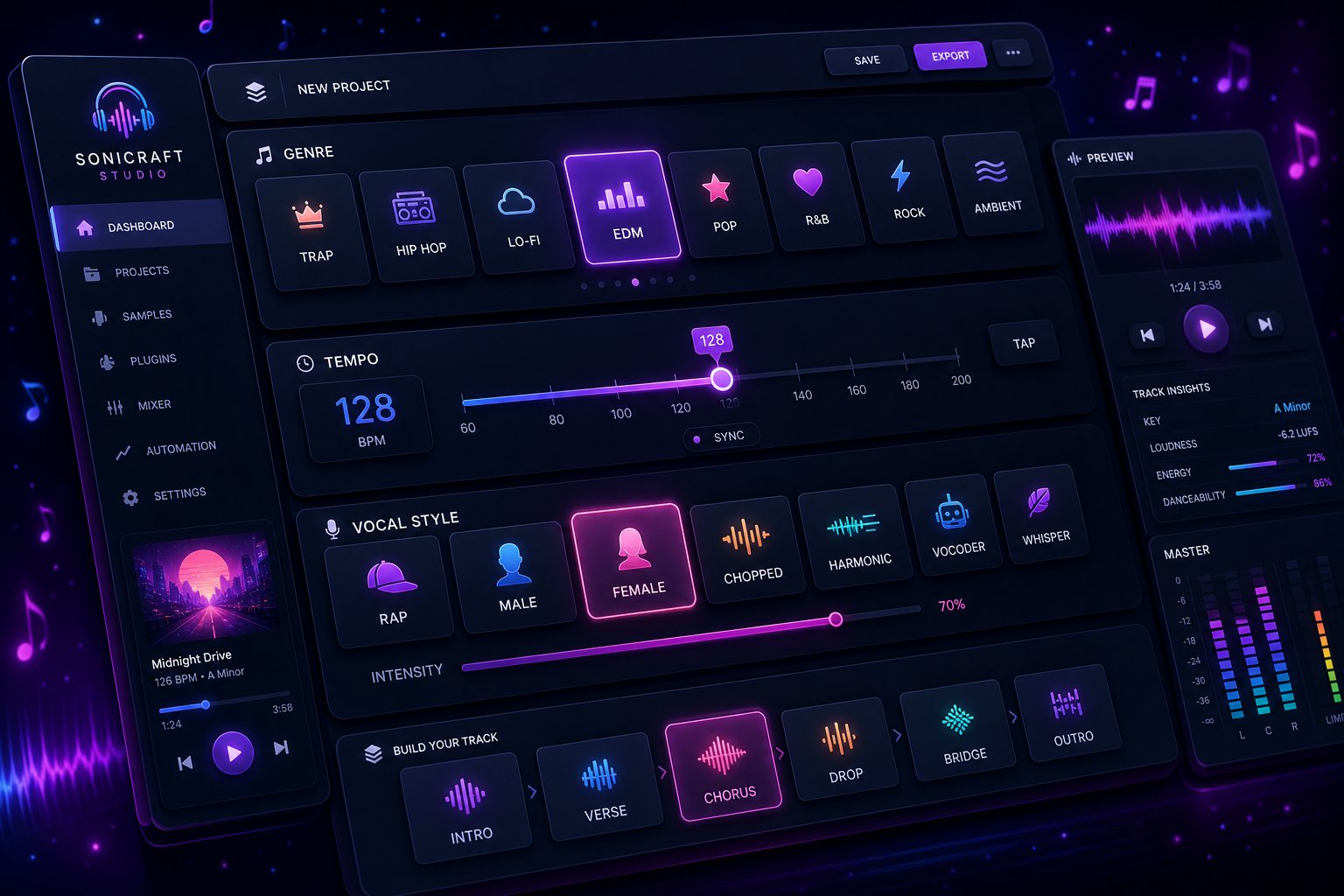
Paste Your Lyrics and Select a Genre
Every lyrics-to-song platform follows roughly the same input flow. Here is the sequence you will walk through regardless of which tool you chose:
- Open the song creation workspace — Look for options labeled "Create," "New Song," or "Text to Music" on your platform's main interface.
- Paste or type lyrics into the text field — Copy your pre-formatted lyrics (with section tags intact) directly into the input area. Double-check that your structure markers like [Verse] and [Chorus] transferred correctly.
- Select a primary genre — Most platforms offer a dropdown or tag-based song genre finder. Pick the closest match to your vision: pop, rock, hip-hop, electronic, R&B, country, or indie.
- Set the tempo range — Choose slow (60-80 BPM), mid-tempo (90-120 BPM), or fast (120-160 BPM). If your platform allows exact BPM input, use it. A ballad at 140 BPM will sound wrong no matter how good the lyrics are.
- Choose vocal characteristics — Select male or female voice, then refine with descriptors like soft, raspy, powerful, or breathy. Some platforms offer specific vocal "personas" you can preview before generating.
- Write your style prompt — This is the free-text field where you describe the overall sound, instrumentation, and mood. More on this below.
- Hit generate — Confirm your settings and start the generation process.
One detail people overlook: when you type lyrics into the input field manually rather than pasting, watch for autocorrect changing your intentional line breaks or slang. Platforms read your text literally, so an autocorrected word can shift pronunciation in the vocal output.
Configure Tempo and Vocal Style Settings
Tempo and vocal style are the two settings that shape emotional impact more than anything else. A set of heartbreak lyrics performed at 130 BPM with an upbeat female vocal will sound like an ironic pop anthem, not a sad ballad. The words stay the same, but the feeling changes completely.
Use these words to describe music style when configuring vocal delivery: intimate, aggressive, airy, gritty, smooth, theatrical, or conversational. These adjectives translate directly into how the AI shapes vocal dynamics and phrasing. For ai rap specifically, terms like "confident flow," "hard-hitting delivery," or "laid-back cadence" help the generator match the rhythmic intensity your bars need.
Tempo guidelines by genre:
- Ballads and slow R&B: 60-80 BPM
- Pop songs and lyrics with a mid-energy feel: 100-120 BPM
- Upbeat pop and dance tracks: 120-130 BPM
- Hip-hop and trap: 70-90 BPM (half-time feel) or 130-150 BPM
- Rock and punk: 130-170 BPM
If you are unsure about tempo, listen to a reference track in your target genre and tap along. Count the beats per minute or use a free BPM counter tool. Matching the tempo conventions of your chosen genre keeps the output sounding natural rather than forced.
Write Effective Style Prompts That Shape the Output
The style prompt is where most people either nail it or waste generations. A vague prompt forces the AI to guess, and its guesses tend toward generic, middle-of-the-road production. A specific prompt narrows the possibilities and gives you something closer to a deliberate creative choice.
The difference is dramatic. Compare these two approaches:
Weak prompt: "Happy song." Strong prompt: "Upbeat indie pop with acoustic guitar, light drums, and female vocals, around 110 BPM, hopeful and sun-drenched, similar energy to a road trip playlist opener."
The weak prompt gives the AI almost nothing to work with. "Happy" could mean bubbly electronic, cheerful country, or uplifting gospel. The strong prompt specifies genre, instrumentation, tempo, mood, vocal type, and even a use-case reference. According to prompt engineering research from MusicMakerApp, effective prompts typically cover five elements: genre and style, emotion and use case, instrumentation, vocal preference, and tempo or energy level.
Here is a practical formula you can reuse for any generation:
[Genre] + [2-3 instruments] + [vocal style] + [tempo] + [mood/emotion] + [use case or reference context]
Examples that consistently produce strong results:
- "Dark trap beat with 808 bass, sparse hi-hats, and male vocals with a confident flow, 140 BPM, moody and atmospheric"
- "Acoustic folk ballad with fingerpicked guitar and soft female vocals, 75 BPM, intimate and bittersweet, like a late-night confession"
- "Energetic pop-rock with electric guitar, driving drums, and powerful male vocals, 128 BPM, anthemic and defiant"
Avoid contradictory descriptors in the same prompt. Asking for "aggressive but gentle" or "minimal but lush" confuses the model and produces incoherent results. If you want contrast between sections, specify it per section: "soft verses with acoustic guitar, explosive chorus with full band."
For pop songs and lyrics that need radio-friendly polish, include terms like "clean mix," "vocal-forward," and "catchy hook" in your prompt. These signal production priorities that shape how the AI balances instruments against the vocal track.
The specificity of your style prompt is the single biggest lever you have over output quality. Spend an extra minute crafting it before you hit generate, and you will save yourself multiple regeneration cycles on the other side.
Step 4: Generate and Preview Your AI-Powered Track
You have crafted your style prompt, double-checked your lyrics, and selected every setting with intention. Your finger hovers over the generate button. What actually happens next, and how do you know whether the result is worth keeping?
What Happens When You Hit Generate
The moment you confirm generation, the platform feeds your lyrics, genre selection, and style prompt into its machine learning model. The AI analyzes syllable patterns, interprets your mood descriptors, and constructs an arrangement that attempts to match everything simultaneously. Depending on the platform and server load, this takes anywhere from 30 seconds to three minutes per variation.
Most platforms produce between two and four variations per generation attempt. Each variation interprets your input slightly differently: one might lean heavier on drums, another might shift the vocal melody higher, and a third might alter the tempo feel within your specified range. Think of it like asking four session musicians to interpret the same chart. They all read the same notes, but each brings a different energy.
Platforms like MakeBestMusic focus on producing polished output from text prompts, making this generation-to-preview step straightforward for beginners who want quick results without deep audio engineering knowledge. The interface typically presents your variations as playable cards or a simple playlist, so you can audition each one back-to-back without navigating complex menus.
One practical note: do not judge a track in the first five seconds. Let each variation play through at least one full verse and chorus before deciding. AI generators often build energy progressively, and a slow intro does not mean the chorus will lack punch.
How to Evaluate Your AI-Generated Track
Listening casually and listening critically are two different skills. When you preview beats by ai or full vocal tracks, you need a framework that separates "this sounds cool" from "this actually works as a song." Here is what to listen for:
- Vocal clarity — Can you understand every word? Are syllables pronounced naturally, or does the AI stumble over specific consonant clusters?
- Melodic fit — Does the melody complement the natural rhythm of your lyrics? Lines should feel like they flow with the beat, not fight against it.
- Emotional alignment — Does the instrumental tone match the mood you specified? A heartbreak lyric over a bouncy beat signals a prompt mismatch.
- Structural accuracy — Did the AI respect your section tags? Verses should feel distinct from choruses in energy and dynamics.
- Mix balance — Are vocals sitting on top of the instrumental, or are they buried beneath heavy production? A vocal-forward mix is essential for lyric-driven songs.
- Hook memorability — After one listen, can you hum the chorus melody? If it sticks, the AI nailed the catchiest part of your song.
- Pronunciation accuracy — Pay special attention to unusual words, proper nouns, or slang. AI vocals handle common vocabulary well but can mangle less frequent terms.
Score each variation against these criteria rather than relying on gut feeling alone. You might find that variation one has the best vocal melody but variation three has superior instrumentation. That insight becomes useful during the refinement step.
If you are evaluating output from an ai rap lyrics generator or any hip-hop focused tool, add flow consistency to your checklist. Rap demands tight rhythmic alignment between syllables and the beat grid. A single bar where the vocal falls off-beat can ruin an otherwise solid track.
Understanding What AI Does Well and Where It Falls Short
Setting realistic expectations prevents frustration. AI music generation has clear strengths and equally clear limitations, and knowing both helps you work with the technology rather than against it.
What AI handles reliably:
- Catchy, genre-appropriate hooks and melodies in pop, rock, and electronic styles
- Clean production quality that sounds polished without manual mixing
- Consistent tempo and rhythm across the full track length
- Genre-accurate instrumentation choices (the right synths for EDM, the right guitar tones for indie rock)
- Structural dynamics that build energy from verse to chorus
Where AI still struggles:
- Complex emotional nuance — subtle shifts between vulnerability and defiance within a single verse often get flattened into one uniform delivery
- Unusual time signatures — anything outside 4/4 or 3/4 tends to produce awkward results
- Perfect word pronunciation — especially with slang, invented words, or rapid multi-syllable phrases
- Dynamic vocal mixing — you will rarely get the equivalent of a professional vocal mixing ai free of artifacts, though output quality keeps improving
- Extended instrumental solos or improvisation — AI defaults to repetitive patterns rather than genuine musical exploration
The gap between AI strengths and weaknesses also depends on genre. A straightforward pop chorus with common English words will sound nearly professional. A jazz-influenced piece with complex syncopation and unusual vocabulary will expose every limitation at once. If you are using a rap line generator or creating hip-hop tracks, expect strong beat production but occasional rhythmic stumbles on dense, fast-paced bars.
Here is the key mindset shift: your first generation is a draft, not a final product. Across the industry, producers working with AI-generated music treat initial outputs as starting points for iteration. The platforms that generate multiple variations per attempt are designed around this reality. You are meant to listen, identify what works, note what does not, and feed that information back into your next attempt.
The difference between a mediocre AI song and a genuinely impressive one almost always comes down to what happens after that first preview. Knowing how to refine your prompts and tweak your lyrics based on what you heard is where the real craft lives.
Step 5: Iterate and Refine Until It Sounds Right
That first preview revealed what works and what does not. Maybe the chorus melody is infectious but the verse vocal feels flat, or the instrumental nails the mood while the pronunciation mangles your third line. These gaps are not failures. They are data points. The iterative refinement process is where a decent AI track becomes a genuinely impressive song, and understanding how to write lyrics for songs that cooperate with AI melody patterns is half the battle.
Adjust Your Prompts Based on First Results
Resist the urge to regenerate with identical settings and hope for a luckier roll. Instead, diagnose what specifically missed the mark and adjust one or two variables at a time. Changing everything simultaneously makes it impossible to tell which tweak caused the improvement.
Follow this refinement workflow after each listen:
- Identify the weakest element — Is it the vocal delivery, the instrumental arrangement, the tempo feel, or the overall genre accuracy? Pick the single biggest issue first.
- Revise your style prompt to address that issue — If the beat overpowered the vocals, add "vocal-forward mix with restrained instrumentation" to your prompt. If the mood felt too upbeat for a melancholic lyric, swap "bright" descriptors for "subdued" or "reflective." According to prompt engineering principles from Sonygram, even small wording changes like replacing "ambient" with "cinematic ambient" can shift the entire output character.
- Lock in what already works — Some platforms let you keep specific sections and regenerate only the parts that need improvement. If the chorus is strong, isolate it and regenerate just the verses. This prevents losing a great hook while chasing a better verse melody.
- Regenerate and compare side by side — Play the new output immediately after the previous version. Direct comparison reveals improvements that you might miss listening in isolation.
- Repeat for 3-5 total cycles — Most producers working with AI-generated music land on a solid result within three to five iterations. Beyond that, diminishing returns set in and you are better served by a different approach entirely.
A useful tactic when your genre feels slightly off: be more specific with your opening descriptors. AI models weight the first few words of your style prompt most heavily. Starting with "dark lo-fi hip-hop" produces a fundamentally different result than "hip-hop track that is kind of dark and lo-fi," even though both say roughly the same thing. Lead with your genre and mood, then layer in instrumentation and production details after.
Tweak Lyrics to Better Fit the Generated Melody
Sometimes the prompt is fine but the lyrics themselves are fighting the melody. This is where you put on your lyrics changer hat and make surgical edits based on what you heard. The AI gave you a melodic shape — your job is to adjust the words so they sit inside that shape naturally.
Common fixes that produce immediate improvement:
- Shorten lines with too many syllables — If the AI rushed through a line to cram it into one bar, cut two or three words. "I was walking through the rain thinking about you" becomes "Walking through the rain, thinking of you."
- Swap multi-syllable words for simpler ones — "Extraordinary" is five syllables the AI has to navigate. "Amazing" or "incredible" accomplish similar meaning with fewer melodic demands.
- Match syllable counts across paired lines — Verses sound tighter when consecutive lines share a similar syllable count. If line one has eight syllables and line two has fourteen, the melody will lurch awkwardly between them.
- Adjust rhyme endings for smoother delivery — If an ai rhyme finder suggested a technically correct rhyme that the AI vocal stumbles over, swap it for a near-rhyme that flows better phonetically. For example, if you are searching for rhyming words for away, options like "today," "display," or "relay" sing more cleanly than "ballet" or "bouquet" because they end on an open vowel sound that AI vocals handle with less distortion.
- Simplify the bridge — Bridges are where AI generators most often lose coherence. If yours sounds disjointed, reduce it to two or three short, emotionally direct lines rather than a complex lyrical detour.
Think of this editing step like tailoring a suit. The fabric is already cut, but small adjustments at the seams make everything fit properly. You are not rewriting your song — you are trimming and reshaping so the words and melody stop competing and start collaborating. Anyone learning how to finish song lyrics for AI platforms quickly discovers that flexibility with your original text produces dramatically better results than stubbornly keeping every word intact.
A rap lyrics maker workflow benefits especially from this approach. Hip-hop bars demand precise rhythmic alignment, and even removing a single filler word from a dense bar can shift the entire pocket of the vocal delivery into something that actually grooves.
Know When to Regenerate vs. When to Move On
Not every lyric-style combination will produce a great result with current AI capabilities, and recognizing that point saves hours of frustration. Here are the signals that it is time to change direction rather than iterate further:
- You have regenerated five or more times with meaningful prompt changes and the core issue persists
- The AI consistently mispronounces a key word that is central to your song's meaning and no phonetic workaround fixes it
- Your chosen genre clashes fundamentally with the lyrical rhythm — dense, fast-paced bars in a slow ambient style, or sparse poetic lines in an uptempo dance track
- Multiple variations all flatten the same emotional nuance you consider essential to the song
When you hit this wall, you have two productive options. First, try a completely different genre or tempo for the same lyrics. A set of words that fell flat as an acoustic ballad might come alive as a mid-tempo R&B track. Second, revise the lyrics more substantially — restructure sections, change the hook, or rewrite the bridge entirely. Sometimes the lyrics themselves need evolution before any AI can do them justice.
Iteration is the craft. The writers who get the most impressive results from AI music generation are not the ones with perfect first drafts. They are the ones willing to listen critically, adjust deliberately, and recognize when a fresh angle beats another round of tweaking. That persistence through refinement is also what reveals specific recurring problems — pronunciation glitches, genre mismatches, rhythm conflicts — that have targeted solutions worth learning.
Step 6: Fix Common Problems With AI Music Generation
Iteration gets you close, but certain problems keep showing up no matter how many times you regenerate. These are not random glitches. They are predictable patterns rooted in how AI models interpret text, and each one has a targeted fix. Rather than burning through generation credits hoping the next attempt magically works, diagnose the specific issue and apply the right solution.
Fix Mispronounced Words and Unclear Vocals
Pronunciation errors are the single most common complaint from people using AI to create music from their lyrics. The AI reads text phonetically based on its training data, and it does not always get it right. Proper nouns, slang, compound words, and non-English terms are especially vulnerable. As AI Music Service documents, even correctly spelled words can sound wrong in the vocal output because the model misinterprets stress patterns or vowel sounds.
Practical fixes that work across platforms:
- Simplify the problem word — Replace multi-syllable or uncommon words with simpler synonyms that convey the same meaning. "Ephemeral" becomes "fleeting." "Serendipity" becomes "lucky fate."
- Add phonetic spelling in brackets — Some platforms accept pronunciation hints. Writing "Caiman [KAY-mun]" or breaking a word into syllable chunks can nudge the vocal model toward correct delivery.
- Swap the line position — Words at the end of a line receive more melodic emphasis and clearer articulation. Move a mispronounced word from mid-line to the final position and regenerate.
- Use a near-synonym that shares the same vowel sounds — If the AI mangles "melancholy," try "heavy-hearted" which uses simpler phonetic patterns while preserving emotional weight.
For chorus voice types that require powerful belting, pronunciation issues intensify because the AI stretches vowels and compresses consonants at higher energy levels. Keep chorus lyrics to common, open-vowel words that survive vocal distortion cleanly.
Solve Genre Mismatch and Style Conflicts
You asked for moody indie folk and got a synth-heavy electronic track. Or you specified hip-hop but the output sounds like pop with a drum machine. Genre mismatch almost always traces back to conflicting descriptors in your style prompt or overly vague genre tags.
The fix is specificity and consistency. Avoid pairing contradictory terms like "aggressive acoustic" or "heavy minimalist." Each word in your prompt pulls the AI in a direction, and opposing forces produce confused output. If you want contrast between sections, specify it per section rather than globally: "gentle fingerpicked verse, explosive full-band chorus."
When working with rhyming rapping words in a hip-hop context, make sure your style prompt explicitly states the subgenre. "Hip-hop" alone is too broad — it could mean boom-bap, trap, lo-fi, drill, or conscious rap. Each subgenre carries distinct production characteristics. Writing "aggressive drill beat with sliding 808s and dark piano" gives the AI a much narrower target than "rap song."
Another common cause: the AI defaults to whatever genre dominates its training data when your prompt is ambiguous. Pop and electronic styles are overrepresented in most models. If you want something less mainstream, you need to be more forceful with your descriptors and include specific instrumentation that anchors the genre (banjo for bluegrass, sitar for Indian classical, distorted guitar for grunge).
Handle Rhythm Problems When Lyrics Do Not Fit the Melody
Rhythm misalignment happens when your syllable count does not match the rhythmic expectations of your chosen genre. Every genre has typical phrase lengths. Pop verses usually run 7-10 syllables per line. Rap bars pack 12-20 syllables into the same musical space. A slow ballad might stretch 5-7 syllables across a full measure. When your lyrics violate these norms, the AI either rushes through words or leaves awkward gaps of silence.
The solution is matching your writing to genre conventions. If you are crafting rap phrases rhyme patterns, you need denser syllable counts and internal rhyme structures that give the AI rhythmic anchors. For ballads, strip lines down to their emotional core and let the melody breathe between phrases. The rhyming words of beat and flow need to land on rhythmically strong positions — typically beats one and three in 4/4 time.
As AISongFix notes, reading lyrics aloud and clapping the syllables reveals rhythm problems before you ever hit generate. If a line feels awkward to speak rhythmically, it will sound worse when the AI attempts to sing it.
Below is a quick-reference grid covering the most frequent issues, their root causes, and targeted solutions:
| Problem | Root Cause | Solution |
|---|---|---|
| Vocals mispronounce words | Uncommon words, complex consonant clusters, or non-English terms confuse the phonetic model | Replace with simpler synonyms, add phonetic hints, or move the word to end-of-line position |
| Genre sounds wrong despite correct tag | Conflicting descriptors in style prompt or overly vague genre specification | Remove contradictions, specify subgenre, and include 2-3 genre-anchoring instruments |
| Lyrics feel rushed or cramped | Too many syllables per line for the chosen tempo and genre | Cut filler words, split long lines into two, or increase tempo to accommodate density |
| Awkward silence gaps between phrases | Too few syllables per line, leaving empty melodic space | Add descriptive words, extend phrases, or decrease tempo to stretch delivery |
| Instrumental overpowers vocals | Style prompt emphasizes production over voice, or genre defaults to heavy instrumentation | Add "vocal-forward mix" and "restrained instrumentation" to your prompt |
| AI ignores section markers | Incorrect formatting syntax for the specific platform (wrong brackets, missing line breaks) | Check platform documentation for exact tag format — some require [Verse], others use /verse/ or labels on separate lines |
| Rhyming beats feel off-rhythm | Rhyme words land on weak beats rather than strong rhythmic positions | Restructure lines so rhyming words fall on beats 1 or 3, or at the end of the bar |
One pattern worth highlighting: many of these problems compound each other. A genre mismatch often creates rhythm problems because the AI applies the wrong tempo feel to your syllable count. Fixing the genre issue first frequently resolves the rhythm problem as a side effect. Always start with the highest-level issue (genre and style accuracy) before drilling into line-level fixes like pronunciation or syllable count.
If you have worked through these targeted solutions and your track sounds solid, the final step is getting it out of the platform and into the world — which brings its own set of decisions around format, quality, and what you are legally allowed to do with the result.
Step 7: Export Your Song and Understand Your Rights
Your track sounds polished, the vocals land cleanly, and the instrumental fits the emotional arc of your lyrics. The creative work is done. But before you share it anywhere, two practical questions need clear answers: what format should you export, and what are you actually allowed to do with this song?
Export Formats and Audio Quality Options
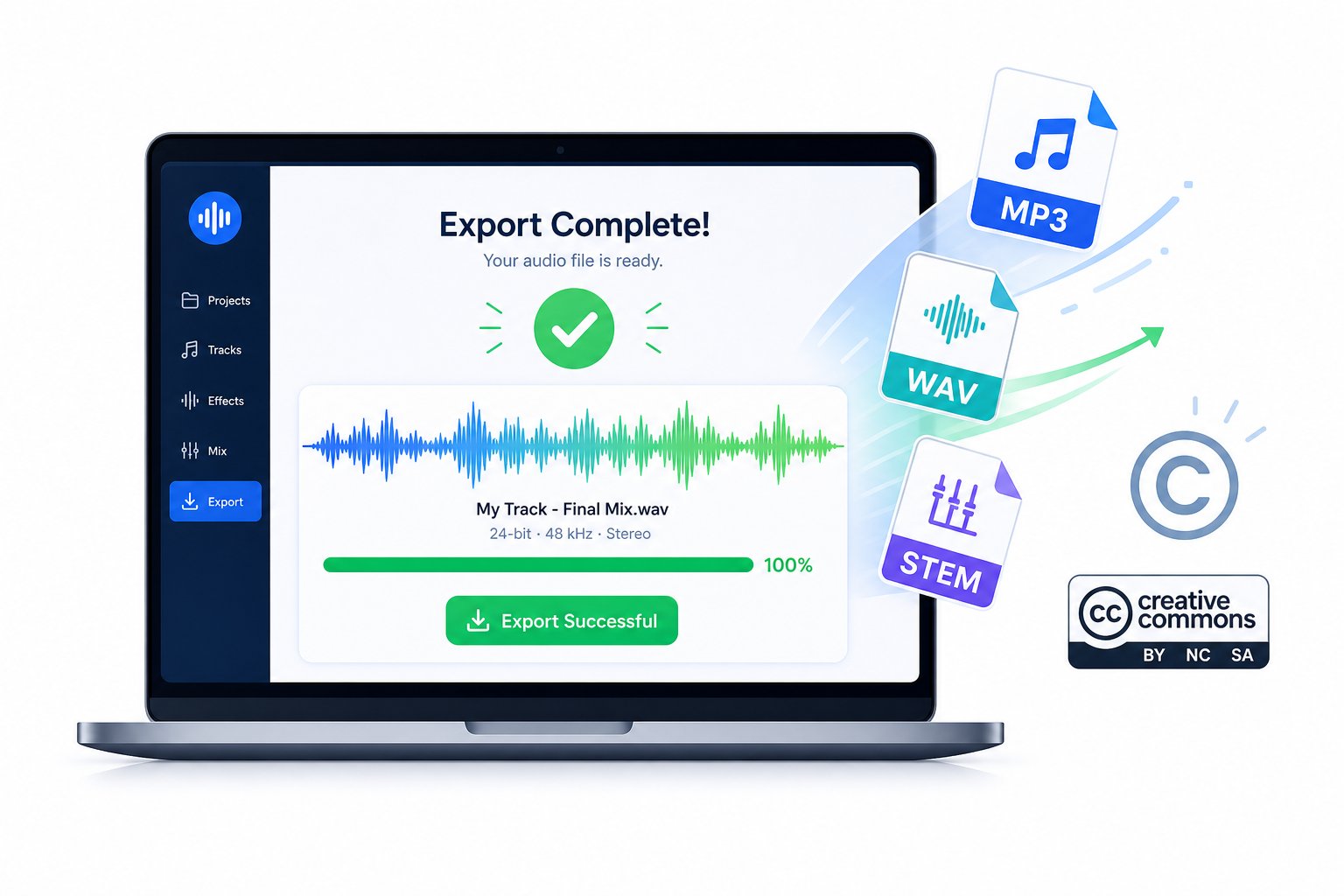
Most AI music platforms offer two or three export formats, and each serves a different purpose. Choosing the wrong one can mean re-exporting later or settling for quality that does not match your use case.
MP3 (compressed audio) is the most common default. Files are small, typically 3-5 MB for a three-minute track, and play on virtually every device and platform. Quality ranges from 128 kbps on free tiers to 320 kbps on paid plans. For social media posts, personal listening, or quick demos, MP3 at 320 kbps is perfectly adequate.
WAV (uncompressed audio) preserves full audio fidelity without compression artifacts. File sizes jump to 30-50 MB per track, but you get studio-grade quality suitable for professional use. If you plan to import your song into a DAW for further editing, mastering, or mixing with other elements, always export as WAV. Most paid tiers unlock this option.
Stems (separated instrument tracks) are the most flexible export. Instead of a single mixed file, you receive individual tracks for vocals, drums, bass, and other instruments. Stems let you adjust the mix yourself, remove or replace specific elements, or hand files to a producer for professional polish. Platforms like Suno and AIVA offer stem exports on higher-tier plans, while others bundle everything into a single stereo file regardless of subscription level.
A quick rule of thumb: export MP3 for sharing and previewing, WAV for any project where audio quality matters, and stems if you intend to do any post-production work at all.
Copyright and Ownership Rights for AI-Generated Music
This is where things get nuanced, and skipping the fine print can create real problems down the road. The short version: most platforms grant you a license to use what you generate, but that is not the same as owning it outright.
Copyright law still centers on human authorship. As Artlist's licensing guide explains, writing a prompt alone is usually not enough to establish copyright ownership. What strengthens your claim is the human decision-making layered on top: choosing between variations, editing outputs, adjusting lyrics to fit the melody, and shaping the final result through deliberate creative choices. The more you refine and direct the output, the stronger your position.
In practice, platform terms matter more than copyright law for most creators. Here is how licensing typically breaks down:
- Free tiers often restrict usage to personal, non-commercial projects. Some require attribution or add audio watermarks to exports.
- Paid tiers ($8-$30/month on most platforms) generally grant commercial usage rights, meaning you can monetize content that includes the generated music. DigitalOcean's platform comparison notes that many tools differentiate pricing based on whether you need personal rights or full commercial licensing that lets you monetize compositions.
- Pro or enterprise plans on some platforms transfer broader rights or even full copyright ownership to the subscriber, though this varies significantly.
One common misconception: "royalty-free" does not mean "ownership-free." Royalty-free means you do not pay per use after the initial license, but the platform may still retain certain rights or impose restrictions on redistribution. As Somio's copyright guide puts it, what truly matters is the license granted by the platform, including whether the music can be monetized and whether commercial use is explicitly allowed.
Always read the specific terms of service for your chosen platform before publishing, distributing, or monetizing any AI-generated track. Licensing terms vary widely between services and can change with updates, so verify your rights before every major release.
If you plan to pitch your song to a record label, license it for advertising, or distribute it on streaming platforms, confirm that your subscription tier explicitly permits those activities. A track generated on a free plan that goes viral on TikTok could create licensing headaches if the platform's terms restrict commercial use at that tier.
Where to Use Your AI-Created Songs
With the right export format and a clear understanding of your licensing terms, the practical applications are broad. Creators are using AI-generated music across a growing range of projects:
- Social media content — Original background tracks and full songs for TikTok, Instagram Reels, and YouTube Shorts that avoid copyright strikes from using licensed commercial music
- Personal projects — Wedding songs, birthday tributes, or creative gifts where a custom track carries personal meaning no stock music can match
- Songwriter demos — Rough recordings that demonstrate how lyrics sound over a produced arrangement, useful for pitching ideas to producers, bands, or collaborators
- Podcast and video intros — Custom theme music that establishes brand identity without recurring licensing fees
- Video soundtracks — Background scoring for vlogs, documentaries, product videos, and educational content
- AI music video creation — Pairing your finished track with visuals using an ai lyric video maker or a lyric video generator to produce a complete audio-visual package ready for YouTube or social platforms
- Mashup experimentation — Using stems and a song mashup maker to blend AI-generated elements with your own recordings or other licensed material
One increasingly popular workflow: creators generate a full song with AI, export the stems, then import them into a free music visualiser or video editing tool to build visual content around the track. This turns a single lyrics-to-song project into a complete content package spanning audio and video.
The technology that answers whether AI can create music for your lyrics has moved well past novelty. It is a practical, accessible production tool. Your lyrics, your style choices, and your willingness to iterate through the process outlined in these seven steps determine the quality of what comes out. The platforms handle the technical complexity. You bring the creative vision, the words, and the patience to refine until the song sounds like it was always meant to exist.
