

Why You Need to Verify Whether Music Is AI Generated
Imagine scrolling through a playlist and wondering whether the track playing was crafted by a person sitting behind a piano or generated by an algorithm in seconds. That question used to be easy to answer. It no longer is.
Why Detecting AI Music Has Become Critical
Generative music platforms like Suno and Udio now produce studio-quality songs from a short text prompt. When comparing Udio vs Suno, both platforms deliver vocals with realistic vibrato, natural phrasing, and polished instrumentals that rival professional recordings. AI-generated content is entering distribution catalogs at scale, and as authio notes, detecting this content before it reaches listeners has become a catalog integrity requirement for labels and distributors alike.
For playlist curators, the concern is credibility. For educators, it is academic honesty. For rights holders, it is protecting royalties from unlicensed AI clones that divert revenue away from human music. And for everyday listeners who want to support real artists, knowing how to tell if music is ai generated is now a practical skill rather than a niche curiosity.
The Multi-Method Framework Overview
No single technique reliably catches every AI track. Detection tools miss post-processed outputs, trained ears can be fooled by high-quality generators, and metadata labels are often absent. The solution is layering multiple methods together. This guide organizes those methods by skill level so you can check music to see if its ai generated or not regardless of your technical background:
- Beginner (metadata checks): Inspect streaming platform labels, artist release history, and distributor information for immediate red flags.
- Intermediate (listening for artifacts): Train your ear to spot unnatural vocal timbre, sterile reverb, and overly perfect timing that betray algorithmic generation.
- Advanced (spectral analysis and track separation): Use free software to visualize frequency patterns and isolate individual stems where AI artifacts hide in plain sight.
Each step in this framework adds confidence. A missing metadata label alone proves nothing, but combine it with audible artifacts and a suspicious spectrogram, and the picture becomes clear. You will learn how to identify ai music through platform research, critical listening, dedicated detection tools, visual analysis, lyric evaluation, and contextual investigation. By the end, you will have a repeatable process to how to spot ai music across any genre or platform.
The first and fastest place to start looking is the metadata already attached to the track itself.
Step 1 Check Streaming Platform Labels and Metadata
Before you analyze frequencies or dissect lyrics, the simplest way to know if a song is AI starts with the information streaming platforms already attach to it. Several major services have introduced disclosure systems that flag AI involvement directly in the track metadata. The catch? Each platform handles it differently, and none of them catch everything.
Where to Find AI Labels on Spotify and Apple Music
Spotify launched its AI Credits feature in beta, displaying AI contributions within the Song Credits section of the mobile app. To check a track, tap the three-dot menu on any song, select "Song Credits," and scroll through the listed contributions. If AI was used for vocals, lyrics, instrumentals, or production, you will see it noted there. The feature rolled out initially through DistroKid and is expanding to other distributors including CD Baby, Believe, and EMPIRE.
The critical detail: Spotify depends entirely on voluntary artist disclosure. As the platform itself stated, "the absence of AI credits doesn't mean AI wasn't used." Not all distributors support the disclosure fields yet, so many AI-generated tracks carry no label at all.
Apple Music took a slightly more assertive stance with its Transparency Tags system, launched in early 2025. Labels and distributors can apply these tags when delivering content, and Apple has indicated they will be required for new deliveries in the future. The tags flag when AI generated a material portion of a sound recording or a song's lyrics. You can find these disclosures in the track's metadata view under the album or song information panel. Still, the system relies on self-reporting by the supply chain, making it voluntary in practice.
Checking YouTube Music and Deezer Metadata
YouTube has gone further than most. The platform now automatically detects and labels AI-generated content even when creators do not disclose it themselves. For music videos, a prominent disclosure label appears directly below the video player. For Shorts, the label overlays the video itself. YouTube also requires creators to manually disclose when they use realistic AI, and the platform's internal signals will apply a label if significant photorealistic AI use is detected without disclosure. This represents a meaningful step toward ai song recognition at the platform level.
Deezer stands apart with the most proactive approach. Its proprietary AI detection tool automatically analyzes every upload and tags tracks it identifies as fully AI-generated. According to Deezer's creator support documentation, this tagging is mandatory and cannot be opted out of. The platform reports detecting roughly 75,000 AI-generated tracks per day, equivalent to about 2.25 million per month. Deezer's system identifies content from various AI music generators and adapts as new tools emerge. The company holds two patents on its detection method. On Deezer, tagged AI tracks remain available but are excluded from algorithmic recommendations.
What Missing Labels Actually Mean
Here is the reality check. Platform labels function like a music copyright checker in reverse: they track provenance rather than ownership, but they share the same fundamental limitation. They only work when the information has been submitted or detected. A missing label does not confirm a track is human-made. It might mean the artist chose not to disclose, the distributor does not support the metadata fields, or the track was uploaded before mandatory policies took effect.
Older uploads on any platform are especially unreliable. Tracks distributed before these labeling systems existed carry no tags regardless of how they were made. Platforms without strict enforcement also create gaps that let AI content through undetected.
| Platform | Where to Find AI Labels | Labeling Type |
|---|---|---|
| Spotify | Song Credits section (mobile app, three-dot menu) | Voluntary (artist disclosure through distributor) |
| Apple Music | Track/album metadata info panel | Voluntary now, required for new content in future |
| YouTube Music | Below video player (long-form) or overlay (Shorts) | Mandatory self-disclosure + automatic detection |
| Deezer | Track listing (automatic tag applied) | Mandatory (platform-side automated detection) |
Think of metadata checks as your first filter, not your final answer. They can quickly confirm AI involvement when labels are present, but silence from the metadata tells you nothing definitive. The ideal approach is to fingerprint every ai song to identify it through multiple verification layers, and that means training your ear to catch what labels miss.
Step 2 Listen for AI Audio Artifacts and Telltale Signs
Labels can confirm, but silence from metadata tells you nothing. Your ears, on the other hand, pick up signals that no tagging system addresses. Trained listeners can identify AI-generated music roughly 65-70% of the time according to detection research from musci.io, and that number climbs significantly once you know exactly what to listen for. Learning how to tell if a song is ai generated through critical listening is the most portable skill in your detection toolkit. No software required, no uploads, no waiting.
Common Audio Artifacts in AI-Generated Tracks
To define timbre in music is to describe the tonal color that makes a voice or instrument sound uniquely itself. AI models struggle to reproduce timbre consistently across an entire performance, and this is where artifacts emerge. Here are the most common giveaways:
- Unnatural vocal timbre and micro-glitches: AI vocals often sound crystal clear on vowels but produce a slightly mushy or over-processed quality on hard consonants. Brief digital hiccups, almost like a skipping frame, appear between phrases.
- Overly perfect timing: Human musicians naturally drift a few milliseconds ahead of or behind the beat. AI-generated tracks lock every note to the grid with mechanical precision, stripping away the micro-timing that makes a groove feel alive.
- Sterile reverb tails: Real recordings carry subtle room reflections shaped by physical space. AI reverb sounds applied rather than captured, creating a flat, vacuum-like spatial quality where everything sits at the same distance from the listener.
- Repetitive or looping background textures: Human arrangers vary instrumentation across sections. AI models tend to lock into a single arrangement palette and repeat it. If verse two sounds nearly identical to verse one instrumentally, take note.
- Consonant blurring in vocals: Plosives like "p," "t," and "k" normally shift with head movement and mouth position. In AI output, these sounds arrive identically every time or blur into each other unnaturally.
- Abrupt transitions between sections: Where a human producer would build a smooth bridge or use a creative fill, AI tracks sometimes jump between sections with no acoustic preparation, as if one audio block was stitched onto another.
These are the cues that make an a.i. voice detector unnecessary for many obvious cases. Your brain is already wired to notice when something sounds wrong in a human voice. The trick is learning to name what you are hearing.
Why AI Music Produces These Telltale Patterns
Understanding why these artifacts exist helps you spot them faster. AI music generators like Suno and Udio rely on neural networks that predict audio frame by frame. Each tiny slice of sound is generated based on what came before, but the model has no physical body, no lungs, no room to stand in. This creates specific problems:
The deconvolution modules inside these generators convert internal data into audible waveforms. Research published by Deezer's team mathematically proved that these modules introduce systematic frequency artifacts, small spectral peaks that are inherent to the model architecture itself. These peaks manifest as a faint hissing noise or an unnatural sheen in the high frequencies. Importantly, these artifacts depend on the generator's structure, not its training data, meaning they persist regardless of what music the model learned from.
Breath patterns present another fundamental challenge. Human singers breathe between phrases in patterns shaped by physical lung capacity. AI vocals either skip breaths entirely or insert them at mechanically even intervals. Real breath spacing is irregular because it responds to phrase length, emotional intensity, and physical effort. AI has none of these constraints, so its breathing feels decorative rather than functional.
Sustained complex textures, like a held guitar chord decaying naturally or a vocalist drawing out a long note with vibrato, also expose AI limitations. The model predicts each audio frame without truly understanding the physics of resonance, so these moments sometimes wobble, thin out unnaturally, or introduce tonal inconsistencies that a real instrument would never produce.
Focused Listening Exercises to Train Your Ear
Knowing what to listen for is only half the equation. These exercises sharpen your ability to how to tell ai music from human performances in real time:
- Slow the track to 75% speed: Most media players let you reduce playback speed. At slower tempos, micro-glitches between phrases, unnatural breath timing, and consonant blurring become far more obvious. Details hidden at full speed reveal themselves when stretched.
- Focus exclusively on vocal consonants: Play a suspect track and ignore the melody entirely. Listen only to how "s," "t," "p," and "sh" sounds behave. In human recordings, these consonants vary slightly with each occurrence. In AI output, they often sound identical or strangely softened.
- Compare breath sounds to a known human recording: Pull up a live performance or studio session from a verified artist in the same genre. Listen to how breath enters and exits phrases. Then switch to the suspect track. If the breathing feels mechanical or absent, that is a strong signal.
- Turn the volume very low: As Dr. Iain McGregor of Edinburgh Napier University suggests, reducing volume forces the sound to interact with the room differently. Real recordings sink into the ambient space with natural depth. Many AI tracks stay unnaturally perfect and flat at low levels, with no sense of a physical room beneath the voice.
- Listen for emotional consistency: Does the vocal effort match the emotional arc? A voice that sounds angry or sad without corresponding breath changes, timing shifts, or recovery pauses is a red flag. Real emotion leaves physical traces in sound. AI emotion is surface-level decoration.
These exercises work as a practical ai voice detector for everyday listening. They will not catch every AI track, especially as generators improve. Udio's output has already fooled 70% of listeners in blind tests. But combined with what your ears notice, dedicated detection software can fill the gap, analyzing the spectral fingerprints and statistical patterns that sit beyond human hearing.
Step 3 Run the Track Through AI Music Detection Tools
Your ears catch what sounds wrong, but dedicated software catches what you physically cannot hear. AI music detection tools analyze spectral fingerprints, statistical audio patterns, and model-specific signatures that exist below the threshold of human perception. Think of them as a second opinion that operates on math rather than instinct. Several reliable options exist right now, ranging from enterprise-grade APIs to completely free web tools anyone can use.
Top AI Music Detection Tools Available Now
The ai music detector landscape has grown rapidly, but three tools stand out for accessibility and documented performance:
IRCAM Amplify AI Music Detector is the heavy-hitter for professional workflows. Developed by the Paris-based institute known for decades of audio research, IRCAM Amplify's detector claims 99% accuracy with less than 1% false positives. It identifies output from Suno, Udio, Riffusion, ElevenLabs, and other major generators. The system processes over 250,000 tracks per hour, making it suitable for large catalog audits. Access is through a REST API and SDK, primarily targeting DSPs, distributors, labels, and collecting societies. Pricing requires direct contact, so this tool skews toward industry professionals rather than casual listeners.
LetSubmit (letssubmit.com) offers the most technically ambitious free option. Their ai song detector analyzes 72 audio features including MFCCs, chroma vectors, timbre descriptors, micro-timing distributions, and spectral contrast. You can upload an MP3 file or paste a Spotify URL for instant analysis. Independent testing showed LetSubmit correctly identifying 13 out of 15 AI-generated test tracks with zero false positives on human-made control tracks. The tool claims 90%+ accuracy and provides unlimited free web checks, making it the most accessible a.i. detector for music free of charge.
SubmitHub AI Song Checker takes a deliberately honest approach. Created by Jason Grishkoff, this ai song checker uses a Version 3.0 Random Forest Classifier that analyzes 21 audio features. You can check tracks via SoundCloud, YouTube, or Spotify links, or upload files directly. Grishkoff's own disclaimer states the tool provides "one data point, not definitive proof." That transparency matters. In comparative testing, SubmitHub correctly flagged 10 of 15 AI tracks with an extremely low false positive rate. When it says something is AI, it usually is. The tool is completely free with no plans for commercialization, and it integrates directly into SubmitHub's playlist submission workflow where curators see detection results alongside submissions.
How to Upload and Interpret Detection Results
The workflow for most ai song detectors follows a similar pattern. Here is what to expect when running a track through any of these tools:
- Submit your track: Upload an audio file (MP3 is universally supported, some tools accept WAV or FLAC) or paste a streaming URL. LetSubmit accepts Spotify links directly, while SubmitHub supports SoundCloud, YouTube, and Spotify URLs.
- Wait for analysis: Processing time varies. LetSubmit returns results in seconds for individual tracks. IRCAM Amplify processes at industrial speed for batch operations. SubmitHub typically responds within a few moments.
- Read the confidence score: Results arrive as a probability score rather than a simple yes or no. A score near 1.0 indicates high confidence that the track is AI-generated. A score near 0.0 suggests human origin. Scores in the middle range require additional investigation.
- Check platform attribution: Some tools identify which specific AI generator produced the track. Knowing whether something came from Suno versus Udio versus ElevenLabs adds useful context, especially when cross-referencing with other detection methods.
A practical approach: run the same track through multiple detectors. If LetSubmit, SubmitHub, and a third tool all flag it with high confidence, the signal is strong. If results disagree, dig deeper with spectral analysis or stem separation.
Understanding Accuracy and Confidence Scores
Here is where honest expectations matter. Current ai music detector accuracy sits around 85-93% on raw, unprocessed tracks according to comparative testing across multiple tools. That number drops noticeably with post-production processing. A few realities to keep in mind:
False positives are the most damaging outcome. As Cyanite's research team notes, incorrectly labeling human-created music as AI-generated can lead to wrongful rejections and reputational damage. Heavily quantized electronic music, synthetic sound design, and aggressive digital processing can all trigger false flags because they share statistical properties with AI output. A track should only be considered AI-generated when multiple strong signals agree.
False negatives happen when AI tracks slip through undetected. Post-processing techniques like additional EQ, compression, layering human elements, or re-encoding at different bitrates can reduce detectable signatures. In independent testing, heavily mastered AI tracks with layered human elements evaded even the best detectors.
The arms race factor is real. AI generators improve continuously, and detection tools must update their models to keep pace. A detector trained on Suno V3 output may not catch Suno V5 tracks reliably. Cyanite describes this dynamic plainly: "No detection system can reliably identify all AI-generated music, and any system that claims otherwise should be treated with caution." Look for tools that specify regular model updates and disclose which generators they currently detect.
| Tool | Supported Formats | Free or Paid | Reported Accuracy |
|---|---|---|---|
| IRCAM Amplify | API-based (multiple formats via SDK) | Paid (enterprise pricing) | 99% with <1% false positives |
| LetSubmit | MP3 upload or Spotify URL | Free (unlimited web checks) | ~90%+ (87% in independent tests) |
| SubmitHub | MP3, SoundCloud/YouTube/Spotify links | Free (no commercialization planned) | ~67% detection rate, very low false positives |
| ACRCloud | Full tracks, vocals, accompaniment | 14-day trial, then ~$32/10K requests | Not publicly disclosed |
| Sightengine | MP3, OGG, FLAC, WAV, OPUS | Free tier, then $29-$399/month | ~73% in independent tests |
Detection tools give you a valuable data point, but they operate on a fundamentally different framework than what streaming platforms run internally. Passing a public detector does not guarantee a track will survive platform-level screening, and failing one does not guarantee a distributor will reject it. Treat these results as one layer in a multi-method approach.
The next layer goes deeper than any algorithm: visualizing the track's frequency content directly and reading the patterns that AI generators leave behind in the spectrogram.
Step 4 Perform Visual Spectral Analysis with Free Software
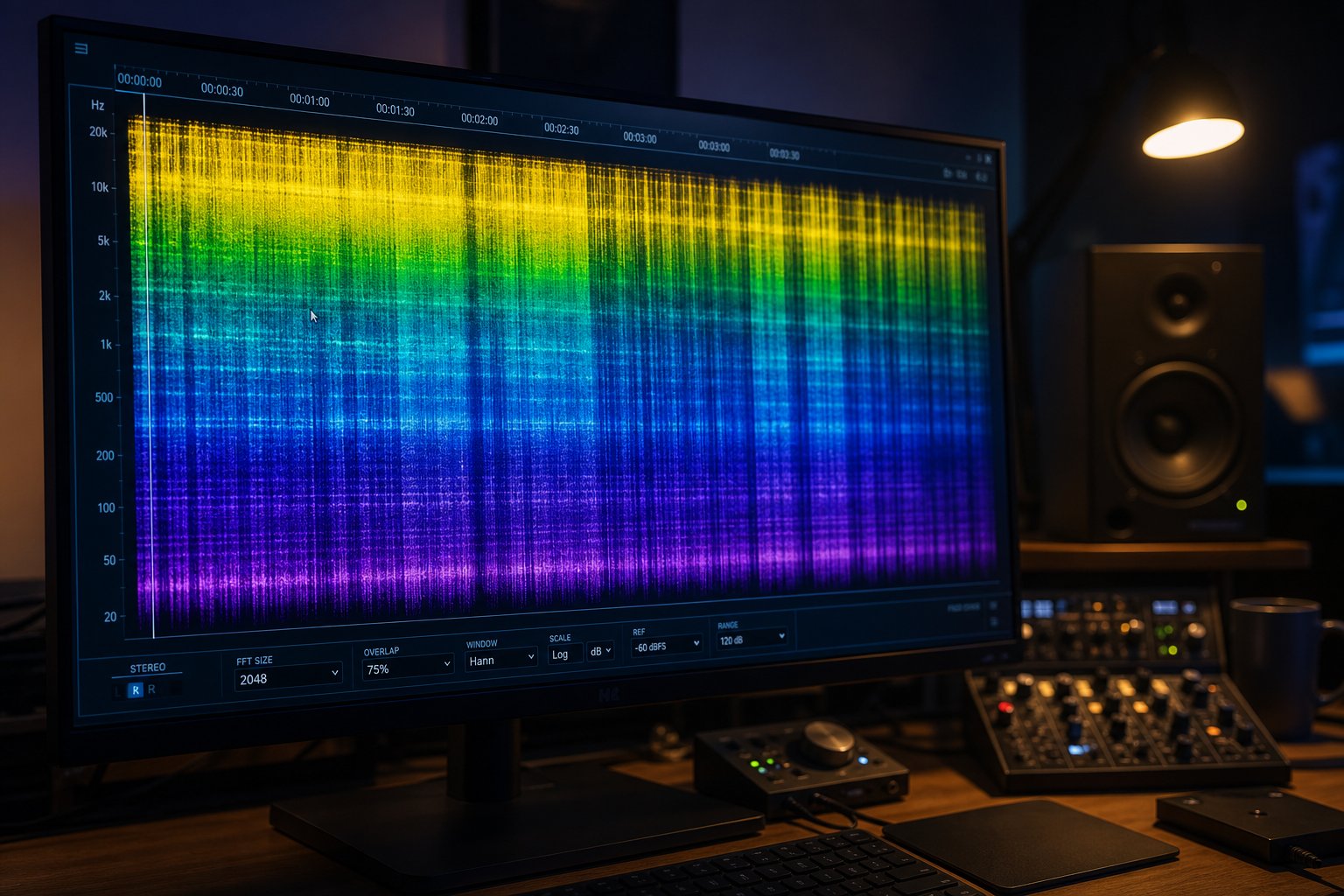
A spectrogram turns sound into a picture. Frequency sits on the vertical axis, time runs horizontally, and brightness represents energy. Where your ears might miss a subtle anomaly buried in a dense mix, a spectrogram displays it as a visible pattern you can study at your own pace. Free tools like Audacity and Spek transform any audio file into this visual format, turning your computer into a powerful audio detector for AI-generated content.
Setting Up Spectrogram View in Audacity
Audacity is free, open-source, and available on Windows, macOS, and Linux. Here is how to configure it as a visual music analyzer for AI detection:
- Download and install Audacity if you have not already. Open it and drag your suspect audio file directly into the workspace, or use File > Open.
- Click the dropdown arrow on the track name panel (top-left of the waveform). Select "Spectrogram" from the view options. The waveform display transforms into a color-coded frequency map.
- For higher resolution, click that same dropdown and choose "Spectrogram Settings." Set the window size to 2048 or 4096 samples for detailed frequency resolution. Choose a Hanning window type. Set the frequency range from 0 Hz to 22050 Hz (or your file's Nyquist frequency) so you can see the full spectrum.
- Zoom into specific sections using Ctrl+Scroll (or Cmd+Scroll on macOS). Focus on quiet passages, vocal phrases, and transitions between sections where AI artifacts are most visible.
- For a quicker alternative, open the file in Spek, which instantly generates a full-track spectrogram without any configuration. Spek is ideal as a fast sound checker when you want an overview before diving into detailed analysis.
Visual Patterns That Reveal AI Generation
Once your spectrogram is open, you are looking for patterns that real recordings almost never produce. Spectral analysis research identifies these as the primary visual tells:
- Hard frequency cutoffs: Many AI generators cap output at exactly 16kHz or 20kHz, creating a sharp horizontal line where all energy abruptly stops. Human recordings taper gradually at the top of the spectrum because microphones and room acoustics do not produce clean edges. A ruler-straight cutoff is one of the strongest visual indicators.
- Unnaturally uniform spectral density: Real audio shows organic variation in brightness across the spectrogram. AI-generated audio often looks "too clean," with even energy distribution where you would expect random fluctuations from room tone, microphone movement, and performance dynamics.
- Grid-like repeating patterns: Above 16kHz, AI generators sometimes produce visible vertical or horizontal lines resulting from the fixed frame sizes they use during synthesis. These grid artifacts are absent in human recordings and serve as a reliable audio identifier for algorithmic origin.
- Absent frequency variation in sustained notes: When a real vocalist holds a note, the spectrogram shows subtle pitch drift and harmonic shimmering. AI-held notes display unnaturally static harmonic bands with mathematically perfect spacing that no human voice achieves.
- Repeating spectral shapes across sections: Compare the spectrogram of verse one to verse two. In human recordings, even repeated sections show slight tonal differences from performance variation. AI output often produces near-identical spectral shapes because the model generates from the same latent patterns.
The technical basis for what these visual tools reveal connects to mel-frequency cepstral coefficients (MFCCs), a mathematical method that converts spectral energy into compact feature representations aligned with human hearing perception. Detection algorithms extract MFCCs from audio frames and compare their statistical distributions against known AI and human profiles. What you see visually in a spectrogram is essentially what automated systems like IRCAM Amplify quantify mathematically through MFCC analysis and related audio checker techniques.
Comparing Against Known Reference Tracks
A spectrogram alone does not tell you much without context. You need reference points. Open a confirmed human recording in the same genre alongside your suspect track and compare them side by side. Look for these differences:
- Top-end behavior: Does the suspect track have a sharp ceiling where the reference tapers naturally?
- Noise floor texture: Does the reference show faint ambient noise between notes while the suspect track drops to digital silence?
- Harmonic complexity: Real instruments produce rich, slightly irregular overtone series. AI harmonics tend toward mathematically perfect spacing.
For an AI reference, generate a quick track on any free AI music tool and open its spectrogram. Familiarize yourself with how that generator's output looks visually. Once you have seen a few AI spectrograms, the patterns become recognizable at a glance, much like how a trained eye spots a photoshopped image.
Visual analysis reveals the macro-level fingerprints, but some artifacts only emerge when you peel a track apart into its individual layers. Isolating vocals, drums, and instruments separately exposes inconsistencies that the full mix conceals.
Step 5 Separate and Inspect Individual Track Layers
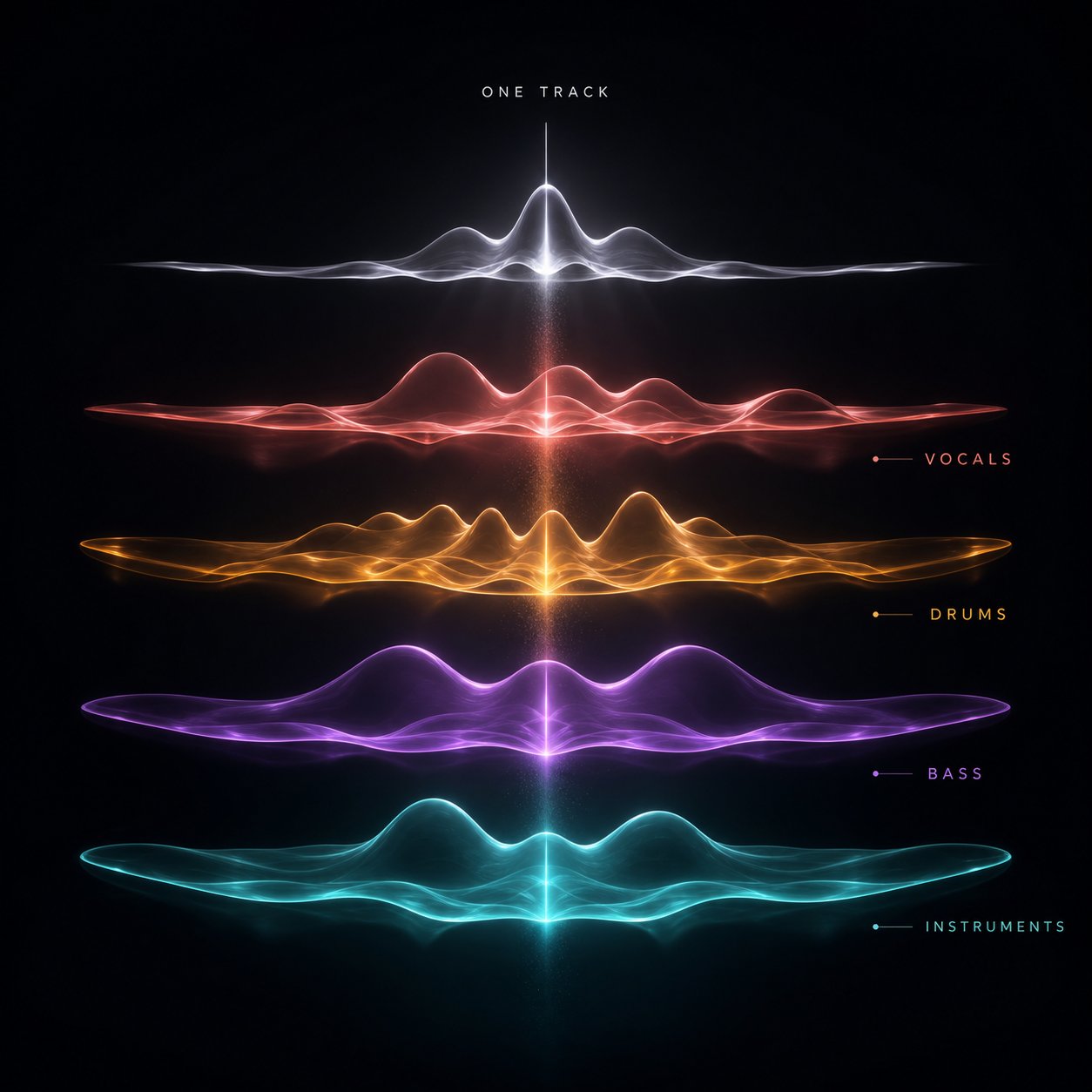
A full mix is a hiding place. Busy instrumentals mask vocal glitches, layered textures cover repetitive patterns, and stereo width disguises tonal inconsistencies. Strip a track down to its individual stems, though, and those imperfections lose their camouflage. Stem separation turns a single audio file into an ai audio detector you control, exposing artifacts that no amount of critical listening or spectral viewing would catch in the combined output.
Why Stem Separation Reveals Hidden AI Artifacts
AI music generators produce each element within a unified model rather than recording separate instruments in isolation. The result sounds cohesive at first, but when you pull the layers apart, inconsistencies between them become obvious. A vocal stem might reveal breath sounds that start and stop with unnatural precision. An isolated bass line might expose identical attack transients on every single note, something no human player achieves. Drum stems sometimes reveal a hi-hat pattern that never shifts in velocity across an entire track, a mechanical uniformity that real drummers simply do not produce.
The full mix masks these tells because your brain blends overlapping frequencies together. Isolating each layer forces you to evaluate it on its own terms, with nowhere for artifacts to hide. Think of it as using a sound detector focused on one element at a time rather than trying to identify this sound within a crowded room of competing signals.
How to Separate and Inspect Each Track Layer
You do not need a professional DAW or technical background to perform stem separation. Browser-based tools handle the heavy lifting. Here is the workflow:
- Obtain the highest quality version of the suspect track available. Lossless formats like WAV or FLAC produce cleaner separations than compressed MP3 files, since compression introduces its own artifacts that muddy the analysis.
- Upload the file to a stem separation tool. MakeBestMusic's Audio Separator handles this directly in the browser, splitting a track into vocals, drums, bass, and other instruments without requiring complex software installation or command-line knowledge.
- Download each separated stem individually. Label them clearly so you can reference back during your inspection.
- Open each stem in your media player or Audacity. Listen to them one at a time at both normal speed and 75% speed, focusing entirely on the characteristics of that single layer.
- Compare stems against each other. Do the vocals feel like they belong in the same acoustic space as the instruments? Does the reverb character match across layers, or does each stem sound like it was generated independently?
This process works as a practical audiochecker workflow that anyone can perform. The separation step itself takes only a few minutes, and the inspection that follows gives you evidence no other method provides.
What to Listen For in Isolated Vocals and Instruments
Each stem type exposes different AI tells. Here is what to focus on:
- Vocals: Listen for breath patterns that arrive at mechanically even intervals regardless of phrase length. Check whether consonants sound identical across every occurrence. Notice if the vocal timbre stays unnaturally consistent, without the subtle tonal shifts that come from a singer turning their head or adjusting posture.
- Drums: Focus on hi-hat and snare hits. Real drummers produce micro-variations in timing and velocity on every stroke. AI drums often lock to a perfect grid with uniform loudness, creating a pattern that sounds programmed rather than performed.
- Bass: Examine the attack and decay of each note. A real bass guitar or synth performance shows slight differences in how notes begin and end. AI bass lines frequently display identical envelopes on repeated notes, as if the same sample was triggered rather than played.
- Other instruments: Guitar strums, piano chords, and pad textures should show subtle performance variation. If isolated pads sound like a looped sample with no evolution over time, or guitar parts produce the exact same string noise on every chord change, those are signals of algorithmic generation.
Stem separation is one of the strongest methods available because it fundamentally changes the listening context. Artifacts that vanish inside a polished mix become unmistakable when heard alone. Combined with the spectral analysis from the previous step, isolated stems give you a layered picture of how a track was actually constructed.
The sonic fingerprint tells part of the story, but AI also leaves traces in how it writes. Lyrics and song structure carry their own set of patterns that point toward algorithmic origin, and these require a different kind of attention entirely.
Step 6 Analyze Lyrics and Song Structure for AI Patterns
Sonic artifacts reveal how a track was produced, but lyrics and arrangement reveal how it was composed. These are two fundamentally different creative processes, and AI falters at both in distinct ways. Where spectral analysis and stem separation catch production-level fingerprints, lyric and structural analysis catches creative-level ones. A track can sound technically polished and still betray its algorithmic origins the moment you read the words or map the arrangement.
Spotting AI Patterns in Lyrics and Word Choice
When you analyze your song lyrics for AI tells, you are looking for patterns that emerge from how language models generate text. These models predict the next most probable word based on training data, which produces lyrics that feel emotionally broad but personally hollow. A human songwriter writes from specific experience. An AI writes from statistical averages of all songwriting it has seen.
Here are the lyrical red flags that most reliably signal AI generation:
- Generic emotional language without personal specifics: Lines like "I feel the fire burning inside" or "lost in the darkness of my mind" carry emotion without anchoring it to anything concrete. Human lyrics tend to reference specific places, people, moments, or sensory details. AI lyrics stay safely abstract because specificity requires lived experience the model does not have.
- Inconsistent metaphor threads: A human songwriter who starts a verse with an ocean metaphor typically develops it, extending the imagery through waves, tides, or drowning. AI often introduces a metaphor in one line and abandons it in the next, jumping from water imagery to fire imagery to sky imagery within a single verse. The lack of thematic coherence reflects how the model generates line by line without maintaining an overarching creative vision.
- Unusually even syllable counts across lines: Pull up a lyric detector mindset and count syllables. AI-generated verses frequently produce lines of nearly identical length, creating a rhythmic monotony that trained songwriters deliberately avoid. Human lyricists vary line length for emphasis, breath, and emotional pacing.
- No narrative progression: Strong lyrics go somewhere. Verse one sets up a situation, verse two complicates it, the bridge shifts perspective. AI lyrics often restate the same emotional sentiment across every section with slightly different vocabulary, circling rather than advancing.
- Overuse of rhyming couplets and predictable rhyme schemes: AI gravitates toward the statistically safest rhyme patterns. If every line pair lands on an obvious end rhyme (heart/apart, night/light, pain/rain), that rigid predictability reflects a model choosing high-probability outputs rather than a writer making deliberate craft decisions.
- Absence of conversational imperfection: Real lyrics include fragments, interrupted thoughts, slang, and grammatical choices that serve emotional truth over correctness. AI lyrics tend to sound grammatically polished and syntactically complete in every line, which paradoxically makes them feel less human.
Tools ranked among the top ai for lyrics for songs, like Suno's built-in lyric generators and dedicated AI lyric writers, all share these tendencies because they share the same underlying architecture: next-token prediction optimized for broad appeal rather than personal expression.
Structural Analysis of Song Arrangement
Beyond the words themselves, how a song is arranged tells its own story. Use any song analyzer approach, even manually mapping sections on paper, and AI-generated tracks reveal structural patterns that human producers rarely produce:
- Predictable verse-chorus-verse without deviation: AI defaults to the most common song structure in its training data. You rarely hear an AI track open with a chorus, drop into an unexpected instrumental break, or skip a section entirely for dramatic effect. The arrangement feels templated because it is.
- Uniform section lengths: Verses tend to be exactly the same duration. Choruses match to the bar. Bridges run a predictable eight bars. Human arrangers frequently stretch or compress sections based on lyrical need or emotional momentum. AI treats structure as a grid to fill rather than a framework to bend.
- Bridges that restate rather than develop: A human-written bridge typically introduces new harmonic territory, shifts perspective, or builds tension before the final chorus. AI bridges often rehash the chorus melody with slightly different lyrics, functioning as a filler section rather than a creative pivot point. Research comparing AI and human-produced music highlights this gap between technical competence and creative intentionality as one of the clearest distinguishing factors.
- Abrupt energy jumps without preparation: Where a human producer might use a drum fill, a riser, or a brief silence to signal a transition, AI tracks sometimes leap from quiet verse to full chorus without any connective tissue. The sections exist as independent blocks rather than parts of a continuous story.
- Identical arrangement across repeated sections: In human-produced music, the second chorus often adds a new layer, the final verse might strip back, and the outro introduces variation. AI tends to repeat sections with minimal evolution, producing what feels like a looped structure rather than a progressing composition.
An ai genre detector approach can also help here. If a track claims to be jazz but follows a rigid pop structure with no improvisation, or labels itself as progressive rock but never changes time signature, that mismatch between genre expectations and actual arrangement raises questions worth investigating further.
Musical Decisions That Signal Human Creativity
Sometimes the strongest evidence is what a track does not do. Human producers make micro-decisions throughout a song that reflect intentional creative thought rather than statistical prediction. When you use a lyric analyzer mindset alongside structural listening, look for these signals of human involvement:
Unexpected chord substitutions reveal a musician who understands harmonic theory well enough to break its rules on purpose. A borrowed chord from a parallel key, a tritone substitution in a jazz progression, or a deceptive cadence that delays resolution, these choices require knowledge and intent that current AI models rarely demonstrate. AI sticks to the most probable chord in context because probability is all it understands.
Tempo rubato and dynamic contrast separate performed music from generated music. Rubato means stretching time intentionally, slowing into an emotional phrase and speeding through a transition. AI-generated tracks almost never employ rubato because their timing models favor consistency over expression. Similarly, dramatic dynamic shifts, a sudden drop to near-silence before a final chorus, or a gradual crescendo built across sixteen bars, require compositional intent that goes beyond pattern prediction.
Lyrics that reference the unrepeatable are perhaps the hardest thing for AI to replicate. A line about a specific street corner, a named person, a particular Tuesday afternoon, these details resist generation because they come from memory rather than probability. When you encounter lyrics with genuine specificity, the kind that could only describe one person's experience, that is strong evidence of human authorship.
The ai song analyzer approach works best when you treat lyrics and structure as complementary evidence. Generic lyrics inside a templated structure compound each other's signal. Specific lyrics inside a creative arrangement reinforce human origin. Either dimension alone might be inconclusive, but together they paint a clear picture of how a song came into existence.
Lyrics and structure reveal the creative mind behind the music, but they do not confirm the identity of the creator. A track with perfectly human-sounding lyrics could still originate from a generated account flooding platforms with content. Verifying who made the music requires stepping outside the audio entirely and investigating the artist themselves.

Step 7 Research the Artist and Release Context
A track can pass every audio test and still originate from a content farm uploading hundreds of songs a week under fabricated identities. Conversely, a legitimate artist might trigger detection tools simply because they used aggressive digital processing. The audio alone does not settle the question. Investigating who released the music, and how, gives you context that no spectrogram or detector can provide.
Investigating Artist Presence and Release History
Real artists leave trails outside streaming platforms. Those trails are messy, human, and accumulated over time. AI-generated accounts typically lack this depth entirely. Here is a research checklist to verify authenticity:
- Social media history: Check whether the artist has an Instagram, TikTok, X, or Facebook page with a history predating their first release. Look for behind-the-scenes content, studio photos, personal posts, and engagement with fans over months or years. A profile created last month with no followers and nothing but Spotify links is a red flag.
- Live performance footage: Search YouTube and social platforms for live videos, even informal ones. A single shaky phone recording from a small venue carries more authenticity weight than a polished catalog of studio tracks with zero visual evidence of performance.
- Collaborator networks: Real musicians tag producers, engineers, featured artists, and session players. Click through those connections. If collaborators also have verifiable histories, the web of relationships confirms human involvement. AI-generated projects rarely build convincing networks of real collaborators.
- Music community presence: Search for the artist on Reddit, Bandcamp, SoundCloud, or niche genre forums. Communities like r/aimusic and threads discussing reddit suno ai projects often identify synthetic artists by name. Conversely, real artists typically engage in communities, post works-in-progress on soundcloud ai pages, and leave comment histories that span months.
- Spotify verification signals: Spotify's Verified by Spotify badge reviews profiles for concert dates, merch, linked social accounts, and sustained listener engagement. At launch, profiles that primarily represent AI-generated artists are explicitly ineligible. The badge is not proof of human origin on every track, but its absence on an artist with a large catalog and no off-platform presence is meaningful.
Think of this research as a song copyright checker in reverse. Instead of verifying who owns a piece of music, you are verifying whether a real person stands behind it at all.
Red Flags in Release Patterns and Distribution
Release cadence is one of the fastest contextual signals to evaluate. Human artists operate under physical and creative constraints: writing, recording, mixing, and mastering a single track takes days to weeks. AI generators produce a finished song in under a minute. The math shows up immediately in catalog size.
- Volume and frequency: An artist releasing 50 or more tracks within a few months, especially across multiple genres, is almost certainly using generative tools for the bulk of the output. Spotify removed over 75 million tracks it flagged as spam in a single year, and Deezer reports receiving over 30,000 fully AI-generated tracks daily. Much of this volume flows through accounts mimicking real artist profiles.
- Genre inconsistency: A catalog spanning lo-fi hip-hop, classical piano, death metal, and bossa nova under one name, with uniform production quality across all of them, signals algorithmic generation rather than artistic range. Real multi-genre artists typically develop their range over years, not weeks.
- Distributor information: Check which distributor delivered the music. Some distributors have stricter AI policies than others. Tracks delivered through services with minimal vetting and no AI disclosure requirements deserve more scrutiny. Cross-reference the distributor with its public policy on AI-generated content.
- Listener engagement patterns: An artist with 100,000 monthly listeners but zero social followers, no playlist saves from real curators, and no community discussion anywhere online fits the profile of ai generated music reddit users frequently flag and discuss. Real engagement leaves traces beyond stream counts.
A copyright music checker tells you whether a recording matches existing rights databases. Release pattern analysis tells you something those databases cannot: whether the creative output is physically plausible for a human being.
The AI-Assisted Middle Ground
Not every AI-involved track is fully synthetic. The distinction between AI-assisted and AI-generated music matters enormously for fair classification. AI-assisted music is created by a human artist who uses AI as a tool to support specific parts of the process, like generating chord progression suggestions, mastering a final mix, or isolating stems for remixing. The artist remains in creative control, makes the key decisions, and shapes the final product.
AI-generated music, by contrast, is produced with minimal or no human creative input. You feed a prompt into a model, and the system creates the structure, melody, instrumentation, and vocals. The human contribution begins and ends with a text description.
This distinction shapes how you interpret your findings. An artist who writes their own lyrics, performs vocals, and arranges the song but uses AI-powered mastering is fundamentally different from an account that types "upbeat pop song about summer" into Suno and uploads the output. Both technically involve AI, but only one involves meaningful human artistry.
When you encounter ambiguous cases, ask these questions:
- Did a human write the lyrics or provide substantial creative direction?
- Is there evidence of performance, whether vocal recording, instrument tracking, or live production decisions?
- Does the artist discuss their creative process publicly, referencing specific choices they made?
- Is AI used as one tool among many, or is it the entire production pipeline?
The Beatles' Grammy-winning track "Now and Then" used AI-powered audio restoration to isolate John Lennon's vocals from a decades-old demo. Nobody disputes that is a human-made song. The AI served a specific technical function within a broader creative vision driven entirely by people. That is the benchmark for AI-assisted work: the human remains the author, and the AI remains the tool.
As platforms develop clearer labeling and communities grow more sophisticated at identifying synthetic content, these contextual signals become increasingly valuable. But context alone, like every other method, produces a single data point. The real power comes from combining everything: metadata, listening, detection tools, spectral views, stem isolation, lyric analysis, and artist research into a unified judgment that accounts for the strengths and limitations of each approach.
Step 8 Combine Methods and Build Detection Confidence
Each method you have worked through produces a single signal. Metadata labels might be absent. Your ears might be uncertain. A detection tool might return a middling confidence score. A spectrogram might look ambiguous. None of these signals alone answers the question definitively. The real power in knowing how to detect ai music comes from stacking these signals together and reading the pattern they form collectively.
Building a Confidence Score Across All Methods
Think of each detection step as contributing a point toward a final verdict. A practical scoring approach works like this:
- Metadata confirms AI involvement: Strong signal. If a platform label explicitly tags the track, that is direct evidence. Score it high.
- Audible artifacts detected: Moderate to strong signal depending on severity. A single questionable moment is weak evidence. Multiple consistent artifacts across the track compound into a strong indicator.
- Detection tool flags the track: Moderate signal. One tool flagging it is worth noting. Two or more tools agreeing pushes confidence significantly higher.
- Spectrogram shows telltale patterns: Moderate signal. Hard frequency cutoffs or grid-like patterns are distinctive, but require experience to interpret correctly.
- Stem separation reveals uniform artifacts: Strong signal. Isolated vocals or instruments exposing mechanical uniformity are difficult to explain away. Tools like MakeBestMusic's Audio Separator make this step accessible without a professional DAW setup.
- Lyrics and structure follow AI patterns: Moderate signal. Generic lyrics inside templated arrangements add weight, especially alongside sonic evidence.
- Artist research raises red flags: Strong contextual signal. No verifiable presence, impossible release volumes, or genre incoherence all reinforce technical findings.
When three or more methods point toward AI origin, your confidence should be high. When five or more agree, the determination is about as reliable as current technology allows. A single method flagging the track while others return clean results warrants caution rather than conclusion.
No single detection method is foolproof, but when metadata, listening, detection tools, spectral analysis, stem inspection, and contextual research all point the same direction, the combined signal is far more reliable than any individual technique alone.
Handling Conflicting Results and Edge Cases
Conflicting signals are common and do not mean your process failed. They mean the track requires deeper investigation. Here are the most frequent scenarios:
Detection tools disagree with each other. This happens regularly. If you search threads asking are ai detectors accurate reddit, you will find extensive discussion about inconsistent results across tools. Academic research from KTH Royal Institute of Technology confirmed that even commercial-grade ai music detectors like IRCAM Amplify can be fooled by simple audio transformations such as resampling to 22.05 kHz. When tools disagree, weight the results from tools that specify which generators they detect and update their models regularly.
The track sounds AI-generated but has a verified human artist. Heavily processed electronic music, quantized pop productions, and vocal tracks run through pitch correction can mimic AI characteristics. If artist research confirms a real person with a verifiable creative history, the audio artifacts may reflect production choices rather than algorithmic generation.
The artist uses AI tools but also contributes creatively. This is the most nuanced case. A musician who generates a backing track with Suno, then records live vocals and rewrites the lyrics, has created something that exists between fully human and fully AI. Your classification depends on what question you are actually asking: Is AI involved at all? Or is the creative authorship primarily human? Define your threshold before reaching a conclusion.
Staying Ahead as AI Music Generation Evolves
Detection is not a solved problem. It is an ongoing arms race. Research confirms that ai music checker tools trained on one generator's output often fail when tested against a different platform's tracks. Classifiers trained on Suno achieve near-perfect detection of Suno content but drop to F1 scores below 0.63 when tested on Udio output. As generators improve and post-processing techniques evolve, detection methods must continuously adapt.
Practical steps to stay current depend on your role:
- Listeners: Revisit detection tools quarterly. Bookmark tools that disclose their update frequency and test against the latest generator versions.
- Curators: Build a multi-tool workflow. Run submissions through at least two ai music detectors, check artist context, and listen critically before accepting tracks into playlists.
- Educators: Teach students to how to tell if music is ai by combining ear training with technical analysis. The framework in this guide serves as a repeatable methodology for classroom use.
- Industry professionals: Monitor platform policy updates, track detection accuracy benchmarks published by services like Deezer and ACRCloud, and maintain internal processes that combine automated scanning with human review for edge cases.
The question of how to know if music is ai will only grow more complex as generation quality improves. But the fundamental approach remains stable: layer multiple independent methods, weight their signals honestly, and accept that certainty is rare while high confidence is achievable. The tools will change. The framework will not.
